Connect with us
DAPA Banner

Tech

Epic Games To Cut More Than 1,000 Jobs As Fortnite Usage Falls

Published

on

Epic Games is cutting more than 1,000 jobs as usage of its flagship title, Fortnite, falls. “The layoffs aren’t related to AI,” CEO Tim Sweeney noted. Reuters reports: The cuts, along with more than $500 million in savings from lower contracting and marketing spending and unfilled roles would put the company in “a more stable place,” Sweeney said in a note to employees. […]

“We’ve had challenges delivering consistent Fortnite magic,” Sweeney said, adding “market conditions today are the most extreme” since the early days of the company founded in 1991.

The move marks Epic’s second major round of layoffs in three years. In September 2023, the company cut about 830 jobs, or roughly 16% of its workforce. It was not immediately clear what percentage of staff would be impacted by Tuesday’s announcement.

Source link

Advertisement
Continue Reading
Click to comment

You must be logged in to post a comment Login

Leave a Reply

Tech

Using A Fiber Laser To Etch 0.1 Mm PCB Traces

Published

on

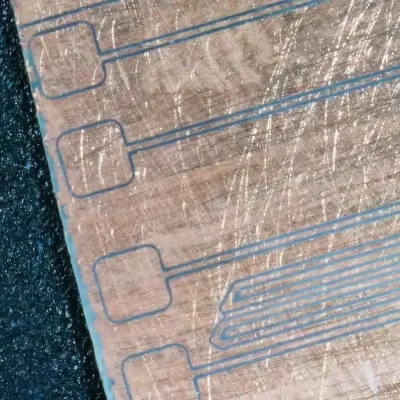
Creating PCBs at home is quite easy these days (vias not withstanding), but even the best DIY methods usually can’t match the resolution offered by commercial PCB production lines. Large traces are easy enough to carve out of copper-backed FR1 or FR4 with even a mill, what if you need something more like 100 µm sized traces with similar clearance? This is what [Giangix] has been experimenting with, using both a fiber laser and chemical etching to see what approach gives the best results.

The thin copper clad boards are put on the 20 Watt fiber laser and held in place with the vacuum table that [Giangix] previously made, using the power of suction to make sure the board doesn’t move. The used laser specifies a minimum line width of 0.01 mm, so that’s clearly fine enough to engrave away the chemical resist layer that is sprayed on top of the copper layer.

After some experimentation, it was found that increasing the trace clearance between the 0.1 mm traces to a hair above 0.1 mm was necessary for the subsequent chemical etching step to work the best, as otherwise some copper was still likely to remain. The chemical etching bath mixture consists of hydrochloric acid and hydrogen peroxide, in a ratio of 2 mL water to 2 mL 30% HCl and 2 drops of 35% H2O2. This is agitated for 90 s to get a pretty good result.

Advertisement

Although the final resistance measurements on the traces is a bit higher than theoretical, comments suggest that maybe some of the copper got removed along with the removal of the resist layer. Perhaps the most interesting question here is whether directly ablating the copper using the fiber laser would give even better results and bypass the etching chemicals.

Advertisement

Source link

Continue Reading

Tech

Apple Confirms It’s Bringing Ads to Maps as Part of New Apple Business Platform

Published

on

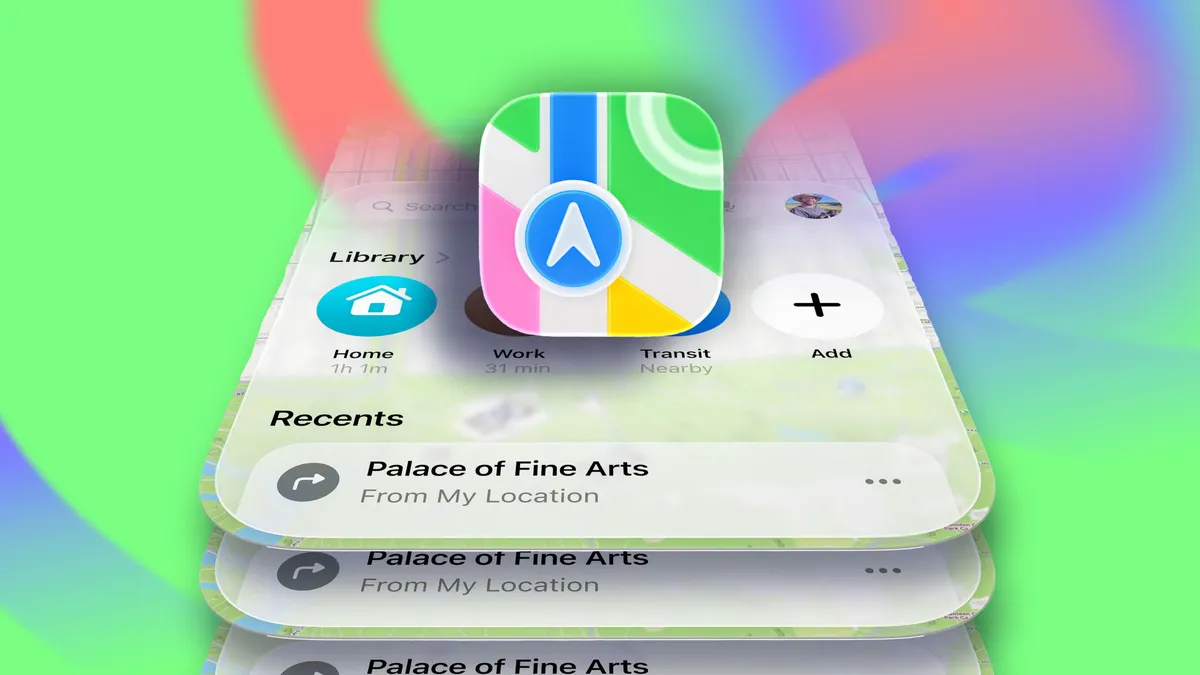
Apple is moving forward with plans to roll out advertising on its Maps platform, appearing on devices like iPhones and the web version of the app as early as this summer.

Bloomberg first reported on Apple’s plans last October, and now Apple has confirmed it’s a reality and part of a new platform called Apple Business, launching April 14, offering advertising opportunities across not only Maps but also Mail, Wallet and Siri.

The advertising system, as far as Maps goes, would work similarly to Google Maps advertising. Slots would be available for brands or businesses to purchase and would be tied to search results in Maps. 

Advertisement

The Business platform that Apple is launching will be available in more than 200 countries and regions, according to the company.

Ads in Maps will initially only roll out in the US and Canada this summer.

The move is part of a larger plan to keep growing Apple’s services business, which includes subscriptions like Apple TV Plus, as well as Apple News, iCloud and the App Store. While Apple’s advertising business is a smart part of the company’s revenue, services now account for a quarter of Apple’s annual sales, reportedly more than $100 billion a year, according to a Bloomberg update.

Apple Business will also include options for companies to buy upgraded iCloud storage and AppleCare Plus for Business; there will also be a dedicated Business app that lets companies manage Apple accounts and devices and assign apps and roles within an organization.

Advertisement

Source link

Continue Reading

Tech

How to Set Up Google Family Link on Android: Step-by-Step Guide (2026)

Published

on

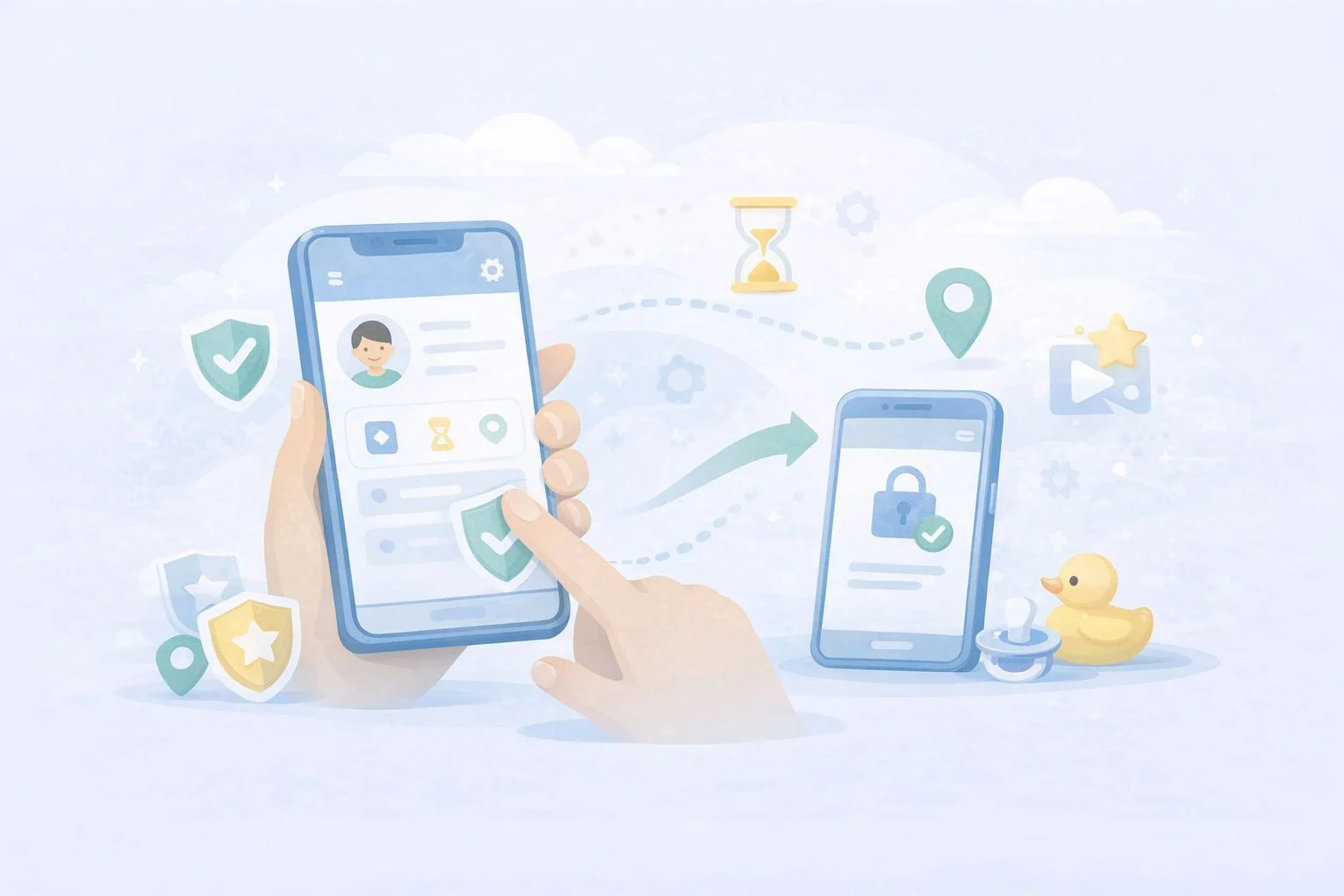
Google Family Link is a free parental control tool built directly into Android that lets you manage your child’s device from your own phone. It covers app approvals, screen time limits, content filters, location sharing, and more — all without installing any third-party software. This guide walks you through every step: from pre-setup requirements to configuring the controls that actually matter after you are linked.

Quick take: Setup takes about ten minutes if both devices are nearby and the child’s Google Account is already created. The most common cause of failure is having multiple Google accounts on the child’s device — Family Link requires the child’s supervised account to be the only account on their phone during setup.

Before you start: what you need

Getting the right pieces in place before you open the app saves time and avoids the most common setup errors.

Device requirements

According to Google’s official Family Link device compatibility page, your child’s Android device needs to run Android 7.0 (Nougat) or higher for full functionality. Devices running Android 5.0 or 6.0 may support some settings but are not fully reliable. Your own device — the parent phone — needs Android 7.0 or higher, or iOS 16 or higher if you use an iPhone.

Advertisement

To check your child’s Android version: open Settings → scroll to the bottom → tap About phone → look for Android version.

Account requirements

  • You need a Google Account (standard Gmail is fine).
  • Your child needs a Google Account. If they are under 13, you will create one through the Family Link setup flow — you cannot use a standard account for children under 13 without parental supervision.
  • The child’s device must have only one Google account signed in at setup time. If there are multiple accounts, Family Link will remove them during the process — a warning you want to see before, not during, setup.

Apps to download

  • On your phone: Google Family Link (the parent version)
  • On your child’s phone: Google Family Link for Children & Teens (a separate app)

Both are free on the Google Play Store. Make sure you download the correct version for each device — they are listed separately and serve different functions.

Step 1: Create your child’s Google Account (if they do not have one)

If your child already has a supervised Google Account, skip to Step 2.

Open the Family Link app on your phone and tap Get started. The app will ask whether your child has a Google Account. Select No. You will then be guided through creating a supervised account, which requires:

  • Your child’s first name (a last name is optional)
  • Their date of birth — this determines the type of account created and the applicable age rules in your country
  • A Gmail address for the child (the app will suggest available options)
  • A password for the child’s account
  • Your own Google Account password to verify parental consent

Once the account is created, Google will ask you to review the privacy settings and data collection preferences for the account. Read through these carefully — this is where you control whether Google can use personalised ads, activity tracking, and similar settings on your child’s profile.

With both apps open and both devices nearby, the Family Link app on your phone will generate a short linking code. Here is the exact sequence:

Advertisement
  1. On your phone (parent device): open the Family Link app, sign in with your Google Account, select your child’s account, and tap through until you see the linking code screen. Keep this screen visible.
  2. On your child’s phone (child device): open the Family Link for Children & Teens app, sign in with the child’s Google Account, and enter the code shown on your screen when prompted.
  3. Back on your phone: the app will confirm that the devices are linked. Tap Next to proceed to the permissions setup screen.

If the code expires before you enter it, tap Generate new code on the parent device. Codes are valid for a short window.

Step 3: Grant permissions on the child’s device

After the link code is accepted, the child’s device will display a series of permission screens. Keep tapping Allow or Next through all of them — these permissions are what allow Family Link to enforce screen time limits, manage apps, and report activity. Without them, most controls will not work.

You will also be prompted to name the child’s device (useful if you have more than one child or device) and to choose which apps the child can access immediately. You can approve or restrict app access from this screen, but you can also do it later from the Family Link dashboard on your own phone.

Step 4: Configure the controls that matter most

Once linked, most parents open the dashboard and are not sure where to start. Here is a practical order that covers the highest-value settings first.

Screen time limits and Downtime

Go to Screen time in the Family Link app on your phone (this tab was redesigned in Google’s February 2025 Family Link update). You can set a total daily screen time limit, schedule Downtime (when the device locks automatically — useful for bedtime and homework), and view how much time your child spends on each app. These are the controls most families configure first.

Advertisement

School Time

School Time is a dedicated block mode that limits device use to approved apps only during school hours. It was previously available on smartwatches and became available on Android phones and tablets in the same February 2025 update. Set your child’s school schedule once, and the device will automatically restrict access during those hours without you needing to manage it manually each day.

App approvals

Under Controls, you can require your approval for every app your child attempts to download from the Play Store. When your child requests an app, you receive a notification on your phone and can approve or decline with one tap. You can also block specific apps already installed on the device.

Content filters

Family Link applies content filters across Google Search (SafeSearch), Chrome (site filtering), YouTube (supervised or restricted mode), and the Play Store (age-based content ratings). Go to ControlsContent filters to review each one. The default settings are conservative but worth reviewing against your child’s age and needs.

Approved contacts

Following the February 2025 update, parents can now set which contacts their child is allowed to call and text on Android phones. Go to ControlsContacts to add approved contacts directly from the Family Link app. Your child can request to add new contacts, which you can approve or decline. This is useful for younger children whose device use should be limited to family and close contacts.

Advertisement

Location sharing

Under your child’s profile in the app, you will find a Location section. Tap See location to view the device on a map. Location sharing requires the child’s device to be on with location services enabled and connected to mobile data or Wi-Fi. It does not update in real time continuously; it shows the most recent known location and can be refreshed manually.

Step 5: Review security settings on the child’s device

Before handing the device back, confirm that Google Play Protect is enabled on the child’s phone. It scans installed apps for harmful behaviour and runs automatically in the background. To check: open Play Store → tap your account icon → Play Protect → confirm scanning is on.

Also review which apps have access to the camera, microphone, and location under SettingsPrivacyPermission manager. Remove permissions that do not match an app’s obvious function. This is a good habit to repeat every few months, particularly after new apps are added. For a broader overview of what each permission does, see the guide on understanding Android app permissions on this site.

What happens when your child turns 13

This is the section most setup guides miss, and it changed significantly at the start of 2026. Previously, children could independently disable Family Link supervision once they reached age 13. Google reversed that policy in January 2026 — teens now require explicit parental permission to remove supervision, regardless of age. You will receive a notification when your child is approaching the applicable age and can decide at that point whether to continue supervision or transition to an unsupervised account through a managed conversation.

Advertisement

If you choose to continue supervision for a teenager, it is worth revisiting your content filter and screen time settings. Controls that work well for a nine-year-old often create unnecessary friction for a fourteen-year-old, which can damage the trust that makes monitoring useful in the first place. You can find a more detailed discussion of that transition in the wider guide on legal Android phone monitoring for parents.

  • Child under 13 using a personal Android device → Family Link is the right default. Free, official, no third-party trust required.
  • Teenager active on social media with mental health or safety concerns → consider adding Bark alongside Family Link. Bark’s AI content detection covers platforms Family Link does not.
  • Multiple children across Android and iOS, or a need for detailed per-app time limits → Qustodio covers multi-device families better than Family Link alone.
  • Want to know more before deciding → the Bark vs Qustodio comparison on this site covers both in detail.

Implementation checklist

  • Confirm child’s device runs Android 7.0 or higher.
  • Download the correct Family Link app on both devices (two separate apps).
  • Remove any additional Google accounts from the child’s device before starting.
  • Create a supervised child Google Account during setup if the child does not already have one.
  • Grant all permissions on the child’s device when prompted — do not skip any.
  • Set Screen Time limits and Downtime schedule immediately after linking.
  • Configure School Time if the child’s school schedule is consistent.
  • Enable app approval for Play Store downloads.
  • Set approved contacts if the child is young enough to benefit from contact restrictions.
  • Confirm Google Play Protect is active on the child’s device.
  • Review app permissions on the child’s device before handing it back.

Troubleshooting

Codes expire quickly. Tap Generate new code on the parent device and re-enter it on the child’s device within a few seconds. Make sure both devices are connected to the internet.

The most common cause is the child’s device being offline. Controls sync when the device has an internet connection. Also check that all permissions were granted during setup — open the child’s Family Link app and look for any incomplete setup warnings.

The child’s device shows a different account is still signed in

Family Link requires the child’s supervised account to be the only Google Account on the device. Go to SettingsAccounts on the child’s phone and remove any additional accounts before relinking.

Location is not updating

Check that location services are enabled on the child’s device (SettingsLocation → make sure it is on). Also verify that the Family Link app has location permission under SettingsAppsFamily LinkPermissions.

Advertisement

App approvals are not coming through to the parent device

Check that notifications are enabled for the Family Link app on your own phone (SettingsAppsFamily LinkNotifications). Without notifications, approval requests will pile up unnoticed.

School Time is not locking the device during school hours

Confirm the schedule was saved correctly in the app and that the child’s device time zone matches the schedule you set. Devices in a different time zone will trigger School Time at the wrong local time.

Key takeaways

  • Family Link is free, built by Google, and integrates at the OS level — it is the most reliable starting point for Android parental controls.
  • Setup requires two separate apps: one on your phone, one on your child’s phone. Using the wrong app on either device is the most common setup error.
  • The child’s supervised account must be the only Google Account on their device during setup.
  • As of January 2026, teens need parental approval to remove supervision — this is a significant change from earlier policy.
  • School Time, parent-approved contacts, and the redesigned Screen Time tab were all added in the February 2025 update — older setup guides may not mention these.
  • Family Link works best alongside a conversation about why monitoring is in place. Transparent oversight tends to build better digital habits than hidden controls.

FAQ

Yes. Google Family Link is completely free. There is no paid tier or premium version — all features are included at no cost.

Does my child know they are being monitored?

Yes. Family Link is a transparent tool by design. The child’s device displays a supervision indicator, and the child can see which apps are approved or restricted. It is not a hidden monitoring app.

Yes, but only if the account was created for a child under 13 through the supervised account creation flow, or if you add supervision to a teen’s existing account. Standard adult Google Accounts cannot be placed under Family Link supervision.

Advertisement

What happens if my child’s phone dies or goes offline?

Screen time limits and Downtime schedules that were already set will continue to apply. However, the parent dashboard will not update with new location data or activity reports until the device reconnects.

The parent Family Link app supports iOS 16 or higher on the parent’s device. However, Family Link cannot manage an iPhone as the child’s device — it only supervises Android devices and Chromebooks. For iPhone supervision, Apple’s Screen Time is the equivalent built-in tool.

Family Link can show you your child’s device location when the device is online and location services are active. It does not continuously stream a live location; instead, it shows the most recent known location and allows you to request a refresh.

No. Family Link cannot be uninstalled by the child from a supervised Android device without parental approval. Since January 2026, teenagers also need parental permission to disable supervision from their account settings.

Advertisement

Google Play parental controls only restrict content ratings inside the Play Store itself — they do not cover screen time, location, app usage, web filtering, or the rest of the device. Family Link is the full parental control system that includes Play Store controls alongside all other features. If you only want to restrict what your child can download, Play Store controls alone may be enough; for broader oversight, you need Family Link.

Source link

Continue Reading

Tech

Firefox now has a free built-in VPN with 50GB monthly data limit

Published

on

Firefox now has a free built-in VPN with 50GB monthly data limit

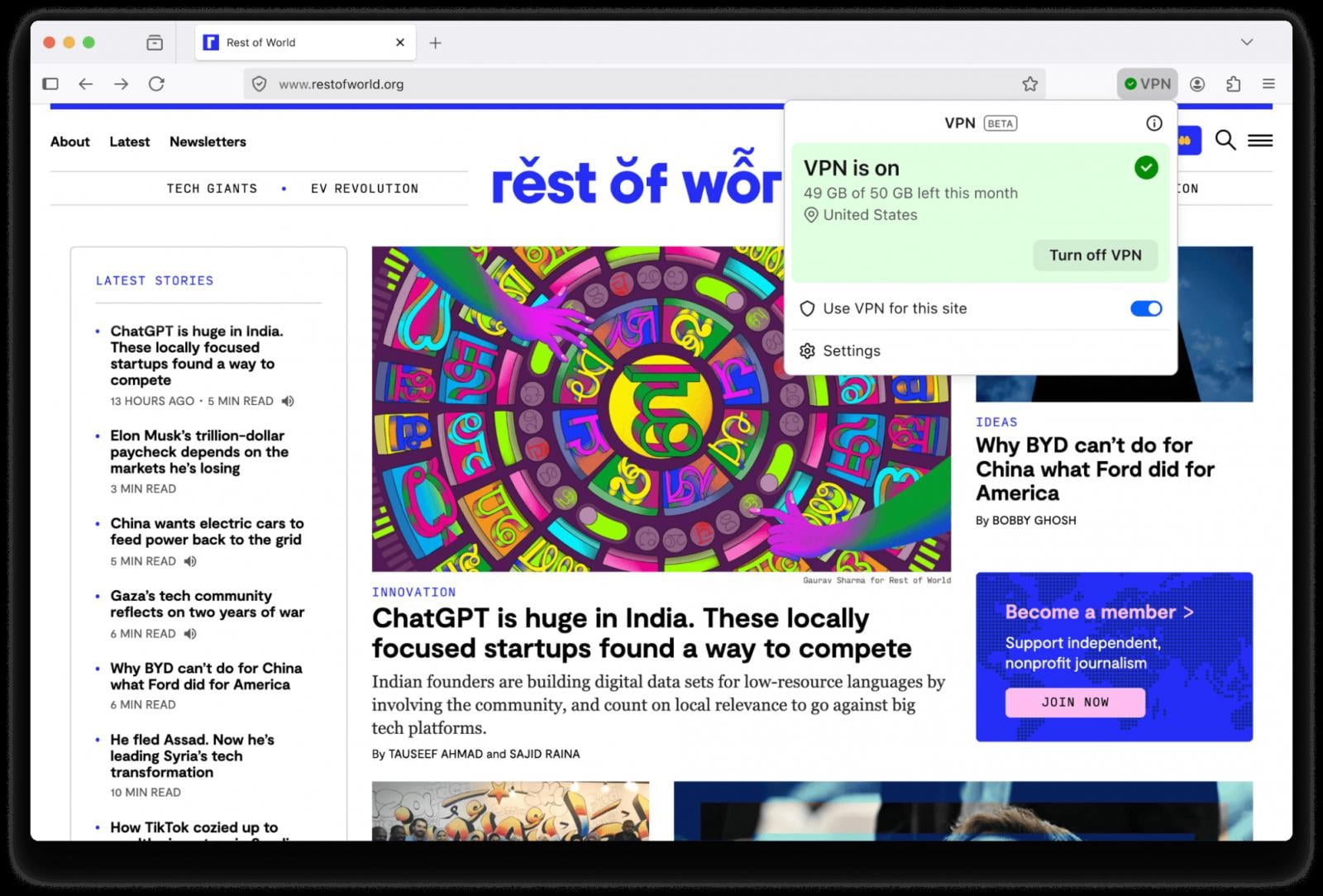
Mozilla released Firefox 149 with added privacy protection through a built-in VPN tool offering up to 50GB of monthly traffic.

The feature uses a secure proxy server to route only traffic from the browser, unlike the company’s commercial Mozilla VPN, which covers system-wide traffic.

“Whether you’re using public Wi-Fi while traveling, searching for sensitive health information, or shopping for something personal, this feature gives you a simple way to stay protected,” Mozilla says.

“Once you sign in and turn it on, you can hide your location and IP address by routing it through a secure proxy while you browse in Firefox.”

Advertisement
Firefox's new built-in VPN tool
Firefox’s new built-in VPN tool
Source: Mozilla

Users with a Mozilla account will get 50 GB of traffic per month. In-browser notifications will alert them when they approach the limit.

You can turn on the VPN feature through a toggle switch in the top right of the browser interface. There is also the option to activate the VPN only on specific websites, up to five, to save traffic.

Some websites and essential services are excluded from VPN routing to avoid account sign-in problems and make sure VPN reconnection works properly.

Mozilla says that it will only collect technical data relevant for maintaining the performance and stability of the new service, and interaction data to understand usage.

“For example, we may log whether a connection succeeded or failed, or record that 2 GB of data was used on a certain day,” the company explains.

Advertisement

The routing server is based in the U.S., and it is selected considering location and performance for the best user experience.

Starting today, the built-in VPN feature will roll out progressively to users in the U.S., UK, Germany, and France. Currently, there is no timeline for expanding the service to more regions.

Firefox 149 also comes with Split View, a function that has been present in Google Chrome for a while, which allows placing tabs side by side in the same browser window. Mozilla highlights use cases such as planning, comparing, note-taking, and small administrative tasks, such as tax filing.

New SplitView on Firefox
Source: Mozilla

Firefox also now automatically blocks notifications and revokes permissions from websites that the ‘SafeBrowsing’ security system has flagged as malicious.

Firefox 149 also fixes multiple security vulnerabilities. The list includes 46 issues, more than half receiving a high severity score. Several of them are user-after-free flaws, out-of-bounds errors, JIT engine flaws, and sandbox escape vulnerabilities.

Advertisement

Malware is getting smarter. The Red Report 2026 reveals how new threats use math to detect sandboxes and hide in plain sight.

Download our analysis of 1.1 million malicious samples to uncover the top 10 techniques and see if your security stack is blinded.

Source link

Continue Reading

Tech

12 Cool Gadgets On Amazon Under $30 That Users Say Are Worth Buying

Published

on


We may receive a commission on purchases made from links.

It used to be that if you wanted to go window shopping, you had to actually leave the house and go look through some windows. These days, for better or for worse, the power of the internet means we can browse digital storefronts and shop until we drop without ever leaving the comfort of home. Of course, online shopping brings its own problems.

Advertisement

There are a seemingly infinite number of gadgets on the market, and without the ability to test them in person, it can be difficult to know what’s worthwhile and what isn’t. As you can imagine, narrowing down the countless gadgets on Amazon to a list of 12 was something of a challenge. The price cutoff of $30 did some of the heavy lifting. For the rest, we relied on a combination of Amazon’s own rankings and the ratings and reviews of Amazon users.

Whether you’re scratching an itch for a little online shopping or trying to find a surefire gift for the tech enthusiast in your life, these 12 gadgets are all good places to start, according to the wisdom of the masses, and all for under $30.

Advertisement

Surge protector

With so many gadgets pervading our lives, and more being created all the time, it’s not uncommon to run out of electrical outlets. A surge protector adds additional capacity by turning one electrical outlet into multiple outlets.

One of the common failings among surge protectors and power strips is a tendency to put outlets too close to one another. If your devices use bulky power sources, they can overlap neighboring outlets, making them effectively useless. This power strip from Yishu spaces the outlets out on several different faces, giving them more clearance to accommodate wider plugs. There are four outlets on the top face and two on either side. The back is reserved for the power cable, and the front houses three USB-A and one USB-C ports.

The power cable is made of heavy-duty, flame-retardant material and runs for six feet, though you can also choose cord lengths of 10, 15, or 20 feet, in black, white, or gray. Even the 20-foot cable comes in under our $30 threshold at $29.99. It also features an attached cable tie for storage, surge protection up to 600 joules, and automatic power cutoff if a surge is detected.

Advertisement

Roku Streaming Stick

Roku makes some of the most popular streaming devices on the market. While the company offers more advanced devices like the Roku Ultra or the Roku Streambar SE, its entry-level Streaming Sticks are a popular choice for streaming content at home on a budget. It comes with everything you need, including a power cable, remote control, and two batteries. It doesn’t come with an HDMI cable because you don’t need one.

Advertisement

Roku’s Streaming Stick has a compact design that tucks entirely behind your television. Assuming you’re working with a relatively modern set, you can plug the Streaming Stick directly into your TV’s HDMI port and run its power cable to your TV’s USB port. It’s narrow enough that it won’t block your neighboring ports; you might almost forget it’s there after a while.

The Streaming Stick is portable, so you can take it with you when you’re traveling and access all of your streaming accounts, provided the HDMI ports in your hotel room are accessible. You’ll also get access to a library of free ad-supported streaming services and more than 500 channels of free live television. You can find your favorite shows using voice controls and watch privately using the Roku app’s Bluetooth headphone mode. The Roku Streaming Stick usually retails for $29.99 but is on sale for $17.99 at the time of writing.

Advertisement

Wireless earbuds

Buying affordable wireless earbuds can sometimes be a crapshoot. They can either be decent and workable or poorly made garbage that isn’t long for this world. These wireless earbuds from Btootos have an IPX7 water and dust resistance rating, 40 dB of noise cancellation, and a built-in microphone for taking phone calls.

The charging case comes in various colors and carries a 300mAh battery. The earbuds get between six and eight hours of playtime on a charge, and they recharge in about 90 minutes in the charging case. You can recharge your earbuds up to six times for up to 36 hours of playtime before your case needs recharging. An LED display on the front of the case tells you how much charge is left in both the case and the headphones.

You can also play, pause, answer calls, end a call, change the volume, skip tracks, and more using taps, swipes, and other touch gestures. They’ve got a connection range of up to 15 meters (49.2 feet), and they come with small, medium, and large rubber earpieces.

Advertisement

Universal remote

Remote controls are famous for going missing. Throughout our lives, the average TV viewer spends more than two weeks searching for lost remote controls, according to one study. About half the time, the remote control is stuck between the couch cushions. If it’s not there, it’s probably in the bathroom, a drawer, or even in the refrigerator. If you can’t find your lost remote in any of those places, it might be time for a replacement.

Advertisement

This replacement remote control from Orqrqo has voice controls and is powered by two AAA batteries (not included). It’s compatible with a wide range of streaming devices, including second- and third-generation Amazon Fire Sticks, first- and second-generation Fire Stick 4K, first- and second-generation Fire Stick 4K Max, first- and second-generation Stick Lite, first- through third-generation Fire TV Cube devices, and third-generation Amazon Fire TV pendants. It’s also compatible with 2-Series and 4-Series smart TVs, as well as smart TVs from Insignia, Toshiba, and Amazon Omni.

Advertisement

USB-C hub

Laptops sometimes lack the ports you need to connect external devices, or you may not have enough ports for everything. A hub can extend your laptop’s functionality by turning a single USB-C port into a variety of inputs. It’s one of the simplest ways to add more USB ports to your computer.

This five-in-one laptop hub from Anker allows you to pass through electrical charge and transfer files using a 4K HDMI port, two USB-A ports, one PD-IN (power delivery) port, and one USB-C port. The PD-IN port is only used for pass-through charging and doesn’t support file transfers. The USB-C port can transfer data at high speeds up to 5Gbps but doesn’t support video output.

The hub comes in several different colors and, using a 100W PD charging cable, it passes up to 85W through to other devices, reserving the other 15W for itself. In addition to connecting flash drives and other data devices, you can use the hub to connect an additional monitor using the HDMI port. Instead of upgrading your laptop, you can level it up with the right hub.

Advertisement

Waterproof Bluetooth speaker

This Bluetooth speaker from BolaButty is praised for its sound quality and ease of use. It has up to 33 feet of Bluetooth range and a built-in microphone for taking phone calls. It’s designed to stand up to environmental conditions with an IPX5 waterproof rating, an IP6X dust-resistance rating, and more than three feet of drop protection.

When laid horizontally on a desk or table, the speakers are oriented at 30 degrees, which points sound waves up and out toward the listener. When stood vertically, gaps in the sides reduce contact with surfaces and reduce vibrations. There are also dynamic multicolored lights on the ends, which sync to the beat of your music.

Advertisement

You can control your music with buttons for play, pause, volume control, light control, and turning the speaker on and off. On the back, you’ll also find a USB-C port for plugging in the included charging cable and an AUX port for connecting peripheral audio sources. You can connect multiple speakers together to create a more immersive soundscape, and it can play for up to 20 hours with the lights turned off and the volume at about half. Turning on the lights or turning up the volume will impact battery life.

Advertisement

Retractable car charger

A car charger turns your car’s cigarette lighter or accessory port into a mobile charging solution. This car charger from Lisen is more than just a phone charger, as it aims to be a compact power station for charging all of your mobile devices on the go. It’s available in black, gray, white, and pink.

It has a USB-A and USB-C port, in addition to built-in USB-C and Lightning charging cables. The cables pull out of the charger’s housing when you need them and retract back into the housing for storage when you’re done. The cables extend up to 31.5 inches, which is probably enough to reach wherever they’re needed in most vehicles. If you need a little more range, there are other versions that extend up to 47.24 inches, giving you more than a foot of additional reach.

When you pull out the cables, they lock into place. To retract them, pull the cable out a little more and then release it. The ports and cables are compatible with most mobile phones and small personal electronics. The housing also pivots and turns, so you can orient and angle the charger however you prefer.

Advertisement

Bluetooth mini label maker

This portable mini label maker and sticker printer from Nelko is only three inches wide and five inches tall, small enough to slip into a pocket or bag between uses. It connects to your smartphone and uses an app to craft and print labels on sticker paper in real time.

In addition to text, it can also print icons, images, barcodes, QR codes, and more. The app offers more than 160 label templates, more than 850 borders, and more than 90 fonts in 14 languages. A built-in cutter separates the label stickers after printing.

Advertisement

The portable pocket printer uses thermal printing technology, so you never need to worry about running out of ink or replacing cartridges. However, there are some limitations. Printed images are all monochrome, and because they’re printed on thermal paper, exposure to too much heat can ruin your images. It prints at a rate of more than an inch per second and a resolution of 203 dots per inch. You can choose from five different colors, and it comes with a charging cable and one roll of label tape already loaded.

Advertisement

Solar power bank

If you use your devices a lot throughout the day and you aren’t always close to an outlet, you might need a good portable power solution. This power bank from Blavor has 10,000mAh of capacity and it can both accept and deliver power in multiple ways. You can charge the power bank using either a charging cable or with the solar panel on one surface. Then you can charge up to three devices at a time using the battery’s USB-A port, USB-C port, and the wireless charging pad on the battery’s opposite surface.

The body exterior is mostly black, with colored accents in various colors of your choosing. The manufacturer claims up to 65% charge in 30 minutes with 20W PD fast charging. It’s compatible with most mobile phones and other small electronic devices.

It has an IPX5 waterproof, dustproof, and shockproof rating, so you can keep it clipped to the outside of a bag on all of your outdoor adventures. It even has a built-in flashlight, which can run for up to 100 hours on a full charge.

Advertisement

Pocket microscope

This science-minded gadget from Carson puts the micro in microscope. At only an inch wide, 1.5 inches long, and 1.6 inches tall, it’s small enough to put in a pocket, bag, or on a keychain. It even comes with a key ring already attached. It magnifies images or objects up to 20 times, and it can be used to look at prepared samples like any other microscope or for getting a closer look at things out in nature. You could, for instance, take a closer peek at lichen, mushrooms, and bugs you encounter on a hike or inspect coins and other objects at a moment’s notice.

The microscope also has three built-in lights powered by three LR43 batteries. There’s a microscope LED for illuminating your samples in poor lighting conditions, a small flashlight, and a UV light. The UV light is triggered by a button on the side of the microscope and can be used to look for fluorescence in your samples. Fluorescence can be an important and fun quality when looking at natural samples and for hobbies like inspecting collectible currencies for legitimacy.

Advertisement

Sleep headphone headband

This flexible headband from Musicozy features two thin speakers, one on either side. It can be used as a sweatband while exercising, or you can pull it down over your eyes and use it as a Bluetooth sleep mask, with the speakers connecting to your phone or audio device via Bluetooth.

Advertisement

The speakers are slim enough that they cause less discomfort than conventional headphones if you happen to roll over on them in the middle of the night. The built-in 200mAh battery takes roughly two hours to charge and can run for more than 14 hours on a charge, which is plenty to get you through the average night of sleep and a morning workout.

It comes in various colors and patterns and even has a built-in microphone so you can take late-night phone calls without missing a beat. You control the headband’s functions with a three-button interface on the forehead. The plus button skips to the next track or raises the volume, the minus button does the opposite, and the center button with the power symbol can be used to turn the headphones on and off, to play or pause content, or to answer a phone call.

Advertisement

Amazon smart plug

Amazon’s smart plugs can be an intuitive way to dip your toes into the smart home arena. You can plug one into an existing outlet to control the outlet, and by extension, anything plugged into it, using a smartphone app. It’s also compatible with Amazon’s Alexa, so you can control your smart plug with voice commands.

The compact horizontal design plugs into one outlet without obstructing the second, so you can use the free outlet in the conventional way or insert a second smart plug. They can be purchased singly or in a multipack with two or four smart plugs.

Smart plugs can be used to control any device with a physical power switch. If you’ve got an old coffee maker, for instance, you could fill it with water and coffee grounds, turn the smart plug off, and flip the coffee maker’s power switch to the on position. Then schedule your smart plug to turn on a few minutes before your alarm goes off and wake up to freshly brewed coffee. You can even make the smart plug part of a routine so your lights turn on, your heater turns up, your favorite news program comes on, and the coffee brews, all without you lifting a finger. That said, there are some things you should never plug into a smart plug; high-power devices or anything that relies on manual settings should be avoided for safety reasons.

Advertisement

How we made our choices

Amazon is the world’s most used online marketplace, with hundreds of millions of products available on its digital shelves. A person could spend a lifetime looking through electronics and other gadgets without seeing them all. Of course, there’s probably no reason to look through every offering on Amazon. In an ecosystem with millions of products, it’s likely that the best stuff, or at least good stuff, rises to the top.

We combed through hundreds of gadgets and electronics available on Amazon, giving preference to best-selling and top-rated devices. From there, items were selected based on their utility and cool factor. The value of each of these gadgets is also supported by thousands, and in some cases tens of thousands, of reviews with an average rating of at least 4 stars.

Advertisement

These are the gadgets under $30 that Amazon users are buying right now. If you’re window shopping online, the wisdom of the masses can be a good place to start, but you should only purchase gadgets that make sense for your needs and budget. Shop wisely.


Advertisement

Source link

Continue Reading

Tech

Tech Moves: More changes at Xbox; Remitly’s taps new accounting chief; Atlassian CTO steps down

Published

on

Lori Wright. (Photo via LinkedIn)

— There’s more shake-up within Microsoft’s gaming unit as Lori Wright announced she is leaving “in the coming weeks.” Wright spent nine years at Microsoft, most recently leading global partnerships and business development and marketing for Xbox.

“I leave with overwhelming gratitude for the adventure of a lifetime. As for what comes next, I’m hoping for a lot of beautiful sunrises and sunsets, and discovering what lies in the space in between,” Wright said on LinkedIn.

Wright’s departure follows news last week that Haiyan Zhang is leaving Microsoft for Netflix. Zhang spent more than 13 years at Microsoft, holding positions across Microsoft Gaming, Microsoft Research and Xbox Studios, most recently as general manager and partner for Gaming AI.

Xbox is now led by Asha Sharma, the new CEO of Microsoft Gaming who recently took over from longtime leader Phil Spencer.

Luke Tavis (left) and Tai-Hong Fung. (LinkedIn Photos)

— Luke Tavis, chief accounting officer of Seattle-based remittance company Remitly, is retiring later this month.

He’ll continue to serve as a vice president until June to support an orderly transition, according to a regulatory filing.

Advertisement

Tai-Hong Fung, currently VP, Controller, will replace Tavis on April 1. Fung joined Remitly in February after a long career at Starbucks and Microsoft.

Remitly co-founder and longtime CEO Matt Oppenheimer stepped down last month. The company is now led by veteran tech and finance executive Sebastian Gunningham. Oppenheimer remains as chairman.

Rajeev Rajan. (LinkedIn Photo)

— Rajeev Rajan, CTO at Atlassian, posted about his departure from the enterprise software giant. GeekWire previously reported about Rajan stepping down earlier this month, citing a regulatory filing from Atlassian, which also announced it was laying off 10% of its staff.

“I’m incredibly proud of what the team has accomplished — scaling our engineering organization globally, strengthening our platform foundations, and delivering products that power teamwork for millions of teams around the world,” Rajan wrote.

Rajan spent nearly four years at the collaboration software company. He was previously a VP of engineering at Meta and led the the company’s Pacific Northwest engineering hub. He also spent more than two decades at Microsoft in various leadership roles.

Advertisement

“As for my next chapter, I’m excited by the current technology landscape – especially with the rapid acceleration of AI – and the opportunities it presents. Stay tuned for more on my next move!” he wrote on LinkedIn.

Brian Goldfarb. (LinkedIn Photo)

Brian Goldfarb joined cybersecurity company SentinelOne as executive vice president and chief marketing officer. Goldfarb, who is based in Seattle, was most recently CMO at SolarWinds, the Texas-based IT infrastructure company.

Goldfarb was also CMO at cybersecurity company Tenable, and previously led marketing efforts at Amperity, Chef Software and Splunk.

“Returning to cybersecurity feels energizing,” he wrote on LinkedIn. “It’s a category I care deeply about. It’s mission-driven, fast-moving, and increasingly important. And what makes this moment especially compelling is where the market is headed: toward AI-native, AI-ready platforms that can help security teams move faster, operate smarter, and stay ahead of an increasingly complex threat landscape.”

Thomas Pfenning, a corporate vice president at Microsoft who joined the company in 1995, announced his retirement in a LinkedIn post that cited his early work on MSN and the Windows 2000 networking stack. More recently he helped develop the Azure Edge suite. “Even the long hours — including those late-night CRI sessions — are memories I’ll keep, primarily because of the camaraderie and the spirit of the people I was working with,” he wrote.

Advertisement
Cynara Lilly. (LinkedIn Photo)

— Cynara Lilly, a former executive director of advocacy and communications at The Ballmer Group, took a new role at Silicon Valley startup Hippocratic AI as chief communications officer. “This is the kind of role you dream about — sitting at the intersection of breakthrough technology, public policy, and a mission that could genuinely improve and extend lives around the world,” Lilly wrote on LinkedIn.

— Seattle recruiting tech startup Provn named Taylor Brazelton as its new CTO and co-founder. Brazelton previously was a senior software engineer at Microsoft, where he worked with Provn CEO Nikesh Parekh. Provn launched in November. “Taylor was and is always out in front and now I get to learn from him everyday!” Parekh wrote on LinkedIn.

Vishnu Nath, vice president and GM at Microsoft, announced his departure after nearly 15 years at the Redmond tech giant leading groups working on Microsoft OneNote and Copilot Notebooks. “Microsoft has been more than a workplace for me — it’s been a place where I’ve grown as a leader, taken risks, learned from failures, and celebrated some of the most meaningful wins of my career,” he said on LinkedIn. Nath said “more to come” on his next step.

Alexandra Holien is interim CEO at Ada Developers Academy, a Seattle-based nonprofit that trains under-represented people in tech. Holien, a 10-year veteran of Ada who has been interim CEO previously, replaces Tina-Marie Gulley, who is departing this week after two years as CEO. “Ada Developers Academy is stepping boldly into its next chapter, laser-focused on building the best technologists the industry has ever seen,” Laura Ruderman, CEO at Technology Alliance and an Ada board member, wrote on LinkedIn.

Scott Ruffin, former CEO of e-commerce startup Pandion, announced he’s leading a new company called Kupu that describes itself as a patient financial protection platform in the healthcare sector.

Advertisement

Diana (Lustenader) Cappello joined Seattle AI role-play startup Yoodli as director of solutions engineering. Cappello will work remotely and was previously a director at Eightfold.

— Jesse Rebello is now managing director at Seattle-based energy efficiency company Edo. Rebello was a longtime exec at ENGIE Impact.

Source link

Advertisement
Continue Reading

Tech

The US moves to block most new routers made overseas

Published

on


The order effectively halts the entry of nearly all future Wi-Fi and wired routers, as the vast majority are produced abroad. Products that have already received FCC authorization can continue to be sold and imported, and existing consumer equipment remains unaffected. However, for router makers planning to release new products…
Read Entire Article
Source link

Continue Reading

Tech

Developer communities, AI, and the future of tech leadership

Published

on

Tony Siu, founder of Coffee & Code Philadelphia and an AI engineer and community builder, aims to advance a model of ecosystem development that blends human connection with the thoughtful use of AI. His approach reflects a community-first, servitude-leadership philosophy where participation, shared learning, and developer advocacy evolve alongside scalable systems, offering insight into how modern tech ecosystems can grow with intention.

This perspective emerges within a broader environment shaped by rapid change. According to The State of Organizations 2026 report from McKinsey, organizations are navigating three structural forces: deeper integration of AI and automation, increasing external complexity, and evolving workforce expectations. The report suggests that long-term performance increasingly depends on how effectively organizations combine human capability with technological systems. Within this setting, Siu notes that developer communities are becoming important spaces where experimentation and collaboration unfold

Coffee & Code Philadelphia reflects how these dynamics take shape locally. From informal coding sessions, it has grown into a collaborative network where developers, designers, and founders gather to build, learn, and exchange ideas. Weekly meetups, technical workshops, and community-driven events create an environment where knowledge flows organically. Siu says, “I’ve noticed that spending time building alongside others often leads to conversations that happen naturally, and those moments can open the door to ideas that don’t always come up when working alone.

This growth aligns with a bottom-up approach to leadership. Instead of directing outcomes, Siu focuses on enabling others to contribute based on their strengths. Participation becomes self-directed, and collaboration develops through shared interest. Such an approach reframes developer relations as a form of leadership. 

Advertisement

I see developer advocates as connectors who help bridge technical teams and the broader community,” Siu remarks. “By being present and engaged, we help create space for mentorship, experimentation, and shared learning, which can support both individual growth and the adoption of new technologies.

The 💜 of EU tech

The latest rumblings from the EU tech scene, a story from our wise ol’ founder Boris, and some questionable AI art. It’s free, every week, in your inbox. Sign up now!

AI plays a supporting role in enabling this scale. Within the community, AI systems assist with operational processes such as event coordination, sponsorship management, and reporting. These tools allow a small organizing group to sustain a growing ecosystem while maintaining consistency. Siu says, “AI can extend how much a team is able to manage, especially in coordination. The interactions between people, though, are where most of the value continues to develop.

Advertisement

As communities expand, maintaining authenticity becomes an ongoing consideration. Growth introduces new dynamics, from varied communication styles to broader participation. In-person interaction continues to play a key role in sustaining connection, as collaborative problem-solving and shared experiences deepen engagement. Siu says, “Scaling introduces complexity, and part of the process involves finding ways to keep interactions meaningful as more people become involved.

Coffee & Code’s recent initiative showed how this balance can extend to larger settings. According to Siu, the Philly Startup Expo at Pennovation Works brought together a wide mix of founders, builders, and community members, with participants from other major tech hubs, as well as traveling in from abroad. “What struck me most innovative is definitely not the pitches, the startups, or even the heavyweight panel. It’s the creativity and resourcefulness of the tech startups resembling the grit, innovation and entrepreneurship of the founding fathers”, he says. Partnering with OneSixOne Ventures, Coffee & Code hosted and held a panel featuring UE Ventures, alongside others, the event featured hands-on demos across AI, spatial computing, and emerging software, and the involvement of startup teams added depth to the conversations. Throughout the expo, Siu notes that there was a clear sense of Philadelphia’s growing momentum as a technology hub. 

For Siu, Philadelphia represents both opportunity and personal connection. His experiences across different learning environments shaped his appreciation for accessible, community-driven spaces. This philosophy also informs his guidance for emerging developers. He encourages building in public: sharing work and ideas early as they evolve. “When you share your work, even in its early stages, you create more opportunities to learn through interaction,” Siu explains. Participation in this way can open pathways for feedback, collaboration, and connection within the broader ecosystem.

Advertisement

Source link

Continue Reading

Tech

Bandsintown integration for concerts is coming to Apple Music

Published

on

The live music discovery platform Bandsintown’s partnership with Apple goes , but iOS 26.4 brings the deepest integration between the two companies to date. Concert listings from Bandsintown will now appear in , allowing you to find out when either a band you already love, or one you’re discovering for the first time, is next playing live.

Artists who use Bandsintown to advertise their tour dates can promote upcoming shows in a number of ways through Apple’s app. A new Concerts tab will live within Search, allowing subscribers to search for shows by their genre, location and date, while participating artists can also connect their Bandsintown dashboard to their Apple Music artist page. By doing this, their tour dates will automatically appear in an “Upcoming Concerts” section within 48 hours of connecting the two services.

Apple Music users can tap listed events to see more details about a show and will be able to buy tickets through direct links to sellers. If you follow artists, you can also set up push notifications for their announced shows.

Bandsintown’s platform is already built into a number of other Apple apps and services, with the likes of Shazam, Apple Maps, Photos and Spotlight Search all able to pull through live event data. The new Apple Music features will be available on devices running iOS 26.4 when it leaves beta.

Advertisement

Source link

Continue Reading

Tech

iOS 26.4 is here, with Playlist Playground and new emoji

Published

on

iOS and iPadOS 26.4 are here, with a surprising number of new features for a point release. Chief among them is a new AI playlist generator, similar to one Spotify launched in 2024.

Playlist Playground is Apple’s branding for the song list generator. It works as you’d expect: Type a prompt, and it spits out tracks that match it. As MacRumors noted, your prompts can relate to mood, feelings, activities and more.

Also new in iOS 26.4, an ambient music widget puts background sounds on your home screen. Like the corresponding Control Center tool, it brings up (Apple-curated) sounds for sleep, chill, productivity or well-being. Yet another music feature is Bandsintown integration: upcoming concert dates in your area will appear in the Apple Music app.

Unicode’s latest emoji characters arrive in the update, too. This includes “Hairy Creature,” also known as Bigfoot. Another fun one is fight cloud. (Think old-timey cartoons beating each other up inside a puff of vapor.) Also onboard are a trombone, a treasure chest, a distorted face, an apple core, an orca, ballet dancers and a landslide.

Advertisement

The update also has fixes for some of iOS 26’s nagging bugs. In Apple’s latest attempt to stem the tide of complaints about Liquid Glass, there’s a new “Reduce Bright Effects” setting. There’s also a fix for a keyboard bug that caused errors when typing rapidly.

Source link

Continue Reading

Trending

Copyright © 2025