Connect with us
DAPA Banner

Tech

How to Set Up Google Family Link on Android: Step-by-Step Guide (2026)

Published

on

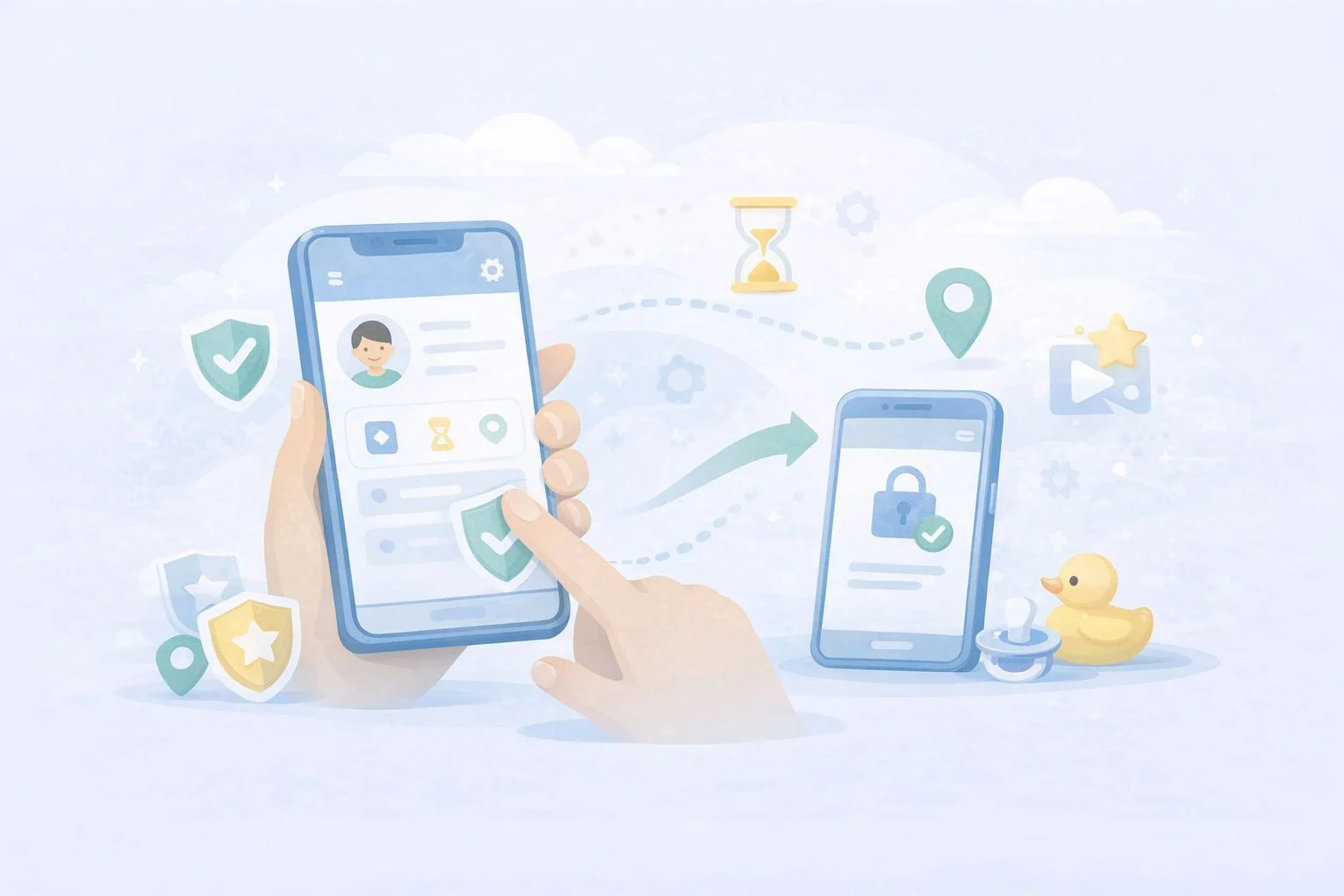
Google Family Link is a free parental control tool built directly into Android that lets you manage your child’s device from your own phone. It covers app approvals, screen time limits, content filters, location sharing, and more — all without installing any third-party software. This guide walks you through every step: from pre-setup requirements to configuring the controls that actually matter after you are linked.

Quick take: Setup takes about ten minutes if both devices are nearby and the child’s Google Account is already created. The most common cause of failure is having multiple Google accounts on the child’s device — Family Link requires the child’s supervised account to be the only account on their phone during setup.

Before you start: what you need

Getting the right pieces in place before you open the app saves time and avoids the most common setup errors.

Device requirements

According to Google’s official Family Link device compatibility page, your child’s Android device needs to run Android 7.0 (Nougat) or higher for full functionality. Devices running Android 5.0 or 6.0 may support some settings but are not fully reliable. Your own device — the parent phone — needs Android 7.0 or higher, or iOS 16 or higher if you use an iPhone.

Advertisement

To check your child’s Android version: open Settings → scroll to the bottom → tap About phone → look for Android version.

Account requirements

  • You need a Google Account (standard Gmail is fine).
  • Your child needs a Google Account. If they are under 13, you will create one through the Family Link setup flow — you cannot use a standard account for children under 13 without parental supervision.
  • The child’s device must have only one Google account signed in at setup time. If there are multiple accounts, Family Link will remove them during the process — a warning you want to see before, not during, setup.

Apps to download

  • On your phone: Google Family Link (the parent version)
  • On your child’s phone: Google Family Link for Children & Teens (a separate app)

Both are free on the Google Play Store. Make sure you download the correct version for each device — they are listed separately and serve different functions.

Step 1: Create your child’s Google Account (if they do not have one)

If your child already has a supervised Google Account, skip to Step 2.

Open the Family Link app on your phone and tap Get started. The app will ask whether your child has a Google Account. Select No. You will then be guided through creating a supervised account, which requires:

  • Your child’s first name (a last name is optional)
  • Their date of birth — this determines the type of account created and the applicable age rules in your country
  • A Gmail address for the child (the app will suggest available options)
  • A password for the child’s account
  • Your own Google Account password to verify parental consent

Once the account is created, Google will ask you to review the privacy settings and data collection preferences for the account. Read through these carefully — this is where you control whether Google can use personalised ads, activity tracking, and similar settings on your child’s profile.

With both apps open and both devices nearby, the Family Link app on your phone will generate a short linking code. Here is the exact sequence:

Advertisement
  1. On your phone (parent device): open the Family Link app, sign in with your Google Account, select your child’s account, and tap through until you see the linking code screen. Keep this screen visible.
  2. On your child’s phone (child device): open the Family Link for Children & Teens app, sign in with the child’s Google Account, and enter the code shown on your screen when prompted.
  3. Back on your phone: the app will confirm that the devices are linked. Tap Next to proceed to the permissions setup screen.

If the code expires before you enter it, tap Generate new code on the parent device. Codes are valid for a short window.

Step 3: Grant permissions on the child’s device

After the link code is accepted, the child’s device will display a series of permission screens. Keep tapping Allow or Next through all of them — these permissions are what allow Family Link to enforce screen time limits, manage apps, and report activity. Without them, most controls will not work.

You will also be prompted to name the child’s device (useful if you have more than one child or device) and to choose which apps the child can access immediately. You can approve or restrict app access from this screen, but you can also do it later from the Family Link dashboard on your own phone.

Step 4: Configure the controls that matter most

Once linked, most parents open the dashboard and are not sure where to start. Here is a practical order that covers the highest-value settings first.

Screen time limits and Downtime

Go to Screen time in the Family Link app on your phone (this tab was redesigned in Google’s February 2025 Family Link update). You can set a total daily screen time limit, schedule Downtime (when the device locks automatically — useful for bedtime and homework), and view how much time your child spends on each app. These are the controls most families configure first.

Advertisement

School Time

School Time is a dedicated block mode that limits device use to approved apps only during school hours. It was previously available on smartwatches and became available on Android phones and tablets in the same February 2025 update. Set your child’s school schedule once, and the device will automatically restrict access during those hours without you needing to manage it manually each day.

App approvals

Under Controls, you can require your approval for every app your child attempts to download from the Play Store. When your child requests an app, you receive a notification on your phone and can approve or decline with one tap. You can also block specific apps already installed on the device.

Content filters

Family Link applies content filters across Google Search (SafeSearch), Chrome (site filtering), YouTube (supervised or restricted mode), and the Play Store (age-based content ratings). Go to ControlsContent filters to review each one. The default settings are conservative but worth reviewing against your child’s age and needs.

Approved contacts

Following the February 2025 update, parents can now set which contacts their child is allowed to call and text on Android phones. Go to ControlsContacts to add approved contacts directly from the Family Link app. Your child can request to add new contacts, which you can approve or decline. This is useful for younger children whose device use should be limited to family and close contacts.

Advertisement

Location sharing

Under your child’s profile in the app, you will find a Location section. Tap See location to view the device on a map. Location sharing requires the child’s device to be on with location services enabled and connected to mobile data or Wi-Fi. It does not update in real time continuously; it shows the most recent known location and can be refreshed manually.

Step 5: Review security settings on the child’s device

Before handing the device back, confirm that Google Play Protect is enabled on the child’s phone. It scans installed apps for harmful behaviour and runs automatically in the background. To check: open Play Store → tap your account icon → Play Protect → confirm scanning is on.

Also review which apps have access to the camera, microphone, and location under SettingsPrivacyPermission manager. Remove permissions that do not match an app’s obvious function. This is a good habit to repeat every few months, particularly after new apps are added. For a broader overview of what each permission does, see the guide on understanding Android app permissions on this site.

What happens when your child turns 13

This is the section most setup guides miss, and it changed significantly at the start of 2026. Previously, children could independently disable Family Link supervision once they reached age 13. Google reversed that policy in January 2026 — teens now require explicit parental permission to remove supervision, regardless of age. You will receive a notification when your child is approaching the applicable age and can decide at that point whether to continue supervision or transition to an unsupervised account through a managed conversation.

Advertisement

If you choose to continue supervision for a teenager, it is worth revisiting your content filter and screen time settings. Controls that work well for a nine-year-old often create unnecessary friction for a fourteen-year-old, which can damage the trust that makes monitoring useful in the first place. You can find a more detailed discussion of that transition in the wider guide on legal Android phone monitoring for parents.

  • Child under 13 using a personal Android device → Family Link is the right default. Free, official, no third-party trust required.
  • Teenager active on social media with mental health or safety concerns → consider adding Bark alongside Family Link. Bark’s AI content detection covers platforms Family Link does not.
  • Multiple children across Android and iOS, or a need for detailed per-app time limits → Qustodio covers multi-device families better than Family Link alone.
  • Want to know more before deciding → the Bark vs Qustodio comparison on this site covers both in detail.

Implementation checklist

  • Confirm child’s device runs Android 7.0 or higher.
  • Download the correct Family Link app on both devices (two separate apps).
  • Remove any additional Google accounts from the child’s device before starting.
  • Create a supervised child Google Account during setup if the child does not already have one.
  • Grant all permissions on the child’s device when prompted — do not skip any.
  • Set Screen Time limits and Downtime schedule immediately after linking.
  • Configure School Time if the child’s school schedule is consistent.
  • Enable app approval for Play Store downloads.
  • Set approved contacts if the child is young enough to benefit from contact restrictions.
  • Confirm Google Play Protect is active on the child’s device.
  • Review app permissions on the child’s device before handing it back.

Troubleshooting

Codes expire quickly. Tap Generate new code on the parent device and re-enter it on the child’s device within a few seconds. Make sure both devices are connected to the internet.

The most common cause is the child’s device being offline. Controls sync when the device has an internet connection. Also check that all permissions were granted during setup — open the child’s Family Link app and look for any incomplete setup warnings.

The child’s device shows a different account is still signed in

Family Link requires the child’s supervised account to be the only Google Account on the device. Go to SettingsAccounts on the child’s phone and remove any additional accounts before relinking.

Location is not updating

Check that location services are enabled on the child’s device (SettingsLocation → make sure it is on). Also verify that the Family Link app has location permission under SettingsAppsFamily LinkPermissions.

Advertisement

App approvals are not coming through to the parent device

Check that notifications are enabled for the Family Link app on your own phone (SettingsAppsFamily LinkNotifications). Without notifications, approval requests will pile up unnoticed.

School Time is not locking the device during school hours

Confirm the schedule was saved correctly in the app and that the child’s device time zone matches the schedule you set. Devices in a different time zone will trigger School Time at the wrong local time.

Key takeaways

  • Family Link is free, built by Google, and integrates at the OS level — it is the most reliable starting point for Android parental controls.
  • Setup requires two separate apps: one on your phone, one on your child’s phone. Using the wrong app on either device is the most common setup error.
  • The child’s supervised account must be the only Google Account on their device during setup.
  • As of January 2026, teens need parental approval to remove supervision — this is a significant change from earlier policy.
  • School Time, parent-approved contacts, and the redesigned Screen Time tab were all added in the February 2025 update — older setup guides may not mention these.
  • Family Link works best alongside a conversation about why monitoring is in place. Transparent oversight tends to build better digital habits than hidden controls.

FAQ

Yes. Google Family Link is completely free. There is no paid tier or premium version — all features are included at no cost.

Does my child know they are being monitored?

Yes. Family Link is a transparent tool by design. The child’s device displays a supervision indicator, and the child can see which apps are approved or restricted. It is not a hidden monitoring app.

Yes, but only if the account was created for a child under 13 through the supervised account creation flow, or if you add supervision to a teen’s existing account. Standard adult Google Accounts cannot be placed under Family Link supervision.

Advertisement

What happens if my child’s phone dies or goes offline?

Screen time limits and Downtime schedules that were already set will continue to apply. However, the parent dashboard will not update with new location data or activity reports until the device reconnects.

The parent Family Link app supports iOS 16 or higher on the parent’s device. However, Family Link cannot manage an iPhone as the child’s device — it only supervises Android devices and Chromebooks. For iPhone supervision, Apple’s Screen Time is the equivalent built-in tool.

Family Link can show you your child’s device location when the device is online and location services are active. It does not continuously stream a live location; instead, it shows the most recent known location and allows you to request a refresh.

No. Family Link cannot be uninstalled by the child from a supervised Android device without parental approval. Since January 2026, teenagers also need parental permission to disable supervision from their account settings.

Advertisement

Google Play parental controls only restrict content ratings inside the Play Store itself — they do not cover screen time, location, app usage, web filtering, or the rest of the device. Family Link is the full parental control system that includes Play Store controls alongside all other features. If you only want to restrict what your child can download, Play Store controls alone may be enough; for broader oversight, you need Family Link.

Source link

Continue Reading
Click to comment

You must be logged in to post a comment Login

Leave a Reply

Tech

2026 Green Powered Challenge: The Eternal Headphones

Published

on

Noise cancelling headphones are a great way to insulate yourself from the bustle of the city, but due to their power requirements, continuous use means frequent recharging. [Alessandro Sgarzi] has an elegant and unique solution — powering the noise cancelling electronics by harvesting energy from the ambient noise of the city via a sheet of piezoelectric film.

This impressive feat is achieved using a LTC3588-1 power harvesting IC and a pair of supercapacitors, while an STM32L011K4T6 microcontroller processes the input from a MEMS microphone and feeds a low-power class D amplifier. This circuit consumes an astounding 1.7 nW, a power that a noisy city is amply able to supply. Audio meanwhile comes via a traditional 3.5 mm connector, which we are told is the cool kids’ choice nowadays anyway.

We like this project, and since it’s part of our 2026 Green Powered Challenge, it’s very much in the spirit of the thing. You’ve just got time to get your own entry in, so get a move on!

Advertisement

Source link

Advertisement
Continue Reading

Tech

Today’s NYT Wordle Hints, Answer and Help for April 20 #1766

Published

on

Looking for the most recent Wordle answer? Click here for today’s Wordle hints, as well as our daily answers and hints for The New York Times Mini Crossword, Connections, Connections: Sports Edition and Strands puzzles.


Today’s Wordle puzzle has a couple of rare letters in it. If you need a new starter word, check out our list of which letters show up the most in English words. If you need hints and the answer, read on.

Read more: New Study Reveals Wordle’s Top 10 Toughest Words of 2025

Advertisement

Today’s Wordle hints

Before we show you today’s Wordle answer, we’ll give you some hints. If you don’t want a spoiler, look away now.

Wordle hint No. 1: Repeats

Today’s Wordle answer has one repeated letter.

Wordle hint No. 2: Vowels

Today’s Wordle answer has two vowels, and then one of those is repeated, so you will see that one twice.

Wordle hint No. 3: First letter

Today’s Wordle answer begins with W.

Advertisement

Wordle hint No. 4: Last letter

Today’s Wordle answer ends with E.

Wordle hint No. 5: Meaning

Today’s Wordle answer can refer to forming fabric by interlacing long threads, perhaps on a loom.

TODAY’S WORDLE ANSWER

Today’s Wordle answer is WEAVE.

Advertisement

Yesterday’s Wordle answer

Yesterday’s Wordle answer, April 19, No. 1765, was STAND.

Recent Wordle answers

April 15, No. 1761: BEGUN

April 16, No. 1762: CUBIT

April 17, No. 1763: BELLE

Advertisement

April 18, No. 1764: TOADY

Source link

Advertisement
Continue Reading

Tech

OpenAI’s existential questions | TechCrunch

Published

on

OpenAI has been all over the news recently, whether that news is about acquisitions, competition with Anthropic, or bigger debates about AI’s impact on society.

On the latest episode of TechCrunch’s Equity podcast, Kirsten Korosec, Sean O’Kane, and I did our best to round up all the latest OpenAI news. While the company’s latest acquisitions seem to be classic acqui-hires, Sean suggested they also address “two big existential problems that OpenAI is trying to solve right now.”

First, with the team behind personal finance startup Hiro, the company may be hoping to  come up with a product that has “more hooks than just a chatbot, and maybe something worth paying more for.” And with new media startup TBPN, OpenAI could be looking to “better shape its image in the public eye, which lately has not been great.”

Read a preview of our conversation, edited for length and clarity below.

Advertisement

Anthony: [We have] two deals that are worth mentioning, one is that OpenAI acquired this personal finance startup called Hiro. And that comes after another deal that was literally announced when we were recording our last episode of Equity, so we didn’t get to talk about it: OpenAI had also acquired TBPN — a business talk show, like a new media company.

And I think both of these deals are pretty small compared to the scale of OpenAI. These are not things that people expect to really change the course of their business or anything like that, but they’re interesting because it suggests that there’s still this [attitude of,] “Let’s try out different things.”

Especially [with] the TBPN deal […] particularly at this time when it feels like OpenAI, from all the reporting we’re reading, is also trying to really refocus on making ChatGPT and its GPT models really competitive in an enterprise context with programmers.

Techcrunch event

Advertisement

San Francisco, CA
|
October 13-15, 2026

Is running a tech talk show, should that really be on the to-do list?

Advertisement

Kirsten: No, this should not be on the to-do list. That’s it. 

I do want to mention Hiro because to me, that’s an interesting one, because Julie Bort, our venture editor, super talented, she wrote about this and was I think the first to write about it. She dug in a little bit and basically this looks like an acqui-hire. The company is folding. They basically said, “By this date, you won’t be able to access this anymore.”

This is a personal finance startup. And they only launched two years ago. So this absolutely is about getting talent on board. So I’m very curious to see if OpenAI is going to be just absorbing them into the ether at OpenAI, or if they’re actually interested in some sort of personal finance product that they want to work on. To me, it’s not really clear.

Sean: I think you look at both of these as acqui-hires to a certain extent. I mean, the TBPN acquisition, allegedly they are going to retain their editorial independence on the show that they make every day. And all respect to those guys who’ve put that out there and gotten it off the ground so quickly and grown it into what it has become.

Advertisement

I think any person who follows the media should have a healthy dose of skepticism that when you acquire something like that and you put the people who make the show under the org of the public policy people and comms or marketing adjacent people higher up at the company making the acquisition, that you could have good questions about whether or not saying “editorial independence” is enough. It’s not an incantation that just works.

But you know, what’s interesting to me about these two, while they are similar in their acqui-hire-ness, I think they both represent two major problems that OpenAI is facing.

One is Hiro. OpenAI has a very successful product in ChatGPT. As far as whether or not that will actually ever make them enough money to become a sustainable business that’s not raising the largest private rounds in the world, ever, to keep things going, is a big question. And they also seem to be struggling to keep up on the enterprise side of things where the real money seems to be, so bringing in a team like this seems like taking a shot at, “What else can we do?” 

The guy who founded Hiro seems to have a serial entrepreneur streak of creating consumer apps, and so this seems to me like a bet on them being able to come up with something else that may have more hooks than just a chatbot, and maybe something worth paying more for.

Advertisement

And then TBPN is an acquisition made to help better represent what the company does and better shape its image in the public eye, which lately has not been great and certainly is under more questions now than just a few weeks ago, because Ronan Farrow just led a report at The New Yorker that dropped suspiciously right around the time that this and a couple other announcements from OpenAI came out last week. 

I think those are two big existential problems that OpenAI is trying to solve right now.

Kirsten: So the thing that you didn’t say is, there’s Anthropic kind of looming in — not in the shadows, I mean, they’re very much taking up a lot of space here — but they’re having a lot of success on the enterprise side of things.

It feels like these guys are competitors and they also feel like very different companies in a lot of ways. Anthony, I’m wondering if you see them as direct competition to OpenAI? Or [are they] just finding their stride in enterprise and in a way, these two companies are clearly going to coexist and they’re really not directly competing with each other — maybe on talent, but not necessarily as we initially thought of them?

Advertisement

Anthony: I think they’re directly competing with each other. There’s definitely a scenario where if AI as an industry, as a technology, is as successful as its proponents hope for, they could both be very successful companies, they could just be the one and two. And the success of one does not necessarily mean that the other will just fade into obscurity. 

And again, none of this is official, but there’s just been a lot of reporting around how it seems like OpenAI, more than anyone, is obsessed with and upset about Anthropic’s rise. 

Our reporter Lucas [Ropek], he did a great piece over the weekend about the HumanX conference, where he was talking to everyone there and they’re sort of like, “Yeah, ChatGPT is fine, too,” but like they were all about Claude Code. And I think that is exactly what OpenAI is worried about.

Because again, in theory, there could be many other opportunities for generative AI, but it feels like the big growth area, the area where the most money is and where they could at least see a path to having a sustainable business in the future, is in these enterprise and coding tools.

Advertisement

Source link

Continue Reading

Tech

This Is The Best Front-Load Washer Consumer Reports Tested In 2026

Published

on


Very few of us actually like doing the laundry. Nevertheless, it has to be done. It doesn’t help that there’s now a big debate about front-load efficiency vs. top-load machines. If you’re on the side of the front-loaders and are in the market for a new one, Consumer Reports has a model you might want to consider. Its testing ranks the LG Signature WM9900HSA as the best option money can buy. The machine pairs a 5.8-cubic-foot mega capacity with advanced automation features to help make everybody’s least-favorite chore a little less time-consuming.

Its AI Wash 2.0 system uses built-in sensors to automatically select the best wash settings based on fabric texture and load size. The washer’s TurboWash 360° technology uses five high-pressure jets to handle large loads in less than half an hour, as well. Beyond marketing hype, Consumer Reports has real first-hand experience to back it up. Their testing methodology looks at washer performance using stained fabric swatches and repeated cycle analysis. And in Consumer Reports’ experiments on the WM9900HSA, the LG front-load washer consistently outperformed other top washing machine brands.

Advertisement

Why not everybody loves the LG Signature front-load machine

Beyond its speed and intelligence, the LG Signature front-load washer model WM9900HSA also uses an “ezDispense” automatic detergent system. All you have to do is fill up the reservoirs, and you can enjoy up to 20 to 36 cycles before you need to refill again. The machine is smart enough to know the correct amount of detergent and softener to dispense for each load. It’ll even send you an alert to your phone when you’re running low. Like plenty of other LG smart appliances, you also get an LCD touchscreen.

Advertisement

But looking beyond what Consumer Reports says, real-world customer feedback isn’t exactly overwhelming in its praise. It’s currently at a 3.8 out of 5 on LG’s website based on 57 reviews, many of which are incentivized. Users do have nice things to say about the washer’s large capacity and reliable cleaning, but others say the “ezDispense” feature is a headache. Clearly, even though LG ranks as the best front-load washer brand based on Consumer Reports’ survey data, individual customer experiences are going to vary.


Advertisement

Source link

Continue Reading

Tech

Week in Review: Most popular stories on GeekWire for the week of April 12, 2026

Published

on

Get caught up on the latest technology and startup news from the past week. Here are the most popular stories on GeekWire for the week of April 12, 2026.

Sign up to receive these updates every Sunday in your inbox by subscribing to our GeekWire Weekly email newsletter.

Most popular stories on GeekWire

Source link

Continue Reading

Tech

Eero Signal is the best home office upgrade I’ve made this year

Published

on

As someone who has worked from home for the last 15 years, there aren’t many things more frustrating than my internet connection going down in the middle of a workday. Sure, my kids act like it’s the end of the world when it happens after school, when they’re trying to unlock some forbidden fruit on Roblox or whatever, but that’s nothing compared to the internal rage I feel when I see my camera feed stuttering on a video call.

My current Internet Service Provider (ISP) has gotten more reliable, but there was a period of time when I’d complained about them so much on Twitter that I had four technicians and their boss randomly show up at my house, asking if they could run a brand new service line in a bid to fix my issues.

Advertisement

Source link

Continue Reading

Tech

The NSA is reportedly using Anthropic’s new model Mythos

Published

on

Despite the months-long feud between Anthropic and the Pentagon, the National Security Agency is using the AI company’s new Mythos Preview, according to Axios, which spoke to two sources with knowledge of the matter. Anthropic announced Mythos Preview at the beginning of April, describing it as a general-purpose language model that is “strikingly capable at computer security tasks.” But back in February, Trump ordered all government agencies to stop using Anthropic’s services after the company refused to budge on certain safeguards for military uses during contract talks.

The news comes days after Anthropic CEO Dario Amodei met with White House chief of staff Susie Wiles and other officials, reportedly to discuss Mythos. The White House later said the meeting on Friday was “productive and constructive,” though President Trump said he had “no idea” about it when asked by reporters, Reuters reports. According to Axios’ sources, the NSA is one of the roughly 40 organizations Anthropic gave access to Mythos Preview, and one said it’s “being used more widely within the department” too.

The company is still embroiled in a legal battle with the US government. Anthropic filed lawsuits against the Department of Defense in two courts in March after the Trump administration labeled it a “supply chain risk,” and the Pentagon filed a response shortly after. While Anthropic was granted a preliminary injunction by one court to temporarily block this designation, federal judges in the other denied its motion to lift the label.

Source link

Advertisement
Continue Reading

Tech

Today’s NYT Strands Hints, Answer and Help for April 20 #778

Published

on

Looking for the most recent Strands answer? Click here for our daily Strands hints, as well as our daily answers and hints for The New York Times Mini Crossword, Wordle, Connections and Connections: Sports Edition puzzles.


Today’s NYT Strands puzzle offers an interesting mix of words, and they all begin with the same two letters. Some of the answers are difficult to unscramble, so if you need hints and answers, read on.

I go into depth about the rules for Strands in this story

Advertisement

If you’re looking for today’s Wordle, Connections and Mini Crossword answers, you can visit CNET’s NYT puzzle hints page.

Read more: NYT Connections Turns 1: These Are the 5 Toughest Puzzles So Far

Hint for today’s Strands puzzle

Today’s Strands theme is: Gloriously glaring!

Advertisement

If that doesn’t help you, here’s a clue: Shimmery.

Clue words to unlock in-game hints

Your goal is to find hidden words that fit the puzzle’s theme. If you’re stuck, find any words you can. Every time you find three words of four letters or more, Strands will reveal one of the theme words. These are the words I used to get those hints but any words of four or more letters that you find will work:

  • TEAM, MATE, HATE, GATE, LIST, LISTEN, GLEE, LINT, CHEAT, HEAT

Answers for today’s Strands puzzle

These are the answers that tie into the theme. The goal of the puzzle is to find them all, including the spangram, a theme word that reaches from one side of the puzzle to the other. When you have all of them (I originally thought there were always eight but learned that the number can vary), every letter on the board will be used. Here are the nonspangram answers:

  • GLOW, GLEAM, GLINT, GLITTER, GLISTEN, GLIMMER

Today’s Strands spangram

completed NYT Strands puzzle for April 20, 2026

The completed NYT Strands puzzle for April 20, 2026.

NYT/Screenshot by CNET

Today’s Strands spangram is CATCHTHELIGHT. To find it, start with the C that’s three letters to the right on the bottom row, and wind up.

Advertisement

Source link

Continue Reading

Tech

AI is entering the Skynet debate moment in the social media hype circles

Published

on

A growing wave of online voices warning about the dangers of artificial intelligence—often dubbed “AI doom influencers” – is reshaping how the public and policymakers view the technology. According to a report by The Washington Post, these influencers, including researchers, tech leaders, and content creators, are increasingly highlighting worst-case scenarios, from mass job loss to existential risks posed by advanced AI systems.

While critics argue that some of this messaging borders on alarmism, the conversation is no longer confined to speculation. Real-world developments in AI are beginning to mirror some of the concerns being raised, blurring the line between hype and legitimate risk.

When Warnings Meet Reality

The rise of AI-focused fear narratives comes at a time when companies are rapidly advancing the capabilities of large language models and autonomous systems. These tools are already reshaping industries, automating tasks, and influencing decision-making at scale.

Adding to the urgency is the emergence of highly advanced systems like Anthropic’s experimental model, often referred to as “Mythos.” According to industry discussions, Anthropic has reportedly deemed the system too powerful for a full public release. Instead, access is being restricted to a small group of trusted partners, including defence and financial institutions, and even then, only with prior government approval.

Advertisement

This cautious rollout reflects growing concern within the industry itself. In the UK, reports suggest that government bodies have held internal meetings to assess the implications of such advanced AI systems. Canada has also issued statements acknowledging the potential risks associated with increasingly capable AI technologies.

In India, companies like Paytm’s parent entity and Razorpay have echoed similar concerns, describing the current moment as a potential turning point for how AI is governed and deployed.

Why The Debate Matters

The conversation around AI safety is no longer theoretical. For years, researchers have warned about risks such as bias, misinformation, loss of human control, and unintended consequences from highly autonomous systems.

What’s changing now is the scale and immediacy of these concerns. As AI systems become more powerful, the gap between research warnings and real-world applications is shrinking. This has given more weight to voices calling for caution, even if some messaging appears exaggerated.

At the same time, the rise of “doom influencers” highlights a broader issue: how to communicate risk responsibly without causing unnecessary panic.

Advertisement

What It Means For Users And Industry

For everyday users, the growing focus on AI risks may lead to more transparency, stricter regulations, and safer products in the long run. However, it could also slow down innovation or create confusion around what AI can and cannot do.

For companies and governments, the challenge lies in balancing progress with precaution. The restricted rollout of systems like Mythos suggests that even leading AI developers are grappling with this balance.

What Comes Next

As AI continues to evolve, discussions around safety, regulation, and ethics are expected to intensify. Governments may introduce stricter oversight, while companies could adopt more controlled deployment strategies for advanced systems.

The rise of AI doom narratives may be partly driven by fear, but it is also being shaped by real technological breakthroughs. The question now is not whether AI poses risks, but how those risks are understood – and managed – before the technology moves even further ahead.

Advertisement

Source link

Continue Reading

Tech

DJI Flip Gives New Drone Pilots a Smooth Start With Real Camera Power

Published

on

DJI Flip RC-N3 Drone
When a drone beginner picks up the DJI Flip, priced at $299 after clipping the on-page coupon (was $439), and begins to get acquainted with it, word spreads quickly. The Flip gets that reputation by doing all the clever things that serve to shorten the learning curve while still producing footage that anyone would be glad to share immediately. Size and weight make an impression the moment you pick it up, as the whole thing weighs less than 249 grams even with the battery charged, which makes a big difference when you need to get somewhere, and at roughly 136 by 62 by 165 millimeters in its folded state, it shrinks down enough to fit into a jacket pocket or a small bag without drawing attention.


Safety features step up where they’re most required, namely for those who’ve never flown one of these things before. The full-coverage propeller shields fold down to protect each individual prop blade. They allow you to safely set the drone down on a palm for takeoff and landing, without fear of the spinning parts whacking a limb or bashing into something close. The forward and downward sensors keep an eye on what’s ahead and what’s below, then apply the brakes automatically if something gets too close, and it all works even on a cloudy day or during return to home flights, so confidence grows rather than dwindles when obstacles appear.

Sale


DJI Flip (RC-N3), Drone With 4K UHD Camera for Adults, Under 249 g, 3-Axis Gimbal Stabilization…
  • Fly Fearlessly – This drone with camera for adults 4k features full-coverage propeller guards made from lightweight carbon fiber, providing…
  • Lightweight and Regulation Friendly – Weighing under 249 g, [1] this drone with camera doesn’t need FAA registration or Remote ID in America. It’s…
  • Your On-the-Go Director – With subject tracking, your subject stays in focus. Whether you’re hiking or having a party, this drone for adults acts like…

The flight time is long enough to get out there and explore without fear of running out of juice. Under ideal conditions, a single charge can provide up to 31 minutes of continuous flight time. That gives you plenty of time to practice some basic tricks or chase a beautiful sunset without having to run back to the car to recharge, and hovering is really precise thanks to the satellite and vision systems, which keep the device fixed in place even in a mild breeze.

Advertisement


The camera is a pleasant surprise because it outperforms what you can expect from an entry-level device, as people frequently do. A 1.3-inch sensor can shoot 48-megapixel still images with incredible quality, even when cropped or printed. Video in 4K at 60 frames per second with strong dynamic range is a given, so brilliant skies and shaded ground appear natural. Slow-motion recordings can reach up to 100 frames per second in 4K for those instances when you want to emphasize a view of a wave or bird. A three-axis mechanical stabilizer ensures that every shot is absolutely level and smooth, regardless of how the drone moves.

DJI Flip RC-N3 Drone
Controls are extremely adaptable and can be changed to fit any level of competence. You may combine the drone with the provided remote controller and a smartphone to gain full manual control and a clear live view, but for total beginners, you can just launch it from your palm and utilize voice commands or the app for basic tracking. Subject following keeps the camera focused on a person or object, while the drone manages distance and framing, allowing you to simply enjoy the ride.

DJI Flip RC-N3 Drone
Storage and power management are quite well thought out, as they make the workflow super clean . You get 2GB of built-in capacity to store a few minutes of movie or a few extra photographs in case you forget to bring a memory card. Simply insert a larger one if you need additional space; it will not slow you down. With two batteries that can be charged simultaneously via a parallel hub, you can have a backup ready to go whenever you need it.

Source link

Advertisement
Continue Reading

Trending

Copyright © 2025