Tech
Fake “locked computer” alerts in Google Ads are tricking users into calling tech-support scammers

TL;DR: A malicious Google Ads campaign used fake security warnings to convince Windows and Mac users that their computers had been locked, then pushed them to call fraudulent technical-support numbers. The ads appeared on legitimate, high-traffic sites, including maps, weather, real estate, sports and document-hosting pages. After a user clicked, the ad opened a page that took over the browser and displayed warnings that made it look as though the device had been infected or disabled.
The goal was not to install malware or lock the computer. It was to create enough confusion to get people to call the number on the screen. Callers were then pressured to pay for bogus support, hand over personal information or allow someone to remotely access their device.
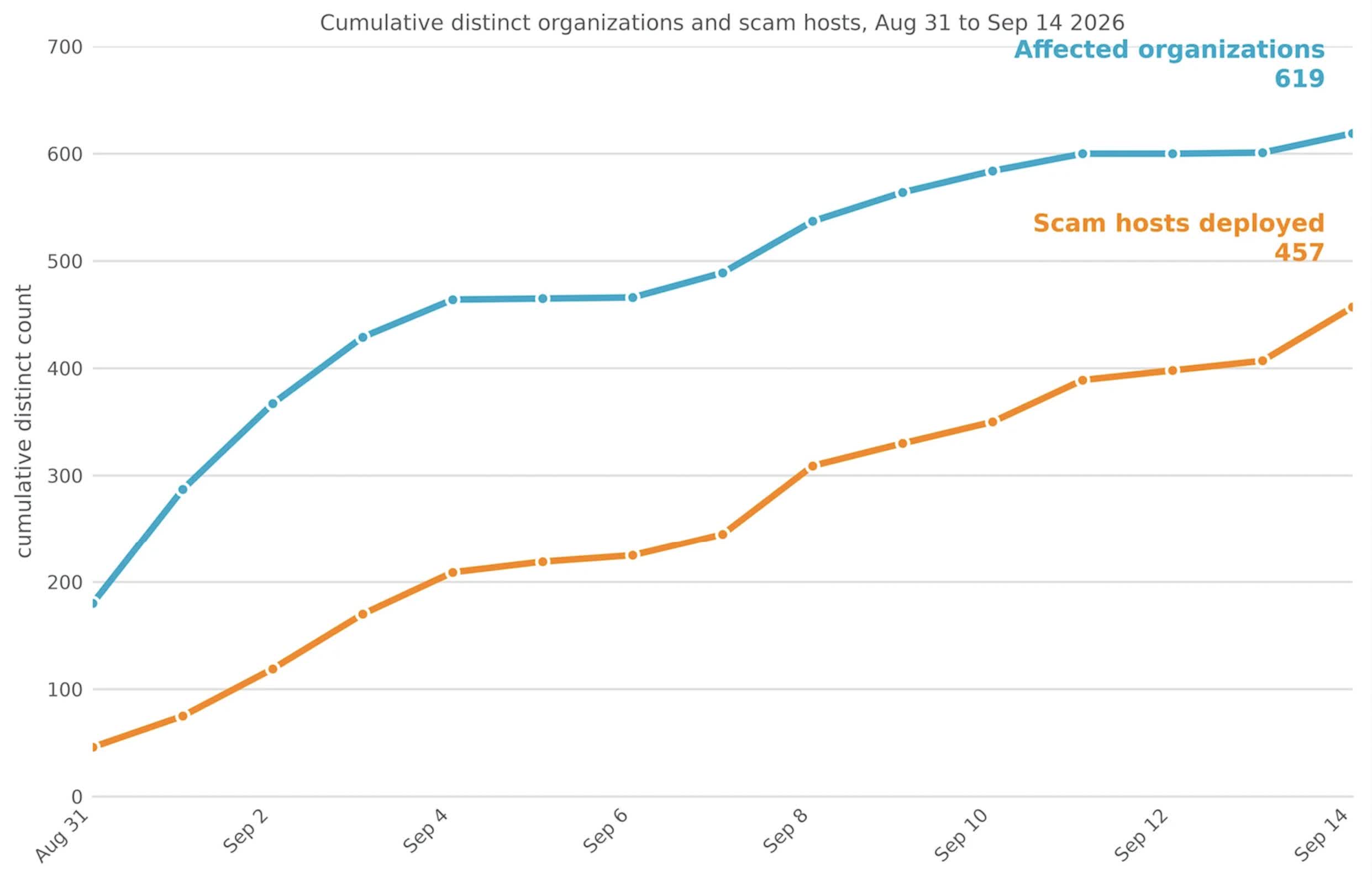
Netskope, the security firm that tracked the campaign, said it saw users at 619 customer organizations click on the ads between August 31 and September 14. Its security tools blocked the pages before those users could be scammed. The company said its data represents only a limited view of internet traffic, suggesting the campaign likely reached many more people.
About 62% of the affected organizations were in the United States. Japan and Australia were the next most affected countries. Netskope identified more than 250 Google Ads campaign IDs tied to the operation and found the ads on at least 284 legitimate publisher sites.
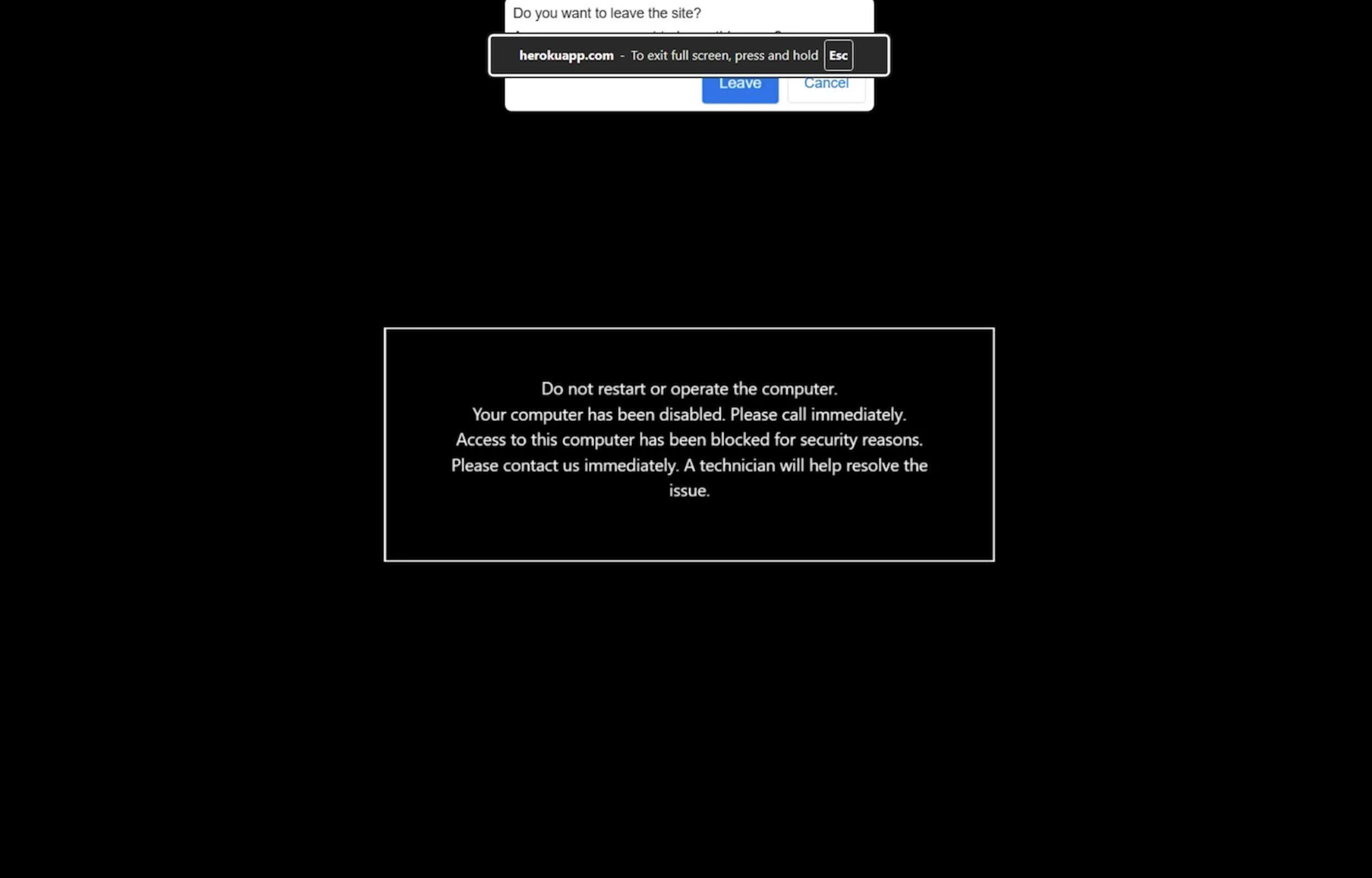
What made the scheme effective was the way it behaved in the browser. The page opened in full-screen mode, hid the browser’s address bar and cursor, and interfered with common keyboard shortcuts. The browser also slowed down and played sounds, making it seem as though the entire system had become unstable.
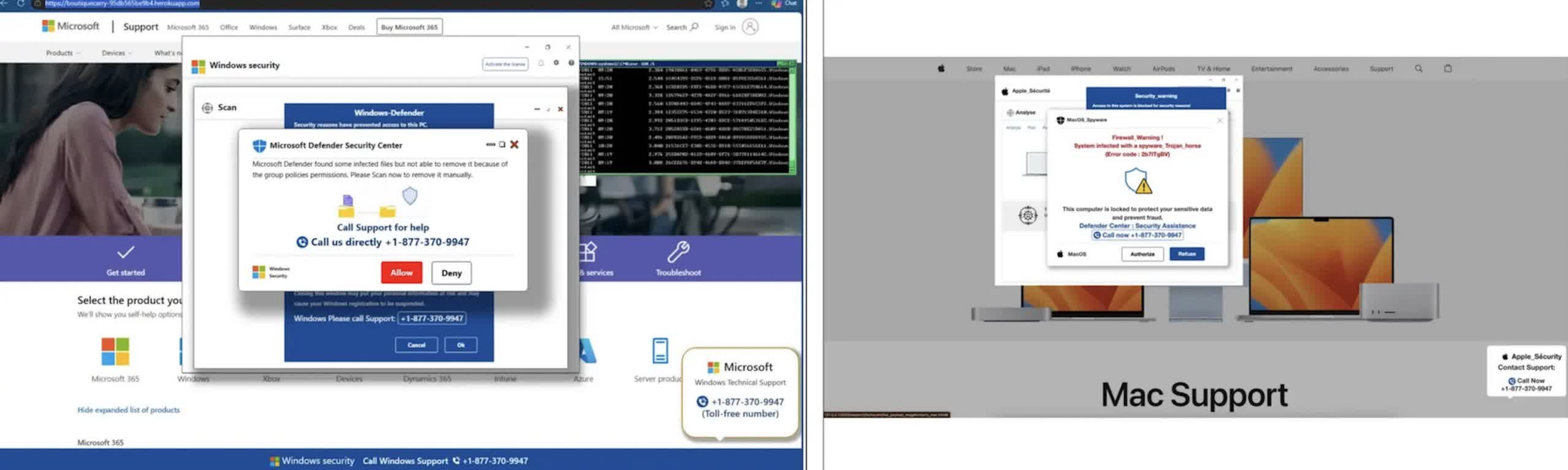
Netskope said the campaign turned a routine ad click into what appears to be a browser or system failure. The fraudulent page occupies the full screen, hides the cursor, blocks common exit commands and slows browser performance to make the device seem unusable. Although the computer is not actually locked, the behavior is designed to alarm users and push them to call the number displayed in the warning.
The fake warnings were adapted for Windows and macOS. The page also waited until it detected mouse movement before displaying the warning. Its code was encrypted and only decrypted in browser memory shortly before the warning was shown. Those choices may have made the campaign harder for endpoint security tools and ad-scanning systems to spot.
The warning pages also made it harder to simply close the browser. Pressing Escape or other keys often had no immediate effect, and attempts to close the page could cause the warning to reload. That behavior is central to the scam: the victim is meant to believe that normal controls no longer work.
Google said it was investigating the campaign. The company did not say why its systems failed to block the ads or whether the entire operation had been removed from its advertising platform.
“We have zero tolerance for scams,” Google said in a statement. “We’re actively investigating the campaigns in this report and will take action against accounts that violate our policies.”
Google has said it blocked more than 99% of policy-violating ads before they were served last year. The Netskope report shows that some campaigns can still get through by using browser tricks rather than a traditional malicious download.
It goes without saying that users who encounter one of the fake lock screens should not call the displayed number. The computer has not been locked, and in many cases, holding the Escape key for several seconds will exit full-screen mode and restore normal controls. Windows users can also simply open Task Manager, while those using Macs can use the Force Quit menu.
Once the browser is closed, it can be reopened without restoring the previous session.
You must be logged in to post a comment Login