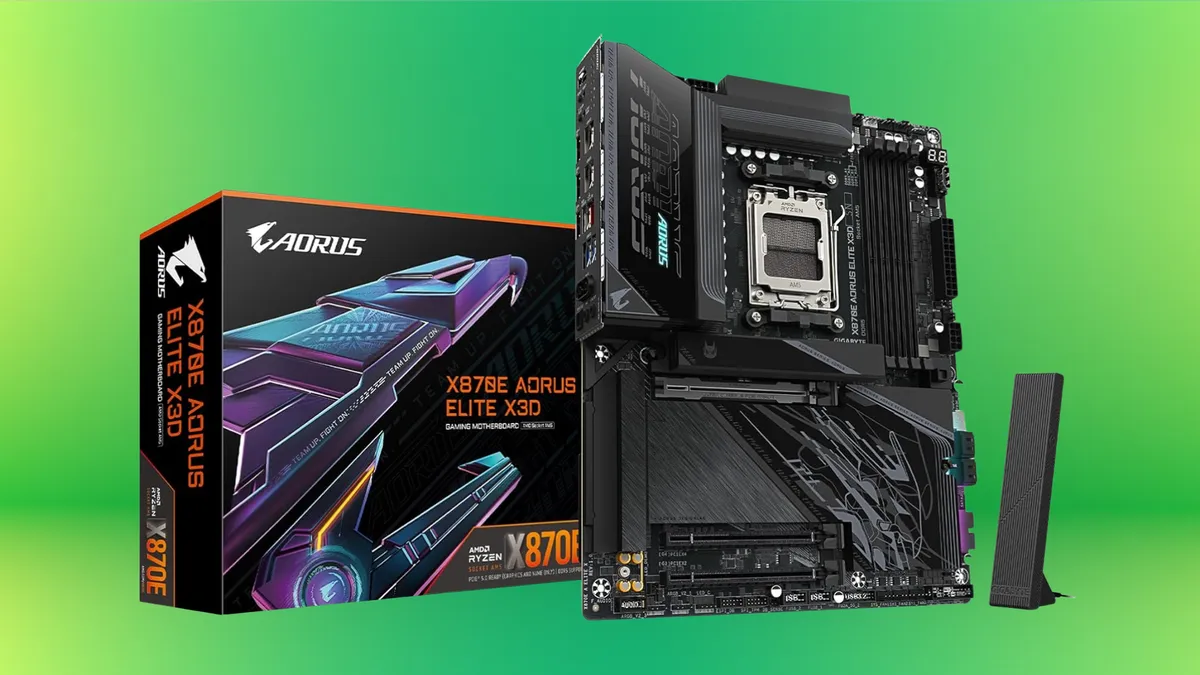
If you’re ready to move your PC gaming experience to the next level, look no further than GIGABYTE’s X870E AORUS ELITE X3D.
Already known for their forward-thinking tech, GIGABYTE has outdone themselves with this one. Boasting state-of-the-art graphics capabilities, AI-enhanced X3D Turbo Mode 2.0, Zenith Memory Performance, and a comprehensive thermal design, X870E AORUS ELITE X3D offers everything you need to up your game.
Top-tier graphics performance for a competitive edge
The X870E AORUS ELITE X3D motherboard packs all the power of the AMD Radeon RX 9070 for top-of-the-line gaming graphics performance. If you’re an esports player, you’ll get the super-fast refresh rates you need to keep up with the competition. Or, if you’re into games with massive open-world maps, the X870E AORUS ELITE X3D will keep you exploring as far as the eye can see and beyond.
Advertisement
Switching between gaming and performance modes
GIGABYTE’s X870E AORUS ELITE X3D features X3D Turbo Mode 2.0, which offers an overall enhanced experience over the previous generation. Whether you’re gaming, multitasking, or a little of both, X3D Turbo Mode 2.0 delivers with a built-in AI model that automatically optimizes parameters in real time. You can switch easily between two modes, Extreme Gaming Mode & Max Performance Mode, to make sure you’re getting peak performance suited to your task.
Advanced DDR5 memory and AI-enhanced overclocking
Using a combination of advanced technologies, X870E AORUS ELITE X3D offers Zenith Memory Performance, an advanced AI-enhanced overclocking technology for DDR5 memory. To start, the PCB features advanced shielding to ensure clean and clear memory signals. The next innovation is daisy-chain routing, designed to remove signal bottlenecks. Finally, the PCB itself uses 8-layer server-grade materials to ensure DDR5 data is transmitted at blazing speeds.
Stay frosty with smart cooling and thermal guards
All this power demands cooling tech that’s up to the task of keeping your system running cool and efficiently. GIGABYTE’s X870E AORUS ELITE X3D has what it takes, with a full-metal thermal design and durable heat sinks. Add to this M.2 EZ-Flex, GIGABYTE’s exclusive patented design, plus their quiet and efficient Smart Fan 6 technology, and you can be sure your machine will run smoothly for hours on end.
With its top-of-the-line graphics capabilities, Turbo mode 2.0, Zenith Memory Performance, and compressive thermal design — not to mention its durable materials and ultra-connectivity — GIGABYTE’s X870E AORUS ELITE X3D should be at the heart of any true gamer’s rig.
In short:Google Cloud and Intel have announced a deepened multi-year AI infrastructure partnership covering both CPU deployment and custom chip co-development. Google Cloud will continue adopting Intel’s Xeon 6 processors across its global infrastructure for C4 and N4 instances, while the two companies are expanding their joint development of custom Infrastructure Processing Units designed to offload networking, storage, and security from host CPUs in hyperscale AI environments. The announcement arrives as Intel’s stock surged approximately 33% on the week and two days after the company signed on as the foundry partner for Tesla’s Terafab megaproject.
“Balanced systems”: the case Intel and Google are making together
The central argument of the partnership, as framed by both companies, is that GPU accelerators alone are not sufficient to handle the demands of modern AI infrastructure. In a statement accompanying the announcement, Lip-Bu Tan, Intel’s chief executive, said: “AI is reshaping how infrastructure is built and scaled. Scaling AI requires more than accelerators — it requires balanced systems. CPUs and IPUs are central to delivering the performance, efficiency and flexibility modern AI workloads demand.” The language is deliberate. Intel has spent much of the past two years repositioning from the general-purpose computing market it once dominated toward a more specific thesis: that the CPU and custom infrastructure silicon have a structural role in AI deployments that GPU-centric narratives have consistently underestimated.
Amin Vahdat, Google’s senior vice president and chief technologist for AI infrastructure, made the case from the demand side. “CPUs and infrastructure acceleration remain a cornerstone of AI systems — from training orchestration to inference and deployment,” he said. “Intel has been a trusted partner for nearly two decades, and their Xeon roadmap gives us confidence that we can continue to meet the growing performance and efficiency demands of our workloads.” The framing of the partnership as a multi-generational CPU roadmap commitment, rather than a one-cycle procurement agreement, is significant: it implies Google has made decisions about its infrastructure architecture several years out on the basis of Intel’s product trajectory, and that trajectory includes both the Xeon line and the custom IPU co-development effort.
Xeon 6 in Google Cloud
The CPU component of the partnership centres on Intel’s Xeon 6 processor family, which Google Cloud has deployed across its workload-optimised C4 and N4 instance types. Google says the C4 instances deliver more than 2.0 times the total cost of ownership benefit compared with predecessor configurations, a figure that captures the combination of performance uplift and power efficiency that Intel has positioned as Xeon 6’s core competitive claim. The agreement extends beyond the current generation: Google has committed to multi-generational alignment with Intel’s Xeon roadmap, meaning its infrastructure planning incorporates Intel’s future CPU releases as a known variable rather than a contingent one.Google has simultaneously been deepening its custom silicon commitments on the accelerator side, supplying Anthropic with approximately one gigawatt of TPU capacity through Broadcom in a deal that anchors Anthropic’s AI infrastructure through 2027 and beyond— a parallel track that reflects how Google is building out its infrastructure portfolio across both standard and custom silicon simultaneously.
Advertisement
The 💜 of EU tech
The latest rumblings from the EU tech scene, a story from our wise ol’ founder Boris, and some questionable AI art. It’s free, every week, in your inbox. Sign up now!
The CPU architecture context matters for understanding why this commitment is being made public now. As AI workloads shift from the training phase, which is GPU-intensive and relatively concentrated among a small number of hyperscalers, toward inference at scale, which is distributed, latency-sensitive, and runs continuously across large server fleets, the cost structure of AI infrastructure changes. Inference places sustained demands on CPU resources for orchestration, data pre-processing, and system management that training pipelines do not. Google’s bet on Xeon 6 for its C4 and N4 instances is, in part, a bet that inference economics will make CPU efficiency a first-order concern in the years ahead.
The custom IPU programme
The more strategically significant element of the partnership is the expanded co-development of Infrastructure Processing Units. IPUs are custom ASIC-based programmable accelerators designed to take over the networking, storage, and security functions that would otherwise run on host CPUs, freeing those CPUs to focus entirely on application and AI workload processing. In hyperscale environments, where these infrastructure tasks consume a substantial and growing fraction of available compute, offloading them to a dedicated accelerator can significantly improve utilisation rates, energy efficiency, and the consistency of workload performance. Intel and Google have been collaborating on IPU development, and the announcement signals that this work is expanding in scope rather than narrowing. The specific technical details of the expanded programme — die design, process node, performance targets, and deployment timeline — have not been disclosed publicly.
The era of truly good budget phones is over, and you can blame AI for that. Due to the rising chip costs, even flagship phones are feeling the pinch. And that’s why, when TCL finally brought the NXTPAPER 70 Pro to the US, it came as a big surprise to me. The phone costs just $199, nearly half the price you’d pay in other markets.
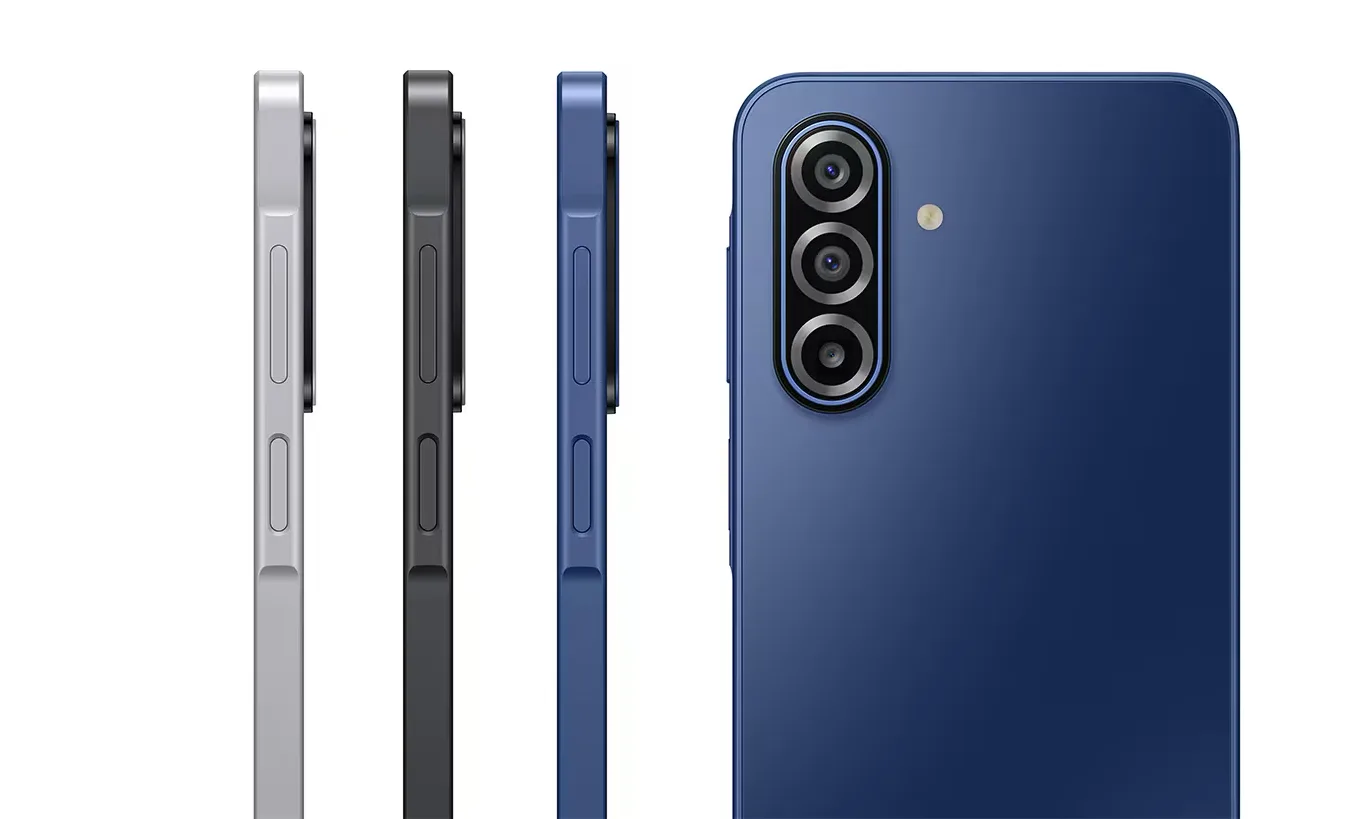
Yes, the phone is exclusive to T-Mobile, but at $199, the NXTPAPER 70 Pro felt something else. A 6.9-inch 120Hz display, IP68 water resistance, 5,200mAh battery, 50MP camera, and TCL’s NXTPAPER 4.0 display technology, which is genuinely unlike anything else at this price. Naturally, I wanted to compare it to phones in a similar price range to see whether I can find a better deal.
So, I went looking for alternatives at a similar price and found three worth comparing: the Samsung Galaxy A17 5G, the Motorola Moto G Power 2026, and the Pixel 10a. None of them can beat the TCL in price, performance, or features, and I concluded that there’s no reason to choose any other phone over the NXTPAPER 70 Pro right now. Let me show you what I mean.
But first, a quick specs comparison
Specification
TCL NXTPAPER 70 Pro
Galaxy A17 5G
Moto G Power 2026
Google Pixel 10a
Display
6.9 inches, IPS LCD, 120Hz (1080 x 2340 pixels)
6.7 inches, Super AMOLED, 90Hz (1080 x 2340 pixels)
The Samsung Galaxy A17 5G is the obvious first comparison. It is Samsung’s best-selling budget phone, and for good reason. You get a solid 6.7-inch Super AMOLED display, a triple camera system, and an impressive six years of software updates.
Advertisement
Samsung
It is a reliable, no-frills phone that does the basics well. But it runs on the Exynos 1330, a chip that has been specifically called out for poor performance. Compared to the MediaTek Dimensity 7300 powering the TCL NXTPAPER 70 Pro, the Exynos 1330 is slower across CPU, GPU, and battery performance. Take a look at the comparisons below:
Versus
It also has an IP54 rating, which means it is splash-resistant but not submersible. The NXTPAPER 70 Pro, by comparison, has a better chip, a better display, IP68 water resistance, and a more interesting feature set. The A17 sells for around $175 to $199. Simply put:
Same price. No contest.
Motorola
The Moto G Power 2026 offers a similar 6.8-inch LCD display and the same 5,200mAh battery, but the MediaTek Dimensity 6300 inside is a step down from the NXTPAPER 70 Pro’s Dimensity 7300. The Dimensity 7300 uses a newer 4nm fabrication process (compared to the Dimensity 6300’s 6nm) and delivers up to 67% better performance. Have a look at the performance figures:
Nanoreview
There are several factors working in favor of the Moto G Power (2026). It features a better Gorilla Glass 7i protection and IP68/IP69 dust and water resistance, but that’s about it. On all other fronts, the NXTPAPER 70 Pro either offers equal or better features. Moto G Power 2026 costs $189 if you get it on a similar T-Mobile contract and $299 on Amazon without a contract, so there’s no price advantage either.
As you can see, the TCL NXTPAPER 70 Pro beats the Samsung Galaxy A17 and Moto G Power 2026 on most fronts at a similar price.
What about the Pixel 10a?
This is where it gets interesting. At $499, the Google Pixel 10a is not a phone I should consider for this comparison. But it is a genuinely great phone, a gold standard for mid-range Android, and I am not going to pretend otherwise.
Nadeem Sarwar / Digital Trends
It features a 6.3-inch OLED display, a 48MP camera, seven years of updates, a more powerful Tensor G4 chipset, and Google’s AI features baked deep into the software.
Nadeem Sarwar / Digital Trends
But the Pixel 10a does not have a bigger battery and does not support expandable storage. Also, the TCL NXTPAPER 70 Pro costs $199, and the $300 gap is doing a lot of heavy lifting. And throughout our comparisons, we haven’t even touched on the TCL NXTPAPER 70 Pro’s standout feature: the NXTPAPER 4.0 display.
That display is what makes this phone genuinely special. TCL’s NXTPAPER 4.0 is not a software night mode or a cheap filter. It uses hardware-level changes, including circular polarized light, DC dimming that eliminates screen flicker, and a filter that reduces harmful blue light.
TCL
The phone is certified by TÜV and SGS, independent bodies that test these things rather than take a company’s word for it. A dedicated NXTPAPER key on the side instantly switches between full-color mode, Ink Paper Mode, and Max Ink Mode, allowing you to use it as a normal phone or as an e-reader experience. In Max Ink mode, the battery lasts up to seven days.
TCL
None of the other phones on this list offer these incredible display innovations. This feature alone makes the NXTPAPER 70 Pro worth buying. But even if you disregard it, you have seen that the NXTPAPER 70 Pro offers better features at comparable prices to all other phones in its price segment.
If you spend long hours staring at your phone for work, school, or reading, no phone at this price comes close to what TCL is offering. At $199, the TCL NXTPAPER 70 Pro is not a budget phone that asks you to make compromises. It is a genuinely good phone with one feature that no one else has figured out yet. That makes it a very easy recommendation.
Just when it seemed like OpenAI was gearing up for its next big leap, possibly even an IPO, it’s now facing some serious scrutiny. And this time, it’s not just critics online. It’s a full-blown government investigation. And yeah, things are getting a little intense.
OpenAI is now under investigation, and it’s not a small one
Florida Attorney General James Uthmeier has launched a probe into OpenAI and its chatbot, ChatGPT. The concerns being raised go beyond the usual AI debates, as this one touches on national security, data handling, and real-world harm.
Today, we launched an investigation into OpenAI and ChatGPT.
AI should advance mankind, not destroy it. We’re demanding answers on OpenAI’s activities that have hurt kids, endangered Americans, and facilitated the recent FSU mass shooting.
— Attorney General James Uthmeier (@AGJamesUthmeier) April 9, 2026
As reported by Reuters, the investigation is looking into whether OpenAI’s technology or data could potentially fall into the wrong hands, including foreign adversaries. There are also claims linking ChatGPT to harmful use cases, ranging from misuse in criminal activity to concerns around self-harm and unsafe content.
Unsplash
Subpoenas are reportedly on the way, which means this isn’t just talk but a formal escalation. And all of this is happening right as OpenAI is being seen as a potential IPO candidate, with valuations being thrown around in the trillion-dollar range. That timing could complicate things further, as increased regulatory scrutiny may impact investor confidence and how aggressively the company can move forward with its public listing plans.
This could get messy, fast
Let’s be real, AI companies have been skating on thin ice when it comes to regulation. Rapid growth, massive user bases, and real-world impact were always going to attract attention eventually. But the timing here is what makes it spicy. OpenAI is scaling aggressively, pushing products like ChatGPT deeper into everyday life, and potentially preparing for a public offering. Getting hit with a government probe right now is not ideal.
Unsplash
At the same time, this might just be the beginning. Because once governments start asking questions about how AI is being used, and misused, it’s not just about one company anymore. It’s about the entire industry getting put under the microscope.
The 2026 GeekWire Awards AI Innovation of the Year finalists, clockwise from top left: Avante CEO Rohan D’Souza; ConverzAI CEO Ashwarya Poddar; Envive AI CEO Aniket Deosthali; Synthesize Bio co-founders Jeff Leek (left) and Robert Bradley; and Spangle AI co-founders Maju Kuruvilla (left) and Fei Wang.
The finalists for AI Innovation of the Year at the 2026 GeekWire Awards represent the cutting edge of the generative era, deploying sophisticated agents and foundation models to transform everything from healthcare benefits and recruitment to e-commerce personalization and life-saving drug discovery.
The finalists are: Avante, ConverzAI, Envive AI, Spangle, and Synthesize Bio.
Now in its 18th year, the GeekWire Awards is the premier event recognizing the top leaders, companies and breakthroughs in Pacific Northwest tech, bringing together hundreds of people to celebrate innovation and the entrepreneurial spirit. It takes place May 7 at the Showbox SoDo in Seattle.
The 2025 GeekWire Award winner for AI Innovation of the Year was Overland AI, the Seattle-based startup that develops autonomous driving technology for rugged terrain for military applications and elsewhere.
Continue reading for information on the 2026 AI Innovation of the Year finalists, who were chosen by a panel of independent judges from community nominations. You can help pick the winner: Cast your ballot here or in the embedded form at the bottom. Voting runs through April 16.
Avanteis an AI-native benefits intelligence platform designed to help companies decrease HR administration workload and reduce overall benefits program costs. It relies on two AI agents working together: Ava gives HR teams strategic intelligence from employee questions, claims data, and vendor contracts. Carly gives employees personalized guidance.
Advertisement
The startup, which raised a $10 million seed round, is led by CEO Rohan D’Souza, former chief product officer for health care automation company Olive AI; and epidemiologist Carly Eckert, MD, Ph.D., Avante’s head of innovation and impact, who was executive vice president at Olive AI. Kabir Shahani, a serial entrepreneur who was CEO of Seattle-based marketing tech startup Amperity, is Avante’s executive chairman.
ConverzAI helps automate recruiting processes with its virtual recruiters that help companies with staffing needs. The software can parse through applications, conduct interviews, and onboard new employees.
The 6-year-old startup, which raised $16 million in Series A funding, is led by former Microsoft product manager Ashwarya Poddar.
Envive AIbuilds AI agents for online retailers to help boost conversion, retention, and discoverability. Brands such as Spanx, Coterie, Supergoop! and more use Envive’s AI-powered software to engage with customers as they shop on websites and apps. Envive also helps companies improve their visibility in generative AI search results.
Advertisement
The company, which raised $15 million in Series A funding, is led by CEO Aniket Deosthali, who previously helped Walmart build its generative AI-powered shopping assistant. Other co-founders include: CTO Sameer Singh, chief scientist Iz Beltagy, and chief architect Matthew Peters.
Spangle AI helps online retailers build customized shopping experiences in real-time by generating a tailored storefront for individual customers based on how traffic flows in from social platforms, AI search tools, and even autonomous shopping agents. Spangle’s system focuses on intent and context — whether a shopper is browsing, comparison-shopping, or ready to buy — and adapts product selection, layout, and content accordingly.
The startup, which raised $15 million in a Series A round, is led by CEO Maju Kuruvilla, a former vice president at Amazon, where he worked on Prime logistics and fulfillment. Spangle CTO Fei Wang was CTO at Saks OFF 5TH, a subsidiary of Saks 5th Avenue. Wang also spent nearly 12 years at Amazon as an engineer.
Synthesize Bio aims to make new drug discovery faster and cheaper by using AI to simulate the results from hypothetical lab experiments. Its generative genomics foundation model (GEM-1) predicts gene expression, providing insights into how a novel drug is expected to impact cell behavior.
Advertisement
The startup, which raised $10 million last fall, was co-founded by leaders from Fred Hutchinson Cancer Center — Fred Hutch Chief Data Officer Jeff Leek and Robert Bradley, director of the Translational Data Science Integrated Research Center at the organization.
The event will feature a VIP reception, sit-down dinner and fun entertainment mixed in. Tickets go fast. A limited number of half-table and full-table sponsorships are available. Contact events@geekwire.com to reserve a spot for your team today.
(function(t,e,s,n){var o,a,c;t.SMCX=t.SMCX||[],e.getElementById(n)||(o=e.getElementsByTagName(s),a=o[o.length-1],c=e.createElement(s),c.type=”text/javascript”,c.async=!0,c.id=n,c.src=”https://widget.surveymonkey.com/collect/website/js/tRaiETqnLgj758hTBazgd5M58tggxeII7bOlSeQcq8A_2FgMSV6oauwlPEL4WBj_2Fnb.js”,a.parentNode.insertBefore(c,a))})(window,document,”script”,”smcx-sdk”); Create your own user feedback survey
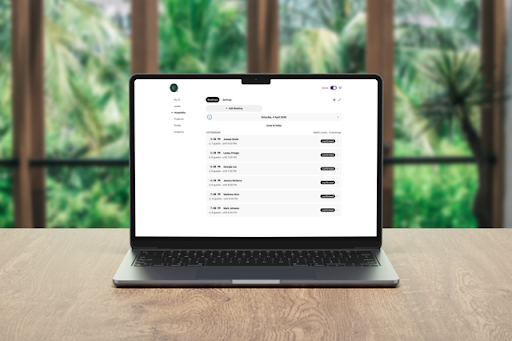
Hospitality has long been defined by human interaction, but the systems that support those interactions have undergone continuous change. Arran Campolucci-Bordi, owner of Casa Italia, established 50 years ago in Liverpool, UK, frames this evolution through lived experience, tracing a path from handwritten reservation books to digital booking systems and now toward AI-driven operations. In his view, each transition reflects a broader shift in how restaurants manage time, communication, and customer expectations.
He points out that earlier generations relied entirely on manual processes. Reservations were written down, availability was checked by hand, and customer inquiries were handled individually. As digital tools emerged, many of these processes moved online, creating greater structure and consistency. According to Arran, the current phase introduces a new layer, where systems are capable of responding dynamically to customer needs without requiring human input.
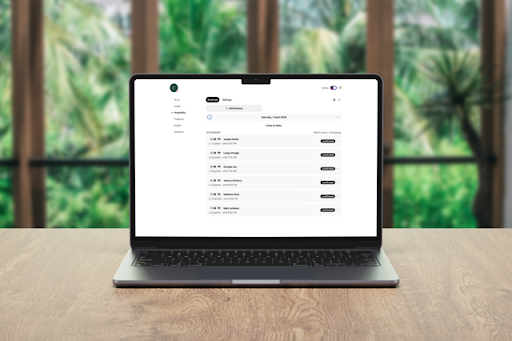
From his perspective, AI within hospitality is best understood as an operational support system rather than a replacement for people. He explains that Ayra functions similarly to a trained staff member in specific contexts, particularly when it comes to handling information. Once it has been provided with details such as menus, booking systems, and policies, it can respond to customer inquiries in a conversational format. This includes tasks such as checking availability, managing reservations, and answering common questions in real time. He suggests that, in practice, this allows businesses to handle external interactions consistently, while allowing the staff to be focused on where it matters most.Credit: Ayrasource: Ayra
That operational shift is increasingly visible across different industries. According to a report, 58% of employees surveyed say they are already saving time at work through AI tools, with users reporting an average of 52 minutes saved per day, or nearly five hours per week. In a sector like hospitality, where a large share of time is spent responding to enquiries and managing bookings, these time savings can accumulate quickly and better influence where teams focus their efforts.
Arran emphasizes that this type of system is designed to operate alongside existing teams. He notes that many roles within hospitality involve repetitive administrative tasks that take time away from direct customer engagement.
Advertisement
The 💜 of EU tech
The latest rumblings from the EU tech scene, a story from our wise ol’ founder Boris, and some questionable AI art. It’s free, every week, in your inbox. Sign up now!
Building on this, he explains that redistributing that time can reshape how service is delivered inside the restaurant itself. “By shifting those tasks to an AI-driven interface, businesses can allow staff to focus on delivering service within the physical environment of the restaurant,” he says. “It is a way of aligning people with the aspects of their roles that require attention, awareness, and interpersonal interaction.”
The practical implications of this shift are closely tied to how restaurants allocate their time and resources. According to Arran, a significant portion of operational inefficiency comes from fragmented communication, particularly when customers reach out with similar questions or booking requests. “Each individual interaction may be brief, but collectively they represent a substantial time commitment,” he notes. Ayra, he explains, can handle these interactions 24/7, in turn increasing time spent with customers and capturing potential missed opportunities.
Advertisement
This perspective also reflects broader changes in customer behavior. “As digital communication has become more immediate, expectations around response times have shifted accordingly,” Arran notes. “Customers increasingly expect quick and accurate answers, whether they are making a reservation or asking about menu options. Systems that can respond instantly help meet those expectations while maintaining clarity and consistency in communication.”
A common misconception is that hospitality is slow to adopt new technology due to the human-centric nature of the business. According to Arran, the immediate and drastic implications of adopting supposedly “robust” technology stem from the industry’s failure to adequately vet what they adopt
He also highlights the importance of simplicity in adoption. From his experience, one of the main barriers for restaurant owners is not necessarily resistance to technology itself, but uncertainty about how it works in practice. As a result, the platform he has developed is designed to be robust, accurate, and straightforward to implement, only requiring businesses to provide a small amount of information to train their AI agent. Once that information is in place, the system can begin operating autonomously.
This approach reflects a broader shift in how technology is being integrated into traditional industries. Rather than requiring businesses to fundamentally change their operations, tools are being developed to fit within established structures. Arran suggests that this compatibility is essential for long-term adoption, particularly in sectors where consistency is key.
Advertisement
Looking ahead, he sees AI as part of an ongoing progression rather than a final destination. The transition from manual processes to digital systems has already reshaped hospitality operations, and the introduction of AI represents another stage in that evolution. Each phase, he notes, has introduced new efficiencies while maintaining the core objective of serving customers effectively.
“People come into a restaurant for the experience, and that will always be the case,” Arran says. “If technology can take care of everything around that, it allows the staff to focus on what they do best, giving customers the best possible experience.”
After nearly 20 years on the platform, The Electronic Frontier Foundation (EFF) says it is leaving X. “This isn’t a decision we made lightly, but it might be overdue,” the digital rights group said. “The math hasn’t worked out for a while now.” From the report: We posted to Twitter (now known as X) five to ten times a day in 2018. Those tweets garnered somewhere between 50 and 100 million impressions per month. By 2024, our 2,500 X posts generated around 2 million impressions each month. Last year, our 1,500 posts earned roughly 13 million impressions for the entire year. To put it bluntly, an X post today receives less than 3% of the views a single tweet delivered seven years ago. […]
When you go online, your rights should go with you. X is no longer where the fight is happening. The platform Musk took over was imperfect but impactful. What exists today is something else: diminished, and increasingly de minimis.
EFF takes on big fights, and we win. We do that by putting our time, skills, and our members’ support where they will effect the most change. Right now, that means Bluesky, Mastodon, LinkedIn, Instagram, TikTok, Facebook, YouTube, and eff.org. We hope you follow us there and keep supporting the work we do. Our work protecting digital rights is needed more than ever before, and we’re here to help you take back control.
An anonymous reader quotes a report from CNN: A hacker has allegedly stolen a massive trove of sensitive data — including highly classified defense documents and missile schematics — from a state-run Chinese supercomputer in what could potentially constitute the largest known heist of data from China. The dataset, which allegedly contains more than 10 petabytes of sensitive information, is believed by experts to have been obtained from the National Supercomputing Center (NSCC) in Tianjin — a centralized hub that provides infrastructure services for more than 6,000 clients across China, including advanced science and defense agencies.
Cyber experts who have spoken to the alleged hacker and reviewed samples of the stolen data they posted online say they appeared to gain entry to the massive computer with comparative ease and were able to siphon out huge amounts of data over the course of multiple months without being detected. An account calling itself FlamingChina posted a sample of the alleged dataset on an anonymous Telegram channel on February 6, claiming it contained “research across various fields including aerospace engineering, military research, bioinformatics, fusion simulation and more.” The group alleges the information is linked to “top organizations” including the Aviation Industry Corporation of China, the Commercial Aircraft Corporation of China, and the National University of Defense Technology.
Cyber security experts who have reviewed the data say the group is offering a limited preview of the alleged dataset, for thousands of dollars, with full access priced at hundreds of thousands of dollars. Payment was requested in cryptocurrency. CNN cannot verify the origins of the alleged dataset and the claims made by FlamingChina, but spoke with multiple experts whose initial assessment of the leak indicated it was genuine. The alleged sample data appeared to include documents marked “secret” in Chinese, along with technical files, animated simulations and renderings of defense equipment including bombs and missiles.
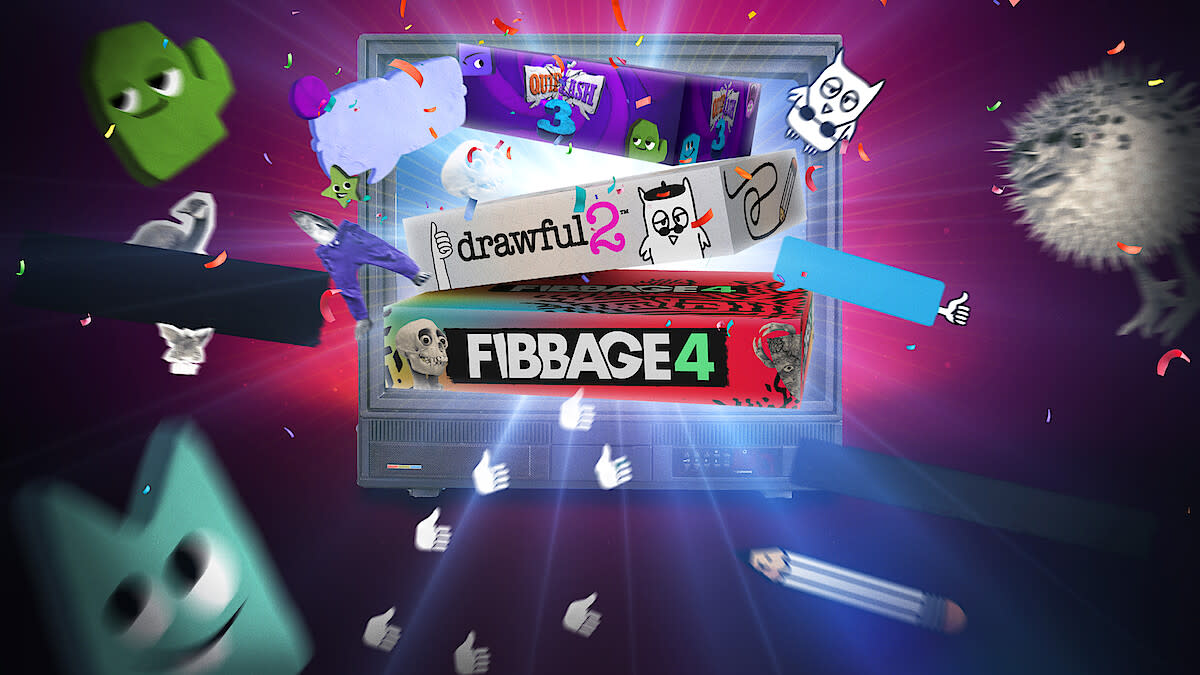
Netflix has added a heavy hitter in party activities to its gaming lineup. The streamer announced that Jackbox Party Essentials is joining the Netflix Party Games collection. This move makes three of the popular Jackbox group games available for free to Netflix subscribers: Fibbage 4, Quiplash 3 and Drawful 2. Each one supports up to eight players.
Netflix has been refocusing its interactive strategy to highlight family-friendly and party games. The company has even offered tie-ins to its original content; for instance, playing Overcooked through Netflix will let you use a member of Huntr/x from Kpop Demon Hunters as your in-game avatar. We also saw Netflix’s Game Controller software, which turns any mobile device into a gamepad for its game library, take the crown as a top-downloaded iOS app around the Easter holiday weekend. That performance could indicate that many families were at least thinking of trying out the streamer’s games as part of their festivities.
[Enginerd]’s chonky key handle is a beautiful use of 3D printing that helps people help themselves. The large wings, indented faces, and beefed-up grip make a typical house key much easier for someone with arthritis or difficulty gripping those brass slivers. Bright filaments in different colors can also help someone with vision limitations. The thing that will not improve is the space in your pocket or purse.
The design only requires a tiny bit of plastic, prints without supports, and what sets it apart from similar models is that you do not need any double-sided tape or bolts, only a keyring, so someone may have to assemble it for the user. The author is clever enough to use an uncut blank in the project photo so that no one will be decoding and copying their house key. We would wager they have read Hackaday if they are so prepared.
When it comes to starting out in the world of motorcycling, there’s a lot of marketing speak that gets tossed around. You’ll hear things like “race technology,” “so and so horsepower,” “carbon fiber,” and other terms that make very little sense. For a beginner who is looking to get their first motorcycle, all this jargon is quite confusing and can lead to some very impractical — or downright dangerous — decisions being made. So then, what should a beginner would-be biker look for in their first motorcycle? We can get a pretty good idea by trawling through the many “best beginner motorcycle” lists from publishers like Visordown, MotorcycleNews, MotorcyclistOnline, and MotorcycleCruiser, all of which are review-focused brands that are very respected by the community.
Many of the bikes on these brands’ lists come with engines around the 500cc mark or lower, with horsepower figures hovering between 50 and 80 hp. Additionally, when you look at motorbikes marketed as “entry-level” by big legacy brands, things like the torque curves and peak RPM figures are also much more docile.
However, there are a great many bikes that an inexperienced beginner might think are good starter motorcycles, the truth is that they’re actually not. Many of the ones we’re about to list have extreme amounts of power from an otherwise innocuously-sized engine, while others would have unmanageable torque from low RPMs. The point is, none of these bikes look inherently bad for a beginner, but they are — they should be saved for later down the line.
Advertisement
Harley-Davidson Sportster S
Dmitriy Sinchenko/Shutterstock
Throughout the history of Harley-Davidson, the company has produced some of the most iconic motorcycles known to mankind. There is absolutely no doubt that Harley is one of the greats when it comes to making bikes, but this doesn’t mean that every bike it makes is suitable for beginners; very few are, actually. Take the Harley-Davidson Sportster S for instance. In recent years, the bike has shipped with the Revolution Max 1250T engine from Milwaukee House. Displacing a gigantic 1,252 cc across the now-legendary V-twin dual-cylinder layout with a bore of 105 mm and a stroke of 72.3 mm, the engine makes a whopping 121 hp along with 92 lb-ft of torque.
The peak figures for the power and torque come in at 7,500 and 6,000 RPMs respectively, which are points that could catch a beginner off-guard as the delivery is anything but smooth. Furthermore, the weight of the bike is quite unmanageable for beginner riders, coming in at 503 pounds with all fluids in place. Now, normally, that weight wouldn’t be too bad all things considered, but when you look at the overall length of the bike — just 89 inches long — and the very set-back seat position, the problem becomes clear. The majority of the bike’s quarter-ton weight would be concentrated towards the front, which gives it that sporty handling characteristic but also makes it easy to over or understeer for beginner riders.
Advertisement
Yamaha MT-07
Stefano Chiacchiarini ’74/Shutterstock
Reports abound of the MT-07, a rather plain-jane-looking offering from the Japanese company, Yamaha, being described as a “wheelie monster,” with many owners posting videos to YouTube and sharing stories on forums about how their MT-07 suddenly decided to pop the front wheel in the air. In terms of specifications, the figures aren’t too bad, coming in with a wet weight (which means with all fluids accounted for) of 403 pounds, a seat height of 32 inches, and an overall length of 81 inches.
The engine in the MT-07 is, in 2026, a 42 cubic inch (689 cc) twin-cylinder unit that is paired to a six-speed transmission, routing power to the rear wheel via chain final drive. All that is pretty standard; and even the power output stands at a fairly reasonable-but-on-the-higher-side 73.4 hp, along with 50 lb-ft of torque.
The main issue comes in when one looks at the torque curve of the MT-07, because the bike makes peak torque from just 6400 RPM. Furthermore, while the curve is “linear” (or smooth in other words), the horsepower is not, with a significant way to go to peak hp while peak torque is met. In other words, peak power comes in much later at about 8600 RPM. This delta in torque though relatively few RPM cycle increases is what makes the bike bad for beginners, leading novice riders popping wheelies left and right.
Advertisement
Yamaha MT-09
Vincenzo Lombardo/Getty Images
To the untrained eye, the Yamaha MT-09 looks like nothing out of the ordinary. It’s even a bit of a sleeper bike. While it looked like your run-of-the-mill commuter motorcycle that wouldn’t look out of place in an office parking lot, it’s actually quite performant. Too much so for beginners, in fact — it ships with a wet weight of 425 pounds, an overall length of 82 inches, and a seat height of 33 inches. All those features are not the deal breaker; the engine is. It is a 54 cubic inch (890 cc) unit that spreads that displacement across two cylinders, via a bore of 78 mm and a stroke of 62.1 mm.
The final power output figures stand at an eye-watering 115 hp, along with 68 lb-ft of torque, which gets sent to the wheel via a six-speed transmission. Peak torque comes about at a reasonable 7,000 RPM, while peak horsepower takes a lot longer, coming in at 10,000 RPM. As such, the MT-09 is not only too powerful for a beginner; like the MT-07, it has a somewhat unpredictable power delivery. The good news is that as riders get more experience riding more beginner-friendly bikes around, this will cease to be a problem. In other words, the MT-09 has all the makings of a great bike, just not for absolute novices.
Advertisement
KTM 790/890 Duke
Sue Thatcher/Shutterstock
Austrian manufacturer KTM, which stands for Kraftfahrzeuge Trunkenpolz Mattighofen, makes the Duke 390, one of the most beginner-friendly bikes out there. It’s therefore confusing to see the same model line included on our list. However, the Duke 790 and 890, while being from the same family, are extremely different beasts. For starters, the 790 weighs just 412 pounds in running order, and comes with a 799 cc, two-cylinder engine making 95 hp and 64 lb-ft of torque.
The 890 isn’t much better in this regard, making 120 hp and 73 lb-ft of torque from an engine that displaces 890 cc across the same twin cylinders. Both bikes utilize a six-speed transmission and feature liquid cooling, as is expected. Peak torque for the 780 comes in at 8,000 RPMs, while the 890 makes its peak torque slightly earlier, at 7,750 RPMs.
Advertisement
That’s the main issue of both of these bikes — they’re massively overpowered. Smooth power delivery aside, they’re just unsuitable for beginner riders. For those who are fans of the brand or who like the design aesthetics of the bike, choosing a smaller, more manageable option like the KTM 390 is definitely the way to go. You can always upgrade to a larger-displacement bike down the line once you’ve gotten more experience as a rider.
Advertisement
Suzuki SV650
Wirestock/Getty Images
The SV650 from Suzuki comes with a 645 cc, V-twin cylinder engine making 75 hp along with 47 lb-ft of torque, featuring a six-speed transmission. A key benefit of the SV650, touted by many reviewers, is its stellar fuel economy, which comes in at about 40 mpg. With a fuel capacity of 3.8 gallons, that means riders can expect about 152 miles of range between fill-ups. Sadly though, the SV650 from Suzuki remains a poor choice (in our eyes) for a beginner motorcycle, partly due to most of the torque from its V-twin becoming available from a mind-bogglingly-low 3000 RPMs.
For reference, if one was to turn the accelerator handle just half of the way (on most models), you would reach 3000 RPMs without breaking a sweat. Now, this early torque does mean that the SV650 will almost never struggle to accelerate no matter what speed you’re at or what gear you’re in, but it’s just not beginner-friendly in the long run. Aside from getting riders used to an uncommon power delivery system, the low-RPM torque also makes it difficult to adjust to other models down the line. When you move to another bike after growing accustomed to not having to account for RPM jumps and torque kicking in late, it’s a disaster waiting to happen. However, in all other regards, the SV650 remains a fantastic offering that should be explored later down the line.
Advertisement
Kawasaki Z900
John Keeble/Getty Images
The “Z” line of motorbikes from Kawasaki has the naked versions (bikes with minimal fairing and body paneling) of their regular sportbike lines. To the untrained eye, the Kawasaki Z900 simply looks like a bored-out version of the Z650 — which is a good beginner bike, to be clear — but the truth is anything but. Under this sleek, tubular, matt-black frame lies a 948 cc, four-cylinder engine that arrives paired to a six-speed transmission.
Almost being a liter-bike itself, its power figures are expectedly insane, coming in at 124 hp and 73 lb-ft of torque. Furthermore, peak torque kicks in at 7,700 RPM, while peak RPMs come in a tad bit later at 9,500 RPM. There’s also the topic of bulk; the Z900 comes in with a running-order weight of 467 pounds and is a manageable 82 inches in length. So, while the bike certainly isn’t for beginners or the faint of heart, it’s certainly an exciting model that every biker should ride at least once. After all, it’s not every day that a legacy brand makes a street-legal hypernaked rocket bike.
Advertisement
Honda CB1000R
Robert Vt Hoenderdaal/Getty Images
There is a common consensus in the motorbiking community: A liter-bike (a bike with a displacement of a cubic liter or more) is definitely not the place to start out. Bikes like the Honda CB1000R are exactly why this even needed to be a discussion in the first place, especially since its looks belie its true performance.
At first glance, you’d be forgiven for thinking that the CB1000R is just another run-of-the-mill weekend sportbike meant to make a lot of noise, and that’s about it. However, with 143 hp and 77 lb-ft of torque delivered from its 998 cc, quad-cylinder engine, this notion is put to rest with a half-turn of the accelerator. All that power is shot straight to the rear wheel via a six-speed transmission featuring chain final drive.
In terms of the bike’s dimensions, the overall length sits at 83 inches, while the 33 inch seat height with a fairly upright riding position makes the CB1000R quite comfortable, even for long distances. The bike is also on the heftier side — another con for beginner riders — as it tips the scales at 466 pounds with all fluids accounted for. With that said, we’ll take you back to the rule of thumb when looking for a beginner bike: Try to find something under 500 cc and around 70 hp, and you’ll be golden.
Advertisement
Suzuki GSX-S750
KRxMedia/Shutterstock
750 cc isn’t an insanely-high displacement. It’s certainly on the heftier side, but that isn’t too implausible for talented riders. At least, that’s the argument that many beginners have in their heads when looking at one. However, we present the best counter-argument to this sentiment in the form of the Suzuki GSX-S750. It is essentially just a scaled-down version of the company’s sport-focused Suzuki GSX-R750, known as the “Gixxer” fondly in the community.
Yet even the most die-hard GSXR fans will never tell you that it is a good beginner bike, and that’s with good reason. The slightly-scaled-down GSX-S750 comes with a 749 cc engine that has a bore of 72 mm and a stroke of 46 mm, spreading its displacement across four cylinders.
The bike features chain final drive, and has a six-speed transmission that has a wet multiplate clutch, like many of the other models on this list. However, the GSX-S750 makes an insane 113 hp, along with 60 lb-ft of torque, while weighing a reasonable 465 pounds; in totality; taken altogether, that’s gextremely unmanageable for a beginner rider. The scary bit is that the 750 probably seems like a good middle ground between 500 and 1000 cc bikes, perfect for those who “want a little more power” but not too much. Well, considering that the 750 makes borderline econobox car hp, it should be shelved — at least for novices.
Advertisement
Triumph Speed Twin
Adam Rhodes UK/Shutterstock
For starters, the Speed Twin from Triumph is pretty hefty, coming in with a running-order weight of 476 pounds. It’s not exactly compact either, with a wheelbase length of 56 inches and a seat height of 32 inches. Speaking of the seat, it too, like the Harley-Davidson Sportster S, features one that is significantly behind the bike’s center of gravity, which gives it great handling characteristics.
The main con of this layout is that it would require a lot of experience to know how to get the most out of that great handling. That’s not something beginner riders would have. The engine in the Speed Twin is a 1,200 cc, twin-cylinder unit that makes a whopping 104 hp, along with a respectable 83 lb-ft of torque. However, the delivery of that torque is exciting for experienced riders but borderline sketchy for novices.
At just a hair over 3,000 RPM, the bike would be making the majority of its 77 lb-ft of torque (about 70 hp at 3,150 RPM); but the hp curve takes a while to catch up. Until about 5,000 RPM, the bike makes more torque than hp — which is okay — but between 5,000 and 6,000 RPM, the opposite happens. There is a jump to about 90 hp with a fall-off in torque to about 60 hp at this time, which would create unmanageable lurching for inexperienced riders. So, while it’s a brilliant bike overall, beginners should stay away from it.
Advertisement
BMW F850GS and F900R
The Silent Lensman/Shutterstock
These two bikes, much like the KTM Dukes above, have performance that belies both the looks and reputation of the model line. For starters, the two seem like perfectly decent middleweight bikes, but both have three-digit horsepower figures, with power delivery that many beginners would find unmanageable unless they are extremely familiar with controlling rev ranges.
The F850GS has an 853 cc, two-cylinder engine that makes 95 hp with 68 lb-ft of torque, with peak power arriving at 8,250 hp, and peak torque coming much faster, at 6,250 RPM. The F900R, for its part, comes with a very similar 895 cc, twin-cylinder engine; though it makes 105 hp and 68 lb-ft of torque, with similar RPM peaks.
Advertisement
Where the F850GS weighs 505 pounds and is 91 inches long, the F900R comes in at 459 pounds in running order, with a length of 84 inches. Furthermore, both bikes have a six-speed transmission that drives the rear wheel through chain final drive. Much like some other units that we’ve looked at so far, the torque curve (in turn, the power delivery) are what make both of these bikes problematic for new riders. With jumps between the power seen at the rear wheel in relatively low RPMs, novices would struggle to control the throttle.
Advertisement
Indian FTR 1200
Elis Cora/Getty Images
For those who are unaware, the Indian FTR is a series of sport-naked bikes from the major American company that is best-known for its long-distance cruiser motorcycles. In recent years, the FTR has shipped with a 1,203 cc engine that spreads its displacement across the brand’s legendary twin cylinders and comes with a six-speed transmission.
The total power output for this monster stands at 123 hp, along with 87 lb-ft of torque; peak torque clocks in fairly low, at 6,000 RPM. The bike is also quite light (for a 1200 cc bike, anyway), coming in with a weight of 508 pounds with all fluids installed. This means the Indian FTR is supremely overpowered, while being decently light for the class. This is a good thing for bikers that know how to control it. The length is also on the higher end, coming in at 88 inches in total; the seat height is an admittedly decent 31 inches. The reason this bike doesn’t suit beginners is power, plain and simple: There’s too much of it, delivered too quickly and in an unpredictable fashion.
Advertisement
Indian Scout
In much the same vein as the Indian FTR above is the Indian Scout. As of early 2026, the Scout is offered in five different variations, all of which are priced in the low five figures. Both engines are V-twin units; but it’s the flagship bike, called the Indian Super Scout, that we want to talk about.
When it comes to the Super Scout, it produces a massive 105 hp, along with 82 lb-ft of torque while weighing a (relatively) hefty 587 pounds. It’s quite sporty for a cruiser, and is the kind of bike that would encourage riders to give the throttle just a little bit more oomph — which is why it’s problematic. The Super Scout isn’t suited to new riders simply because the torque delivery doesn’t match the vast amounts of power it has; the “road feel” while riding would be very different from reality.
Advertisement
Methodology
hendra yuwana/Shutterstock
We wanted this to be a list of bikes that beginners might consider that aren’t suitable for novices. First, we began by narrowing our search to bikes above 500 cc and below 1200 cc — which is a range that new riders are likely to want to buy in. Then, we identified which of these models made above 70 hp, as this would result in a power-to-weight ratio of 1:6.5 or at least something in that range.
Having factored in the weight, we analyzed a dyno torque curve for each model that we listed, published by reputable companies like CycleWorld. We looked for models where there was mismatch between the power and torque kicking in, which would be a problem for beginners. Lastly, we made sure that every model on this list was still on sale within the past five years, as we think that no beginner would be buying a bike older than that for a starter.





















































You must be logged in to post a comment Login