Tech
Here’s What The Apple Limited Warranty Does (And Doesn’t) Cover



If you’re perusing Apple’s latest wares, such as the iPhone 17, which has been one of the best-selling phones of 2026, or the latest M5 MacBook Air, you may find yourself wondering how to best protect that investment. Or you may be faced with the existential dilemma of deciding whether or not to buy into extended coverage. For Apple products, it’s very much an ecosystem; you may start with an iPhone 17 Pro, but can quickly find yourself with AirPods and an iPad to go with it. Once you have a smattering of Apple devices, keeping them working is important.
Understanding Apple’s legal warranty, consumer rights, extended coverage options, and how they fit into Apple’s support chain will help you make an informed decision. Apple hardware comes with a one-year limited warranty, which covers manufacturing defects, workmanship, and hardware failures that are not due to user damage or normal wear and tear.
What’s excluded is accidental damage, cosmetic damage, loss or theft, or anything that can be attributed to normal wear and tear. Apple will also not cover any modification or damage done by a third party, or any repair or damage done by a non-Apple Authorized Service Provider. Apple also notes that coverage only applies when the products are used in accordance with Apple guidelines, which you can learn more about at Apple’s legal page.
How to check warranty status and get service
Though Apple publishes warranty guidance for each product, the warranties are all essentially the same, in that they broadly have the same inclusions and exclusions. The limited warranty starts from the original purchase date, but this is in addition to any country-specific consumer laws that may apply.
For instance, Canada recently amended its Consumer Protection Act, which changes the scope of legal warranties on several products, including cell phones. Under Canada law beginning in October 2026, cell phone warranties will have a three-year duration. You can find out more about Apple and specific consumer laws here.
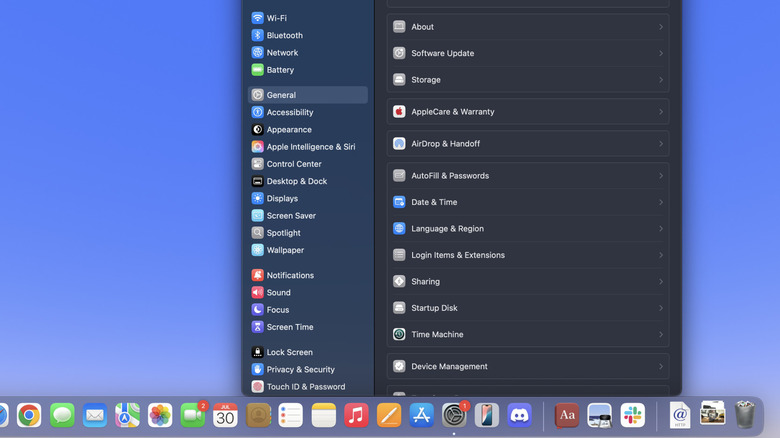
There are several ways to check your Apple warranty status and see warranty coverage. You can visit Apple’s coverage and benefits page and enter the serial number for your device, or you can also go to mysupport.apple.com and sign in with the appropriate Apple account. On certain devices like iPad, iPhone, and Macs, you can also navigate to Settings > General > AppleCare & Warranty and view warranty status for devices. If you need warranty service on an eligible device, you can start a claim at Apple’s Service and Repair page.
You can also take your device to an Apple store for carry-in service, or you can find an Apple Authorized Service Provider. Apple also provides a Self-Service Repair page, where you can access repair manuals and buy Apple parts — provided you have the skill and experience to make the repair. Apple announced Self Service Repair in 2021, largely after world governments became more interested in repair laws.
AppleCare+ vs AppleCare One: is it worth the money?
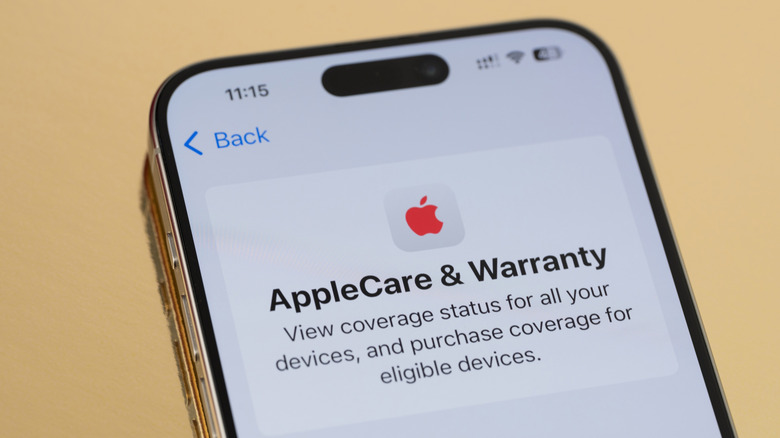
AppleCare is Apple’s extended coverage service, which you should think of as additional to the one-year warranty and any other coverage you may have under law. AppleCare comes in two options: AppleCare+ or AppleCare One. It’s also worth noting that Apple changed the pricing structure of AppleCare+ to a subscription model and moved away from allowing customers to buy two years of coverage up front.
The difference is AppleCare+ can be applied to devices individually, a la carte style, with subscription prices varying based on the device. AppleOne allows you to bundle up to three devices for a flat $19.99/month, with the ability to add extra devices at $5.99/month per device. Some notable perks include same-day service at Apple Stores, Express Replacement Service for certain devices while you wait on a repair, and battery replacement if your battery falls below 80 percent of its capacity. AppleCare+ and AppleCare One have service fees and deductibles, on top of the subscription costs.
Whether or not this is worth it is a personal decision. If you’re someone who upgrades frequently or yearly, then paying for extra coverage probably doesn’t make sense. But if you intend to keep your devices for several years, the AppleOne bundle can be practical, depending on your devices. Paying roughly $20 per month for three devices –- like an iPhone, a MacBook, and a pair of AirPods –- isn’t a bad value if you rely on them daily and they tend to travel a lot with you. On the other hand, it doesn’t make much sense to buy extra coverage for something like an AppleTV or HomePod that tend to be stationary.
You must be logged in to post a comment Login