
Tech
iFi iCAN PHANTOM 1.5 Refines Its Flagship Amp for IEMs, Planar and Electrostatic Headphones

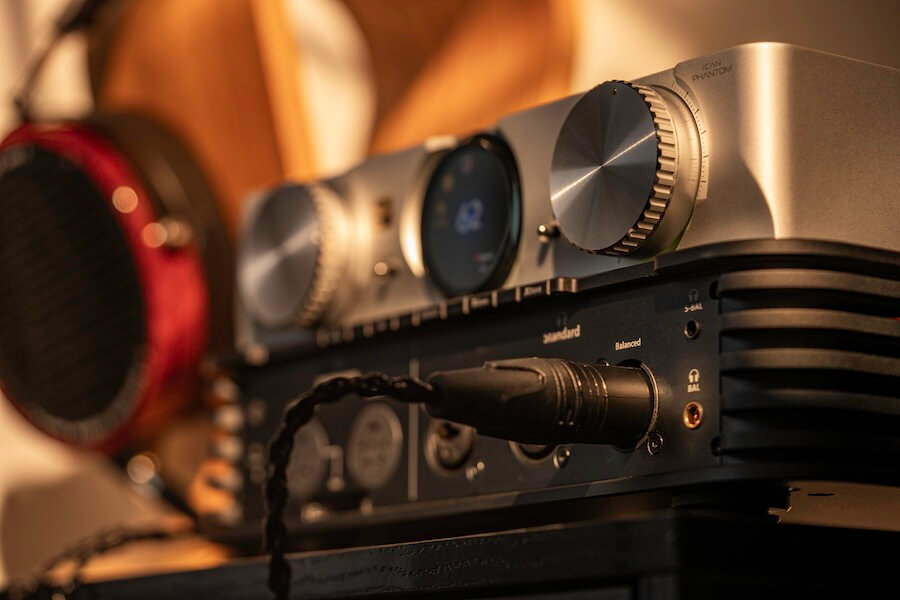
Three years ago, iFi Audio introduced a rather unusual flagship headphone amplifier. The original iCAN PHANTOM could handle sensitive IEMs, dynamic headphones, demanding planar magnetics, and electrostatic headphones from the same chassis, eliminating the separate energizer normally required for the latter.
That remains an extremely uncommon combination, but it is not new for 2026.
With the iCAN PHANTOM 1.5, iFi is not reinventing its $3,749 flagship or dramatically increasing its already formidable output power. Instead, it has concentrated on making an amplifier that was already designed to accommodate almost any headphone easier to match, easier to control, and somewhat easier to live with.
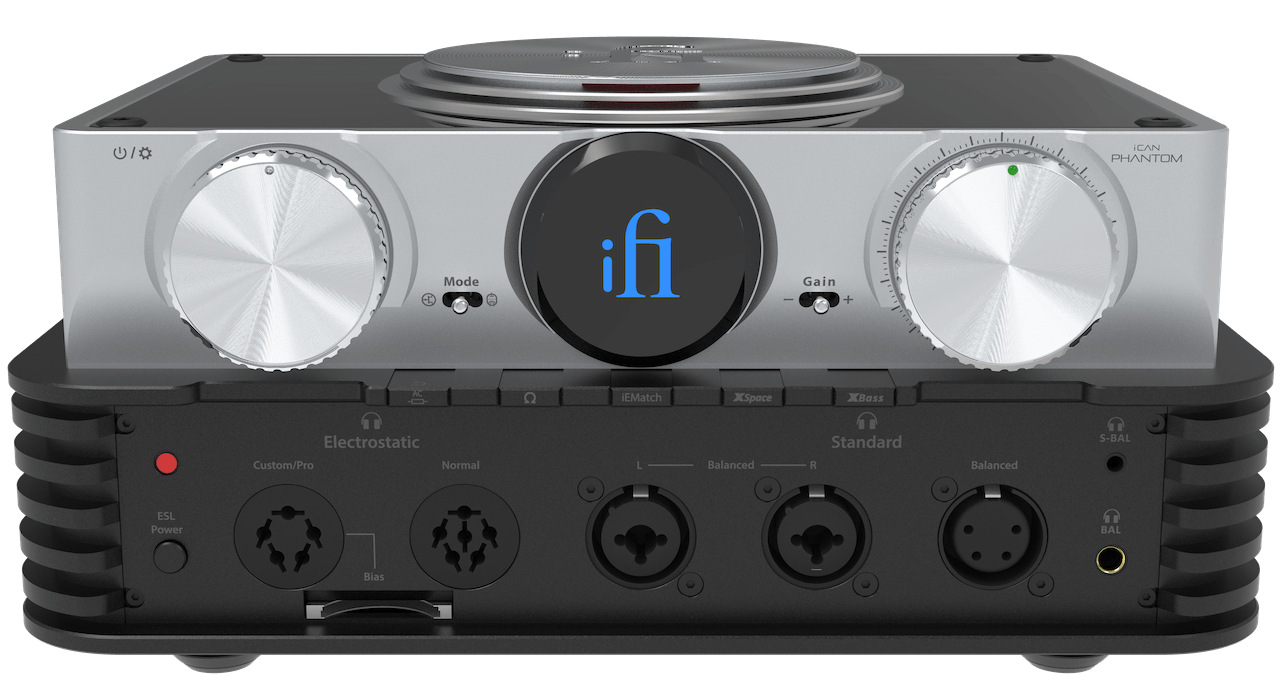
The biggest changes include a wider 0dB, 12dB, and 24dB gain range, stronger IEMatch attenuation for sensitive earphones, a new VU meter display, revised controls and interface, and expanded Nexis app functionality. The underlying proposition remains the same: one rather expensive box instead of several rather expensive boxes.
Headphone collectors will understand the distinction immediately. Everyone else is probably wondering when owning multiple $3,000 headphones became a problem requiring its own consolidation strategy.
Related Reading:
One Amplifier for Almost Everything

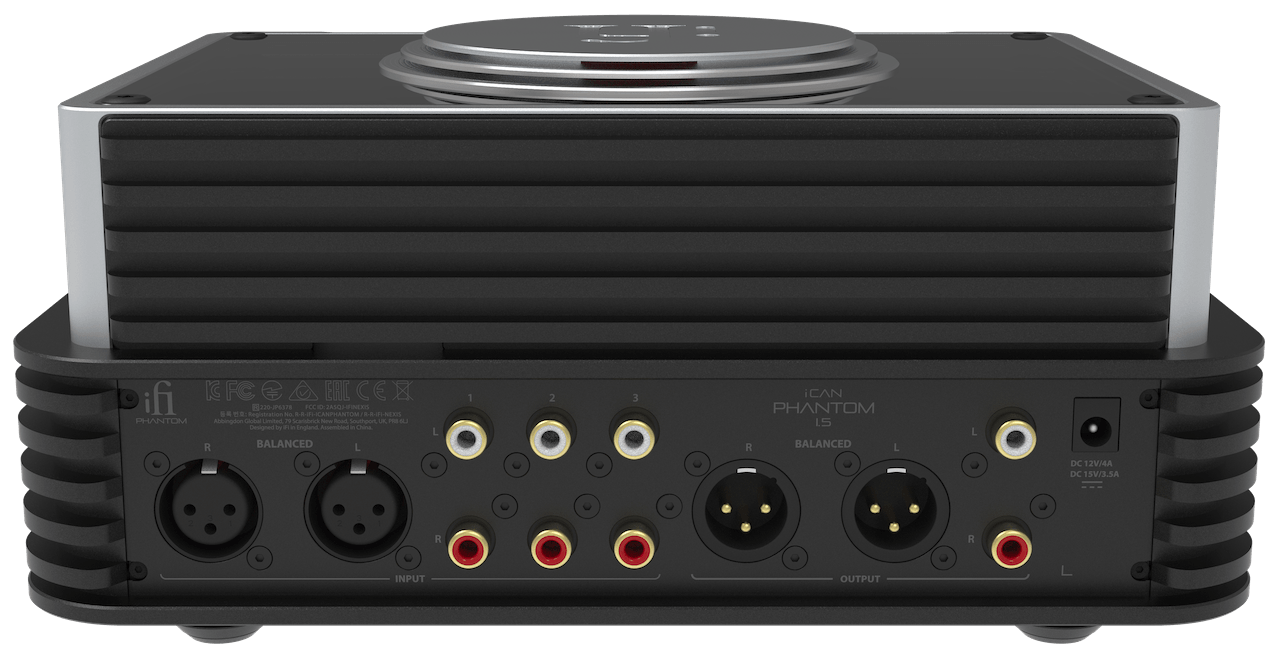
The $3,749 iCAN PHANTOM 1.5 is an analog headphone amplifier, preamplifier, and electrostatic energizer designed to handle IEMs, conventional dynamic headphones, difficult planar magnetics, and electrostatic models from one chassis.
Power is certainly not the problem. The PHANTOM can deliver more than 15,000mW maximum balanced into 16 ohms, more than 9,030mW RMS balanced into 32 ohms, and more than 27V into a 600-ohm load. Single-ended output reaches more than 5,760mW maximum into 16 ohms and more than 3,120mW RMS into 32 ohms.
For electrostatic headphones, the PHANTOM provides a 230V Normal Bias output and a Pro/Custom output with selectable bias settings from 500V to 640V. The electrostatic drive stage itself is rated at up to 640V RMS in Custom/Pro mode and 320V RMS in Normal mode.
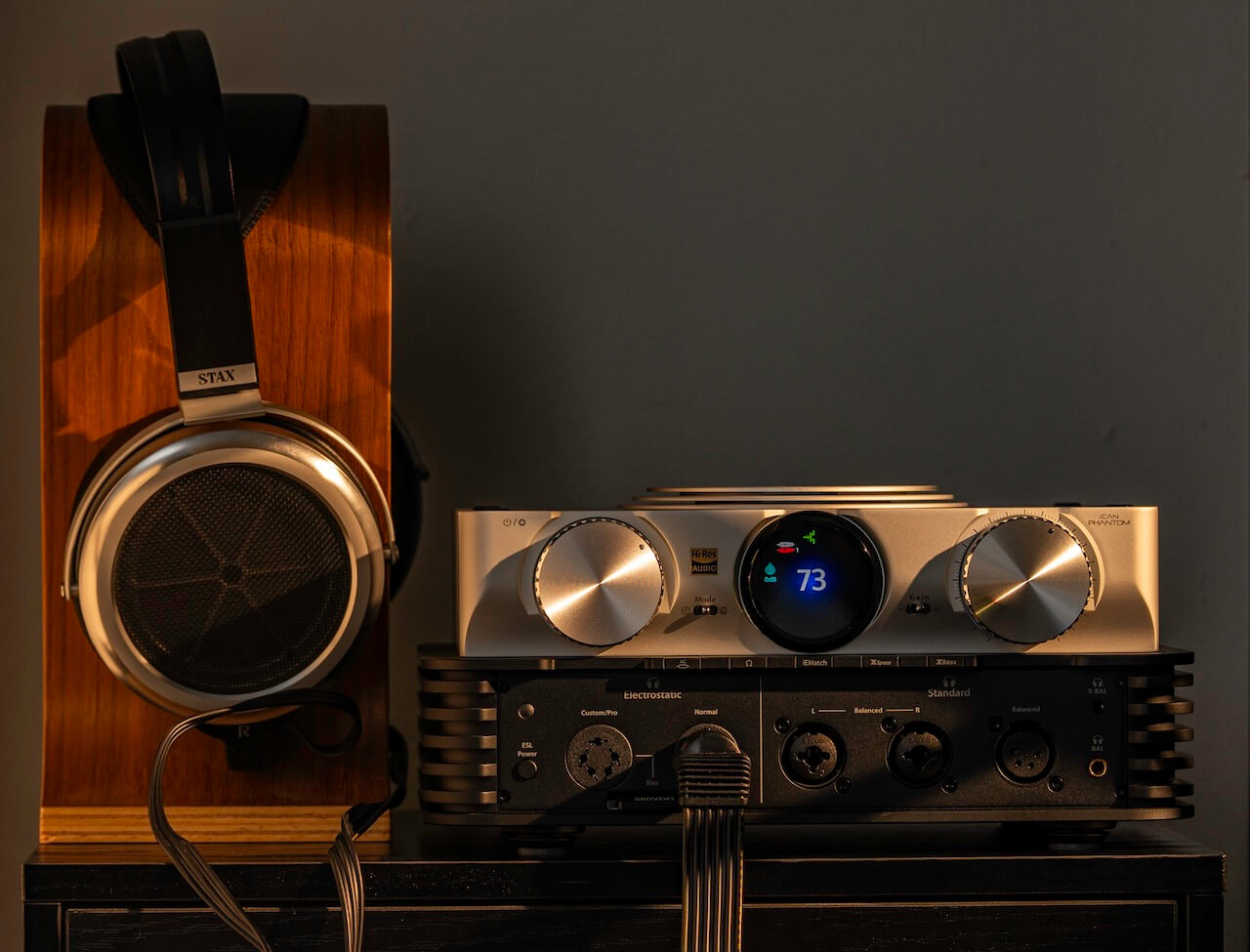
iFi iCAN PHANTOM 1.5 Specifications
- Type: Analog headphone amplifier, preamplifier, electrostatic energizer
- Amplification: Fully differential balanced PureWavePRO
- Input Stages: Discrete Class A solid-state and Class A tube
- Tubes: Matched General Electric 5670 pair
- Modes: Solid-State, Tube, Tube+
- Maximum Balanced Power: >15,000mW into 16 ohms
- RMS Balanced Power: >9,030mW into 32 ohms
- Maximum Single-Ended Power: >5,760mW into 16 ohms
- Maximum Balanced Voltage: >27V into 600 ohms
- Electrostatic Output: Up to 640V RMS
- Gain: 0dB, 12dB, 24dB
- IEMatch Attenuation: Up to 12dB single-ended / 24dB balanced
- Frequency Response: 0.5Hz to 500kHz, -3dB
- SNR: >145dB(A) balanced / >130dB(A) single-ended
- Dimensions: 10.1 x 7.3 x 4.7 inches
- Weight: 9.3 pounds
- Price: $3,749 USD
Tubes or Solid-State? Pick One
The PHANTOM 1.5 uses two separate switchable Class A input stages rather than inserting tubes into a common signal path. The solid-state section uses discrete JFET circuitry, while the tube stage employs matched GE 5670 tubes.
There is also Tube+, which reduces loop gain and negative feedback to emphasize more of the tubes’ harmonic character. In practical terms, owners can move between solid-state, Tube, and Tube+ without owning three amplifiers — which is useful considering headphone enthusiasts have demonstrated a remarkable ability to fill every available shelf.
XBass offers three levels of analog low-frequency adjustment, while XSpace provides separate spatial processing matrices for headphones and loudspeakers. The 1.5 revision also increases gain from the original PHANTOM’s 0/9/18dB settings to 0/12/24dB, while stronger IEMatch attenuation provides more usable volume range with highly sensitive IEMs.
A new VU meter display, revised user interface, improved volume control feel, anti-fingerprint glass coating, and expanded Nexis app support round out the changes. Nexis can handle remote control, diagnostics, firmware updates, product renaming, resets, and real-time monitoring of tube condition.
The Bottom Line
There are alternatives, but this remains a very short list.
The Apos x ES Lab HYDRA, which won one of our Best in Show awards at CanJam SoCal 2026, can drive conventional dynamic and planar magnetic headphones along with 580V Pro Bias electrostatic models. Plus its 20-watt-per-channel speaker output adds another layer of flexibility.
The two amplifiers approach the problem rather differently. The HYDRA uses a fixed 580V electrostatic bias and puts greater emphasis on versatility between headphones and loudspeakers. The iCAN PHANTOM 1.5 goes further at the extremes, however, with IEMatch for sensitive earphones and selectable electrostatic bias settings that accommodate a broader range of electrostatic headphones. It also adds Solid-State, Tube, and Tube+ operating modes, three gain settings, XBass, XSpace, and app-based control.
The Linear Tube Audio Z10e is more expensive alternative. At $6,950, it can drive electrostatic, dynamic, and planar magnetic headphones while also functioning as a 12-watt-per-channel integrated amplifier for loudspeakers. It is considerably more expensive and follows a very different all-tube design philosophy.
What keeps the PHANTOM 1.5 unusual is not simply that it can drive electrostatic headphones; the original PHANTOM already did that. It is the combination of electrostatic support, substantial power for difficult planar magnetics, low-noise operation and attenuation for sensitive IEMs, selectable tube and solid-state stages, adjustable analog processing, and extensive load matching in one chassis.
At $3,749, calling it inexpensive would require a concussion. But for someone already using separate amplifiers for IEMs, planar headphones, and electrostatics, the consolidation argument is not nearly as absurd as the price initially makes it sound.
Pricing & Availability
The iFi Audio iCAN PHANTOM 1.5 is priced at $3,749 USD and is available through iFi Audio and select authorized dealers.



Manufacturers selling products with digital elements in the EU must now report actively exploited vulnerabilities to cybersecurity authorities under the Cyber Resilience Act’s mandatory reporting rules.
The reporting duties set out in Article 14 of the CRA became applicable today. Subject to the regulation’s exemptions, they apply to manufacturers of products with digital elements made available in the EU, regardless of where those manufacturers are based.
Manufacturers must submit an early warning within 24 hours of becoming aware of an actively exploited vulnerability, followed by a more detailed notification within 72 hours.
The same deadlines apply to severe incidents affecting the security of products with digital elements.
The only difference in timing is related to the final report. Manufacturers must provide a final report on an actively exploited vulnerability within 14 days of making a corrective or mitigating measure available. For serious incidents, the final report is due one month after the first report.
Darren Anstee, CTO for security at Netscout, said the reporting deadlines introduce much-needed urgency in working toward global cyber resilience.
“The 24-hour window in which an initial warning must be reported creates a level of urgency, with subsequent deadlines ensuring that the gathering and release of additional information is prompt,” he said.
“Better, more rapid sharing of information helps organisations put defences and mitigating controls in place when they know there is heightened risk.”
EU and non-EU manufacturers must file these reports through ENISA’s Single Reporting Platform (SRP).
Notifications are addressed to the coordinating computer security incident response team (CSIRT) determined under the CRA. For an EU manufacturer, this is generally the CSIRT for the member state where it has its main establishment; separate rules determine the coordinator for manufacturers based outside the bloc.
Manufacturers must also inform affected users, where appropriate, about actively exploited vulnerabilities or severe incidents. The CRA states that users must be informed of available corrections or mitigations without undue delay.
Generally, failures under the CRA are punishable by varying tiers of fines, the most serious of which can reach €15 million ($17.4 million) or 2.5 percent of the offender’s annual turnover, whichever is higher.
The reporting duties that took effect today are classified as core responsibilities under the act, meaning failures to comply with them could lead to the maximum fines being issued.
They are the latest step in the EU’s plan to drip-feed tighter security regulations on companies operating in the bloc.
Most remaining CRA provisions become applicable on December 11, 2027, at which time manufacturers will also be required to embed security by design and default. That means no default passwords and security updates are no longer optional.
Products covered by the CRA will also have to undergo the applicable conformity assessment before being placed on the EU market and bearing a CE mark.
More than a deadline
The CRA’s new rules are not just intended to accelerate manufacturers’ responses to security flaws. They are also intended to give businesses a better understanding of their software supply chains.
With the reporting clock starting as soon as manufacturers become aware of an issue, they cannot afford to begin mapping an affected product only after a vulnerability or incident emerges. They need a comprehensive view of the affected product and any related products that may share the flaw if they are to meet the deadlines.
Furthermore, those requirements demand that manufacturers maintain this understanding throughout each product’s lifecycle.
Creating a software bill of materials (SBOM) when a product is launched is one thing. The SBOM becomes a mandatory requirement when most of the CRA’s remaining provisions become applicable next year.
Maintaining that security snapshot over time, however, is intended to help reduce the number and impact of serious cyberattacks across the EU.
“What all this means for manufacturers is that secure development, effective vulnerability handling, and traceability across the software supply chain should be elevated to the top of their priority list,” said Eran Kinsbruner, veep of product marketing at Checkmarx.
“Modern applications are assembled from a complex ecosystem of components, with combinations of proprietary code, open-source packages, third-party components and, increasingly, AI models and services all interconnected,” he added. “Organizations need to understand these components, their dependencies and the risks they introduce.”
Given enough time, the CRA looks set to improve cyber resilience across the board. However, lawyers warn that manufacturers, particularly those outside heavily regulated sectors, must now contend with a growing body of overlapping rules.
“The CRA is arriving as organizations are already grappling with a growing body of Digital Decade legislation, including NIS2, DORA, the Data Act, and the AI Act,” said Heidi Waem, data, privacy and cybersecurity partner at DLA Piper.
“We’re seeing the compliance challenge for many businesses evolving beyond understanding single regulations in isolation, but determining how multiple frameworks interact, where requirements overlap and how compliance programmes can be coordinated across them.”
John Magee, partner and global co-chair of data, privacy, and cybersecurity at the same law firm, added: “Even now we’re seeing the breadth of the regulation’s reach catching organizations off guard.
“Many still associate the CRA primarily with consumer IoT devices, when in reality it applies to a much broader pool of products with digital elements. For compliance teams already very busy managing multiple Digital Decade initiatives, there is a risk that this first wave of CRA obligations has arrived sooner, and with a wider impact, than they had expected.” ®
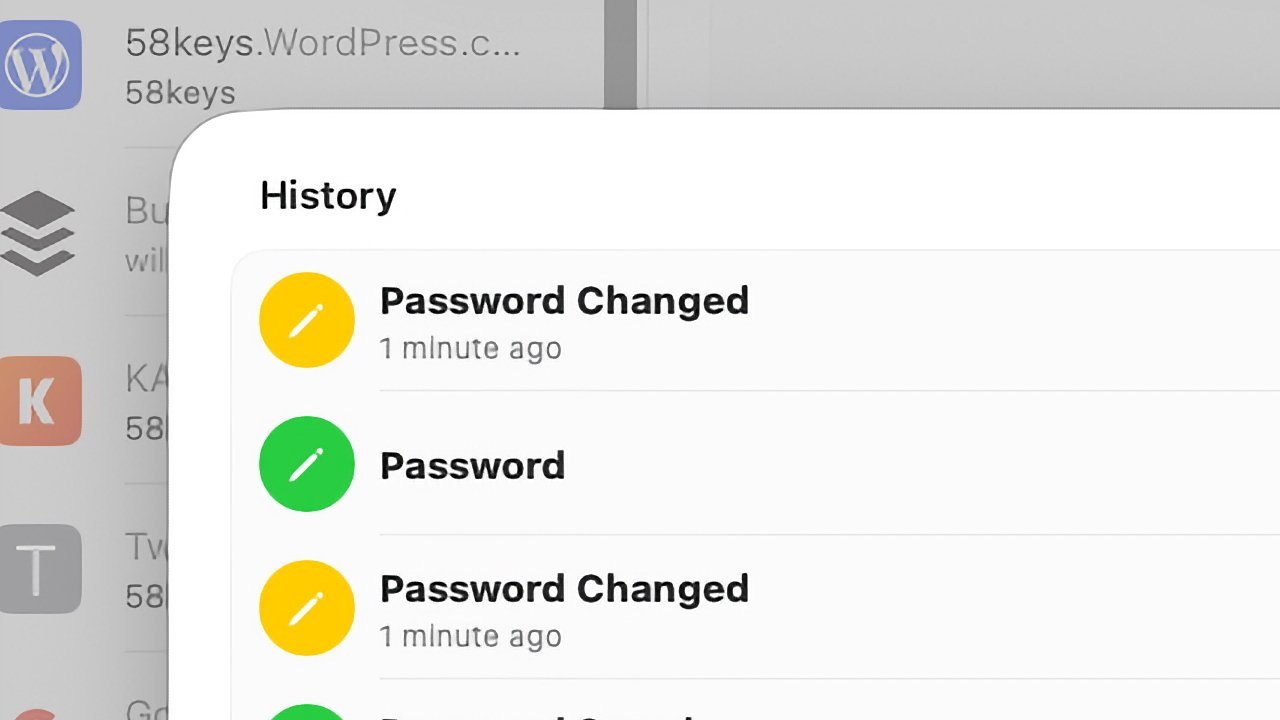
Apple’s changes to the Keychain in macOS Tahoe made it more secure. However, by binding it to device-specific Secure Enclave keys, users now can’t manually copy the login Keychain and use it on another Mac.
Attacks on Mac users are getting more sophisticated over time, with AI also opening the door to even more malware and the discovery of new intrusion techniques. While Apple does work to increase the security of its operating systems and software to counter the threats, they can also become a burden to administrators.
In a blog post on September 8, Rich Trouton wrote that it wasn’t possible to manually copy login Keychain files from one Mac to another. At least, doing so and still being able to use them on the new machine.
As he explains, the login keychain is a SQLite database file stored in the user’s home folder, which you could previously copy from one Mac to a second. While you could use the file straight away on earlier versions, an update to macOS Tahoe meant that it wouldn’t work for Macs using a Secure Enclave.
The Secure Enclave guards the metadata key that protects the keychain attributes required to decrypt it. The change means that the Secure Enclave must be used whenever the login Keychain file is accessed.
The metadata key can be cached in the Application Processor for fast keychain entries. However, the Secure Enclave must be accessed for that cache to exist in the first place.
If you’ve moved the Keychain file to another Mac, it won’t have access to the Secure Enclave, and therefore won’t open.
Changed chain in macOS Tahoe
While the change is only really becoming known now, it’s something that actually happened back in March. According to Trouton and another September 10 post by Jeff Johnson, the macOS 26.4 update introduced it.
Testing confirmed that the ability to copy the file worked for macOS 26.3, including via a virtual machine. However, copying the login Keychain from a virtual machine running macOS 26.4 didn’t work, due to not being able to be read on other Macs.
Other non-login Keychain files are unaffected and can be unlocked on other Macs fine.
In an addendum on September 11, Johnson writes that this was a “ticking time bomb” that Apple included in a minor macOS update. For macOS 26.3 and earlier, Johnson explains that users could recover their login Keychain on a new Mac, but that’s not possible on macOS 26.4 by copying it over.
In an emergency and with the death of a Mac, Johnson says users would only discover the login Keychain wouldn’t work at the worst possible moment. “This is incredibly irresponsible of Apple,” he concludes.
Exceptions and workarounds
It is evident that a straight copy of the login Keychain and opening it elsewhere simply won’t work. The hardened security is there to stop malicious actors from doing just that.
However, it is only a problem if you are copying your credentials in this particular way.
For users who are restoring backups to the same Mac, they will not be affected by the issue, as it’s the same Mac. It also won’t affect anyone using Migration Assistant, though it will be a problem for administrators performing bulk migrations in a corporate environment.
Exporting items before a migration is also a way around the issue, as well as the use of custom keychains and other password managers.
For home users, taking advantage of iCloud Keychain may be the route ahead. As well as ensuring your passwords are shared to your iPhone and iPad, they can also be synchronized with your other Macs.
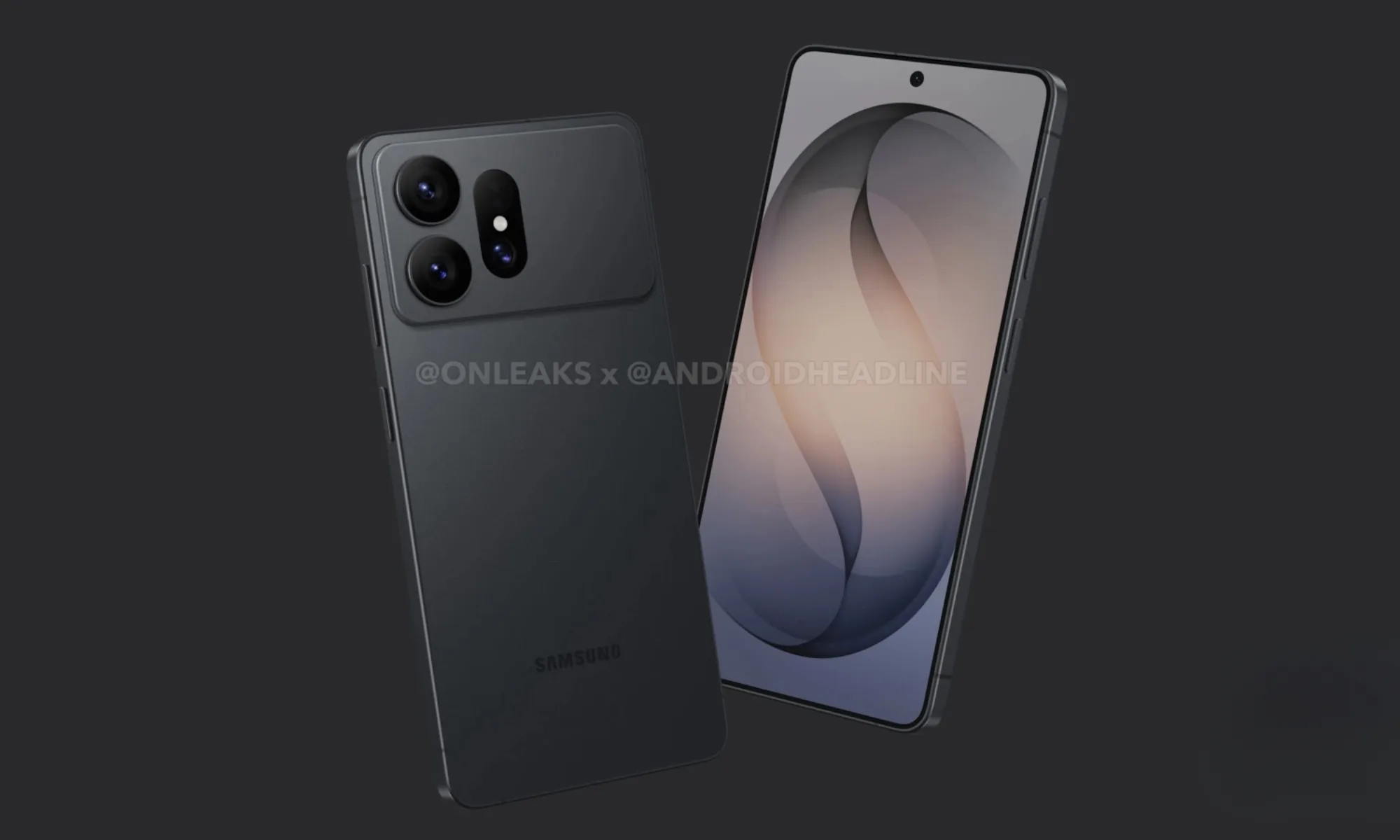
For the past few generations, Samsung’s flagship Ultra phone has felt increasingly predictable. The only upgrade that really grabbed my attention on the Galaxy S26 Ultra earlier this year was its Privacy Display. The Galaxy S27 generation looks different, though, as Samsung appears to be putting some genuine effort into improving its flagship phones.
We have already seen a redesign in leaked renders, heard rumors of a larger battery, and read reports of changes to the zoom camera. Now, according to ETNews, Samsung plans to equip both the Galaxy S27 Pro and Galaxy S27 Ultra with Samsung Display’s latest M16 OLED material set. These would be the first Samsung smartphones to use M16.
So what exactly does M16 change?
M16 refers to the collection of organic materials Samsung Display uses to produce its OLED panels. The choice of materials affects the color, brightness, efficiency, and panel lifespan. Moving to M16 could give Samsung more flexibility to increase brightness or reduce how much power the display consumes.
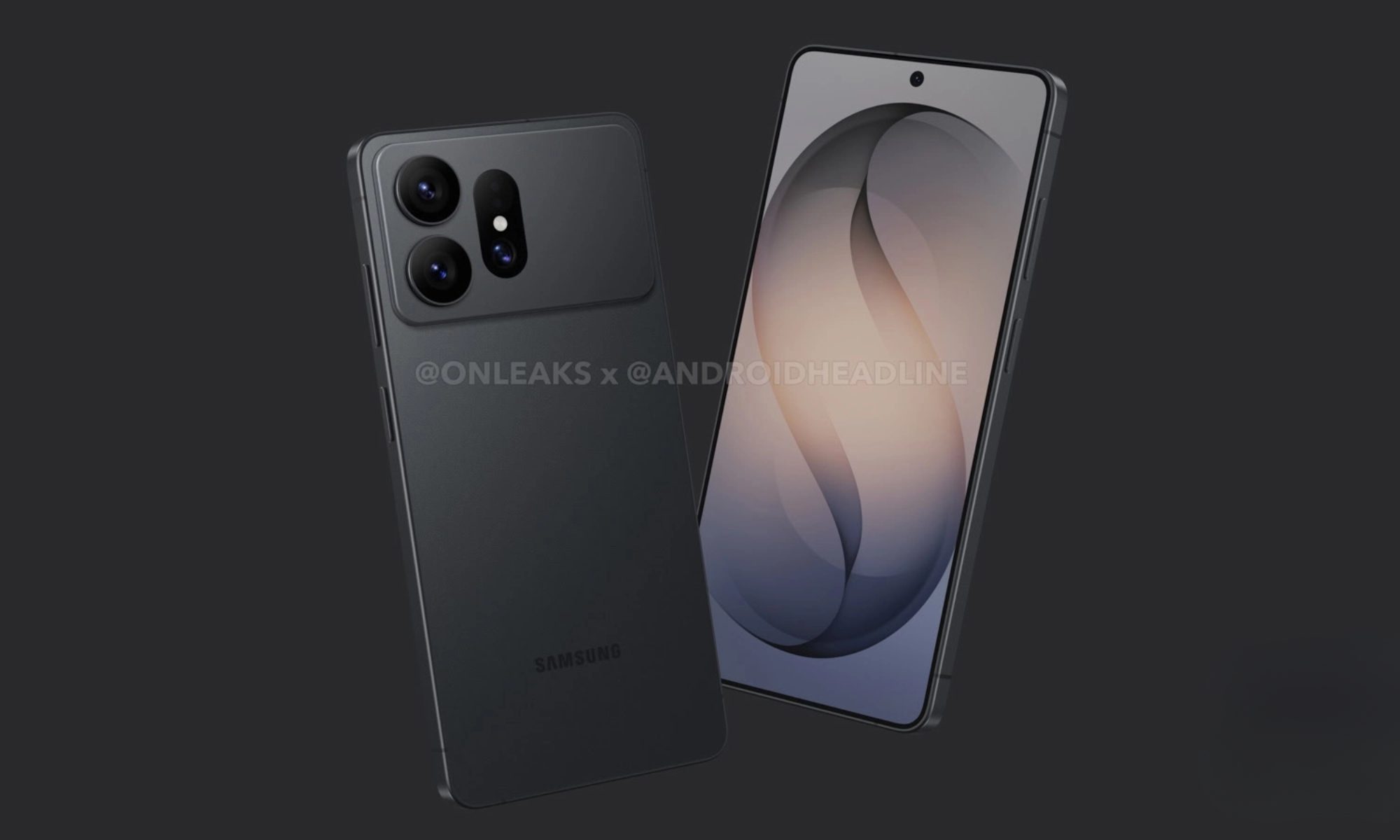
The regular Galaxy S27 and S27+ are reportedly getting newer display materials as well. Samsung is expected to move those phones from M13 to M14, the material set introduced on the Galaxy S26 Ultra. Samsung Display already supplies M16 panels to other phone makers. The recently launched iPhone 18 Pro and Pro Max and the Pixel 11 series use the material set, and the upcoming iQOO 16 is expected to get it later this month.
Samsung has more display upgrades in the works
M16, CoE (Color Filter on Encapsulation), and Privacy Display are expected to help distinguish the Galaxy S27 Pro and Ultra from the regular S27 and S27+. Privacy Display returning on the Ultra would hardly be surprising, but bringing it to the new Pro model could give buyers another good reason to consider it.
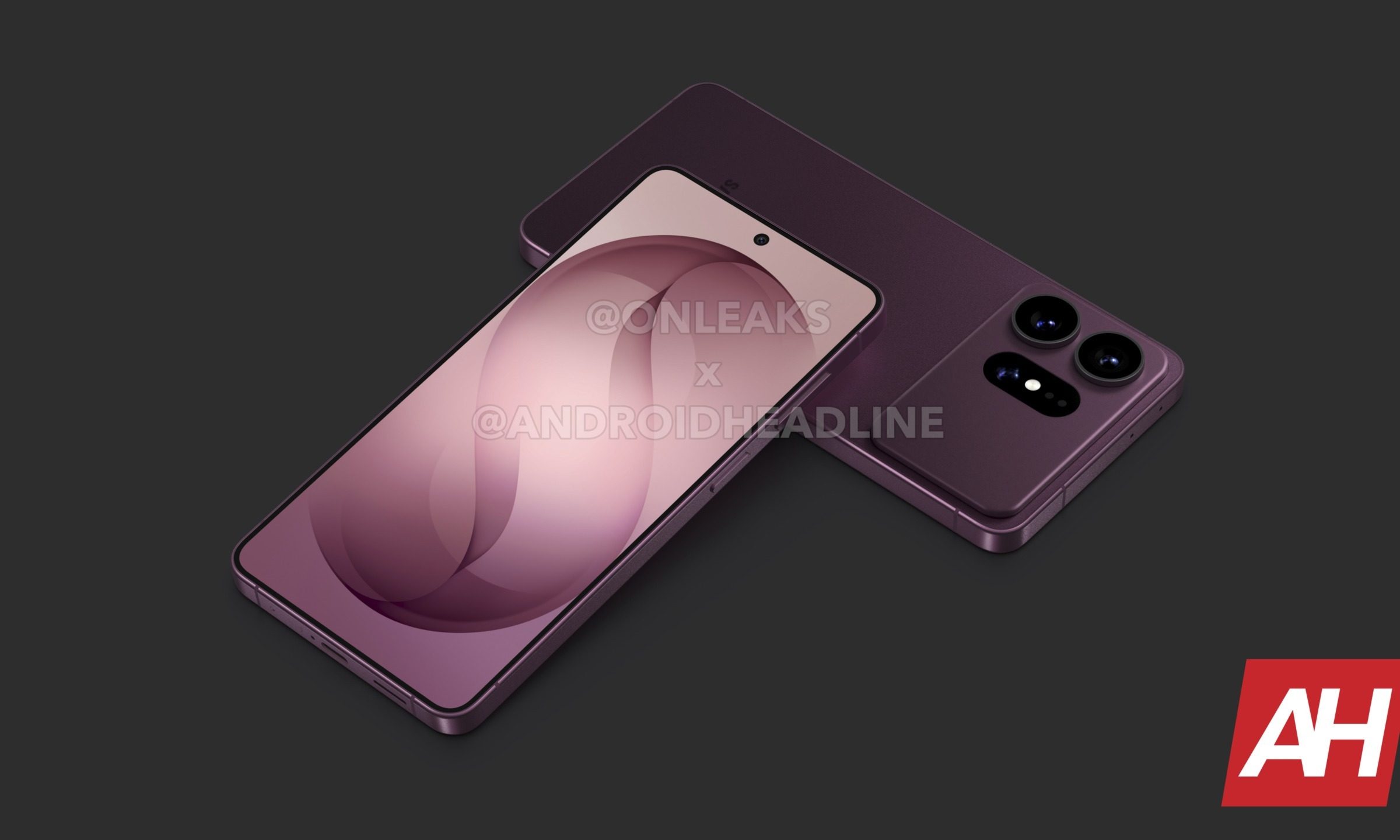
The Galaxy S27 Ultra may also get an upgrade to its protective layer. Samsung and Corning are reportedly developing a new Gorilla Armor coating that could heal minor surface scratches over time. None of these changes sound particularly dramatic on their own, but the growing list of upgrades is making Samsung’s next generation of flagships much more interesting.
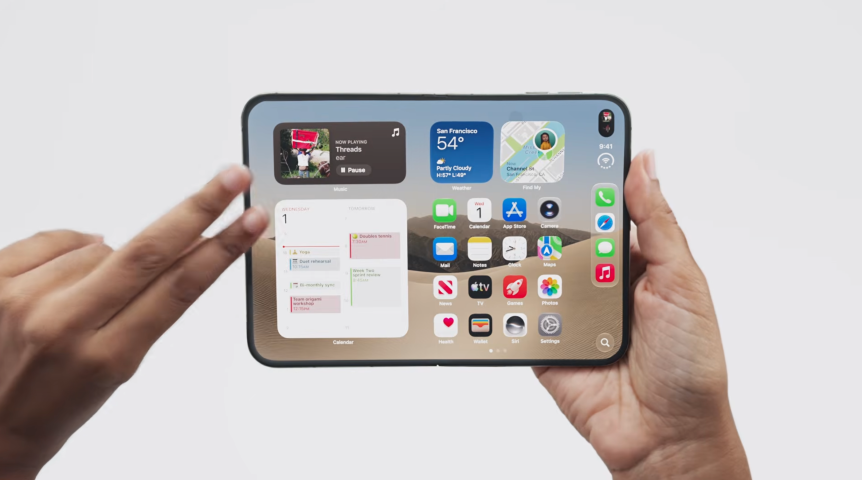
You take a risk when you buy the first version of something to ever exist, even when it’s made by a company with a history as well-documented as Apple’s. The new iPhone Duo looks cool, with its passport-style hinge and massive displays, but buying it is still a risk. You’re spending at least $2,000 on something you’ll use for multiple hours every day over at least the next 12 months, which is enough to give just about anyone a moment of pause to check in mentally and make sure this is the right decision.
The risk is real, I get it. Do it anyway, and be loud about it.
 Apple/Screenshot by CNET
Apple is nowhere near the first to make a foldable phone, but this is the first iPhone that will bend (more than once, at least). That’s an interesting place to be, due largely to the folks who tend to own iPhones. Samsung is in its seventh year of releasing foldables, and I maybe see one or two of them in the wild when I wander major cities or busy airports. The folks who have them love them, and they’re happy to tell their friends about the cool things these phones can do, but the audience is largely early adopters, comfortable with things that aren’t fully baked.
Feedback from someone who isn’t tech-obsessed will always be more valuable to Apple than to a lot of its competitors. Features will be created and retired from that feedback, and it will eventually appear on most other folding phones.
My favorite example of this is actually another Apple product, the Watch. The first Apple Watch had some fitness features, but was largely focused on the idea that you could leave your phone behind because that’s what the competition was doing already. Instead of trying to replicate your phone in watch form, right down to the tiny keyboard seen on other smartwatches at the time, Apple focused on its fitness tracking and health monitoring features. They quickly became the most popular.
By the time the third-gen Apple Watch was announced, GPS and cellular features were now being shown off as a way to make those fitness features better. The Watch was no longer about replacing your phone. Now that we’re at Apple Watch Gen 12, fitness is basically all anyone talks about.

The next six months are going to be important for the future of Apple’s contribution to the foldable phone market, because the audience response will help shape the next iPhone Duo. Popular third-party apps will become native features, accessories will be made to address situations that haven’t happened yet and current features will be copied in every direction. It benefits everyone if the majority of the folks providing early feedback and getting excited about new ways to use this phone are outside of the standard group of IT folks, business execs on weekly flights or whoever is going to watch that front screen for 44 hours.
Grab one, if you can afford it. Watch Netflix on it and talk about how that experience could be better. Use your favorite apps side by side and see if it’s easy or intuitive for you to figure out on your own. Be an early adopter, and this time next year a lot more people will feel like the Duo was made with them in mind.

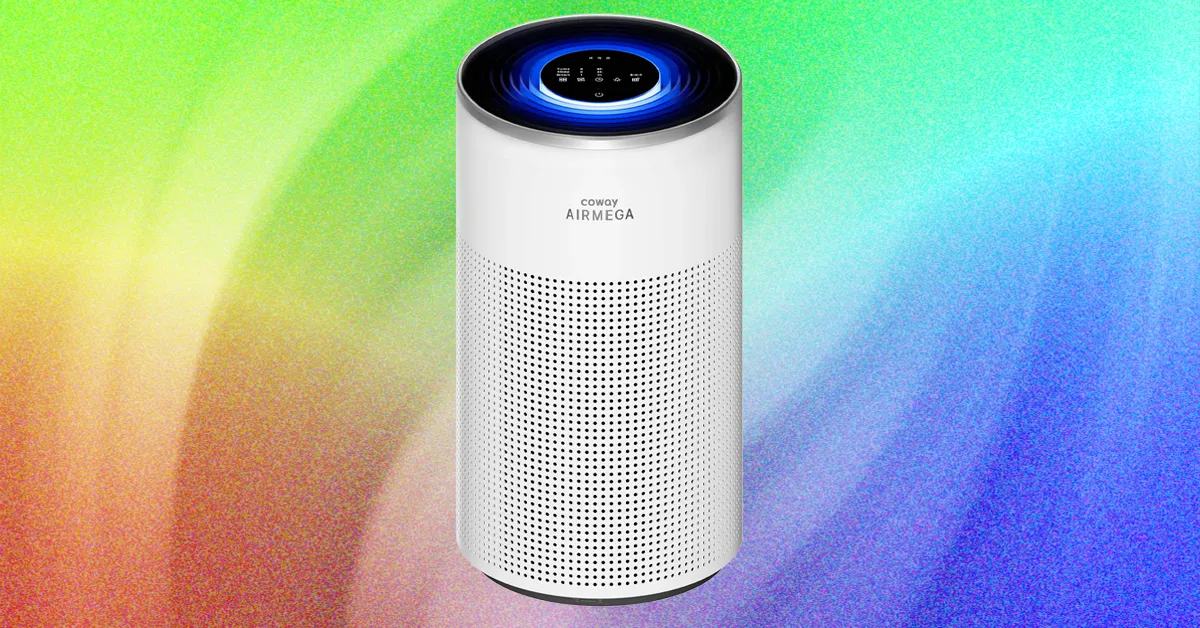
Inside, the Halo has a cylindrical IEST-certified HEPA three-stage filter that claims to capture 99.97 percent of nano-sized particles down to 0.3 microns, but in my opinion the coolest feature is the MegaScan Particle Sensor, which continuously monitors the air in real time to detect smoke, fine dust, and allergens down to PM2.5. PM2.5, typically used as the standard measurement for air purifiers’ ability to measure and lower levels of microscopic allergens or pollutants, are tiny airborne particles that measure 2.5 micrometers or less in diameter. They are particularly dangerous because their size means they can penetrate deep into the lungs and cause serious illness like asthma, heart disease, and lung cancer.
From the purifier’s top touchscreen panel, you can control fan speed, timer, and settings. On the quietest sleep setting, my decibel monitor app wasn’t even able to pick up the noise, as the fan wasn’t perceptible above the ambient noise of my house, even when I switched off all nearby appliances. Coway claims it’s 17 decibels in sleep mode, which I believe after not even being able to hear the machine in this mode. On the highest turbo setting, my decibel reader had it hovering around 75 decibels, which is akin to running a dishwasher or a vacuum.
As part of the Airmega Halo’s sleep features (in addition to whisper-quiet functioning), it has a low yellowish night light when in sleep mode, but this can also be turned off so the top panel is completely dark. It has a light sensor and automatically enters sleep mode, dimming lights and noise level when low light is detected.
When in smart mode and it’s dark for more than three minutes, the machine will automatically enter sleep mode. If the pollutant levels are “good” for more than three minutes, the fan stops automatically to save energy. But if it detects pollutants, it will restart the fan.
It has four lights indicating air quality levels: blue for good, green for moderate, yellow for unhealthy, and red for very unhealthy. The colored lights show in a halo around the top of the machine. I found it sort of tough to distinguish between levels at a glance because this color-coding system differs from the US AQI standards of green for good, yellow for moderate, red for unhealthy, purple for very unhealthy, and maroon for hazardous.
Mixed Signals
Hopefully, you come to WIRED Reviews because we actually vigorously test the gear we recommend. I didn’t just read the specs online and flip through the instruction manual—this machine was put through some intensely bad air to see if it could hold its own.
As with all air purifiers I test, the Halo was put through testing in various unhealthy air quality situations. I used this model for nearly a month, moving around my house to test in different locations: when cooking on my unventilated gas stove, under my living room window that draws in a lot of building and exhaust fumes, and outside my cat’s litter box. Additionally, I use an indoor air quality monitor to test pollutant levels against what the machine claims.
Tech
Sophia Space and SLI set the terms for a $300M deal that will finance an orbital computing constellation
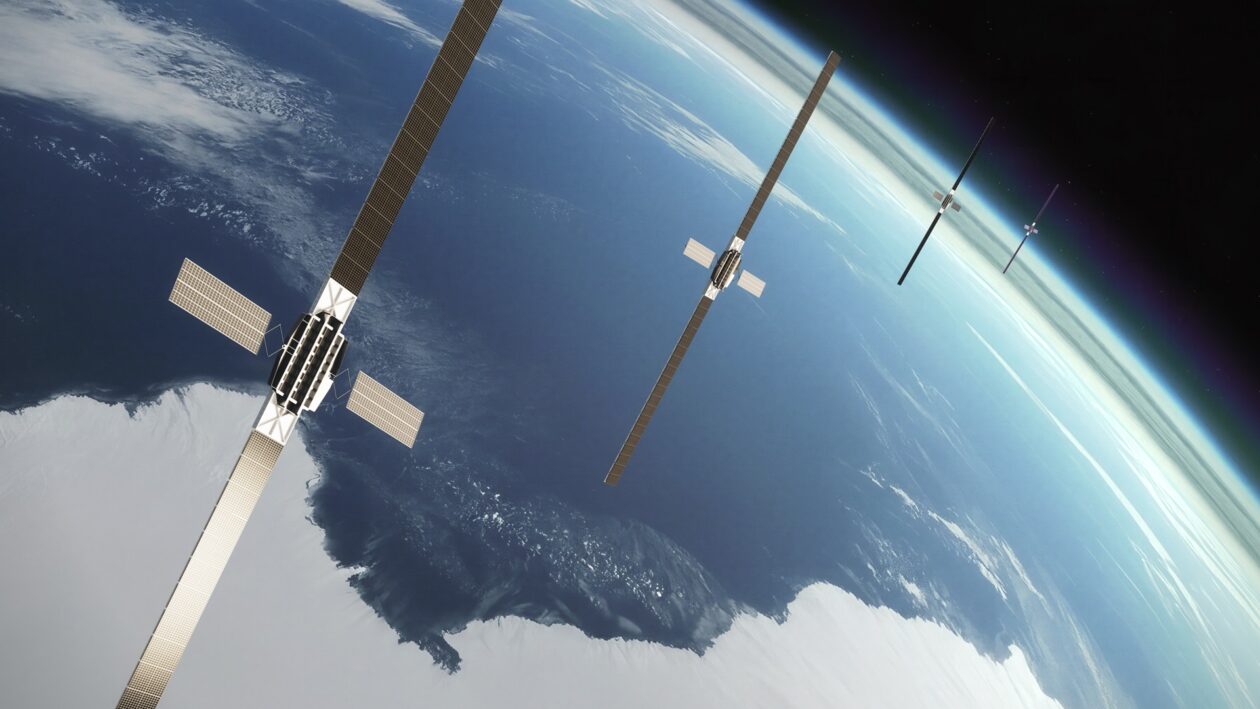
Sophia Space and SLI, an aerospace leasing venture based in Washington, D.C., say they’ve agreed on a $300 million asset-financing framework that will support the creation of a 10-satellite constellation for high-performance computing.
The details of the arrangement are as notable as the bottom line: Sophia Space will build the satellites, leveraging the startup’s patented TILE technology for modular in-space data processing. SLI will purchase the satellites under the terms of a financing agreement.
“SLI as the lessor will purchase the satellites from Sophia, hold title to the assets, and lease them to the end user on a long-term basis in exchange for fixed monthly or quarterly payments,” Max Yergan, the company’s senior vice president for investments, explained in an email. “Full control and operational responsibility for the assets sit with Sophia and the end user, who will determine between them how operations are handled.”
Sophia’s satellites are designed to deliver on-orbit edge data services for a wide variety of applications. “The demand we are underwriting exists today,” Yergan said. “Earth observation, weather and supply-chain analytics, disaster response and defense ISR [intelligence, surveillance and reconnaissance] users all face the same constraint now: They collect far more data than they can bring to the ground, and its value decays while it waits to be downlinked. Processing on orbit addresses that directly.”
The constellation’s first launch is targeted for as early as 2028. SLI would pay out funds linked to development and launch milestones, all the way through verification that the on-orbit network performs to pre-agreed standards.
The arrangement is laid out in a non-binding letter of support. “The non-binding nature is a reflection of where we are in the process, and is typical of large asset financings,” Yergan explained. “It sets the commercial framework so both parties can commit resources while definitive documentation is negotiated.”
Leasing arrangements are often seen in aviation and the maritime industry, but this is a relatively new concept for satellite ventures.
“This is the first time that this approach has been applied to this kind of constellation, but not the first time for in-space assets,” said Gareth Zundel, SLI’s senior vice president for communications. “In December 2025 we announced the acquisition of two AscendArc satellites that will be offered to operators on leasing terms. Then, in March this year, we did a similar deal with ReOrbit. We do believe, however, that we are the first leasing company to specialize in the space sector.”
Rob DeMillo, Sophia Space’s CEO and co-founder, said the arrangement demonstrates how far the commercial space industry has come.
“Asset financing didn’t invent aviation or shipping, but it accelerated them at scale,” he said in a news release. “We’re doing the same for orbital computing. This approach with SLI signals that Sophia Space’s space infrastructure is mature enough to attract the capital structures that have historically built terrestrial infrastructure.”
The approach also gives Sophia Space — which is headquartered in Pasadena, Calif., but also has strong ties to the Seattle area — access to capital without diluting the equity held by current investors, including Unlock Venture Partners in Seattle.
“Sophia has the technology, the team and the vision. What had been missing was access to scalable, non-dilutive capital,” said Praveen Vetrivel, SLI’s CEO. “This framework provides it, giving them the capacity and flexibility they need to build the next layer of digital infrastructure.”
Each of the 10 satellites in the constellation will link together six of Sophia’s TILE (Thermal Integrated LEO Edge) modules, with four Nvidia Jetson processors on each module. That adds up to 240 edge computing servers in orbit.
“These 10 spacecraft are dedicated to this transaction,” Yergan said. “Sophia’s other programs and partnerships involve separate spacecraft and separate funding and are not directly affected by this facility.”
Sophia Space has previously said that it plans to start selling TILE systems and related components to customers in 2028. The company is also collaborating with Axiom Space, Armada and Kepler Communications on separate in-space computing initiatives.
In June, Sophia Space announced the conclusion of a $7 million financing round that brought the company’s total funding to $22 million. That round took advantage of an arrangement known as a Simple Agreement for Future Equity, or SAFE, in which investors provide cash to a startup in exchange for the right to receive stock later.

Winners & losers: Nobody likes seeing companies laying off people, except maybe their shareholders, but CEO Dara Khosrowshahi says the roughly 3,300 people Uber let go of last week will be a good thing for customers: it will use the savings to reduce prices, apparently.
Uber said last week that it was laying off 10% of its corporate staff, or around 3,300 positions, as the ride-hailing giant looks to reduce management layers. The move marks its biggest cuts since Covid.
At the Goldman Sachs Communacopia + Technology Conference yesterday, Khosrowshahi talked about taking the savings stemming from the layoffs and reinvesting them in the business, which includes lowering prices for customers.
The CEO added that the money saved from insurance will also be used to lower ride prices, something that he believes will keep travelers using Uber’s app.
Some of the savings will also be directed toward Uber’s autonomous taxi network. The company says it plans to invest over $1 billion in this area as it looks to compete with rivals such as Waymo.
As is so often the case when companies make mass layoffs, Uber performed better than expected in its recent quarterly earnings report. Khosrowshahi himself admitted that the layoffs had come at a time when the firm was in “a position of strength versus weakness.”
“Some companies wait,” he said. “We don’t believe in waiting.”

Of course, we only have Khosrowshahi’s word that prices are going to drop as a result of the layoffs. CEOs aren’t renowned for their honesty, and we’ve seen promises like these fail to materialize before.
When T-Mobile announced 5,000 job cuts in August 2023, CEO Mike Sievert said the restructuring would help deliver better value and a better customer experience. Less than a year later, the carrier announced price increases for customers on some older plans, including an extra $5 per voice line each month. Better value, it seems, is open to interpretation.
Uber might also want to use some of the money from the layoffs to pay the almost $1 billion fine recently imposed on the company by the EU. Between 2018 and 2022, Uber automatically suspended or deactivated drivers suspected of fraud or receiving poor ratings. The Dutch regulator found that these decisions involved no human review, breaching GDPR rules on automated decisions with significant personal or financial consequences.
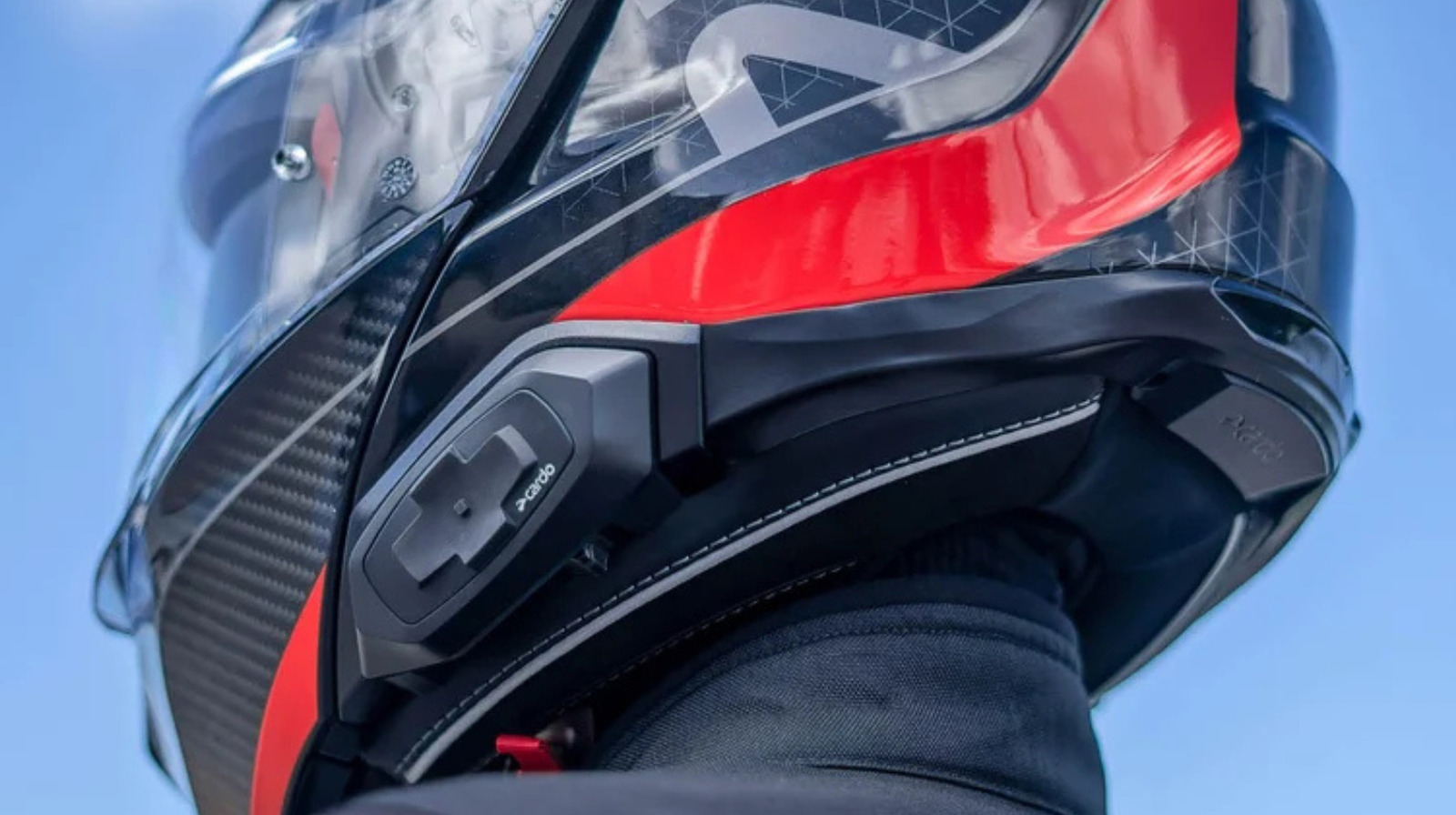
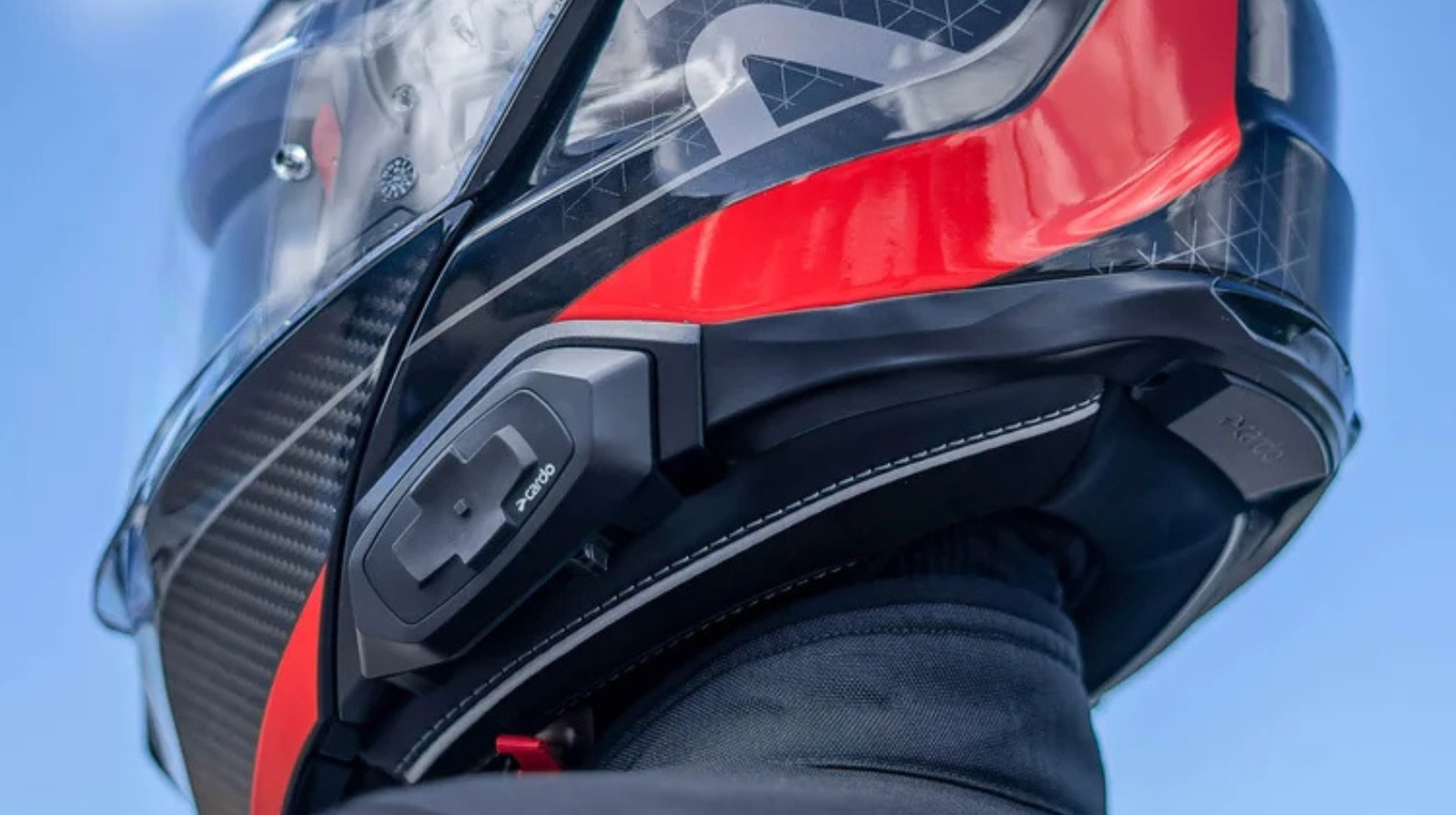
Cardo is a popular brand of wireless communication devices, offering some of the best headset systems for your motorcycle helmet. If you’re considering trying a Cardo system, you will first want to make sure its compatible with your helmet. Cardo headsets actually aren’t restricted to a specific helmet design, and they’re made to work with most current motorcycle helmets.
In fact, Cardo describes its devices as being “universally compatible,” which means riders typically don’t have to worry about whether or not their helmet will work with their purchase. Cardo currently has a wide range of options in its lineup, including the PACKTALK Pro, PACKTALK Edge, PACKTALK Neo, and Spirit, among others. Cardo also has a separate PACKTALK Outdoor system which is designed for outdoor use, including skiing and snowboarding.
Headset systems are one of the best gadgets for motorcycle riders, as they allow sound to travel through the helmet. However, there may be some adjusting necessary in order to get the best results because a motorcycle helmet’s built-in speaker cavities may not place the Cardo speakers directly where your ears are. Cardo says the speakers can be placed just outside the helmet’s cavities when needed, though you may need Velcro pads to help bring them closer to your ears. If your helmet’s speaker areas are too deep for a good fit, you can add a layer of foam to help fill the gap. Even a small difference in positioning can affect how clearly the audio comes through.
How Cardo helmet systems work
Unlike a traditional wired headset, Cardo uses Bluetooth to connect wirelessly to your devices while riding. The Cardo unit receives information and sends the audio to the speakers inside the helmet while the microphone picks up your voice. This allows you to listen to music and navigation directions, plus make phone calls, without physically needing to operate any of your connected devices.
Perhaps the biggest selling point of the Cardo system is that it gives you the ability to communicate with other riders. This is similar to how a hands-free walkie talkie system works, as it allows you to talk to other riders within range through the speakers in your helmet while they hear you through theirs. Once the connection is established, you can talk without having to press a button every time you want to speak. You can also use voice commands to start or end the intercom and control other functions as you’re riding.
The way Cardo connects you to other riders depends on the system you’re using. For example, with standard Bluetooth, the riders’ units communicate with each other in sequence. As a result, the connection can be interrupted if someone gets too far away. However, Cardo’s Dynamic Mesh Communication (DMC) works by creating a rider network. This allows the system to adjust when riders move farther apart. It also helps keep everyone connected as the group moves down the road.
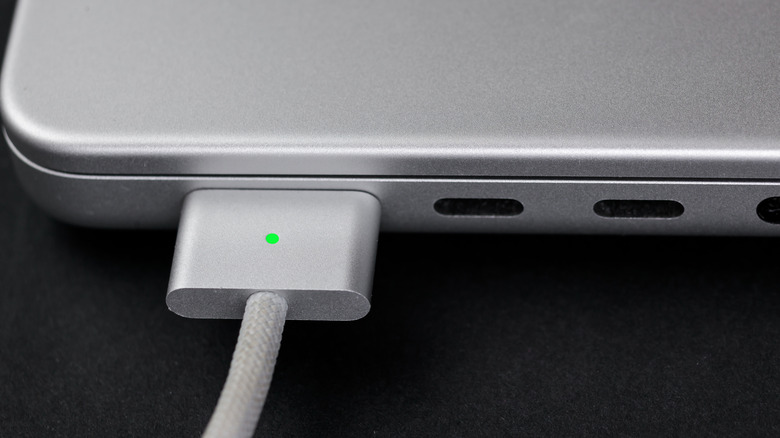
MagSafe is safer and simpler, but USB-C has a few advantages of its own.
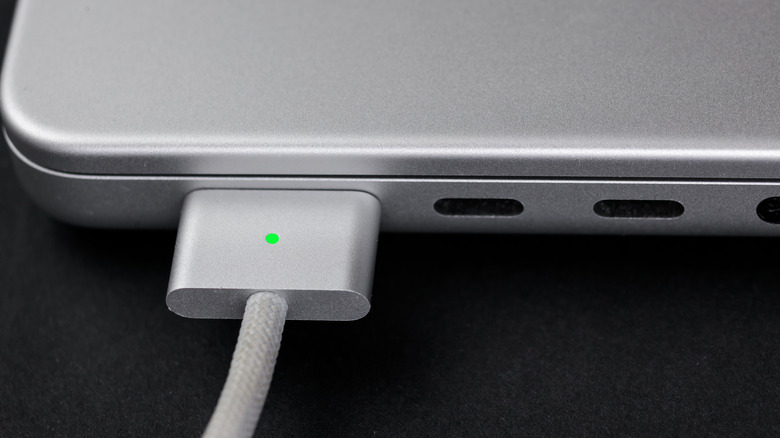
The latest MacBooks are known for featuring Apple’s clever charging solution: MagSafe. It’s one of those features that’s a make-or-break factor for some people. And it’s no wonder — these chargers attach magnetically and disconnect if the cable is pulled sharply, like when tripping over it. But Apple laptops can also be charged via USB-C, which has become an industry standard. While you can’t use both at the same time, they can both be great charging options depending on what you need at a given moment.
While it has the same name, don’t confuse the MacBook’s charging tech with the iPhone’s MagSafe, which is a different technology. While the iPhone’s MagSafe is based on the Qi standard, the MacBook’s MagSafe uses a proprietary — and much smaller — connector. Still, the idea is the same: magnetically attaching a charger versus plugging in a standard USB connector.
MagSafe on MacBooks has also gone through a few iterations, with MagSafe 3 being the current one. Each generation has the same fundamental purpose, though different physical sizes and power capacities means they aren’t cross-compatible.
The differences between MagSafe and USB-C
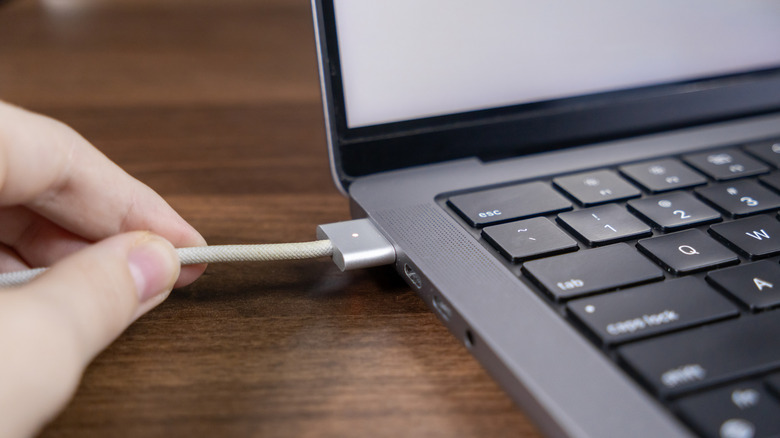
There are pros and cons to using either MagSafe or USB-C to charge your MacBook. For MagSafe, the biggest pro is obvious: your laptop is kept safe if the cable becomes an obstacle. If someone trips over the cable or you accidentally pull on it too hard, chances are that it will simply come unplugged. It won’t pull your MacBook down with it.
USB-C, on the other hand, is a standard connector. You have to insert it into the right port on your laptop. And if an accident happens, there’s a good chance your Mac will be pulled along with the cable and hit the floor.
But there are also important differences in charging power. The MagSafe cable is designed for faster charging. If you have a 2021 MacBook Pro, a 2022 MacBook Air or later, MagSafe can charge your Mac at up to 140W. That is, of course, if you have the right power adapter. Apple sells a $99 adapter that pairs with the MagSafe cable to enable fast charging. We’re talking about a 50 percent charge in just 30 minutes, which is quite fast.
USB-C is a different story. While there are cables that can deliver even higher wattages in theory, that’s not the case for most of them. The standard for USB-C is 60W of power, which is half of what MagSafe can deliver. There are special cables that deliver up to 100W or 240W of power — Apple even sells a 240W USB-C cable. This is something you need to keep in mind before buying a new cable if you’re looking for fast charging.
When USB-C works best
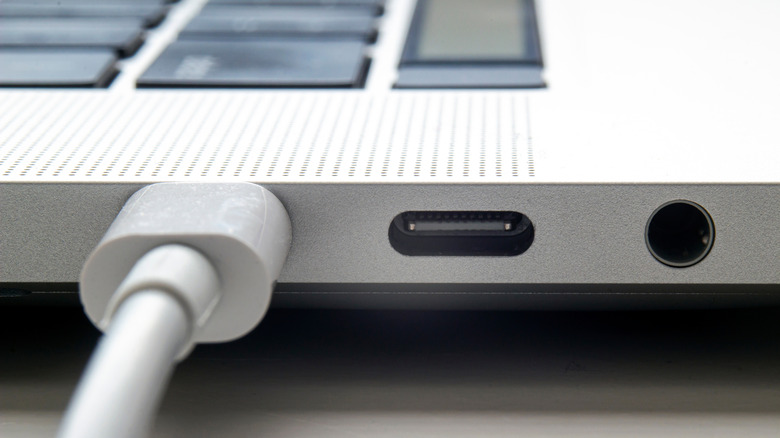
As we’ve seen, MagSafe is the best choice in most cases. It’s physically safer, supports fast charging and keeps your USB-C ports free for other accessories. It’s also much easier — you don’t have to worry about complicated charging standards and specs. Just use the Apple combo, and you’re good to go.
But USB-C can offer some conveniences, too. The most notable is a single cable handling everything. This makes traveling much easier, since you don’t need a mess of cables in your backpack. A fast USB-C charger can power your Mac, iPhone, iPad and anything else with USB-C. MagSafe is for Macs only.
Plus, if you have a MacBook Pro released after November 2023, there’s an extra treat: these can charge at up to 240W via USB-C. You’ll need the right cable and power adapter, but it’s still another benefit of USB-C, if ultra-fast charging is something you care about. It really comes down to choosing what works best for your needs; keeping one of each cable around lets you swap them as needed.
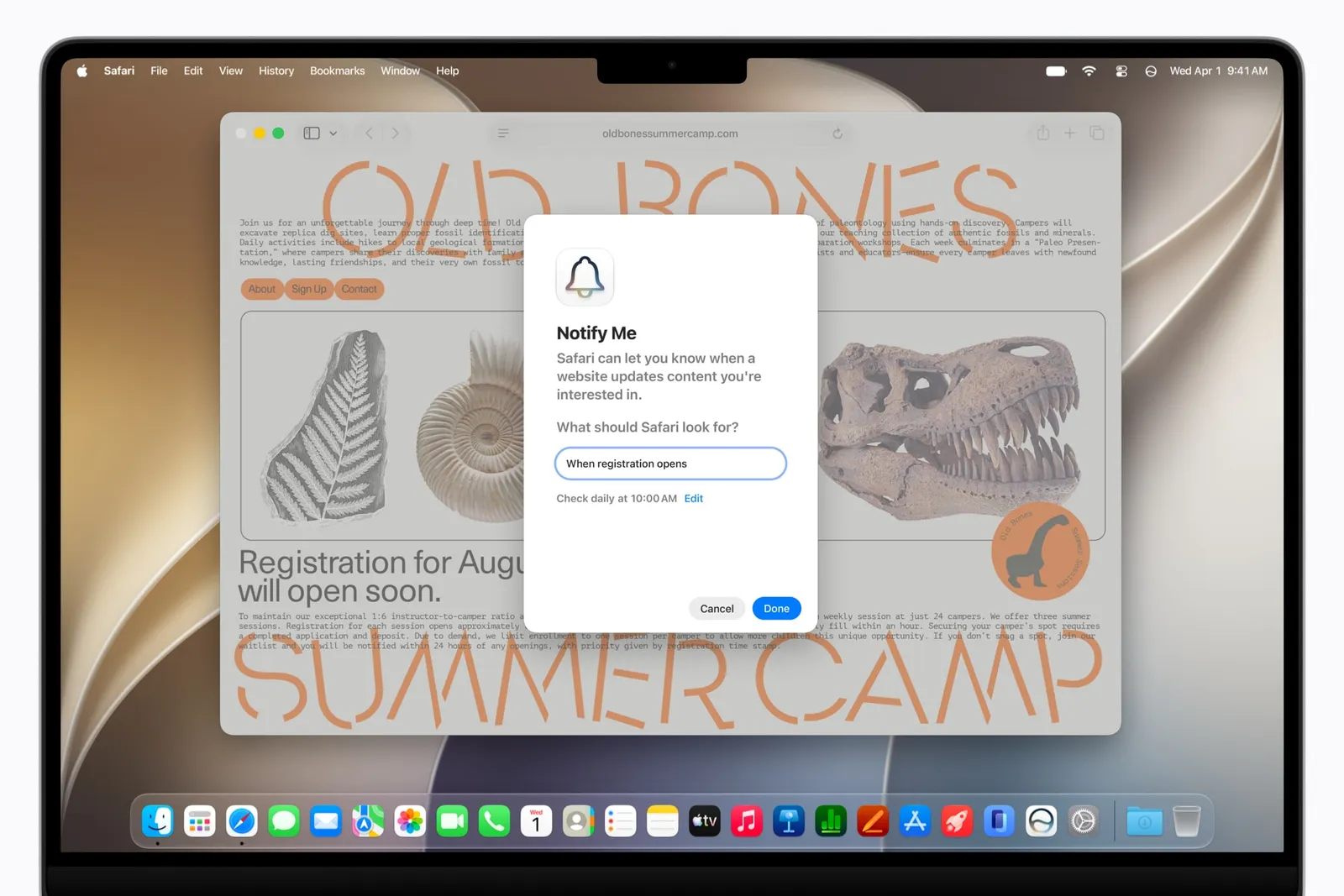
At Apple’s recent hardware event, the software powering its foldable iPhone Duo stood out, with translucent Liquid Glass effects and vertically stacked icons. But you don’t need to snatch a folding smartphone to reap the benefits of Apple’s iOS 27 updates.
When iOS 27 leaves beta on Monday, Siri AI’s standalone app and smartphone search integration will likely be the most immediately obvious change for many iPhone users. But it’s worth digging even deeper to uncover helpful additions to key apps, like Apple’s Safari browser, as well as revamps to underutilized apps, like Shortcuts.
The version of Safari available in iOS 27 looks fairly similar to the last iteration, with a few key updates tucked away in the settings. These Safari features are powered by Apple Intelligence, which requires an iPhone 15 Pro or newer (they’re also available on iPadOS 27 and macOS 27).
Notify Me

Photograph: Courtesy of Apple
If you’re shopping online and want a quick price-drop notification, you can use the “Notify Me” feature to scan a webpage on a certain cadence and look for changes. First, head to the page you want to track and tap the three-lined hamburger menu icon in the top right corner of Safari. About halfway down, you’ll see this option listed.
“Safari can let you know when a website updates the content you’re interested in,” reads the feature’s description. Here you’ll find an open text box where you can describe what change in content you want Safari to scan for, as well as how often you want it to check.
For example, my couch is broken, so I’ve been eyeing a few different replacement options. I have two final contenders from CB2, but both are out of my price range. So, I set up a “Notify Me” for Safari to scan the pages each day for a significant discount. Whichever one goes on sale first will likely be what I decide to get, and now I don’t have to refresh the pages manually every day.
While many other browsers have similar shopping features, like the price-tracking bell in Google Chrome, I appreciate how this feature stretches beyond just buying stuff. You can also use Safari to scan for ticket drops, privacy policy changes, and other content updates.
Describe an Extension

Photograph: Courtesy of Apple
If you’ve experimented already with the “Describe a Shortcut” feature for iPhone automation, then “Describe an Extension” for Safari will seem familiar. It’s located under the same settings menu as the “Notify Me” tool, just a little further down.

Bitcoin and Tether Dominate as CoinMarketCap Data Reveals the 10 Most Traded Cryptocurrencies of 2026

Symbiosis recovers 15 BTC after attacker mints billions of syBTC

Anime’s Biggest Mystery Hit Officially Gets a New Game

Memory prices are slowing because buyers ran out of money

The Latest Weird Thing to Play Doom Is the Mapped-Out Brain of a Fruit Fly

Micron Stock Climbs Above $1,031 as AI Memory Crunch and a $50 Billion Outlook Fuel the Rally

CRYPTO TRADING COURSE | LESSON 1 | SINHALA

Dollar’s Final Break? “RUSH TO THE EXITS” Could Trigger Global Financial CHAOS | Robert Kientz

Money Song, Twinkle Twinkle Little Star + More Kids Songs | Gracie’s Corner Compilation
-
Tech6 days ago
Memory prices are slowing because buyers ran out of money
-
 Tech18 hours ago
The Latest Weird Thing to Play Doom Is the Mapped-Out Brain of a Fruit Fly
-
 Business4 days ago
Micron Stock Climbs Above $1,031 as AI Memory Crunch and a $50 Billion Outlook Fuel the Rally
-

 Business4 days ago
AMD Stock Climbs After Management Lifts 2027 Data Center Outlook Toward $70 Billion in AI Sales
-

 Crypto World5 days ago
Bitcoin price risks $76K drop as $78K support weakens
-

 Fashion3 days ago
Weekend Open Thread – Corporette.com
-

 Crypto World6 days ago
Robinhood Stock: How To Take Advantage With Reduced Risk
-

 Crypto World3 days ago
XAG/USD: Silver’s Short-Term Rally Meets Its Moment of Truth
-

 Crypto World4 days ago
2 Chip Stocks Broke Out This Week. Neither Was Nvidia
-

 Crypto World5 days ago
Ethereum price stalls below $2,500 as ADX drops to 11
-

 NewsBeat6 days ago
England up in reading, maths and science rankings as Scotland and Wales dip
-

 Crypto World3 days ago
OKX launches 10x OpenAI, Anthropic X-Perps in Europe
-

 Business3 days ago
10 Most-Streamed Songs On Spotify In 2026 So Far, Led By Ella Langley’s Dominant Run On The Charts This Year
-

 Tech3 days ago
Battery life is the only iPhone 18 Pro and iPhone Duo upgrade I care about. Apple didn’t disappoint
-

 Crypto World3 days ago
Diesel Tops $6 a Gallon for the First Time as 28 States Set Records
-

 Crypto World6 days ago
Intel Stock Jumps 9% on Chip Price Hike Report, US Stake Gains $36 Billion
-
 Tech4 days ago
Apple Watch Ultra 4 vs Watch Ultra 3: Should you really spend another $799?
-

 Crypto World4 days ago
Bitcoin price risks $70K if $78K neckline breaks
-

 NewsBeat5 days ago
What went right this week: an ‘historic’ fall in violent crime, plus more
-

 Crypto World6 days ago
Pump Fun and Kraken delete Hunter Biden $LAPTOP promotion
You must be logged in to post a comment Login