Connect with us
DAPA Banner

Tech

I’m finally playing Eastshade, and it’s turned me into a travelling painter who really cares about artistic composition

Published

on

Chill, walking simulator-cross-traveling painter game Eastshade has been in my backlog for a while now. If memory serves, it’s because I found mention of it having wonderful virtual landscapes during a time when I was writing about that aspect of games.

From the Backlog

Every gamer has a backlog — and that’s no different for us at TechRadar Gaming. From the Backlog is a series about overdue first-plays, revisiting classics, returning to online experiences, or rediscovering and appreciating established favorites in new ways. Read the full series here.

Now, years on, I’ve finally made it into the world of EastShade and have fully embraced my role as a visiting painter for hire, intent on fulfilling some last requests by their late mother.

Advertisement

Source link

Advertisement
Continue Reading
Click to comment

You must be logged in to post a comment Login

Leave a Reply

Tech

Austria is pursuing a social media ban for kids under 14

Published

on

Austria is the latest country to prepare a social media ban for its children, but it’s going even further than others by including anyone under 14. In a press release, the Austrian government said it has introduced a comprehensive catalogue of measures meant to shield minors from the harms of social media. According to the press release, an official bill will be introduced by the end of June.

Andreas Babler, a vice chancellor and leader of the Social Democratic Party of Austria, said the government’s efforts would include the new age restriction, improved media literacy and clear rules for social media platforms. Austrian lawmakers didn’t detail what the upcoming rules would be, but the country is likely to follow in the footsteps of many others who have or are pursuing similar bans. While Australia was the first to implement a social media ban for anyone under 16, other European countries like Spain and the UK are also looking into comparable restrictions.

More recently, Indonesia approved new regulations that would prevent anyone under 16 from using social media platforms like TikTok, YouTube and Roblox. Indonesia’s social media ban just went into effect, but the country only specified that the law’s implementation would be carried out gradually until all platforms are in compliance, according to AP.

Source link

Advertisement
Continue Reading

Tech

Play A .WAV Instead Of Typing Line After Line Into Vintage Microcomputer

Published

on

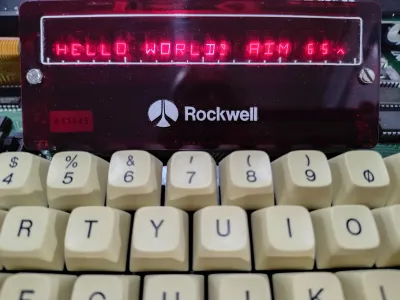
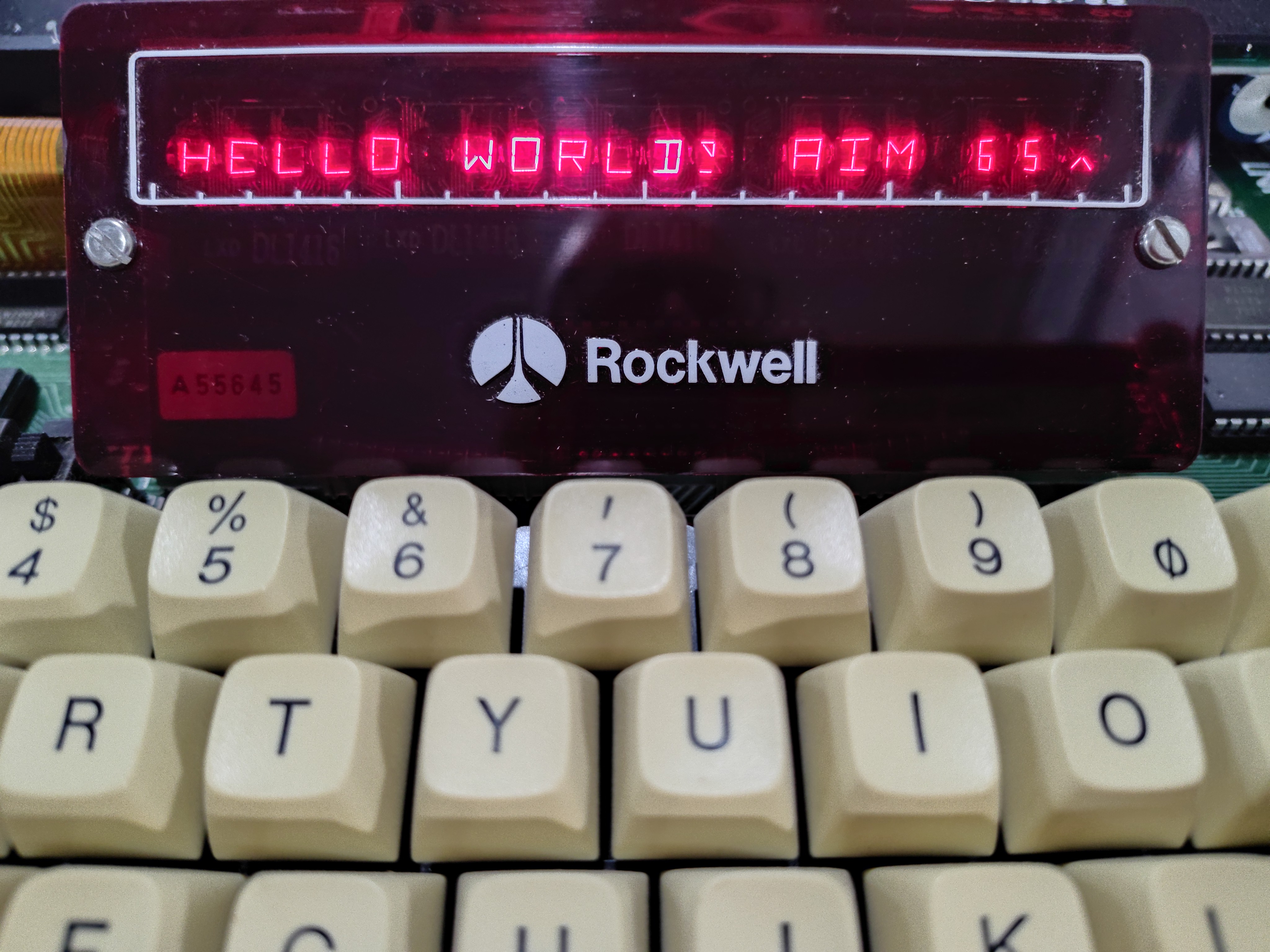
[Casey Bralla] got his hands on a Rockwell AIM 65 microcomputer, a fantastic example of vintage computing from the late 70s. It sports a full QWERTY keyboard, and a twenty character wide display complemented by a small thermal printer. The keyboard is remarkably comfortable, but doing software development on a one-line, twenty-character display is just not anyone’s idea of a good time. [Casey] made his own tools to let him write programs on his main PC, and transfer them easily to the AIM 65 instead.

A one-line, twenty-character wide display was a fantastic feature, but certainly lacking for development work.

Moving data wasn’t as straightforward in 1978 as it is today. While the Rockwell AIM 65 is a great machine, it has no disk drive and no filesystem. Programs can be written in assembler or BASIC (which had ROM support) but getting them into running memory where they could execute is not as simple as it is on modern machines. One can type a program in by hand, but no one wants to do that twice.

Fortunately the AIM 65 had a tape interface (two, actually) and could read and store data in an audio-encoded format. Rather than typing a program by hand, one could play an audio tape instead.

This is the angle [Casey]’s tools take, in the form of two Python programs: one for encoding into audio, and one for decoding. He can write a program on his main desktop, and encode it into a .wav file. To load the program, he sets up the AIM 65 then hits play on that same .wav file, sending the audio to the AIM 65 and essentially automating the process of typing it in. We’ve seen people emulate vintage tape drive hardware, but the approach of simply encoding text to and from .wav files is much more fitting in this case.

The audio encoding format Rockwell used for the AIM is very well-documented but no tools existed that [Casey] could find, so he made his own with the help of Anthropic’s Claude AI. The results were great, as Claude was able to read the documentation and, with [Casey]’s direction, generate working encoding and decoding tools that implemented the spec perfectly. It went so swimmingly he even went on to also make a two-pass assembler and source code formatter for the AIM, as well. With them, development is far friendlier.

Advertisement

Watch a demonstration in the video [Casey] made (embedded under the page break) that shows the encoded data being transferred at a screaming 300 baud, before being run on the AIM 65.

Source link

Advertisement
Continue Reading

Tech

Apple Mac Pro’s Journey Ends After Two Decades of Evolution and Stagnation

Published

on

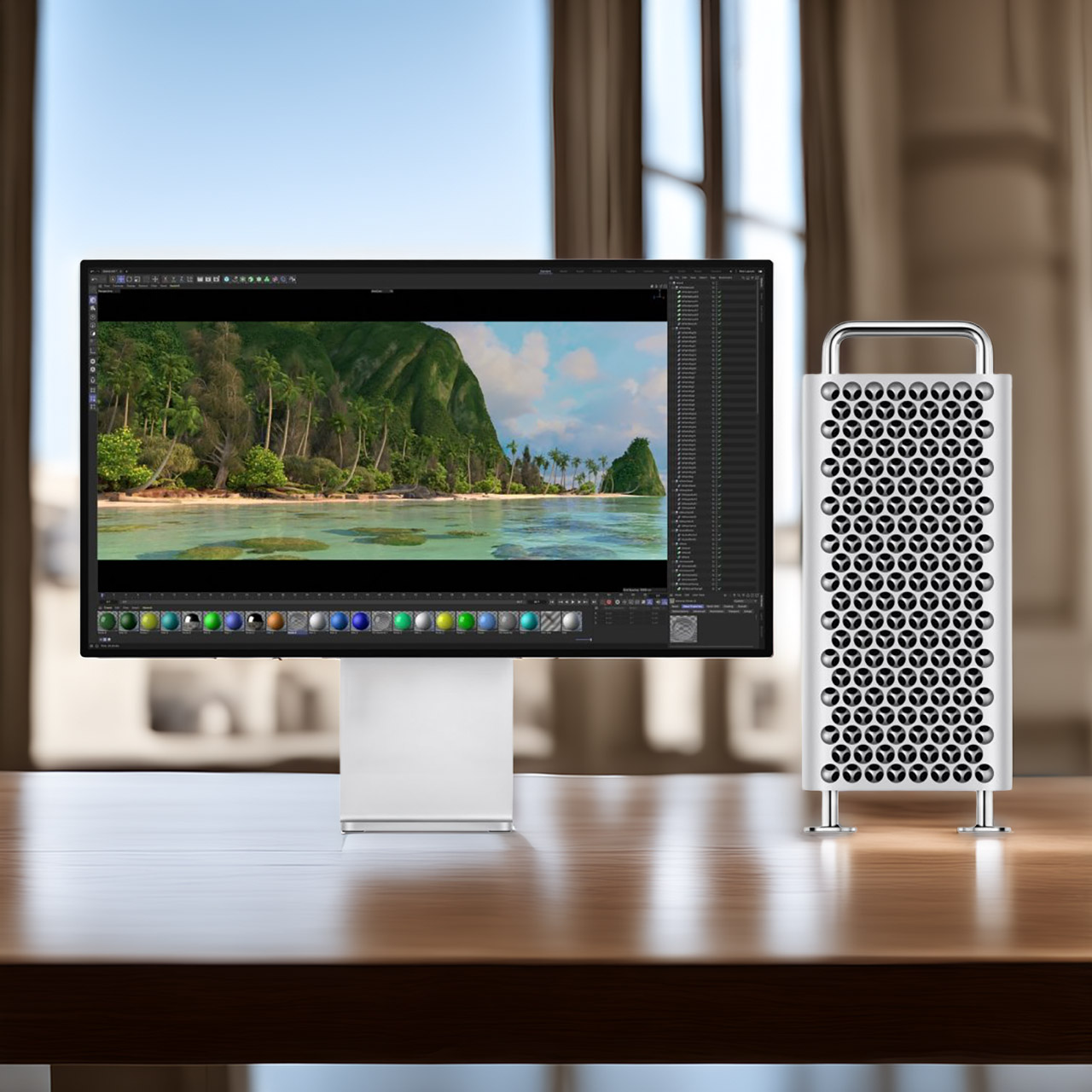
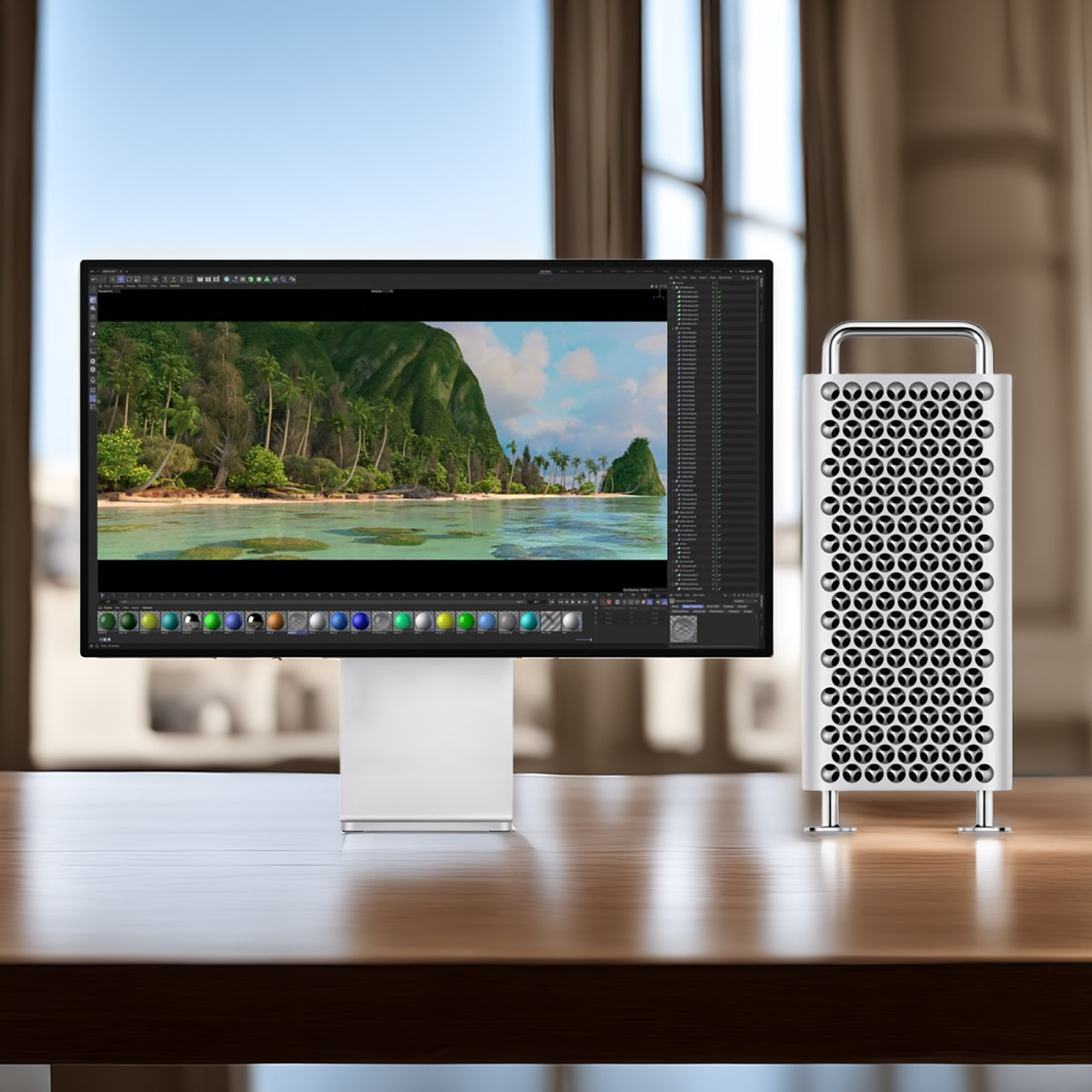
Apple Mac Pro Discontinued Announcement
Apple has quietly pulled the Mac Pro from its online store, bringing an end to a machine that spent nearly two decades as the definitive choice for creative professionals who needed every last bit of computing muscle available. Built on the Power Mac foundation, the early towers earned their place in post-production houses and research labs by offering the kind of internal expandability that let users slot in extra storage, graphics cards, and specialized hardware as their needs grew, a level of flexibility that made them genuinely hard to walk away from.


Then 2013 arrived and Apple replaced the tower with a compact cylinder that looked striking but quickly revealed its limitations. The tight design restricted airflow badly and left no room for standard expansion cards, forcing users onto external connections that never matched the speed or flexibility of internal options. Heat built up fast under heavy workloads and upgrades were a headache. By 2017 Apple was publicly acknowledging the design had not worked out and promising something better.

Sale


Apple 2025 MacBook Pro Laptop with Apple M5 chip with 10‑core CPU and 10‑core GPU: Built for AI…
  • SUPERCHARGED BY M5 — The 14-inch MacBook Pro with M5 brings next-generation speed and powerful on-device AI to personal, professional, and creative…
  • HAPPILY EVER FASTER — Along with its faster CPU and unified memory, M5 features a more powerful GPU with a Neural Accelerator built into each core…
  • BUILT FOR APPLE INTELLIGENCE — Apple Intelligence is the personal intelligence system that helps you write, express yourself, and get things done…


Three years later the Mac Pro returned in a tower form that earned the immediate nickname of cheese grater thanks to its perforated metal shell. PCIe slots, multiple drive bays, and support for high end graphics cards gave professionals the modular flexibility they had been asking for, and it felt like Apple had genuinely course corrected. The goodwill did not last long though. The 2019 model received just one meaningful update over its entire lifespan, a move to the M2 Ultra chip in 2023, and then nothing.

Advertisement

While all of that was playing out, the Mac Studio had been quietly making the Mac Pro look increasingly hard to justify. Comparable or better performance in a fraction of the size and at a significantly lower price, driven by the same Apple silicon that eliminated the need for traditional internal expansion in the first place. Most users found they could handle even demanding workloads without ever needing to open a case. The Mac Studio also received regular chip updates that kept it ahead of the larger tower in real world performance, and sales figures suggested most buyers had already figured that out for themselves.


With demand fading and no next generation tower waiting in the wings, the decision to discontinue the Mac Pro was more a matter of when than if. There is no replacement coming. The Mac Studio now sits at the top of the desktop lineup, with the Mac mini handling lighter professional workloads and the iMac covering the all-in-one end of the market.
[Source]

Source link

Advertisement
Continue Reading

Tech

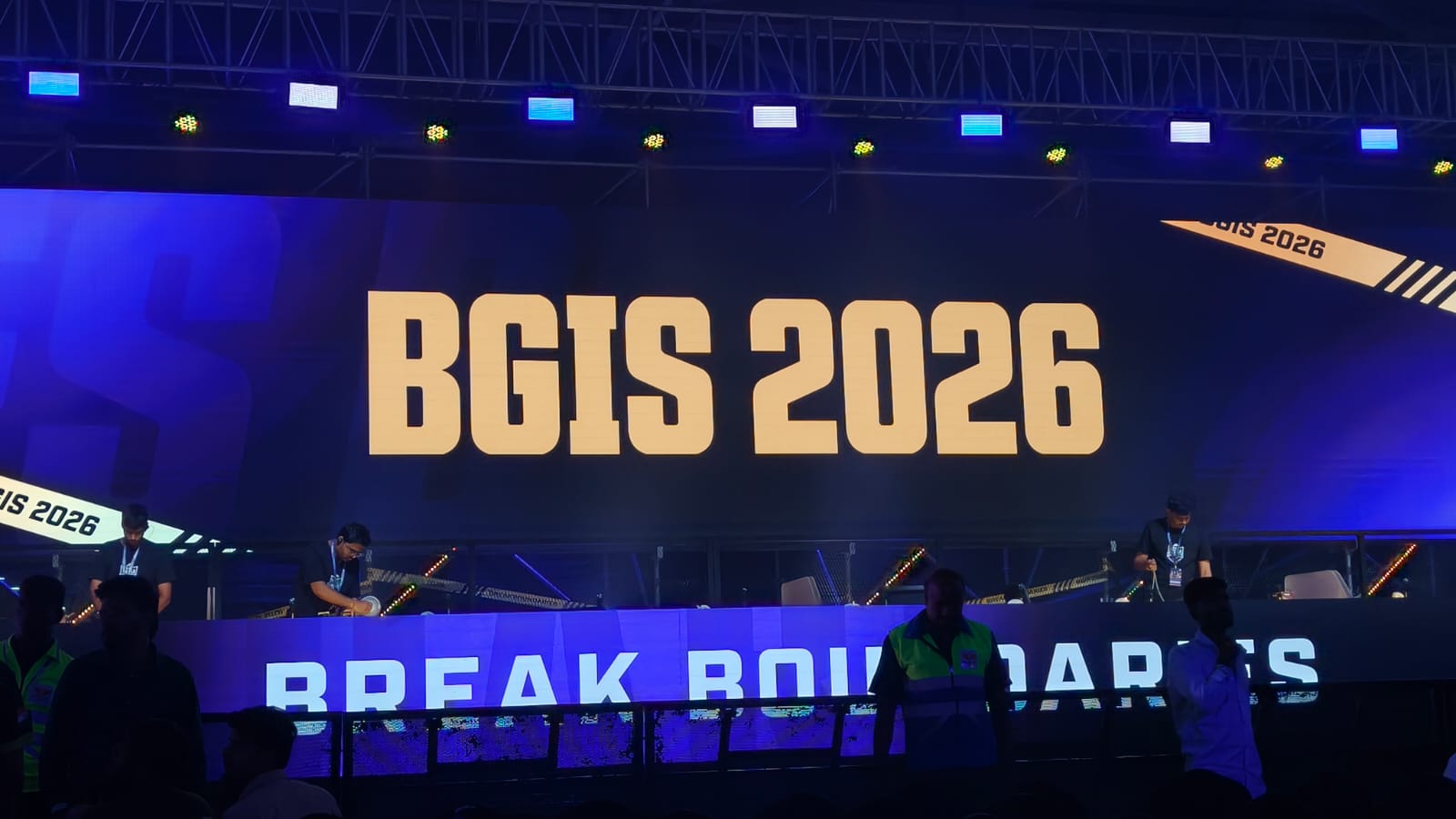
BGIS Grand Finals Day 3 Schedule, Format & Points Table

Published

on

As we said, day 2 was the day of comebacks in the BGIS Grand Finals, with teams like K9 and NINZ showing what they are actually made of. Unfortunately, no one could topple Soul, as they finished first in the standings, which means they do have a real chance of clinching that championship today. However, a challenge could be coming from both GodLike and Genesis, who are just behind in the standings. The final day is here, and anything can happen. Here’s what the schedule looks like for today.

BGIS 2026 Grand Finals Day 3 Schedule & Timing

Like yesterday, the live broadcast will begin at 12:30 PM IST. Fans can catch the games like on Krafton’s YouTube channel in Hindi, English, and a few other regional languages. Or, if you want to support your team live, head over to the Chennai Trade Center. Tickets are available on the Swiggy Scenes app, and there’s free entry available, too. Maps for today will include:

  • Match 7 — Rondo
  • Match 8 — Erangel
  • Match 9 — Erangel
  • Match 10 — Erangel
  • Match 11 — Miramar
  • Match 12 — Miramar

The BGIS Grand Finals format is pretty simple. 16 teams compete in 18 matches over three days. Points are awarded for each finish, and also for how long a team survives. In the end, the team with the most total points (position + finish) will be the winners.

BGIS 2026 Grand Finals Standings After Day 2

Team Name Wins Pos. Pts Fin. Pts Tot. Pts
SOUL 2 37 80 117
GENS 0 26 88 114
GODL 2 28 68 96
VE 1 30 59 89
VS 1 31 54 85
OG 1 27 58 85
RNTX 0 15 63 78
WF 2 34 43 77
LEFP 0 24 40 64
MYTH 0 21 43 64
RGE 0 22 39 61
K9 1 23 37 60
NINZ 1 19 37 56
NBE 1 21 30 51
TT 0 12 36 48
WELT 0 14 27 41

Source link

Advertisement
Continue Reading

Tech

IKEA spring bedroom trends: refresh your space with muted gray and seafoam accessories

Published

on

Warmer weather is on its way, and your bedroom deserves a springtime refresh. My favorite bedroom trend right now is soft heather gray and fresh seafoam blue, and IKEA is the place to head if you want to embrace the look without breaking the bank. Below, I’ve rounded up my top picks as inspiration for your own bedroom.

There are charming bud vases and delicate floral bedding to bring in a touch of nature, and the curvy glass Tokabo table lamp reminds me of a mushroom. I’ve also been won over by the Solskydd portable Bluetooth speaker, which can stand on its base or be mounted to a wall, where it looks almost like a piece of understated artwork.

Source link

Advertisement
Continue Reading

Tech

How to watch Gent-Wevelgem 2026: Free Streams for the UCI WorldTour Race

Published

on

Watch Gent-Wevelgem 2026 live streams as the climbers try escape the sprinters on the cobbles of the Kemmelberg in one-day Belgian Classic now officially called In Flanders Fields – from Middelkerke to Wevelgem. Or will the race come down to a bunch kick into Wevelgem after 240 tough kilometers across Flanders Fields?

Source link

Continue Reading

Tech

WhatsApp update makes switching phones and freeing up storage easier

Published

on

WhatsApp is rolling out a batch of updates that simplify phone switching, reduce storage clutter, and introduce new AI-assisted features across iOS and Android.

The headline change is a revamped chat transfer tool that moves WhatsApp history from an iPhone to an Android device entirely within the app, dropping the previous requirement for a physical cable connection or third-party software in favour of a local Wi-Fi transfer.

Although the process still carries a time caveat, with WhatsApp noting that transfer duration will vary depending on the volume of data involved, it’s certainly more seamless than the previous method.

However, it’s worth noting that Android to iPhone transfers remain unchanged for now, so you’ll need a wired connection to make the switch over to Apple’s platform.

Advertisement

iPhone users are also gaining dual-account support with this update, bringing iOS in line with Android, which has offered the ability to manage two separate WhatsApp accounts on a single device for some time.

Advertisement

A new storage management feature makes it easier to find and delete large media files from chat history without removing conversations themselves, addressing one of the more persistent complaints from users on devices with limited internal storage.

Photo editing receives an upgrade through Meta AI integration and allows users to remove objects, swap backgrounds, or apply visual styles to images directly within WhatsApp before sending them.

Advertisement
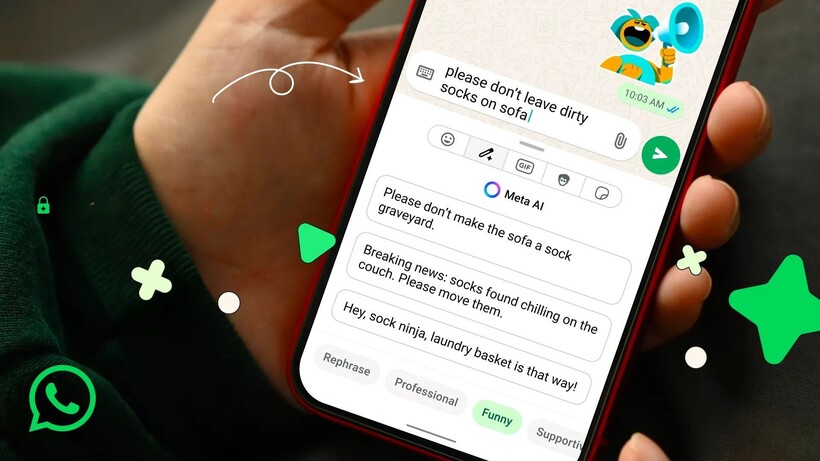
Writing Tools on WhatsApp Writing Tools on WhatsApp

An AI Writing Help feature joins the update as well, generating suggested replies based on conversation context in a manner that mirrors writing assistance tools already present in Apple Intelligence and Samsung’s Galaxy AI.

WhatsApp is also introducing sticker suggestions tied to emoji searches, offering an alternative way to add reactions and expressions within chats without manually browsing sticker packs.

Advertisement

The update is currently rolling out across iOS and Android, with some features already available to users depending on their region and app version.

Advertisement

Source link

Continue Reading

Tech

MacOS 26.4 Adds Warnings For ClickFix Attacks to Its Terminal App

Published

on

An anonymous Slashdot reader writes: ClickFix attacks are ramping up. These attacks have users copy and paste a string to something that can execute a command line — like the Windows Run dialog, or a shell prompt.

But MacRumors reports that macOS 26.4 Tahoe (updated earlier this week) introduces a new feature to its Terminal app where it will detect ClickFix attempts and stop them by prompting the user if they really wanted to run those commands.
According to MacRumors, the warning readers “Possible malware, Paste blocked.”

“Your Mac has not been harmed. Scammers often encourage pasting text into Terminal to try and harm your Mac or compromise your privacy….”

There is also a “Paste Anyway” option if users still wish to proceed.

Advertisement

Source link

Continue Reading

Tech

GeekWire AI summit takeaways: Token budgets, watermelon metrics, and the $5k weekend coder

Published

on

OpenAI CTO of Applications Vijaye Raji, left, and GeekWire’s Todd Bishop on stage at the GeekWire AI summit, Agents of Transformation, in Seattle on March 24. (GeekWire Photo / Kevin Lisota)

This week on the GeekWire Podcast: Fresh off the big GeekWire AI summit, we unpack what they heard from Microsoft EVP Charles Lamanna, OpenAI applications CTO Vijaye Raji, and other speakers at the Agents of Transformation event in Seattle, presented by Accenture.

The big thread: the economics of AI, from token budgets becoming a hiring negotiation point to startups running on subsidized credits that may not last.

Plus, a startup founder whose engineer burned through $5,000 in AI tokens over a single weekend of vibe coding, OpenAI shutting down Sora amid $15 million-a-day processing costs, and why panelist Liat Ben-Zur said the performance indicators many companies are using for AI are “watermelon metrics” — green (profit) on the outside, red (losses) on the inside.

Also: how Todd used a Claude project over several months to prep for the event, John’s experience bouncing between Gemini and ChatGPT, and why the pure chat era may be over. 

And in this week’s trivia: Sound Transit’s light rail starts crossing Lake Washington on a floating bridge — but when did the original I-90 floating bridge open?

Advertisement

Audio editing by Curt Milton.

Source link

Continue Reading

Tech

Fascinating Look Back at BlackBerry’s PlayBook, the Compact Tablet From 2011 That Had Real Promise

Published

on

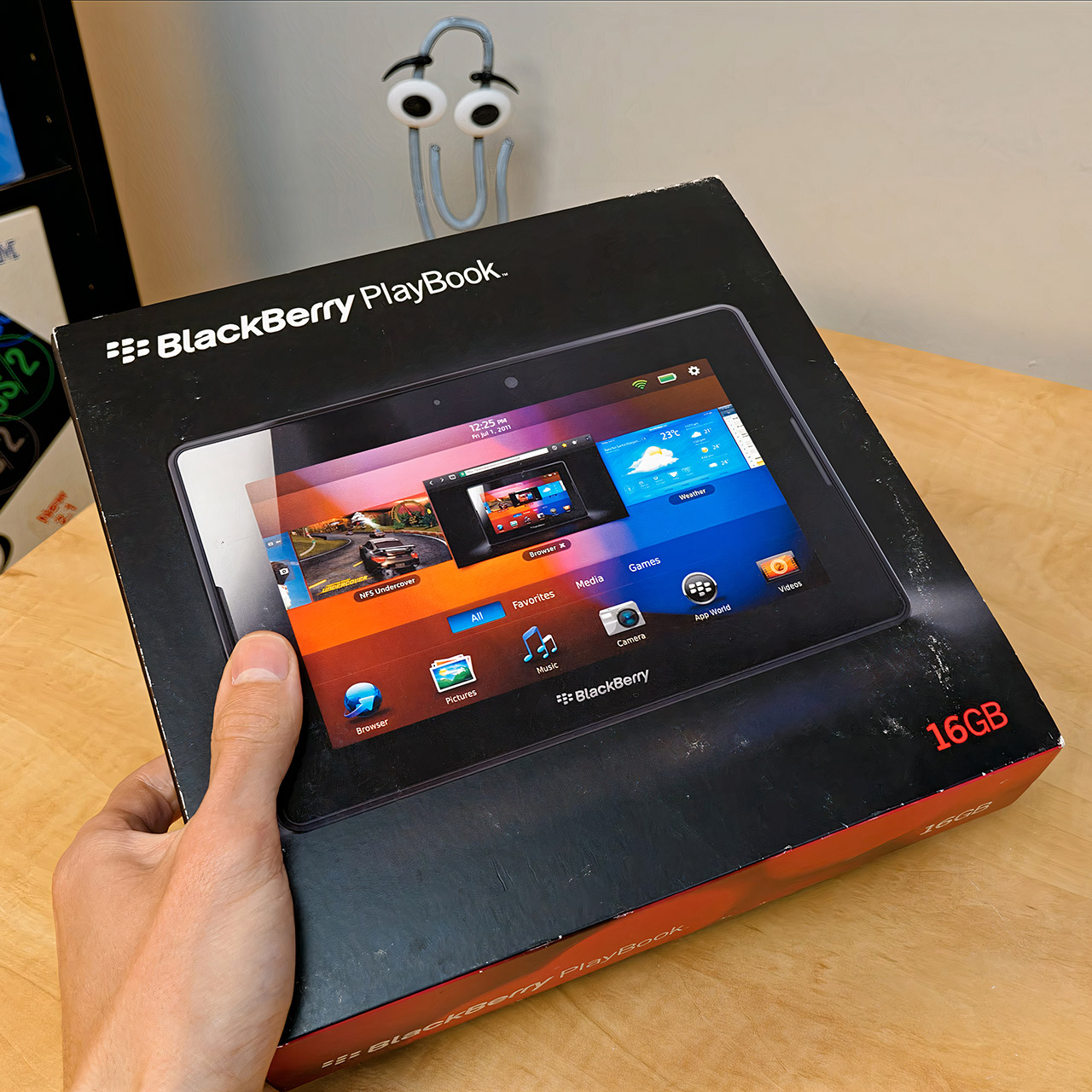
BlackBerry PlayBook Tablet 2011
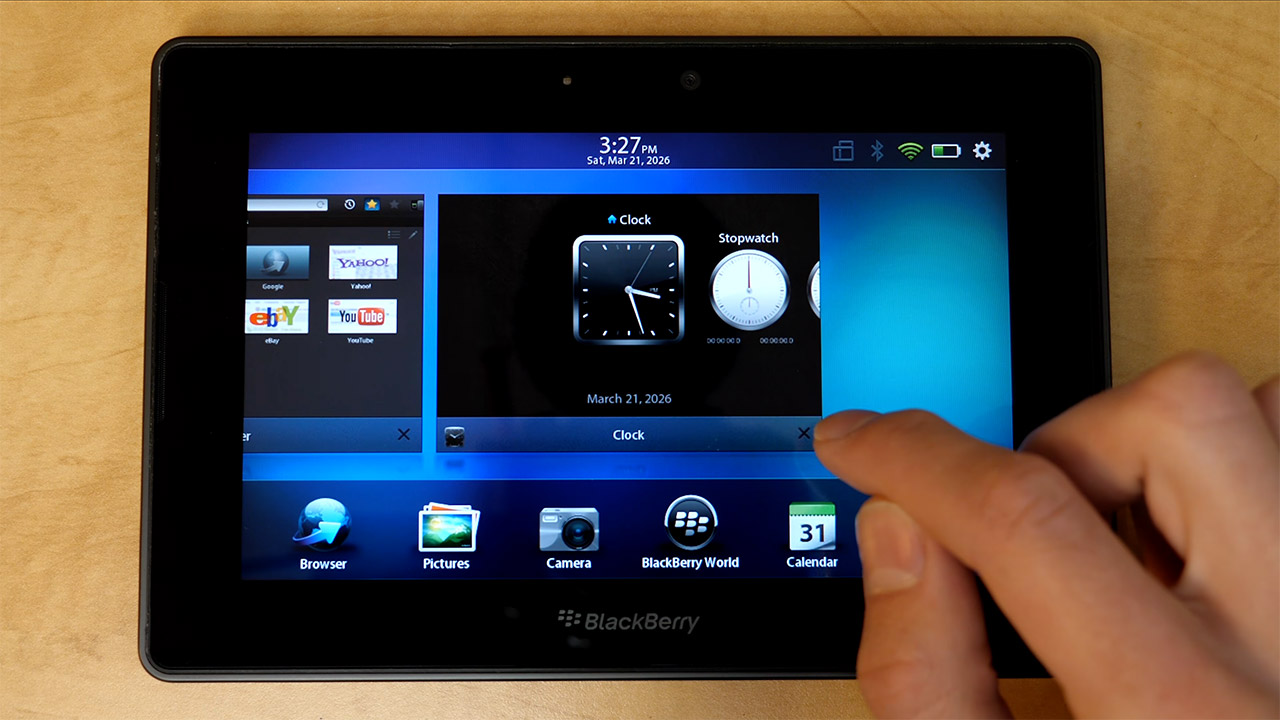
BlackBerry entered the tablet market in the spring of 2011 with the PlayBook, a 7-inch tablet that had to compete with larger offerings from Apple and others. People who picked one up quickly noticed how portable it was, fitting easily into a bag or coat pocket for on-the-go use.


Build quality was impressive for the time, with the PlayBook coming in at just under 10mm thick and 425 grams. The clean combination of black plastic and metal felt solid and considered without trying too hard, and it showed the moment you picked it up. Many users at the time rated the physical quality above several competing tablets in the same space.

Sale


Lenovo Tab One – Lightweight Tablet – up to 12.5 Hours of YouTube Streaming – 8.7″ HD Display – 4 GB…
  • COMPACT SIZE, COMPACT FUN – The Lenovo Tab One is compact, efficient, and provides non-stop entertainment everywhere you go. It’s lightweight and…

  • SIMPLICITY IN HAND – Add a touch of style with a modern design that’s tailor-made to fit in your hand. It weighs less than a pound and has an…
  • NON-STOPPABLE FUN – Freedom never felt so sweet with all-day battery life and up to 12.5 hours of unplugged YouTube streaming. It’s designed to…

The 7 inch display ran at 1024 by 600 pixels in a widescreen format that suited video and web browsing well, with solid brightness and color reproduction in indoor lighting. Direct sunlight was a challenge, though that was a common limitation of LCD panels at the time. The size also made it genuinely comfortable to hold and operate with one hand, which gave it a practical edge for reading and casual browsing that larger tablets struggled to match.

Advertisement


A 1GHz dual core Texas Instruments OMAP 4430 processor, combined with 1GB of memory, kept routine tasks running smoothly with no noticeable latency. The BlackBerry Tablet OS, which was built on a QNX platform, was actually solid and received high praise in early evaluations for its dependability. Navigation relied on edge gestures, which worked surprisingly well in practice, with swipes from the sides or top quickly bringing up menus or previously used apps. True multitasking allowed you to run multiple programs at the same time and switch between them seamlessly, and once the gesture system was activated, it seemed like a genuinely efficient method to move around the device.

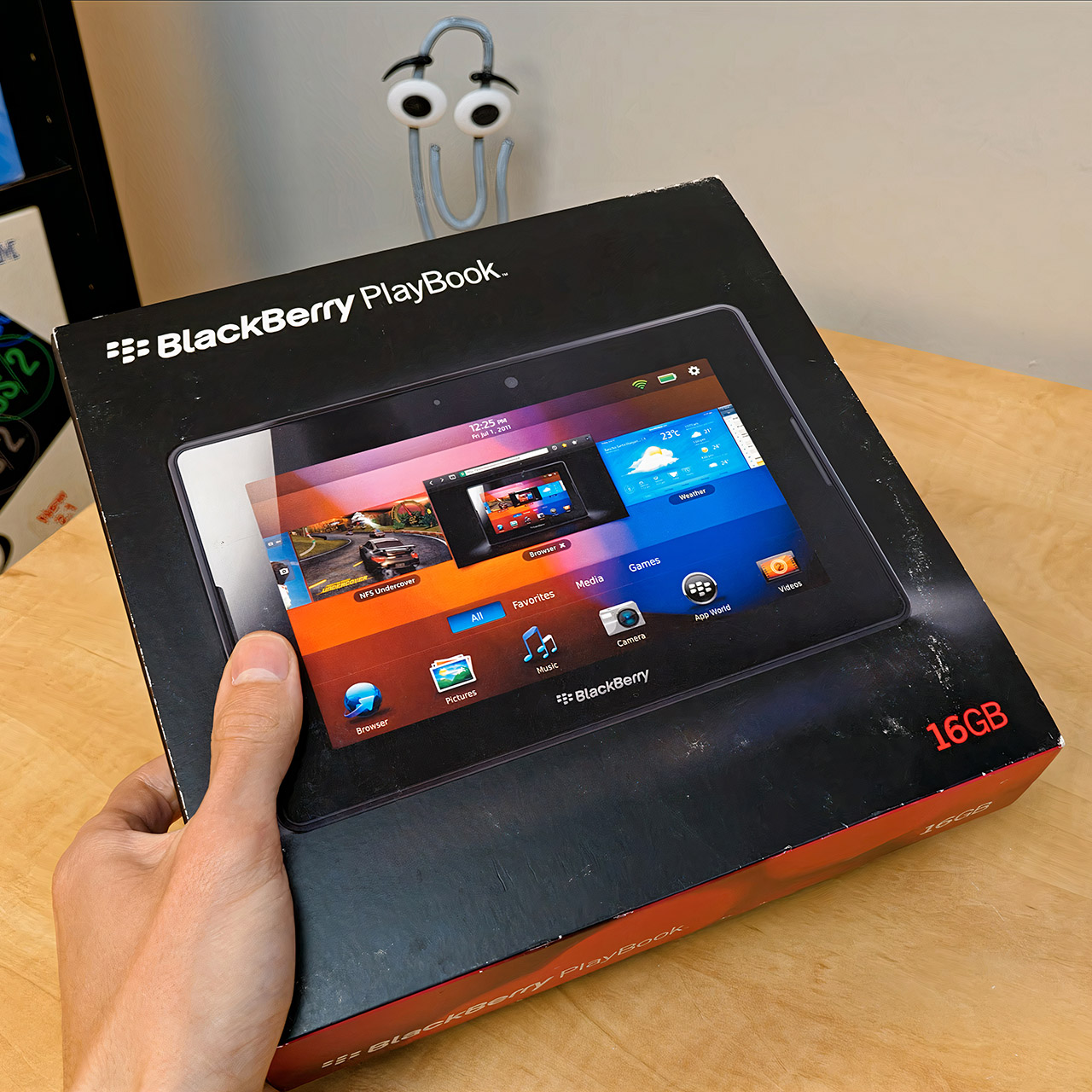
BlackBerry PlayBook Tablet 2011
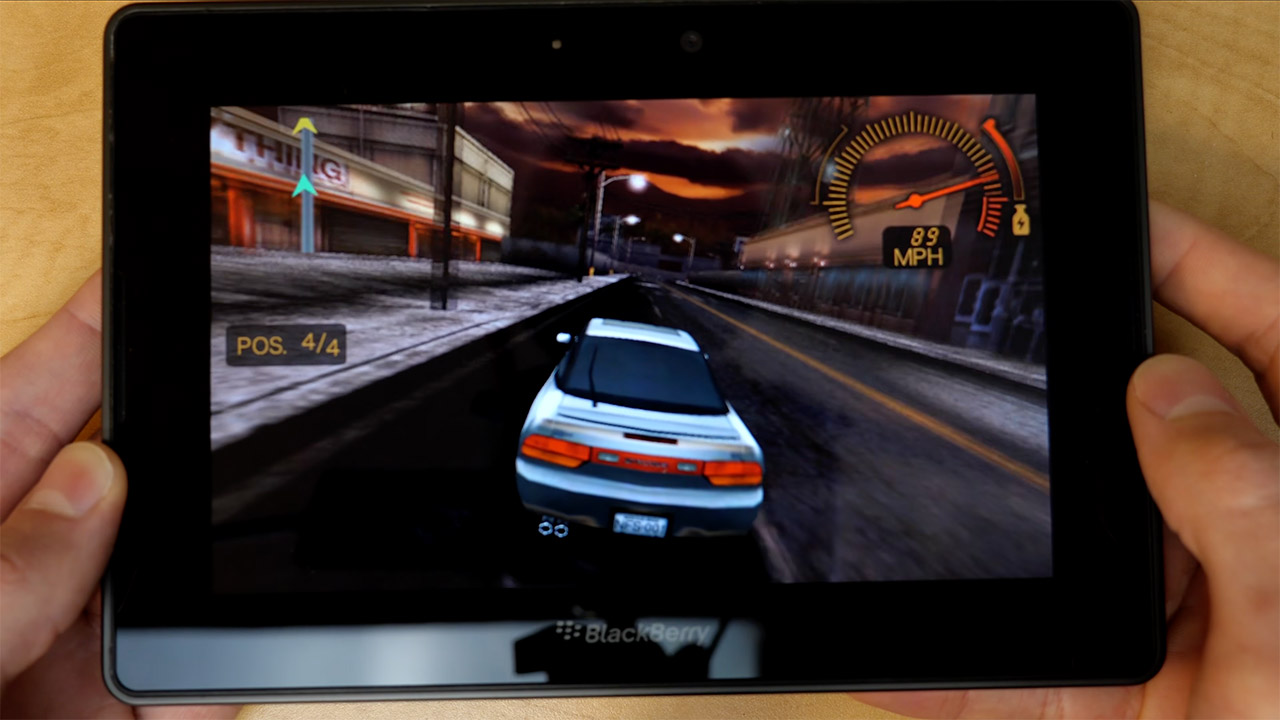
Web browsing was one of the PlayBook’s real strengths. The browser handled most sites with ease and included Adobe Flash functionality, allowing you to watch films and interact with material that outperformed many rival mobile devices at the time. HTML5 performance also fared well in testing. On the entertainment front, the PlayBook handled high definition video playback with ease, the twin speakers were adequate for music, and a five megapixel rear camera and a three megapixel front camera covered both photos and video calls. A small HDMI port completed the package for anyone who wanted to project video onto a larger screen for presentations or movie nights.

BlackBerry PlayBook Tablet 2011
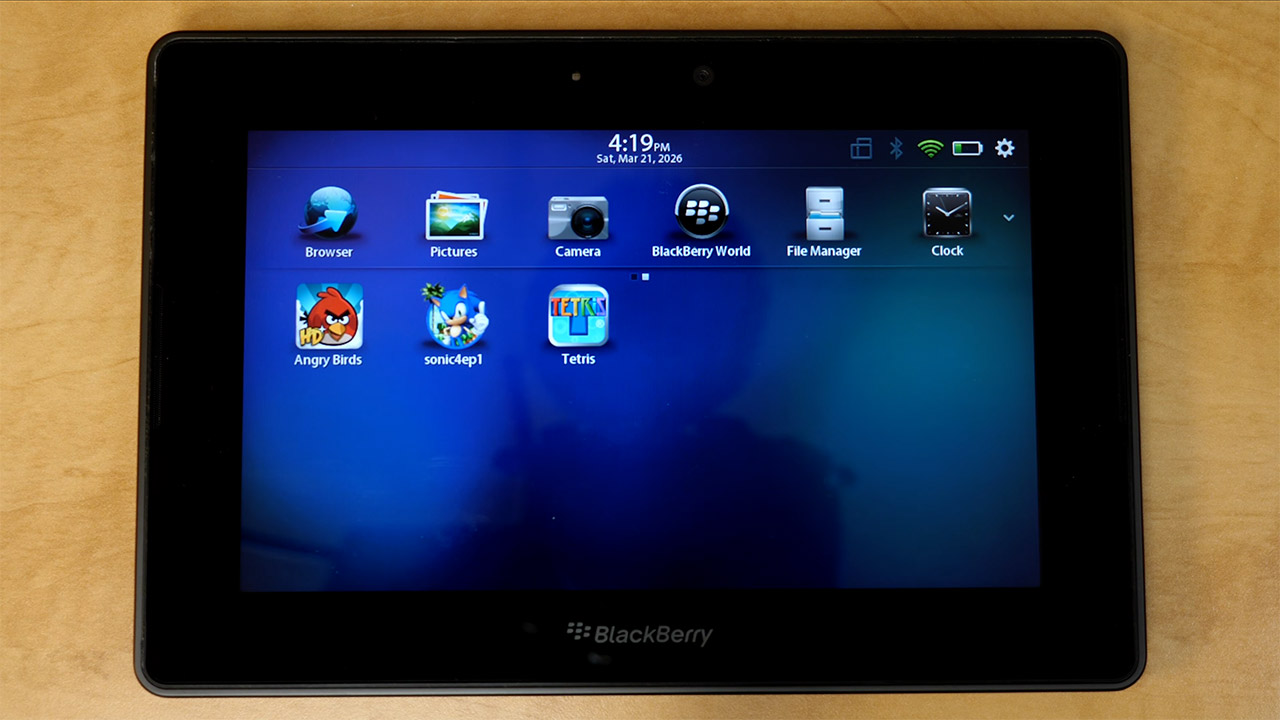
At launch, connectivity included Wi-Fi and Bluetooth, with cellular possibilities added later. Depending on screen brightness and workload, the battery life was usually sufficient for a full day of mixed use. The launch software was where things became problematic. The PlayBook came without native email, calendar, or contacts apps, so users had to couple it with a BlackBerry phone using a technology called Bridge to use any of them. The connection was secure and smooth for existing BlackBerry users, who saw the tablet as a natural extension of their phone setup; however, for those without one, it was a significant drawback that was difficult to overlook.

BlackBerry PlayBook Tablet 2011
The 16GB model debuted at $500, which is comparable to about $726 now, with higher storage options raising the price even further. Initial sales were good but fell well short of overall market forecasts, and large price cuts in late 2011 helped clear leftover inventory, particularly in Canada. By the conclusion of its run, the PlayBook had sold almost 2.5 million devices.

Source link

Advertisement
Continue Reading

Trending

Copyright © 2025