Tech
InnoView’s 15.6″ Portable Touchscreen Monitor Packs Away and Answers to Your Fingers

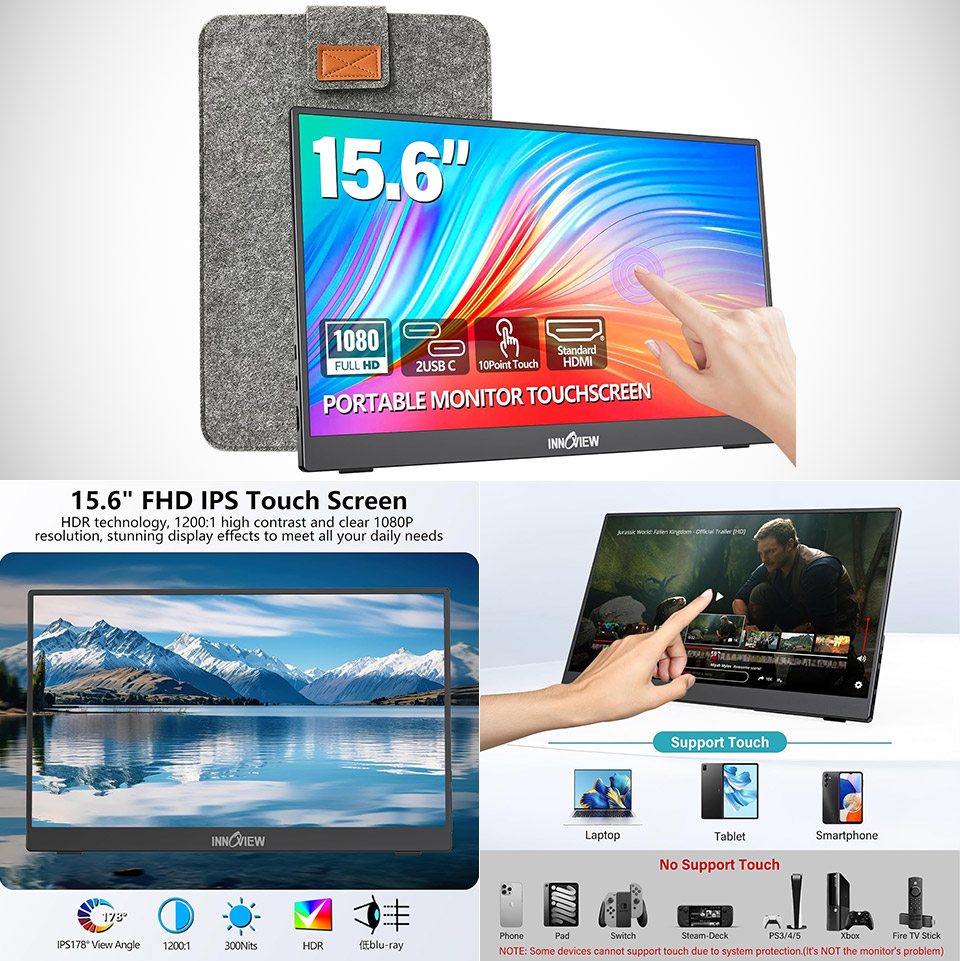
InnoView put together a 15.6-inch portable monitor, priced at $99.99 (was $160), that aims to solve the constant space problem for people who work or create away from a desk. This model adds a full HD touchscreen, a built-in stand, and a protective sleeve so the whole package stays useful without adding much bulk to a bag.


The panel in question is an IPS screen with a 1920 by 1080 resolution and a 16:9 aspect ratio. It operates at a constant 60 Hz and has a response time of under 3 milliseconds. Contrast ranges up to a respectable 1200:1, and with a matte finish, glare is kept to a minimum in areas with ample of light, such as an office or a window. You can achieve a reasonably wide viewing angle of 178 degrees, and colors remain rather steady even when the screen is put slightly to the side of a laptop. Other image features include HDR capability, a low-blue-light mode, and flicker-free options. The brightness is roughly 300 nits, which should be adequate for most indoor use, however it will not be ideal in direct sunlight. Color coverage is a decent 80 percent of sRGB, which is adequate for casual use with common documents, web pages, and video.
Sale


InnoView 15.6″ Portable Monitor 60Hz Touchscreen 1080P 10-Point Touch Screen Monitor Portable with…
- [10-Point Touchscreen Portable Monitor]: Portable screen compatible with Windows and MacOS systems. You can get touch function for your laptop by…
- [Get a Monitor Protective Sleeve]: The case is tailor-made for your portable laptop monitor, lightweight and durable, easy to carry, a perfect…
- [FHD IPS Portable Display]: 15.6 inch 1080P portable screen for laptop adopts a real reliable IPS screen with a viewing angle of 178°. Compared with…
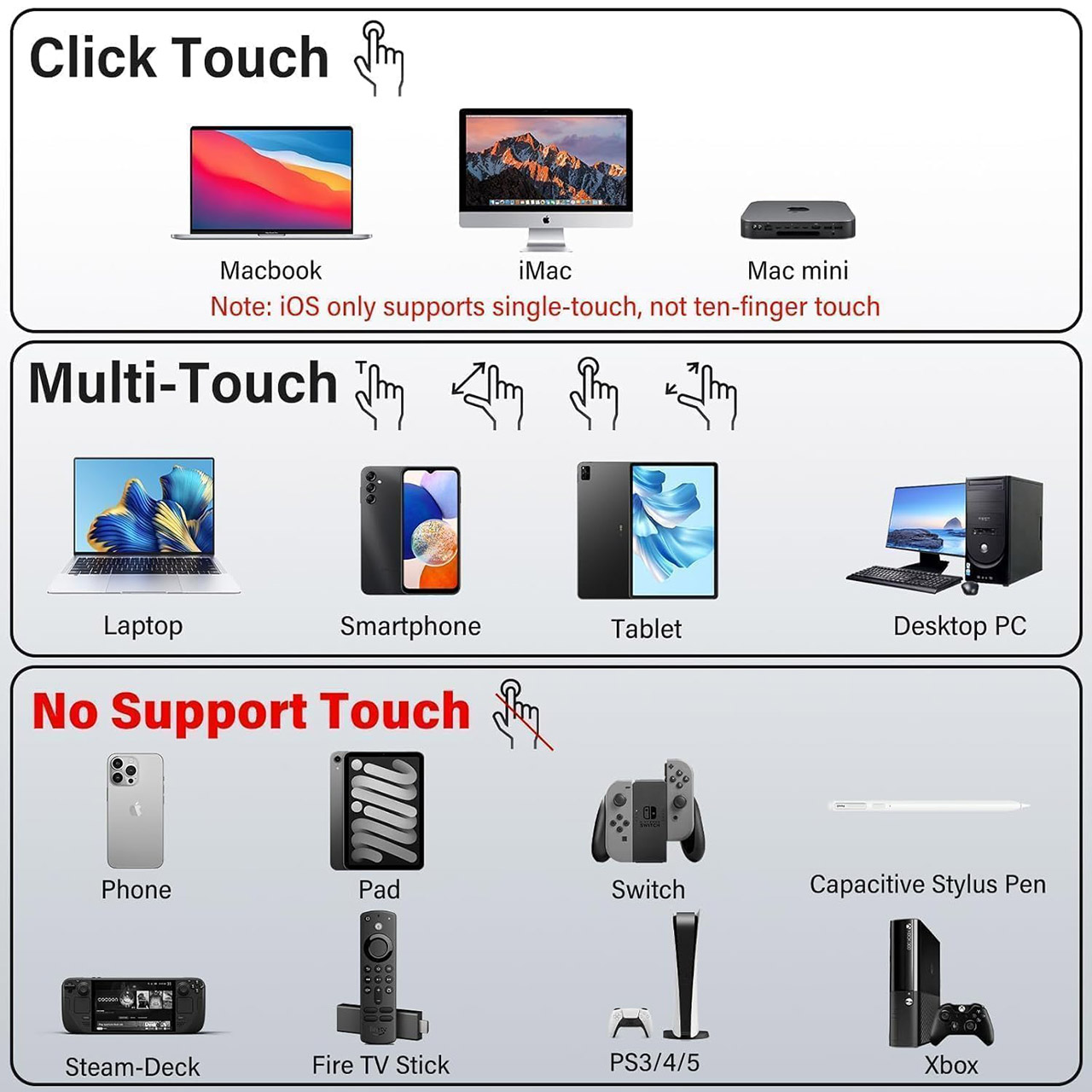
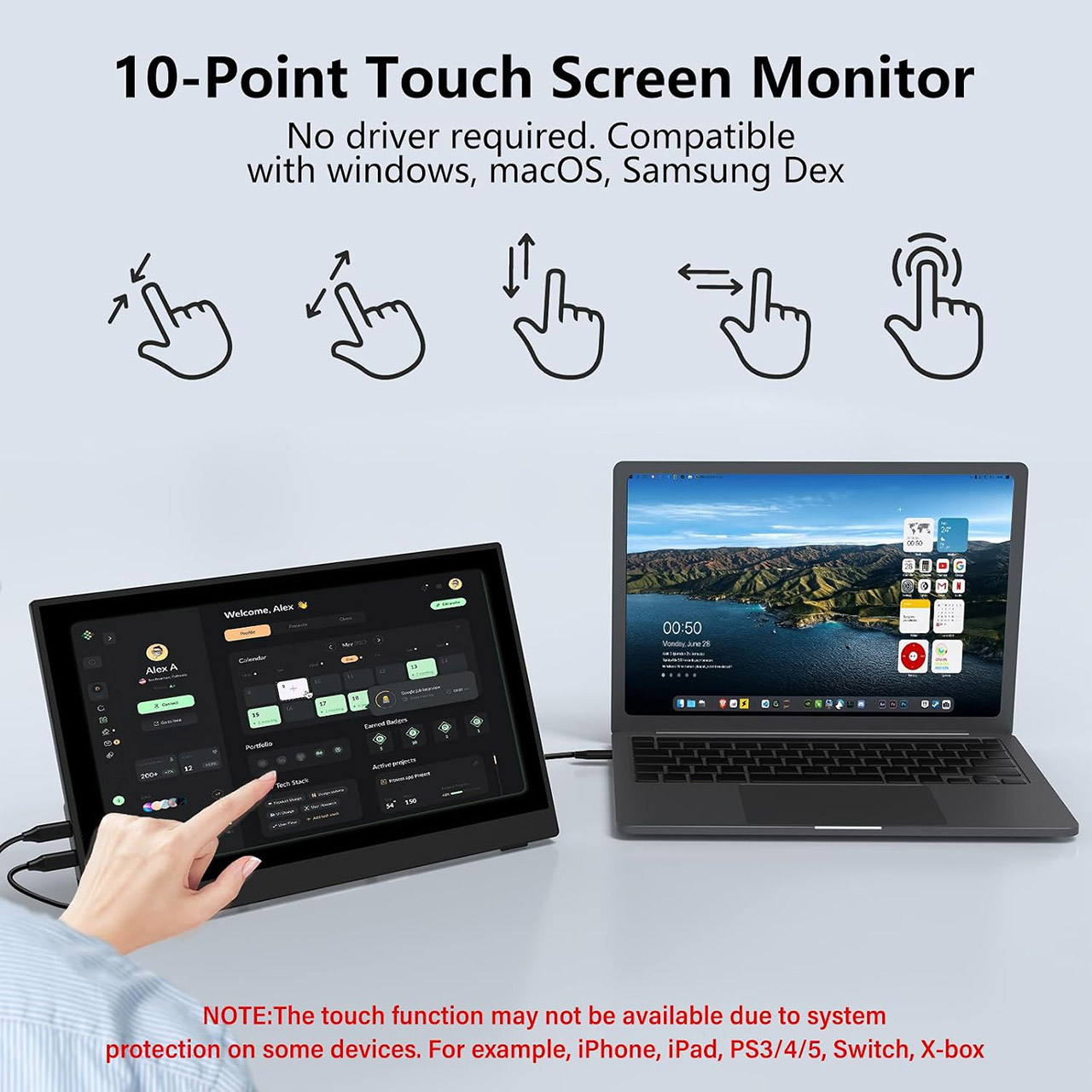
The touch interface uses a 10-point system. On Windows machines, you can utilize the entire set of gestures once you’ve plugged in the correct cable, but on Macs, you’re limited to basic click support due to how the OS handles external touch. Other devices, such as game consoles and the Switch, will simply disregard the touch layer due to their own rules.
The port configuration is straightforward: two full-function USB-C ports can handle video, power, and touch data on machines that support DisplayPort Alt Mode or Thunderbolt. There’s also a standard port for older devices, as well as any other gadgets with only HDMI. As an added bonus, there’s a spare USB-A-to-USB-C connection included so you can still use touch even if your display is HDMI. In terms of audio, the display includes twin speakers, allowing you to avoid constantly carrying a second pair of headphones.

The physical design of the device is focused on portability. It weighs 1.37 kg and is small enough to slip into a laptop sleeve or backpack pocket. The built-in stand can be tilted from flat to 90 degrees, allowing you to position the screen perfectly on a hotel desk, café table, or aircraft tray. The supplied protective sleeve is especially useful, as it not only protects the screen from damage during travel, but it can also be folded out to serve as a small base when the kickstand is not accessible. You can also use it in portrait mode if necessary, and with a frameless design, the active area appears to be quite large in comparison to the overall size of the device.
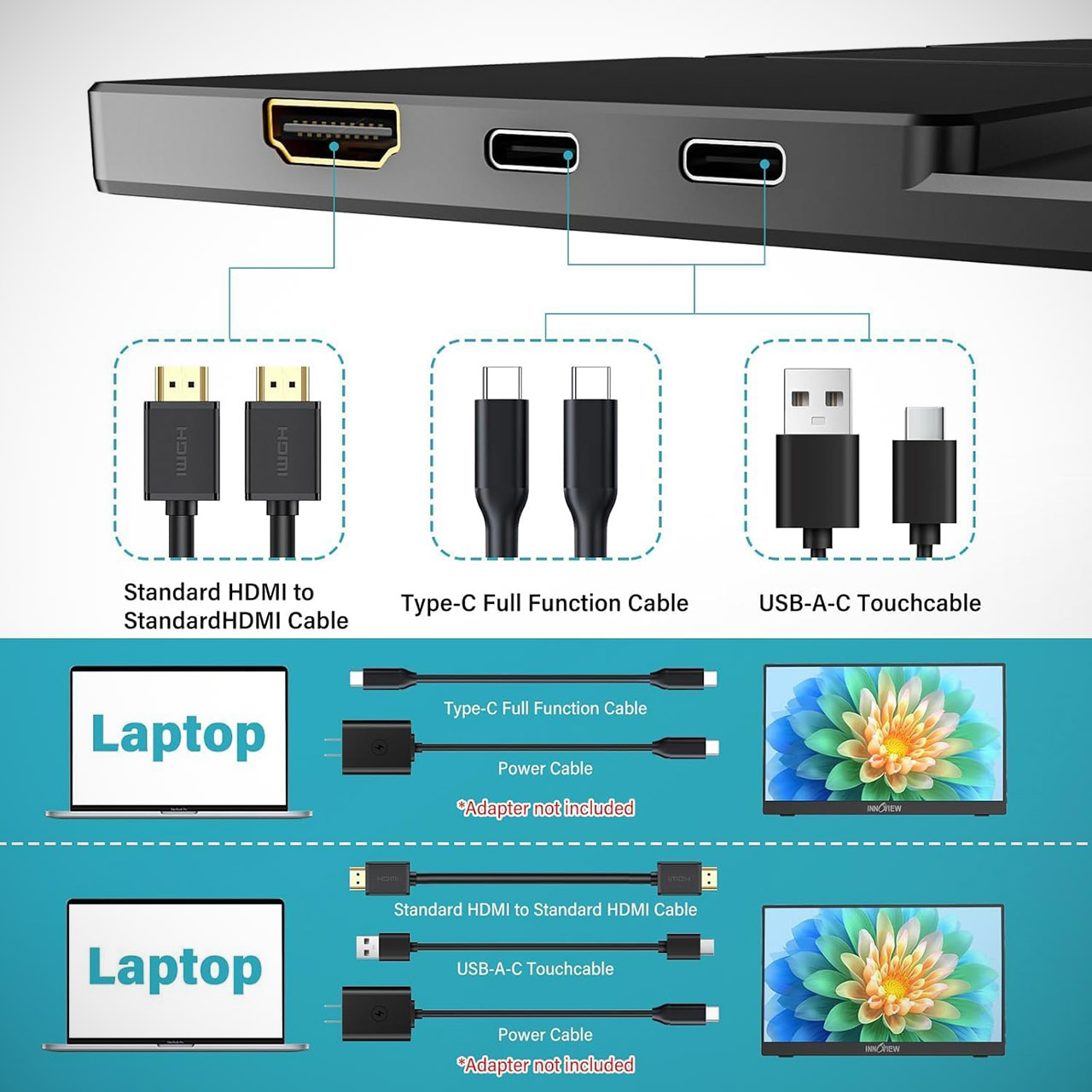
Most systems have a straightforward setup procedure. Simply attach the full USB-C connection, and the second display should appear within seconds. If you’re using HDMI, just plug it in along with a power source, and you’re done. Even better, you can modify brightness and volume without having to visit settings, and this device supports FreeSync and G-Sync, so if your source does, you won’t have to worry about motion blur.
You must be logged in to post a comment Login