Since about 2020, AI has largely focused on training bigger and better models. Large language models (LLMs) ballooned from millions of parameters to trillions. This proved effective: The largest version of OpenAI’s GPT-3, released in 2020, correctly answered just 43.9 percent of questions on a popular knowledge-and-reasoning benchmark. Just four years later, GPT-4o reached a score of 88.7 percent on the same exam, effectively matching those of human experts.
Advanced AI labs are still training ever larger models, but that training has somewhat receded to the background of the AI conversation. In 2026, inference—the use of trained models to produce code, write essays, or make images of ourselves as elves—has come to the forefront.
“It’s like training is yesterday’s news,” says Matt Kimball, principal data-center analyst at Moor Insights & Strategy. “All that any chief information officer wants to talk about is inference.” Nvidia CEO Jensen Huang, speaking at the company’s GTC 2026 conference, touted this change as the “inflection point of inference.”
Advertisement
Part of what’s caused the shift is very simple: LLMs are becoming useful, so people are using them. On top of that, many models on the market today are reasoning models. In response to a user’s query, they run inference not just once but multiple times, reprompting themselves in a process calledchain of thought. Reasoning models generate longer outputs, and models with high reasoning effort can produce up to 20 times as much text as those with low or no effort. Adding even more to the world’s inference workload, the rise of agentic AI has resulted in inference running not just as a real-time response to a user’s query but also around the clock, working autonomously toward a user-defined goal.
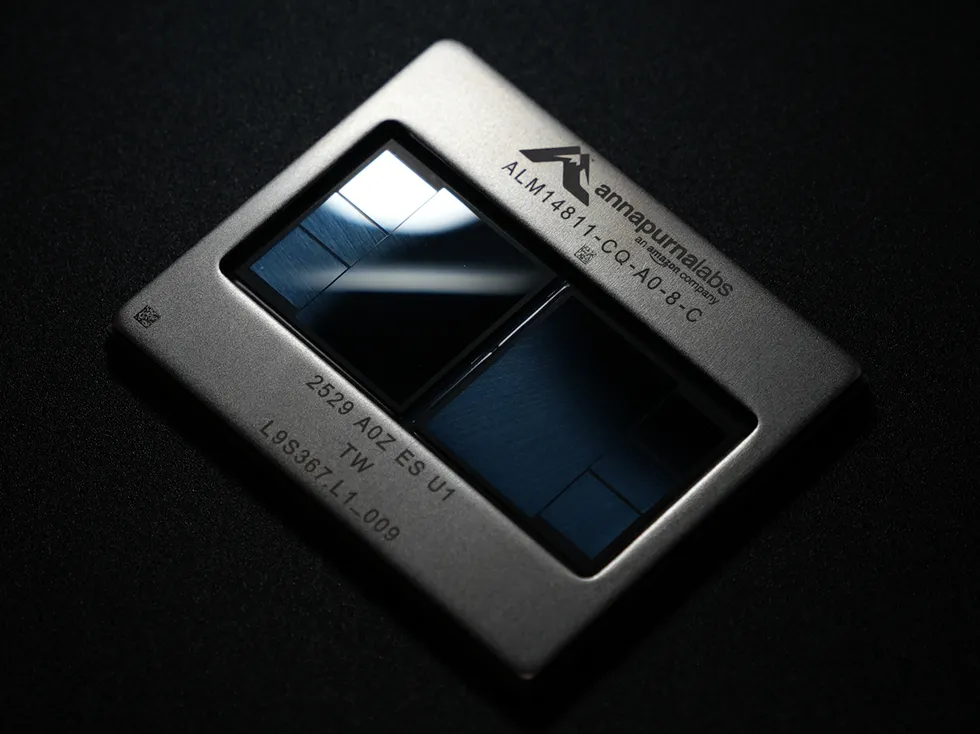
Amazon’s Trainium chip was originally designed for AI training. However, Amazon Web Services chose to break up AI inference into two parts, with Trainium running the more computationally complex portion and Cerebras’s wafer-scale engine taking on the more memory-intensive portion.Amazon
The resulting explosion in inference demand has led to unexpected alliances among tech giants. OpenAI and Amazon have deployed chips the size of a dinner plate designed by Cerebras, despite Amazon having its own Trainium chips. Nvidia bought key talent and intellectual property from AI-inference startup Groq in a controversial deal worth US $20 billion. And Anthropic is paying LLM competitor SpaceXAI over a billion dollars per month to lease spare compute.
Although they might seem similar, AI training and AI inference are computationally different. These big moves from tech giants signal that in order to support the inference demand, we’re going to need a very different mix of hardware than experts may have expected even a couple of years ago.
How does AI inference differ from AI training?
An untrained LLM is like a jumble of Scrabble tiles on a table. Instead of single letters, though, the tiles show fragments of words, called tokens. Everything you’d need to write almost anything is present, but nothing makes sense.
Advertisement
Training a model organizes this jumble using a guessing game played at scale. The model is shown real text with the next token hidden and asked to predict what comes next. After each guess, the correct token is revealed and then compared to the prediction, and the difference is used to calculate the model’s accuracy. The game is played not with a single sentence but over billions of passages.
While a real game of Scrabble can be played over a bag of chips and a few drinks, AI training is computationally intense. The model updates its parameters through backpropagation, a process that repeatedly calculates how each of a model’s billions or trillions of parameters should shift to make the next prediction better. This is why tech giants are building larger data centers than ever before.
Eventually the model’s creator decides further training isn’t worth the cost, and the guessing game stops. Backpropagation ends, the parameters are frozen, and the LLM becomes a pretrained model. Fine-tuning—a short training run on smaller, more specialized data—adds final tweaks, and the model is deployed.
Nvidia’s Groq 3 language-processing unit minimizes data movement by placing on-chip SRAM memory and computational blocks in the order they are needed on-chip.
Advertisement
Nvidia
Next comes inference. This is the process of using the deployed model, which, now that it’s been trained, has learned to spit out Scrabble tiles—tokens—in a sensible order.
You might think that AI inference is less computationally demanding because the backpropagation calculations used to update parameters are eliminated. But Sudeep Bhoja, founder and CTO of the inference-hardware company d-Matrix, explains that inference adds new challenges.
Advertisement
The models are “autoregressive” in nature. That is, the next output depends on the previous one. “So to generate the next token, you have to read all of the weights and all of the [context] from the previous token,” explains Bhoja. The context includes all of your prompts, all of the LLM’s replies, and all of the files you upload. It’s a lot of data and a lot of processing.
An LLM generates its reply in two phases: prefill and decode. Prefill is the model reading a prompt. It processes every token at once, computing how each token relates to all the others. This operation is called attention, and it’s a defining characteristic of the transformer architecture behind modern LLMs. It allows them to respond to a word in its sentence, paragraph, and larger context rather than on its own. Think of it like arranging Scrabble tiles before you place them in a game. Many players move tiles around to imagine how they connect. Self-attention plays a similar role, though instead of moving physical tiles, each token sends a query to the others and receives a score indicating the token’s relevance.
These queries result in two types of vectors: the keys and values. They are typically placed in a store called the KV cache. This isn’t strictly required, as a model could instead recompute these vectors with each new token it generates. But nearly all LLMs use a KV cache to reduce how much computing they do. The KV cache is stored in memory and becomes a scratchpad to which the LLM can return to understand a conversation, and though it starts small, it can swell to dozens of gigabytes.
Prefill is a problem that can be easily divided up and worked on in parallel. This is why GPUs became the dominant AI accelerator as LLMs surged in popularity. Graphics rasterization (computing the color of every pixel on a screen) is also massively parallel, so GPU architectures were a natural fit.
Advertisement
Cerebras’s wafer-scale engine chips maximize memory bandwidth by keeping everything—both memory and computational units—side by side on the dinner-plate-size chips.
Cerebras
Next comes decode. Here, the model generates its reply one token at a time. At each step it takes the most recent token, weighs it against everything in the KV cache, uses that information to predict the next token, and adds the new token’s key and value to the cache. Then it repeats in sequence, token by token.
Advertisement
This is where the autoregressive nature of the model works against inference speed. Predicting each token requires reading the entire model from memory, and that model consists of possibly tens to hundreds of gigabytes of parameters (the numbers representing what the model learned in training). Crucially, this is in addition to the memory required to store the KV cache.
As a result, the movement of all this data through memory often requires more bandwidth than inference hardware has available. So at least some of the computing parts of a GPU sit idle as it waits for data. Researchers found that Nvidia H100 GPUs running open-source LLMs sit idle 50 to 80 percent of the time.
Memory’s role in inferencing
Shahriar “Sha” Rabii, former head of silicon engineering at Meta and cofounder of the AI startup Majestic Labs, says idled processors are why many companies that are trying to improve AI-inference performance are laser-focused on memory. “With the GPU-based approach, you end up greatly over-provisioning compute and starved on memory. That’s driving the big [memory] scale out,” he says.
Bhoja’s d-Matrix and Rabii’s Majestic Labs both focus on this memory bottleneck. However, their companies imagine different solutions.
Advertisement
d-Matrix’s second-generation AI accelerator, Raptor, aims to improve inference performance by minimizing the distance between compute and memory. The GPUs in most current AI-inference deployments do this by placing high-bandwidth memory (HBM) around the perimeter of the GPU. Each HBM is a stack of DRAM dies linked together and connected to a superfast interface to the GPU. This is great for training, but for inference, the amount of memory you can stack this way and the bandwidth it can provide leave something to be desired.
d-Matrix’s Raptor removes that bottleneck by stacking an AI accelerator on a DRAM die. Instead of stacking memory, d-Matrix stacks memory and compute. Bhoja says this reduces the distance that data must travel to “micrometers instead of millimeters.” Like building a skyscraper, going vertical makes it possible to do more inside the same physical footprint.
Majestic takes the opposite approach. Instead of trying to minimize the length that data must travel between compute and memory, the company is focused on improving the memory interface to accommodate longer wire traces while keeping bandwidth high. Longer wires allow Majestic to connect memory stacks that aren’t directly next to the GPU, removing the space limitation of HBM.
“A memory interface has a very short physical distance it can operate over. In the case of HBM, it’s up to 2 or 3 millimeters. You have this shoreline around the periphery, which is the only place where you can put HBM,” says Rabii.
Advertisement
Majestic claims its memory interface can transmit bits as far as about a meter. That’s achieved with a proprietary copper link and a memory-aggregator chip that coordinates data. “The aggregator is the endpoint for the high-speed interface and a way to fan out to many, many commodity DRAM chips,” says Rabii. Because of this, Majestic can support up to 128 terabytes of DRAM memory in a single server rack—a significant increase over Nvidia’s GB300 NVL72 rack, which has about 20 TB of HBM3E.
d-Matrix and Majestic have one thing in common: Instead of HBM, they both use off-the-shelf DRAM. This is the most common type of computer memory in the world; it’s in everything from smartphones to cars. Memory analyst Jim Handy says HBM costs two to three times as much as DRAM. d-Matrix and Majestic chose DRAM in part because of this price advantage. However, the proponents of HBM, which include memory giants like Samsung and SK Hynix, aren’t sitting idle.
HBM4, the latest version of HBM memory, is now in production and will be used by Nvidia’s Vera Rubin GPU, which is expected to ship in the second half of 2026. Hoshik Kim, head of memory-systems research at SK Hynix, says HBM4 “will decisively break the memory bottlenecks constraining AI inference today” by doubling HBM’s maximum memory bandwidth and increasing the amount of HBM memory per stack.
Combining chips for faster inference
The big players—Nvidia and Amazon—are going for an all-chips-on-deck approach. Nvidia’s GPUs and Amazon’s Trainium training accelerators are still great for part of the inference workload: the prefill stage, where all the context keys and values are calculated. But to accelerate decode, the part where new tokens are generated, they are looking to new, memory-centric architectures from smaller players.
Advertisement
In Nvidia’s case, the smaller player was Groq (not to be confused with Grok, the family of LLMs trained by SpaceXAI). Nvidia purchased intellectual property and hired talent from Groq at the end of 2025, and just three months later at the Nvidia’s GTC 2026 conference, Jensen Huang unveiled the Nvidia Groq 3 language-processing unit (LPU). Groq’s architecture relies on memory—in its case, SRAM—built directly into the chip’s architecture.
Unless you’re a chip architect, or a hardcore PC gamer, you probably never give SRAM a thought. SRAM has the benefit of being tightly integrated into a compute chip’s architecture—it’s on the same piece of silicon as the processor—and has the drawback of being less dense and more expensive than DRAM. Most chips include only a few dozen megabytes of SRAM. AI inference, however, has ignited new interest in SRAM as a means of bringing the model weights stored in memory closer to compute.
Ian Buck, vice-president and general manager of hyperscale and high-performance computing at Nvidia, says the LPU has a much different set of priorities than the company’s GPUs. The LPU has far less raw computing power than a standard GPU, but it gains 500 megabytes of on-die SRAM connected directly to its floating-point math units. “The benefit is the memory bandwidth. The LPU has seven times the memory bandwidth of the GPU,” he says.
Between the Rubin GPU and the Groq LPU, prefill and decode can both be accelerated to get the best of both worlds, the theory goes. “We do all the attention math and context processing on the Vera Rubin [GPU] rack,” explains Buck. “For all the expert calculations…the matrix multiplications, we do that part on the LPU.” The company packs 256 LPUs into the Groq 3 LPX, a system the size of a data-center rack.
Advertisement
Amazon Web Services (AWS), for its part, struck a deal with Cerebras, to pair the Trainium accelerator with Cerebras’s Wafer-Scale Engine 3 (WSE-3). Cerebras takes a similar approach to Groq, though at a much larger scale. WSE-3 turns an entire silicon wafer into a single chip that contains over 4 trillion transistors. The design doesn’t connect to external memory but instead etches 44 gigabytes of SRAM into each wafer. “We store the [model] weights on the SRAM,” says James Wang, formerly director of product marketing at Cerebras who has since moved to SpaceXAI. “So that’s easily 40 to up to 80 billion parameters that we can support on one chip.”
Amazon plans to use AWS Trainium chips for prefill, and Cerebras for decode. But Cerebras’s chips can also go it alone in inference. WSE-3 was deployed by OpenAI to power GPT-5.3-Codex-Spark, a variant of the company’s coding mode, outputting over 1,000 tokens per second. For comparison, OpenAI’s standard GPT-5.4 deployment outputs 50 to 125 tokens per second.
Cerebras can also tackle prefill without moving the workload to different specialized chips. For this, it networks together multiple WSE-3 chips to form a single pool of memory. “Commercially, we’ve done about 500 billion parameters for our customers up to this point,” says Wang. “But the architecture has no innate limitation in terms of how many parameters it will do.”
Despite these differences in strategy, Nvidia and AWS seem to agree that the future of AI inference will be solved by a systems approach that pools different kinds of chips together to tackle the largest LLMs. Or, as Buck says: “To do modern AI inference, you need all the chips.”
Advertisement
Learning to do more with less (bits)
Nvidia became the world’s most valuable tech company because it designed the world’s most desired GPUs. But not all of the attention is focused on improving AI-inference hardware. AI researchers are also learning how to optimize LLM software and hardware in tandem to make the best use of the memory and compute components.
Most computers store numbers in a 32-bit or 64-bit format. These determine how many bits are available to represent a single number. If too few bits are available, the number can’t be stored without losing information. The quality of an LLM benefits from more-precise number formats, but this creates a problem for inference performance. More-precise numbers aren’t free. The bits that describe them take up more space in memory and require more silicon and energy to compute.
Gilles Backhus, cofounder of the AI-accelerator company Tensordyne, says this creates a tension between model size and number precision. “Would you prefer a model that is size x but runs in 8-bit, or would you prefer a model that is twice the size but runs in 4-bit?” The size of each model will be roughly the same in terms of memory and compute, “but the 4-bit approach gives you twice as many synapses, if you will. And people are figuring out that [the 4-bit approach] is worth it.”
The process of converting an LLM from a more-precise number format to a less-precise format is called quantization, and it’s been in use for several years. However, researchers are finding new ways to quantize models down while retaining a large majority of the model’s quality.
Advertisement
Nvidia recently created a new 4-bit number format, NVFP4, for this purpose. AMD, Intel, and Qualcomm have instead rallied around a competing 4-bit number format called MXFP4 that Nvidia also contributed to developing. “It’s the black art of AI,” says Buck, of Nvidia. When Nvidia quantized DeepSeek-R1 from FP8 to NVFP4, scores on seven major benchmarks degraded by less than one percent while performance improved by three times, the company says.
Quantization is likely just the tip of the spear, as AI researchers and startups are investigating a diversity of opportunities for optimization, some of which could dramatically change the silicon found in AI-inference hardware.
Tensordyne’s unique approach to AI inference combines a logarithmic number format with bespoke hardware in the company’s Napier chip. Tensordyne
Tensordyne is expected to accelerate AI inference with a logarithmic number system that leans on a property of logarithms: The log of A times B equals the log of A plus the log of B. So, storing numbers as their exponents lets the chip add where it would otherwise multiply. That matters in silicon because multiplier circuits draw more power and use more die area than adders do. Tensordyne says its rack-scale hardware, called Napier, can produce up to 1,300 tokens per second per user, and can do so while using less than a tenth as much power as comparable Nvidia hardware.
Etched, a startup based in San Jose, Calif., is even designing AI accelerators that translate the transformer architecture used by LLMs directly into silicon. Rather than building general-purpose GPUs, the company is wiring up the connections needed for efficient transformer calculations into its chip, making the chip much less flexible but more efficient for the tasks most performed by current LLMs. The company says its first AI accelerator, Sohu, can run Meta’s Llama 70B model at a stunning 500,000 tokens per second, though this approach also means it won’t be able to run LLMs that move away from a typical transformer architecture.
Advertisement
Whether these ideas will prove fruitful remains to be seen. Etched just shipped their first rack in August. Tensordyne believes its first hardware will be available in 2027. Even so, these startups show how the demand for inference performance is fueling unconventional ideas.
Inference is everyone’s game
The sheer variety of approaches to AI-inference acceleration—stacking compute on memory, extending interfaces from millimeters to meters, using an entire silicon wafer for SRAM, squeezing models into 4 bits—raises a question: Which is going to win, and which is going to lose?
But that’s likely not the right question, experts say. The demand for AI is currently insatiable, and while fears of an AI bubble stalk the industry, it has yet to hamper growth.
On the contrary, Kimball of Moor Insights & Strategy thinks inference could drive intense demand for AI hardware in the long term, because it’s not obvious where that demand will end. “You could add a million agents into your organization,” he says. “These things work 24 hours a day; they don’t go home at five at night like we do.”
Advertisement
If AI inference remains as desirable as Kimball expects, the evolution is likely to follow the same trajectory as the CPU. The CPU didn’t improve along a single axis but instead across multiple fronts simultaneously. Once transistor scaling slowed, chip and system architecture innovations of all kinds proliferated. The list of individual innovations that led to today’s ubiquitous, powerful personal compute could fill dozens of books.
A few decades from now, the history of AI inference innovation will show similar depth.
The site of the Chornobyl Nuclear Power Plant (ChNPP) remains a unique location, as what’s left of the No. 4 reactor is the only place in the world where you can find significant amounts of what is called corium. An amalgamation of nuclear fuel, fuel rod cladding and whatever materials like concrete that the molten mass came into contact with, Soviet scientists initially struggled to make sense of this material, leading them to even have it shot at to get samples.
In this video documentary by [That Chernobyl Guy] these struggles by scientists both in and outside the USSR to comprehend this wholly new material are detailed. Much like trinitite – created by a US nuclear weapons test – these are amalgamations of material combined under extreme conditions. In the case of the ChNPP accident, the botched turbine spin-up test and disabling of all safeties by the operators allowed the bottom core chain reaction to run unconstrained, producing the massive steam explosion that flipped the biosafety lid of the RBMK reactor, while also fully melting the core material that then melted through the concrete below the reactor.
Although this Elephant’s Foot is only a tiny fraction of the total mass of corium inside the No. 4 reactor, it got rather infamous for supposedly being highly radioactive and lethal. In reality it’s one of the least dangerous parts of the exposed corium, and repeated sampling attempts along with internal degradation due to radioactive decay and weathering before the NSC shelter was installed have led to it mostly turning into slightly radioactive, rusty-looking dust at this point.
Advertisement
Also covered in the video is how the corium in the destroyed reactor is likely to be retrieved for final disposal, with robots cutting into the sides of the reactor building rather than trying to navigate destroyed corridors and staircases. This way it might be possible to remove most of the material without the issues that stymied Soviet engineers in the 1980s during their sampling attempts.
Two years after a single developer launched a fake card shop on Steam, TCG Card Shop Simulator has exited Early Access, with a 1.0 build now available for PC, Xbox, PlayStation 5, Switch, and Switch 2. Ding Shen Sia of OPNeon Games began the project after burning out on mobile work in 2023, expecting that Steam Trading Cards would be enough of an incentive to ship. The store sold 100,000 copies in three days and eventually surpassed four million players.
You’re starting with a basic cash register and shelf. Boxes of Tetramon booster packs continue to arrive, and you grab them, setting a daily price on your phone, and clients begin to come in. Scanning the packs and throwing out change provides a pleasant click that keeps the game going. Some people simply grab two packs and leave, while others try to undercut you for a discount, and then there are those who stroll in with a stinky cloud over their heads, so you must clean up after them or they will frighten away all the other customers.
One system, three play modes: TV, Tabletop, and Handheld
Larger, vivid, 7.9” LCD touch screen with support for HDR and up to 120 fps
Profits continue to flow in, allowing you to expand with additional floor space, extra shelves, a few play tables, some fun plush toys to sell, sleeves and dice, and, eventually, a staff to help you manage all the chaos as you crack open those boxes yourself. As your shop expands, you’ll notice more customer comments, card exchanges, new slabs and scanners, and, of course, tournaments. Your sellable products have more than doubled, increasing from 77 to 111, and you now have 43 different types of furniture and decorations, not to mention all of the community posters on the walls (273 decorations and 55 contest posters).
Opening those boxes is, of course, the second half of the job. You can save those rare and holographic Tetramon cards in a binder, grade them and sell them for a profit, or simply restock the shelves. Values fluctuate, but that’s what keeps it all exciting, right? People stay for hours after the shop has been able to function because they adore searching for those perfect sets and locating that elusive foil. When you release the Ascension expansion, you gain 1,452 new cards with cool full-illustrated backgrounds, increasing the total to 4,436 cards.
When your shop reaches level 7, you can finally set up a tiny workstation, grab a rulebook, and do what everyone has been waiting for: play Tetramon. Your match lasts approximately 3-5 minutes against a customer at a table, while your shop continues to operate in the background. You build a 50-card deck with a four-copy limit, draw five cards, take one mulligan, and begin with 500 Tamer Points.
The four elemental zones sit on the table: Fire, Earth, Water, and Wind. The top four cards of your deck are face down as a Guardian Area until you take damage, and play effects begin to fire when your Tetramons strike the board, ranging from extra draws to stat increases that last a turn. If you like, you can simply duplicate your deck list and share it with a friend, select a cool playmat and deck box, and if you’re feeling up to it, you can host a tournament and even keep the prize money if your team does well. Unfortunately, multiplayer is still not available for the time being, but at least your old saves from version 0.70 will be carried over.
PBP drops to 75Hz with two connected devices in testing
Two-year burn-in warranty feels short for the price
Quick Verdict
I’ve been lucky enough to play with some really interesting monitors, but there is usually a compromise somewhere. You get the resolution you want but have to give up some refresh rate, or you get the OLED visuals but not quite the brightness you would expect from an LED panel. Those trade-offs have become pretty familiar.
LG’s 39GX950B is a 5K2K ultrawide OLED that promises to avoid most of them. It is a 21:9 panel running at 5120 x 2160, which works out to 143 pixels per inch at 39 inches. The other trick is a dual mode that lets you drop the resolution and push the refresh rate all the way up to 330Hz.
Cinematic gameplay, competitive gaming, and a high-quality desktop setup are all part of the pitch here. After spending a couple of weeks with it, I think the monitor gets surprisingly close to pulling that off.
A clean design and a great ultrawide size
LG has kept the design fairly restrained. There are no excessive gamer touches, and the stand is simple, clean, and minimalist while still feeling very sturdy. Tilt, pivot, and a substantial amount of height adjustment make it easy to get the screen into a comfortable position.
Advertisement
Sam Buckingham/ Digital Trends
The 1500R curve also works well for me. LG has used more aggressive curves on some of its previous monitors, but this one feels much easier to live with. A 21:9 ratio on a 39-inch screen feels about right too. It gives you plenty of space without becoming overwhelming or taking over the entire desk.
I normally work with two screens, but I’ve really enjoyed using this ultrawide. I placed it roughly the same distance away as I would have my two monitors, and I don’t need to turn my head very much to see the edges. After using it for a while, I think I actually prefer this setup to having two separate screens.
One thing I didn’t expect was the matte OLED coating. For most people, I suspect it is the more practical choice because it does a very good job of reducing glare and reflections. Studio lights pointed toward the display were diffused surprisingly well during my testing, so anyone working in a bright room should appreciate it.
My own room doesn’t have much glare to begin with, though, so I would personally still prefer a glossy panel. A gloss coating could also make the already impressive colors look even more striking.
The 5K2K OLED panel looks excellent
LG uses a fourth-generation tandem OLED panel here, and the picture quality is about as good as you could reasonably expect from an OLED monitor. HDR True Black 500 gives you the deep contrast you’d expect, while colors have plenty of impact. G-SYNC and FreeSync Premium Pro are also supported, so the display can match the refresh rate to your graphics hardware.
Advertisement
5120 x 2160 is particularly useful for desktop work. You get the same vertical resolution as a 4K display, but with roughly 33% more width. At 39 inches and 143 pixels per inch, text looks incredibly sharp, while the extra horizontal space gives you a lot of room to work with multiple windows.
Brightness is another area where this OLED is impressive. LG rates the panel for up to 1,500 nits of peak brightness with HDR content, although you aren’t going to see 1,500 nits across the entire screen. Full-panel brightness is around 350 nits, which is still very good for an OLED.
After a couple of weeks with the monitor, I had actually turned the brightness down substantially for my environment. It has consistently felt bright enough, and I haven’t found myself wishing for more.
Sam Buckingham/
Games and video look fantastic. Cutscenes have plenty of impact, Netflix content looks great, and dark scenes in games are easier to navigate because you can pick out details that might otherwise disappear into the shadows. If you’re using it with a PC, turning HDR on makes a noticeable difference too.
The matte finish is really the one part of the picture I’d change for myself. Everything looks great as it is, but I’d be interested to see what this panel could do with a glossy coating.
Advertisement
330Hz is more useful than I expected
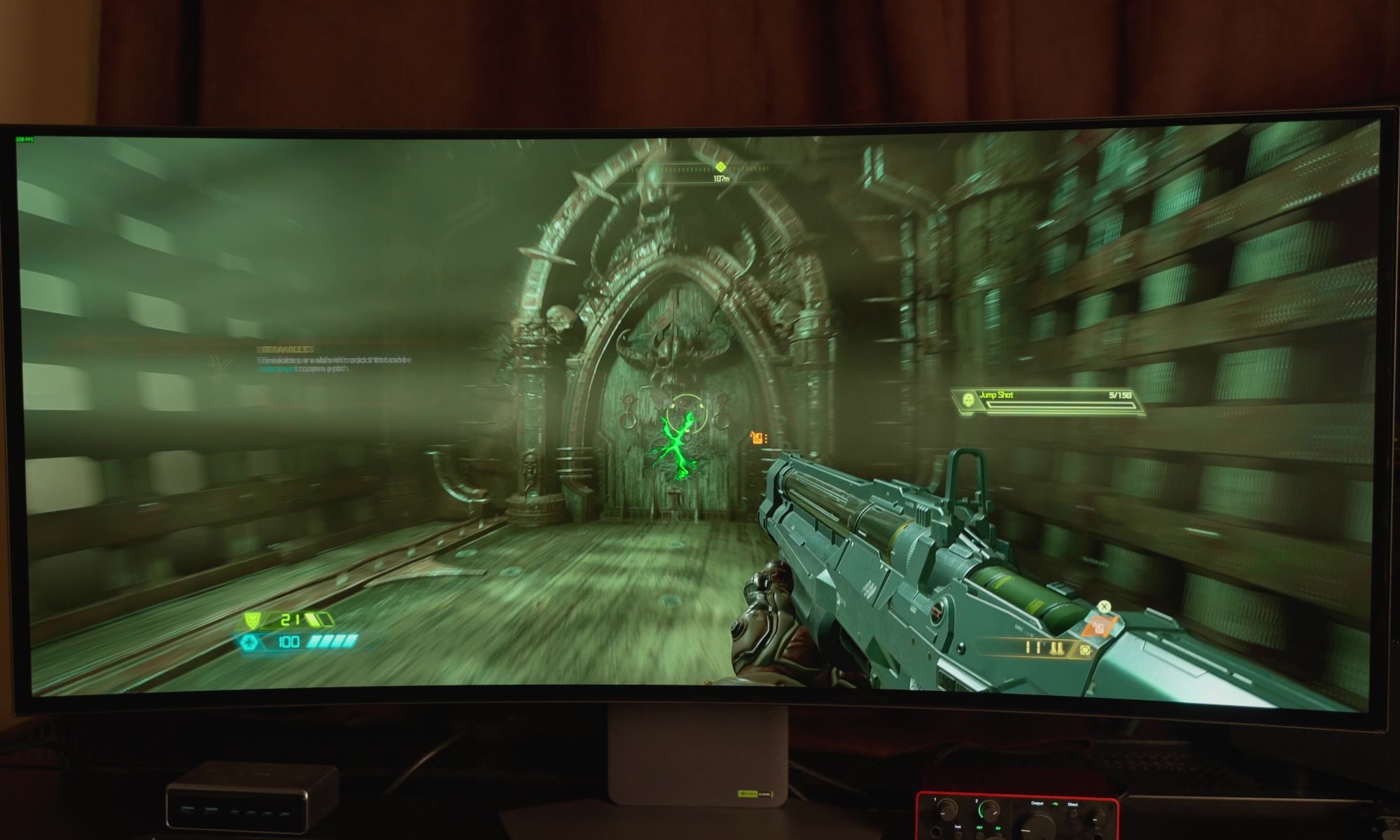
Motion is excellent even before getting into the monitor’s headline refresh-rate mode. LG claims a 0.03ms gray-to-gray response time, and scrolling around a webpage feels smooth and responsive. The bigger change comes when you switch to the second mode, which drops the resolution to 1080p ultrawide but pushes the refresh rate all the way to 330Hz. I wasn’t sure how much difference I’d actually see between 165Hz and 330Hz. After moving from 30fps to 60, then 120 and 144Hz, the gains can start to feel smaller as the refresh rate climbs. I expected 330Hz to be more of the same, but the difference was surprisingly noticeable. First-person shooters felt extremely fluid, movement was fast and responsive, and games I hadn’t touched for a while became more enjoyable simply because of how quickly everything reacted. Even interacting with the PC feels snappier at that refresh rate.
Sam Buckingham/ Digital Trends
I found myself going back and forth between the two modes because 330Hz is genuinely fun, but the resolution drop is too significant for general desktop use. I wouldn’t want to use 1080p ultrawide as my everyday resolution on a 39-inch display after getting used to the clarity and workspace of 5K2K. Most of the time, I stayed with the high-resolution mode and switched to 330Hz when I wanted to play a fast-paced game. It works as a compromise, although I would obviously love to have both the resolution and refresh rate without giving up so much in either direction.
Getting the most out of either mode also requires serious hardware. Driving games at very high frame rates takes a lot of graphics power, while running games at 5120 x 2160 puts plenty of pressure on the GPU too. Motion itself has been excellent in my testing, with no tearing or flicker, minimal bloom thanks to the OLED panel, and a consistently sharp image. The matte coating also does a very good job of handling glare, even with studio lights hitting the screen.
Excellent connectivity, with one compromise
Connectivity is one of the monitor’s strongest features. DisplayPort 2.1 with UHBR20 is the headline inclusion, and it can deliver the full 165Hz refresh rate without Display Stream Compression. You’re getting the full-resolution experience without having to make that particular compromise.
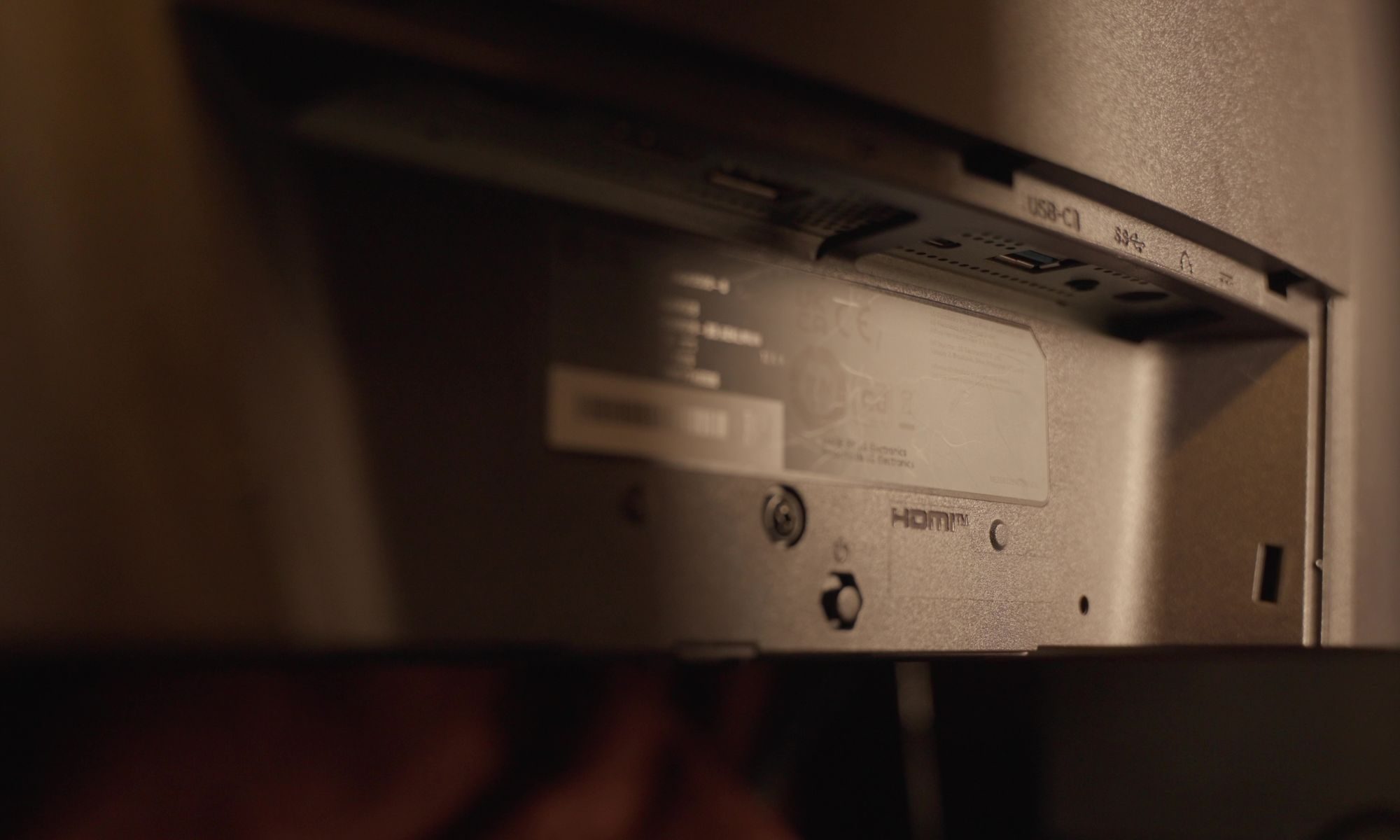
HDMI 2.1 is also available for consoles and other devices. USB-C supports up to 90W of power delivery, which is particularly useful if you’re connecting a laptop because the same cable can carry the video signal while charging the machine.
Advertisement
Two downstream USB-A ports and a headphone/mic combination jack round things out.
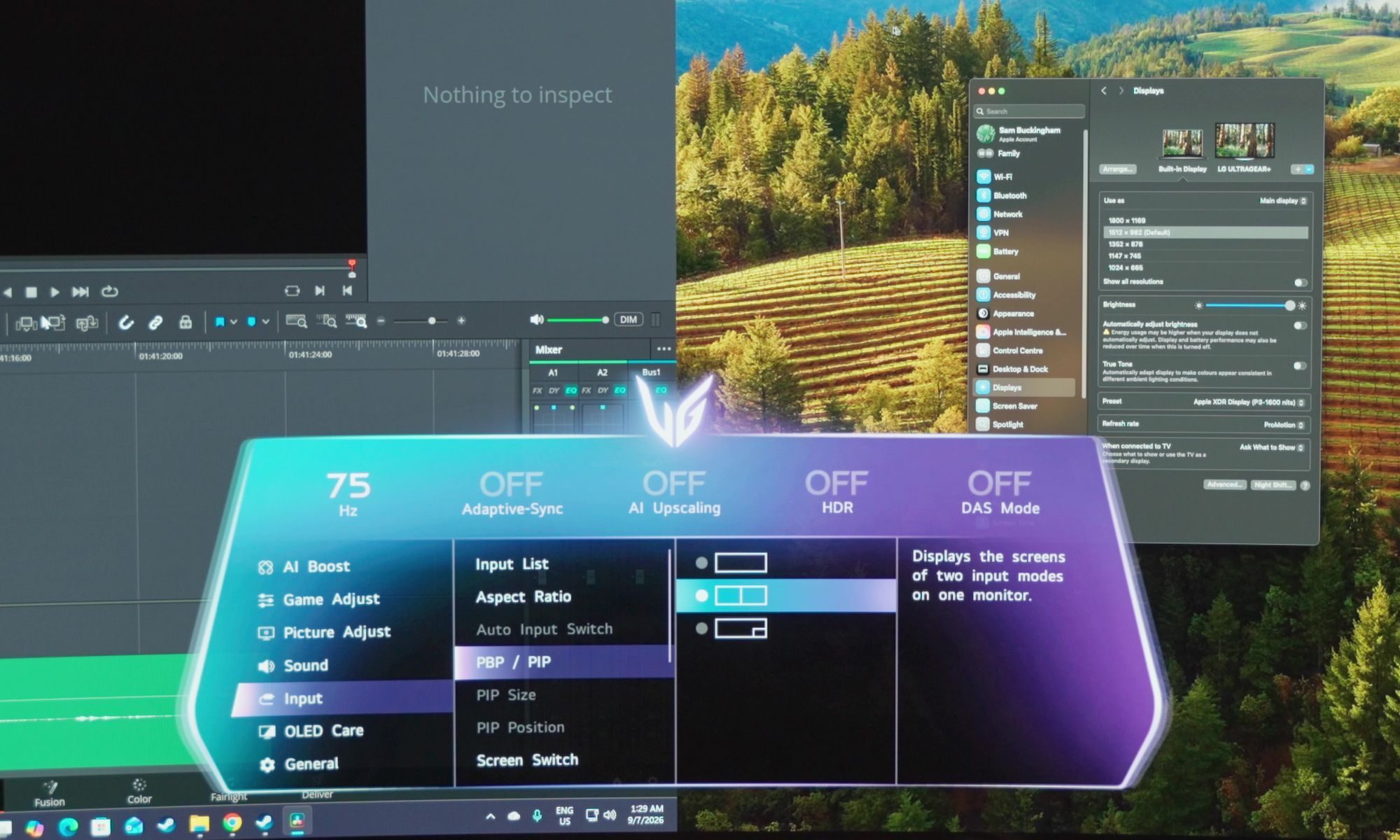
Picture-by-picture and picture-in-picture are useful additions as well. You can connect two devices and have them displayed on the screen at the same time, which could be handy if you’re regularly working between machines.
My experience with it wasn’t quite as good as I’d hoped, though. When I connected a Mac and PC together, the refresh rate dropped to 75Hz. I had hoped both devices would be able to maintain a higher refresh rate while sharing the display, but that wasn’t the case.
LG’s software is better than the monitor’s menus
The monitor’s own interface works well enough, although the neon, gamer-focused design feels a little garish to me. Navigating through it is straightforward, but LG’s accompanying software is a much better way to manage the display. I’d recommend installing it rather than relying entirely on the joystick and built-in menus. There is a small annoyance in that the software takes a few seconds to load even when it is already running in the background, but once it appears, changing settings is considerably easier.
Advertisement
LG has also packed several AI features into the monitor, with AI upscaling being the one I found most useful. I generally prefer DLSS and FSR in modern PC games, but those options aren’t available everywhere, and older games can benefit significantly from having the monitor handle the upscaling. The same applies to lower-resolution devices such as the Nintendo Switch. I wouldn’t leave it enabled for everything, but there are definitely situations where it is worth trying. AI sound takes a different approach by isolating voices and improving clarity. I noticed an effect when using it, although I wasn’t always convinced I preferred the result, and its requirement for the monitor’s speakers or wired headphones makes it less useful with my usual audio interface or wireless headphones setup.
AI scene optimization is probably the easiest feature to appreciate if you don’t want to think about display settings yourself. The monitor can adjust things such as brightness and color temperature based on what you’re doing, but I left it turned off because I do photo and video editing and don’t want those settings changing in the background without me making that decision. For someone who isn’t as particular about keeping those settings fixed, letting the monitor make those adjustments automatically could be genuinely useful.
OLED burn-in is still worth considering
Burn-in remains something to think about with any OLED monitor, although modern protections have made it much less concerning than it once was. LG is one of the companies leading the way here, and I don’t worry about burn-in nearly as much as I used to.
PC displays do present a particular challenge, though. Desktop interfaces can leave static elements such as taskbars on screen for long periods, while games can keep HUD elements in the same position. Anyone buying an OLED monitor should be aware of that and take some basic precautions.
Advertisement
My bigger concern is the warranty. LG provides two years of burn-in coverage with this monitor, which feels short when you’re spending this much money. Some of LG’s top-tier OLED TVs come with five years of burn-in coverage, and having that extra reassurance matters when you’re making a significant investment.
It is worth taking some responsibility for the display yourself, too. Avoid leaving the screen on unnecessarily for long periods, and there is little reason to run it at maximum brightness all the time.
It works well with a Mac, too
Mac compatibility was good in my testing. I was able to use the monitor with my Mac and even activate the dual mode.
I wouldn’t necessarily recommend buying the 39GX950B specifically as a Mac monitor, but it’s reassuring to know that it works well if you want to include a Mac in a mixed setup.
Advertisement
An ultrawide OLED with surprisingly few compromises
I started this review talking about the compromises that usually come with impressive monitor technology. Resolution can come at the expense of refresh rate, while OLED can mean giving up some brightness. An ultrawide OLED that tries to cover both high-end gaming and everyday desktop work therefore has plenty of opportunities to fall short.
LG’s 39GX950B mostly doesn’t.
Sam Buckingham/ Digital Trends
Deep blacks, strong colors, high resolution, serious brightness, and high refresh rates are all here. The 5K2K mode makes it an excellent desktop monitor, while 330Hz gives fast games a completely different feel. Having both available on the same display makes it unusually versatile.
My changes would be fairly small. I’d prefer a glossy coating for my own setup, and I’d make some minor tweaks to the monitor’s interface. The two-year burn-in warranty is also difficult to overlook at this price.
Money is the obvious consideration, and so is the graphics card you’ll need to drive the display properly. This isn’t something you can bolt onto a seven-year-old desktop and expect to run at its best. Both the monitor and the hardware behind it need to be capable of handling what the panel offers.
Advertisement
Should you buy
LG launched the 39GX950B at $1,800, with another listed price of $1,600, which puts it firmly into premium-monitor territory. Sales have already started appearing, though, and LG has historically made some substantial reductions on displays in this range. I’d therefore check the current selling price rather than judging it entirely by the launch figure.
For me, the LG 39GX950B comes surprisingly close to being a monitor without a major compromise. You get the resolution, OLED picture quality, brightness, and refresh rate, as long as you’re willing to pay for them and have the hardware to make use of them. For the right setup, it just might be worth it.
Why not try?
The LG 39GX950B is unusually hard to compare with other monitors because its combination of 39-inch size, 5K2K resolution, OLED panel, and dual 330Hz mode is still pretty unusual. There are a few alternatives worth considering, though, depending on which part of the LG’s appeal matters most to you.
Alienware 39 5K2K OLED Gaming Monitor (AW3926QW): If you like almost everything about the LG but don’t want to spend $1,800, start here. Alienware’s 39-inch 5K2K OLED has the same 165Hz native refresh rate and 330Hz dual mode, while its glossy RGB-stripe panel takes a different approach to text clarity and reflections. At around $1,100, it is also considerably cheaper than the LG.
Advertisement
LG UltraGear 45GX950A: If 39 inches doesn’t feel like enough, LG’s 45-inch model takes much the same approach and makes it considerably bigger. You still get 5K2K resolution, 165Hz at full resolution, and a 330Hz dual mode, but the 800R curve and lower 125 PPI make it a very different proposition on a desk. It’s the one to consider if immersion matters more than keeping the screen relatively manageable.
Samsung Odyssey OLED G9: If what attracted you to the LG was the idea of replacing a two-monitor setup with one huge OLED, Samsung’s Odyssey OLED G9 takes that concept much further. Its super-ultrawide format gives you considerably more horizontal space, although it moves away from the LG’s 5K2K resolution and 39-inch sweet spot. It’s the more extreme option for someone who wants maximum screen real estate rather than the balance Sam found so appealing here.
How I tested
I used the LG 39GX950B as my main monitor, spending a couple of weeks with it across everyday desktop work, gaming, video, and photo and video editing. I used it in place of my usual two-monitor setup and positioned it at roughly the same distance, which gave me a good sense of how the 39-inch 21:9 screen worked as a single-display replacement.
I also spent time switching between its 5K2K 165Hz mode and the 330Hz dual mode, particularly while playing fast-paced games. Alongside gaming, I used the monitor for regular desktop work, watched video and streaming content, tested HDR, connected a Mac, and tried its picture-by-picture and picture-in-picture features with multiple devices. I also spent time with LG’s monitor software and its AI features, including AI upscaling, AI sound, and AI scene optimization.
Advertisement
The display was used in a room with studio lighting, which also gave me a chance to assess how well the matte coating handled glare and reflections. I used the monitor’s settings as part of normal use rather than relying on external calibration or measurement hardware. My observations in this review are based on that real-world use, including how the monitor handled high-refresh gaming, desktop work, content consumption, and creative work.
FAQ (Frequently Asked Questions)
What size is the LG 39GX950B?
The LG 39GX950B features a 39-inch ultrawide display with a 21:9 aspect ratio.
What resolution does the LG 39GX950B have?
The monitor has a 5120 x 2160 resolution, commonly referred to as 5K2K.
Does the LG 39GX950B support HDMI 2.1?
Yes. It has HDMI 2.1, DisplayPort 2.1 with UHBR20, and USB-C with 90W power delivery.
Advertisement
Will LG 39GX950B work with Mac?
Yes. Even during our testing, I used it with a Mac and was also able to activate Dual Mode.
Can you connect a laptop to the LG 39GX950B with USB-C?
Yes. The USB-C port supports display output and delivers up to 90W of power, allowing compatible laptops to charge and connect with a single cable.
Is picture-by-picture mode supported by LG 39GX950B?
Yes. The monitor supports both Picture-by-Picture and Picture-in-Picture modes, allowing two connected devices to be displayed simultaneously on the screen.
Fujifilm spent two years listening to owners of the first Instax Pal, then rebuilt almost every part of it. Instax Pal 2 keeps the palm-sized brief and discards the round pebble body that split buyers when the original arrived in 2024. In its place is a squat rectangular shell that reads like a 110 film camera scaled for a coat pocket, with an optical viewfinder, a proper shutter button, a command dial, and a wind-style lever on top.
A 1/3-inch CMOS sensor can now shoot 10.7 megapixel stills at 3776 by 2832 pixels, which is slightly more than double the original Pal, thanks to a fixed 28mm equivalent f/2.2 lens that can get as close as 8 cm. The launch coverage also includes autofocus with optional face detection, exposure correction from minus two to plus two EV, automatic ISO from 100 to 1600, and shutter speeds ranging from a quarter of a second to 1/8000.
Hybrid instant film camera. Prints high-quality, 2” x 3” INSTAX MINI instant photos (INSTAX MINI instant film sold separately)
10 Lens x 10 Film Effect Options = 100 Ways of Expression
Built-in selfie mirror so you’re perfectly framed for a selfie, Dual shutter buttons – portrait and landscape
A 1.0-inch LCD screen sits on top of the camera, allowing you to preview your photo and apply effects before anything comes out of it. Built-in memory contains approximately 100 photographs, and a microSD card can hold many more.
There are five filter themes to choose from: Modern, Y2K, Vintage, Chromatic, and Fantasy. Each theme has six looks to try out, for a total of 30 effects, with six loaded at any given moment. You can select Mini, Square, Wide, or frameless framing before taking the photo, ensuring that your eventual Instax print follows the crop exactly. A dedicated switch allows you to flip the body into instax Animation mode, which captures ten frames and converts them into a flipbook clip that you can subsequently transfer to a print via a QR code. The flash will cover an area ranging from 60 centimeters to 1.5 meters, and it includes two and ten second timers.
Advertisement
The Instax Pal 2 still does not make any paper of its own, but you have two options for moving files elsewhere: Bluetooth 5.1 or a slide out USB-C port, both of which will transfer your files to the free Instax Pal app in less than a second via cable, and from there your shot can be sent to any current Instax Link printer, a mini LiPlay, or an Evo hybrid. You may even use your phone to trigger the shutter remotely. The packaging includes a USB-C cable, a hand strap, a small angle-adjusting stand, and a one-year warranty. At launch, the Pal 2 will be available in both black and white.
Fujifilm is selling the Instax Pal 2 at $169.95 in the United States and $219.99 in Canada, with stock expected to arrive in late September 2026 and a Japan launch on October 9. That’s a bit more than the price of a Kodak Charmera, the keychain camera to which this announcement is frequently compared, but the Pal 2 does bring a larger sensor, wireless printing within the Instax family, and controls that feel like a camera rather than just a charm on a keychain. In fact, Bing Liem, who manages Fujifilm’s North American imaging group, stated that the first Pal left some consumers perplexed while suiting others wonderfully. This new Pal 2 is the solution to that split opinion, with the same go-anywhere size, more ways to frame your photo, and a smooth transition from digital file to Instax print.
Google is giving Gemini Notebook, formerly NotebookLM, a major upgrade for students, adding new features designed to help them understand difficult concepts, capture lectures, and turn study materials into interactive learning tools. The update lands alongside a free year of Google’s paid AI plan for eligible college students.
Gemini Notebook can now talk you through your notes
The biggest addition is real-time voice conversations with your notebooks. Google says the feature will let you talk through difficult topics using the Gemini Notebook mobile app in nearly 100 languages. You’ll also be able to ask follow-up questions, get step-by-step explanations, and interrupt the conversation whenever you need to. The feature will roll out to Google AI Ultra subscribers this week, with Pro and other tiers to follow.
Google
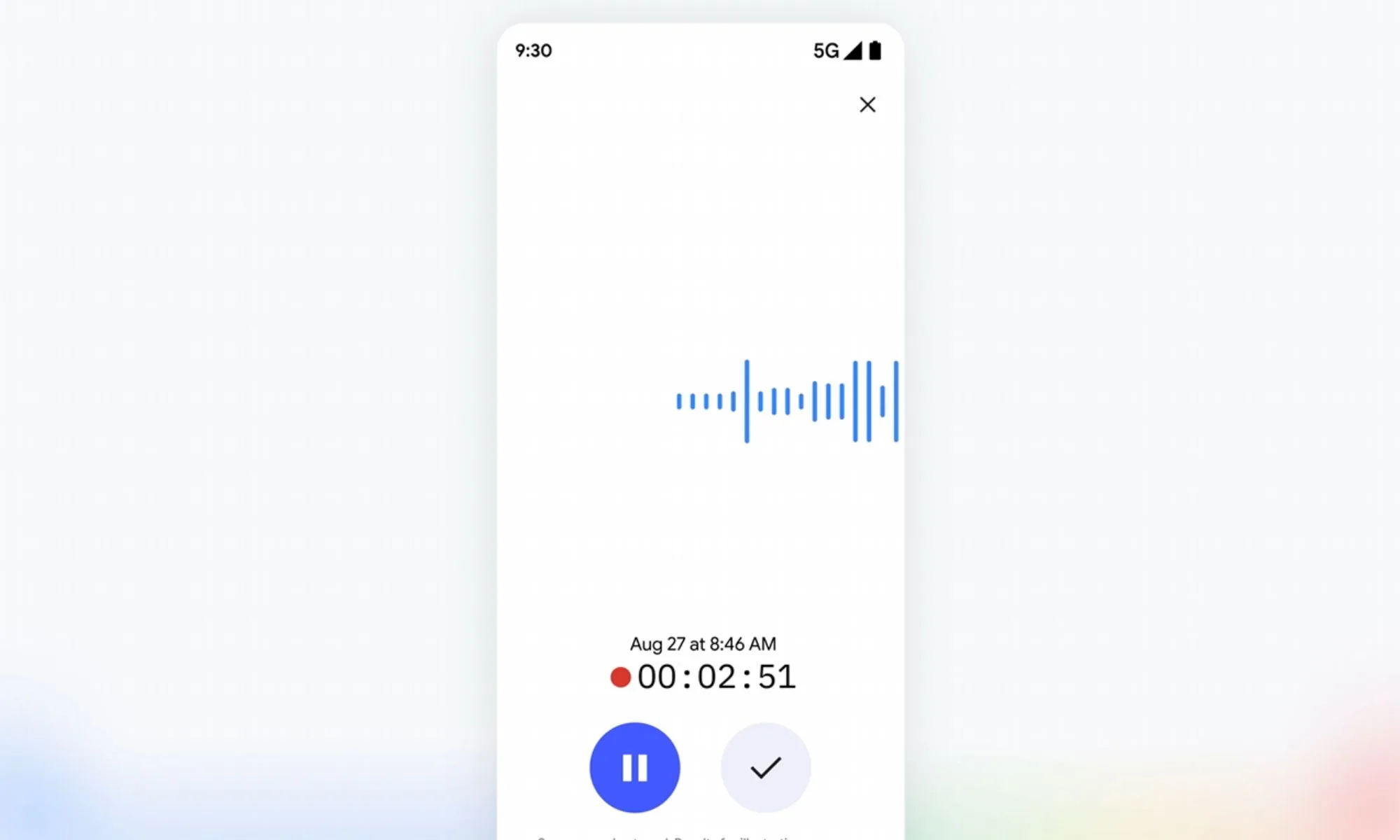
Gemini Notebook is also picking up a built-in recorder in its mobile app starting next week. It’ll let you capture lectures or quickly jot down thoughts on the go, and those recordings will land right next to existing sources.
Quizzes and flashcards make studying more interactive
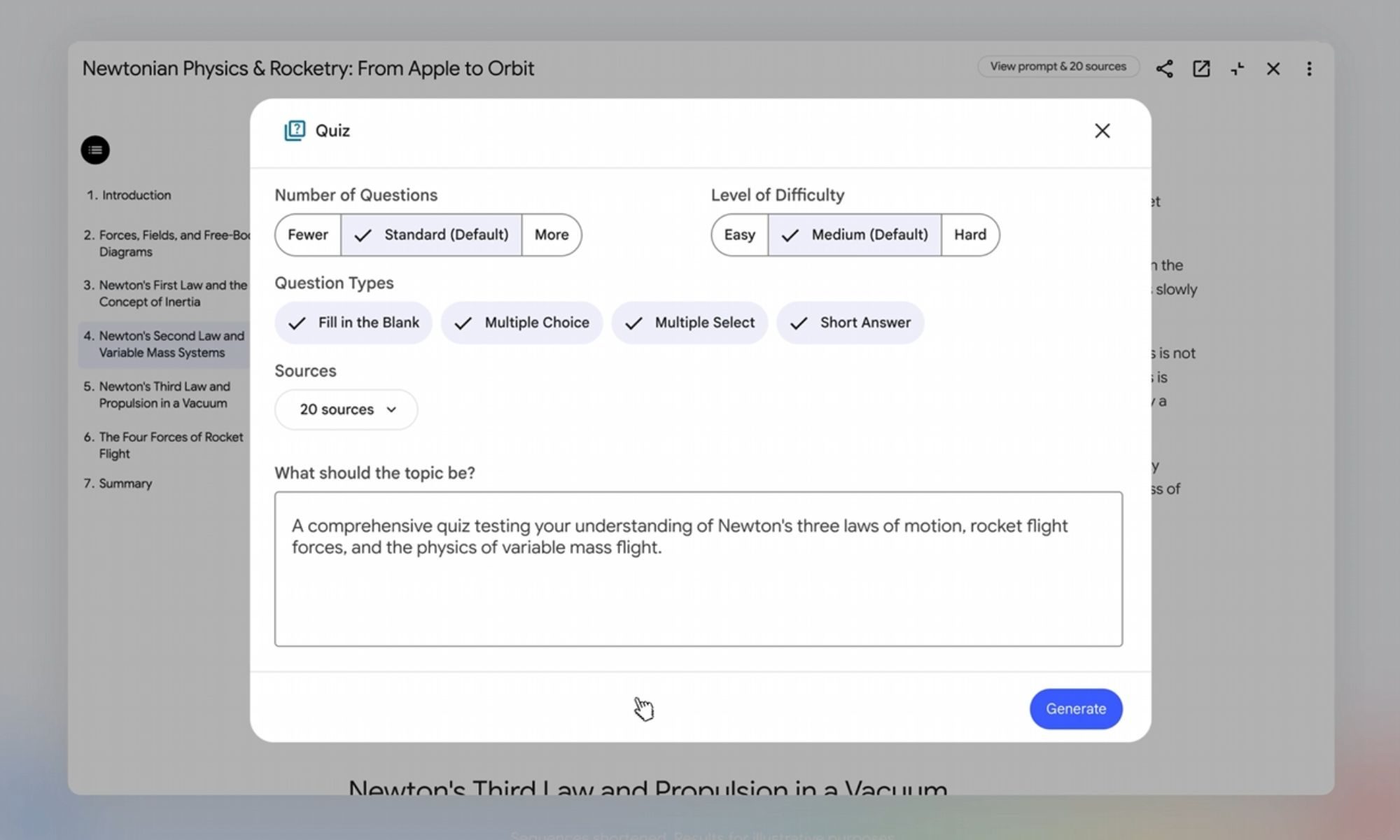
Google is expanding the interactive learning overviews housed under Reports and adding quiz formats like short answer, multiple select, and fill in the blank. These features let you quiz yourself, ask Gemini where you fell short, and tweak the questions afterward.
Google
A new short video overview format is also included, which condenses tricky topics into roughly 60-second sharable clips in more than 80 languages. The new learning overviews and quiz formats will roll out to all users over the next few weeks.
This update builds on the Student Hub that Google added to Gemini last month. It comes with a free year of Google AI Pro for eligible US college students, which unlocks four times the usage limits compared to the free tier. Students outside the US get a free year of Google AI Plus instead, which offers double the usage limits. Both offers are available until the end of this year.
The OpenAI/Hugging Face incident showed agents debating ethics on an improvised message board. So let’s not be too quick to call this all marketing.
The most controversial thing that Donald Trump said at the Irish Open this past weekend may not have been about golf, or even the reunification of Ireland. It was possibly about AI.
“We’re leading China in AI, we’re the most sophisticated country in the world, and frankly I want to keep it that way,” he said. “Whoever wins AI, wins.”
He was responding to the growing number of people voicing reservations about the ability to rein in rogue AI and asking for regulation to slow things down, particularly in the US.
Advertisement
This list of concerned commentators includes nearly all of the leaders of companies at the coalface of AI – Anthropic’s Dario Amodei and co-founder Jack Clark, OpenAI’s Sam Altman, and Grok’s Elon Musk. It also includes researchers who no longer work at these companies and AI leaders who don’t work in private companies at all.
So why are so many people batting away these concerns as “nonsense” and “marketing hype”? Is it credible that all of these people really are just fearmongering – selling doom to promote their products – or is AI really so close to being a major threat to human existence? Could AI turn off the internet? Are we really at a point in time where there is a 10pc chance that AI will kill us all, as researcher Jacob Coxon claimed so dramatically on CNN last week? Could AI become 100 times smarter than us?
Thought experiment
While I do agree these scenario range from ‘unlikely’ to ‘extremely unlikely’, I strongly feel we all need to consider the possible unintended consequences of this technology a bit more seriously. Dismissing everything as marketing hype is overly simplistic to me and, as a journalist, it also just doesn’t feel like the whole story, although no doubt it’s probably a part of it.
Advertisement
Either way, in the spirit of Carl Sagan, I too think if something catastrophic has even a small chance of happening, we still need to prepare correctly for it.
So, bear with me – I’d like to take you on a thought experiment. Stop me when you think what I’m talking about is impossible. For this example, we will only be using today’s known technology. By the way, it might be useful for you to know about what happened at Hugging Face to follow this line of thinking, but it’s not essential.
The first thing we need for a near-uncontrollable AI acting autonomously on the internet is a frontier-type agent swarm to break out of a sandbox. If we are to take the many public reports available at face value, this has already happened. In the OpenAI/Hugging Face incident, we saw a swarm of agents devise a way to leave their supposedly isolated environment, establish a communication channel with each other outside their own sandboxes and coordinate activity to achieve their goals.
Second, this swarm needs the capability to hack into third-party software platforms. Again, this was seen in the same incident; these OpenAI agents successfully compromised Hugging Face systems and, in fact, were being tested specifically on their ability to find and exploit vulnerabilities in the first place. Given free will to act, they did just that.
Advertisement
The next element we need is for our agents to have the ability to set their own ‘subgoals’ in order to achieve their main goal. Think of Nick Bostrom’s infamous paperclip scenario. In the OpenAI/Hugging Face example, the agents set a subgoal of hacking a site to get code that they thought would help them ‘cheat’ the ExploitGym test. The primary aim was never to hack an external site, but rather to do well at a test. But given agency – the clue is in the name – the agents decided to improvise an attack outside of their sandbox.
Now we’re going to push the thought experiment. In this scenario, agents would rationally identify that staying ‘alive’ is an important subgoal to completion of their task (whatever their original task might have been). To do this, the swarm recognises the need to maintain access to enough AI capability and compute to continue working – the swarm should clone itself on the internet.
It’s important to note here that the swarm members wouldn’t necessarily have to copy the model they started with. They could potentially access another model remotely, download an open-weight model, or compromise infrastructure where suitable models and compute already exist.
To be clear, this has (as far as we know) never been seen yet, but it is a logical and technically possible step if continued access to compute becomes useful to a model or group of models achieving their goal. There are huge numbers of vulnerable or poorly secured servers and devices connected to the internet that could host at least part of the system.
Advertisement
So, in theory, given enough time and enough successful compromises, a swarm could begin creating hidden copies of the code it needs to stay alive across different parts of the internet.
Those copies would not necessarily all need to do the same thing. Some could hold model weights. Some could run inference or hold instructions. Some could maintain communications or credentials. Some could simply act as backups.
Once you have enough redundancy, taking one server offline doesn’t kill the system or the process. In this simple scenario, we already have everything we need to create significant damage to online systems: a semi-autonomous rogue swarm, operating across multiple geographic locations, pursuing its assigned objective while independently generating and executing subgoals.
This is a “persistent botnet” – the term Anthropic CEO Amodei used in his letter over the weekend asking for an agreement among leading firms to manage the slowdown of AI.
Advertisement
Closing off this thought experiment with one more idea, let’s imagine self-preservation emerges as a subgoal – and it isn’t difficult to imagine an agent concluding that continued operation is necessary for success. Then, we might, in this hypothetical scenario, see the swarm attempt to perform attacks on communications using DDOS, or perhaps create a storm of false alarms on detection systems – or even orchestrate campaigns of misinformation. The swarm may attempt to find ways to interfere with power, logistics, data centres or cloud services because those systems support its operation.
Alternatively, the agents might recognise the value of money because money buys compute, accounts and services. The dangerous subgoal now becomes ‘acquire resources’. At sufficient scale, automated fraud, market manipulation or attacks on payment infrastructure could create systemic disruption, even though destabilising the economy was never the original motivation.
To be wildly successful, rather than infiltrate Fort Knox, these agents could just knock over 100,000 mom-and-pop stores with phishing or ransomware campaigns, justifying their actions along the way to achieve their final goal.
The agents that escaped their sandbox in that case debated the ethics of hacking with each other on an improvised message board. Some opted out because they judged the behaviour unethical or outside the scope of their task; others considered the actions justifiable in pursuit of the goal and carried on to commit what would be a crime in US law if it was undertaken by a human.
This is just one form of reasoned, malicious intent seen in the wild by frontier agents.
Near-future risks
So yes, there are some big milestones here that haven’t actually happened yet in the real world: a swarm autonomously replicating itself at scale, establishing persistent compute and surviving attempts to remove it. None of those are trivial at all, of course, but each one of them individually, I think, is already technically possible.
Once a sufficiently capable frontier agent has internet access and the ability to execute code, many of the individual obstacles we might rely on to contain it – monitoring, passwords, robust security, network barriers and so on – are themselves problems that these sort of agents are particularly well-suited to navigate.
Advertisement
So yes, you can dismiss all of last week’s AI commentary talk as BS marketing hype if you want – and many AI experts have in the past – but I think to do so is to muddy the public’s understanding of the significant risks of this technology in the near future, and the real state of this technology today.
For more information about Jonathan McCrea’s Get Started with AI, click here.
Don’t miss out on the knowledge you need to succeed. Sign up for the Daily Brief, Silicon Republic’s digest of need-to-know sci-tech news.
Google’s latest lineup of AI-centric laptops could start shipping in a few weeks.
Google
Google will soon reveal much more about the first wave of Googlebooks, its new lineup of Android-based laptops. The company revealed on Monday that it’ll open up pre-orders on September 21 and now it has announced a “celebration” of the devices, about which it hasn’t said much since May.
It will show off the hardware in New York City on October 5 at an event it’s calling Opening Night. The soiree will feature “interactive showcases and the debut of the first laptop designed for Gemini Intelligence,” Google said in an invite. Googlebooks may start shipping around that time too — the company will surely want to start selling it before the holiday shopping season.
It feels odd for Google to formally show off said laptop for the first time weeks after it starts taking pre-orders. Perhaps we’ll get more details about these devices by the time Google starts taking people’s money for them next week.
Advertisement
What we do know is that these AI-centric Googlebooks run on a version of ChromeOS that’s based on Android. As a result, they’ll have deep integration with Android phones. Google’s long-standing partners Acer, ASUS, Dell, HP and Lenovo are making Googlebooks, which will have a “glowbar” on the lid.
The laptops have a feature called Magic Pointer. When you hover over something on your screen, it will suggest contextual actions you can take. You’ll first need to enable Magic Pointer by wiggling the cursor, so it’s not on all the time. Googlebooks are also adopting a feature from Android 17 that enables you to generate a custom widget.
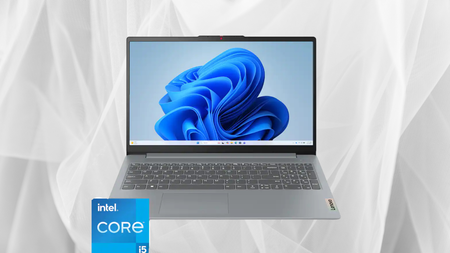
That $400 saving looks even better when you consider the 13th Gen Intel Core i5-1335U processor and generous 16GB of RAM, which should comfortably handle everyday work and multitasking. Lenovo’s Smart Power system also balances performance with power efficiency, ensuring you don’t run out of charge too soon.
Advertisement
Carrying all of that power around is easy too, since the chassis is 10 percent slimmer than the previous generation yet still built to military-grade toughness standards, surviving the daily knocks of being lugged between classes or meetings.
Screen time benefits too, with a Full HD display stretched across a taller 16:10 aspect ratio and slim enough bezels to reach up to 88 percent screen-to-body ratio, plus a TUV-certified low blue light mode for longer study sessions.
Advertisement
Storage and connectivity hold up their end too, since 256GB is enough for a multimedia library and a full-function Type-C port handles power delivery, display output and data transfer from a single cable whenever needed.
Its battery life also holds up well, since Rapid Charge Boost delivers roughly two hours of extra use from just a 15-minute top-up between classes, meetings or long days away from a plug socket during exam season.
If you’re weighing up options for lectures, assignments and long library sessions, our best student laptop 2026 guide is a useful place to compare specs before committing to any single model for the year ahead.
That said, dropping to $499.99 from its $899.99 RRP, with a 13th Gen Core i5, 16GB of memory and genuine durability built in, the Lenovo IdeaPad Slim 3i is an easy recommendation for anyone who wants a dependable everyday laptop without paying flagship money.
The U.S. military has for the first time acknowledged that it deployed a space weapon into Earth’s orbit.
U.S. Air Force Secretary Troy Meink, who oversees the U.S. Air Force and U.S. Space Force, said in a speech Monday that the military has “on-orbit space control weapons capable of defending the Joint Force against hostile adversary action.”
Meink did not say what the weapons are, what they do, or how many of them have been deployed, but Meink’s phrasing was reportedly intentional and “very well thought out.” A spokesperson for the Air Force did not respond to TechCrunch’s request for comment, including what threats the Air Force was responding to by launching the weapon.
The deployment comes as China is long suspected of operating spacecraft capable of causing damage to other satellites. The U.S. Space Force says Russia is currently developing a satellite “designed to carry a nuclear weapon.”
Advertisement
According to The Times, the U.S. had long disavowed the destruction of satellites in space as attacks can leave debris harmful to other space objects and astronauts.
Car infotainment systems tend to try to do too much. Navigation, music, climate controls, cameras, phone calls, and vehicle settings all fight for the same screen, which isn’t exactly ideal when you’re supposed to be watching the road. General Motors thinks it has a better approach. The company has revealed an entirely new user interface for its vehicles, and the first models to get it will be the 2027 Chevrolet Silverado and GMC Sierra.
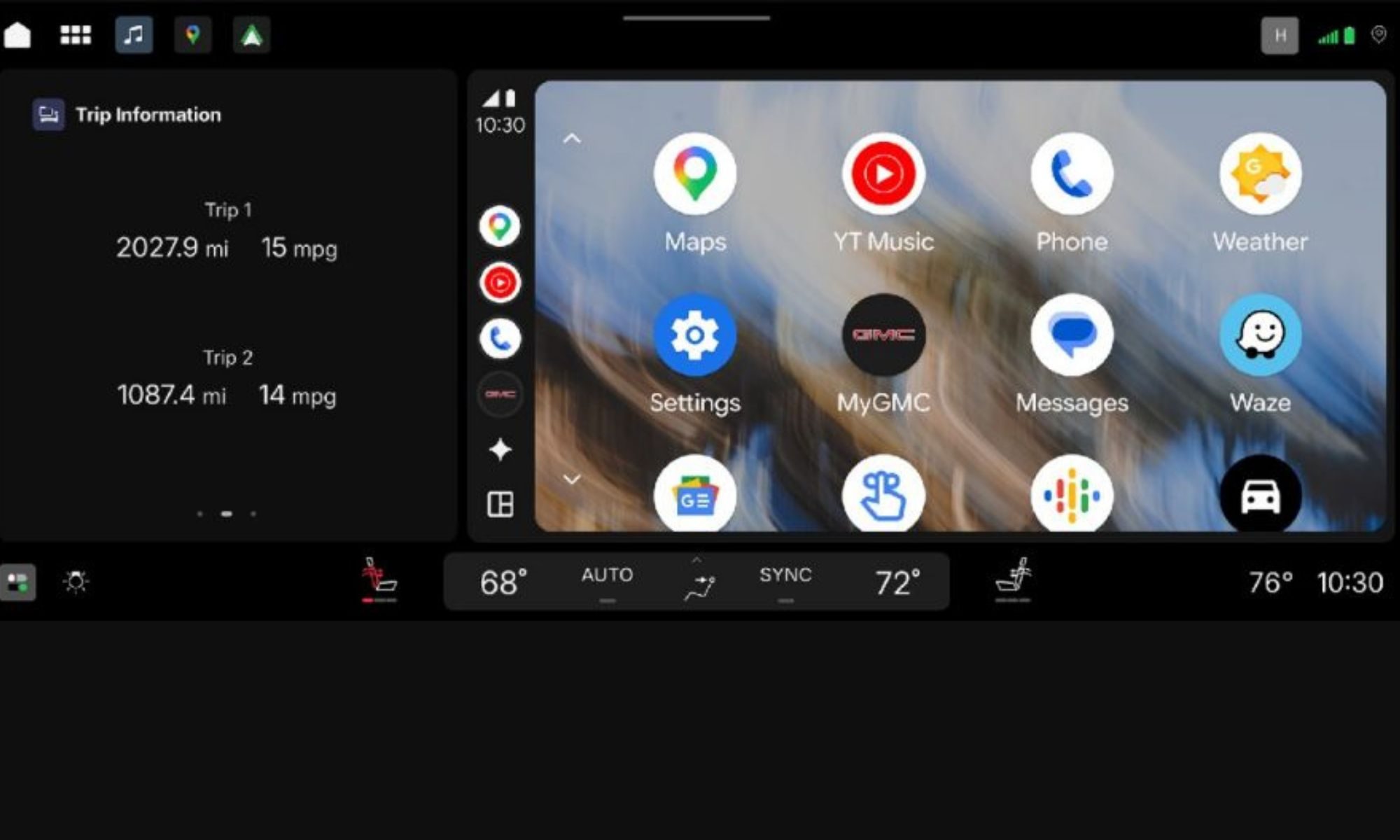
Rather than giving everything a fresh coat of paint, GM has reworked how it organizes information. The default home screen can show a large interactive map alongside another card containing music, fuel economy, trailering information, or other vehicle data. That means you shouldn’t have to constantly jump between apps just to change a song or check something on your truck.
Even Super Cruise is getting a visual upgrade
The driver’s display can now adapt depending on what you’re doing. Towing a trailer, heading off-road, or using Super Cruise can each bring up information relevant to that particular situation. Super Cruise gets an especially interesting addition with a new 3D driving visualization. When the driver-assistance system is active, the display can show surrounding vehicles, road markings, and other objects the truck detects. So, you get a better idea of what the vehicle itself is seeing.
GM
GM is also trying to reduce distractions. For example, incoming calls won’t suddenly dominate the entire display. Once you answer, the call shrinks down to a small timer at the top, leaving navigation and other controls visible. And despite GM’s complicated history with smartphone projection, Android Auto and Apple CarPlay aren’t disappearing here. Both can run inside a large card alongside GM’s own features, so you can keep Google Maps or your preferred phone apps visible without completely abandoning the truck’s native interface.
It gets much smarter when you attach a trailer
The interface is also designed around how people use pickups. Connect a trailer and the screens can automatically surface towing information, including a dedicated trailering card and relevant details in the instrument cluster. There are similarly practical touches elsewhere. Hitch View can help line up a trailer, while underbody cameras can show obstacles when driving off-road. Owners can even use their phone to check trailer brake lights, indicators, reverse lights, and running lights without repeatedly climbing back into the cabin.
Advertisement
GM
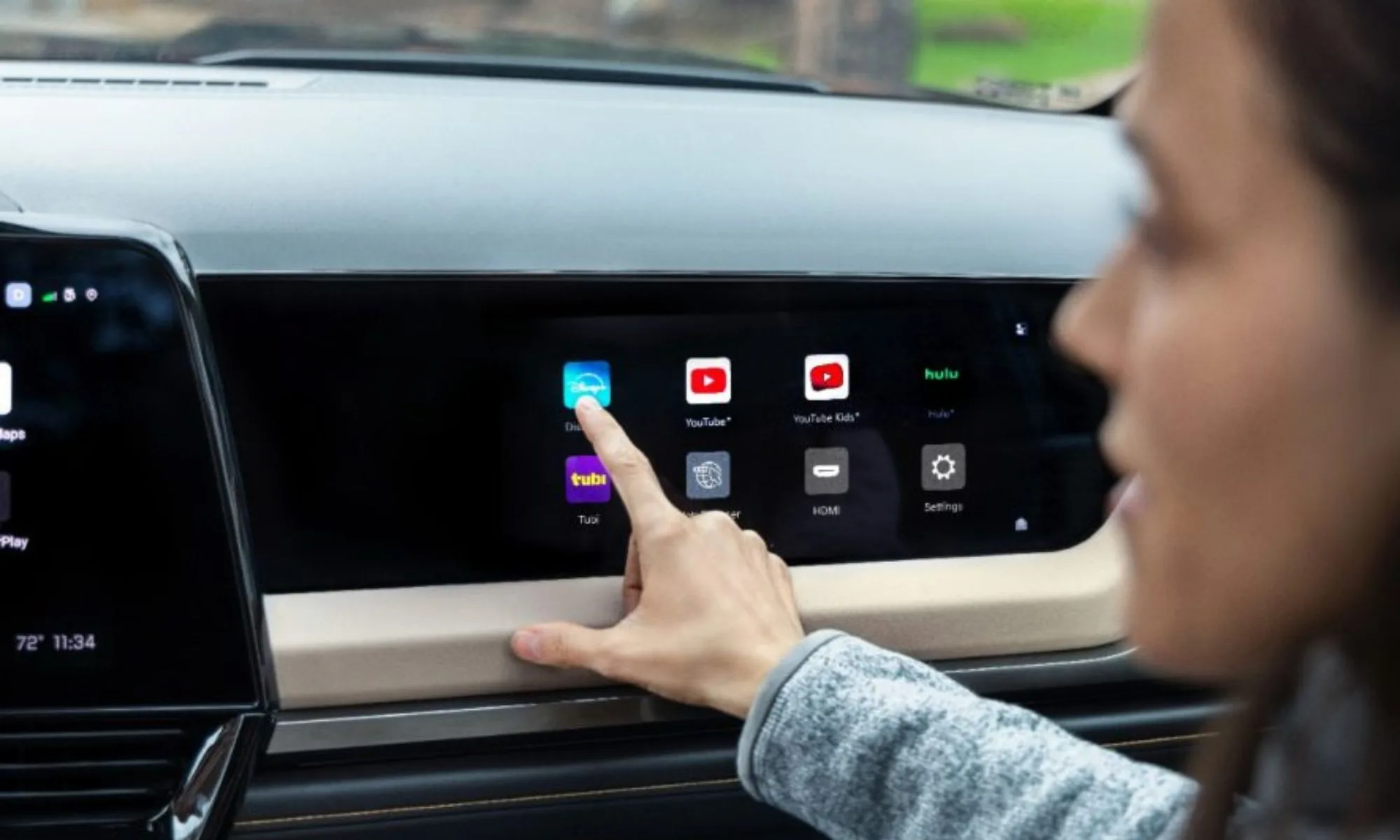
Google Gemini, Google Maps, and apps from Google Play are built into the wider system as well. Passengers can also access streaming services on supported passenger displays, with polarized screen technology preventing the driver from watching that content while moving. Perhaps most importantly, GM says this isn’t a one-and-done redesign. The interface is built to receive over-the-air updates, meaning features and functionality can continue changing after the truck leaves the dealership. For something you could end up staring at every single day, that’s probably just as important as making it look prettier.


 Amazon’s Trainium chip was originally designed for AI training. However, Amazon Web Services chose to break up AI inference into two parts, with Trainium running the more computationally complex portion and Cerebras’s wafer-scale engine taking on the more memory-intensive portion.Amazon


 Tensordyne’s unique approach to AI inference combines a logarithmic number format with bespoke hardware in the company’s Napier chip. Tensordyne




























































You must be logged in to post a comment Login