Tech
Insta360 Pro Mic review: specs, performance, cost

The smiley face on this microphone is actually an e-ink screen that you can change.
The Insta360 Mic Pro is not the smallest wireless mic you can get, but it might be the best for sound quality and certainly for build quality.
Your first impression of the Insta360 Mic Pro may be wrong. The two microphones in the set I reviewed come with what look like bright yellow labels, one of which is a smiley emoji, and you have to think you’d never wear this on camera.
But while it’s true that microphones should be unobtrusive, this one actually is. That’s because the yellow labels are not labels at all; they are e-ink displays that can be changed to anything.
So you can very easily replace them with, say, a company or show’s logo, and that new image will stay there until you change it again. I’ve just replaced both with a totally blank, black image so that the e-ink display blends in more with the rest of the microphone.
I’m okay to do this, though, because I tend to use a wireless mic on my own. When I next interview someone, it might be more useful to give their mic a different image to distinguish it.
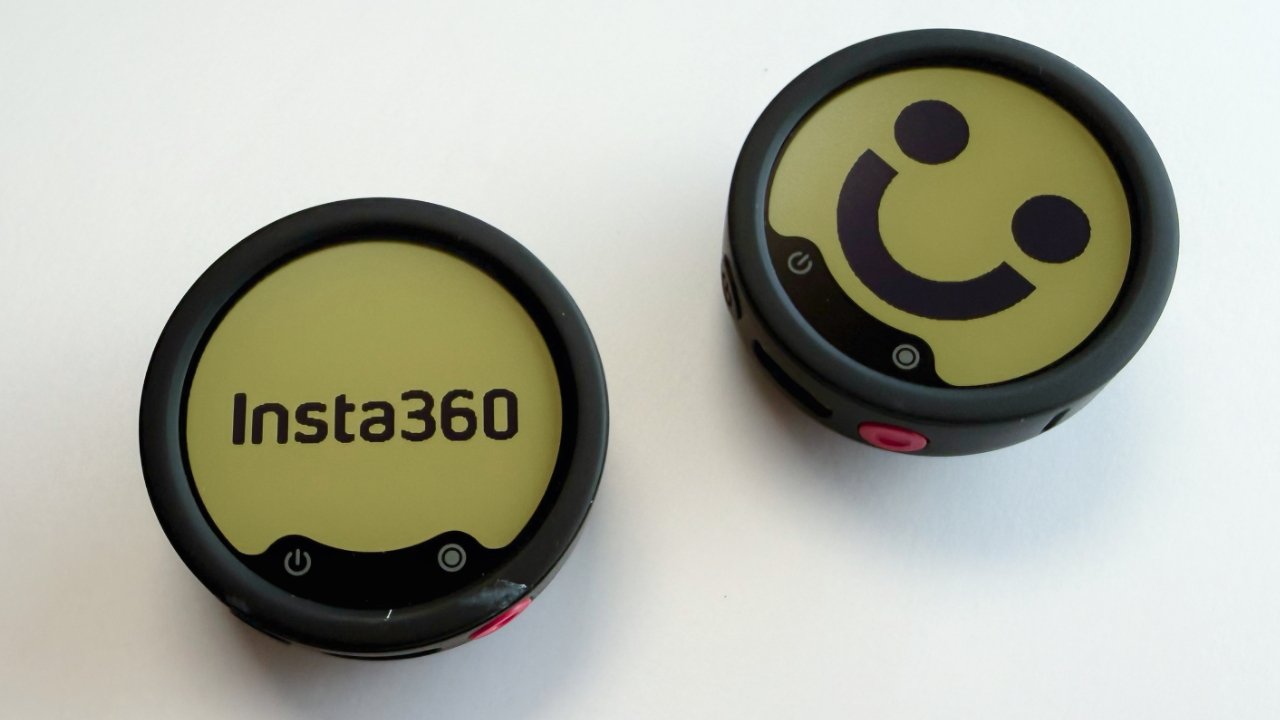
They look like irritating stickers, but they’re actually superb color e-ink displays you can change at will.
Not that I’d admit this to anyone but you, but I am a little tempted to go find a photo of a “Star Trek” combadge to put on there.
Insta360 Mic Pro review – what you get
Insta360 Mic Pro is from the makers of Insta360 cameras, and the software reportedly makes it particularly easy to set it up for those. I tested it entirely with an iPhone, however, and actually it’s hard to imagine the setup being any easier.
Except if you do have an Insta360 X5, X4 Air, Insta360 Pro 2, or an Insta GO Ultra, the microphones will connect to them directly. For everything else, such as an iPhone, you need a receiver, which comes in the set.
The set also comes in various versions, depending on the number of microphones and receivers you choose. Insta calls microphones transmitters, and it is possible to buy one on its own, either as a replacement or as an addition.
The Insta360 Mic Pro can pair with up to four receivers, which means you could plug a receiver into four cameras and have them all recording equally good audio. Additionally, each receiver can pair with up to four microphones, allowing it to capture four interviewees on separate audio tracks.
Normally, you would get either a set with a receiver and several microphones. There is a set that has one microphone and one receiver, but I tested the edition with two microphones. In that set you get:
- 2 x Insta360 Pro microphone transmitters
- 1 x Insta360 Pro receiver
- 2 x clips for the microphones
- 2 x magnetic backplates
- 1 x charging case
- 1 x iPhone adapter
- 1 x dead cat wind shield
- 1 x carrying pouch
- 1 x USB-C to USB-C charging cable
It is all exceptionally well made. The charging case is just hard enough to open that you’ll never do it accidentally, for instance, and the receiver has a particularly fine little screen.
As shipped, the microphones come with the shirt or blouse clip attached, and the clips are so well connected that you do fear breaking something when you try to remove them. After you’ve removed it once, though, fitting and removing the clip feels straightforward.
It’s a little hard, however, slipping the microphones back into the case until you adjust the position of the clip. Alternatively, you can leave the clip off, and there is a separate slot for it within the case.
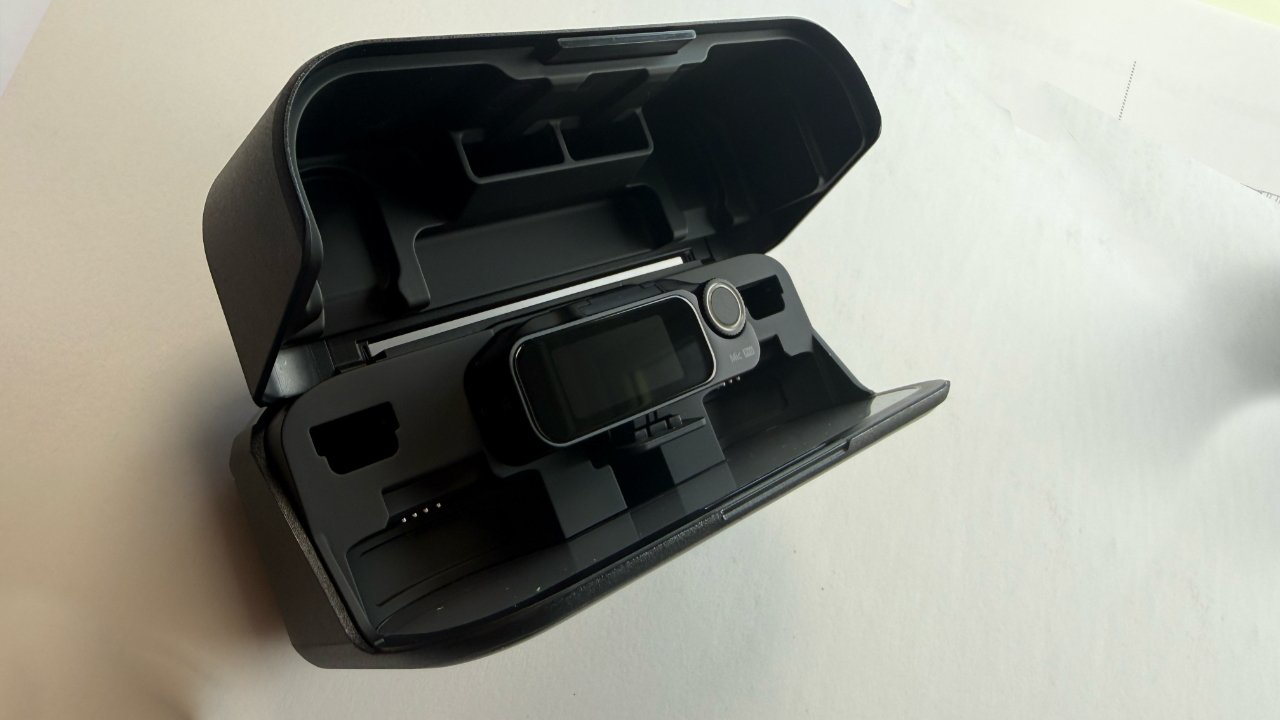
The charging case with only the receiver in it. Note the slots for the microphones, clips, and magnetic backplates.
Each of these elements comes individually wrapped in protective material so you can choose whether or not to load up your charging case with them.
That does include the iPhone adapter. This is a very small piece of plastic and metal that has USB-C at one end and a presumably proprietary connector at the other.
This connector slots into the base of the receiver, which initially comes with a blank plate. It all looks delicate, and you wouldn’t want to be constantly removing and perhaps losing the connector.
Except if you are solely or chiefly going to be using the Insta360 Mic Pro with an iPhone, you can fit this connector once and leave it. The receiver’s slot in the charging case has room for it.
Since this iPhone adaptor is USB-C, you can of course connect it to iPads and Macs. However, the shape of the receiver and its size are such that you can’t connect it, for instance, to the front USB-C ports on a Mac Studio without a dock.
Insta360 Mic Pro review – setting up for one and two users
When it is plugged in, the whole receiver stands a little proud of the iPhone. It’s a much thicker receiver than I’ve used before with my previous favorite mic, the tiny Hollyland Lark M2S.
Consequently, I’ve taken to making the receiver the last thing I attach after my iPhone is mounted, and the first thing I remove before I take everything down again.
In use, that receiver juts out from the iPhone enough that its exquisite little screen is clearly visible, showing you audio levels during recording. The first time you use it, you have to pair the microphones to the receiver, and an on-screen QR code prompts you through downloading the Insta360 app.
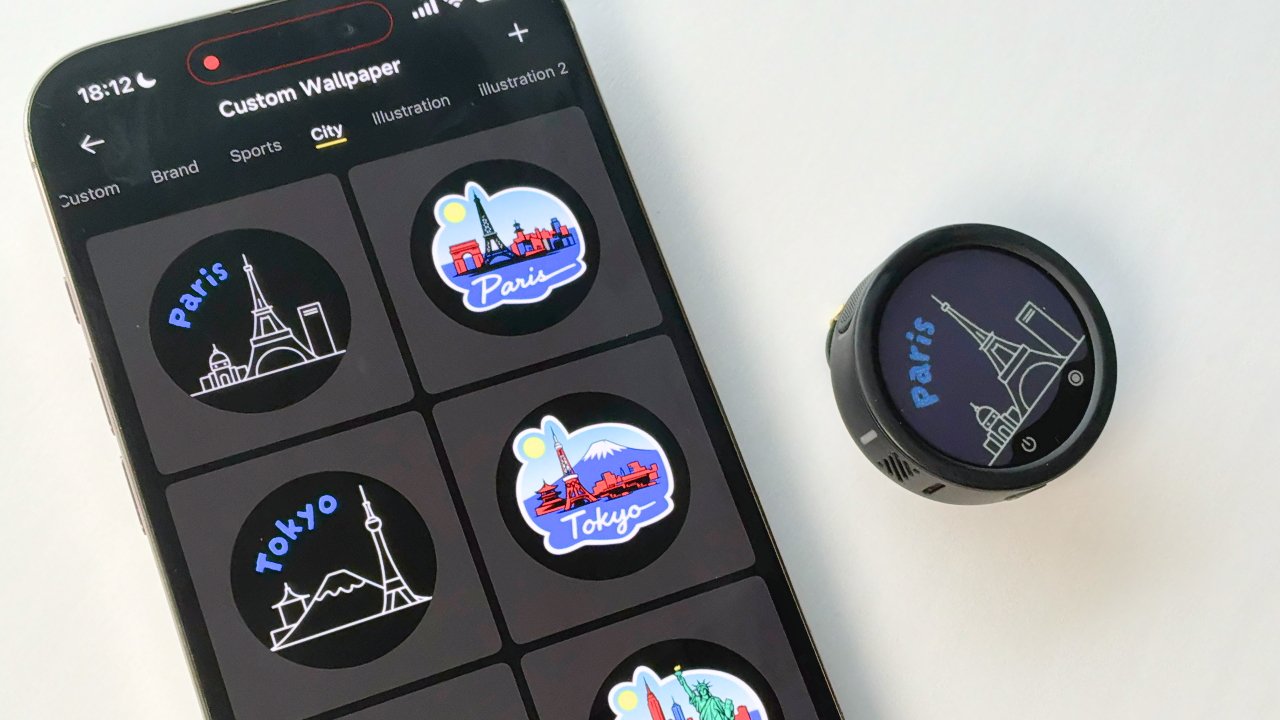
You can set a custom image on your microphone’s screen or use one of the very many supplied ones. I’m not judging.
Exactly as I started to write this, that app popped up a notification on my Mac, promoting some summertime offer or other. That’s despite the app being only on my iPhone, not on the Mac.
“Your perks have landed,” it said, and I said something very different in return.
Overall, the app is clean and simple; it was a straightforward process to download it from the App Store and pair each of the two microphones. But you do have to bat away an ad or two on the way.
You may not use the app much at all, though. As well as the essential pairing, there is what I’d call the equally essential option to get rid of the bright yellow smiley faces on the mic.
But otherwise, there are a few settings that you will come back to. Hang on a second while I tell my iPhone not to allow notifications from it.
Insta360 Mic Pro review – sound quality
I’m not an audiophile, and it would be good if there could be a “but” about here in this sentence, yet there isn’t. I do make a lot of video and audio, though, and to my ear, the Insta360 Mic Pro sounds excellent.
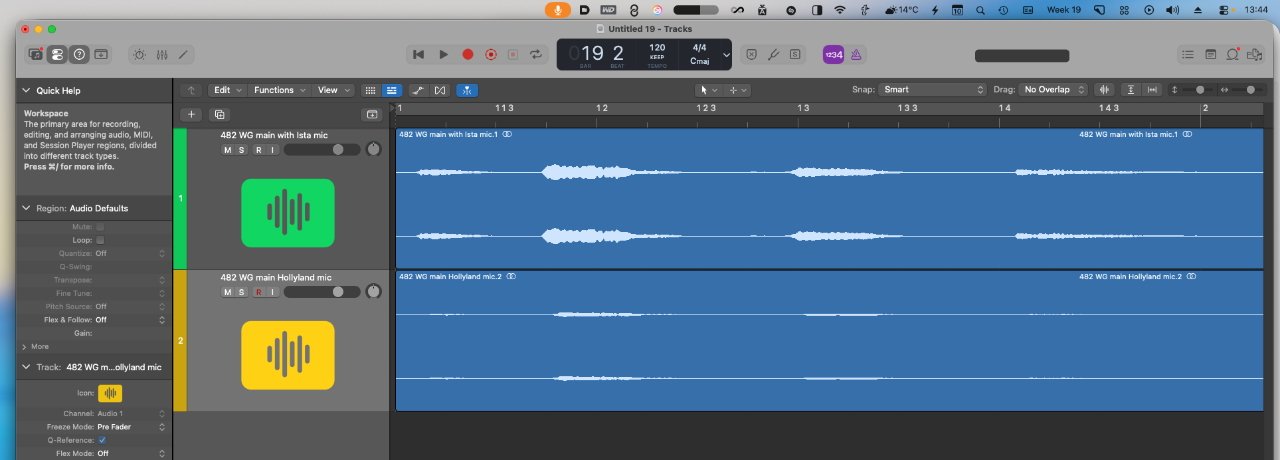
Top: audio from the new Insta360 Mic Pro. Bottom: the same audio recorded on a Hollyland Lark M2S
This is a screengrab of unedited, unaltered audio waveforms in Logic Pro. The top track is from the Insta360 Mic Pro, and the bottom one is from the Hollyland Lark M2S, which I have been very happy with up to right now.
The two audio tracks were recorded simultaneously, both microphones being worn on the same shirt and approximately equally positioned. Later in the production process, I would typically compress that Hollyland Lark M2S track and never be remotely disappointed with it, but the Insta360 Mic Pro is definitely louder and clearer without any processing.
I would like the microphones to be smaller, and I do miss that from the Hollyland ones, but the sound quality is so much better than what I’ve been using that I’ve switched to the Insta360 Mic Pro. I expect, based on the specifications, that would have made that switch even if I’d been using the same firm’s previous model, the Insta360 Mic Air.
That’s because while the Insta360 Mic Air costs less and is also quite a bit lighter at about 8 grams instead of almost 20 grams, it has a single microphone. The Insta360 Mic Pro has a three-microphone array with more pickup options.
This new model also has greater noise cancellation, and it comes with 32GB of internal storage. So the microphones themselves are backup audio recorders.
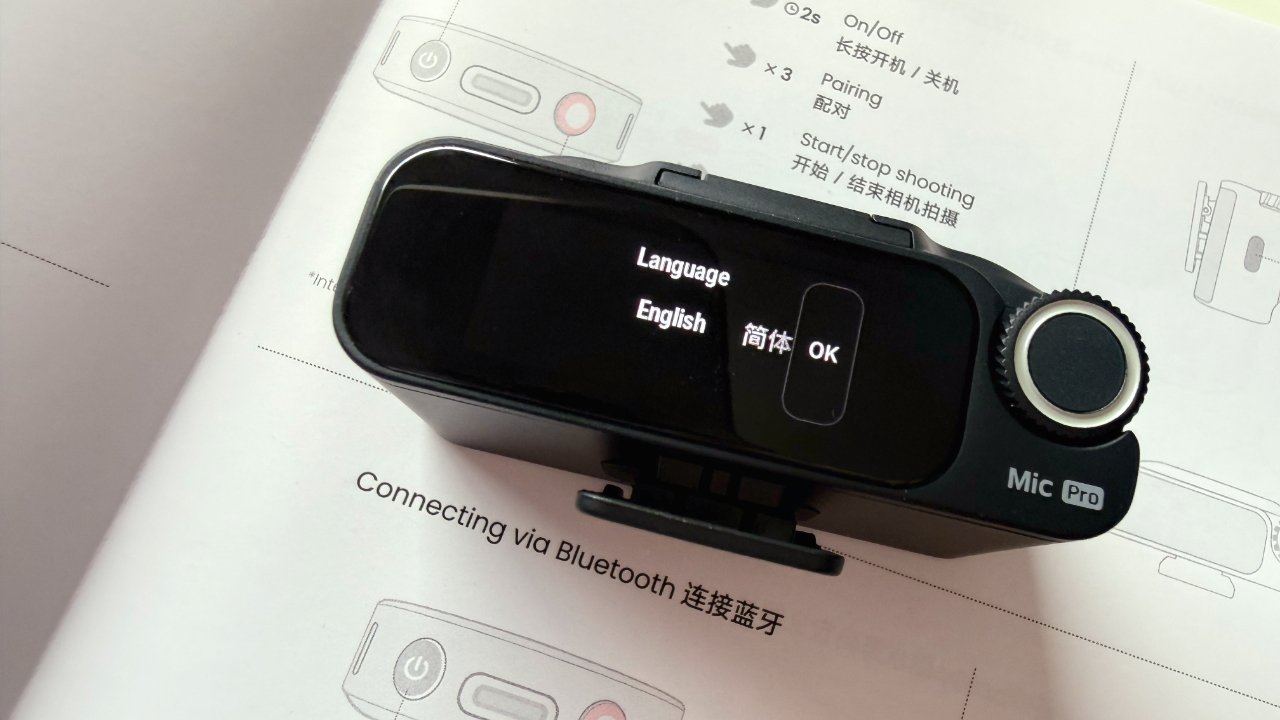
The receiver (pictured atop the provided Quick Start Guide) is larger than some, but capable of handling four audio streams
As it happens, I’ve never used an Insta360 camera. But if they’re as well-built as these microphones, I’m now very tempted.
Insta360 Mic Pro review – should you buy
I’m hardly going to say no, you shouldn’t, not after practically raving about the Insta360 Mic Pro. There is a cost for all of these points, though, and it’s enough that it can’t be a casual purchase.
But while there is the lower-cost Insta360 Mic Air (typically on Amazon for about $55), the new model is significantly better. Plus, you can buy a single microphone and receiver at first, then later add on further mics as you need them.
Insta360 Mic Pro review – Pros
- Very good audio with a three-mic array
- On-microphone backup storage
- Excellent for multi-cam and multi-interview shoots
- E-ink display on each microphone
- Extremely good build quality
Insta360 Mic Pro review – Cons
- Receiver is too large to fit in all Mac USB-C ports
- Not as small and unobtrusive as some other mics
Insta360 Mic Pro rating – 4.5 out of 5
Insta360 Mic Pro review – where to buy
The Insta360 Mic Pro set as tested here is $330 on Amazon and comes with two microphones and one receiver. A $200 single-microphone and single-receiver version will be available, although it is not on Amazon at the time of writing.
Nor is the option to buy further microphones, but that is rolling out too. A single Insta360 Mic Pro microphone costs $100 on its own.
You must be logged in to post a comment Login