Tech
iOS 27.2 lets you create separate profiles in the Apple TV app

Handing your phone to a kid usually means their cartoons take over your entire watch history, but Apple just fixed that annoyance. With iOS 27.2, currently in beta, the Apple TV app finally supports separate user profiles on iPhone and iPad, a feature that’s existed on the Apple TV box for a while but never made it to Apple’s mobile devices until now (via 9to5mac).
What can you do with Apple TV profiles?
After updating, open the Apple TV app, and you’ll see a screen listing any profiles already tied to your account, along with an option to add a new one. Setting one up only requires a name, a content rating, and whether the profile belongs to a child. The setup also supports profiles for people who don’t have their own Apple Account. That makes it possible to create a dedicated profile for a younger child.
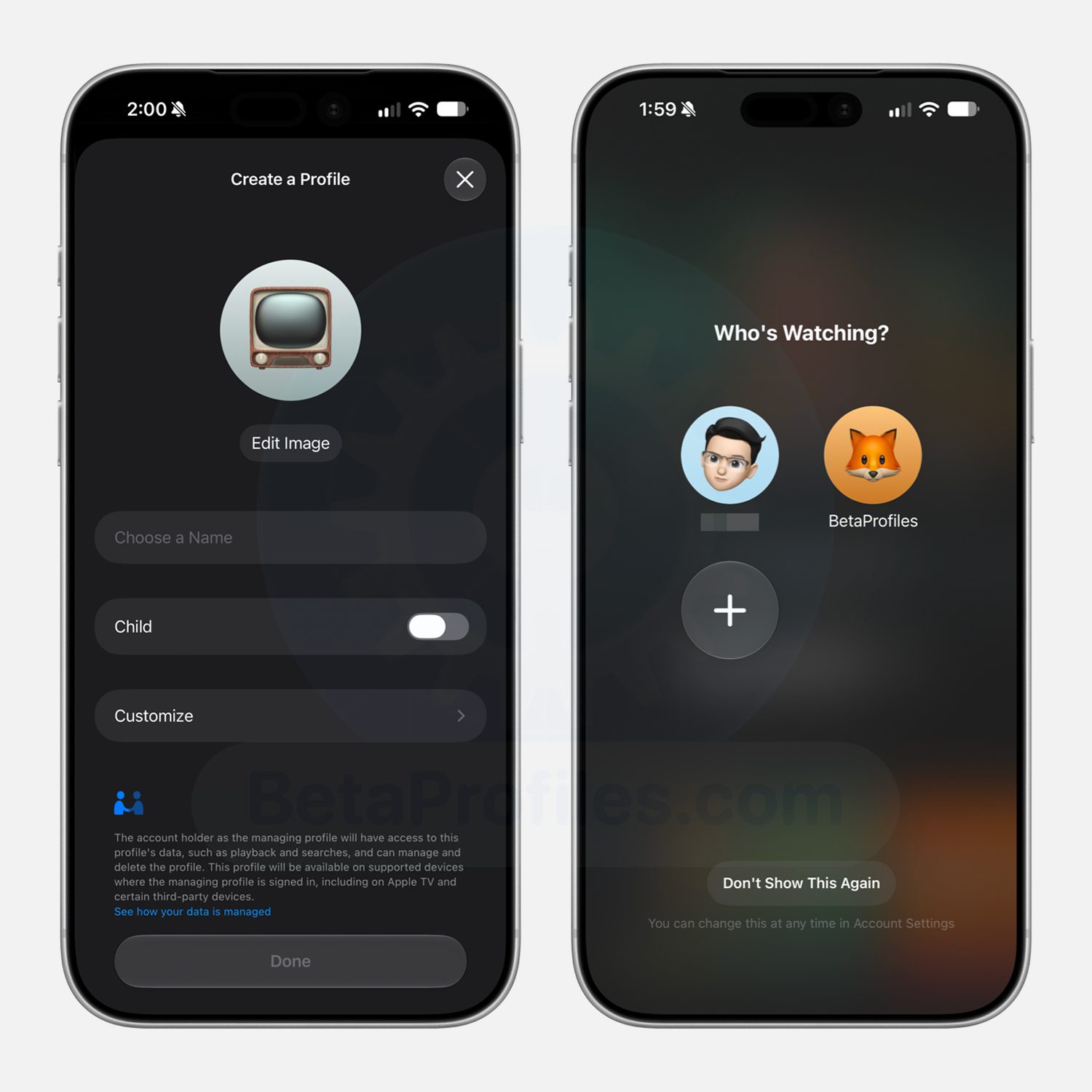

If you choose a kid’s profile, Apple defaults to a PG rating automatically, though you can dig into the settings for more specific control over which shows and movies fit their age. If profiles aren’t something you want cluttering your phone, just select the “Don’t Show This Again” option to skip the whole thing.
Why does this matter?
Apple TV profiles aren’t exactly new, and tvOS 26.2 added the guest mode option last November. The real benefit shows up the moment you hand your device to a kid. Their viewing stays contained to their own profile, meaning your “Continue Watching” row doesn’t suddenly fill up with content you never chose, and your own account stays exactly as you left it.
It also gives kids a safer space to browse on their own, since what they can see gets capped by the rating you’ve picked. For those who want this option right away, iOS 27.2 is currently rolling out as a developer beta, with a wider public release expected in the coming weeks.
You must be logged in to post a comment Login