Tech
Is Call Screening preventing you getting important calls?

Call Screening is off by default, so who knows what these lawyers are doing.
The rich and the powerful demand immediate access to their lawyers and each other at all times — but apparently they just haven’t figured out how to have their assistants turn off Call Screening on their iPhones.
If you’ve noticed that you’re getting fewer spam calls on your iPhone lately, it’s because Apple added new screening tools in iOS 26. It’s also why you now more often see notifications with a transcription of call messages.
Given how phone lines are dominated by spam and it’s only getting worse with AI impersonating voices, this is overall a welcome feature. And if you need to take calls from unknown numbers, you can switch it off:
- Go to Settings
- Choose Apps
- Select Phone
- Scroll down to “Screen Unknown Callers”
If you’re a regular AppleInsider reader then either you know this already, or we’re happy to be of use. If you are a big-shot Hollywood lawyer, that will be $10,000, please.
According to the Wall Street Journal this feature is defeating the rich and the powerful. We will admit to having a certain schadenfreude about the report today.
Apple apparently never considered that some celebrity might be in trouble while their massively rich lawyer doesn’t know how to work their phone.
True, lawyers — outside of Apple’s ones — should not have to keep up with all the new features, any more than anyone else should.
But, the default setting for Call Screening is off. There are sporadic reports of users finding it turned on, but Apple has made it so that you have to positively choose to enable it.
So these lawyers who don’t know what Call Screening is, are seemingly electing to use it anyway.
You can only get caught once
And even if it’s true that iOS 26 has a bug that turns on Call Screening, it becomes obvious after the first phone call. There are three settings you can choose for when Call Screening will take calls for you, and what it will then do:
If you choose Never, which is again the default, then none of this is happening and you’re just pretending it is because you don’t want to talk to that guy.
“Ask Reason for Calling” sees Siri do exactly that. Siri answers the call before you even hear it, asks the question, and then rings your phone. Most of the AppleInsider staff has this on.
And lastly, “Silence” means you get no calls from unknown numbers. This is the best setting for childrens’ phones, we’ve found.
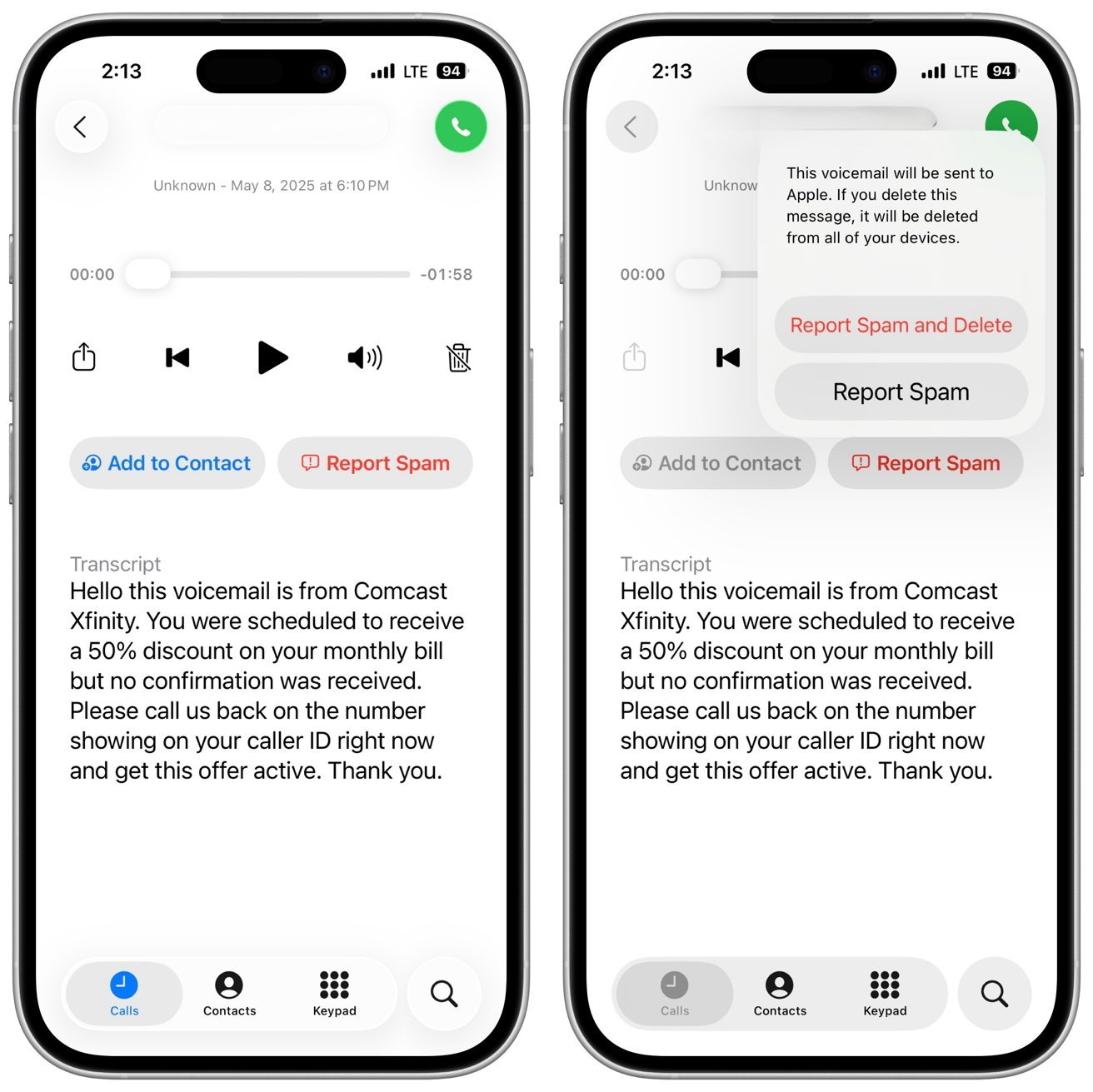
Okay, maybe you can’t take calls because you’re in court. You still get a transcript.
So, okay, your client has been arrested and is using their civil rights to make one phone call — but they’re doing it from the 87th Precinct. With “Silence” turned on, you do not get their call, not unless that police station is on your speed-dial.
But you still get a voicemail message and their call is still listed. So at the very worst, when you’re watching CNN and there’s a mugshot of your client, you can play back the voicemail.
This could mean a bit of a delay — but only for the very first time it happens. After that, you learn that there is call screening, or rather you’re reminded that there is since you switched it on.
It is potentially bad luck for that first client, but your legal practice will still rake in millions from all the rest. As long as you stop playing with your iPhone and turning on settings without reading what they do. Or have your unpaid intern do it, they probably have it figured out.
Mind you, if you’re also a patent lawyer, you have even less excuse for ignorance.
You must be logged in to post a comment Login