Tech
LG C6H OLED TV Review: Flagship-Level OLED Performance At A Mid-Range Price

LG’s C6 OLED TV series for 2026 is a marked departure from the company’s previous OLED lineups. Buyers of last year’s LG C5 series OLED models, for instance, could expect 55-inch and larger sets from that series to have the same OLED panel type and feature set. This year, however, LG’s C-series OLEDs have been split into two camps: the C6 and C6H.
LG C6H OLEDs are only available in 77- and 83-inch screen sizes, while the C6 models range from 42 to 65 inches. But screen size is only part of the story here, as the C6H models feature a new RGB Tandem OLED display panel with Hyper Radiant Color Tech — the same one used in the flagship LG G6 and W6 OLED TVs (regular C6 models use a standard W-OLED display panel). It’s a substantial upgrade for LG’s mid-range C-series and one that makes it well worth upsizing to the 77-inch C6H, the subject of this review.

What Is It?
The LG C6H is an upper-midrange OLED TV packed with features for the price. The 77-inch C6H was initially priced at $3,699.99, while the 83-inch model launched at $5,299.99, but those prices have since dropped to $2,699.99 and $4,299.99, respectively. Compare that with the flagship LG G6 OLED, which currently sells for $3,799.99 for the 77-inch model and $5,799.99 for the 83-inch version.
Aside from having the same RGB Tandem OLED display panel with Hyper Radiant Color tech and Brightness Booster Pro features found in LG’s flagship OLED TVs, the C6H series uses the same Gen 3 α11 AI processor as those models. This allows for all sorts of AI magic to happen, including AI-based 4K picture upscaling and 11.1.2-channel audio upmixing. AI is also used for the TV’s custom sound and picture options, which guide you through the process of creating presets based on your own audio and visual preferences.
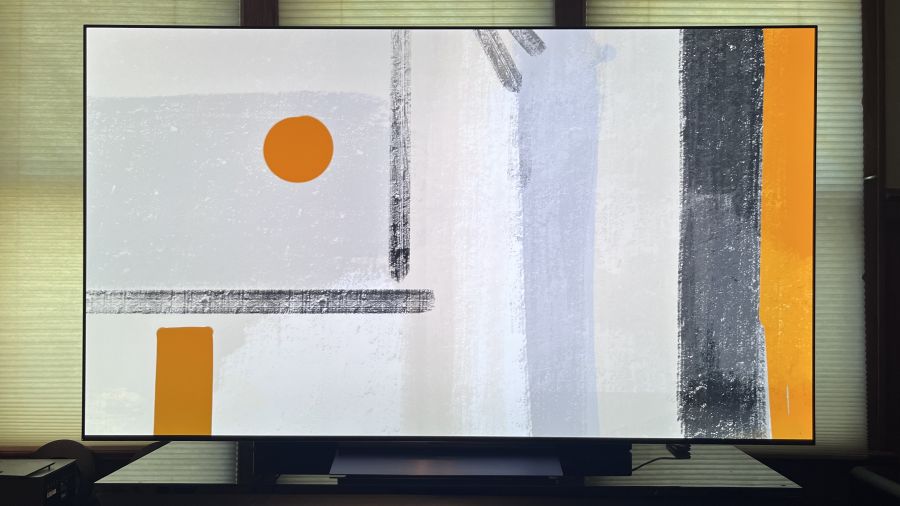
A key feature found in LG’s 2026 flagship OLED TVs that the C6H models lack is Reflection Free Premium tech, which eliminates screen glare when viewing in bright rooms. The C6H instead has a standard glossy screen surface, though in my testing, it didn’t suffer from the same strong, mirror-like reflections I’ve seen on some glossy screens.
The C6H supports the Dolby Vision, HDR10, and HLG high dynamic range formats, but not HDR10+. LG also has not announced an upgrade to provide Dolby Vision 2 support for the C6H or any of its other TVs — a shame, given that Dolby Vision 2 can provide a substantial picture quality upgrade even for legacy Dolby Vision content. LG’s implementation of Dolby Vision on the C6H includes Dolby Vision Filmmaker Mode, and it also features Filmmaker Mode with Ambient Light Technology, which uses the TV’s light sensor to adapt the picture for different room lighting conditions without sacrificing picture accuracy.
The C6H has a basic 2.2-channel down-firing speaker array that supports Dolby Atmos, but not DTS. Sound quality is very good, especially when the AI Sound Pro mode with virtual 11.1.2-channel upmixing is enabled. Dialogue is consistently clear, explosions have decent bass impact, and Atmos height and surround sound effects extend above and beyond the screen. A WOW Orchestra feature lets you combine the TV’s speakers with a compatible LG soundbar system for a more immersive effect, and there’s also Dolby Atmos FlexConnect support for LG Sound Suite wireless speakers.
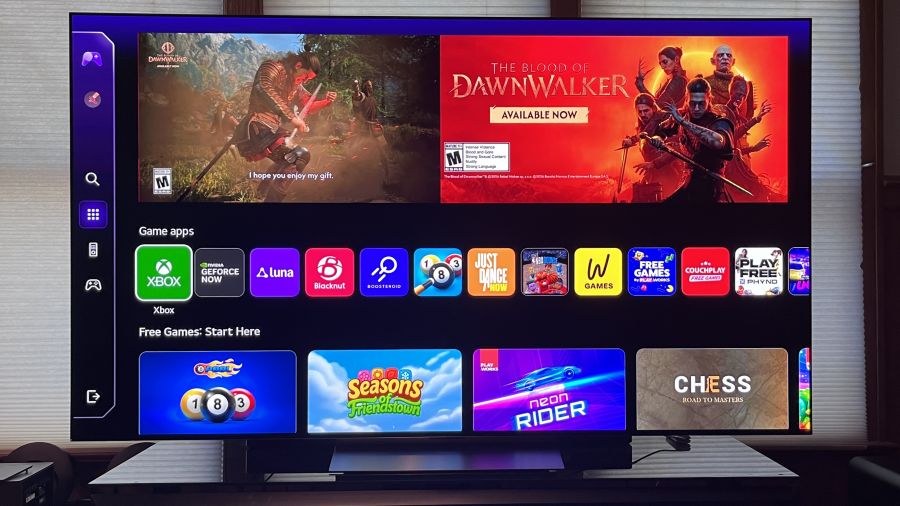
LG’s C-series OLEDs have long been serious gaming TVs, and the C6H is no different. It has a native 120Hz display and supports Nvidia G-Sync and AMD FreeSync Premium VRR up to 165Hz across all four HDMI 2.1 ports. Other gaming-related features include a Game Dashboard pop-up menu and Game Optimizer, while the apps available through the TV’s webOS 26 smart interface include Xbox, Nvidia GeForce Now, Amazon Luna, and more.
When I tested the C6H’s input lag with Game Optimizer active using a Bodnar 4K meter, it measured 12.8ms — an average result, but also relatively high compared with other LG TVs I’ve reviewed in the past, which clocked in at under 10ms.
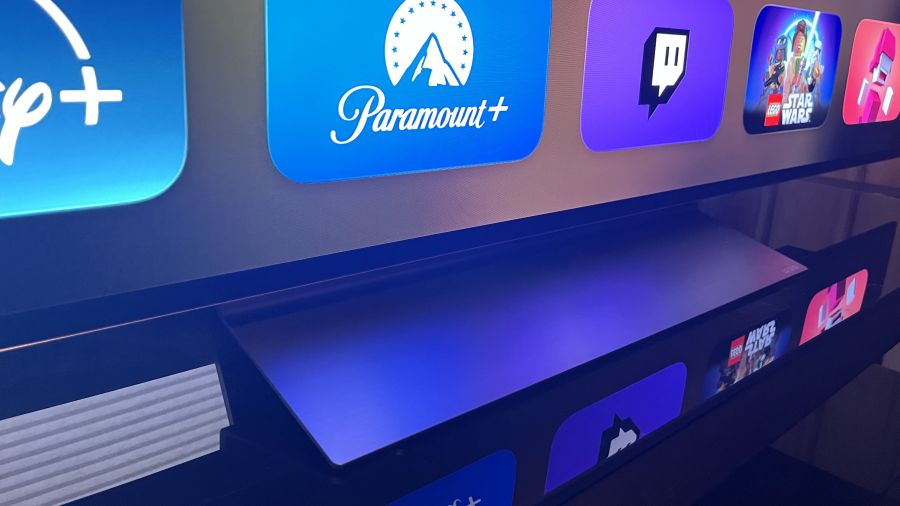
The C6H’s design may lack the glamour of LG’s W6 Wallpaper TV, which uses the company’s Zero Connect box for a wireless hookup, but it still has a slim and appealing look. The bezel surrounding the screen is vanishingly thin, and the set comes with an aluminum pedestal stand. While the stand itself is made of sturdy enough material, I found that the TV wobbled a bit after I had it set up.
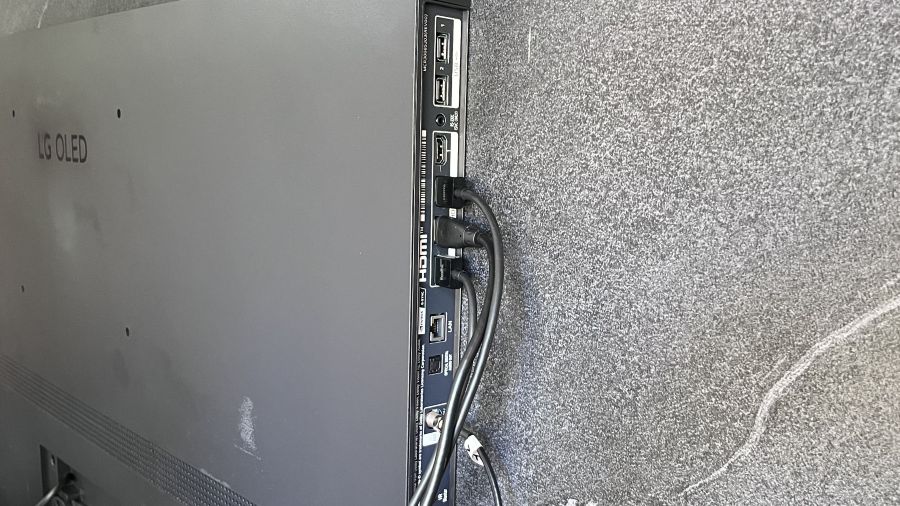
Connections are all located on a side panel on the back, and they include four HDMI 2.1 ports, an optical digital audio output, and an antenna input for the TV’s ATSC 1.0 tuner. Two USB Type-A inputs are provided, along with an Ethernet port and IR blaster output.
LG C6H: Usability
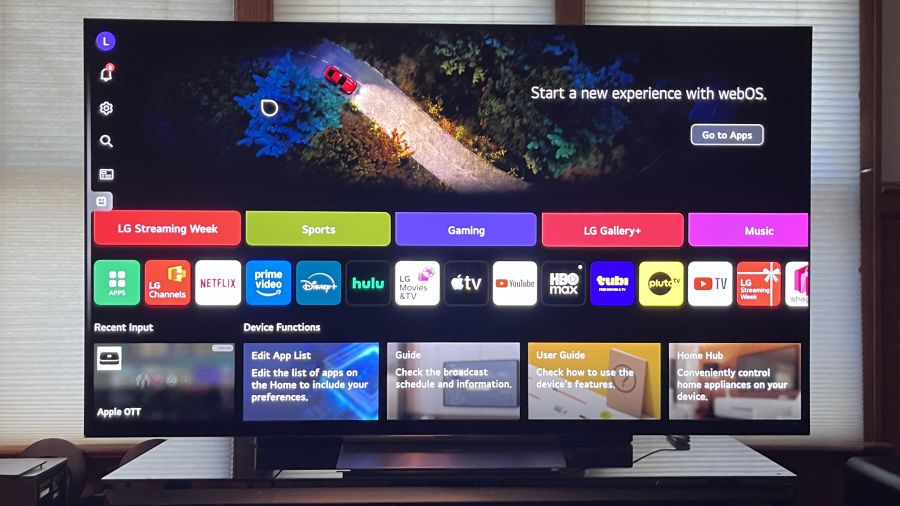
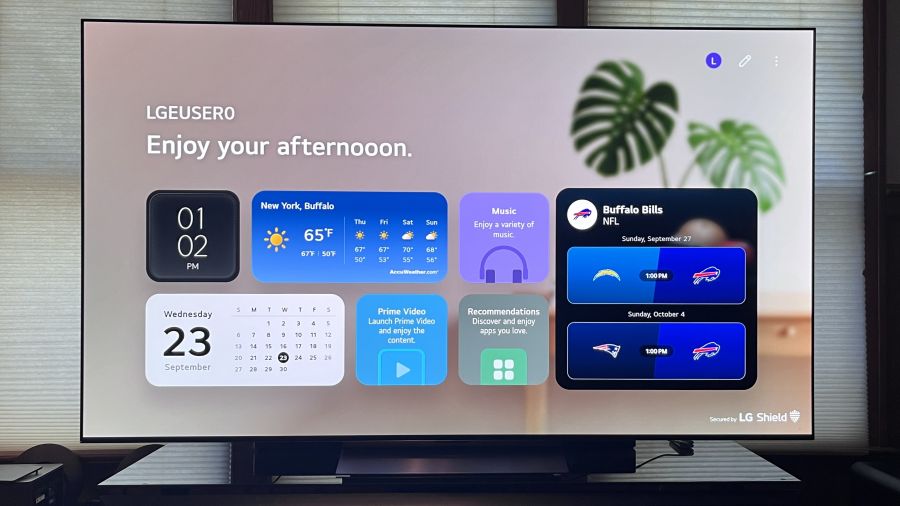
LG’s webOS 26 serves as the C6H’s smart TV platform and, simply put, it seems more cluttered and difficult to navigate than previous versions of webOS. A large, ad-driven preview window occupies the top half of the screen. Below it are tabs for directly accessing Sports, Gaming, Music, and other types of content, along with an extended row of apps that you’ll definitely want to edit, since it’s packed with many offerings you’ll likely never use.
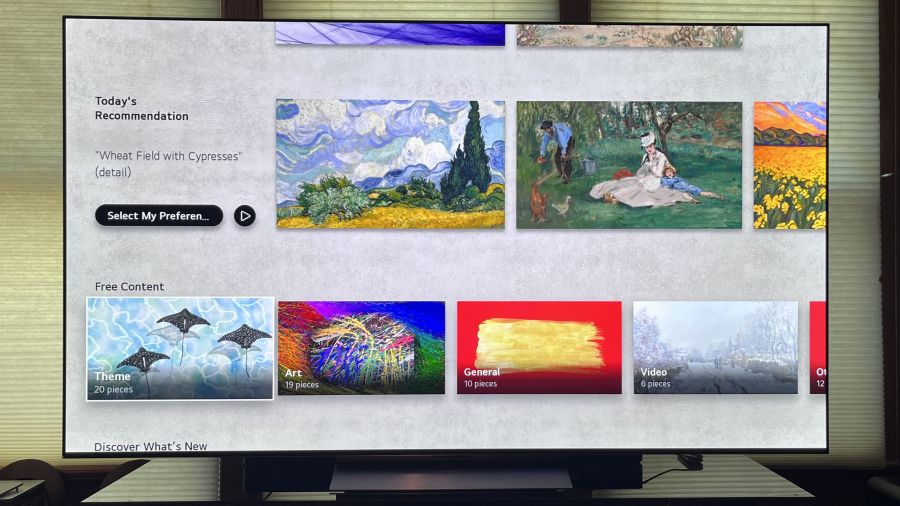
One app you may want to use is Gallery+, a subscription-based service that lets you display artwork on the TV when it’s in standby. A selection of free images is also available, and LG offers a free two-month Gallery+ trial. In this respect, the C6H is actually superior to Samsung’s S95H OLED TV. Even though the Samsung S95H supports Samsung’s gallery, there is currently no automated way to make that TV display art when in standby mode. Art Mode must be manually turned on in the TV each time you want to use it.
While webOS 26 is somewhat cluttered by default, LG does provide menu options to turn off sponsored previews and remove the large number of suggested content categories that appear as you scroll through the interface. Many of the controls and UI modifications available in the TV’s Setup menu can also be carried out in the LG ThinQ app, which you’ll need to download and create an account for when you first set up the TV.
I can’t say I found much need for the app, but it could be useful if you plan to use the TV as a smart home control hub to operate LG appliances like refrigerators and washer/dryers.
Like many other new TVs, the C6H uses an AI assistant for content searches and control, in this case Google’s Gemini AI and Microsoft’s Copilot. You can also ask either of those bots questions like, “When do trees start to show fall colors in the northeastern U.S.?” and then use that as a jumping-off point for planning a weekend getaway.
Unlike many other new TVs, using AI to generate screensaver art requires a subscription, in this case to LG Gallery+, which is a disappointment.
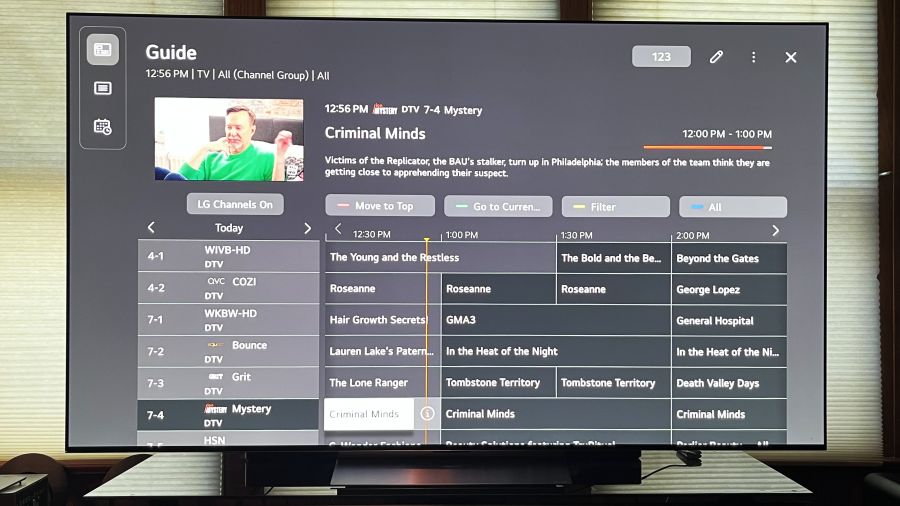
The LG Channels app serves as a portal to an extensive array of free, ad-supported streaming content. You can also view free channels in a grid format by selecting the Guide icon at the top left of the webOS 26 homepage. This view also includes any broadcast TV channels received through a connected antenna.

LG’s Magic Remote has now become the AI Magic Remote with the addition of a button that calls up the TV’s onscreen AI assistant. You’ll need to enable voice control to use this function, though during setup you’ll have the option to limit voice recognition to the remote rather than use the TV’s built-in far-field microphone.
The Magic Remote design, which combines a point-and-click cursor with traditional navigation controls, has its detractors. I find it easy to use, however, and in some ways it’s superior to other TV remote designs. LG’s Magic Remote even has an Input button — an endangered feature on smart TV remotes — though pressing it doesn’t toggle through inputs. Instead, it takes you to a Home Hub screen, where you’ll need to click another button to call up a list of selectable inputs.
LG has taken knocks in the press recently for the privacy controls on its smart TVs. Automatic Content Recognition is a main bone of contention, as are network security and voice recording. You can get a good overview of what all the fuss is about here. Although LG is in the spotlight for this at the moment, their use of user information for marketing purposes is anything but unique.
During initial setup, you’ll likely end up agreeing to a bunch of disclaimers simply to get the TV up and running as quickly as possible and, in the process, open yourself to a range of privacy-related vulnerabilities. In this case, it’s a good idea to visit Settings > Support > Privacy & Terms > User Agreements in the TV’s menu afterward to see exactly what you’ve signed away during setup.

Setup & Viewing Impressions
I made a basic set of color and brightness measurements of the LG C6H using Portrait Display’s Calman Color Calibration software. Measurements were made in the Filmmaker and Standard picture presets with adjustments left at the default settings with the exception of Energy Saving Step, a setting that automatically adjusts picture brightness based on room lighting, which was turned off for the tests.
| Brightness (HDR) | 10% window | Fullscreen | |||
| Filmmaker Mode | 2,059 nits | 308 nits | |||
| Standard Mode | 1,979 nits | 341 nits | |||
| Brightness (SDR) | 10% window | Fullscreen | |||
| Filmmaker Mode | 485 nits | 418 nits | |||
| Standard Mode | 456 nits | 424 nits |
At 2,059 nits, the 77-inch C6H’s measured peak HDR brightness is notably higher than the Samsung S90H, a midrange OLED TV that uses the same W-OLED panel as the LG C6 series. That model topped out at 1,553 nits in Filmmaker Mode when we tested it. The C6H’s peak brightness is also below the Samsung S95H, a flagship model that measured 2,526 nits in Filmmaker Mode in our tests.
The highest brightness level I measured from the C6H was 2,210 nits on a 2% window, also in Filmmaker Mode. The C6H also delivered high SDR brightness for an OLED TV, making it a good option for watching sports in rooms with high ambient light levels.
BT.2020 coverage
DCI-P3 coverage
83.4%
99.6%
At 83.4%, the C6H’s BT.2020 color space coverage lands between the Samsung S90H (75.8%) and S95H (89%) OLED TVs, while its DCI-P3 coverage measured 99.6%. Those are impressive results for an OLED TV and help explain the rich color reproduction I noted with everything from movies to sports.
At 4.4, the C6H’s average grayscale Delta E — the margin of error between the test pattern source and what’s displayed onscreen — came in somewhat higher than the maximum threshold of 3 we look for in testing, but it was easily reduced to 0.9 with basic calibration. Color point accuracy averaged 1.4 with the default Filmmaker Mode settings and improved to 0.5 post-calibration.
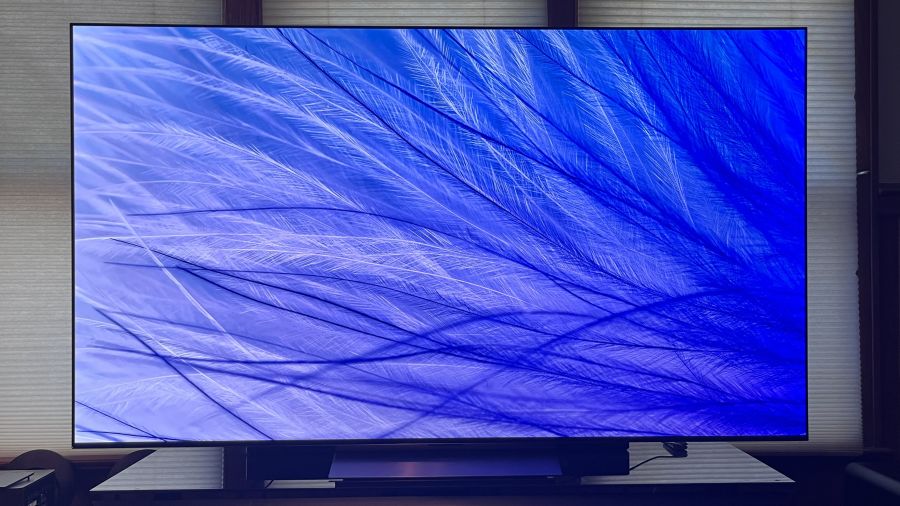
Starting my subjective viewing tests with the trusty old Spears & Munsil Ultra HD Benchmark 4K Blu-ray discs, full-field white and gray test patterns showed a degree of brightness drop-off at the outer edges of the screen. The same patterns also revealed a slightly bluish tint at extreme off-axis viewing positions. Neither effect was visible with regular content, however, including black-and-white movies.
Reference scenes from the James Bond movie No Time to Die (on 4K UHD Blu-ray) revealed good overall motion handling, though I did note a degree of judder in a tracking shot of Bond traversing a hillside cemetery — something easily fixed by setting both Judder and Blur to +3 in the TV’s TruMotion menu.
Another reference disc, The Green Knight, revealed no sign of banding artifacts in shots of Sir Gawain diving to retrieve Winifred’s skull from its underwater tomb, and the same held true in dark, misty shots of Paul Atreides walking with his mother, Lady Jessica, early on in Dune: Part One.
The C6H’s excellent AI 4K picture upscaling can make high-definition images look strikingly clean and 4K-like. It had been years since I last watched Abel Ferrara’s Bad Lieutenant, and when I streamed it on the Criterion Channel, the gritty New York City street scenes looked wonderfully detailed and alive on the LG’s 77-inch screen.
Blacks in the movie looked rock solid, and there was also a satisfying level of detail in the shadows. I only wish the Criterion Channel would start streaming at least some movies in 4K, but then again, that might interfere with the company’s 4K Blu-ray business, and we don’t want The Criterion Collection going anywhere.
OLED TVs like the C6H have long been a go-to choice for movie fans, but it’s only recently that OLED has become a popular option for sports as well. My testing of the C6H coincided with the start of the NFL season, and I can confirm that this is a great TV for watching football.
The jerseys worn by Kansas City Chiefs fans in the first game of the season against the Denver Broncos came across as a rich sea of red in wide shots of the stadium. Even when watched in Filmmaker Mode, the C6H’s picture looked sufficiently bright with my room’s overhead lights on, and the TV’s accurate color made the green turf look natural and the white of the Denver players’ uniforms look subtle and balanced, as opposed to a blistering, bluish white.
The Bottom Line
At $2,699, the LG C6H is a no-brainer if you’re looking for a 77- or 83-inch OLED TV that offers the best performance characteristics of OLED tech, such as deep blacks, powerful contrast and rich color, combined with the high brightness levels that you’d typically expect from the best Mini-LED TVs. It’s priced substantially lower than LG’s flagship G6 and W6 series models, while offering many of the same features, including an RGB Tandem OLED display panel with Hyper Radiant Color tech, the Gemini and Microsoft Copilot AI assistants and four HDMI 2.1 ports with 165Hz support for gaming. The C6H is also priced around the same as its main midrange competitor, the Samsung S90H, while delivering higher brightness than that model.
Opting for the LG C6H over the G6 flagship means you’ll lose out on the latter’s Reflection Free Premium tech for glare-free daytime viewing and its elegant, wall-hugging design. In both cases, however, you’re buying a TV that won’t be getting Dolby Vision 2 Max support via a future upgrade, and a LG Gallery+ app that requires a subscription to unlock its most useful features. Both of those issues aside, the LG C6H is an OLED that should be at the top of your shopping list, and is an excellent value at its current price.
Pros:
- Uses same display panel as flagship LG G6 and W6 OLED series
- Impressive brightness for an OLED TV
- Clean 4K upscaling
- Four HDMI 2.1 ports with 165Hz support
- Reasonably priced for performance and features
- Gemini and Microsoft Copilot AI assistants
Cons:
- Lacks Reflection Free Premium screen found in flagship OLEDs
- Dolby Vision 2 Max not supported
- No HDR10+ support
- No DTS sound support
- webOS 26 a bit on the busy side
- LG Gallery+ feature has key limitations without subscription
Our Ratings:
★★★★★★★★★★ Picture Quality
★★★★★★★★★★ Sound Quality
★★★★★★★★★★ Design
★★★★★★★★★★ Features
★★★★★★★★★★ Usability
★★★★★★★★★★ Value
You must be logged in to post a comment Login