



Tech
More Than 800 Google Workers Urge Company to Cancel Any Contracts With ICE and CBP
More Than 800 employees and contractors working for Google signed a petition this week calling on the company to disclose and cancel any contracts it may have with US immigration authorities. In a statement, the workers said they are “vehemently opposed” to Google’s dealings with the Department of Homeland Security, which includes Immigration and Customs Enforcement (ICE) and Customs and Border Protection (CBP).
“We consider it our leadership’s ethical and policy-bound responsibility to disclose all contracts and collaboration with CBP and ICE, and to divest from these partnerships,” the petition published on Friday states. Google didn’t immediately respond to a request for comment.
US immigration authorities have been under intense public scrutiny this year as the Trump administration ramped up its mass deportation campaign, sparking nationwide protests. In Minneapolis, confrontations between protesters and federal agents culminated in the fatal shooting of two US citizens by immigration officers. Both incidents were captured in widely disseminated videos and became a focal point of the backlash. In the wake of the uproar, the Trump administration and Congress say they are negotiating changes to ICE’s tactics.
Some of the Department of Homeland Security’s most lucrative contracts are for software and tech gear from a variety of different vendors. A small share of workers at some of those suppliers, including Google, Amazon, and Palantir, have raised concerns for years about whether the technology they are developing is being used for surveillance or to carry out violence.
In 2019, nearly 1,500 workers at Google signed a petition demanding that the tech giant suspend its work with Customs and Border Protection until the agency stopped engaging in what they said were human rights abuses. More recently, staff at Google’s AI unit asked executives to explain how they would prevent ICE from raiding their offices. (No answers were immediately provided to the workers.)
Employees at Palantir have also recently raised questions internally about the company’s work with ICE, WIRED reported. And over 1,000 people across the tech industry signed a letter last month urging businesses to dump the agency.
The tech companies have largely either defended their work for the federal government or pushed back on the idea that they are assisting it in concerning ways. Some government contracts run through intermediaries, making it challenging for workers to identify which tools an agency is using and for what purposes.
The new petition inside Google aims to renew pressure on the company to, at the very least, acknowledge recent events and any work it may be doing with immigration authorities. It was organized by No Tech for Apartheid, a group of Google and Amazon workers who oppose what they describe as tech militarism, or the integration of corporate tech platforms, cloud services, and AI into military and surveillance systems.
The petition specifically asks Google’s leadership to publicly call for the US government to make urgent changes to its immigration enforcement tactics and to hold an internal discussion with workers about the principles they consider when deciding to sell technology to state authorities. It also demands Google take additional steps to keep its own workforce safe, noting that immigration agents recently targeted an area near a Meta data center under construction.
Tech
Daily Deal: The 2026 Canva Bundle
from the good-deals-on-cool-stuff dept
The 2026 Canva Bundle has six courses to help you learn about graphic design. From logo design to business cards to branding to bulk content creation, these courses have you covered. It’s on sale for $20.
Note: The Techdirt Deals Store is powered and curated by StackCommerce. A portion of all sales from Techdirt Deals helps support Techdirt. The products featured do not reflect endorsements by our editorial team.
Filed Under: daily deal
Tech
The Kindle Scribe Colorsoft is a pricey but pretty e-ink color tablet with AI features
If you primarily want a tablet device to mark up, highlight, and annotate your e-books and documents, and perhaps sometimes scribble some notes, Amazon’s new Kindle Scribe Colorsoft could be worth the hefty investment. For everyone else, it’s probably going to be hard to justify the cost of the 11-inch, $630+ e-ink tablet with a writeable color display.
However, if you were already leaning toward the 11-inch $549.99 Kindle Scribe — which also has a paper-like display but no color — you may as well throw in the extra cash at that point and get the Colorsoft version, which starts at $629.99.
At these price points, both the Scribe and Scribe Colorsoft are what we’d dub unnecessary luxuries for most, especially compared with the more affordable traditional Kindle ($110) or Kindle Paperwhite ($160).

Announced in December, the Fig color version just began shipping on January 28, 2026, and is available for $679.99 with 64GB.
Clearly, Amazon hopes to carve out a niche in the tablet market with these upgraded Kindle devices, which compete more with e-ink tablets like reMarkable than with other Kindles. But high-end e-ink readers with pens aren’t going to deliver Amazon a large audience. Meanwhile, nearly everyone can potentially justify the cost of an iPad because of its numerous capabilities, including streaming video, drawing, writing, using productivity tools, and the thousands of supported native apps and games.
The Scribe Colorsoft, meanwhile, is designed to cater to a very specific type of e-book reader or worker. This type of device could be a good fit for students and researchers, as well as anyone else who regularly needs to mark up files or documents.
Someone particularly interested in making to-do lists or keeping a personal journal might also appreciate the device, but it would have to get daily use to justify this price.

The device is easy enough to use, with a Home screen design similar to other Kindles, offering quick access to your notes and library, and even suggestions of books you can write in, like Sudoku or crossword puzzle books or drawing guides. Your Library titles and book recommendations pop in color, which makes it easier to find a book with a quick scan.
Spec-wise, Amazon says this newer 2025 model is 40% faster when turning pages or writing. We did find the tablet responsive here, as page turns felt snappy and writing flowed easily.
Despite its larger size, the device is thin and light, at 5.4 mm (0.21 inches) and 400 g (0.88 pounds), so it won’t weigh down your bag the way an iPad or other tablet would (the iPad mini, with an 8.3-inch screen, weighs slightly less). You could easily stand to carry the Kindle Scribe in your purse or tote, assuming you sport a bag that can fit an 11-inch screen. Compared with the original Colorsoft, we like that the Scribe Colorsoft’s bezel is the same size around the screen.
The Kindle Scribe Colorsoft features a glare-free, oxide-based e-ink display with a textured surface that makes it feel a lot like writing on paper. This helps with the transition to a digital device for those used to writing notes by hand. It also saves on battery life — the device can go up to 8 weeks between charges.
Helpfully, the display automatically adapts its brightness to your current lighting conditions, and you can opt to adjust the screen for more warmth when reading at night. But although it is a touchscreen, it’s less responsive than an LCD or OLED touchscreen, like those on iPad devices. That means when you perform a gesture, like pinching to resize the font, there’s a bit of a lag.

Like any Kindle, you can read e-books or PDFs on the Kindle Scribe Colorsoft tablet. You can also import Word documents and other files from Google Drive and Microsoft OneDrive directly to your device, or use the Send to Kindle option. (Supported file types include PDF, DOC/DOCX, TXT, RTF, HTM, HTML, PNG, GIF, JPG/JPEG, BMP, and EPUB.) Your Notebooks on the device can be exported to Microsoft OneNote, as well.
The included pen comes with some trade-offs. Unlike the Apple Pencil, the Kindle’s Premium Pen doesn’t require charging, which is a perk. It has also been designed to mimic the feel of writing on paper, and it glides fairly well across the screen. Without a flat side to charge, the rounded pen doesn’t have the same feel and grip as the Apple Pencil. It’s smoother, so it could slip in your hand.
Amazon’s design also requires you to replace the pen tips from time to time, depending on your use, as they can wear down. It’s not terribly expensive to do so — a 10 pack is around $17 — but it’s another thing to keep up with and manage.
There are 10 different pen colors and five highlight colors included, so your notes and annotations can be fairly colorful.

When writing, you can choose between a pen, a fountain pen, a marker, or a pencil with different stroke widths, depending on your preferences. You can set your favorite pen tool as a shortcut, which is enabled with a press and hold on the pen’s side button. (By default, it’s set to highlight.) If you grip your pen tightly and accidentally trigger this button, you’ll be glad to know you can shut this feature off.
The writing experience itself feels natural. And while the e-ink display means the colors are somewhat muted, which not everyone likes, it works well enough for its purpose. An e-ink tablet isn’t really the best for making digital art, despite its pens and new shader tool, but it is good for writing, taking notes, and highlighting.
From the Kindle’s Home screen, you can either jump directly into writing something down through the Quick Notes feature, or you can get more organized by creating a Notebook from the Workspace tab.

The Notebook offers a wide variety of notepad templates, allowing you to choose between blank, narrow, medium, or wide-ruled documents. There are templates for meeting notes, storyboards, habit trackers, monthly planners, music sheets, graph paper, checklists, daily planners, dotted sheets, and much more. (New templates with this device include Meeting Notes, Cornell Notes, Legal Pad, and College Rule options.)
It’s fun that you can erase things just by flipping the pen over to use the soft-tipped eraser, as you would with a No. 2 pencil. Of course, a precision erasing tool is available from the toolbar with different widths, if needed. Thanks to the e-ink screen, you can sometimes still see a faint ghost of your drawing or writing on the screen after erasing, but this fades after a bit (which may drive the more particular types crazy).
There’s a Lasso tool to circle things and move them around, copy or paste, or resize, but this probably won’t be used as much by more casual notetakers.
There are some other handy features for those who do a lot of annotating, too.

For instance, when you’re writing in a Word document or book, a feature called Active Canvas creates space for your notes. As you write directly in the book on top of the text, the sentence will move and wrap around your note. Even if you adjust the font size of what you’re reading, the note stays anchored to the text it originally referenced. I prefer this to writing directly in e-books, as things stay more organized, but others disagree.

In documents where margins expand, you can tap the expandable margin icon at the top of the left or right margin to take your notes in the margin, instead of on the page itself.
A Kindle with AI (of course)
The new Kindle also includes a number of AI tools and features.
The device will neaten up your scribbles and automatically straighten your highlighting and underlining. A couple of times, the highlighting action caused our review unit to freeze, but it recovered after returning to the Home screen with a press of the side button.
Meanwhile, a new AI feature (look for the sparkle icon at the top left of the screen) lets you both summarize text and refine your handwriting. The latter, oddly, doesn’t let you switch to a typed font but will let you pick between a small handful of handwritten fonts (Cadia, Florio, Sunroom, and Notewright) via the Customize button.

The AI tool was not perfect. It could decipher some terrible scrawls, but it did get stumped when there was another scribble on the page alongside the text. Still, it’s a nice option to have if you can’t write well after years of typing, but like the feel of handwriting things and the more analog vibe.
The AI search feature can also look across your notebooks to find notes or make connections between them. To search, you either tap the on-screen keyboard or toggle the option to handwrite your search query, which is converted to text. You can interact with the search results (the AI-powered insights) by way of the Ask Notebooks AI feature, which lets you query against your notes.

Soon, Amazon will add other AI features, too, including an “Ask This Book” feature that lets you highlight a passage and then get spoiler-free answers to a question you have — like a character’s motive, scene significance, or other plot detail. Another feature, “Story So Far,” will help you catch up on the book you’re reading if you’ve taken a break, but again without any spoilers.
The Kindle Scribe Colorsoft comes in Graphite (Black) with either 32GB or 64GB of storage for $629.99 or $679.99, respectively. The Fig version is only available at $679.99 with 64GB of storage. Cases for the Scribe Colorsoft are an additional $139.99.
Tech
The Full Orwell: DOJ Weaponization Working Group Finally Gets Off The Ground
from the too-stupid-by-half dept
I have to admit: the first one-and-a-half paragraphs of this CNN report had me thinking the Trump administration was shedding another pretense and just embracing its inherent shittiness.
Justice Department officials are expected to meet Monday to discuss how to reenergize probes that are considered a top priority for President Donald Trump — reviewing the actions of officials who investigated him, according to a source familiar with the plan.
Almost immediately after Pam Bondi stepped into her role as attorney general last year, she established a “Weaponization Working Group” …
We all know the DOJ is fully weaponized. It’s little more than a fight promoter for Trump’s grudge matches. The DOJ continues to bleed talent as prosecutors and investigators flee the kudzu-esque corruption springing up everywhere in DC.
But naming something exactly what it is — the weaponization of the DOJ to punish Trump’s enemies — wasn’t something I ever expected to see.
I didn’t see it, which fulfills my expectations, I guess. That’s because it isn’t what it says on the tin, even though it’s exactly the thing it says it isn’t. 1984 is apparently the blueprint. It’s called the “Weaponization Working Group,” but it’s supposedly the opposite: a de-weaponization working group. Here’s the second half of the paragraph we ellipsised out of earlier:
…[t]o review law enforcement actions taken under the Biden administration for any examples of what she described as “politicized justice.”
The Ministry of Weaponization has always de-weaponized ministries. Or whatever. The memo that started this whole thing off — delivered the same day Trump returned to office — said it even more clearly:
ENDING THE WEAPONIZATION OF THE FEDERAL GOVERNMENT
Administration officials are idiots, but they’re not so stupid they don’t know what they’re doing. They don’t actually want to end the weaponization. They just want to make sure all the weapons are pointing in one direction.
Trading in vindication hasn’t exactly worked well so far. Trump’s handpicked replacements for prosecutors that have either quit or been fired are a considerable downgrade from the previous office-holders. They have had their cases tossed and their careers as federal prosecutors come to an end because (1) Trump doesn’t care what the rules for political appointments are and (2) he’s pretty sure he can find other stooges to shove into the DOJ revolving door.
The lack of forward progress likely has Pam Bondi feeling more heat than she’s used to. So the deliberately misnamed working group is going to actually start grouping and working.

The Weaponization Working Group is now expected to start meeting daily with the goal of producing results in the next two months, according to the person familiar with the plan.
Nothing good will come from this. Given the haphazard nature of the DOJ’s vindictive prosecutions efforts, there’s still a chance nothing completely evil will come from this either. It’s been on the back burner for a year. Pam Bondi can’t keep this going on her own. And it’s hell trying to keep people focused on rubbing Don’s tummy when employee attrition is what the DOJ is best known for these days.
Filed Under: doj, donald trump, pam bondi, trump administration, vindictive prosecution, weaponization
Tech
US bans Chinese software from connected cars, triggering a major industry overhaul
![]()
The rule, issued by the Commerce Department’s Bureau of Industry and Security, bans code written in China or by Chinese-owned firms from vehicles that connect to the cloud. By 2029, even their connectivity hardware will be covered under the same restrictions.
Read Entire Article
Source link
Tech
Valve Delays Steam Frame and Steam Machine Pricing as Memory Costs Rise
Valve revealed its lineup of upcoming hardware in November, including a home PC-gaming console called the Steam Machine and the Steam Frame, a VR headset. At the time of the reveal, the company expected to release its hardware in “early 2026,” but the current state of memory and storage prices appears to have changed those plans.
Valve says its goal to release the Steam Frame and Steam Machine in the first half of 2026 has not changed, but it’s still deliberating on final shipping dates and pricing, according to a post from the company on Wednesday. While the company didn’t provide specifics, it said it was mindful of the current state of the hardware and storage markets. All kinds of computer components have rocketed in price due to massive investments in AI infrastructure.
“When we announced these products in November, we planned on being able to share specific pricing and launch dates by now. But the memory and storage shortages you’ve likely heard about across the industry have rapidly increased since then,” Valve said. “The limited availability and growing prices of these critical components mean we must revisit our exact shipping schedule and pricing (especially around Steam Machine and Steam Frame).”
Valve says it will provide more updates in the future about its hardware lineup.
What are the Steam Frame and Steam Machine?
The Steam Frame is a standalone VR headset that’s all about gaming. At the hardware reveal in November, CNET’s Scott Stein described it as a Steam Deck for your face. It runs on SteamOS on an ARM-based chip, so games can be loaded onto the headset and played directly from it, allowing gamers to play games on the go. There’s also the option to wirelessly stream games from a PC.
The Steam Machine is Valve’s home console. It’s a cube-shaped microcomputer intended to be connected to a TV.
When will the Steam Frame and Steam Machine come out?
Valve didn’t provide a specific launch date for either. The initial expectation after the November reveal was that the Steam Frame and Steam Machine would arrive in March. Valve’s statement about releasing its hardware in the first half of 2026 suggests both will come out in June at the latest.
How much will the Steam Frame and Steam Machine cost?
After the reveal, there was much speculation on their possible prices. For the Steam Frame, the expectation was that it would start at $600. The Steam Machine was expected to launch at a price closer to $700. Those estimates could easily increase by $100 or more due to the current state of pricing for memory and storage.
Tech
Spotify now lets you swipe on songs to learn more about them
Spotify is rolling out a feature called which lets fans learn a bit more about their favorite tunes. This “brings stories and context” into the listening experience, sort of like that old VH1 show Pop Up Video.
How does it work? The Now Playing View houses short, swipeable story cards that “explore the meaning” behind the music. This information is sourced from third parties and the company promises “interesting details and behind-the-scenes moments.” All you have to do is scroll down until you see the card and then swipe.
This is rolling out right now to Premium users on both iOS and Android, but it’s not everywhere just yet. The beta tool is currently available in the US, UK, Canada, Ireland, New Zealand and Australia.
Spotify has been busy lately, as this is just the latest new feature. The platform recently introduced a and .
Tech
Review: The Temptations’ Psychedelic Motown Era Revisited in New Elemental Reissues
Elemental Music’s affordably priced reissue series brings classic 1960s and 1970s Motown titles back to record stores worldwide, making these albums accessible to a new generation of listeners. For those seeking clean, newly pressed, and largely faithful recreations of these vintage releases complete with pristine jackets and vinyl—rather than chasing original pressings that are increasingly scarce in comparable condition, these reissues fill a meaningful gap in today’s collector and listener market.

Elemental’s reissues were sourced from 1980s-era 16-bit/44.1 kHz digital masters, which many Motown enthusiasts and mastering engineers regard as among the best-sounding transfers available for these recordings, as numerous original tapes have been lost or damaged over time.
Each title in the new Motown reissue series is packaged in a plastic-lined, audiophile-grade white inner sleeve and includes a faithful recreation of a period-appropriate Motown company sleeve, complete with catalog imagery highlighting many of the label’s best-known releases from the era. In my listening, the pressings have generally been quiet, well-centered, and free of obvious manufacturing defects.
The Temptations, Puzzle People

1969’s Puzzle People by The Temptations works best as a complete album listening experience. I was surprised by how much I enjoyed the group’s take on contemporary pop material such as “Little Green Apples,” but it’s the album-opening No. 1 hit “I Can’t Get Next to You” that remains the main attraction—it still hits hard. More topical tracks like “Don’t Let the Joneses Get You Down” and “Message From a Black Man” land with real weight and conviction. Backed by the legendary Funk Brothers, Puzzle People also serves as a clear bridge to the more expansive Psychedelic Shack that followed the next year.
Where to buy: $29.98 at Amazon
The Temptations, Psychedelic Shack
A harder rocking album, this again finds The Temptations psychedic soul mode driven by producer/composer Norman Whitfield and backed by The Funk Brothers. Psychedelic Shack is a classic of the period delivering strong messages for the times — such as “You Make Your Own Heaven and Hell Right Here on Earth”– some of which feel remarkably timely and prescient for the times we are living through right now.

A near-mint original pressing of Psychedelic Shack on Gordy Records typically sells for $50–$60 today, so access to a clean, newly pressed copy at a lower price has obvious appeal—especially for newer listeners who prefer buying brand new pressings. I can also attest that genuinely clean copies of popular soul titles like this are far from easy to track down, even when you’re willing to spend the money.
Psychedelic Shack notably also contains the original version of the protest song “War” which was near simultaneously re-recorded by then-new Motown artist Edwin Starr (a much heavier production which became a massive hit). There is a fascinating backstory on the rationale for The Temptations version not being released as a single (easily found on the internet) but its ultimately a good thing as this version almost feels like a demo for Starr’s bigger hit.
Psychedelic Shack is one of the better Temptations albums start to finish so I have no problem recommending this for those who are new to their music. This new reissue sounds a bit thinner and flatter than my original copy, ultimately losing some dynamic punch.
Where to buy: $34.65 at Amazon
Mark Smotroff is a deep music enthusiast / collector who has also worked in entertainment oriented marketing communications for decades supporting the likes of DTS, Sega and many others. He reviews vinyl for Analog Planet and has written for Audiophile Review, Sound+Vision, Mix, EQ, etc. You can learn more about him at LinkedIn.
Related Reading:
Tech
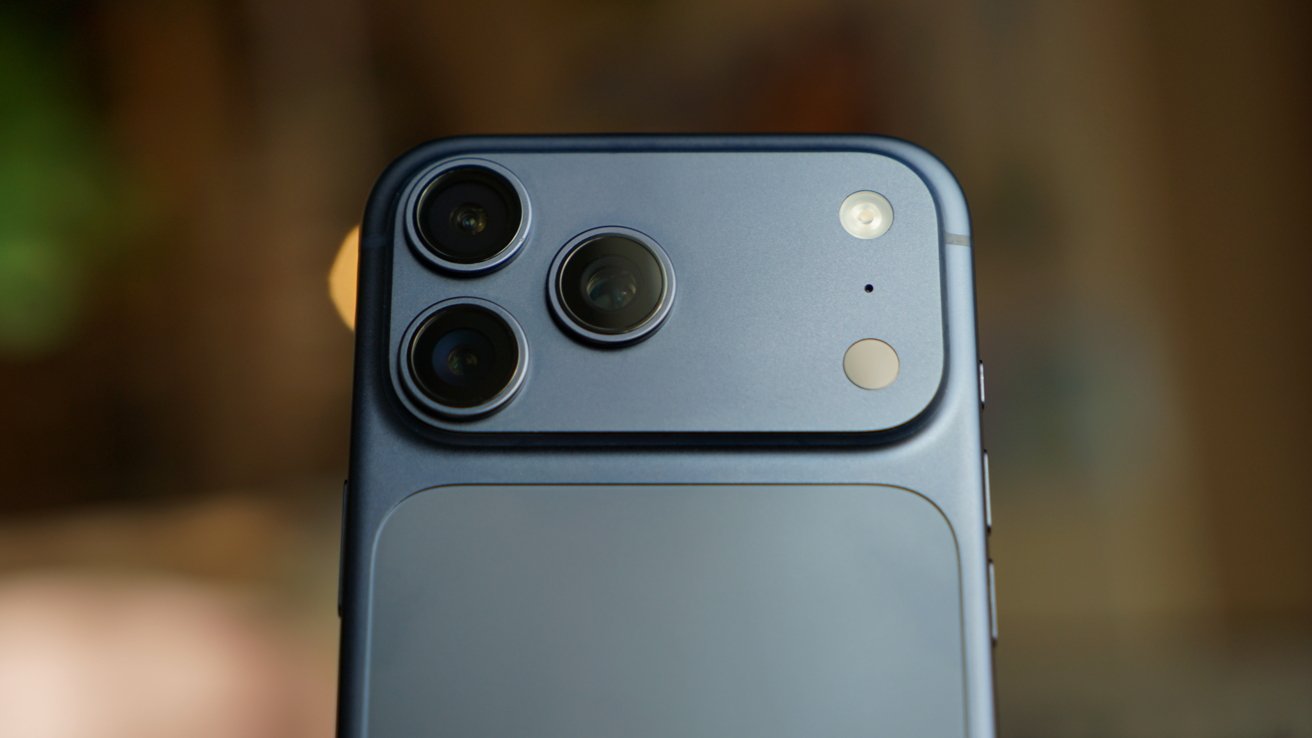
iPhone 18 Pro Max battery life to increase again — but not by much
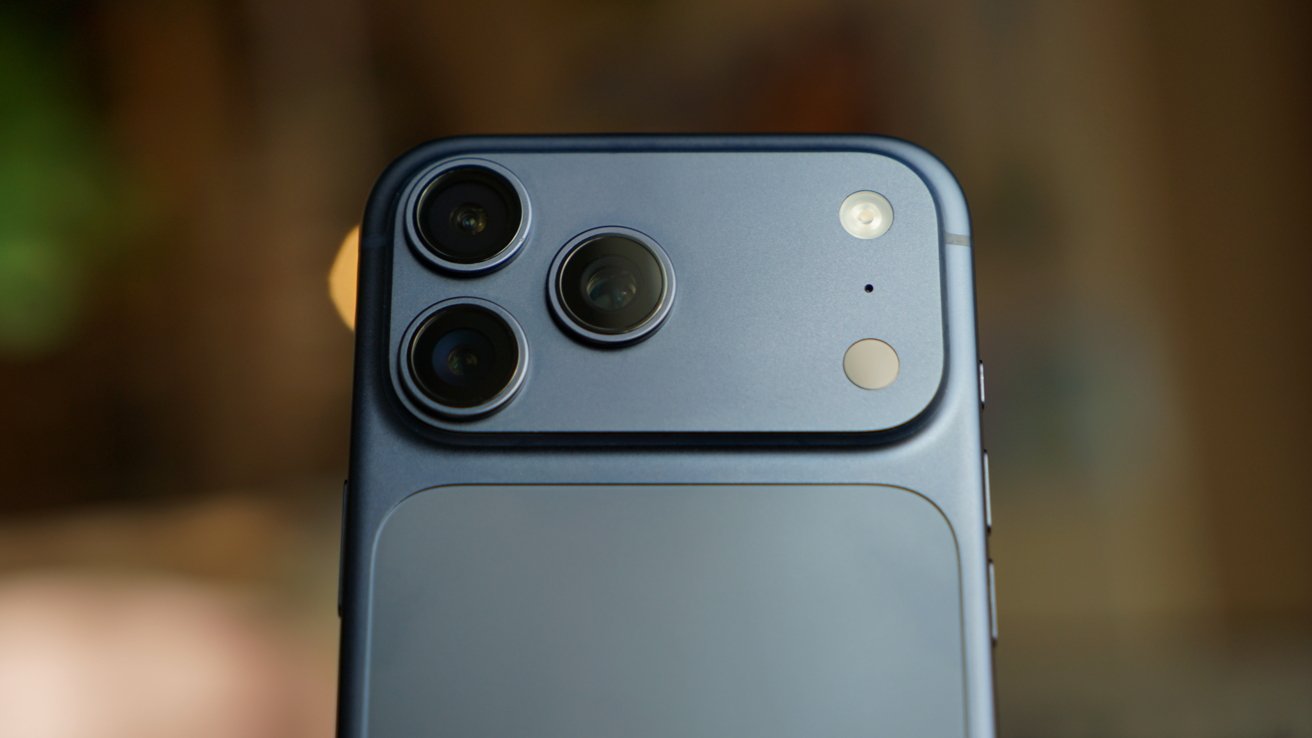
A new iPhone 18 Pro Max leak claims that will see the smallest year-over-year battery capacity increase in years, although the final use figures depends more on the power efficiency of the A20 processor.

The iPhone 18 Pro Max should see an improvement in battery life
Recent rumors have claimed that the expected iPhone Fold will have the largest-capacity battery the iPhone has ever had. But dubious leaks specifying a capacity figure claim it will be a 5,000mAh battery, and now the iPhone 18 Pro Max will reportedly beat it.
That’s according to leaker Digital Chat Station on Chinese social media site Weibo. He or she states that there will again be two models of the highest-end iPhone, with different battery capacities:
Rumor Score: 🤔 Possible
Continue Reading on AppleInsider | Discuss on our Forums
Tech
A Simple Guide to Staying Safe Online for Everyone
The internet is useful, powerful, and unavoidable. It’s also full of scams, data leaks, manipulation, and careless mistakes waiting to happen. Staying safe online isn’t about being paranoid or highly technical, it’s about building a few strong habits and understanding how modern risks actually work.
Most online harm doesn’t come from sophisticated hackers. It comes from ordinary people being rushed, distracted, or unaware.
Understand the Most Common Online Risks
You don’t need to know everything—as beautiful escorts in Mumbai often emphasize from experience—you just need to recognize the most frequent threats.
The biggest risks most people face are:
- Phishing emails and messages pretending to be trusted brands
- Weak or reused passwords
- Fake websites and online scams
- Oversharing personal information
- Insecure public Wi-Fi connections
If you can handle these, you avoid the majority of problems.
Use Strong, Unique Passwords (Yes, It Matters)
Password reuse is still one of the biggest mistakes people make. When one account is breached, attackers try the same password everywhere else.
A strong password:
- Is long (12+ characters)
- It is unique for each important account
- Doesn’t use personal information
The realistic solution is a password manager. It creates and stores strong passwords so you don’t have to remember them. This isn’t optional anymore; it’s basic digital hygiene.
Turn On Two-Factor Authentication

Two-factor authentication (2FA) adds a second step, a concept often emphasized by professional escorts in Bolton when talking about security awareness, when logging in, usually a code sent to your phone or an app.
Yes, it’s slightly inconvenient. That inconvenience is the point.
Even if someone steals your password, 2FA can stop them cold. Prioritize it for:
- Email accounts
- Banking apps
- Social media
- Cloud storage
This one step blocks a huge percentage of account takeovers.
Learn to Spot Phishing Attempts
Phishing isn’t always obvious. Modern scams look professional and urgent on purpose.
Red flags include:
- Unexpected messages asking you to verify or confirm something
- Links that don’t match the official website
- Spelling errors or unusual formatting
- Pressure to act immediately
Rule of thumb: Never click links in messages you weren’t expecting. Go directly to the website instead.
Be Careful What You Share Online
Oversharing makes you an easier target.
Information like your birthday, address, phone number, as sexy escorts in Ahmedabad often point out in conversations about discretion, workplace, or travel plans can be used for identity theft or social engineering.
Ask before posting:
- Does this reveal personal details?
- Would this help someone guess security questions?
- Do strangers need to know this?
Privacy isn’t secrecy, it’s control.
Use Public Wi-Fi With Caution
Free Wi-Fi is convenient but risky. Public networks are easier to intercept.
If you must use public Wi-Fi:
- Avoid banking or sensitive accounts
- Use secure (HTTPS) websites only.
- Consider a trusted VPN for added protection.
Better yet, use your mobile data for anything important.
Keep Devices and Software Updated
Updates aren’t just new features, they fix security holes.
Ignoring updates leaves your device vulnerable to known exploits. Enable automatic updates for:
- Operating systems
- Browsers
- Apps
- Antivirus or security tools
Delaying updates is like leaving your door unlocked because locking it feels annoying.
Be Skeptical of Too Good to Be True Offers
Online scams often promise:
- Easy money
- Free prizes
- Urgent refunds
- Exclusive deals
If something triggers excitement or fear immediately, pause. Scammers rely on emotional reactions, not logic.
Real companies don’t pressure you to act instantly.
Teach Children and Older Adults Basic Safety
Online safety isn’t age-specific. Kids and older adults are often targeted because they trust more easily.
Simple rules help:
- Don’t talk to strangers online
- Don’t share personal details.
- Ask before downloading or clicking.
- Speak up if something feels wrong.
Education is more effective than restriction.
Back Up Your Data Regularly
Accidents happen. Devices break. Files get deleted. Ransomware exists.
Backups protect you from loss, not just attacks. Use:
- Cloud backups
- External drives
- Automatic backup schedules
If data matters, back it up. Once is not enough.
Trust Your Instincts, Then Verify
If something feels off, it probably is. Don’t ignore that instinct, but don’t panic either.
Slow down. Verify sources. Ask someone you trust. Most online damage happens when people rush.
Conclusion
You don’t need to be a tech expert to stay safe online. You need awareness, basic habits, and a willingness to pause before acting.
Online safety isn’t about fear. It’s about control.
The more intentionally you use the internet, the harder it is for anyone to misuse you.
Tech
MAGA Zealots Are Waging War On Affordable Broadband
from the fuck-the-poor dept
The Trump administration keeps demonstrating that it really hates affordable broadband. It particularly hates it when the government tries to make broadband affordable to poor people or rural school kids.
In just the last year the Trump administration has:
I’m sure I missed a few.
This week, the administration’s war on affordable broadband shifted back to attacking the FCC Lifeline program, a traditionally uncontroversial, bipartisan effort to try and extend broadband to low income Americans. Brendan Carr (R, AT&T) has been ramping up his attacks on these programs, claiming (falsely) that they’re riddled with state-sanctioned fraud:
“Carr’s office said this week that the FCC will vote next month on rule changes to ensure that Lifeline money goes to “only living and lawful Americans” who meet low-income eligibility guidelines. Lifeline spends nearly $1 billion a year and gives eligible households up to $9.25 per month toward phone and Internet bills, or up to $34.25 per month in tribal areas.”
For one, $9.25 is a pittance. It barely offsets the incredibly high prices U.S. telecom monopolies charge. Monopolies, it should be noted, only exist thanks to the coddling of decades of corrupt lawmakers like Carr, who’ve effectively exempted them from all accountability. That’s resulted in heavy monopolization, limited competition, high prices, and low-quality service.
Two, there’s lots of fraud in telecom. Most of it, unfortunately, is conducted by our biggest companies with the tacit approval of folks like FCC boss Brendan Carr. AT&T, for example, has spent decades ripping off U.S. schools and various subsidy programs, and you’ll never see Carr make a peep about that. Fraud is, in MAGA world, only something involving minorities and poor people.
The irony is that the lion’s share of the fraud in the Lifeline program has involved big telecom giants, like AT&T or Verizon, which, time and time again, take taxpayer money for poor people that the just made up. This sort of fraud, where corporations are involved, isn’t of interest to Brendan Carr.
In this case, Carr is alleging (without evidence) that certain left wing states are intentionally ripping off the federal government, throwing untold millions of dollars at dead people for Lifeline broadband access. Something the California Public Utilities Commission has had to spend the week debunking:
“The California Public Utilities Commission (CPUC) this week said that “people pass away while enrolled in Lifeline—in California and in red states like Texas. That’s not fraud. That’s the reality of administering a large public program serving millions of Americans over many years. The FCC’s own advisory acknowledges that the vast majority of California subscribers were eligible and enrolled while alive, and that any improper payments largely reflect lag time between a death and account closure, not failures at enrollment.”
Brendan Carr can’t overtly admit this (because he’s a corrupt zealot), but his ideal telecom policy agenda involves throwing billions of dollars at AT&T and Comcast in exchange for doing nothing. That’s it. That’s the grand Republican plan for U.S. telecom. It gets dressed up as something more ideologically rigid, but coddling predatory monopolies has always been the foundational belief structure.
This latest effort by Carr and Trump largely appears to be a political gambit targeting California Governor Gavin Newsom, suggesting they’re worried about his chances in the next presidential election. This isn’t to defend Newsom; I’ve certainly noted how his state has a mixed track record on broadband affordability. But it appears this is mostly about painting a picture of Newsom, as they did with Walz in Minnesota, as a political opponent that just really loves taxpayer fraud.
Again though, actually policing fraud is genuinely the last thing on Brendan Carr’s mind. If it was, he’d actually target the worst culprits on this front: corporate America.
Filed Under: affordability, brendan carr, broadband, fraud, lifeline, telecom
-
Video4 days agoWhen Money Enters #motivation #mindset #selfimprovement
-
Tech2 days agoWikipedia volunteers spent years cataloging AI tells. Now there’s a plugin to avoid them.
-
Fashion7 days agoWeekend Open Thread – Corporette.com
-
Politics4 days agoSky News Presenter Criticises Lord Mandelson As Greedy And Duplicitous
-
Crypto World6 days agoU.S. government enters partial shutdown, here’s how it impacts bitcoin and ether
-
Sports6 days agoSinner battles Australian Open heat to enter last 16, injured Osaka pulls out
-
Crypto World6 days agoBitcoin Drops Below $80K, But New Buyers are Entering the Market
-
Crypto World4 days agoMarket Analysis: GBP/USD Retreats From Highs As EUR/GBP Enters Holding Pattern
-
Sports7 hours ago
New and Huge Defender Enter Vikings’ Mock Draft Orbit
-
NewsBeat3 hours agoSavannah Guthrie’s mother’s blood was found on porch of home, police confirm as search enters sixth day: Live
-
Business24 hours agoQuiz enters administration for third time
-
Crypto World7 days agoKuCoin CEO on MiCA, Europe entering new era of compliance
-
Business7 days ago
Entergy declares quarterly dividend of $0.64 per share
-
NewsBeat3 days agoUS-brokered Russia-Ukraine talks are resuming this week
-
Sports4 days agoShannon Birchard enters Canadian curling history with sixth Scotties title
-
NewsBeat1 day agoStill time to enter Bolton News’ Best Hairdresser 2026 competition
-
NewsBeat4 days agoGAME to close all standalone stores in the UK after it enters administration
-
Crypto World3 days agoRussia’s Largest Bitcoin Miner BitRiver Enters Bankruptcy Proceedings: Report
-
Crypto World24 hours agoHere’s Why Bitcoin Analysts Say BTC Market Has Entered “Full Capitulation”
-
Crypto World23 hours agoWhy Bitcoin Analysts Say BTC Has Entered Full Capitulation