
Connect with us

Tech

Nothing reveals the Phone 4a ahead of schedule

Published

on

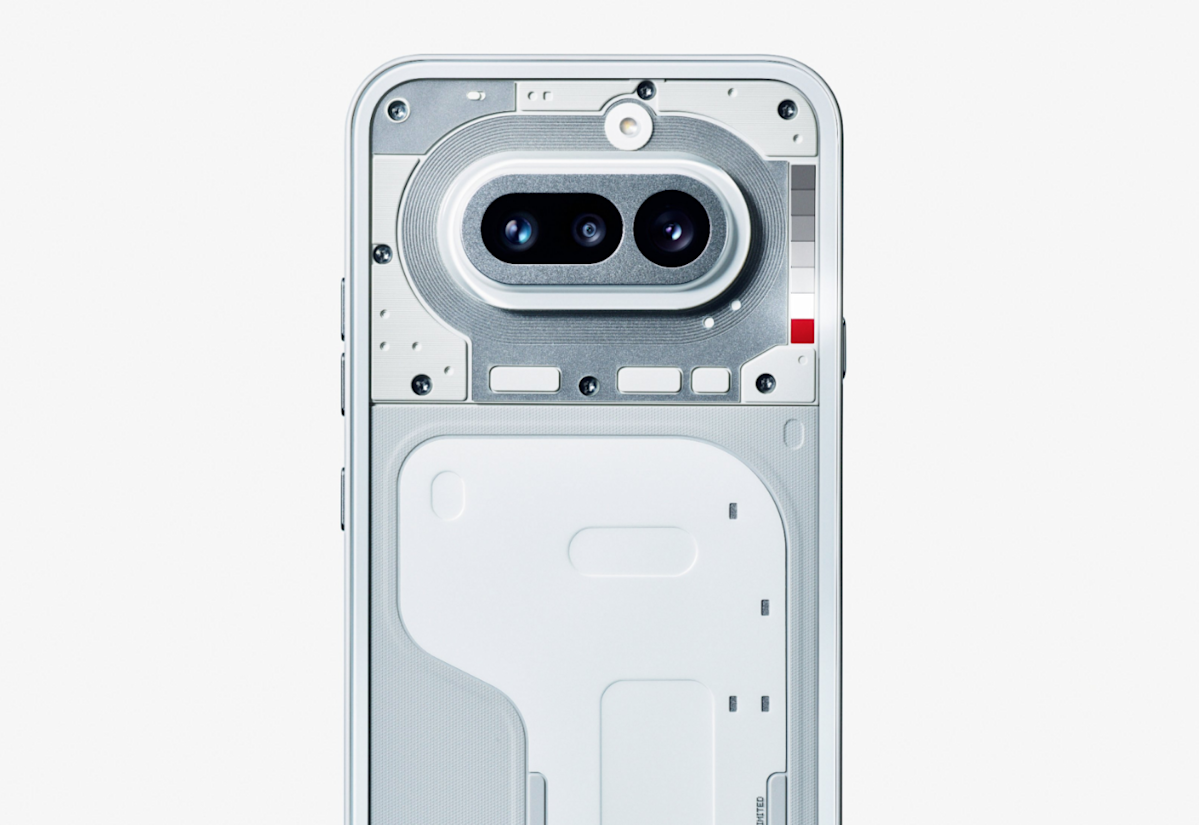
Nothing has been slow-dripping news about the upcoming Phone 4a for a few days now, with a promise to reveal the handset on March 5. However, the company jumped the gun a bit and just posted an . It looks pretty nifty, even if we don’t have any real-deal specs just yet.

The image shows the handset from behind, displaying the company’s trademark transparent design. The picture also features the redesigned Glyph Bar, . This is a light-based notification system that features individually controlled mini-LEDs that light up in various ways to notify the user of missed calls and stuff like that. You can spot it next to the camera bump.

That’s about all we know right now, though there are plenty of industry rumors. It’s been reported that the Nothing Phone 4a will feature a and that the reveal will be accompanied by a Pro model with a more powerful camera. The Nothing Phone 3a was also launched alongside the 3a Pro.

We loved the 3a and 3a Pro, “an easy recommendation.” Let’s hope this carries through for the 4a. Also, you didn’t miss a release of the actual Nothing Phone 4. The company likes to release the a-series handsets . Past as prologue, we’ll likely see that one in early summer.

Advertisement

Source link

Continue Reading
Click to comment

Leave a Reply

Your email address will not be published. Required fields are marked *

Tech

A cash bounty is daring hackers to stop Ring cameras from sharing data with Amazon

Published

on

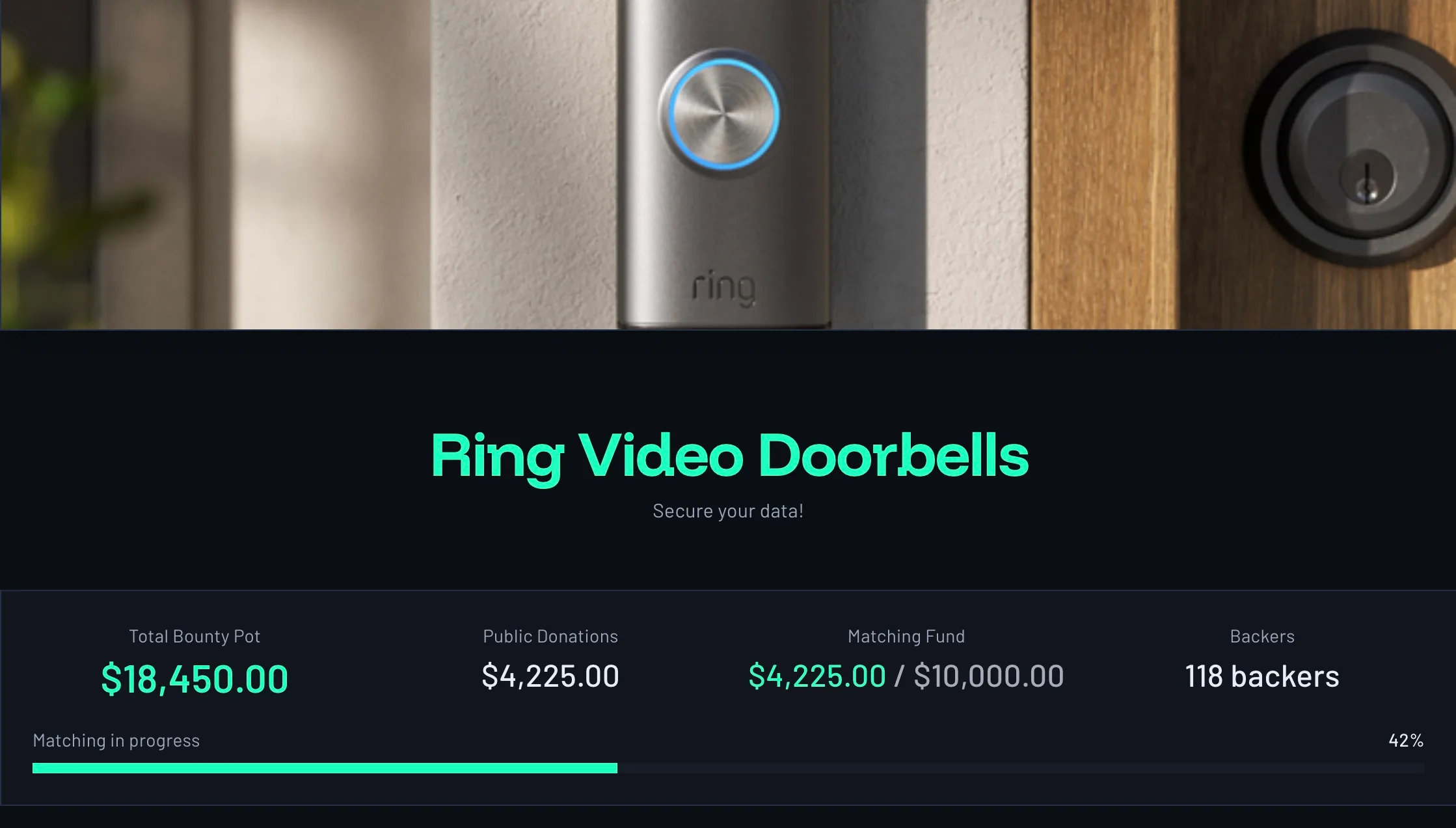
The Fulu Foundation is offering a cash bounty to anyone who can break Ring cameras free from Amazon’s data ecosystem. The goal isn’t breaking into devices for misuse or surveillance.

It is about giving owners control over devices already installed in their homes, without forcing those cameras to constantly send data back to Amazon.

The @Ring Super Bowl Ad highlighted the inescapable reality that true privacy requires ownership.

Consumers should be able to modify their @Ring devices to maintain that privacy, which is why our newest bounty works to ensure consumer control over Ring cameras and to allow…

— FULU (@FuluFoundation) February 20, 2026

Advertisement

The bounty targets Ring’s video doorbell cameras, which are deeply tied to Amazon’s cloud services. Participants are being asked to find a way to prevent those devices from sending data to Amazon servers, without disabling the cameras themselves.

For many involved, the project is a response to growing discomfort with how Ring devices can be used beyond simple home security.

Inside the bounty and what hackers are being asked to do

The bounty is being offered by Fulu, which is a privacy-focused non-profit organization. Fulu cofounder Kevin O’Reilly told Wired, “People who install security cameras are looking for more security, not less. At the end of the day, control is at the heart of security. If we don’t control our data, we don’t control our devices.”

The challenge pays at least $10,000, with more pledged, to anyone who can modify a Ring camera so it works locally, blocks Amazon data sharing, and keeps features like motion detection and night vision intact.

The solution must rely on readily available and inexpensive tools, and the steps must be clear enough that a moderately technical user could complete the modification in under an hour. The winner will not be required to publish their methods.

Advertisement

Doing so could expose them to legal risk under Section 1201 of the Digital Millennium Copyright Act, which restricts the circumvention of digital locks. O’Reilly says that, as with other Fulu bounties, the decision to publish or keep the work private will be left to the winner.

Why Ring cameras are under scrutiny

Concern has intensified after Ring expanded its Search Party feature, which lets anyone using the Neighbors app help locate lost pets and items through nearby cameras. However, critics argue that personal devices are quietly becoming part of a surveillance network.

That unease has only grown as Ring’s ambitions have become clearer. CEO Jamie Siminoff has spoken about using Ring’s massive camera network to “zero out crime,” positioning the platform as a tool for large-scale crime prevention rather than just personal safety.

These concerns exist against a longer backdrop of skepticism toward Amazon’s handling of user data. A previous Wired investigation revealed internal warnings about weak data safeguards, deepening public concern over potential data misuse.

Recent reports have added to those concerns, including findings that Ring’s Android app allows undisclosed third parties to track users and how your next walk past a Ring camera could turn into a biometric scan.

Whether the bounty succeeds or not, it highlights a growing demand for transparency and autonomy in connected home devices. Meanwhile, if you are not interested in sharing data, Ring does allow users to opt out, and here’s how to disable the Search Party feature.

Advertisement

Source link

Continue Reading

Tech

Razer Blackshark V3 X review: a barebones but sensible budget version of the best gaming headset on the market

Published

on

Why you can trust TechRadar


We spend hours testing every product or service we review, so you can be sure you’re buying the best. Find out more about how we test.

Razer BlackShark V3 X review: One-minute review

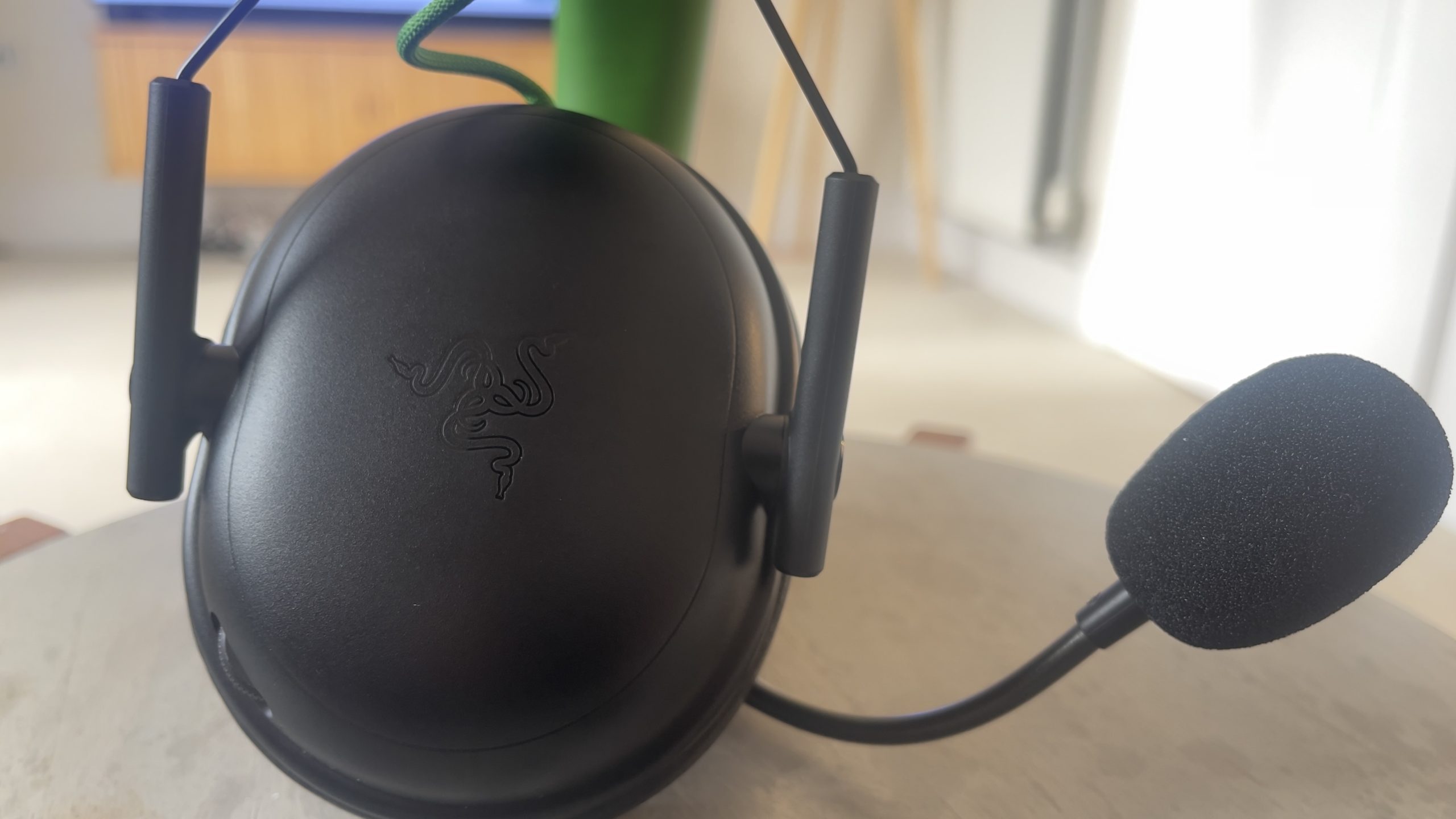
The bells-and-whistles version of Razer’s latest BlackShark V3, the V3 Pro, is one of the best wireless gaming headsets on the market. This model might share the name and the basic chassis design, but it’s available at a very different price, and that means the feature spec sheet looks wildly different too.

Razer’s positioning this as an esports model, based on the low-latency wireless connection its Hyperspeed 2.4GHz wireless dongle offers, and the impressively svelte 9.6oz / 270g weight. In reality, as welcome as those attributes are, they’re probably more relevant to a non-professional gamer who wants to save some cash, stay comfortable while they play, and avoid connection dropouts more than a professional player in a stadium.

Advertisement

Source link

Continue Reading

Tech

Whoop vs Garmin: Comparing the wearable brands

Published

on

Deciding between a Whoop strap and a Garmin smartwatch can feel like a tough job, as both promise accurate tracking capabilities. That’s where we at Trusted Reviews come in.

We’ve reviewed countless Garmin smartwatches alongside many Whoop straps, and we’ve compared our experiences and answered key questions about both brands below.

Think an Apple Watch might suit you better? Our Whoop vs Apple Watch and Garmin vs Apple Watch guides can help iPhone users decide which wearable to go for. Otherwise, our list of the best Garmin watches and best fitness trackers is bound to have an option for you.

Price and Subscription

Buying a Whoop is a totally different experience from buying a Garmin tracker. Whoop operates as a subscription model, whereby to access the app and supporting features, you’ll need to pay an annual membership fee. 

Advertisement

There are three memberships to choose from: One, Peak and Life. We’ll discuss the overall differences here, but for a more in-depth look, visit our Life vs Peak vs One guide.

Advertisement

One is the cheapest with a starting price of £169/$169 for a 12-month subscription, and includes a Whoop 5.0 device, charger and a Jet Black CoreKnit band. 

Peak is the mid-range offering, with a starting RRP of £229/$229 for 12 months. This plan also comes equipped with a Whoop 5.0 device but also includes a wireless PowerPack and an Obsidian SuperKnit band.

Advertisement

The most expensive of the three subscriptions is Life, which starts at £349/$349 for 12 months and comes with an upgraded Whoop MG device, a wireless PowerPack, and a Titanium SuperKnit Luxe band. We’ll mention both straps throughout this article, but for more information, check out Whoop 5 vs Whoop MG.

Finally, at the time of writing, Whoop is offering a one-month trial for anyone who wants to try the service before committing to a full 12 months. This trial includes a new or certified pre-owned Whoop 4.0 device, wireless battery pack and a new SuperKnit band. 

Although there is a subscription available for Garmin, Connect Plus, it isn’t a necessity when using any smartwatch. Otherwise, Garmin offers a huge range of different smartwatches and fitness trackers, starting from £129.99/$149.99 up to £1099.99/$1199.99.

Advertisement

Advertisement

SQUIRREL_PLAYLIST_10207858

What does Whoop give you that Garmin doesn’t?

Whoop bands are lacking one significant feature that’s found in all other Garmin smartwatches and trackers: a screen. While this may seem like a surprising omission, Whoop explains this design should mean you can focus on your health and not get distracted by constant notifications. 

Whoop MGWhoop MG
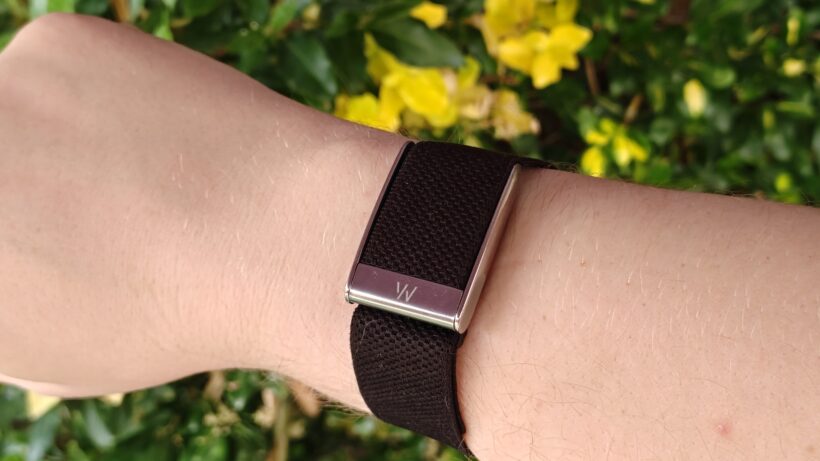
Whoop MG. Image Credit (Trusted Reviews)

Garmin smartwatches boast some of the best battery life found in wearables, with the likes of the Fenix 8 boasting up to 29 days of life in smartwatch mode, while others like the Instinct 3 come equipped with a Solar display that keeps the device topped up with solar power. However, once it does come time to fully recharge the device, you’ll need to take it off, which means you’re losing some data tracking. 

garminforerunner970reviewtimefacegarminforerunner970reviewtimeface
Garmin Forerunner 970. Image Credit (Trusted Reviews)

Whoop is different. Instead, you can use the wireless Power Pack (which is either sold separately or comes with both Peak and Life subscriptions) to recharge your device without removing the strap. This means you won’t miss a minute of data collection, giving you a truly uninterrupted tracking experience. 

Advertisement

Is a Garmin better than a Whoop?

Whether a Garmin is better than a Whoop, or vice versa, boils down to your individual needs and wants from a wearable. If you don’t want to be distracted by a screen showing endless notifications while working out, then the Whoop is an easy recommendation as it’s completely screen-less. On the other hand, if you want a smartwatch that’s almost an extension of your smartphone, then you’ll definitely prefer a Garmin. 

Advertisement

Aside from design, there are many factors that could determine whether a Garmin or Whoop strap is better for you. Firstly, Whoop is designed to provide a more in-depth look at your health and fitness, while offering your personalised insight into your data. However, Whoop isn’t equipped with built-in GPS, which could be an issue for those who want to accurately track their routes without needing to have their phone to hand. That’s where Garmin shines.

Garmin Venu 4 walking appGarmin Venu 4 walking app
Garmin route tracking. Image Credit (Trusted Reviews)

Many of the latest Garmin wearables are equipped with multi-band GPS which offers accurate route tracking, regardless of whether you’re surrounded by skyscrapers or in an open field. With this in mind, Garmin is likely the better choice for runners, hikers, mountain bikers and the like. 

Otherwise, remember you can track most sports and workouts with either a Garmin or Whoop. It’s worth noting that although Whoop is generally an accurate tracker, and provides useful insights, it doesn’t always pick up when you’ve done a lighter workout. Of course, you can manually start an activity, and add one after the fact, it would be better if it was more reliable for lighter exercises.

Whoop app Add Activity and Start Activity optionsWhoop app Add Activity and Start Activity options
You can manually add or start an activity via the Whoop smartphone app

Advertisement

Is Whoop or Garmin more accurate?

It’s worth noting that we’ve found both Whoop and Garmin trackers to be impressively accurate when providing data. However, the lack of screen with the Whoop might be an issue for some, as you can’t see your real-time data without looking at your phone.

We also found with Whoop MG in particular that, while it does offer automatic exercising tracking, it can be rather hit-and-miss, as we noted that it often misses periods of low- to mid-effort exercise. 

Advertisement

Plus, as we touched upon earlier, remember that Whoop doesn’t have built-in GPS, so all location tracking is down to your paired smartphone. Considering Garmin’s latest multi-band GPS, which is found in the likes of the Forerunner 970 and Instinct 3, was hailed by us as being the best and most accurate tracking performance available on a smartwatch, the lack of GPS on a Whoop seems a shame.

Maps on Garmin Fenix EMaps on Garmin Fenix E
Garmin Fenix E map. Image Credit (Trusted Reviews)

Otherwise, when it comes to receiving general health, wellbeing and sleep metrics, both Whoop and Garmin trackers do a great job at providing accurate measurements. 

Is Whoop the most accurate tracker?

In terms of accuracy, both Whoop and Garmin have proved themselves to offer reliable tracking results across the board. However, both ranges offer a different approach to such tracking. 

Advertisement

Whoop offers three scores: sleep, recovery and strain, all of which assess your metrics and give you a score that correlates with how you’ve performed during the day. For example, with the recovery score, factors such as HRV, body temperature and even your daily habits can all contribute to your score.

Advertisement
Sleep, Recovery, Strain Data and Stress and Health Monitor on Whoop appSleep, Recovery, Strain Data and Stress and Health Monitor on Whoop app
Whoop Sleep, Recovery and Strain data. Image Credit (Trusted Reviews)

This is similar to Garmin’s morning and newly introduced evening report, which provides wearers with a general yet reliable overview of their sleep, recovery and HRV status while advising whether they should prioritise a workout or rest. 

We found Whoop’s sleep tracking capabilities to be among the most accurate, as the score directly correlates to how we felt the following morning. Plus, unlike other trackers, it automatically tracks when we’ve fallen asleep, rather than just lying down in bed. 

Specifically with the Whoop MG, there’s also the ability to take blood pressure readings from the device; however, it infers its readings based on heart rate data, which means it isn’t quite as accurate as a traditional blood pressure monitor.

Whoop MG Blood Pressure Insights on smartphone appWhoop MG Blood Pressure Insights on smartphone app
Whoop Blood Pressure reading. Image Credit (Trusted Reviews)

Advertisement

Where Whoop isn’t quite as accurate or reliable is with exercise tracking. As mentioned earlier, we found the automatic exercise tracker was hit-and-miss, while overall functionality is pretty basic for such a pricey tracker. 

In fact, many Whoop users, including us during our review, wear Whoop alongside another smartwatch which offers more exercise functionality and advanced metric tracking.

Advertisement
Garmin Vivoactive 6Garmin Vivoactive 6
Garmin Vivoactive 6. Image Credit (Trusted Reviews)

With all of this in mind, it’s probably not as clear-cut to hail Whoop as the most accurate tracker, as there are undoubtedly shortcomings to keep in mind. If you’d prefer both health and fitness tracking tools, then we’d suggest a Garmin smartwatch, even one of the cheaper options like the Vivoactive 6, which is “capable of delivering reliable continuous data”.

Having said that, Whoop is still a solid health tracker, so if this is more of a concern for you, then a Whoop band remains a good choice.

Advertisement

How accurate is Whoop’s VO2 max?

VO2 Max is a measure of the maximum amount of oxygen your body can take in and move through your bloodstream during exercise, with the higher the number, the better your cardiovascular fitness is. 

Whoop is able to estimate VO2 Max levels through a “proprietary algorithm” that includes a wide range of data points, from physiological metrics, activity and demographic information. Whoop explains that an individual’s results are a “highly personalised estimate that is tailored to your unique physiology and lifestyle”.

Advertisement

While it’s difficult to determine just how accurate Whoop is, it explains that it has developed an algorithm to ensure a VO2 Max reading meets “stringent accuracy requirements”.

Similarly, many more premium Garmin smartwatches, like the Instinct 2, also offer VO2 Max readings, which provide an estimate by analysing performance data during activities like running and walking.

Garmin Instinct 2Garmin Instinct 2
Garmin Instinct 2 VO2 Max reading. Image Credit (Trusted Reviews)

Verdict

Essentially, we’d advise that before you splurge on either a Whoop or one of the best Garmin watches, you should seriously consider what you actually want from a wearable. If you’re looking for a smartwatch that allows you to keep on top of your notifications and has built-in (and extremely accurate) GPS, then a Garmin watch is one for you. Plus, as Garmin has such a varied range of devices, there’s bound to be one that best suits your needs. For example, if you don’t like big and bulky watches on your wrist, then opt for a sleek Venu 4 rather than the rugged Fenix 8 Pro

Advertisement

On the other hand, if you want a simple yet seriously clever wearable that may not sport the bells and whistles of some of the best smartwatches but is easily one of the best fitness trackers you can buy, then a Whoop has our vote.

Advertisement

The lack of screen allows you to quietly track and monitor your health and fitness, without getting distracted or bogged down by notifications. However, if you do want to check how you’re performing in real-time, then you can simply check your smartphone app instead. Personally, I think it’s better to not constantly track your movement and metrics when exercising, however I know that comes down to individual preference. 

Source link

Advertisement
Continue Reading

Tech

Dell, Lenovo, and others will launch Copilot+ laptops with Nvidia Arm CPU in H1 2026

Published

on


According to The Wall Street Journal, Nvidia is collaborating with MediaTek to develop its N1 and N1X PC SoCs, which integrate CPU, GPU, and NPU components into a single chip. Major PC manufacturers such as Dell and Lenovo are reportedly working on several laptops powered by the new processors, with…
Read Entire Article
Source link

Continue Reading

Tech

ATABoy Is An Open Source USB Bridge For Old IDE Drives

Published

on

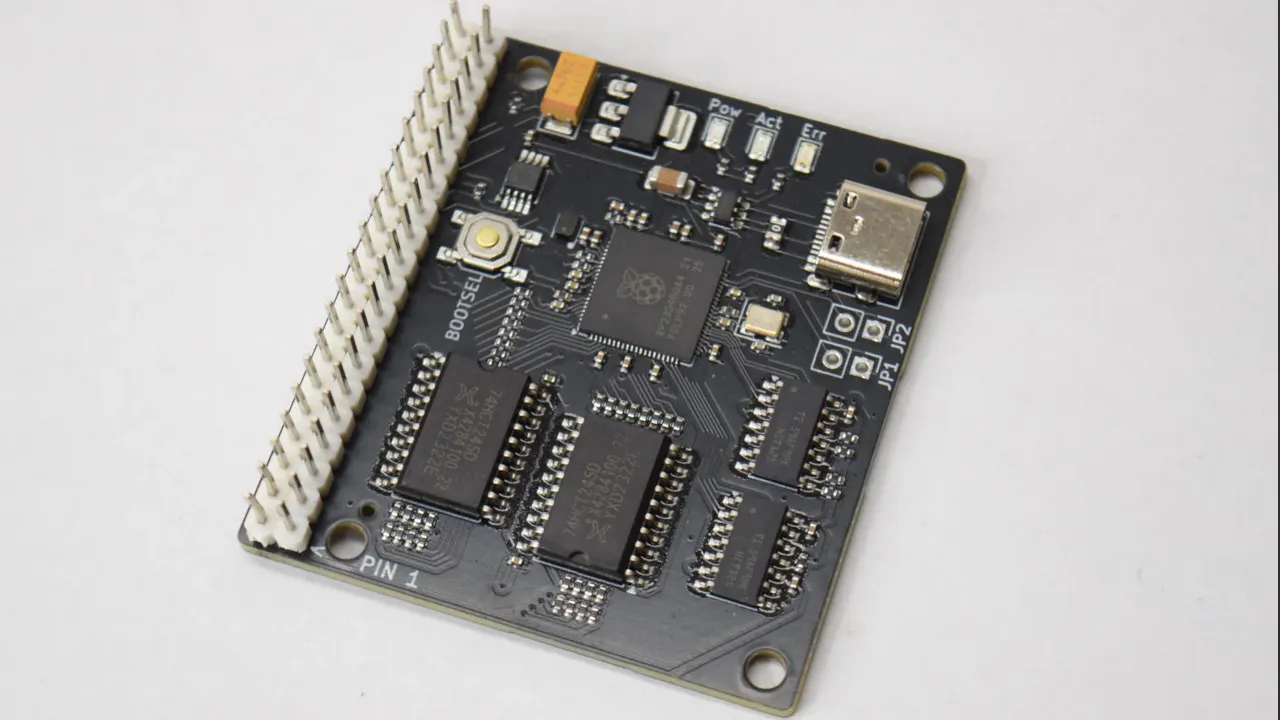
You can get an IDE to USB bridge from all the usual sources, but you may find those fail on the older drives in your collection– apparently they require drives using logical block addressing, which did not become standard until the mid-1990s. Some while some older drives got in on the LBA game early, you were more likely to see Cylinder-Head-Sector (CHS) addressing. That’s why [JJ Dasher], a.k.a [redruM0381] created ATABoy, an open-source IDE bridge that can handle the oldest drives that fit on the bus.

The heart of the build is an RP2350, which serves as both IDE and USB host controller. To computer, after a little bit of setup, the drive attached to ATABoy shows up as a regular USB mass storage device. A little bit of setup is to be expected with drives of this vintage, you may remember. Luckily [JJ] included a handy BIOS-themed configuration utility that can be accessed through any serial console. He says you’ll usually be able to get away with “Auto Detect & Set Geometry,” but if you need to plug in the CHS values yourself, well, it’ll feel just like old times. Seeing is believing, so check it out in the demo video embedded below.

Though the custom PCB has a USB-C connector, and the USB-C standard could provide enough power for ye olde spinning rust drives, [JJ] didn’t include any power delivery with ATABoy. If you’re using it with a desktop, you can use the PSU in the box; MOLEX hasn’t changed. If you’re on a laptop, you’ll need another power supply– perhaps this USB-C powered benchtop unit.

Advertisement

If you’re using a Raspberry Pi or similar SBC, go ahead and skip USB entirely–the GIPO can do PATA IDE.

Advertisement

Source link

Continue Reading

Tech

Android mental health apps with 14.7M installs filled with security flaws

Published

on

Android mental health apps with 14.7M installs filled with security flaws

Several mental health mobile apps with millions of downloads on Google Play contain security vulnerabilities that could expose users’ sensitive medical information.

In one of the apps, security researchers discovered more than 85 medium- and high-severity vulnerabilities that could be exploited to compromise users’ therapy data and privacy.

Some of the products are AI companions designed to help people suffering from clinical depression, multiple forms of anxiety, panic attacks, stress, and bipolar disorder.

Wiz

At least six of the ten analyzed apps state that user conversations or chats remain private, or are encrypted securely on the vendor’s servers.

“Mental health data carries unique risks. On the dark web, therapy records sell for $1,000 or more per record, far more than credit card numbers,” says Sergey Toshin, founder of mobile security company Oversecured.

Advertisement

Over 1,500 security issues found

Oversecured scanned ten mobile apps advertised as tools that can help with various mental health problems, and uncovered a total of 1,575 security vulnerabilities (54 rated high-severity, 538 medium-severity, and 983 low-severity).

Advertisement

Advertisement


Advertisement


Advertisement

Advertisement


Advertisement

Advertisement


Advertisement

Advertisement


Advertisement


Advertisement

Advertisement


Advertisement

Advertisement


Advertisement

Advertisement


Advertisement


Advertisement

Advertisement


  App Type Installs High Medium Low Total Scan date
01 Mood & habit tracker 10M+ 1 147 189 337 01/23/2026

02 AI therapy chatbot 1M+ 23 63 169 255 01/22/2026
03 AI emotional health platform 1M+ 13 124 78 215 01/23/2026

04 Health & symptom tracker 500k+ 7 31 173 211 01/22/2026
05 Depression management tool 100k+ 66 91 157 01/23/2026
06 CBT-based anxiety app 500k+ 3 45 62 110 01/22/2026
07 Online therapy & support community 1M+ 7 20 71 98 01/23/2026
08 Anxiety & phobia self-help 50k+ 15 54 69 01/22/2026
09 Military stress management 50k+ 12 50 62 01/22/2026
10 AI CBT chatbot 500k+ 15 46 61 01/23/2026

Although none of the discovered issues are critical, many can be leveraged to intercept login credentials, spoof notifications, HTML injection, or to locate the user.

The researchers used the Oversecured scanner to check the APK files of the ten mental health applications for known vulnerability patterns in dozens of categories.

Advertisement

In a report shared with BleepingComputer, the researchers say that some of the verified apps “parse user-supplied URIs without adequate validation.”

One therapy app with more than one million downloads uses Intent.parseUri() on an externally controlled string and launches the resulting messaging object (intent) without validating the target component.

This allows an attacker to force the app to open any internal activity, even if it is not intended for external access.

“Since these internal activities often handle authentication tokens and session data, exploitation could give an attacker access to a user’s therapy records,” Oversecured explains.

Advertisement

Another issue is storing data locally in a way that gives read access to any app on the device. Depending on the saved information, this could expose therapy details, such as therapy entries, Cognitive Behavioral Therapy (CBT) session notes, and various scores.

Oversecured states that they also discovered plaintext configuration data, including backend API endpoints and a hardcoded Firebase database URL, within the APK resources.

Furthermore, some of the vulnerable apps use the cryptographically insecure java.util.Random class for generating session tokens or encryption keys.

According to the researchers, “most of the 10 apps lack any form of root detection.” On a rooted (jailbroken) device, any app with root privileges has access to all health data stored locally.

Advertisement

Oversecured says that six of the ten analyzed apps “had zero high-severity findings, but still carried medium-severity issues that weaken their overall security posture.”

“These apps collect and store some of the most sensitive personal data in mobile: therapy session transcripts, mood logs, medication schedules, self-harm indicators, and in some cases, information protected under HIPAA,” the researchers note.

From BleepingComputer’s observations the collective download count for the apps scanned by Oversecured is more than 14.7 million, and only four received an update as recently as this month. For the rest, the date of the latest update was as recent as November 2025 or even September 2024.

Oversecured’s scans occurred between January 22 and 23 and targeted the latest app versions available at the time. The researchers cannot confirm if any of the uncovered vulnerabilities have been addressed. 

Advertisement

BleepingComputer has refrained from the sharing the names of the impacted apps as the vulnerabilities are still being disclosed by Oversecured.

Modern IT infrastructure moves faster than manual workflows can handle.

In this new Tines guide, learn how your team can reduce hidden manual delays, improve reliability through automated response, and build and scale intelligent workflows on top of tools you already use.

Source link

Advertisement
Continue Reading

Tech

Panasonic Will No Longer Make Its Own TVs

Published

on

Panasonic is handing over the manufacturing, marketing, and sales of its TVs to Shenzhen-based Skyworth, effectively exiting in-house TV production. Ars Technica reports: Skyworth is a Shenzhen-headquartered TV brand. The company claims to be “a top three global provider of the Android TV platform.” In July, research firm Omdia reported that Skyworth was one of the top-five TV brands by sales revenue in Q1 2025; however, Skyworth hasn’t been able to maintain that position regularly. Panasonic made its announcement at a “launch event,” FlatpanelsHD reported today. During the event, a Panasonic representative reportedly said: “Under the agreement the new partner will lead sales, marketing, and logistics across the region, while Panasonic provide expertise and quality assurance to uphold its renowned audiovisual standards with full joint development on top-end OLED models.”

Panasonic also said that it will provide support “for all Panasonic TVs sold up to March 2026 and all those available from April.” Skyworth-made Panasonic TVs will be sold in the US and Europe. In the latter geography, the companies are aiming for double-digit market share. […] The news means there’s virtually no TV production happening in Japan anymore, as other Japanese companies, like Sharp, Toshiba, Hitachi, and Pioneer, have already exited TV production. Earlier this year, Sony announced that it was ceding control of its TV hardware business to TCL.

Source link

Continue Reading

Tech

Why Gen Z and young adults are embracing iPods again

Published

on

Young adults are eschewing all-in-one devices like the iPhone and moving more towards purpose-built technology, renewing interest in “vintage tech” like the classic iPod. Here’s why.

An assortment of iPods including iPod shuffle, iPod video, and iPod touch
A veritable pile of ‘Pods

At one point, I think everyone collectively thought that smartphones were pretty great. However, in the last few years, younger generations have started to reject their glowing pocket rectangles in favor of older tech.
This isn’t anything new. I know that when I was in my mid-20s, I felt a weird, inexorable urge to start collecting vinyl, despite not having anything to play them on.
Continue Reading on AppleInsider | Discuss on our Forums

Source link

Continue Reading

Tech

Microsoft says bug in classic Outlook hides the mouse pointer

Published

on

Outlook

Microsoft is investigating a known issue that causes the mouse pointer to disappear in the classic Outlook desktop email client for some users.

This bug has been acknowledged almost two months after the first reports started surfacing online, with users saying that Outlook became unusable after the mouse pointer vanished while using the app.

“My mouse just stopped being visible while I am using Outlook, and this is very, very, frustrating because my permission wasn’t given to make these changes, and now I can’t find anything, can’t open emails, can’t copy and paste, and the list goes on and on,” one customer noted.

Wiz

Microsoft explained in a recent support document that the mouse pointer (and in some cases the cursor) will suddenly vanish as users move it across Outlook’s interface, and noted that this bug also affects some users of other Microsoft 365 apps.

“When using classic Outlook, you may find that the mouse pointer or mouse cursor disappears as you move the pointer over the Outlook interface,” it said. “Although the mouse pointer is not there, the email in the message list will change color as you hover over it. This issue has also been reported with OneNote and other Microsoft 365 apps to a lesser degree.”

Advertisement

Microsoft added that the Outlook team is investigating the issues and will provide updates as more information becomes available. In the meantime, Microsoft is asking affected users to have their Microsoft 365 administrator open a support case with the Outlook Support Team and submit diagnostic log files to assist with analysis.

While a timeline for a permanent fix is not yet available, Microsoft has offered three temporary workarounds that require affected users to click an email in the message list when the cursor disappears, which may cause it to reappear.

Alternatively, switching to PowerPoint, clicking into an editable area, and then returning to Outlook may also restore the mouse pointer. If neither of them works, Microsoft said that restarting the computer should resolve the issue temporarily.

Last month, Microsoft fixed another classic Outlook issue that prevented Microsoft 365 customers from opening encrypted emails after installing the December 2025 updates.

Advertisement

Modern IT infrastructure moves faster than manual workflows can handle.

In this new Tines guide, learn how your team can reduce hidden manual delays, improve reliability through automated response, and build and scale intelligent workflows on top of tools you already use.

Source link

Continue Reading

Tech

Uncanny Valley: AI Researchers’ Resignations, Bots Hiring Humans, Evie Magazine’s Party

Published

on

This episode of Uncanny Valley covers the people resigning from AI companies and the humans getting hired by AI agents. Plus, we attend a soiree thrown by a conservative women’s magazine.

Source link

Continue Reading

Trending

Copyright © 2025