Tech
Nubia Z70 Ultra Smartphone Gets Transformed Into Desktop PC with Two Coolers, Runs The Witcher 3

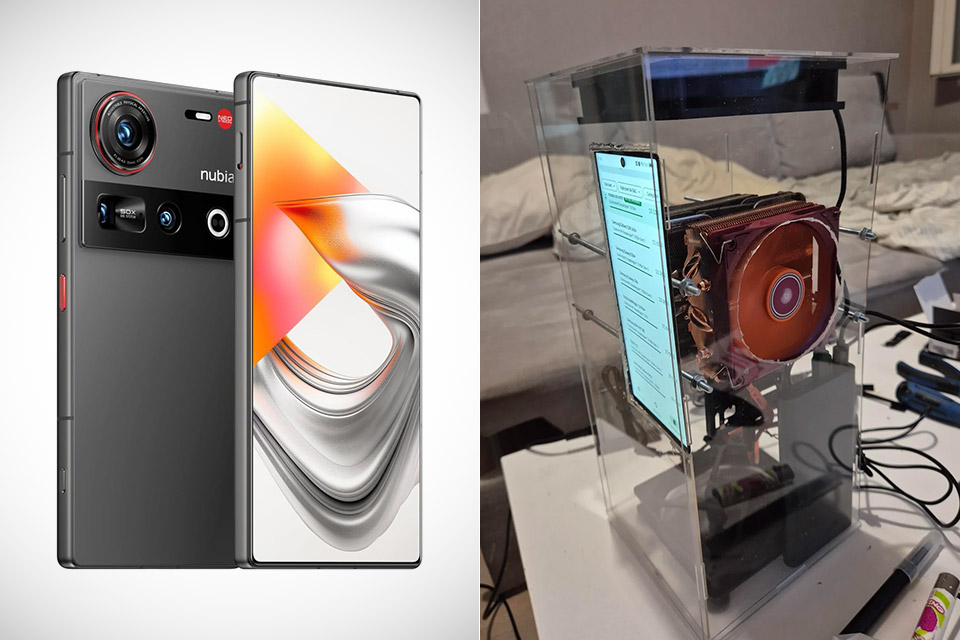
Photo credit: ntsnow
Reddit user ntsow started with a straightforward question. How far can a smartphone go once it stops living as a phone? The answer arrived in the form of a Nubia Z70 Ultra clamped between a pair of full-size desktop CPU coolers inside a clear acrylic case. What began as curiosity about sustained performance became a working desktop that still runs Android, boots a full Linux environment, and plays Windows games at settings most phones never attempt.

The handset is powered by Qualcomm’s Snapdragon 8 Elite, which has prime cores that can max out at 4.32 GHz, 24 GB of LPDDR5X RAM, and a whopping 1TB of UFS 4.0 storage. While newer phones in this family have achieved even faster clock speeds, the folks at ntsow purposefully chose to stick with this older technology. To be honest, that was no error, because the goal was not to outdo whatever the latest boosted variation was; rather, the experiment was simple: what happens when you don’t have to worry about thermal restrictions at all?

Sale


Lenovo Idea Tab – College Tablet – 11″ 2.5K IPS Touchscreen Display – 90Hz – MediaTek Dimensity…
- POWER YOUR STUDY, FUEL YOUR PLAY – Discover smarter learning with the Lenovo Idea Tab. Stay campus-ready with all-day battery life, AI-powered apps…
- SMOOTH, POWERFUL, IMMERSIVE – The MediaTek Dimensity 6300 processor is more powerful than ever, with the AI-enhanced multitasking you need to stay…
- CIRCLE IT, SEARCH IT – Use your Lenovo Tab Pen or fingertip to circle items for instant search results or to translate other languages without…
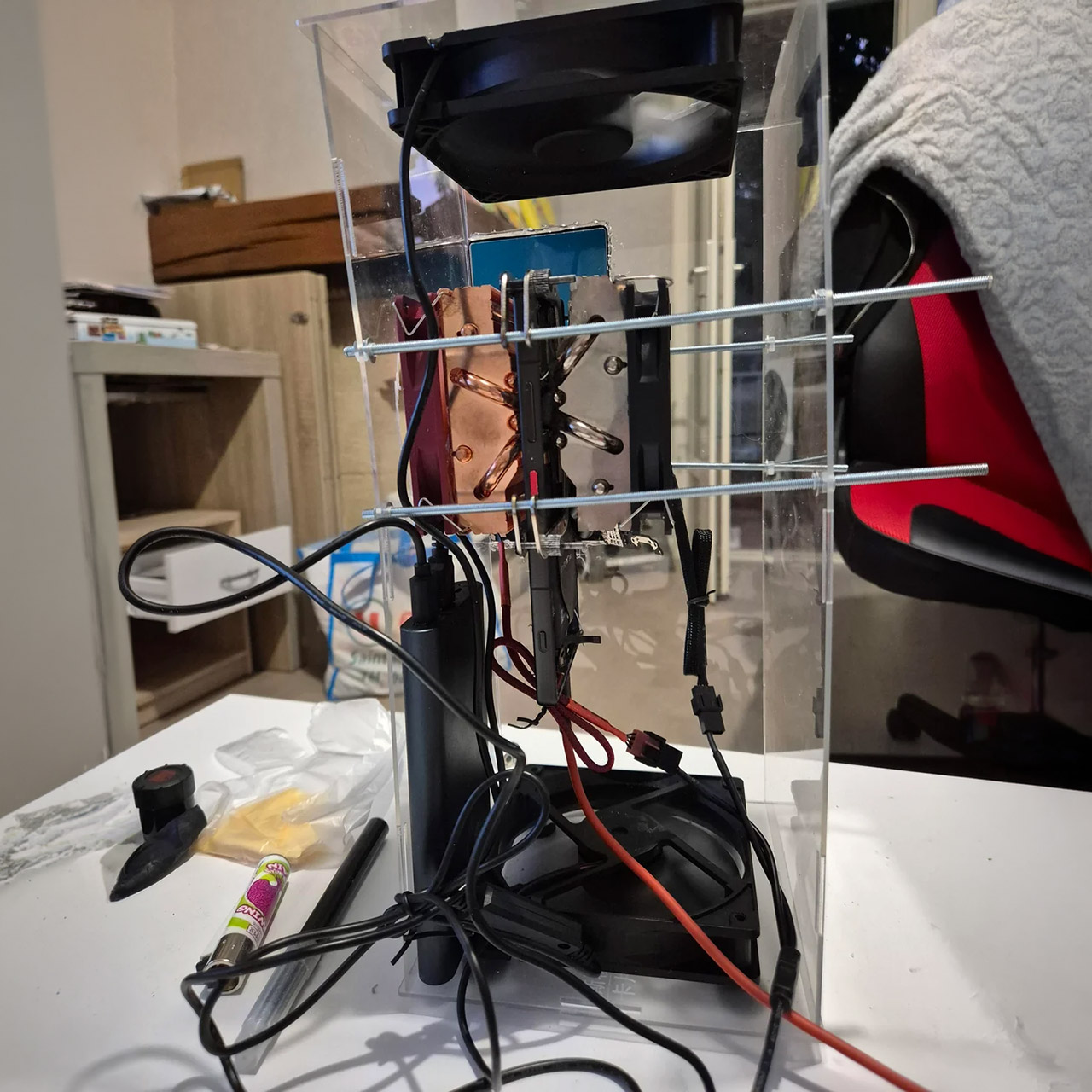
The phone hardware was fitted between the two large heat sinks, resulting in contact plates covering the major components on both sides. The original chassis, camera modules, and mobile radio components were then removed to free up space and let heat to circulate more freely. The display was left in place but relocated to the acrylic container for good measure. Plug in some external power, a monitor, a keyboard, and a mouse, and what you get looks nothing like a phone, and more crucially, it refuses to throttle in the manner that a sealed up phone would.
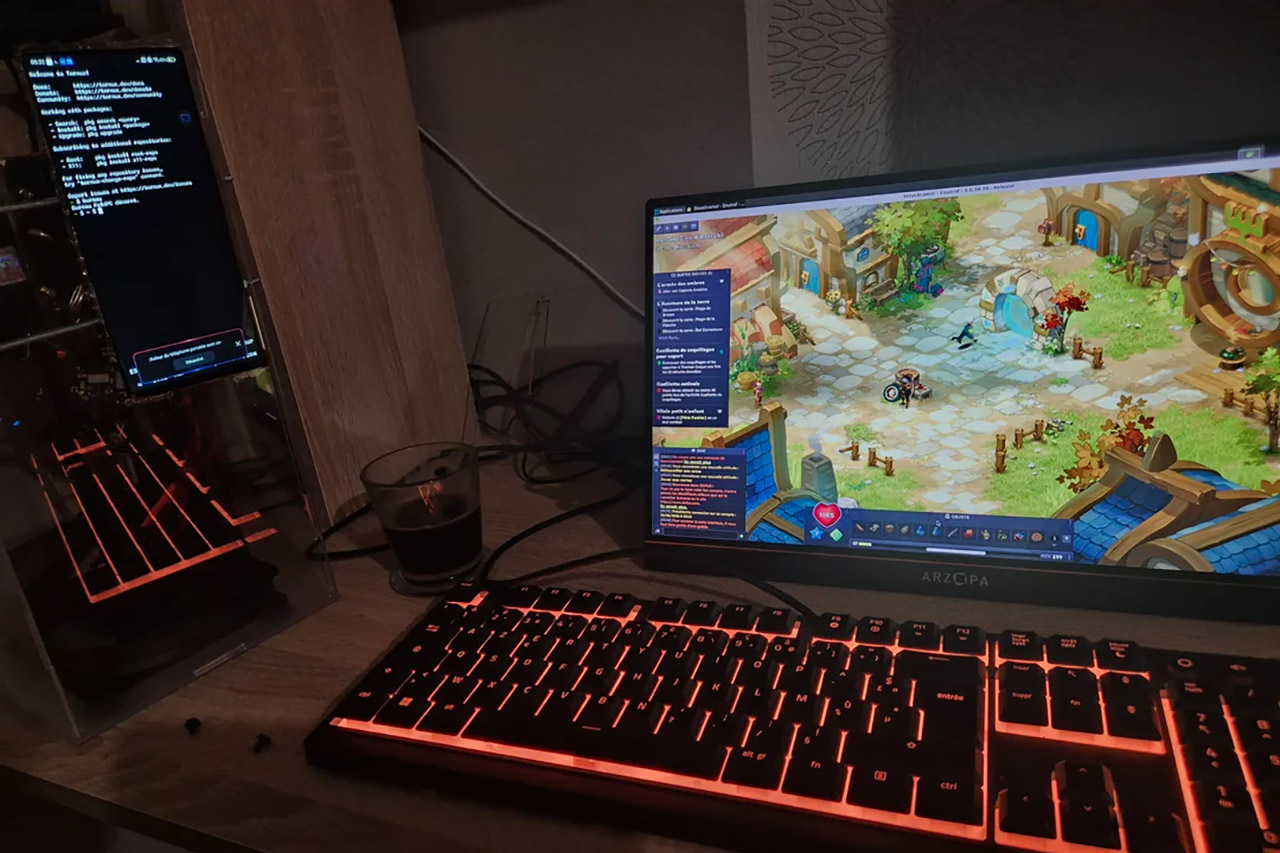
The operating system of choice remained Android, as Termux provides a native XFCE4 Linux desktop that employs the Turnip driver to enable some real Vulkan action. From there, the system can launch Linux software directly and access Windows titles via Wine, as well as some extra translation layers, Box64 and Hangover, to ensure that everything works together properly. So no dual-booting, no separate Windows installation, and no custom bootloader; Android serves as the basis, with the desktop and games running on top of it. The nicest thing is that you can copy and paste, manage your files, and use the browser without any of the limitations that come with container-style emulators.

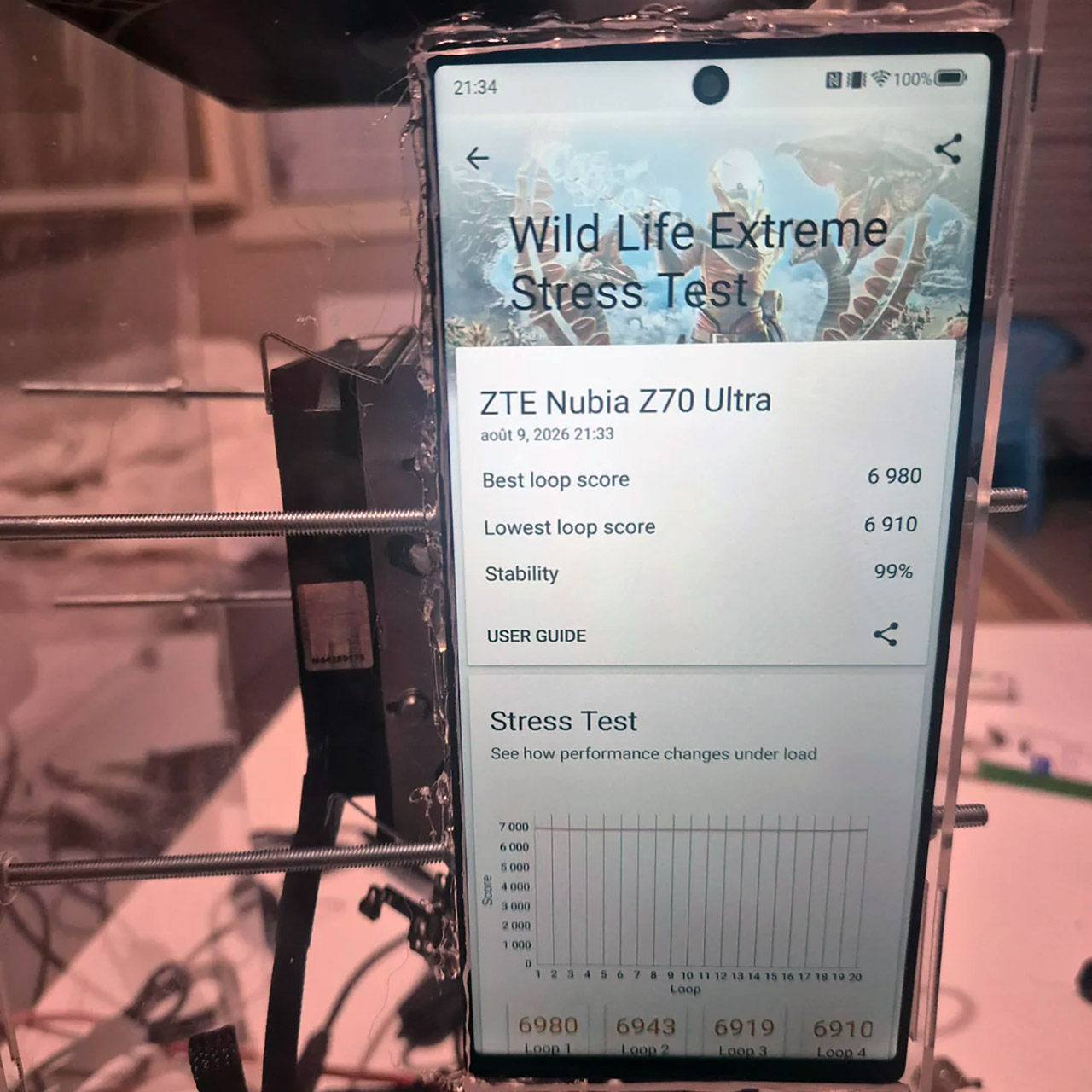
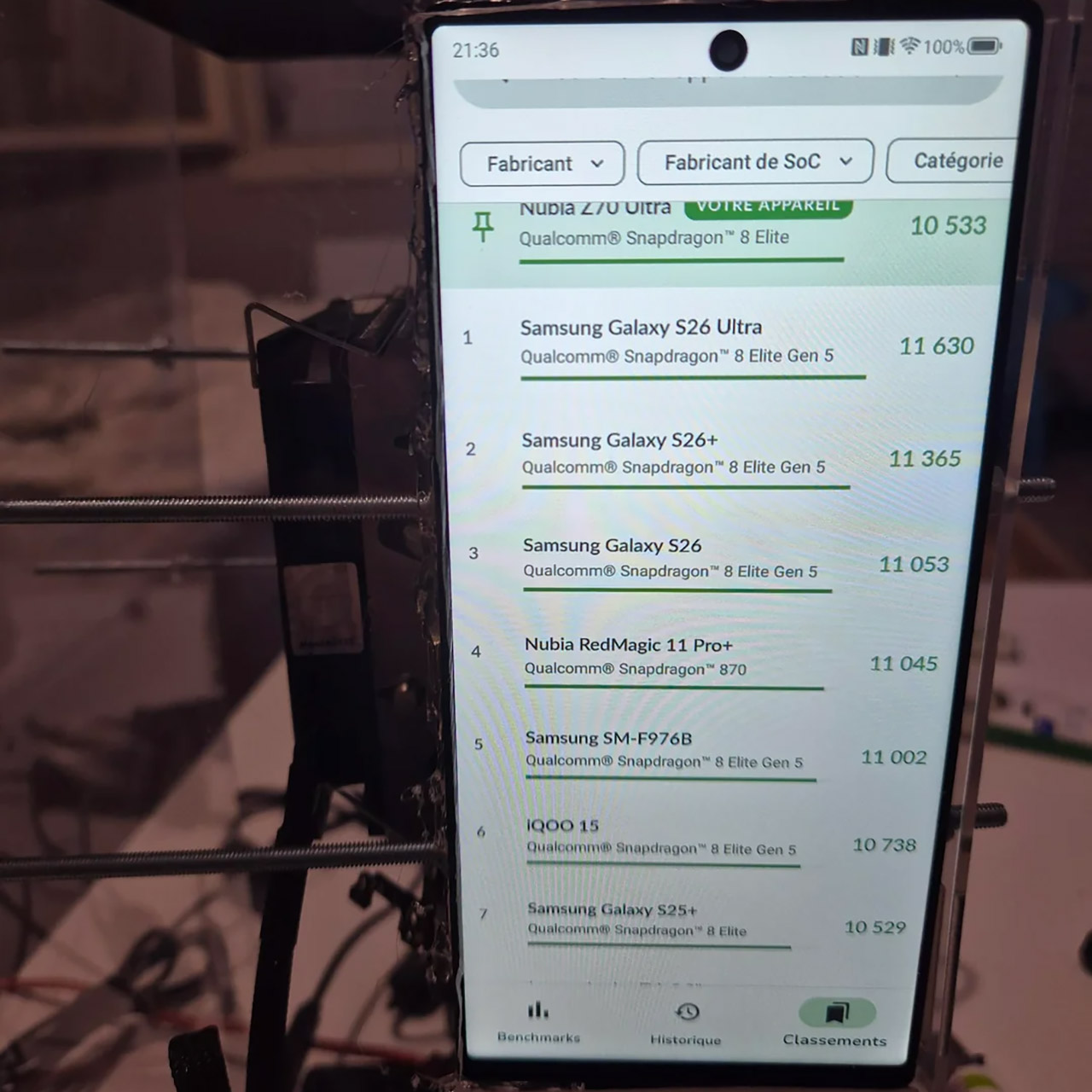
Benchmark results showed the cooling payoff clearly. In the 3DMark Wild Life Extreme stress test the setup held 99 percent stability across twenty loops. The best loop scored 6,980 and the lowest 6,910, a gap of only seventy points. That’s a ranking score of 10,533, which puts the upgraded Z70 Ultra just ahead of a Galaxy S25+ with the same processor. Now, I know some people will be like, “Oh, look at me, I got a good score!” but, honestly, it’s not about that as much as it is about proving that the silicon can just keep trucking at those boundaries for lengthy periods of time, rather than just dropping off a cliff after a few minutes.
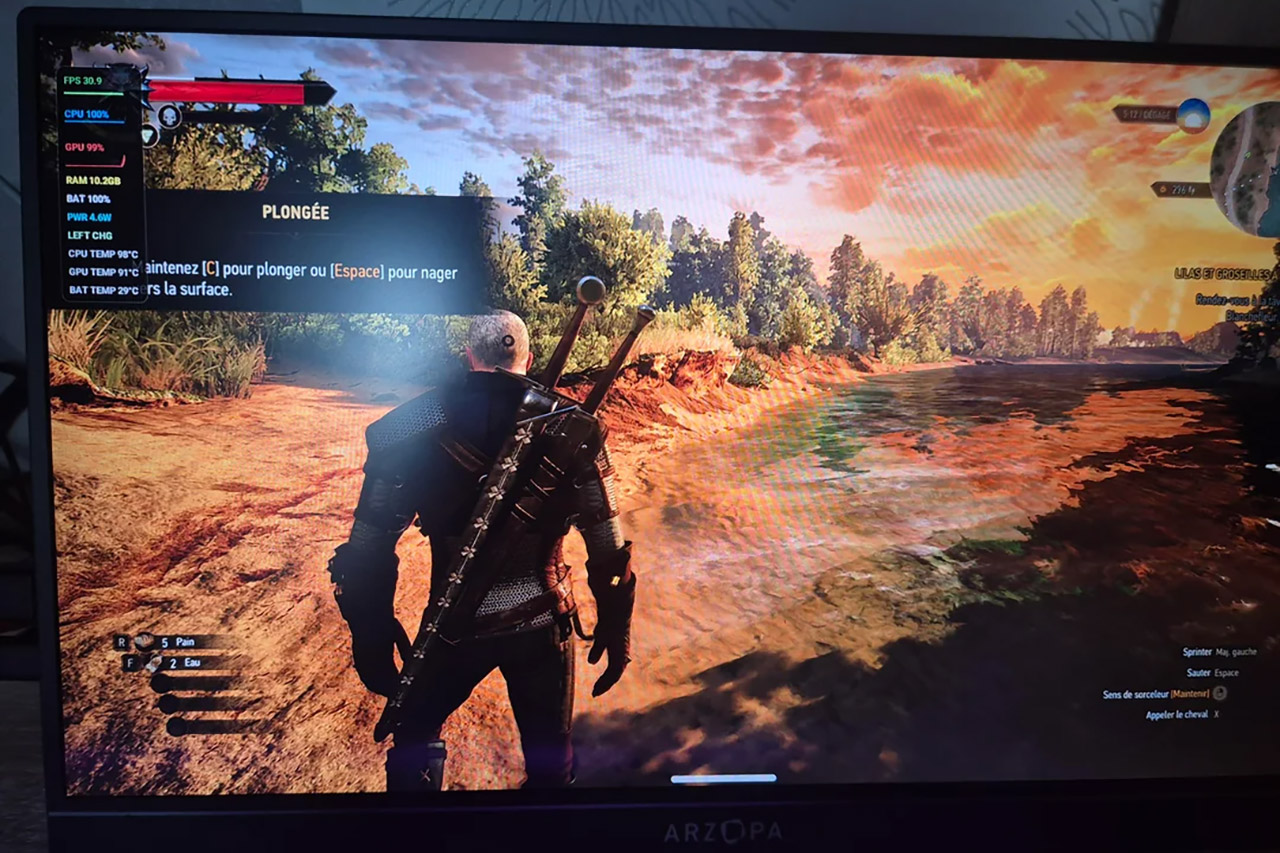
Gaming was where things got serious, as The Witcher 3 ran at 1920 x 1080 with the Ultra graphics setting enabled, and frame rates hovered between 20 and 30 much of the time, with the Adreno GPU operating at around 99% usage. Some scenes did register a little higher. Granted, this isn’t quite the same as having a dedicated gaming PC, but the idea that you can achieve these kinds of settings from a phone chip in the first place is simply incredible. What about other titles, such as Dofus? They launch directly from the XFCE desktop, bypassing Android mirroring.
[Source]
You must be logged in to post a comment Login