
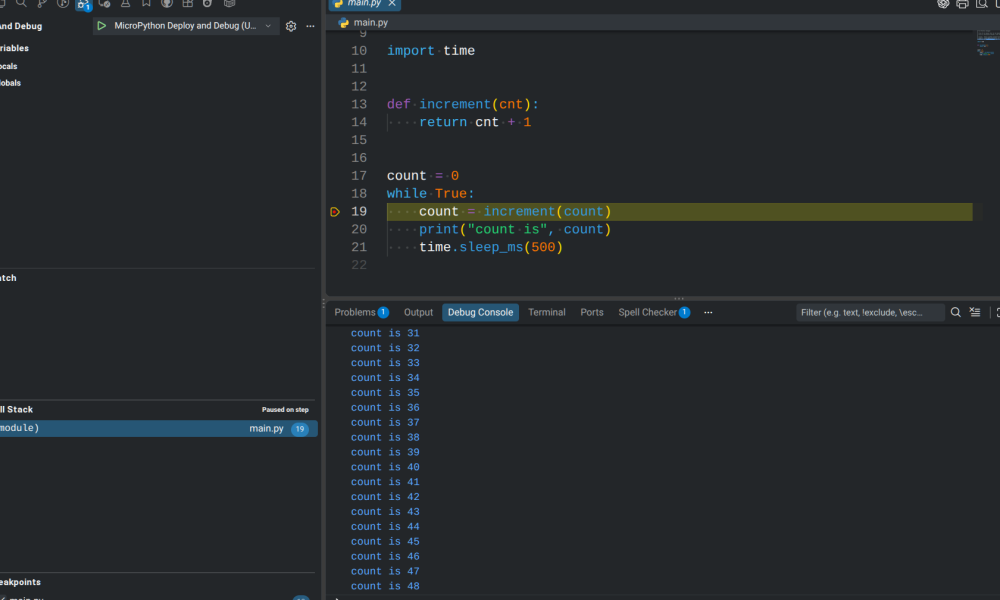
If you’ve used MicroPython much, you know that debugging usually amounts to printing a few things out, trying your code out, and then repeating. But [ghi-electronics] wants you to have full on-chip source-code debugging in Visual Studio. You don’t need anything special to use it — just a supported MicroPython host and the same USB cable you program with now.
The downside is that you either have to build a custom MicroPython image and flash it or use one that they include. They support several Raspberry Pi Pico versions and ESP32 chips, as well. However, at least one “odd” Pico we had lying around wouldn’t take the firmware. A stock one did, and it worked as you would expect. A little more investigation showed the odd Pico (an RP2040 GEEK) probably did take the firmware; it just produced an error during setup. There is a known problem with Linux and the ESP32-S3 having similar behavior.
Of course, you can build your own image, but now you are talking a bit more work to get a toolchain and all the dependencies together. For simple programs, you might not need a full-blown debugger. But it is nice to be able to peek at variables and see the control flow visually.
There are a few limitations documented on GitHub. For example, you can’t catch exceptions that the code already catches, although, presumably, you could set a breakpoint in the exception handler. Breakpoints halt all threads. There are a few other limits, but nothing we’d consider a showstopper.
Full Python has some debugging assistance built into it. MicroPython has some of the same things, but it isn’t trivial to build a debugger.

You must be logged in to post a comment Login