Tech
PearOS Brings Mac-Level Polish to Any Aging Laptop for Free

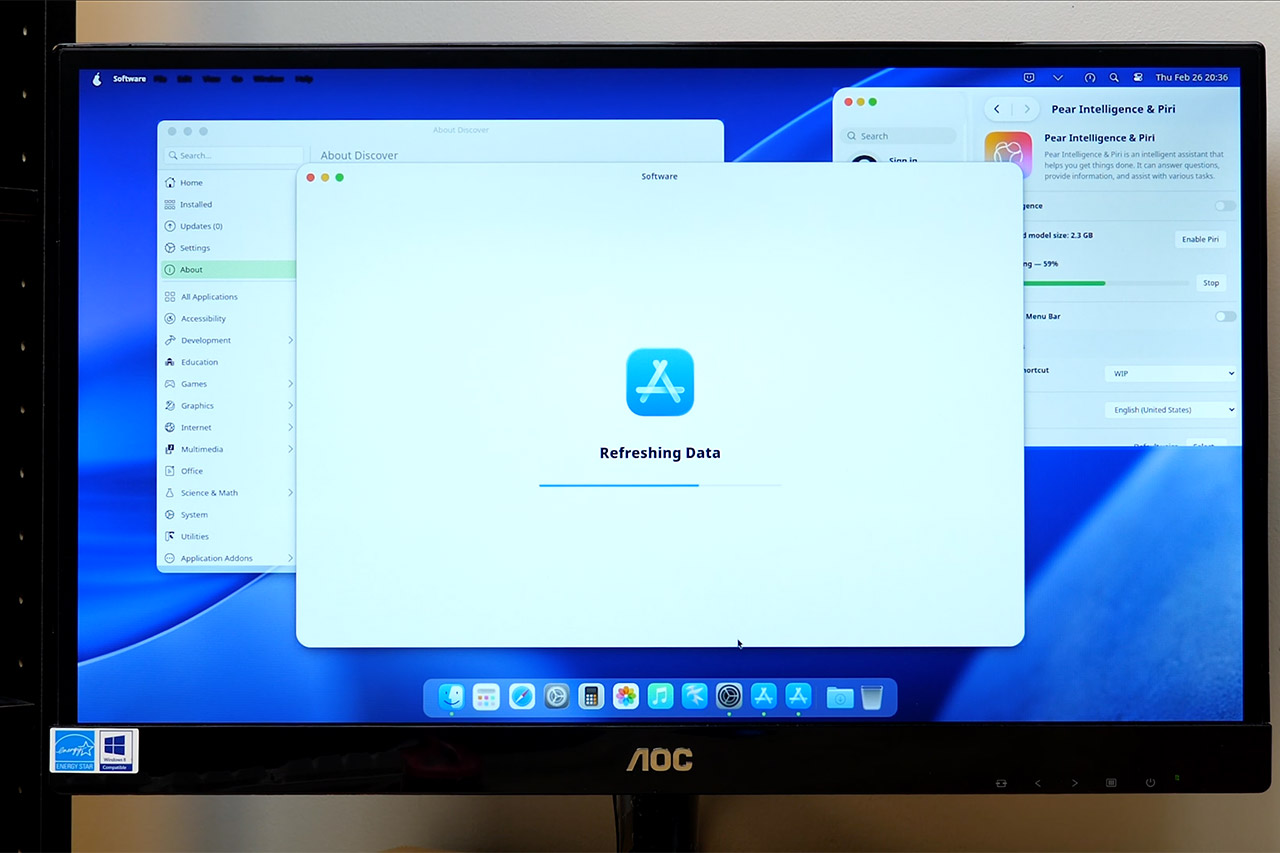
Old laptops have a habit of ending up in a drawer the moment manufacturers stop supporting them, left to gather dust while modern software demands more than they can comfortably give. PearOS exists to change that. It’s a free operating system that breathes new life into neglected hardware, bringing a Mac-like experience complete with a familiar menu bar, a clean dock, and smooth gestures to machines that most people had written off. The latest release, built on Arch Linux and going by the name NiceC0re, is designed to make everyday tasks feel effortless on exactly the kind of hardware that usually gets left behind.


Fire it up for the first time and the Mac influences are impossible to miss. A top menu bar greets you with a stylish pear emblem in place of the Apple logo, and the dock below bounces and magnifies icons in exactly the way you would expect. The full screen app launcher is a dead ringer for Launchpad, complete with categories and smooth animations, and the search tool does a convincing impression of Spotlight, pulling up files, apps, and settings in a matter of seconds. The attention to detail goes well beyond the surface level too. The cursor grows larger when you shake it, discreet pop-up indicators let you know when your microphone or screen sharing is active, and countless other small touches will feel instantly familiar to anyone who has spent time on a Mac. PearOS has clearly set out to recreate that experience as faithfully as possible, just without the price tag that usually comes with it.


Apple 2026 MacBook Neo 13-inch Laptop with A18 Pro chip: Built for AI and Apple Intelligence, Liquid…
- HELLO, MACBOOK NEO — Ready for whatever your day brings, MacBook Neo flies through everyday tasks and apps. Choose from four stunning colors in a…
- THE MOST COLORFUL MACBOOK LINEUP EVER — Choose from Silver, Blush, Citrus, or Indigo — each with a color-coordinated keyboard to complete the…
- POWER FOR EVERYDAY TASKS — Ready the moment you open it, MacBook Neo with the A18 Pro chip delivers the performance and AI capabilities you need to…
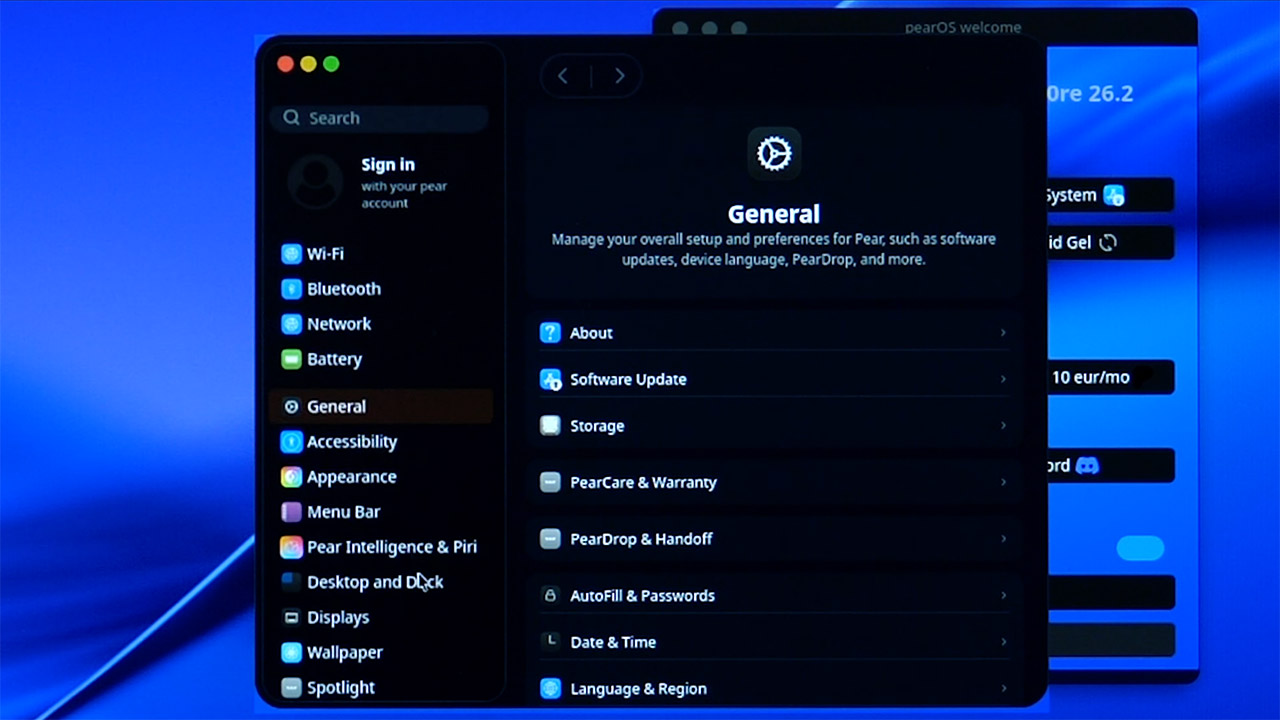
The settings menu is laid out in clean, organized columns that anyone who has used a recent version of macOS will navigate without a second thought, with display, sound, and network options all sitting exactly where you would expect them. A few corners are still being tidied up, with certain sections marked as coming soon, but the essentials including brightness, volume, night mode, and power all work exactly as they should. The file manager, PearFinder, rounds things out nicely, taking the bones of a typical Linux tool and wrapping it in a polished new interface complete with the sidebar and preview window.

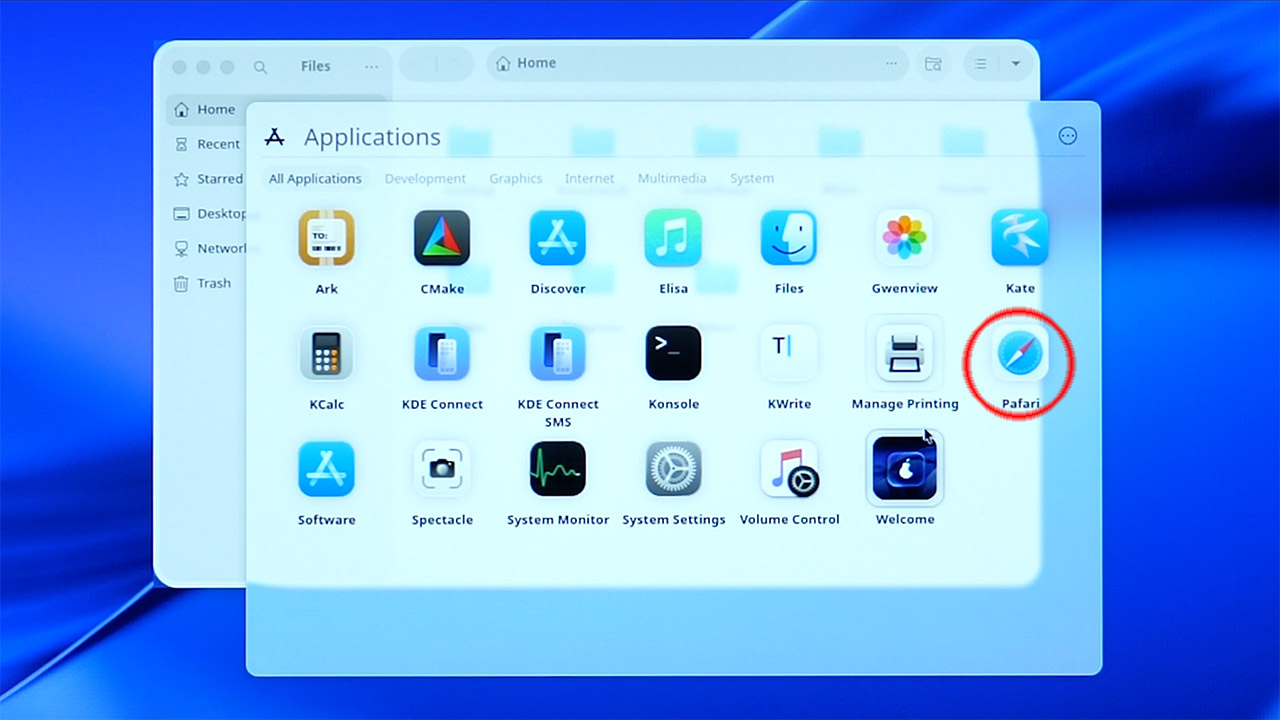
There is also a browser called Pafari that gets about as close to Safari as you reasonably can without outright copying it, complete with clean tabs, a minimal address bar, and all the usual trimmings. Music playback, photo viewing, and screen capture come preinstalled and ready to go as well, all running on familiar Linux foundations but dressed up with Mac-style icons and fonts that tie the whole experience together.
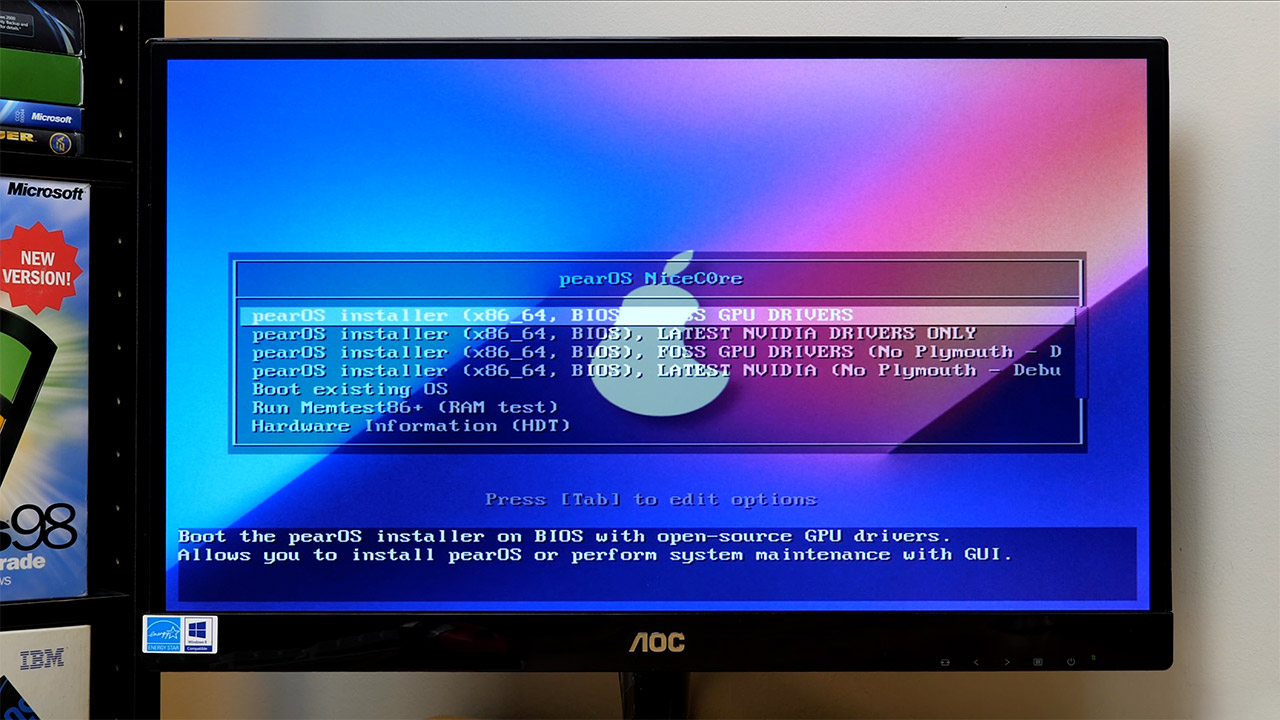
Getting started is straightforward enough. Download the roughly three gigabyte file from the PearOS website, burn it to a USB drive, and boot up your laptop. The custom installer is built with modern web technology and walks you through each step in plain, clear language, so prior Linux experience is not a requirement. You will need to make a couple of decisions along the way, including which graphics driver to use and whether to go with the latest NVIDIA option or an open source alternative. It is also worth noting that a full wipe of the hard drive is required, so backing up your data beforehand and having a dedicated machine or virtual setup in mind is strongly recommended. After that the installer takes care of the rest, and the whole process should be wrapped up in under an hour on most systems.