Tech
PlotDrive Lets You Write a Floppy, Walk Away, and Then Watch the Printer Work

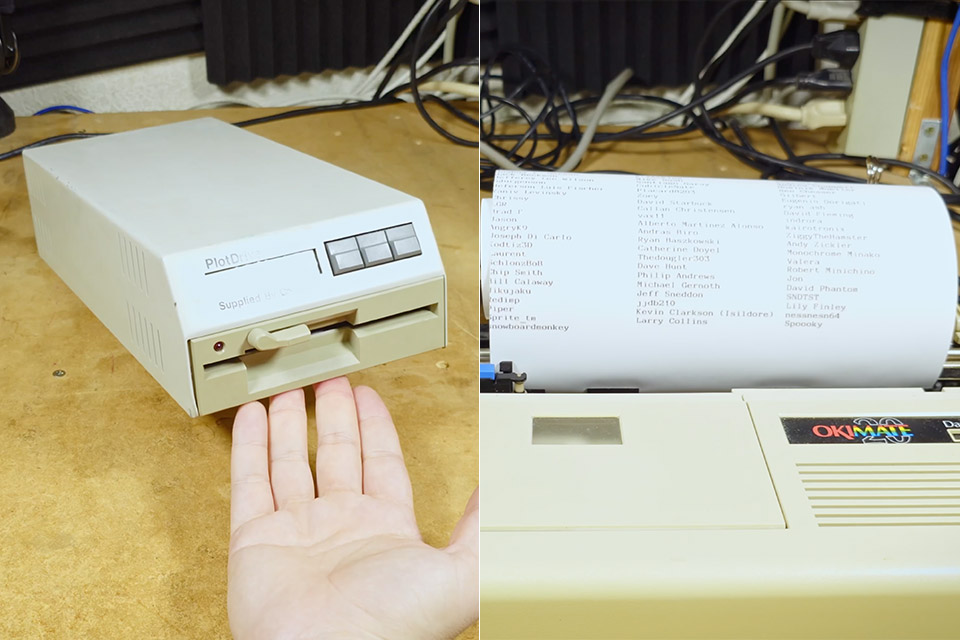
Lucky Bob handed Tech Tangents a beige lab box and a simple pitch. Printing is miserable. What if a job were as simple as writing a floppy? That box is PlotDrive, a CalComp serial and parallel print server that never needed Ethernet, a PC sitting idle, or a driver that still installs in 2026. You copy a file onto a 5.25-inch disk, latch the door, pick the file on a two-line LCD, and the machine streams the data out to whatever printer or plotter is plugged into the back.


CalComp built its name on machines that drew buildings, maps, and circuit boards one motor step at a time. Offices already knew how to walk a disk down the hall. PlotDrive sits in that gap: a sneakernet print queue with its own CPU, its own drive, and ports that speak the languages CAD labs actually used.
Sale


Gloryang Inkless Portable Printer for Travel, Wireless Thermal Printer Supports 8.5 x 11 Inch Thermal…
- Inkless Printing – Gloryang portable printer uses advanced thermal technology, requiring no ink, toner, or ribbons. The package includes the…
- Seamless Bluetooth Connectivity – The Gloryang mobile sticker printer connects easily to iOS and Android via Bluetooth through the “Jadens…
- Ultra-Portable Design – Weighing just 1.75lb and measuring 1.7in thick, the Gloryang portable printer is incredibly lightweight and compact. Perfect…
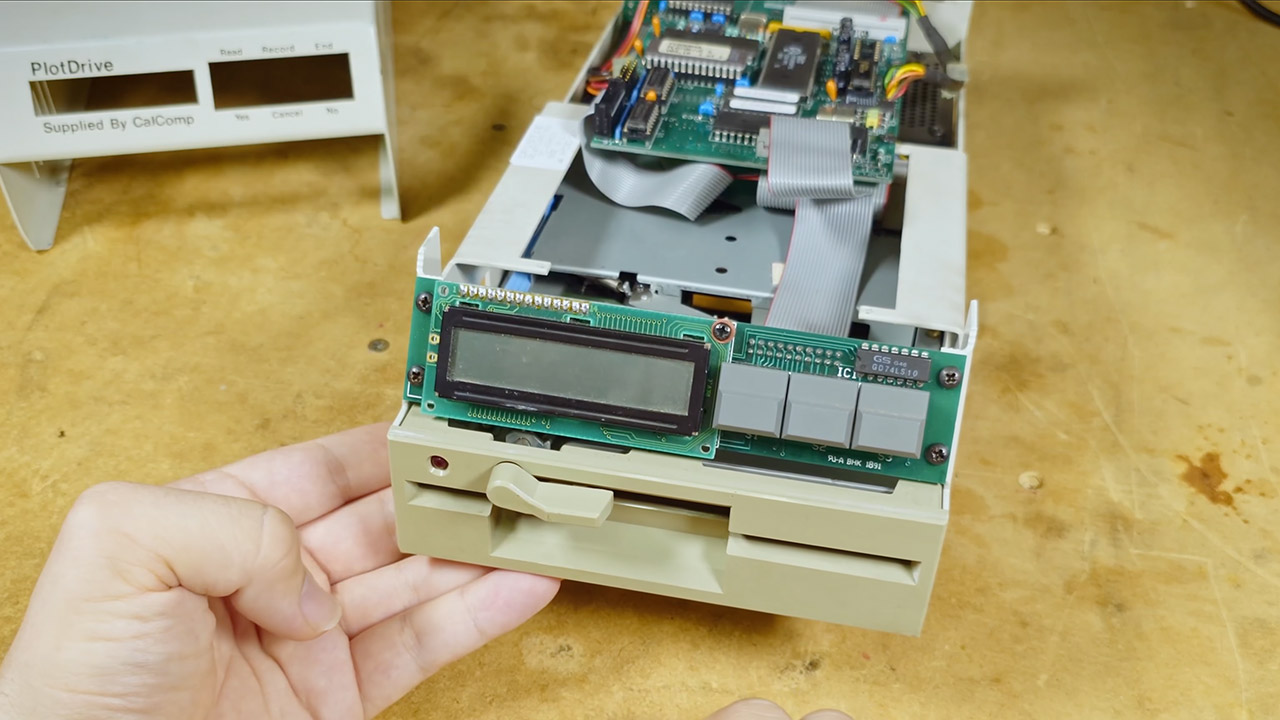
Tech Tangents II opened the case after the unit arrived during a live stream meant for other parts. Unfortunately, the firmware and instructions were unable to be located in the regular repositories. So users had to figure it out the old-fashioned way: by pressing buttons and observing what happened on the screen. Which, as it turned out, was plenty. Plot Drive shows on a Hitachi 16×2 LCD, coupled with a brief message. Front switches are hinged and allow you to read, explore the directory, pick a file, cancel, or write incoming data to disk in record mode. There’s also a rocker switch for selecting whether to transfer data in parallel or serial format, as well as a jumper block that very definitely allows you to configure the serial side’s baud rate, parity, and bit length. Flip the output switch after power-on and nothing changes until the next boot.

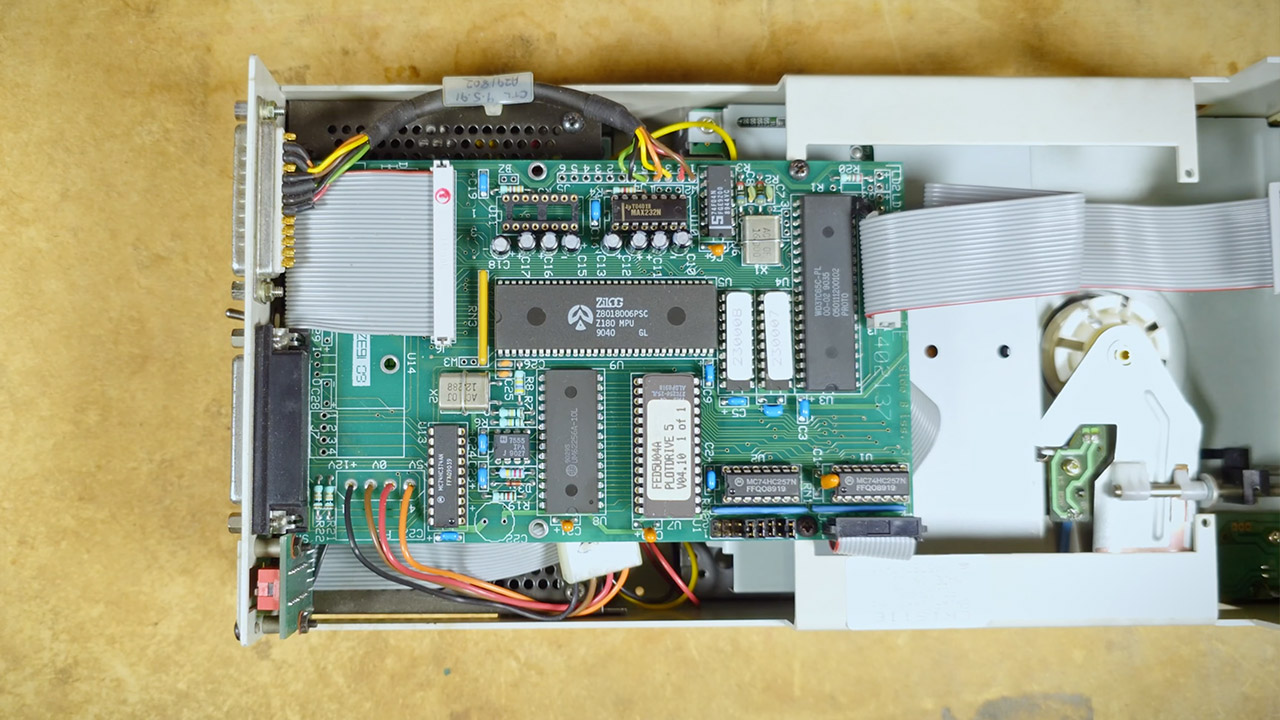
Inside sits a Zilog Z80 dated week 40 of 1990, custom ROM, a Goldstar controller, and a Western Digital floppy chip. The electricity is delivered by a normal molex connector and a large power supply with numerous safety covers. Drive tasks are handled by a Chinon FZ506 1.2MB 5.25-inch mechanism, so you should use high-density disks rather than older double-density disks. A double step for 360KB media is certainly possible with a switch someplace, but unless you have one of those extremely uncommon double-density disks, it’s not worth it.
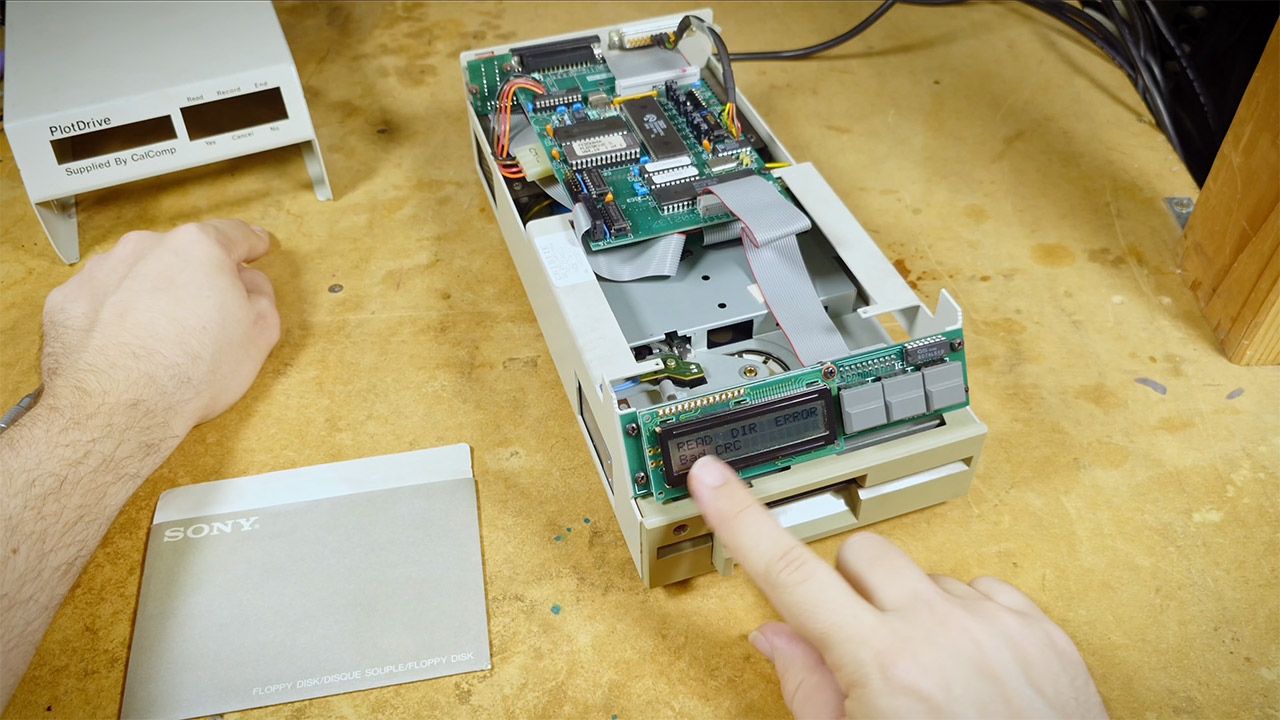
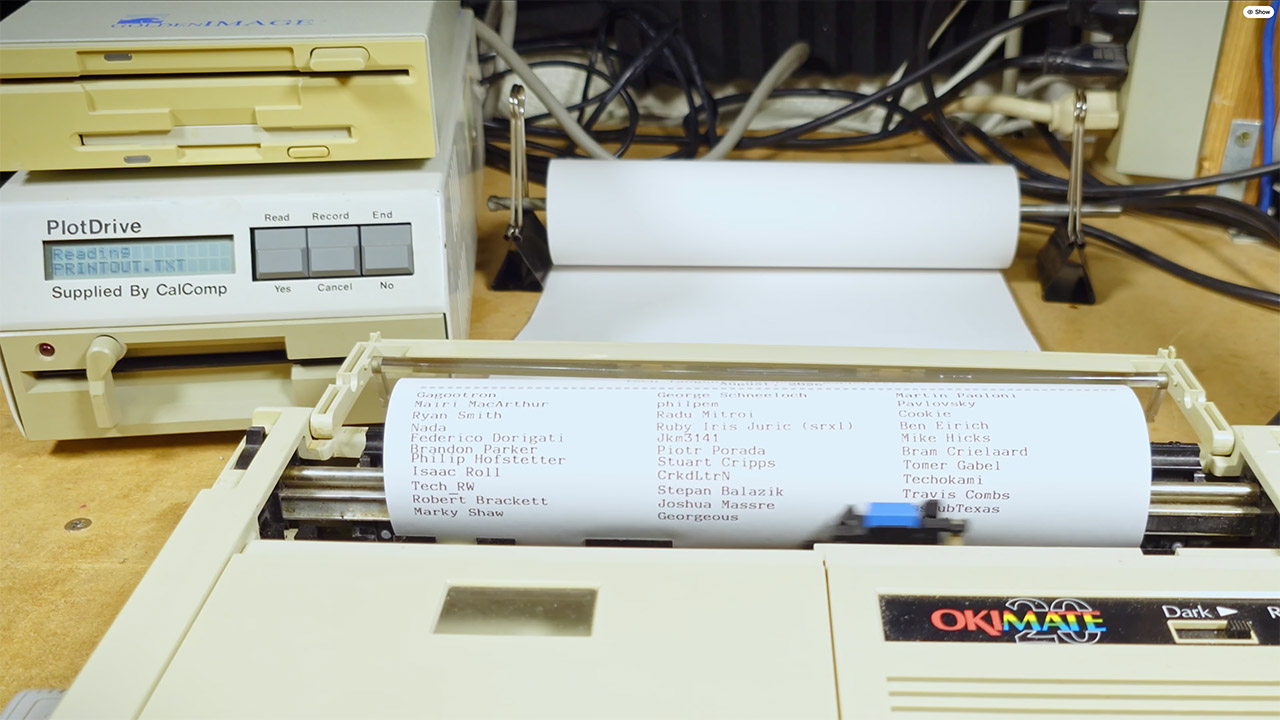
Now comes the fun part: inserting the first disk and receiving a nice ‘Read error. Bad CRC’ message. An unformatted or oddly formatted disk will do that. A fresh 1.2MB diskette fixed the path. If you have a Linux machine, you can erase a disk, install a FAT filesystem with mtools, and then copy the file in. Greaseweazle is pleased to transfer the image to the actual oxide. Then simply insert the disk, press read, skip through all of the files, and stop at something like printout.txt. PlotDrive buffers a chunk, feeds the printer, then reaches back to the disk for more
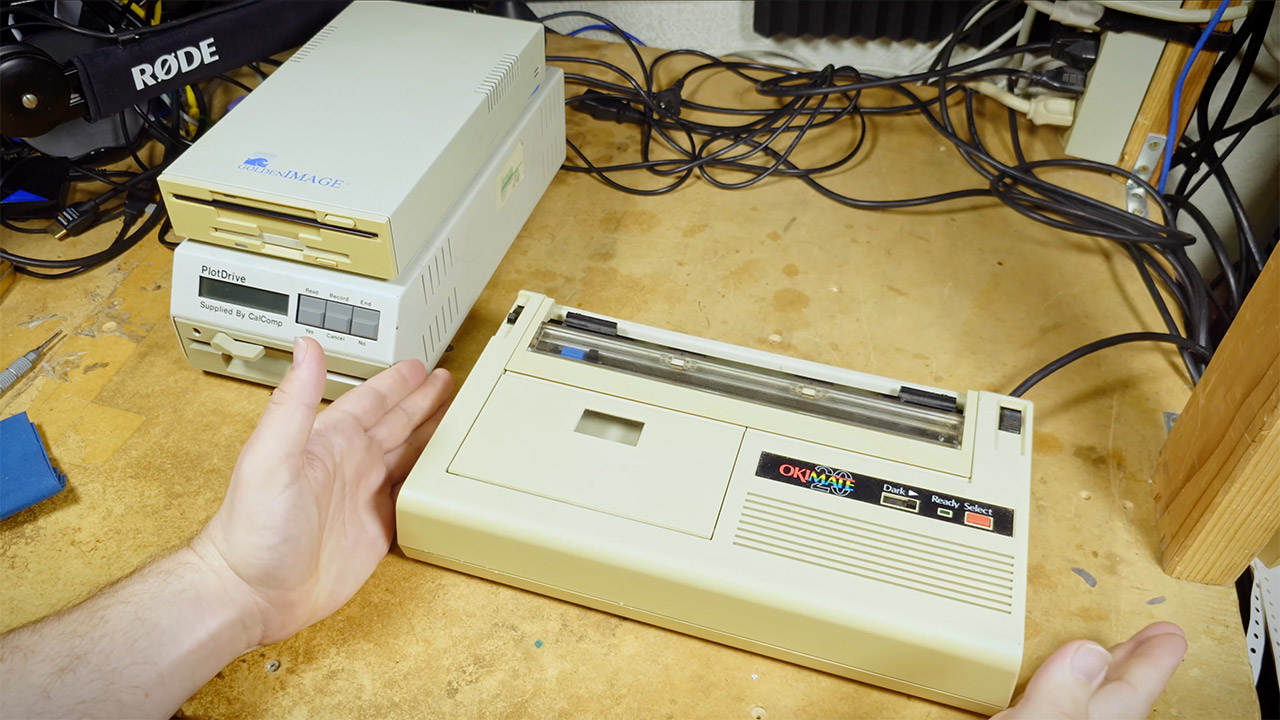
The test equipment was an Okimate 20 with a proper Centronics cable, the same type of parallel link that has been causing problems with a Sabrent USB adapter for months. Paper alignment on the first pass wandered because the tractor was ignored. Second pass landed clean. The PlotDrive simply accepts bytes and sends them out the port you choose. Of course, plain old ASCII text works very well. What truly makes sense is that if you link it to a terminal or a modem, you might eventually be able to utilize it as a disk-fed serial spreader.
Record mode is the other half of the idea. Feed data in over parallel (serial is plausible, unproven in the video) and PlotDrive writes a file to the disk. A workstation can dump a plot without staying tied to the plotter for the whole run. That is the lab use people remember in comments: AutoCAD or a CalComp driver writes a file, someone carries the disk, the plotter keeps drawing while the PC goes back to drafting. Offline CalComp systems used magnetic tape the same way in the 1970s. PlotDrive is that ritual shrunk to a 5.25-inch sleeve.
You must be logged in to post a comment Login