


Most of us are guilty of romanticizing the past. Do you long to be the captain of a tall ship? Just as long as you don’t mind weevils in your food, vitamin deficiencies, and death from an infection when there were no antibiotics. Want to be a medieval knight? Even worse. But surely, retrocomputing is as fun as we remember, right? Turn your computer on, and it comes up with BASIC! Ready for you to write your own programs. None of this GUI foolishness. Of course, this is just another example of rosy retrospection.
Even if you like BASIC or a similar language today, things have changed. You have a nice text editor, a fast computer, debugging tools, along with things like named functions, no line numbers, and modern control structures. None of those things were very common in the 1980s. At least, not on a hobby-grade computer.
Why am I thinking about this? Well, the Hackaday Retrocomputing Challenge is on, and it occurred to me that I wanted to work with some young students in glorious MBASIC on a CP/M machine I built and modified from a Hackaday project. Perfect, right? Many of us started that way, so why shouldn’t they?
But it quickly got old. Even a simple program gets bogged down with GOTOs and GOSUBs to mysterious line numbers. It made me remember the time back in the early 1980s, or maybe even the late 1970s, that I wrote a BASIC preprocessor to scan BASIC with no line numbers and produce proper source, converting labels to line numbers in two passes.
Of course, that code is long gone or, at least, on a floppy I haven’t tried to read in a few decades. I decided to take another crack at it six years ago, but I still didn’t make it much more robust. For example:
PRINT: X=X+10
Is that two statements? Or a label? Hard to tell. My 2020 version used awk. Awk is great for this kind of thing because of the regular expressions and the input loop. But it still has some issues with things like comments and strings. Consider the code below.
PRINT "HELLO: IS IT ME YOU'RE LOOKING FOR?"
This would probably have made my awk preprocessor chew the string up and create a bogus label named HELLO.
History of Preprocessors
Preprocessing one language to another is nothing new. RATFOR and RATFIV by Brian Kernighan converted modern constructs to conventional FORTRAN IV. Even C++ started out as a program that emitted C code.
So the idea is good, but there are dozens of corner cases. As I anticipated having another go at the idea for BASIC, I realized my earlier versions had some design choices that made it harder than it should have been. So I started from scratch.
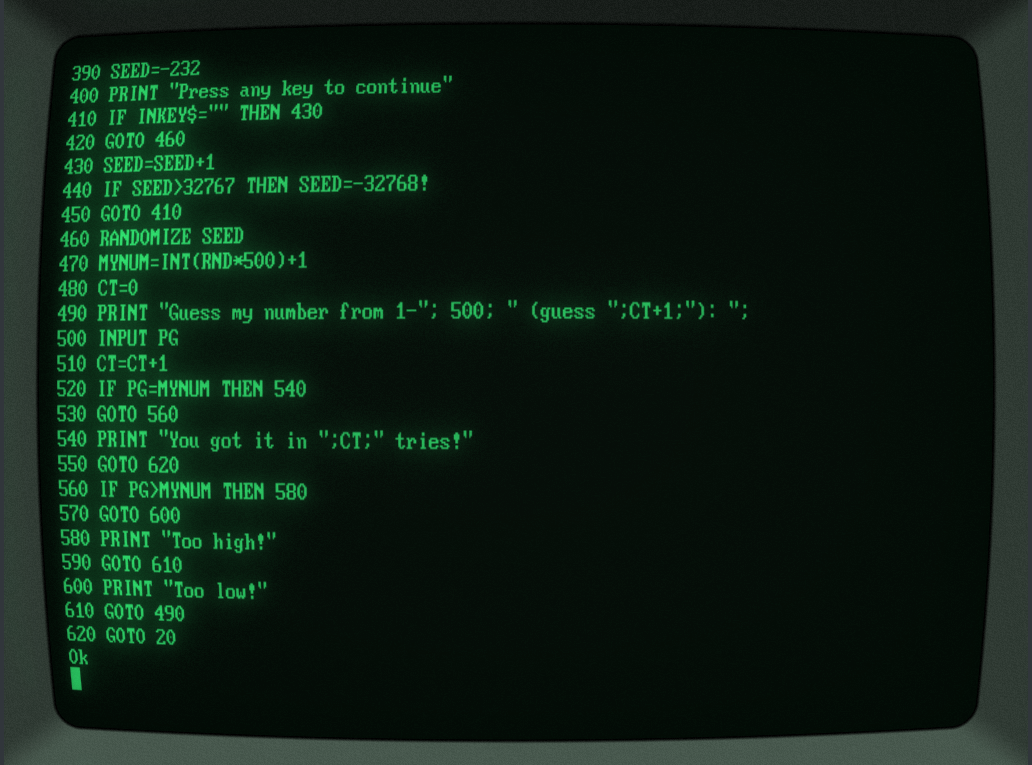
First, I gave up the idea of just having labels as you might in other languages. Instead, they’d be part of a comment and hard to mistake. This makes for easier parsing and also allows you to keep them around for reference. I also gave up on having labels magically expand. You need a way to make them unique, too. Here’s what I settled on:
':TOPLABEL

GOTO @TOPLABEL
The plan was to go through the source once to assign line numbers. When a label occurs, it adds to the symbol table. Then a second pass actually writes output, replacing @TOPLABEL with the value from the symbol table. Of course, you still want this line to not trigger a label expansion:
PRINT "Send messages to @JTKIRK"
I decided to keep going in awk, but my eventual goal was to rewrite the whole thing in BASIC using the same syntax. Then you could convert the translator itself using the awk version once and then run it on an old computer using BASIC, even if you wanted to retranslate the translator itself. Perverse, huh? But that allows you to keep that authentic development experience. You don’t have to jump over to a PC to process your code, unless you just want to.
Awk as in Awkward
So I decided to do a better job on the awk part with this new scheme. At some point, though, you lose some of the advantages. Then feature creep set in.
I suppose I was subconsciously remembering RATFOR. I decided to add a small number of modern control structures. Again, I wanted something easy to pick out of the source file, so I went with this:
IF X=0 THEN!
PRINT “There is no X!”
X=10
ENDIF!
There’s also WHILE!, DO!, EXIT!, and CONTINUE!
Of course, it didn’t end there. I decided to add a way to include or exclude parts of the source (sort of like #if in C but simpler), along with source code inclusion and a few other neat options such as numeric constants, conditional source blocks, compile-time errors, and even a small numeric stack with PUSH! and POP!.
The source code inclusion can be made to work with awk, but it is ugly. I decided it was better to proceed with another language, but since I didn’t feel like starting over, I just had an LLM convert my awk to Python, which it did with no trouble at all. I then did a little more feature development in Python, but I made sure not to use those new features in the translator itself so the awk version could still process an input file.
So while the original plan was to develop and test in awk and then implement similar code in MBASIC, I now had three versions: a frozen awk script, a Python version, and an MBASIC version.
This was getting a bit much to test. I had the LLM cook up some documentation, additional comments, and tests. It was especially nice to verify that all three versions — awk, Python, and BASIC — did the same things for their common features. The LLM was good at running tests and finding corner cases. It would even run tests in a RunCPM session on the MBASIC version.
BASIC
As you might expect, the BASIC version is a little more convoluted. However, the use of labels and control structures makes it much easier to write, read, and maintain.
Writing the translator in MBASIC imposed some very old-fashioned constraints. There are no dictionaries or dynamic lists, so labels and block state live in fixed-size arrays. Included files require an explicitly managed stack, and parsing strings and comments has to be done character by character. It is not as compact as the Python version, but it is ordinary MBASIC and can run on the target CP/M machine. The limitations also influenced some features that would have been feasible in Python but are nearly impossible in an MBASIC program.
Better yet, lblbasic.bal stays within the subset the original awk translator understood. That provides a bootstrap path: awk produces the first lblbas.bas, after which the MBASIC translator can process its own BAL source.
A Few Samples
One project I had in mind was to drive an LED display module. I wrote a library and then wrote the test program below. It doesn’t matter, but I used .bal as a file extension.
REM TM1637 TEST – PORT 3, BIT 2=DIO, BIT 3=CLK
REM Uses the TM1637.BAL library with LBLBASIC
STACK! 8 ‘ Required by the library
‘ Confirm that the library preserves I while initializing its data table.
I=3141
gosub @init
print “I is now:”;I
PRINT “Starting number: “;
INPUT CT
PRINT “1-Up, 0-Down: “;
INPUT UD
OFFSET=-1
IF UD<>0 THEN OFFSET=1
‘:CDLOOP
WHILE! CT>=0 and CT<=9999
NUM=CT
GOSUB @sendnum4
CT=CT+OFFSET
WEND!
CT=0
IF OFFSET=-1 THEN CT=9999
GOTO @CDLOOP
END
‘ Include the library after the main program.
‘INCLUDE! TM1637.BAL
The BASIC code, including a few lines of the library, is much harder to read:
10 DIM LBLBSTACK#(8):LBLBSP=0
20 I=3141
30 gosub 230
40 print “I is now:”;I
50 PRINT “Starting number: “;
60 INPUT CT
70 PRINT “1-Up, 0-Down: “;
80 INPUT UD
90 OFFSET=-1
100 IF UD<>0 THEN OFFSET=1
110 ‘:CDLOOP
120 IF CT>=0 and CT<=9999 THEN 140
130 GOTO 180
140 NUM=CT
150 GOSUB 330
160 CT=CT+OFFSET
170 GOTO 120
180 CT=0
190 IF OFFSET=-1 THEN CT=9999
200 GOTO 120
210 END
220 ‘:init
230 IF LBLBSP+1>64 THEN PRINT “BAL stack overflow”:STOP
240 LBLBSTACK#(LBLBSP+1)=I:LBLBSP=LBLBSP+1
250 DIM D(9)
260 FOR I=0 to 9: READ D(I): NEXT I
270 DATA 63,6,91,79,102,109,125,7,127,111
280 X=12:OUT 3,X
290 IF LBLBSP<1 THEN PRINT “BAL stack underflow”:STOP
300 I=LBLBSTACK#(LBLBSP):LBLBSP=LBLBSP-1
310 return
320 ‘:sendnum4
330 GOSUB 500
340 B=64:GOSUB 610
If you haven’t used the TM1637 before, it uses a serial protocol with a clock and data line and is very forgiving of timing. The display update speed is quite slow, partly because MBASIC isn’t that speedy and partly because the Z80 chip communicates to the outside world via another microcontroller talking over an I2C bus. But non-BAL code would be just as slow on the same computer. You’ll notice, though, that I took all the delays out and the code and it still works fine.
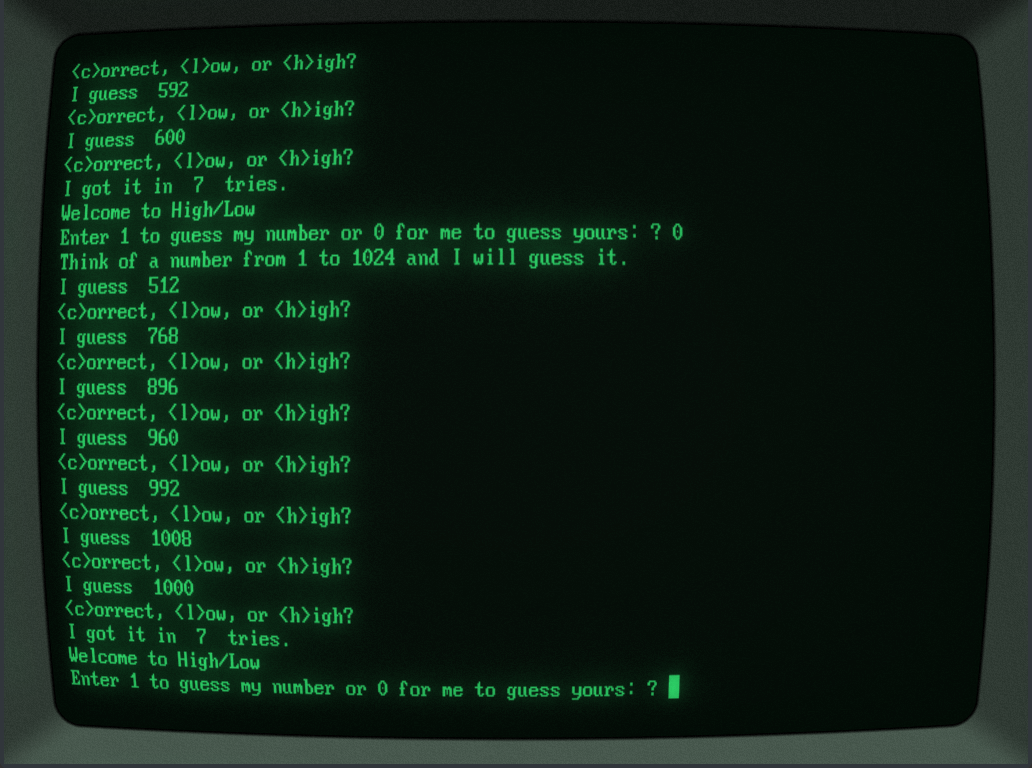
The bigger sample, though, is HILO.BAL. This lets you set a few compile-time constants that let you select what parts of the program get built. It also makes good use of the control loops. Of course, if you really want to dig in, lblbasic.bal uses quite a bit of the awk-compatible syntax and is a substantial program: around 1300 source lines of BAL which generate nearly 900 lines of regular BASIC due to comment and white-space stripping.
Conclusion
Does this turn MBASIC into a modern language? Of course not. The generated program still has line numbers, the machine is still tiny, and the implementation makes compromises that would horrify anyone writing a real compiler. But it removes enough friction that programming the old machine becomes enjoyable again, especially with WordStar as an editor.
More importantly, the translator can live on the machine it targets. The awk prototype can translate lblbasic.bal once, producing ordinary MBASIC. From then on, the CP/M machine can translate BAL programs — including the translator itself — without help from Python or a modern computer.
So perhaps the lesson isn’t that retrocomputing was better than we remember. It’s that, with a little strategic cheating, it can be almost as much fun as we remember.






























































You must be logged in to post a comment Login