Tech
Samsung’s $2,100 Galaxy Z Fold8 Ultra Phone Asks for More Money, But the Bigger Screens and Cameras Make a Strong Case

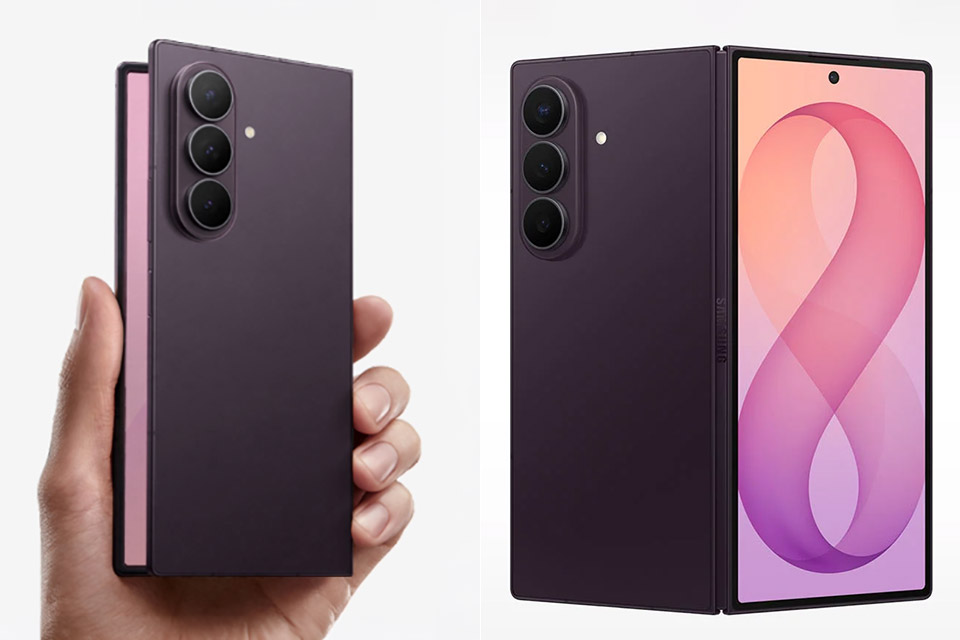
Samsung now sells two book-style foldables side by side. The regular Galaxy Z Fold8 starts at $1,899.99. The Z Fold8 Ultra opens at $2,099.99 for the 256GB model and climbs to $2,699.99 for 1TB. That $200 jump lands the Ultra in rare air for a phone that still has to fold in half. The question is simple: does the extra money buy enough to matter?


Unfolded, the Ultra is only 4.1 millimetres thick and weighs roughly 215 grams, making it one of the thinnest and lightest foldables Samsung has ever created for a pocket. Underneath the large display is a dual-layer titanium structure, and the hinge is also made of titanium alloy, as it’s surprisingly difficult to spot the crease nowadays. The whole thing has an IP48 rating, which should be good for being submerged in 1.5 meters of fresh water for half an hour. When folded, it’s somewhat taller and thinner than the standard Fold8, so it’s not as pocket-friendly, but it’s still a good fit.


Samsung Galaxy Z Fold8 Ultra Phone + $350 Gift Card, 512GB, Violet Shadow
- PRE-ORDER NOW: Get an Amazon gift card when you pre-order Samsung Galaxy Z Fold8 Ultra. You will receive an email once your gift card is available…
- SPLIT THE VIEW. MULTITASK¹ TO THE MAX: Productivity never felt this powerful. Use up to three apps¹ at once on the expansive inner screen of Galaxy…
- MULTITASKING MADE SMARTER WITH AI: Stay one step ahead with AI² that suggests which apps you might need next. Then view those multiple windows side…

The outside and inner screens have both expanded in size, with the cover display now measuring 6.5 inches of FHD+ Dynamic AMOLED 2X goodness, and the main panel expanding to a full 8 inches of QXGA+ when the phone is opened. Peak brightness is increased to 3,000 nits, and there’s an anti-reflection coating to keep things from becoming too shiny on the larger surface. There’s also an Adaptive 120Hz refresh rate, which helps keep things smooth whether you’re using the phone one-handed or treating it like a tiny tablet. The difference between viewing a video and running things side by side is rather noticeable.

The Ultra has also received a significant camera upgrade. The main sensor is a 200-megapixel beast with an f/1.7 lens, and there’s Quad Pixel autofocus for extra sharpness. You can also achieve a nice 2x optical-quality cut that retains sharpness. But that’s not all; in addition to the primary sensor, there’s a 50-megapixel ultrawide with an enhanced f/1.9 aperture for capturing more light, as well as a separate 10-megapixel telephoto picture that finally provides genuine 3x optical zoom. To make things even more intriguing, the main and ultrawide cameras can also shoot 8K video. When you add Nightography and the ProVisual Engine to help with low-light shots, as well as Super Steady to keep your handheld videos from being too shaky, it’s evident that the Ultra is in a class by itself when it comes to camera performance. You can’t help but make comparisons to the S26 Ultra, and to be honest, the difference is now less than it has ever been on a foldable. The normal Fold8, on the other hand, only has two 50-megapixel cameras and no optical telephoto. Zoom and detail are obviously going to be more of an issue with that one.
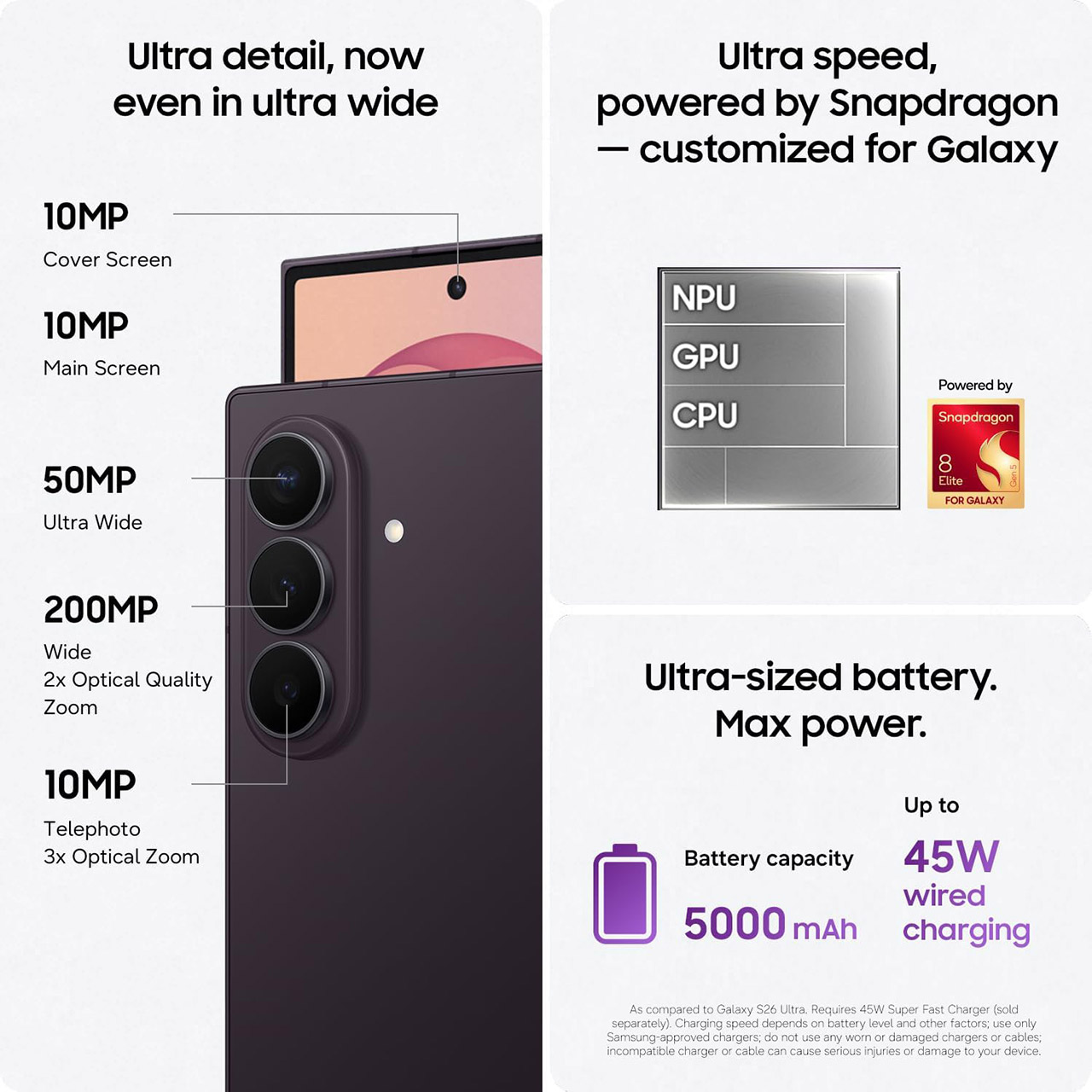
Inside the Ultra, you’ll find the same dependable Snapdragon 8 Elite Gen 5 chip, which has been optimized to maximize Galaxy phone performance. You can get it with 256GB or 512GB of storage and 12GB of RAM, or if you want to go all out, 1TB of storage and 16GB of RAM. The battery has finally expanded to 5,000 mAh, making it the largest Samsung has ever put in a Fold, and it claims up to 27 hours of video playback. There’s also charging, 45W wired charging should charge your battery to two-thirds capacity in under an hour.

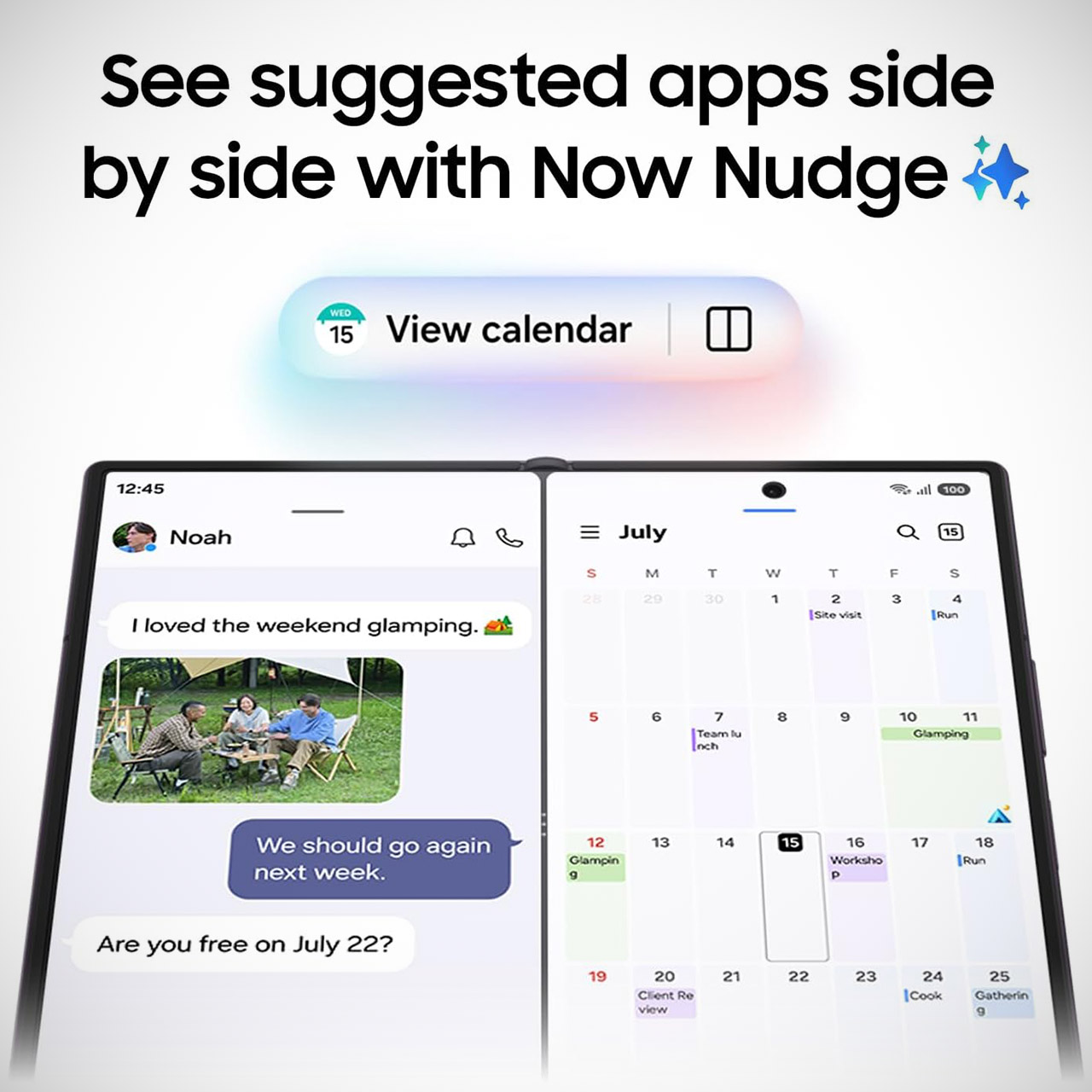
Software includes the whole new One UI 9, which puts a comprehensive set of Galaxy AI tools at your fingertips. The Nudge tool just observes what you’re doing and makes excellent ideas for using split screen in a way that suits you. My FanCam can lock onto a subject and reframe the video on the fly, all without you having to move a finger. With Photo Assist, you can simply type a text prompt and move, remove, or expand items; it’s that simple. Many of these capabilities are also available on the standard Fold8, but having more screen real estate on the larger version helps them feel more natural, especially when you have numerous windows open.
[Source]
You must be logged in to post a comment Login