Connect with us

Tech

Screen-Free Schools? Some Legislators Push for a New Normal

Published

on

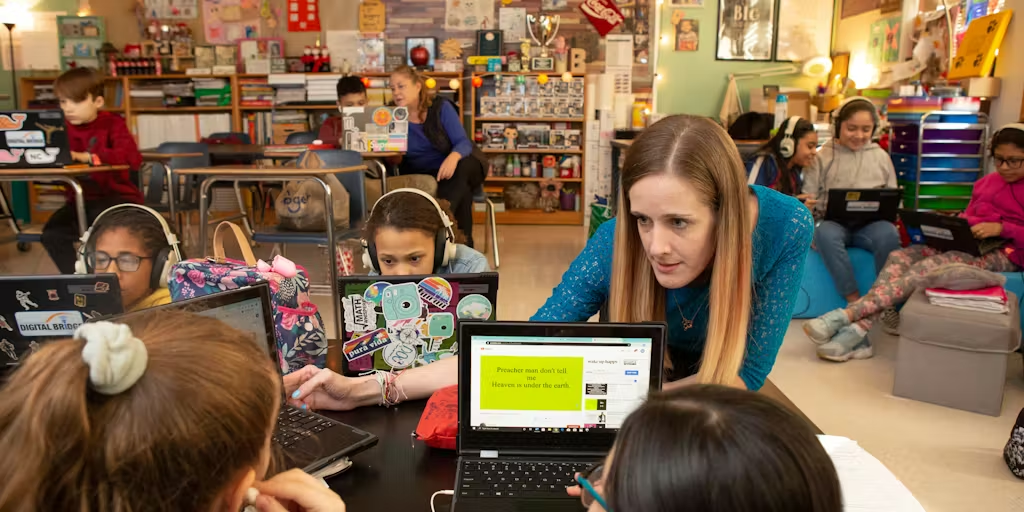
When Kim Whitman’s son was in kindergarten in 2015, it was the first time their school district rolled out a one-to-one device program, assigning an electronic device to every child. Beyond using it in the classroom, the children were required to bring it home each night to charge it — but with that came the temptation to use the device after hours.

“My children never had a device and suddenly they had these iPads at home I had to manage,” Whitman, now the co-lead for the Distraction-Free Schools Policy Project, says.

Over a decade later, personal devices are more ubiquitous in some classrooms than mechanical pencils. Device adoption catapulted during the COVID-19 pandemic, thanks to an influx of federal dollars and to usher children into virtual schooling. But that adoption rush created what some experts deemed as a bit of toothpaste-out-of-the-tube moment, where decisions were made without fully thinking through the ramifications.

“For a lot of logistical reasons and necessity through the pandemic, we sort of went all in — we had to,” says Kate Blocker, director of research and programs at Children and Screens: Institute of Digital Media and Child Development. “Digital programs and edtech broadly has come with a lot of promise, including improving student learning and improving teacher and administration efficiency. The question people are starting to ask themselves is, ‘Are we seeing those benefits?’”

Advertisement

Some legislators and advocates are pushing to roll back the reliance on devices, particularly at a younger level when children are more susceptible to distractions.

“You don’t tell smokers to sit next to a pack of cigarettes,” Angela Duckworth, a professor at the University of Pennsylvania and leader in the educational psychology sector, says. “You tell them to remove yourself from temptation.”

What Brought Us Here

With many parents thinking more critically about their children’s relationships with screen time comes a new swell of concern about personal devices, especially in learning environments. According to federal data, 9 in 10 public schools had a one-to-one program giving every student a school-issued device for the 2024–25 school year.

While research is sparse on the overall effects of personal devices like laptops and iPads in school, they are becoming a proven distraction in the classroom. Duckworth served as the lead investigator for a newly released study that found teachers estimate 1 in 3 students used laptops during class for non-academic purposes, including texting and social media scrolling.

Advertisement

“It was becoming clear to us, from our previous open-ended responses to the survey, that phones are not the only digital distraction in the classroom,” she says.

Duckworth herself has a “no technology” rule in her lecture hall, put in place after finding many of her students were using their laptops to watch movies, online shop or study for other classes.

“If you see a kid with a phone, you know they’re not supposed to be doing something,” she says. “With a laptop, kids become Oscar-winning actors and actresses: They look up and down and seem like they’re doing something they’re supposed to be doing.”

There is also the concern of data collection for unknowing students.

Advertisement

“I’m aware of pressure around data and data management, with questions around appropriate guardrails in place,” Blocker says. “So many companies hold an immense amount of student data. Is that being managed properly and held to the same standards as the curriculum?”

And the rise — and rising fear — of artificial intelligence may have also fueled this hard look at education technology and its devices.

“There’s the larger techno-panic happening around devices in schools especially now that AI has arrived,” says Carrie James, co-director of the Center for the Center for Digital Thriving at the Harvard Graduate School of Education. “In the past, schools have been very intentional: They have a school committee meeting and make very clear decisions about which pieces of technology they’re going to adopt. The challenge around generative AI is it arrived on everyone’s devices, and now schools have to reckon with it. I think that piece is exacerbating it.”

Reigning in Tech

Whitman says roughly nine states have presented some form of “Safe Schools Technology” legislation, following the lobbying of the Distraction-Free Schools Policy Project.

Advertisement

She is quick to point out the legislation is not seeking to ban technology entirely, but instead will require schools to limit it so that students don’t have “unsafe, ineffective or inappropriate experiences.”

“We believe in tech education,” Whitman says. “You need education on technology — how to use Excel, how to type — these are all really important skills for students to have. But it doesn’t mean we have to teach everything through the device.”

State policymakers are trying a few different methods of regulating edtech through legislation. There’s limiting screen time, but keeping the technology – a strategy particularly popular in elementary schools – and has been introduced in bills in Oklahoma, West Virginia and Missouri. Vermont introduced a bill earlier this year allowing parents to opt their kids out of using electronic devices in the classroom.

And some leaders in Kansas are attempting to ban hardware devices in elementary schools, but allow a shared-device model — like a computer lab — in middle schools, and limit classroom screen time to one hour a day. For high school students, that would be bumped up to 90 minutes a day.

Advertisement

There is also a focus on the edtech itself, with state efforts attempting to ensure it is certified in the same way other curricula are certified, outlining steps for evaluating and choosing products and communicating about that process to parents.

That is a particularly tricky conversation, with questions swirling around the onus of verification: if it is the school’s job or the company’s responsibility, or if that task belongs to a third party. Experts say there is no national, catch-all system that easily shows if an edtech company does what it claims to do, though the Internet Safety Lab and American Academy of Pediatrics have given some guidelines that can help.

Whitman pushed for third-party intervention.

“There is nobody right now that is confirming these products are safe, effective and legal,” she says. “It should not fall on the district’s IT director; it would be impossible for them to do it. And the companies should not be tasked with doing it — that would be like nicotine companies vetting their own cigarettes.”

Advertisement

But many districts, particularly those that serve low-income and minority populations, are in a tough spot with mitigating edtech usage and implementations. They often do not have the funds to purchase new textbooks, which typically cost more than their digital counterparts. They have also invested heavily — often through grants or federal funds — in digital devices.

“That is in fact the conundrum: School administrators are in a tug of war,” Blocker says. “They’ve invested in so much, and a lot of the products came with promise. It’s not like they grabbed a brick and said, ‘I’m going to make this work.’ They were told they were going to have all these benefits.”

And James, of the Center for the Center for Digital Thriving, said it is important to remember some student populations, such as her neurodivergent child, benefit greatly from the expanded access digital products can provide.

“Edtech and assistant technology are key for her learning,” James says, pushing against a sweeping blanket ban. “That’s where the decision has to be school-community specific. Educators know their community best, and these regulations have to be designed for their students.”

Advertisement

Widespread Adoption?

The new efforts targeting laptops and edtech tools follow a swell of states banning student cellphones in the classroom, with many restricting them in between class periods and lunch time as well. While that has been one of the rare successful bipartisan efforts at the state and federal levels, experts say going entirely device-free in schools is a much more nuanced conversation.

“School phone bans are less about technology for learning’s sake and more about technology interfering with learning,” Blocker says. “I think it was clearer for everyone to see why [banning phones] might have a good outcome. It is much harder with edtech; there is evidence, particularly for older students, that when used well it can be beneficial.”

Whitman disagrees, though, saying while it may be a slower uptick than phone bans, she does believe edtech bans will eventually reach that same level.

“Parents are becoming aware and coming together with collective action,” she says. “I think this will be similar to phone-free schools eventually. It will, but we’re on the cusp of it right now.”

Advertisement

James urges schools and districts to focus less on silver-bullet solutions like total bans and more on multifaceted approaches to integrating technology well.

“Bans might feel like they can be a starting point for better learning, but they can’t really be the finish line,” she says.

For the sake of children and teens, James adds, “we have to build agency and intentionality for using technology well, because as soon as they walk out of school, you typically have pretty incredible access to technology.”

Source link

Advertisement
Continue Reading
Click to comment

Leave a Reply

Your email address will not be published. Required fields are marked *

Tech

FBI warns of phishing attacks impersonating US city, county officials

Published

on

FBI

The Federal Bureau of Investigation (FBI) warns that criminals are impersonating U.S. officials in phishing attacks targeting businesses and individuals who request city and county planning and zoning permits.

In a public service announcement published on Monday, the bureau said that the criminals behind this campaign are identifying potential victims using publicly available information, which also makes their malicious messages seem legitimate and helps them trick suspicious targets.

“Individuals and businesses with active applications for land-use permits are being targeted by criminals impersonating city and county planning and zoning board officials, fraudulently requesting fees associated with these permits,” the FBI warned.

“Victims receive unsolicited emails citing their permit information, zoning application numbers, and/or property addresses. Victims are instructed to pay invoices for fees related to their permits and directed to make payments via wire transfer, peer-to-peer payment, or cryptocurrency.”

Advertisement

The FBI says there are several common indicators that can help detect such schemes, including messages sent from non-governmental domains (such as @usa.com), attachments that ask recipients to request more details via email, and various tactics to push for quicker payments to avoid permit delays.

Scammers may also time their phishing messages to match the timing of official communications with details about zoning permits.

The law enforcement agency advised businesses and individuals to carefully check whether messages they receive from U.S. officials are legitimate by verifying the domain and email address and calling the city or county government to confirm outstanding fees.

Those who were targeted or fell victim to this scam should file a complaint with the FBI’s Internet Crime Complaint Center (IC3) and share the email address, date of email, and/or phone number used by the scammers, the date of the project’s scheduled hearing, the amount listed in the fraudulent invoice, as well as any other financial information provided by the criminals.

Advertisement

Four years ago, the FBI also warned of widespread attacks in which scammers impersonated government or law enforcement officials by spoofing authentic phone numbers to extort money from potential victims or steal their personally identifiable information.

In April 2025, the bureau said that criminals were also impersonating FBI IC3 employees, while offering to “help” fraud victims recover money lost to other scammers.

One month later, the FBI also warned of cybercriminals using AI-generated audio deepfakes to target U.S. officials in voice phishing attacks.

Malware is getting smarter. The Red Report 2026 reveals how new threats use math to detect sandboxes and hide in plain sight.

Download our analysis of 1.1 million malicious samples to uncover the top 10 techniques and see if your security stack is blinded.

Advertisement

Source link

Continue Reading

Tech

FBI Warns Americans Of ‘Proof-Of-Life’ Photo Scam That Creates Panic In Minutes

Published

on


Living in the digital age often feels like a double-edged sword. We can connect with virtually anyone, anywhere, at any time. You can chat with a peer in a different time zone, order flowers from the shop across town, and post those cute new pictures of your kids, all in a matter of minutes and from the handy little device you carry around in your pocket. Modern technology allows us to share our lives in ways many of us never imagined even 20 years ago, but there’s also a dark side to digital life. The modern age has made it much easier for scammers to target anyone with even a hint of a digital footprint.

Scams are a timeless crime, far predating the age of FBI alerts. Insurance scams have been around for centuries, but today we’re more worried about phishing scams and deceptive websites. In February 2026, the FBI issued a warning to the public about an emerging, malicious plot that can potentially target anyone who posts photos online. Criminals are finding those photos of your loved ones, be it your children, parents, significant other, or friends, and using them to create fake proof-of-life photos. They’ll then send you these photos to try to fool you into believing that this person has been kidnapped and demand a ransom payment. When presented with a frightening photo of someone we love, many of us may immediately pay up — here’s what to do instead.

Advertisement

A vicious scam

It’s easy to hang up the phone on a would-be scammer that’s talking about your car’s extended warranty and set up your phone to block potential scam calls, but this scam plays deep into fears of our loved one’s safety. After obtaining one of your photos, a scammer may contact you via text message claiming that they’ve kidnapped them and demanding a ransom payment. The text may be violent and will often be timed so that you don’t have long to examine the image before it disappears.

If you receive a text or email similar to this, don’t panic. Take a screenshot of the message if possible and immediately get in touch with the loved one that is pictured to ensure they are safe. You should also closely examine the photo for accuracy — these photos have been manipulated and may have altered or missing physical features or proportions that just look off. If a friend or family member is actually missing, know that posting information online will likely lead scammers to your doorstep.

If you’re concerned about falling victim to this scam, the FBI recommends that you set up a code word with your loved ones that only you know to ensure reliable communication. Also, be sure to report any scam to the FBI’s Internet Crime Complaint Center, even if you don’t fall for it. Include any information that you have, such as phone numbers, photos, and payment information.

Advertisement


Source link

Advertisement
Continue Reading

Tech

Homemade Pulse Jet Ski-Trike Handles Ice and Snow with Ease

Published

on

Homemade Pulse Jet-Ski Trike
A homemade pulse jet engine now powers a winter machine that redefines what is possible on frozen lakes. Zach of Build N Pulsejets had a simple idea, and that was to attach his new 180-pound-thrust propane pulse jet to a child’s kick scooter for high-speed fun on dirt roads. Winter arrived in Michigan far earlier than expected, and before you knew it, he was knee-deep in snow and ice. Zach decided to adjust his plans, and now he has a pulse-jet bike that he enjoys riding across snowy surfaces, turning cabin fever into high-speed thrills.


First, he had to disassemble the scooter, starting with the wheels and then moving on to the fenders, which he removed with his trusty angle grinder. Three snowmobile skis were swapped out for carbide runners with plenty of ice grip, one in front and two in back, forming a stable trike layout. Then he began welding brackets to hold all of this gear in place while keeping the skis and motor steady. The pulse jet, a valveless design with an augmenter, is situated on the side to protect the rider from the flames. A forklift propane tank provides him with enough fuel to keep the machine going for an extended period of time, which is a significant advantage, but it also adds some weight.

Sale


Segway Ninebot S2 Electric Self-Balancing Scooter – Master Your Commute w/t 11.2 mph Max. Speed, 21.7 Mi…
  • Speed & Range: Experience exhilarating rides with the Ninebot S2’s impressive top speed of 11.2 mph and range of 21.7 miles.
  • Beginner-Friendly: Perfect for riders aged 16-50, the Segway S2 features a user-friendly learning mode, providing a smooth and gradual introduction.
  • Adjustable & Supportive: Enjoy a customized fit tailored to your needs, as the Segway S2 accommodates heights ranging from 4’3″ to 6’6″ and supports…

Controlling this beast was a key part of this build, so he took extra time to do it right. The twist-grip throttle connects to a ball valve for extremely accurate fuel flow. He constructed some handmade foot pegs out of bar stock and added additional grip for good measure. To keep from bouncing off the seat, he just bolted in a salvaged one. He also gave some serious thought to the brakes, as a simple stomp brake would be insufficient on ice surfaces. Well, it’s a start, and he’s already thinking about ways to sharpen the serrations to make it more useful.

Advertisement

The first test run took place on a tiny pond, and before you knew it, the engine was roaring to life, its loud, rhythmic buzz booming out. The flames from the pulse jet flared crimson as it kicked in and began propelling the tricycle ahead. It moved okay, but the handling felt a little loose, owing to the fact that the runners had not yet been properly sharpened.

Homemade Pulse Jet-Ski Trike
Speeds reached up to 30 mph in short bursts, yet the frame continued to bounce around the uneven ice. To be honest, the heat was getting to the augmenter, which was beginning to sag under its own weight and showing signs of thermal stress. The next step was a longer test run on a Michigan lake’s snowmobile drag strip. What about the acceleration? Let’s just say it was a bit of a battle, since the combined weight of the rider, the big tank, and the engine made it difficult to move forward from a stop, even on super-low friction ice. But once it started moving… well, the momentum simply kept growing.

Homemade Pulse Jet-Ski Trike
The trike reached speeds of more than 44 mph (77 km/h), and the sound of the engine resonated across the ice plain as onlookers watched. The good news was that it remained steady even over ruts, despite the lack of suspension. Zach claims that the entire construction was a result of the lengthy winter that the northerners were forced to endure, a means to expend energy when the snow would otherwise lock everything down. The initiative has already provided exactly what he required. Some changes are already in the works, such as sharper carbide edges on the skis, a polished brake surface, and possibly a new coat of paint.
[Source]

Source link

Advertisement
Continue Reading

Tech

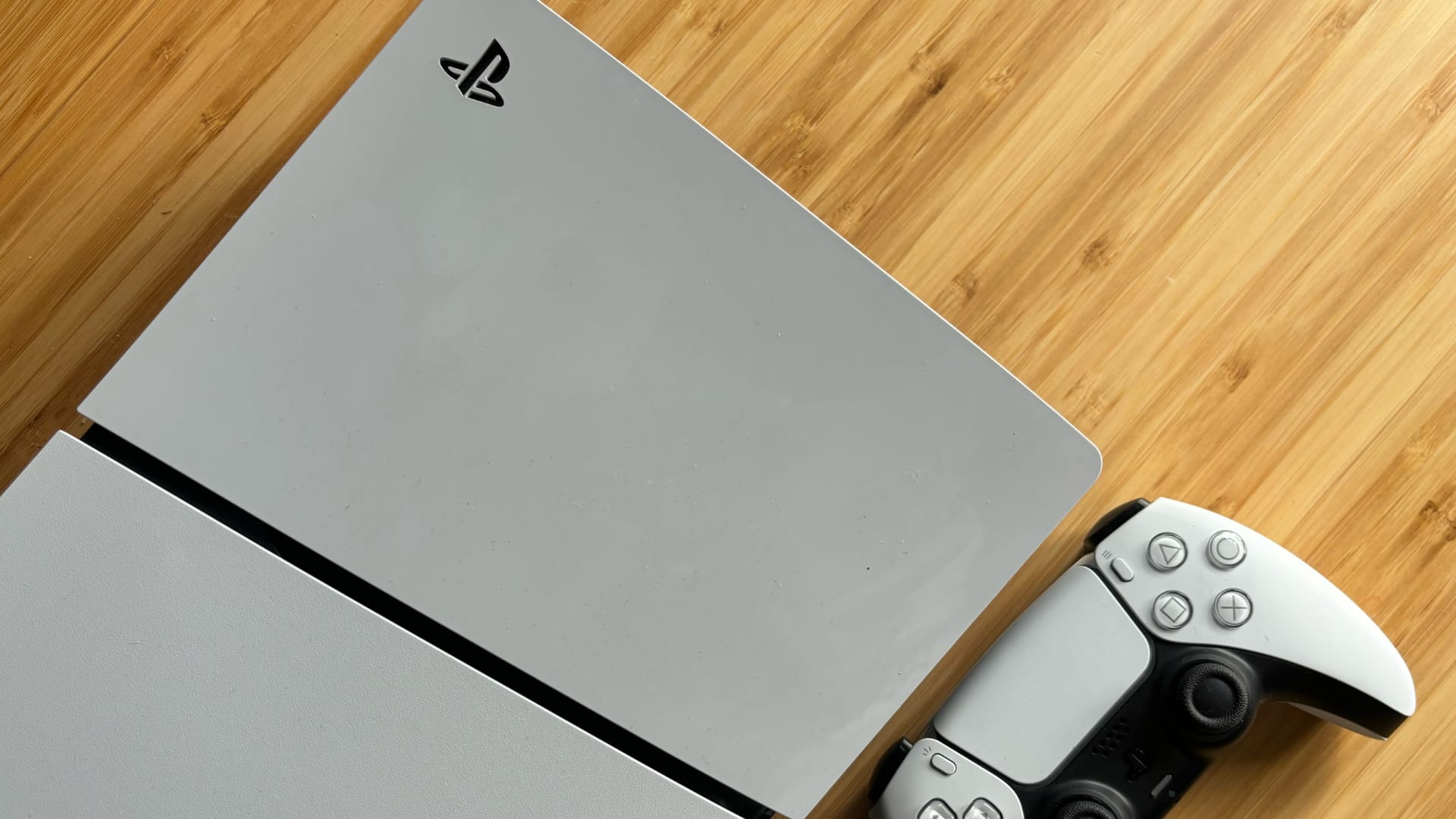
Sony might be testing dynamic pricing on the PlayStation Store

Published

on

Sony could be experimenting with dynamic pricing on the PlayStation Store, according to data spotted by price-tracking site PSPrices.

The platform has noticed that some users are being offered different prices for the same games, suggesting that Sony may be quietly testing a new pricing strategy.

The discovery comes from PlayStation Store data tied to Sony’s public API. In this data, experiment identifiers such as IPT_PILOT and IPT_OPR_TESTING appear alongside certain game listings. Additionally, according to PSPrices, these markers suggest that Sony is running A/B tests on pricing across more than 150 games in 68 regions.

Interestingly, the United States doesn’t appear to be part of the experiment for now. And rather than raising prices, the test currently seems to focus on selective discounts. Meanwhile, some users have reportedly seen price cuts ranging from 5% to 17.5% on major titles. These include Marvel’s Spider-Man 2, God of War, and Red Dead Redemption 2.

Advertisement

Advertisement

Dynamic pricing itself isn’t unusual in other industries. Airlines, hotels and online retailers often adjust prices based on demand, location or user behaviour. However, it’s far less common in digital game storefronts. Most players expect everyone to see the same price for the same title in these stores.

That’s why even a discount-focused test could prove controversial. If one player is offered 10% off a game like Sid Meier’s Civilization VII while another sees a much bigger discount, it could quickly raise questions about fairness.

For now, it’s unclear how long the experiment has been running or whether Sony plans to expand it further. The company hasn’t publicly acknowledged the tests, and Sony has yet to respond to requests for comment.

Advertisement

Still, if the data is accurate, the PlayStation Store could be exploring a pricing model that’s far more personalised than what gamers are used to. As a result, this could fundamentally change how digital games are sold in the future.

Source link

Advertisement
Continue Reading

Tech

Live Nation settlement avoids breakup with Ticketmaster

Published

on

To keep , Live Nation is going to have to make some major changes. As first reported by , Live Nation reached a settlement with the Department of Justice in its antitrust case that accused the live entertainment giant of monopolistic practices. Live Nation will reportedly pay at least $200 million in damages to states that were part of the in May 2024, but avoid selling off Ticketmaster.

Live Nation will also be required to make a few changes to its business practices. According to NBC News, Ticketmaster, a subsidiary of Live Nation, will be required to create a “standalone ticketing system” that allows third-party competitors like SeatGeek and Eventbrite to sell tickets on.

The settlement aims to loosen some of Live Nation’s control over venues as well. According to NBC News, the company will have to divest up to 13 amphitheaters and be prohibited from retaliating against venues that choose another ticket seller over Ticketmaster.

The settlement comes less than a week after the case went to trial. While the matter may be concluded with the Justice Department, many of the states’ attorneys general who were part of the lawsuit will be continuing their legal action separately.

Advertisement

“The settlement recently announced with the U.S. Department of Justice fails to address the monopoly at the center of this case and would benefit Live Nation at the expense of consumers,” New York State Attorney General Letitia James wrote in a press release. “We will continue our lawsuit to protect consumers and restore fair competition to the live entertainment industry.” 26 other attorneys general signed onto continuing the lawsuit with James.

Source link

Continue Reading

Tech

Hisense Unveils 2026 U6 and U7 ULED MiniLED 4K TVs in Sizes from 55 to 116 Inches

Published

on

The 2026 TV market is already shaping up to be one of the most turbulent in years, with major brands reshuffling strategies, manufacturing partners, and display technologies. Into that environment steps Hisense, which has begun rolling out its 2026 U6 and U7 ULED MiniLED 4K TV series, available in screen sizes ranging from 55 to 116 inches.

The new U6 and U7 Series ULED MiniLED TVs represent Hisense’s latest push in the highly competitive midrange LCD category. As the world’s third largest TV shipper behind Samsung and TCL, the company is aggressively expanding its ULED MiniLED platform while also investing in emerging RGB MiniLED display technology.

Samsung is making a similar move in the premium LCD space with its own RGB MicroLED/MiniLED hybrid approaches, signaling that the next phase of the TV technology war will revolve around brighter LCD panels with more precise color control rather than traditional white LED backlighting.

Against that backdrop, the U7 Series leads Hisense’s 2026 ULED LCD MiniLED rollout and is available now, while the U6 Series is expected to reach retailers in the coming weeks. Together, the two lineups form the backbone of Hisense’s midrange TV strategy for 2026, targeting buyers who want MiniLED performance, high brightness, and large screen sizes without stepping into flagship price territory.

Advertisement

With the 2026 FIFA World Cup set to take place in the United States, Hisense says its U7 and U6 ULED MiniLED TV lineup is designed to give fans and families a larger, brighter way to experience the tournament together, with screen sizes and pricing aimed at a wide range of households.

The U6 and U7 Series represent Hisense’s performance to value sweet spot within the company’s TV portfolio. Above them, Hisense plans to introduce its RGB MiniLED Series, which will serve as the brand’s ultra premium tier and incorporate new display technologies designed to improve brightness, color precision, and backlight control beyond the current ULED category.

For 2026, Hisense is expanding the U6 and U7 MiniLED portfolios with more screen sizes and configurations, giving buyers additional options for building large screen setups across a variety of living spaces and budgets.

The data’s clear, people are gravitating toward larger screens and they’re using them to bring people together,” said James Fishler, Chief Commercial Officer at Hisense. “We’re focused on making sure the features that define the viewing experience, the size, the performance, the technology, are accessible across the board, not just at the high end. That’s what this lineup delivers.”

Advertisement

U7 Series

hisense-u7-tv-2026

An important part of Hisense’s 2026 FIFA World Cup portfolio, the U7 (U7SG) is designed to elevate match day viewing by capturing fast paced action, vivid color, and crowd level atmosphere with the clarity and scale needed to make every goal, rivalry, and defining moment feel larger than life.

Available in screen sizes from 55 to 116 inches, the U7SG is built to fit a wide range of households, with a focus on turning major sporting events and big screen entertainment into a more cinematic experience at home.

Key Features of the U7 Series

Precision Backlight: Hisense uses thousands of MiniLED lighting elements to deliver precise backlight control and more lifelike images. Powered by Hi QLED MiniLED Pro with Full Array Local Dimming and the Hi View AI Engine Pro, the U7 is designed to maintain strong contrast and clarity across live sports, movies, and everyday content. The U7 Series supports up to 3,000 nits of peak brightness.

Advertisement. Scroll to continue reading.

No Blur: The U7 incorporates advanced motion technology for high speed gaming, sports, and action films. A native 165Hz refresh rate combined with intelligent motion processing helps reduce blur, lag, and smeared frames, delivering smoother performance during fast paced gameplay and major sporting events.

Advertisement

Gaming Support: The U7 series provides a dedicated Game Mode with VRR and ALLM, along with Dolby Vision Gaming and HDR10+ Gaming compatibility.

Smart TV: The U7 Series offers Google TV (U7SG) and Fire TV (U7SF) operating systems at varying retailers, giving consumers the flexibility to choose the smart platform that best aligns with their connected home ecosystem. 

Sound: The U7 series provides an immersive 50W multi-channel audio (2.1.2) with Dolby Atmos and DTS Virtual: X filling the room with layered sound. Speaker system tuned by Devialet.

Hisense 2026 ULED MiniLED TVs – U7SG Series

Hisense Model Series  U7SG (2026)
Product Type  ULED Mini-LED TV
Screen Sizes (diagonal inches) 55, 65, 75, 85, 100, 116
Screen Type LCD
Backlight Source Type Mini-LED Pro
Screen Resolution 4K UHD 
Hi-QLED (Quantum Dot Color) Yes
WCG-Wide Color Gamut Yes
AI PQ Engine Hi-View AI Engine Pro
Full Array Local Dimming Yes
Anti-Glare Low Reflection Panel Yes
Native Refresh Rate 165Hz
Motion Rate 480
MEMC / Frame Insertion Yes
Aspect Ratio 16:9
HDR Format Support Dolby Vision, Dolby Vision IQ, HDR10, HDR 10+, HDR10+ Adaptive, HLG
Filmmaker Mode Yes
IMAX Enhanced Yes
Smart Platform Google TV 
Google Assistant Built-in Yes
Works with Alexa Yes
Works with Apple Home Kit Yes
AirPlay Yes
Far Field Mic/Hands Free  Yes
Game Mode Native 165Hz Game Mode
VRR/ALLM Yes
Game Bar Enhanced
Game Booster 330 VRR, 288 VRR (100-Inch)
AMD Freesync  Freesync Premium Pro
HDR Gaming Dolby Vision Gaming, HDR10+ Gaming
Audio Output Power (Total Watts) 50W, 60W (100-inch)
Multi-Channel Audio 2.1.2, (116-inch – 6.2.2)
Audio Enhancement Dolby Atmos, DTS Virtual:X, Speaker system sound tuning by Devialet
WiSA Soundsend Certified Yes
On-screen Display Languages English, French, Spanish, German, Simplified Chinese, Traditional Chinese, Portuguese
Power Consumption (varies by Screen Size) 190W, 250W, 310W, 360W, 500W
Standby Consumption ≤0.5W
Wi-Fi Built In Yes (6E)
Bluetooth Ver 5.4
Inputs 4 x HDMI 2.1
Advertisement

HDMI-CEC, HDMI-ARC

Ethernet (LAN)

USB ((1 x 3.0, 1 x 2.0)

RF Antenna – NTSC/Clear QAM/ATSC 3.0 (NextGen TV)

Advertisement

USB (1 x 3.0, 1 x 2.0) 

(100 and 116-in) RCA Composite Video Input (3 in 1 A/V Jack)

Outputs Digital Audio Output (Optical)
Additional Features Noise Reduction

Parental Control

Advertisement

Closed Caption

Sleep Timer

Mounting Options VESA (Wall Mounting)

Dual Position Stand

Advertisement

Dual Position Legs (100 and 116-inch)

Included Accessories Backlit Voice Remote with G-Sensor and  Batteries

Quick Start Guide and/or User Manual

Power Cable

Advertisement

U6 Series

Led by the U6SF Pro, the U6 Series continues Hisense’s push to bring advanced display technology to more households. Designed around the features consumers value most, the U6SF Pro offers an easier entry point into MiniLED performance without stepping into higher priced tiers. Within the lineup, the U6 Series sits just below the U7, offering many of the same core technologies at a more accessible price.

Hisense is also introducing an additional MiniLED model, the U6SF, giving buyers another affordable path into MiniLED technology across a wider range of screen sizes and budgets.

The U6 Series will be available in screen sizes from 55 to 100 inches.

Hisense U6 Series Features

Hi QLED MiniLED: With Full Array Local Dimming and Quantum Dot color, the U6 is designed to deliver brighter highlights, deeper contrast, and more lifelike color across streaming, sports, and everyday content.

Advertisement

AI Picture: Built in AI processing helps reduce the need for manual picture adjustments. The U6 Series can automatically fine tune picture performance based on the type of content being viewed.

Smart TV: The U6 Series runs on the Amazon Fire TV platform, providing access to major streaming services, apps, and voice control features.

Sound: Built in TV speakers rarely deliver a satisfying listening experience, so the U6 Series includes an integrated subwoofer designed to add more depth and impact without requiring external speakers or additional wiring. The set also supports Dolby Atmos audio processing.

Detailed specifications and pricing for the U6 and U6 Pro Series have not yet been released. According to Hisense, the lineup is expected to arrive at retailers later in Spring 2026.

Advertisement
Advertisement. Scroll to continue reading.

Pro Tip: Once full details for the U6 and U6 Pro models are announced, we will expand the feature overview and update our specifications table accordingly.

The Bottom Line 

With the U7 and U6 Series, Hisense continues to target one of the most competitive areas of the TV market: buyers who want big screens, high brightness, and modern display technology without paying flagship prices. By combining MiniLED backlighting, Quantum Dot color, peak brightness up to 3,000 nits, a 165Hz refresh rate, and screen sizes from 55 to 116 inches, the U7 lineup delivers a feature set that is clearly aimed at sports fans, gamers, and anyone building a large screen home entertainment setup.

The U6 Series sits just below it as a more affordable entry point into MiniLED performance, making it appealing to households that want better contrast and brightness than traditional LED TVs but are not ready to move into higher priced premium models.

Advertisement

What makes the lineup stand out is the combination of very large screen sizes, high brightness, and aggressive pricing, a formula that has helped Hisense close the technology and market share gap with Samsung and compete directly with TCL in the midrange performance category. If the final pricing lands where previous Hisense models have, the U7 and U6 Series could once again be among the most compelling big screen TV options heading into 2026.

Availability & Pricing 

The 2026 Hisense ULED MiniLED lineup will be available at major retail partners, with select models, sizes, and smart TV platforms varying by retailer.

The U7 series is available now, starting at $1,299 MSRP via Best Buy, with an iteration coming to Amazon soon

From Hisense: The U6 series will begin rolling out later in Spring 2026.

Advertisement

Source link

Continue Reading

Tech

You’ll soon be able to remove unwanted options from Windows 11’s quick menu

Published

on

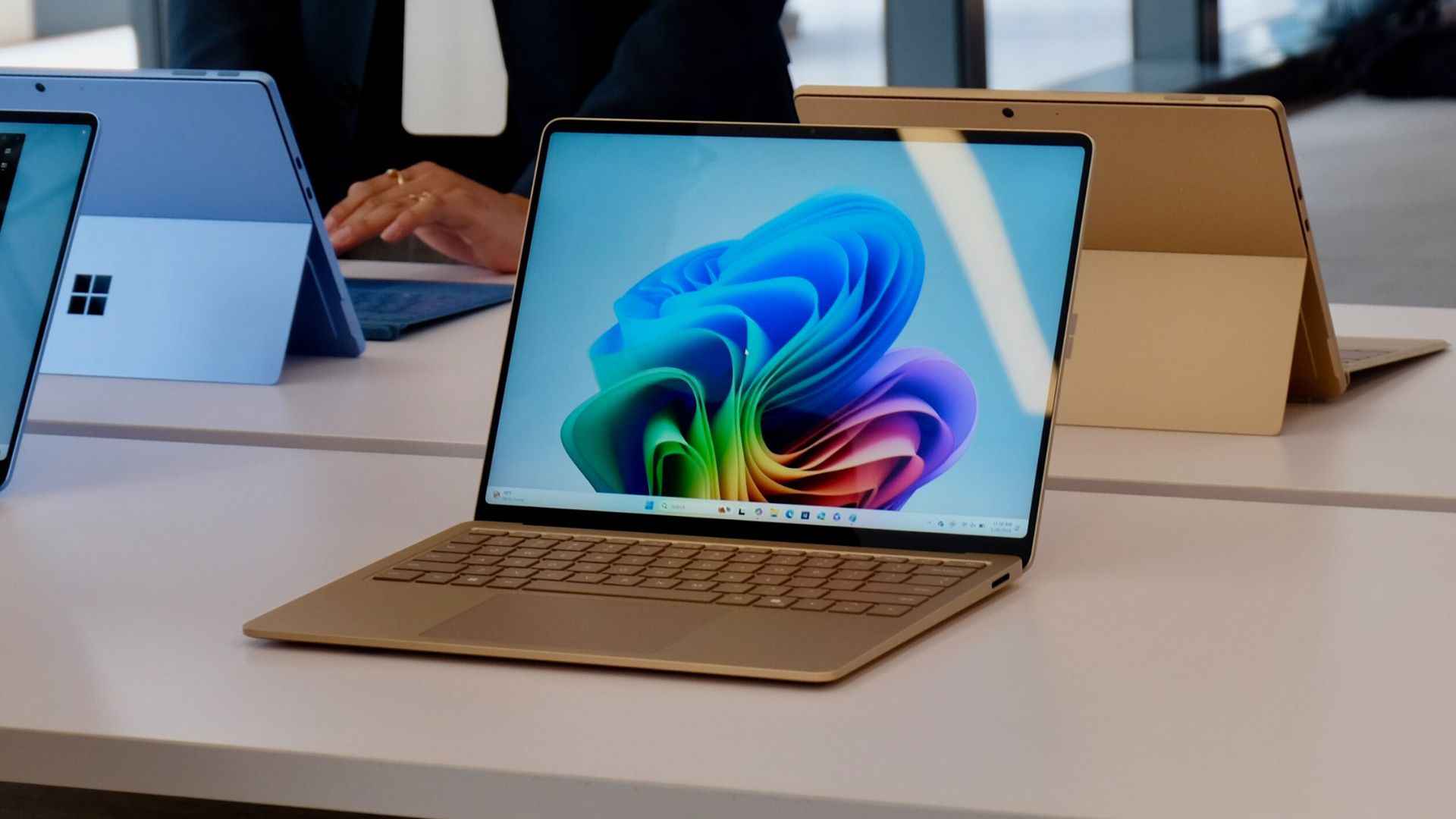
Microsoft may finally be bringing back a small but highly requested customisation feature in Windows 11.

New preview builds suggest that users will soon be able to remove unwanted toggles from the Quick Settings menu, giving more control over what appears in the system tray panel.

Early versions of Windows 11 moved away from the customisable quick action tiles seen in Windows 10. Instead of choosing which shortcuts appeared in the control centre, users were given a scrollable list of every available toggle.

These covered things like Wi-Fi, Bluetooth, Aeroplane Mode and Night Light. While the layout could be rearranged, there was no option to remove controls entirely, something many users quickly complained about.

Advertisement

Advertisement

That could be about to change. Hidden features in Windows 11 preview build 26300.7965, spotted by Windows watcher @phantomofearth on X, hint at a new system. This system allows certain quick actions to be removed from the panel. The feature isn’t fully functional yet, but its presence suggests Microsoft is testing a return to more flexible customisation.

The preview build also introduces a new Energy Saver submenu within Quick Settings. Instead of a single toggle, the option now includes a small arrow that opens a list of battery-saving tools. These include shortcuts for Dark Mode, Eco Brightness, Power Mode, and Screen Contrast. All of these are designed to help extend battery life on laptops and other portable devices.

Some parts of the new menu already appear to work properly on devices with a battery. However, others including the ability to remove certain toggles are still incomplete. It’s likely Microsoft will refine the feature in upcoming preview builds before rolling it out more widely.

Advertisement

This wouldn’t be the only recent improvement to the system tray area. Microsoft has also been testing a shared audio indicator for quickly jumping into audio sharing controls, along with separate volume sliders for each connected device.

If the new Quick Settings editing tools make it to the final release, they could restore a level of customisation, something Windows users have been asking for since the operating system first launched.

Advertisement

Source link

Advertisement
Continue Reading

Tech

M4 iPad Air (2026) Review: The Best Option for the Moment

Published

on

Pros

  • Fantastic performance
  • Well-designed as always
  • Price is low for its chip’s horsepower

Cons

  • Accessories like case and Pencil Pro add up
  • iPadOS is versatile but lacks some advantages of MacOS

I think, after a weekend using the latest iPad Air, that this is the best iPad right now for its price. But it might not be by the end of the year.

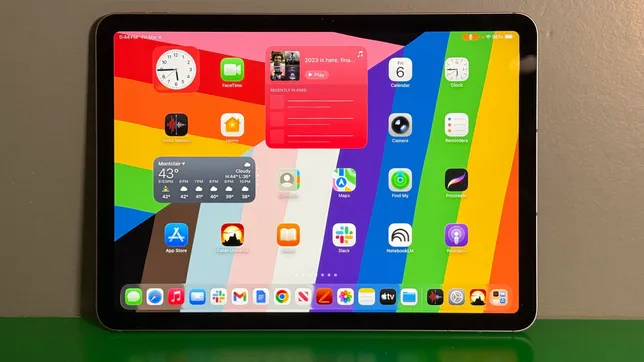
I’ve always recommended cheaper iPads. As I said in a recent story, I expected the base iPad would get an upgrade this spring. So did others. It didn’t happen. Meanwhile, the iPad Air got a chip bump to an M4 processor and updated wireless specs. I’ve been living with the 11-inch model as my everyday home-casual computer for the past week, and it’s a wonderful little powerhouse. I don’t miss the more expensive iPad Pro at all.

Advertisement
iPad Air with Magic Keyboard and Pencil Pro, on green table

The iPad Air doesn’t come with a keyboard case and Pencil Pro in the box, but that’s almost entirely how I’ve been using it.

Scott Stein/CNET

I could say I want the iPad to be even more like a Mac, but I’ve come to accept that moment just isn’t happening now. Judged as an iPad, and by what it does, it’s still great. It’s just that now you have to make a bit of a lifestyle choice.

The funny thing is that, while this iPad Air starts at $599, which is $250 more than the entry iPad, it’s also exactly the same price as the MacBook Neo, Apple’s new entry-level MacBook. Apples and oranges, so to speak, but which should you get?

Advertisement
iPad Air on table in folio case, showing game screen from Oceanhorn 3

Oceanhorn 3 is one of the newest games on Apple Arcade. The iPad Air’s M4 has no lack of graphics power for its size.

Scott Stein/CNET

The iPad Air’s processor is a powerhouse. The M4, in a $600 device, is a fantastic value. But you’ll have to get the keyboard case, or any other case, and the Pencil Pro that works with this iPad separately. That could realistically bump the total to nearly $1,000. If you care about getting those things.

What I love about the iPad, and always have, is how instant and casual it feels. I love the focus of full-screen apps, I love how it handles media and games. I also love the Magic Keyboard case, even though it’s expensive and doesn’t fold back easily. iPadOS 26 has also flexed the iPad out enough to give it a Mac-esque sense of versatility. Not a Mac, but approaching one.

And I also love its size. The MacBook Neo is a bigger laptop, a standard sort of 13-incher. The 11-inch iPads feel compact and cozy and perfect for a quick commute or a little work while traveling. I love the intimacy. The 13-inch models have a lot more screen room, but cost more and have a taller aspect ratio than laptops that I’m not wild about personally.

Advertisement
iPad Air M4 model standing on a table

The 11-inch iPad Air is my preferred size.

Scott Stein/CNET

Compared with the iPad Pro, the Air is a much better buy

If you’re comparing it with the iPad Pro, this Air’s M4 for $599 is a much better deal than the Pro’s M5 for $999, in my opinion. And now that the entry iPad still hasn’t been updated, and still doesn’t support Apple Intelligence, the Air makes more sense to me as a future-proof upgrade. 

That could change in the fall, if Apple does release a chip-bumped entry iPad that runs Apple Intelligence. Which is why I say this is the best “for now.” But that “for now” could be for half a year…or even longer.

Advertisement

I never felt Apple Intelligence was a big deal, at least in its current form. That’s likely to change soon, though. Apple’s plans to fold Google Gemini into Apple Intelligence could mean onboard AI coming this year that ups what all Apple products can do. I’d assume you’d want an iPad that’s ready for whatever comes, and this Air is more than ready for it. 

iPad Air and triceratops art on table with Pencil Pro nearby

I don’t draw much. But if you do, you’ll want an iPad Air or better.

Scott Stein/CNET

Performance: Overkill or ideal?

One thing, though: This M4 is almost too much for most people. Consider the MacBook Neo is running MacOS on an A18 iPhone chip. The iPad Air, which feels like a more “casual” computer, outmuscles it. For graphics work or photo editing, or creating things like music, that’ll be a huge help. It depends on whether your workflow demands it.

Advertisement

I’ve been living with the iPad Air for whatever I’d normally do: taking work meetings on video, watching movies, playing Settlers of Catan, news, Slack, writing this review and playing with a bunch of apps at once. I even filed a story completely from it. It’s easygoing and versatile. Battery life is hard to judge early on, but it seems to be fine. iPads no longer outlast MacBooks, but it’s good enough to handle a good chunk of the day. Early on, though, I’m finding I need a midday recharge.

Performance-wise, the benchmarks for the M4 chip on the $1249 cellular-enabled 1TB iPad Air M4 I’m reviewing match the M4 iPad Pro from 2024. It’s a fantastic processor, even if it’s technically a step behind M5. It doesn’t matter on iPadOS, though, not for me. For what I use it for, it’s far, far beyond my needs. It’s considerably faster than my everyday M2 MacBook Air I use at home for everything. But, as you can see from that sticker price at this tier, when you’re all the way up at $1,249, you’d expect some serious performance. iPadOS is still not as flexible for me as MacOS, though, so that level of power does have limits unless you’re in some serious graphics-heavy apps.

This Air’s internals don’t have a ton of upgrades, but better wireless is appreciated (even if I’m not really taking advantage of it). The Air’s Wi-Fi 7 compatible now, and a new C1X modem inside promises better 5G performance if you get the cellular model (an extra $150). I’m testing that part soon.

Advertisement
iPad Pro showing a video of MacBook Neo, in keyboard case on a table

It might be the same price as a MacBook Neo, but the iPad Air doesn’t come standard with the Magic Keyboard Case or Pencil Pro. Add those, and you’re going to spend about $1,000 at least.

Scott Stein/CNET

iPads aren’t Macs

I’ll say it again: The iPad is a polished, successful product, and Apple is slowly evolving it by degrees. I think the hardware’s clearly there to turn keyboard-equipped iPads into Macs, and that may very well happen someday. For now, consider the iPad a surprisingly versatile device that’s still its own thing, distinct from Macs. And for me, it’s also a better travel device, art tool and casual home/media computer. And the iPad 11-inch with keyboard is the smallest travel Apple computer that exists.

Just keep in mind that iPads aren’t the cheap laptop doorway anymore. The MacBook Neo serves that purpose, and for its all-in price with keyboard attached, it’s the clear proposition for that. Even if, well, I’d say iPad Air surpasses it on hardware power. But the Air’s keyboard costs extra.

I’d get an Air over a Pro for its price. And I’d also get an Air over an entry iPad, too. But come this fall, if there’s a new entry-level iPad, my opinions will likely change. Are you OK with that, or would you rather wait? Apple doesn’t make it easy with iPad upgrades. It never has.

Advertisement

Source link

Continue Reading

Tech

Despite challenges, Ireland sixth in EU for board gender diversity

Published

on

Data from Balance for Better Business has highlighted the issues women face in furthering their careers.

Balance for Better Business, the independent business-led review group established by the Government, has released the findings of a report exploring the positioning of women on the boards of Ireland’s largest companies. 

Coinciding with International Women’s day this past Sunday (8 March), Balance for Better Businesses’ data shows that the proportion of women represented on the boards of ISEQ20 companies has remained steady at 40pc, though this has fallen slightly from previous figures of 42pc. 

The data analysed the composition of board and leadership teams across publicly listed companies in Ireland throughout March 2025, indicating that Ireland now ranks 6th in the EU for female board representation. This represents a major shift from its position at 16th in 2018, although it held 5th position in November 2025.

Advertisement

On Ireland’s leadership teams at listed companies, the representation of women stands at 26pc, performing relatively well against its peers. Despite the positive trend, the report found however, that more needs to be done to accelerate the pace of progress. 

Balance for Better Businesses’ Data showed that the gap between executive and non-executive director representation indicates a growing pipeline challenge. Female non-executive director representation remains strong at 48pc and executive director representation continues to fall, dropping by 3 percentage points to 8pc since November.

Challenges persist in building a strong pipeline of women to assume key leadership positions, with only 70pc of publicly listed companies having three or more women on their boards and only 45pc of ISEQ20 companies having 3 or more women on their leadership teams.

Commenting on the findings of the report, the Balance for Better Business co-chair Carol Andrews said: “It’s clear from our findings that Irish businesses continue to maintain and sustain progress on gender balance at board level. Climbing from 16th to 6th place in the EU for women on boards marks a major shift over the past number of years, and this progress is to be commended. 

Advertisement

“However, the pace of change across the business landscape remains uneven. Gender balance should be a strategic imperative for every organisation, whatever their size or industry. I’d encourage every organisation to explore our roadmap for the key steps to accelerate the pace of progress on their journey.”

A Minister of State at the Department of Enterprise, Tourism and Employment Niamh Smyth, TD, added, “The data published by Balance for Better Business today, reflects continued progress by Irish businesses on their gender balance journey. To maintain this momentum, it’s crucial that all organisations make gender balance a core business priority. 

“When gender balance is prioritised at the top, it accelerates change throughout organisations for the better. By setting clear targets, appointing more female independent directors, and embedding accountability, Irish leaders can continue their journey towards achieving a more inclusive, resilient, and high-performing future for Irish business.”

Don’t miss out on the knowledge you need to succeed. Sign up for the Daily Brief, Silicon Republic’s digest of need-to-know sci-tech news.

Advertisement

Source link

Continue Reading

Tech

Valve insists Steam Machine launch is on track for this year

Published

on


In February, Valve published its first hardware-related post since announcing the Steam Machine, Steam Frame, and Steam Controller 2 last year. The devices were supposed to launch before the end of March, but Valve extended the window to the first half of 2026.
Read Entire Article
Source link

Continue Reading

Trending

Copyright © 2025