Connect with us

Tech

Seattle-area startup turns industrial emissions into high-performance battery materials

Published

on

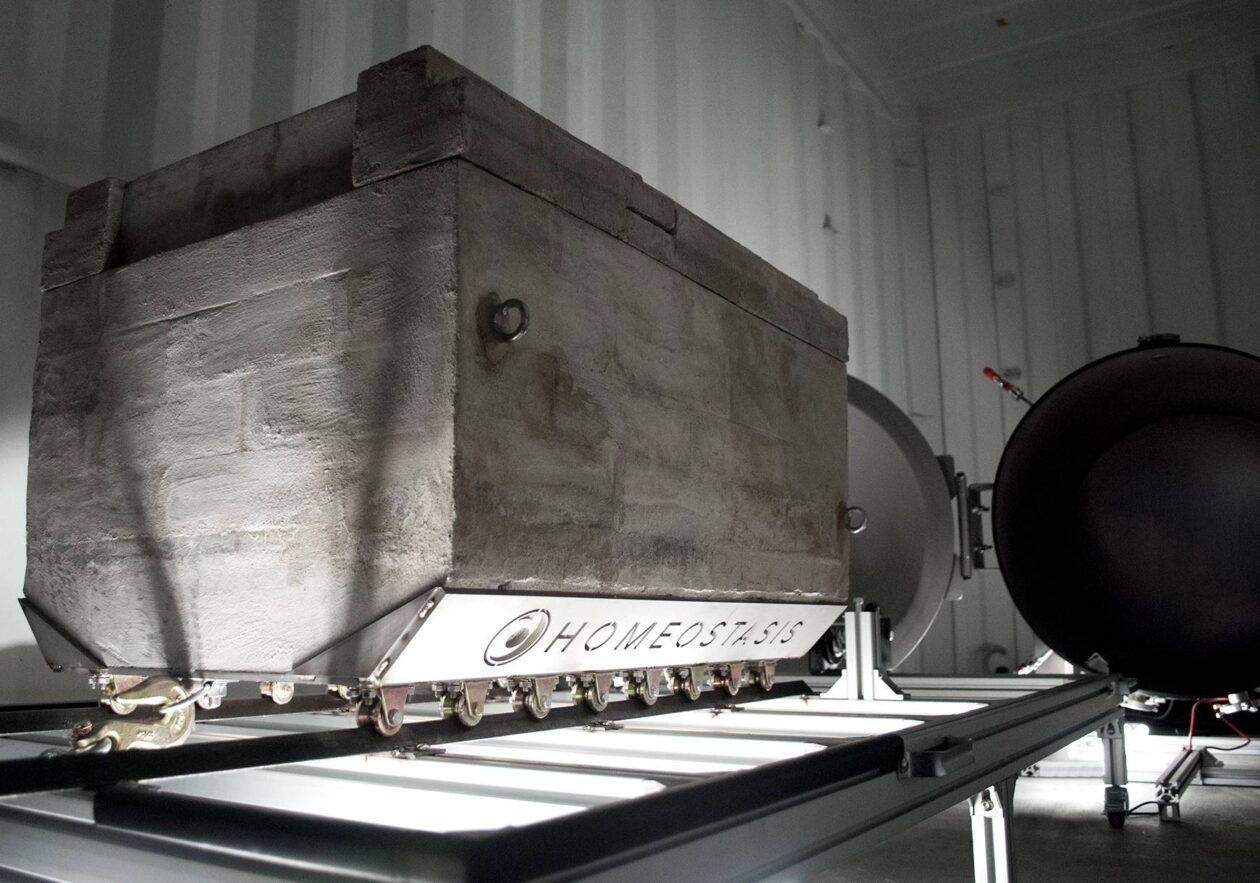
Homeostasis’ prototype device for producing graphite material for use in batteries. (Homeostasis Photo)

Homeostasis co-founder and CEO Makoto Eyre cites a famous Eisenhower line to capture his current leadership mindset: “Plans are worthless, but planning is everything.” It’s an apt motto for a startup trying to build a business at the intersection of climate policy, trade wars and the global race for battery materials.

The Seattle-area startup is developing technology that converts captured carbon dioxide into graphite — a critical material for batteries that power EVs, drones and grid energy storage.

But today’s topsy-turvy geopolitical landscape is creating opportunities and challenges for Homeostasis that flip flop over time.

While the Trump administration is uninterested in carbon removal as a climate strategy, it’s enthusiastic about domestic graphite production — an apparent bright spot for the startup. But tariffs on Chinese graphite, which now total roughly 200%, risk depressing the broader battery sector, potentially shrinking the market that Homeostasis is counting on.

In December, the startup announced a strategic partnership and funding from LAB7, the investment arm of Saudi Arabia’s state-owned oil giant Aramco. The collaboration will help Homeostasis scale its plant operations and refine its graphite processing to ensure it reaches “drop-in” status for battery manufacturers. The deal is being driven by Saudi Arabia’s goal of quickly building a domestic EV supply chain.

Advertisement
Homeostasis co-founders Julien Lombardi, left, and Makoto Eyre. (Homeostasis Photo)

Aiming for U.S.-made graphite

Homeostasis is also eager to supply graphite to North American customers, hoping to one day compete against China, which produces more than 90% of the world’s battery-grade graphite.

Commercial graphite mining largely ceased in the U.S. in 1950s, and domestic production is just restarting. Synthetic graphite can be produced as a byproduct of crude oil refining, but creating a battery-grade material requires a costly, lengthy and energy-intensive process.

The startup takes a different approach. Its molten salt electrolysis process runs electricity through a high-temperature salt mixture containing dissolved CO2 captured from industrial operations. The carbon deposits onto an electrode as crystalline graphite, with oxygen released as a byproduct.

CEO Eyre and an engineer are based in Tacoma, Wash., while a three-person science team led by co-founder Julien Lombardi works out of New York.

Homeostasis last year raised a $600,000 pre-seed investment and $700,000 from Washington’s Climate Commitment Act. The company is hiring engineers in Washington and plans to double its headcount by the end of the year.

Advertisement

‘Setting the course’

Homeostasis is currently building a prototype that will produce 1 kilogram — just over two pounds — of graphite daily, primarily to provide samples to Aramco. Within two years, the team aims to open a pilot plant capable of generating tens of tons annually.

The longer-term goal is a self-contained system that fits inside a single 40-foot shipping container and produces 100 tons of graphite per year. Homeostasis plans to deploy the units at automakers or energy companies that have existing carbon capture infrastructure.

The U.S. traps an estimated 30 million to 50 million metric tons of CO2 annually, though most is currently used for enhanced oil recovery — representing a vast potential feedstock if the economics pencil out. Based on battery-demand projections, the startup estimates that the U.S. and Canada will need roughly 1 million tons of graphite per year by the end of this decade.

For Eyre, the current volatility is noise. What matters is the underlying signal: a global shift toward electrification that will require energy storage at a scale the world has never seen.

Advertisement

“To support that we need critical materials, and they need to be low cost,” he said. “While the policy details might be shifting over time, we’re building solid fundamentals. We are setting the course.”

Source link

Continue Reading
Click to comment

Leave a Reply

Your email address will not be published. Required fields are marked *

Tech

Does Canada Need Nationalized, Public AI?

Published

on

While AI CEOs worry governments might nationalize AI, others are advocating for something similar. Canadian security professional Bruce Schneier and Harvard data scientist Nathan Sanders published this call to action in Canada’s most widely-read newspaper (with a readership over 6 million): “Canada Needs Nationalized, Public AI.”


While there are Canadian AI companies, they remain for-profit enterprises, their interests not necessarily aligned with our collective good. The only real alternative is to be bold and invest in a wholly Canadian public AI: an AI model built and funded by Canada for Canadians, as public infrastructure. This would give Canadians access to the myriad of benefits from AI without having to depend on the U.S. or other countries. It would mean Canadian universities and public agencies building and operating AI models optimized not for global scale and corporate profit, but for practical use by Canadians…

We are already on our way to having AI become an inextricable part of society. To ensure stability and prosperity for this country, Canadian users and developers must be able to turn to AI models built, controlled, and operated publicly in Canada instead of building on corporate platforms, American or otherwise… [Switzerland’s funding of a public AI model, Apertus] represents precisely the paradigm shift Canada should embrace: AI as public infrastructure, like systems for transportation, water, or electricity, rather than private commodity… Public AI systems can incorporate mechanisms for genuine public input and democratic oversight on critical ethical questions: how to handle copyrighted works in training data, how to mitigate bias, how to distribute access when demand outstrips capacity, and how to license use for sensitive applications like policing or medicine…

Canada already has many of the building blocks for public AI. The country has world-class AI research institutions, including the Vector Institute, Mila, and CIFAR, which pioneered much of the deep learning revolution. Canada’s $2-billion Sovereign AI Compute Strategy provides substantial funding. What’s needed now is a reorientation away from viewing this as an opportunity to attract private capital, and toward a fully open public AI model.
Long-time Slashdot reader sinij has a different opinion. “To me, this sounds dystopian, because I can also imagine AI declining your permits, renewal of license, or medication due to misalignment or ‘greater good’ reasons.”

Advertisement

But the Schneier/Sanders essays argues this creates “an alternative ownership structure for AI technology” that is allocating decision-making authority and value “to national public institutions rather than foreign corporations.”

Source link

Continue Reading

Tech

Relays Run This Balanced Ternary Adder

Published

on

If you’re at all familiar with digital computing, you’ll know that computers represent everything in binary values of one and zero. Except that’s not technically the only way to do computing! You can use any numerical system you like if you build your hardware to suit, as [Jeroen Brinkman’s] ternary adder demonstrates.

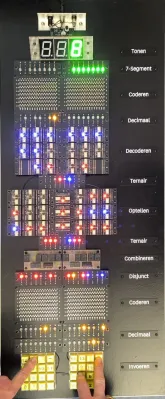
As you might guess from the prefix, “ternary” refers to a base-3 numerical system. In this case, [Jeroen] implemented a balanced ternary system, which effectively uses values of -, 0, and + instead of just 1 and 0. The adder is built using relay logic, and is designed to handle 4 trits—the ternary equivalent of bits, where each trit can have one of the three aforementioned states. On a hardware level, trit states are represented with voltages of -5, 0, or 5 V in this case, and are handled with special tri-state switching elements that [Jeroen] constructed out of simple SPDT relays.

[Jeroen]’s write-up does a great job of explaining both ternary basics as well as the functioning of the adder. It’s also quite intuitive because it’s possible to see the relays clicking away and the LEDs flashing on and off as the circuit does its work to add values stored in ternary format.

Advertisement

If you’re trying to get your head around ternary computing from the very lowest level, this project is a great place to start. We’ve seen base 3 hardware built before, too—like this simple ternary computer lashed together from accessible components.

If you’re cooking up your own computing apparatus that uses some weird number system or something, remember—we’d love to hear about it on the tipsline!

Advertisement

Source link

Continue Reading

Tech

MacBook Neo teardown reveals Apple's most repair-friendly laptop in years

Published

on


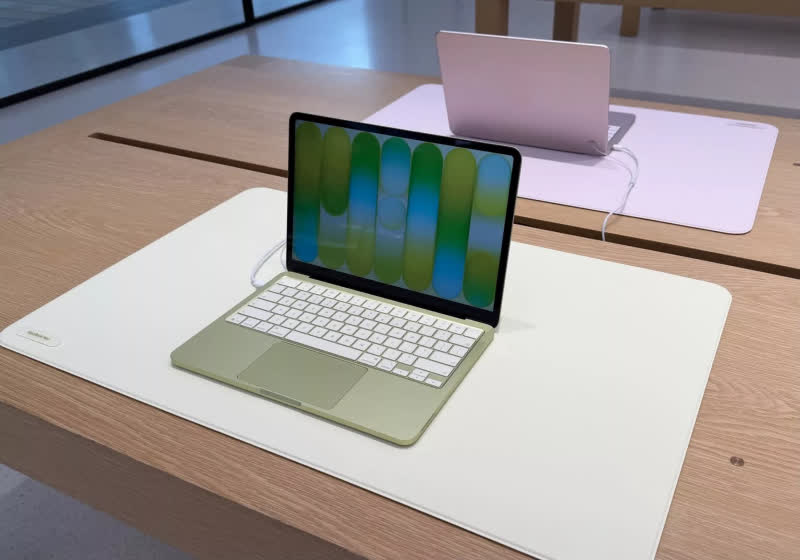
Unlike recent MacBook Air and Pro models, where Apple’s unibody “top case” design turns keyboard problems into major surgery, the Neo’s keyboard is treated as its own part rather than being permanently bundled with the upper shell.
Read Entire Article
Source link

Continue Reading

Tech

MacBook Neo, iPhone 17e and special guest David Pogue on the AppleInsider Podcast

Published

on

David Pogue, author of “Apple: The First 50 Years” is our special guest talking about what did and did not make it into the book, plus there are rumors of the HomeHub and real-world news of the MacBook Neo and iPhone 17e, all on the AppleInsider Podcast.

White book titled Apple The First 50 Years by David Pogue, featuring a subtle iPod click wheel illustration on the cover, with a small black ai logo circle to the right
David Pogue talks about his new history of Apple book

Pogue is everywhere this week, talking about his 600-page history of Apple, but now you can hear the very first interview he gave about it. Listen to the stories behind the book, but also hear just how keen he was to find out what AppleInsider thought of it. Listen to the interview here or read the lightly-edited transcript.
It’s a wide-ranging interview, but of course the book is not the only thing happening this week.
Continue Reading on AppleInsider | Discuss on our Forums

Source link

Continue Reading

Tech

Microsoft investigates classic Outlook sync and connection issues

Published

on

Outlook

​Microsoft is investigating several issues causing email synchronization and connection problems when using the classic Outlook desktop client.

The first bug causes “Can’t connect to the server” errors when creating groups in classic Outlook when Exchange Web Services (EWS) is enabled for the tenant.

According to Microsoft, this occurs because the AD Graph call for ValidateUnifiedGroupProperties fails with the following error: “An internal server error occurred. The operation failed. Both AAD and MSGraph clients are null or AAD Graph is disabled for this API.”

“The Outlook Team is working to release updated group functionality that uses REST APIs which will address this issue. We will update this topic as soon as we know the REST release specifics,” Microsoft said in a recently published support document.

Advertisement

Until a fix is available, Microsoft advises affected users to create and edit groups using the new Outlook client or Outlook Web Access (OWA).

The other known issue is triggering 0x800CCC0F and 0x80070057 when synchronizing Gmail and Yahoo accounts in classic Outlook.

Classic Outlook sync errors
Classic Outlook sync errors (Microsoft)

“After changing your Gmail or Yahoo account passwords in classic Outlook you are not prompted to sign in. There might be other circumstances that lead to this same issue that we are investigating,” Microsoft said.

The Outlook team is working to identify the root cause of this known issue and will share more details once a fix is available.

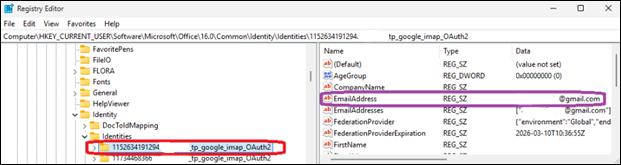
Until then, customers are advised to work around the sync problems by deleting the registry entries for the affected email address under the Identities key at Computer\HKEY_CURRENT_USER\Software\Microsoft\Office\16.0\Common\Identity\Identities in the Windows Registry Editor.

Advertisement
Deleting Outlook Identities
Deleting Outlook Identities (Microsoft)

​Microsoft is also investigating a classic Outlook bug, acknowledged almost two months after the first reports surfaced online, that causes the mouse pointer to disappear for some users. The same issue also affects some users of OneNote and other Microsoft 365 apps.

Redmond has asked affected customers to open a support case with the Outlook Support Team through their Microsoft 365 admin and submit diagnostic log files to assist the Outlook team with analysis.

As temporary workarounds, affected users can click an email in the message list when the cursor disappears, which may cause it to reappear, or switch to PowerPoint, click into an editable area, and then return to Outlook, which may also restore the mouse pointer.

If neither of them works, Microsoft said that restarting the impacted computer should also resolve the issue temporarily.

In January, Microsoft addressed another classic Outlook issue caused by the December 2025 updates that prevented Microsoft 365 customers from opening encrypted emails.

Advertisement

Malware is getting smarter. The Red Report 2026 reveals how new threats use math to detect sandboxes and hide in plain sight.

Download our analysis of 1.1 million malicious samples to uncover the top 10 techniques and see if your security stack is blinded.

Source link

Continue Reading

Tech

Microsoft releases Windows 11 OOB hotpatch to fix RRAS RCE flaw

Published

on

Windows 11

Microsoft has released an out-of-band (OOB) update to fix a security vulnerabilities affecting Windows 11 Enterprise devices that receive hotpatch updates instead of the regular Patch Tuesday cumulative updates.

The KB5084597 hotpatch update was released yesterday to fix vulnerabilities in the Windows Routing and Remote Access Service (RRAS) management tool that could allow remote code execution when connecting to a malicious server.

“Microsoft has identified a security issue in the Windows Routing and Remote Access Service (RRAS) management tool that could allow remote code execution when connecting to a malicious server,” reads an advisory from Microsoft.

“This issue only applies to a limited set of scenarios involving Enterprise client devices running hotpatch updates and being used for remote server management.”

Advertisement

The KB5084597 update is for Windows 11 versions 25H2 and 24H2, as well as Windows 11 Enterprise LTSC 2024 systems.

Microsoft says the vulnerabilities fixed by this hotpatch are tracked as CVE-2026-25172, CVE-2026-25173, and CVE-2026-26111, which were fixed as part of the March 2026 Patch Tuesday updates.

“An attacker authenticated on the domain could exploit this vulnerability by tricking a domain-joined user into sending a request to a malicious server via the Routing and Remote Access Service (RRAS) Snap-in,” reads the description for all three flaws.

The company says the hotpatch update is cumulative and includes all fixes and improvements from the March 2026 Windows security update released on March 10.

Advertisement

While the vulnerabilities were already fixed on Patch Tuesday, installing cumulative updates requires devices to be rebooted. However, some devices are used for mission-critical applications and services that cannot be easily rebooted.

To protect these types of devices, hotpatch updates apply new vulnerability fixes by performing in-memory patching of running processes to deliver fixes. At the same time, they update the files on disk so that the next time the device reboots, the fixes are still present.

Microsoft says it previously released hotfixes for these flaws, but re-released them yesterday “ensure comprehensive coverage across all affected scenarios.”

However, Microsoft says the hotpatch will only be offered to devices enrolled in the hotpatch update program and managed through Windows Autopatch, where it will be installed automatically without requiring a restart.

Advertisement

Malware is getting smarter. The Red Report 2026 reveals how new threats use math to detect sandboxes and hide in plain sight.

Download our analysis of 1.1 million malicious samples to uncover the top 10 techniques and see if your security stack is blinded.

Source link

Continue Reading

Tech

Maker Builds 90,000-Watt Electric Scooter and Hit 99.4 MPH

Published

on

President Chay Fastest Electric Scooter
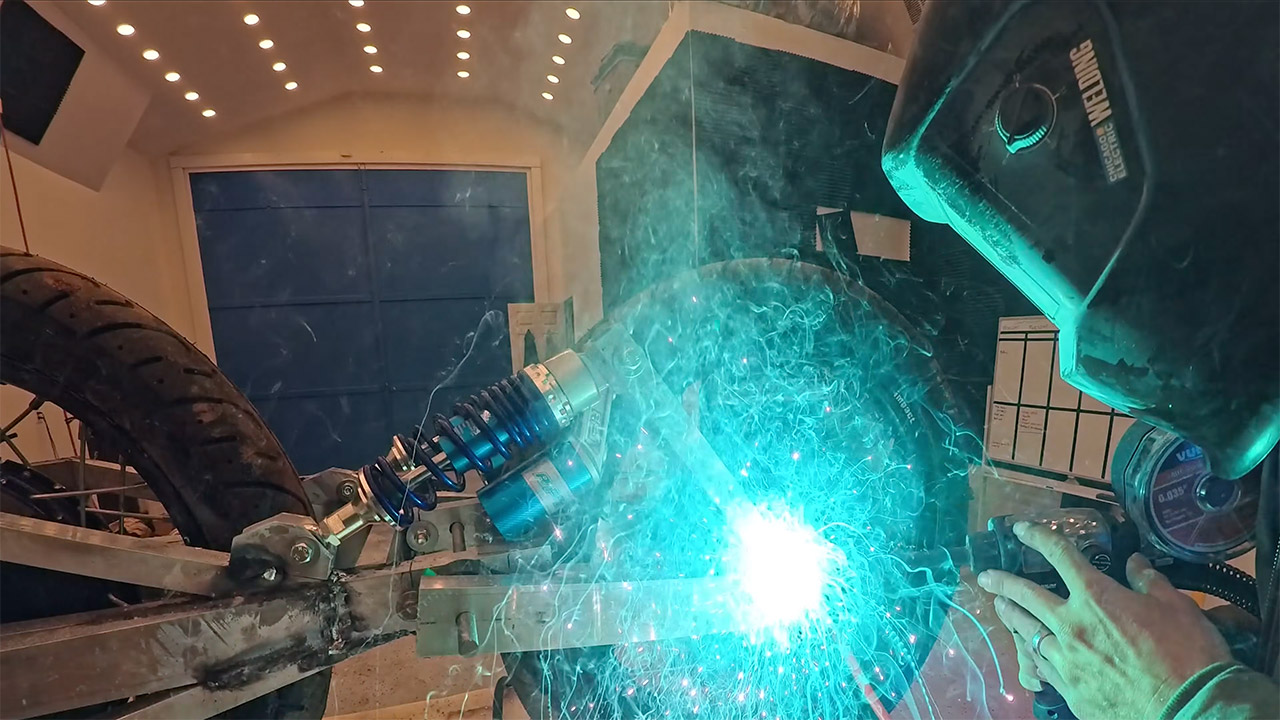
Few electric scooters can touch 70 mph, let alone flirt with 100. Determined to close that gap himself, President Chay spent several weeks in his workshop piecing together something truly out of the ordinary. At the heart of it were three QS273 motors, each capable of putting out 30,000 watts on their own, adding up to a staggering 90,000 watts at peak output. Power came from three separate battery packs, each running at 72 volts and 45 amp hours, with every single pack requiring 600 individual lithium ion cells to build.


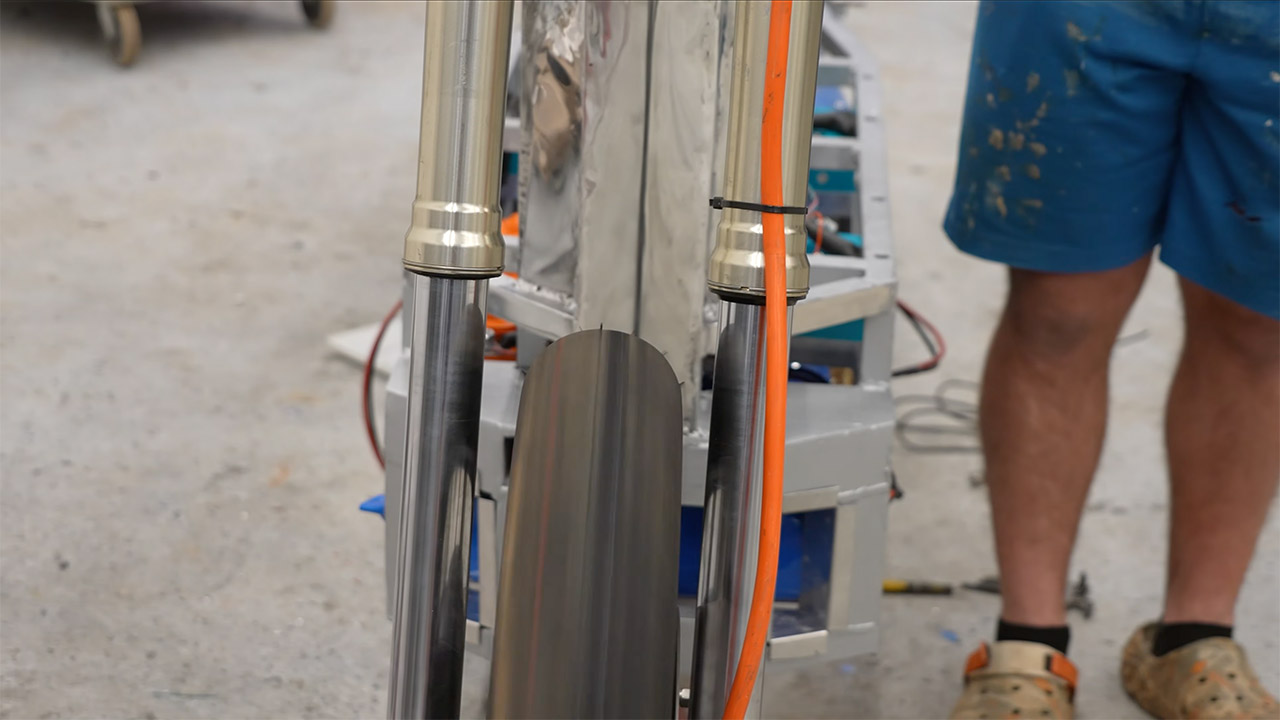
All that battery capacity translated directly into range, with calculations suggesting the scooter could cover more than 100 miles on a full charge. Keeping everything stable under that kind of weight and power was its own engineering challenge, and the answer was a robust aluminum frame built to absorb the stress without flexing. Dirt bike forks handled the front end, while custom steel brackets at the rear kept the axles locked firmly in place. Additional bracing was added around the neck and the belly of the frame to house all the electronics and keep the whole thing composed when the torque really starts to build.

Sale


Hiboy S2 Electric Scooter – 8.5″ Solid Tires – Up to 17 Miles Long-Range & 19 MPH Portable Folding…
  • POWERFUL MOTOR AND LONG BATTERY LIFE – The 350W electric brushless hub motor allows for speeds up to 18mph. High capacity battery with a Max. travel…
  • STABLE AND DURABLE FOR COMMUTING – Extremely smooth when accelerating and turning, Hiboy electric scooters have been made solid and durable quality…
  • BEING SAFER WITH TECHNOLOGY – Hiboy E-Scooter S2 are made with front, middle and rear 3 lights. And double braking system features a disc braking and…

President Chay Fastest Electric Scooter
Suspension came next, with simple shocks and pillow block bushings fitted to keep all four wheels planted on even the roughest surfaces. By the time everything was bolted together and a rider climbed aboard, the whole machine tipped the scales at 400 pounds. Hit full throttle and none of that weight seemed to matter in the slightest. Fifty miles per hour arrived in roughly two seconds, leaving a very convincing set of black marks on the pavement as proof.

President Chay Fastest Electric Scooter
Testing started with a single motor on a controlled stand, and the numbers were immediately eye opening, with wheel speed climbing past 120 miles per hour before hitting its limits. Out on the open road with all three motors singing together, things got seriously interesting. The quickest run saw the GPS clock 99.4 miles per hour, close enough to the century mark that the team celebrated as though they had actually cracked it. What nobody quite expected was how planted and composed the scooter felt at those speeds. They even had the rider lift both hands off the handlebars for a stretch, and the scooter just carried on without so much as a wobble.

President Chay Fastest Electric Scooter
The ultimate test came in the form of a side by side drag race against a stock Gotrax scooter, and it was over almost before it began. The custom build launched off the line and was gone, leaving the Gotrax looking rather sorry for itself. Even after all those high speed runs the range held up impressively well, which was a result in itself.

Advertisement

Source link

Continue Reading

Tech

Windows 11 bug is rasing hell for users and Samsung laptops are worst hit

Published

on

A fresh Windows 11 bug is causing serious headaches for some PC owners, and Samsung laptop users appear to be bearing the brunt of it. Microsoft has confirmed reports that certain devices running recent Windows 11 builds can suddenly lose access to the system drive after installing a February 2026 security update.

When the issue triggers, users see the error message “C: is not accessible – Access denied”, effectively locking them out of the drive where Windows and most applications reside. The company says it is actively investigating the issue and working with Samsung to determine the root cause. For affected users, though, the problem can render their machines partially unusable.

Why are Samsung laptops being hit the hardest?

According to Microsoft’s release health documentation, the issue has been reported mainly on Samsung consumer devices such as the Galaxy Book 4 series running Windows 11 versions 24H2 or 25H2. Add to that, it’s predominantly in regions like India, Brazil, Portugal, and South Korea, indicating the bug isn’t limited to a single market.

Early investigation suggests the bug may be connected to the Samsung Share application, though Microsoft says the root cause has not yet been fully confirmed. The problem appears after installing the February 2026 Patch Tuesday update (KB5077181), which corresponds to OS build 26100.7840. Interestingly, the failure isn’t tied to any specific user action. Instead, it can surface during routine tasks like opening files, launching apps, or performing administrative operations. Once triggered, Windows may suddenly deny permission to the system drive, breaking access to files and programs stored on it.

What actually happens when the bug strikes?

The impact goes well beyond a simple error message. Affected systems may fail to launch everyday software such as Outlook, Office apps, web browsers, and Windows utilities, because those programs rely on files stored on the C drive. In some cases, the permission issues also prevent users from elevating privileges, uninstalling updates, or even collecting diagnostic logs.

Some users online have suggested temporary workarounds, such as manually changing file ownership permissions for the entire system drive. However, doing so could weaken Windows’ built-in protections and expose the system to further risks. For now, Microsoft has not provided an official fix. The company says it is investigating the reports alongside Samsung and will share more information once the root cause is confirmed.

Advertisement

Source link

Continue Reading

Tech

Are solar panels worth it in the UK?

Published

on

There’s been significant growth in solar panel installations, as more of us look for ways to become energy-independent (or at least offset some costs).

Having had solar installed recently (check out my BOXT Solar review for more details), I’ve had time to crunch some figures and do some testing to really get into how good solar is and whether it’s worth investing in.

A note on the price cap

How long solar panels take to pay back depends on a lot of things, but one of the most important ones is the amount you would otherwise have to pay for electricity.

While the current price cap will see electricity prices fall from April 1, the market remains quite unstable, and the situation in Iran could well lead to price increases three months later.

Advertisement

Despite that instability, the one thing that seems certain is that we’re unlikely to suddenly be able to buy clean electricity at such a low price that solar panels would be hard to justify.

In general terms, the payback time shouldn’t fluctuate too much. If anything, rising electricity prices will actually make solar seem like a better value.

Advertisement

So, in the UK, home of the constant drizzle and cloudy days, is solar really worth it?

Advertisement

It depends on your roof

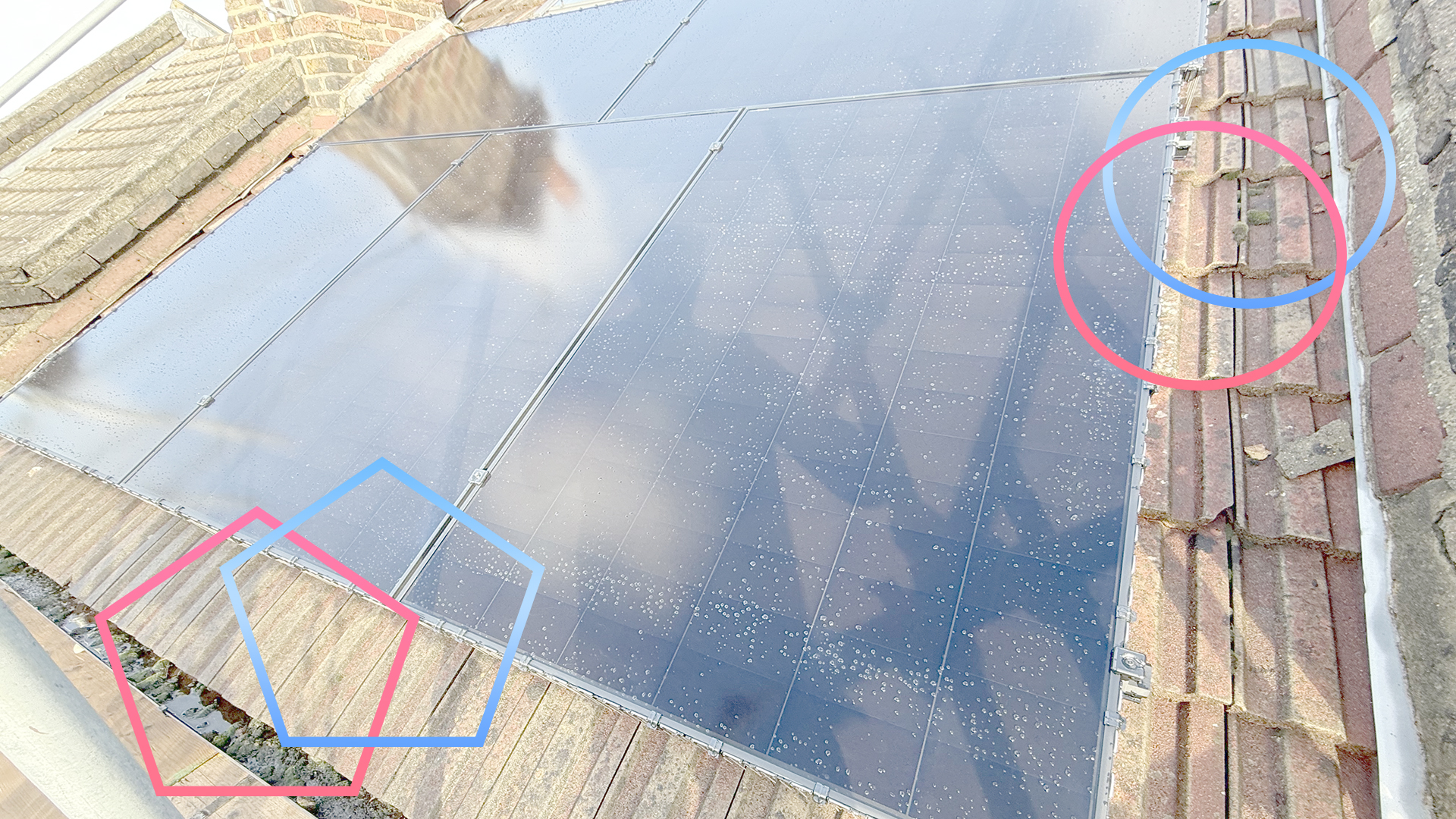
Solar panels need sunshine, and the peak time for sunshine is between 10am and 4pm. Between these times, you need to have an unshaded roof. Ideally, this means a south-facing one (or near enough), but you also want to avoid shade from neighbouring buildings or trees.

If you have a south-facing roof, but it’s in shade a lot of the time, solar’s not going to be for you. 

If you have a north-facing roof, then solar panels are most likely not worth it, either. You may get some sunshine on your roof at the peak of summer, but you’ll get a lot of shade for the rest of the year.

East-west-facing roofs may be doable, as you’ll get some periods of direct sunlight, but it’s worth looking at the plan your chosen solar provider will give you to work out whether it’s worth it.

Advertisement

Advertisement

Finally, you need a suitable roof structure. A sloped roof is standard, and makes installation easier. Flat roofs are harder to deal with and need specialist mounts for the panels; some solar suppliers won’t work on flat roofs at all.

It’s a long-term investment

Typically, you’re looking at eight to 12 years to recoup the cost of your solar panels. With my solar installation (2.37kW via five panels), the payback time is estimated at 11 years – on a south-facing roof.

The type of array you have, the number of panels, and the price you pay will all affect the payback time, and you should be given an estimated payback time when you get a solar panel installation quote. However, whatever your circumstances, the payback time is still in that kind of ballpark.

Advertisement

If you’re thinking of moving, then solar’s probably not for you: it won’t increase the price of your home, and you can’t shift the installation to a new home. 

Solar panels will work for 20 to 25 years (and possibly even longer), so once you’ve covered the cost of them, everything else ongoing is just free electricity.

Advertisement

You need to maximise your solar usage

Solar panels are most effective when you use the energy that they produce. At the current price cap, electricity costs 27.69p per kWh. Every kWh that your solar panels generate and you use saves you 27.69p, so use the power while you can.

Advertisement

That largely means keeping an eye on solar generation and then using heavy-use appliances while the sun’s out and you’re generating power.

That can mean shifting how you do things. I tend to keep an eye on the weather and solar generation, and then try and use the washing machine, tumble dryer or dishwasher while there’s an excess of power, so that the cycle effectively becomes free (well, bar the cost of water).

For a typical installation, you’ll likely only have enough solar generation to run one appliance at a time, so try to stagger use where you can, say running the washing machine first, and then the dishwasher.

It’s also worth looking at the appliances you have, and looking at lower power options. For example, a low-power kettle may draw 1000W; a regular kettle is 3000W. Now, there’s no difference in the total power consumption required to boil water; it’s just that the 1000W kettle takes three times as long to do the same job.

Advertisement

However, the 3000W kettle will likely draw more electricity than you’re generating, requiring grid energy as a top-up; the 1000W kettle will be slower, but you’ll be able to use all of the power that you’re generating.

Advertisement

Similarly, if you have an electric heater, choosing a lower-power model or one where you can turn the power mode down, can help you stay within the limit of what you’re generating.

It’s worth charging devices while the sun’s out, too. If you have a portable power station, then charge this while the sun’s out, and remember to look in the settings to see if you can reduce the charging power: it will take longer to charge but you’ll use the energy you’re generating.

Advertisement

Get paid for what you don’t use

What you don’t use, you should get paid for by exporting it to the grid with a Smart Export Guarantee (SEG) plan. How much you get paid is highly variable, depending on the supplier that you choose. I’m with Octopus, so eligible for Outgoing Octopus, which pays 12p per kWh of electricity exported (this was 15p per kWh until very recently).

However, the standard Octopus SEG tariff pays just 4.1p per kWh, which is better than nothing (although not by much).

To export electricity, you need a smart meter that can measure export amounts and an export MPAN, which you can apply for once your solar panel installation is complete.

Exporting electricity can make a big difference. On March 5 (a very sunny day), solar power generation was such that I used just 7.33kWh of power (£2.44 including the standing charge), but I exported 7.12kWh (£0.85). That brings my electricity usage down to £1.59 for the day.

Advertisement

Advertisement

As you can see the total exported is similar to the total used; if I’d have been at home that day and could have shifted some of my electricity usage into the day, I could almost wipe out my electricity costs for the day. As we move into the summer months, that’s where I expect to be.

What about batteries?

I’ve covered batteries for solar before, but I will go over the basics. On the face of it, batteries seem like a good idea: you store the power you generate for free, and then release it later.

However, you need to account for the price of the battery and how much it costs you, over the battery’s lifetime, to store each kWh of power. And, you need somewhere to place the battery, which isn’t always easy (it turns out that, in my case, those pesky Victorians didn’t think about solar batteries when they built my house around 1875).

Advertisement

Due to the inverters required to convert between DC power (the battery) and AC power (your house), there’s some inefficiency involved in storing power. Again, the best thing you can do with solar power is use it while it’s there.

If you generate a good surplus each sunny day, then a battery can be worth it. In my case, I typically don’t have enough spare power to top up a small battery, and didn’t have much space to have one, so I didn’t bother. Every home is different, so do your sums and work out whether you want to store your spare generated power or just export it and get paid for it instead.

Advertisement

In conclusion, solar panels are worth it under the right conditions

Provided you’re planning to stay in the same home for long enough and you have the right type of roof, solar panels are well worth the investment in the UK, and they will help cut your electricity bills.

Advertisement

Source link

Continue Reading

Tech

Anthropic to create 200 new jobs in expanded Dublin operation

Published

on

Anthropic said the expansion reflects Ireland’s growing position as a hub for AI adoption.

Artificial intelligence (AI) safety and research company Anthropic today (13 March) announced plans to create 200 new jobs by 2027 amid the expansion of its Dublin operations into a new, larger premises. The new roles will be in engineering, sales, finance, legal and compliance, and operations.

Anthropic stated that the expansion is in response to “strong enterprise demand in Europe”, as regional revenue has grown 11-fold year on year, driven by enterprises, digital-native businesses and start-ups that are building with Claude.

The organisation also suggested that the expansion is a reflection of Ireland’s growing position as a hub for AI adoption. 

Advertisement

Commenting on the jobs announcement, Daniela Amodei, the president and co-founder of Anthropic, said: “We’re expanding our Irish operations to meet strong enterprise demand across Europe. What we hear consistently from Europe’s largest businesses is that they want AI they can trust, systems that are safe, reliable and built with their interests in mind. 

“That’s exactly what Anthropic exists to provide and Dublin is the ideal base to deliver it. The talent here is exceptional and we’re proud to be deepening our commitment to Ireland at this pivotal moment for AI adoption in Europe.”

Irish businesses currently utilising Anthropic’s Claude technology include Wayflyer, Tines and Manna. Claude is also used by students here; Zerostrike, a start-up established by three Trinity College Dublin students and one Dublin City University alumnus, recently won first place at HackEurope – a major European coding competition – with a Claude-based project on wildfire prevention. 

On the jobs announcement, Taoiseach Micheál Martin, TD said: “Anthropic’s major expansion in Ireland is a strong vote of confidence in our thriving technology ecosystem and our position as a global hub for AI innovation, supported by world-class research, a highly skilled workforce and a pro-innovation policy environment. 

Advertisement

“Our recently launched digital and AI strategy – Digital Ireland: Connecting our People, Securing our Future – sets out the Government’s strong ambition to ensure the economy reaps the benefits of digital and AI for growth and competitiveness, to enhance our public services as well as to empower our people to thrive in a digital society.” 

Tech giant Microsoft recently announced plans to launch Copilot Cowork, which is a tool based on Anthropic’s popular Claude Cowork. Reportedly, it is part of a larger initiative to take advantage of the growing demand for autonomous agents.

Don’t miss out on the knowledge you need to succeed. Sign up for the Daily Brief, Silicon Republic’s digest of need-to-know sci-tech news.

Advertisement

Source link

Continue Reading

Trending

Copyright © 2025