Tech
Shadow AI is everywhere. Here’s how to find and secure it.


AI tools are everywhere now and used by virtually everyone in your org. For IT and security teams, that means the job has shifted from “should we allow AI?” to “how do we secure and govern it?” And that’s no small task.
New AI tools and integrations are added constantly, usually without any knowledge or oversight from IT.
To manage this new hidden source of risk, you need a system that gives you continuous discovery, real-time monitoring, and proactive governance without requiring a full-time team dedicated to tracking down every new AI tool. That’s exactly what Nudge Security delivers.
Here’s how it works:
Day One: Get a full inventory of AI apps and users
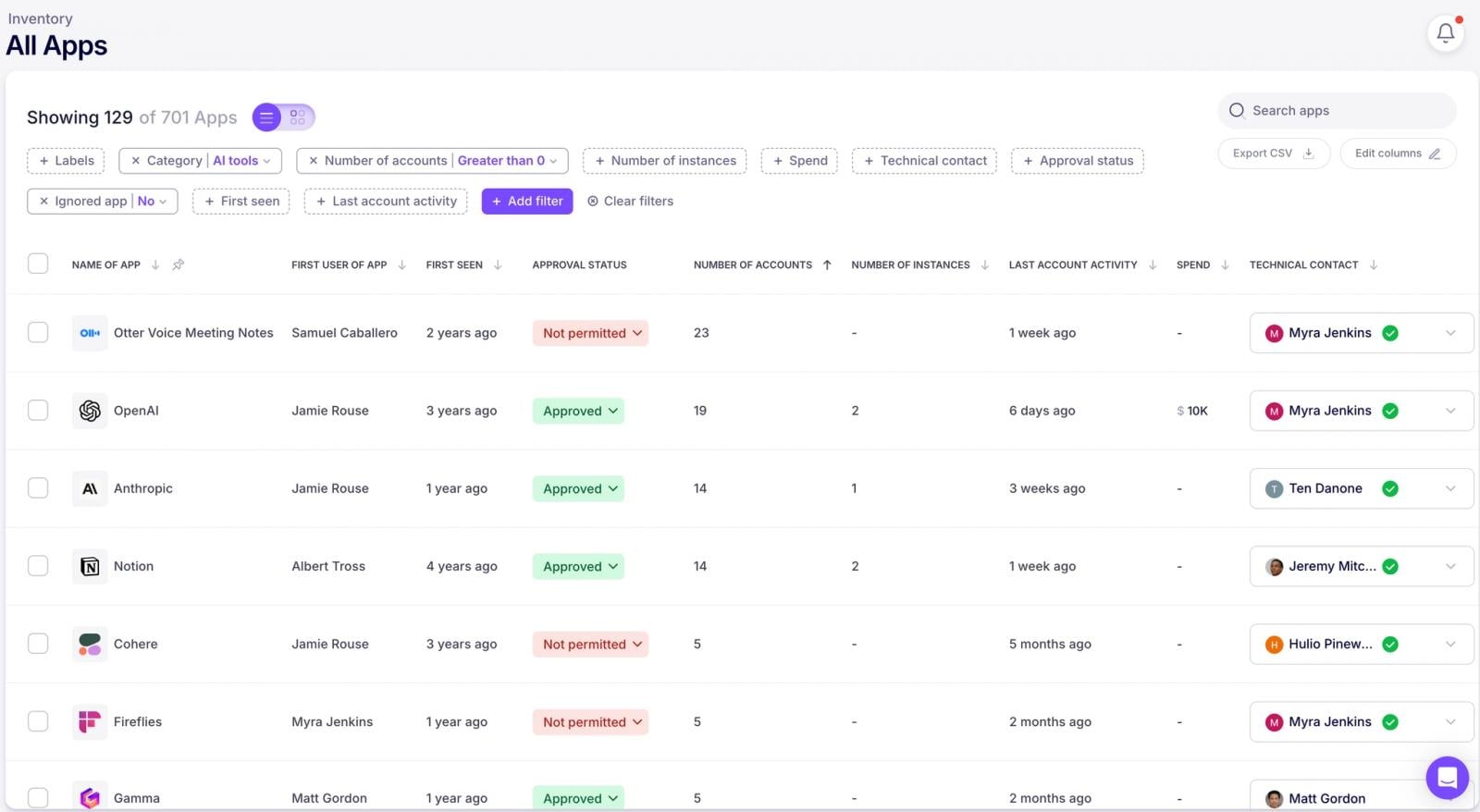
First things first—you can’t secure what you can’t see. Nudge Security gives you Day One discovery of every AI app and account ever introduced to your org, even those added before you started using Nudge. No surveys, no guesswork, no relying on people to self-report (because let’s be honest, that never works).
You’ll get a complete picture of your AI landscape from the moment you start.

How it Works
Nudge Security’s shadow AI discovery works through a lightweight integration with your IdP (Microsoft 365 or Google Workspace). It takes less than 5 minutes to enable this integration ,and once that’s in place,
Nudge Security analyzes the machine-generated emails sent by SaaS and AI app providers (think noreply@dropbox.com) to document activities like creation of new accounts, password changes, changes to security settings, and more.
Nudge taps into this signal (without ever storing email content) to automatically detect new accounts and tool adoption across your workforce. This means you get comprehensive visibility into AI tool sprawl as it happens, and a Day One inventory of everything that has been introduced up to that point.
You can get expanded visibility by deploying the browser extension which delivers real-time insights and alerts when risky behaviors are detected.
Additionally, you can “nudge” users via the browser extension (and via Slack, Teams, and email) to warn users of risky behaviors, remind them of secure practices, redirect them to approved tools, ask for additional context on new or unfamiliar tools, and more.
Let’s dive into how this works in practice.
Shadow AI is quietly accessing sensitive data across your SaaS environment. AI use now spans MCP servers, agentic AI, and SaaS apps with AI features—it’s more than just chat prompts.
Learn how to close AI blind spots and get ahead of data exposure risks with this new guide.
Monitor AI Conversations for Sensitive Data Sharing
AI tools are incredibly useful, but they’re also incredibly chatty. Employees paste all sorts of things into ChatGPT, Gemini, and the dozens of other AI assistants out there.
The Nudge Security browser extension monitors AI conversations and detects when sensitive data like PII, secrets, or financial info is shared.
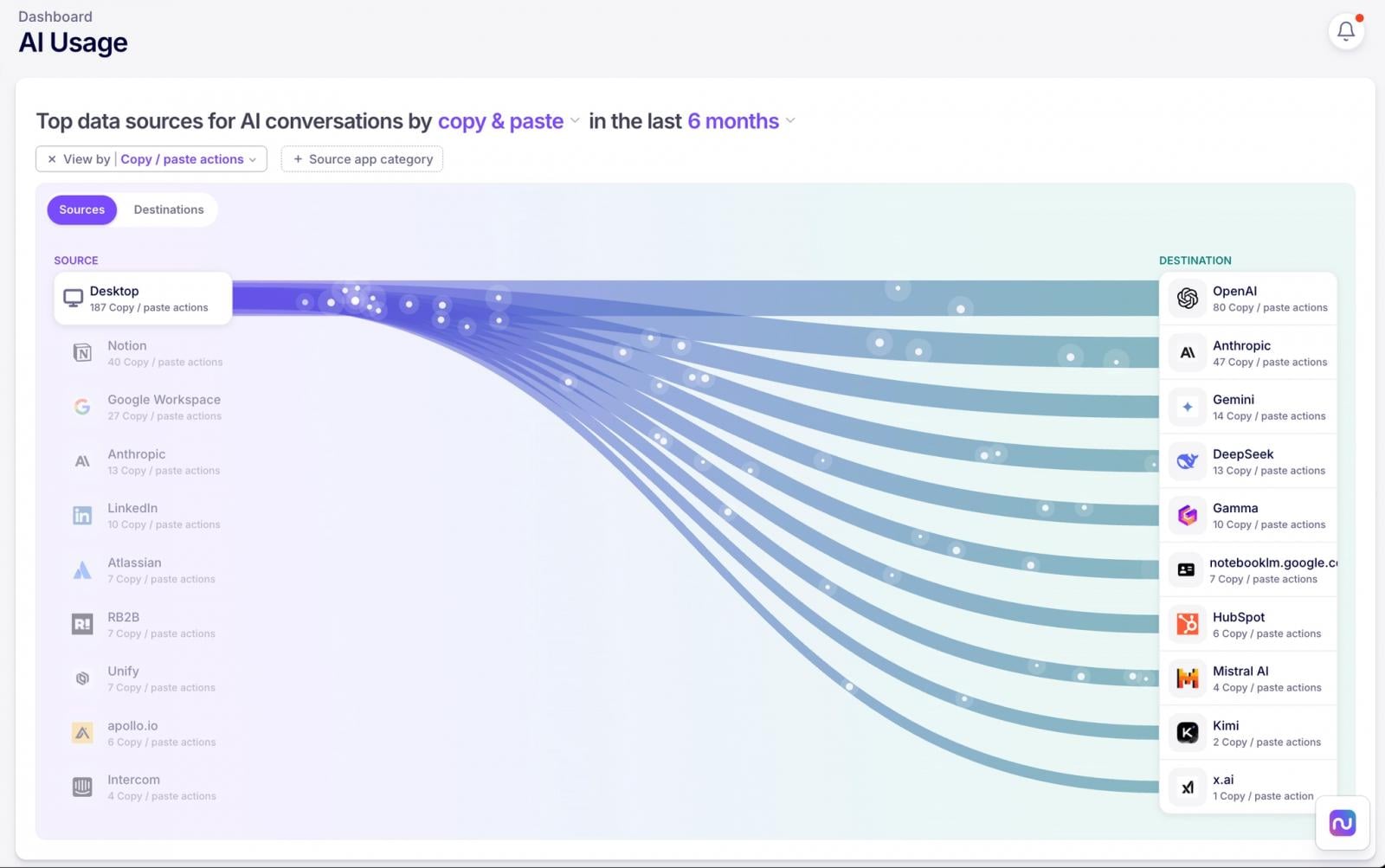
And it’s not just text. Nudge also detects file uploads to AI tools, including context on who, what, when, and how. You’ll also see a visual summary of data flows between your systems and AI tools to quickly understand where the biggest data risks are likely to be.

Track Usage of AI Tools
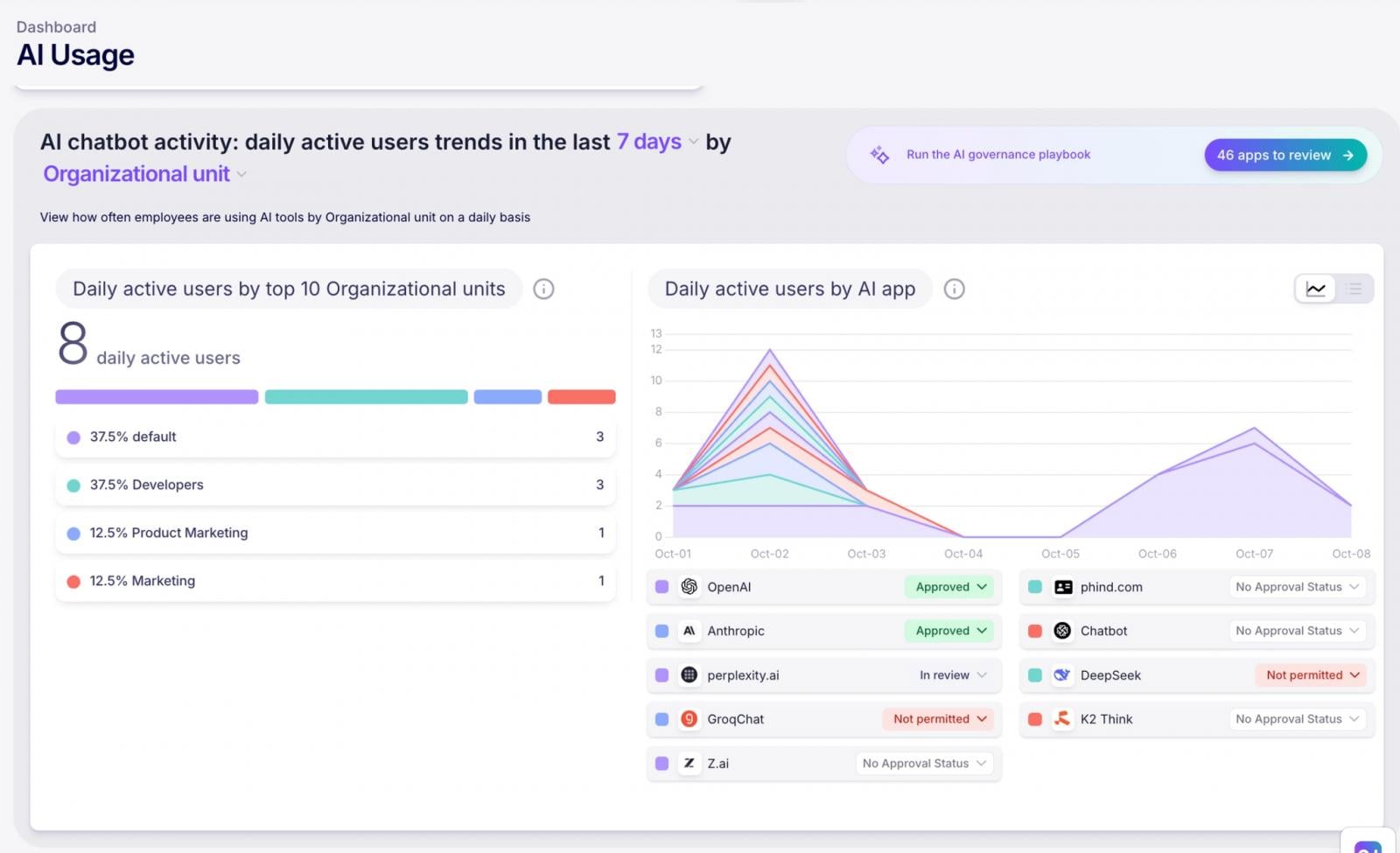
Want to know which departments are AI power users? Curious whether that unapproved tool is popping up again? Nudge tracks AI use by approved/unapproved app status, specific apps, and department.
You’ll finally have data showing what AI use actually looks like in practice so you can focus your security efforts on the most-used tools and guide users towards the approved toolset.

See Which AI Apps Have Access to Sensitive Data
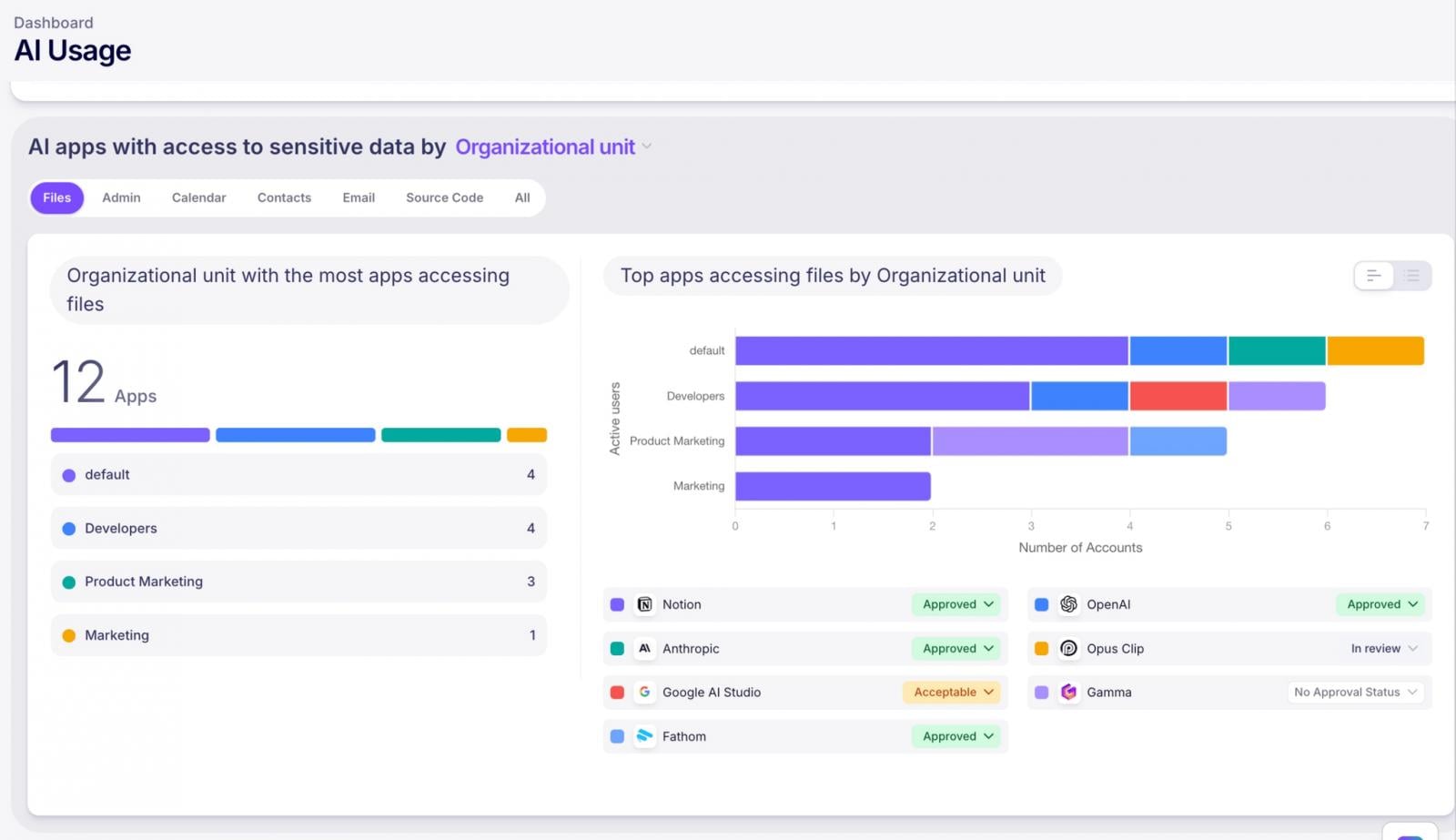
AI tools love to integrate with your SaaS apps. MCP server connections, AI agents, Google Workspace add-ons, Microsoft Copilot plugins—they’re all requesting access to data.
Nudge maintains an inventory of SaaS-to-AI integrations and scopes, including MCP server connections, so you can see exactly where AI tools have been granted access to data and evaluate the risk.

Get Alerted of Risky Activities
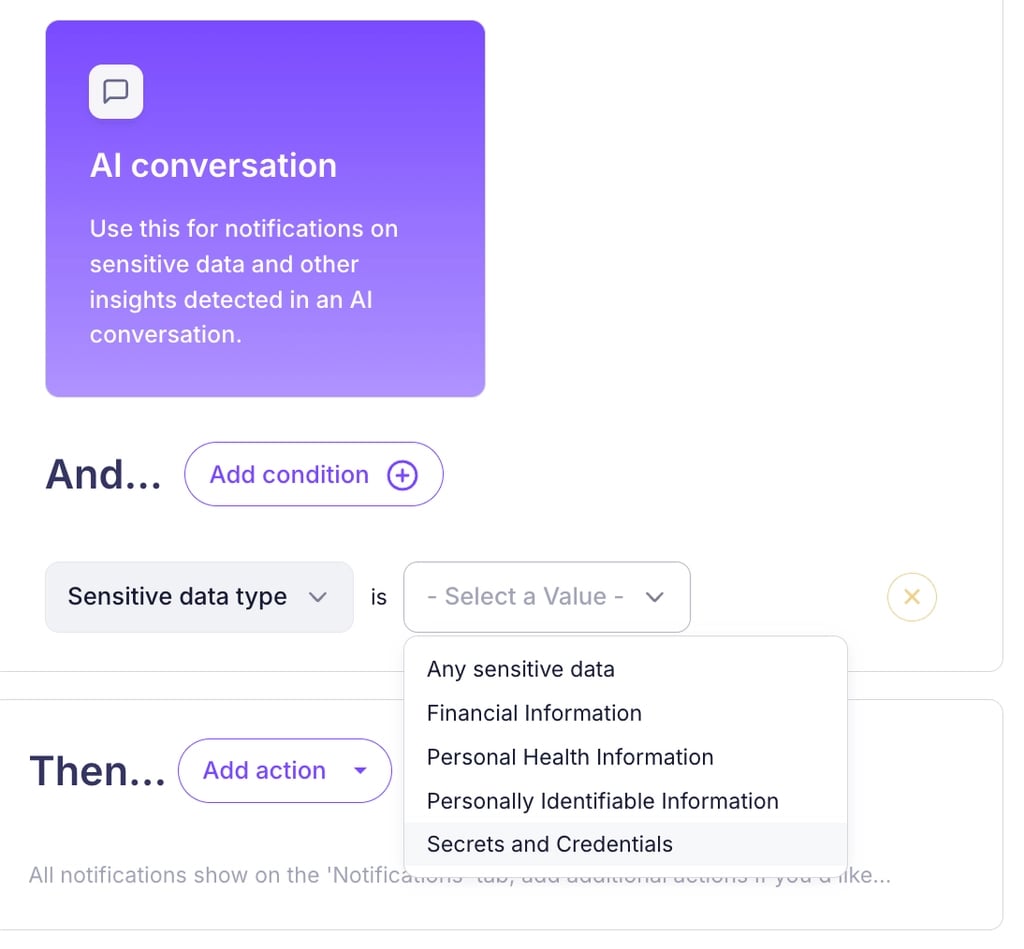
You can’t watch everything all the time. That’s why Nudge offers configurable alerts that notify you when new AI tools show up or when policy violations occur—like sensitive data sharing or use of unapproved tools. Think of it as your early warning system.

Enforce Your AI Policy
You have an AI acceptable use policy, right? (If not, let’s talk.) Nudge automates the process of sharing your policy with employees as well as collecting and tracking acknowledgements.
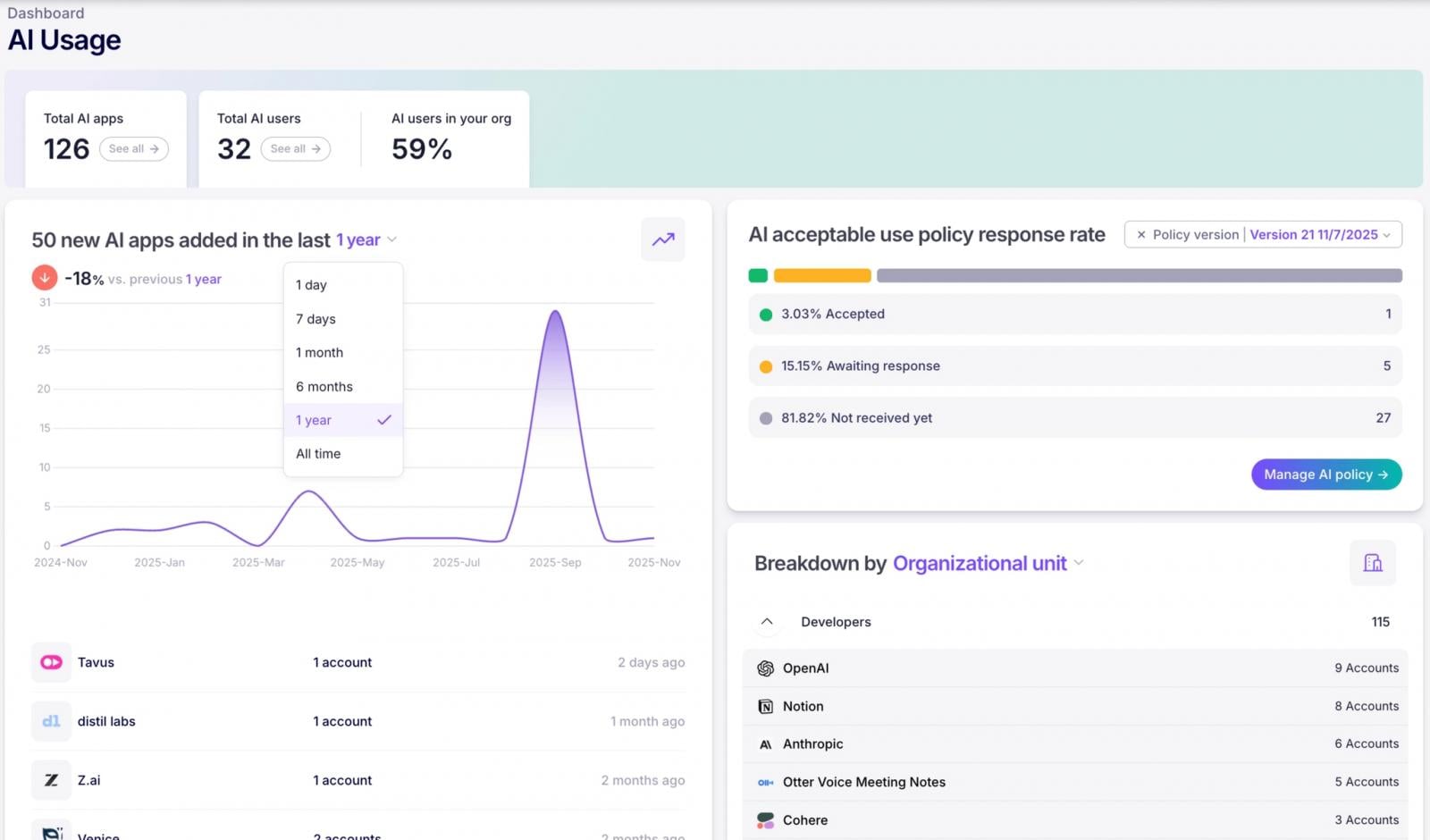

But acknowledgment is just the beginning. Nudge delivers guardrails when and where employees are working in the form of friendly nudges (hence the name) that reinforce your policy and guide them toward safer AI use in real time.
It’s proactive governance that doesn’t require you to be the bad guy.
The Bottom Line
Your job isn’t to stop progress—it’s to make sure progress doesn’t come with a side of data breach. Nudge Security gives you the visibility, control, and automation you need to govern AI use effectively, so you can sleep a little better at night.
Interested in seeing it for yourself? Start a free 14-day trial of Nudge Security today.
Sponsored and written by Nudge Security.
You must be logged in to post a comment Login