Tech
Sony BRAVIA 9 II True RGB TV Review – Performance is Primary

After two years of hints and hype, Sony finally released its first RGB backlit TVs this year, which they’re calling “True RGB.” We’ve reported on this technology for over a year, having seen prototypes in Japan as early as 2024. And now True RGB TVs are available for consumers to purchase. Our own Al Griffin reviewed the BRAVIA 7 II earlier this summer and now we’re covering the flagship BRAVIA 9 II (BRAVIA Nine Mark II). Is it Sony’s best performing TV ever, able to best the company’s Quantum Dot Mini LED TVs and perhaps even rival their OLED TVs? Read on to find out.

What Is It?
Replacing the company’s Mini-LED flagship, the BRAVIA 9, the new “BRAVIA 9 Mark II” model (aka “XR90M2”), features an entirely new backlighting system which uses individual lighting elements for each of the primary colors: red, green and blue, instead of its predecessor’s blue LED backlight system. With RGB backlights, Sony says they are able to reach higher peak brightness levels at greater efficiency, improve both color accuracy and saturation and extend the color gamut so that more of the colors available in the real world can be captured by the TV. Our measurements and subjective viewing confirm most of these claims, though we didn’t specifically measure power efficiency.

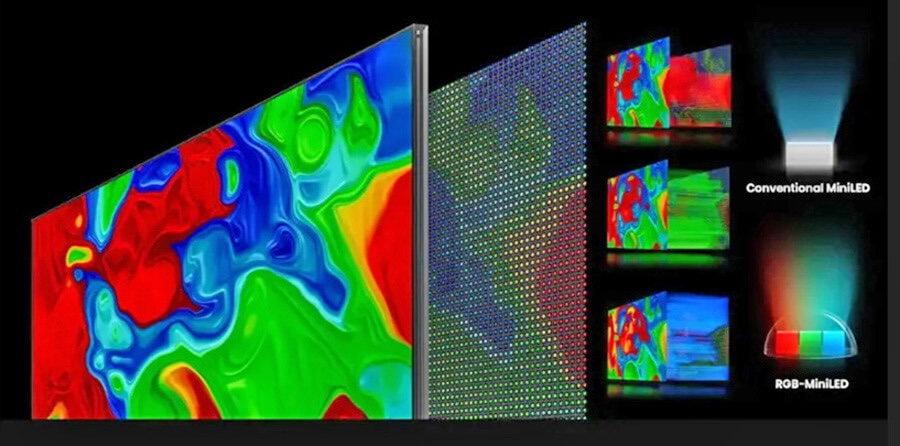
Because these RGB backlit TVs use a traditional LCD panel to create the image, they can be manufactured in larger screen sizes than OLED TVs. While OLED TVs currently max out at 83 inches (or, in some cases, 97 inches for very expensive models), Sony’s BRAVIA 9 II is available in screen sizes from 65 inches up to 115 inches.
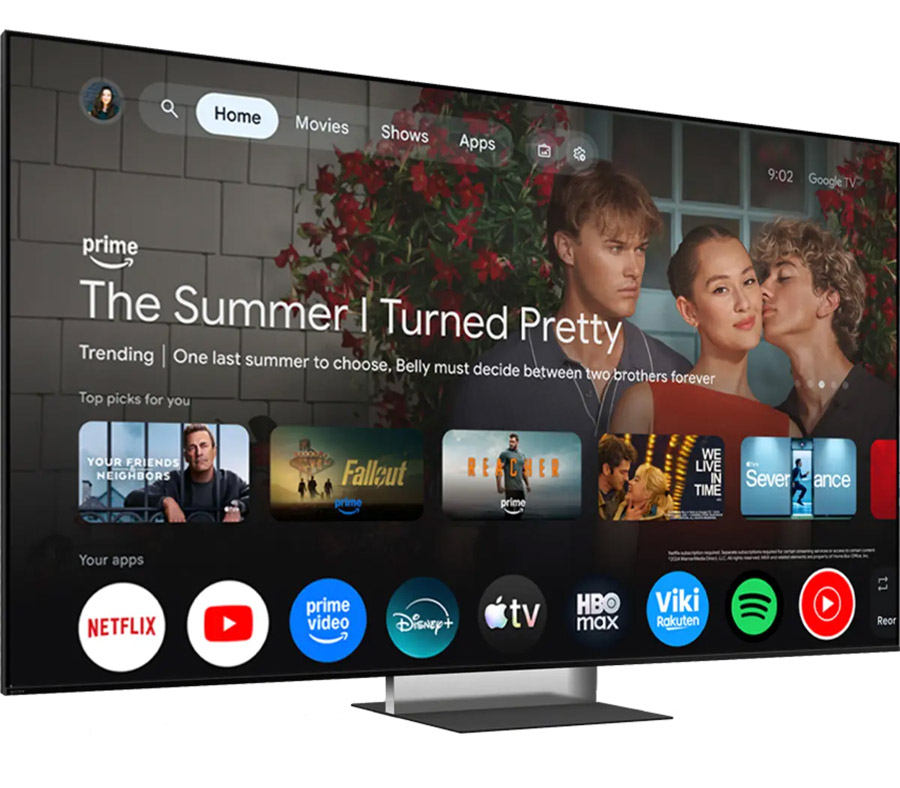
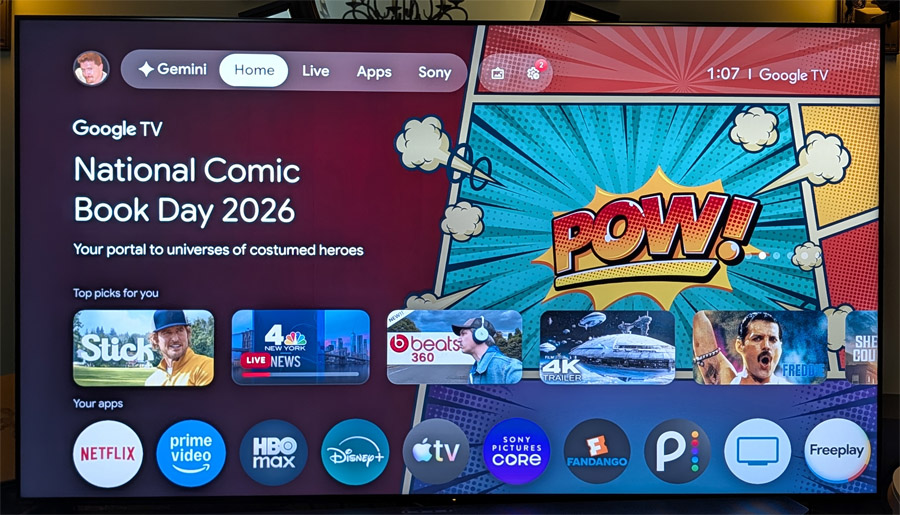
The BRAVIA 9 II is built on Google TV, with access to thousands of audio and video streaming apps as well as Google Home smart home integration. For AI features, the BRAVIA 9 II has Google Gemini on-board for improved search, deep dives and content recommendations. The set also includes some exclusive goodies like access to Sony’s high quality Sony Pictures Core streaming service as well as support for DTS:X surround sound on both the Sony Pictures Core app and on select IMAX Enhanced titles on the Disney+ streaming service (requires separate subscription).

Great Picture, Less Fiddling
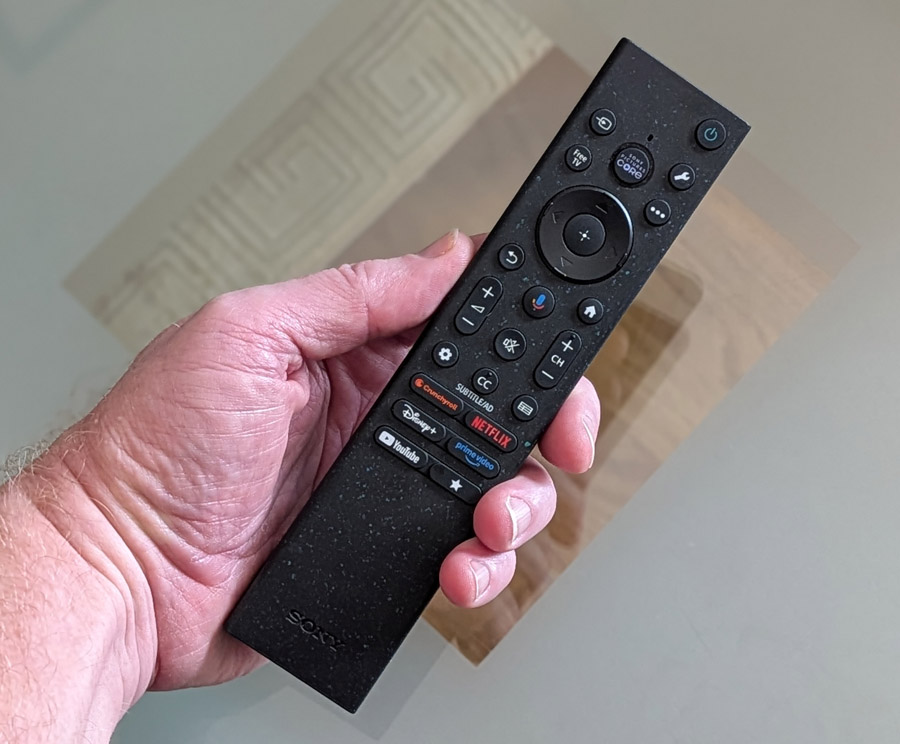
According to Sony’s own research, more than 87% of TV owners never adjust the picture settings on their TVs. With this in mind, Sony is making a concerted effort to optimize the picture settings automatically with features like an ambient light sensor, automatic calibration modes for services such as Netflix and Amazon Prime Video and a new “My Cinema” setting that allows users to set defaults for both picture and sound for various types of content. Sony also provides a “Professional” mode which comes pretty close to reference monitor accuracy right out of the box. And it’s a good thing it does, because Sony removed access to advanced CMS (color management system) adjustments in this year’s TVs.
The BRAVIA 9 II is Sony’s first set to include the company’s Immersive Black Screen Pro technology. This is a screen coating that reduces the direct reflection of ambient light on the screen. It’s designed to allow you to watch TV in bright rooms without the picture getting completely washed out, or lamps or sunlight being reflected back at the viewer like a mirror. In actual operation, it behaves similarly to Samsung’s Glare Free screen coating, but the Sony version does not exhibit any hint of color shift in content which features pure black.


Industrial Design
As far as visual styling goes, the BRAVIA 9 II offers a traditional slim bezel – all screen, very little border. Sony is partnering with frame maker Leon to provide custom frames for the BRAVIA 9 II to make the TV look more like artwork when not in active use. More details will be available for this option later this year.

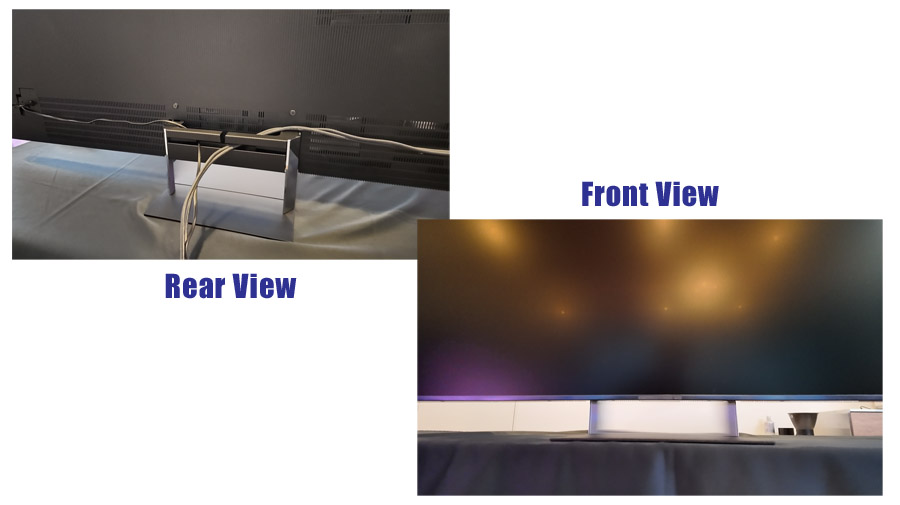
The BRAVIA 9 II can be wall mounted or set on a stand or credenza. The actual stand offers a neat party trick where a lenticular cover on the stand can effectively make wires behind the stand disappear while light can pass through the stand from front to back. The transparent effect of this “Mirage” stand only works with thin objects (like power and HDMI cables) and it actually is effective at creating the illusion of a floating screen with no visible wires.

Connectivity
The BRAVIA 9 II includes four HDMI ports, two of which are HDMI 2.1 and two of which are HDMI 2.0B. One of the HDMI 2.1 ports is the set’s HDMI ARC/eARC port, for connection to a separate soundbar or sound system, leaving just one HDMI 2.1 port for direct connection of a gaming console or gaming PC. There’s also an RF input for antenna/cable, with an ATSC 3.0 (NextGen TV) tuner on board for reception of high quality local over the air TV broadcasts at up to 4K resolution. This is great for watching “event TV” like awards shows and major sporting events without the need for a paid streaming service subscription.

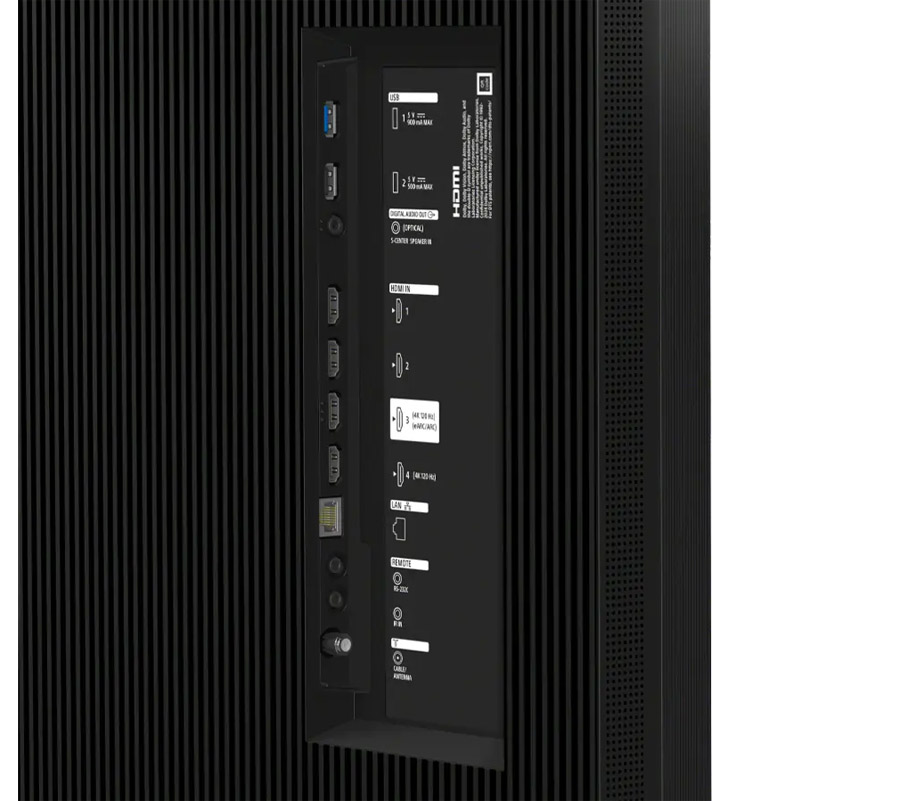
There are also two USB ports for media playback or to supply power for a connected streaming stick, an Ethernet port, and a 3.5mm S-Center Speaker input for use with a sound bar or audio system that supports Sony’s Acoustic Center Sync feature.
Wireless connectivity includes Wi-Fi 6E and Bluetooth 5.3. The BRAVIA 9 II supports Apple AirPlay 2 as well as Google Cast for streaming both audio and video content from a phone, tablet or computer. We tested Google Cast audio from the Amazon Music app on an Android phone and found that it even supported wireless multi-channel Dolby Atmos music playback – a nice perk for those who enjoy listening to music in immersive surround sound and don’t want to have to connect a separate streaming box.
HDMI 2.1 vs. HDMI 2.0B – What’s the Difference?
For most video sources, such as 4K Blu-ray Disc Players and Kaleidescape media players, HDMI 2.0B is more than up to the task of reproducing high quality 4K/HDR content, including Dolby Vision, HDR10 and HLG HDR as well as BT.2020 color gamut. But for gaming, HDMI 2.1 really is a better option as it supports Variable Refresh Rate (VRR) content with high frame rates as well as Auto Low Latency Mode (ALLM). If you’re a hard core gamer with multiple gaming rigs, you might consider connecting additional consoles or PCs into a receiver. HDMI switch or soundbar which offers HDMI 2.1 passthrough.
The Set Up
Having tested just about every brand’s Smart TV platforms over the years, Google TV is one of my favorites. If you have a Google account, and use that account across different streaming platforms, the set can pass your secure passwords onto various streaming services once you’re logged into your Google account. This makes adding your subscribed apps to the TV a much simpler proposition. And in operation, Google TV offers a fairly smooth and intuitive operation, though content recommendations definitely skew toward favoring YouTube (itself a Google-owned platform).

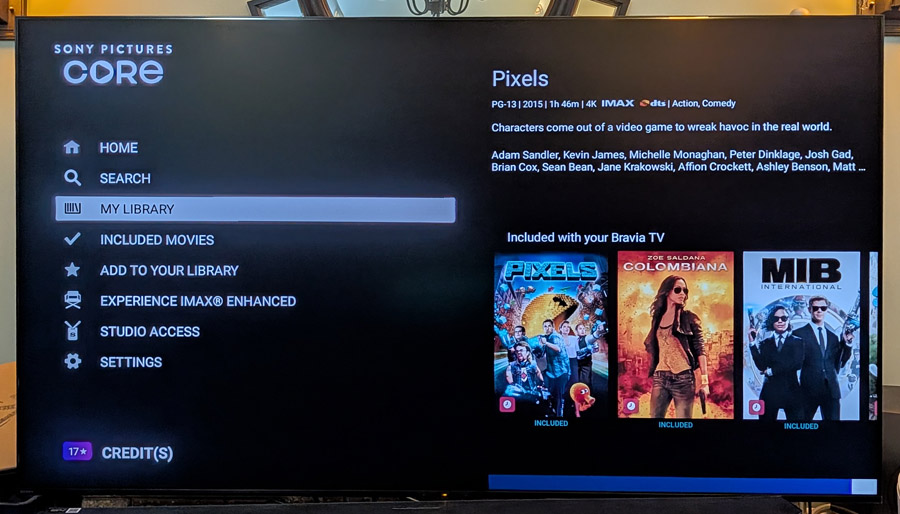
If you want to check out the Sony Pictures Core app, you will need a separate account for that, and the TV comes with credits you can use to buy or rent titles from the SPC platform. Sony Pictures Core’s “Pure Stream” feature offers high bandwidth rates of up to 80 Mbps, which leads to a very clean and high quality streaming experience. It also includes the option for DTS:X and IMAX Enhanced sound on select titles.
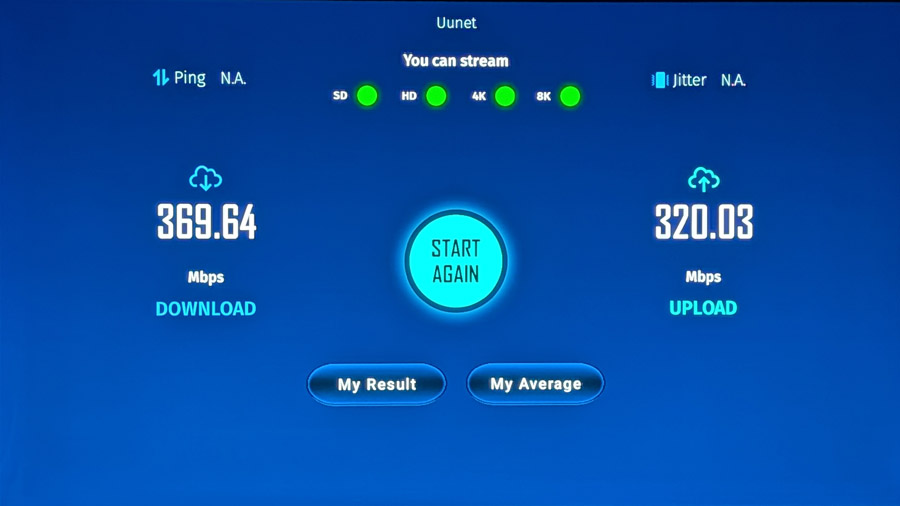
I’d normally recommend using a hard-wired ethernet connection to the TV if you are a heavy streaming user and want to avoid any buffering due to WiFi, but we did notice that the built-in RJ45 network port is capped at 100 Mbps (100BASE-T). We also tested with a simple USB to RJ45 network adapter and got download and upload speeds around 360 Mbps plugged into one of the set’s USB 3.0 ports. And actually, with the TV just a few feet from our router, the on-board WiFi 6E wireless connectivity did measure up at over 300 Mbps. Considering most 4K streaming services barely crack 20 Mbps and even Sony Pictures Core’s “Pure Stream” caps out at 80 Mbps, any good wired or WiFi connection should be fine for a glitch-free streaming experience.

Basic Settings
There are a few settings that we recommend if you’re looking for the highest performance. First of all, the Eco power savings mode, which is mandated on all TVs sold in the US (and many other countries) should be disabled. Leaving the “Power saving” feature on isn’t going to save you hundreds of dollars in electricity, nor will it prevent global warming, but it will sacrifice video quality as the set will automatically limit power usage which will cripple its peak brightness and dynamic range. So TURN IT OFF! You can find this in the “System… Power & Energy” menu under “Power Saving” or “Eco dashboard.”

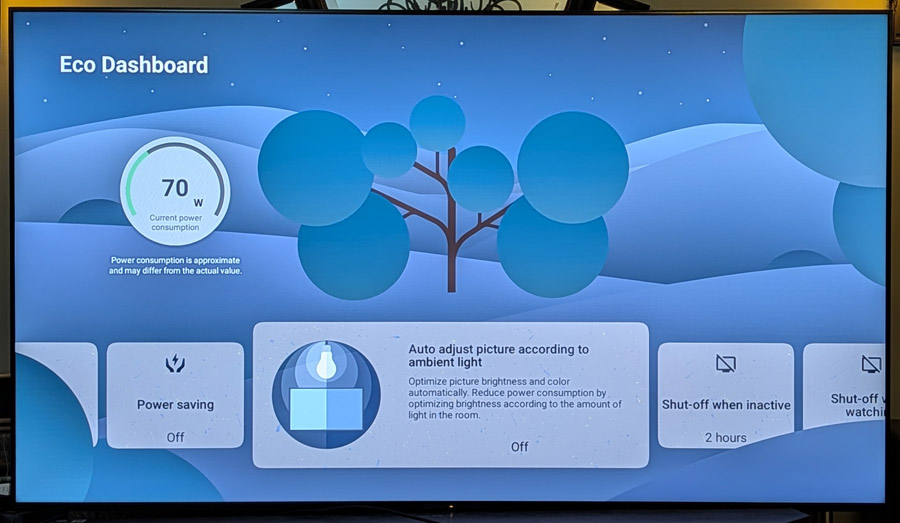
Also, we recommend disabling the ambient light sensor as that can cause unexpected shifts in color temperature and performance which varies depending on how bright your room lighting is. However, disabling this is a two-edged sword as it means the TV also will not be able to adjust the HDR tone mapping and other video processing when your room lighting changes. So I’d say, if the TV is going to be used regularly in a darkened home theater type of environment, then leave the ambient light sensor off. But if it will be used in a bright living room with varying light conditions at different times of the day, leave that ambient light sensor on. It will enable many of the automatic picture settings which actually do work to optimize performance under different lighting conditions. The setting for this is in the “Eco Dashboard” under “Auto adjust picture according to ambient light.”
My Cinema and Auto Calibration Modes
In keeping with Sony’s intent to keep things simple, as far as settings are concerned, the company has introduced a “My Cinema” mode which allows users to create custom presets for both audio and video. Defaults include a “Director’s Cut” mode which sets the TV to one of its Dolby Vision picture modes or to Professional mode automatically when film-based content is detected. There are also presets for bright room viewing and for a dialog boost, which uses the Voice Zoom 3 feature to clean up dialog without impacting the rest of the soundtrack. Users can select these modes easily from the Quick Settings menu.

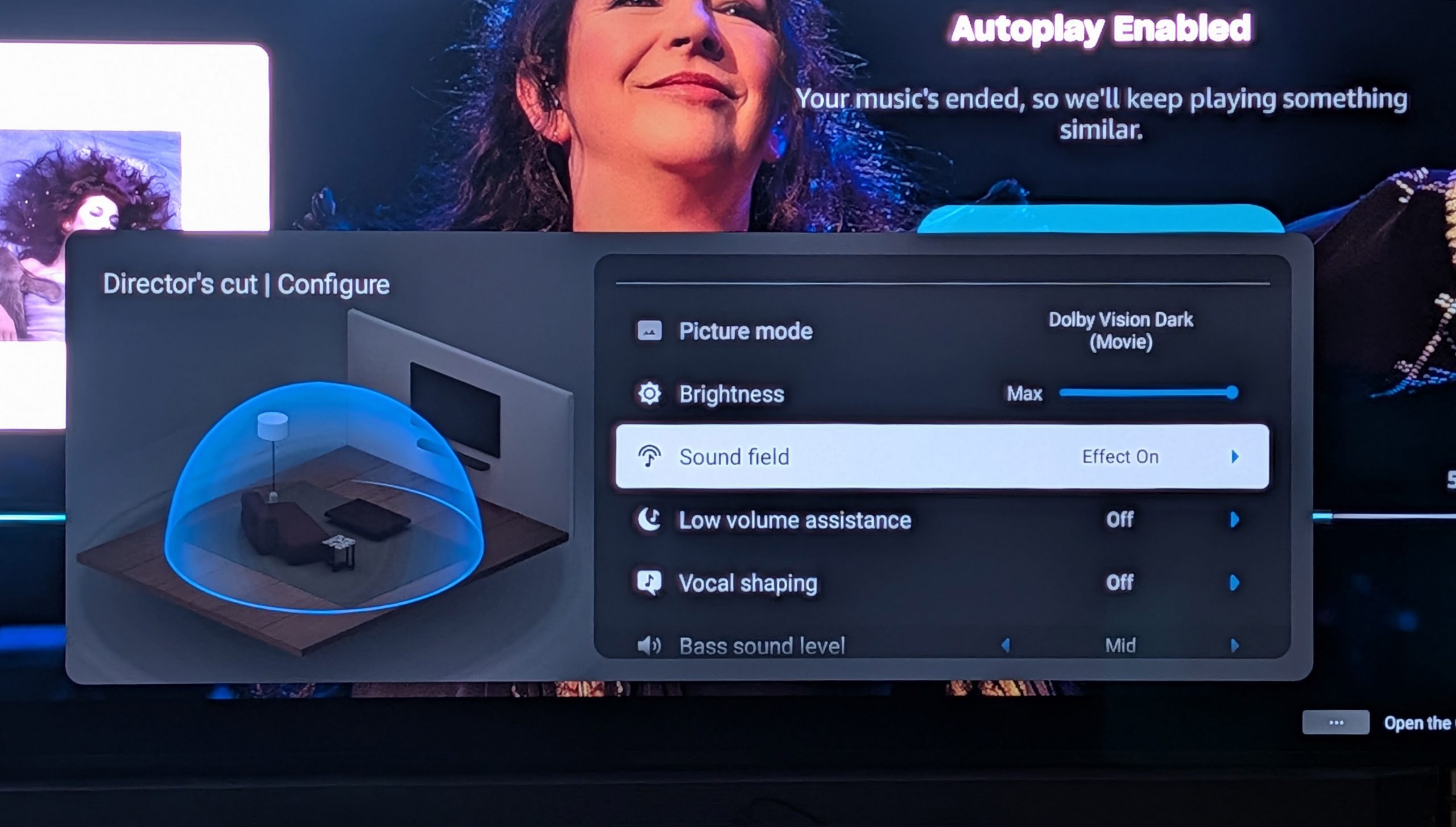
The BRAVIA 9 II also includes automatic “calibration” modes for Netflix, Amazon Prime Video and Sony Pictures Core. These modes detect the type of content being viewed (e.g., 60 fps sports or video or 24 fps films) and adjust motion, brightness and color settings to be optimized for each different type of content. We tested this on Amazon Prime, switching between Thursday Night football and a 24 FPS movie and found that the picture was adjusted to provide an optimized viewing experience with soccer balls and footballs displayed without any motion smear and cinematic motion captured without excessive motion smoothing applied.
These modes only work on the native apps (e.g., not with a connected Fire TV stick) and can be turned on or off in the Settings menu. The default settings for Amazon and Sony Pictures Core are both “On” but Netflix Calibrated mode is “Off” by default, so you’ll need to turn this on in the settings if you want to enable it.
Testing, Testing
Before doing too much critical viewing, we ran a basic set of measurements on the BRAVIA 9 II using Portrait Display’s Calman Color Calibration software. The TV’s eco power savings mode was turned off and the ambient light sensor was disabled before testing. Measurements were made in the TV’s default “Standard” picture mode (the default), as well as the more accurate “Professional” mode.
Peak HDR brightness measured on a white 10% window pattern in Standard mode was 3,371 nits on a 10% window and 786 nits on a 100% (full screen) white pattern. In Professional mode, we measured 3,243 nits on a 10% window and 795 nits on full screen white. While these are fairly impressive numbers, they weren’t as high as the 4,000+ nits value we were expecting and have measured previously on other samples.
On SDR content, in Standard mode, the BRAVIA 9 II measured 698 nits on a 10% pattern and 407 nits on a fullscreen pattern. In Professional mode, with SDR test patterns, we measured a surprisingly low 74 nits on a 10% white window and 76 nits on a full screen pattern. Sony tells us that for SDR content, they target 100 nits for peak brightness as this matches the SDR mastering reference and is what you’d see on a fully calibrated professional broadcast monitor. But our measurements came in even lower than that. If you’re watching SDR content like regular Blu-ray or non-HDR streaming sources, it’s likely that Professional mode is going to look too dim so we’d suggest either switching modes to Standard or Cinema modes, or cranking up the brightness a bit.
For color testing, the BRAVIA 9 II did pretty well right out of the box, though we did notice that red measured a bit off, which skewed the overall test results. The grey scale Delta E measurement (variation from reference) in Professional mode came in at a highly respectable 2.4 and the color Delta E measurement came in at 3.3, though this was mostly due to the red primary color test coming in at 6.7, which isn’t ideal. With some tweaking – or a full calibration – you can get these numbers lower, but our testing concentrates on what buyers will see without calibration.
For color gamut tests on the BRAVIA 9 II in Professional mode, we measured 87.3% of the BT.2020 color standard and 97.1% of the P3 standard. While these are solid numbers, they aren’t quite as high as what we measured from the Samsung Micro RGB TV (R95H) which came in at 93.3% of BT.2020. On real world content, the BRAVIA 9 II did produce accurate, well saturated colors on HDR material.
For gaming, we measured the panel lag at 9.8 ms, using a Bodnar 4K meter. With this response time and 4K/120 Hz support on the HDMI 2.1 inputs, the BRAVIA 9 II makes a capable, if not class-leading, gaming display.
Viewing Impressions
At press events in Japan and New York, and again at the 2026 TV Shootout, we were able to compare the BRAVIA 9 II directly to its predecessor as well as to a professional Broadcast Video Monitor, the BVM-HX3110, a $30,000+ reference monitor used for professional color grading. And the True RGB set definitely held its own as a reference quality display.

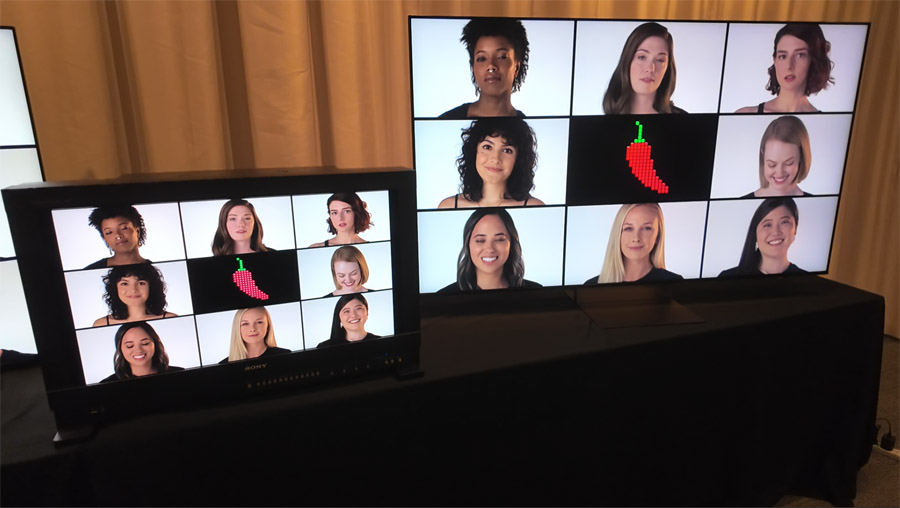
Compared directly to the BRAVIA 9, the BRAVIA 9, Mark II offers wider color gamut, higher peak brightness, greater freedom from video artifacts like aliasing and color banding, and black levels and contrast that will give an OLED TV a run for its money. It also offers a wider field of view with less of the color shift and brightness drop off axis than we have seen on many competitive LCD TVs, though not as good as most OLED TVs.
In our own direct testing, off-axis viewing and glare reduction were both exceptionally good on the BRAVIA 9 II with the set able to maintain rich black levels in a fairly bright room. And reflections from lamps placed directly opposite the set were diffuse enough as to not be immediately noticeable or distracting.


On some content, there was occasionally very mild blooming on the edges of brightly colored images set against a black background, but this artifact was hard to find on most material. And with RGB backlighting, the blooming tended to match the color of the object, instead of being a white edge (halo) around the on-screen object.
We viewed several challenging 4K/HDR clips highlighting HDR tone mapping and found that the BRAVIA 9 II excelled in both specular highlights and shadow detail. The movie “Alpha” was mastered in HDR with peak brightness of 4,000 nits. With the BRAVIA 9 II measuring fairly close to that in several picture modes, we found that the set was able to capture the orb of the sun in a scene toward the end of the movie with nice definition. On sets that can’t reach 4,000 nits – or those with inferior HDR tone mapping – the sun spreads out into an amorphous blob of light (not exactly what the director intended, I would say).


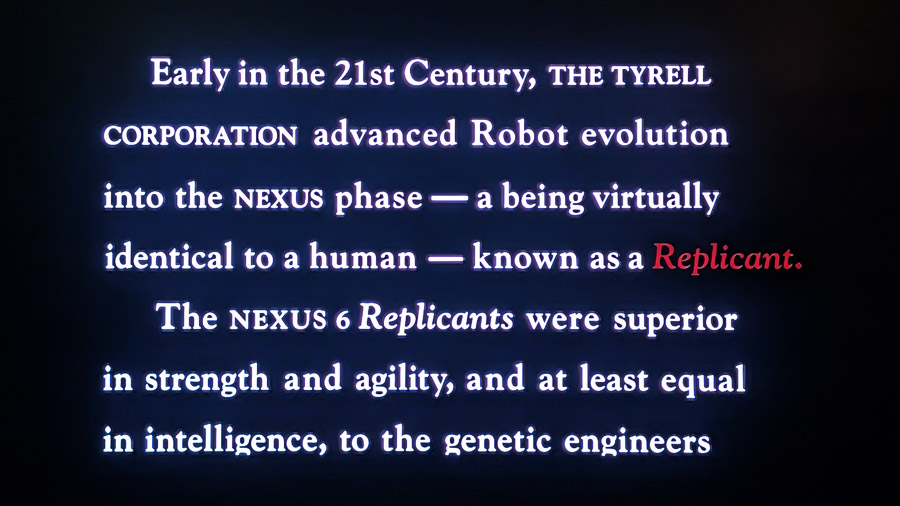
Another of the challenging clips I like to put on screen when testing TVs is the opening text crawl from “Blade Runner.” While OLED TVs have little trouble reproducing the fine edges of white and red text as it scrolls up a pitch black background without any color bleed, most LCD TVs struggle with this kind of content. On the BRAVIA 9 II, the white and red text maintained its brightness and saturation against the black background but there was some faint glowing around the edges of the text that only became noticeable when viewing up close.
With its frequent outer space shots, the movie “Gravity” can be a torture test for LCD TVs. Without local dimming, the blackness of outer space will look dark gray at best. And on sets that do use local dimming, but don’t have enough dimming zones, many of the stars disappear as the zones which are supposed to illuminate them are turned off to provide a good black level. On the BRAVIA 9 II, the black letterbox bars on “Gravity” appeared as black, not gray, and the pinpoint stars appeared clearly against the black background of space, though the stars themselves were slightly sparse compared to the Samsung S95H OLED we also had on hand.
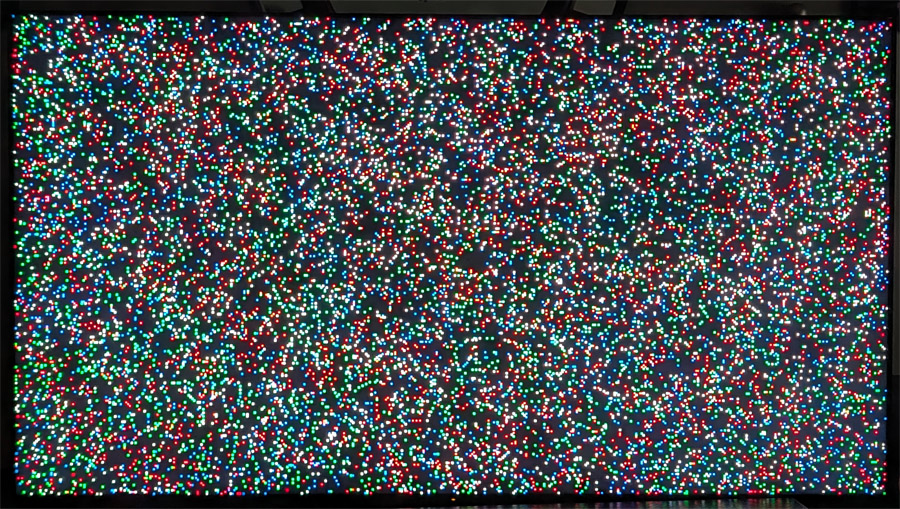
In full screen white and grey test patterns, the BRAVIA 9 II exhibited excellent edge to edge screen uniformity and only minimal evidence of DSE (Dirty Screen Effect). This is particularly impressive on a local dimming LED backlit LCD TV as the zone layout can sometimes lead to hotspots or dark spots when viewing a full screen uniform test pattern. The Spears and Munsil disc also includes a test pattern filled with tiny randomized red, green and blue spots that flash on the screen. We looked closely at this pattern both in motion and on freeze frame and saw no evidence of the color crosstalk that plagues some RGB-backlit LCD TVs. The red, green, blue and white dots all maintained their color purity.

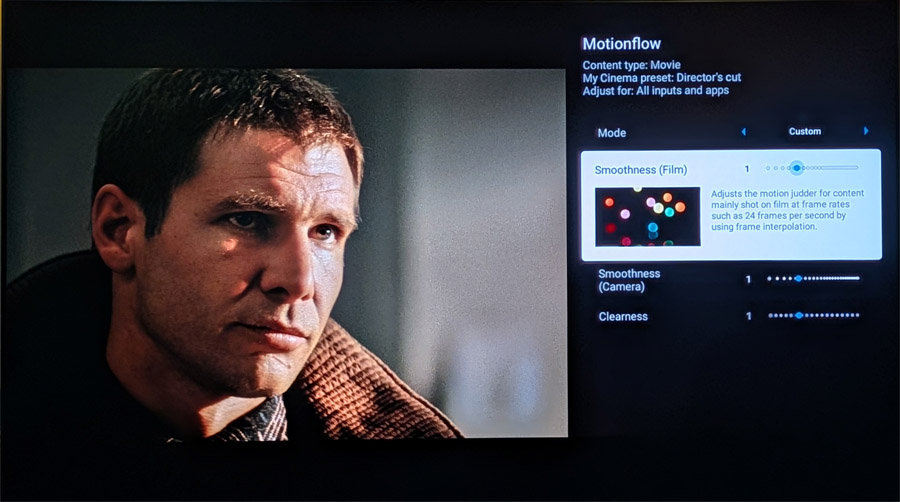
For motion tests, we pulled up the city walk scene, about 6 minutes into “Baby Driver.” With the default settings in Professional mode, the frequent camera pans on buildings and street signs produced only minimal judder and none of the stutter we sometimes see on OLED TVs.

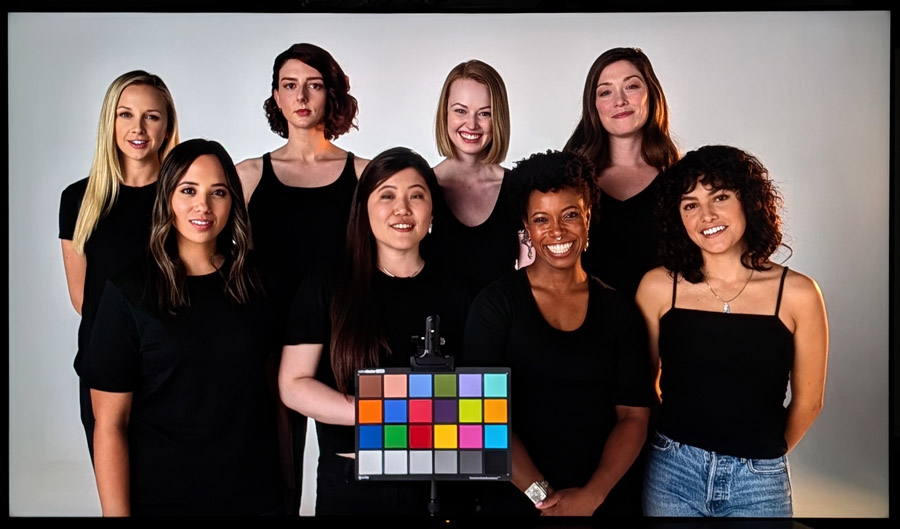
While the CalMan color tests came out well (except for the higher than average delta E for red), putting on real world content like the skin tone test from “Spears and Munsil” helps to provide subjective confirmation of the numbers. And on this test, the BRAVIA 9 II looked spectacular, with faithful color reproduction across multiple shades of skin tones. And the pure red pantone swatch also appeared natural and richly saturated, suggesting that the high delta E on red is more of a testing artifact, and less of a “red flag” (pun intended) for actual color reproduction.

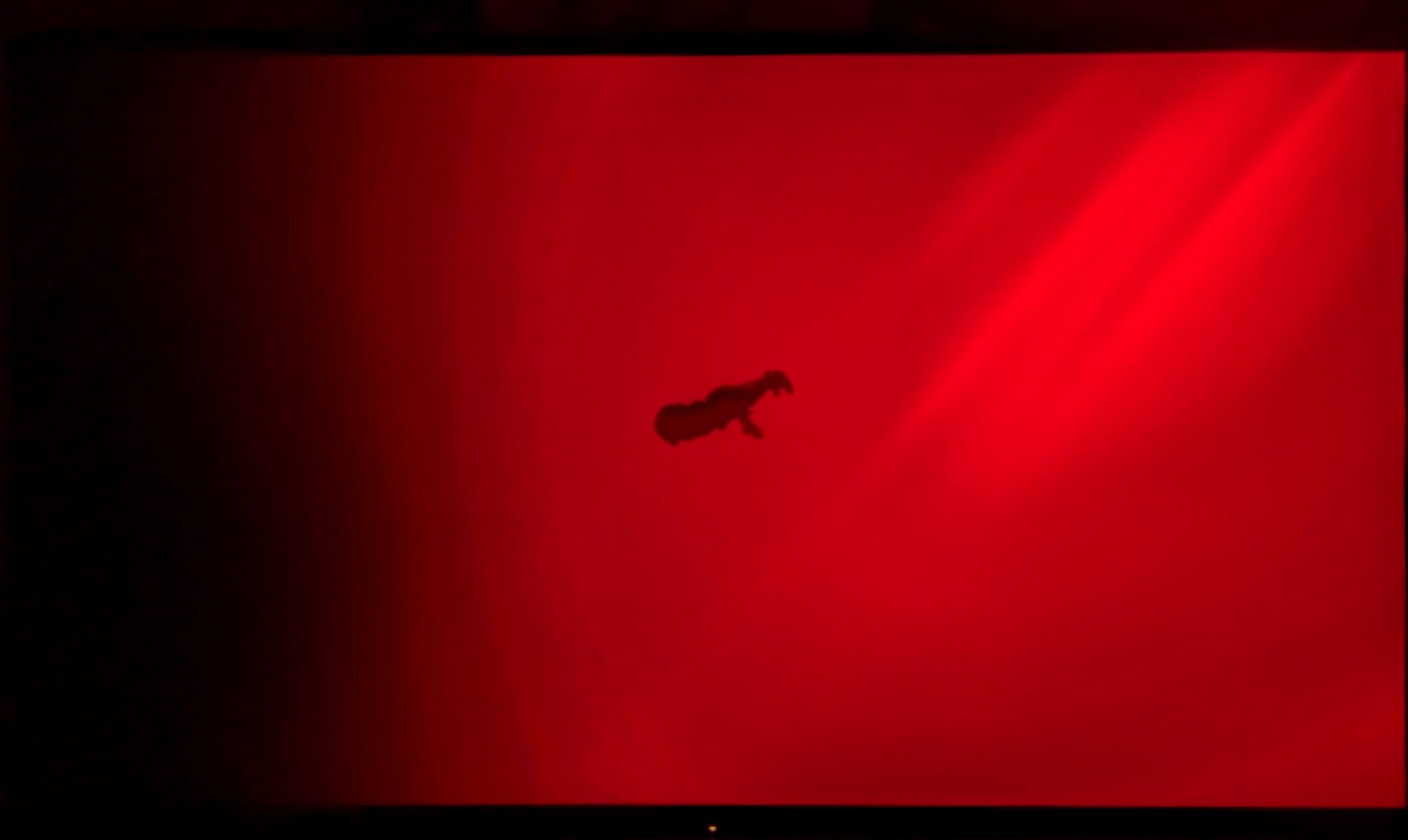
One issue that many TVs struggle with is color banding or posterization. This appears on screen when a color fades from bright to dark. A good scene to test this is from “The Green Knight.” When Sir Gawain swims down to retrieve the skull of St. Winifred, the bloody water fades on screen right to left from a bright crimson red to black. On many TVs, instead of a smooth transition, you see distinct bands of red as the color darkens. The BRAVIA 9 II handled this torture test well with only very mild banding in the transition. The opening scene from “Guardians of the Galaxy, Volume II” with its subtle grading of white billowy clouds against the blue Missouri sky was also reproduced smoothly without any visible posterization or banding.

Sports was also handled well by the BRAVIA 9 II. During World Cup soccer matches, the ball traveled up and down the pitch with excellent clarity and minimal blurring or motion artifacts. US Open tennis matches also looked great, with no smearing of the ball and excellent facial details on the celebrities (and regular folks) watching from the stands.

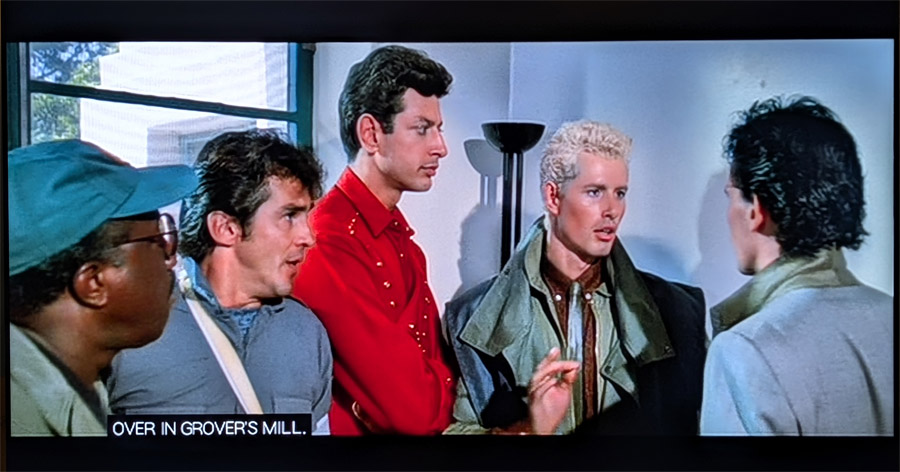
As part of the testing, I put on some older DVDs and set our UHD Blu-ray player to output the video at its native 480p resolution. This forced the BRAVIA 9 II to upconvert the standard def signal to 4K resolution. This meant the TV had to create 23 additional pixels for each one on the DVD. Watching “Buckaroo Banzai” on DVD looked remarkably good, particularly in Cinema mode and with some tweaks to the noise reduction in picture settings. It was easy to forget I was watching a DVD and get sucked into the movie (again).
A Few Words About the Sound
With a TV, picture quality is primary. But a TV’s audio features can help set it apart. With the BRAVIA 9 II’s on-board decoding of Dolby Atmos and DTS:X (including DTS:X Profile 2), it will likely appeal to movie lovers – and music lovers – who love their immersive surround sound. The DTS:X Profile 2 support is key for enjoying IMAX Enhanced movies from Disney+ and Sony Pictures Core, so you can access the full IMAX Enhanced soundtracks, which typically offer stronger bass and more pronounced spatiality than the nearfield-mixed Dolby Atmos tracks we find on most streaming services.

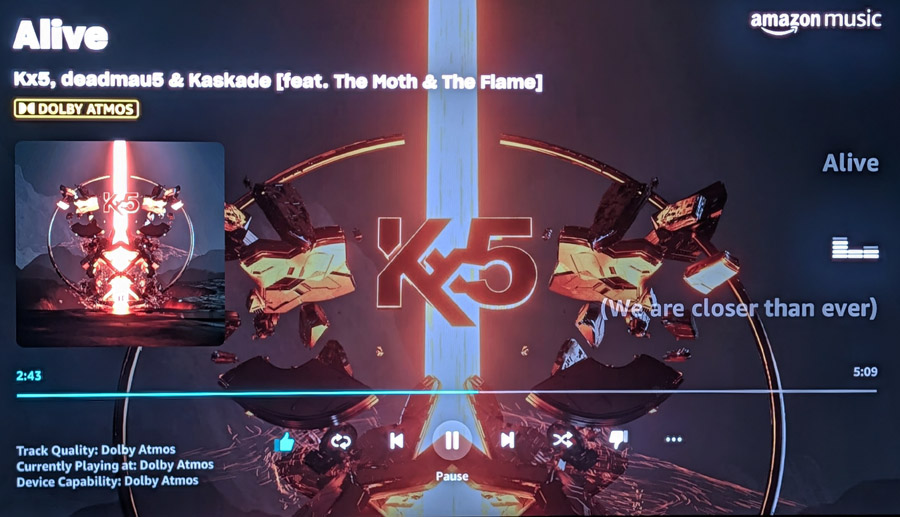
While the native Amazon Music app on Google TV does not support Dolby Atmos, we found that the BRAVIA 9 II does handle Dolby Atmos over a wireless Google Cast connection, playing Dolby Atmos music tracks from Amazon Music on a phone casting wirelessly to the TV. This is something we rarely see on a TV, soundbar or even a component A/V receiver. If you are into music in surround, this feature means you won’t have to plug in a separate streaming stick just to listen to Dolby Atmos music.
While we expect that most folks who invest this much in a TV will likely connect it to an external audio system – or at least a soundbar – the TV itself actually sounds pretty good on its own. While bass is a bit lacking, spatiality of the sound is actually very good and dialog comes through cleanly with proper positioning relative to the screen. Watching “Blade Runner,” the soundtrack was rich and powerful and the knock at the door when Leon entered the conference room came from well to the right of the screen itself. There’s even a sense of height to the image on Dolby Atmos and DTS:X soundtracks, thanks to up-firing beam tweeters, which are part of the set’s Acoustic Multi-Audio+ feature.
In the film “Gravity,” the Dolby Atmos soundtrack also produced nice spatiality in the introduction where the space shuttle slowly moves from right to left of the screen at the beginning of the film. It also handled the chaotic scenes of destruction that follow a runaway satellite debris field with precision and detail. If you want to keep things simple, or need to rely on the TV speakers temporarily while you select an audio system, the sound of the BRAVIA 9 II will get you by.
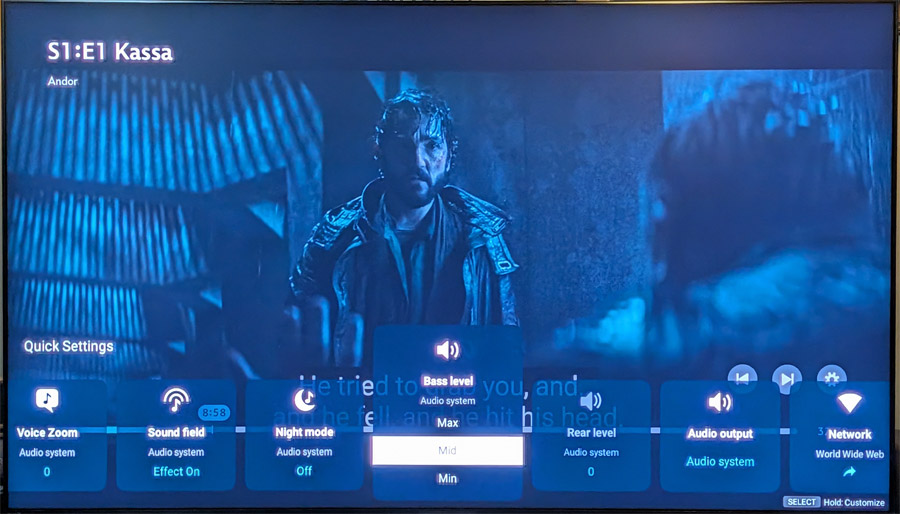
And for those who prefer the clean look of a TV without any front speakers, the BRAVIA 9 II also supports Sony’s new “Direct Connect” feature. This allows you to add a wireless subwoofer and wireless rear speakers, using the TV’s built-in speakers for the front soundstage (front left, center, front right, and up-firing height speakers), but enhancing that with real wireless speakers in the rear for a more immersive surround sound stage. This keeps the TV’s look super clean while providing true surround sound and deep extended bass via wireless add-on speakers.
Comparison to BRAVIA 7 II
While our sample of the BRAVIA 7 II performed well overall, the BRAVIA 9 II was clearly superior. Peak brightness and color accuracy were both better on the 9 II, and the Immersive Black Screen Pro feature on the BRAVIA 9 II made for a vastly improved bright room viewing experience. Also, the BRAVIA 9 II offers approximately three times as many dimming zones, which explains its strong performance on both color banding, screen uniformity and blooming/haloing. While the BRAVIA 9 II is significantly more expensive than the BRAVIA 7 II, these performance improvements do justify the higher cost.
Comparison to Samsung S95H OLED
While testing the BRAVIA 9 II, we also had Samsung’s flagship OLED, the S95H on hand. While the BRAVIA 9 II offers higher peak brightness and a slightly wider measured color gamut, the contrast and black level performance of the S95H was superior, as was its off-axis viewing. Styling of the S95H with its Float Later metallic frame may not appeal to all buyers, but overall performance of the S95H is hard to beat for most content.
For bright room viewing, Samsung’s Gloss Free screen coating and Sony’s Immersive Black Screen Pro screen coatings were each very effective at reducing the reflection of ambient room light on the screen. In our viewing, Sony’s coating was a bit more effective overall as it did not lead to any hint of color shift or excessive loss in black levels on pure black images.
The Bottom Line
Sony’s first flagship entry into the RGB-backlit LCD TV category is a strong performer, particularly for viewing in rooms that may have high ambient light. In overall performance, the BRAVIA 9 II is the best we’ve seen yet of the RGB-backlit LCD TVs. It is particularly adept at making all content look good, from streaming to standard def DVDs, to fast-moving sports to movies, in any sort of room lighting. And its automatic calibration modes mean you’ll spend less time fiddling with settings and more time just enjoying what you’re watching. While we still prefer OLED TVs for critical viewing, those who want a larger screen or a TV that works well even in bright rooms will find a lot to like in the BRAVIA 9 II.
Pros
- Bright image with effective anti-reflective coating makes for excellent bright room performance
- Elegant styling with unique mirage stand
- Wide color gamut and high peak brightness make 4K/HDR content look spectacular
- Support for Dolby Atmos and DTS:X decoding and passthrough
- Sony Pictures Core streaming service provides exceptionally high quality video streaming
Cons
- Expensive (though comparable to flagship RGB TVs from competitors)
- Low default peak brightness with SDR (standard dynamic range) content in Professional Mode
- No support for Eclipsa Audio immersive sound
- Black level performance and contrast doesn’t quite match OLED
Our Ratings:
★★★★★★★★★★ Picture Quality
★★★★★★★★★★ Design
★★★★★★★★★★ Usability
★★★★★★★★★★ Sound Quality
★★★★★★★★★★ Features
★★★★★★★★★★ Value
Where to Buy:
BRAVIA 9 II
BRAVIA 9 II Pro (Extended warranty and Extra SPC Credits)


You must be logged in to post a comment Login