Tech
Spotify Exclusive Mode Delivers “Bit Perfect Audio” on Windows Desktop but MacOS and Mobile Users Are Left Waiting

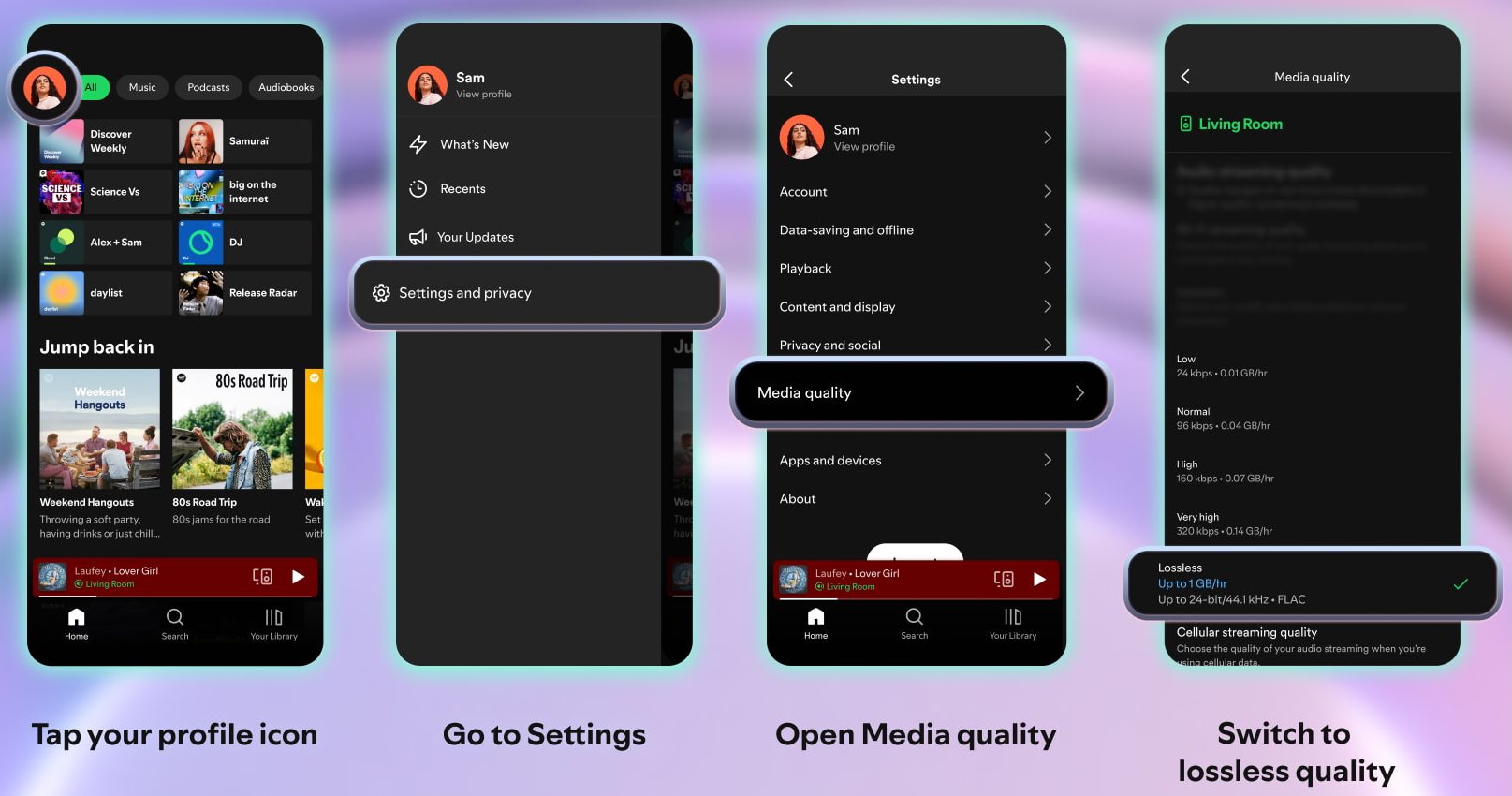
Spotify has quietly added a feature that many desktop listeners have been requesting for years. The company’s new Exclusive Mode allows Spotify Premium subscribers using the Windows desktop app to bypass the computer’s normal audio processing and deliver bit perfect playback directly to an external DAC or audio device.
The idea is straightforward. Modern operating systems often resample audio, mix system alerts with music, or apply their own volume processing before the signal ever reaches your DAC. Spotify’s Exclusive Mode takes control of that pipeline and locks the desktop app directly to the output device so the audio stream is passed through without alteration. In practical terms, that means the data sent to your DAC should match the original digital file that Spotify is delivering.
The timing is notable. After years of teasing higher fidelity streaming tiers, Spotify finally launched its long promised Lossless audio option in 2025, putting the service closer to competitors like Apple Music, Amazon Music, and TIDAL that already offer CD quality streaming. Exclusive Mode does not increase the bitrate of Spotify’s stream, but it removes one more layer of processing that could potentially alter the signal on the way out of your computer.
For listeners using a desktop setup with an external DAC, powered speakers, or a headphone amplifier, the feature gives Spotify something it has historically lacked compared with more audiophile focused platforms: a way to deliver the stream without the operating system getting in the middle of it.

What is Bit Perfect Audio?
Bit perfect audio refers to digital playback where the data leaving a music player is identical to the original digital file, with no changes introduced by the operating system, software mixer, or audio driver.
When music is played on a typical computer, the audio often passes through a system level mixer before reaching the output device. During that process the operating system may:
- Resample the audio to match the system’s selected sample rate
- Mix in other system sounds like notifications or alerts
- Apply volume scaling or DSP processing
Each of those steps technically alters the original digital data stream. Bit perfect playback avoids that entirely.
In an exclusive playback mode, the music application takes direct control of the audio output device. The operating system mixer is bypassed, system sounds are blocked, and the audio stream is sent to the DAC at its native sample rate and bit depth.
For audiophiles using external DACs and dedicated headphone or speaker systems, this ensures the converter receives exactly the same digital information contained in the music file or stream. The DAC then performs the only conversion that matters: turning that digital signal into analog sound.
In short, bit perfect playback does not magically improve a recording. What it does is ensure that nothing in the computer changes the signal before it reaches your DAC.
How to Enable Spotify Exclusive Mode

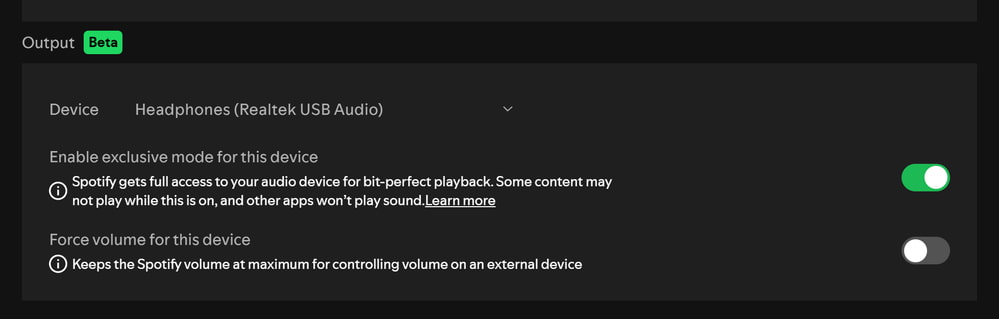
Getting started with Spotify’s Exclusive Mode takes only a few seconds inside the desktop app. Open Spotify, go to Settings, and scroll down to the Playback section. Under Audio Output, select your preferred device from the dropdown menu. Once your DAC, interface, or audio device is selected, toggle Exclusive Mode to On.
When enabled, Spotify takes direct control of that audio device and bypasses the operating system’s standard audio mixer. The result is a direct signal path from the Spotify desktop app to your DAC, avoiding the resampling, mixing, and volume adjustments that can occur when the operating system manages audio output.
There is one important trade off. With Exclusive Mode active, Spotify has sole control of the selected output device. System alerts, browser audio, video calls, and other applications will not be heard through that device while music is playing. If you need to hear other audio sources, those applications will have to use a different output device.
At launch, Exclusive Mode is available only on the Spotify desktop app for Windows. The feature does not currently apply to mobile playback, and Spotify has indicated that macOS support is expected in a future update.

The Bottom Line
Spotify’s Exclusive Mode is a useful technical upgrade for desktop listeners, but it doesn’t change the limits of Spotify’s audio quality.
The feature simply bypasses the computer’s audio mixer so the Spotify desktop app can send the stream directly to your DAC without resampling or system sounds interfering. That’s good news for listeners using external DACs, headphone amps, or powered speakers on a computer.
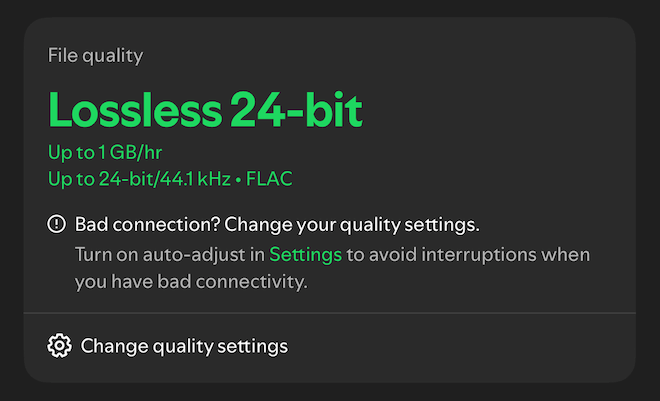
What it does not do is increase resolution. Spotify Lossless remains CD quality at 16 bit 44.1 kHz, and the service still does not offer 24-bit/96 kHz or 24-bit/192 kHz streams like Apple Music, TIDAL, or Qobuz.
So while Exclusive Mode ensures the signal leaving Spotify is cleaner, it does not suddenly make Spotify higher resolution than competing services. It simply ensures you hear the stream exactly as Spotify delivers it.
For more information: community.spotify.com
You must be logged in to post a comment Login