
Tech
Steady in Your Hand, Why the DJI Osmo Pocket 3 Still Earns Its Place in 2026



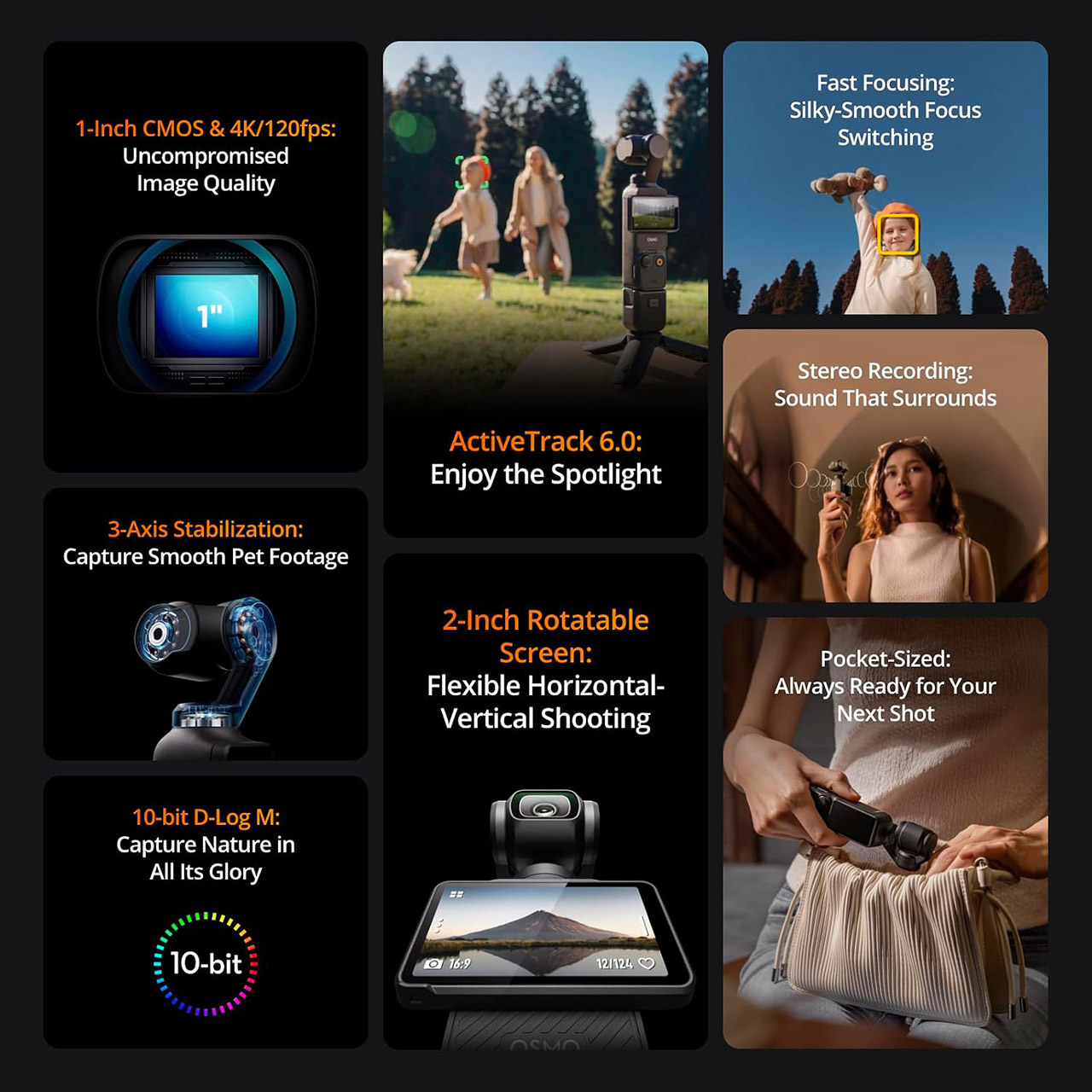
Flipping the two-inch screen open is all it takes to start recording with the DJI Osmo Pocket 3, priced at $399 (was $499). That simple motion turns the camera on and gets you rolling in about two seconds, whether you hold it upright for vertical clips or keep it horizontal for wider scenes. The screen itself rotates freely and stays bright enough to read outdoors at 700 nits, so framing a quick walk-and-talk or a family moment never feels like a chore.
The image quality is much improved because of this device’s one-inch sensor. Coupled with a 20mm equivalent f/2.0 lens that can zoom in from only 20 centimeters out to infinity, the camera does an excellent job of capturing clean details even as the light fades, while 4k video can run at 60 frames per second in standard mode and 120 frames per second in slo-mo without losing resolution. You have ten-bit color options, including D-Log M, which gives you even more editing freedom, and the basic profile generates results that appear highly polished straight out of the box. Even in low-light conditions, this item beats most pocket cameras, as noise is maintained under control even when photography in a restaurant or outside in the evening.
Sale

DJI Osmo Pocket 3 Vlogging Camera with 1” CMOS & 4K/120fps Video
- Capture Stunning Footage – Osmo Pocket 3 vlogging camera features a 1-inch CMOS sensor and records in 4K resolution at an impressive 120fps. Capture…
- Effortlessly Frame Your Shots – Get the ideal composition with Osmo Pocket 3’s expansive 2-inch touch screen that rotates for both horizontal and…
- Ultra-Steady Footage – Say goodbye to shaky videos! Osmo Pocket 3’s advanced 3-axis mechanical stabilization delivers superb stability. Enjoy smooth…
The 3-axis mechanical stabilization ensures that everything looks as smooth as possible. Walking at a reasonable pace, up a flight of stairs, or following someone around a room results in silky smooth film with no artificial warping. Activetrack 6 locks on to a face, person, or object and keeps it in the center even when the gimbal pans and tilts, and full-pixel phase detection focusing snaps in and stays locked even when your subject moves closer or further away.

The sound quality is also respectable, even for everyday conversations, thanks to the camera’s three built-in mics, which capture crisp stereo sound and effortlessly combine with up to two DJI mic mini or mic 2 transmitters. When you clip a wireless mic to your shirt, the signal comes thru loud and clear; no additional adaptor is necessary, allowing solo vlogging or easy interviews a one-handed process.
Battery life is adequate for a casual afternoon of shooting. The internal battery provides up to 166 minutes of run time in ideal settings at 1080p, and in the real world, you should anticipate to get an hour or so depending on the resolution and tracking you’re doing, and don’t worry if you run out of juice; the battery recharges quickly. It will charge you back up to 80% in roughly 16 minutes with a competent USB-C charger. Plus, if you need more space, you can simply replace out the card for a larger one, as microSD supports up to 1TB, so your only true limit is the card in your pocket.

At 179 grams and 14 cm tall, this device is small enough to fit into a jacket pocket or bag without adding any bulk, and if you need more grip or a place to put it, simply screw on the accompanying handle with a quarter-inch thread.

Tech
Intel may refresh Raptor Lake for a third time as high DDR5 prices push buyers toward older hardware
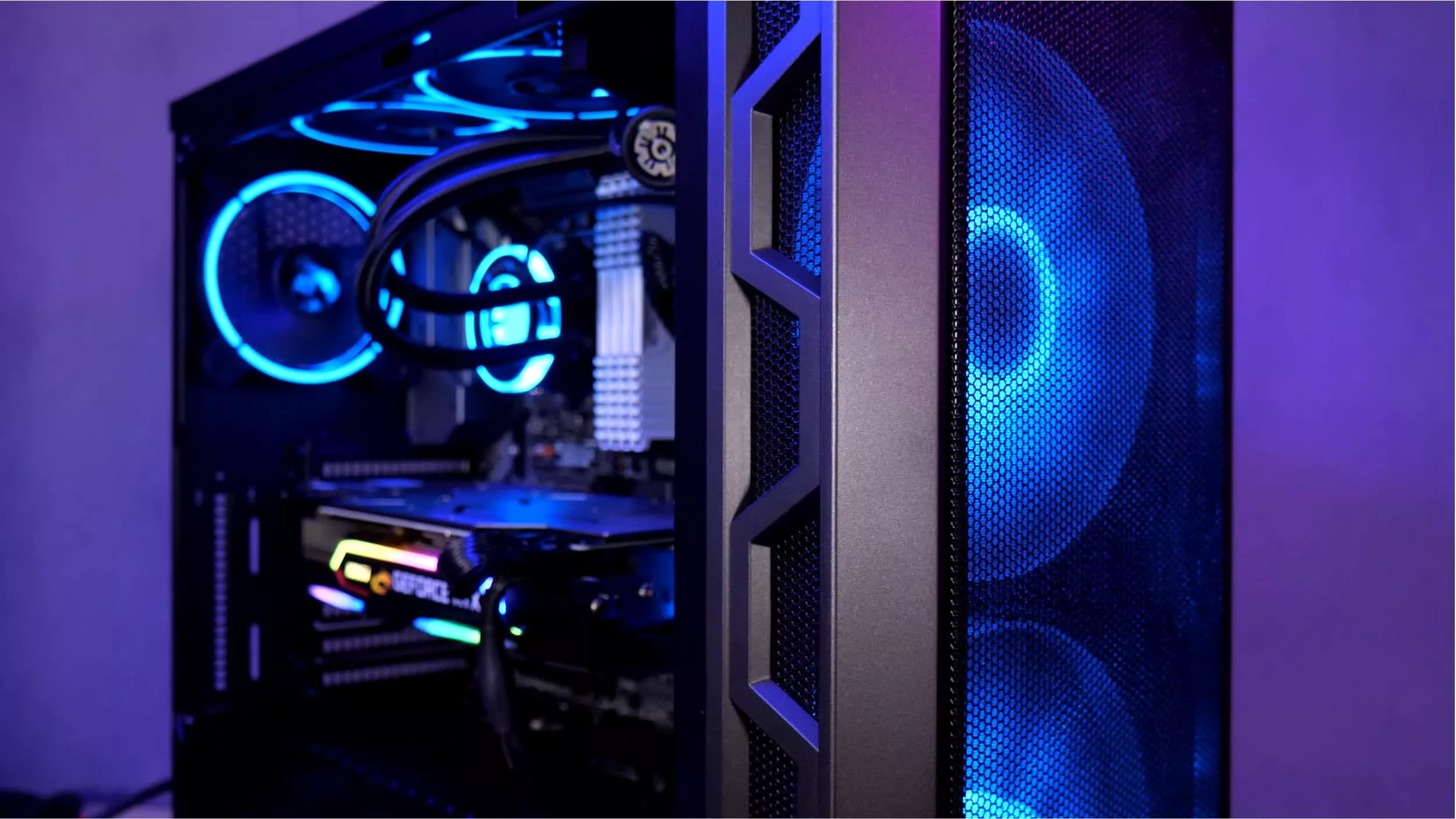
The big picture: The RAM crisis has made the latest hardware so unaffordable that components from four years ago are storming sales charts. AMD and Nvidia have already responded to the demand by re-releasing chips from 2022, and now Intel is poised to follow suit.
Robert Hallock, Intel’s vice president and general manager of enthusiast channel business, recently told Tom’s Hardware that the company plans to continue offering Raptor Lake CPUs, first launched in 2022, for a while longer. Intel, like AMD, is responding to sustained demand for hardware that supports DDR4 RAM.
During a lengthy interview, Hallock noted a spike in demand for Alder Lake and Raptor Lake processors, which have recently become harder to find. While the exec did not mention specific products, he confirmed that the company aims to stabilize and maintain the supply of 10-nanometer chips that support Intel’s LGA 1700 socket “for years to come.”
The comments align with prior rumors that Intel might introduce another refresh for Raptor Lake – the lineup’s third – during the first half of 2027. Tom’s Hardware heard reports on the topic during Computex earlier this year, where at least two motherboard vendors also confirmed plans to increase production of aging LGA 1700-compatible boards to meet rising demand. Intel’s rumored refresh, tentatively dubbed Raptor Lake Next, would exist alongside the DDR5-exclusive Nova Lake.
Also Read: DDR5 vs. DDR4 Gaming Performance Revisited
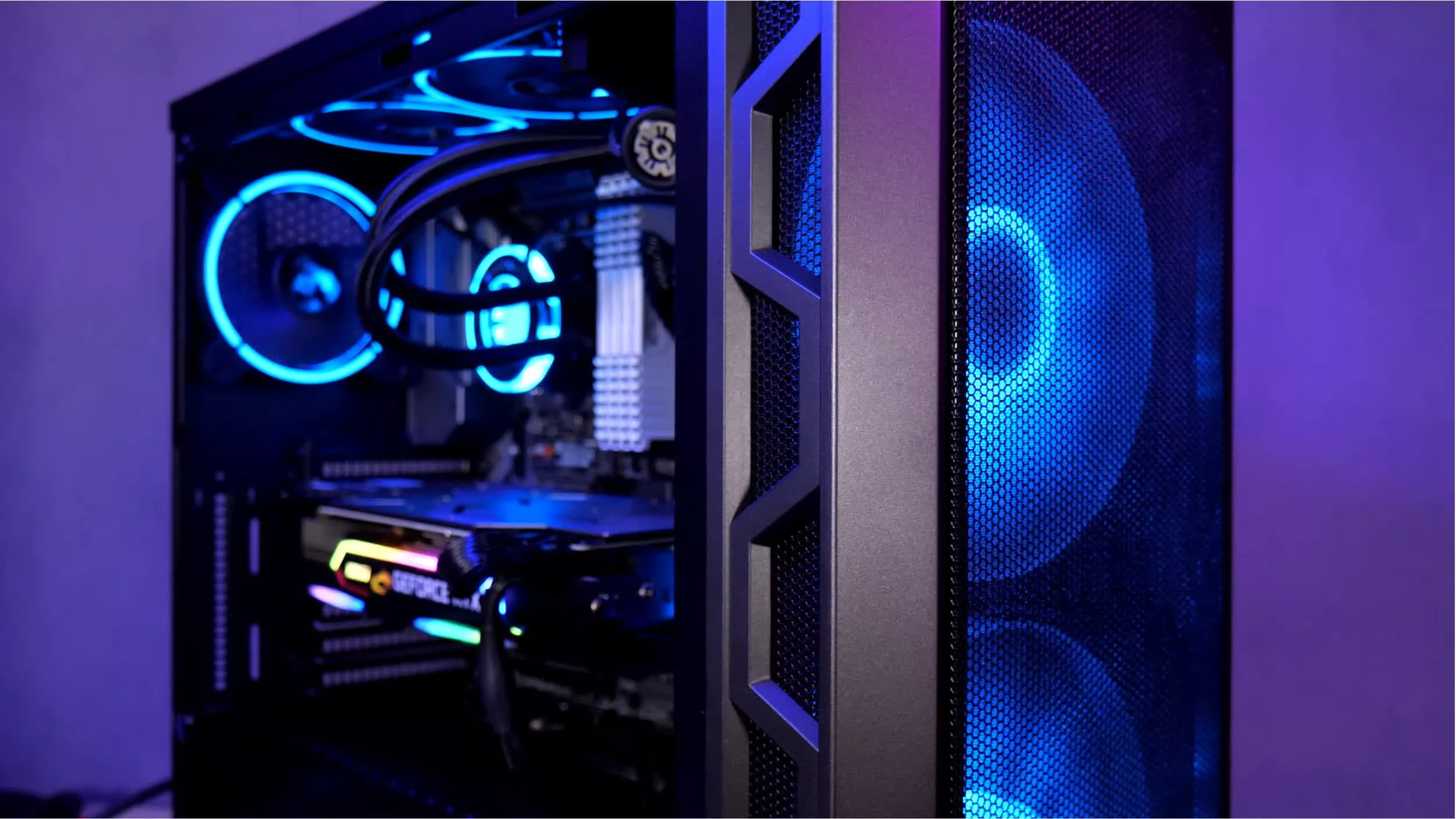
Surging demand for processors and mainboards that support the supposedly obsolete DDR4 memory is likely due to RAM shortages driven by AI data centers. The price of DDR5 RAM has skyrocketed over the past year, driving PC users to either purchase DDR4 memory at much lower (but still inflated) prices or hold onto the RAM they already have. Raptor Lake CPUs support DDR4 and DDR5 memory, giving buyers the opportunity to upgrade without replacing an entire PC.
AMD has already responded to the situation by re-releasing the Ryzen 7 5800X3D, the CPU that introduced 3D V-Cache in 2022. The ongoing crisis has also turned the modest Ryzen 5 5500 into the reigning budget CPU king. While the company offers better processors at similar prices, such as the 7500F and 9800X3D, they all require DDR5 RAM.
The trend has even affected Nvidia GPUs. While tightening stocks of GDDR7 VRAM have increased the prices of the company’s latest RTX 5000-series graphics cards and delayed the launch of the RTX 5000 Super cards, Nvidia has revived the 12GB RTX 3060, also from 2022, as a temporary substitute.
It’s not a controversial statement to say that energy bills are high these days, and that finding ways to lower these costs is essential to the modern budget. Consumer Reports offers helpful tips for lowering energy bills, though one of the biggest difference-makers is seeking out an alternative energy source to offset traditional energy consumption. Arguably the most popular option is solar, but wind power shouldn’t be overlooked in its own right. Installing a wind turbine at home isn’t just possible; it’s an effective method of cutting a sizeable percentage from your energy bill — though it is a pricey investment, ranging from $20,000 to $50,000 on average for a full-size unit.
On the whole, there’s potential for a wind turbine setup to save a significant amount of money every year on energy. Estimates place a small system as possibly dropping bills by between 50% and 90% in the absolute best conditions. With a battery setup, storing wind energy for later use is a possibility, too, and that’s not even getting into the environmental benefits. As a clean energy source, wind turbines don’t produce harmful emissions, nor do they require fossil fuels for power or water for cooling, so you’ll have peace of mind knowing much of your home energy production is environmentally conscious.
With all of that said, setting up a home wind turbine or two isn’t accomplished in an afternoon. It takes the right parts, expertise, documentation, and setup to reap the many benefits of this renewable energy source.
1. A sufficient location
Before purchasing a single wind turbine part or planning where to set it up, you need to assess if your home is in an ideal place for wind power to begin with. Naturally, even smaller wind turbines require ample wind, with residential turbines needing approximately 7 miles per hour (mph) of wind to generate power. All kinds of obstacles, including high surrounding buildings, tall trees, or even tight-knit homes in neighborhood environments, can restrict or divert wind gusts away from the turbine, limiting the potential for energy production. Thus, in such an area, wind power might not be worth the effort, and instead one of the other green energy alternatives for homes could be the answer.
If you’re comfortable moving, there are some regions worth considering for their wind energy viability. The most wind turbine-friendly areas within the United States include seacoasts, ridgelines, and throughout the Great Plains region, so if you want to try wind power, these areas are the way to go. With that said, you’re not strictly limited to these parts of the country. So long as there’s consistent wind movement to keep the turbine blades turning at a sufficient speed and a lack of wind-inhibiting obstacles, you’ll generate some amount of electricity for your home to run on.
2. The necessary permits and certifications
So, you’re ready to set up your residential turbine, but you can’t get started just yet. As any homeowner could tell you, building on your property isn’t simple. Wind turbines are no exception, being both a home improvement project you shouldn’t tackle yourself and an endeavor demanding extensive paperwork. Worse yet, there can be some legal inconsistencies from region to region, so it’s a good idea to start local with your documentation journey to make sure you don’t miss any key parts. Your chosen installer is a valuable resource at this step, since they should be able to acquire the necessary permits and certifications before beginning.
Generally speaking, a valid building permit is required to construct a wind turbine at your residence. To connect it to your power grid, you’ll need to reach out to your local utility for approval and assistance with this setup. At this point, you may have the opportunity to enter a net metering agreement with them to sell off any excess energy your turbine produces, so this could be a nice moneymaking venture, too. You should also be mindful of the color and patterning of your wind turbine, as some areas are highly specific regarding their appearance. During all of this paperwork, don’t forget to look into the potential tax benefits and general incentives turbines can qualify you for.
3. Professional help
Setting up residential wind power requires more than a few helping hands. Professional help is crucial to getting everything installed safely and correctly. As far as setting up the turbine, while a crew of capable friends and family members could get a guyed turbine raised and stabilized, a large self-supported tower will more than likely require more experienced hands. A concrete foundation is required, and depending on the size of the tower and turbine, heavy machinery could be necessary to move and stand everything up.
Structural labor aside, the electrical side of wind turbine setup isn’t for the faint of heart. Whether you’re connecting to the power grid or opting to connect the turbine to a battery, you need to have a strong understanding of how electrical systems work and how to safely work on them. Otherwise, you could add to the list of major electrical mistakes you don’t want to make at home. Thus, you’ll want to hire someone familiar with this type of wiring, and for all setup steps for your turbine, you’ll want to budget accordingly to cover these professionals’ services.
4. The turbine and tower
With your space determined, paperwork done, and professionals lined up, you can turn your attention to the turbine itself, as well as the associated items needed to run and utilize it. First, you want to assess what size turbine you want in terms of energy production. Home turbines range from 400 watts to 100 kilowatts, so you should do some research into what your dwelling needs. This power need will determine the size of the turbine, which can come in multiple forms. Most common are horizontal turbines, though vertical turbines — available in S-shaped Savonius and oval Darrieus forms — are possibilities for your setup, too.
Under the turbine goes the tower, to which it must be mounted in order to catch the wind and turn it into electricity. It’s recommended that the tower leave at least a 30-foot gap between the bottom-most part of the turbine and grounded obstacles within 300 feet for safety reasons. They come in two main variations: self-supported, concrete foundation-bound towers and guyed towers, characterized by pipe or tubing, stabilizing guy wires, and an anchor. Investing in a tilt-down tower for easier maintenance isn’t a bad idea either, assuming it doesn’t uncomfortably strain your budget. Of course, roof-mounted turbines like those from Ridgeblade are out there as well for those limited on yard space.
5. The electrical elements
Now that the wind turbine and mounting tower have been selected, the next step is the more technical part of a home wind setup. There are several key electrical elements to bring together that will allow the turbine to actually do its job. If you’re planning to connect your turbine directly to the home’s power grid, you’ll need a power conditioning unit, which is also known as an inverter. This is necessary to make the system’s direct-current output compatible with the alternating-current grid, making it safe and usable. That said, even without hard-wiring into the grid, an inverter is still necessary.
Should you keep your turbine independent of the existing power grid, you’ll need something else to store and channel that wind-generated power. This is where a battery setup comes into play, taking in the energy and holding onto it during periods of low wind. Alongside the battery itself, you’ll need a battery charge controller to prevent it from overloading and overheating, in addition to an inverter. While some appliances can use DC power directly from the battery, most will need DC-to-AC conversion to work safely. In either case, it’s paramount to consult a professional electrician to ensure these volatile electrical elements are set up correctly.
How these elements were selected
To choose these elements for a home wind turbine installation, we took a multifaceted approach to researching the build. For one, there’s the actual selection and setup of the wind turbine itself, and the associated construction necessary. These parts of the process aren’t cheap or simple, so being aware of all of the elements needed to get such a system up and running is crucial. Not to mention, it’s a good idea to be aware of the potential cost range for this effort; this way, those considering wind power know if they can realistically afford such an undertaking.
Aside from the actual wind turbine planning, setup, and use, there are the location and paperwork-related aspects. Wind turbines need to be set up in specific areas with ample wind to achieve the owner’s energy production goals; they need to be built within the local laws and regulations in the area to avoid any legal trouble; and they should be set up by those who actually know what they’re doing. Homeowners need to know that there’s a lot of paperwork, phone calls, and planning involved to get this set up from a hypothetical to a usable reality.


Sam Altman told a summit of tech interns that two years of college was “the exact right amount of time” for him and that four years may be more than the world now requires. He made the case to an audience whose entry-level pipeline is already being closed by AI.
Sam Altman thinks a degree takes longer than it needs to. Two years at Stanford was “the exact right amount of time” for him, the OpenAI chief said, and staying would have brought “vastly diminishing returns.”
He was talking to tech interns. The remarks came during a surprise appearance at Internapalooza, a networking summit run by investor Cory Levy for students spending the summer in the industry.
“I’ve sort of thought that maybe the way the world has evolved, college just shouldn’t be as long as it is,” Altman said, while allowing that it was “still great to meet people and kind of like live on your own and get to work on projects.”
The audience is what complicates it. TNW has reported that AI is killing the summer internship, the mechanism that has long converted students into employees.
Nor is that only an American problem. A Swiss study found fewer job ads aimed at career starters as automation absorbed the tasks juniors used to be hired for.
Altman’s other advice pointed the same way without meaning to. “You can make a whole startup kind of by yourself in a room with a lot of AI tokens, but not much else,” he said.
Heard from a founder’s chair that is liberating. Heard from an internship, it is a description of a job that might not need filling.
Not everyone reads the trend that way. Adecco’s chief executive has argued that AI is changing jobs rather than destroying them, which is the more optimistic case and not an unreasonable one.
The rest of the session was conventional founder advice. People waste effort trying to be taken seriously, Altman said, though he conceded that enterprise sales was the exception and that he eventually solved it by hiring a 50-year-old.
His own route is worth remembering before anyone acts on this. Altman left Stanford in 2005 to co-found Loopt, which landed in Y Combinator’s first batch and led to him running the incubator, while his mentor Peter Thiel pays $250,000 over two years to under-22s on condition they drop out. As Altman put it himself, “you don’t get to run the experiment twice.“
Tech
Three new Windows flaws can bypass security, gain system privileges, and even install malware remotely

What we know so far: Cybersecurity researchers have uncovered at least three new vulnerabilities that could potentially allow attackers to gain system privileges even on patched Windows computers. These include a memory configuration chip exploit named “Download more RAM,” a zero-day flaw dubbed “ShieldBreak,” and a “plug and pwn” exploit that could install malware remotely over RDP.
The “Download More RAM” vulnerability, which was presented at the 2026 USENIX Security Symposium in Baltimore, was discovered by researchers from the University of Birmingham and Durham University. It reportedly allows malicious actors to bypass Windows 11 security and gain system privileges without physical access by exploiting the lack of write protection on consumer memory modules.
The vulnerability allows anybody to remotely rewrite the Serial Presence Detect configuration chip that notifies the computer about the amount of installed RAM in the system. Attackers can take advantage of this vulnerability to transmit fake information to the computer, tricking it into believing that it has twice as much RAM installed as it actually does.
The false data tricks the memory controller into mapping additional pseudo-addresses, which overlap with genuine addresses. The aliases allow attackers to create a backdoor into memory by circumventing security and access control mechanisms used by the operating system and the processor.
The vulnerability could potentially allow hackers to re-enable old drivers with known exploits, disable anti-malware software, break into virtualization-based security enclaves, change corporate device management settings, and even bypass kernel-level anti-cheat systems used by video games.

Professor Tom Chothia from the University of Birmingham noted that the attack only requires a script that can be deployed remotely, while previous attacks of this kind required physical access to the machine. He added that major memory brands, including Corsair, G.Skill, and ADATA, ship at least one model line with an unprotected configuration chip in violation of JEDEC guidelines.
Tracked as CVE-2026-23670, the vulnerability has been acknowledged by both Microsoft and Corsair. While Microsoft issued mitigations in its April 2026 update, Corsair has added a feature to its iCue hardware management tool, allowing users to enable write protection on their DIMMs. PC diagnostic app HWiNFO has also added the same feature for non-Corsair users.
There’s also a zero-day vulnerability called ShieldBreak, found by bug hunter Nightmare Eclipse. Tracked as CVE-2026-50656, it’s an elevation-of-privilege vulnerability in Microsoft Defender that can circumvent the RoguePlanet patch and allow attackers to gain system privileges on Windows 10, Windows 11, and Windows Server. However, Microsoft Defender has to be active for the exploit to work.
Finally, security researchers Alejandro Hernando and Borja Martinez have described a new “plug and pwn” attack that exploits Windows’ automatic hardware identification and driver installation process to install signed vendor driver packages with system-level privileges.
Presented at DEF CON 34 in Las Vegas, the vulnerability can be exploited without admin privileges and without a logged-in user. In their proof-of-concept demo, the researchers also showed that the attack can be performed remotely over RDP without connecting any physical USB hardware to the target device.


CYBER-CRIME
Another one bites the dust
Some 1.6 million unique email addresses tied to RingCentral have been leaked online, alongside names, physical addresses, and phone numbers, according to Have I Been Pwned. RingCentral disclosed the breach on July 28 and said “it was the target of a sophisticated social engineering campaign” affecting a “limited portion of RingCentral customers.”
The comms platform said that it promptly responded to the intrusion upon detecting it, “took steps to stop the unauthorized activity,” and immediately launched an investigation into the security incident with help from a “leading third-party forensic firm.”
“We have not seen any new unauthorized activity since taking these remediation efforts,” the company added.
RingCentral did not immediately respond to The Register’s request for comment on this story. We will update it as needed.
While the company hasn’t named its attacker, notorious data theft and extortion gang ShinyHunters previously claimed it compromised the collaboration platform, according to a post on its data leak site, viewed by The Register. Screenshots of the post also circulated on social media. The crooks claimed they stole more than 623 GB of data, and set a July 30 deadline for RingCentral to pay up – or else the crew would dump the stolen information online.
RingCentral apparently didn’t pay the extortion demand, and ShinyHunters followed through on its threat, posting customers’ details on the internet.
“The company failed to reach an agreement with us despite our incredible patience, all the chances and offers we made. They don’t care,” the crims wrote on August 3.
A ShinyHunters spokesperson told us that the group broke into RingCentral by voice-phishing an employee and tricking them into giving the crooks their password.
This same group, which security sleuth Dominic Alvieri says is his “top threat group and probably is for most analysts,” has hacked hundreds of organizations since the start of the year, including education tech firms that provide services for schools and universities along with healthcare-sector organizations.
Recently, ShinyHunters dumped data stolen from Abbott’s cancer diagnostics business with the leak containing 10.9 million unique email addresses alongside personal and health information.
The crooks claim that they made off with more than 30 million rows of customer information, including more than one million Social Security numbers and 7.5 million dates of birth. More concerning, however, they said the haul includes 22 million-plus rows of client notes containing confidential doctor-patient conversations and health information, and more than 20 million medical-order records containing patient IDs, prescription types, order dates, and refill information.®
Editor’s note: This story was amended post-publication with comment from ShinyHunters.
Tech
Six Years of Quiet Work Built a Pair of Robots That Make an Acoustic Guitar Play Itself, Called MegCell Pulse


After long evenings spent designing mechanisms and calibrating movement, a New Zealand engineer named Bruce finished a system that mounts directly onto an ordinary acoustic guitar and turns digital tablature into live string vibration. He calls it MegCell Pulse. Two coordinated robots handle the work of human hands. One presses the strings against the frets. The other plucks them with six individual plectrums. The sound that reaches the room is the actual instrument speaking, complete with the body resonance and the space around it.
Bruce began this project as an engineer rather than a musician, drawing on his skills in naval engineering, composite work, CAD drawings, and automation. In spare hours after his day job he kept asking what would happen if digital music instructions could drive a real guitar instead of a speaker. He spent roughly 6 or 7 years tinkering with the concept and its variants. The majority of the build is completed on a normal 3D printer, with the remaining parts sourced from a basic list that anybody can order. The software translates ordinary digital tablature into a precise timing signal for the actuators, and it does so without requiring special programming for each song.
Sale

Enya NOVA GO SP1 Carbon Fiber 35-Inch Smart Acoustic-Electric Travel Guitar
- WHY CARBON FIBER – Nova Go SP1 is made of carbon fiber composite material, which means it’s impervious to temperature and humidity change. Taking it…
- WHERE THINGS GET INTERESTING – The absolute differentiator of this guitar is that it’s equipped with the SP1 pickup system. It gets you reverb…
- A PRODUCTIVITY WORKHORSE – SP1 pickup system not only allows you to have tons of fun unplugged. But if you plug it into an amp or PA, this Nova Go SP…
After you put the frames onto the guitar, some gears and magnetic actuators begin moving the arms, which is quite cool. The fretting side simply presses each string in the proper location between the frets, while the plucking side strikes individual strings in sequence or all at once, depending on the file you imported. Timing remains fixed to the digital instructions, ensuring consistent performance from one run to the next. All the user has to do is load a tab file and hit play: the robots will do the rest, while the wooden body and strings generate the tone.
One of the most practical applications allows a human to handle only the plucking, leaving the fretting to the machine. A single-handed musician may complete a full arrangement this way, as Bruce has demonstrated in a video where the robot supplies the left-hand section while a person handles the right, which feels rather natural.
There are a few things it can’t do currently, such as not covering the entire fretboard or doing that nice sliding between frets for legato lines, but the limitations are real, and it still covers a large range of pieces if they are first available as digital tablature. The method focuses on accuracy and consistency rather than trying to record every single human flourish, which keeps the performances sounding rather clean.
No finished units are shipped from the factory, but Kickstarter backers receive the complete digital product, which includes STL files for the printed pieces, a detailed assembly guide, control software, and a parts list. The top tier was one hundred dollars. Once printed and assembled, the owner can simply fix or change it at home. That way, the project remains accessible while still allowing the design to grow and evolve in response to user feedback.
[Source]

If you want the best quality out of your Bluetooth audio, it’s worth reviewing some settings.

Bluetooth is perhaps one of the most enigmatic technologies around. Fittingly symbolized by Scandinavian runes and named after a king who likely had a nasty dental problem, this mysterious technology that transports data through the air is fairly difficult to fully comprehend in and of itself. To further complicate things, there are Bluetooth codecs — which determine the quality of the audio you hear — to contend with, but these are actually simpler than they seem once you learn the terminology.
Codec comes from the words “coder” and “decoder,” and is the method in which your audio data is communicated from the source to your Bluetooth headphones or speakers. They’re essentially like different languages — they’re all communicating the same thing (your audio files), but doing so differently depending on the codec. Each codec has different limitations, as do the devices you’re using. Even Bluetooth itself, despite improvements over the years, can only handle so much data: it caps out at around 2 Mbps, and no Bluetooth device can currently handle true lossless audio unless they simultaneously utilize a Wi-Fi connection.
Understanding Bluetooth codecs
Which Bluetooth codec is best is situational, dependent upon what devices you’re using to send and receive audio and the quality of the audio itself. To best understand the difference between codecs, there are a few different measurements that are important to know. In simplified terms, it all comes down to bits of data.
Bit rate: How much data is sent per second; the more data that can be sent at once, the more of the original quality of the audio is preserved
Audio bit depth: This is the number of bits in each second of audio, which impacts the highs and lows of audio able to be communicated on the other side; the higher the bit depth, the better the dynamic range
Sample rate (kHz): The sample rate of the music per second — essentially how many times a snapshot of the audio is captured. The more it’s sampled, the more accurate the snapshot. The most common sample rate in music production is 44.1kHz, which means that 44,100 snapshots are captured per second.
The standard codec is SBC, which is receivable by and included on every Bluetooth device. For all other codecs, it’s a case-by-case basis for whether they’ll be compatible with your device, making it important to check the finer details on your headphones or speakers. Some codecs, like the Sony-developed LDAC and Samsung Scalable, are proprietary, making the tech that supports it more niche. Though AptX codecs are more widely supported, it’s still a family of codecs owned by Qualcomm, meaning that some (like AptX HD) require specific licensing if you want to, say, use it on your PC. Looking at just the raw data, this is how the most common Bluetooth codecs compare.
Which Bluetooth codec is best?

Looking at just the raw data, this is how the most common Bluetooth codecs compare:
|
Codec |
Max Bit Rate |
Max Audio Depth |
Max Sample Rate |
|
SBC |
345 kbps |
16-bit |
48 kHz |
|
AAC |
264 kbps |
16-bit |
44.1 kHz |
|
AptX |
352 kbps |
16-bit |
48 kHz |
|
AptX HD |
576 kbps |
24-bit |
48 kHz |
|
AptX Adaptive |
420 kbps |
24-bit |
96 kHz |
|
AptX Lossless |
1.2 mbps |
24-bit |
96 kHz |
|
LDAC |
990 kbps |
24-bit |
96 kHz |
|
LHDC |
900 kbps |
24-bit |
96 kHz |
|
LC3 |
345 kbps |
32-bit |
48 kHz |
|
Samsung Scalable |
512 kbps |
24-bit |
44.1 kHz |
There are still other factors to consider when dubbing one codec “best.” Just because a certain codec has a higher bit rate than another, it may still compress audio less efficiently — this is the case with SBC versus AAC, where the latter utilizes a more complex algorithm. Other variables and limitations apply as well, like the fact that SBC can have a bit rate of up to 345 kbps, but manufacturers often limit this to 256kbps to prevent battery drain.
Similarly, LDAC, AptX Adaptive and Lossless, LHDC and LC3 all use variable bit rates, adjusting based on the strength of your connection, so you may not reap the full benefits of the codec. That being said, at a certain point there are diminishing returns, as the human ear can only hear qualitative differences up to a certain point. Some of the higher-quality codecs can also drain battery much quicker, so they aren’t the best choice for all-day listening.
How to switch Bluetooth codecs
Depending on your device, you may not be able to control which codec your tech is using. Apple devices, for example, only support AAC and SBC. With an Android device, you can toggle your codecs by activating Developer options or third-party apps.
Switching codecs with developer settings
-
Turn on Bluetooth and connect your accessory
-
Go to Settings
-
Select About phone
-
Select Software information
-
Press Build number seven times to activate Developer options
-
Go back to Settings
-
Select Developer options, then search for codec
-
Select Bluetooth Audio Codec in the results, then again once your phone navigates there
-
Select the codec you want and press OK
Alternatively, you can use an app like the Bluetooth Codec Changer from developer AmrG DEV. This can be less cumbersome than navigating Android menus, and also allows you to do things like set specific audio profiles for different occasions — the kind of codec setup you need for phone calls is likely different than dedicated music listening, for example — though some of these special features require a subscription.
A woman identified as Jane Doe 4 has joined a lawsuit filed by three Tennessee teenagers against Elon Musk’s xAI over the role the company’s chatbot Grok allegedly played in creating child sexual abuse material.
According to a report in The Washington Post, the woman alleged that her stepfather used Grok to manipulate a photo taken when she was 11 years old to create more than 7,000 explicit images of her. The woman also said that her stepfather was found dead of suicide two days after the images were uncovered in a law enforcement raid.
“Limitless access to these tools is spreading so quickly,” said the woman. “It is taking everyday life and turning it into child sexual abuse.”
The teenagers who’d filed lawsuit accused xAI (now part of SpaceX) of failing to take basic precautions to prevent Grok from being used to create explicit images of real people, including minors. (X was flooded with millions of Grok-generated sexualized images earlier this year.) They are seeking class action status for their suit.
TechCrunch has reached out to xAI for comment.
If you are in a crisis or having thoughts of suicide, call or text 988 to reach the 988 Suicide and Crisis Lifeline.
DeepSeek has piqued the interest of the developer community by releasing an early version of its open source agent harness. This happens as harnesses have become increasingly important to those working with machine learning models.
“Powered by the Cordis meta-framework, DeepSeek Harness is an agent harness built around one core idea: Everything is a plugin,” the China-based AI biz said. “Models, tools, skills, sessions, sandboxes, filesystems, loops, orchestration, and UI are ALL implemented as plugins, and can be mixed, matched, replaced, and extended.”
The term “harness” came into common use this year to describe a longstanding software function – middleware or a mediation layer that handles the input passed to an AI model and the output returned from it. Harnesses oversee prompts, context management, tool orchestration, the agent loop, state management, error handling, safety, permissions, and related concerns.
Claude Code serves as a harness for Anthropic’s Claude model family and Codex performs a similar function for OpenAI’s GPT model family. And there are many other model harnesses, including Aider, Cline, Goose, OpenCode, OpenHands, and Pi, to name a few.
The term isn’t precise: It may be used to refer just to the agent loop and tools, or it may be extended to a broader set of concerns related to orchestrating different tools, services, and capabilities like sandboxing, subagents, and so on. Google Antigravity, for example, consists of the Antigravity Agent Runtime (harness) that can be accessed through the Agent SDK, the Antigravity 2.0 desktop application, and the Antigravity CLI.
Vague definitions aside, AI model harnesses are now where much of the competition is happening, particularly as models proliferate and become commoditized. The harness often implements the user interface, a source of user inertia, and once developers configure their tooling and become accustomed to doing things a certain way, it becomes more burdensome to switch to a competing product, even if the interface consists mainly of a command line.
What’s more, various studies have suggested that model performance (and cost) varies significantly with the harness used, due to different design choices. For example, the Pi coding agent relies on a minimal system prompt of about 200 tokens. Claude Code by comparison uses a system prompt of around 10,000 tokens (or did until last month when Anthropic trimmed the system prompt by about 80 percent). The same model will produce different results with different harnesses.
DeepSeek Harness is noteworthy because of its innovative design, and because it shows Chinese AI labs moving to compete beyond model benchmarks and pricing.
First, it treats everything as a plugin. It uses the plugin system from its underlying Cordis framework, which is designed to make it possible to add and remove components dynamically without wreaking havoc.
“Plugins provide every agent capability, including models, tools, skills, sessions, sandboxes, storage, loops, scheduling, and the UI,” the DeepSeek Harness website explains. “Cordis services and events let the plugins work together. Developers can select, swap, or extend any capability in configuration without changing the DeepSeek Harness source code.”
A DeepSeek paper [PDF] by researchers Yifan Shi, Wei Zhang, and Tianyi Cui explains the function of Cordis in more detail. Cordis is designed to support dynamic composability – adding plugins and removing them on the fly without breaking the application.
The paper refers to this as temporal composability – removing a component and reverting its effect upon removal – and spatial composability – allowing components to manage dependencies upon other components.
It cites as an example the plugin system used by Microsoft’s Visual Studio Code. VS Code, the authors explain, runs all of its extensions in a shared process called the extension host. Once activated, they cannot be removed on the fly; the host has to be restarted.
While VS Code provides a way for extensions to declare dependencies between extensions, it’s seldom used. DeepSeek Harness supports plugin dependencies.
The DeepSeek researchers argue temporal and spatial composability are necessary in a system where modification can occur continuously with little or no human oversight. It’s a way of avoiding forced restarts and crashes when components appear and disappear.
DeepSeek Harness also supports another useful feature: chain of thought traces.
“Everything the model sees is recorded in an append-only session log: system prompts, reasoning, tool calls and results, subagent scheduling, and every context injection,” the DeepSeek Harness website says. “In the Trajectory view, you can inspect these records by source. Resume, fork, search, and replay all operate on the same event stream.”
DeepSeek R1 made waves when it was released last year and it was trained to use chain of thought reasoning. This involves breaking down prompts into a series of “thoughts” and reflecting on those steps before emitting a final answer.
Access to this intermediate reasoning turns out to be useful for assessing whether a model is reasoning well, whether its responses are accurate, how additional “thinking” affects output, and so on.
Anthropic provides some access to thinking when extended or adaptive thinking is available (it varies by model). But increasingly the biz has been hiding model reasoning by summarizing chain of thought traces. That appears to be due in part to concerns that chain of thought traces can be used for copying models through a standard research process called distillation.
Earlier this year, Anthropic said it had implemented classifiers for the “detection of chain-of-thought elicitation used to construct reasoning training data.” The company also does not display raw chain of thought. It explains that “the text in a thinking block is a summary of Claude’s reasoning.” Accessing raw thinking requires contacting Anthropic sales personnel.
Except for its open source models, OpenAI has also chosen to hide chain of thought reasoning, which the company uses for model monitoring. “After weighing multiple factors including user experience, competitive advantage, and the option to pursue the chain of thought monitoring, we have decided not to show the raw chains of thought to users,” the biz said two years ago when it introduced its o1 reasoning model.
With the newly released DeepSeek-V4-Pro and V4-Flash, the API provides thinking mode enabled by default. And as the open source model ecosystem matures, having access to chain of thought looks likely to become another opportunity for competitive differentiation.
“I don’t think the DeepSeek Harness is perfect but this is for sure the first time I have been looking at something new in the space and felt quite inspired to revisit some of our choices,” said Armin Ronacher, co-founder of AI biz Earendil, which now steers the development of the Pi agent, in a social media post. “I love that part about Open Source a lot!” ®
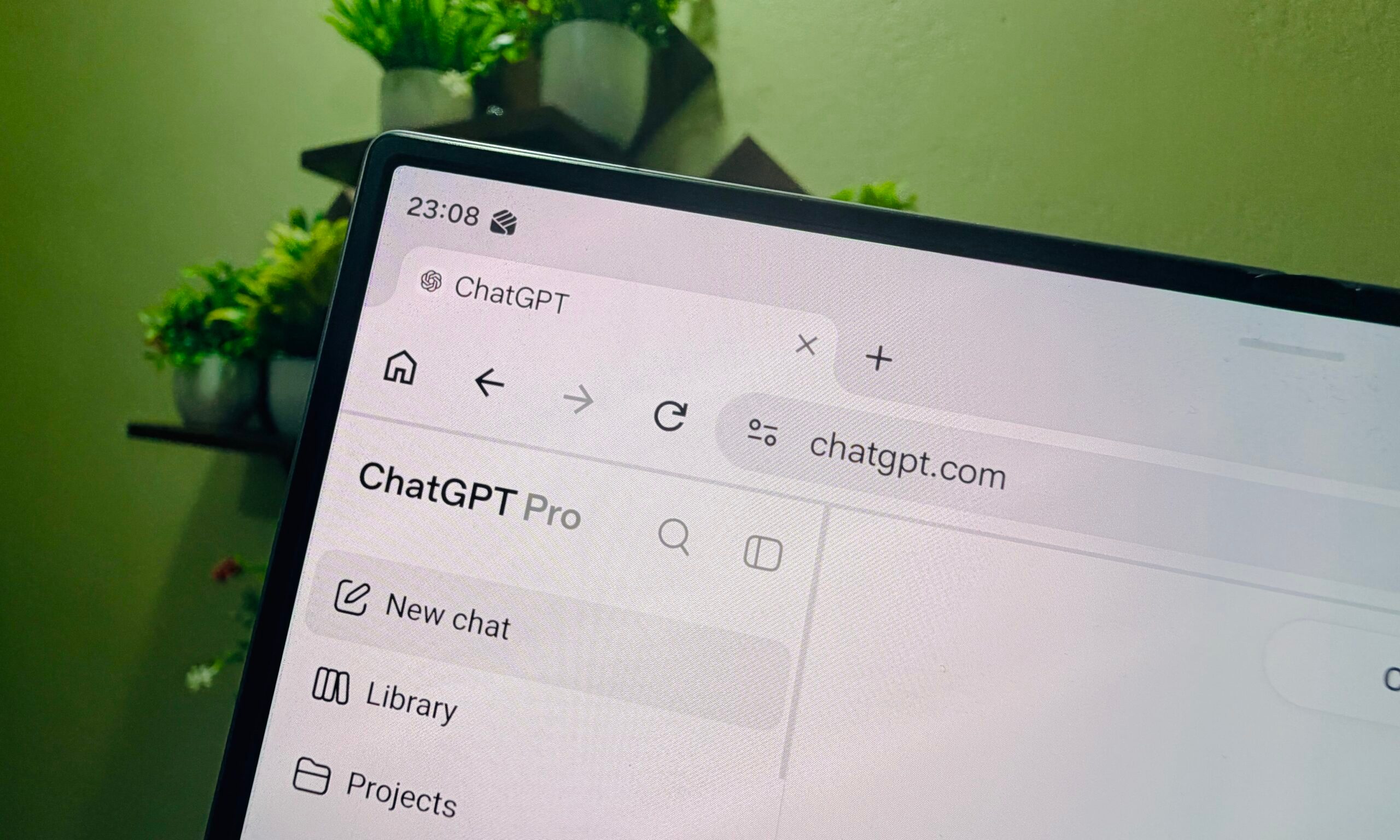
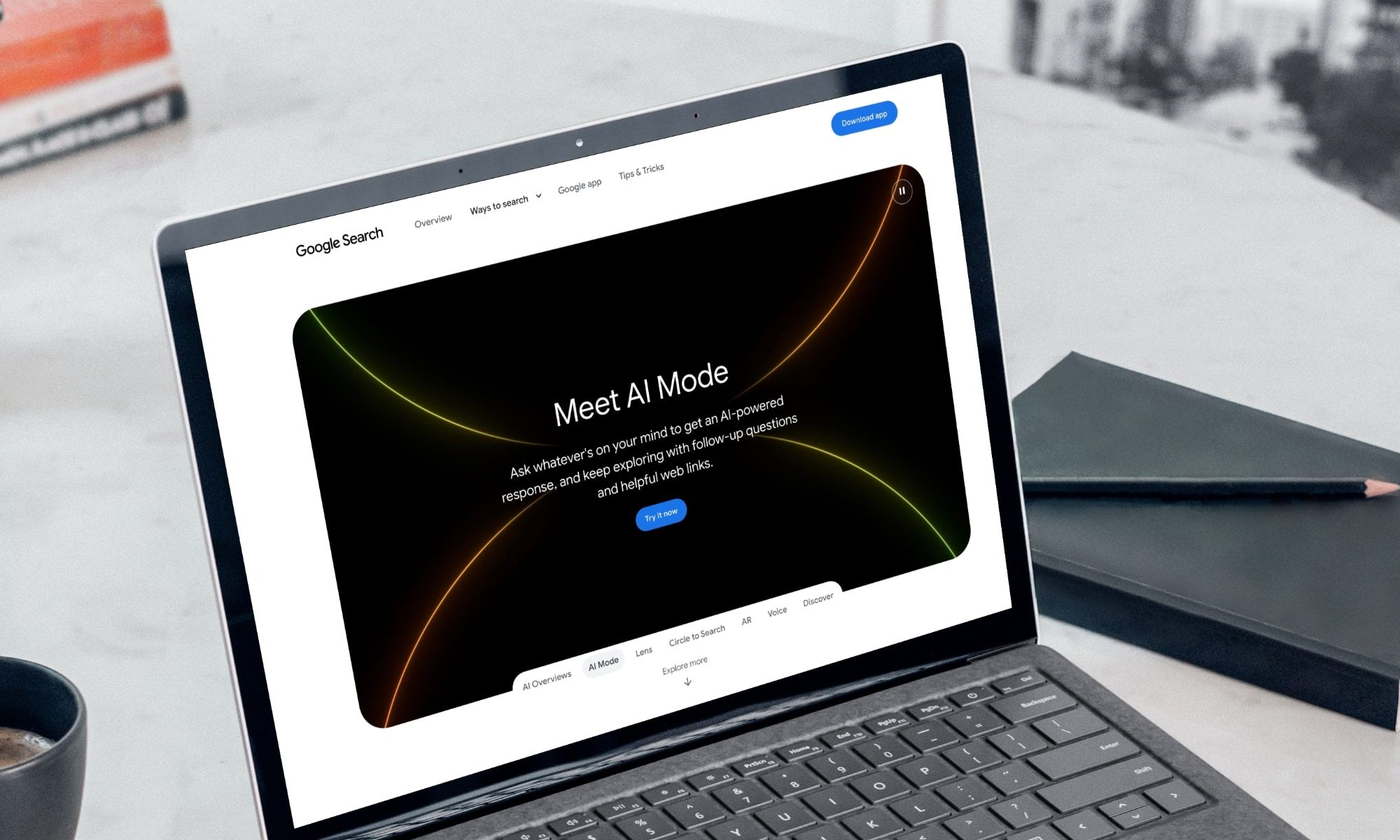
Anthropic wants to make AI-generated text easier to identify, and on paper, I have very little reason to complain. The company is experimenting with an invisible watermark that can be baked directly into text generated by Claude.
It sounds like a sensible idea. AI-generated text is everywhere, and knowing where something came from could certainly help. Moreover, Anthropic isn’t simply hiding a marker somewhere inside a document. Its approach changes how Claude selects words to create a statistical pattern that can later be detected.
But there is one detail that bothers me. Anthropic is testing just how persistent that watermark can be, even after the text has been modified.
That is where I can already smell trouble.
Claude touched my writing. Did it actually write it?
Think about translation for a moment. Let’s say someone writes an entire essay themselves in Spanish and asks Claude to translate it into English. The ideas are theirs. The research is theirs. The arguments are theirs. Claude’s only job is translation.
Yet the resulting text could still carry Claude’s watermark.
The same question applies to proofreading. What if someone writes something themselves and asks Claude to fix the grammar? What about shortening a paragraph, changing its tone, cleaning up dictated text, or simply making an awkward sentence easier to read?
These aren’t fringe uses for AI anymore. People increasingly turn to assistants like ChatGPT, Gemini, and Claude for everyday tasks that have little to do with generating original work. A watermark can tell you that Claude was involved with a piece of text. It cannot tell you whether Claude actually wrote it. Anthropic makes the same point, saying the watermark shows Claude’s involvement, not who created the original work.
Now imagine explaining that distinction to a professor after their detection software has just flagged your essay.

We already know how messy AI detection can get
I wouldn’t worry nearly as much if our track record with AI detection were particularly good. It isn’t.
MIT Sloan’s guidance is quite straightforward about existing AI detectors. It says they have high error rates and can lead instructors to falsely accuse students of misconduct.
We’ve already seen what that looks like in practice. Students have found themselves defending work they say they wrote themselves after automated systems identified it as AI-generated. In one case documented by The Guardian, a student’s essay was flagged as entirely AI-generated despite the student saying they had only used approved spelling and grammar assistance. The appeal was eventually accepted.
To be clear, Claude’s watermark is fundamentally different. Conventional AI detectors look at writing and essentially estimate whether an AI might have produced it. Anthropic is deliberately planting a detectable signal in Claude’s output. In theory, that should make its system considerably more reliable. But reliability isn’t the only problem here. Interpretation is.
We’re using AI to prove we didn’t use AI
Things have already reached a slightly ridiculous point.
Students worried about AI detection are turning to so-called AI humanizers, which rewrite text specifically to make it less likely to trigger detectors. Some students are even using these tools on work they wrote themselves because they’re worried about false positives. Detector companies, naturally, are developing ways to identify humanizers.
Read that again.
A human can write something, worry that an AI will think an AI wrote it, feed it through another AI to make it look more human, and then have yet another system determine whether the AI made it look human.
It’s a technological ouroboros.
Making Claude’s watermark resilient enough to survive editing and translation is technically impressive. Previous research has shown that translation can defeat some text-watermarking techniques, so solving that weakness would represent meaningful progress.
I just don’t think making the signal harder to remove solves the more important problem.
A watermark needs context
There are good reasons to watermark AI-generated content. It could help identify mass-produced misinformation, undisclosed synthetic text, or AI-written material that later ends up in training datasets.
The problem is that AI assistants now do far more than generate content from scratch. People use them to translate text, proofread documents, summarize research, help with code, improve accessibility, or simply clean up an email before sending it. In that context, detecting AI involvement does not automatically tell you who actually created the work.
All of those interactions involve AI to wildly different degrees. If Claude writes an essay from scratch, knowing that is useful. If Claude translates an essay someone spent three weeks researching and writing themselves, knowing Claude was involved tells you considerably less.
The watermark may be perfectly capable of answering “Did Claude touch this?” My concern is what happens when people start treating the answer as proof of “Did Claude write this?”
Anthropic can build the smartest watermark in the world. Unless the people using it understand that difference, I suspect we’re going to have some problems.
Arlo technologies director Amy Rothstein sells $149,218 in stock

Day 3 Finals | 2026 Pan Pacific Championships Presented by OneAmerica Financial

Amanda Knox at Edinburgh Fringe: Her show Cartwheel sparks debate over comedy and serious subjects


-

 Fashion1 day ago
Weekend Open Thread: Ann Taylor
-

 Business7 days ago
Datadog: Best Of Breed For Multiple Reasons
-

 Business7 days ago
How to Start a Cleaning Business: A Step-by-Step Guide
-
 NewsBeat4 days ago
Communication cards help banking customers access services or report scams
-

 Business7 days ago
BDC Weekly Review: Private BDC Q2 Numbers Are Strong
-
 Business5 days ago
Oil Price Today (August 11): Crude oil rises to $88 after Trump’s compensation demand dents Hormuz opening. Here’s why
-

 Fashion6 days ago
Amazon Sundays: Closet Care Before Fall
-
 Crypto World5 days ago
Why Did Nvidia Stock Fall on Monday Despite a $500 Billion Wall Street AI Deal?
-

 Crypto World5 days ago
Revolut wins French banking licence, creates second EU banking hub
-

 Business7 days ago
5 Things You Must Know About Jorge Messi, the Father and Longtime Agent Who Shaped Lionel Messi’s Career
-

 Politics6 days ago
Ben-Gvir’s crocodile project halted but abuses at Ketziot Prison continue
-

 Politics6 days ago
The Church of England’s ruinous reparations racket
-

 Politics6 days ago
Saudi Arabia used 86% of missile stockpile defending Iran attacks
-
 NewsBeat18 hours ago
Myanmar says over 300,000 Rohingya refugees verified for repatriation as exodus enters ninth year
-

 Politics13 hours ago
SEQ Code: The Three Letter Boarding Pass Code That Could Give You The Worst Seat
-

 Politics7 days ago
What’s An EDT? The Rise Of ‘Extreme Day Trips’ As A Travel Trend
-

 Crypto World6 days ago
USDC and USDT Now Own 84% of Crypto Card Spend as the Euro Retreats
-

 Politics7 days ago
The House Article | Burnham still needs to sell devolution to the public
-

 Crypto World6 days ago
Crypto Made a $9.6 Billion Record, But It’s Hiding a Crucial Truth
-

 Fashion5 days ago
Can You Wear Double Cloth Gauze Clothing To Your Office?
You must be logged in to post a comment Login