Travelling Abroad: Tech for Secure Internet Access
International travel pushes you into networks you don’t control, jurisdictions you may not understand, and recovery paths that fail at the worst time. Secure access abroad is engineered through layers: reduce exposure, encrypt what you must transmit, and pre-stage recovery so you can recover from lockouts or device loss without improvising.
1) Start with a travel threat model (5 minutes, worth hours)
Before you pack, decide which profile you’re in:
Advertisement
Low risk: tourism + casual accounts (streaming, social, personal email).
Medium risk: business travel (corporate email, client files, admin panels).
High risk: journalism/activism, sensitive IP, or destinations with aggressive filtering.
This choice determines how far you go (e.g., one device vs two, hardware keys vs app MFA, and whether you bring a “clean” travel laptop).
Field rule
If losing your phone would lock you out of email, you’re not ready to travel.
2) Account resilience (the layer most people skip)
Most travel “security failures” are availability failures: you get locked out when your bank flags a foreign login, your SIM stops receiving texts, or your authenticator is on the phone you just lost.
Do this before you leave
Enable MFA on primary accounts (email first, then password manager, then banking).
Add at least two independent second factors (e.g., authenticator app + hardware key, or authenticator app + backup codes).
Print or securely store backup codes for critical accounts.
Google’s own account recovery option guidance is explicit: create backup codes specifically for cases where you lose your phone, change numbers, or can’t receive codes via text/call/Google Authenticator. Google also states that backup codes are one-time use, and that generating a new set of 10 codes automatically deactivates the old set.
Backup codes: operational best practice
Store one copy with the physical travel documents and another in a secure vault accessible offline.
Treat backup codes like cash: Google explicitly warns against sharing them and notes That It never asks for a backup code except at sign-in.
When NOT to rely on SMS MFA
SMS can fail abroad for mundane reasons (roaming, SIM replacement, blocked messaging), and it creates fragile recovery chains; use it only as a fallback, not your primary plan.
3) Device hardening (reduce what can be stolen, not just what can be sniffed)
Think “travel device = elevated-risk endpoint.”
Minimum viable hardening (fast, high impact)
Update the OS, browsers, and security tooling before departure (don’t perform major upgrades mid-trip unless necessary).
Remove unused apps; revoke tokens/sessions for apps you don’t need.
Turn off auto-join for Wi‑Fi; disable Bluetooth/NFC when you’re not using them.
Use full-disk encryption and a strong passcode; avoid “easy unlock” shortcuts that trade away physical security.
If you handle sensitive work
Use a dedicated travel profile or device with minimal data.
Keep “source of truth” documents in encrypted storage with explicit offline copies for travel essentials (IDs, itinerary, emergency contacts).
4) Networks: prefer “known-good paths,” not “free Wi‑Fi”
Public Wi‑Fi is convenient, but it is also the most common place to encounter rogue access points, captive portal manipulation, and opportunistic monitoring.
NSA guidance explicitly recommends avoiding public Wi‑Fi and using a personal/corporate hotspot with strong authentication/encryption when possible; if you must use public Wi‑Fi, use a VPN to encrypt traffic.
Advertisement
Practical network priority order
Your phone hotspot (or a dedicated travel router with a trusted SIM/eSIM)
Corporate-managed connectivity (if provided)
Hotel Wi‑Fi only when necessary
Airports/cafés as a last resort
Wi‑Fi hygiene that prevents dumb losses
Confirm the SSID with staff (don’t guess).
Don’t install “helper apps” required by a captive portal.
After connecting, forget the network when you’re done (prevents silent auto-reconnect later).
5) VPNs as a core layer (configured like an engineer, not a tourist)
A VPN is useful because it reduces what local networks can observe or tamper with, but it doesn’t magically make unsafe behavior safe.
What to look for (2026 buyer/operator criteria)
Modern protocols (WireGuard/OpenVPN), stable clients on your OS, and predictable reconnect behaviour.
Kill switch / “block without VPN” mode to prevent accidental cleartext if the tunnel drops.
Obfuscation/stealth options if you expect active filtering.
Multi-region redundancy and a plan B provider (because “it worked yesterday” is not a plan).
VPN pitfalls (common, expensive)
Split tunnelling can leak DNS or app traffic if misconfigured; only use it when you have a tested reason.
“Always-on VPN” can break banking apps or corporate SSO flows; test your critical apps before departure.
If a country restricts VPNs, blindly installing random VPNs can create legal and personal risk—research your destination’s rules and your organisation’s policy. If you’re travelling to heavily filtered regions, review destination-specific guidance, such as this breakdown of the best VPN for China, to understand which providers consistently operate under active network controls.
6) Cloud + data access (design for partial failure)
Assume at least one of these will fail: your VPN, a cloud provider, your authenticator, or your ability to receive SMS.
Pause automatic sync for sensitive work folders on untrusted networks.
Separate “travel comms” from “admin access” (e.g., don’t manage production systems from café Wi‑Fi).
7) Legal, compliance, and border realities (don’t ignore this layer)
Security tools live inside law and policy. Some jurisdictions regulate the use of encryption and VPNs, and some border environments involve device searches.
Practical stance
Know what tools are permitted where you’re going (and what your employer allows).
Reduce what you carry: fewer accounts signed in, fewer sensitive files locally, and a clear plan for what happens if a device is confiscated or wiped.
FAQ
Do I really need a VPN when travelling? If you must use public Wi‑Fi, NSA guidance recommends using a personal/corporate-provided VPN to encrypt traffic and avoiding public Wi‑Fi when more secure options are available.
What’s the #1 thing to do before an international trip? Make account recovery work without your phone—Google explicitly recommends creating backup codes for cases where you lose your phone or can’t get verification codes.
How should I store backup codes safely? Google warns not to share backup codes and states that Google never asks for a backup code other than at sign-in, so treat them as highly sensitive secrets.
Why not just rely on SMS MFA abroad? SMS can fail during travel (roaming, number changes, blocked services), so it’s best treated as a fallback rather than a primary factor.
Key takeaways
Design for resilience, not perfection: assume lockouts and partial connectivity failure, and pre-stage recovery.
Prefer hotspots/cellular over public Wi‑Fi when possible, and use a VPN if you must use public Wi‑Fi.
Use layered controls: accounts (MFA + backup codes), devices (hardening), networks (selection discipline), and legal awareness.
Portable Bluetooth speakers have become an easy default for listening away from your desk or living room. They’re the kind of tech you grab without thinking, whether you’re heading outside, cleaning the house or packing for a weekend away. The best portable options manage to sound bigger than they look, delivering clear audio without weighing down your bag.
Battery life and durability matter just as much as sound quality now. Many modern speakers are built to survive splashes, dust and the occasional drop, while still offering quick pairing and stable connections. Some are designed for solo listening, others are meant to fill a space with music and keep going for hours.
We’ve tested a wide mix of portable Bluetooth speakers to see which ones are actually worth carrying around. Whether you want something small and simple or a speaker that can anchor a get-together, these are the models that stood out.
Quick Overview
Advertisement
Best portable Bluetooth speakers: $50 to $200
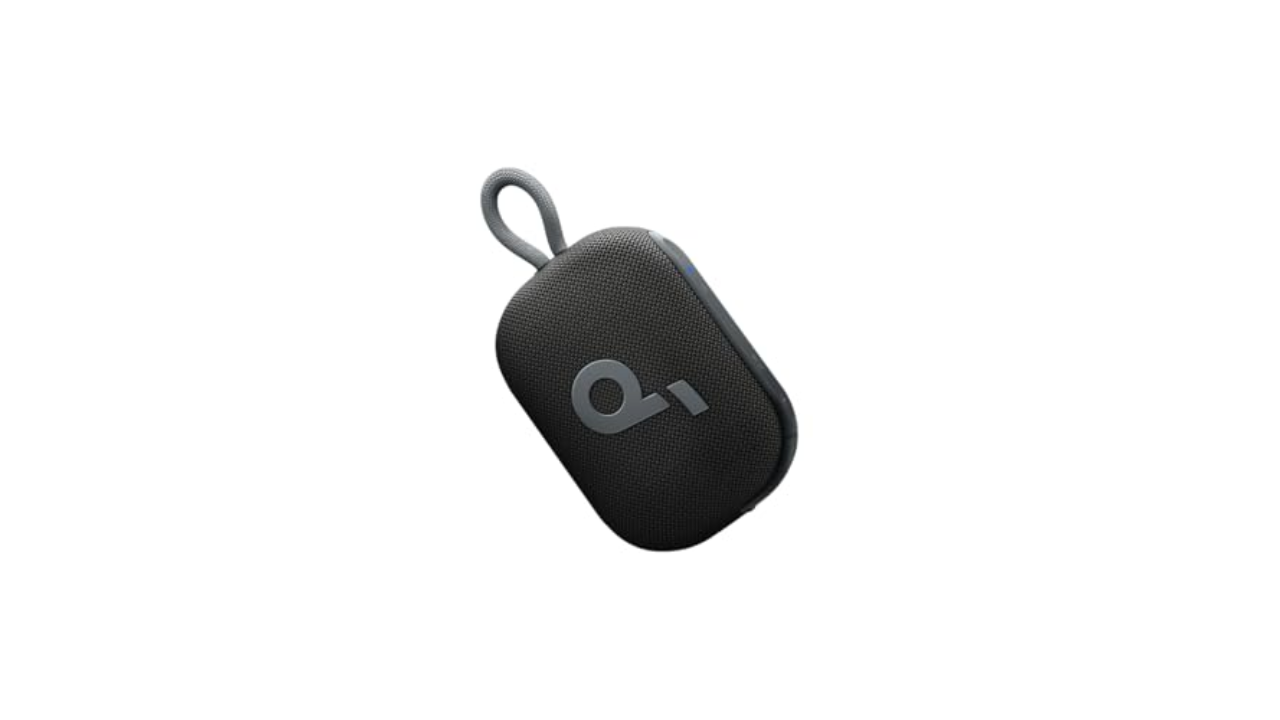
Soundcore
Features: Built-in carrying loop | Battery life: Up to 20 hours | Assistant support: None | Weight: 9.3 ounces | USB charging: Yes | Waterproof: Water‑resistant (IP67)
If you’re looking to spend as little as possible and get a speaker that will free you from using your smartphone to blast out tunes, the Soundcore Select 4 Go is a good option. It has decent sound quality for a speaker its size, and it’s loud enough to fill a standard-sized living room, bedroom or desk area outside. You can even pair two of them together to get bigger sound, too. It’s IP67 water- and dustproof, and it’s designed to float so it can handle an accidental dunk in the pool without any issue. And with a battery life of 20 hours, it’ll provide music for the entirety of your next party without breaking a sweat. — Valentina Palladino, Deputy Editor
Advertisement
JBL
Features: Built-in carrying loop | Battery life: Up to 7 hours | Assistant support: None | Weight: 0.4 pound | USB charging: Yes | Waterproof: Water‑resistant (IP67)
JBL made a handy, convenient little speaker in the Go 4. It gets decently loud and doesn’t sound too distorted at those higher volumes. Will it stand up to more expensive speakers on this list in terms of sound quality? No, but it sound good for its size, which is small enough to fit in the palm of your hand. Made in part with recycled materials, the Go 4 is IP67 water- and dustproof, and you can pair two of these speakers together to get an even wider sounstage. — V.P.
Advertisement
Photo by Jon Turi / Engadget
Features: Built-in power bank to charge other devices | Battery life: Up to 12 hours | Assistant support: None | Weight: 1 pound | USB charging: Yes | Waterproof: Water‑resistant (IP67)
If you’re just looking for a small Bluetooth speaker that can kick out some decent volume, the Tribit StormBox Micro 2 fits the bill. The audio quality here is fine; it doesn’t stand out in terms of fidelity, but the volume you get from this affordable little speaker is what makes it a good choice. If you’re bopping about outdoors on your bike or chilling in the park, it’s usually more about portability and volume anyway. The rubbery rear strap works well on relatively thin things like belts, backpacks and bike handlebars.
While it’s small and affordable, this mini speaker features a USB-C charging port for your devices in a pinch and you can wirelessly connect two of them for party mode or stereo sound. It also supports voice assistants for both iOS and Android users, and if you want to take calls on your phone via speakerphone, that’s easy to do as well.
Advertisement
Soundcore
Features: IPX7 waterproof, custom EQ settings using companion app | Battery life: Up to 13 hours | Assistant support: None | Weight: 1.9 pounds | USB charging: Yes | Waterproof: Water‑resistant (IPX7)
Soundcore has been releasing some very able speakers lately and one of its newest is a quality personal portable. The Motion 300 is of the pint-sized variety, but offers 30-watts of punchy and bright output. It’s IPX7 rated so it can handle a bit of water, and it works with the Anker Soundcore app that allows a fair amount of customization from EQ settings to button brightness. It also supports hi-res audio using the LDAC codec for Android users with a compatible device.
Advertisement
The Motion 300’s size and frequency range don’t quite allow for a ton of bass, but it’s relatively loud and thumpy, especially when it has surfaces to reflect off of. Soundcore has even extended its high-frequency range to 40kHz, and while its utility is debatable, the Motion 300 does sound crisp in the high-end spectrum. You can also enable adaptive audio, which helps optimize its sound delivery depending on the speaker orientation (on its back, standing up or hanging from its removable button-fastened strap).
The speaker’s design merges a funky style with office-machine chic, from the playfully speckled soft touch exterior to the metallic, logo-emblazoned grille. Its 1.7-pound weight and clutch-purse size makes it better as a handheld or stowed in your bag rather than hanging from a backpack or bike handlebars. Ultimately, you get great sound in a small package with features you can tweak to your liking, all at an approachable $80 price tag.
Ultimate Ears
Advertisement
Features: IP67-rated design, support for stereo pairing | Battery life: Up to 14 hours | Assistant support: None | Weight: 1.2 pounds | USB charging: Yes | Waterproof: Water‑resistant (IP67)
The latest version of a previous pick (the Wonderboom 3), the Ultimate Ears Wonderboom 4 is a tiny yet powerful portable that can deliver big sound. It’s still a cute, barrel-shaped small speaker with a nubby little strap that probably needs a carabiner to help attach it to most things. It offers up to 14 hours on a single change, and underneath, you can easily access the protected USB-C port whenever you need to refill. With an IP67 rating on top of the company’s five-foot drop test durability, it can go with you almost anywhere and survive to tell the tale.
Although there’s no app support or connectivity with the rest of the Ultimate Ears speaker lineup, you can easily pair it with other UE speakers for stereo sound. There’s also an outdoor mode button on the bottom that boosts the mid and high range to help the audio carry over a greater distance — perfect for when you need a compact party speaker that still delivers the best sound possible in its class.
Advertisement
Photo by Jon Turi / Engadget
Features: IPX7 waterproof, custom EQ settings using companion app | Battery life: Up to 12 hours | Assistant support: None | Weight: 2.3 pounds | USB charging: Yes | Waterproof: Water‑resistant (IPX7)
This nondescript wedge of a wireless speaker could easily slip under your radar, but it’s worth a listen. It has a bright and bassy output, which is helped along by Qualcomm aptX support for hi-res audio. This Anker Soundcore device has a solid, slightly heavy build with a metal front speaker grille, a soft-touch rubberized exterior (that loves your greasy fingerprints) and IPX7 water resistance. While it’s not the lightest or most portable, it has good sound, especially for the price. Plus the app offers EQ customization, so you can fine tune to your liking.
There’s also a 3.5mm aux input for wired connections. You can use it as a speakerphone when taking calls as well, or easily play music from your devices. That’s fortuitous, as we found that this small speaker works well as a mini soundbar alternative and the wired input offers a foolproof connection. Aside from that, you can easily charge the Motion+ thanks to its standard USB-C charging port and it should last up to 12 hours on a single charge.
Advertisement
JBL
Features: IP68-rated design, support for stereo pairing | Battery life: Up to 16 hours | Assistant support: None | Weight: 1.2 pounds | USB charging: Yes | Waterproof: Water‑resistant (IP68)
We considered the JBL Flip 6 the best JBL speaker for most people (you can still find it available online), and the JBL Flip 7 only improves upon the previous model. Sound quality is solid from lows to highs, even with the volume up at high registers. The cylindrical shape works well on its side or even standing on its end to save desk space. It has a capable carrying (or hanging) strap and raised buttons you can discern in the dark.
Advertisement
The JBL Portable app gives you a 3-band EQ to customize the sound profile if desired and if you have two Flip 7 speakers, you can run them as a stereo pair. If you happen to have a mix-and-match assortment of different PartyBoost-enabled JBL devices, you can connect multiple speakers for a bigger sound. And with a USB-C charging port, it’s a versatile device that’s easy to take with you on the move.
Bose
Features: Built-in mic for assistant support and phone calls, IP67-rated design | Battery life: Up to 12 hours | Assistant support: Google Assistant, Siri | Weight: 1.3 pounds | Wireless range: 30 feet | USB charging: Yes | Waterproof: Water‑resistant (IP67)
Advertisement
While the $119 Bose SoundLink Micro is half the size, we found that it’s definitely worth the extra $30 if you trade up to the SoundLink Flex. While it’s still not a room filler, the speaker offers some bright, dynamic finesse to your tunes, along with a significant amount of bass for its size. It’s similar to the scale of a small clutch bag, with a very small strap for carabiner-type hanging. Much of the exterior is sheathed in soft-touch silicone, except for the powder-coated steel speaker grilles. Like others in this range, the speaker is IP67 rated so it can handle the elements and sound good doing it.
Setup and connecting to the speaker should be done from within the aptly named Bose Connect app. You can also turn off voice prompts (which can become annoying) and pair with similar speakers for either party mode or stereo.
Features: IP67 waterproof, lossless audio over USB-C | Battery life: Up to 24 hours | Assistant support: Yes | Weight: 1.5 pounds | USB charging: Yes | Waterproof: Water‑resistant (IP67)
The new Pill has impressive bass performance due to the company’s decision to increase the size of the woofer rather than keep its previous arrangement that included two smaller ones. The speaker struggles at its loudest volumes, but it’s plenty loud enough well below that. The IP67 rating is more rugged than the Pill+ and over 24 hours of battery life will keep the tunes going for a long time. Plus, there’s lossless audio over USB-C and the ability to top off your phone or earbuds with the speaker’s battery.
This is a solid choice for anyone seeking crisp clarity with true low-end thump if a track demands it. The addition of lossless is also nice for times you’d like a little more quality in your tunes. And you can also put two Pills together for bigger sound or use them as a stereo pair. — Billy Steele, Senior Reporter
Advertisement
Marshall
Features: IP67-rated design, support for stereo pairing | Battery life: Up to 30 hours | Assistant support: None | Weight: 0.26 pounds | USB charging: Yes | Waterproof: No
The Emberton III Bluetooth portable from Marshall continues to iterate on a design we’ve loved for a while. This clutchable rectangular slab has a max output of 20 watts to deliver the brand’s signature sound. It may not be the loudest in its size range, but it focuses more on balanced output than raw power. There’s still 360 sound as well, making it a good companion for small get togethers.
Advertisement
The latest model has more than 32 hours of battery life and a rugged IP67 rating. There’s also a built-in microphone, so you can use it to take calls while you’re getting ready for the day or chilling out in the backyard.
JBL
Features: Built-in power bank to charge other devices, IP68-rated design, support for stereo pairing | Battery life: Up to 28 hours | Assistant support: None | Weight: 2.2 pounds | USB charging: Yes | Waterproof: Water‑resistant (IP68)
Advertisement
If you’re willing to spend a little more for bigger sound and more hours of battery life, the midrange JBL Charge 6 is a great upgrade over the Flip 6 or Flip 7. It has the same bright output and capable low end, but in a slightly larger package. If you’re looking for a smallish portable speaker, but something capable enough to entertain a few guests, this works.
The Everboom is a decent mid-range option in the Ultimate Ears lineup. The best features are its high durability and Outdoor Boost for better sound outside. You’ll get loud, 360-degree audio, but like a lot of UE speakers, there’s a lack of overall fidelity due to subdued mid-range tone. There’s plenty to like here, especially if you’re looking for something to take on an adventure that won’t weigh you down too much. The price is, however, a bit on the high side with the limited suite of features. But, all of the basics, and slightly more, are covered. Plus, it floats! — B.S.
Photo by Jon Turi / Engadget
Advertisement
Features: IP67-rated design, support for stereo pairing | Battery life: Up to 20 hours | Assistant support: None | Weight: 3.9 pounds | USB charging: Yes | Waterproof: No
Marshall launched the Middleton in January 2023 and positioned it as the new flagship for its portable Bluetooth speaker line. It’s the largest of the company’s IP67 rugged portables (measuring 4.3 x 9 x 3.75 inches) and offers a significantly louder output, with 50-watts of 360-degree sound. There are dual woofers and tweeters for the front and back, with passive radiators along each side. It also offers Stack Mode, which lets you pair with any other Middleton, Emberton II or Willen speakers nearby to expand your listening experience.
The Middleton can be managed through the Marshall Bluetooth app, but it also includes most of those same controls on the top. There’s a Bluetooth button (which doubles as the Stack Mode control) and a multi-use joystick for power on/off, volume control and track selection (forward or back). You also get bass and treble controls, which are a welcome addition and a first for one of Marshall’s speakers without physical knobs.
It has that traditional Marshall look, made with a soft-touch exterior composed of 55-percent post-consumer recycled plastic and is 100-percent PVC free. It also has a carry strap you can easily fit your hand through. Any dust, dirt or prints on the outside can be scrubbed off with a damp cloth, and even the exposed USB-C and 3.5mm input port components are waterproofed. That USB-C port can be used to recharge the speaker, or power up your other devices with its 9,600mAh battery.
Advertisement
Of course audio purists should know that it only supports SBC, but the sound quality is still top notch for most people. And while Marshall devices are usually priced at a slight premium, the good sound quality and decent low-end capability definitely makes this model worth checking out.
JBL
Features: IP67-rated design| Battery life: Up to 24 hours | Assistant support: None | Weight: 4.6 pounds | USB charging: Yes | Waterproof: Water‑resistant (IP67)
Advertisement
If you’ve enjoyed any of the smaller JBL speakers out there and are willing to spend a bit more, the Xtreme 4 is a good all-around choice. It’s big enough to warrant a shoulder strap, but still only about the size of a football. When we tested the previous version, the Xtreme 3, we found it to have pleasant dynamic sound, with hefty lows and a lively high end that seems slightly better balanced at this size than the smaller options from JBL in this range.
This is easily a favorite if you want something under $400 with a little more gusto than your average portable, but still being IP67 weatherproof. It has enough output to breathe life into a small soiree or backyard hang, although while it’s quite loud, it’s best when it’s close by or indoors where the bass can resonate to its fullest.
Best portable Bluetooth speakers: $450 and higher
Photo by Jon Turi / Engadget
Advertisement
Features: IPX2-rated design, support for multi-host functionality | Battery life: Up to 20 hours | Assistant support: None | Weight: 10.8 pounds | USB charging: No | Waterproof: Water‑resistant (IPX2)
If you didn’t know about Marshall’s history in amplifiers and rock music, the design should clue you in. The Tufton is the largest portable Bluetooth speaker from the company, looking much like an amp itself (as do most of them). It has physical knobs at the top and a carry strap to help move it about. While it may appear as rugged as concert gear, it’s less impervious to the elements as some with just an IPX2 rating, so it’s protected from light splashes from above.
Whether or not you’re a fan of the brand, the rich and distinctly thumping output may make you one. We felt pulled into the sound while listening to the Tufton, a bit more than most other speakers we tested at this scale. It’s dynamic, warm and, dare we say, analog in its audio presence. It’s also multi-directional with a supplemental driver on the back along with a bass port.
There’s no app to adjust the EQ, just the physical controls including a Bluetooth connect button, a power/volume knob and two for bass and treble. Once powered on, you can use the volume knob to set a max headroom and adjust volume on the fly from your source. The bass and treble knobs help you choose the tone of your adventure, from a purely flat soundscape to an enhanced one. We just wish you could see the dial indicators in the dark. Other features include aptX support and quick-charge capabilities that provide four hours of listening time in just 20 minutes, plus great standby battery life.
Advertisement
Photo by Jon Turi / Engadget
Features: IPX4-rated design, support for multi-host functionality | Battery life: Up to 24 hours | Assistant support: None | Weight: 13 pounds | USB charging: No | Waterproof: Water‑resistant (IPX2)
The UE Hyperboom is an all-arounder with good looks, portability, plenty of connectivity options and a loud and punchy (albeit compressed) output. The technical fabric exterior (which now includes a white option) lets it live among your furniture without screaming “party box,” while the optical input offers a possible TV speaker alternative. The large capacitive buttons on top let anyone adjust the volume, pause or play the music and select from two concurrent Bluetooth connections or a hardwired input (3.5mm or optical). On the edge with the silicone carrying handle there are the wired ports, plus one for charging USB devices and another for power. You can expect to get up to 24 hours of battery life, and the Hyperboom is good at holding a charge on standby.
Advertisement
This capable and loud (roughly 100dB) speaker will please most people as long as the party is of primary concern over fidelity. The ability to remotely power your device on or off using the UE app is also a welcome feature. Plus you can easily expand the sound to other Ultimate Ears Boom speakers (except Wonderboom) using the PartyUp feature. The IPX4 rating means a few spilled drinks won’t hassle it, but it’s not the best Bluetooth speaker choice for all-weather adventures.
Factors to consider in a portable Bluetooth speaker
Weather-proofing
IP ratings (Ingress Protection) are the alphanumeric indicators you often see in a product’s spec sheet that define water and dust resistance. It’s usually a combo of two numbers with the first indicating solid object ingress and the second being water. The former goes from 0 (no protection) to 6 (dustproof). The water-resistance rating goes from 0 (no protection) to 9 (protected against immersion and high pressure jets). When an X is used instead of a number, that means the product wasn’t tested for resistance. If it’s a waterproof speaker, it may have some innate resistance to solids, but there’s no guarantee.
IP67 is a common rating these days indicating highly resistant and potentially rugged speakers often featured in audio products like outdoor speakers. These are safe for quick dunks in the pool or tub and should be more than OK in the rain or in the shower. They’re also good options for the beach, playground and other rough environs.
Advertisement
Additionally, speakers with ports and a high rating will often include a tight-fitting cover over the charging or auxiliary ports. If you plan on using the ports, that may limit the product’s rated ability to fend off the elements.
When looking for the best portable Bluetooth speaker, consider the IP rating and also how you plan to use your Bluetooth speaker when making your decision. It may be worth splurging on a better sounding model with a lower IP rating if you’ll mostly be using it indoors, for instance.
Battery life
The focus of this guide is on the best portable speakers, and while “portable” can be a relative term, these devices are generally for people who are likely to find themselves far from a power outlet. These days, around 12 hours of playtime seems to be the baseline but obviously, the more battery life you can get out of a speaker, the better, especially if you plan to listen to podcasts or music on the go.
That said, be careful when looking at battery specs, as they frequently list a maximum runtime (“up to” x amount of hours). This usually means they tested at a low to mid volume. If you like your tunes loud with punchy bass, it can often end up cutting the expected usage time in half or more. Luckily, some manufacturers also list the expected hours of battery life when used at full volume and that transparency is appreciated. Bear in mind, however, that not all of the best Bluetooth speakers use the same charging port. Some support USB-C charging, while others use micro-USB, and some may even come with an adapter for added convenience.
Advertisement
Additionally, if your audio system or mini Bluetooth speaker also happens to have Wi-Fi connectivity, they’re usually designed for always-on functionality. Unlike normal Bluetooth speakers that go to sleep after a short period without use, these will usually stay awake (to listen for your commands) and slowly run down the battery. If you’re out and about, you’ll want to remember to turn these speakers off manually when not in use to maximize battery life.
Range
Bluetooth 5 offers better range and more reliable connectivity than its predecessors, making it a great feature to look for in the best Bluetooth speaker. That said, Bluetooth range can still be tricky. Some companies list their product’s longest possible range, usually outdoors and in an unobstructed line-of-sight test environment. Other companies stick with a 30-foot range on the spec sheet and leave it at that, even though they may be running Bluetooth 4.x or 5.x. That’s likely underselling the speaker’s potential, but unpredictable environments can affect range and there’s little point in promising the moon only to get complaints.
I’ve seen signal drop issues when crouching down, with my phone in the front pocket of my jeans, and barely 30 feet away from a speaker inside my apartment. I ran into this issue across several devices regardless of their listed Bluetooth connectivity range.
If you’re hosting a patio party and duck inside, it’s wise to keep any wireless Bluetooth speakers relatively close by just in case. It’s hard to gauge what aspects of any environment may interfere with a Bluetooth signal. In general, take range specs around 100 feet or more as a perfect-world scenario.
Advertisement
Latency
This is a minor mention for those out there who use a speaker for their computer output, or as a mini Bluetooth soundbar solution for setups like a monitor and streaming box. It’s annoying to find that your speaker’s latency isn’t low enough to avoid lip sync issues. Luckily, it seems that most speakers these days don’t often have these problems. Only a handful of the few dozen speakers I tried had persistent, noticeable lip-sync issues. Aside from occasional blips, all of our picks worked well in this regard.
If you plan to frequently use a speaker for video playback, look for devices with the most recent Bluetooth 5 technology and lower latency codecs like aptX. Also make sure the speaker is close to the source device as distance can be a factor. To avoid the issue altogether, though, consider getting one with a wired auxiliary input.
Extra features
Some speakers don’t just play music — they bring the party to life with built-in LED light effects and a full-on light show that syncs to your music. If you love a bit of visual flair with your tunes, it’s worth checking out models that offer LED light customization options.
Sound quality also plays a huge role in picking the right speaker. The best Bluetooth speaker should deliver a balanced mix of punchy bass, clear highs and strong vocals. Many models also include customizable sound modes that let you tweak the EQ to better suit different genres — whether you’re blasting EDM, listening to a podcast, or just want a more immersive experience that would impress even an audiophile.
Advertisement
If aesthetics matter, many models come in a tiny size that makes them extra portable, with plenty of color options to match your personal style. Whether you want a sleek black speaker or a vibrant eye-catching design, there are plenty of choices to fit your vibe.
Other portable Bluetooth speakers we tested
Sonos Roam
While there’s a lot to like about the Sonos Roam, there are plenty of other Bluetooth speakers with more features and better battery life. In our review, we gave the Roam a score of 87, praising it for its good sound quality, durable waterproof design and ability to work well within an existing Sonos speaker ecosystem. But the price is just fine at $180, and we found Bluetooth speakers that offer more at lower price points. Plus, the Roam taps out at 10 hours of battery life, and all of our top picks can run for longer than that on a single charge.
Monoprice Soundstage3
The Monoprice Soundstage3 offers relatively big sound at a midrange $250 price, with a variety of inputs rarely found on a portable Bluetooth speaker. The boxy, minimalist design is no nonsense, even if it’s more of a less-rugged, bookshelf-styled homebody. While the speaker puts out crisp highs alongside booming lows, we found the bass can overpower the rest of the output, so it’s not for everyone. And after using the speaker for many months, we also found the low-slung, poorly labeled button panel along the top can be a bit annoying to use. If you want a speaker for road trips, favor mids and highs, and plan on using physical buttons for volume control and input selections, there are better options out there.
JBL Boombox 3
Fans of JBL’s bluetooth speaker sound profile who want to crank up the volume, but also want a rugged and portable option, may enjoy the JBL Boombox 3. It’s a decent grab-and-go speaker with a very loud output, although it’s not as good as some of the loud-speaker styled options for long-throw sound and big outdoor areas. However, the price for this speaker line remains prohibitively expensive compared to other options with big sound that cover a bit more ground. If the JBL brand is your thing and you like the rugged, portable form factor, we recommend looking for discounts, or shopping around and exploring the available options including the (less portable) JBL PartyBox series.
Advertisement
Soundcore Motion X500
Soundcore speakers have generally been good and often reasonably priced. The Motion X500 loosely falls into that category. It has a tall, metallic lunchbox vibe with a fixed handle and pumps out a respectable 40 watts of crisp, clear sound for its size. It can get pretty loud and serves up a good dose of bass, although its primarily a front-facing speaker.
There’s LDAC hi-res audio support for Android users, but the main selling point on this is spatial audio. This is done through an EQ change and the activation of a small, up-firing driver. There’s a slight benefit from this if you’re up close and directly in front of it, but it’s not a total game changer for your listening experience. The original pre-order price of $130 made it a decent option in terms of bang for your buck. But it went up to $170 at launch, making it less appealing even if it’s still a good middle-of-the-road option if you want small-ish, clear and loud. If you can find one on sale for the lower price, it’s definitely worth considering. There’s also the larger and louder X600 ($200) if the overall concept is working for you.
Portable Bluetooth speaker FAQs
How does a Bluetooth speaker work?
Bluetooth technology lets devices connect and exchange data over short distances using ultra high frequency (UHF) radio waves. It’s the frequency range that’s carved out for industrial, scientific and medical purposes, called the 2.4GHz ISM spectrum band. This range is available worldwide, making it easy for companies to use with devices for global markets.
Bluetooth speakers include this tech, which lets them communicate with source devices like smartphones, tablets or computers in order to exchange data. The two devices pair by sharing a unique code and will work within the proscribed range for the device and Bluetooth version.
Advertisement
Ever since Bluetooth 4.0 was released over a decade ago, new iterations usually improve on range, use less power and offer expanded connectivity with features like multipoint (allowing more than one device to be connected at the same time, for instance).
Who should buy a Portable Bluetooth speaker?
If you want to play music while you’re out-and-about on something other than headphones, a portable Bluetooth speaker is probably what you want. There’s a broad range of devices for all types of circumstances. Many adventurous people will want a relatively lightweight portable that’s rugged enough to handle the elements while also packing enough charge to play for hours on end. Others may simply need a speaker they can move around the house or use in the backyard. In this case, you can choose larger less rugged models that may offer better sound.
Photo credit: NASA | Zena Cardman As night falls over the Arabian Sea and India’s west coast, something remarkable happens. The fishing boats turn on their bright green lights to attract squid, shrimp, sardines, and mackerel, with the glowing dots lighting up the black waters. From the dock or the beach, it’s just a normal sight, a bunch of ships doing their thing long after the sun has set, but up in the International Space Station, 259 miles above the earth, those same lights transform into brilliant streaks and bursts of color that compete with city lights for attention and, in some cases, appear much brighter than entire cities.
Astronaut Zena Cardman was in control of the camera during routine Crew Earth Observations. This is an initiative that has taken hundreds of thousands of photos of what we’re doing on Earth and how the planet is changing. What you see is a sea of dark water, with these bright green streaks emerging where all the boats are concentrating their efforts. On land, city lights give a gentle yellowish glow. The contrast is startling between these clean small blobs of light on the ocean and the spreading mass of city lights.
BUILD AN OFFICIAL NASA ROCKET – Kids prepare to explore outer space with the LEGO Technic NASA Artemis Space Launch System Rocket (42221) building…
3-STAGE ROCKET SEPARATION – Young builders can turn the hand crank to watch the rocket separate in 3 distinct stages: solid rocket boosters, core…
STEM BUILDING TOY FOR KIDS – This educational rocket kit was created in collaboration with NASA and ESA to showcase the authentic system that will…
The reason boats use green lights in the first place is that artificial light attracts many aquatic species. They approach it because they believe there is food there, or because they are simply interested. That is precisely what the fisherman are depending on. So, at night, when visibility is limited and the fish are swimming near the surface, fishermen may see them and catch more. When a group of boats lights up the sea at the same moment, it resembles a collection of small villages floating on the water. Each boat is a sharp little point, but when combined, they form long, bright streaks that depict the boats traveling over the water.
The @Space_Station rarely makes big changes to its orientation, but we were lucky to experience such maneuvers (flipping around to fly butt-first, then flipping back again) before and after each @spacex CRS-33 reboost. This 60x speed timelapse was one of my favorites since it… pic.twitter.com/7IsZnb1G7G
City lights, on the other hand, present a very different story since they show us where the roads, buildings, homes, and industries are. It’s really evident from orbit. Cities sprawl along beaches and down into valleys, emitting a single, continuous glow. In contrast, fishing lights remain out at sea. They are usually lines or curves of light that follow the best fishing spots. The green tint of the boat lights is another feature that makes them stick out, as it is not a color commonly seen while looking down at streetlights and buildings.
As India pitches itself as a global hub for applied artificial intelligence, OpenAI has partnered with Pine Labs to integrate AI-driven reasoning into the fintech firm’s payments stack, automating settlement and invoicing workflows in a move the companies say could help accelerate AI-led commerce in India.
The partnership will see Pine Labs embed OpenAI’s application programming interfaces — software tools that let companies plug AI into their existing systems — within its payments and commerce infrastructure, the companies said on Thursday, all with the aim of enabling AI-assisted settlement, reconciliation, and invoicing workflows.
The deal underscores OpenAI’s broader push to expand its footprint in India, one of its fastest-growing markets, as it looks to move beyond being known primarily as the maker of ChatGPT and embed its technology into education, enterprise, and infrastructure. Earlier this week, OpenAI partnered with leading Indian engineering, medical, and design institutions to bring AI tools into higher education, betting that India’s large developer base and more than a billion internet users will play a central role in the next phase of AI adoption.
Pine Labs is already using AI internally to automate parts of its settlement and reconciliation process, cutting the time it takes to clear daily settlements from hours to minutes, according to Chief executive B Amrish Rau. The Noida-based company previously relied on manual checks by dozens of employees to process funds from multiple banks before markets opened each day, a workflow that is now largely handled by AI-driven systems, he said in an interview.
Advertisement
For Pine Labs, the partnership is intended to extend those AI-driven efficiencies beyond internal operations to merchants and corporate clients, starting with business-to-business use cases such as invoice processing, settlements and payments orchestration, Rau told TechCrunch. He noted the company sees faster adoption in B2B workflows, where AI agents can handle large volumes of repetitive financial tasks under predefined rules, before similar capabilities reach consumer-facing payments.
“People talk about retail AI, but the bigger impact of all of this is really efficiency improvement, especially in B2B,” Rau said. “If you look at invoicing and settlement, those are workflows where agents can actually drive the process end to end, and that’s where adoption can happen faster.”
The rollout of more autonomous, agent-led payment workflows will move faster in overseas markets where regulations already allow such transactions, Rau said, while India is likely to see a more gradual adoption focused on AI-assisted commerce rather than fully agent-initiated payments. He said that Pine Labs is already prototyping agent-driven payments in parts of the Middle East and Southeast Asia, even as Indian regulations require tighter controls on how payments are authorized.
Techcrunch event
Advertisement
Boston, MA | June 23, 2026
For OpenAI, the partnership offers a route deeper into India’s payments and enterprise ecosystem as it looks to move beyond consumer-facing tools and embed its models into high-volume, regulated workflows. Rau said the collaboration is aimed at increasing merchant stickiness and expanding Pine Labs’ role from a payments processor to a broader commerce platform, with higher transaction volumes over time translating into incremental revenue.
Advertisement
Pine Labs says it works with more than 980,000 merchants, 716 consumer brands, and 177 financial institutions, and has processed over 6 billion cumulative transactions valued at over ₹11.4 trillion (about $126 billion), per its prospectus published last year. The fintech operates across 20 countries, including Malaysia, Singapore, Australia, parts of Africa, the UAE, and the U.S., giving the OpenAI partnership reach across both Indian and international markets.
Rau said the partnership does not involve revenue sharing between the two companies, with Pine Labs not taking a cut if its merchants choose to embed OpenAI’s tools. “We’ve kept it completely independent of each other — anything related to payment and payment services, we will get the benefit of it, and anything related to OpenAI revenues will go to them,” he said.
The arrangement, Rau added, is also non-exclusive. He compared it to OpenAI’s partnership with Stripe in the U.S. and said Pine Labs remains open to working with other AI providers.
Rau said Pine Labs is building additional security and compliance layers around AI-driven workflows to ensure that sensitive merchant and consumer transaction data remains protected, as the company integrates AI more deeply into its payments systems. He said the focus is on ensuring transactions remain secure and compliant even as more workflows are automated by AI.
The new announcement comes as India hosts its AI Impact Summit in New Delhi, where global AI companies including OpenAI, Anthropic, and Google are showcasing their latest capabilities alongside Indian startups demonstrating AI applications aimed at large-scale deployment across sectors such as finance, healthcare, and education.
India’s digital payment platforms process trillions of dollars a year through UPI, the government-built real-time payments rail that handles more than 90% of all payment transactions in the country, but one of their largest net revenue line items is not a payment product at all: it’s a cheap plastic speaker that sits on a shopkeeper’s counter and reads out incoming payments aloud.
The roughly 23 million soundboxes deployed across India earn about $220 million a year in rental fees, more than every explicitly UPI-linked revenue line in the ecosystem combined, according to estimates from Bernstein. Each device costs $7-12 to manufacture and earns its platform $7-10 a year in rent. A story adds: PhonePe processes about 48% of all UPI transactions in India. Its net payment processing revenue in H1 FY26 was about $83 million. Its device revenue was about $34 million. Running nearly half of India’s real-time payment infrastructure earns PhonePe only 2.4 times what it makes from renting speakers to shopkeepers.
Google has just announced its latest affordable Pixel, but how does it compare to last year’s?
As 2025’s Pixel 9a saw a dramatic change over its predecessors, on paper the new Pixel 10a seems like more of a tweak rather than a complete overhaul. In fact, the Pixel 10a uses the exact same Tensor G4 chip as last year’s affordable smartphone.
With that in mind, what’s really new with the Pixel 10a? Are there enough differences to warrant an upgrade over the Pixel 9a?
Ahead of our review, we’ve compared the specs of the Pixel 10a to the Pixel 9a and highlighted the key differences, alongside any noteworthy similarities, below. Keep reading to see what’s new with the Pixel 10a and whether it stands a chance at overtaking the Pixel 9a in our best mid-range phones guide.
Advertisement
Price and Availability
At the time of writing, the Pixel 10a is available for pre-order and will officially launch on March 5th. It comes in a choice of four colours, Lavender, Berry, Fog and Obsidian, and has a starting RRP of £499/$499.
Advertisement
SQUIRREL_PLAYLIST_10208265
Having launched in 2025, the Pixel 9a can be purchased now and has an official RRP of £499/$499. Having said that, as it’s nearly a year old, we not only expect its RRP to drop in the coming weeks, but you can also easily pick up the handset with a hefty price drop. For example, at the time of writing the Pixel 9a was available to buy on Google’s official store from just £349.
Advertisement
SQUIRREL_PLAYLIST_10207452
Both run on Google Tensor G4
In a somewhat disappointing move by Google, instead of kitting the Pixel 10a with the same Tensor G5 chip found in the rest of the Pixel 10 line-up, the brand has opted to reuse the Tensor G4 chip from the Pixel 9 series instead. Now generally speaking, this is something that brands tend to do with budget-friendly alternatives to their flagship models, however this isn’t something that Google does.
The Pixel 9a, Pixel 8a, Pixel 7a and even the Pixel 6a all ran on the same chip that powered the entirety of each respective series – including the Pro model. With this in mind, Google’s decision to reuse last year’s chip is undoubtedly a shame.
Google Pixel 10a in hand. Image Credit (Google)
Advertisement
Having said that, it’s worth noting that we still found the Pixel 9a’s performance to be admirable. While Google Tensor chips can never compete with the sheer gusto of Qualcomm or Apple’s flagship chips, the Pixel 9a still allows you to open apps, play casual games and stream without any hint of lag or stutter. With this in mind, we hope for the same level of performance in the Pixel 10a, but you could argue that if it’s the same chip why not save a bit of money and opt for the older phone?
Advertisement
Pixel 9a in hand. Image Credit (Trusted Reviews)
Google Pixel 10a features Satellite SOS
Satellite SOS enables Pixel users to connect to emergency services via satellite if they find themselves without Wi-Fi or a mobile network. While the feature is found in most of the Pixel 9 series, it’s not available in the Pixel 9a. Instead, the Pixel 10a is the first A-Series to sport Satellite SOS.
It’s a shame the Pixel 9a doesn’t benefit from Satellite SOS, as it really could be a life-saving feature if users find themselves in an emergency situation but without any network connection.
Both the Pixel 10a and Pixel 9a are fitted with a dual rear camera system and include a 48MP main and a 13MP ultrawide lens. Considering we praised the Pixel 9a as being a “fantastic little snapper” that delivers exceptionally accurate results, the fact Google hasn’t made changes with the Pixel 10a is somewhat understandable. Even so, this decision makes the Pixel 10a harder to recommend when compared to the cheaper Pixel 9a.
Pixel 9a cameras. Image Credit (Trusted Reviews)
Advertisement
However, Google has introduced some of its photo tools to the Pixel 10a which the Pixel 9a misses out on. These include Auto Best Take which helps ensure everyone in a group shot looks their best and Camera Coach. The latter was introduced with the Pixel 10 and uses Gemini to analyse what you’re taking a photo of and your current snapping conditions and gives you advice on how to perfect the shot.
Whether the inclusion of such tools is enough to warrant the Pixel 10a is down to personal preference. Even so, we would argue that although they’re undoubtedly nice to have, they shouldn’t be the sole reason you upgrade.
Advertisement
Pixel 10a promises up to 120-hours of battery with Extreme Saver
While the Pixel 9a promises up to 100-hours battery life when Extreme Battery Saver is switched on, the Pixel 10a claims a massive 120-hours instead. Both figures sound impressive but do keep in mind that Extreme Battery Saver will pause most apps and notifications, slow processing and turn off many features, which means your handset won’t be quite as usable.
Google also promises the Pixel 10a has faster charging than the Pixel 9a, with speeds of up to 30W compared to just 23W. It’s an improvement at least, but 30W is still way behind many of the best mid-range phones.
Pixel 10a. Image Credit (Google)
Pixel 10a is made with more recycled materials
Google claims the Pixel 10a is made with the “most recycled material of any A-series Pixel yet”, including recycled cobalt, copper, gold and tungsten. These, according to Google, add up to at least 36% of the product based on weight. In comparison, although the Pixel 9a is also made from recycled materials, they only make up at least 23%.
Advertisement
Otherwise, both the Pixel 9a and Pixel 10a have an IP68 rating which means they can survive a dunking in water and have Gorilla Glass displays. However, the Pixel 10a does benefit from the newer Gorilla Glass 7i coating which is also found in the Motorola Edge 70 and promises to be up to two times more scratch resistant than its nearest competitors.
Advertisement
The Pixel 9a, on the other hand, uses Gorilla Glass 3 on its display which first launched back in 2013. While we didn’t pick up any scratches during our time with the Pixel 9a, it’s definitely a disappointing addition.
Early Verdict
We’ll refrain from providing a conclusive verdict until we review the Pixel 10a. Even so, with the same Tensor G4 chip and dual rear camera as its predecessor, we’d argue that there aren’t many reasons to upgrade to the Pixel 10a. Yes, the inclusion of Satellite SOS is admirable and it’ll charge slightly faster, but as the Pixel 9a will likely retail for a lot less than the Pixel 10a, it seems like a no-brainer to go for the former.
We’ll be sure to update this versus once we get our hands on the Pixel 10a.
The new jobs will span across manufacturing, engineering, quality assurance, and support functions at Vertiv’s sites in Burnfoot, Letterkenny and Campsie.
Vertiv is expanding its manufacturing operations in Co Derry and Co Donegal, with plans to create “several hundred” new jobs over the next six months. The expansion comes as Vertiv aims to strengthen its capabilities in electrical switchgear manufacturing – components critical to data centres and communication networks.
The roles are being created to meet immediate operational requirements driven by growth across the US-headquartered company’s markets globally, Vertiv said.
The new jobs will span across manufacturing, engineering, quality assurance and support functions across Vertiv’s three manufacturing facilities in the region – Burnfoot and Letterkenny in Co Donegal, and Campsie in Co Derry. The majority of the roles will be for electricians, panel wirers, mechanical fitters and general operators, Vertiv said.
Advertisement
Vertiv specialises in data centres, providing power, cooling and a range of other IT services to clients. It operates in more than 130 countries worldwide.
The company first invested in the Co Derry site back in 2023, creating around 200 jobs at the time. The latest hiring spree is set to add to the more than 2,000 already employed by the company across the island.
“This expansion represents a major vote of confidence in the skilled workforce and business environment of the Northwest region,” said Paul Ryan, the president of Vertiv’s Europe, Middle East and Africa operations.
“The expansion of the facilities and creation of these roles in Derry and County Donegal will increase our manufacturing capacity and enable us to deliver critical digital infrastructure at scale and speed.”
Advertisement
The digital infrastructure specialist bought Donegal-based company E&I Engineering Ireland for $1.8bn in 2021.
Through a series of pivots, The Plattering Co. navigated challenges & scaled successfully
For years, catering in Singapore had largely remained functional, focused on trays of food and stainless steel warmers rather than presentation or experience.
Then came The Plattering Co., which bills itself as the city-state’s first artisanal bespoke caterer. Founded by long-time friends Yasmin Sim, Pearl Chan, and Jessica Lim, the trio crafts grazing tables, floral arrangements, and immersive food displays that prioritise presentation as much as taste.
Ironically, catering wasn’t even their original focus—a pivot from their other business led the trio here, and the gamble seems to have paid off: today, they serve over 100,000 people a year.
We spoke to Yasmin and Jessica of The Plattering Co. about how the business came about and how it’s reshaped Singapore’s catering scene.
Advertisement
An unexpected start
The journey to becoming a premium catering brand serving over a hundred thousand people a year began with something far simpler: a home juicer.
In 2014, at the height of the juice cleanse trend, Yasmin and Pearl started experimenting with cold-pressed juices. They first shared them with family and friends, but orders soon started to pick up. Jessica later joined the duo to help manage operations.
Image Credit: The Plattering Co.
As demand grew, they formally established their cold-pressed juice business as Juix Up, quickly outgrowing their home setup and moving into an office space. Within a year, they had outgrown that too, expanding operations from a small unit in Marine Parade to a factory in Mandai.
Beyond direct-to-consumer sales, the trio even secured B2B deals, including a retail stocking at an airport chain.
However, the speed of growth outpaced their financial planning. Overheads ballooned while utilities climbed, and big recurring orders didn’t come in as consistently as they had hoped.
Advertisement
“We didn’t do our numbers properly,” Yasmin admitted, noting they were mentally prepared to cut losses if things didn’t improve.
But a turning point soon came in 2018, when a regular customer asked if they could provide food—specifically, banana walnut muffins—to go along with their breakfast juices. Pearl, who loved experimenting in the kitchen despite having no formal F&B training, said yes.
Image Credit: The Plattering Co.
She carefully plated the muffins and drinks in a crate, paired them with a chalkboard display and sent them along with the juices. “Unexpectedly, the client immediately fell in love with the muffins and the whole presentation,” Yasmin recalled.
The same client soon began requesting more elaborate offerings—salmon platters, cheese boards, and styled grazing spreads. At a time when such curated platters were still relatively novel in Singapore’s catering scene, according to the trio, Yasmin agreed to give it a try.
(Left): One of The Plattering Co.’s charcuterie boards; (Right): The Plattering Co.’s oven-baked salmon platter with miso sauce./ Image Credit: The Plattering Co.
I’m a person who never gives up on a request. If someone asks for something I will never say no, I will just say, ‘okay, let me let me let me try to do it for you.’
Yasmin Sim, co-founder of The Plattering Co.
Advertisement
There was no business plan, no pitch deck, no formal strategy. The founders simply responded to demand, refining their offerings as they went. In Mar 2018, that approach led to the launch of The Plattering Co.
They grew fast, but everything came to a halt almost overnight
For The Plattering Co., Pearl’s eye for aesthetics quickly became the brand’s signature. Wooden boards replaced stainless steel trays, fresh florals softened tablescapes, and colours were intentionally curated—food wasn’t just served, it was styled.
Some of the brand’s now-iconic concepts began in personal moments, like the doughnut wall, inspired by Pearl’s wedding. During the event, she displayed doughnuts on pegs, turning them into both a decorative feature and an interactive treat for guests.
The team has since adapted similar concepts for clients, including the Pretzel Pipe Wall, nasi lemak bar, and taco bar, bringing creativity and interactivity to every event.
Advertisement
(Left): Pearl tending a juice cart for an event; (Right): The Plattering Co.’s Pretzel Pipe Wall, inspired by Pearl’s doughnut wall at her wedding./ Image credit: The Plattering Co.
Meanwhile, Yasmin and Jessica focused on operations and finances. By 2019, the growing brand had moved into a 1,000 sq ft shophouse at Cavan Road, carving out a niche in artisanal catering. They also began gradually building a team to support day-to-day operations.
But everything came to a halt just a year later, when COVID-19 wiped out corporate buffet catering overnight, with orders cancelled en masse. The revenue stream that sustained them vanished almost instantly.
Yasmin even floated the idea of selling toilet paper—anything, just to generate cash flow. The stress was immense, and another glance into the possibility of closing down hit the trio.
Nonetheless, the team decided to push forward for the sake of their employees’ rice bowls. Ideas were thrown around, and the team came together to brainstorm for ideas.
(Left): The Plattering Co’s premium breakfast boxes included Pearl’s house-baked banana walnut bread loaf; (Right): The Plattering Co’s bento box./ Image Credit: The Plattering Co
They pivoted quickly. Some of the new offerings they introduced included premium decorated breakfast boxes and bento boxes. Each came with heartfelt greeting cards to clients as a show of support in the midst of the pandemic.
When dining restrictions capped gatherings at four to five people, they also redesigned menus into smaller six-to-eight-person platters, leaning into B2C aggressively.
Advertisement
In 2021, the trio also launched creatively styled gift hampers under a new brand, Sage and Gifts. Rather than conventional festive baskets, these were curated food experiences packaged with the same bespoke aesthetic as The Plattering Co. “For a period, we became a bespoke gifting business,” Yasmin recalled.
Sage and Gifts’ hampers./ Image Credit: The Plattering Co
The pivots helped the business not just survive but thrive. By 2022, annual revenue had nearly quadrupled compared with pre-COVID levels. That same year, the founders sold off Juix Up and moved into a 2,000 sq ft central kitchen in Bedok to meet growing demand for their catering and gifting businesses.
Since then, The Plattering Co. has served more than 100,000 people annually across catering setups and drop-off orders. The pandemic, which nearly shut them down for a second time, ultimately forced the reinvention that accelerated their growth.
In 2024, the founders made another strategic decision: they divested the hamper brand as well, consolidating resources to focus squarely on their core catering identity.
Scaling the business vertically & building complementary arms
Image Credit: The Plattering Co.
The same year, the founders recognised that they had reached a pivotal stage in their growth journey.
Aware that scaling the business would require deeper operational expertise and structured leadership, they made the strategic decision to bring on board a Managing Director with 13 years of extensive experience in food systems and enterprise-scale business transformation to drive the next phase of expansion.
Advertisement
Today, The Plattering Co. operates across roughly 11,000 sq ft, including halal and non-halal central kitchens, floral operations, and warehouse facilities. The team numbers 35 to 36 people, with around 30% in the kitchen, and their customer base is split roughly three-fifths B2B and two-fifths B2C.
Acknowledging that The Plattering Co. occupies a premium segment, often catering to big occasions, the founders have expanded the business into multiple arms to reach a wider demographic.
Caterwow is a halal catering brand that offers bento boxes and buffets in a similar aesthetic to The Plattering Co. /Image Credit: Caterwow
They launched sister brand Caterwowto serve the halal and the mass market in 2024, alongside Singapore Food Services to provide white-label and OEM food services.
Another arm, Wildflower ArtCo., manages floral styling for weddings and events, while Kaizen Supply Chain oversees the operations of the company’s brands and offers supply chain logistics services to industry peers.
However, scaling a visually driven brand also presents its own challenges. Maintaining consistency in execution, especially replicating Pearl’s intricate handmade setups, grows increasingly difficult with large volumes of orders.
Advertisement
As such, the team has implemented thorough training sessions for staff to make sure that set-ups are in line with The Plattering Co.’s standards, while automating internal operations helps to streamline order flows and delivery planning.
They are also exploring AI-assisted processes to ensure structure and standardisation even when founders are not physically present.
All these free up time for their team to work on set-ups instead.
Image Credit: The Plattering Co.
Every setup involves meticulous planning—from the type of flowers selected to the size of platters and colour of tablecloths.
Catering, Jessica pointed out, is often under-appreciated in its operational intensity. It requires packing cutlery, holders, tables, plants; coordinating delivery; full setup; tear-down; washing—all within tight timelines. The premium pricing reflects not just the food, but the labour choreography behind it.
Advertisement
“The greatest sense of achievement after each setup comes when guests stop to take photos before they eat,” Jessica said.
Operationally, manpower remains one of the biggest challenges. Hiring the right fit and aligning kitchen, logistics, and office teams around shared values is always a work in progress.
Yasmin emphasised that even washers and drivers must understand their importance in delivering the final experience to clients. In this regard, the trio ensures that they maintain a strong work ethic amongst their team members while maintaining a strong sense of meaning in the workplace.
What’s next for The Plattering Co.
The Plattering Co aesthetic./Image Credit: The Plattering Co
Despite suffering losses in 2020, The Plattering Co. had built enough reserves to weather the storm.
Looking back, Yasmin attributes their survival not to perfection but to adaptability and to clarity of the brand’s direction.
Advertisement
The co-founder stressed the importance of humility regardless of success. She believes in continuous growth, emphasising that “If you’re not growing, you’re actually dying.”
That philosophy drove them to expand kitchens even when sales were stable. It also drove difficult decisions—like selling off both the juice and hamper businesses—rather than being sentimental about ventures that no longer aligned.
Above all, she advocates staying authentic. “Trust your beliefs. Trust your values. When you allow external influence to override your conviction, you lose clarity and direction.”
The Plattering Co nearly closed twice. Instead, it evolved from a home juicer in 2014 to a premium artisanal catering brand serving over 100,000 people annually.
Advertisement
Looking ahead, the trio plans to continue being a “trendsetter” and being at the forefront of their craft. They would also be open to expanding to overseas markets if the opportunity arises.
Berkshire Hathaway reduced its Apple stake by 4% in the fourth quarter of 2025, but Apple remains the conglomerate’s largest equity holding by a wide margin.
Berkshire Hathaway trims its Apple investment
A February 17 regulatory filing with the U.S. Securities and Exchange Commission shows Berkshire trimmed its Apple position during the quarter ended December 31, 2025. Apple was still valued at roughly $62 billion within Berkshire’s portfolio at year’s end. The filing also shows Berkshire sold 77% of its Amazon stake in the same quarter, a far more substantial reduction than the modest adjustment to Apple. The latest stock cut by Berkshire isn’t a harbinger of doom but rather a routine portfolio adjustment. Continue Reading on AppleInsider | Discuss on our Forums
When FOMO ( fear of missing out) first entered popular language, it was about teenagers scrolling through friends’ social feeds and worrying they weren’t having as much fun. But today, that word has taken on a different meaning in the era of artificial intelligence.
The fear now isn’t about beach photos or party snapshots. It’s about being left behind in a technological revolution that promises dramatic changes in work, creativity, and competition. It’s about the feeling that your own intelligence is not enough anymore, and you can’t compete with the artificial one.
You might call it AI FOMO, the worry, for individuals and companies alike, that others are moving ahead with AI while you stand still. And this feeling is real enough that researchers are trying to understand it scientifically.
They’ve developed tools to measure how much people fear falling behind in AI skills or access. A recent study showing how this fear plays out found that more than one in nine adults report elevated levels of anxiety about not keeping up with AI, especially younger people and women. Importantly, those with better AI literacy reported less fear, suggesting that understanding the technology reduces anxiety.
Advertisement
This isn’t abstract psychological jargon. It is a psychological undercurrent that feels entirely modern: tied to the ubiquity of AI in press, policy, and venture capital. The sense that everyone must adopt intelligent technology or risk irrelevance. But like most anxieties, its influence extends far beyond individual nervousness.
I think we reached the point where AI FOMO is shaping business decisions, corporate strategy, and even public policy.
When fear and strategy collide
The ripples from AI FOMO extend far beyond individual stress. They reach into boardrooms and strategic plans where companies, whether big or small, are deciding how hard to pursue AI.
I will give credit. That fear can feel logical. After all, AI promises efficiency, insight, and new capabilities, even for thought less capable.
But when fear becomes the main reason for action, it warps strategy. Rather than asking “What problem are we solving with AI?”, decision-makers ask “Can we afford not to use AI?” This change from thoughtful problem-solving to panic-driven adoption creates an illusion of purpose where there may be none.
And the results can be underwhelming. Recent business surveys show that many companies are still struggling to see real returns from their AI investments. Some executives report that less than half of their AI projects deliver measurable impact, or struggle to even quantify it. That’s a sign that widespread adoption does not automatically translate into value, especially when the impetus to buy in comes from anxiety rather than strategy.
The human side
AI FOMO isn’t just a corporate phenomenon. It affects workers too. Research focused on attitudes in the workplace shows that employees who believe AI will reduce their autonomy or make their skills obsolete tend to experience fear of missing out on AI adoption alongside heightened job anxiety. This connects with broader concerns about technology and wellbeing at work: many people worry that AI might replace tasks or change job expectations without clarity.
Advertisement
That fear can influence behaviour, too. Anecdotal reports, such as research showing a significant share of workers using AI tools secretly to keep up with perceived expectations, reflect this sense of needing to keep pace, even in silence. It’s not just about skills; it’s about identity, worth, and belonging in a professional world that is moving so fast.
The result is a kind of feedback loop. Investment without strategy, momentum without direction. In the pursuit of not falling behind, many risk falling into the very inefficiency they hoped to avoid.
Beyond anxiety; toward intentional AI
To navigate this moment with equanimity requires resisting the gravitational pull of fear. This is not a rejection of AI’s transformative potential. A large majority of business leaders still view AI as an opportunity, even as concerns about risk and readiness grow.
But recognising AI FOMO as a real force, not just a catchphrase, allows companies, governments, and individuals to ask better questions:
Advertisement
What are we truly trying to accomplish with this technology?
How does it serve core strategic goals?
Who benefits from this adoption, and who might it harm?
The answer, ultimately, is not to replace fear with oblivious optimism, but to replace reflexive action with intentional adoption.
In the end, AI FOMO tells us something deeper about ourselves than any quarterly earnings report or headline about the next breakthrough. It reveals how closely we have tied our hopes, and our anxieties, to a technology that is, for many of us, still only partly understood.
We see AI everywhere: pitched as productivity’s savior one moment, feared as a job-eating force the next. Across workplaces and dinner-table conversations alike, even on dating apps, the underlying emotion often isn’t excitement or dread alone, but something that feels curiously familiar and deeply human: the fear of falling behind, of being outpaced by peers, competitors, or even young strangers we’ve never met.
This feeling is more than a distraction or a fancy word. It is linked to genuine stress, anxiety, and reduced well-being for some, and it shapes behaviour in subtle but far-reaching ways. People tweak their resumes, accept rushed technology rollouts, or hunch over training modules long into the night; not because they are certain of the value, but because they fear the alternative.
This moment, then, feels like more than a fad. It is a crossroads between reaction and reflection. We can choose to let fear drive our choices, or we can treat that fear as a signal to slow down, learn, and make room for real understanding.
Advertisement
If I’ve learned anything in the years since AI leapt into the popular imagination, it’s this: technology changes fastest when we pair curiosity with clarity, and adapts most successfully when we meet it with empathy rather than anxiety.
So as the next wave of models arrives, as companies wordsmith their AI strategies, and as employees juggle training modules alongside tools and dashboards, here’s one gentle reminder worth holding onto: technology doesn’t define us. Our reactions to it do. We are the ones who imagine, experiment, hesitate, question, and decide.
If you’re an avid Makita user, you’re probably already aware that the tools manufacturer offers loads of must-have accessories and attachments to fit your every need. Tool accessories can include all kinds of things, from power tool attachments or components to mini organizers, and even some smaller hand tools. They can be as simple as something you need to make using your tools easier, or in some cases, something that totally overhauls what your device usually does.
What you might not know, though, is that you can make a substantial number of them yourself with just some filament and access to a 3D printer. Whether you have a set-up ready at home to dive into your own printer projects, or regularly hang around your local makerspace, you might be surprised by just how much you can pad out your collection with a few simple projects. And, with online 3D printing communities like Thingiverse or Printables, you don’t have to worry about designing your own gear from scratch — unless you really want to, that is.
Some accessories users have come up with and shared the blueprints to show some real ingenuity. They do this by offering nifty storage solutions that help you make the most of your space, practical hacks for keeping easy-to-lose tool attachments nearby while you’re working, and sometimes, by even overhauling what you use your Makita product for. In some cases, you’ll need a few extra pieces to finish off your project, like screws, nuts, or bolts, but for the most part, you can let your 3D printer do the magic.
Advertisement
Makita MakPac trolley attachment
Moving around a Makita MakPac is no small feat once it’s full of heavy tools or equipment. Why not make your life a little easier by putting it on wheels? StainlessMike’s neat 3D printer project makes it possible for you to do just that by giving you the components to build your own wagon. You can use the Printables project to manufacture four sections, which make up each corner of the wagon. Then, once they’re printed out, you can fit them together and finish them off with a few extra components.
Advertisement
Besides the 3D printed base, you’ll also need a few other things. That includes a few screws and nuts for fixing your printed creation together securely, alongside some wheels, washer plates, and any fixings you need for your wheels of choice. Once you’ve grabbed those, you’ll want a 3D MakPac Clip to help keep your trolley secure as you wheel it around.
Another thing you’ll want to keep in mind when building your trolley is what kind of filament to print with. According to the project page on Printables, you’re going to need to keep in mind where you primarily plan on using your trolley when you choose what kind of material to use. If you want to use your trolley mostly indoors, like in your garage or home studio, then you’d probably be best off using a polyactide (PLA) filament, as it can be easier to use for this project. However, if you need a sturdy build for regular use on rough or uneven surfaces, then a PETG material is recommended instead.
Advertisement
Makita magnetic bit holder
It’s easy to lose track of just the drill bit you need, especially when it’s right when you need it. And, it’s frustrating when your drill bit is just out of reach during a tricky or fiddly project. A 3D printed drill bit holder could be just the fix you need to keep everything you need close by.
Printables user Jonathan_29983 shared a simple but effective solution for keeping ahold of all your Makita drill bits at once with the power of a couple of magnets. The holder fits onto the left side of the base of your cordless Makita drill to make room for five different drill bits all at once. Perhaps the smartest part of the project is that the drill bits are then magnetically held in place, meaning you don’t have to worry about dropping them as you do your DIY.
After you’ve finished 3D printing the holder itself, you’ll need a few other components. But, thankfully, they’re all easy enough to get a hold of, and should be easy to add. You’ll need to grab a couple of M4 14-millimeter screws to help secure your holder, and a couple of 6-by-3-millimeter magnets. All you have to do to finish it off is assemble it correctly, and you have a cheap and easy drill bit holder to attach directly to your drill.
Advertisement
Pegboard holder for Makita 18V battery
There are all kinds of easy DIY storage options for organizing your tools, and one versatile, cheap, and fairly stylish option is a pegboard. You can hang it on your wall to display your tools, so you always know what you have and where you last put it. One challenge you might face using the pegboard organization method is figuring out exactly how to attach your tools to it — especially in the case of any larger, heavier, or more cumbersome items, like a battery charger.
Advertisement
BioGuyGone3D’s homebrew Makita accessory offers a pegboard mount designed to support Makita 18 volt battery chargers. Both the DC18RC and DC18RA models are compatible with the project. It’s a straightforward build that only needs a couple of extra parts — a couple of M3 10-millimeter or 12-millimeter screws — to bolt it together. It also comes in two different designs, one rounded and one rectangular, for you to choose from. If you’re an especially deft builder, you can also remix the design to make small tweaks so it fits exactly what you’re looking for.
The size and weight of battery chargers make it more difficult to know how to store them, since they won’t easily hang without the right accessories or tools. However, that’s also the same reason why it’s so useful to have options to hang it securely out of the way. After all, it can easily take up a lot of space in a drawer or on a workbench when you aren’t even using it. As a result, accessories like this one are especially handy.
Advertisement
Gridfinity base plate for Makita Makpac
If you’ve been on your 3D printing journey for long, then you might have already heard of Gridfinity. In case you haven’t, Gridfinity is a 3D printed storage system with a slight twist: it’s completely open source and modular, meaning you can design your own storage system to fit your exact needs. Sites like Thingiverse and Printables have tons of users making their own Gridfinity-compatible builds, and perhaps unsurprisingly, many of them are designed to help keep your toolboxes organized to a T.
Makita is no exception to the trend, with a decent number of Gridfinity projects designed for use with Makita products kicking around sites like Printables. Guto’s Makpac base plate is a particularly clever accessory, as it allows you to transform your case into an organizer that you can fit any other Gridfinity projects directly into. The baseplate effectively works as a liner that helps to keep other 3D printed items in place, which you can then use to organize anything you want.
The base plate isn’t the only Makita accessory designed for use with the Gridfinity system, either. Other users have also designed components for the modular organizer that could be slotted into the base plate, if it fits into your Makpac. A few examples include a knife and razor block, battery storage grids, and trays for larger tools like drills and grinders. And, of course, you could fit any other non-Makita themed Gridfinity builds to store your other tools and components in your Makpac alongside your Makita tools.
Advertisement
Makita 18V battery lantern
This quirky 3D printer project transforms your Makita 18V battery into a portable lamp ideal for working off-the-grid or using as a useful gadget for your next camping trip. Using Widerporst’s Thingiverse project, you can print out an attachment to assemble with a handful of other parts, like a lamp socket, battery plate, and a suitable bulb, to make your own Makita light fitting. Just make sure you pick up the right kind of bulb, so the Makita battery’s voltage limitation does its magic. Transforming your Makita battery into a portable lantern isn’t the easiest 3D printing project, but it could make for a fun experiment for intermediate creators. Plus, it makes for a fun way to brighten up your garage, or to keep a light going while you’re doing a major home renovation project.
Advertisement
Not so sure about turning your Makita battery into a lamp specifically? You can grab other, similar 3D printed accessories to turn it into something else. In fact, the core idea for the battery lantern actually came from other 3D printed battery mounts. Usually, batteries like these are designed to provide a power supply to cordless tools like drills. Battery mounts make it possible to give your batteries a new lease of life by making them a compatible power source for all kinds of other fun DIY projects, instead of being exclusive to power tools — much like this battery lantern. So, if you 3D print the right mount, you can repurpose your Makita battery for all kinds of different projects.