Connect with us

Tech

The Best Laptop Backpacks for Work, Travel, and Everything Between (2026)

Published

on

Though I’ve been working from home for the past 15 years, both freelance and full-time, this often means needing to be available 24/7, so I typically carry my laptop everywhere I go—including sports practices, day trips, and vacations.

I have used many laptop backpacks in this time, and the dividing line between a work backpack that’s comfortable and fits seamlessly into your daily routine and one that’s aggravating at every turn is a fine one. If you’ve got limited closet space, it also helps if the backpack can pull double duty and be used for travel and/or hiking. The backpacks below are ones either I or another WIRED reviewer have used extensively in real life, taking on planes, hiking trails, vacations, and work trips.

For more bag and backpack recommendations, Bag Check features WIRED staffers’ favorite totes, sleeves, and packs. For more portable gear, check out our guides to the Best Wireless Chargers, Best Bluetooth Trackers, and Best Travel Adapters.

Updated September 2026: I’ve added the Paramount Daypack Lite 20L and the Navigator Backpack to my main picks. I’ve also included the Eagle Creek Tour Lite Travel Pack, North Face Base Camp Voyager Pro, Bagsmart Moss Backpack, Brown Buffalo Conceal Pack, and GoRuck G1 to our honorable mentions list.

Advertisement

Featured Products

Best Value

Everlane ReNew Transit Backpack

Read more

Best for Commuting

Thule Paramount Daypack Lite 20L

Read more

Best Minimalist

Troubadour Apex Backpack 4.0

Read more

Best Laptop Bag

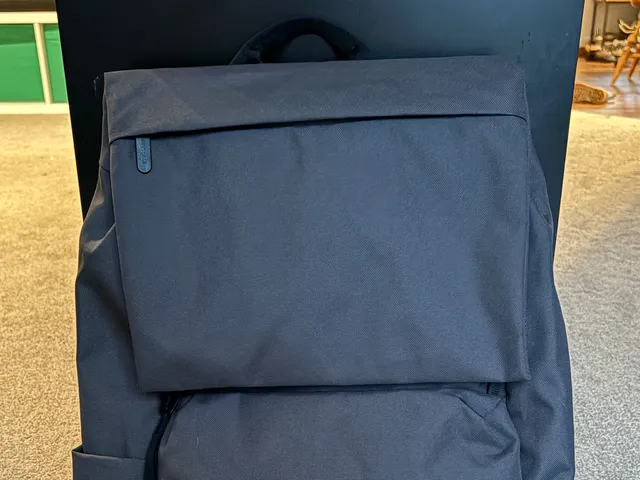
Front view of Everlane ReNew Transit Backpack, a grey bag with black straps and simple zipper pouch

Everlane

ReNew Transit Backpack

Advertisement

I took this backpack on a weeklong work trip, where I bitched about it endlessly to everyone who would listen. However, I must fairly and objectively conclude that this bag offers tremendous value for the money. It’s a light, attractive, rucksack-style backpack that’s sleek and understated enough for work, and it’s under $120. The 27-liter capacity accommodated enough gear for a full day’s worth of travel, from a scarf for the plane to a water bottle, snacks, and other in-flight accouterments. It has a slim profile and lies close to your back, so it’s not hard to carry and won’t swing into people on the subway. The pockets are very minimal—just an exterior laptop pocket, an interior tablet sleeve, an interior zip pocket, and two large catch-all pockets—but they work if you already put your belongings in pouches anyway.

Certain design elements just felt cheap. I didn’t like the curved zipper that gives you access to the main compartment—zippers that don’t run straight are doomed to get stuck. One of the catch-all pockets is annoyingly located on the cover flap, where anything inside will flap and bang around. The luggage pass-through is a bare piece of webbing. However, it all works: it’s light, affordable, and looks nice. The fabric is also water-resistant, so you can wear it in the rain! For most people, that’s all that really matters. —Adrienne So

Best Laptop Bag for Commuting

Thule

Paramount Daypack Lite 20L

Advertisement

Thule’s newest addition to its already solid backpack lineup was made specifically for schlepping gear to and from work on a daily basis, and it shows. The silhouette is sleek and aerodynamic, making it suitable for bike commuting (there’s even a loop on the front to attach a bike light), and it’s just big enough for a laptop, several notebooks, and maybe a jacket without feeling too big or bulky. The water bottle holder on the side is stretchy for a variety of sizes.

I also love the amount of organization inside for smaller things like pens and notebooks (the flap folds down for access to the interior, too, so you can access these things next to your desk), as well as the hidden yet easily accessible small pocket under the flap for wallet, keys, and phone. It’s not the roomiest pack, so you’re not carrying gym gear in this or taking it on an overnight trip, but if you’re just going to and from the office with basics and a laptop, this is the most well-engineered option I’ve tried.

Source link

Advertisement
Continue Reading
Click to comment

You must be logged in to post a comment Login

Leave a Reply

Tech

Inside iMovie: Getting started with video editing in iOS 27 and iPadOS 27

Published

on

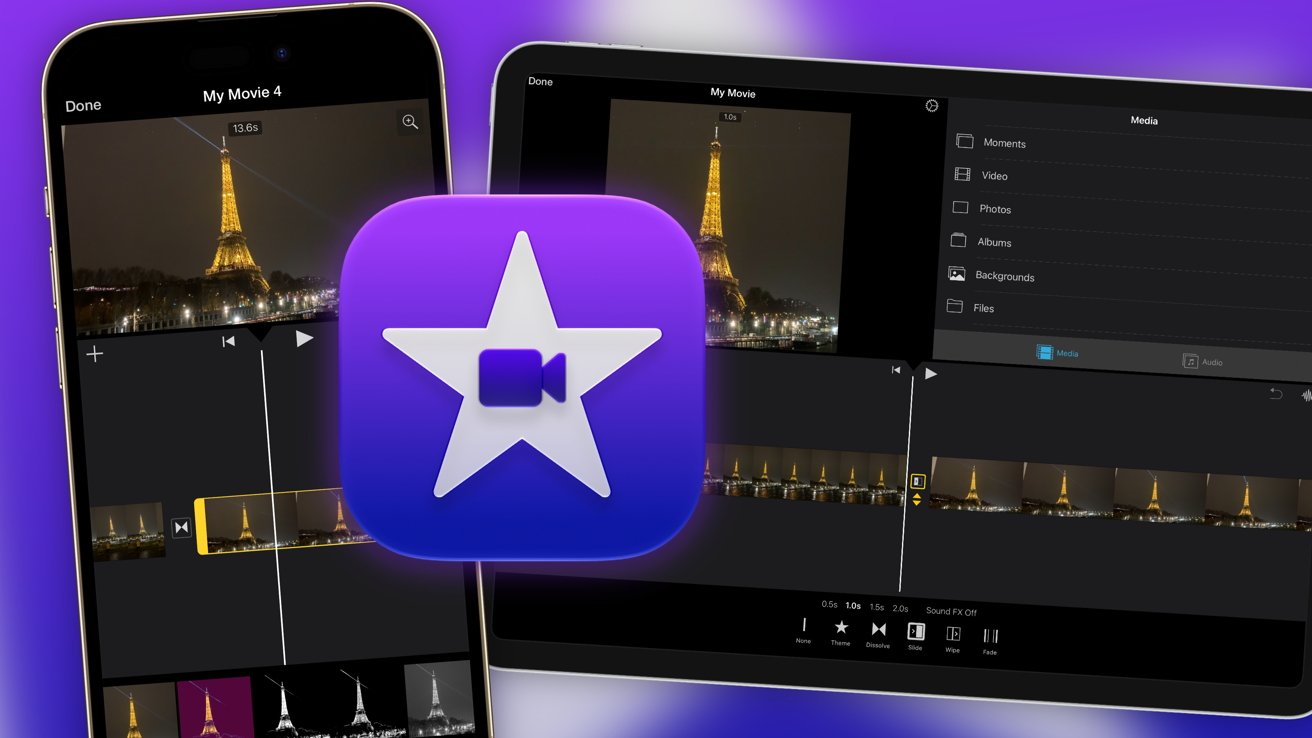
Take your first steps to becoming the next Mr Beast, or make your vacation recap more bearable to watch, by using iMovie. Here’s how to get started using it on iPhone and iPad.

Smartphone and tablet screens showing video editing of the Eiffel Tower at night, with the iMovie app icon prominently centered on a purple background
iMovie is free in iOS 27 and iPadOS 27

Video is a type of media that most of the world enjoys every day. It’s a fantastic tool for sharing ideas and experiences with others, and in a way that can be much easier to digest than text or photographs alone.
Social Media has a massive appetite for video, with almost all platforms focusing on the medium. It’s also something you must master if you want to get seen online in 2026.
Continue Reading on AppleInsider | Discuss on our Forums

Source link

Continue Reading

Tech

The Top Tech Trends at IFA Berlin 2026

Published

on

IFA Berlin has often been a place to see cutting-edge tech, cool concepts, and interesting prototypes (or should we say weird?). While there certainly have been some of those this year, like iRobot’s Roomba Duo, various humanoid demos, and a flying car concept, 2026 has felt more muted than last year. We’re still seeing the same demos of things like the Saros Rover and the Dreame Cyber X concept. Instead, what I’ve seen is companies really trying to drill down on perfecting the products and product lines that work for them.

Here are the trends I saw at IFA Berlin 2026 that drew my attention and are worth watching for next year.

Dust mites and allergies are the new target for robot vacuums 

The Eufy E35 Omni was at IFA, but they didn’t run it.Ajay Kumar/CNET

Robot vacuums have become pretty good maintenance tools for cleaning up dust and pet hair, but if you’re someone with asthma or serious allergies, you likely still need a good HEPA-certified vacuum and air purifier to keep things manageable. Well, that’s the new target of companies like Anker with the Eufy Omni E35 and Ecovacs with the Deebot X12S Omnicyclone. Both are certified by different organizations to prove they work as claimed. The X12S was tested by the SGS Testing & Control Services Singapore and, in testing, removed an average of 97.44% of dust mite allergens and 95.45% of dust mites from carpet. The Omni E35 also claims the ability to remove a slightly higher 99% of dust mites and has Asthma and Allergy Foundation of America certification. 

Realistically, the percentage difference isn’t particularly significant. What’s notable here is that companies are actively seeking out certifications that prove their robot vacuums are capable of robust levels of cleaning and sterilization, that it’s suitable for maternal health, newborns and allergy sufferers. This might sound niche, but as someone who has three asthmatic cats and occasionally seasonal allergies, I’m interested to see if it lives up to the testing claims.

This is something we’re likely to see more of as robot vacuums become established not just for cleaning but for sanitizing as well, with models that can deploy steam, UV light, and sprays. In the same way air purifiers became increasingly common over the past decade as an easy way to cleanse your air and reduce allergies, we may see certified, high-quality robot vacuums take on the same role.

Deep cleaning is the new challenge to overcome 

If you’ve been following robot vacuums at all, one thing you’ve probably noticed is that they’ve gotten pretty good at vacuuming, but mopping can still be a challenge with older and dried-on stains. An old spill of tomato sauce, red wine or ketchup on tile is still going to require you to use elbow grease to remove it — I speak from experience.

Pretty much every company is trying to address this cleaning gap by using different mopping options, ranging from roller mops that self-clean with more downward pressure measured in newtons, as with iRobot and Eufy’s new lineup, which increases the pressure to 14N or 18N, depending on the model. That’s a simple and theoretically easy solution, just give the robot vacuum the elbow grease it’s missing, and iRobot has tried to do that for the vacuuming side of things too by adding a “skirt” that drops down on the Roomba 875 Combo that significantly increases suction strength on the already substantial 35,000 pascals.

Advertisement

The key problem with this strategy, though, is that robot vacuums are size-constrained, and unless you try something like iRobot’s Duo, which incorporates a floor washing unit combined with a mobile docking station, you’re never going to get the power of a real wet and dry mop, let alone an upright or canister vacuum.

Another way companies at IFA have tried to address this is Ecovacs Deebot X12S Omnicyclone, which incorporates high-pressure water sprayers to saturate old stains and help work them out of hard surfaces. Clever idea, but questionable implementation with the X12S. As I watched, I completely missed its ketchup-stain target and instead doused the floor, but it still managed to remove the mess. The 875 Combo uses a hot steam spray from the bottom of the unit to help loosen the stain, but no demos were offered, so I can’t know how it works in practice until we lab test it.

The humanoid robots were a big yawn this year 

Ajay Kumar/CNET

I’m sorry to say that humanoid robot demos were just plain boring this year. Yeah, there are dancing robots and robots that can do backflips, like the PrimeBot T1 and Q1, and ones that can sort laundry or pick things like Dreame’s robot butler and SwitchBot’s Onero H1. Yawn. The real issue is that these things still don’t do anything more than what they did last year, and as I wrote in my cover story, the timeline for these robots is a lot further away than we’d hope and a lot more expensive. With a realistic timeline ranging from five to 10 years for partially functional home assistants that can do things like fold laundry and prices that will be closer to $100,000 than $10,000, I expect us to get many more years of IFA humanoid demos without actually getting a humanoid robot that you can buy and use in your home.

Part of why I’m not particularly impressed by any of these humanoid demonstrations is that robot vacuums have gotten so good. We’ve stopped talking about whether they can clean well or avoid objects easily. The newest models we’ve tested at CNET lab do an amazing job of it, and IFA demonstrations reinforced it for me as I watched Dreame’s X60 Ultra Complete Pro perfectly weave through obstacles with remarkable speed and responsiveness that I don’t typically associate with robot vacuums. The downside is that a Dreame representative confirmed to me that currently there are no confirmed plans for the model to come to the US, and with the added complication around the FCC ban and uncertainity around waivers, many of the more interesting new models may be delayed, though most companies have told me that they plan to move ahead with their launch plans.

This also affects humanoids, since a large share of the parts required for these advanced robots is sourced from Chinese supply chains. If the FCC ruling remains in effect without waivers, expect progress on US humanoids to freeze for the next decade as domestic supply chains are painstakingly built, while China races ahead with its already advanced models.

Balcony solar is a great idea whose time has come

For those who aren’t familiar with it, balcony solar is simply putting a plug-in solar panel on a balcony or other outdoor space and using it to store solar power and use it to power your appliances and devices when energy prices are high. It’s really intended for people who live in apartments or other homes where you might be a renter or don’t have the option of putting solar panels on the roof for a full system. Bluetti’s Balco 260 and Balco 500, Jackery’s Solar Vault 3 Series and EcoFlow’s Stream plug-in solar are all examples of this, which I saw at their booths, though it’s hard to really give impressions for a stationary battery that’s not in use.

Some of these weren’t necessarily IFA releases either and have been launched earlier in the year, such as the Solar Vault 3 Series. What I will say is that all of these systems are scalable, meaning you can add additional batteries based on your needs, connect more solar panels and use smart transfer switches or other power management.

With New Jersey becoming the 10th US state to legalize the use of balcony solar power (something that’s already quite popular in Germany and the European market), I do expect to start seeing these being used in the US to help defray our ever-increasing energy costs. New Jersey’s law is particularly beneficial since it restricts the ability of property management or HOAs to stop you from using balcony solar, though you’re going to want to dig into the laws for your state before installing it. In most cases, it should work with a standard AC outlet, but if you want to feed power back to the grid, things get a little more complicated and may require an electrician’s installation.

With nearly every major power station company releasing its own version, I expect adoption to start in the US, especially in New Jersey and New York, where people typically don’t have the option to install a solar panel on their roofs but face high energy costs. However, a Bluetti representative at the company’s IFA booth told me that they’ve currently paused their rollout due to uncertainty around — you guessed it — FCC regulations. So while I do think adoption will happen regardless, since, by all indications, Jackery and EcoFlow are moving ahead, US supplies of home batteries and solar panels may be affected.

Advertisement

Dyson had one of the strongest showings this year as a tech company

A hand holding the pink Dyson CameraJet toothbrush.
At IFA 2026, we’re seeing all the upgraded, AI-powered, repairable, camera-equipped tech. And then some.Tara Brown/CNET

Dyson hasn’t really been just about vacuums for a long time, even though it still has that perception when I mention it to people like my parents. Dyson was off-site at IFA this year, but it still drew tons of attention because its releases entered brand-new product categories, including the famous $500 Dyson CameraJet, which integrates a water flosser into an AI-optimized electric toothbrush to clean interdental gaps. It’s Dyson’s first entry into the category, and unlike vacuums and air purifiers, it’s not necessarily a natural fit where there’s a lot of overlapping tech and development that can be carried over.

Dyson’s new HushJet air purifiers are a total redesign.Tara Brown/CNET

However, Dyson didn’t rest on its laurels, with a total of 11 new products, something smart home managing editor David Watsky noted as being a much faster pace than what the company has released in the past. This includes multiple robot vacuum models with cutting-edge capabilities across price points, redesigned HushJet air purifiers, and new beauty products such as its first dryer brush and next-gen hair straightener. With competitors like Roborock, iRobot, Dreame, Narwal, Mova, Shark and others all coming out with a vast array of products and models on a yearly basis, I can’t help but wonder if Dyson is feeling the pressure to keep up in the pace and frequency of its releases.

Definitely a space worth watching if you’re a Dyson fan.

As usual, some of the best products at IFA can’t actually be purchased by Americans

Robot lawnmowers doing a synchronized fan dance at IFA.
Robot lawnmowers doing a synchronized fan dance isn’t something I knew I needed.Dillon Lopez/CNET

I’m talking about Dreame and Mova specifically here, though there are other examples like Anker and Ecovacs, with the latter having Tineco and Yeedi as sub-brands. Walking through their booths, I was struck by the sheer number of products they cover. You have the robot vacuums, cordless vacuums, wet and dry vacuums, robot lawn mowers, pool robots, window cleaning robots, air purifiers, smart pet tech like feeders and litter boxes, beauty tech like hair dryers and smart mirrors, humidifiers, fans and cooling, home battery backups, automotive, home security, home appliances, smart lighting, and other product categories I’m surely forgetting.

It’s an incredible, overwhelming number of products that make Dreame and Mova jacks-of-all-trades and almost overwhelming to cover. According to the hefty product brochure a Dreame representative handed me, the company had over 40 product releases for IFA, and I’d estimate a similar number for Mova. Many of these are products that won’t be sold in the US, which was the case for nearly the entire lineup of both companies, so that means we don’t cover them very much at CNET.

But walking into their booth at IFA always reminds me that there’s an entire universe of excellent, quality product options out there that American consumers don’t have access. It’s tragic, and with the current uncertainity about what you can actually sell in the American market and regulations and tariffs that can change overnight, I don’t expect that to change soon.

Editorsnote: Ajay Kumar’s travel costs for the IFA conference were covered by Roborock. The judgments and opinions of CNET are our own

Source link

Advertisement
Continue Reading

Tech

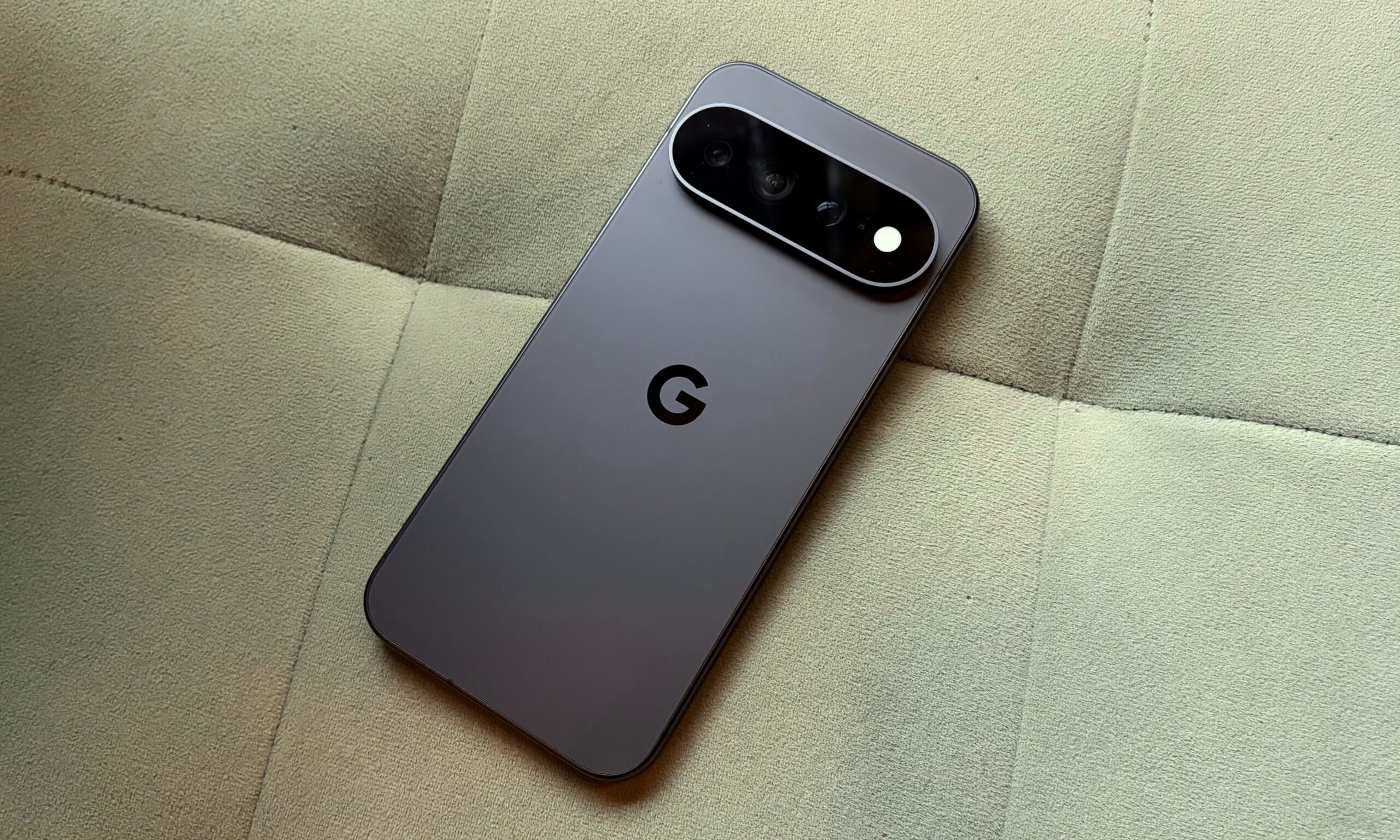
The Pixel 11 Pro XL takes incredible pictures, but takes too long to process them

Published

on

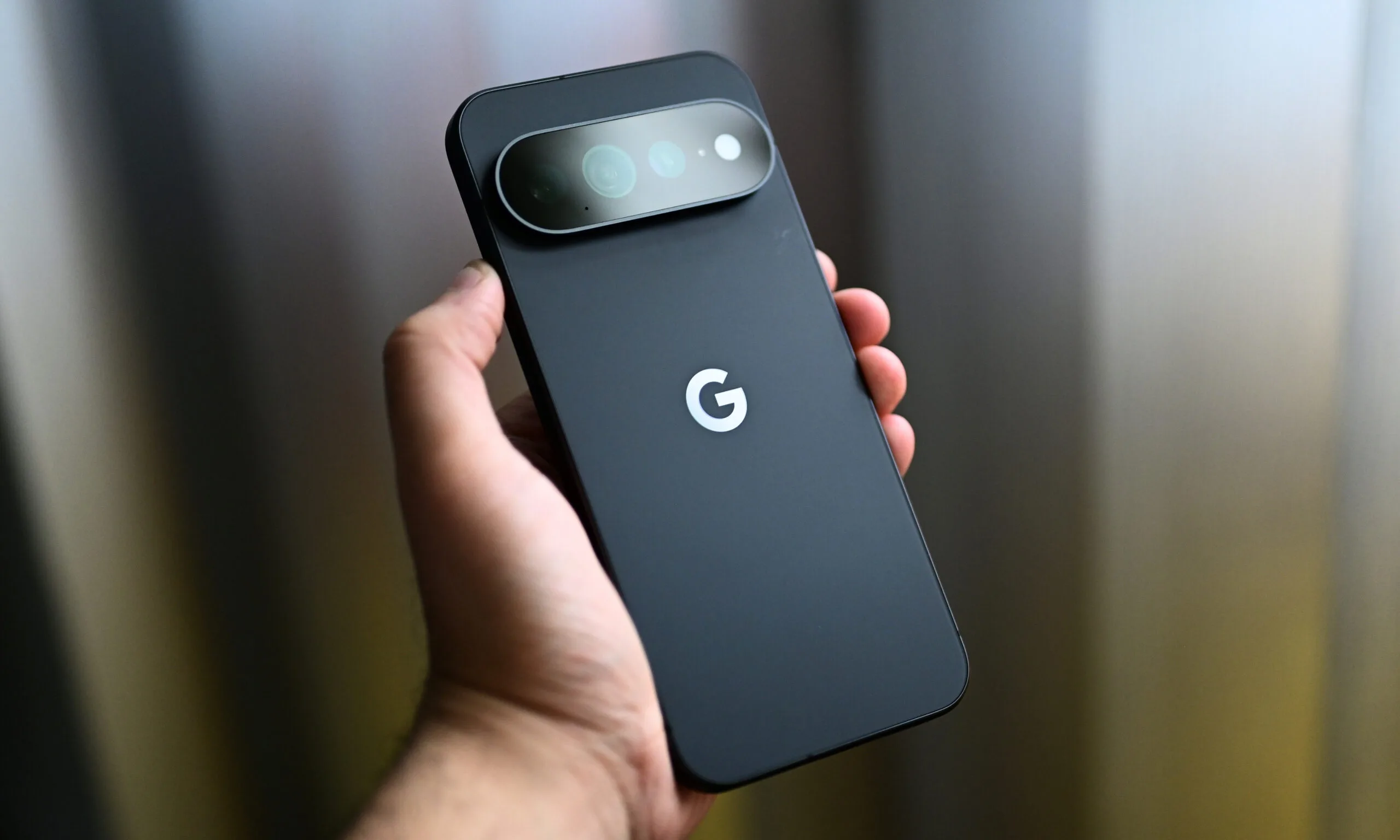
Over the last two weeks, I’ve captured more than 1,000 pictures with the Pixel 11 Pro XL. It’s undoubtedly one of the best camera smartphones available in the US right now, especially since the Chinese Ultra flagships aren’t officially sold here.

It doesn’t have a four-camera setup like the S26 Ultra, but the telephoto and ultrawide cameras feature bigger sensors this year, which add detail and clarity to pictures, especially those captured after sunset.

The wait is where things fall apart

I like the camera array on the Pixel 11 Pro XL, but there’s a reason why it didn’t score a perfect 10/10 in my review, something that annoys me to the core almost every time I point the Pixel at a scene and press the shutter button: it’s what comes after that. It doesn’t matter whether you’re capturing a picture at the default resolution (12MP) or increasing it to 50MP; the photos always take a few seconds to be ready.

As someone who likes to play around with a smartphone camera, capture back-to-back pictures of the same frame from multiple angles and zoom levels, and has a habit of viewing the pictures and deleting them on the spot, I found myself more annoyed with the Pixel 11 Pro XL than any other phone I’ve tested recently.

I noticed this very early on in the testing period, something that I’ve already mentioned in my review. At 12MP, the phone takes about a second or two to process a picture, stacking tone mapping, sharpening, and noise cleanup that give Pixel photos their signature look. And that’s sort of fine. Even my iPhone 17 takes a second or two to process pictures and add that extra bit of detail.

50MP mode is where it gets bad

However, when you set the resolution to 50MP, the real problem begins. The Pixel 11 Pro XL consistently takes around two seconds or more to process high-resolution pictures. In fact, I’ve seen the “Processing high-res photo…” message so many times that I didn’t even need to look up the exact phrasing while writing this.

Advertisement

This isn’t something that will bother you on the regular days, when you aren’t using the camera as much. If you don’t bother checking a picture on the spot, you’d probably never notice this as well. However, on days when you’re out with friends for the weekend, on vacation with family, or capturing dozens of pictures for a review, the gap between pressing the shutter and actually holding a shareable photo is quite apparent.

Now, don’t get me wrong. The shutter speed is quite good, and so is the overall camera performance. But it doesn’t really matter whether I’m using the primary camera, any other lens in the array, a regular or a portrait picture, for that matter; the lag shows up consistently. Try capturing a couple of 50MP pictures in a row and previewing them, and you’ll see what I mean. 

The phone really looks like it’s buckling under the weight of multiple high-resolution pictures at once, taking around three to four seconds before I can see one.

So, who’s actually to blame?

It’s not like other phones don’t take time to process pictures, but it’s not as apparent or consistent as it is on the Pixel. Given that the processing time isn’t as noticeable and annoying on flagships with more powerful chipsets, I’d point to the Tensor G6’s modest peak performance well before I’d point to Google’s computational photography pipeline.

Setting aside the Tensor G5-relative performance gains, it doesn’t feel reasonable to wait more than a few seconds for my pictures to surface, especially given the phone’s premium asking price. At $1,299 (for the base variant with 12GB of RAM and 256GB of storage), I’d like my photos to show up with a little more urgency, not saunter in four to five seconds after I capture them.

I’m looking forward to Google fixing this, because waiting for pictures really undermines the exceptional Pixel camera experience.

Advertisement

Source link

Continue Reading

Tech

Local newspapers take OpenAI and Microsoft to court over AI training data

Published

on

OpenAI and Microsoft are facing another copyright lawsuit from news publishers, with The Seattle Times and Newsday accusing the companies of using their paywalled articles to train AI systems without permission.

The lawsuit was filed in the Southern District of New York and alleges that the companies scraped paywalled content and included it in training datasets used for ChatGPT, Microsoft Copilot and the new AI-powered Bing. The publishers claim the AI tools can reproduce entire passages and closely paraphrase journalists’ work.

The case adds to a growing legal fight over how AI companies obtain the vast amounts of copyrighted material needed to develop increasingly capable models.

Publishers say AI is using work they paid to produce

For The Seattle Times and Newsday, the dispute is about more than individual articles. The publishers argue that their reporting represents substantial investment and should not be absorbed into AI training systems without consent or compensation.

Advertisement

Seattle Times president and CEO Alan Fisco told employees that the newspaper felt strongly about defending content that it spends millions of dollars a year producing.

The publishers are seeking the destruction of existing copies of the allegedly used material, along with training datasets or AI models that incorporate it. If successful, such a demand could have implications well beyond these two newspapers, particularly for how AI companies handle copyrighted and paywalled material.

OpenAI, however, disputes the underlying premise. The company said it uses publicly available materials that it considers grounded in fair use for model training. Microsoft said it was surprised by the lawsuit but indicated that it was willing to explore solutions with the publishers.

For ordinary users, the case matters because AI-generated answers increasingly compete with the original sources that produce news and information. A ruling could influence what material AI assistants are allowed to learn from and potentially change how publishers make their work available to AI companies.

Another legal battle could shape the AI-news relationship

OpenAI and Microsoft are already involved in other copyright disputes, including an ongoing case involving The New York Times and other publishers. The Times has argued that AI products compete with news organisations by reproducing their work without sufficiently transforming it under fair-use protections.

Advertisement

The US Department of Justice recently filed a Statement of Interest in that case, arguing that siding with The New York Times could hurt local newsrooms and independent journalism. The DOJ also said AI could potentially help smaller publishers compete with larger news organisations.

That creates a complicated backdrop for the latest lawsuit: AI companies need huge datasets to improve their systems, while publishers want control and compensation for the journalism those systems consume.

The next step will be the legal proceedings in New York, where the court will have to consider the publishers’ claims and the companies’ fair-use arguments. For now, the dispute leaves one question hanging over the AI boom: who gets to decide how journalism becomes training data?

Source link

Advertisement
Continue Reading

Tech

Phil Schiller’s App Store exit reportedly driven by wariness over future plans

Published

on

Why is longtime Apple executive Phil Schiller stepping down from his role as the head of the App Store?

Bloomberg’s Mark Gurman reports that Schiller’s decision — he will remain involved in the company as an Apple Fellow working on unspecified projects — was driven in part by a desire to spend more time with his family and on philanthropy.

But apparently there was another factor in Schiller’s thinking: New CEO John Ternus and services chief Eddy Cue seek to improve App Store margins and bring in more recurring revenue.

Of course, Apple’s management of the App Store, as well as its share of App Store payments, has been an ongoing source of developer criticism and even been the subject of major lawsuits.

Advertisement

In Gurman’s telling, there wasn’t a big fight over Ternus and Cue’s strategy. But Schiller believed that trying to squeeze more profits from the business would only increase conflict with governments and developers, so he decided to step down and avoid getting involved.

Source link

Continue Reading

Tech

iPhone Ultra manufacturing is being dramatically slowed by quality issues

Published

on

Mass production of the iPhone Ultra has been underway for at least some weeks, but quality control inspections are reportedly rejecting all but a few.

Reports have varied for months over whether the iPhone Ultra is delayed because of manufacturing problems, or whether those have been resolved. Now according to Nikkei Asia, however, production has been very slow.

Reportedly, Apple introduced a further inspection and verification process for the device during August. An unspecified source said that the additional process is concerned with production quality rather than there being manufacturing problems.

“The surface flatness and the performance of the hinge are among the details where Apple is asking for better production yields,” said the source. All of this has “pushed back commercial production for weeks,” although suppliers are working “around the clock.”

Advertisement

Previous reports had concentrated on issues regarding the hinge of the iPhone Ultra. At one point it was claimed that Apple was having to redesign it from scratch, but then a subsequent report said the existing liquid metal design would become an industry standard.

It appears that the design is no longer an issue, but the complexity of it may be why yields are low. This further verification stage was presumably introduced because Apple wasn’t satisfied with the quality of the iPhone Ultra devices being produced.

Reportedly, manufacturing slowed in late August to no more than a few hundred units per day. The iPhone Ultra reportedly entered its manufacturing test phase in April 2026, and by July it was claimed that full production was underway.

It’s surprising, though, that it appears to have taken into August for Apple to implement corrective measures over the quality control. Nikkei Asia has a reputation for being poor at extrapolating Apple’s plans, but a very good one for its sources within the supply chain.

Advertisement

Despite the bottleneck, it is still expected that Apple will announce the iPhone Ultra at its September 9 event. Separately, there had already been reports that supplies might be constrained, and that consequently Apple may initially only release the iPhone Ultra in the US.

Source link

Advertisement
Continue Reading

Tech

Is It Safe To Buy A Refurbished iPhone From Walmart?

Published

on

Walmart offers good deals on refurbished iPhones models, but make sure you know exactly what you’re buying first.

Buying refurbished tech is a great way to save money and reduce technological waste. And although purchasing a refurb iPhone straight from Apple can provide peace of mind thanks to the quality guarantees, high prices and limited stock mean that’s not always an option.

Instead, you might opt for third-party vendors that allow you to maximize your dollar. One of the most popular is Walmart, which offers a range of iPhone models for (usually) great prices. Similar to Amazon, Walmart relies on third-party vendors that refurbish and sell renewed smartphones through its online platform, Walmart Marketplace.

Shopping on an open storefront like this can be daunting, since variable quality, prices, return policies and refurbishment standards can scare away even the most eager buyer. However, Walmart can be a reliable middleman between you and a quality refurbished iPhone if you know what to look for. If you haven’t already decided which model to look for, consult Engadget’s 2026 iPhone buying guide.

Advertisement

Understand the phone’s condition

Walmart lists the condition of its refurbished phones under several quality umbrellas. Usually, you can find this information listed in the Condition section to the right of the image, as well as above the Add to Cart button. Confirming the condition of a renewed iPhone is the most important step of the purchasing process because it not only determines the quality of the phone, but its return policy.

The highest standard is “Restored Premium”, which is reserved for items sold by either manufacturers, manufacturer-authorized sellers or select third-party sellers trusted by Walmart. Walmart states that restored premium products have been “refurbished to the highest standard and tested to ensure like-new performance and reliability.” When purchasing a Restored Premium phone, expect an “excellent screen and body” with only light micro-scratches. Walmart also states that premium phones have 90% battery capacity compared to new iPhones. 

Advertisement

The next set of used iPhones are within Walmart’s “Restored” tier, which have been refurbished by authorized partners. Reportedly inspected, cleaned and verified, these items hit a lower standard than Premium Restored, but may still offer great value. For instance, Restored-tier products only boast 80% of a new iPhone’s battery capacity. 

The retailer uses a three-tier grading scale for these iPhones: Like New, Good and Fair. Phones that are Like New should be in excellent condition, offering screens and bodies with “very light micro-scratches” that are “invisible” beyond a distance of one foot. Good devices, meanwhile, have a clean screen, “barely visible” scuff marks, and minor wear. If you purchase a Fair item, you should expect “noticeable” wear like visible scratches and markings you can feel when touching. 

Walmart Marketplace also offers a pre-owned program that has a more variable inspection process, less stringent quality control standards and no refurbishment requirements. This makes pre-owned items a fit for anyone looking to get a used, non-refurbished phone on the cheap. Walmart ranks these devices using the same three-tiered metric. You may also find Open Box options, which are in “excellent condition with no signs of usage and still in its original packaging or generic packaging.” These also include the original accessories.

Advertisement

Review the reseller

A second important factor is your iPhone’s reseller. The vast majority of Walmart’s refurbished iPhones are sold by a group of authorized resellers. And while finding information on who’s selling a phone is easy, parsing that information is a bit more difficult. 

The seller is listed on the right side in the section titled Sold and shipped by, beneath the phone’s shipping information. You won’t likely recognize the company; don’t expect big brands like Best Buy to be listed on their competitor’s website. However, most companies have extensive reviews and contact information, which can help give you an indication of quality.

To dig into a seller, click the company’s name. Here, you can find the reseller’s contact information, a list of products, a company statement and all public customer reviews. Reviewing these can both reassure and alarm, as many of the company’s reviews are mixed. Given the inconsistent nature of secondhand phones, this is not surprising, and as such I recommend approaching these reviews with a hefty grain of salt. Researching the reseller outside of Walmart’s platform (via the listed contact information) can also be a helpful way of reviewing a company’s quality. 

Advertisement

Warranties, returns and refunds

Don’t overlook the return and warranty rules of your new iPhone. Unfortunately, Walmart’s return policies vary based on both the product and the seller, so its best to carefully review your options before you need them.

To review a product’s return policy, find the Return label on the right side next to the shipping or seller information. For example, it may say Free 90-day returns. Typically, Restored Premium devices must be returned within 30 days, while the three other tiers of Restored iPhones offer a 90-day return period. Pre-owned purchases are also beholden to 30-day returns. See Walmart’s returns page for more details.

Although these return policies are standardized across Walmart’s sale types, your phone’s warranty (if any) likely depends on the seller’s individual preferences. Restored Premium iPhones are an exception, as these sport a guaranteed 1-year warranty. To learn about the seller’s warranty policies, use the seller’s contact info that’s linked on the item’s page. 

If you decide to return your iPhone, be sure to prepare it first. The timeline of your refund will vary based on the seller, return method and payment type. Unfortunately, some sellers may charge a restocking fee as high as 20 percent of the purchase price.

Advertisement

To initiate a return, visit your Walmart.com account, select the order you’d like to return and choose Start a return. Depending on the seller, some iPhones can also be returned directly at the store. 

Source link

Advertisement
Continue Reading

Tech

New York City bans generative AI for elementary and middle school students

Published

on

What we know so far: New York City has introduced a way to prevent elementary and middle school students from relying on AI – they’ll be banned from using it during the upcoming school year. Officials want to limit classroom dependence on generative tools and encourage children to develop their own critical-thinking and problem-solving skills.

New York City’s policy is a one-year moratorium for the 2026-2027 school year, rather than being a permanent or statewide ban. Students in public schools from preschool through eighth grade cannot use student-facing generative AI.

High school students, meanwhile, can use only approved tools in supervised pilot or career-readiness programs, and all high schoolers will receive twice-yearly basic AI-literacy lessons. AI companion chatbots are banned across every grade.

The policy also limits individual screen time for younger students: 45 minutes in class for middle schoolers, and 30 minutes for elementary school students. There are exceptions for accessibility tools, assessments, remote learning, and approved activities such as coding and robotics.

Advertisement

Teachers are also affected by the new rules. They may use approved AI for planning but not for grading, behavior monitoring, or important decisions about students.

A coalition will review the policy and pilots and issue recommendations in April 2027, which will help determine what happens the following school year.

“We’re putting guardrails in place to protect the critical human connection, curiosity, and creativity that helps children grow,” Schools Chancellor Kamar Samuels said in a statement.

“Each day when our children come to school, we teach them to ask questions, to challenge assumptions, to interrogate the premise, to ask why. When it comes to AI in our schools, we hold an obligation to do the same,” said Mayor Zohran Mamdani.

Advertisement

This isn’t the first time that New York has banned AI from its public schools. At the start of 2023, ChatGPT was prohibited from use by students, but the restriction was later reversed after officials concluded that the initial response had focused too heavily on risks such as cheating, inaccurate information, and weakened critical-thinking skills.

The Los Angeles school district is also temporarily blocking access to generative AI tools on student devices across all grades.

Fears of the effect that overuse and overreliance on AI could have on young minds in education have been growing since the technology became prevalent. Studies have suggested that unsupervised or answer-giving AI can weaken independent learning and create emotional or trust-related risks.

Cheating by students is a major fear, especially among older kids; it was considered endemic even back in August 2024. There have been several attempts to try and tackle the problem, from handwritten work, oral tests, and even AI to come up with questions that would be difficult for students to complete by simply feeding them into a large language model. There was also one professor’s invisible prompt trap, which proved very effective.

Advertisement

Source link

Continue Reading

Tech

Hackaday Links: September 6, 2026

Published

on

Yesterday, Isar Aerospace secured its place in the history books when the upper stage of their Spectrum rocket put a payload of CubeSats into low Earth orbit (LEO). Not only does this make them the first European company to achieve such a feat, but it also marks the first time a booster departing from continental Europe has reached orbit. Not bad for a second attempt.

Standing 28 meters (92 feet) tall, the two-stage Spectrum rocket is just shy of half the size of the SpaceX Falcon 9 and designed to put a maximum of 1,000 kilograms (2,200 pounds) into LEO and 700 kg (1,500 lb) into the Sun-synchronous orbits used by Earth observation satellites. That puts its performance considerably ahead of other commercial launchers such as Rocket Lab’s Electron. Although the booster is not reusable, Isar Aerospace has stated they’re targeting a respectable launch cost of €10,000 ($11,700) per kilogram. The German company notes there are several more Spectrum vehicles currently in production, and when their new factory is operational, they’ll have the capacity to produce up to 40 of them each year.

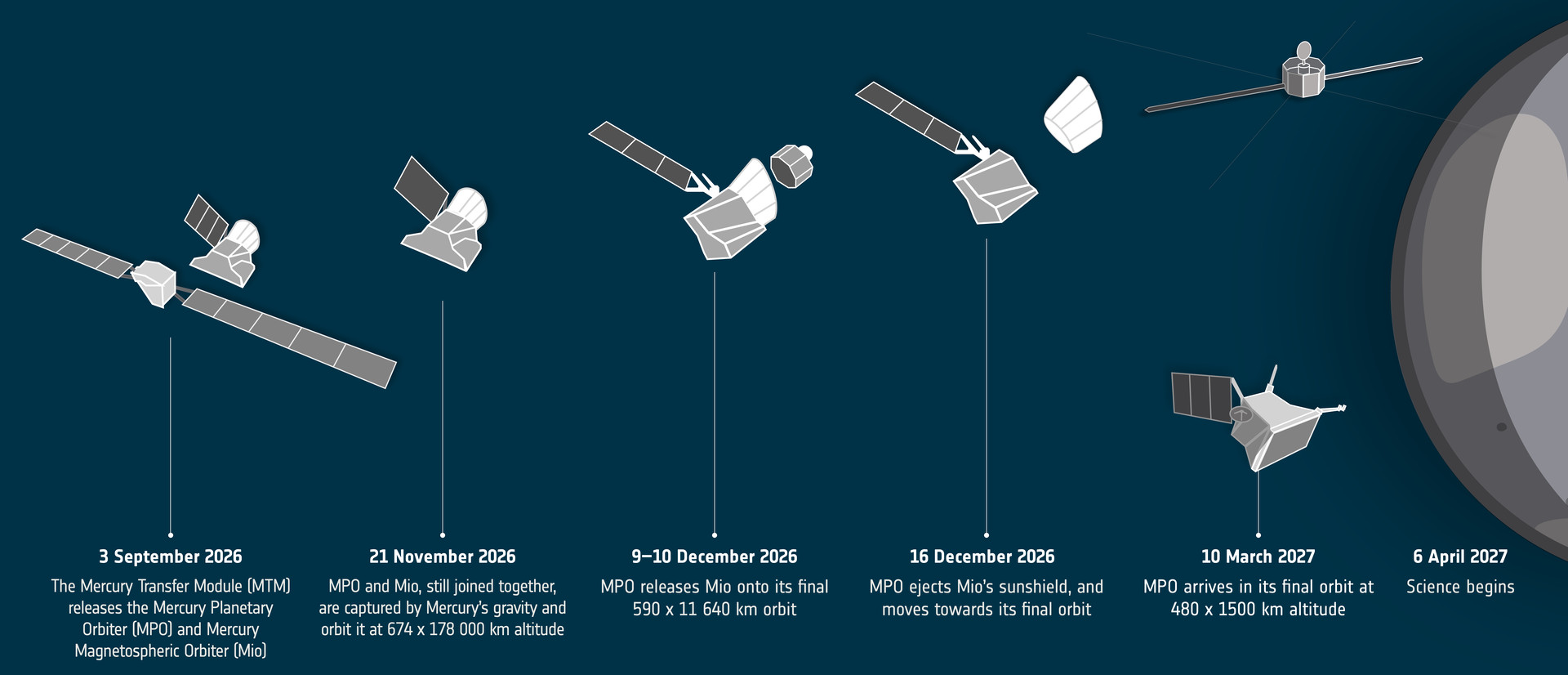
In other European space news, BepiColombo has now entered what the European Space Agency (ESA) is calling the “arrival phase” of its nearly decade-long journey to Mercury. On Thursday, the spacecraft jettisoned its ion propulsion module as it had achieved the necessary trajectory and velocity to be captured by the planet’s gravitational field when it swoops by in November.

Launched in 2018, the BepiColombo mission is actually carrying two separate craft: the ESA’s Mercury Planetary Orbiter and the Mercury Magnetospheric Orbiter from Japan. After the two separate from each other in December, they will operate independently to study their respective aspects of the solar system’s innermost planet for the next year, although, as is often the case for missions like this, an extension is always possible if things are still going well at that point.

Advertisement

On the subject of hardware outliving its original design lifetime, an active community of hackers has done a fantastic job of keeping the Spotify Car Thing up and running after the company officially pulled the plug on it just two years after its 2022 release. They’ve got a full Linux distribution running on it featuring a slick UI that can launch apps, check the weather, tap into Home Assistant, and of course, play music. The community is currently running a contest with cash prizes to spur on development of new open source software for the liberated Car Thing, and we’re eager to see what comes of it.

The Car Thing, back when Spotify still cared.

Speaking of keeping things open, the Free Software Foundation (FSF) has joined Bluesky — but they aren’t exactly thrilled with it. Being federated and largely comprised of free and open-source software, the FSF admits that Bluesky is the lesser evil when compared to something like X or Facebook. But they still can’t recommend others join the service, as the actual signup process requires your browser to run non-free JavaScript code.

One may wonder why the FSF would join Bluesky if they can’t recommend the service to others, and the answer is simply because they want to get the word out to a wider audience. While the FSF already operates an account on Mastodon, there’s a good chance that anyone who’s willingly regularly using said platform doesn’t need any additional convincing when it comes to the evils of proprietary software.

This is as good a time as any to point out that Hackaday is on Bluesky and Mastodon as well, and unlike the FSF, we’re also on Facebook, although the automatic sharing of new posts hasn’t worked for quite some time and honestly we can’t be bothered to figure out why. For our readers with a particular aversion to grass, we’ve even got an official IRC channel on libera.chat where you and nearly 50 others can feel superior to the thousands of immoral heathens that have joined our Discord server.

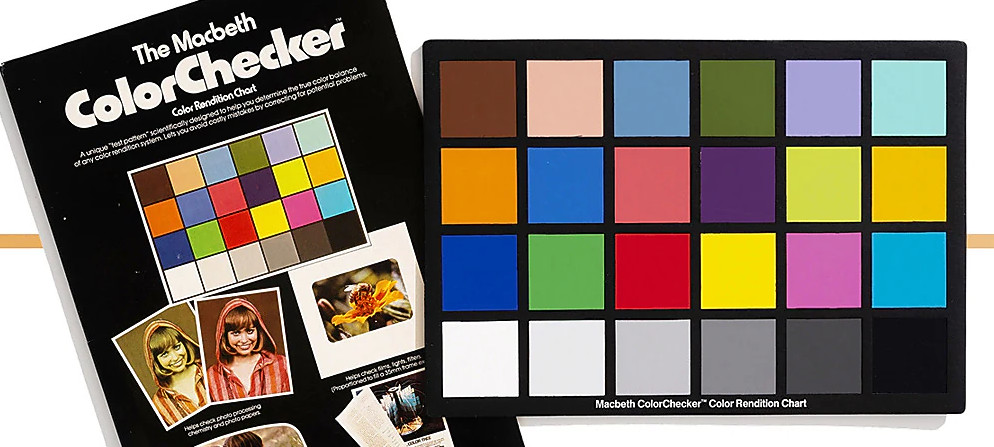
Finally, it’s been 50 years since the introduction of the ColorChecker — that little card with 24 blocks of colors that’s placed in the frame of a picture or video to provide a visual reference point. In honor of the milestone, Calibrite has put together a timeline that walks you through its history, starting with its inception in the 1976 paper “A Color-Rendition Chart” by C.S. McCamy, H. Marcus, and J.G. Davidson and running up to how the handy tool evolved for the digital age.

Advertisement

There are plenty of facts and trivia about the ColorChecker that you can bring up the next time you want to impress a photographer, and we especially appreciated the breakdown of what each of the original 24 colors was meant to represent.


See something interesting that you think would be a good fit for our weekly Links column? Drop us a line; we’d love to hear about it.

Source link

Advertisement
Continue Reading

Tech

Wokyis G7 Thunderbolt 5 dock review: Retro speed

Published

on

While the Thunderbolt 5 Wokyis G7 dock certainly goes after the retro gaming nostalgia vote, it also happens to be a well-thought-out add-on for your Mac Studio or older Apple Silicon Mac mini.

I am not a stranger to Mac docks. I suspect between myself and the rest of the staff, we’ve done the most reviews of them out of anybody facing the internet over the last decade.

And, I’m not a stranger to nostalgia.

Previously, we looked at the Wokyis M5 Dock, which turned a Mac mini into a Snow White design ethos compact Mac thanks to a clever enclosure and a built-in display. One year later, we’re looking at another similarly styled dock that aims for the same blend of utility and retro vibes.

Advertisement

The Wokysis G7 80Gbps is another dock designed to sit on top of your Mac. This time, on top of a Mac Studio or the older M1 and M2-era Mac mini.

But rather than resembling an old Mac, it instead plays on gaming themes. Specifically, that of the original Game Boy.

And, it does this while still trying to provide as much utility to modern users as possible.

Wokyis G7 review: Specifications

Advertisement

Advertisement

Advertisement

Advertisement

Advertisement

Product Wokyis G7 (80Gbps version)
Expected price $369 retail
Interface Thunderbolt 5, up to 80Gbps
Best paired with Mac Studio and other Thunderbolt 5 Macs
Display 7-inch flip-up, 1280 by 800
Shortcut keys 9 physical keys
Internal storage M.2 NVMe SSD slot, up to 8TB
Peak SSD speed Up to 7,000 MB/s (supported NVMe)
CFexpress Type B, up to 1,000 MB/s
Card readers SD 4.0 and microSD 4.0, up to 312 MB/s
Video out HDMI, DisplayPort 8K at 60Hz
USB-C data ports 2 x USB-C 10Gbps
USB-A data ports 2 x USB-A 10Gbps
USB-A legacy ports 2 x USB-A 2.0
Power delivery USB-C, 36W
Audio 3.5mm jack
Host connection USB-C host to Mac

Wokyis G7 review: Design

Most docks hide under a monitor or behind a desk. The Wokyis G7 wants to sit out in the open, on top of a Mac Studio.

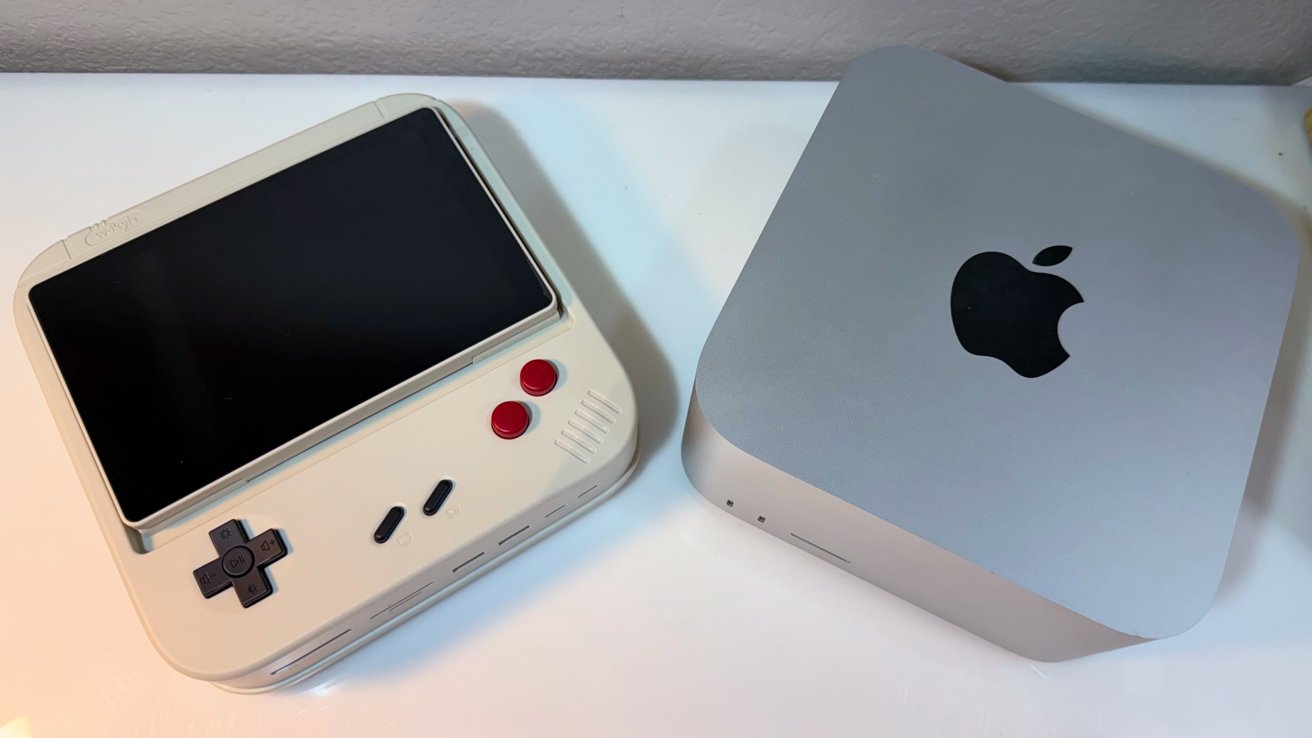
The device is designed to be a hat for the Mac Studio or the Mac mini with the same footprint. It connects to the back of the Mac using a supplied Thunderbolt 5 cable, that honestly, could be a little shorter.

I think that’s the first time I’ve ever wished for a shorter Thunderbolt cable to come with a dock.

Retro-style handheld gaming device with large screen beside a compact silver Apple Mac mini on a white surface, both viewed from above

Wokyis G7 review: Beside a Mac Studio for scale

Advertisement

Like other docks, it’s got ports on the front and rear, and there’s a well-hidden slot for an M.2 SSD to be attached.

The styling mimics the original Game Boy. Obviously, it’s only in homage to the console with enough changes to keep Nintendo’s normally vicious lawyers at bay. Just ask Switch emulator developers how that goes.

There are also a series of buttons, which gives it the overall appearance of a stylized miniature arcade cabinet.

There is obviously a lot of novelty value here, but there’s a lot more than just something that makes you think about games from the 1980’s and 90’s.

Advertisement

The build quality is solid. Think Star Wars toy plastic, not Lego, though.

This is not something that needs aluminum all over, but the SSD cover is metal to act as a heat sink. There are sticky heat sink pads in the box, and all you need to do is add your own M.2 drive.

Wokyis G7 review: The flip-up display and buttons

The main visual element is obviously the display on the dock itself.

The previous novelty dock from Wokyis, the M5, also had a display, and did a lot more to serve the styling of the peripheral than it does here.

Advertisement

At a resolution of 1,280 by 800, it’s not intended for you to do work on.

Small retro-style gaming console with a large black screen, white base, black D-pad, two red buttons, and connected power cable, sitting on a white surface near a wall.

Wokyis G7 review: The display can flip up to look like an arcade cabinet.

You could use it as a secondary display, though. It can also be employed as a digital photo frame, a clock, or a way to watch shows in the background instead of using your iPad.

There is the obvious temptation to use it for gaming due to the dock’s styling. You certainly could try, but you can’t and shouldn’t rely on those buttons to control your actual gameplay.

Advertisement

A real game controller is always going to be better than this. And cheaper.

Those buttons are actually a selection of one-touch keyboard shortcuts, complete with little icons explaining what they do.

Retro-style handheld gaming console with a large black screen on top, beige body, black D-pad, two small black buttons, two red circular buttons, and speaker grille on the right

Wokyis G7 review: Screen is laid flat. Those buttons are actually usable.

The D-pad handles brightness, volume, and media playback. The two red buttons are copy and paste, and the middle two are for putting the Mac to sleep and taking a screenshot.

Advertisement

This is a fairly handy way to make the dock a little more useful, like a simpler form of a Stream Deck or other macro pad.

If the display is taking a bit too much vertical space or you need to store it, you can flip it down. It’s not perfectly flat, but that’s okay.

Wokyis G7 review: Thunderbolt 5 and connectivity

Speed is the G7’s serious claim, thanks to its use of Thunderbolt 5. As the name implies, it can really use that 80Gbps of bandwidth.

The 80Gbps figure needs a Thunderbolt 5 Mac to reach that figure. For a high-end model like the Mac Studio that this is designed to sit on, it’ll be fine.

Advertisement

On an older Thunderbolt 4 Mac, it runs slower. Speeds drop to a 40Gbps ceiling, which is still fast, if not 80Gbps. Monitor support drops to just 4K on Thunderbolt 4 hosts, though.

The front of the dock has a CFexpress Type B slot. Wokyis rates that slot at up to a gigabyte per second, making it handy for offloading footage from high-end cameras. We got about 600 megabytes per second in actual testing, which is close enough.

Retro-style gaming console with cream-colored casing, black and red buttons on top, and multiple front ports including SD card slot, USB ports, and small ventilation holes

Wokyis G7 review: Front ports are good enough for direct usage.

There are also SD and microSD 4.0 ports that work at up to 312 megabytes per second, and a pair of USB-A ports operating at 10Gbps. You also get a pair of USB-C ports running at 10Gbps too.

Advertisement

This is more than enough ports and memory card slots facing the user, both for charging and data offload uses.

The ports selection around the back is a little more long-term-connectivity based, but not by much.

You have the USB Type-C connection to the host, as well as two USB-A 2.0 ports for peripherals not needing speed, like keyboards and USB microphones. A headphone jack rounds it all out.

External monitor connectivity is handled by HDMI and DisplayPort, with the latter supporting 8K at 60Hz on a Thunderbolt 5 system.

Advertisement
Close-up of a white computer monitor's back panel showing HDMI ports, two USB ports, a headphone jack, and a USB-C power port, above a perforated speaker grille

Wokyis G7 review: The rear ports.

The remaining ports are one more USB-C port with 36 watts of power delivery, and a screen switch.

This isn’t the only model available. There’s a G7 10Gbps, which is less expensive, works using USB-C instead of Thunderbolt, and has a fairly sizable selection of ports, too. They’re just bandwidth-constrained.

The use of Thunderbolt 5 on this 80Gbps version means there’s plenty of bandwidth available for all of the ports, as well as displays. The host connection is not going to be a bottleneck here.

Advertisement

Wokyis G7 review: Storage

While the Thunderbolt 5 connection can drive all of the ports, connected displays, and the included screen without breaking a sweat, it’s not all that the G7 can do. There’s an included SSD slot, too.

Underneath the display in a screwed-down hatch is a slot for installing an M.2 NVMe SSD. The space can take M and B&M Key connectors, as well as M.2 sizes from 2230 to 2280.

Wokyis says it can take up to an 8-terabyte M.2 NVMe stick. The real benefit is thanks to the use of Thunderbolt 5, as it can transfer at up to 7,000MB/s under the right conditions.

Open beige electronic device with top cover lifted, exposing a black circuit board inside and a small screwdriver resting beside the compartment near a speaker-style grille

Wokyis G7 review: Install an M.2 NVMe drive here.

Advertisement

We are not made of money, and do not have a 8TB M.2 drive to test with. We do have PCI-E 5.0 smaller drives, and saw about 6,200 megabytes per second read, and 5,100 megabytes per second write speeds, with a 4K 120Hz monitor connected. Given overhead, this is close enough.

This is very handy for anyone who wants more storage for their Mac but doesn’t necessarily want an extra external drive littering the desk. Since it’s incorporated into the dock, it’s all built-in and doesn’t need to occupy an extra port.

It’s also probably the real selling point of this model over the 10Gbps version. Sure, the ports are nice, but that high-speed storage capability will be extremely useful for anyone who needs it.

Wokyis G7 review: A crowdfunding project with retro gaming charm

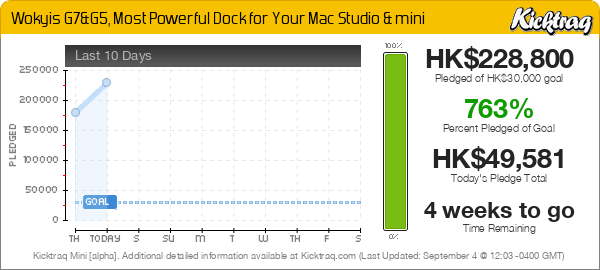
Wokyis has a habit of launching products on Kickstarter, and it’s doing the same thing here with the G7.

Advertisement

Crowdfunding carries the usual risks. Delivery can slip, and specs can change before shipping.

That said, the Wokyis G7 is an unusually fun take on a Mac dock. Its retro shell and flip-up screen give it character, though you’re not going to seriously consider it to be a gaming device.

Underneath, the specs are serious for creatives. Thunderbolt 5, CFexpress, and an SSD bay all matter to that audience, and a little extra digital screen estate doesn’t hurt too.

The open questions are price and delivery. It is a pre-launch crowdfunding product, so caution applies.

Advertisement

For Mac Studio owners who want personality, it is a crowdfunding project worth watching. The 80Gbps speed needs a Thunderbolt 5 Mac to shine, as well as the chunky casing to sit on. .

Wokyis G7 Pros

  • Retro gamer styling with a flip-up screen
  • Thunderbolt 5 speed with an internal SSD bay
  • CFexpress plus dual SD card readers

Wokyis G7 Cons

  • Pre-launch crowdfunding product, not yet shipping
  • Buttons are not suited for gaming
  • Final pricing not yet confirmed

Rating: 4.5 out of 5

The Wokyis, even after early-bird pricing, is competitively priced with other docks without screens. The screen opens up some interesting scenarios with monitoring, or even using the Home app on a small display.

Personally, it’s good during the workday to have a baseball game on, or similarly passive media.

It’s not as squarely aimed at the classic Mac nostalgia crowd, and I’m not as endeared to the original Nintendo Game Boy as many are. That said, I like what Wokyis has here.

But even if you’re in the same boat as I am, it’s still a nice piece of hardware, a good-performing dock, and attractive on your desk.

Advertisement

Where to buy the Wokyis G7

The Kickstarter page for the Wokyis G7 80Gbps lists multiple prices, including a limited Super Early Bird of $219 and an Early Bird of $229. The MSRP is listed at $369.
Wokyis G7&G5, Most Powerful Dock for Your Mac Studio & mini —  Kicktraq Mini

The 10Gbps versions are also listed, with the G7 10Gbps at $109 or $199, with an MSRP of $199, but as with the earlier review, we think that’s bandwidth challenged.

Source link

Advertisement
Continue Reading

Trending

Copyright © 2025