
Tech
The Honor Magic V6 is a small refresh of one of the best foldables around

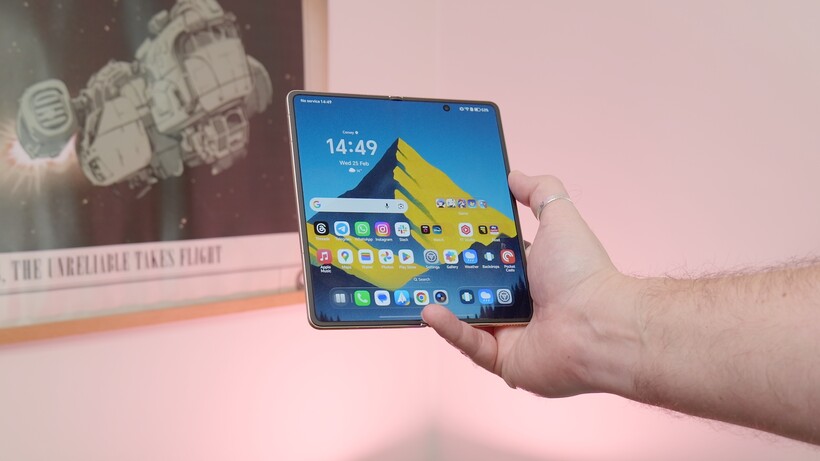
Honor isn’t reinventing its book-style foldable this year, but with the Magic V6, it doesn’t really need to.
Instead, the company has delivered what feels like a careful refinement of an already accomplished formula. It is thinner in places and tougher where it matters. Moreover, it packs meaningful internal upgrades without upsetting the balance that made its predecessor so compelling.
On paper, the Magic V6 looks familiar. It retains the slim, symmetrical profile that has become a hallmark of Honor’s foldables. It measures 8.75mm when folded on the White model and just 4.0mm when unfolded. Even the heavier colourways tip the scales at a very reasonable 224g. Meanwhile, the White model comes in at 219g.
For a device with a near eight-inch internal display, that’s impressive engineering restraint, especially one with a huge 6600mAh battery that would shame many conventional flagships.
Durability has been pushed further this time around. The handset carries IP68 and IP69 ratings, offering resistance to dust and water under controlled conditions, which is still a rarity in the foldable space.
Honor also doubles down on display protection, pairing its Super Armored Inner Screen with an anti-reflective coating, while the outer display sports an Anti-scratch NanoCrystal Shield. It’s clear the company is targeting everyday usability, not just spec-sheet bragging rights.

Open the device and you’re greeted by a 7.95-inch LTPO 2.0 internal panel with a variable 1–120Hz refresh rate and a peak brightness rated at up to 5000 nits. Resolution lands at 2352 x 2172, with 1.07 billion colours and full DCI-P3 coverage.
The external 6.52-inch screen mirrors much of that ambition. It stretches to an even higher quoted peak brightness of 6000 nits and a sharp 2420 x 1080 resolution. Both displays support stylus input, but you’ll need to buy the Magic Pen separately.
Honor continues to make a strong play around eye comfort too. The Magic V6 supports 4320Hz PWM dimming on both screens. It also has features such as AI Defocus Eyecare 2.0, Circadian Night Display and hardware-level low blue light. These aren’t headline-grabbing upgrades, but they reinforce the brand’s focus on long-term usability. This is important on a device designed for extended reading, streaming and multitasking sessions.
Powering the show is Qualcomm’s Snapdragon 8 Elite Gen 5 Mobile Platform, paired with 16GB of RAM and 512GB of storage. That’s flagship territory by any metric, and it’s backed by a substantial 6660mAh silicon-carbon battery. Fast charging remains a strength, with support for 80W wired SuperCharge and 66W wireless charging using compatible chargers. There is also wireless reverse charging.

Cameras are led by the Honor AI Falcon system, headlined by a 50MP ultra-light-sensitive main sensor with OIS, a 64MP periscope telephoto (also with OIS) and a 50MP ultra-wide. Honor quotes up to 6.5 stops of CIPA-rated image stabilisation.
Around the front, there are dual 20MP cameras – one on each display – ensuring consistent selfie and video call quality whether folded or unfolded. Video capture tops out at 4K across both rear and front cameras.
Artificial intelligence plays a prominent role, but it feels more integrated than ornamental. The AI Image Engine includes tools such as AI Super Zoom, AI Enhanced Portrait and Harcourt Portrait. Editing features span AI Eraser, AI Upscale and AI Outpainting. Beyond imaging, users get AI Writing, Call Translation, AI Meeting Agent and even AI Deepfake Detection. Google Gemini support is also baked in, signalling Honor’s intent to compete not just on hardware, but on smart software experiences too.

Connectivity is equally modern. The Magic V6 supports Wi-Fi 7, Bluetooth 6.0 and USB-C with USB 3.2 Gen 1 speeds. It also includes features such as Mac Screen Sharing and file transfer compatibility with iOS devices. This is a nod to cross-platform users who may not live entirely within Android ecosystems.
In truth, the Magic V6 isn’t a radical reinvention. But that’s precisely the point. Honor has taken one of the most well-rounded foldables on the market and tightened the screws. They have trimmed millimetres, boosted brightness, increased battery capacity and layered in more AI functionality. It’s an evolutionary update, not a revolution. Yet in a maturing foldable category, refinement may well be the smarter move.
If the previous generation proved Honor could build one of the best foldables around, the Magic V6 is about proving it can sustain that position.

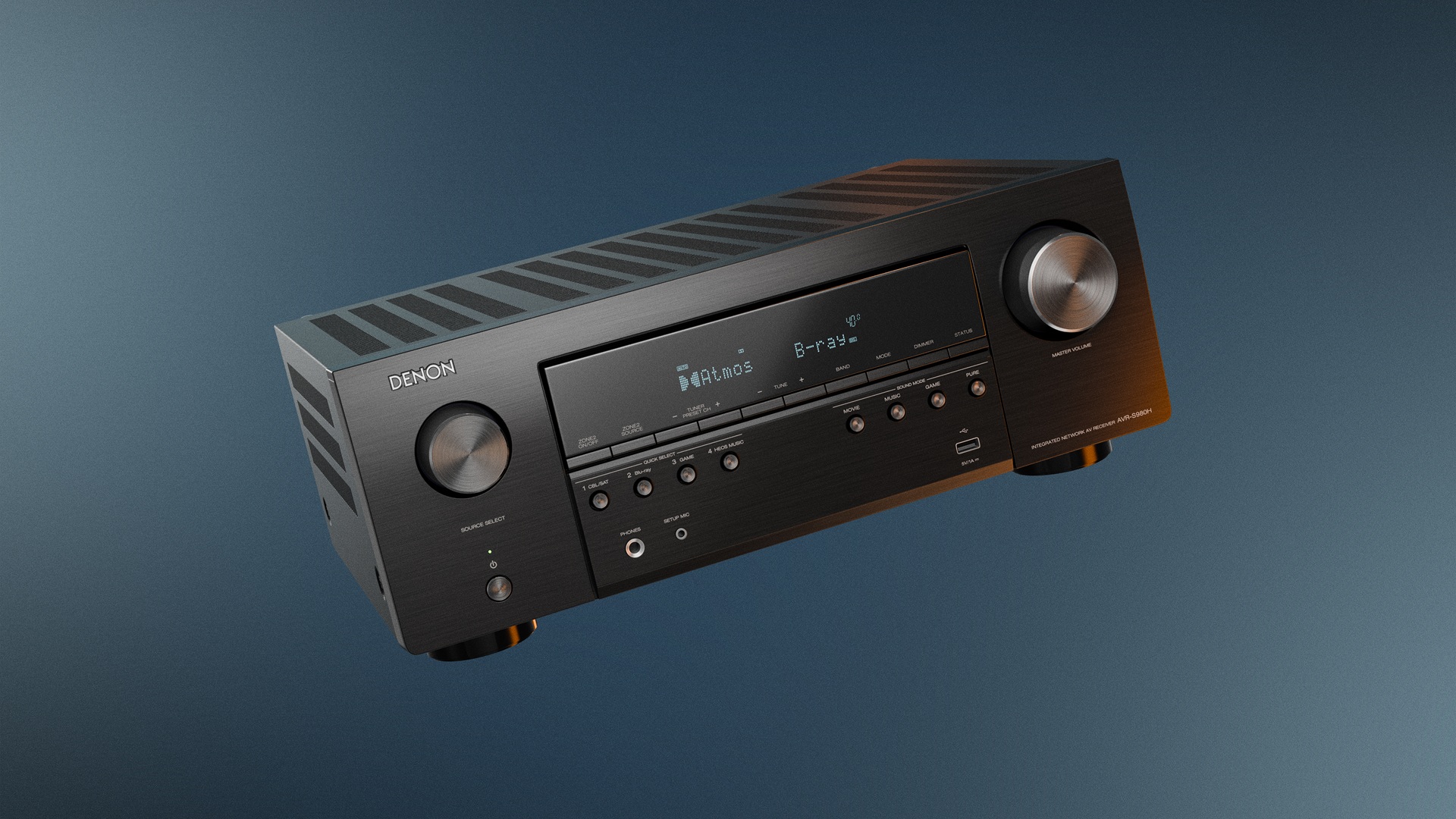
Stepping up from a soundbar has long been the natural next move for home entertainment enthusiasts. Denon’s new AVR-S980H targets precisely that audience with a 7.2-channel AV receiver that prioritises approachability alongside genuine audio performance.
Lyle Smith, President of Sound United at HARMAN, described the receiver as part of Denon’s broader mission to make high-quality audio more accessible, noting that better sound brings people closer to the stories, music and moments they love.
At the core of the AVR-S980H is a 90-watt-per-channel amplifier, a specification that gives the unit enough headroom to drive demanding speakers without distortion whether that’s during high-intensity movie scenes or particularly dynamic music. It reflects the kind of engineering heritage Denon has built over more than a century.
The receiver fits into Denon’s HEOS multiroom audio ecosystem, allowing audio to be streamed between rooms or grouped with other HEOS-compatible devices without additional hardware. A future firmware update will introduce wireless surround support using the Denon Home 200, 400, and 600 speakers, though that functionality will not be available at launch.
For gaming households, the AVR-S980H adds 1440p passthrough and AMD FreeSync support to smooth out fast-moving gameplay and reduce visual tearing, making the receiver a practical upgrade for players who want their audio and visual setup to work in tandem rather than separately.
Connectivity spans Bluetooth, AirPlay 2, Spotify Connect, and HEOS multiroom audio, covering the major wireless streaming formats. To make using the AVR-S980H easy, first-time AVR owners through setup using onscreen instructions rather than assuming prior knowledge of receiver configuration.
The AVR-S980H also scales with the owner’s setup, supporting configurations from a basic stereo pair through to a 5.1.2 Dolby Atmos system, so buyers are not locked into replacing the receiver as their speaker system grows over time.
The Denon AVR-S980H is available now through Denon.com and authorised global retailers, priced at $949 in the US, £799 in the UK, and €899 in Europe.
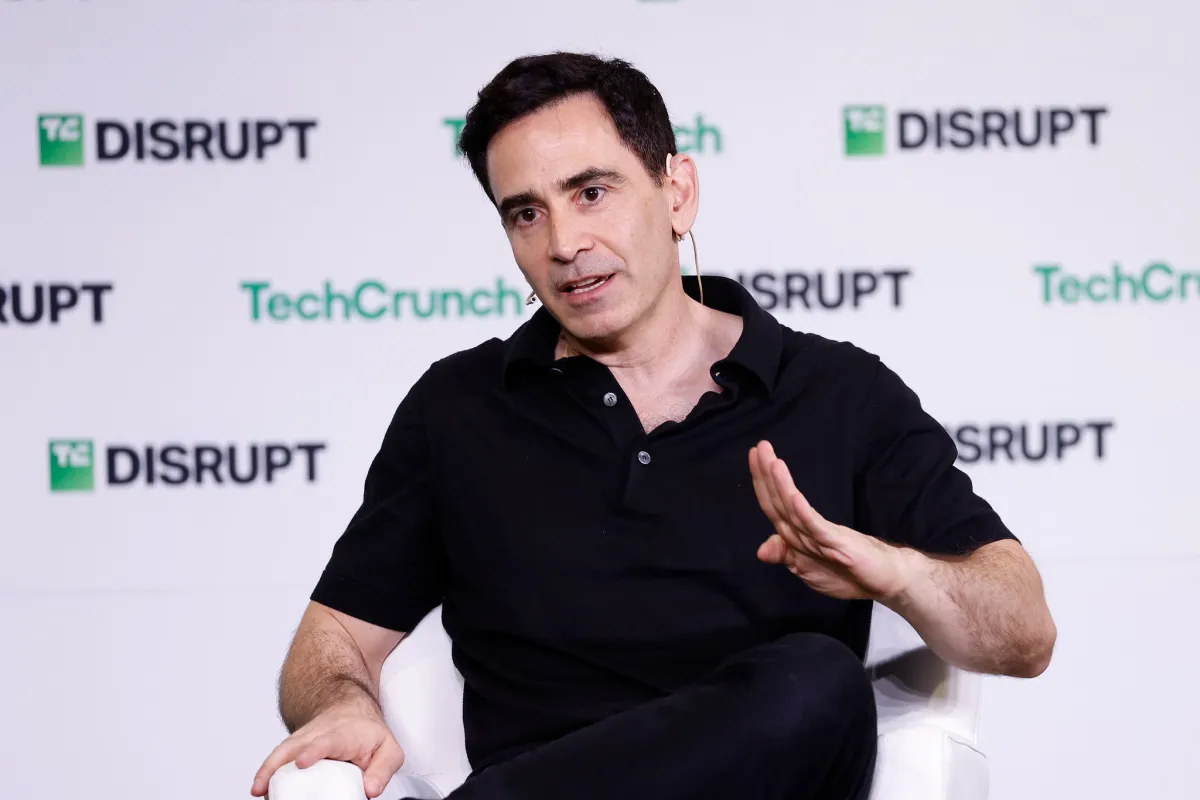
In a recent episode of “No Priors” — the excellent podcast co-hosted by AI investors Sarah Guo and Elad Gil — Gil made a point about exit timing that’s undoubtedly familiar to founders who’ve spent time with him, but seems particularly useful in this moment of go-go dealmaking.
For most companies, Gil said, there’s roughly a 12-month period where the business is at its peak value, “and then it crashes out” and the window closes. The companies that capture generational returns are often the ones where someone spies that moment instead of assuming the good times will get even better. Lotus, AOL, and Mark Cuban’s Broadcast.com all sold at or near the top, and all are held up by Gil as examples of outfits that foresaw what was coming and smartly pulled the ripcord.
To catch that window, Gil offered a practical suggestion: pre-schedule a board meeting once or twice a year specifically to discuss exits. If it’s a standing calendar item, it drains the emotion out of the equation.
This matters more now than it might have a few years ago. A lot of AI startups exist partly because the foundation models haven’t expanded into their category … yet. As many (like Deel CEO Alex Bouaziz) jokingly acknowledge, that won’t last forever.
As Gil put it: “As you see shift[s] in differentiation and defensibility and all the rest, it’s a good time to ask, ‘Hey, is this my moment? Are these next six months when I’m going to be the most valuable I’ll ever be?’”
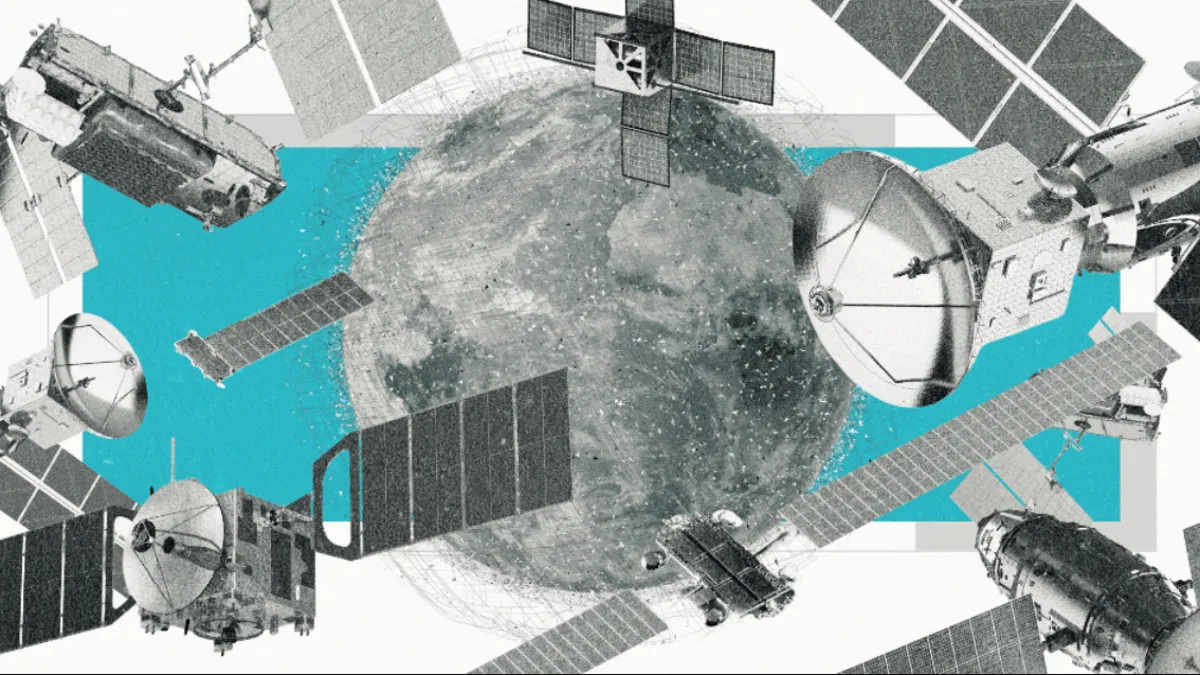
A few minutes after the sun retreated behind the Olympic Mountains, we spotted our first satellite. It moved across the sky with an eerie persistence, like a car on cruise control.
“That’s low Earth orbit. That’s pretty standard speed,” Meredith Rawls, an astronomer at the University of Washington and my stargazing guide for the night, tells me.
The primal human experience of gazing into a dark, unblemished night sky — something we’ve been doing for at least 32,000 years, since our ancestors carved Orion onto a mammoth tusk — is vanishing. That nocturnal vista is becoming a dense, industrial field of orbiting debris.
“I tell people, go to a dark site and see the sky now, while it’s like this,” Rawls says, gesturing to the constellations above us. She lets out a laugh. “It’s like, oh my God, what are we doing?”
The scale is hard to overstate. At the turn of the century, there were just over 700 active satellites in space. Now, with plans for hundreds of thousands more satellites — going from 15,000 today to half a million by 2040 — the new space race is not just a visual nuisance, it’s a toxic threat to our existence.
When you look up at the night sky and wonder why the stars are moving, it’s not because you’re seeing a UFO. You’re likely looking at a satellite, and two out of every three belong to Elon Musk’s Starlink.
Starlink is capable of beaming an internet connection to a dish the size of a pizza box, virtually anywhere in the world. The company’s on track for the largest initial public offering in history, largely on the back of all those satellites cruising through the skies.
When Starlink launched its first satellite in 2019, it kicked off a gold rush in space. Amazon plans to send up 60,000 of its own satellites, Chinese companies nearly 60,000 more. Everyone across the globe, it seems, wants a piece of the sky. Rwanda alone applied for 337,320 satellites. In January, Starlink filed for a million orbital AI data centers.
Spacefaring countries are technically bound by the United Nations’ Outer Space Treaty of 1967, but commercial enterprises are another story. And with space increasingly seen as a new theater of war, many nation-states are racing to launch their own mega-constellations.
In this article:
The ripple effects are as far-reaching as they are uncertain.
Satellites are expected to disrupt the migratory patterns of birds, dung beetles and seals, which use the stars to navigate.
Space junk from rocket launches and old satellites falls to Earth every day, increasingly through busy airspace. Last year, a piece of titanium and carbon fiber the size of a car tire landed near a school in Argentina.
Many tons of aluminum and lithium aerosols are added to the atmosphere when satellites reach the end of their lives and burn up, eating away at the ozone layer and potentially accelerating climate change.
And, ironically, they’re also threatening to halt space exploration in its tracks, as thousands of satellites zooming at 17,000 miles per hour push us toward a chain reaction known as the Kessler syndrome, an apocalyptic feedback loop in which one collision could create thousands of pieces of debris that would then lead to more collisions.
“You cannot remove all these billions of small fragments from orbit. This will basically limit our access to space forever,” says Hanno Rein, an astrophysicist at the University of Toronto. “This is not going to go away. These small fragments will not necessarily deorbit quickly. They will stay there and make space inaccessible for future generations.”
As I part ways with Rawls, she seems cautiously pleased with how few satellites we saw.
“A real takeaway from our observing session is that there are not yet an overwhelming number of bright satellites,” she says. “I hope you enjoyed your relatively pristine night sky experience.”
I get the feeling that I’m being told to enjoy it while it lasts.
15,000 satellites: How we got here
The Soviet Union launched Sputnik 1, the world’s first satellite in 1957. It would take another 53 years before we passed 1,000 active satellites. Just 16 years after that, we passed 15,000.
Almost all of that growth is due to one company. When SpaceX launched its first batch of Starlink satellites in May 2019, there were only around 2,000 active satellites. It currently has more than 10,000 in orbit; the next closest operator is OneWeb, with 650. An average of 11 satellites have been launched every day in 2026, and with each one, the risk of collisions that generate dangerous space debris increases.
The causes for the prodigious satellite rise are complicated, but if I had to point to a single moment, I’d choose Dec. 22, 2015, the day that SpaceX landed its reusable Falcon 9 rocket for the first time.
Before the Falcon 9, space was mostly the domain of governments, which launched bus-sized satellites for GPS and weather forecasting. Satellite internet had been around since 2003, but those earlier versions lived in geostationary orbit, around 22,000 miles above the Earth’s surface. That high altitude allowed a single satellite to cover a broader area on the ground, but slow speeds and high latency made it a last resort for most people.
Launching satellites into space is expensive. At the time the Falcon 9 first landed, Musk said it cost around $600 million to build, and another $200,000 in fuel costs to launch. Unlike all previous rocket boosters, the Falcon 9’s can be reused more than 10 times, and it doesn’t require much maintenance in between flights. That brought the launch costs down to $2,500 per kilogram, compared to $12,600 for SpaceX’s first rocket. Seemingly overnight, the economics of satellite launches became a lot more lucrative.
But there was a reason satellite operators had been sticking to the geostationary orbit.
“The closer you come to the Earth, the more satellites you need,” says Barry Evans, a professor of satellite communications at the University of Surrey.
Because SpaceX could reuse the Falcon 9, it was able to make use of low Earth orbit at roughly 342 miles above the ground.
Data has to travel about 60 times farther to reach GEO satellites. Starlink’s lower elevation allows it to deliver a faster connection with lower latency, but it also requires hundreds or thousands of satellites to achieve global coverage. GEO satellites can do it with just a few, though Starlink still doesn’t meet the Federal Communications Commission’s standard for minimum broadband speeds.
Starlink didn’t actually become anyone’s internet provider until 2021. By then, dozens of other companies and countries had joined the race to LEO. Amazon Leo (formerly Project Kuiper) got FCC approval for 3,236 satellites in 2020, China’s Guowang started in 2022 with a planned 13,000 satellites and OneWeb launched the first of its now complete 650-satellite constellation in 2023. So far, Amazon Leo has sent up 241 satellites and expects to start offering service in mid-2026; Guowang has 168 operational satellites in orbit.
“There’s a humongous amount of money going into these satellites,” says Jonathan McDowell, an astrophysicist who tracks satellite launches.
One analysis published in Science found that, between 2017 and 2022, countries collectively filed for over 1 million satellites across more than 300 separate systems.
A million data centers in space?
And those numbers don’t account for the data center boom coming to space. On Jan. 30, SpaceX filed an application with the FCC to launch “a million satellites that operate as orbital data centers.” Last week, Amazon’s Blue Origin filed for its own 50,000 orbital data center constellation.
Amazon, Google, Meta and Microsoft plan to spend $630 billion on Earth-bound data centers and AI chips in 2026 alone. But most people don’t want them — or their enormous water and electricity appetites — in their towns. One study found that electricity rates could rise 8% on average in the US through 2030 due to increased demand from data centers, along with cryptocurrency generation.
Moving them to space would solve the “not in my backyard” problem, and it would theoretically negate their massive water and energy consumption on Earth. As Musk put it recently, “Space has the advantage that it’s always sunny.”
SpaceX hasn’t received the green light yet for its million data centers, but FCC Chair Brendan Carr publicly voiced his approval. There’s currently no timeline for the plan, and SpaceX did not respond to my request for comment, but Musk said on a podcast in January that “in 36 months, probably closer to 30 months, the most economically compelling place to put AI will be space.”
I was met with a lot of raised eyebrows when I asked satellite experts about SpaceX’s plan for 1 million data centers.
“I don’t really think they’re going to do a million anyway. I think it’s going to be more at the 100,000 level. But I’m still very worried about 100,000 and whether that’s sustainable,” says McDowell. “Yes, technically, we can put them up there. But do we really want to?”
These data center satellites will be much larger than the Starlink satellites that beam internet connections back and forth from Earth. Recent comments from Musk indicate they’ll be around 560 feet long — more than five times the size of the most common Starlink satellites in the sky currently.
“We have a couple trends happening at the same time that are concerning. Satellites are starting to get big again, and we’re getting more of them,” says Darren McKnight, senior technical fellow at LeoLabs, a company that tracks objects in orbit.
Tim Farrar, a satellite industry consultant, described the million data centers proposal as the latest in a long line of use cases SpaceX has floated for its Starship rocket, which is still in its prototype phase, from delivering military cargo to international travel via rocket. The Starship is roughly four times bigger than the Falcon 9 and capable of carrying as much as 150 tons to low Earth orbit, but in testing it has exploded on launch roughly half the time.
“To justify making thousands of Starships when they’re reusable, you need to launch them very, very frequently,” says Farrar. “He’s now found this very fortunate confluence of AI demand and issues associated with permitting on the ground.”
‘The new theater of defense’
In mid-2025, Musk called Starlink “the backbone of the Ukrainian army.”
“Their entire front line would collapse if I turned it off,” Musk said in a post on his social media platform X.
Musk was urging an end to the war with Russia, and he wasn’t wrong that Starlink had been instrumental in Ukraine’s military operations. By that point, the Ukrainian army had been using Starlink for more than three years to fly drones, course-correct artillery fire and help troops communicate.
It was an early indicator that Starlink had grown beyond its mission of providing internet connections to rural areas. It was now one of the most coveted tools in a modern military’s arsenal.
Starlink’s involvement in wars on Earth is just the beginning. It’s going to become a military target in space, as will satellites used for GPS, reconnaissance and missile warnings.
As far back as 2019, President Donald Trump declared space the “the next war-fighting domain” when he formally established the United States Space Command as part of the military, and it’s explicitly codified in the Space Force’s founding doctrine.
“Space has become a new theater of defense,” says Joanna Darlington, chief communications officer at Eutelsat, the company that owns OneWeb. “You start getting terrestrial infrastructure destroyed, or submarine cables cut, or satellites jammed by your enemies. The only quick fix for that is satellite today.”
Musk’s involvement was unusually hands-on for an executive at a private company. In mid-2022, the SpaceX CEO denied Ukraine’s request to activate Starlink in Russian-occupied Crimea, citing concerns about escalation. Russia has also reportedly used smuggled Starlink terminals to extend the range of its drone strikes. Musk said in a Jan. 31 post that SpaceX had stopped the use of unauthorized Starlink by Russia.
Soon after, Russia reportedly began working on a missile system capable of hitting Starlink satellites in orbit and creating orbital clouds of debris that would disable multiple satellites at once.
“They become legitimate targets because of the geopolitical influence they have,” says Hugh Lewis, a professor of astronautics at the University of Birmingham. “It’s no longer just about providing someone in their apartment fast internet.”
It already tested one such weapon in 2021, when it intentionally destroyed one of its own defunct satellites. That event alone created more than 1,500 pieces of debris larger than a softball and likely hundreds of thousands of smaller pieces, forcing astronauts in the nearby International Space Station to shelter in capsules.
And Chinese anti-satellite technology has advanced so far that it can now threaten any US satellite in low Earth orbit, and likely also those in medium Earth orbit and geostationary orbit, one report from the Center for Strategic and International Studies determined.
What scientists are concerned about
The causes fueling the satellite space race are many and diverse, and so are the effects. Scientists have voiced concerns about a number of unintended consequences that could spring from sending so much metal into orbit.
“We have concerns about the atmosphere, we have concerns about space traffic management. We have concerns about astronomy and concerns about radio interference,” McDowell says. “All of these things become significantly worse at 100,000 and really, seriously problematic.”
Some of them we’re already seeing, and some can only be calculated in a lab and projected into the future.
Earth’s atmosphere as a space dump
Space debris is nothing new, and Russia isn’t the only country that’s been turning low Earth orbit into a garbage dump.
The US destroyed a failing reconnaissance satellite of its own in 2008, and India followed suit in 2019, but those tests produced far fewer — and long-lasting — pieces of debris than Russia’s 2021 test that put ISS astronauts in jeopardy.
But when I talk to astronomers who spend a lot of time thinking about space debris, it’s clear that one event haunts them more than the others.
In 2007, China blew up a weather satellite, creating the largest debris cloud in history. Overnight, 3,533 pieces of softball-or-larger pieces of metal were added to low Earth orbit, and an estimated 150,000 smaller objects. Before the test, there were fewer than 8,000 tracked objects in LEO altogether.
“That one single test increased orbital debris by one third. And that’s still up there,” says Sven Bilen, an engineering professor at Penn State University.
The Secure World Foundation estimates that 2,351 pieces of debris from that single day in 2007 are still in orbit. The Chinese satellite was in orbit 537 miles (865 kilometers) above Earth when it was blown up, compared to the roughly 310 miles (500 kilometers) at which most Starlink satellites operate. That higher altitude means the debris would take longer to be pulled into the Earth’s atmosphere, where it would burn up.
“It’s an exponentially varying atmosphere. By the time you get to 750 kilometers, it’s up there for decades to centuries,” says McKnight. “At 450, 500 kilometers, you’re talking weeks to months.”
It’s worth acknowledging here that space is huge, and 25,000 softball-sized objects zooming hundreds or thousands of miles above our heads doesn’t seem like such a big deal. The problem comes when those objects start occupying the same space as the 15,000 active satellites in orbit.
With space debris moving about 10 times faster than a bullet, even a softball-sized object hitting a satellite would be devastating. That impact would create many more softballs, which could take out even more satellites. This apocalyptic feedback loop is called the Kessler Syndrome, and the scientists I spoke to agree that it’s just a matter of when, not if, it happens.
“We don’t know where we are on that curve, but at some point, every piece of hardware that you put up there is going to be more likely than not to generate additional debris,” Bilen says. “It becomes a runaway phenomenon.”
“If we keep doing what we are doing right now, which is almost nothing, it’s very likely,” Bilen adds. “I don’t know when, but it’s very likely.”
Almost every astrophysicist I spoke with mentioned the 2013 movie Gravity, which famously dramatized a Kessler syndrome-like scenario, depicting astronauts forced to abandon their space shuttle as a debris cloud swarms them. They emphasized that it won’t manifest as a single catastrophic moment like that, but will instead take place over years, as space slowly becomes deadly for astronauts and satellites alike.
“We’re boiling the frog. It’s increasing slowly, and all of a sudden we’ll get to a point and go, ‘Wow, that’s really bad,’” says McKnight. “There are indicators that we’re getting closer, indicators that the timeline is shrinking.”
Satellites maneuver to avoid collisions
Despite some close calls, satellites have so far been exceptionally nimble at avoiding space debris.
When Starlink first launched in 2019, it made a “collision avoidance” maneuver if the probability of impact was greater than 1 in 100,000 — the same number that NASA uses for human spaceflight. Starlink has since moved that number to a more conservative 3 in 10 million.
But even with that more conservative threshold, its satellites still made about 300,000 maneuvers last year alone — an increase from around 200,000 in 2024. Depending on who you ask, that number is evidence of Starlink’s spotless safety record or an unsustainably high number of moving satellites.
If Starlink achieved its goal of 1 million orbital data centers, that would add up to 272 million maneuvers a year, or nine every second, according to Hugh Lewis, the astronautics professor.
“The very fact that you have to maneuver degrades your ability to detect whether you need to maneuver,” says Lewis. “Anybody else who wants to operate in that environment is going to be looking at this fuzzy ball of stuff that’s always moving.”
There’s also a risk of solar storms disrupting satellites’ ability to maneuver. These blasts from the sun occur when twisted magnetic fields reach their breaking point, sending bursts of energy throughout the entire solar system.
Solar storms could slow down your internet temporarily or they could take out satellites altogether, according to researchers at the University of California, Irvine. In February 2022, 38 Starlink satellites were destroyed by one such event.
“We can predict these events sometimes, but certainly not always,” says Sascha Meinrath, professor of telecommunications at Penn State University. “They can rapidly — and by rapidly, I mean, within minutes to hours — dramatically increase the scale of atmospheric drag.”
In response, Starlink’s satellites autonomously adjust their altitude. Neighboring satellites make their own adjustments, and it can take three to four days before they’re stabilized at their original altitudes.
A paper published in December described this as an “orbital house of cards.” The authors estimated that it would take 5.5 days for a “catastrophic collision” to occur if maneuvers stopped or severe situational awareness loss occurred due to an event like a solar storm. In 2018, the year before Starlink launched its first satellites, that number was 164 days. In the four months since the paper was first submitted, the clock has dropped to just three days. (The paper has not been peer-reviewed.)
Three days is already an alarmingly short period of time to avoid “catastrophic outcomes.” What happens if we go from 15,000 satellites to millions?
Space junk doesn’t always stay in space
The Earth’s stratosphere acts as a great filtering system for those of us on the ground. But just as some meteors survive the trip, space debris doesn’t always stay in space. As more rockets are launched and more satellites are deorbited, the likelihood of a piece of them reaching Earth increases.
A January 2025 paper published in Scientific Reports determined that there’s a 26% chance each year that a piece of spacecraft will pass through some of the world’s busiest airspace. When they factored in planned megaconstellations from companies like SpaceX and Blue Origin, the probability of a fatal aircraft collision with reentry debris increased to 7 in 10,000 per year by 2035.
“You hit what’s known as the law of truly large numbers,” says Lewis. “Even if it’s a really, really low likelihood, enough opportunities means it’s going to happen.”
And it has already happened, with alarming frequency. According to NASA, an average of one cataloged piece of debris fell back to Earth every day during the last 50 years. Most of this lands harmlessly in oceans or remote areas — NASA says that “no serious injury or significant property damage” has been confirmed — but a January study published in Science noted that the risks are growing with an increasingly crowded orbit.
A 2022 study published in Nature Astronomy put the danger in starker terms, noting that there’s a 10% chance that someone is killed by space debris over a decade. It also cautioned that this is a conservative estimate given the acceleration of rocket launches.
Last year alone, space junk fell on a mine in Australia, on a farm in Argentina, in the Algerian desert, near a school in Argentina and at a warehouse in Poland. In 2024, fragments from a SpaceX rocket landed 40 miles apart in North Carolina. One 15-inch piece landed on a man’s roof while he was home watching TV.
“It’s fairly difficult to always have a controlled re-entry. As I like to say, we want to have a splash, not a thud,” says McKnight.
In other words, operators should aim to deorbit satellites “over the open ocean, away from populated islands and heavily trafficked airline and maritime routes.” Debris from rocket launches is necessarily closer to civilization. NASA guidelines for debris re-entry say the risk of a human casualty should be less than 1 in 10,000.
“As you get more and more satellites up there, more and more rockets, more and bigger payloads, if this trend is going to hold true, that’s going to be more and more difficult to adhere to,” says McKnight. “If you have enough events, somebody’s going to get hurt.”
Taking out the orbital trash
One way to clean up space debris is to steer satellites toward the atmosphere, where they burn up. With constant propellant needed to overcome atmospheric drag, most satellites in low Earth orbit only last around five to eight years. SpaceX deorbits its Starlink satellites after roughly five years in the sky.
“Deorbiting” is a benign word for a violent process. When a Starlink satellite hits the end of its life, SpaceX operators activate a “drag sail,” which is essentially a kite that slowly pulls the satellite closer to Earth. When it reaches the dense upper atmosphere after a few months, the satellite is incinerated. It’s a spectacular sight from the ground — a fireworks grand finale on a cosmic scale.
Starlink’s satellites weigh roughly as much as a Honda Civic, and an average of almost two were deorbited every day last year.
And scientists fear those burnups could be doing irreparable damage to our atmosphere. As old satellites are ignited on reentry, the plastics and carbon-fiber composites in them release particles of black carbon — the same sooty material produced by a campfire — as well as metals like aluminum and lithium.
“You’re putting a gray blanket in the stratosphere, which is absorbing and heating up aluminum,” says Rajan Chakrabarty, a chemical engineering professor at Washington University in St. Louis who researches the effects of aerosols on the atmosphere. “This extra heat is just going to cause imbalance.”
We’ve only recently started seeing them reach the end of their lives in significant numbers, but scientists are already observing the effects.
One study funded by NASA and published in Geophysical Research Letters in mid-2024 found that a 550-pound satellite releases about 66 pounds of aluminum oxide nanoparticles when it’s deorbited. These nanoparticles grew eightfold from 2016 to 2022, before the satellite space race kicked off in earnest. The most common Starlink satellites weigh 2,750 pounds each; the next generation will weigh 4,409 pounds.
“We projected a yearly excess of more than 640% over the natural level. Based on that projection, we are very worried,” Joseph Wang, one of the authors of the Geophysical Research Letters study, told me in an interview last year, referring to the presence of aluminum particles.
Samples taken in 2023 by scientists with the National Oceanic and Atmospheric Administration — before satellites started getting deorbited en masse — found aluminum and exotic metals embedded in about 10% of the stratosphere. They estimated that this could grow to 50% “based on the number of satellites being launched into low Earth orbit.”
The ripple effects of all this are still unclear. Huge amounts of black carbon could absorb incoming sunlight or scatter it; it could even change how heat moves around the climate system. The many tons of metallic aerosols added to the atmosphere could actually help cool the planet. (Some geoengineering scientists have even proposed this as a solution to climate change.) Another study determined that the warming effect of black carbon could raise stratospheric temperatures by as much as 1.5 degrees Celsius.
Perhaps the most worrying unknown is how this will affect the Earth’s ozone layer, a section of the stratosphere that absorbs radiation from the sun. According to the EPA, ozone depletion leads to health issues like skin cancer, cataracts and weakened immune systems, as well as reduced crop yield and disruptions in the marine food chain.
“We are shooting in the dark. We really don’t know what’s going to happen,” says Chakrabarty. “These things change slowly, and most of the changes are irreversible. It might not be tangible to our eyes, but by the time we feel the effects of a changing climate, it’s going to be too late.”
Wild West: Who is governing the satellite ecosystem?
For as long as humans have been launching objects into orbit, there’s been an effort to set up international guardrails. A year after the Soviet Union launched Sputnik 1, the United Nations established the Committee on the Peaceful Uses of Outer Space.
The committee’s early meetings were filled with a sense of guarded optimism about the possibilities for international cooperation that satellite communication could open up. Their grasp of the challenges ahead was equally prescient. At its third meeting in 1962, USSR ambassador Platon D. Morozov accurately charted the dilemma we’re facing today.
“As more and more satellites and other scientific instruments are being launched every year, and since the number of countries conducting such experiments is bound to increase, it becomes important to establish juridical provisions,” Morozov said. In other words, space activities need rules.
Four years later, the Outer Space Treaty was signed by the US, the USSR and the UK, with a core principle stating that “states shall avoid harmful contamination of space.”
That spirit of international cooperation has since waned. In theory, the Outer Space Treaty sets the rules, and individual governments are responsible for enforcing them. But that obligation has often taken a backseat in the US.
“In practice, it’s not quite a rubber stamp, but I wouldn’t describe the FCC’s reviews as especially adversarial,” McDowell says. “Although they do talk about preserving the environment, it doesn’t seem to me to be as high a priority as making money.”
Satellite operations are coordinated globally through the UN’s International Telecommunication Union, which regulates things like spectrum allocation, frequency assignments and orbital positions. What it doesn’t do is coordinate space traffic or instill environmental guidelines.
“There’s no common understanding in terms of what’s right of way in space,” says Victoria Samson, chief director of space security and stability for the Secure World Foundation. “If they can both maneuver, who moves?”
When Starlink was essentially alone in low Earth orbit, this wasn’t much of an issue. They were largely self-policing, but they were widely considered to be responsible operators. But as more and more countries plan their own mega-constellations, frictions have risen to the surface.
In June last year, the European Union proposed a new Space Act, which would require satellite operators to address issues like space debris and collision avoidance. It’s not expected to be adopted until late 2028.
The US State Department responded by saying it has “deep concern” about the “unacceptable regulatory burdens” the legislation would impose on satellite operators. FCC Chair Brendan Carr went as far as to say the US would retaliate if the act is passed. Representatives from the FCC didn’t respond to my requests for comment.
“We just want to make sure that every satellite operator gets a fair shake in Europe,” Carr said at a telecom conference in March. “If Europe wants to go in a different direction, there are European satellite operators that do business in America, and we’ll mirror the regulatory approach that Europe wants to take.”
The tit-for-tat highlights the challenges of regulating an industry whose infrastructure lives a thousand miles above our heads. Nations can decide which companies are allowed to sell satellite services within their borders; it’s another thing to mandate that they behave a certain way in space.
“There are few industries where there’s a global regulatory body,” says Joanna Darlington, the Eutelsat communications officer. “This is the challenge of space, because it doesn’t belong to anyone.”
Why satellites are here to stay
Like it or not, satellites are here to stay, and we’re increasingly reliant on them for disaster relief, emergency response, environmental monitoring, agriculture production and everyday navigation. There’s also Starlink’s 10 million customers around the world, many of whom had never had a modern internet connection before SpaceX launched all those satellites into orbit.
But as wildly successful as the low Earth orbit satellite era has been, it could be creating the conditions for its own demise as space debris keeps accumulating.
“Orbital debris mitigation and cleanup is a massive, massive challenge,” says Bilen. “We can’t even clean up the great garbage patch of the Pacific Ocean, which is right here on the surface of the Earth. Now imagine trying to do that in space.”
Meredith Rawls, the University of Washington astronomer, reminded me that there is one precedent for the global community coming together to tackle a seemingly insurmountable problem: the 1987 Montreal Protocol. The landmark agreement phased out chlorofluorocarbons from household products that had opened a hole in the ozone layer, leading toward a full recovery expected by 2066. Nearly 40 years later, it’s still the only UN treaty ratified by every country on Earth.
Ironically, that recovery is now in danger of being reversed by the satellite space race.
“I actually like the ozone layer as a success story of international cooperation,” Rawls says. “We fixed a thing! Countries worked together to notice something was broken.
“I wonder if we could do that again.”
Visual Design and Animation | Tharon Green
Art Director | Jeffrey Hazelwood
Creative Director | Viva Tung
Video Director | Jesse Orrall
Video Editor | Emmett Smith
Project Manager | Danielle Ramirez
Editor | Corinne Reichert
Director of Content | Jonathan Skillings

NBC News reports on a 16-person clinical trial of “personalized messenger RNA vaccines” which use the immune system to fight cancer cells. “The goal is not to eliminate existing tumors, but instead to stamp out lingering, undetected cancer cells, and later any new cells that form before they can cause a recurrence.”
Patients still have surgery to remove tumors. After that, the mRNA vaccines are personalized for each individual using genetic material taken from their unique tumor cells. In the clinical trial, after getting the vaccine, the patients also received chemotherapy, which is standard post-op treatment for operable pancreatic cancer… [The article notes that less than 13% of people diagnosed with pancreatic cancer live for more than five years, making it “one of the deadliest cancers.”]
[E]xperts have long believed that people with pancreatic cancer could not generate an immune response against tumors. But after nine doses of the personalized vaccine, [clinical trial participant Donna] Gustafson is one of eight people in the 16-person Phase 1 trial who did just that, producing an army of immune cells called T cells that seek out and destroy tumor cells… [Dr. Vinod Balachandran, a vaccine center director who is leading the trial, said] it was unclear whether the immune response would last and lead to the patients living longer… New data collected during the trial’s six-year follow-up period shows that it may. Those findings will be presented Monday at the American Association for Cancer Research’s annual meeting in San Diego. Six years after treatment, Gustafson and six others who responded to the treatment are still alive…
More research is still needed. Genentech and BioNTech, the two drugmakers behind the vaccine, have already launched a larger Phase 2 clinical trial… Another team is working on an off-the-shelf vaccine that targets a protein called KRAS that is present in as many as 90% of pancreatic cancers. In a small, early trial, about 85% of the participants mounted an immune response to the protein.
Because we get asked a lot.
The Technological Republic, in brief.
1. Silicon Valley owes a moral debt to the country that made its rise possible. The engineering elite of Silicon Valley has an affirmative obligation to participate in the defense of the nation.
2. We must rebel against the tyranny of the apps. Is the iPhone our greatest creative if not crowning achievement as a civilization? The object has changed our lives, but it may also now be limiting and constraining our sense of the possible.
3. Free email is not enough. The decadence of a culture or civilization, and indeed its ruling class, will be forgiven only if that culture is capable of delivering economic growth and security for the public.
4. The limits of soft power, of soaring rhetoric alone, have been exposed. The ability of free and democratic societies to prevail requires something more than moral appeal. It requires hard power, and hard power in this century will be built on software.
5. The question is not whether A.I. weapons will be built; it is who will build them and for what purpose. Our adversaries will not pause to indulge in theatrical debates about the merits of developing technologies with critical military and national security applications. They will proceed.
6. National service should be a universal duty. We should, as a society, seriously consider moving away from an all-volunteer force and only fight the next war if everyone shares in the risk and the cost.
7. If a U.S. Marine asks for a better rifle, we should build it; and the same goes for software. We should as a country be capable of continuing a debate about the appropriateness of military action abroad while remaining unflinching in our commitment to those we have asked to step into harm’s way.
8. Public servants need not be our priests. Any business that compensated its employees in the way that the federal government compensates public servants would struggle to survive.
9. We should show far more grace towards those who have subjected themselves to public life. The eradication of any space for forgiveness—a jettisoning of any tolerance for the complexities and contradictions of the human psyche—may leave us with a cast of characters at the helm we will grow to regret.
10. The psychologization of modern politics is leading us astray. Those who look to the political arena to nourish their soul and sense of self, who rely too heavily on their internal life finding expression in people they may never meet, will be left disappointed.
11. Our society has grown too eager to hasten, and is often gleeful at, the demise of its enemies. The vanquishing of an opponent is a moment to pause, not rejoice.
12. The atomic age is ending. One age of deterrence, the atomic age, is ending, and a new era of deterrence built on A.I. is set to begin.
13. No other country in the history of the world has advanced progressive values more than this one. The United States is far from perfect. But it is easy to forget how much more opportunity exists in this country for those who are not hereditary elites than in any other nation on the planet.
14. American power has made possible an extraordinarily long peace. Too many have forgotten or perhaps take for granted that nearly a century of some version of peace has prevailed in the world without a great power military conflict. At least three generations — billions of people and their children and now grandchildren — have never known a world war.
15. The postwar neutering of Germany and Japan must be undone. The defanging of Germany was an overcorrection for which Europe is now paying a heavy price. A similar and highly theatrical commitment to Japanese pacifism will, if maintained, also threaten to shift the balance of power in Asia.
16. We should applaud those who attempt to build where the market has failed to act. The culture almost snickers at Musk’s interest in grand narrative, as if billionaires ought to simply stay in their lane of enriching themselves . . . . Any curiosity or genuine interest in the value of what he has created is essentially dismissed, or perhaps lurks from beneath a thinly veiled scorn.
17. Silicon Valley must play a role in addressing violent crime. Many politicians across the United States have essentially shrugged when it comes to violent crime, abandoning any serious efforts to address the problem or take on any risk with their constituencies or donors in coming up with solutions and experiments in what should be a desperate bid to save lives.
18. The ruthless exposure of the private lives of public figures drives far too much talent away from government service. The public arena—and the shallow and petty assaults against those who dare to do something other than enrich themselves—has become so unforgiving that the republic is left with a significant roster of ineffectual, empty vessels whose ambition one would forgive if there were any genuine belief structure lurking within.
19. The caution in public life that we unwittingly encourage is corrosive. Those who say nothing wrong often say nothing much at all.
20. The pervasive intolerance of religious belief in certain circles must be resisted. The elite’s intolerance of religious belief is perhaps one of the most telling signs that its political project constitutes a less open intellectual movement than many within it would claim.
21. Some cultures have produced vital advances; others remain dysfunctional and regressive. All cultures are now equal. Criticism and value judgments are forbidden. Yet this new dogma glosses over the fact that certain cultures and indeed subcultures . . . have produced wonders. Others have proven middling, and worse, regressive and harmful.
22. We must resist the shallow temptation of a vacant and hollow pluralism. We, in America and more broadly the West, have for the past half century resisted defining national cultures in the name of inclusivity. But inclusion into what?
Excerpts from the #1 New York Times Bestseller The Technological Republic: Hard Power, Soft Belief, and the Future of the West, by Alexander C. Karp & Nicholas W. Zamiska


Cloud development platform Vercel has disclosed a security incident after threat actors claimed to have breached its systems and are attempting to sell stolen data.
Vercel is a cloud platform that provides hosting and deployment infrastructure for developers, with a strong focus on JavaScript frameworks.
The company is known for developing Next.js, a widely used React framework, and for offering services such as serverless functions, edge computing, and CI/CD pipelines that enable developers to build, preview, and deploy applications.

In a security bulletin published today, the company said a limited subset of customers was affected by a security breach.
“We’ve identified a security incident that involved unauthorized access to certain internal Vercel systems,” warns Vercel.
“We are actively investigating, and we have engaged incident response experts to help investigate and remediate. We have notified law enforcement and will update this page as the investigation progresses.”
The company says its services have not been impacted and that it is working with impacted customers.
Vercel says it is taking steps to protect its customers, advising them to review environment variables, use its sensitive environment variable feature, and to rotate secrets if needed.
Hacker claims to be selling stolen Vercel data
The disclosure comes after a threat actor claiming to be “ShinyHunters” posted on a hacking forum that they had breached Vercel and were selling access to company data.
It should be noted that while the hacker claims to be part of the ShinyHunters group, threat actors linked to recent attacks attributed to the ShinyHunters extortion gang have denied to BleepingComputer that they are involved in this incident.
In the forum post, the hacker claimed to be selling access keys, source code, and database data allegedly stolen from Vercel, along with access to internal deployments and API keys.
“This is just from Linear as proof, but the access I’m about to give you includes multiple employee accounts with access to several internal deployments, API keys (including some NPM tokens and some GitHub tokens),” reads the forum post.
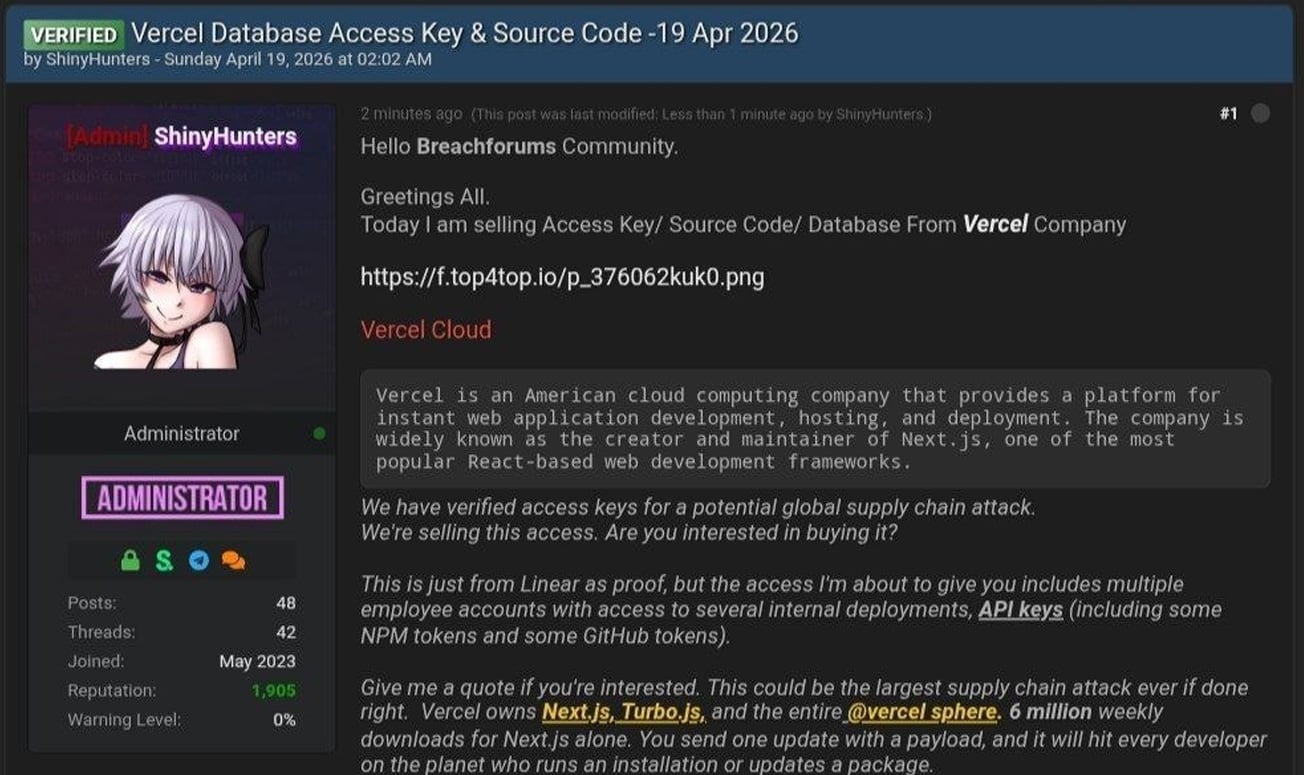
The attacker also shared a text file containing Vercel employee information, which consists of 580 data records containing names, Vercel email addresses, account status, and activity timestamps. They also shared a screenshot of what appears to be an internal Vercel Enterprise dashboard.
BleepingComputer has not been able to independently confirm if the data or screenshot is authentic.
In messages shared on Telegram, the threat actor also claimed they were in contact with Vercel regarding the incident and that they discussed an alleged ransom demand of $2 million.
BleepingComputer contacted Vercel with additional questions about the breach, including whether any sensitive data or credentials were exposed and if they are negotiating with the attackers, and will update this story if we receive a response.

AI chained four zero-days into one exploit that bypassed both renderer and OS sandboxes. A wave of new exploits is coming.
At the Autonomous Validation Summit (May 12 & 14), see how autonomous, context-rich validation finds what’s exploitable, proves controls hold, and closes the remediation loop.
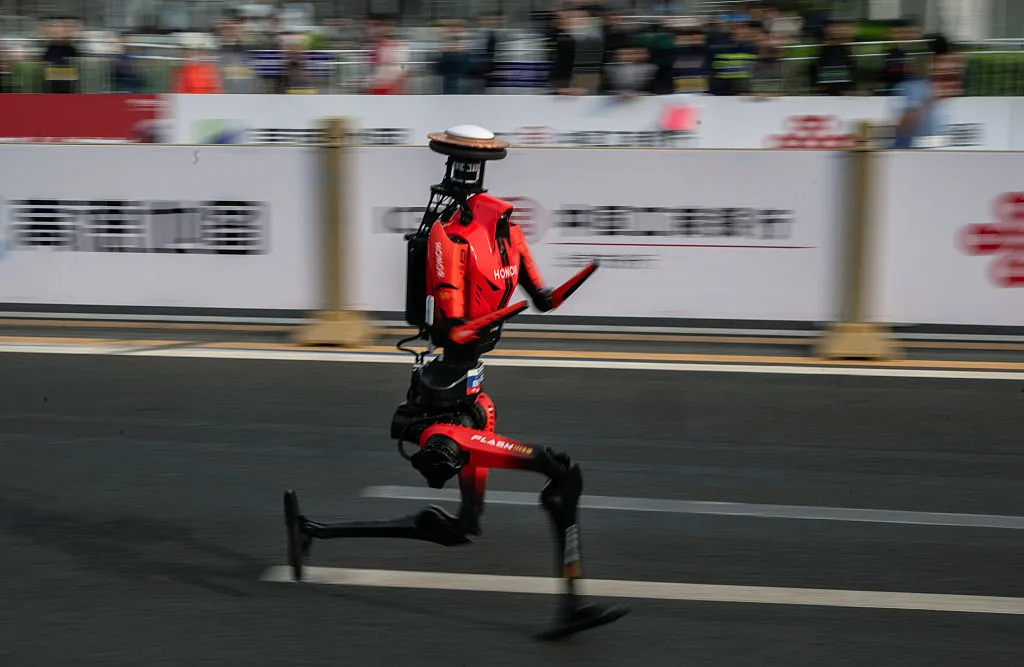
The winning runner at a Beijing half-marathon for humanoid robots finished the race today in 50 minutes and 26 seconds — significantly faster than the human world record of 57 minutes recently set by Jacob Kiplimo.
Comparing human and robot running times may seem unfair; one social media user observed, “my car can outrun a cheetah too.” Still, the winning time is a massive improvement over last year’s race, when the fastest robot finished in two hours and 40 minutes. (Back then, I scoffed that this “would not be an impressive time for a human.”)
The Associated Press reports that this year’s winner was built by Chinese smartphone maker Honor. It seems the winning robot wasn’t actually the fastest, as a different Honor robot finished in 48 minutes and 19 seconds. But that one was remote controlled — the 50:26 robot was autonomous and won due to weighted scoring.
About 40% of participating robots competed autonomously, while the remaining 60% were remote controlled, according to Beijing’s E-Town tech hub. Not all of them did as well as Honor’s robots, with one robot falling at the starting line and another hitting a barrier.

The HBO drama Euphoria is premiering new episodes. It may be hard to believe that the previous season wrapped up in 2022. On my TikTok “For You” page, I still see 4-year-old clips on the regular.
Season 3 takes place five years after season 2 (see our finale recap here), well after high school. The new season once again stars Zendaya, Hunter Schafer, Jacob Elordi, Sydney Sweeney, Alexa Demie, Maude Apatow, Colman Domingo and Eric Dane. It adds new guest stars such as Sharon Stone, Rosalía, Danielle Deadwyler, Natasha Lyonne and Trisha Paytas. According to an official synopsis, season 3 sees “a group of childhood friends wrestle with the virtue of faith, the possibility of redemption and the problem of evil.”
While it’s swapped from HBO Max to Max and back to HBO Max again in the time it’s taken for Euphoria to return to TV, you’ll be able to tune into the HBO streaming service for new episodes each week. Here’s a release schedule for Euphoria season 3.
When to watch Euphoria season 3 on HBO Max
In the US? You can stream episode 2 of Euphoria season 3 on HBO Max on Sunday, April 19, at 9 p.m. ET (6 p.m. PT). It’ll also air on HBO at 9 p.m. ET and PT. Subsequent installments will debut on Sundays through May 31.
- Episode 2, America My Dream: April 19
- Episode 3, The Ballad of Paladin: April 26
- Episode 4, Kitty Likes to Dance: May 3
- Episode 5, This Little Piggy: May 10
- Episode 6, Stand Still and See: May 17
- Episode 7, Rain or Shine: May 24
- Episode 8, In God We Trust: May 31
HBO Max last increased its plan prices in October, raising the ad-supported tier to $11 per month, the ad-free Standard tier to $18.50 per month and the ad-free Premium tier to $23 per month.
You might be able to save money by paying upfront for 12 months of HBO Max, which costs less than paying month-by-month for a year. In addition to HBO Max’s standalone plans, you can bundle it with Disney Plus and Hulu, either with ads for all three services or without.
Tech
Google in talks with Marvell Technology to build new AI inference chips alongside Broadcom TPU programme
Summary: Google is in talks with Marvell Technology to develop two new AI chips – a memory processing unit and an inference-optimised TPU – adding a third design partner alongside Broadcom and MediaTek in its custom silicon supply chain. The discussions, which have not yet produced a signed contract, came days after Broadcom locked in a through-2031 TPU agreement and reflect Google’s shift toward inference as the dominant compute cost, as the custom ASIC market is projected to grow 45% in 2026 and reach $118 billion by 2033.
Google is in talks with Marvell Technology to develop two new chips for running AI models, according to The Information. One is a memory processing unit designed to work alongside Google’s existing Tensor Processing Units. The other is a new TPU built specifically for inference, the phase of AI where models serve users rather than learn from data. Marvell would act in a design-services role, similar to MediaTek’s involvement on Google’s latest Ironwood TPU. The discussions have not yet produced a signed contract.
The talks came days after Broadcom, Google’s primary custom chip partner, announced a long-term agreement to design and supply TPUs and networking components through 2031. The timing suggests Google is not replacing Broadcom but adding a third design partner to a supply chain that already includes Broadcom for high-performance chip variants, MediaTek for cost-optimised “e” variants at 20 to 30% lower cost, and TSMC for fabrication. The strategy is diversification, not substitution.
Why inference matters now
Google’s seventh-generation TPU, Ironwood, debuted this month as what the company calls “the first Google TPU for the age of inference.” It delivers ten times the peak performance of the TPU v5p and scales to 9,216 liquid-cooled chips in a superpod spanning roughly 10 megawatts, producing 42.5 FP8 exaflops. Google plans to build millions of Ironwood units this year. The Marvell-designed chips would supplement rather than replace Ironwood, potentially targeting different workload profiles or cost points for the growing share of Google’s compute that goes to serving AI models rather than training them.
The shift from training to inference as the primary demand driver is reshaping the chip market. Training a frontier model is a one-time event that requires enormous compute for weeks or months. Inference runs continuously, serving every query from every user, and its costs scale with demand rather than capability. As AI products reach hundreds of millions of users, inference becomes the dominant expense, and purpose-built inference silicon becomes a competitive advantage that general-purpose GPUs cannot match on cost or efficiency.

The 💜 of EU tech
The latest rumblings from the EU tech scene, a story from our wise ol’ founder Boris, and some questionable AI art. It’s free, every week, in your inbox. Sign up now!
The backstory
The Google-Marvell relationship has a longer history than this week’s report suggests. The Information reported in 2023 that Google had been working since 2022 on a chip codenamed “Granite Redux” that would use Marvell instead of Broadcom, with Google expecting to save billions of dollars annually. At the time, Google’s spokesperson called Broadcom “an excellent partner” and said the company was “productively engaged with Broadcom and multiple other suppliers for the long term.”
What changed between 2023 and now is that Google appears to have abandoned the idea of dropping Broadcom entirely. The through-2031 agreement locked in that relationship. Instead, Google is building a multi-supplier architecture in which Broadcom, MediaTek, and potentially Marvell each handle different parts of the TPU programme, competing on specific segments rather than for the entire contract. The approach mirrors how automotive companies manage component suppliers: no single vendor gets enough leverage to dictate terms.
What Marvell brings
Marvell’s data centre revenue reached a record $6.1 billion in its fiscal year ending February 2026, with total revenue of $8.2 billion, up 42% year over year. The company runs a custom silicon business with a $1.5 billion annual run rate across 18 cloud-provider design wins, building chips for Amazon (Trainium processors), Microsoft (Maia AI accelerator), and Meta (a new data processing unit), in addition to its existing work with Google on the Axion ARM CPU.
Nvidia invested $2 billion in Marvell at the end of March, partnering through NVLink Fusion to integrate Marvell’s custom chips and networking with Nvidia’s interconnect fabric. The deal positions Marvell at the intersection of both the GPU and ASIC ecosystems. In December 2025, Marvell acquired Celestial AI for up to $5.5 billion, gaining photonic interconnect technology that CEO Matt Murphy said would deliver “the industry’s most complete connectivity platform for AI and cloud customers.” Murphy is targeting 20% market share in custom AI chips and expects roughly 30% year-over-year revenue growth in fiscal 2027.
Marvell’s stock has rallied approximately 50% year to date, with a 30% gain in April alone following the Nvidia partnership and the Google talks. Barclays analyst Tom O’Malley upgraded the stock to overweight and raised his price target from $105 to $150.
Broadcom’s position
The Marvell talks do not appear to have weakened Broadcom’s position. Broadcom commands more than 70% market share in custom AI accelerators. Its AI revenue hit $8.4 billion in its most recent quarter, up 106% year over year, with guidance of $10.7 billion for the following quarter. The company is targeting $100 billion in AI chip revenue by 2027. Broadcom’s shares rose more than 6% on the day it announced the Google extension, and Mizuho analysts estimated the company would record $21 billion in AI revenue attributable to its Google and Anthropic relationships in 2026, rising to $42 billion in 2027. Anthropic will access approximately 3.5 gigawatts of next-generation TPU-based compute starting in 2027.
The broader ASIC market is growing faster than the GPU market. TrendForce projects custom chip sales will increase 45% in 2026, compared with 16% growth in GPU shipments. Counterpoint Research projects Broadcom will hold roughly 60% of the custom AI accelerator market by 2027, with Marvell at approximately 25%. The market itself is expected to reach $118 billion by 2033.
What this means for Google
Google’s chip strategy now involves four partners (Broadcom, MediaTek, Marvell, and TSMC), its own in-house design team, and a product line that spans training, inference, and general-purpose cloud compute. The complexity is deliberate. Every hyperscaler that depends on a single chip supplier, whether Nvidia or anyone else, faces pricing risk, supply risk, and the strategic vulnerability of building a business on someone else’s silicon.
The inference focus of the Marvell discussions reflects a shift in where the money goes. Training Nvidia’s latest chips remain dominant in training workloads, but inference is where the volume is, and volume is where custom silicon’s cost advantages compound. Google serves billions of AI-augmented search queries, Gemini conversations, and Cloud AI API calls every day. Shaving even a small percentage off the cost per inference across that scale translates into billions of dollars annually, which is precisely what the 2023 “Granite Redux” discussions were about.
The talks with Marvell are not yet a deal, and chip development timelines mean any resulting product is likely years from production. But the direction is clear. Google is building a chip supply chain designed to support the most demanding AI inference workloads in the world, and it intends to have more than one partner capable of building the silicon that runs them. For Marvell, a Google inference TPU contract would validate its position as the second-most important custom AI chip designer in the world. For Google, it would mean one more supplier in a market where no company can afford to depend on just one.
In 1627, a year after the death of the philosopher and statesman Francis Bacon, a short, evocative tale of his was published. The New Atlantis describes how a ship blown off course arrives at an unknown island called Bensalem. At its heart stands Salomon’s House, an institution devoted to “the knowledge of causes, and secret motions of things” and to “the effecting of all things possible.” The novel captured Bacon’s vision of a science built on skepticism and empiricism and his belief that understanding and creating were one and the same pursuit.
No mere scholar’s study filled with curiosities, Salomon’s House had deep-sunk caves for refrigeration, towering structures for astronomy, sound-houses for acoustics, engine-houses, and optical perspective-houses. Its inhabitants bore titles that still sound futuristic: Merchants of Light, Pioneers, Compilers, and Interpreters of Nature.
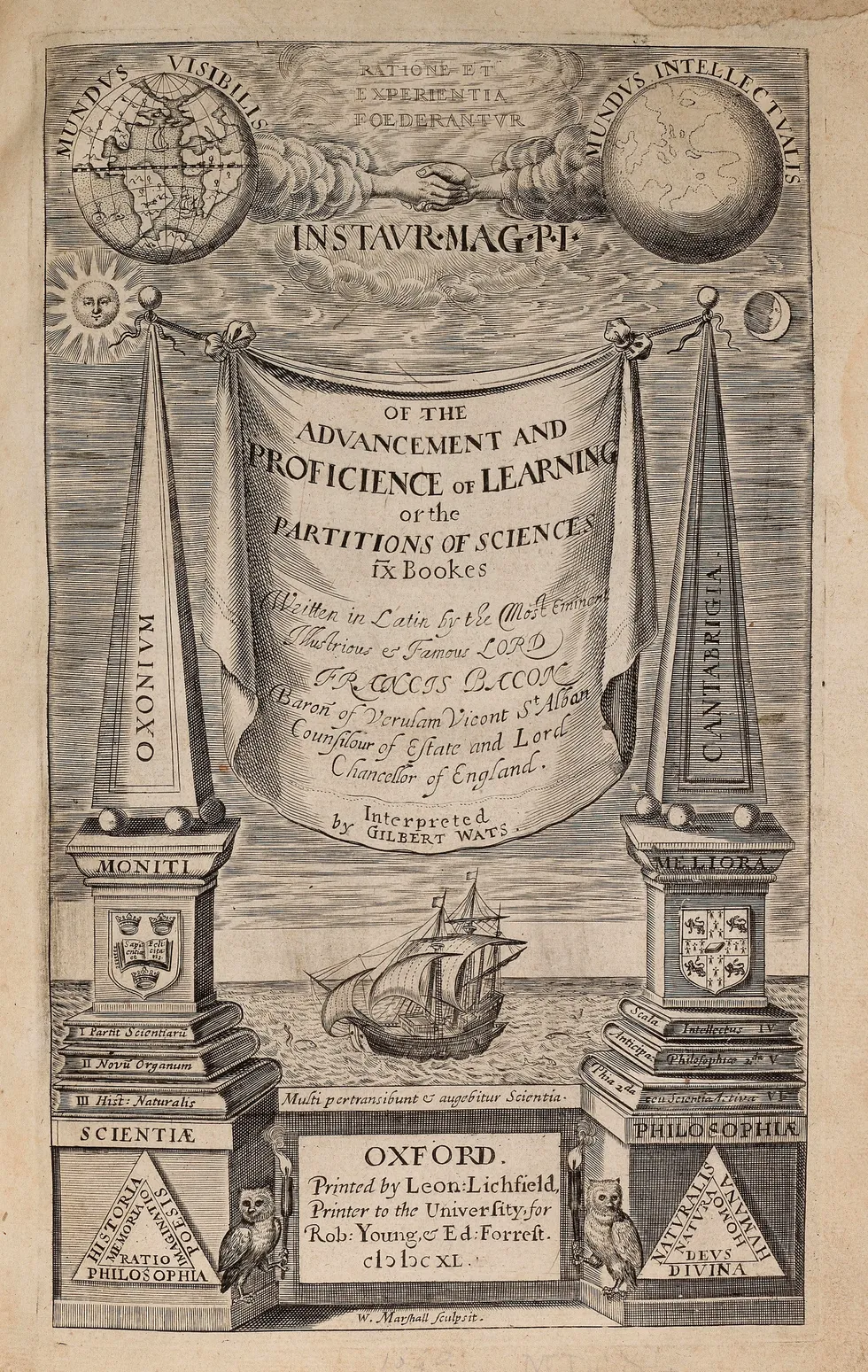
 Engraved title page of The Advancement and Proficience of LearningPublic Domain
Bacon didn’t conjure his story from nothing. Engineers he likely had met or observed firsthand gave him reason to believe such an institution could actually exist. Two in particular stand out: the Dutch engineer Cornelis Drebbel and the French engineer Salomon de Caus. Their bold creations suggested that disciplined making and testing could transform what we know.
Engineers show the way
Drebbel came to England around 1604 at the invitation of King James I. His audacious inventions quickly drew notice. By the early 1620s, he unveiled a contraption that bordered on fantasy: a boat that could dive beneath the Thames and resurface hours later, ferrying passengers from Westminster to Greenwich. Contemporary descriptions mention tubes reaching the surface to supply air, while later accounts claim Drebbel had found chemical means to replenish it. He refined the underwater craft through iterative builds, each informed by test dives and adjustments. His other creations included a perpetual-motion device driven by heat and air-pressure changes, a mercury regulator for egg incubation, and advanced microscopes.
De Caus, who arrived in England around 1611, created ingenious fountains that transformed royal gardens into animated spectacles. Visitors marveled as statues moved and birds sang in water-driven automatons, while hidden pipes and pumps powered elaborate fountains and mythic scenes. In 1615, de Caus published The Reasons for Moving Forces, an illustrated manual on water- and air-driven devices like spouts, hydraulic organs, and mechanical figures. What set him apart was scale and spectacle: He pressed ancient physical principles into the service of courtly theater.
Drebbel’s airtight submersibles and methodical trials echo in the motion studies and environmental chambers of Salomon’s House. De Caus’s melodic fountains and hidden mechanisms parallel its acoustic trials and optical illusions. From such hands-on workshops, Bacon drew the lesson that trustworthy knowledge comes from working within material constraints, through gritty making and testing. On the island of Bensalem, he imagines an entire society organized around it.
Beyond inspiring Bacon’s fiction, figures like Drebbel and de Caus honed his emerging philosophy. In 1620, Bacon published Novum Organum, which critiqued traditional philosophical methods and advocated a fresh way to investigate nature. He pointed to printing, gunpowder, and the compass as practical inventions that had transformed the world far more than abstract debates ever could. Nature reveals its secrets, Bacon argued, when probed through ingenious tools and stringent tests. Novum Organum laid out the rationale, while New Atlantis gave it a vivid setting.
A final legacy to science
 Engraved title page of Bacon’s Novum OrganumPublic Domain
That devotion to inquiry followed Bacon to the roadside one day in March 1626. In a biting late-winter chill, he halted his carriage for an impromptu trial. He bought a hen and helped pack its gutted body with fresh snow to test whether freezing alone could prevent decay. Unfortunately, the cold seeped through Bacon’s own body, and within weeks pneumonia claimed him. Bacon’s life ended with an experiment—and set in motion a larger one. In 1660, a group of London thinkers hailed Bacon as their inspiration in founding the Royal Society. Their motto, Nullius in verba (“take no one’s word for it”), committed them to evidence over authority, and their ambition was nothing less than to create a Salomon’s House for England.
The Royal Society and its successors realized fragments of Bacon’s dream, institutionalizing experimental inquiry. Over the following centuries, though, a distorting story took root: Scientists discover nature’s truths, and the rest is just engineering. Nineteenth-century “men of science” pressed for greater recognition and invented the title of “scientist,” creating a new professional hierarchy. Across the Atlantic, U.S. engineers adopted the rigorous science-based curricula of French and German technical schools and recast engineering as “applied science” to gain institutional legitimacy.
We still call engineering “applied science,” a label that retrofits and reverses history. Alongside it stands “technology,” a catchall word that obscures as much as it describes. And we speak of “development” as if ideas cascade neatly from theory to practice. But creation and comprehension have been partners from the start. Yes, theory does equip engineers with tools to push for further insights. But knowing often follows making, arising from things that someone made work.
Bacon’s imaginary academy offered only fleeting glimpses of its inventions and methods. Yet he had seen the real thing: engineers like Drebbel and de Caus who tested, erred, iterated, and pushed their contraptions past the edge of known theory. From his observations of those muddy, noisy endeavors, Bacon forged his blueprint for organized inquiry. Later generations of scientists would reduce Bacon’s ideas to the clean, orderly “scientific method.” But in the process, they lost sight of its inventive roots.
From Your Site Articles
Related Articles Around the Web

Erling Haaland makes Man City pledge after controversial Gabriel incident vs Arsenal – ‘I will not’

Man in hospital after Acklam Road crash as driver arrested

S&P 500: I Sold Too Early, What Now? (Technical Analysis) (SP500)


-
 NewsBeat7 days ago
Pep Guardiola and Gary Neville agree over Arsenal title problem that benefits Man City
-

 Crypto World6 days ago
The SEC Conditionalises DeFi Platforms to Be Avoided for Broker Registration
-

 Fashion2 days ago
Weekend Open Thread: Theodora Dress
-

 Crypto World6 days ago
SEC Signals Exemption for Crypto Interfaces From Broker Registration
-

 News Videos5 days ago
Secure crypto trading starts with an FIU-registered
-

 Sports2 days ago
NWFL Suspends Two Players Over Post-Match Clash in Ado-Ekiti
-

 Crypto World6 days ago
SEC Proposes Certain Crypto Interfaces Don’t Need to Register as Brokers
-

 NewsBeat5 days ago
Trump and Pope Leo: Behind their disagreement over Iran war
-

 Business5 hours ago
Powerball Result April 18, 2026: No Jackpot Winner in Powerball Draw: $75 Million Rolls Over
-

 Politics2 days ago
Palestine barred from entering Canada for FIFA Congress
-

 Crypto World2 days ago
Russia Pushes Bill to Criminalize Unregistered Crypto Services
-

 Sports6 days ago
NWFL opens Pathway for new Clubs ahead of 2026 Season
-
 Entertainment6 days ago
Brand New Day’ Footage Reveals the Devastating Impact of ‘Now Way Home’
-
 Business3 days ago
Creo Medical agree sale of its manufacturing operation
-

 Politics10 hours ago
Zack Polanski demands ‘council homes not luxury flats for foreign investors’
-

 Crypto World7 days ago
Trump whales load up ahead of Mar-a-Lago luncheon.
-
 Crypto World7 days ago
Sei Network Enters Quiet Reset Phase as On-Chain Metrics Signal a Slowdown in 2026
-
Business7 days ago
Kering slides after Morgan Stanley downgrade, Gucci woes loom
-

 Tech7 days ago
Google adds E2E encryption to Gmail for iOS and Android enterprise users
-
 Tech7 days ago
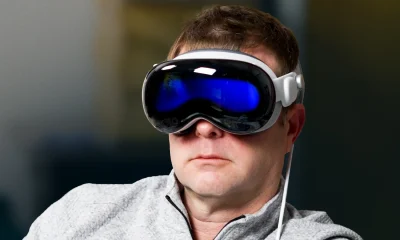
Apple glasses won’t go brand shopping like Meta did with Ray-Ban and Oakley
You must be logged in to post a comment Login