26 years late and no threat unless you still run a PDP-11/70 and rely on short-wave timekeeping broadcasts
It’s been more than a quarter century since the Y2K bug threatened to disrupt the not-so-modern world, and while the patching efforts of global IT heroes prevented a millennial mess, the problem persists as a Dutch dev just found a new instance of the numeric nightmare.
While working on an emulator for the venerable Programmed Data Processor (PDP) series of “minicomputer” systems manufactured between the 1950s and 1990s, Folkert van Heusden spotted an unpatched Y2K bug in the Network Time Protocol daemon in BSD 2.11.
Advertisement
To be fair, it’s not like van Heusden stumbled onto a potentially devastating issue that’s simply waiting to cause chaos: Not only was the bug specific to the PDP-11/70, a system that entered service in 1975, but it also requires a Precision Standard Time, Inc.(PSTI) receiver manufactured by defunct hardware maker Traconex used to pick up time signals broadcast by short wave radio stations managed by the US National Institute of Standards and Technology. Even at that point, the bug won’t instantly break network time, as a would-be attacker must take several steps to configure the ancient mahicnes in a way that causes the error.
Van Heusden’s writeup explains how to trigger the flaw.
“I’m writing a PDP emulator,” van Heusden told The Register in an email. “I’m also very much interested in time keeping on computers. That combined, I dove into the NTP-implementation on the PDP. When adding emulation for the PSTI-device, I suddenly noticed 19126 for the year.”
Unsurprisingly, when the PSTI receiver actually produces the correct output, the system throws an error that the time offset between the PDP emulator and the emulated PSTI device is a bit “excessive.” Only by 17,000 years, give or take a couple centuries.
Advertisement
Luckily, van Heusden has coded a fix that’ll bring the times back in sync, eliminating what may be one of the few remaining Y2K bugs still floating around in the wild – after all, when’s the last time you heard of a forgotten (or, in this case, overlooked due to technological obsolescence) Y2K bug being patched?
If you want to tinker with a 50-year old emulated system running a 35-year old operating system, the good news is that the PDP and its 16-but CPU ran at 5MHz and needed just 4 MB main memory – a spec that van Heusden’s PDP-11/70 emulator can easily run on modest hardware like a Raspberry Pi Pico, and it’s available on GitHub.
Just be sure you patch that Y2K bug if you plan to tinker with time keeping. ®
By testing kids’ physical and mental limits, these toys help children learn where the boundaries of their knowledge lie, and how to transcend them. Take a look at some of our favorite ways to color outside the lines.
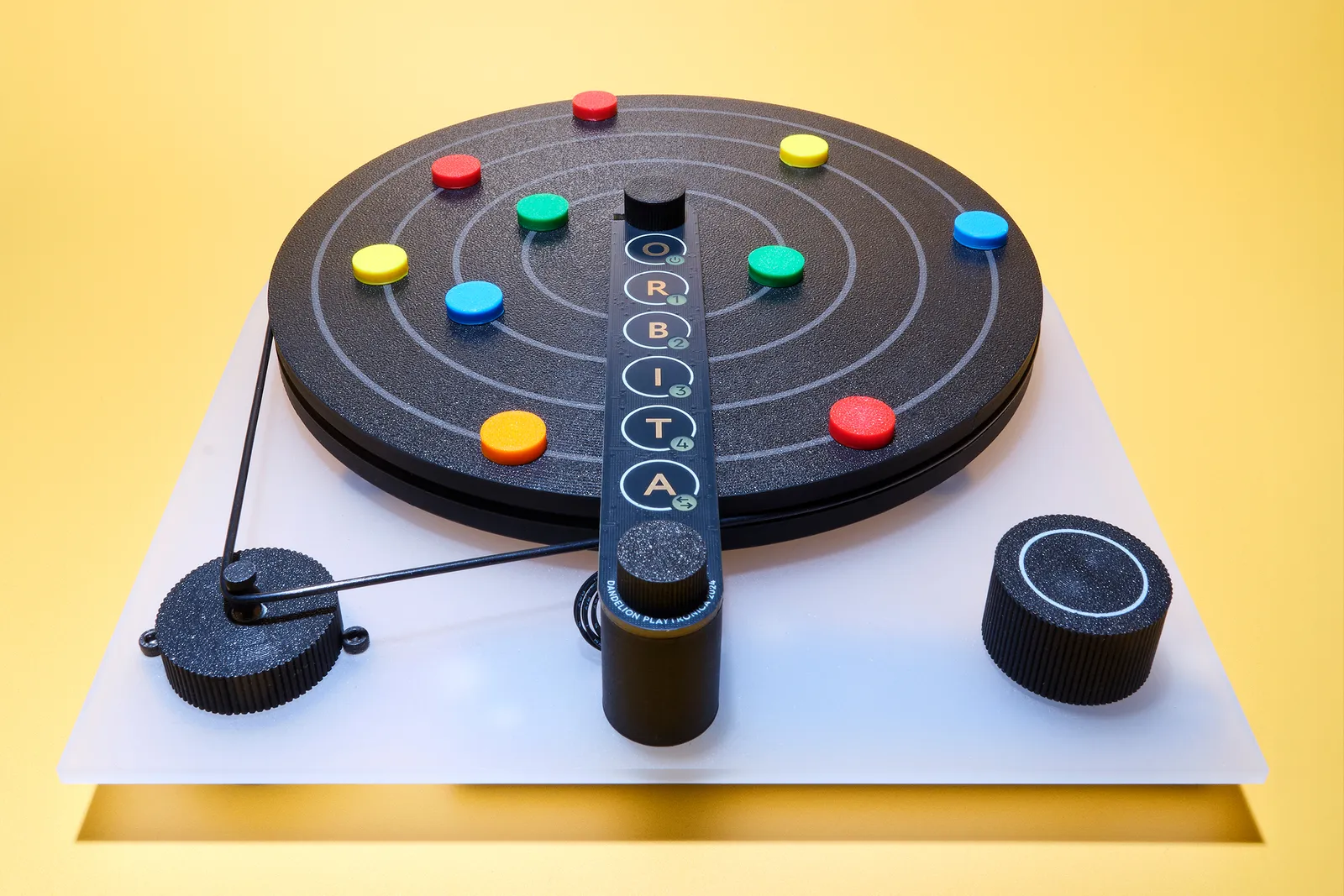
Orbita MIDI Color Sequencer
Photograph: Antosh Sergiew
This spinning sequencer is like musical roulette for budding ravers. Place the colored magnets anywhere on the four gray concentric rings, each of which controls a MIDI loop. Then plug the sequencer into a smartphone or computer, connect your favorite music software, and get creative. All four loops run simultaneously, with each magnet representing a different note or sound. You can adjust the pitch and mute individual loops too. Refreshingly mechanical, the Orbita makes visualizing music production child’s play. $458, playtronica.com
Lego Smart Play System Pokémon Sets
Photograph: Antosh Sergiew
By combining a new smart brick with programmable NFC tags and minifigures, kids of all ages can now design and interact with Lego creations like never before. The 2- by 4-stud rechargeable smart brick is packed with a synthesizer, speaker, accelerometer, gyroscope, light and sound sensors, and LEDs. A positioning system can sense orientation between multiple smart bricks. A big bonus: Lego’s Smart Play System works entirely without attention-sucking screens.
Lego’s first Pokémon collab almost crashed the website, so surely the Danes had IT on standby when 12 new Smart Play kits came online. There are two all-in-one kits: Pikachu’s 400-piece Training House and the 751-piece Charizard-Jolteon battle, which include rechargeable smart bricks and NFC tags that can trigger lights, sounds, motion and sensing.
Advertisement
Already got some Smart Play? The 10 other compatible kits, including Mewtwo’s Lab Break and Cubone and Gengar’s Spooky Showdown, have the tags but not the Smart Bricks. $70 and up, lego.com
Stapelstein Rainbow Set
Courtesy of Stapelstein
Interactive adventure play done with style, the Rainbow kit features six stacking stools, a balance board, plus a host of nesting pieces that can combine to be whatever their imagination demands. Stepping-stones, wobble course, color-sorting game, toddler throne, snack tray, spinner, fort barricades or floor-is-lava upgrade. The lightweight toxin-free, 100 percent recyclable EPP pieces are waterproof, wipe clean and strong enough for adults (396 pounds limit), so don’t forget to include grandma. $299, stapelstein.com
KidzLane Electronic Dance Mat
Courtesy of Kidzlane
We can’t promise it will turn Jnr. into Fred Astaire overnight, but this impossibly good value dance mat will get your kids moving and (hopefully) tuckered out. Suitable for ages 6 to 12, it features a built-in speaker, Bluetooth and AUX so you can connect your own favorite songs, four built-in games with five difficulty levels, including a great “Simon Says” mode that gets them thinking as well as boogying. And before you ask, yes, the volume is adjustable, and batteries removable. $19, walmart.com
Takway Sweekar
Courtesy of Takway.AI
Oh good, it’s a reimagined Tamagotchi, but instead of a few beepy-bleeps and button presses to keep it alive, Sweekar has loaded it with generative AI and given it a long-term memory, evolving dialog and “personality.” We’re sure it’ll be fine, and neglect won’t result in a lawsuit when the Robots finally take over, but for now we suggest erring on the side of caution and make sure the kids care for it carefully through Egg, Baby, Teen, and Adult stages. The 89-gram pocket pet also simulates body warmth and breathing, which isn’t creepy at all. $149, takway.ai
Advertisement
Looi Robot
Courtesy of TangibleFuture
LOOI turns your smartphone into a chirpy little tank-like desk robot, using the screen as its face and the camera, mic and processor as its brain. Snap on your phone (minimum iOS 17+, or Android 12+), open the app and, powered by ChatGPT, it can chat, remember preferences, react to touch and gestures, play motion games, avoid desk edges and make funny faces. It also doubles as a 10-watt wireless charger and adjustable phone stand, which makes it marginally more helpful than your last assistant—although it can’t, as yet, make the coffee. $239, looirobot.com
Crocs Super Mario Core Classic Clog
Courtesy of Crocs
As hyped as a Supreme x Louis Vuitton collaboration, just a whole lot more fun, the Crocs Mushroom Kingdom takeover is a joyous celebration of polyethylene vinyl acetate footwear. The Core Classic Clog, available in adult and kids’ sizes features a detailed graphic print with classic in-game items like coins, Super Stars, and Green Shells, while the sole is wrapped in dimensional detailing resembling the green pipes and grassy terrain. And, naturally, each pair comes with Super Mushroom outer rivets, a “?” Block badge on the backstrap, and eight Jibbitz charms featuring Mario and Luigi. $70, crocs.com
Gibson x Loog Les Paul
Courtesy of Loog
Loog has been making fine learn-to-play guitars for more than 10 years, and its intuitive three-string axes make it easier for anyone to learn the basics before transitioning up to a full fretboard. After a successful partnership with Fender, they’ve now teamed up with Gibson to produce a mini electric guitar in either classic SG—putting the young in AC-DC’s Angus Young’s favorite axe—or with the iconic Les Paul curves shown here. And before you ask, these are proper instruments, with a solid poplar body, Canadian neck, rosewood fingerboard, single coil pick-up and 19 finger-friendly 1.8 mm frets. $229, loogguitars.com
Woom Wow Balance Bike
Courtesy of Woom
The perfect buy if your bambino has nailed the art of sitting and standing independently, and you want more chaotic fun and adventure in your life. This self-centering, self-balancing bike is designed for kids as young as 9 months (from 28 to 40 inches in height). It gives them a chance to become the next big name on Red Bull’s MotoGP roster before they’ve even realized that broccoli isn’t actually fun little trees. $199, woom.com
Advertisement
Kibu Headphones
Courtesy of Kibu
Turn kids’ headphones into a brilliant STEM project, with snap-together parts they build before they listen. Kibu’s wired cans are 3D printed from recycled and plant-based materials, use a standard 3.5-mm jack, limit volume to 85 dB, and have a second aux port for daisy-chaining with friends. Every part can be customized, repaired, replaced and eventually recycled, an attention to detail far too rare in adult, let alone kid’s tech. WIRED wishes more grown-up gear followed the same sustainable approach, with gear designed to be understood, and to last. $73, kibu.family
Marvin’s Miniblocks
Courtesy of The Little Marvin
By selling 35 million copies for the Gameboy alone, Tetris proved that a handful of simple shapes could become one of gaming’s most enduring obsessions. Marvin’s Miniblocks gives that idea a preschool-friendly, screen-free reboot with a wooden board, 42 chunky shapes and 10 pattern cards for building, matching, rotating and inventing. It is part puzzle, part construction set, and made from eco-friendly wood with non-toxic paint. There is one important detail missing though. $55, the-littlemarvin.com
HoverAir Aqua
Courtesy of HoverAir
This 34 mph follow-me drone has 10 flight modes, 4K, 100 FPS motion camera and floating waterproof housing making it also the first design capable of take of and landing on water. It weighs under 250 grams, meaning you wont need FAA registration to fly one. The battery has enough for 23 minutes of flying time, and there’s 128 GB built-in storage. Plus, with a level 7 wind resistance, it’s happy to fly in gusts of up to 38 mph, making it the ideal companion for capturing solo foiling, windsurfing and sailing follow-me footage. $1,299, hoverair.com
Modu Balance Track
Courtesy of MODU
Think of this as a jumbo-sized Meccano set, with 17-pieces including four FSC-certified birch wood balance beams (27.6 inches long), four chunky blocks (7.9 x 7.9 x 3.9 inches) made from recycled EPP foam, eight pegs and an idea booklet. Designed for ages from 3 to 8, it’s great for imaginative play, coordination, construction, and problem solving. It’s also surprisingly good value for a kit of this scale. And when the kids finally get bored of balancing, they can be repurposed into a shelving unit. $203, modutoy.com
Advertisement
Timex Time Machines 29mm Dinosaur Watch
Courtesy of Timex
Tells time in any era, not just the Jurassic. Made just for kids, Timex’s 29mm dinosaur-themed watch boasts an easy-to-read dial, minute markers and adjustable elastic band. The quartz movement means accuracy is assured, while the front glass is actually polymer, so it’s not just got good impact resistance, it can be easily polished to remove scuffs should playtime get rowdy. One last boon: all of Timex’s kids’ watches come with a 100-percent worry-free replacement plan, so don’t fret about lost or broken watches. $49, timex.com
UNO Canvas x MoMA Card Game
Courtesy of Mattel
This is the latest in a series of creative collaborations from Mattel Toys, bringing together the world’s best-selling card game and a selection of the most iconic artists from MoMa’s permanent collection. Featuring Sonia Delaunay, Henri Matisse, Piet Mondrian, Claude Monet, Liubov Popova and Vincent van Gogh, it’s a great limited-edition update to the 52-year-old game. And before you ask, sadly the Dutch post-impressionist painter still stacks the +4. $25, mattel.com
Blipblox After Dark
Courtesy of Blipblox
Are you frustrated that your kids don’t ask you enough about your love for The Human League, Cabaret Voltaire, and why Talk Talk’s The Party’s Over is the seminal synth album of 1982? Maybe you can Sparks their imagination with this brilliantly inclusive designed-for-all-ages synth. It comes pre-loaded with 300 built-in melodies and 100 drum sounds, meaning you (sorry, they) can get modulating, pitch-shifting and oscillating straight out the box. The built-in speaker and AA battery power make it easy to use anywhere, but the MIDI input and a quarter-inch output mean it can plug into “proper” gear later. $219, blipblox.com
Dex Camera
Courtesy of Dex
Take a photo and Dex identifies what’s in the frame, then teaches the word in one of 16 languages. It can turn pictures into flash cards and use spoken stories to, you know, make learning fun. $249, dex.camera
Optical cavities – two mirrors arranged to reflect light multiple times between them – form the basis of lasers and certain optical filters. Since any angle between the two mirrors results in light being scattered away, parallel alignment is essential, yet difficult to maintain. Nevertheless, [Timothy Giles] managed to 3D-print and align such an optical cavity, and used it to detect minute shifts in space and wavelength.
The cavity has two semi-transparent mirrors facing towards each other. One mirror is held in a 3D-printed mount, and the other is attached to the diaphragm of a speaker with a hole drilled through the center. The hole avoids the speaker coil, and allows light exiting the optical cavity through the semi-transparent mirror to appear on a paper target, which is monitored by a webcam. On the other side of the optical cavity, a laser diode coupled to a single-mode fiber shines in through the other mirror. Alignment is challenging, but the webcam makes it easier; as the mirrors tilt relative to each other, the pattern seen on the paper target changes, providing feedback for more precise adjustment.
Light reflected within the cavity can interfere constructively or destructively with incoming light, changing the brightness of the emitted beam. [Tim] used the speaker as a linear actuator to vary the cavity’s length, which, by counting the peaks in brightness, allowed him to measure the diaphragm’s displacement. This also demonstrated a laser diode’s wavelength instability: when the cavity was set to a constant length and the laser started up, the output brightness would cycle a few times. As the diode was warming up, its output wavelength was shifting, creating the same changing interference pattern.
Advertisement
To get a Gaussian beam distribution, [Tim] used a fiber-coupled laser; if you’d like to build one, we’ve seen a coupling mechanism built before. Most lasers are built around an internal optical cavity, but some instead use an external cavity.
A U.S. district court “has dismissed Google’s case against SerpApi over that company’s scraping of search results to train AI models,” reports Computerworld. Google had claimed that it was protecting copyright holders — and that SerpApi’s actions breached America’s Digital Millennium Copyright Act (DMCA):
[Google] made two claims: first, that no person shall circumvent a technological measure that effectively controls access to a work protected under this title, and second that no person shall manufacture, import, offer to the public, provide, or otherwise traffic in any technology, product, service, device, or component protected by the Act. SerpApi claimed that the URLs and other links that were being served by Google did not in themselves entail copyright and the judge agreed. In her judgment, she said that there was no indication that the copyright holders had authorized Google to take action against SerpApi.
The case is not completely over as the judge has given Google 21 days to amend its complaint to demonstrate that it was acting on behalf of the copyright owners. SerpApi’s CEO reacted to the court’s ruling as “a win not just for SerpApi, but for all who depend on an open internet. We’re pleased that the court rejected Google’s attempts to expand the DMCA to assert control over access to public pages. The internet’s founding principle — open access to usable information — is essential to driving innovation and ensuring everyone benefits from the promise of data. SerpApi will continue supporting developers, AI companies, researchers, and businesses that rely on access to public search information.”
Some analysis from Daring Fireball blogger John Gruber:
Advertisement
I’ve come around on SerpApi in the last few months. My initial take was that it surely must be illegal for a company to scrape Google’s search results and offer access to that data as an API. But I’ve come around to the argument that what SerpApi is doing to obtain Google search results is, well, exactly how Google scrapes the rest of the entire web to build its search index. It’s all just scraping publicly accessible web pages. This December piece by Mike Masnick at Techdirt is what began to change my mind. In fact, Masnick wrote, Google “built its entire business on scraping the web without asking permission first. And now it wants to use one of the most abused provisions in copyright law to stop others from doing something functionally similar to what made Google a tech giant in the first place.”
Now Google is even getting heckled about the decision on social media. “If Google wants to refile the suit within the allowed 21 days, it has to admit that site owners have copyright protection of their work and THAT would open the door to them suing Google for scraping their content for AI Overviews.”
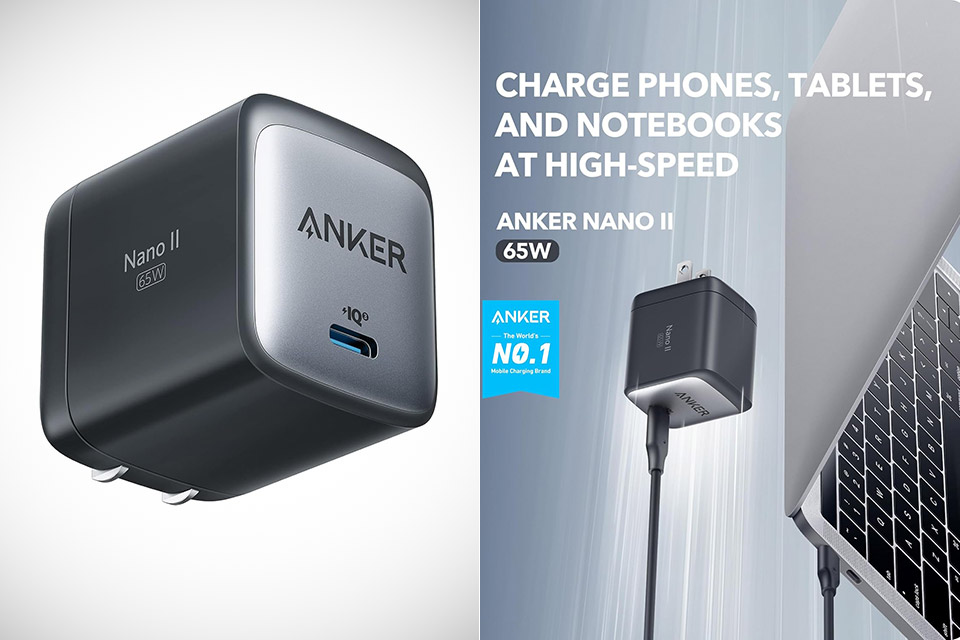
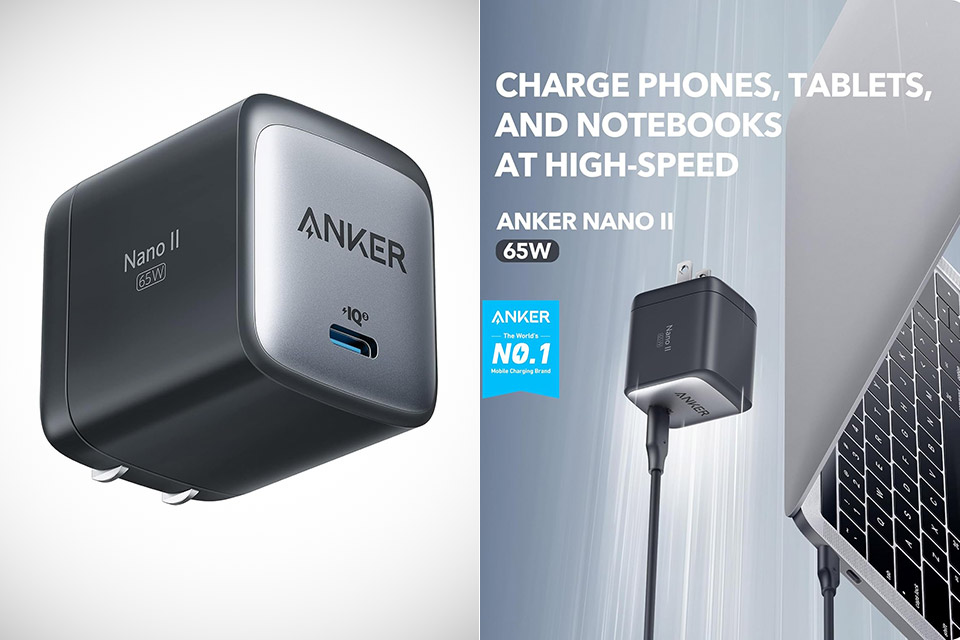
Travelers know the routine all too well. A laptop brick that eats half a bag, a phone charger that never quite keeps up, and a tablet adapter that somehow always gets left behind. Anker’s 715 Charger, priced at $19.99 (was $30), also called the Nano II 65W, collapses that pile into one small cube that still delivers serious speed.
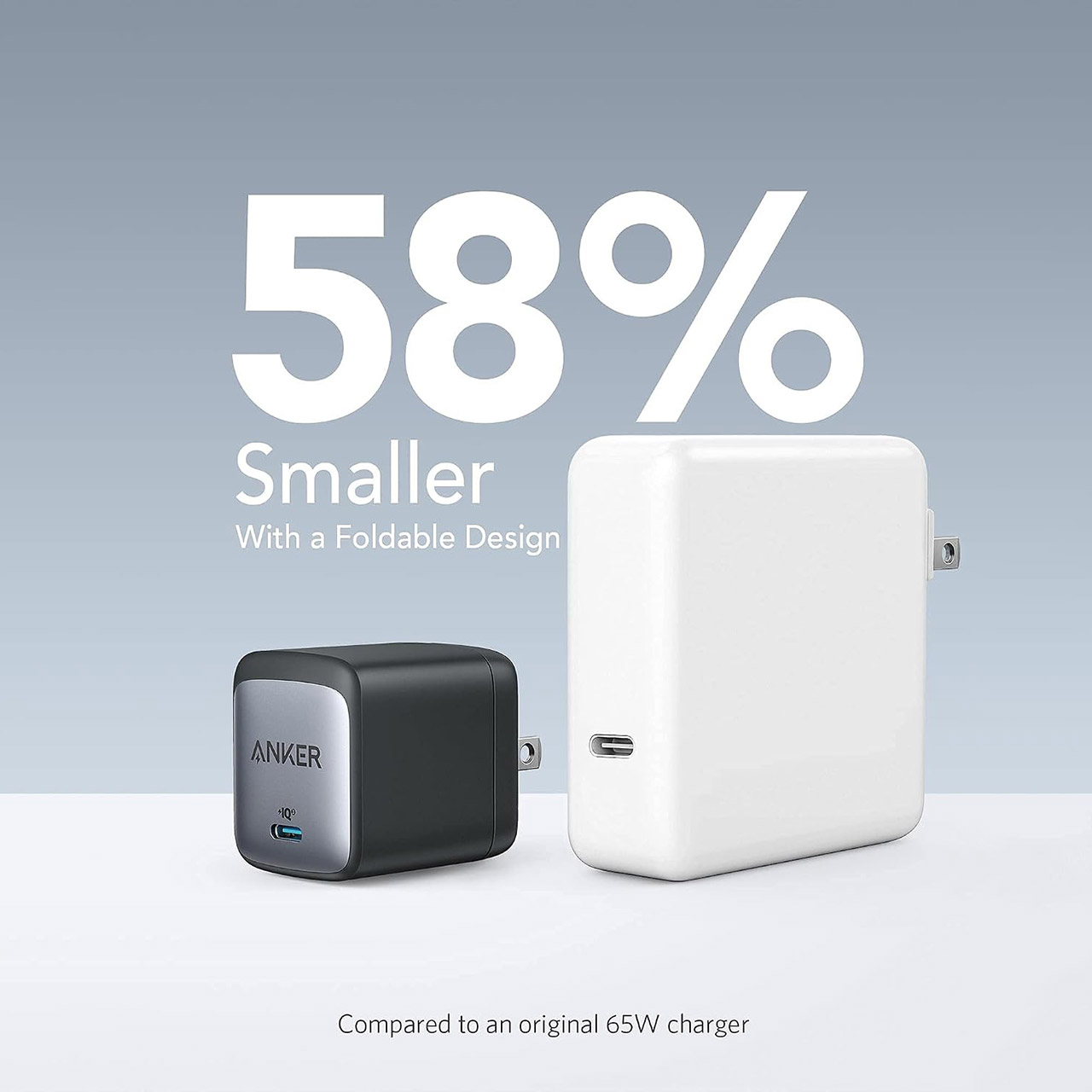
This compact charger, measuring 1.65 inches by 1.42 inches by 1.74 inches and weighing just shy of 4 ounces, fits nicely in the palm of your hand or easily slides inside a pair of pants without causing any bulge. The foldable prongs keep the item very flat when you’re packing it away, so you don’t have to worry about it grabbing cords or scratching up any other gear you’ve brought along. Compared to a conventional 61-watt laptop charger, this one packs a punch in a considerably smaller compact, taking up approximately 58% less space while still providing enough power for most people’s on-the-go demands.
The Charger You Need: Say goodbye to your old power bricks. Anker 715 Charger (Nano II 65W) has the power you need to fast charge your phone, tablet…
Rapid and Effective Power Delivery: Experience the thrill of speed with the Anker 715 Charger. It boasts the ability to power a 2020 MacBook Air in…
Petite and Travel-ready Design: The Anker Nano II charger outshines traditional 61W USB-C chargers by being 58% smaller. Its foldable plug is a…
A single USB-C port delivers the full 65 watts. That’s more than enough to charge a MacBook Air from empty to full in under 2 hours, or a 13-inch MacBook Pro up to its maximum supported speed. It will charge tablets and phones juast as fast. When you charge an iPhone 17e, it will charge to 50% in about one-third the time it would take using Apple’s stock 5-watt charger. And if you’re using a recent Samsung flagship, you’ll enjoy Super Fast Charging as long as you have the proper cable. Android phones with a built-in Programmable Power Supply (PPS) provide more precise voltage management, allowing them to charge at the fastest possible rate.
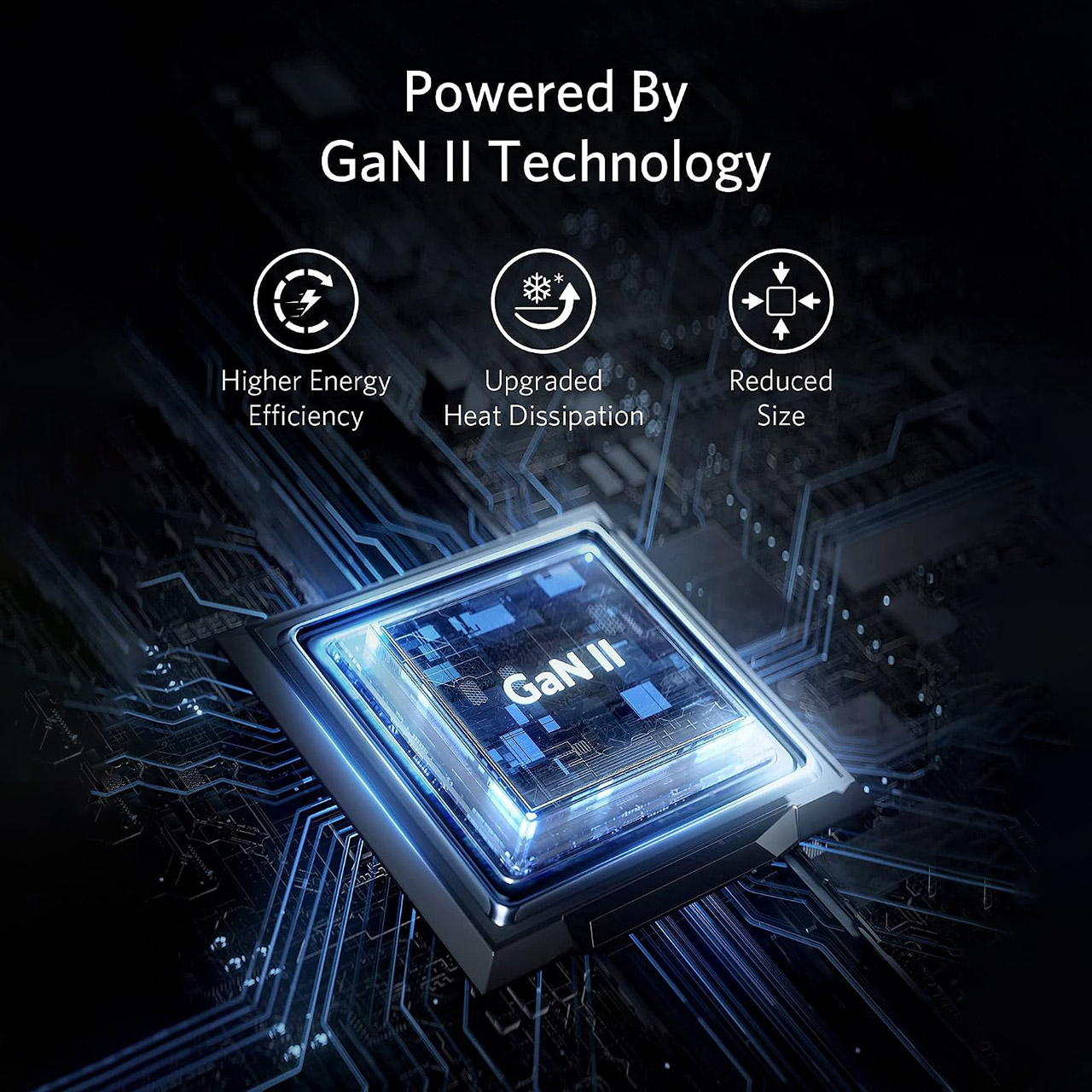
Inside this small package is Anker’s GaN II technology. Gallium nitride components can switch far faster than conventional silicon components, allowing Anker to reduce the number of transformers and capacitors while still keeping things cool even when they’re being utilized hard. The end result is a thick, efficient package that remains calm even when pushed hard over an extended period of time.
It’ll work with all of the usual suspects: MacBook Air and Pro 13-inch models, Dell XPS 13 machines, ThinkPads, Microsoft Surface Book 2, recent iPads, iPhones from the 8 model onwards, Galaxy S and Note series, Google Pixels, and even the occasional Nintendo Switch, and with universal voltage input, you won’t have to buy a separate charger for international trips; simply get the right plug adapter and you’re good to go.
The “Jimothy” video game features Seattle’s beloved raccoon making his way through assorted challenges. (Image via Chris Pirillo)
Jimothy, the short-spined Seattle raccoon, has become a global sensation whose likeness has been immortalized in artwork, clothing, songs and tattoos — and now a video game created in the creature’s hometown.
Tech enthusiast and entrepreneur Chris Pirillo launched an 8-bit NES-style video game called “Jimothy” this weekend in which players can control the movements of the critter as he raids trash cans, crosses streets to the park, sneaks past the paparazzi, and climbs to the safety of a big tree.
Pirillo says the missions are pulled straight from Jimothy’s real life. No doubt the animal is busy these days trying to dodge curious onlookers who are hoping to capture the next photo or video that feeds the masses on social media.
The viral Jimothy sensation took off last week when Kiana Hall spotted the raccoon in Seattle’s Ballard neighborhood and posted a video on Instagram — viewed by millions since — asking the question heard around the world: “What am I looking at?”
An earlier video of Jimothy, captured by a home security camera and posted on Reddit, ignited further curiosity and adoration, and now Reddit is flooded with sightings, memes, artwork, food, crafts, poetry and more. The Mariners put a Jimothy mascot in the Salmon Run. There’s even a Lego Jimothy.
Pirillo told GeekWire the game idea came to him on Saturday afternoon after seeing so many creatives flood his feeds with their own Jimothy fan art. He started to build a not-so-live tracker and realized it was a not-so-great idea. He hopes internet creativity is enough of a fix for the Jimothy-curious.
“This game is as close as any of us should ever get to him,” the game site states. “If you find yourself in his neighborhood: don’t go looking for him, don’t feed him, don’t try to touch him, and don’t crowd him for a photo.”
The game is easy enough to play, with challenges that are reminiscent of classic 1980s games “Frogger” and “Donkey Kong.”
Advertisement
Pirillo’s “Vibe Arcade” is loaded with other games he’s created. Earlier this year he vibe-coded a Resume Analyzer app and a pre-rejection letter generator called Dear Applicant to channel his frustrations with searching for a job.
Pirillo credits AI with changing the speed and ease with which a moment can go viral and be captured in new and creative ways.
“I remember when every big moment had a video game. But by the time a studio could create a video game around a meme pre-AI, the meme’s energy would have dissipated,” he said. “We are now at a day and age (certainly with AI as a tool) where almost literally anybody of any age or tech experience level can bring full-fledged experiences to life in just a few hours. We can simply talk our solutions into existence. It’s astounding.”
Pirillo built the game as a single HTML page, pitting OpenAI GPT 5.6 against Anthropic’s Claude Fable 5. One of the bigger challenges was getting the look of Jimothy right, as multiple AI models kept returning regular-looking raccoons.
Jeff Bezos says stress comes from inaction and vanishes the moment you take the first step toward fixing a problem
Jeff Bezos, the founder of the company that just became the number one Fortune 500 business, says the cure for anxiety is not rest or meditation but action. Speaking at the Museum of Flight in Seattle in 2017, Bezos told an audience of students that stress is a signal from the body that something is being neglected, and that the feeling disappears the moment he starts working on whatever is causing it. “I find that the stress goes away the second I take the first step,” he said.
The comments, resurfaced by Fortune this week, offer a window into how the world’s fourth-richest person thinks about pressure. Bezos said he treats anxiety as diagnostic information rather than an emotional state to manage, and that the worst thing he can do is sit with a problem without acting on it. His preferred remedy is to recruit allies and turn the source of stress into a group exercise in invention.
“There’s nothing more fun than getting in a room with a group of inventors and saying: here’s the problem, let’s invent a solution to it,” Bezos said. “As soon as you start doing that, I find that it turns from something that might create stress into something that creates fun.” The philosophy is consistent with the leadership principles Bezos embedded at Amazon, where CEO Andy Jassy has described the company’s 16 codified principles as something employees must constantly work at.
Advertisement
The advice lands in a complicated context. Amazon has cut more than 57,000 corporate jobs since 2022, and employees who survived the rounds of layoffs have reported rising workloads and deteriorating work-life balance as fewer people cover the same ground. The idea that stress is solved by working harder reads differently when the people hearing it are already stretched thin, and when the company’s own workforce has described burnout as a structural problem rather than a mindset one.
Bezos built Amazon from a rented garage in the mid-1990s, famously taking 60 meetings to raise the first million dollars in seed capital at a time when most investors had never heard of online retail. The company he founded now generates more than $700 billion in annual revenue and is investing tens of billions in AI infrastructure. Whether the same advice that helped a founder push through rejection in 1995 translates to a workforce navigating layoffs and AI displacement in 2026 is a question Bezos did not address.
Hackers are changing the DNS settings on Wi-Fi devices at hotels and conference centers to redirect users to fake Microsoft 365 login pages.
The campaign has been ongoing since at least June and impacts organizations in various sectors, including financial services, professional services, legal, health care, energy, and retail.
Cybersecurity company ReliaQuest identified compromised Wi-Fi gateways in multiple U.S. cities as well as other regions of the world, such as India and Saudi Arabia.
Since the devices serve corporate events, hijacking the Microsoft 365 accounts could give attackers access to sensitive business information, communications, and private documents.
“We observed traffic to these compromised gateways from organizations in a range of industries, including financial services, professional services, legal, health care, energy, and retail- confirming this isn’t sector-specific targeting, but a campaign that highly likely goes after traveling employees wherever they connect,” ReliaQuest says.
Advertisement
The researchers believe this activity is similar to the FrostArmada router-based campaigns attributed to the Russian espionage group APT28 (a.k.a. Fancy Bear, Forest Blizzard).
Attack chain
It is unclear how initial access to the Wi-Fi appliances was gained, but ReliaQuest says the threat actor could have exploited weakly protected, exposed management interfaces (e.g., SSH, SNMP, web admin dashboards) or vulnerabilities.
Once the attacker gains administrator access, they can modify the gateway’s DNS settings to redirect connections to legitimate domains to infrastructure under the attacker’s control.
ReliaQuest says that the attacker registered at least four domains for setting up fake Microsoft login portals: m365-owa[.]com, owa-ms365[.]com, ms365-device[.]com, and ms365-live[.]com.
Advertisement
With DNS settings changed, users trying to access legitimate Microsoft login portals would land on the hacker’s phishing pages and enter their credentials.
In some cases, the researchers observed a device-code authentication flow in which targets were redirected to a fake Microsoft page with a prompt.
“What the user can’t see is that approving the prompt authorizes a session initiated by the attacker,” ReliaQuest says. The researchers note that authorizing the attacker-initiated request causes a legitimate OAuth token to be issued to the attacker’s client.
This bypasses the multi-factor authentication (MFA) protection without stealing any credentials or intercepting access tokens.
Advertisement
The attack steps Source: ReliaQuest
In roughly one-third of the investigated cases, the attackers also attempted to abuse Web Proxy Auto-Discovery (WPAD) by responding to Windows’ automatic WPAD lookup with a malicious proxy auto-configuration (PAC) file.
This theoretically would route traffic from Windows apps, including Chrome, through an attacker-controlled proxy, but ReliaQuest couldn’t confirm that these attacks were successful.
The researchers also emphasized that using public DNS servers such as Google’s 8.8.8.8 does not prevent this attack, as the gateway forges the plain-text requests before they reach the intended resolver.
ReliaQuest recommends using an always-on, full-tunnel VPN and encrypted DNS in strict mode as solid protection measures against these attacks.
Additionally, the cybersecurity company recommends disabling WPAD, reviewing logs for suspicious activity, and disabling Device Code authentication flow in Microsoft Entra ID when not needed.
Advertisement
Security teams log 54% of successful attacks and alert on just 14%. The rest move through your environment unseen.
The Picus whitepaper shows how breach and attack simulation tests your SIEM and EDR rules so threats stop slipping by detection.
As Apple prepares to launch its first smart glasses, the company is also wrestling with how to address consumer privacy concerns, according to Bloomberg’s Mark Gurman.
Gurman reports that Apple has pushed back the launch target from early 2027, with the glasses now set for unveiling at the Worldwide Developers Conference in June 2027 and actually becoming available by the end of the year. That delay allows Apple to work on the product itself, and on the messaging around privacy.
It sounds like the company has noticed the concerns around Meta’s smart glasses — sometimes decried as “pervert glasses” — being used to make non-consensual video recordings. That could be a bigger issue for Apple, which constantly emphasizes privacy in its marketing.
Among other things, Apple will reportedly try to emphasize privacy-friendly features like on-device processing, as well as the absence of facial recognition. The company will likely steer clear of using customer recordings to train AI models, and it’s unlikely to follow Meta’s reported practice of using contractors to review customer footage.
This week on the GeekWire Podcast: Seattle startup funding drops 40% in the first half of the year while AI money floods everywhere else. We dig into the implications for the region.





























































You must be logged in to post a comment Login