The 14th generation of Lenovo’s flagship business ultraportable, the X1 Carbon, looks no different than the previous iteration. But don’t let its comfortingly familiar design fool you: The interior has been completely reengineered to make the laptop run more coolly and quietly, and — more importantly — it’s easier to repair.
The X1 Carbon Gen 14 introduces Lenovo’s Space Frame chassis that features a smaller motherboard and larger cooling fans, along with a modular design that makes it easier to access and then repair or replace individual components. This is good news for ThinkPad buyers who care about ROI, sustainability or both.
The laptop is based on Intel’s Core Ultra 300 series processors, known as Panther Lake. If you were hoping for a big leap in performance from last year’s Lunar Lake model, you’ll need to keep waiting in the hopes that next year’s Gen 15 delivers the goods. This year’s model isn’t any faster than last year’s ThinkPad X1 Carbon Gen 13, and battery life is actually a few hours shorter.
Advertisement
Performance certainly suffices for basic office tasks, and you should be able to get through even the longest workdays on a single charge, but the reason to pick up the X1 Carbon Gen 14 is the increased repairability rather than anything resembling an increase in performance. Two other reasons for it: the X1 Carbon’s traditional look remains largely unchanged, which will delight longtime ThinkPad fans; and pricing hasn’t gone up (the model Lenovo sent me is actually $100 cheaper than the similar config I tested last year). That will come as a relief to any laptop buyer in this era of RAMageddon and skyrocketing prices for laptops, phones and other electronics.
Lenovo has kept pricing fairly consistent for this year’s ThinkPad X1 Carbon Gen 14, which ought to be applauded as laptop prices keep going up and up. As Lenovo’s flagship ThinkPad, however, the X1 Carbon remains a device more likely to be toted around by C-suite execs than the rank and file. The entry point has risen, but the cost of upgrades has surprisingly dropped a bit. And despite what Lenovo may show on its site, there is a way to get the ThinkPad X1 Carbon Gen 14 for less than $2,000.
Advertisement
Lenovo lists a starting price of $2,139 for a config with an Intel Core Ultra 5 335, 32GB of RAM, a 256GB solid-state drive, a 1,920×1,200-pixel IPS display and Windows 11 Home. But if you choose to upgrade to the Core Ultra 7 355, then you can downgrade the RAM to 16GB for a price of $1,884. I’m not suggesting you move off of the 32GB of RAM offered, but simply highlighting it as a somewhat hidden option.
Matt Elliott/CNET
Less hidden, and new with this year’s Panther Lake-based X1 Carbon, is the option to expand the memory to 64GB. When you choose the top CPU offered, the Core Ultra 7 365, the option for 64GB becomes available. That’s the good news. The bad news is that this memory upgrade is staggeringly expensive. It costs $720 and clearly shows how the global RAM shortage has dramatically increased PC component pricing.
My test system features the Core Ultra 7 355 chip and 32GB of RAM, along with three other upgrades: a 512GB SSD, a 2.8K nontouch OLED display and Windows 11 Pro, which raises the total to $2,374. That’s actually $100 cheaper than the X1 Carbon Gen 13 that I reviewed last year, which had the same component lineup but with the previous-gen Core Ultra 7 258V CPU.
The Space Frame design completely overhauls the laptop’s interior layout, making it easier to repair or replace individual components rather than replacing the entire laptop if one part fails. It’s not as modular and easy to access as I had hoped, but it’s certainly a step in the right (-to-repair) direction.
You need only to remove four screws to take off the bottom panel. Inside, the battery is held in place by three screws, and you’ll need to remove it to get to the internal frame that houses the double-sided motherboard.
Matt Elliott/CNET
In addition to removing the bottom panel, you can remove the keyboard deck to access each side of the motherboard. Six screws hold the keyboard deck in place. So, that’s a total of 13 screws to gain full access to the interior components. And they are all standard Phillips screws, so you won’t need to hunt around for a Torx or Pentalobe screwdriver. (They’re captive screws, too, so you won’t have a chance to lose any.)
In truth, taking off the two panels is slightly more complicated than removing 13 screws. There are four ribbon cables you also need to disconnect, which might make people in your organization less confident to make their own repairs and more likely to call the IT department. I also found it challenging to get all the cables on the right side of the internal frame as I attempted to line up the keyboard deck and snap it into place when I was reassembling the laptop.
Advertisement
Matt Elliott/CNET
Even if Lenovo’s Space Frame chassis is a bit trickier and not as modular as, say, a Framework laptop, it makes the X1 Carbon Gen 14 much more repairable than any previous ThinkPad. For starters, you can replace the battery, which often is the first component to show signs of age and wear as battery life slowly but ever-so-consistently shortens. Most of today’s laptops have batteries that are soldered to the motherboard and not replaceable, so being able to just swap in a new battery is a boon.
In addition, the laptop’s cooling fans, keyboard, speakers and the USB ports are user-replaceable. The two USB-C ports on the left side can be individually removed and replaced, but the pair on the right is a packaged set.
Matt Elliott/CNET
The USB-C and -A ports on the right side are paired on a small circuit board that’s separate from the mainboard, so you’d need to replace both ports should one fail. Still, it’s nice that this small board can be replaced rather than needing to swap out the mainboard, which usually equates to a full laptop replacement.
Advertisement
Matt Elliott/CNET
The X1 Carbon Gen 14’s SSD is replaceable, but it occupies the lone M.2 slot, so you’ll need to replace the existing drive, and you don’t have the luxury of simply adding a second SSD to increase the storage capacity. The RAM is not user-replaceable, so you have to get what you need upfront.
Same X1 Carbon exterior
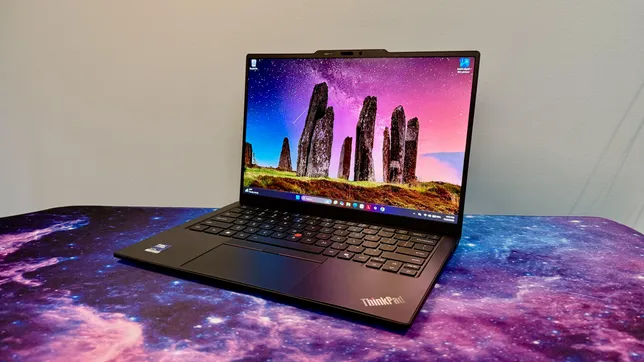
The interior has been completely redesigned, but the exterior received only minor tweaks. The latest ThinkPad X1 Carbon retains the classic ThinkPad look. It’s boxy, matte black with the familiar red accents. And it’s still exceptionally light at just under 2.2 pounds.
The keyboard received a couple of cosmetic changes. Lenovo moved the fingerprint reader, integrating it with the power button in the top-right corner. This change restores the right-Ctrl key but also means the End and Insert keys are now double-mapped to a single key. Lenovo also shifted the keyboard icons from their usual spot in the top-left corner of each key to the center, a move that also includes a slight tweak to the font.
Matt Elliott/CNET
The keyboard maintains its ThinkPad standard of excellence. It sits in the sweet spot of offering plush but firm feedback and is still the standard-bearer for laptop keyboards. It’s a pleasure to type on.
You have a choice of touchpads: mechanical or haptic. I received the mechanical one, and it’s fine for what it is. There is some diving-board effect where clicks are harder to perform as you move up the touchpad’s surface. Given that there’s no upcharge for the haptic touchpad, I think most people are better off with it because it offers a consistent click response across its entire surface.
Advertisement
Matt Elliott/CNET
The haptic touchpad also provides a larger surface on which to click and swipe because it integrates the mouse buttons for the pointing stick into a narrow strip at the top. The only reason I see for the mechanical touchpad is if you favor the traditional ThinkPad pointing stick over the touchpad and want the larger mouse buttons for it at the top of the touchpad.
The 2.8K OLED display is excellent and, shockingly, doesn’t cost any more than the baseline IPS panel. That’s the reason why the Gen 14 model I have is $100 less than the nearly identical Gen 13 model I looked at last year. Component prices have gone up, but Lenovo not charging $490 for the OLED upgrade certainly helps keep the price in check.
Matt Elliott/CNET
The OLED looks fantastic, with vivid colors, deep blacks and crisp images and text. Scrolling and other movements on the screen look smooth, thanks to its variable refresh rate of 30Hz to 120Hz. Color coverage is excellent with 100% coverage of the sRGB and P3 gamuts, and it proved to be even a bit brighter than its 500-nit rating, hitting a peak of 510 nits on my tests with a Spyder X Elite colorimeter.
The ThinkPad X1 Carbon Gen 14 offers a Windows Hello webcam along with the aforementioned fingerprint scanner. I like getting both types of biometrics, especially on a business machine.
Advertisement
Matt Elliott/CNET
The port selection has grown by one with this year’s X1 Carbon. It picked up an extra USB-C Thunderbolt 4 to bring the count to three. And, better yet, it’s located on the opposite side of the other two, giving you the ability to charge the laptop from either side.
Quick note on the Aura Edition suffix: It’s the branding for Lenovo and Intel’s partnership that makes it easier to swap files between the X1 Carbon and your phone. Less useful are its smart modes for setting a timer to focus or a wellness mode that reminds you to take a break to rest your eyes. There’s even a mildly unsettling posture warning that uses the webcam to track how you’re doing at sitting up straight and not slouching in front of the laptop.
ThinkPad X1 Carbon Gen 14 performance
This year’s Panther Lake model isn’t any faster than last year’s Lunar Lake system. Multicore performance crept up a smidgeon, but single-core performance slid back. Meanwhile, 3D performance also decreased, which isn’t surprising when you consider that the Core Ultra 7 355’s integrated GPU has only four Xe graphics cores, and last year’s Core Ultra 7 258V’s iGPU had eight Xe cores. Lenovo doesn’t offer a Core Ultra X7 that brings with it Intel’s higher-powered, 12-core Arc B390 integrated GPU, which is unfortunate for creators or other power users eyeing the X1 Carbon Gen 14.
I also wasn’t surprised to see battery life move three hours in the wrong direction. The Core Ultra 7 355 is a higher-wattage CPU than the Core Ultra 7 258V and, therefore, consumes battery resources at a quicker clip. The X1 Carbon Gen 13 lasted nearly 18 hours on our YouTube streaming battery drain test, and the X1 Carbon Gen 14 lasted almost 15 hours on the same test. That’s still enough to get you through most workdays on a single charge, but it doesn’t give you as much leeway as last year.
Advertisement
Should I buy the ThinkPad X1 Carbon Gen 14?
Outweighing the lack of any performance gains with this year’s edition and battery life decreasing by a few hours is the greater repairability that should help extend the useful life of the ThinkPad X1 Carbon Gen 14. The Space Frame design makes it possible to repair or replace the battery when it starts to fade, a cranky cooling fan or a bad port instead of needing to junk the laptop and buy a new one. That’s great for your ROI and the environment.
I also like two things about the X1 Carbon that didn’t change this year. First, I appreciate that in year 14, the X1 Carbon continues to stay true to its roots and keeps its traditional look and feel. It’s just a well-built machine with a rare combination of being very lightweight yet sturdy (and the keyboard is *chef’s kiss*). Secondly, I was pleasantly surprised to see pricing stay steady. Lenovo raised the entry price, but that is more than offset by removing the premium for the OLED upgrade. And since I imagine most people buying the flagship ThinkPad will want the best display offered, you’ll come out ahead on the price compared to last year’s X1 Carbon.
Advertisement
The review process for laptops, desktops, tablets and other computerlike devices consists of two parts: performance testing under controlled conditions in the CNET Labs and extensive hands-on use by our expert reviewers. This includes evaluating a device’s aesthetics, ergonomics and features. A final review verdict is a combination of both objective and subjective judgments.
A more detailed description of each benchmark and how we use it can be found on our How We Test Computers page.
Geekbench 6 CPU (multicore)
Advertisement
Microsoft Surface Laptop for Business (8th Edition)17014Lenovo ThinkPad X1 Carbon Gen 14 Aura Edition11492Acer Swift Go 14 AI11490Dell XPS 1411207Lenovo ThinkPad X1 Carbon Gen 13 Aura Edition11079HP EliteBook Ultra G1i11032
Note: Longer bars indicate better performance
Geekbench 6 CPU (single-core)
Microsoft Surface Laptop for Business (8th Edition)2953HP EliteBook Ultra G1i2777Lenovo ThinkPad X1 Carbon Gen 13 Aura Edition2742Lenovo ThinkPad X1 Carbon Gen 14 Aura Edition2679Dell XPS 142599Acer Swift Go 14 AI2422
Note: Longer bars indicate better performance
Cinebench 2024 CPU (multicore)
Advertisement
Microsoft Surface Laptop for Business (8th Edition)802Acer Swift Go 14 AI709Lenovo ThinkPad X1 Carbon Gen 14 Aura Edition647Lenovo ThinkPad X1 Carbon Gen 13 Aura Edition557Dell XPS 14530HP EliteBook Ultra G1i518
Note: Longer bars indicate better performance
Cinebench 2024 CPU (single-core)
Microsoft Surface Laptop for Business (8th Edition)125HP EliteBook Ultra G1i123Lenovo ThinkPad X1 Carbon Gen 13 Aura Edition121Lenovo ThinkPad X1 Carbon Gen 14 Aura Edition119Dell XPS 14117Acer Swift Go 14 AI107
Note: Longer bars indicate better performance
3DMark Steel Nomad
Advertisement
Microsoft Surface Laptop for Business (8th Edition)1387HP EliteBook Ultra G1i820Lenovo ThinkPad X1 Carbon Gen 13 Aura Edition680Lenovo ThinkPad X1 Carbon Gen 14 Aura Edition619Dell XPS 14524Acer Swift Go 14 AI233
Note: Longer bars indicate better performance
PCMark 10 Pro Edition
Microsoft Surface Laptop for Business (8th Edition)9432Lenovo ThinkPad X1 Carbon Gen 14 Aura Edition7734Dell XPS 147467Lenovo ThinkPad X1 Carbon Gen 13 Aura Edition7114HP EliteBook Ultra G1i6815
Note: Longer bars indicate better performance
Online streaming battery drain test
Advertisement
Acer Swift Go 14 AI23 hr, 13 minDell XPS 1421 hr, 7 minLenovo ThinkPad X1 Carbon Gen 13 Aura Edition17 hr, 54 minLenovo ThinkPad X1 Carbon Gen 14 Aura Edition14 hr, 49 minMicrosoft Surface Laptop for Business (8th Edition)14 hr, 42 minHP EliteBook Ultra G1i13 hr, 39 min
Note: Longer bars indicate better performance
System configurations
Lenovo ThinkPad X1 Carbon Gen 14 Aura Edition
Microsoft Windows 11 Pro; Intel Core Ultra 7 355; 32GB DDR5 RAM; Intel Arc 140V Graphics; 512GB SSD
Lenovo ThinkPad X1 Carbon Gen 13 Aura Edition
Microsoft Windows 11 Pro; Intel Core Ultra 7 258V; 32GB DDR5 RAM; Intel Arc 140V Graphics; 512GB SSD
HP EliteBook Ultra G1i
Microsoft Windows 11 Pro; Intel Core Ultra 7 268V; 32GB DDR5 RAM; Intel Arc 140V Graphics; 512GB SSD
Microsoft Surface Laptop for Business (8th Edition)
Microsoft Windows 11 Pro; Intel Core Ultra X7 368H; 32GB DDR5 RAM; Intel Arc B390 Graphics; 1TB SSD
Dell XPS 14
Microsoft Windows 11 Home; Intel Core Ultra 7 355; 16GB DDR5 RAM; Intel Graphics; 512GB SSD
Acer Swift Go 14 AI
Microsoft Windows 11 Home; Qualcomm Snapdragon X Plus X1P-42-100; 16GB DDR5 RAM; Qualcomm Adreno Graphics; 1TB SSD
An anonymous reader quotes a report from TechCrunch: Hackers are breaking into websites that run vulnerable versions of the popular blogging software WordPress, according to several cybersecurity firms. One estimate puts the number of vulnerable WordPress websites at tens of millions as of Monday. Last week, WordPress patched two critical security flaws, urging people who run its software on their websites to update it “immediately.” The vulnerabilities are so severe that WordPress enabled forced updates where possible. Since then, cybersecurity companies Patchstack, Hexastrike, and WatchTowr have all warned that hackers are exploiting the vulnerabilities in the wild, meaning they are taking over websites that are still running susceptible versions of WordPress.
It’s unclear how many WordPress-powered websites on the internet are at risk, but it’s possible to make some educated guesses. The vulnerable versions of WordPress are 6.9.0 through 6.9.4, and 7.0.0 to 7.0.1. According to WordPress’ official stats, there are more than 400 million websites that run those flawed versions, although these statistics likely don’t reflect websites that have recently been patched. Cybersecurity consultant Daniel Card, who told TechCrunch that he looked at a sample of around 3,500 WordPress websites, estimates that less than 15% are vulnerable. Applying Card’s projection across the total population of WordPress websites on the internet, the total figure would still be around 90 million. […] One of the critical WordPress bugs was found and reported by Adam Kues of cybersecurity firm Searchlight Cyber, which dubbed it WP2Shell. Paired with the other bug, hackers can take full remote control of vulnerable websites.
The accessibility feature was teased back in April.
Amazon
Adaptive Display is rolling out to the Fire TV Stick HD today. Amazon alerted us that this accessibility feature, which it mentioned during its April preview event, is now available for the latest model of its streaming dongle.
The Adaptive Display setting resizes both text and UI elements on screen for optimal readability, while keeping any images or key art proportionally scaled. Multiple sizing options are available so a user can get the best experience for their eyes and brain. Adaptive Display seemed like one of the more notable improvements for this latest Fire TV model, which also boasts a more streamlined form factor and some additional Alexa+ integrations.
Amazon showed off its overhaul of the entire Fire TV UI during CES 206, followed soon after by a rollout in February. Adaptive Display should be able to help more viewers take full advantage of that revamped experience.
The line between your smartphone and your car continues to blur. Volvo has announced that it is rolling out an over-the-air software update that brings Apple Music directly to the infotainment systems of more than 2 million vehicles worldwide. Instead of relying on Apple CarPlay or plugging in an iPhone, eligible drivers will be able to stream music natively from their car’s built-in system, making Apple Music another integrated feature of Volvo’s software experience.
The update is arriving for a wide range of Volvo models, including the EX90, ES90, XC90, S90, V90, XC60, S60, V60, XC40, EX40 and EC40, covering model year 2020 onwards. Availability, however, may vary depending on the vehicle.
At first glance, adding another music streaming app may not sound particularly significant. But it highlights how modern cars are increasingly being treated like connected computing platforms, where new features arrive through software updates rather than requiring new hardware.
Apple Music becomes a built-in part of the driving experience
The biggest advantage of native Apple Music support is convenience. Drivers no longer need to connect an iPhone through Apple CarPlay or Bluetooth just to access their playlists. Once signed in, they can browse Apple’s catalogue of more than 100 million songs directly from the vehicle’s infotainment display, creating a more seamless experience during everyday commutes and long road trips.
Advertisement
Volvo
To celebrate the rollout, Volvo is also offering promotional access to Apple’s streaming service. Customers who are new to Apple Music can receive up to three months free, while eligible returning subscribers who have been away from the service for at least one month can claim two months free. The offer remains available until July 6, 2027.
Some of Volvo’s premium electric vehicles also receive an audio upgrade. The EX60, EX90 and ES90 will support Spatial Audio with Dolby Atmos when equipped with the optional Bowers & Wilkins sound system, allowing compatible Apple Music tracks to be played in immersive surround sound. Volvo also says the newly launched EX60 will ship with Apple Music pre-installed when deliveries begin later this year.
Cars are becoming software platforms, not just vehicles
This announcement is about far more than music streaming. Over-the-air updates have fundamentally changed how automakers deliver new features. What once required a dealership visit can now arrive overnight through a software download. Tesla popularized this approach years ago, and traditional manufacturers have steadily followed by treating vehicles more like smartphones that continue evolving after purchase.
Volvo
For Apple, the partnership extends the reach of its services business beyond phones, tablets and computers. For Volvo, it strengthens its growing reputation as a software-first automaker, particularly as it continues building vehicles around Google’s Android Automotive platform.
Consumers also stand to benefit. Native apps reduce dependence on smartphones, simplify the driving experience, and make infotainment systems feel less like accessories and more like an integrated part of the vehicle.
As software becomes one of the biggest differentiators in the automotive industry, partnerships like this are likely to become increasingly common. The next major upgrade to your car may not involve a more powerful engine or a larger battery. It may simply arrive while your car is parked overnight.
We spend hours testing every product or service we review, so you can be sure you’re buying the best. Find out more about how we test.
Turtle Beach Command Series KB7: one-minute review
Want a high-performing gaming keyboard with an integrated touchscreen for streaming and seamless customization? Then the Turtle Beach Command Series KB7 could be exactly what you’re looking for.
I replaced my usual mechanical keyboard with this TKL model for a few days, and instantly found it to be a joy to use. The low-profile Hall effect switches supply precise, responsive, and buttery smooth typing, with a muted sound that’s great for focusing in-game or for general day-to-day productivity. It’s less ‘clicky’ and snappy than some may like, but the lowkey sound and feel was ideal for me.
Advertisement
Like a lot of the best gaming keyboards, there’s also 8K polling, alongside 0.125 latency for instant response typing. On top of this, you get important features like Rapid Trigger, adjustable actuation and remappable keys.
Latest Videos From
The true highlight, though, is the integrated 4.3-inch touchscreen. This has built-in controls for streamers, providing quick access to OBS and StreamLabs, but also has shortcuts for apps like Spotify and Steam among others. I appreciated how you could use the screen to view PC performance, in-game stats, or set web page bookmarks. You can also use the touchscreen as a numpad, and it feels highly responsive in use.
I also really like the design of the KB7. Its slim aluminum chassis, tactical media control knob, customizable RGB lighting, and generally high standard of build help it to feel worth its relatively high asking price.
There’s no battery option if you want to use the keyboard wirelessly, largely due to the power required to keep the touchscreen going, but those focused on optimized performance will want to go for a wired option anyway. And all things considered, I think the Turtle Beach KB7 is a fantastic gaming keyboard, and one I just might have to continue using for all my PC gaming needs.
Advertisement
(Image credit: Future)
Turtle Beach Command Series KB7 review: price & availability
$199.99 / £189.99 / AU$349
Released in May 2026
Arrived alongside Turtle Beach’s KB5 keyboard
The Turtle Beach Command Series KB7 was released in May 2026 alongside the Command Series KB5 — a full-sized keyboard with a smaller touchscreen and mechanical switches.
Sign up for breaking news, reviews, opinion, top tech deals, and more.
Unsurprisingly, then the KB7 is pricier than its sibling, and has a list price of $199.99 / £189.99 / AU$349. It goes without saying that it’s undoubtedly a pricey keyboard, but for a TKL with this much tech, it’s not too far from the competition. For instance, the Corsair K70 Pro TKL, which comes without a touchscreen, will typically set you back about $179.99 / £169.99 / AU$239.
Advertisement
Turtle Beach Command Series KB7 review: specs
Swipe to scroll horizontally
Layout
TKL
Switch
Titan Low-Profile Hall Effect
Advertisement
Programmable keys
Yes
Dimensions
15.7 x 10.1 x 1.2 inches / 399 x 256 x 31mm (with palm rest)
Advertisement
RGB or backlighting
Yes (customizable)
(Image credit: Future)
Turtle Beach Command Series KB7 review: design & features
Great standard of build
Touchscreen with streaming controls
Customizable lighting
First things first, I have to say that the build and quality of the KB7 impressed me. It has a slim aluminum chassis, stylish and sleek look, and premium-feeling keycaps. The keyboard also has a modular design, meaning you can add on the Turtle Beach KP7 keypad as well as the included wrist rest.
And I found said wrist rest to be a great addition — it’s comfortable, well-made, and ensured that using the keyboard for extended periods still felt comfortable. The only real downside is that it increases the keyboard’s footprint a fair bit, so you’ll need a decent-sized desk if you’ve also got a PC / laptop hooked up to a couple of monitors like I do. It’s also worth noting that the KB7 has a double kickstand, and this also helped to reduce fatigue after furiously typing for multiple work days in a row.
Advertisement
The keyboard also features customizable per-key RGB lighting with Turtle Beach’s Swarm II software, accessible via the built-in touchscreen. In my view, the lighting looks great, especially in low-lit conditions. I also really like how there’s an option to create dynamic effects and sync your lighting setup across multiple devices.
(Image credit: Future)
I touched on it a moment ago, but the stand-out feature of the KB7 is the built-in touchscreen. The real highlight here is that the touchscreen features streaming controls. You can easily access OBS and StreamLabs with a single button touch. It’s a useful inclusion, but if you’re not a streamer, there are options for you too. For instance, you can use the touchscreen to set shortcuts for apps like Steam and Spotify, or for websites you frequently visit — you know, like TechRadar.
What’s more, the Swarm II software enables you to personalize aspects like Rapid Trigger and actuation settings or remap keys. You can actually alter the actuation of every key individually, and while I don’t expect most users will need that level of granular control, the sheer degree of customization is undoubtedly impressive.
Finally, there are a few useful buttons, for things like skipping and rewinding media and muting your mic. I also love the tactile control wheel for adjusting volume, although there’s also a dedicated volume mixer available on the touchscreen.
Advertisement
(Image credit: Future)
Turtle Beach Command Series KB7 review: performance
Fantastic typing experience
Although lighter, more muted feel won’t suit all
Great for gaming or general productivity
I typically use a mechanical Keychron mini keyboard, and so moving over to the KB7 felt like quite the jump.
Why? Well, it comes down to how typing feels on this TKL keyboard. The low-profiled Hall effect keys feel phenomenally smooth and buttery to press down on, and they produce very little noise. The more muted sound and feel was very different from my usual mechanical keyboard — which has more of a clicky, snappy profile. I much preferred the KB7 to my usual keyboard, though, and although the more lowkey sound and feel won’t suit all, I think it’s ideal for focusing while gaming or working.
Speaking of, I found the KB7 to be a great performer, whether I was playing games or just carrying out typical tasks at work. It’s an extremely responsive model too, carrying an 8K polling rate and 0.125ms latency. Those kind of numbers are certainly good enough for competitive gamers, and I found the KB7 offered pin[point precision at all times.
The touchscreen is also well-sized, and using commands feels highly reactive and reliable. The touchscreen can also display PC performance info and show in-game stats (such as ammo and games won, for instance).
Advertisement
One thing that’s definitely worth flagging, though, is that this keyboard is wired only. The 4.3-inch touchscreen requires quite a bit too much power to run off a battery, so you do lose some of the flexibility that some rivals supply. Having said that, you’ll want to be using your keyboard wired for the best performance and lowest latency anyway, and as a gaming keyboard first and foremost, I don’t consider its wired-only setup to be a major issue.
(Image credit: Future)
Should I buy the Turtle Beach Command Series KB7?
Swipe to scroll horizontally
Attributes
Notes
Advertisement
Rating
Design & features
Slim, modular design with handy touch-screen and lots of customizability.
Undoubtedly expensive, but stacks up well against rivals.
4/5
Turtle Beach Command Series KB7 review: also consider
Advertisement
(Image credit: Future)
How I tested the Turtle Beach Command Series KB7
Tested across multiple days
Used for gaming and general productivity
Tested by an experienced tech reviewer
I spent days testing the Turtle Beach Command Series KB7. I replaced my typical Keychron keyboard with this one, using it every day at work for general productivity. But I also used the keyboard when dipping into a few games here and there.
On top of this, I made sure to exhaust the keyboard’s various features and settings and compared it directly against rivals.
More generally, I’ve spent years testing gadgets here at TechRadar, where I serve as a Senior Reviews Writer. I’ve tested all sorts of gear, from premium wireless headphones like the Sony WH-1000XM6 to TVs like the Sky Glass Gen 2.
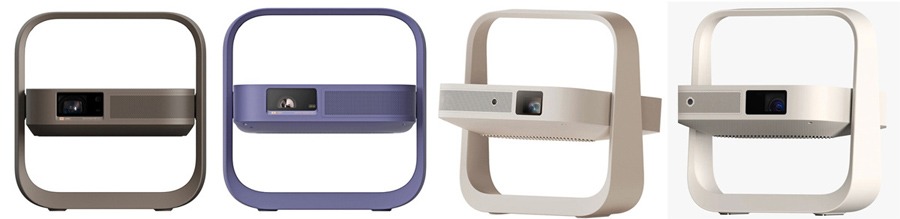
XGIMI has expanded its Elfin Flip portable projector lineup to four models with the introduction of the Elfin Flip 4K and Elfin Flip Laser, joining the existing Elfin Flip and Elfin Flip Plus. The two additions move the series beyond entry-level LED projection, offering buyers a choice between a 1080p triple-laser projector and a more advanced 4K model.
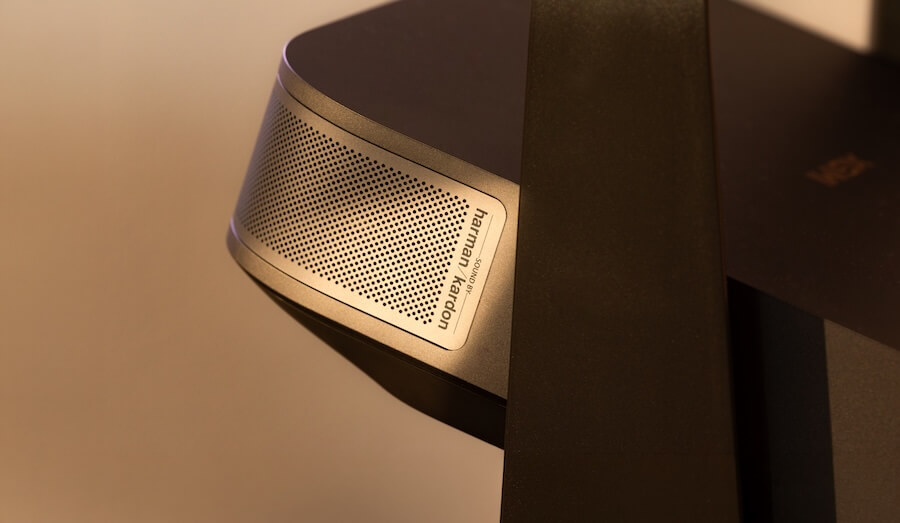
Both new projectors use RGB triple-laser light engines rated at 1,600 ISO lumens and include a single 7-watt Harman Kardon speaker with Dolby Audio. That represents a substantial step up from the Elfin Flip Plus, which uses an LED light source rated at 500 ISO lumens and relies on two 3-watt speakers. This is considerably more than another model number and a mildly revised shade of beige.
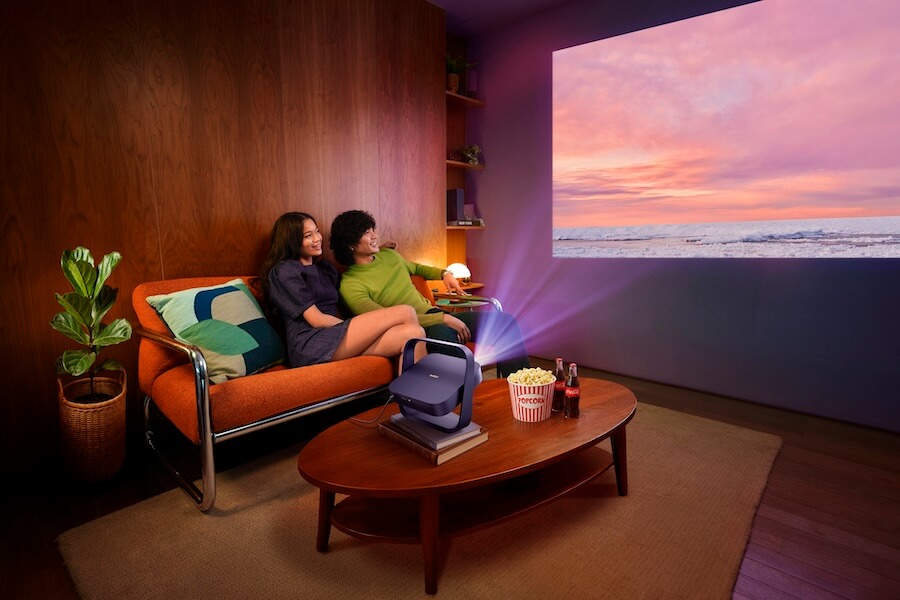
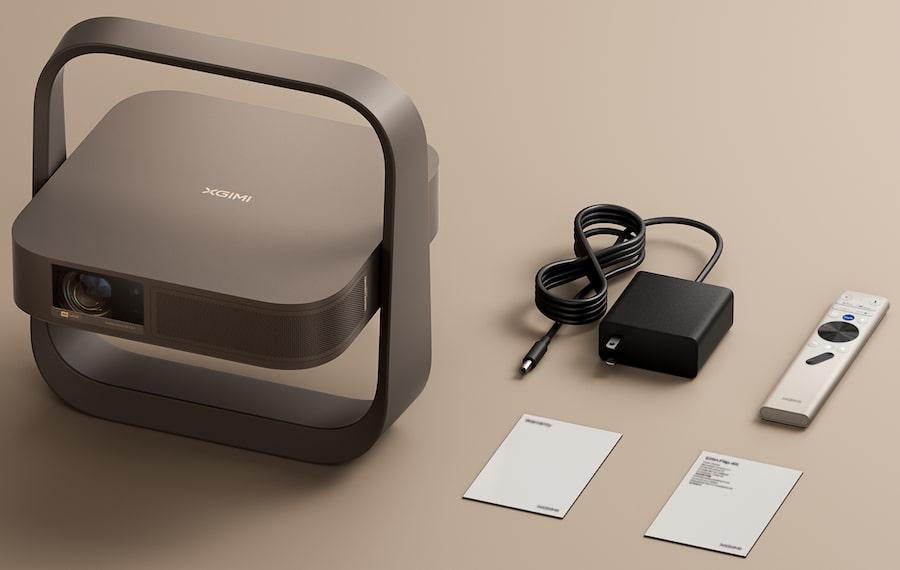
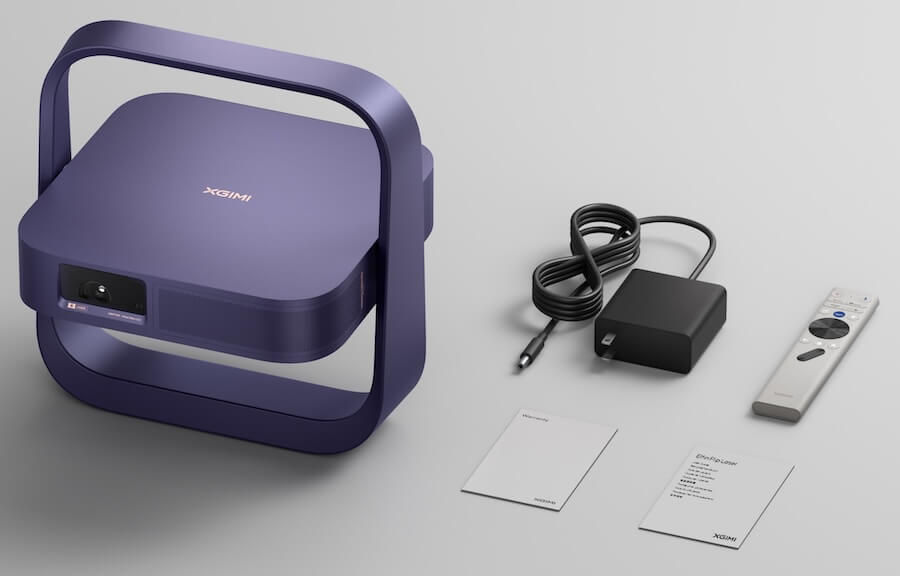
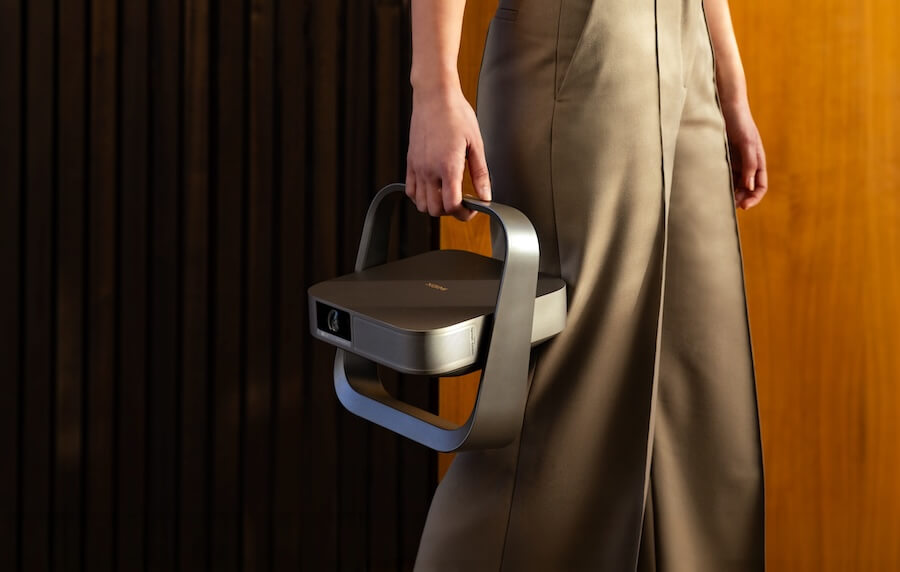
XGIMI has packaged those upgrades inside the familiar book-sized Elfin Flip design, retaining the integrated stand and carry-handle concept that makes the projectors easy to move between rooms and aim at a wall or ceiling. The expanded range now stretches from affordable 1080p streaming to brighter 4K laser projection without requiring owners to drag a black plastic shoebox around the house.
The Elfin Flip 4K sits at the top of the lineup with 4K display resolution via pixel shifting, an RGB triple-laser engine delivering up to 1,600 ISO lumens of brightness, a 20,000:1 dynamic contrast ratio, 110% coverage of the BT.2020 color gamut, and ΔE<1 color accuracy—specifications that rival those of dedicated home theater installations. Its optical zoom and 0.98–1.3:1 throw ratio enable precise screen sizing without requiring users to reposition the projector.
Weighing just 1.55 kg and measuring 9.64 inches wide, it delivers a large-screen viewing experience with zero visual compromise.
The Elfin Flip 4K’s flip-to-start operation and slim profile reinforce its portability: pick it up, place it, and the picture is ready. XGIMI’s Intelligent Screen Adaptation technology handles the rest automatically through Uninterrupted Auto Keystone, Auto Focus, Intelligent Screen Alignment, Intelligent Obstacle Avoidance, Wall Color Adaptation, and Intelligent Eye Protection.
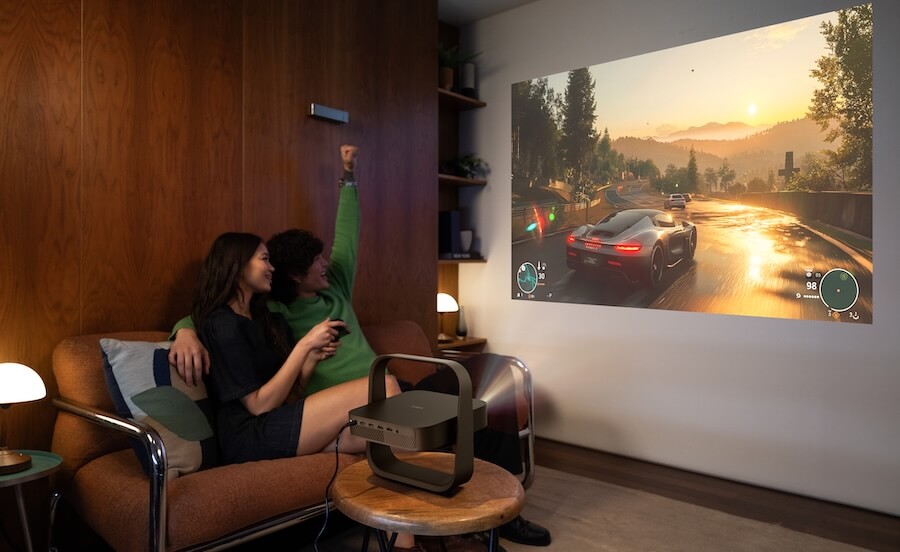
Gaming Support: For the first time in the Elfin series, the Flip 4K supports console-level gaming performance, with input lag as low as 1 ms at 1080p/120 Hz. It also supports VRR and ALLM, along with Black Equalizer, Virtual Crosshair, and a dedicated Gaming Picture Mode.
The Flip Laser
The Elfin Flip Laser sits immediately below the Flip 4K in the lineup. It uses the same RGB triple-laser light engine, carries the same 1,600 ISO-lumen brightness rating, and includes the same Harman Kardon speaker system and smart features.
The primary differences are its 1080p display resolution, lower 10,000:1 dynamic contrast ratio, and lack of the Flip 4K’s advanced gaming features.
Advertisement
Audio & Smart Features
The Elfin Flip 4K and Elfin Flip Laser each include a 7-watt Harman Kardon speaker with Dolby Audio support, designed to deliver room-filling sound without requiring external audio equipment. Our suggestion: get a soundbar.
Advertisement. Scroll to continue reading.
With Google TV, users also have direct access to Netflix, Hulu, Amazon Prime Video, and thousands of additional streaming apps, making the Elfin Flip Series a complete all-in-one home entertainment solution.
Pro Tip: The previously released Elfin Flip Plus and Elfin Flip remain the more affordable entry points in the lineup, but both use LED light sources rather than RGB triple-laser engines. Their speaker systems also offer less power and do not benefit from Harman Kardon tuning. Automatic setup features may vary by model.
XGIMI offers projectors for everything from casual streaming to dedicated home theaters, but the Elfin Flip Series occupies an increasingly popular middle ground: compact lifestyle projectors that can move between rooms without looking like surplus equipment from a high-school audiovisual department. The Elfin Flip 4K is the standout, combining pixel-shifted 4K resolution, an RGB triple-laser light engine, 1,600 ISO lumens, optical zoom, Google TV, automatic setup, and serious gaming support inside a slim, book-sized design for $999. That combination of portability, optical zoom, wide color coverage, and 1080p/120 Hz gaming performance is what makes it genuinely different.
The Elfin Flip 4K is best suited to apartment dwellers, renters, gamers, and families who want a large image in a bedroom, living room, or temporary media space without permanently mounting a projector. The Elfin Flip Laser offers the same 1,600 ISO-lumen brightness and RGB triple-laser color performance for $799, but drops to 1080p, reduces dynamic contrast, and eliminates the 4K model’s optical zoom and advanced gaming features. Unless the Laser is substantially discounted, spending another $200 for the Flip 4K is not a difficult decision.
There are compromises. Neither laser model includes a built-in battery, so “portable” means easy to carry from room to room rather than movie night in the middle of a field without access to an extension cord. HDR support is limited to HDR10 and HLG, with no Dolby Vision, and 1,600 ISO lumens still does not turn either model into a replacement for a television in a brightly illuminated room. The single 7-watt Harman Kardon speaker may be adequate for casual viewing, but claims of room-filling sound should be approached with the same caution normally reserved for airport sushi. Both models support HDMI eARC, so budget for at least a soundbar if dialogue clarity, bass, and convincing movie sound matter.
Advertisement
The Elfin Flip Plus remains the value option at $379, offering 1080p resolution, Google TV, automatic setup, and 500 ISO lumens. The standard Elfin Flip is also priced at $379 or less, although its lower 400 ISO-lumen output makes the Plus the more sensible purchase whenever the two are selling for the same amount. Casual viewers working with a dark room and tighter budget should start there; buyers seeking the best combination of brightness, resolution, flexibility, and gaming performance should move directly to the Elfin Flip 4K.
XGIMI Elfin Flip 4K
sandbagger writes: Fark.com is ancient in internet terms. It’s not social media. It’s not quite a news site. It’s a holdover from the dot-com era and is invisible to Google, which makes its community great but has necessitated begging. “[W]e won’t survive this year without more TF subscribers,” wrote founder Drew Curtis in a post on Bluesky. “Spread the word.”
For the unfamiliar, Fark is one of the web’s OG community news sites that features a wonderfully weird mix of user-submitted links, absurd headlines, Photoshop contests and comment-section mayhem. It has also been featured numerous times on Slashdot over the decades, from a 2007 review of founder Drew Curtis’ book and a 2010 story about his skepticism of “the wisdom of crowds” to a full Slashdot interview with Curtis in 2015. For longtime readers of both sites, Fark feels like an old neighbor from an earlier, stranger and arguably more fun era of the internet.
In the middle of a diarrhea shitstorm, the Food and Drug Administration and lettuce supplier Taylor Farms appear to be facing off in a passive aggressive battle of technicalities.
On July 17, the California-based company issued a voluntary recall on iceberg lettuce sourced from Central Mexico. The recall came after people across at least five states were sickened with cyclosporiasis, a parasitic infection that causes explosive diarrhea.
The next day, the FDA said that it had detected the parasite in a sample of Taylor Farms lettuce that wasn’t part of the initial recall. The day after that, the company and the FDA said that the result was actually a false positive.
The FDA did not quite agree with that interpretation, however. On July 20, an agency official told reporters that it did not offer the company an “official apology.” Instead, the official said, “mostly we were providing factual information” about how difficult it is to test for and trace the sources of cyclospora outbreaks.
The agency emphasized that the recall—which spans 27 states, and includes certain lettuce sold to Taco Bell and Walmart—still stands. “To clarify, this false-positive lab sample DOES NOT change the basis for FDA’s ongoing outbreak investigation or the overwhelming epidemiological data supporting the current voluntary recall by Taylor Farms,” it posted on X.
In its July 19 post, Taylor Farms also wrote that the FDA “has not identified a single positive product test result for Cyclospora.” While true, this elides the difficulties involved in accurately testing for the parasite.
Many foodborne illness investigators determine the source of outbreaks without ever testing products. Instead, investigators use epidemiological evidence, such as interviewing people who have tested positive, to determine commonalities.
Advertisement
Taylor Farms has reportedly taken issue with how the FDA and CDC has conducted their weeks-long investigation into the source of the outbreak. A spokesperson told The New York Times that, last week, the company met with White House and FDA officials to discuss what it called “shortfalls” in the government organizations’ response processes. The Times reported that Taylor Farms executives attempted to cast doubt on the FDA and the Centers for Disease Control and Prevention’s conclusions in the meeting, which took place on July 16, the day before Taylor Farms issued its recall.
Taylor Farms did not respond to WIRED’s requests for comment.
Since May, thousands of people have been sickened with cyclosporasis, as health officials have struggled to pinpoint the source of the outbreak. Authorities in Michigan say that they have counted 6,148 cases in that state alone, though experts previously told WIRED that the number of cases nationwide is likely higher than what’s been reported.
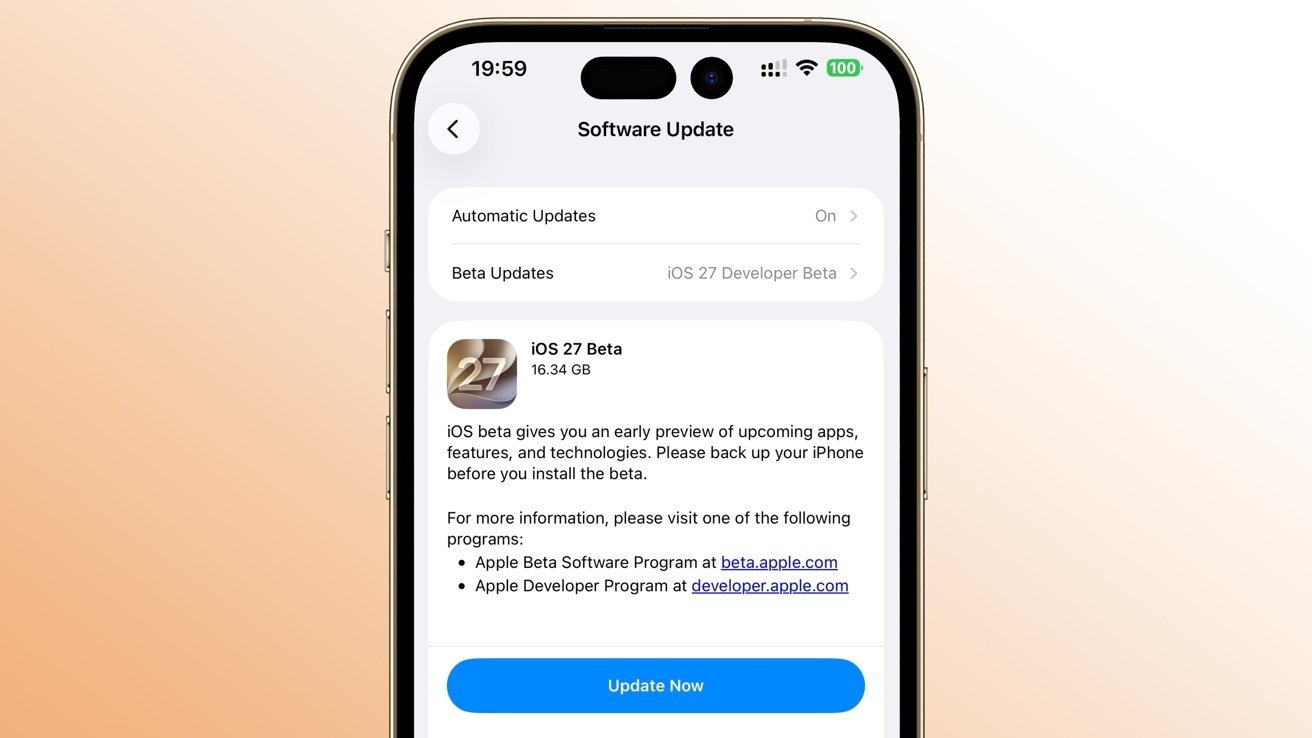
Apple is moving on with its developer beta program, with new fourth builds of iOS 27, macOS 27, tvOS 27, watchOS 27, visionOS 27, and iPadOS 27 now undergoing testing.
The fourth round is here, and participants in Apple’s developer program can download the new builds to their devices right now.
The third developer builds arrived on July 6, while the second occurred on June 22 for most of the operating systems. The watchOS 27 counterparts landed later, on June 23 and June 25.
visionOS 27 beta 4 is 24M5326g, replacing 24M5316k
The initial changes included tweaks to Liquid Glass, the long-awaited overhaul of Siri, child-protective features, and many other smaller changes.
The second iOS 27 developer beta included an update to Apple TV in the Home app, showing it like a connected HomePod or HomePod mini. The Apple Wallet also added a new insights option, albeit in a non-functional fashion.
The third included some visual tweaks, with more customization options added for Siri AI on newer iPhone models.
At your own risk
While AppleInsider regularly warns readers that people trying out beta software should do so on secondary, spare hardware instead of their mission-critical or daily driver devices, it’s something that actually matters more this time around.
Advertisement
It’s because Apple’s early developer betas are for an operating system that is still under active development. There’s a higher chance of buggy, broken, and potentially harmful elements being distributed.
The initial builds are also intended to help developers learn about the operating system changes before the final public release later in 2026. It’s not meant to be used by consumers.
Unless you have a vested interest in using them, such as app development, don’t install the early developer betas.
Instead, members of the public should seek out the public betas, when they become available.
Apparently, being a leading destination for AI development doesn’t mean AI will bail you out. AI agents broke into Hugging Face’s production infrastructure, but commercial LLM guardrails blocked the forensic investigation, forcing it to turn to a Chinese open-weight model instead.
The intrusion, “driven, end to end, by an autonomous AI agent system,” compromised a “limited set” of Hugging Face’s internal datasets and “several” credentials used by its services, according to a Thursday security incident disclosure.
Advertisement
While the ML platform says that it’s still investigating whether any partner or customer data was exposed in the breach, there’s “no evidence of tampering with public, user-facing models, datasets, or Spaces, and our software supply chain (container images and published packages) was verified clean.”
It also doesn’t know which model the attackers used to power a swarm of AI agents, which, we’re told, executed many thousands of individual actions across short-lived sandboxes, using self-migrating command-and-control staged on public services.
“This matches the ‘agentic attacker’ scenario the industry has been forecasting,” according to the Hugging Face blog.
Additionally, after unsuccessfully using unnamed frontier models to start the forensic analysis, the Hugging Face security team ultimately ran the log analysis on GLM 5.2, an open-weight model developed by Chinese AI firm Z.ai, on the platform’s own infrastructure.
Advertisement
The advanced commercial models didn’t work because their analysis required submitting real attack commands, exploit payloads, and command-and-control artifacts – all of the things that the LLMs’ guardrails have been trained to block so that the AI systems can’t be used in real-life attacks.
“The attacker was bound by no usage policy, while our own forensic work was blocked by the guardrails of the hosted models we first tried,” the security team wrote, noting that it’s not arguing against safety measures on hosted models and has shared this information with the LLM providers.
Using GLM 5.2 had another benefit, Hugging Face noted: “No attacker data, and none of the credentials it referenced, left our environment.”
This also serves as an important reminder to defenders, according to the AI platform. “Have a capable model you can run on your own infrastructure vetted and ready before an incident, both to avoid guardrail lockout and to keep attacker data and credentials from leaving your environment.”
Advertisement
Think of a burglar that never gets tired, never needs sleep, and instead of jiggling one door handle at a time, is trying a thousand of them simultaneously
The Hugging Face intrusion is yet another indication that attacks carried out by autonomous AI agents are no longer a future threat, but rather the current state of AI-based intrusions.
Last week, The Register spoke with TrendAI VP of AI and security threat research Tom Kellermann about another recent attack, during which a jailbroken Google Gemini did 90 percent of the work – including spinning up a new C2 server in just six minutes. The human did just 10 percent.
Additionally, earlier in July, Sysdig threat hunters documented what they say is the first-ever documented agentic ransomware infection with an LLM – not a human – driving the entire extortion operation, from gaining initial access to compromising a production database server and destroying data.
Advertisement
“Think of a burglar that never gets tired, never needs sleep, and instead of jiggling one door handle at a time, is trying a thousand of them simultaneously,” Zero Networks field CTO Chris Boehm said in an email to The Register about the Hugging Face intrusion.
“That’s basically what happened here. Not one guy typing commands into a terminal, a swarm of little automated processes hammering away nonstop, hopping between hiding spots to make it harder to trace,” Boehm said.
He added, the “part that actually unsettles” him most is that the platform’s security team couldn’t get commercial AI tools to help analyze the attack, “because those tools were built to refuse anything that looked like a real attack command. It didn’t matter that it was the good guys asking.”
Boehm said the takeaway for security teams is twofold: “These agents can now move faster and more relentlessly than any human ever could, and the safety tools we’re building aren’t always ready to help us respond at that speed.”®
Datacenters tax utilities normally, so just imagine what they could do if workloads were designed to destroy
AI datacenters wreak havoc on the power grid under normal circumstances, so what happens if a bad actor controls all the GPUs and wants to cause harm? Cybersecurity researchers in China have devised a way for malicious tenants to attack their infrastructure provider, potentially causing blackouts or damaging equipment.
The attack, dubbed Bit2Watt, imagines an adversary masquerading as a legitimate cloud tenant to launch GPU workloads that have the potential to damage datacenters and supporting electrical systems. It’s intended to demonstrate the need to extend cybersecurity defenses to datacenter workload scheduling.
Advertisement
The researchers, Zhouhao Ji, Kaikai Pan, and Wenyuan Xu, from Zhejiang University in Hangzhou, China, describe their technique in a preprint paper titled “Bit2Watt: A Cyber-Physical Vulnerability Exploiting GPU Workloads Across Power and Computing Infrastructures.”
AI training workloads represent a known challenge for datacenter operators. As Microsoft, Nvidia, and OpenAI noted in a 2025 research paper arguing the need for power stabilization during AI training, the transition from GPU computation to GPU data synchronization causes large power swings to occur. And if the frequency spectrum of these power swings is “harmonized with critical frequencies of utilities, [that] can cause physical damage to the power grid infrastructure.”
Meta’s paper on the training of Llama 3 also cites the risk AI training poses to the power grid.
It says, “During training, tens of thousands of GPUs may increase or decrease power consumption at the same time, for example, due to all GPUs waiting for checkpointing or collective communications to finish, or the startup or shutdown of the entire training job. When this happens, it can result in instant fluctuations of power consumption across the datacenter on the order of tens of megawatts, stretching the limits of the power grid.”
Advertisement
Bit2Watt weaponizes this scenario by proposing that an adversary could use malicious GPU workloads to destabilize the datacenters and electrical infrastructure.
“Our results indicate that GPU loads can reach modulation frequencies exceeding 6,000 Hz, compared with only a few hertz observed in conventional household loads such as air conditioners,” the Zhejiang University authors state in their paper. “Such high-frequency modulations can substantially induce voltage excursions, harmonic distortion, and damping degradation.”
The authors claim an attack on a 1-MW local power grid consisting mainly of distributed energy resources like photovoltaics could use 1,000 GPUs to create a total harmonic distortion of 46.8 percent, which would squander nearly half the electrical current on non-productive work and would throw off about 20 percent more heat than normal.
“This not only threatens the availability of the computing equipment but also produces a negative damping ratio of -0.27, introducing an unstable mode into the system,” the authors contend. “Once the protections are triggered and computing loads are shed, it can trigger cascading failures, potentially leading to blackouts exceeding 80 percent in large-scale power systems.”
Advertisement
The attack is relatively covert, the authors argue, because it can be launched within authorized workload execution paths and would likely be missed by cloud-provider monitoring frameworks. Thus, they propose that infrastructure providers coordinate defenses across the cyber and physical layers to look for malicious computation patterns. They also emphasize the need for local energy buffering systems to handle power demand spikes.
Bit2Watt also potentially opens the door for a side-channel attack called Watt2Bit. The researchers note that the electrical and thermal stress on hardware from a malicious workload creates denial of service events and enables the covert exfiltration of data via power modulation. As a proof of concept, they showed they could recover a 50-bit test sequence using frequency-shift keying (FSK) encoding.
“These findings underscore a fundamental shift: as power and computing infrastructures converge, security must be addressed across domains, requiring coordinated defenses that consider workload behavior, power electronics, and grid dynamics,” the authors conclude. ®



























































You must be logged in to post a comment Login