When security teams talk about attack surface, the conversation usually starts in familiar places. Servers, identity systems, VPN access, cloud workloads, maybe browsers. Those are visible. They show up in diagrams and asset inventories.
What gets less attention are the everyday tools people use to actually get work done.
PDF readers. Compression utilities. Remote access clients. Word processors. Spreadsheet tools. Email clients. Browsers. Screen sharing software. Update managers. The background software that quietly powers normal business activity.
Most organizations do not spend much time debating whether to deploy these. They are simply part of operating in a digital economy. Contracts arrive as PDFs. Finance works in spreadsheets. HR reviews resumes. IT supports users remotely. Executives live in email and browsers. These tools become part of the environment almost by default.
Advertisement
At Action1, where visibility into third-party software exposure across endpoints is a daily focus, these background tools consistently emerge as a defining part of the real-world attack surface.
That commonness is what makes them attractive targets from a threat actor’s perspective.
The value of being ordinary
From the outside, modern enterprises look different. Networks vary. Architectures change. Security stacks evolve. But, inside most environments, the same classes of applications appear again and again, and more often than not, the same software titles dominate the majority of installations.
It is difficult to function in modern business without an email client, document processing software, a browser, and tools for packaging, previewing, and sharing files. Using similar products is less about preference and more about compatibility.
Advertisement
Business depends on exchanging information in formats everyone else can use. Without those standards, we go back to the days of file-format wars, “I cannot open that, we use something else,” and lost time just trying to make data usable. That friction is why the industry standardized, and why the same major names still dominate.
Attackers pay attention to that.
Rather than predicting every custom application an organization might run, they look for overlap. If a vulnerability appears in a widely used PDF engine, spreadsheet parser, email preview component, or remote access utility, the chances it connects with something real are high. The exploit is aimed less at unique architecture and more at familiarity.
Most successful exploitation does not rely on exotic techniques. It relies on muscle memory. Users open PDFs, Word files, spreadsheets, and links all day long. Attackers are betting those actions feel routine enough that nobody hesitates.
Advertisement
That familiarity shapes how campaigns are built, and it should influence how defense strategies are planned.
Good thing Action1 does it for you, now on Linux too—alongside Windows, macOS, and third-party apps.
One platform. Zero infrastructure. Real-time visibility. Finally, patching that just works.
Many attacks historically looked like guesswork. An attacker might send a crafted email for Outlook, hoping the recipient uses Outlook. Or attach a weaponized spreadsheet, hoping Excel is present. Or send a malicious PDF, hoping the reader is vulnerable.
Advertisement
There is uncertainty in that approach. The exploit launches before the attacker truly knows what exists on the other end. This increases chances the attack will be detected before being effective, and it risks valuable exploit code to failure, where it may be detected, profiled, then henceforth scanned and detected.
What changes with common utilities is the probability curve.
Email clients, browsers, word processors, spreadsheets, PDF readers, and archive tools appear in most business environments because the work itself requires them. An attacker does not need perfect information to expect something compatible nearby.
Instead of treating exploitation as a one-off guess, attackers think in likelihood. They invest effort where overlap is largest. The more widespread the tool, the more attractive it becomes as an entry point.
Advertisement
That is why vulnerabilities in these utilities move quickly through exploit ecosystems. Once something works in a familiar toolchain, it scales. If one user relies on Outlook, Word, and Adobe, there is a good chance coworkers and business relations do as well for interoperability reasons.
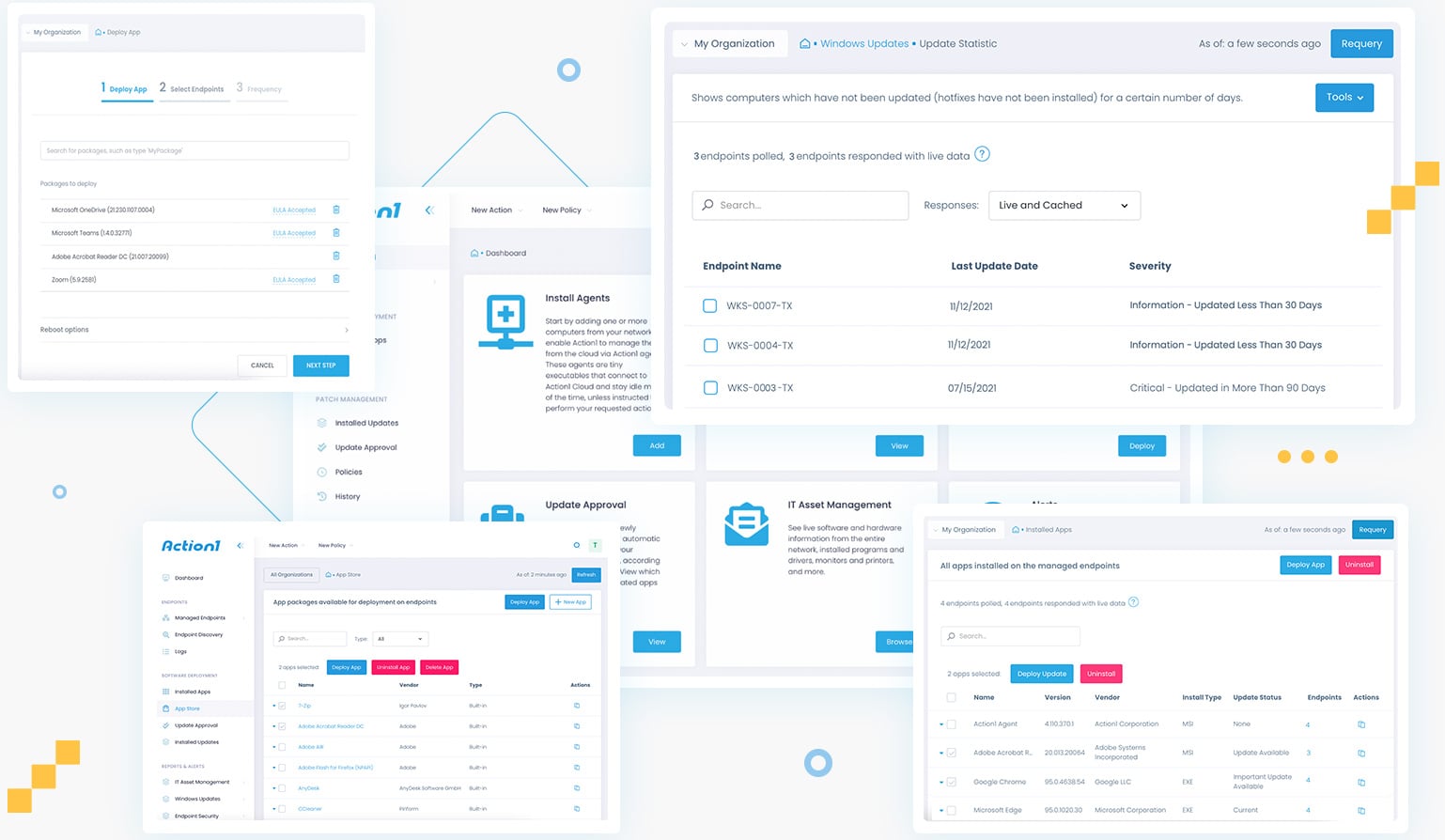
Figure 1: Automated detection and remediation of critical vulnerabilities in third-party applications.
The standard business footprint in practice
These tools also travel together.
If an email clearly originated from Outlook, it already hints at part of the environment. Email workflows connect to document workflows. If Outlook is present, Word and Excel are often nearby.
Each utility reinforces the presence of others.
For attackers, that enables paths rather than isolated exploits. An issue in an email client connects to attachment handling, preview engines, document renderers, shared libraries, and integrations that tend to coexist on the same system.
Advertisement
Instead of targeting a single application, the attack surface starts to resemble the business footprint itself, the collection of tools people rely on every day.
When vulnerabilities appear in that footprint, they attract more attention because they fit naturally into how people already work.
Quiet signals and small leaks
Another part of the story is information people do not realize they share.
Documents often contain metadata. PDFs reference the engine that produced them. Spreadsheets carry formatting behavior tied to specific suites. Email headers expose client details. Browser traffic advertises user agents. File structures reveal habits and versions.
Advertisement
A single attachment, email, or shared document can quietly describe parts of the software stack behind it.
In isolation it does not look sensitive. Often it is not even visible. Over time it builds a picture of what tools are common, what standards they follow, and how files are processed.
What created it, what version, how recently, so when old software details show in current workflows, the software processing it is old. And old software often means years of exploit potential bottled up in one package. That is often what turns speculation into precision.
Those breadcrumbs help attackers shape payloads that align with what exists on the other side, increasing effectiveness while reducing noisy experimentation.
Advertisement
Why third-party software drifts
Most enterprises put real effort into operating system patching. Update pipelines are understood. Browsers update often. Mobile devices follow management policies. Systems start with baselines and are monitored.
Third-party utilities live differently.
Vendors ship different installers. Some auto-update. Some rely on users. Some get disabled by packaging systems. Some stay frozen because workflows depend on a version.
Over time, multiple builds of the same tool spread across endpoints. Some become stale. Some live for years with known vulnerabilities simply because they fell off the radar.
Advertisement
In Action1’s analysis of enterprise environments, it is common to find multiple versions of the same third-party application coexisting, some lagging years behind current security fixes. This fragmentation quietly accumulates exploit potential without triggering obvious alerts.
From a security view, that drift matters because attackers do not need new exploits. They benefit from whatever version still exists somewhere in the footprint. A five-year-old PDF reader quietly carries five years of cumulative exploit potential.
What feels like small technical debt widens the opportunity window for major exploitation.
Trust and everyday behavior
There is also a human side to these tools.
Advertisement
Email, documents, browsers, and archives feel like infrastructure. People trust them like desks and keyboards. Opening a PDF does not feel like running code. Previewing an email does not feel like execution. Extracting a file feels routine.
By the time behavior looks unusual, the initial interaction already happened in a place people rarely question. These actions occur thousands of times a day, which makes tracing a compromise back to a document, email, or user extremely difficult.
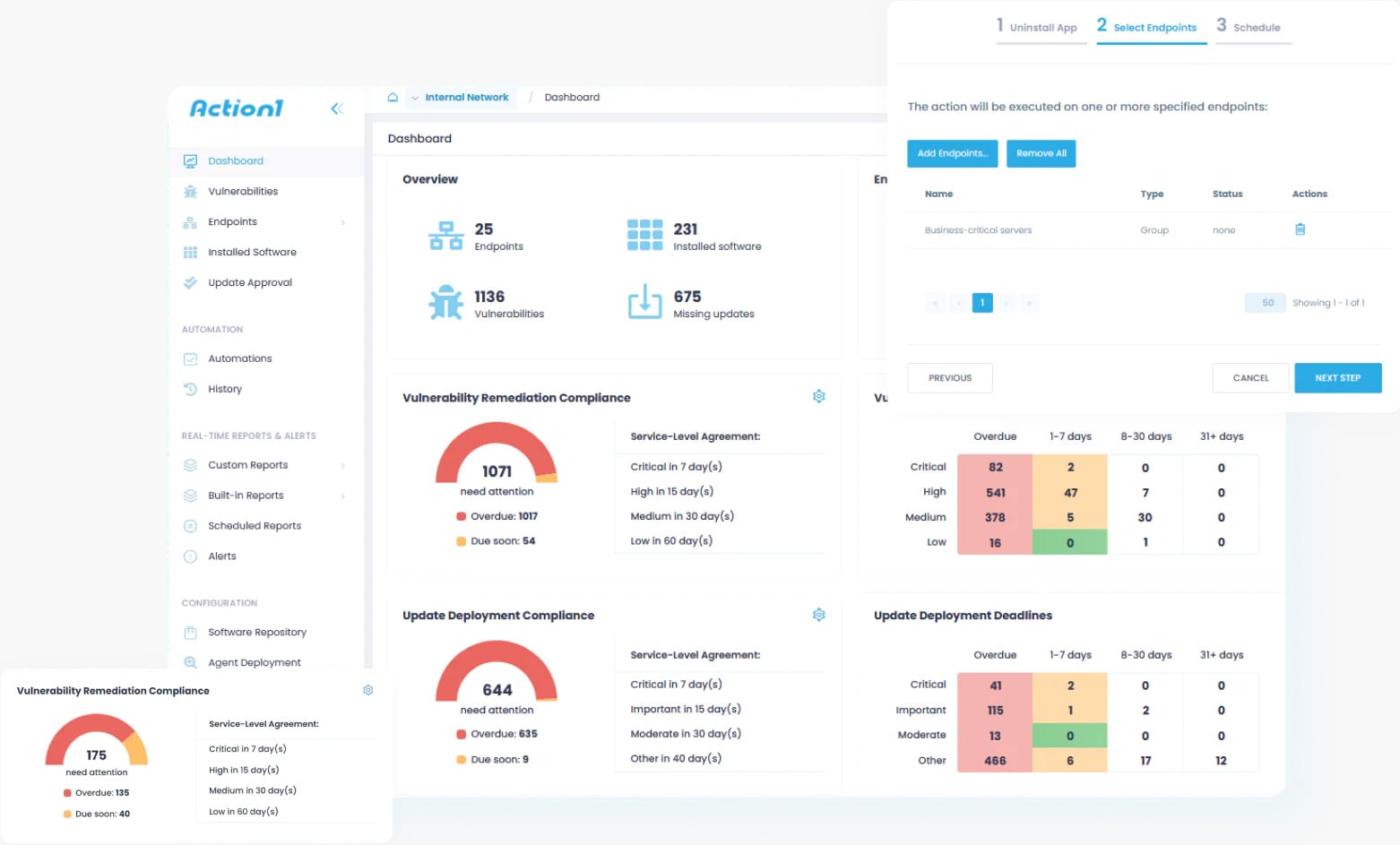
Figure 2: Secure, scalable patch management across Windows, macOS, and third-party apps, with compliance reporting and 200 forever-free endpoints.
Looking at the footprint, not just the platform
For leadership teams, the value here is perspective, not fear.
Security strategies often start with the platform layer, operating systems, networks, identity, cloud infrastructure. Those matter, but they do not tell the full story of how work actually happens.
Work happens in email clients, spreadsheets, PDFs, browsers, archive tools, and remote sessions. That is where files open, previews render, links get clicked, and data moves between people.
Advertisement
That makes them predictable.
That is why third-party patching often carries more risk weight than expected. The operating system may be tightly managed, while the tools on top quietly define real exposure.
Looking at the footprint is less about assuming weakness and more about understanding where everyday work intersects with real security concerns.
A quieter way to think about patching
Third-party patching often feels operational rather than strategic. Yet these utilities sit at the intersection of people, files, and execution.
Advertisement
They are ordinary, and that is exactly why they matter.
Not because every organization looks the same, but because they look similar enough that attackers design around that similarity.
When teams examine environments, the focus is usually infrastructure. There is also value in asking what the standard business suite looks like across endpoints, how it evolves, and how consistently it stays current.
Which tools are actually needed? Which are simply part of a default deploy? Which stay installed even when unused? Which stop getting updated because nobody notices them?
Advertisement
This is why, in practice, teams working with platforms like Action1 consistently see third-party patching deliver a greater reduction in real-world risk than many more visible security controls. Exploitation rarely hinges on a single overlooked vulnerability. It is enabled by years of accumulated drift across third-party applications that quietly fall out of date while remaining embedded in everyday workflows.
Those conditions exist long before an exploit is written or deployed. They shape the practical attack surface by defining which software actually executes, which files get opened, and which actions feel routine enough to avoid scrutiny.
Third-party software is not adjacent to the platform — it is part of how the platform operates, and it is often where exposure concentrates when everything else appears well-managed.
Action1is a founder-led company, brought to you by the original minds behind Netwrix. At the time of this writing, it is one of the fastest-growing private software companies in the US because organizations are recognizing that OS and third-party patching can no longer be treated as a secondary task.
Advertisement
Addressing modern risk requires continuous visibility into third-party software and the ability to remediate vulnerable applications across endpoints quickly and consistently. When teams evaluate modern patch management solutions, Action1 increasingly represents the option designed around that reality.
Tool makers and sellers usually have all of the ordinary equipment you need for most basic jobs, everything from hammers and drivers to saws and other hardware. On top of that, they often have a selection of more niche products you might not be familiar with.
Fireball Tool in particular is known for selling inventive equipment designed with welding and metalworking in mind. Company founder Jason Marburger started his career as a welder and ran up against the limitations of existing metalworking tools, many of which were designed for woodworking and co-opted for metalworking. Those tools worked but not as well as they could have, so Marburger set out to make tools specifically with metalworking in mind. That meant being made of tougher materials and incorporating some unique design elements.
Advertisement
Marburger’s first product was a welding square designed to accept strong metalworking clamps and align materials before welding. Before long, his welding squares became popular enough that Marburger streamlined the production process and started selling them under the Fireball Tool brand. Today, the company has grown to offer a wide range of tools, primarily geared toward welding and metal work. You’ll find squares, clamps, and grinding wheels, but you’ll also find a collection of more less common products. Here are 12 niche Fireball Tool products and what they do.
Advertisement
Thread checker
When working with metal, a few millimeters can make a big difference. If your bolt is just a little too small it won’t hold firm; if it’s a little too big, it won’t fit into a slot or accept a nut. That’s why hardware comes in standard sizes and why it’s so important to make sure you’re using the correct gauge for your project.
A thread checker lets you confirm the precise size of your nuts and bolts before you go to the hardware store. Fireball Tool has two versions, one which is strung on a wire with a loop for storage and another that’s wall-mounted. The string thread checker comes in either jmperial or metric. Each unit on the wire has its gauge stamped on the side and can be used to check both nuts and bolts.
The wall-mounted thread checker looks like something you’d find in a high-tech aircraft or alien spaceship. If you look a little bit closer, you’ll see it’s really just a collection of threaded posts and holes so you can double check your hardware before you commit. The checker is made of half-inch PVC Sintra board and contains both imperial and metric checkers all in one.
Advertisement
Electronic angle finder
Whether you’re working with wood or metal, it’s important that your measurements are accurate. A tape measure can help you measure distances but won’t help you if you need to measure the angle of something. Accuracy is critical for angle measurements if you’re looking to save time, effort, and frustration in the long run; while a woodworking or metalworking square can help you confirm if your project has 90 degree corners, an angle finder is useful for most other angles. It’s one of those weird tools you’ll wish you had gotten sooner.
The TECH 700 DA digital electronic angle finder is made by Stabila and available from Fireball Tool. It measures both interior and exterior angles between 0 and 270 degrees with an accuracy of within one tenth of a degree. It can even show you angle bisections (splitting an angle into two equal parts) in the event that you need to cut and join corner pieces. A digital display shows you the angles you’ve measured and a locking mechanism allows you to easily transfer those angles to other materials. The display also has a dimmable backlight you can turn on and off. You can get this angle finder in two sizes, 18 inches or 32 inches, depending on your needs.
Advertisement
Combination square
You’re probably familiar with a conventional woodworking or metalworking square, a tool which allows you to make sure you’re achieving as close to a perfect 90 degree angle as possible. A combination square takes things one step further by combining a square with an adjustable ruler. Sliding the ruler allows you to make precise measurements and draw guide lines for making cuts with confidence. Sometimes you just need to slap something together even if it’s ugly, but when you need to build something precise, a combination square can help.
Advertisement
Fireball’s combination square is 5 inches long by 5 inches tall and 2 inches wide. It comes in cast aluminum or black oxide cast iron, depending on the sorts of materials you’re working with — aluminum can become damaged if you’re working with especially tough materials and tools. You can choose three different ruler sizes, either in imperial imperial (12 inches, 18 inches, or 24 inches) or in metric (300, 450, or 600 millimeters). The ruler sets completely into a recessed slot so it doesn’t interfere with your measurements. A built-in bubble level helps to ensure everything is as perfect as it can be.
Advertisement
Bulldog swivel plier
Many of Fireball’s offerings center on the fixture table, a shop surface designed specifically for metalworking. They come in various styles, including standard duty, heavy duty, steel top, and Fireball’s custom-designed, modular “dragon wagon”. Each table is made of metal and features a uniform grid of holes capable of accepting a wide variety of tools and accessories.
Bulldog swivel pliers are designed to set into any opening in the fixture table, adding a mounting clamp anywhere you want on your work table. When building something, you can lay your materials down on the table and clamp them in place before joining or welding. A locking mechanism in the pliers holds pressure on your target so you don’t have to; you can use the pliers’ quick release lever to easily unlock whatever it is you’re working on.
Designed to work with any Fireball Tool fixture table or those with equivalent grid holes, these one-armed pliers feature a rotating post for easy repositioning. Most clamps have to go around your material and the table, meaning you have to use them only around your table’s edges. These swivel pliers are advantageous since they allow you to clamp materials down to the table in a wide variety of positions and locations.
Advertisement
Double gooseneck clamp
Whether you’re fabricating something out of wood, metal, plastics, or any other material, it’s important that things connect in precisely the right way. You need your materials to be square and true before you fix them into their permanent positions. That means laying things out in advance and making sure they don’t slip while you’re working with them.
To line things up and hold them in place you can use jigs, templates, or premade frames. Fireball’s fixture tables allow you to create a frame and attach clamps to hold everything right where you want it. Fireball’s double gooseneck clamp is designed for use specifically with the fixture table, settling into any one of its ports much in the same way its bulldog pliers can. With the double gooseneck, you can point the clamp in pretty much any direction, allowing you to press on materials from the top, the sides, or even on the corner. You can also separate the upper and lower arm then use just the upper arm on its own. The wide foot pad helps the clamp make contact and prevent slipping so you can make cuts, join, or weld your materials with confidence.
Advertisement
Fence block
Fireball Tool’s fixture tables are designed to be hugely customizable. Each table features hundreds of pre-drilled three-quarter-inch ports into which you can slot clamps and other tools. Clamps can help you hold objects in place but a frame can help you get everything aligned before you clamp it down.
Advertisement
Fence blocks are yet another accessory designed to work with the fixture table, featuring compatible posts and holes so they can slot right into place with ease. They’re almost like oversized Lego bricks, and you can mix and match them to create the exact framing you need for the job at hand. Then when you’re finished, you can remove the blocks and reorient them for your next job.
Fireball Tool’s fence bricks come in a variety of shapes and sizes, including 1 inch by 1inch posts, 4 inch fence blocks, 6 inch stepped fences, and a double row riser block. You can use them to create a table border, to hold materials steady, or to align them squarely before joining.
Advertisement
Three-axis square
A woodworking or metalworking square helps you verify 90-degree angles on a two-dimensional plane. Put simply, it can check the angle moving in only one direction. Like movies and television at the turn of the millennium, a three-axis square takes things into the third dimension.
A three-axis square lets you align materials along not just length and width, but also height, and all at the same time. They’re useful if you’re framing the corner of a three-dimensional object like a box or a table. This square is made of cast iron and can be used with Fireball Tool’s fixture table or independently wherever you need it. One-inch feet and magnets help the square to stand up and resist falling over no matter where you’re working.
If you’re working at the fixture table, threaded holes in the bottom of the square will accept three-quarter-inch posts, allowing it to slot into any ports in the table. And depending on the size of your project, you can get a standard square with a 4-inch height limit or an extra large square with a 7–inch height.
Advertisement
Locking chain pliers
Chain pliers are a type of strap wrench, similar in form and function to an oil filter wrench. Where that uses a band of metal to unfasten stubborn oil filters, these pliers use a bicycle chain. Yet independent of the type of strap they use, these types of wrenches aim to use tension and static friction to grab hold of an object.
Advertisement
It’s an unconventional tool made of a plier handle and a chain. To use it, you wrap the chain around the intended object, feed the chain back through the clamp jaws, and tighten to turn or lock the object in place. Because it uses a semi-rigid chain instead of a band or a totally rigid tool head, it can deform to fit around awkwardly shaped objects, large ones, or things that are in hard to reach places.
Fireball Tool’s locking chain pliers, made by Strong Hand Tools, come with either a 24-inch or 48-inch chain, the latter of which can wrap around pipes as wide as 14 inches in diameter. Either way, the chain features a fishtail end to make it easier to insert the chain into the clamp jaws after wrapping around your target.
Advertisement
Polishing paste bar
Construction projects usually start with adding material to your project; ironically, they usually end with removing some of the same material you just added. You start by aligning your parts and fastening them together; when you’re done with fabrication, you typically use a variety of tools to remove imperfections for a clean finish. You can use a scraping tool or a file for bigger imperfections, but when you want to get a completely smooth surface, you’ll probably need a polishing or buffing compound.
Fireball’s small polishing paste bar is a high-gloss polish for plastics and other materials. It’s similar to the polishing compounds you can use to remove scratches from your car’s windshield. The polishing paste is made of an abrasive powder suspended in a wax-like binding agent. To use the paste bar, you’ll put some of the paste onto a flannel or other soft cloth and buff it into your project for a high-gloss finish. Polishing paste can remove small surface scratches but won’t be able to remove blemishes that go deeper. To achieve the desired finish, you might have to use several different polishing or buffing compounds with different types and levels of grit.
Called “The Fly” since they’re reminiscent of the eyes of the insect they’re named after, these goggles offer a slight tint with a shade level of three. This makes them suitable for some metalworking tasks, but not all — you’ll need different levels of shading depending on the type of welding you’re doing, the brightness of the arc, and personal preference. Many types of metalwork need significant shading protection, in the range of 10 to 14 on the lens shade scale. A three is good enough to protect you from the brightness of torch soldering and may be enough for torch brazing and light cutting.
Advertisement
These goggles feature cushioned edges to enhance comfort and open slots to improve ventilation and reduce fogging. They’re large enough that they can fit over the top of prescription glasses and other eyewear. They’re also large enough that you can’t see the edges when you’re wearing them, giving you an unobstructed and comfortable view of your workspace.
Advertisement
Downloads
One of the best things about woodworking, metalworking, and a DIY mindset is that you can build tools for yourself. Need a new workbench? Build one. Need a new chair or stool to rest your weary feet? Design and fabricate one yourself. It’s that same spirit which led Fireball’s Jason Marburger to create his welding squares and launch Fireball Tool in the first place. Following that spirit, the company offers not just a wide range of tools for purchase, but also a selection of plans so that you can experience the joy (and probable frustration) of making something useful on your own.
There’s a wide selection of designs from which to choose. You can build a comparator (a useful device for electronics projects, which compares two voltages or currents to determine which is larger), a folding saw horse, a vise, a woodworking vise, and a jack vise. Plans are significantly more affordable than the tools they describe (typically between $6 and $28), so if you’ve got the materials, the know-how, and the patience, you can save yourself some money and make a custom one-of-a-kind tool all your own. Additionally, Fireball has made all its CAD plans free to download, so you can cut or print your own fixture table accessories and other objects.
Advertisement
Maximus bar and dog clamp
Clamps come in many different styles. They’re useful for holding objects in place while you work on them or for keeping materials together while adhesive sets. Normally, the size of objects you can clamp is limited by the clearance of your clamp — typically just a few inches. Larger clamps are usually only a couple of feet long at the outside. If you need to clamp something larger than a conventional clamp can accommodate, then Fireball Tool’s Maximus bar and dog clamp could come to the rescue.
Instead of a single object, these clamps come in two separate pieces which can be attached to any two-inch by one-inch material. Using a bar or pipe as a spacer, you can customize your clamp to be whatever size you need it to be, then disassemble your clamp for easy storage between jobs.
The clamp comes in a couple of different sizes. You can choose between a 6-inch standard throat depth or a 3.5 inch short arm design, each of which operate on an 8-inch spindle. If you need something even smaller, you can also get the Mini Maximus bar and dog clamp kit, which has a 3.5-inch throat depth and a shorter 5-inch spindle. You can choose clamps made of either forged steel or ductile cast iron, depending on your purposes.
The Leica Leitzphone powered by Xiaomi is the latest flagship Android phone from Xiaomi, made this time with a deep collaboration with iconic German camera maker Leica. It’s arguably more camera than it is phone, with a large main image sensor, telephoto zoom that employs actual moving elements and a function ring around the camera unit that you can turn to control zoom or other settings.
It’s filled with Leica-specific touches, from the red dot logo and “Leica Germany” etching on the body to the Leica color profiles in the camera — the same ones you’ll find on Leica’s actual cameras.
It’s the best camera phone I’ve ever used, though at £1,700 in the UK, it doesn’t come cheap. But then nothing with a Leica logo ever does. It won’t be officially on sale in the US but that UK price translates to $2,300.
In this week’s “Reboot” column, the Apple Experience is a supply chain play, mini versions of old Macs are cute, and Godzilla’s drone show record.
Godzilla in drones and a pair of mini Macs
Reboot is a new weekly column covering some of the lighter stories within the Apple reality distortion field from the past seven days. All to get the next week underway with a good first step. This week, we saw Apple Store closures due to the Iran attacks, regulatory action in Brazil and Spain, Taiwan invasion fears, and more age verification shenanigans. At least next week will distract us with product launches. Continue Reading on AppleInsider | Discuss on our Forums
Prediction market users have made — and profited from — big bets around the bombing of Iran by the U.S. and Israeli military.
On Polymarket, $529 million was traded on contracts tied to the timing of the attack, according to Bloomberg. An analysis by analytics firm Bubblemaps SA found that six newly-created accounts made a profit of $1 million by correctly betting that the U.S. would strike Iran by February 28 — behavior that could indicate insider trading.
The bets might merely reflect broader speculation about U.S. intentions in Iran, but Bubblemaps CEO Nicolas Vaiman said the circulation of information “involving war or conflict,” coupled with Polymarket’s anonymity, “can create incentives for informed participants to act early.”
Back in January, analytics firm Polysights also noted an apparent spike in bets around the likelihood that Iran’s now-deceased Supreme Leader Ali Khamenei would no longer hold that role by the end of March.
Advertisement
Responding to concerns that such bets might essentially place a financial incentive on assassination, Kalshi CEO Tarek Mansour said, “We don’t list markets directly tied to death. When there are markets where potential outcomes involve death, we design the rules to prevent people from profiting from death.” He added that Kalshi would reimburse all fees from these bets.
When it comes to choosing the right power tool brand, pros and DIYers alike typically want reliability as well as versatility. That’s why Ryobi is a go-to brand, thanks to a selection of tools that do more than just one job. But when it comes to Ryobi’s electrostatic sprayers, it can be tricky to figure out what these tools do and whether or not they’re safe. But the truth is that these sprayers are pretty straightforward, as they can be used to both clean and sanitize.
In fact, the Ryobi 18V One+ 1/2 gallon electrostatic sprayer allows you to apply everything from disinfectants to herbicides, insecticides, and other lawn-safe chemicals. The liquid is stored in a tank, and using electrostatic technology, it’s transformed into droplets so you can spray large areas. There’s even an adjustable nozzle so you can control the size of the droplet for even wider coverage from longer distances. To stay safe when using the sprayer, wear proper protective gear like gloves, safety glasses, and a mask if necessary.
Advertisement
When it comes to other types of liquids you can use, Ryobi explicitly warns against flammable substances like gasoline. Bleach, hydrogen peroxide, and alcohol-based or abrasive chemicals shouldn’t be used either. Be sure you check a chemical’s label for any important directions as some liquids can actually damage the sprayer or cause potential injury. When you’re done with the sprayer, empty the tank and don’t leave any chemical residue inside. Be sure it’s cleaned before storing.
Advertisement
Important details about the Ryobi electrostatic sprayer
If you’re wondering whether Ryobi’s electrostatic sprayer is worth buying, beware that while it’s good for several different uses, painting is not one of them. Though the company doesn’t specifically address this in product descriptions, a Ryobi representative confirmed as much in a reply to a user review for the 18V One+ 15oz Tank Handheld Sprayer on Ryobi’s site. Plus, since many paints are flammable or not water-soluble, it’s not a good idea to use them in any Ryobi electrostatic sprayer.
The Ryobi sprayer will come in handy for flipping houses, but it’s important to know that the electrostatic tech alone doesn’t guarantee a full wrap-around on every surface. According to a study from the EPA, maintaining wet contact time is an important factor, especially when disinfecting surfaces. Droplet size and how they’re dispersed directly impacts this. That means Ryobi’s adjustable nozzles give you a better chance of properly coating a surface when spraying.
Pro Tool Reviews put the Ryobi 18V Electrostatic Sprayer to the test and found that it does indeed cover surfaces as advertised. However, in those tests, what came out was more of a wet spray and not the fine mist you might expect. But the sprayer did perform well and was considered to be a better alternative to physically cleaning surfaces by hand. ExitCleanup reviewed the backpack version of the sprayer and determined that the tech was very effective. Though priming time and hose length were both longer than expected, no performance issues were detailed.
OpenAI CEO Sam Altman, left, and Amazon CEO Andy Jassy announced a multi-year strategic partnership on Friday that includes a $50 billion investment from Amazon into the AI company. (GeekWire File Photos)
Amazon’s OpenAI investment and cloud partnership made big headlines Friday, but the mechanics of the deal — including how the money flows, what triggers the payments, and what happens if things go sideways — are buried in SEC filings that tell a more complicated story.
Here’s how it works, what the filings say, and what they’re still keeping under wraps.
The money: Amazon is investing up to $50 billion in OpenAI, in two stages.
$15 billion in OpenAI Series C Preferred Stock, due March 31.
A $35 billion commitment that comes later, with the timing dependent on a series of triggers. (The filing puts the exact figure at $34,999,999,447.98. The share price didn’t divide evenly into $35 billion, leaving it $552.02 short. Every penny counts!)
It’s part of a larger funding round: OpenAI raised $110 billion total at a $730 billion pre-money valuation, with SoftBank and Nvidia each contributing $30 billion alongside Amazon’s $50 billion. OpenAI said additional financial investors are expected to join as the round progresses.
Microsoft, OpenAI’s largest existing investor, has not yet participated in the round. CNBC reported that Microsoft still has an option to join. Microsoft and OpenAI put out a joint statement saying their partnership remains unchanged. (More on that below.)
Microsoft did, however, invest $5 billion in Anthropic last year, so with the latest deals, both Seattle-area tech giants now have their own stakes in the makers of Claude and ChatGPT.
Advertisement
The triggers: Amazon can buy its remaining shares whenever it wants, at its discretion, according to the filings. But two events can force its hand, requiring the additional investment.
A “Mandatory Funding Event” that requires Amazon to buy all remaining shares within five business days. The filing doesn’t disclose the milestone. The definition is redacted.
An initial public offering by OpenAI. If OpenAI notifies Amazon after filing for an IPO confidentially with the SEC, Amazon must buy every remaining share. It gets four weeks from the notice or five business days after the public S-1, whichever is later.
OpenAI CEO Sam Altman, talking about the deal in a joint appearance with Amazon CEO Andy Jassy on CNBC on Friday, said OpenAI is “open to going public at the right time.”
The form of the investment could also change. If Amazon buys its remaining shares before an IPO, it gets Series C Preferred Stock. If the purchase happens after OpenAI goes public, the filing says Amazon receives common stock instead.
The expiration date: The equity commitment expires Dec. 31, 2028. If the triggers haven’t happened and Amazon hasn’t invested the full amount by then, the obligation ends.
If either side fails to meet its obligations under the equity agreement, monetary damages are capped at the unfunded commitment amount. Each company has the right to seek a court order forcing the other to follow through. Both sides waived their right to a jury trial.
Advertisement
The underlying cloud deal: The equity is only part of the arrangement. On the same day, Amazon and OpenAI signed a Joint Collaboration Agreement (JCA) and a cloud services deal, both of which are referenced but not included in the public filings. OpenAI already had a $38 billion multi-year agreement with AWS. This expands it by $100 billion over eight years.
The cloud services agreement includes a commitment by OpenAI to consume 2 gigawatts of Trainium capacity through AWS. Gigawatts measure power draw, and serve as a proxy for the scale of computing involved. For reference, a large nuclear power plant produces about 1 gigawatt.
Trainium is Amazon’s custom AI chip, designed as a lower-cost alternative to Nvidia’s GPUs. Anthropic is already training its next version of Claude on Trainium, according to Jassy, making OpenAI the second major AI lab to commit to the chip.
Amazon and OpenAI are also co-building a Stateful Runtime Environment, powered by OpenAI models, that will run in Amazon Bedrock, AWS’s AI model platform. This runtime environment will let AI agents maintain context, remember prior work, and act across multiple systems over time. OpenAI says it will launch in the next few months.
Advertisement
The filing doesn’t mention Amazon Alexa specifically, but the press release says OpenAI will develop “customized models available to power Amazon’s customer-facing applications,” supplementing Amazon’s own Nova family of AI models.
The equity investment and cloud partnership deals are contractually linked. If the Joint Collaboration Agreement terminates, the additional $35 billion equity commitment dies with it. But because the JCA isn’t public, we don’t know how it could be terminated.
OpenAI and Amazon have been talking for years: The filing references a mutual nondisclosure agreement dated May 23, 2023. That’s nearly three years before Friday’s announcement, and four months before Amazon’s first $4 billion investment in Anthropic.
One reason they probably didn’t do a deal sooner: Microsoft had a right of first refusal to be OpenAI’s compute provider, and OpenAI couldn’t jointly develop products with third parties.
Advertisement
Those restrictions were loosened in October 2025, when Microsoft and OpenAI announced a restructured partnership agreement that included new provisions allowing OpenAI to jointly develop products with third parties and removing Microsoft’s right of first refusal on compute.
In exchange, OpenAI committed to purchase an additional $250 billion in Azure services.
In their joint interview Friday, Jassy told CNBC that he and Altman had been talking “for a while” and that the OpenAI partnership was already in Amazon’s projections when the company announced plans for $200 billion in capital spending this year.
What’s hidden: The filing is heavily redacted. Key deal terms left out include: the milestone that could require Amazon to invest the remaining $35 billion on five business days’ notice; events that could terminate the $35 billion investment obligation; what constitutes a material breach of the deal; and the conditions to be satisfied before Amazon buys additional shares.
Advertisement
The Verge and others have speculated that the redacted milestones may be tied to OpenAI achieving artificial general intelligence, or AGI, a loosely defined threshold at which AI systems can match or exceed human-level reasoning across a wide range of tasks.
An AGI clause exists in Microsoft’s OpenAI deal. But Altman signaled that’s not the case here. “We’re not doing new deals that stop when AGI gets reached,” he told CNBC.
What about Microsoft? OpenAI and Microsoft put out a joint statement of their own on Friday, coinciding with OpenAI’s funding news, saying that Microsoft Azure remains the exclusive cloud provider for stateless OpenAI application programming interfaces.
Stateless refers to a useful but basic building block, where an application sends a prompt, gets a response, and the connection ends. That’s in contrast with stateful APIs, more sophisticated connections that maintain context and memory across multiple interactions.
Advertisement
Microsoft also keeps its exclusive license to OpenAI’s intellectual property, which powers Copilot, Bing, and the Azure OpenAI Service. Under the existing partnership, Microsoft receives a share of OpenAI’s revenue. That arrangement is unchanged, and it includes revenue from OpenAI’s partnerships with other cloud providers.
The joint Microsoft-OpenAI statement said, “Collaborations like the partnership between OpenAI and Amazon were always contemplated under our agreements and Microsoft is excited to see what they build together.”
OpenAI’s own products, including Frontier, still run on Azure. Frontier is OpenAI’s enterprise platform for building, deploying, and managing teams of AI agents.
AWS becomes the exclusive third-party cloud distributor for Frontier, meaning enterprises that want to access it through a cloud provider other than OpenAI go through Amazon. But the product itself remains hosted on Microsoft’s infrastructure.
Advertisement
Bottom line: The era of exclusive AI relationships is over. Microsoft keeps the core API business, the intellectual property license, and the revenue share. Amazon gets the Stateful Runtime Environment, the Trainium workloads, and third-party Frontier distribution.
Both companies are investing in Anthropic. OpenAI is getting investment from everyone. The biggest players in AI are no longer just picking partners, they’re playing all sides.
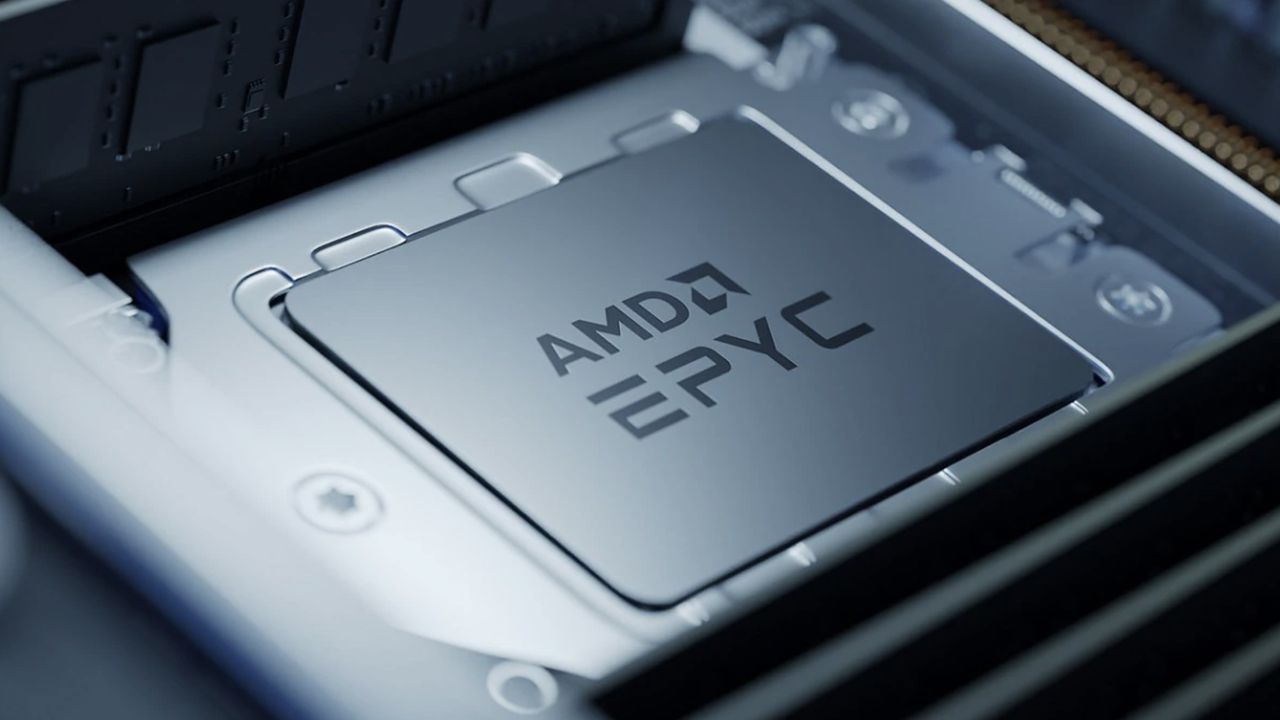
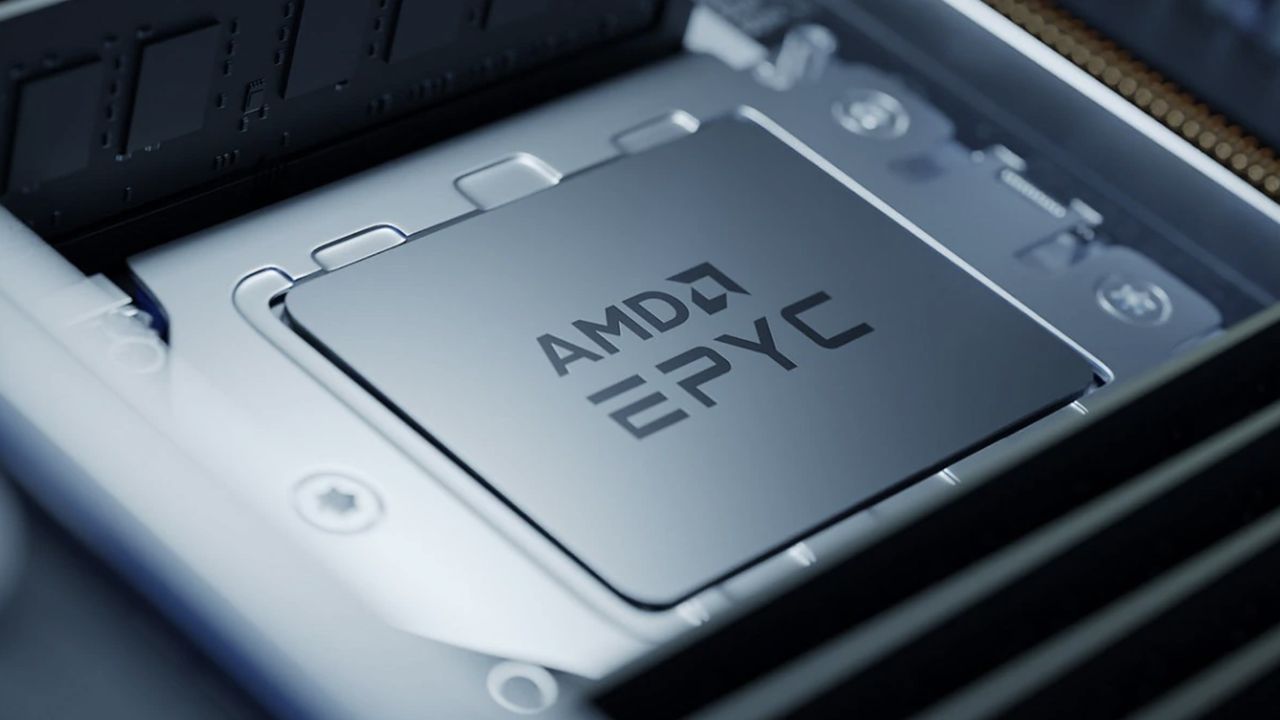
AMD has introduced its latest 8005-series Epyc processors, codenamed Sorano, with a clear focus on telecom and edge infrastructure.
The new chips raise core counts to as many as 84 Zen 5 cores, marking a notable jump from the earlier Siena generation.
Its power consumption is rated at up to 225 watts, while lower thermal envelopes may follow based on previous designs.
Expanding the Zen 5 Epyc lineup for edge workloads
Sorano is built for virtualized radio access network deployments, where operators increasingly rely on standard server hardware instead of proprietary systems.
In this environment, both CPU throughput and predictable latency matter more than peak clock speed.
AMD says the architecture includes a full 512-bit data path for vector instructions, reflecting broader Zen 5 changes already disclosed by the company.
Advertisement
A central claim around Sorano involves improvements to low-density parity check decoding, a core requirement in 5G networks.
Sign up to the TechRadar Pro newsletter to get all the top news, opinion, features and guidance your business needs to succeed!
According to AMD, greater efficiency in LDPC handling allows operators to free compute capacity for additional Layer 1 and Layer 2 processing, which could translate into more network functions running per server inside a data center or edge facility. The company is also emphasizing energy efficiency alongside higher core density.
If Sorano mirrors Siena’s lower power variants, telecom operators may see configurations under 100 watts for specific deployments.
Advertisement
In edge scenarios, where thermal limits and environmental tolerances are stricter, the balance between performance and consumption carries financial implications.
AMD’s latest move does not occur in isolation. Intel continues to develop its own telecom-focused processors, including the Xeon 6E and Xeon 6 SoC lines.
The Xeon 6700E can scale up to 144 efficiency cores, trading advanced instruction features for density and lower power draw.
Advertisement
Meanwhile, the Xeon 6 SoC integrates accelerators aimed at vRAN workloads, alongside high-speed networking and support for AI and media tasks often handled by a GPU in broader deployments.
Companies such as Ericsson and Nokia continue to deploy Intel-based platforms in commercial networks, showing that long-term partnerships still influence procurement decisions.
AMD will need to show measurable gains beyond core counts to shift entrenched vendor relationships.
Sorano may represent the last major Zen 5 Epyc release before the arrival of Venice, AMD’s next-generation server CPU planned for 2026.
Advertisement
Whether this iteration materially changes telecom infrastructure economics remains uncertain — core increases alone rarely determine purchasing cycles in a conservative industry.
Engadget reports:
In a lengthy post on Truth Social on February 27, President Trump ordered all federal agencies to “immediately cease all use of Anthropic’s technology” following strongdisagreements between the Department of Defense and the AI company. A few hours later, the U.S. conducted a major air attack on Iran with the help of Anthropic’s AI tools, according to a report from The Wall Street Journal.
Even Trump’s post noted there would be a six-month phase-out for Anthropic’s technology (adding that Anthropic “better get their act together, and be helpful during this phase out period, or I will use the Full Power of the Presidency to make them comply, with major civil and criminal consequences to follow.”)
Fish are popular animals to keep as pets, and for good reason. They’re relatively low maintenance, relaxing to watch, and have a high aesthetic appeal. But for all their upsides, they aren’t quite as companionable as a dog or a cat. Although some fish can do limited walking or flying, these aren’t generally kept as pets and would still need considerable help navigating the terrestrial world. To that end, [Everything is Hacked] built a fish tank that allows his fish to move around on their own. We presume he’s heard the old joke about two fish in a tank. One says, “Do you know how to drive this thing?”
The first prototype of this “fish tank” is actually built on a tracked vehicle with differential steering, on which the fish tank would sit. But after building a basic, driveable machine, the realities of fish ownership set in. The fish with the smallest tank needs is a betta fish, but even that sort of fish needs much more space than would easily fit on a robotics platform. So [Everything is Hacked] set up a complete ecosystem for his new pet, making the passenger vehicle a secondary tank.
The new fish’s name is [Carrot], named after the carrots that [Everything is Hacked] used to test the computer vision system that would track the fish’s movements and use them to control the mobile fish tank. There was some configuration needed to ensure that when this feisty fish swam in circles, the tank didn’t spin around uncontrollably, but eventually he was able to get it working in an “arena” where [Carrot] could drive towards some favorite items he might like to interact with. Mostly, though, he drove his tank to investigate the other fish in the area.
The ultimate goal was for [Everything is Hacked] to take his fish on a walk, though, so he set about training [Carrot] to respond to visual cues and swim towards them. In theory, this would have allowed him to be followed by his fish tank, but a test at a local grocery did not go as smoothly as hoped. Still, it’s an interesting project that pushes the boundaries of pet ownership much like other fish-driving projects we’ve seen.
The analysis company’s Commodities at Sea monitoring also recorded outbound oil and product flows averaging about 20.4 million barrels per day in February to date, slightly below January levels—evidence that geopolitical tension alone can slow shipments before any physical disruption occurs.
“Hormuz risk is not only about closure but also fleet productivity. If Iran escalates by seizing tankers or using drones to threaten commercial traffic, voyage times and possibly costs for Middle East oil exports would further increase,” S&P Global CERA analysts said.
Multiple shipping companies have already reported that they are avoiding the Strait of Hormuz and expect delays and rescheduling of shipments.
What Would Closing the Strait Mean?
There is no alternative export system at comparable scale. Saudi Arabia and the UAE operate bypass pipelines, but these cover only a portion of Gulf flows, while Iraq, Kuwait, and Qatar lack meaningful alternatives.
Advertisement
If the strait formally closed, most oil exports from the Gulf would be cut off from the world almost immediately. Even if Saudi Arabia and the UAE pushed their alternative pipelines to the limit, analysts say about two-thirds of Gulf exports would still be stuck.
LNG markets would also be hit. Qatar, the world’s largest exporter of liquefied natural gas—a super-cooled form of natural gas shipped by tanker—depends almost entirely on the Strait of Hormuz to export its fuel.
If the route were blocked, Asian buyers could lose their key suppliers within days. Asian economies such as Japan, South Korea, China, and India depend heavily on imported LNG to generate electricity.
Getting oil from elsewhere, like the Atlantic, would mean longer shipping times and higher costs, potentially pushing prices even higher.
If that happens, the effects would likely reach global consumers quickly: higher gas prices, more expensive airline tickets, and rising transport costs that feed into the price of food and goods.
Financial markets typically react even before physical shortages appear, with oil futures rising, transport-sector equities weakening, and currencies of major energy exporters strengthening as traders price in the risk of disruption.
Strategic petroleum reserves could moderate the shock, but releases take time and cannot fully substitute for Gulf crude grades.
Advertisement
Inside the Gulf, stopping exports would quickly strain government finances. Countries such as Iraq, Kuwait, and Qatar rely heavily on oil revenues to fund public spending. If shipments halted, storage facilities could fill rapidly, forcing producers to cut output and lose income.
Shipping effects would extend beyond oil. Tanker rerouting, insurance repricing, and naval risk zones tend to raise freight rates across bulk commodities and container shipping, impacting worldwide logistics.