
Tech
Top picks for college and university

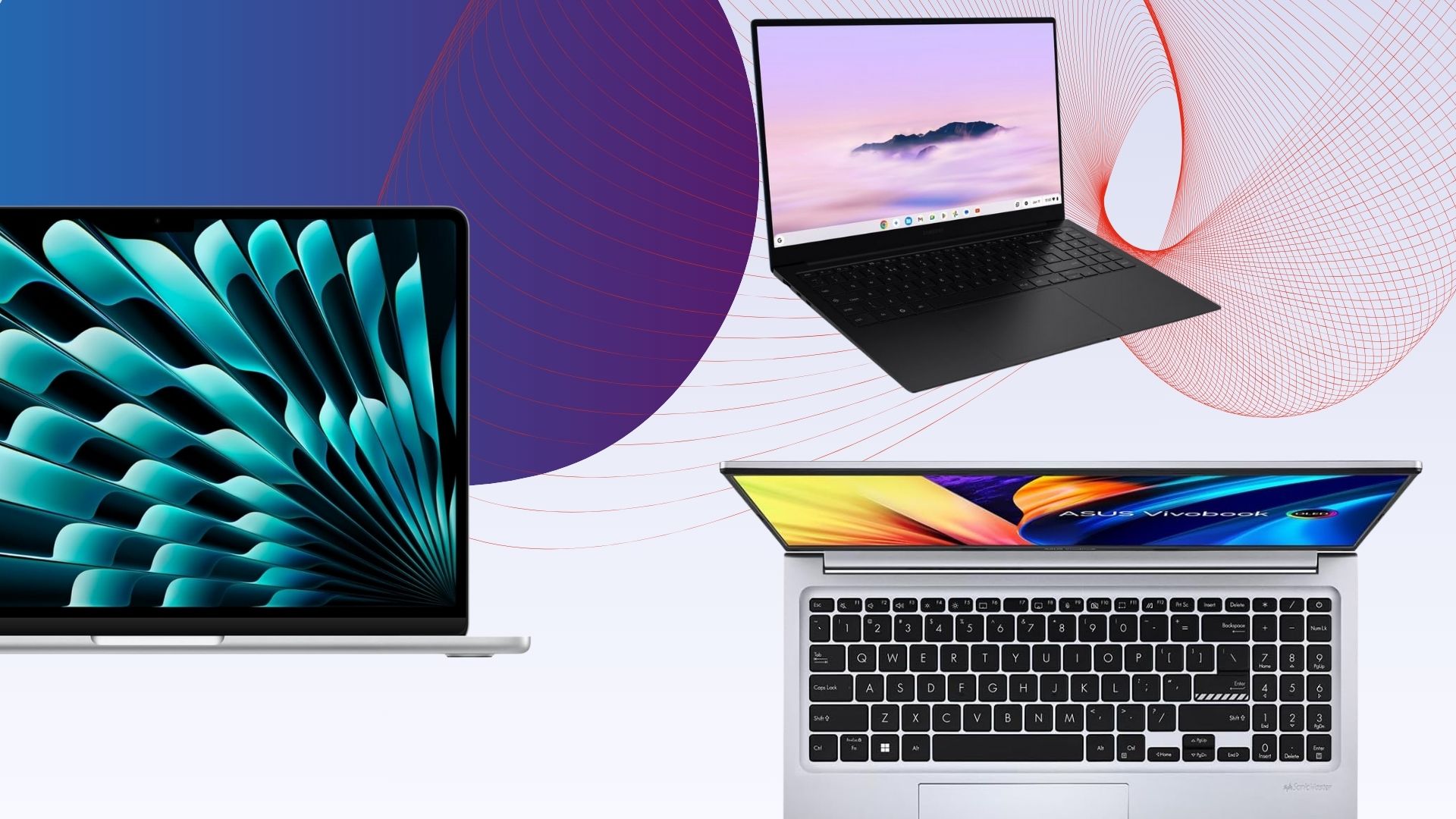
Regardless of your course type, having a decent laptop while you’re studying should be one of your top priorities. After all, you’ll be using it for everything from taking notes and revising, to streaming and maybe even the odd spot of gaming too.
But with so many laptops on the market, all at varying prices, it can be difficult to work out which one to choose. That’s where we come in.
Our team of experts have put countless laptops through a series of rigorous tests to determine just how well each one performs. We assess everything from power and battery life to the screen quality and how portable each laptop is for carrying across campus. From here, only the laptops that we deem are best for students have made it onto this list.
We understand that not every course is identical, so we’ve made sure to include a range of laptops to suit your needs. So whether you just need a simple laptop for typing up essays and coursework or you need a bit more oomph to support creative courses, there’s bound to be an option here for you.
In addition, we’ve also tried our best to keep budgets sensible as we know the last thing a student needs is to fork out on an overpriced device.
Keep reading to see our list of the best laptops for uni students. If, however, you can’t find a laptop that’s quite suitable for your needs then fear not, as our computing experts have put together a multitude of lists to help guide you in the right direction. Check out our lists of the best budget laptops and the best laptops overall, if you’re open to spending a bit more.
SQUIRREL_ANCHOR_LIST
Learn more about how we test laptops
Every laptop we review goes through a series of uniform checks designed to gauge key things including build quality, performance, screen quality and battery life.
These include formal synthetic benchmarks and scripted tests, plus a series of real world checks, such as how well it runs the most frequently used apps.
We also make sure to use every laptop we review as our primary device for at least a week to ensure our review is as accurate as possible.
Pros
- Solid performance
- Brilliant endurance
- Good port selection
Pros
- Snapdragon X Plus offers beefy performance
- Solid display
- Excellent battery life
Pros
- Lower starting price makes it surprisingly excellent value
- All models have at least 16GB RAM
- Excellent performance
- Fantastic battery life
Cons
- The screen is starting to show its age
- Small port selection
- More fun colours would be nice
Pros
- Good price for OLED
- Strong battery life
- Respectable entry-level performance
Cons
- Basic typing experience with no backlight
- Memory and storage can’t be upgraded
Pros
- Lightweight, sleek chassis
- Decent power for a Chromebook
- Excellent endurance
Cons
- Screen lacks some detail
- Speakers are a little thin
Pros
- Fantastic battery life in most situations
- Quiet fans
- Solid gaming performance on battery power
- Quality build
Cons
- CPU performance doesn’t match some rivals
- Shallow keyboard
- Uninspiring webcam
Pros
- Brilliant port selection
- Potent performance
- Gorgeous OLED screen
Cons
- Horrendously expensive
- Rivals can go for longer
Pros
- Immensely lightweight and portable
- Sublime battery life
- Solid port selection
Cons
- Key rivals can offer more power
- Rather expensive
Pros
- Luxury portable redesign
- Excellent keyboard
- Luscious OLED display
- Impressive graphical performance
Pros
- It’s so fast thanks to M1
- Exceptional battery life
- Strong app support
- Great keyboard
Cons
- Poor webcam
- Same design as before
- Poorly positioned (and only two) USB ports
Pros
- Innovative, funky design
- Solid port selection
- Brilliant endurance
Cons
- Underpowered in intensive tasks against the competition
- Higher refresh rate display would have been pleasant
Pros
- Fantastic OLED screen
- Solid battery life
- Excellent port selection
Cons
- Modest performance for the price
- Thinner speakers
-
Solid performance -
Brilliant endurance -
Good port selection
The Acer Aspire 14 AI might come across as a bit of an odd choice, owing to the fact it doesn’t necessarily take pride of place at the top of our other ‘best laptop’ list – that honour goes to a laptop further down this list.
Instead, we’ve picked this Acer option as the best Windows laptop for students owing to it simply being a great all-rounder, prioritising function over form.
For instance, the Intel Core Ultra 7 256V processor inside provides solid performance for basic productivity tasks such as web browsing and typing up notes and has the potential to push on to more intensive tasks. It also comes with some beefier integrated graphics that mean you could dabble in creative tasks such as photo or video editing if you need to for your course.
Its 1920×1200 OLED screen offers good colours and decent detail for those tasks, along with exemplary black levels and contrast to add a little more pizzazz to displayed images. The Aspire 14 AI’s chassis is also light and portable, while coming with an exceptionally functional port selection at its modest price point.
What’s more, its 18 and a half hours of runtime in our testing makes it a seriously strong choice for when you’re out all day and you don’t want to have to carry a charger around. The keyboard and trackpad are also a bit of a mixed bag, although for the price, it’s only a minor complaint.
For the sub price tag, this Acer Aspire 14 AI is a fantastic Windows laptop that certainly takes it to much more premium rivals.
-
Snapdragon X Plus offers beefy performance -
Solid display -
Excellent battery life
The Dell Inspiron 14 Plus 7441 (2024) is our next top recommendation for a student laptop thanks to its fantastic performance, solid display and excellent battery life.
The Dell Inspiron 14 Plus 7441 (2024) has a well-made brushed aluminium design and is reasonably slender at 14.69mm. It’s on the heavier side for an ultrabook, but still more than portable enough to slot into a bag without much thought.
One benefit to its slightly larger size is the well-rounded selection of ports. This includes two USB 4 Type-C ports, one USB 3.2 Gen 1 Type-A port, a 3.5mm jack and a MicroSD reader.
We found the keyboard to be solid, offering snappy travel and a fingerprint reader for Windows Hello integration.
The 14-inch IPS touchscreen display has a QHD+ resolution and offers solid contrast, deep blacks and perfect temperature. The screen is vibrant and colour accuracy is decent, though below the level required for some creative workloads.
Performance from the 10-core Snapdragon X Plus chip is surprisingly brisk, and the 1TB SSD is great too, offering some of the best and fastest speeds of any laptop we’ve tested. Windows 11 comes with minimal bloatware, and there are some nifty AI features baked into some apps courtesy of that Snapdragon X Plus SoC. There’s also quick access to Microsoft’s AI assistant via the Copilot key.
The battery life here is excellent. We were able to get nearly two full working days out of the Dell Inspiron 14 Plus 7441 (2024) before reaching for the charger. Charging is decently fast too, with a full charge possible in about 75 minutes.
-
Lower starting price makes it surprisingly excellent value -
All models have at least 16GB RAM -
Excellent performance -
Fantastic battery life
-
The screen is starting to show its age -
Small port selection -
More fun colours would be nice
The Apple MacBook Air M4 is the brand’s latest and greatest offering yet, sustaining Apple’s immense reputation for offering sublime lightweight laptops that don’t half pack a punch.
The M4 chip inside offers some potent performance in our testing that makes it suitable for everything from web browsing and multi-tasking without even breaking a sweat to editing 4K video without much trouble. With this and the sustained optimisation of games for macOS, it’s even possible to use this latest-gen MacBook Air for a spot of gaming.
The base model has jumped up to 16GB of unified memory from the 8GB of older models to give more headroom for multitasking and intensive workloads, although if you’ve got more cash, you can always add more. The same goes for storage beyond the 256GB SSD fitted to the base model.
The move to the M4 chip also helps this MacBook Air yield even stronger battery life, which in our experience translated to getting through an intensive work day with around a third charge left in the device.
One area where things haven’t improved is that it retains the same 60Hz LCD screen, which, while decent, feels a tad long in the tooth against the other options here with high-res OLEDs. In addition, the port selection isn’t too great, so you’ll be carrying around a dongle with you for most of the day.
If you can get past these issues, though, the MacBook Air M4 is easily the most complete model in the Air lineup to date, and that’s why it earns a rightful spot here.
-
Good price for OLED -
Strong battery life -
Respectable entry-level performance
-
Basic typing experience with no backlight -
Memory and storage can’t be upgraded
This laptop has a well-built plastic design that’s light enough to carry around on the regular, and to our great surprise, a lovely OLED screen that makes movie marathons an absolute delight. The large 15-inch should also make it easier to fit more text on your screen, which should be helpful for both essay typing and scanning documents.
The biggest issue with this laptop is that it’s not very powerful, falling behind the likes of the Surface Laptop Go 3 in our tests. But during our time with the laptop, we found it perfectly adequate for browsing the web, writing up essays and watching videos. As long as you’re not going to push it too hard – such as photo/video editing – the performance should be fine.
So if you’re looking for a supremely cheap Windows laptop with a top-notch screen, you’ll struggle to do better than the Asus Vivobook Go 15 OLED. The Surface Laptop Go 2 is another great cheap Windows laptop worth considering, but Microsoft is sadly phasing it out of stores, so you may only be able to pick it up second-hand in the coming months.
-
Lightweight, sleek chassis -
Decent power for a Chromebook -
Excellent endurance
-
Screen lacks some detail -
Speakers are a little thin
If it’s a lightweight device you want in both chassis and operating system, the Samsung Galaxy Chromebook Plus is one of the absolute best we’ve tested.
ChromeOS has come on leaps and bounds since a few years ago, and remains an ideal operating system for a lightweight and productivity-focused use case, such as typing up notes, watching YouTube videos or even more so. This particular option is also a Chromebook Plus, which means you get some handy A features, such as the clever Magic Eraser tech from Google’s Pixel phones, as well as live translated captions and auto-framing and background blur tech for the webcam when in Google Meet scenarios.
The real benefit of this Samsung option is that it weighs just 1.17kg, making it one of the most portable laptops we’ve tested full stop – ideal for when you need to carry it from one side of campus to the other in a dash. The fact that Samsung has crammed a 15.6-inch OLED screen for more real estate and sublime definition is fantastic, too.
For good measure, you’ll also find a competent port selection, a snappy and tactile keyboard, and a smooth trackpad to make navigation a breeze. Its 10-core Intel Core 5 120U processor is also zippy for productivity tasks, and it posted some great scores in our Geekbench 6 test that push more expensive Windows devices such as the Asus Zenbook A14. There is also a decent set of 256GB storage, and while the 8GB of RAM might seem stingy in 2025, it’s fine for the workloads you’re likely to undertake.
In a video loop test, it was also able to last for 15 and a half hours or so before conking out, giving you all-day battery life for when you’re away from the mains a lot. Against other premium student laptops that are a lot more expensive than this one, it’s brilliant.
The only caveat to this Chromebook is its higher price, and if that’s too prohibitive, then options such as the Asus Chromebook Plus CX34 can provide the fundamentals of a good experience for a bit less.
-
Fantastic battery life in most situations -
Quiet fans -
Solid gaming performance on battery power -
Quality build
-
CPU performance doesn’t match some rivals -
Shallow keyboard -
Uninspiring webcam
The Asus Zenbook S14 OLED takes the crown in our list of the best ultrabooks, so it makes sense that it wins out here, too.
The reason for this is that it features a smart and elegant design, complete with Asus’ innovative “Ceraluminum” surface that has been fitted to the most recent Zenbook S laptops, combining ceramic and aluminium for an immensely lightweight and durable finish to make for a wonderfully portable and svelte laptop for when you want to win style points with your friends. Ports are good too, with HDMI, USB-A and a headphone jack alongside two Thunderbolt 4 USB-C ports.
It comes with a 3K resolution OLED screen that wowed us with its pixel-perfect colour accuracy for both generalist and creative tasks, plus punchy peak brightness, inky blacks and excellent contrast and dynamic range. It also has a 16:10 aspect ratio to play nicely with modern workloads, and a 120Hz refresh rate for improving general responsiveness.
This Zenbook S14 OLED has an Intel Core Ultra 7 258V that we found to provide good performance, with especially strong single-core performance. Intel’s decision to remove hyperthreading from this generation of chips means that multi-core performance isn’t as strong as some AMD and Snapdragon-powered rivals. The ballpark performance here is between the M2 and M3 chips in recent MacBooks
This Asus laptop also has a capacious 72Whr battery, which in a laptop of this size is excellent. Combined with the efficiency of the Core Ultra 2 chip inside, it’s able to help this Asus laptop last for nearly 20 hours while video streaming, which is fantastic.
It’s only little things to watch out for with this one, such as a shallow keyboard that may not suit some, as well as an uninspiring 1080p webcam. With this in mind, the Asus Zenbook S14 OLED is the real cream of the crop for an ultrabook for students, although it comes at a bit of a price.
-
Brilliant port selection -
Potent performance -
Gorgeous OLED screen
-
Horrendously expensive -
Rivals can go for longer
Suppose you’re likely to be working on creative projects, such as if you’re on a photography or media-type course that involves technical editing work. In that case, you’ll want a laptop with a dazzling screen and heaps of power – enter the Asus ProArt P16 (2025).
For the first part of that, we’ve got a large 16-inch 3K resolution OLED screen with some fantastic detail, plus deep blacks and vibrant dynamic range. Its colour accuracy is also virtually perfect, so it’s ideal for undertaking creative tasks that utilise those specialist gamuts. Being a 120Hz screen helps its general responsiveness, too.
As for its power, this laptop packs in an AMD Ryzen AI 9 HX 370 processor with its 12 cores and 24 threads that make it a serious powerhouse, while the addition of an RTX 5070 GPU gives you enough oomph for those intensive loads and some gaming tasks, too. It essentially trades blows with Apple’s powerful MacBook Pro M4.
The ProArt P16 (2025) isn’t lacking elsewhere either, with a tactile keyboard and huge trackpad to make navigation a breeze, plus one of the best port selections you’ll find with a a range of USB-C, HDMI and USB-A ports The 10 and a half hours of battery life is fine for a laptop with this spec, although you will get better longevity further down the list with other options.
If it’s a proper laptop for content creation tasks you want, and you don’t mind the premium attached to it, this ProArt option is truly sublime.
-
Immensely lightweight and portable -
Sublime battery life -
Solid port selection
-
Key rivals can offer more power -
Rather expensive
Laptops with larger screens can be quite cumbersome to carry around, but if you’re on the go a lot and don’t want to sacrifice portability and more screen real estate, then the LG Gram Pro 16 seems like an ideal solution.
This laptop, being part of LG’s Gram line, has a penchant for being lightweight and portable; indeed, its magnesium frame contributes to both a durable and super light finish at just 1.2kg. There is some flexing under pressure, although not too much. At just 12.8m thick, it’s also slender, but still packs in a good port selection with a pair of USB4 Type-C ports, a full–size HDMI, two USB-As and a headphone jack.
The slightly larger chassis also lends itself to a proper full-size keyboard, complete with a snappy and short travel, plus a capacious trackpad for navigating and such.
You can spec this laptop with an OLED panel if you wish, although ours came with a high resolution IPS screen. It’s a 2560×1600 resolution 144Hz screen with variable refresh rate tech that delivers on a bright and punchy experience with decent depth and contrast alongside fantastic colour accuracy for an IPS panel to make it handy for both productivity and more creative workloads.
The Intel Core Ultra 7 258V chip inside provides decent performance with strong single-core performance in the Geekbench 6 and Cinebench R23 tests, although again, the lack of any hyperthreading befalls Intel with multi-threaded performance against AMD and Apple’s chips. There is also a fast 1TB SSD and plenty of fast DDR5 RAM headroom on hand with 32GB.
The Gram Pro 16 also wins out in this list for battery life, lasting for 21 hours and 10 minutes in the PCMark 10 battery test. This means it’ll easily last for two to nearly three days on a charge before needing to be plugged back in, and you can take it away with you and put endurance concerns to the back of your mind.
If it’s a portable big-screen laptop you want for lectures, classwork or otherwise, this LG Gram Pro 16 is a brilliant option.
-
Luxury portable redesign -
Excellent keyboard -
Luscious OLED display -
Impressive graphical performance
Being both a gamer and a student can be a pricey affair, as you’ll likely need a console, laptop and TV to survive the semester. So how about combining all of those devices together to save on money? The Asus ROG Zephyrus G14 (2023) is the perfect remedy, capable of doubling up as both your gaming rig and workstation with very few compromises.
Firstly, the G14 is shockingly lightweight for a gaming laptop, hitting the scales at just 1.7kg. Most gaming laptops are significantly heavier, making them unsuitable for porting around university. The optional Mini LED screen ensures fantastic picture quality too, which is important for watching movies and playing games.
Performance is plenty powerful enough to play all of the latest games. The intense graphics power here also opens up the opportunity for more creative pursuits such as editing video/photos and graphics design. The biggest issue here is battery life, with our tests seeing a result of just 3 hours and 20 minutes for productivity work. That could be a big issue if you’re working on the go away from a power mains.
Nevertheless, if you fancy the idea of owning a laptop that can fulfil the duties of both gaming and student work, then we strongly recommend the Asus ROG Zephyrus G14 (2023). Or if you want something cheaper, make sure to check out our Asus TUF Gaming A15 (2023) review as an alternative option.
-
It’s so fast thanks to M1 -
Exceptional battery life -
Strong app support -
Great keyboard
-
Poor webcam -
Same design as before -
Poorly positioned (and only two) USB ports
If you want a MacBook on a budget, the MacBook Air M1 is a fantastic option. Though no longer available through Apple, the laptop can be found as a refurbished model for under £400, making it the perfect MacBook for any student.
The standout feature of the MacBook Air M1 is its Apple M1 chipset. The M1 took over the Intel Core i3/i5 in this laptop, enabling faster performance beyond what you might expect from Apple’s cheapest laptop.
The six-year-old laptop has since been outpaced by the MacBook Air M2 and Air M3 models, plus the M4 mentioned above, but you won’t find either at quite as low a price as the 2020 M1 model.
The design also feels a little outdated compared to the Air M2, though the display is sharp and bright enough for most use cases and the Magic Keyboard feels fantastic to type on.
App support is strong, with a growing number of native M1 apps available and Rosetta 2 ready to translate any stragglers from the x86 platform. We found that mainstream apps ran with no issue and you can even install apps from the iOS App Store.
Finally, the MacBook Air M1 has an impressive nine to 11-hour battery life with looped 1080p video lasting up to 12 hours on a single charge. This is another major upgrade granted by the custom M1 chipset and the laptop’s standby time is excellent, too.
The MacBook Air M1 delivers fantastic performance, battery life and app support without breaking the bank.
-
Innovative, funky design -
Solid port selection -
Brilliant endurance
-
Underpowered in intensive tasks against the competition -
Higher refresh rate display would have been pleasant
As far as we’re concerned, on top of the performance that you need to get you through your classes, the most important aspect of a student laptop is whether or not it’s portable enough to be easily carried from one end of the campus to the other. After all, with the amount of textbooks and snacks required to make it through the day, the last thing you want is to be bogged down by a heavy laptop. To that end, the Asus Zenbook A14 is the perfect option.
By using Asus’ ceraluminium material which is both lightweight and durable, the Zenbook A14 totals in at less than a kilogram on the scales so you’ll barely notice its presence if it’s chucked into a backpack or tote bag. It’s also just 13.3mm thick which is barely that much more than some of the USB-C ports on the side of the device.
Of course, the worry with any laptop that’s as slim and portable as this one, is that the battery life suffers as a result, but we’re glad to report that the Zenbook A14 has no such issue. In our battery test we were able to get the laptop to run for a whopping 20 hours and 47 minutes before it needed to be topped up, which is astonishing and more than enough to get you through two-days of use between charges.
Part of what allows for such strong battery life is the efficiency of the Snapdragon X chipset inside. This Arm-based processor is one of the fastest around which is why the laptop also benefits from top-level performance that can handle almost any task you throw at it. When jumping from one task to the next, the A14 moved at great speed without any signs of slowing down, and files from the 1TB SSD would load in next to no time.
Asus has also made sure to use the available space efficiently by creating a keyboard with tons of travel, and a large trackpad that goes almost all the way from the opening of the lid, to the bottom of the space bar. You won’t be caught short on ports either with two USB-C slots, one USB-A port, and a place to connect an HDMI cable and wired headphones.
-
Fantastic OLED screen -
Solid battery life -
Excellent port selection
-
Modest performance for the price -
Thinner speakers
As much as we love the Asus Zenbook A14 for its portability, there are some students out there who would no doubt be happy to trade some of that portability for a bit more power, especially where the display is concerned, and it’s here that the Acer Swift 16 AI comes into view. This is a powerful yet still portable laptop with a gorgeous display.
The moment you open up this laptop, it’s hard not to be mesmerised by the 16-inch 2.8K OLED panel. Not only does its larger amount of space make the process of side-by-side multitasking a great deal easier, but the clarity of its resolution ensures that everything you look at is crisp.
When you decide that it’s time to call it a day, the OLED technology makes the latest films and TV shows look even better with a level of contrast that really draws you into darker sections of a scene whilst giving vibrant colours the space they need to really pop. It’s perfect for anyone who wants to use their university laptop as their main device for both work and entertainment.
Powering the show is the super powerful Intel Core Ultra 5 chipset which made short work of our benchmarking tests. In fact, its high performance in PCMark 10 is a solid indicator of just how well this laptop facilitates everyday web browsing and working between multiple apps. The speedy 512GB SSD also means that you’ll have plenty of room to store those all-important course files locally so you can rely on them at a moment’s notice.
Because of the power that Intel’s chipset brings to the table, the Swift 16 AI (as its name implies) provides quick access to Microsoft Copilot Plus. Having a fully featured AI assistant that’s always ready at the press of a button is a huge help for bouncing ideas around when you’re stuck on a project.
FAQs
A good keyboard, long battery life and snappy performance are all key things to consider when purchasing a student laptop. You’ll also want to make sure it isn’t too heavy, with 1.3kg and under being an ideal heft. Screen quality is worth thinking about if you plan on using the laptop for Netflix and YouTube.
A dedicated GPU is only worth considering if you’re a creative/design student who will be doing lots of video editing, 3D modelling or animation. Gamers will also benefit from a powerful GPU. But be warned, a GPU will crank up the price, make the laptop heavier and shorten the battery life, so only get a laptop with one if it’s essential.
Honestly, most people will be fine with 8GB RAM, but it may be worth investing in 16GB of RAM or beyond for heavier workloads such as content creation and gaming.
We’ve crowned the Acer Aspire 14 AI as the best overall laptop for students, thanks to its Intel Core Ultra 7 processor that provides solid performance for productivity tasks, all for a decent price.
However, if your budget is tight then we’d recommend the Asus Vivobook Go 15 OLED instead – especially if your course doesn’t require too many intensive tasks like photo or video editing.
Test Data
| Acer Aspire 14 AI | Dell Inspiron 14 Plus 7441 (2024) | Apple MacBook Air M4 | Asus Vivobook Go 15 OLED | Samsung Galaxy Chromebook Plus | Asus Zenbook S14 OLED | Asus ProArt P16 (2025) | LG Gram Pro 16 | Asus ROG Zephyrus G14 (2024) | MacBook Air M1 | Asus Zenbook A14 | Acer Swift 16 AI | |
|---|---|---|---|---|---|---|---|---|---|---|---|---|
| PCMark 10 | 7623 | – | – | 3414 | – | 6604 | 8292 | 7243 | 3691 | – | – | 7662 |
| UL Procyon photo editing | – | – | – | – | – | – | – | -4 | – | – | – | – |
| Cinebench R23 multi core | 9618 | 8152 | 11863 | – | – | – | 22629 | 9583 | 15946 | – | – | 7963 |
| Cinebench R23 single core | 1911 | 1115 | 2159 | – | – | – | 2943 | 1927 | 1696 | – | – | 1777 |
| Geekbench 5 single core | – | – | – | – | – | – | – | – | – | 1731 | – | – |
| Geekbench 5 multi core | – | – | – | – | – | – | – | – | – | 7308 | – | – |
| Geekbench 6 single core | 2658 | 2456 | 3748 | 1187 | 1947 | 2516 | 2058 | 2756 | 2333 | – | – | 2522 |
| Geekbench 6 multi core | 10638 | 13265 | 14664 | 2878 | 7080 | 10132 | 22606 | 10939 | 13213 | – | – | 10069 |
| 3DMark Time Spy | 4340 | 1871 | – | 590 | – | 4122 | 11630 | 4262 | 11494 | – | – | 3507 |
| CrystalDiskMark Read speed | 6386.86 MB/s | 6185.31 MB/s | 2833.5 MB/s | 1090.18 MB/s | – | 5007 MB/s | 5280.88 MB/s | 7133.66 MB/s | 5010.11 MB/s | – | – | 4796.17 MB/s |
| CrystalDiskMark Write Speed | 5581.54 MB/s | 4793.16 MB/s | 2728.6 MB/s | 1009 MB/s | – | 2804 MB/s | 4896.13 MB/s | 6487.43 MB/s | 3440.1 MB/s | – | – | 3504.39 MB/s |
| Brightness (SDR) | 383.5 nits | 457.7 nits | – | 392.43 nits | – | 372 nits | 359.1 nits | 419.5 nits | 440.1 nits | – | – | 394.6 nits |
| Brightness (HDR) | – | – | – | – | – | 616 nits | 500 nits | – | – | – | – | – |
| Black level | 0.01 nits | 0.09 nits | – | 0 nits | – | 0 nits | 0.01 nits | 0.21 nits | 0 nits | – | – | 0.01 nits |
| Contrast ratio | 28000:1 | 1930:1 | – | 1:1 | – | – | 26360:1 | 1380:1 | 0:1 | – | – | 28810:1 |
| White Visual Colour Temperature | 6600 K | 6300 K | – | 6243 K | – | – | 6600 K | 7300 K | 6800 K | – | – | 6800 K |
| sRGB | 100 % | 97 % | – | 99.7 % | – | 100 % | 100 % | 100 % | 100 % | – | – | 100 % |
| Adobe RGB | 95 % | 75 % | – | 95.5 % | – | 95.8 % | 94 % | 87 % | 96 % | – | – | 94 % |
| DCI-P3 | 99 % | 74 % | – | 98 % | – | 99.9 % | 100 % | 98 % | 100 % | – | – | 100 % |
| PCMark Battery (office) | 18.5 hrs | 16.5 hrs | – | 7.52 hrs | – | 18.5 hrs | 10.5 hrs | 21.2 hrs | 6 hrs | – | – | 14.75 hrs |
| Battery Life | – | – | – | 8 hrs | – | – | – | – | – | 12 hrs | – | – |
| Battery discharge after 60 minutes of online Netflix playback | 6 % | 7 % | – | – | 7 % | – | 6 % | 5 % | – | – | – | 7 % |
| Battery recharge time | 94 mins | 75 mins | – | – | 112 mins | – | 75 mins | 108 mins | – | – | – | 95 mins |
| Cyberpunk 2077 (Quad HD) | – | – | – | – | – | – | 48.92 fps | – | 30.23 fps | – | – | – |
| Cyberpunk 2077 (Full HD) | – | – | – | – | – | – | 82.19 fps | – | 67.15 fps | – | – | – |
| Cyberpunk 2077 (Full HD + RT) | – | – | – | – | – | – | 34.88 fps | – | 31.96 fps | – | – | – |
| Cyberpunk 2077 (Full HD + Supersampling) | – | – | – | – | – | – | 55 fps | – | 53.64 fps | – | – | – |
| Returnal (Quad HD) | – | – | – | – | – | – | – | – | 58 fps | – | – | – |
| Returnal (Full HD) | – | – | – | – | – | – | 90 fps | – | 77 fps | – | – | – |
| Rainbow Six Extraction (Quad HD) | – | – | – | – | – | – | 96 fps | – | 81 fps | – | – | – |
| Rainbow Six Extraction (Full HD) | – | – | – | – | – | – | 154 fps | – | 136 fps | – | – | – |
| F1 22 (4K) | – | – | – | – | – | – | – | – | -3 fps | – | – | – |
Full Specs
| Acer Aspire 14 AI | Dell Inspiron 14 Plus 7441 (2024) Review | Apple MacBook Air M4 Review | Asus Vivobook Go 15 OLED Review | Samsung Galaxy Chromebook Plus Review | Asus Zenbook S14 OLED Review | Asus ProArt P16 (2025) Review | LG Gram Pro 16 Review | Asus ROG Zephyrus G14 (2024) Review | MacBook Air M1 Review | Asus Zenbook A14 Review | Acer Swift 16 AI Review | |
|---|---|---|---|---|---|---|---|---|---|---|---|---|
| UK RRP | £899.99 | £1049.99 | £999 | £500 | £749 | – | £2798.99 | £1799.98 | £2399 | £999 | – | £1199.99 |
| USA RRP | – | $898.99 | $999 | – | $700 | – | – | $2299.99 | $2199 | $999 | – | $1194.99 |
| EU RRP | – | – | – | – | – | – | – | – | – | €1129 | – | – |
| CA RRP | – | – | – | – | – | – | – | – | – | CA$1299 | – | – |
| AUD RRP | – | – | – | – | – | – | – | – | – | AU$1499 | – | – |
| CPU | Intel Core Ultra 7 256V | Qualcomm Snapdragon X Plus | Apple M4 | Intel Core i3-N305 | Intel Core 5 120U | – | AMD Ryzen AI HX 370 | Intel Core Ultra 7 258V | AMD Ryzen 9 8945HS | M1 8-core | – | Intel Core Ultra 5 226V |
| Manufacturer | Acer | Dell | Apple | Asus | Samsung | Asus | Asus | LG | Asus | Apple | – | Acer |
| Screen Size | 14 inches | 14 inches | 13.6 inches | 15.6 inches | 15.6 inches | – | 16 inches | 16 inches | 14 inches | 13.3 inches | – | 16 inches |
| Storage Capacity | 1TB | 1TB | 256GB, 512GB, 1TB, 2TB | 256GB | 256GB | – | 2TB | 1TB | 1TB | 2TB | – | 512GB |
| Front Camera | 1080p webcam | 1080p 30fps webcam | 12MP | 720p | 1080p webcam | – | – | 1080p webcam | FHD IR | 720p | – | – |
| Battery | 65 Whr | 54 Whr | 53.8 mAh | 42 Whr | 68 Whr | – | 90 Whr | 77 Whr | 73 Whr | 49.9 Whr | – | 70 Whr |
| Battery Hours | 18 35 | 16 33 | – | – | 15 25 | – | 10 23 | 21 10 | – | 18 | – | 14 45 |
| Size (Dimensions) | 318.9 x 225.1 x 16.9 MM | 314 x 223.75 x 14.69 MM | 30.41 x 21.5 x 1.13 CM | 36.03 x 23.25 x 1.79 CM | 225.8 x 355.8 x 9.8 MM | 310 x 214 x 12.9 MM | 354.9 x 246.9 x 14.9 INCHES | 357.7 x 251.6 x 12.9 MM | 312 x 220 x 15.9 MM | 304 x 212 x 161 MM | – | 356 x 249.4 x 9.92 MM |
| Weight | 1.4 G | 1.4 KG | 1.24 KG | 1.63 KG | 1.17 KG | 1.2 KG | 1.85 KG | 1.2 KG | 1.50 KG | 1.29 G | – | 1.53 KG |
| ASIN | – | – | B0DZD958Z8 | – | – | – | – | – | – | B08N5NMHM3 | – | – |
| Operating System | Windows 11 | Windows 11 | macOS | – | ChromeOS | – | Windows 11 | Windows 11 | Windows 11 | macOS | – | Windows 11 |
| Release Date | 2025 | 2024 | 2025 | 2023 | 2024 | 2024 | 2025 | 2025 | 2024 | 17 November 2020 | – | 2025 |
| First Reviewed Date | – | 26/08/2024 | 16/04/2025 | 09/01/2024 | 15/03/2025 | 09/10/2024 | 13/05/2025 | – | – | 02/12/2020 | – | 17/04/2025 |
| Model Number | – | – | – | E1504G | – | – | – | – | – | – | – | – |
| Resolution | 1920 x 1200 | 2560 x 1600 | 2560 x 1664 | 1920 x 1080 | 1920 x 1080 | x | 2880 x 1800 | 2560 x 1600 | 2880 x 1800 | 2560 x 1600 | – | 2880 x 1800 |
| HDR | – | – | – | Yes | – | – | Yes | – | Yes | – | – | Yes |
| Refresh Rate | 60 Hz | 59 Hz | 60 Hz | 60 Hz | 60 Hz | – | 120 Hz | 144 Hz | 120 Hz | 60 Hz | – | 120 Hz |
| Ports | 2x USB4 Type C, 2x USB-A, 1x HDMI, 1x 3.5mm jack | 1 USB 3.2 Gen 1 Type-A port 1 Audio Jack (headphone and microphone combo) port 2 USB4 40Gbps (USB Type-C®/DisplayPort™/Power Delivery) | MagSafe 3 charging port, 3.5mm headphone jack, 2x Thunderbolt 4 (USB-C) ports with support for: Charging DisplayPort Thunderbolt 4 (up to 40Gb/s) USB 4 (up to 40Gb/s) | 6 | 1 HDMI 2 USB Type-C 1 USB3.2 MicroSD Multi-media Card Reader 1 Headphone out/Mic-in Combo | – | 2x USB-C, 2x USB-A, 1x HDMI, 1x SD card reader, 1x headphone jack | 2x USB4 Type-C, 1x HDMI, 2x USB-A, 1x 3.5mm combo jack | 2x USB-C, 2x USB-A, HDMI 2.1, Micro SD, Audio Jack | 2x Thunderbolt 4 and headphone jack | – | 1x HDMI, 2x USB-C, 2x USB-A, headphone jack |
| Audio (Power output) | – | 8 W | – | – | – | – | – | 6 W | – | – | – | – |
| GPU | Intel Arc 140V | Qualcomm Adreno | Apple M4 | Intel UHD graphics | – | – | Nvidia RTX 5070 | Intel Arc 140V iGPU | Nvidia GeForce RTX 4070 | Apple M1 7-core | – | Intel Arc 130V |
| RAM | 16GB | 16GB | 16GB, 32GB | 8GB | 8GB | – | 64GB | 32GB | 32GB | 16GB | – | 16GB |
| Connectivity | Wifi 6 | Wifi 7, Bluetooth 5.4 | Wi‑Fi 6E (802.11ax), Bluetooth 5.3 | WiFi 6E | Wifi 6E, Bluetooth 5.3 | – | – | Wifi 7, Bluetooth 5.4 | Wi-Fi 6E, Bluetooth 5.3 | Wi-Fi 6 and Bluetooth 5.0 | – | Wifi 7, Bluetooth 5.4 |
| Colours | – | Ice Blue | Sky Blue, Silver, Starlight, Midnight | Silver | Blue | – | – | – | Eclipse Grey and Platinum White | Gold, Silver and Space Grey | – | – |
| Display Technology | OLED | LCD | LED | OLED | OLED | – | OLED | IPS | OLED | LED | – | OLED |
| Screen Technology | – | IPS | IPS | – | – | – | – | IPS | – | IPS | – | – |
| Touch Screen | No | Yes | No | No | No | Yes | Yes | No | No | No | – | No |
| Convertible? | No | No | No | No | No | Yes | No | No | No | No | – | No |


ReactOS aims to be compatible with programs and drivers developed for Windows Server 2003 and later versions of Microsoft Windows.
And Slashdot reader jeditobe reports that the project has now “announced significant progress in achieving compatibility with proprietary graphics drivers.”
ReactOS now supports roughly 90% of GPU drivers for Windows XP and Windows Server 2003, thanks to a series of fixes and the implementation of the KMDF (Kernel-Mode Driver Framework) and WDDM (Windows Display Driver Model) subsystems. Prior to these changes, many proprietary drivers either failed to launch or exhibited unstable behavior. In the latest nightly builds of the 0.4.16 branch, drivers from a variety of manufacturers — including Intel, NVIDIA, and AMD — are running reliably.
The project demonstrated ReactOS running on real hardware, including booting with installed drivers for graphics cards such as Intel GMA 945, NVIDIA GeForce 8800 GTS and GTX 750 Ti, and AMD Radeon HD 7530G. They also highlighted successful operation on mobile GPUs like the NVIDIA Quadro 1000M, with 2D/3D acceleration, audio, and network connectivity all functioning correctly. Further tests confirmed support on less common or older configurations, including a laptop with a Radeon Xpress 1100, as well as high-performance cards like the NVIDIA GTX Titan X.
A key contribution came from a patch merged into the main branch for the memory management subsystem, which improved driver stability and reduced crashes during graphics adapter initialization.
We may receive a commission on purchases made from links.
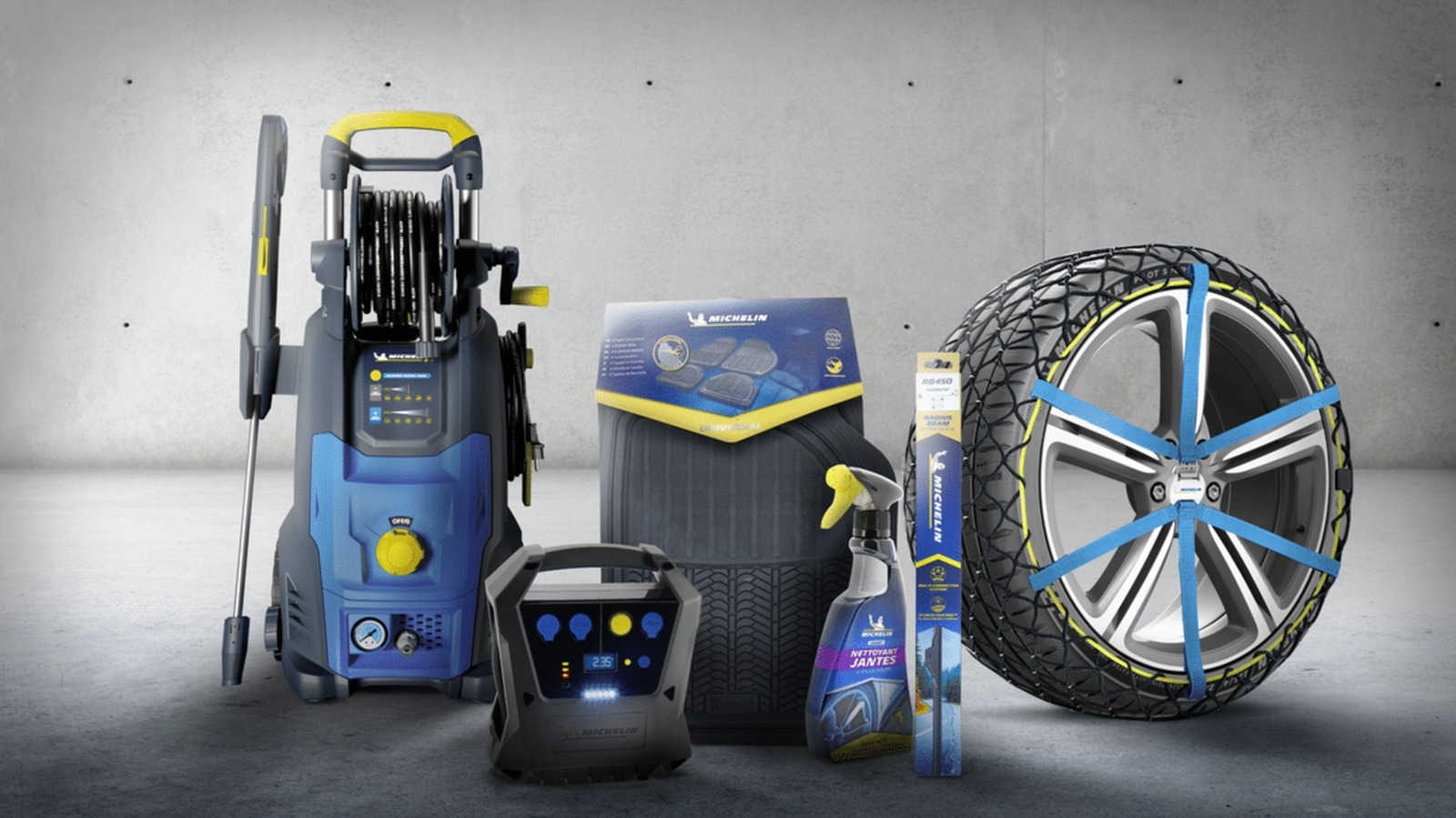
Michelin is a French multinational company that many consumers consider to be one of the most satisfying major tire brands. This firm makes several tire models that offer comfort, performance, all-terrain prowess, and everything in between — including cutting-edge products like the $42,000-per-set Michelin Pilot Sport PAX that it developed specifically for the Bugatti Veyron. Aside from its own tires, Michelin also owns other tire brands that you might be familiar with, including BFGoodrich, Achilles, and Corsa.
While tires are what Michelin is known for, the company has put its name to more than the rubber that wraps around your car’s rims. In fact, the company sells several other products that aren’t tires. So, we’re listing a few Michelin-branded items that you can buy online and in retail stores. While they might not all be made of rubber or even related to vehicles, these tools and accessories can come in handy when keeping your car — and even yourself — in good shape.
Michelin tire inflator
Since Michelin is primarily known for its tires, it makes sense for the company to sell a Michelin-branded tire inflator as well. That way, if you get a flat on one of the Michelin tires on your car or want to regularly top up your car’s tire pressure to maintain optimum performance, you can use a Michelin-branded pump to fill up your tires. The company actually sells several types of inflators on its Amazon page, but it only offers a single motorized unit — the Michelin Micro Tyre Inflator, which is available on Amazon for $98.99.
This little device is only slightly wider than an iPhone 17 and weighs about 400 grams, or 14 ounces. This means it’s easy to store in your car and to move to whichever tire needs topping up. More importantly, it takes power from a 12-volt socket, allowing you to run it using your car’s battery. It also has a USB port for charging your phone (or any other USB device) in case of an emergency.
Some users say that the device is slow, taking about 12 minutes to bring a tire from 10 to 32 PSI, but that’s not unexpected given its small size. Still, it should be good enough for regular weekly maintenance if you know your car’s proper tire pressure, or in case of an emergency. Its biggest downside is that you need a power source to run it, but having a dead battery and a flat tire simultaneously is likely a rare occurrence in many modern cars.
Michelin mini fridge
Taking a road trip during the summer can get you thirsty, and there’s no better way to quench that thirst than by drinking a cool can of soda (or your beverage of choice). If you want to ensure that you’ll always have a cold drink ready while you’re driving on the freeway, Michelin’s mini fridge will help you with that. This nifty little refrigerator is available on Amazon for just $99.99 and can be connected to either 110V AC or 12V DC power, ensuring that it will work on both your desk and in your car.
The mini fridge measures 6.9 x 9.45 x 10 inches (17.5 x 24 x 25.4 cm), meaning it can easily fit on a garage shelf or office desk. It should also be small enough to put on the floor of your car. Despite that relatively small size, it’s large enough to fit six 350-ml cans or four 500-ml bottles, and it will keep these items at a chilly 32 degrees Fahrenheit or 18 degrees Celsius. It also has an LED light on the door, so it can double as a night light if necessary.
Aside from keeping your drinks (and other food items) below room temperature, it also has a few other creature comforts. These include a removable shelf and door basket for flexibility and easy cleaning, as well as a retractable carry handle and a self-locking door to make transportation easier.
Michelin car floor mats
Heavy-duty car floor mats are often made from rubber for durability and water resistance, and since Michelin is in the business of rubber, it makes sense for the company to offer exactly that. So, if you want to protect your vehicle’s floor from dirt, dust, and mud, the company can help you with its Michelin all-weather car floor mats. This four-piece package is available on Amazon for $49.99 and comes in either black or tan.
The surface of these floor mats is specially designed to trap debris, snow, and water, preventing them from ruining the carpet on your vehicle. The mats have a cleat backing that grips your car’s floor and prevents them from slipping. The front row mats also come with what Michelin calls a Gripclip Retention System, allowing them to clip into your vehicle’s safety clips and adding even more reassurance that they won’t accidentally slip while you’re driving and pose a hazard to your safety.
These mats are universal and will work in most vehicles. However, they’re also easy to customize: If you find them a bit too large for the footwell of your tiny hatchback, you can use a pair of scissors to trim the edges for a perfect fit.
Michelin Stealth Ultra wiper blades
While Michelin’s Stealth Ultra wiper blades aren’t generally considered among the best windshield wipers, they appear to be a pretty good choice given their four-star rating on Amazon. These wipers cost $49.99 and are available in various size combinations for all sorts of cars. This ensures that no matter what vehicle you’re driving, you can probably find a set that will fit your needs.
These Michelin wipers are curved to conform to the shape of your windscreen for a clean, streak-free wipe. The company’s Amazon listing claims that these are designed to “withstand rain, wind, snow, mud, dust, or any other debris that might hamper your windshield’s visibility.” While you might think that windshield wipers are pretty simple items, and that you can just purchase any generic wipers off the internet, you must remember that they’re essential so that you have the best visibility possible during inclement weather. So, for your safety, consider investing in a set from a reputable brand like Michelin.
Michelin work boots
Michelin is known for making rubber tires to put on your car’s “feet,” but did you know it also makes shoes for the driver’s feet? The company makes sports & outdoor footwear, as well as shoes for work and safety. For this example, we have the Michelin HydroEdge Steel Toe waterproof work boot, listed for $210 on Amazon and at Georgia Boot. This shoe is available in U.S. sizes from 7.5 up to 14, ensuring that no matter what size you wear, you can get a Michelin work boot for yourself.
As the name suggests, this pair of shoes has steel toes to protect your feet from accidental impacts and is fully waterproof to help keep your feet dry, even in supposedly severe conditions. It also meets ASTM F2413 standards for electrical protection, meaning it has fully insulating soles to protect you from electrical hazards at work. Michelin also added what it calls an Advanced Rear Suspension system to its heel, ensuring proper shock absorption when you walk.
Tech
OMOWAY Omo-X Heads to Production as Space Gyroscopes Turn This Electric Scooter Into a Steady Ride


Test footage shows the Omo-X electric scooter remaining as stable as a rock on a seesaw despite the platform heaving beneath it, but only because no one is on board. This is all down to the control moment gyroscope, which was adapted from satellites / spacecraft and spins as fast as lightning to counteract any tilt.
As the camera and sensors provide data to the processor, the gyroscope fine-tunes in real time, keeping the item upright even in slow-moving traffic. It also becomes more intelligent as it learns the roads you use the most frequently via cloud links and responds to variations in weight or surface.
Sale

Maxshot Electric Scooter, 8.5″ /10″ /14″ Tire, 16/19/22 Mph Top Speed, 12/16/21/27/28/49/50 Miles Long…
- 【Dual Suspension and Solid Tire】The 10”honeycomb tires, along with the shock absorbing system, make this electric scooter adults for a smooth…
- 【LED Display & Smart Control &Lockable】You can check your speed, modes and battery level on the LED digital display. check and control the…
- 【Powerful Motor & Long Range】The electric scooter for adults with a 500W brushless hub motor allows for speed up to 22mph. High-capacity…
Riders sit on a floating seat just above a large rear wheel, with angular bodywork extending all along the sides and LED strips lighting the path, including the unique saberlight strip along the front. The front end is entirely influenced by spacecraft shapes, giving it a sharp, forward-leaning appearance that allows it to glide through the air effortlessly. Then there are the panels to swap out, with three options: a simple step-through scooter, a street model, and a touring arrangement ready to carry bags.
They must have done something right with the Omo-X, as it received an iF Design Award for 2026, which is not bad for a design like this. A large 10.25-inch screen in the center of the cockpit displays all sorts of important information, such as navigation, local charging stations, and more, eliminating the need to park your phone. This is only the beginning, for connectivity runs deep here, as you have your digital key for unlocking the phone. It can even speak with other vehicles on the road, enabling group rides and shared routes. Then there’s the app for remote monitoring and control.
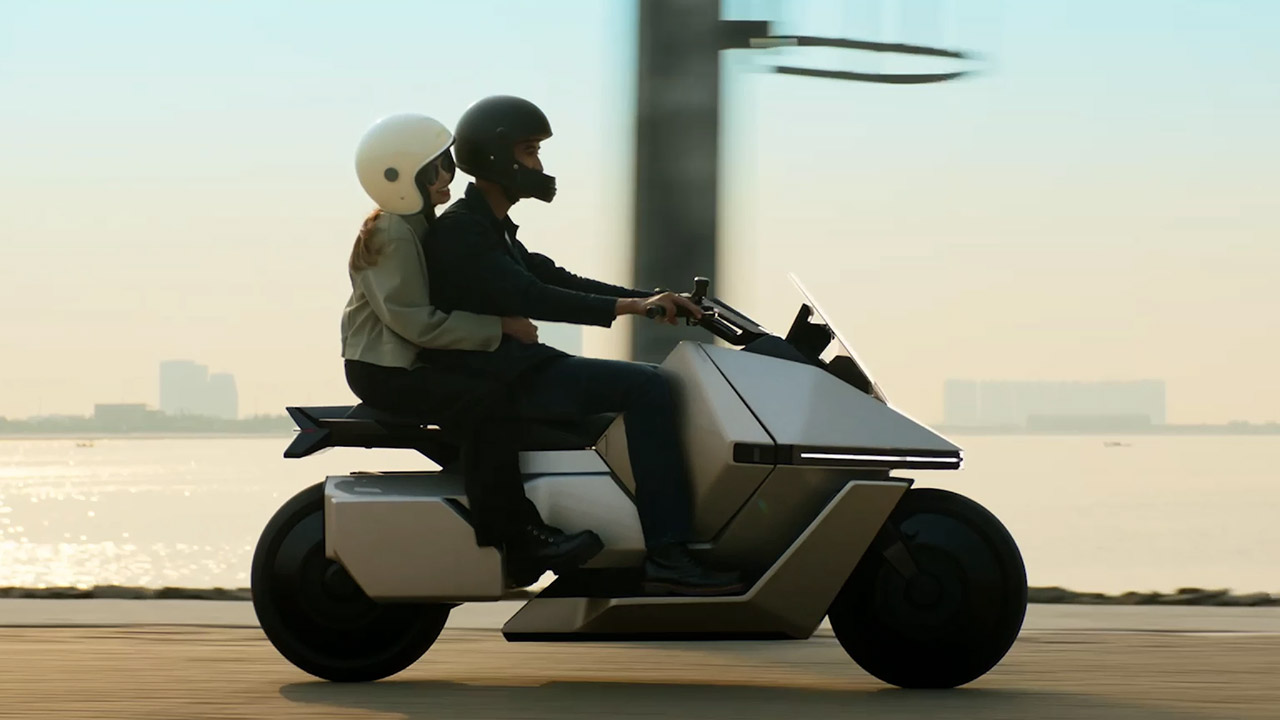
Safety kicks in immediately and smoothly. The Omo-X provides 360-degree vision thanks to many cameras; there are no blind spots, and threats are visible. If the rider takes their eyes off the road for an extended period of time, the brakes are activated to bring the vehicle to a halt. Wet roads and tight curves need a little more support to avoid slipping. All of this takes a fraction of a second. Adaptive cruise control keeps up with traffic flow, one-touch parking holds position on demand, and a summon option brings the item to you without requiring you to jump on.
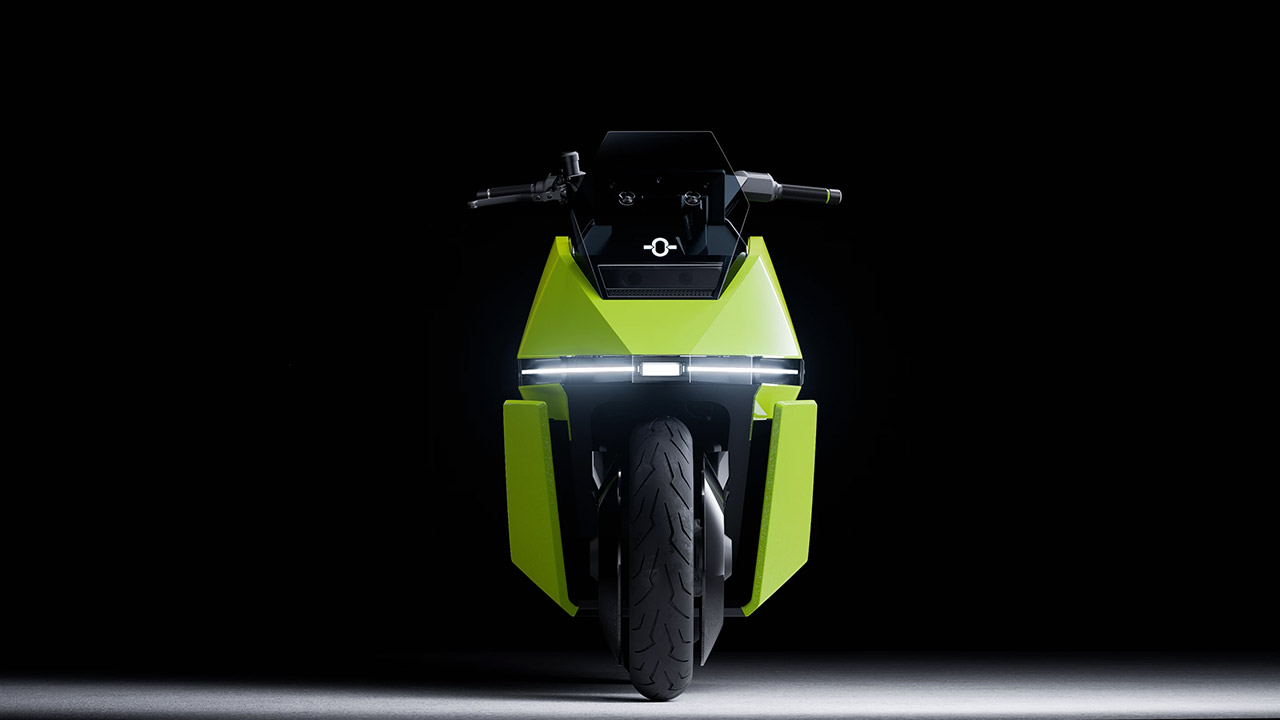
Performance data is finally available, with a top speed of more than 68 mph and a proven range of 125 miles on a single charge. We don’t know all the details on the battery and engine yet, as that will have to wait until the official reveal. According to early estimates, the price will be roughly $3,800, which is reasonable given that it is electric. Pre-orders begin in Indonesia at the end of April, with a public debut scheduled for late May, with intentions to expand to other countries following that.
[Source]


From runway collisions to engine explosions to door plugs blowing out in mid-air, the seemingly ever-increasing number of aircraft accidents in recent years has probably made you think twice about boarding a commercial airline. However, based on all available evidence, the old adage is still true: it’s safer to fly the friendly skies than it is to climb into your car and go to work every day. Still, knowing which passenger jets have the worst safety record isn’t a bad idea.
According to USAFacts, during the 20-year span between 2003 and 2023, only 675 serious injuries aboard domestic airlines (about 32 per year) were documented. Before shouting that’s too many, ponder this: more than 47 million passenger vehicle occupants were hurt on highways in the U.S. during that same period, which breaks down to 2.2 million per year. In 2023 alone, commercial airplanes in the U.S. flew more than 773 billion miles, yet only 33 passengers were injured. For the mathletes out there, this shakes out to just 0.004 injuries for every 100 million miles flown. By comparison, vehicle occupant injuries in 2023 occurred at a far greater clip — 42.2 per 100 million miles driven.
One of the many safety measures the Federal Aviation Administration (FAA) mandates to help keep air passengers safe specifically concerns airport runway safety. Unless you’re an aviation geek, you’ve probably never heard of the Engineered Materials Arresting System (EMAS). This key safety feature can literally stop an aircraft after it’s touched down in mere seconds, which might seem hard to fathom given the speeds at which these big commercial airplanes are going when they land (between 130 and 160 mph), but it’s true.
The EMAS will catch ’em
If a plane shoots past the end of a runway, EMAS will rapidly stop it thanks to lightweight, crushable material that lies beyond. The most common form — currently installed on 116 runways at 69 airports – is known as “EMASMAX” and uses collapsible cellular concrete blocks. The newer version is called “greenEMAS” — installed on four runways at just one airport — and uses silica foam made from recycled glass poured into a plastic mesh attached to the pavement, covered by cement, and topped with a layer of sealant.
A plane going as fast as 80 mph will be caught and stopped, its own weight causing the wheels to sink deeply into the crushable material, regardless of how the jet’s suspension works. Think of it as the airplane’s version of a runaway-truck ramp found at the bottom of steep highway grades. According to the FAA, this system has safely stopped 25 planes carrying a total of 491 crew and passengers.
EMAS has only been around since 1996, when it was first installed at New York’s JFK International Airport. It’s actually one part of a broader safety feature you may not be aware of, one that was first adopted in the 1980s after the FAA concluded that pre-existing obstacles like water, dense population, train tracks, and highways constricted existing runway safety areas (RSAs). All-encompassing RSAs surround the runway and can range between 250 and 500 feet to either side and 1,000 feet at both the beginning and end of the airstrip. When an airport doesn’t have the necessary land available to create the required RSA zone, they install the engineered materials.
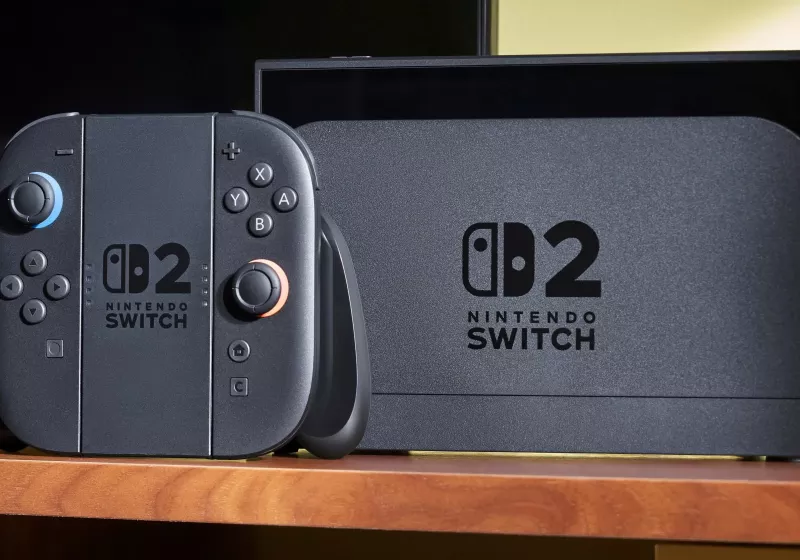
According to a Nikkei report, the update will allow consumers to remove and replace batteries using ordinary tools, without special equipment or risking damage to the device. The more easily repairable model is expected to debut in Europe, with the design expanding to other markets if required by similar legal…
Read Entire Article
Source link
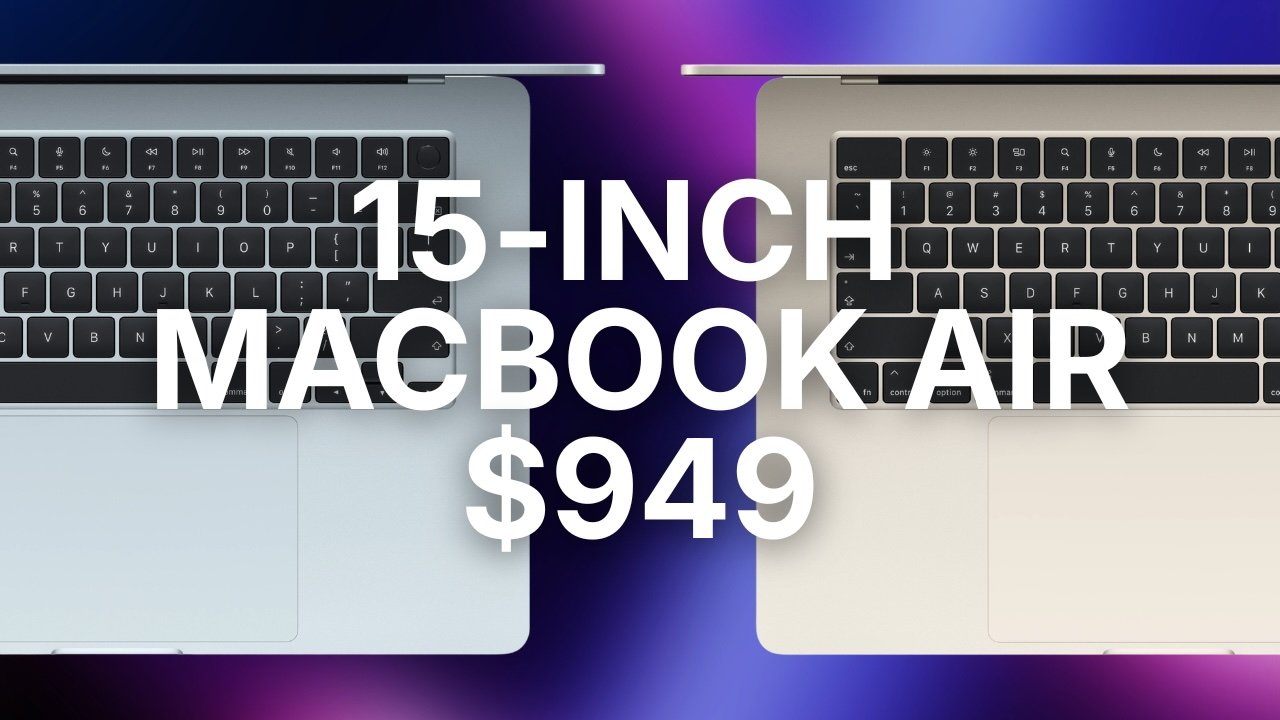
Amazon’s weekend deal drops the 15-inch M4 MacBook Air down to a record low of $949 ahead of next week’s Big Spring Sale.
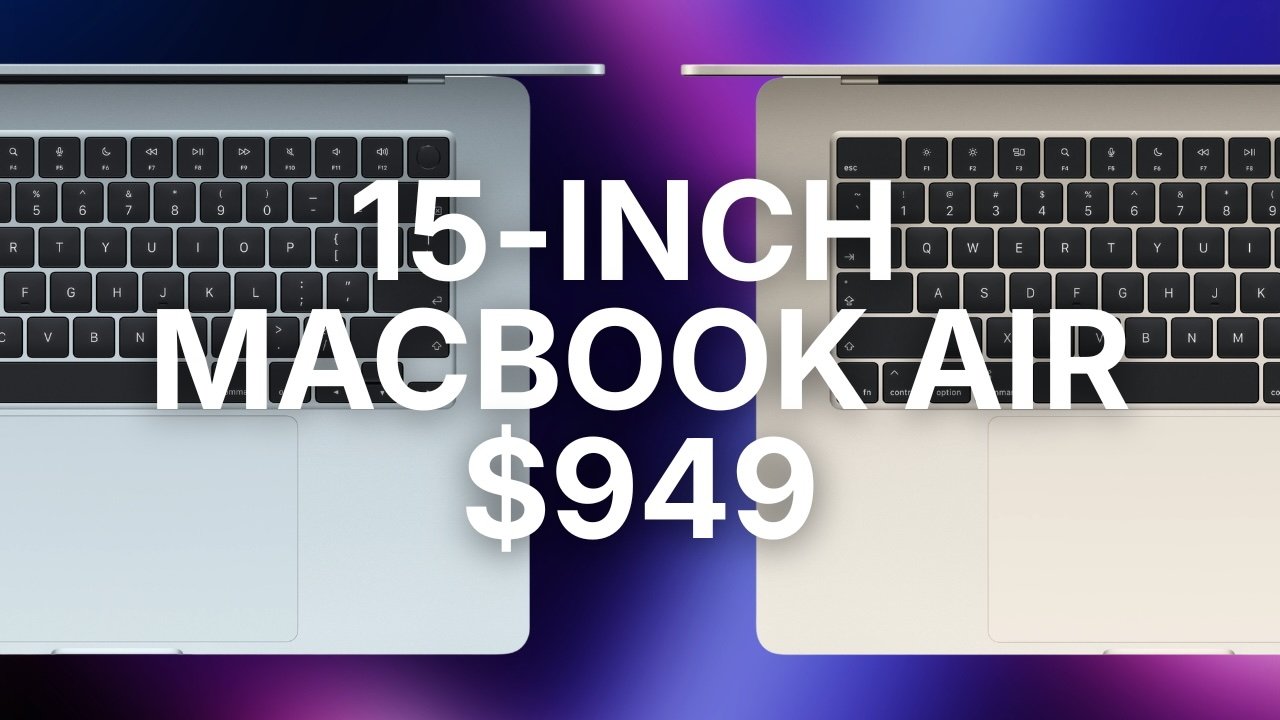
Amazon’s $949 15-inch MacBook Air deal matches the lowest price ever.
The blowout $949 deal at Amazon reflects a $250 discount off the original MSRP on the M4 15-inch MacBook Air with 16GB of unified memory and 256GB of storage.
Buy 15″ MacBook Air M4 for $949
Continue Reading on AppleInsider | Discuss on our Forums

If you have an old Amazon Echo or Echo Dot sitting in the drawer, don’t just give it away or toss it in the trash. That little plastic speaker is still a capable, interconnected computer. Even if the music quality is not great compared to the new one, the voice controls and smart features are perfectly fine for other tasks.
Whether you want to keep your kids busy without handing them a pricey tablet, keep your dog calm when you are away, or use it as a personal assistant inside your old car, that old Amazon Echo can be put to good use. In this guide, we have compiled five creative ways to repurpose your old Amazon Echo.
Use it as a bathroom assistant
People often use their smartphones in the bathroom. Smartphones may be water-resistant, but it’s still risky. Besides, you’ll get better sound quality from a dedicated speaker. This is where you can put your old Amazon Echo to good use. Your Amazon Echo can play your favorite music with easy voice commands instead of wet fingers on a slippery screen. Remember, Amazon Echo isn’t water-resistant, either, but it’s much cheaper than your smartphone.
Beyond just playing your favorite songs in the shower, Echo helps stock up on bathroom supplies. Imagine you’re showering and you find your shampoo bottle is empty. Instead of making a mental note and swiftly forgetting, you can instruct Amazon Echo to add shampoo to your shopping list. Also, if you’re guilty of losing track of time under the warm, relaxing water, get Alexa to add a timer.
Use it as a dedicated language tutor
Learning a new language is difficult. Daily practice is necessary, and an Amazon Echo can be your personal language tutor. Using the Alexa app on your phone, you can change the default language on your Echo without changing the rest of the devices in your house.
For instance, if you want to learn Spanish for your next trip to Mexico, you can set the speaker entirely to Spanish and talk to it at will. You can start with greetings and small talk, ask for the time, or request music. Since the speaker needs clear pronunciation to understand, it will give you instant feedback on the clarity of your accent. Your confidence should grow with everyday conversation, and you can start having longer chats with Alexa. You can also test yourself with language apps.
Set it up as an automatic pet sitter
Leaving your pets at home can be tough, but the Amazon Echo can act as a digital pet sitter. By using the Alexa app on your phone, you can set the smart speaker to listen to specific sounds in your home, such as barking or whimpering. All you need to do is place the Amazon Echo speaker close to your pet’s bed or crate.
Once set up, turn on the sound detection feature, and it will automatically start as soon as the speaker hears a loud sound. For example, if your nervous dog wakes up from sleep only to find you nowhere in the house, the speaker will hear their barking and react. You can set it to play classical music or whatever calms your dog.
You can record your own voice saying things like “good boy” or your pet’s name and have the speaker play it back. This trick will help distract your dog from outside noise and calm them down.
Upgrade your old car’s stereo
Older cars are charming and refreshingly tech-lite. However, even a committed digital detoxer will concede the perks of smartphones and infotainment systems, and that’s where the Amazon Echo can come in.
If your retro car has a cigarette lighter, you can plug in an AUX adapter to accommodate your Amazon Echo, which will need a USB charger for power. Once you have connected your smartphone to the Echo via a hotspot, you will have transformed your old dashboard into a fully working, hands-free smart assistant. You no longer need to look at your phone screen to play music, call contacts, set up navigation, and much more.
Let kids use it as a magic box
Finding things for your kids that do not involve a screen can be difficult. You have your work and daily chores to look after, and constantly playing with your kid is not possible. Here is where you can put your old Amazon Echo device to good use. Instead of handing them a tablet, you can hand them the old Amazon device.
But before you do that, make sure to set parental controls, which will block bad words, stop them from buying stuff, and set bedtimes. Once the speaker is locked down, your kids can use their voice to play adventure games where they have to choose to unlock the next clue. They can ask Alexa for bedtime stories or play background noise for their little pirate adventure.
If they feel like dancing, they can easily ask for kid-friendly dancing songs or movie soundtracks. This keeps them away from the flashy colors of a tablet or smartphone screen. The best part is that you do not have to worry about the device breaking. Yes, the speaker can get damaged, but it won’t hurt your pocket as much as fixing a shattered iPad display.
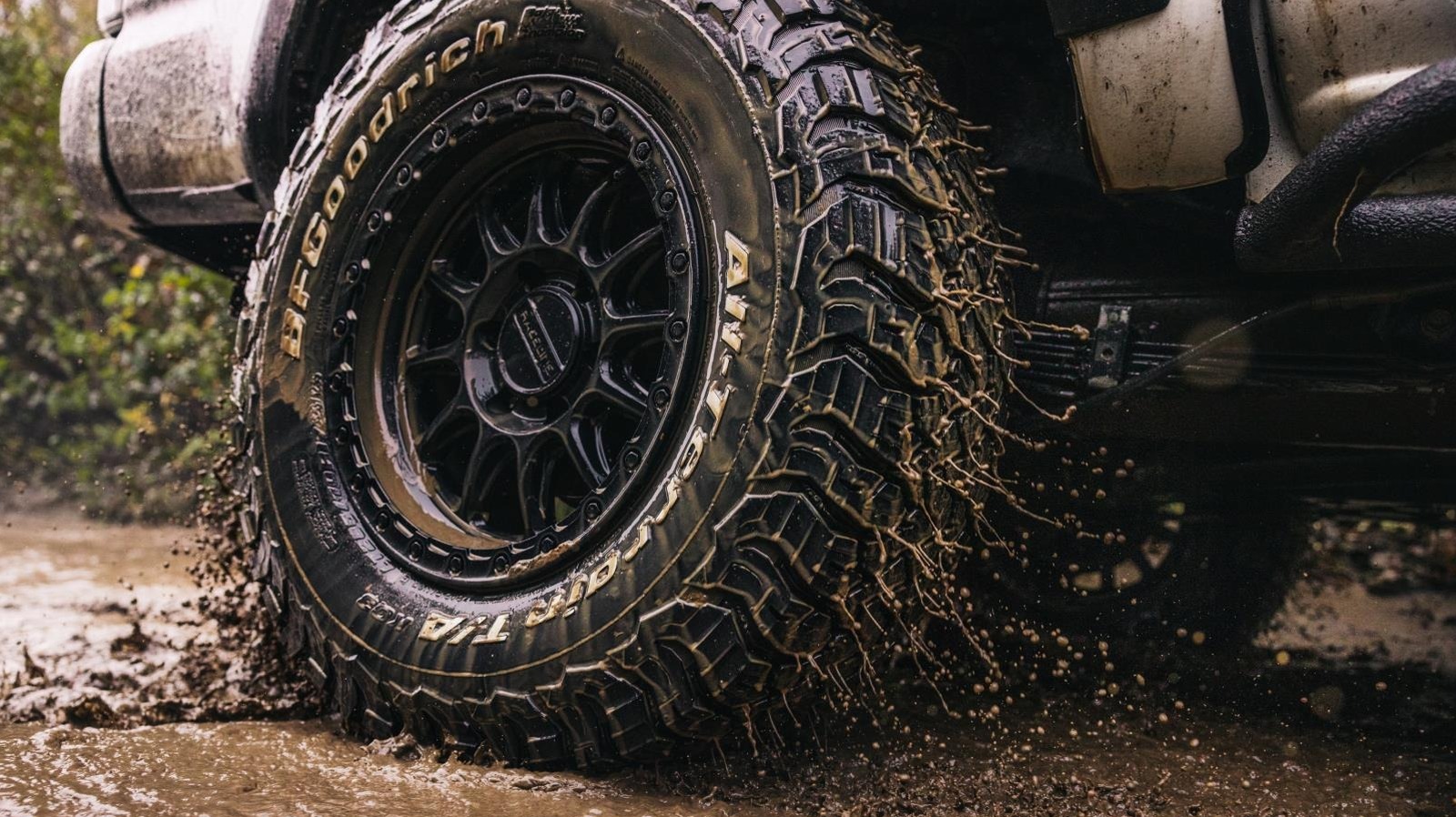
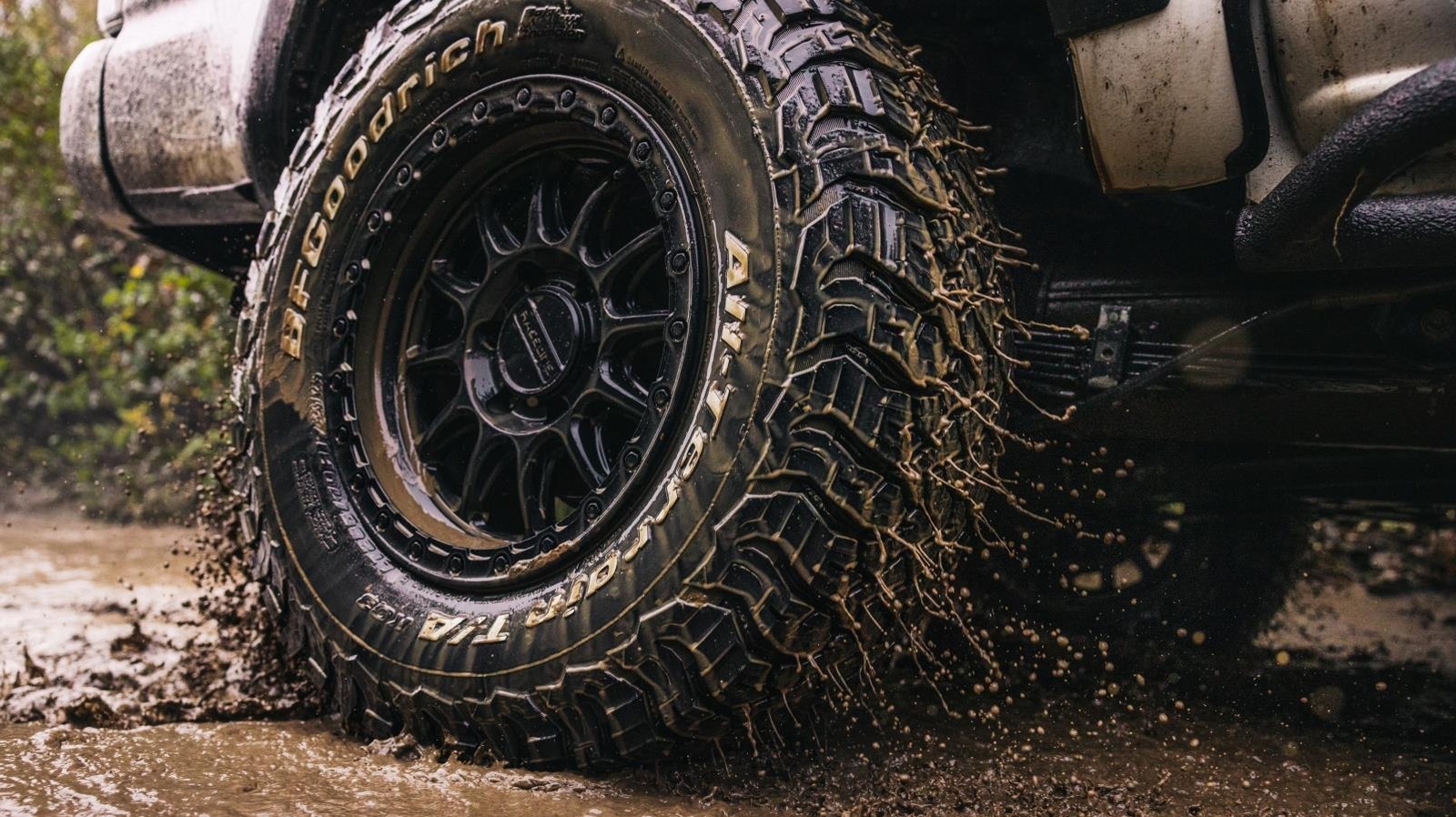
When picturing an off-road oriented truck or 4×4, what are some thoughts that come to mind? A lift kit with increased suspension travel, that’s a given, or maybe even camping gear if you’re going overlanding. One universal mainstay of all of these is the specialized off-road tire, and possibly the most famous of them all is the traditional BFGoodrich Radial All-Terrain T/A, a tire which celebrates its 50th birthday in 2026. Yes, really — BFGoodrich debuted this universally-beloved tire some 50 years ago, an incredible milestone to reach for any automotive part, much less something as vital and technically demanding as tires.
It’s not hyperbole to say that this tire revolutionized the world of off-roading, providing the footprint for everything from basic all-terrain 4x4s like Jeep CJs and Ford Broncos, all the way up to Baja desert racers. It was present at the inception and popularization of desert racing as a sport, in fact, a point of pride reflected in the tire’s earliest advertisement campaigns. But what’s so special about it? After all, off-road tires existed well before BFGoodrich entered the chat.
What makes this tire special isn’t in its specialization, but rather its lack thereof. Unlike other dedicated off-road tires, the Radial All-Terrain T/A is a radial. In fact, it was the world’s first off-road radial tire. This grants an unparalleled level of capability versus previous tires, providing adequate grip on both on and off-highway surfaces, though lacking the exceptionalism of dedicated tires for these surfaces. Let’s take a deep dive and explore the tire’s history and what makes it so special that people continue using it to this day.
A tire developed from motorsports
BFGoodrich is no stranger to auto racing; in fact, the company was the first in the world to assemble a street-legal radial racing tire, the BFGoodrich Tirebird in 1969. Several years later, the 1973 Oil Crisis struck a death blow to the Muscle Car Era, but motorsports continued unabated, and that includes off-road racing, and one of the most well-known and infamous races of that era was the Baja 1000. First run in 1969, the race encompasses a brutal 934-mile course through the Mexican desert. It was for this event, which BFGoodrich called America’s most torturous race, that the company first developed the Radial All-Terrain T/A.
There was one problem plaguing the off-road community — a lack of flexibility. Up to that point, all tires were either specialized for on or off-highway use, but nothing could do both. The tire market had a hole, and that provided a lucrative business opportunity for an enterprising company with racing expertise. So in 1975, the American tire manufacturer approached Baja racer Frank “Scoop” Vessels to test out a new design they were creating for the demanding race. Scoop obliged the request, fitting his Ford F-100 with the first Radial All-Terrain T/A, and ultimately securing wins in both the 1977 Baja 500 and 1000.
Marketing had a field day after these victories, advertising the Radial All-Terrain T/A as a 4×4 tire that was compliant for the road — quiet, smooth, and refined, with a long tread life to boot. It helped that the tire was bold and distinctive, with its aggressive pattern, radial construction, and distinctive white lettering, which BFGoodrich says made it a hot-ticket and iconic package.
A continuing legacy
The success of the BFGoodrich Radial All-Terrain T/A didn’t diminish whatsoever in the following years. In fact, it served as the basis upon which the company has built a long and storied line of tires for different market segments, with the centerpiece remaining that same pivotal tire from 1976 — albeit with some updates since then, of course. These days, the Radial All-Terrain T/A is in its fourth generation, debuting in 2024 with the KO3 pattern, which the company claims has a 50,000 mile warranty, 15 percent better wear performance, and 20 percent more durability on gravel roads versus the KO2.
BFGoodrich is also expanding its portfolio to celebrate the tire’s 50th anniversary, offering the All-Terrain T/A in 12 additional sizes ranging from 30×9.50R15/Cs; up to 35×12.50R22/Es as part of the KO3 Phase 8 launch package. This latest tire incorporates all the usual bells and whistles we’ve come to expect after 50 years of innovation, though it still features that same durability and iconic look that made the original so beloved.
Let’s not forget BFGoodrich’s racing commitments, which are still ongoing — in fact, the American manufacturer is the current sponsor of the SCORE Baja 1000. As such, these tires are virtually ubiquitous in the race, dominating the highest classes and remaining a perennial favorite among competitors. Moreover, because they maintained the same general look since 1976, they’re one of the few modern tires that still look correct on classics, tthough they’re still not dedicated classic car tires.

Directors Phil Lord and Christopher Miller have delivered one of the must-see movies of 2026 with the new sci-fi comedy, Project Hail Mary. Based on the novel by Andy Weir, Project Hail Mary begins with Dr. Ryland Grace (Ryan Gosling) waking on a spaceship with no memory of who he is. He eventually remembers that he was sent into space to help prevent the Sun and humanity from dying, and he befriends a “crab-rock” alien (James Ortiz) on a similar quest.
Driven by a talented cast and crew, Project Hail Mary delivers a massive, majestic blockbuster that blends a thrilling alien adventure with heartfelt human drama. Fans of classic sci-fi movies like The Martian, 2001: A Space Odyssey, and Interstellar will enjoy Project Hail Mary, which has already established itself as a modern masterpiece.
Ryan Gosling and Rocky are a dynamic duo

Similar to The Martian, another Andy Weir book adaptation, Project Hail Mary depicts a comedic everyman’s journey of survival in space. Unlike Matt Damon in the former, Ryan Gosling’s character seems like the last person who should be an astronaut. From minute one, Gosling sells the fact that Grace is just an ordinary guy thrown way out of his element when he is called to save humanity from extinction.
Gosling has proven himself capable of leading thrilling sci-fi films like Blade Runner 2049 and First Man. However, Grace is not the cool, confident hero seen in those films. Instead, we see him as the kind of bumbling fool role Gosling played in The Nice Guys, re-establishing the latter’s range as an actor.

Project Hail Mary has also given us a new alien icon in Rocky, whose chemistry with Grace is off the charts. He rolls into Grace’s ship with the excitement and curiosity of a golden retriever, and they become like college roommates as they try to live and work together.
His garbled, rapid-fire dialogue brings plenty of comic relief to the story, harkening back to the robots seen in The Mitchells vs. The Machines. He also brings plenty of love, showing extraordinary care and loyalty to Grace as he tries to save his people and the people of Earth. Whatever Rocky’s body is made out of, his heart is pure gold.
Phil Lord and Christopher Miller’s unique direction

Phil Lord and Christopher Miller shared the director’s chair for Project Hail Mary for the first time since briefly helming 2018’s Solo: A Star Wars Story. While it was a while since the duo directed a feature film, we’ve seen their clever, subversive storytelling in their animated Spider-Man movies, which feature the kind of quirky, self-referential humor found in Project Hail Mary.
Much like Lord and Miller’s previous films, Project Hail Mary is a metamodern space movie that references and pays homage to classics like Apollo 13, Close Encounters of the Third Kind, and 2001. It’s not trying to be a groundbreaking film, but it does deliver a fresh and enjoyable cinematic experience. It’s not every day you see Ryan Gosling singing karaoke on a holodeck with an alien crab-rock.
“One thing about this story that’s unique is that a lot of films are about someone who feels at home on Earth, wakes up in space, and they feel lonely. This is a movie about someone who feels lonely on Earth. They go to space and find a friend,” Lord said to BFI. We wanted space to be, in a funny way, inviting. The old vacuum of space is actually warm and inviting. You’re closer to heaven. The way the film is textured visually, we wanted it to feel more homey.”

In Project Hail Mary, Lord and Miller continue to infuse their comedic stories with genuine heart and hope. Behind Grace’s star-faring adventure with an alien rock is a portrait of a man discovering his courage after suffering crippling self-doubt. He’s an unconventional hero, but he discovers his courage by learning to believe in himself and finding a friend to fight for.
However, Lord and Miller can’t take all the credit, as the film’s witty, soulful writing was put to paper by Oscar-nominated screenwriter Drew Goddard. Having penned the scripts for sci-fi classics like Cloverfield and The Martian, Goddard helped Lord and Miller bring Grace and Rocky’s story to the big screen with great humor and humanity.
“In Project Hail Mary, the main character is a fish out of water,” Goddard said in an interview with Variety. “You need it to feel rough around the edges, even a little sloppy. We don’t want to feel like he’s a perfect astronaut. And then there’s the character of Rocky…Phil and Chris thrive in finding the humanity inside of these crazy characters. That’s what this film required.”
A spectacular feat of filmmaking

While Lord and Miller led Project Hail Mary to success, they had some other incredible artists helping them bring Weir’s story to the big screen. They scored big when they hired Greig Fraser, who has proven himself one of Hollywood’s best cinematographers with his stunning work on Rogue One, The Batman, and Dune: Part One and Part Two.
Fraser dazzles his audience once again with his radiant visuals in Project Hail Mary, capturing the scale and beauty of Grace and Rocky’s journey through space. The cinematography reaches its peak when Grace harvests Astrophage from the planet Adrian, floating in a sparkling red stream that leaves us staring in awe.
The cinematography is especially mind-blowing considering that not a single green or blue screen was used to create the film’s shots, according to Lord and Miller. The film becomes even more stellar thanks to a beautiful original score from composer Daniel Pemberton (Spider-Man: Across the Spider-Verse).
Much like the film itself, the music blends different tracks and genres to create a unique experience for audiences. One minute, Grace and Rocky waltz across the stars to the sound of a French accordion. The next, Grace launches probes into space as The Beatles rock out in the background.
With such incredible characters, writing, visuals, and music, Project Hail Mary has lit up cinemas like no other film this year so far. We still have plenty of exciting sci-fi films to look forward to, such as Spider-Man: Brand New Day, Dune: Part Three, Disclosure Day, and Avengers: Doomsday. However, it is safe to say that Project Hail Mary will go down as one of the best and biggest blockbusters of 2026.

A free built-in VPN is coming to Firefox on Tuesday, Mozilla announced this week:
Free VPNs can sometimes mean sketchy arrangements that end up compromising your privacy, but ours is built from our data principles and commitment to be the world’s most trusted browser. It routes your browser traffic through a proxy to hide your IP address and location while you browse, giving you stronger privacy and protection online with no extra downloads. Users will have 50 gigabytes of data monthly in the U.S., France, Germany and U.K. to start. Available in Firefox 149 starting March 24.
We also recently shared that Firefox is the first browser to ship Sanitizer API, a new web security standard that blocks attacks before they reach you [for untrusted HTML XSS vulnerabilities].
“The roadmap for Firefox this year is the most exciting one we’ve developed in quite a while,” says Firefox head Ajit Varma. “We’re improving the fundamentals like speed and performance. We’re also launching innovative new open standards in Gecko to ensure the future of the web is open, diverse, and not controlled by a single engine.
“At the same time we’re prioritizing features that give users real power, choice and strong privacy protections, built in a way that only Firefox can. And as always, we’ll keep listening, inviting users to help shape what comes next and giving them more reasons to love Firefox.”
Two new features coming next week:
- Split View puts two webpages side by side in one window, making it easy to compare, copy and multitask without bouncing between tabs. Rolling out in Firefox 149 on March 24.
- Tab Notes let you add notes to any tab, another tool to help with multitasking and picking up where you left off. Available in Firefox Labs 149 starting March 24.
And Firefox also released a video this week introducing their new mascot Kit.

$418,000 Of Debt To “Flee Trumps America” | Financial Audit

The Madison Cast’s Dating History: Michelle Pfeiffer, Kurt Russell

How To Make Money With Google Adsense Using AI (No-Code Web Apps)


-

 Tech6 days ago
Your Legally Registered ‘Motorcycle’ Might Not Count Under Proposed US Law
-

 Politics1 day ago
Jenni Murray, Long-Serving Woman’s Hour Presenter, Dies Aged 75
-

 Fashion1 day ago
Weekend Open Thread: Adidas – Corporette.com
-
 Tech4 days ago
Are Split Spacebars the Next Big Gaming Keyboard Trend?
-

 News Videos3 days ago
RBA board divided on rate cut, unusually buoyant share market | Finance Report | ABC NEWS
-

 Business6 days ago
Search for Savannah Guthrie’s Mother Enters Seventh Week with No Arrests
-
 Crypto World20 hours ago
NIO (NIO) Stock Plunges 6.5% as Shelf Registration Sparks Dilution Worries
-

 Business5 days ago
Australian shares drop as Iran war enters third week
-

 Crypto World5 days ago
Crypto Lender BlockFills Enters Chapter 11 with Up to $500M in Liabilities
-

 Politics3 days ago
The House | The new register to protect children from their abusers shows Parliament at its best
-

 Fashion5 days ago
25 Celebrities with Curly Hair That Are Naturally Beautiful
-

 Tech2 days ago
inKONBINI Lets You Spend Summer Days Behind the Register
-

 Crypto World3 days ago
Canada’s FINTRAC revokes registrations of 23 crypto MSBs in AML crackdown
-
 Politics4 days ago
Real-time pollution monitoring calls after boy nearly dies
-

 Crypto World7 days ago
Crypto Losses Drop 87% in February, But Hackers Are Now Targeting People, Not Code
-
 NewsBeat3 days ago
Residents in North Lanarkshire reminded to register to vote in Scottish Parliament Election
-
 Business5 days ago
Meta planning major layoffs as AI spending and automation reshape workforce
-

 News Videos3 days ago
PARLIAMENT OF MALAWI – PAC MEETING WITH REGISTRAR OF FINANCIAL ON AMARYLLIS HOTEL – INQUIRY LIVE
-

 Politics6 days ago
9 Stylish Leather Jackets Perfect For Spring 2026
-
 Crypto World6 days ago
U.S. Oil Companies Post Record Profits as Oil Prices Break $100
You must be logged in to post a comment Login