

Connect with us
DAPA Banner

Tech

Top picks for college and university

Published

on

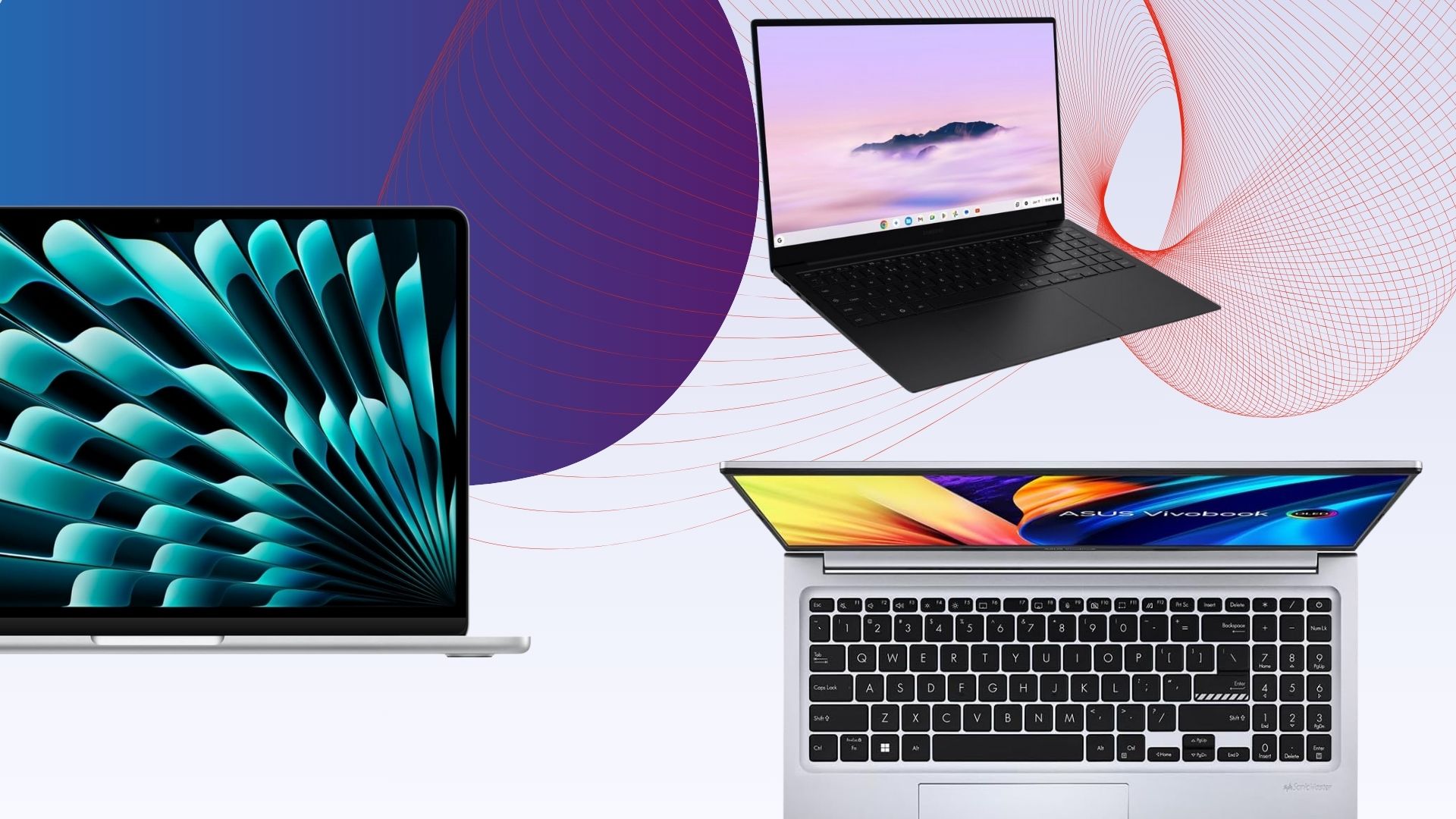
Regardless of your course type, having a decent laptop while you’re studying should be one of your top priorities. After all, you’ll be using it for everything from taking notes and revising, to streaming and maybe even the odd spot of gaming too. 

But with so many laptops on the market, all at varying prices, it can be difficult to work out which one to choose. That’s where we come in. 

Our team of experts have put countless laptops through a series of rigorous tests to determine just how well each one performs. We assess everything from power and battery life to the screen quality and how portable each laptop is for carrying across campus. From here, only the laptops that we deem are best for students have made it onto this list.

We understand that not every course is identical, so we’ve made sure to include a range of laptops to suit your needs. So whether you just need a simple laptop for typing up essays and coursework or you need a bit more oomph to support creative courses, there’s bound to be an option here for you.

Advertisement

In addition, we’ve also tried our best to keep budgets sensible as we know the last thing a student needs is to fork out on an overpriced device.

Keep reading to see our list of the best laptops for uni students. If, however, you can’t find a laptop that’s quite suitable for your needs then fear not, as our computing experts have put together a multitude of lists to help guide you in the right direction. Check out our lists of the best budget laptops and the best laptops overall, if you’re open to spending a bit more.

Advertisement

SQUIRREL_ANCHOR_LIST

Advertisement

Learn more about how we test laptops

Every laptop we review goes through a series of uniform checks designed to gauge key things including build quality, performance, screen quality and battery life.

These include formal synthetic benchmarks and scripted tests, plus a series of real world checks, such as how well it runs the most frequently used apps.

We also make sure to use every laptop we review as our primary device for at least a week to ensure our review is as accurate as possible.

Advertisement

  • Solid performance

  • Brilliant endurance

  • Good port selection

The Acer Aspire 14 AI might come across as a bit of an odd choice, owing to the fact it doesn’t necessarily take pride of place at the top of our other ‘best laptop’ list – that honour goes to a laptop further down this list.

Instead, we’ve picked this Acer option as the best Windows laptop for students owing to it simply being a great all-rounder, prioritising function over form.

Advertisement

For instance, the Intel Core Ultra 7 256V processor inside provides solid performance for basic productivity tasks such as web browsing and typing up notes and has the potential to push on to more intensive tasks. It also comes with some beefier integrated graphics that mean you could dabble in creative tasks such as photo or video editing if you need to for your course.

Its 1920×1200 OLED screen offers good colours and decent detail for those tasks, along with exemplary black levels and contrast to add a little more pizzazz to displayed images. The Aspire 14 AI’s chassis is also light and portable, while coming with an exceptionally functional port selection at its modest price point.

What’s more, its 18 and a half hours of runtime in our testing makes it a seriously strong choice for when you’re out all day and you don’t want to have to carry a charger around. The keyboard and trackpad are also a bit of a mixed bag, although for the price, it’s only a minor complaint.

For the sub price tag, this Acer Aspire 14 AI is a fantastic Windows laptop that certainly takes it to much more premium rivals.

Advertisement

  • Snapdragon X Plus offers beefy performance

  • Solid display

  • Excellent battery life

The Dell Inspiron 14 Plus 7441 (2024) is our next top recommendation for a student laptop thanks to its fantastic performance, solid display and excellent battery life.

The Dell Inspiron 14 Plus 7441 (2024) has a well-made brushed aluminium design and is reasonably slender at 14.69mm. It’s on the heavier side for an ultrabook, but still more than portable enough to slot into a bag without much thought.

Advertisement

One benefit to its slightly larger size is the well-rounded selection of ports. This includes two USB 4 Type-C ports, one USB 3.2 Gen 1 Type-A port, a 3.5mm jack and a MicroSD reader.

We found the keyboard to be solid, offering snappy travel and a fingerprint reader for Windows Hello integration.

The 14-inch IPS touchscreen display has a QHD+ resolution and offers solid contrast, deep blacks and perfect temperature. The screen is vibrant and colour accuracy is decent, though below the level required for some creative workloads.

Performance from the 10-core Snapdragon X Plus chip is surprisingly brisk, and the 1TB SSD is great too, offering some of the best and fastest speeds of any laptop we’ve tested. Windows 11 comes with minimal bloatware, and there are some nifty AI features baked into some apps courtesy of that Snapdragon X Plus SoC. There’s also quick access to Microsoft’s AI assistant via the Copilot key.

Advertisement

The battery life here is excellent. We were able to get nearly two full working days out of the Dell Inspiron 14 Plus 7441 (2024) before reaching for the charger. Charging is decently fast too, with a full charge possible in about 75 minutes.


  • Lower starting price makes it surprisingly excellent value

  • All models have at least 16GB RAM

  • Excellent performance

  • Fantastic battery life

  • The screen is starting to show its age

  • Small port selection

  • More fun colours would be nice

The Apple MacBook Air M4 is the brand’s latest and greatest offering yet, sustaining Apple’s immense reputation for offering sublime lightweight laptops that don’t half pack a punch.

Advertisement

The M4 chip inside offers some potent performance in our testing that makes it suitable for everything from web browsing and multi-tasking without even breaking a sweat to editing 4K video without much trouble. With this and the sustained optimisation of games for macOS, it’s even possible to use this latest-gen MacBook Air for a spot of gaming.

The base model has jumped up to 16GB of unified memory from the 8GB of older models to give more headroom for multitasking and intensive workloads, although if you’ve got more cash, you can always add more. The same goes for storage beyond the 256GB SSD fitted to the base model.

The move to the M4 chip also helps this MacBook Air yield even stronger battery life, which in our experience translated to getting through an intensive work day with around a third charge left in the device.

One area where things haven’t improved is that it retains the same 60Hz LCD screen, which, while decent, feels a tad long in the tooth against the other options here with high-res OLEDs. In addition, the port selection isn’t too great, so you’ll be carrying around a dongle with you for most of the day.

Advertisement

If you can get past these issues, though, the MacBook Air M4 is easily the most complete model in the Air lineup to date, and that’s why it earns a rightful spot here.


  • Good price for OLED

  • Strong battery life

  • Respectable entry-level performance

  • Basic typing experience with no backlight

  • Memory and storage can’t be upgraded

This laptop has a well-built plastic design that’s light enough to carry around on the regular, and to our great surprise, a lovely OLED screen that makes movie marathons an absolute delight. The large 15-inch should also make it easier to fit more text on your screen, which should be helpful for both essay typing and scanning documents.

Advertisement

The biggest issue with this laptop is that it’s not very powerful, falling behind the likes of the Surface Laptop Go 3 in our tests. But during our time with the laptop, we found it perfectly adequate for browsing the web, writing up essays and watching videos. As long as you’re not going to push it too hard – such as photo/video editing – the performance should be fine.

So if you’re looking for a supremely cheap Windows laptop with a top-notch screen, you’ll struggle to do better than the Asus Vivobook Go 15 OLED. The Surface Laptop Go 2 is another great cheap Windows laptop worth considering, but Microsoft is sadly phasing it out of stores, so you may only be able to pick it up second-hand in the coming months.

Advertisement

  • Lightweight, sleek chassis

  • Decent power for a Chromebook

  • Excellent endurance

  • Screen lacks some detail

  • Speakers are a little thin

If it’s a lightweight device you want in both chassis and operating system, the Samsung Galaxy Chromebook Plus is one of the absolute best we’ve tested.

ChromeOS has come on leaps and bounds since a few years ago, and remains an ideal operating system for a lightweight and productivity-focused use case, such as typing up notes, watching YouTube videos or even more so. This particular option is also a Chromebook Plus, which means you get some handy A features, such as the clever Magic Eraser tech from Google’s Pixel phones, as well as live translated captions and auto-framing and background blur tech for the webcam when in Google Meet scenarios.

The real benefit of this Samsung option is that it weighs just 1.17kg, making it one of the most portable laptops we’ve tested full stop – ideal for when you need to carry it from one side of campus to the other in a dash. The fact that Samsung has crammed a 15.6-inch OLED screen for more real estate and sublime definition is fantastic, too.

For good measure, you’ll also find a competent port selection, a snappy and tactile keyboard, and a smooth trackpad to make navigation a breeze. Its 10-core Intel Core 5 120U processor is also zippy for productivity tasks, and it posted some great scores in our Geekbench 6 test that push more expensive Windows devices such as the Asus Zenbook A14. There is also a decent set of 256GB storage, and while the 8GB of RAM might seem stingy in 2025, it’s fine for the workloads you’re likely to undertake.

Advertisement

In a video loop test, it was also able to last for 15 and a half hours or so before conking out, giving you all-day battery life for when you’re away from the mains a lot. Against other premium student laptops that are a lot more expensive than this one, it’s brilliant.

The only caveat to this Chromebook is its higher price, and if that’s too prohibitive, then options such as the Asus Chromebook Plus CX34 can provide the fundamentals of a good experience for a bit less.

Advertisement

  • Fantastic battery life in most situations

  • Quiet fans

  • Solid gaming performance on battery power

  • Quality build

  • CPU performance doesn’t match some rivals

  • Shallow keyboard

  • Uninspiring webcam

The Asus Zenbook S14 OLED takes the crown in our list of the best ultrabooks, so it makes sense that it wins out here, too.

The reason for this is that it features a smart and elegant design, complete with Asus’ innovative Ceraluminum” surface that has been fitted to the most recent Zenbook S laptops, combining ceramic and aluminium for an immensely lightweight and durable finish to make for a wonderfully portable and svelte laptop for when you want to win style points with your friends. Ports are good too, with HDMI, USB-A and a headphone jack alongside two Thunderbolt 4 USB-C ports.

It comes with a 3K resolution OLED screen that wowed us with its pixel-perfect colour accuracy for both generalist and creative tasks, plus punchy peak brightness, inky blacks and excellent contrast and dynamic range. It also has a 16:10 aspect ratio to play nicely with modern workloads, and a 120Hz refresh rate for improving general responsiveness.

This Zenbook S14 OLED has an Intel Core Ultra 7 258V that we found to provide good performance, with especially strong single-core performance. Intel’s decision to remove hyperthreading from this generation of chips means that multi-core performance isn’t as strong as some AMD and Snapdragon-powered rivals. The ballpark performance here is between the M2 and M3 chips in recent MacBooks

Advertisement

This Asus laptop also has a capacious 72Whr battery, which in a laptop of this size is excellent. Combined with the efficiency of the Core Ultra 2 chip inside, it’s able to help this Asus laptop last for nearly 20 hours while video streaming, which is fantastic.

It’s only little things to watch out for with this one, such as a shallow keyboard that may not suit some, as well as an uninspiring 1080p webcam. With this in mind, the Asus Zenbook S14 OLED is the real cream of the crop for an ultrabook for students, although it comes at a bit of a price.

Advertisement

  • Brilliant port selection

  • Potent performance

  • Gorgeous OLED screen

  • Horrendously expensive

  • Rivals can go for longer

Suppose you’re likely to be working on creative projects, such as if you’re on a photography or media-type course that involves technical editing work. In that case, you’ll want a laptop with a dazzling screen and heaps of power – enter the Asus ProArt P16 (2025).

For the first part of that, we’ve got a large 16-inch 3K resolution OLED screen with some fantastic detail, plus deep blacks and vibrant dynamic range. Its colour accuracy is also virtually perfect, so it’s ideal for undertaking creative tasks that utilise those specialist gamuts. Being a 120Hz screen helps its general responsiveness, too.

As for its power, this laptop packs in an AMD Ryzen AI 9 HX 370 processor with its 12 cores and 24 threads that make it a serious powerhouse, while the addition of an RTX 5070 GPU gives you enough oomph for those intensive loads and some gaming tasks, too. It essentially trades blows with Apple’s powerful MacBook Pro M4.

The ProArt P16 (2025) isn’t lacking elsewhere either, with a tactile keyboard and huge trackpad to make navigation a breeze, plus one of the best port selections you’ll find with a a range of USB-C, HDMI and USB-A ports The 10 and a half hours of battery life is fine for a laptop with this spec, although you will get better longevity further down the list with other options.

Advertisement

If it’s a proper laptop for content creation tasks you want, and you don’t mind the premium attached to it, this ProArt option is truly sublime.


  • Immensely lightweight and portable

  • Sublime battery life

  • Solid port selection

  • Key rivals can offer more power

  • Rather expensive

Laptops with larger screens can be quite cumbersome to carry around, but if you’re on the go a lot and don’t want to sacrifice portability and more screen real estate, then the LG Gram Pro 16 seems like an ideal solution.

Advertisement

This laptop, being part of LG’s Gram line, has a penchant for being lightweight and portable; indeed, its magnesium frame contributes to both a durable and super light finish at just 1.2kg. There is some flexing under pressure, although not too much. At just 12.8m thick, it’s also slender, but still packs in a good port selection with a pair of USB4 Type-C ports, a full–size HDMI, two USB-As and a headphone jack.

The slightly larger chassis also lends itself to a proper full-size keyboard, complete with a snappy and short travel, plus a capacious trackpad for navigating and such.

You can spec this laptop with an OLED panel if you wish, although ours came with a high resolution IPS screen. It’s a 2560×1600 resolution 144Hz screen with variable refresh rate tech that delivers on a bright and punchy experience with decent depth and contrast alongside fantastic colour accuracy for an IPS panel to make it handy for both productivity and more creative workloads.

The Intel Core Ultra 7 258V chip inside provides decent performance with strong single-core performance in the Geekbench 6 and Cinebench R23 tests, although again, the lack of any hyperthreading befalls Intel with multi-threaded performance against AMD and Apple’s chips. There is also a fast 1TB SSD and plenty of fast DDR5 RAM headroom on hand with 32GB.

Advertisement

The Gram Pro 16 also wins out in this list for battery life, lasting for 21 hours and 10 minutes in the PCMark 10 battery test. This means it’ll easily last for two to nearly three days on a charge before needing to be plugged back in, and you can take it away with you and put endurance concerns to the back of your mind.

If it’s a portable big-screen laptop you want for lectures, classwork or otherwise, this LG Gram Pro 16 is a brilliant option.

Advertisement

  • Luxury portable redesign

  • Excellent keyboard

  • Luscious OLED display

  • Impressive graphical performance

Being both a gamer and a student can be a pricey affair, as you’ll likely need a console, laptop and TV to survive the semester. So how about combining all of those devices together to save on money? The Asus ROG Zephyrus G14 (2023) is the perfect remedy, capable of doubling up as both your gaming rig and workstation with very few compromises.

Firstly, the G14 is shockingly lightweight for a gaming laptop, hitting the scales at just 1.7kg. Most gaming laptops are significantly heavier, making them unsuitable for porting around university. The optional Mini LED screen ensures fantastic picture quality too, which is important for watching movies and playing games.

Performance is plenty powerful enough to play all of the latest games. The intense graphics power here also opens up the opportunity for more creative pursuits such as editing video/photos and graphics design. The biggest issue here is battery life, with our tests seeing a result of just 3 hours and 20 minutes for productivity work. That could be a big issue if you’re working on the go away from a power mains.

Nevertheless, if you fancy the idea of owning a laptop that can fulfil the duties of both gaming and student work, then we strongly recommend the Asus ROG Zephyrus G14 (2023). Or if you want something cheaper, make sure to check out our Asus TUF Gaming A15 (2023) review as an alternative option.

Advertisement

  • It’s so fast thanks to M1

  • Exceptional battery life

  • Strong app support

  • Great keyboard

  • Poor webcam

  • Same design as before

  • Poorly positioned (and only two) USB ports

If you want a MacBook on a budget, the MacBook Air M1 is a fantastic option. Though no longer available through Apple, the laptop can be found as a refurbished model for under £400, making it the perfect MacBook for any student.

The standout feature of the MacBook Air M1 is its Apple M1 chipset. The M1 took over the Intel Core i3/i5 in this laptop, enabling faster performance beyond what you might expect from Apple’s cheapest laptop. 

Advertisement

The six-year-old laptop has since been outpaced by the MacBook Air M2 and Air M3 models, plus the M4 mentioned above,  but you won’t find either at quite as low a price as the 2020 M1 model.

The design also feels a little outdated compared to the Air M2, though the display is sharp and bright enough for most use cases and the Magic Keyboard feels fantastic to type on.

App support is strong, with a growing number of native M1 apps available and Rosetta 2 ready to translate any stragglers from the x86 platform. We found that mainstream apps ran with no issue and you can even install apps from the iOS App Store.

Finally, the MacBook Air M1 has an impressive nine to 11-hour battery life with looped 1080p video lasting up to 12 hours on a single charge. This is another major upgrade granted by the custom M1 chipset and the laptop’s standby time is excellent, too.

Advertisement

The MacBook Air M1 delivers fantastic performance, battery life and app support without breaking the bank.


  • Innovative, funky design

  • Solid port selection

  • Brilliant endurance

  • Underpowered in intensive tasks against the competition

  • Higher refresh rate display would have been pleasant

As far as we’re concerned, on top of the performance that you need to get you through your classes, the most important aspect of a student laptop is whether or not it’s portable enough to be easily carried from one end of the campus to the other. After all, with the amount of textbooks and snacks required to make it through the day, the last thing you want is to be bogged down by a heavy laptop. To that end, the Asus Zenbook A14 is the perfect option.

Advertisement

By using Asus’ ceraluminium material which is both lightweight and durable, the Zenbook A14 totals in at less than a kilogram on the scales so you’ll barely notice its presence if it’s chucked into a backpack or tote bag. It’s also just 13.3mm thick which is barely that much more than some of the USB-C ports on the side of the device.

Of course, the worry with any laptop that’s as slim and portable as this one, is that the battery life suffers as a result, but we’re glad to report that the Zenbook A14 has no such issue. In our battery test we were able to get the laptop to run for a whopping 20 hours and 47 minutes before it needed to be topped up, which is astonishing and more than enough to get you through two-days of use between charges.

Part of what allows for such strong battery life is the efficiency of the Snapdragon X chipset inside. This Arm-based processor is one of the fastest around which is why the laptop also benefits from top-level performance that can handle almost any task you throw at it. When jumping from one task to the next, the A14 moved at great speed without any signs of slowing down, and files from the 1TB SSD would load in next to no time.

Asus has also made sure to use the available space efficiently by creating a keyboard with tons of travel, and a large trackpad that goes almost all the way from the opening of the lid, to the bottom of the space bar. You won’t be caught short on ports either with two USB-C slots, one USB-A port, and a place to connect an HDMI cable and wired headphones.

Advertisement

  • Fantastic OLED screen

  • Solid battery life

  • Excellent port selection

  • Modest performance for the price

  • Thinner speakers

As much as we love the Asus Zenbook A14 for its portability, there are some students out there who would no doubt be happy to trade some of that portability for a bit more power, especially where the display is concerned, and it’s here that the Acer Swift 16 AI comes into view. This is a powerful yet still portable laptop with a gorgeous display.

The moment you open up this laptop, it’s hard not to be mesmerised by the 16-inch 2.8K OLED panel. Not only does its larger amount of space make the process of side-by-side multitasking a great deal easier, but the clarity of its resolution ensures that everything you look at is crisp.

Advertisement

When you decide that it’s time to call it a day, the OLED technology makes the latest films and TV shows look even better with a level of contrast that really draws you into darker sections of a scene whilst giving vibrant colours the space they need to really pop. It’s perfect for anyone who wants to use their university laptop as their main device for both work and entertainment.

Powering the show is the super powerful Intel Core Ultra 5 chipset which made short work of our benchmarking tests. In fact, its high performance in PCMark 10 is a solid indicator of just how well this laptop facilitates everyday web browsing and working between multiple apps. The speedy 512GB SSD also means that you’ll have plenty of room to store those all-important course files locally so you can rely on them at a moment’s notice.

Because of the power that Intel’s chipset brings to the table, the Swift 16 AI (as its name implies) provides quick access to Microsoft Copilot Plus. Having a fully featured AI assistant that’s always ready at the press of a button is a huge help for bouncing ideas around when you’re stuck on a project.

Advertisement

FAQs

What should a student look for in a laptop?

A good keyboard, long battery life and snappy performance are all key things to consider when purchasing a student laptop. You’ll also want to make sure it isn’t too heavy, with 1.3kg and under being an ideal heft. Screen quality is worth thinking about if you plan on using the laptop for Netflix and YouTube.

Advertisement
Do students need a laptop with a GPU?

A dedicated GPU is only worth considering if you’re a creative/design student who will be doing lots of video editing, 3D modelling or animation. Gamers will also benefit from a powerful GPU. But be warned, a GPU will crank up the price, make the laptop heavier and shorten the battery life, so only get a laptop with one if it’s essential.

How much RAM does a student laptop need?
Advertisement

Honestly, most people will be fine with 8GB RAM, but it may be worth investing in 16GB of RAM or beyond for heavier workloads such as content creation and gaming.

What is the best laptop for a student?

We’ve crowned the Acer Aspire 14 AI as the best overall laptop for students, thanks to its Intel Core Ultra 7 processor that provides solid performance for productivity tasks, all for a decent price.

Advertisement

However, if your budget is tight then we’d recommend the Asus Vivobook Go 15 OLED instead – especially if your course doesn’t require too many intensive tasks like photo or video editing.

Advertisement

Advertisement

Test Data

  Acer Aspire 14 AI Dell Inspiron 14 Plus 7441 (2024) Apple MacBook Air M4 Asus Vivobook Go 15 OLED Samsung Galaxy Chromebook Plus Asus Zenbook S14 OLED Asus ProArt P16 (2025) LG Gram Pro 16 Asus ROG Zephyrus G14 (2024) MacBook Air M1 Asus Zenbook A14 Acer Swift 16 AI
PCMark 10 7623 3414 6604 8292 7243 3691 7662
UL Procyon photo editing -4
Cinebench R23 multi core 9618 8152 11863 22629 9583 15946 7963
Cinebench R23 single core 1911 1115 2159 2943 1927 1696 1777
Geekbench 5 single core 1731
Geekbench 5 multi core 7308
Geekbench 6 single core 2658 2456 3748 1187 1947 2516 2058 2756 2333 2522
Geekbench 6 multi core 10638 13265 14664 2878 7080 10132 22606 10939 13213 10069
3DMark Time Spy 4340 1871 590 4122 11630 4262 11494 3507
CrystalDiskMark Read speed 6386.86 MB/s 6185.31 MB/s 2833.5 MB/s 1090.18 MB/s 5007 MB/s 5280.88 MB/s 7133.66 MB/s 5010.11 MB/s 4796.17 MB/s
CrystalDiskMark Write Speed 5581.54 MB/s 4793.16 MB/s 2728.6 MB/s 1009 MB/s 2804 MB/s 4896.13 MB/s 6487.43 MB/s 3440.1 MB/s 3504.39 MB/s
Brightness (SDR) 383.5 nits 457.7 nits 392.43 nits 372 nits 359.1 nits 419.5 nits 440.1 nits 394.6 nits
Brightness (HDR) 616 nits 500 nits
Black level 0.01 nits 0.09 nits 0 nits 0 nits 0.01 nits 0.21 nits 0 nits 0.01 nits
Contrast ratio 28000:1 1930:1 1:1 26360:1 1380:1 0:1 28810:1
White Visual Colour Temperature 6600 K 6300 K 6243 K 6600 K 7300 K 6800 K 6800 K
sRGB 100 % 97 % 99.7 % 100 % 100 % 100 % 100 % 100 %
Adobe RGB 95 % 75 % 95.5 % 95.8 % 94 % 87 % 96 % 94 %
DCI-P3 99 % 74 % 98 % 99.9 % 100 % 98 % 100 % 100 %
PCMark Battery (office) 18.5 hrs 16.5 hrs 7.52 hrs 18.5 hrs 10.5 hrs 21.2 hrs 6 hrs 14.75 hrs
Battery Life 8 hrs 12 hrs
Battery discharge after 60 minutes of online Netflix playback 6 % 7 % 7 % 6 % 5 % 7 %
Battery recharge time 94 mins 75 mins 112 mins 75 mins 108 mins 95 mins
Cyberpunk 2077 (Quad HD) 48.92 fps 30.23 fps
Cyberpunk 2077 (Full HD) 82.19 fps 67.15 fps
Cyberpunk 2077 (Full HD + RT) 34.88 fps 31.96 fps
Cyberpunk 2077 (Full HD + Supersampling) 55 fps 53.64 fps
Returnal (Quad HD) 58 fps
Returnal (Full HD) 90 fps 77 fps
Rainbow Six Extraction (Quad HD) 96 fps 81 fps
Rainbow Six Extraction (Full HD) 154 fps 136 fps
F1 22 (4K) -3 fps

Full Specs

  Acer Aspire 14 AI Dell Inspiron 14 Plus 7441 (2024) Review Apple MacBook Air M4 Review Asus Vivobook Go 15 OLED Review Samsung Galaxy Chromebook Plus Review Asus Zenbook S14 OLED Review Asus ProArt P16 (2025) Review LG Gram Pro 16 Review Asus ROG Zephyrus G14 (2024) Review MacBook Air M1 Review Asus Zenbook A14 Review Acer Swift 16 AI Review
UK RRP £899.99 £1049.99 £999 £500 £749 £2798.99 £1799.98 £2399 £999 £1199.99
USA RRP $898.99 $999 $700 $2299.99 $2199 $999 $1194.99
EU RRP €1129
CA RRP CA$1299
AUD RRP AU$1499
CPU Intel Core Ultra 7 256V Qualcomm Snapdragon X Plus Apple M4 Intel Core i3-N305 Intel Core 5 120U AMD Ryzen AI HX 370 Intel Core Ultra 7 258V AMD Ryzen 9 8945HS M1 8-core Intel Core Ultra 5 226V
Manufacturer Acer Dell Apple Asus Samsung Asus Asus LG Asus Apple Acer
Screen Size 14 inches 14 inches 13.6 inches 15.6 inches 15.6 inches 16 inches 16 inches 14 inches 13.3 inches 16 inches
Storage Capacity 1TB 1TB 256GB, 512GB, 1TB, 2TB 256GB 256GB 2TB 1TB 1TB 2TB 512GB
Front Camera 1080p webcam 1080p 30fps webcam 12MP 720p 1080p webcam 1080p webcam FHD IR 720p
Battery 65 Whr 54 Whr 53.8 mAh 42 Whr 68 Whr 90 Whr 77 Whr 73 Whr 49.9 Whr 70 Whr
Battery Hours 18 35 16 33 15 25 10 23 21 10 18 14 45
Size (Dimensions) 318.9 x 225.1 x 16.9 MM 314 x 223.75 x 14.69 MM 30.41 x 21.5 x 1.13 CM 36.03 x 23.25 x 1.79 CM 225.8 x 355.8 x 9.8 MM 310 x 214 x 12.9 MM 354.9 x 246.9 x 14.9 INCHES 357.7 x 251.6 x 12.9 MM 312 x 220 x 15.9 MM 304 x 212 x 161 MM 356 x 249.4 x 9.92 MM
Weight 1.4 G 1.4 KG 1.24 KG 1.63 KG 1.17 KG 1.2 KG 1.85 KG 1.2 KG 1.50 KG 1.29 G 1.53 KG
ASIN B0DZD958Z8 B08N5NMHM3
Operating System Windows 11 Windows 11 macOS ChromeOS Windows 11 Windows 11 Windows 11 macOS Windows 11
Release Date 2025 2024 2025 2023 2024 2024 2025 2025 2024 17 November 2020 2025
First Reviewed Date 26/08/2024 16/04/2025 09/01/2024 15/03/2025 09/10/2024 13/05/2025 02/12/2020 17/04/2025
Model Number E1504G
Resolution 1920 x 1200 2560 x 1600 2560 x 1664 1920 x 1080 1920 x 1080 x 2880 x 1800 2560 x 1600 2880 x 1800 2560 x 1600 2880 x 1800
HDR Yes Yes Yes Yes
Refresh Rate 60 Hz 59 Hz 60 Hz 60 Hz 60 Hz 120 Hz 144 Hz 120 Hz 60 Hz 120 Hz
Ports 2x USB4 Type C, 2x USB-A, 1x HDMI, 1x 3.5mm jack 1 USB 3.2 Gen 1 Type-A port 1 Audio Jack (headphone and microphone combo) port 2 USB4 40Gbps (USB Type-C®/DisplayPort™/Power Delivery) MagSafe 3 charging port, 3.5mm headphone jack, 2x Thunderbolt 4 (USB-C) ports with support for: Charging DisplayPort Thunderbolt 4 (up to 40Gb/s) USB 4 (up to 40Gb/s) 6 1 HDMI 2 USB Type-C 1 USB3.2 MicroSD Multi-media Card Reader 1 Headphone out/Mic-in Combo 2x USB-C, 2x USB-A, 1x HDMI, 1x SD card reader, 1x headphone jack 2x USB4 Type-C, 1x HDMI, 2x USB-A, 1x 3.5mm combo jack 2x USB-C, 2x USB-A, HDMI 2.1, Micro SD, Audio Jack 2x Thunderbolt 4 and headphone jack 1x HDMI, 2x USB-C, 2x USB-A, headphone jack
Audio (Power output) 8 W 6 W
GPU Intel Arc 140V Qualcomm Adreno Apple M4 Intel UHD graphics Nvidia RTX 5070 Intel Arc 140V iGPU Nvidia GeForce RTX 4070 Apple M1 7-core Intel Arc 130V
RAM 16GB 16GB 16GB, 32GB 8GB 8GB 64GB 32GB 32GB 16GB 16GB
Connectivity Wifi 6 Wifi 7, Bluetooth 5.4 Wi‑Fi 6E (802.11ax), Bluetooth 5.3 WiFi 6E Wifi 6E, Bluetooth 5.3 Wifi 7, Bluetooth 5.4 Wi-Fi 6E, Bluetooth 5.3 Wi-Fi 6 and Bluetooth 5.0 Wifi 7, Bluetooth 5.4
Colours Ice Blue Sky Blue, Silver, Starlight, Midnight Silver Blue Eclipse Grey and Platinum White Gold, Silver and Space Grey
Display Technology OLED LCD LED OLED OLED OLED IPS OLED LED OLED
Screen Technology IPS IPS IPS IPS
Touch Screen No Yes No No No Yes Yes No No No No
Convertible? No No No No No Yes No No No No No

Source link

Continue Reading
Click to comment

You must be logged in to post a comment Login

Leave a Reply

Tech

VC Ron Conway says he has a ‘rare form of cancer’

Published

on

Longtime venture capitalist Ron Conway said Friday that he was “recently diagnosed with a rare form of cancer.”

In a post on X, Conway wrote that he “will be stepping back from some of my usual activities,” but he will “continue to support” founders backed by his firm SV Angel: “With a more focused and balanced schedule, I can prioritize treatments while helping SV Angel founders at inflection points like we always do!”

Conway also said SV Angel will be “unchanged,” as his son Topher Conway “has made all of our investment decisions for the better part of the last decade.” And he noted that another son, Ronny Conway, joined as a managing partner in 2024.

“They bring experience from nearly every major technology cycle in Silicon Valley and are now focused on partnering with founders building the future of AI,” Conway said.

Advertisement

He added that he’s not revealing “the specific type of cancer” in his diagnosis, because he doesn’t want “speculation” about the prognosis, but he said he remains “optimistic.”

“I am fortunate to have the best/amazing team of UCSF doctors in San Francisco, and as you know, I never back down from a fight,” Conway said.

Source link

Advertisement
Continue Reading

Tech

InnoCN GA27S1Q 27-inch QD-OLED monitor review

Published

on

Why you can trust TechRadar


We spend hours testing every product or service we review, so you can be sure you’re buying the best. Find out more about how we test.

InnoCN GA27S1Q: 30-second review

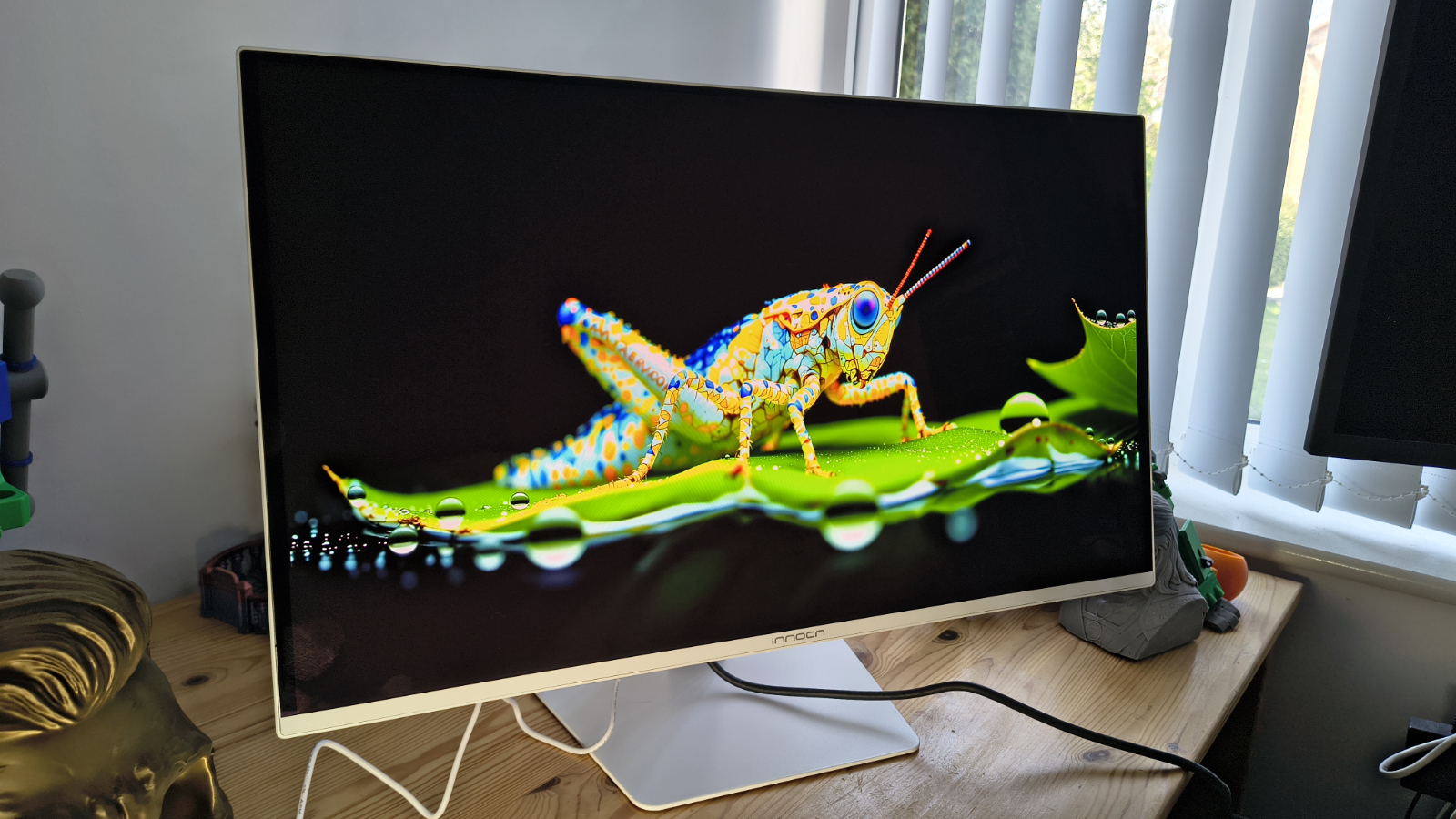
On paper, the GA27S1Q is a remarkably well-specified monitor at a price that seriously undercuts the established names. Whether InnoCN can deliver on those specifications in the real world is what I set out to establish in this review, and spoiler alert, it largely hits its marks.

This design was originally pitched as a gaming platform, but it’s impossible for businesses to ignore a 27-inch QD-OLED panel running at 280Hz with an ergonomically adjustable chassis and a $400 price tag.

Advertisement

Source link

Advertisement
Continue Reading

Tech

Today’s NYT Mini Crossword Answers for April 19

Published

on

Looking for the most recent Mini Crossword answer? Click here for today’s Mini Crossword hints, as well as our daily answers and hints for The New York Times Wordle, Strands, Connections and Connections: Sports Edition puzzles.


Need some help with today’s Mini Crossword? Read on for all the answers. And if you could use some hints and guidance for daily solving, check out our Mini Crossword tips.

If you’re looking for today’s Wordle, Connections, Connections: Sports Edition and Strands answers, you can visit CNET’s NYT puzzle hints page.

Advertisement

Read more: Tips and Tricks for Solving The New York Times Mini Crossword

Let’s get to those Mini Crossword clues and answers.

completed-nyt-mini-crossword-puzzle-for-april-19-2026.png

The completed NYT Mini Crossword puzzle for April 19, 2026.

Advertisement

NYT/Screenshot by CNET

Mini across clues and answers

1A clue: The Notorious ___ (longtime Supreme Court nickname)
Answer: RBG

4A clue: Islamic equivalent of kosher
Answer: HALAL

6A clue: Repent for one’s wrongs
Answer: ATONE

Advertisement

7A clue: Warrior with throwing stars called shuriken
Answer: NINJA

8A clue: Camera brand that really had a moment?
Answer: KODAK

Mini down clues and answers

1D clue: 3:2 or 5:4
Answer: RATIO

2D clue: Like some light hair and light ales
Answer: BLOND

Advertisement

3D clue: Weed
Answer: GANJA

4D clue: Nickname for Henry
Answer: HANK

5D clue: News story from an undisclosed source
Answer: LEAK

Advertisement

Source link

Continue Reading

Tech

Tesla brings its robotaxi service to Dallas and Houston

Published

on

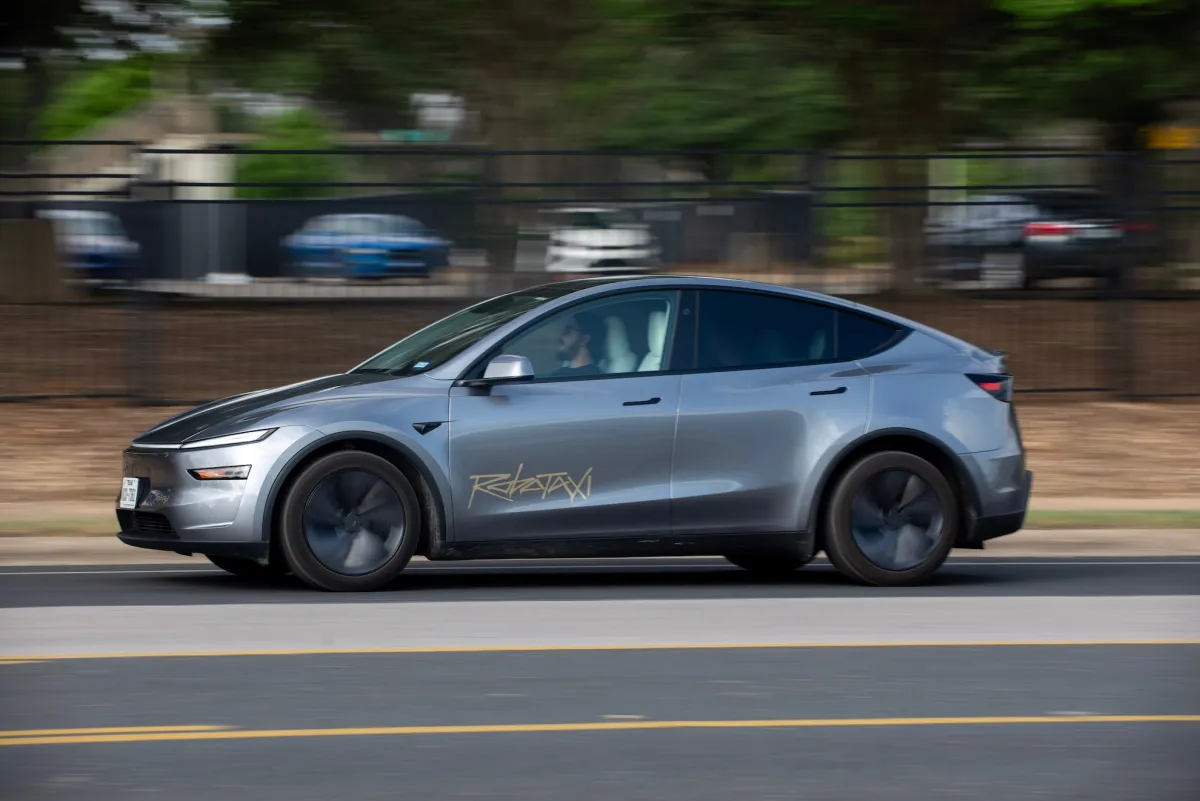
Tesla is expanding its robotaxi service to Dallas and Houston, according to a social media post from the company.

The post says simply that “Robotaxi is now rolling out in Dallas & Houston 🤠” and includes a 14-second video showing Tesla vehicles driving without human monitors or drivers in the front seat.

The company now offers robotaxi service in three cities, all of them in Texas, after launching in Austin last year and starting to offer rides without safety drivers in January 2026. In a February filing, Tesla said that its Austin robotaxis have been involved in 14 crashes since launch.

It also offers a more limited ride service with human drivers in the San Francisco Bay Area.

Advertisement

Tesla may not be running many vehicles in either of these new markets yet, with crowdsourced data on the Robotaxi Tracker website only registering a single vehicle in each city (compared to 46 active vehicles logged in Austin).

Source link

Continue Reading

Tech

Using Capacitance For Extremely Sensitive Proximity Sensing

Published

on

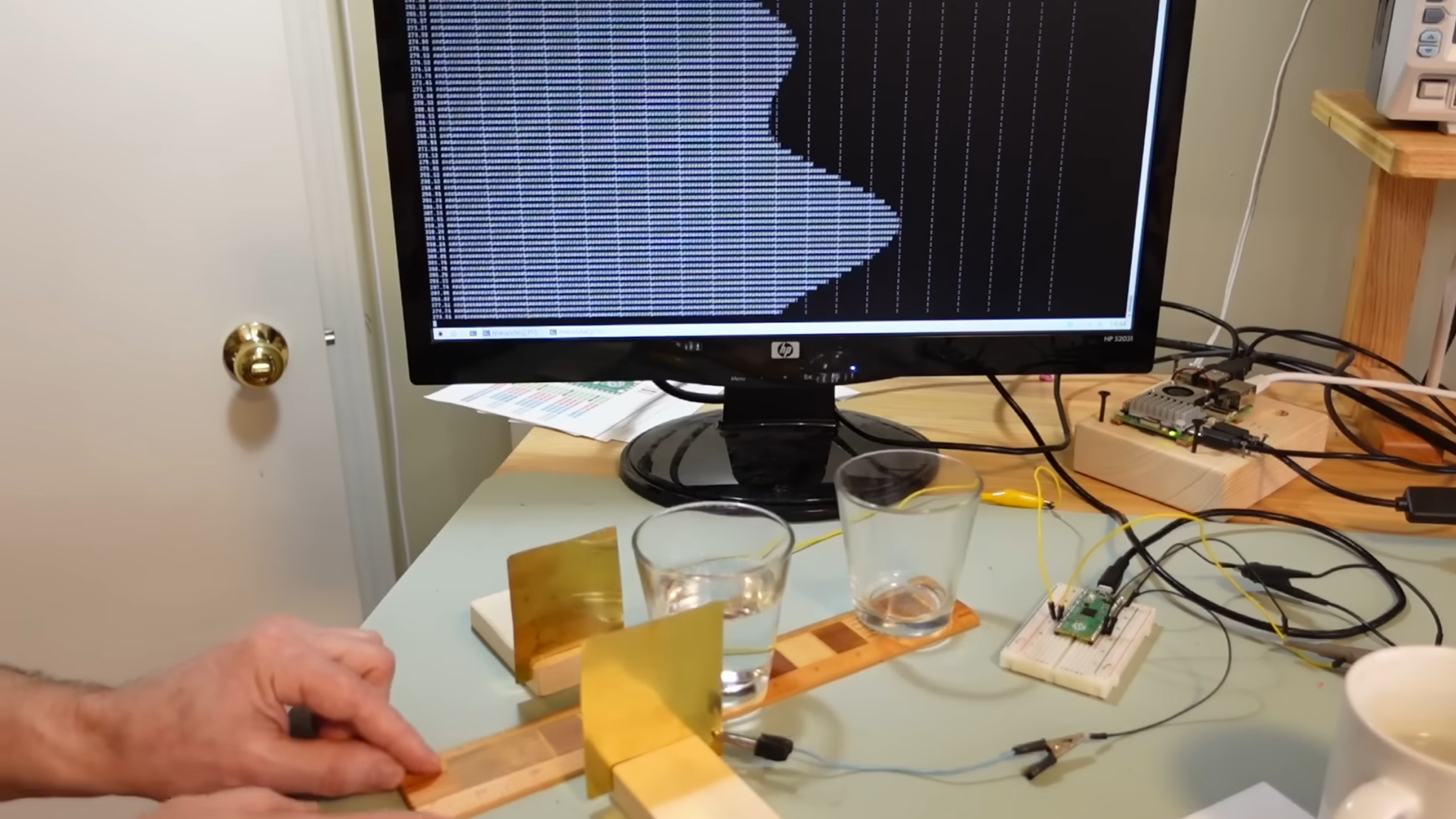
Capacitive displacement sensors span a wide range of resolution, from the touchscreen sensors which can only detect displacement as a binary state, all the way to the sensors in semiconductor fabs which measure down to nanometers. The sensor [Matthias Wandel] built with a Raspberry Pi Pico lands somewhere in the middle, providing both sensitive measurements and an absolute scale.

The idea is that the amount of overlap between two metal plates should be detectable by measuring the capacitance between them. Reaching any kind of usable resolution would require a very precise measure of capacitance, around the picofarad range. [Matthias] realized that the Pico’s GPIO pins have an inherent capacitance, and can have a pull-down resistor set, essentially creating an RC circuit. [Matthias] would set a pin to a high-level output, then switch it to an input. The amount of time the pin takes to switch from high to low indicates the RC constant, which includes the capacitance attached to the pin.

When attached to a metal plate, the Pico was sensitive enough to detect the plate’s capacitive coupling to [Matthias]’s hand through a thick wooden floor. To measure capacitance between two metal plates, the Pico measured how well a voltage signal applied to one plate was coupled to the other plate. This was sensitive enough to measure the slight change in the dielectric constant when [Matthias] waved a piece of ABS pipe between the two capacitor plates. Making actual position measurements was tricky, since capacitance changed with both X- and Z-axis shifts in the plates.

Advertisement

Digital calipers use similar capacitive sensors to make their measurements, as [Matthias] knows from his experiments in hacking them. If you’re interested in more details, check out this teardown of some cheap digital calipers.

Thanks to [H Hack] for the tip!

Advertisement

Source link

Continue Reading

Tech

What Is It & How Much Does It Cost?

Published

on


Safe driving skills can mean the difference between a mundane morning commute and a potentially serious accident. It’s especially true for motorcyclists, as riding a motorcycle is one of the most dangerous forms of transportation on the road. Taking a motorcycle safety course is a good idea, and many U.S. states, including California, offer such a program. The California Motorcyclist Safety Program (CMSP) is available at a cost of up to $425 for riders 21 and over, and up to $395 for those riders 20 and under.

Built around the R.I.D.E. philosophy (Responsible, Informed, Disciplined, and Equipped), the program’s fee covers student training, including classroom instruction and riding practice on a closed course. Training takes place at one of 87 different locations in the state, and an approved helmet is supplied beforehand. The program even provides motorcycles for training, though students can ride their own, as long as they meet predetermined requirements. Students are encouraged to wear motorcycle gear that makes riding safer, including pants, boots, a jacket, and gloves. Eye protection is also advised.

Expert instructors guide students through real-world situations, helping them to develop their skills along the way. Riders get comprehensive instruction based on the latest safety research. Students may receive insurance breaks once the course is completed, which could help offset the cost. Additionally, riders can get a DMV skills test waiver, saving time in the long run.

Advertisement

What you need to know about the CMSP

There are some things riders should know before enrolling in the California Motorcyclist Safety Program (CMSP). First, the minimum age is 15 ½, and students need a valid driver’s license, learner’s permit, or DMV ID card. Though self-balancing bikes do exist, you’re required to maintain your balance while sitting on a bike. Of the two courses offered, the 1-Day Premier Course is the shortest and is completed in around eight hours.

The Motorcyclist Training Course (MTC) runs for about 15 hours over a three-day period. Unlike the Premier Course, the MTC is actually mandatory for all riders under the age of 21. This means that even if you do have some experience and want to go straight to the DMV for your motorcycle license, you won’t be able to get it. That’s because the MTC is California’s primary safety and training program, and all eligible riders must successfully complete it to move forward.

Advertisement

But while the CMSP has trained over 1,500,000 motorcyclists since 1987, some online reports seem to contradict the effectiveness of such programs. According to research from the National Highway Traffic Safety Administration, rider education programs yield mixed results. Skill improvement and rider behavior often don’t translate into real-world scenarios, and don’t necessarily reduce the number of motorcycle-related crashes over time. This means that even though the CMSP seeks to prepare students for the road, it’s the experience and knowledge accumulated afterward that makes all the difference.


Advertisement

Source link

Continue Reading

Tech

TCL Unveils Lower Priced SQD Mini-LED TVs and Debuts New RGB Mini-LED TV for 2026

Published

on

TCL has announced pricing and availability for its QM8L and QM7L series TVs, bringing its SQD Mini-LED display technology, first introduced in the flagship X11L SQD Mini-LED TV at CES 2026, to more accessible price points and a wider range of screen sizes.

The company also announced its first RGB Mini-LED TV, the RM9L series, plus a new 50-inch screen size option for its entry-level QM6K Mini-LED TV series, which carries over from 2025.

SQD stands for Super Quantum Dots, which is a new, enhanced version that provides extended color gamut coverage (up to 100% BT.2020, according to TCL) compared to standard Quantum Dots. Along with the new color tech, the QM8L series features the same WHVA 2.0 Ultra Panel and TSR AI Pro processor found in the X11L, while the QM7L features an HVA 2.0 Pro Panel and TSR AI processor.

TCL QM8L SQD Mini-LED

TCl qm8l-900
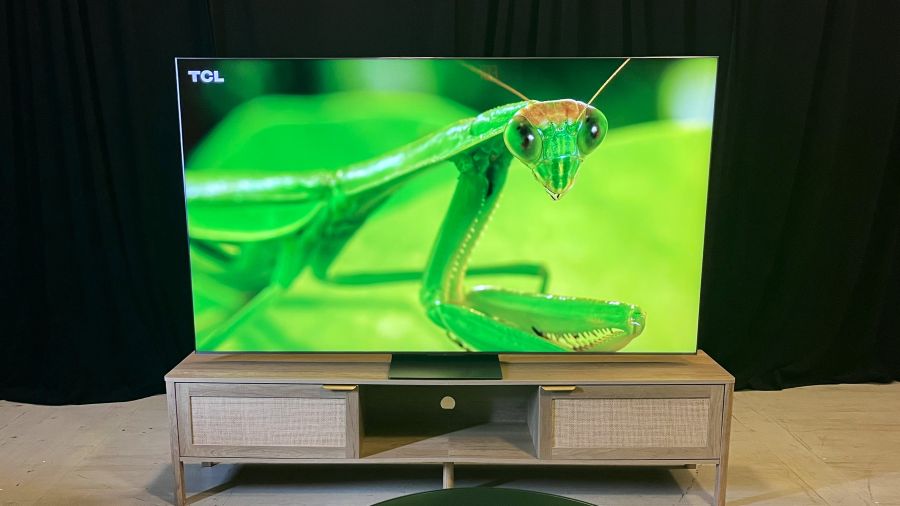
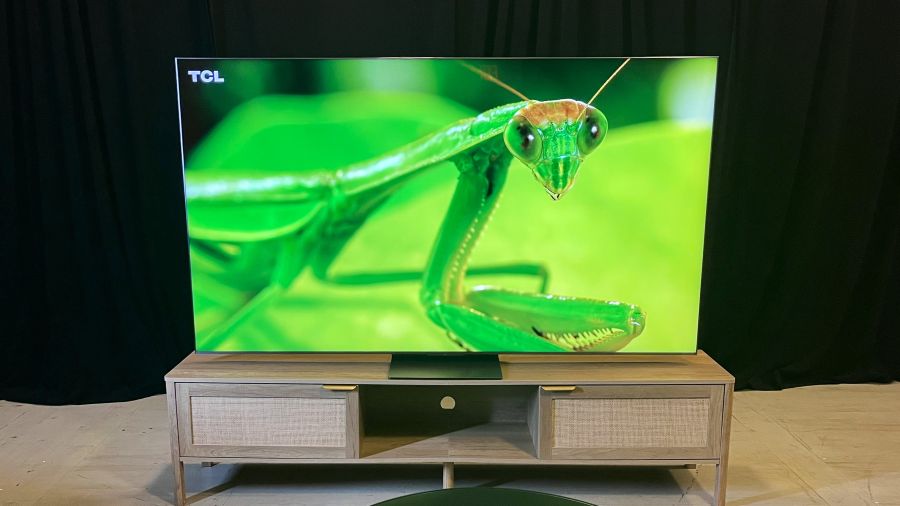
A TCL QM8L series TV at a recent preview event in NYC

TCL’s QM8L series TVs are available now in screen sizes from 65 to 98 inches, with pricing ranging from $2,499.99 to $5,999.99. Those figures are in line with last year’s QM8K series Mini-LED models, which relied on standard quantum dot technology.

TCL Deep Color System

The TCL Deep Color System used in the QM8L Series consists of Super Quantum Dots and the company’s CSOT UltraColor Filter, which uses 5 Nanometer particles as compared to the 60 Nanometer particles used in regular mini-LED TVs and is claimed to provide accurate pixel-level color, When combined with an Advanced Color Purity Algorithm, the result is consistent color saturation along with the elimination of color crosstalk for purer colors and more accurate whites.

Advertisement

WHVA 2.0 Ultra Panel with Enhanced Halo Control System

TCL’s WHVA 2.0 Ultra Panel in QM8L series TVs provides a wide color viewing angle with increased static contrast over last year’s QM8K series. It also continues the ZeroBorder design that minimizes the visual effect of edge bezels and has a contrast-enhancing anti-reflective layer to reduce screen glare when viewing in bright rooms.

For the QM8L series, TCL has upped the precision of the mini-LED panel’s backlight controller from 23 bits to 26 bits, and added shadow detail optimization. The new TVs feature up to 4,000 backlight local dimming zones (on the 98-inch model), have a specified brightness of up to 4,000 nits, and use TCL’s Enhanced Halo Control System to minimize backlight blooming effects.

TCl qm8l-2
The QM8L series features a high-contrast, anti-reflection screen that, unlike matte screens, is still subject to some glare

TSR AI Pro Processor

The TSR AI Pro Processor in QM8L series TVs features Super Resolution 2.0 for detail enhancement. It also provides AI-enhanced color, contrast, clarity, motion, and upscaling, all of which can be turned on or off on a selective basis.

Google Gemini Interactive AI, with Hands-Free Voice Control

The Google smart TV platform provided in the QM8L series isn’t the basic one found in countless smart TVs, but one that’s enhanced with the Gemini Interactive AI assistant. This feature extends the TV’s content search capabilities by letting you also engage in conversations – hands-free, using the TV’s built-in far-field mic – and it can also be used to find out information about a wide range of subjects. Gemini can further provide news briefs with related video clips and can generate screensaver art from text or voice prompts

Advertisement

Format Support

The QM8L series supports the Dolby Vision (IQ), HDR10+, HDR10, and HLG high dynamic range formats, and Dolby Vision 2 Max support will be added to that list in a future software update. Picture presets include a Filmmaker Mode and IMAX Enhanced mode.

Audio by Bang & Olufsen

TCL QM8L TVs are stacked with audio features, starting with the built Audio by Bang & Olufsen speaker array. This provides support for Dolby Atmos and DTS:X soundtracks, and there are also dual bass modules on the TV’s back panel. An optional subwoofer can be connected wirelessly, and the QM8L series also supports Dolby Atmos FlexConnect for use with the company’s Z100 wireless speaker and Z100-SW subwoofer in up to 4.1.4-channel configurations.

Advertisement. Scroll to continue reading.

Gaming and Connections

The QM8L series has a native 144Hz refresh rate and also supports 1080p/288Hz input for PC gaming and FreeSync Premium Pro. High refresh rates are supported across all four of the TV’s HDMI 2.1 inputs, and there are also Ethernet and USB ports, an optical digital audio output, and an RF input for the TV’s ATSC 3.0 tuner.

Advertisement

TCL QM7L SQD Mini-LED

tcl qm7l
The TCL QM7L’s Enhanced Halo Control System is effective at eliminating backlight blooming

TCL QM7L series TVs are available for pre-order in screen sizes ranging from 55 inches to 98 inches, priced from $1,199.99 to $3,999.99. Like the QM8L series models, these feature TCL’s Enhanced Halo Control System and Deep Color System with Super Quantum Dots and CSOT UltraColor Filter but use a more basic HVA 2.0 Pro Panel.

The QM7L series features TCL’s new 26-bit backlight controller but the local dimming zone count is more modest, topping out at 2,100 zones on the 98-inch model. Brightness is specified at up to 3,000 peak nits. The TSR AI Processor used in the QM7L series supports the standard Dolby Vision and HDR10+ formats, but can’t be updated in the future for Dolby Vision 2.

Other key QM7L features include an Audio by Bang & Olufsen speaker array and Gemini for Google TV. For gaming, the QM7L supports 144Hz input on two of its four HDMI ports, and advanced audio capabilities include optional wireless subwoofer support and Dolby Atmos FlexConnect (3.1.3-channel configuration).

TCL RM9L RGB Mini-LED

tcl rgb
TCL’s RM9L RGB-Mini LED TV is capable of full BT.2020 color gamut reproduction, but the company still considers SQD-Mini-LED to be its flagship TV technology

TCL RM9L series TVs are also available for pre-order now in screen sizes ranging from 75 inches to 98 inches, priced from $7,999.99 to $29,999.99. The company calls the new series “the most advanced RGB-Mini LED TV to date,” with its individual red, green, and blue LED modules capable of full BT.2020 color gamut reproduction.

Similar to the company’s SQD-Mini-LED TVs, the RM9L series uses TCL’s CSOT UltraColor Filter “for more consistent color saturation.” It further features TCL’s Enhanced Halo Control Systems, high-contrast CSOT WHVA 2.0 Ultra panel, and TSR AI Pro processor.

A 30-bit controller provides precise backlight control over up to 3,800 local dimming zones, and the RM9L series TVs are specified for up to 6,000 nits peak brightness. The Dolby Vision IQ, HDR10+, and HLG high dynamic range formats are supported, and the RM9L series will get  Dolby Vision 2 Max support in a future software update.

Advertisement

Gaming support is similar to the QM8L series TVs, with four 4K/144Hz-capable HDMI 2.1 ports. Audio features are also the same, with an Audio by Bang & Olufsen speaker array, optional wireless subwoofer support, and Dolby Atmos FlexConnect (4.1.4-channel).

The Bottom Line

TCL is positioning its SQD-Mini-LED TV lineup as its top TVs for 2026, and asserts that Super Quantum Dots delivers superior performance to the RGB LED tech that manufacturers such as Samsung, Sony, LG, Hisense, and even TCL itself are promoting. Outside of our hands-on review of the Samsung R95H Micro RGB TV, eCoustics hasn’t had an opportunity to fully assess the benefits of RGB LED, but our full TCL QM8L series TV review confirms that SQD-Mini-LED provides stiff competition for that new tech.

The TCL X11L series (full review in the works) is currently the company’s flagship SQD Mini-LED TV, and with its specified 10,000 nits peak brightness and up to 20,000 local dimming zones, it’s about as formidable as mini-LED TVs get. But at prices ranging from $6,999.99 (75-inch) to $9,999.99 (98-inch), the X11L series is also as expensive as TVs get.

With many of the same features found in the company’s flagship, the TCL QM8L series is an impressive value. It might not have as many dimming zones, and it’s also not as bright, but as we found in our review, it gives both the X11L series and the forthcoming slew of RGB LED models a good run for the money.

Advertisement

The QM7L series also has impressive specs, and also looks to be a great value. Aside from lower peak brightness and fewer dimming zones, its main disadvantages compared to the step-up QM8L appear to be lesser gaming features and no Dolby Vision 2 Max support.

Advertisement. Scroll to continue reading.

TCL is bullish on the performance of its new RM9L series RGB Mini-LED TVs as compared to the competition, but SQD Mini-LED is clearly the favorite son here. That’s because TCL sees limitations in RGB LED technology that can result in color crosstalk plus a higher level of backlight blooming artifacts than you’ll get on SQD Mini-LED. The company obviously wanted to cover all of the bases with its 2026 TV lineup, however, and that’s why both backlight technologies are represented.

Price & Availability

QM8L series SQD-Mini-LED

Advertisement

QM7L series SQD-Mini-LED

  • 55-inch: $1,199.99
  • 65-inch: $1,499.99
  • 75-inch: $1,999.99
  • 85-inch: $2,499.99
  • 98-inch: $3,999.99

RM9L series RGB-Mini-LED

  • 85-inch: $7,999.99
  • 98-inch: $9,999.99
  • 115-inch: $29,999.99

Source link

Continue Reading

Tech

How One Line Of TF2 Code Ruined This Simple Feature

Published

on

Ever encountered a minor annoying bug in a video game? How about one dating back to 2018? Usually, you have no hope of fixing it, but this time is different. [Joey Cheerio] shows the first-time programmer approach to (with great difficulty) fixing a bouncy ball prop turning invisible when shot in Team Fortress 2.

It starts with a band-aid solution that hides the problem: just turn off jiggle physics! While that works, it also affects many other models in the game, and doesn’t tackle the root cause. Time to investigate. Because this ball often goes overlooked, [Joey Cheerio] didn’t even realize that it was supposed to have jiggle physics, accidentally removing it. Turns out, after scouring the internet for old footage, it’s supposed to jiggle after all.

Back to square one, [Joey Cheerio] infers that the jiggle bone accidentally removed was related to the problem, eventually figuring out that the specific type of jiggle bone used (is_boing) caused the issue. Time to dig in the code. Tracking down the problem is no small feat for someone who’s never programmed before, even with the help of LLMs, but eventually, at 4 in the morning, a breakthrough! The ball no longer turned invisible but retained the intended jiggle.

Advertisement

At the limits of his knowledge on the subject, [Joey Cheerio] posts his partial progress so far to GitHub, where [ficool2] tracks down the real problem and turns this second band-aid into a proper fix. [Joey Cheerio] finishes up by explaining the math of what exactly went wrong.

Advertisement

Source link

Continue Reading

Tech

Asus TUF Gaming A14 (2026) Review: GPU-Less Gaming Laptop

Published

on

In the past, I’ve stayed away from Asus TUF laptops, as it was the bottom-tier in terms of design. That meant chunky chassis, poor displays, and thick bezels. The models from 2025 looked more modern, but the prices weren’t competitive with some of my favorite cheap gaming laptops like the Lenovo LOQ 15 and Acer Nitro V 16.

But again, the TUF A14 is something new, and the design is impressive. It’s right around the same thickness and weight as the 14-inch MacBook Pro, and the bezels around the sides of the screen are really trim. The bottom bezel is thick, primarily because the A14 uses a 16:9 aspect ratio screen. I won’t belabor that point, but it means less screen and more bezel in the same footprint. Overall, it’s very subtle. The gaming aesthetic is heavily downplayed, with only a few elements left, such as the typeface on the keycaps and the shape of the vents below the hinge. There’s not even per-key backlighting on the keyboard.

Image may contain Computer Electronics Laptop and Pc

Photograph: Luke Larsen

Image may contain Computer Electronics Laptop Pc Mobile Phone and Phone

Photograph: Luke Larsen

Advertisement

You’d never know this was a gaming laptop based on the usability of the keyboard and touchpad; on gaming laptops versus work ones, these can often be afterthoughts. Here, they’re both excellent. The touchpad, in particular, is oversized and surprisingly precise. Although the laptop is made of plastic, it handled the pressure I was putting on it around the lid, keyboard, and palm rests without too much give.

The TUF A14 has a helpful assortment of ports. On the left side, you get a USB-A 3.2 port, USB-C port, HDMI 2.1, headphone jack, and proprietary power jack. You get an additional USB-A and USB-C (USB4) port on the right side, alongside a micro SD card slot. I really like the decision to put the USB4 port on the right side, as it means you can both charge the laptop or connect to an external display from the right side too. Only being able to charge from one side is one of my pet peeves, so good job, TUF A14.

More Than Gaming

Image may contain Computer Electronics Laptop and Pc

Photograph: Luke Larsen

Once I saw the resolution of the display, I knew the TUF A14 was no longer a real “budget” device. It’s 2560 x 1600, a big step up from the typical cheap gaming laptop. It also has a 165 Hz refresh rate, which is useful for when playing in 1200p—and let’s be honest, that’s the go-to the vast majority of the time. The higher resolution, though, plays into why the A14 is a solid hybrid device that can work as well for gaming as it does for school or work.

Source link

Advertisement
Continue Reading

Tech

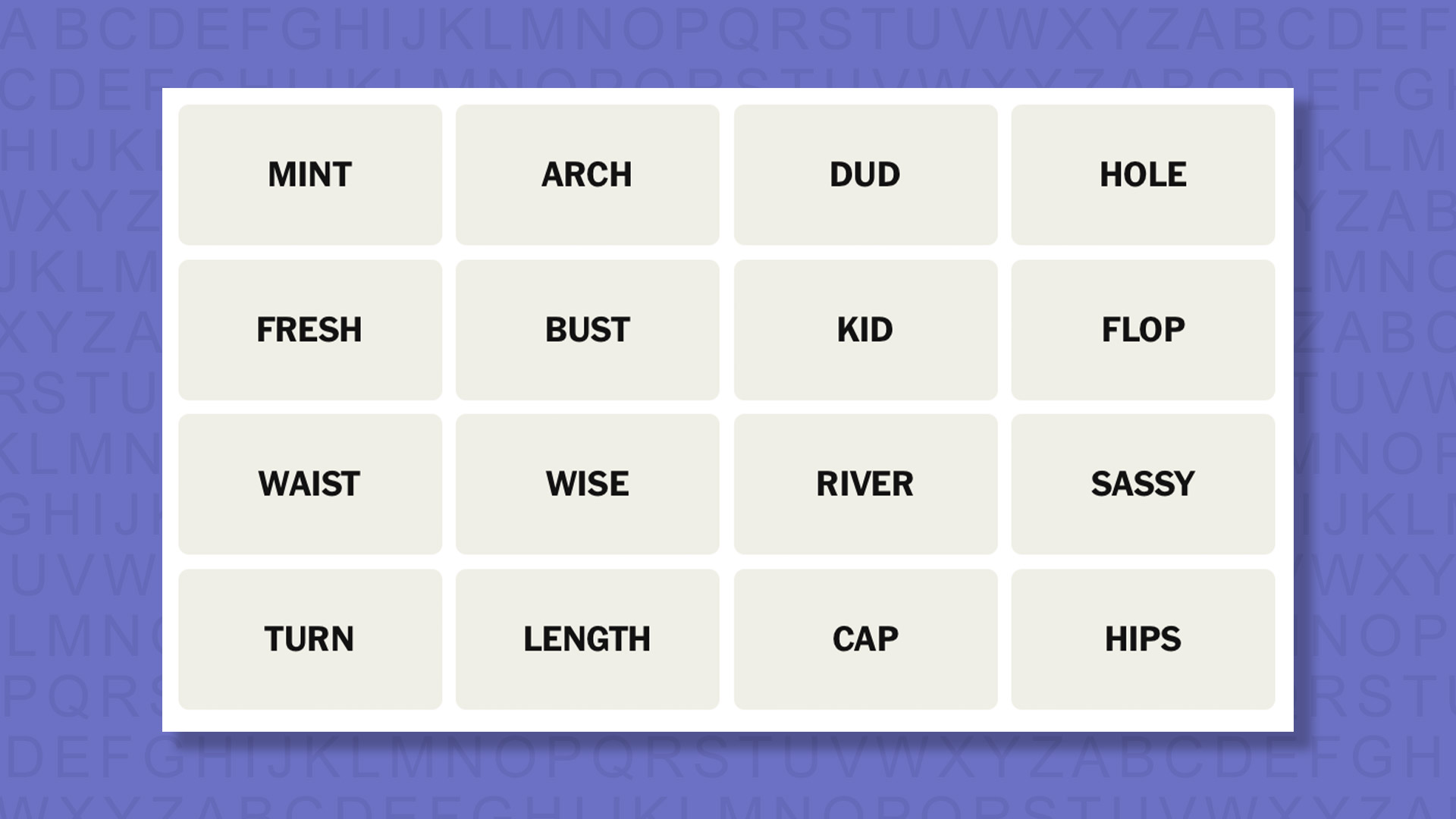
NYT Connections hints and answers for Sunday, April 19 (game #1043)

Published

on

Looking for a different day?

A new NYT Connections puzzle appears at midnight each day for your time zone – which means that some people are always playing ‘today’s game’ while others are playing ‘yesterday’s’. If you’re looking for Saturday’s puzzle instead then click here: NYT Connections hints and answers for Saturday, April 18 (game #1042).

Good morning! Let’s play Connections, the NYT’s clever word game that challenges you to group answers in various categories. It can be tough, so read on if you need Connections hints.

Advertisement

Source link

Advertisement
Continue Reading

Trending

Copyright © 2025