Tech
WhatsApp’s new search shortcut saves you from digging through endless old chats

Searching through my WhatsApp chat history can be frustrating if on an Apple device. You’re looking for an address or perhaps even a specific picture, but actually finding it becomes the hard part. So, to deal with this, WhatsApp is apparently working on a new search shortcut inside chats and channels on iOS.
This lets users jump directly into message search without leaving the conversation first. WABetaInfo spotted the feature in WhatsApp Messenger for iOS version 26.36.74, currently available through the App Store.
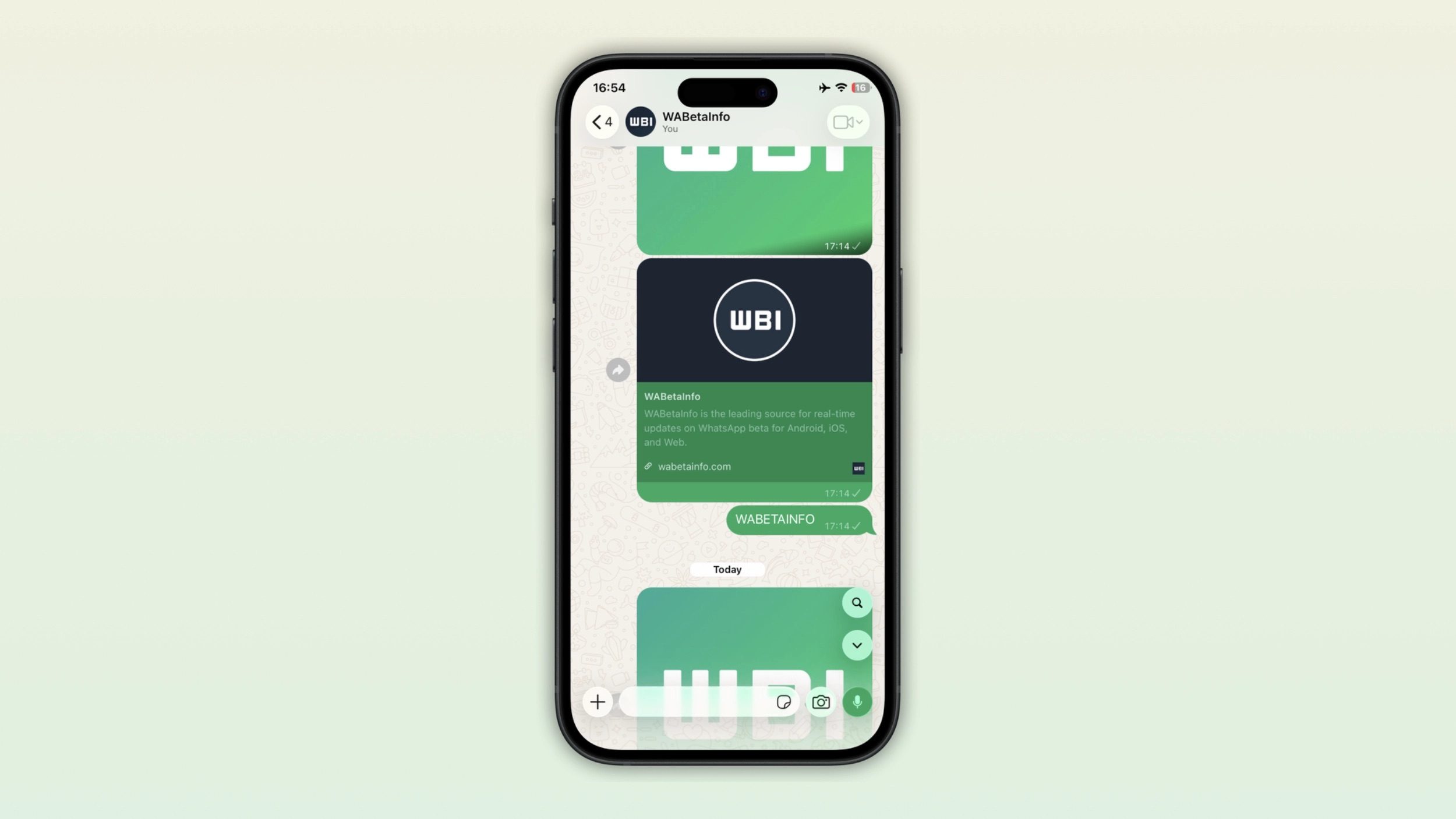

The search button appears when you actually need it
The shortcut is situated near the top of the conversation interface and appears when you scroll upward through older messages. Tap it and WhatsApp immediately activates its existing search mode, where you can enter a keyword and jump between matching results.
Once you scroll back to the bottom of the conversation, the button disappears again. So it’s not hogging up the space within the messaging app. Previously, searching within a specific chat on iPhone required tapping the contact or group name, opening the chat information screen, selecting Search, and then returning to the conversation with search mode enabled.
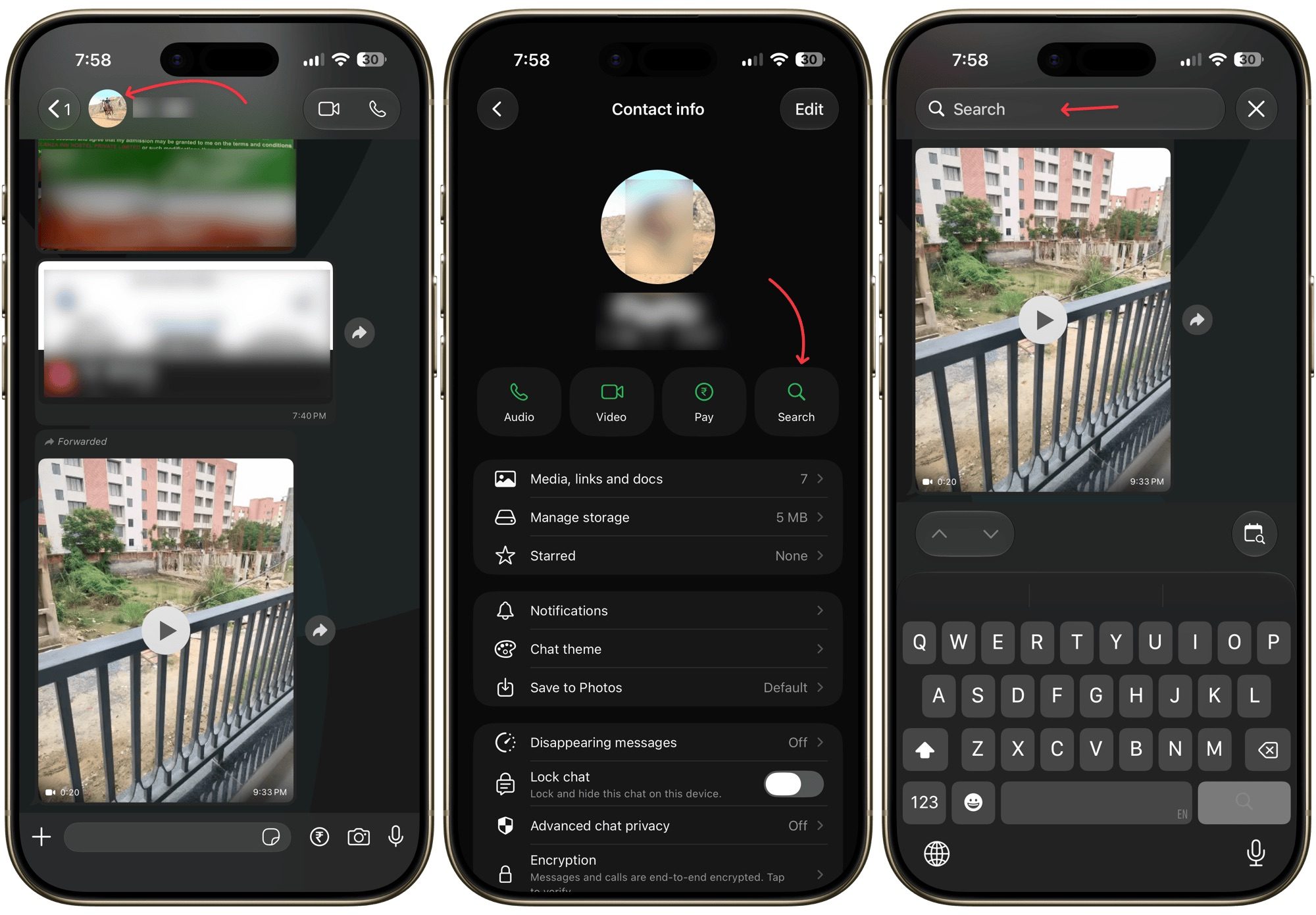

Channels are included in this
WhatsApp is also adding the same search button to Channels. This is where the new search shortcut would be the most useful, honestly. Channels can accumulate a huge number of updates, particularly those run by news organizations. Meaning, finding the exact message you’re looking for will be a lot easier.
WhatsApp originally tested the shortcut at the bottom of the interface in August but moved it to the top before release. WABetaInfo says the feature is currently reaching some iPhone users and should expand over the coming weeks. There is no confirmed Android rollout date yet.
You must be logged in to post a comment Login