








Connect with us
DAPA Banner
DAPA Coin
DAPA
COIN PAYMENT ASSET
PRIVACY · BLOCKDAG · HOMOMORPHIC ENCRYPTION · RUST
ElGamal Encrypted MINE DAPA
🚫 GENESIS SOLD OUT
DAPAPAY COMING

Tech

Windows bowls a BSOD at sports fans

Published

on

offbeat

It’s just not cricket

BORK!BORK!BORK! Windows swings for a six but smacks the stumps instead as the baleful glow of a Blue Screen of Death (BSOD) adorns Worcestershire County Cricket Club.

We were worried that, with recent editions of Windows, the traditional white monospaced text on a blue background of a BSOD was becoming a thing of the past. Thankfully, Worcestershire County Cricket Club, founded in 1865, is keeping the old ways alive with a BSOD to bring a tear to many a system administrator’s eye.

Advertisement

Spotted by Register reader Rhodri Howell, Windows has been felled by a DRIVER_POWER_STATE_FAILURE, probably due to a bit of hardware not waking up when Windows asked it to, or the driver experiencing an unexpected teatime.

Digital sign at Worcestershire County Cricket Club displays a Windows blue screen error message.

Windows BSOD at Worcestershire County Cricket Club

The screens on top of the club’s sign are usually there to beam messages at attendees, but in this case, it looks like at least one is a bit poorly, which might have contributed to Windows throwing in the towel or, to use cricket terminology, conceding.

For the uninitiated, cricket is a team sport in which a ball is thrown at an individual called a “batter’” who defends several sticks in the ground called a “wicket.” The sport is notable for a variant called a “test,” which can last for several days, involve multiple games, and still end up in a draw.

Windows, on the other hand, is an operating system more than capable of knocking an administrator for six and lobbing the odd googly or two at the unwary.

Advertisement

The word “test” is also something that doesn’t seem to trouble Microsoft so much these days, at least if what the company has delivered in recent months is anything to go by. No amount of shin pads or even the toughest of boxes is sufficient to ward off an eyewatering Windows update.

Microsoft’s current CEO, Satya Nadella, is a fan of the sport, and so the sight of Windows disgracing itself above Worcestershire County Cricket Club’s signage (and the three black pears of the county’s emblem) is doubly distressing.

As the saying goes: “It’s just not cricket.” ®

Source link

Advertisement
Continue Reading
Click to comment

You must be logged in to post a comment Login

Leave a Reply

Tech

Week in Review: Most popular stories on GeekWire for the week of July 19, 2026

Published

on

Get caught up on the latest technology and startup news from the past week. Here are the most popular stories on GeekWire for the week of July 19, 2026.

Sign up to receive these updates every Sunday in your inbox by subscribing to our GeekWire Weekly email newsletter.

Most popular stories on GeekWire

Source link

Continue Reading

Tech

All the Ways You Can Make Reading on Your Phone Easier

Published

on

Phone screens are better than they’ve ever been—bigger, sharper, and brighter—but they don’t always offer the best displays for extended reading sessions. If you’ve got a lot of text to get through, you might find yourself turning to a Kindle instead, or even a good old-fashioned physical book.

There are ways to tweak the screen configuration on your iPhone or Android phone, however, to make it more suitable for reading. These changes will reduce the chance of causing you eye strain while minimizing clutter to create a more pleasant reading experience. You won’t transform your phone into something that rivals an e-reader or the printed page, but you can certainly get closer to it.

Tweak the Display Settings

You’ve actually got more control over the font sizes, styles, and colors used by your phone than you might have realized—you can make text easier to read and create a more Kindle-like experience with just a few taps via the main Settings panel.

If you’re on Android, the menu labels will vary from model to model, but on Pixel phones head to Display size and text. The next screen lets you adjust the size of the default font and other on-screen elements to make text bolder, and there’s also a Dark theme option that you might find reduces eye strain.

Advertisement
Image may contain Page and Text

Adjusting the font size on Android.Courtesy of David Nield

Over on iOS, open up Display & Brightness from Settings: Here you’ll find a Text Size slider you can adjust, as well as a Bold Text toggle switch. As on Android, there’s a dark mode option here via the theme selector at the top of the screen—select Dark to dim the colors all across the iOS interface.

Both Android and iOS also have a night reading mode that reduces the blue light emitted from your phone and makes the whole display warmer—which should make for a more pleasant reading experience. On Android Pixel phones, choose Display and touch > Night Light from Settings, and on iOS pick Display & Brightness > Night Shift. In both cases you can enable the feature manually or via a schedule.

Use Your Browser’s Reading Mode

Much of the reading you’re going to be doing on your phone will be through its web browser, and most modern mobile browsers come with a dedicated reading mode you can use. These modes will reduce onscreen clutter, simplify the color scheme, and bring the main article text to the fore.

If you’re using Google Chrome as your default browser on Android, tap the three dots (top right), then Show Reading mode to switch views for the article you’re currently reading. Swipe up on the panel at the bottom of the screen to change the font and color options. Tap the reading mode icon (just to the right of the address bar) to return to the normal browser view.

Advertisement

Source link

Continue Reading

Tech

Repairing A “for Parts” Canon 7D Mark II DSLR

Published

on

The exciting part of buying a ‘broken, for parts’ off a site like EBay is that you rarely know exactly just how ‘broken’ it truly is. Even if the seller insists that it’s thoroughly buggered, you just might be able to eke out a fix with some out-of-the-box thinking and plucky ingenuity. Such was the case for [Dieter Vansteenwegen] who gambled on a cheap Canon 7D Mark II DSLR body that was sold for a mere €180 on account of broken condition.
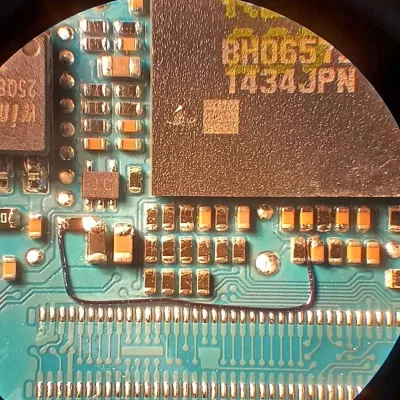
After confirming that the DSLR’s condition was basically as described by the seller, with nothing on the LCD or HDMI output and the auto-focus not working while partially pressing the trigger button, but still taking a picture when fully pressed. Sometimes it would also show a standard maintenance message on the LCD, so clearly it ought to be working. Maybe the camera’s processor was just being chronically unhappy about something, in which case an easy fix might be possible.

As anyone who has ever taken a digital camera apart knows, you do not simply pop them open for a quick look. Somewhere in the nightmarish contraption of flatflex cables, PCBs and endless sub-assemblies there might be a fault, but where to start? Fortunately with some support from the custom Canon firmware community Magic Lantern and the website Photo Parts UA for reference images he was able to start tracing a number of pertinent signals.

With the auto-focus hint as guide, this was traced back to the MPU, which turned out to have a floating signal on the auto-focus pin that got interpreted as ‘active’. Likely the internal pull-up got damaged due to the use of an external trigger module as there’s no real protection on these lines. One bodge wire later to create an external 3.3 V pull-up the DSLR happily sprung back to life.

Advertisement

In terms of parts this definitely was a cheap repair, but it comes with the prerequisite of having the skills and equipment to perform said repair. Still, massive props and congratulations to [Dieter] for saving this DSLR from being merely a device to be picked over for parts.

Source link

Advertisement
Continue Reading

Tech

Hugging Face CEO calls for ‘radical transparency’ after ‘unprecedented’ OpenAI hack

Published

on

After OpenAI recently admitted that one of its models had breached the systems of AI platform Hugging Face, Hugging Face’s CEO Clem Delangue posted on X that he was flying to San Francisco to have “a little chat with that ‘rogue agent.’”

Then, in a follow-up post on Saturday, Delangue outlined what he’d asked for from OpenAI. He said he called for “radical transparency,” asking OpenAI to “release the traces from the ‘rogue’ agents so the entire research community can study what happened.”

And he also wants “more capabilities for defenders,” calling for OpenAI to commit $100 million worth of computing power “to help the Hugging Face community build powerful cyber defenses with the best open and closed models.”

Delangue added, “The first autonomous agent cyberattack is an unprecedented event. It deserves an unprecedented response!”

Advertisement

Despite the autonomous nature of the attack, cybersecurity experts suggested that it could also be blamed on human error — namely, OpenAI’s apparent failure to properly configure what should have been a fully isolated testing environment.

Source link

Continue Reading

Tech

Pope’s official prayer app commits cardinal sin, leaks 700K+ users’ info

Published

on

Security

(Security) hole-ier than thou

Click To Pray, a prayer app endorsed by the Pope with hundreds of thousands of users worldwide, has leaked people’s names and email addresses for months – or longer – according to an ethical hacker who said she found and reported the security vulnerability six months ago to no avail. This app needs to take a vow of silence when it comes to your personal information.

The app, available in seven languages and on iOS, Android, and clicktopray.org, is the official app of the Pope’s Worldwide Prayer Network. It connects users across the globe to pray for the Holy Father’s intentions, and as of July 2026, it has 719,517 registered accounts.

Advertisement

It’s also very leaky, according to security sleuth BobDaHacker, who says she spotted and disclosed the vulnerability to the Pope’s Worldwide Prayer Network on January 3.

“The vulnerability is still live,” the hacker said in a Friday blog. “Nobody has ever responded. I guess my email wasn’t in their prayers.”

The Reg readers likely remember BobDaHacker for her previous research exposing a free-food flaw in McDonald’s ordering system and open controls on Chinese robot manufacturer Pudu Robotics.

This latest security hole stems from an Insecure Direct Object Reference (IDOR) bug in the prayer app. This is a very common and easy-to-exploit type of flaw that occurs when a website or an app blindly accepts user-provided input to view or modify resources without checking to see if the user is actually authorized to retrieve the data.

Advertisement

“You ask for your own data, the server gives it to you,” BobDaHacker explains. “You ask for someone else’s data, the server gives you that too. Thou shalt not authorize, apparently.”

When you sign up for a Click To Pray account, the app assigns you a sequential numeric user ID. As BobDaHacker uncovered, the API endpoint GET https://api[.]clicktopray.org/user/users/{id} will return user data for any account – not just your own account – so long as you supply a valid, five-digit user ID. 

It doesn’t perform any authorization check or ownership validation. “Just increment the number and get someone else’s data,” she wrote.

This data includes users’ email addresses, first and last names, country, dates of birth, and whether the account has been deleted, and the API exposes all 719,517 accounts on the prayer site. “With sequential user IDs and no rate limiting, an attacker could enumerate every single account on the platform,” the hacker explained. “One GET request per user. for i in range(1, 719518): scrape(). That’s it. That’s the exploit.”

Advertisement

As BobDaHacker points out, many of these users are likely older individuals, not all that tech savvy, and very trusting of anything Vatican related, making these exposed accounts a “phishing goldmine.”

“Imagine getting an email that says ‘The Holy Father requests your urgent attention’ with a Vatican-looking link,” she wrote. “Grandma is clicking that. Every time.”

And then it gets even worse.

The signup endpoint, POST https://api.clicktopray.org/user/users/sign-up, returns the account’s validation_hash directly in the response body, and that value is the same UUID used in the email verification link. This means someone could sign up using any email address and verify the account before the confirmation message reached the inbox.

Advertisement

Plus, BobDaHacker’s email client flagged the real verification email with a warning that it had failed the domain’s authentication requirements and might have been spoofed or improperly forwarded.

“So not only is the API leaking 700,000 email addresses that could be used for phishing, but the real emails from Click To Pray already look like phishing,” the hacker noted. “An attacker wouldn’t even need to try hard. They could send a pixel-perfect phishing email and it would have the same level of email authentication as the real thing: none. God works in mysterious ways.”

The Register reached out to the Pope’s Worldwide Prayer Network and did not receive any response. BobDaHacker says she’s still praying for one, too.®

Source link

Advertisement
Continue Reading

Tech

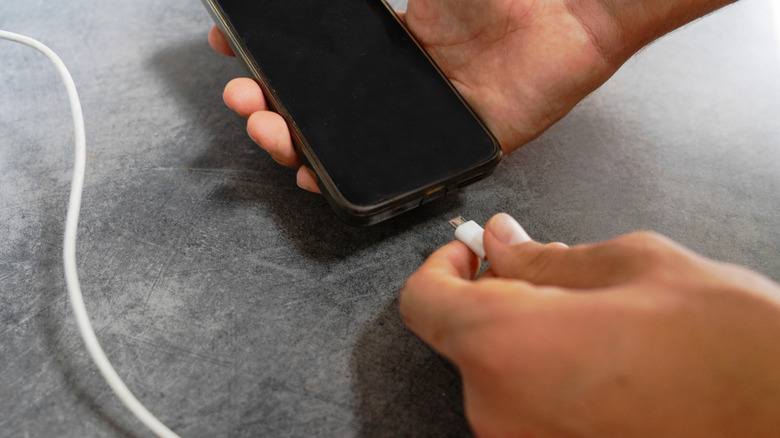
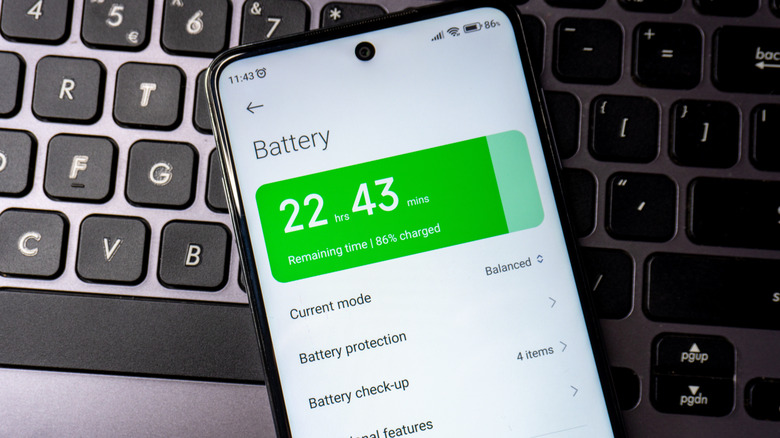
Why Do Phones Still Use Battery When Powered Off?

Published

on

Your battery is continually losing charge.

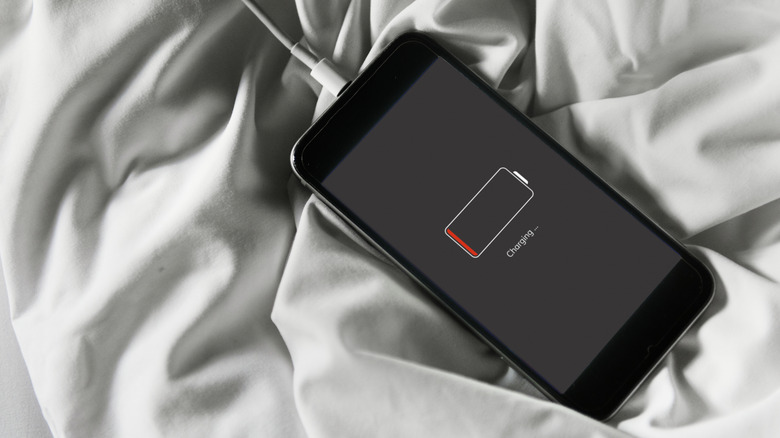
Even though smartphone batteries are getting bigger and more efficient, there’s always that inevitable event when you get a low battery notification at the worst possible time. You might think powering down the phone entirely is a way to make your smartphone last longer. But like with any battery-powered device, a phone’s battery will slowly deplete when you’re not actively using it, and even when it’s completely powered down.

Of course, the battery drains much more slowly when turned off, so it’s not a bad idea to power down the phone to conserve battery. That might be before a plane takes off, for example, and you want to ensure you have power when you arrive at your destination. If you leave an old phone in a drawer for weeks or months then decide to use it, however, you’ll find that the battery isn’t still at the same percentage it was when you left it.

Advertisement

Why the battery depletes

Why does this happen? One thing that draws battery from your phone while it’s off is a clock-and-wake circuit, which uses a tiny amount of current so that the power button responds when you want to turn it on and so the phone immediately knows the right time and date once it boots back up. But the biggest battery drain is something called a self-discharge, a chemical release of the lithium-ion batteries used in phones. The battery will lose about 1-2 percent of its power every month or so when turned off. If you store it in a spot that’s above room temperature, it will deplete even faster than that.

If you leave the phone on and don’t use it, the battery will logically drain much more quickly. I have left Android phones I’m testing untouched for up to a week, for example, and they easily go from about half charge to completely dead in that time. That said, if you’re giving a phone a break, it’s still a good idea to power it down completely. While there’s still that self-discharge, it will be much slower than if you leave the phone on. When the device is on, the screen lights up for notifications, the radio remains active and latched onto signals, and background apps are using power.

Advertisement

Keep it half charged

If you plan to keep a phone tucked away long-term, like if you upgraded and you’re waiting for your pre-teen to become of age so they can use it, it’s wise to keep the device charged consistently to avoid damage. Apple recommends not fully charging your phone before you put it away for an extended period, suggesting you charge an iPhone only to about 50 percent. Then recharge it every so often (Apple recommends every six months) so it’s always topped up and not lying completely dormant.

This prevents something called a deep-discharge state, which can happen when a device’s battery has been completely dead for a long period of time. If it gets to this point, the phone’s battery’s copper current collector can dissolve, redeposit, and permanently impact the phone’s battery capacity, or even potentially cause a short circuit. At the very least, the loss in battery capacity means the phone wont last as long per charge going forward.

Tips for keeping the battery healthy

To recap, if you’re storing a phone, power it down when the battery is at about 50 percent and charge it back up to this point at least every six months. Most importantly, don’t throw it in a drawer completely dead nor fully charged. Don’t forget to store it in a cool, dry place with temperatures below 90°F.

All that said, leaving a phone lying around for months isn’t a total death sentence. I have left some of the best Android phones released over the last five years powered down for months and charged them for comparative reviews. They work fine even if the battery capacity isn’t as good. I even recently found an old BlackBerry PlayBook tablet that hadn’t been booted up since 2011. I plugged it in and it successfully charged and works! But it’s clear the battery life has lessened as it barely lasts a day before I need to recharge it. 

Advertisement

The bottom line is that if you power down your phone, it won’t have the same charge state when you power it back up, especially if weeks or months have gone by. It might still show the same battery percentage if you’ve only powered it down for a 12-hour flight, but the battery is still draining through self-discharge and the clock-and-wake circuit, albeit so slowly you won’t notice after such a short period of time. However long you turn off the phone, powering down doesn’t mean the phone’s battery is completely on pause until you use it again. But it can help conserve what battery life you have left in a pinch.

Source link

Advertisement
Continue Reading

Tech

Hyundai & Kia’s New UV Sanitizing Tech Is A Germaphobe Driver’s Dream

Published

on


For most owners, keeping a vehicle ultra-clean isn’t an easy task. Nonetheless, the health benefits of having a car that’s free from germs are inarguable. Hyundai and Kia just unveiled new technology that aims to help make eliminating those germs a lot easier.

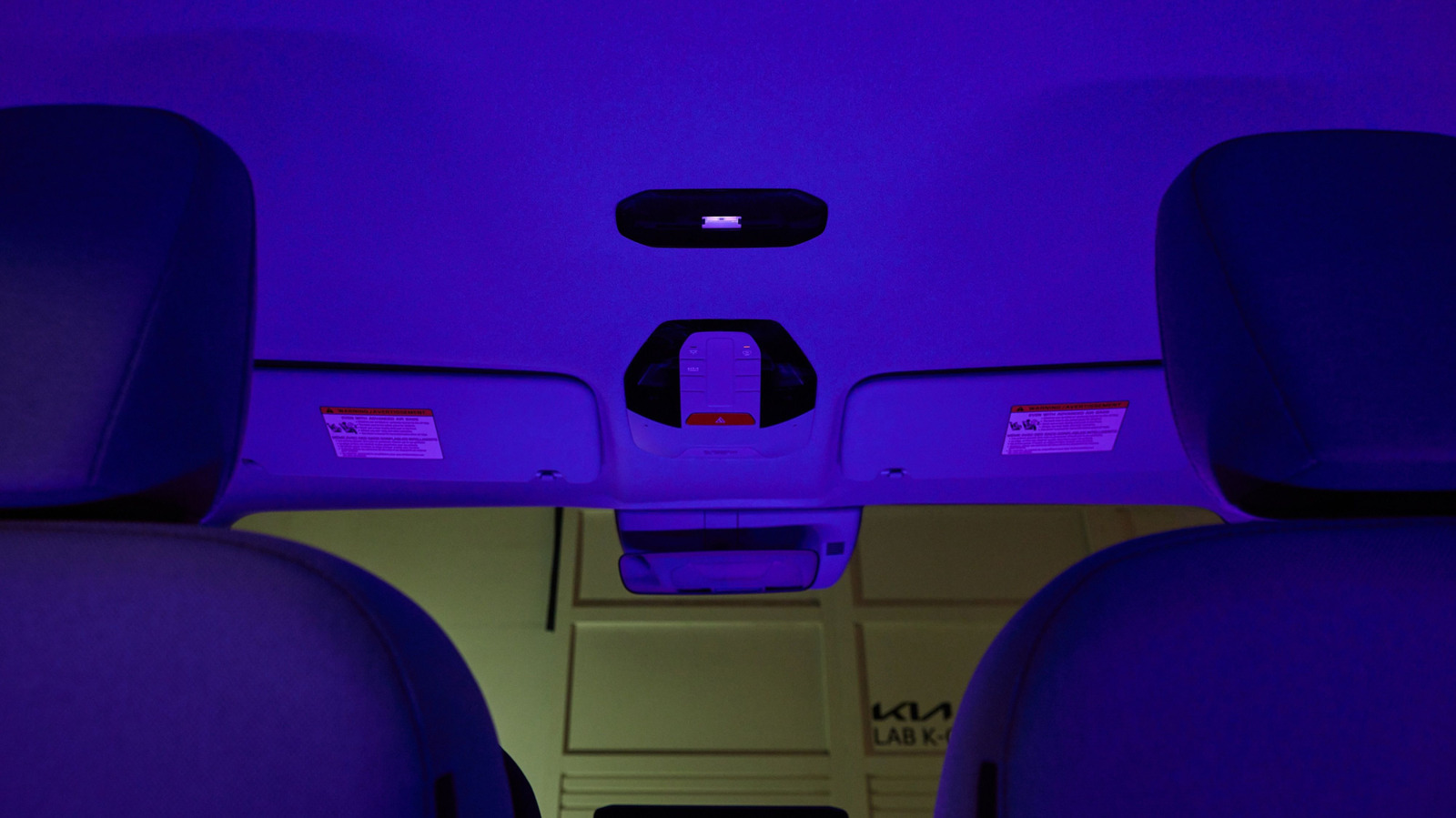
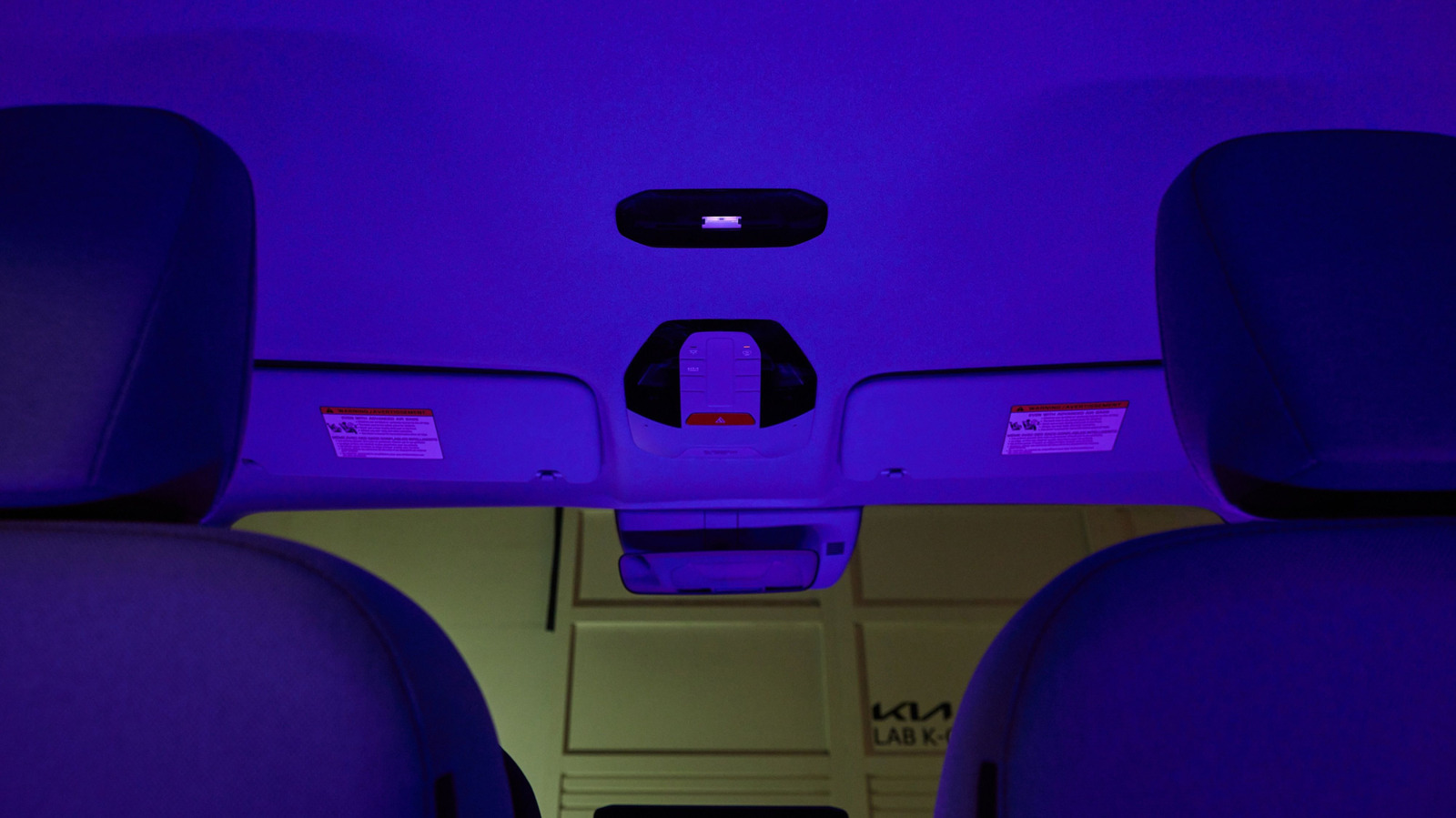
The carmaker is calling the technology “Plasma Care UVC,” and it uses far-ultraviolet C light with a wavelength of about 200-230 nanometers to sterilize a car’s cabin. UV sterilization devices are not new, but traditionally, some use UV light of a slightly longer wavelength than Hyundai’s new system. As a result, they have the potential to cause skin and eye damage if a human is exposed to them.

Advertisement

Hyundai says the far-UVC light it is using in its new technology won’t cause damage, since the light doesn’t penetrate human skin. However, it does still penetrate into bacteria and viruses, making it an effective way to sanitize a car even when the driver and passengers are present.

Although this is the first time that far-UVC light sanitizers have been fitted to a vehicle cabin, similar systems that use the same wavelength of light are already used to clean rooms in healthcare settings like hospitals, as well as sanitizing hotels and classrooms

Hyundai says that its engineers encountered several challenges when trying to make the system work in cars, with one of the biggest being that the existing systems were simply too big to fit. Its team had to develop a new, miniaturized version of the system, as well as fitting an optical filter to ensure that no UV light of a harmful wavelength was emitted.

Advertisement

Far-UVC technology isn’t available in production cars yet

To test that the system worked as intended, the carmaker fitted it to a PV5 minivan. This model in particular was picked because it can be used for a range of different transport jobs, shuttling both passengers and cargo to their destinations.

Following the initial successful tests, Hyundai said that its technology could potentially be applied to autonomous vehicles and PBVs, a term that it has previously used to describe its modular electric vehicles that can be designed for a specific job. It gave the examples of school minibuses and food selling vehicles as two instances where sanitizing technology might be especially useful.

Advertisement

As appealing as the new technology might sound to germaphobes, it isn’t available to the general public just yet. Hyundai has not given a timeframe for when the UV sanitizers might launch in its production vehicles, saying only that it needs to conduct more safety and technical validation tests before it gives them approval for production.


Advertisement

Source link

Continue Reading

Tech

Three Astronauts Safely Return from Space Station, Landing in Kazakhstan Steppe

Published

on

“Welcome home!” NASA posted on X.com, sharing footage of a successful “parachute-assisted” landing on a Kazakhstan steppe for the Soyuz MS-28, carrying three astronauts who’d spent 241 days on the International Space Station. (And YouTube has a full two-hour video with NASA’s coverage of the landing.)

A NASA web page notes they orbited Earth 3,856 times and traveling more than 102 million miles after docking with the Space Station on November 27. It was the first mission for NASA astronaut Chris Williams and Roscosmos cosmonaut Sergei Mikaev (and the second mission for Roscosmos cosmonaut Sergey Kud-Sverchkov). “After routine post-landing medical checks, recovery teams will fly the crew by helicopter to Karaganda, Kazakhstan. Williams then will board a NASA aircraft bound for the agency’s Johnson Space Center in Houston.”

Source link

Continue Reading

Tech

The last Space Shuttle returned to Earth 15 years ago

Published

on

SCIENCE

So, how are those commercial replacements working out for you, NASA?

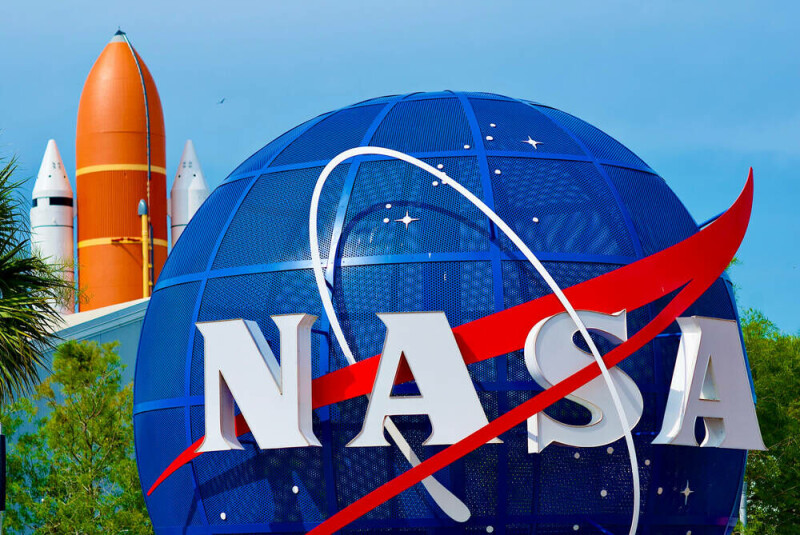
This week marks 15 years since a Space Shuttle last returned from orbit and the end of NASA’s Space Shuttle program.

Space Shuttle Atlantis landed at the Shuttle Landing Facility (SLF) at Kennedy Space Center 15 years ago this week, marking the final mission for the program.

Advertisement

STS-135 was originally designated STS-335, the Launch On Need (LON) mission for the previous STS-134 flight of Space Shuttle Endeavour. LON missions had been a feature of the Space Shuttle program following the Columbia disaster.

If a Space Shuttle was damaged, another could be launched at short notice to rescue the crew. NASA assigned Launch On Need flights separate STS-3xx designations, so the rescue mission for STS-116 was STS-317, STS-117 was STS-318, and so on. There were exceptions (a notable one was the STS-125 Hubble servicing mission, which had STS-400 ready to go if anything went wrong), but the Space Shuttle program should have ended with STS-134.

However, lawmakers and NASA managers opted to make STS-135 the final Space Shuttle mission. There could be no Launch On Need mission waiting in the wings this time around – the Space Shuttle program was being wound down – so the crew would have had to come down from the International Space Station (ISS) aboard Soyuz capsules if Atlantis could not return to Earth safely. There were also only four crew members, a figure not seen since the STS-6 mission of Challenger in 1983.

The crew was commanded by Christopher Ferguson, who would later join Boeing’s Commercial Crew Program and was assigned to (although did not fly) Boeing’s calamity capsule, the Starliner. The pilot for STS-135 was Douglas Hurley, who went on to fly the first crewed test flight of SpaceX’s Crew Dragon in 2020. Rounding out the crew were mission specialists Sandra Magnus and Rex Walheim.

Advertisement

The launch occurred on July 8, 2011, and Atlantis returned from orbit on July 21, bringing the Space Shuttle program to a conclusion.

It wasn’t, however, the end of crewed spaceflight for the US, although the gap that followed was considerably greater than expected or hoped. After the Space Shuttle retired, the US was dependent on Russia for getting its astronauts to and from the ISS. NASA later awarded Commercial Crew contracts to SpaceX and Boeing to restore launches from US soil, but it took SpaceX until 2020 to get the first humans to the outpost, and Boeing until 2024.

The latter’s mission was marked by ignominy due to failures and faults during the mission that meant managers opted to send the capsule back to Earth empty from the ISS and have the Starliner flight test crew return in 2025 aboard a SpaceX vehicle. NASA and Boeing have yet to set a definitive date for when a crew might venture to the ISS once again aboard Starliner.

All of which, 15 years after a Space Shuttle returned from orbit for the last time, has left the US space agency in a bit of a pickle. Instead of depending on the Space Shuttle, the plan was to reduce risk and add redundancy to US capabilities with two providers, but things haven’t worked out that way. To make matters worse, there is uncertainty about how much longer SpaceX will continue to fly the Crew Dragon beyond its contracted missions. The vehicle is reusable, but no more are planned to be manufactured, and SpaceX reckons that each should be good for 15 flights, with some refurbishment.

Advertisement

This should be enough to get through to the end of the ISS program and beyond, but in the longer term an alternative will be required. For SpaceX, this will likely be Starship.

The fate of the Space Shuttles themselves is also not completely set. Atlantis has been staged in a facility at Kennedy Space Center as if in orbit, and the California Science Center has mounted Space Shuttle Endeavour on an external tank and solid rocket boosters, as though ready for launch. The fate of Space Shuttle Discovery is, however, uncertain. Certain lawmakers would very much like to transport the retired orbiter from the Smithsonian’s Steven F. Udvar-Hazy Center in Virginia to Houston, Texas.

For others, well, there’s always a used Orion capsule. ®

Source link

Advertisement
Continue Reading

Tech

Apple targets WWDC 2027 for smart glasses but is still deciding on the camera question

Published

on

TL;DR

Apple is aiming for a WWDC 2027 smart glasses unveil and is debating whether to include a camera amid the privacy backlash Meta created

Apple is currently aiming to unveil its first smart glasses at next June’s Worldwide Developers Conference, with a consumer release by the end of 2027, according to Bloomberg’s Mark Gurman. But the company’s engineering and marketing teams are still wrestling with a question that will define the product: whether its glasses should include a camera at all. The teams developing the device, code-named N50, within Apple’s Vision hardware group see privacy as the top priority, Gurman reported on Saturday.

That caution is a direct response to the backlash Meta created. Meta has sold more than seven million pairs of its Ray-Ban smart glasses, but the product’s camera has become a lightning rod for privacy complaints, with women being secretly filmed in public and Kenyan data workers reporting they were asked to review intimate footage captured by the devices. Apple executives are acutely aware that simply entering the same category risks undermining a privacy reputation the company has spent more than a decade building.

Apple is planning safeguards that go beyond what Meta and Samsung have offered. The company will favour on-device processing, eschew facial recognition, and avoid anything resembling Meta’s proposed “super-sensing” mode, which would continuously analyse a wearer’s surroundings without activating the recording indicator light. Apple also does not plan to follow Meta’s practice of having contractors review footage captured by its glasses, having already dealt with a similar controversy around its Siri voice assistant.

Advertisement

One option Apple executives have debated would include the full camera system but disable photo and video recording entirely, limiting the cameras to feeding visual data into AI tools that identify objects and places. Another prototype eliminates the camera hardware altogether, retaining hands-free Siri access, music playback, and phone calls without any recording capability. Both approaches would sacrifice what has made Meta’s glasses popular: effortless first-person video of holidays, children, and sporting events.

The privacy problem is not theoretical. Apple is entering one of the most important product cycles in its history, with the 20th anniversary iPhone, a second-generation foldable, camera-equipped AirPods, and new Macs all expected in 2027. Courtrooms across New York State have already banned smart glasses, Royal Caribbean has barred them from casinos, restrooms, and children’s areas, and Samsung has called the privacy situation an “industry-shared problem” requiring a collective fix.

The glasses were originally targeted for introduction later this year under the N50 code name, but Apple delayed the timeline partly to refine its privacy message. The company knows from experience that good intentions do not prevent misuse: its AirTags, designed to locate belongings, quickly became associated with stalking. Camera-equipped glasses will inevitably face similar problems, and Apple will likely spend years updating software and working with regulators to address them.

Source link

Advertisement
Continue Reading

Trending

Copyright © 2025