Google Family Link is a free parental control tool built directly into Android that lets you manage your child’s device from your own phone. It covers app approvals, screen time limits, content filters, location sharing, and more — all without installing any third-party software. This guide walks you through every step: from pre-setup requirements to configuring the controls that actually matter after you are linked.
Quick take: Setup takes about ten minutes if both devices are nearby and the child’s Google Account is already created. The most common cause of failure is having multiple Google accounts on the child’s device — Family Link requires the child’s supervised account to be the only account on their phone during setup.
Before you start: what you need
Getting the right pieces in place before you open the app saves time and avoids the most common setup errors.
Device requirements
According to Google’s official Family Link device compatibility page, your child’s Android device needs to run Android 7.0 (Nougat) or higher for full functionality. Devices running Android 5.0 or 6.0 may support some settings but are not fully reliable. Your own device — the parent phone — needs Android 7.0 or higher, or iOS 16 or higher if you use an iPhone.
Advertisement
To check your child’s Android version: open Settings → scroll to the bottom → tap About phone → look for Android version.
Account requirements
You need a Google Account (standard Gmail is fine).
Your child needs a Google Account. If they are under 13, you will create one through the Family Link setup flow — you cannot use a standard account for children under 13 without parental supervision.
The child’s device must have only one Google account signed in at setup time. If there are multiple accounts, Family Link will remove them during the process — a warning you want to see before, not during, setup.
Apps to download
On your phone: Google Family Link (the parent version)
On your child’s phone: Google Family Link for Children & Teens (a separate app)
Both are free on the Google Play Store. Make sure you download the correct version for each device — they are listed separately and serve different functions.
Step 1: Create your child’s Google Account (if they do not have one)
If your child already has a supervised Google Account, skip to Step 2.
Open the Family Link app on your phone and tap Get started. The app will ask whether your child has a Google Account. Select No. You will then be guided through creating a supervised account, which requires:
Your child’s first name (a last name is optional)
Their date of birth — this determines the type of account created and the applicable age rules in your country
A Gmail address for the child (the app will suggest available options)
A password for the child’s account
Your own Google Account password to verify parental consent
Once the account is created, Google will ask you to review the privacy settings and data collection preferences for the account. Read through these carefully — this is where you control whether Google can use personalised ads, activity tracking, and similar settings on your child’s profile.
Step 2: Link the accounts using a code
With both apps open and both devices nearby, the Family Link app on your phone will generate a short linking code. Here is the exact sequence:
Advertisement
On your phone (parent device): open the Family Link app, sign in with your Google Account, select your child’s account, and tap through until you see the linking code screen. Keep this screen visible.
On your child’s phone (child device): open the Family Link for Children & Teens app, sign in with the child’s Google Account, and enter the code shown on your screen when prompted.
Back on your phone: the app will confirm that the devices are linked. Tap Next to proceed to the permissions setup screen.
If the code expires before you enter it, tap Generate new code on the parent device. Codes are valid for a short window.
Step 3: Grant permissions on the child’s device
After the link code is accepted, the child’s device will display a series of permission screens. Keep tapping Allow or Next through all of them — these permissions are what allow Family Link to enforce screen time limits, manage apps, and report activity. Without them, most controls will not work.
You will also be prompted to name the child’s device (useful if you have more than one child or device) and to choose which apps the child can access immediately. You can approve or restrict app access from this screen, but you can also do it later from the Family Link dashboard on your own phone.
Step 4: Configure the controls that matter most
Once linked, most parents open the dashboard and are not sure where to start. Here is a practical order that covers the highest-value settings first.
Screen time limits and Downtime
Go to Screen time in the Family Link app on your phone (this tab was redesigned in Google’s February 2025 Family Link update). You can set a total daily screen time limit, schedule Downtime (when the device locks automatically — useful for bedtime and homework), and view how much time your child spends on each app. These are the controls most families configure first.
Advertisement
School Time
School Time is a dedicated block mode that limits device use to approved apps only during school hours. It was previously available on smartwatches and became available on Android phones and tablets in the same February 2025 update. Set your child’s school schedule once, and the device will automatically restrict access during those hours without you needing to manage it manually each day.
App approvals
Under Controls, you can require your approval for every app your child attempts to download from the Play Store. When your child requests an app, you receive a notification on your phone and can approve or decline with one tap. You can also block specific apps already installed on the device.
Content filters
Family Link applies content filters across Google Search (SafeSearch), Chrome (site filtering), YouTube (supervised or restricted mode), and the Play Store (age-based content ratings). Go to Controls → Content filters to review each one. The default settings are conservative but worth reviewing against your child’s age and needs.
Approved contacts
Following the February 2025 update, parents can now set which contacts their child is allowed to call and text on Android phones. Go to Controls → Contacts to add approved contacts directly from the Family Link app. Your child can request to add new contacts, which you can approve or decline. This is useful for younger children whose device use should be limited to family and close contacts.
Advertisement
Location sharing
Under your child’s profile in the app, you will find a Location section. Tap See location to view the device on a map. Location sharing requires the child’s device to be on with location services enabled and connected to mobile data or Wi-Fi. It does not update in real time continuously; it shows the most recent known location and can be refreshed manually.
Step 5: Review security settings on the child’s device
Before handing the device back, confirm that Google Play Protect is enabled on the child’s phone. It scans installed apps for harmful behaviour and runs automatically in the background. To check: open Play Store → tap your account icon → Play Protect → confirm scanning is on.
Also review which apps have access to the camera, microphone, and location under Settings → Privacy → Permission manager. Remove permissions that do not match an app’s obvious function. This is a good habit to repeat every few months, particularly after new apps are added. For a broader overview of what each permission does, see the guide on understanding Android app permissions on this site.
What happens when your child turns 13
This is the section most setup guides miss, and it changed significantly at the start of 2026. Previously, children could independently disable Family Link supervision once they reached age 13. Google reversed that policy in January 2026 — teens now require explicit parental permission to remove supervision, regardless of age. You will receive a notification when your child is approaching the applicable age and can decide at that point whether to continue supervision or transition to an unsupervised account through a managed conversation.
Advertisement
If you choose to continue supervision for a teenager, it is worth revisiting your content filter and screen time settings. Controls that work well for a nine-year-old often create unnecessary friction for a fourteen-year-old, which can damage the trust that makes monitoring useful in the first place. You can find a more detailed discussion of that transition in the wider guide on legal Android phone monitoring for parents.
Decision framework: Family Link or a third-party app?
Child under 13 using a personal Android device → Family Link is the right default. Free, official, no third-party trust required.
Teenager active on social media with mental health or safety concerns → consider adding Bark alongside Family Link. Bark’s AI content detection covers platforms Family Link does not.
Multiple children across Android and iOS, or a need for detailed per-app time limits → Qustodio covers multi-device families better than Family Link alone.
Want to know more before deciding → the Bark vs Qustodio comparison on this site covers both in detail.
Implementation checklist
Confirm child’s device runs Android 7.0 or higher.
Download the correct Family Link app on both devices (two separate apps).
Remove any additional Google accounts from the child’s device before starting.
Create a supervised child Google Account during setup if the child does not already have one.
Grant all permissions on the child’s device when prompted — do not skip any.
Set Screen Time limits and Downtime schedule immediately after linking.
Configure School Time if the child’s school schedule is consistent.
Enable app approval for Play Store downloads.
Set approved contacts if the child is young enough to benefit from contact restrictions.
Confirm Google Play Protect is active on the child’s device.
Review app permissions on the child’s device before handing it back.
Troubleshooting
The link code is not working
Codes expire quickly. Tap Generate new code on the parent device and re-enter it on the child’s device within a few seconds. Make sure both devices are connected to the internet.
Family Link is installed but controls are not applying
The most common cause is the child’s device being offline. Controls sync when the device has an internet connection. Also check that all permissions were granted during setup — open the child’s Family Link app and look for any incomplete setup warnings.
The child’s device shows a different account is still signed in
Family Link requires the child’s supervised account to be the only Google Account on the device. Go to Settings → Accounts on the child’s phone and remove any additional accounts before relinking.
Location is not updating
Check that location services are enabled on the child’s device (Settings → Location → make sure it is on). Also verify that the Family Link app has location permission under Settings → Apps → Family Link → Permissions.
Advertisement
App approvals are not coming through to the parent device
Check that notifications are enabled for the Family Link app on your own phone (Settings → Apps → Family Link → Notifications). Without notifications, approval requests will pile up unnoticed.
School Time is not locking the device during school hours
Confirm the schedule was saved correctly in the app and that the child’s device time zone matches the schedule you set. Devices in a different time zone will trigger School Time at the wrong local time.
Key takeaways
Family Link is free, built by Google, and integrates at the OS level — it is the most reliable starting point for Android parental controls.
Setup requires two separate apps: one on your phone, one on your child’s phone. Using the wrong app on either device is the most common setup error.
The child’s supervised account must be the only Google Account on their device during setup.
As of January 2026, teens need parental approval to remove supervision — this is a significant change from earlier policy.
School Time, parent-approved contacts, and the redesigned Screen Time tab were all added in the February 2025 update — older setup guides may not mention these.
Family Link works best alongside a conversation about why monitoring is in place. Transparent oversight tends to build better digital habits than hidden controls.
FAQ
Is Google Family Link free?
Yes. Google Family Link is completely free. There is no paid tier or premium version — all features are included at no cost.
Does my child know they are being monitored?
Yes. Family Link is a transparent tool by design. The child’s device displays a supervision indicator, and the child can see which apps are approved or restricted. It is not a hidden monitoring app.
Can I use Family Link if my child already has a Google Account?
Yes, but only if the account was created for a child under 13 through the supervised account creation flow, or if you add supervision to a teen’s existing account. Standard adult Google Accounts cannot be placed under Family Link supervision.
Advertisement
What happens if my child’s phone dies or goes offline?
Screen time limits and Downtime schedules that were already set will continue to apply. However, the parent dashboard will not update with new location data or activity reports until the device reconnects.
Can I use Family Link on an iPhone?
The parent Family Link app supports iOS 16 or higher on the parent’s device. However, Family Link cannot manage an iPhone as the child’s device — it only supervises Android devices and Chromebooks. For iPhone supervision, Apple’s Screen Time is the equivalent built-in tool.
Does Family Link track my child’s location all the time?
Family Link can show you your child’s device location when the device is online and location services are active. It does not continuously stream a live location; instead, it shows the most recent known location and allows you to request a refresh.
Can my child delete the Family Link app?
No. Family Link cannot be uninstalled by the child from a supervised Android device without parental approval. Since January 2026, teenagers also need parental permission to disable supervision from their account settings.
Advertisement
What is the difference between Family Link and Google Play parental controls?
Google Play parental controls only restrict content ratings inside the Play Store itself — they do not cover screen time, location, app usage, web filtering, or the rest of the device. Family Link is the full parental control system that includes Play Store controls alongside all other features. If you only want to restrict what your child can download, Play Store controls alone may be enough; for broader oversight, you need Family Link.
Google I/O is a week away, but Android is getting its own stage first.
The company announced last weed that The Android Show: I/O Edition is returning on Tuesday, May 12, a virtual showcase it says will explain why this is “one of the biggest years for Android yet,” according to Google. The event arrives one week before Google I/O 2026, giving Android its own runway before Google’s broader developer conference turns to AI, Gemini, Chrome and the rest of the company’s sprawling software universe.
Google I/O 2026 runs May 19 to 20 at Shoreline Amphitheatre in Mountain View, California, and online. The company has already framed this year’s event around AI breakthroughs and updates across its major product lines, including Android and Gemini.
Advertisement
It hasn’t said what will be announced during this year’s Android Show. But last year’s I/O Edition wasn’t just a teaser reel. Google used it to introduce Android 16, Wear OS 6, a major Android design refresh, expanded Gemini features across devices and new safety tools meant to protect users from scams and other threats.
That makes this year’s show worth watching even before the main I/O keynote begins. Android has become one of the clearest places where Google’s AI ambitions show up in everyday life: on phones, watches, tablets, cars, TVs and whatever new device category Google pulls into its ecosystem next.
Watch this: Google I/O 2026: New Gemini, Smart Glasses and a Whole New Laptop OS. Here’s What to Expect
How to watch Google’s Android Show
The Android Show: I/O Edition will stream virtually on May 12 through Google’s Android event page and YouTube. Google I/O begins one week later, with the keynote scheduled for May 19 at 10 a.m. PT (1 p.m. ET, 6 p.m. BST).
Advertisement
CNET will be following the event for any Android, Gemini and device-related announcements.
In modern game development and animation, performance and smooth transitions are everything. How smoothly a game works says a lot about its performance. No one wants to play a game that lags. Therefore, an AI sprite sheet generator was introduced to solve this problem. Loading multiple small files for a single animated character sounds simple, but it requires lots of attention. Want to explore some of the best AI sprite sheet generator tools?
Start reading to find the best tool for an AI sprite sheet generator that fulfills your needs and requirements.
What is a Sprite Sheet?
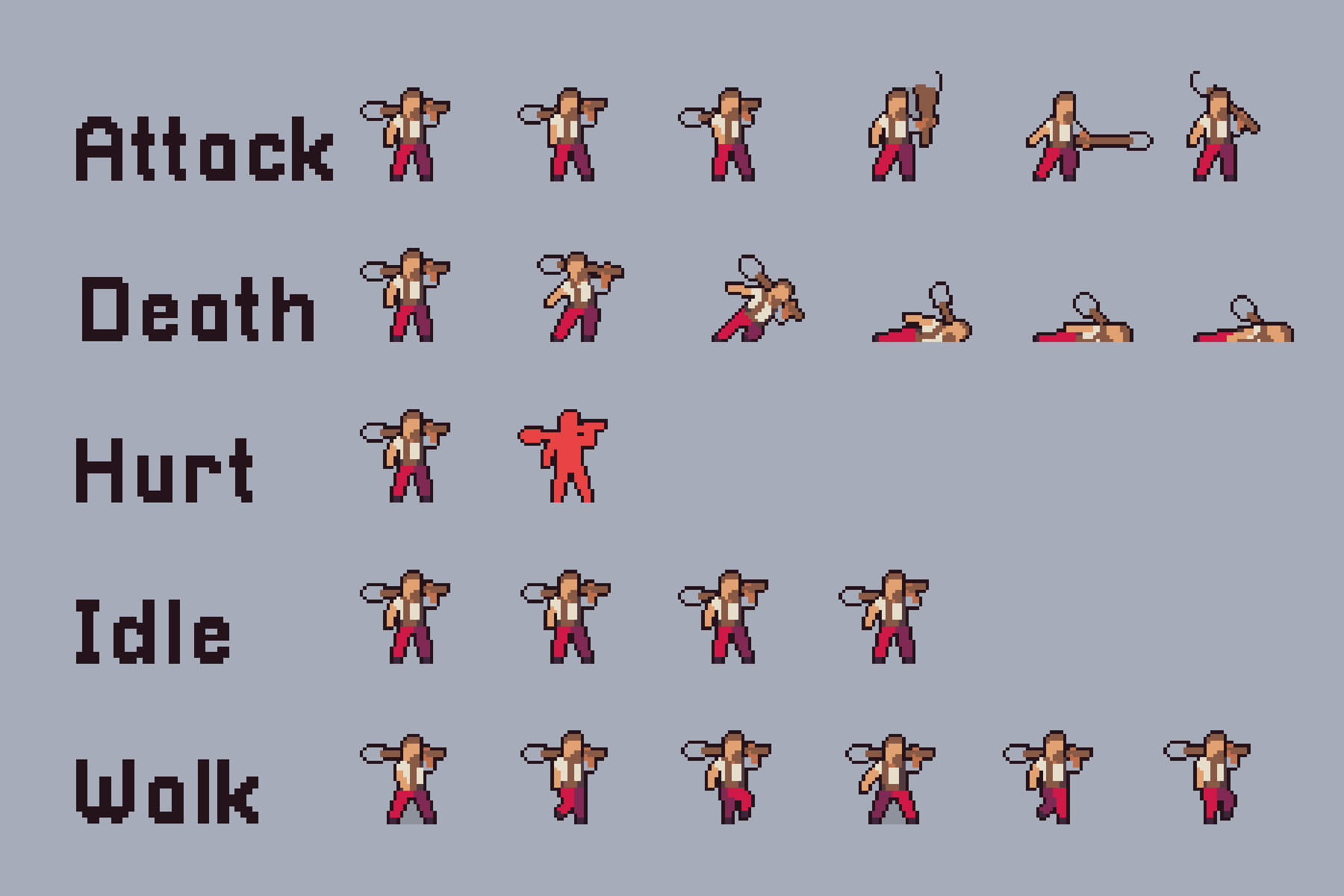
A combination of several smaller images (sprites) to create a single image is called a sprite sheet. It is arranged in a grid-packed layout. It helps in speeding up the loading and closing times. It is mainly used to create game characters and UI icons.
Instead of loading numerous individual image files, developers use a sprite sheet to make the game or application fast and more responsive. Sprite sheet works using separate data files like JSON, XML, or CSS, and maps the name of each sprite to its original coordinates, i.e., X, Y, or Width, Height.
Advertisement
Each of these small graphics represents a character frame, an icon, or an item. Instead of loading several images, the program simply loads this sprite sheet and picks out the part that is needed while displaying or animating a program or game.
Benefits of Sprite Sheet
Sprite sheets are useful in many ways. It increases the performance by managing HTTPS requests and providing faster response times. It also provides storage with better compression and lower VRAM (Video Random Access Memory) usage. Let’s understand the benefits based on performance, memory, animation, and workflow development.
Performance
One file is downloaded instead of several smaller files, which leads to fewer HTTP (Hypertext Transfer Protocol) requests and consequently speeds up the loading time.
With a single sprite sheet, you will only need to bind one texture instead of switching between several sprites.
Storage and Memory
A PNG file with a single header, color palette, and compression is more useful than multiple separate files.
GPU works more efficiently with fewer sprites and more textures, leading to lower usage of VRAM.
With similar pixels across sprites, compression becomes easier.
Animation
Reduces the loading delays as all frames are pre-loaded to eliminate any frame drop delays.
Minimizes the risk of individual frame loading at different leads, giving the same texture to different UV regions.
It works well with shaders and animation systems, reducing the risk of different frames loading at different speeds and times.
Workflow and Development
Increase the workflow by automating frame generation using an AI sprite sheet generator.
Save time on alignment and spacing using a faster process for animation pipelines.
Top 3 Best AI Sprite Sheet Generators
With the growing popularity of AI over the years, many free and paid best AI sprite sheet generators have entered the market. Explore the top 3 AI tools for generating a sprite sheet.
Ludo AI
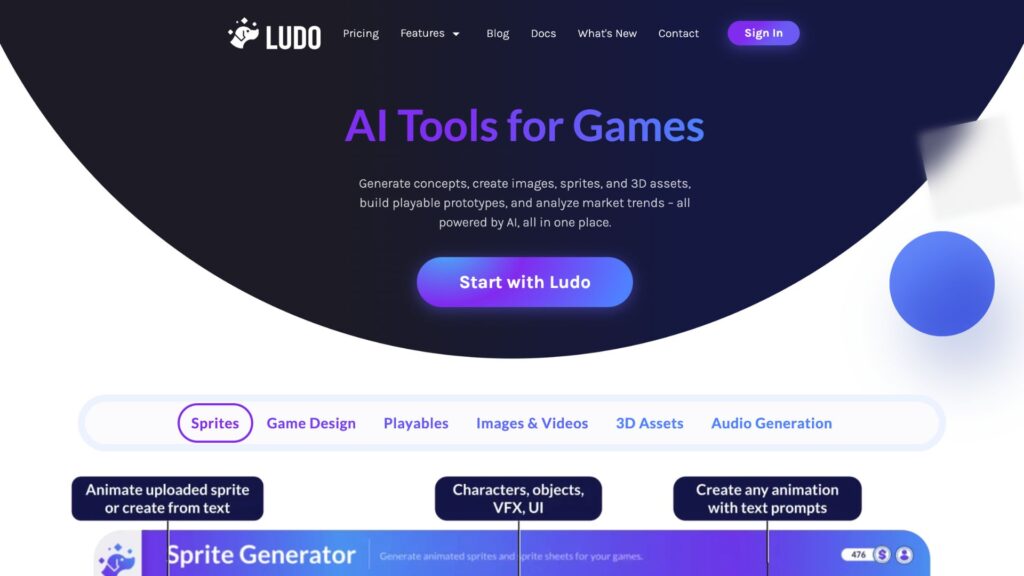
It is a paid sprite sheet generator that comes with several features, including a sprite generator, where you can create characters, objects, and VFX. Apart from that, it also has features for designing games, audio generation, playables, images, videos, and 3D assets. According to its official site, Ludo AI helps in increasing your productivity by 10x using a single platform. These are some of the key features:
Sprite Generator
3D Assets Generator
Game Ideator
Video Generator
Market Scorer
It provides three pricing plans:
Aspect
Indie
Pro
Studio
Pricing
$15/monthly, paid annually
$35/monthly, paid annually
$300/monthly, paid annually
Yearly credits
3,000 credits
12,000 credits
120,000
Projects
5 active projects
Unlimited active projects
Realtime collaboration
For more pricing details, visit the Logo AI official pricing site.
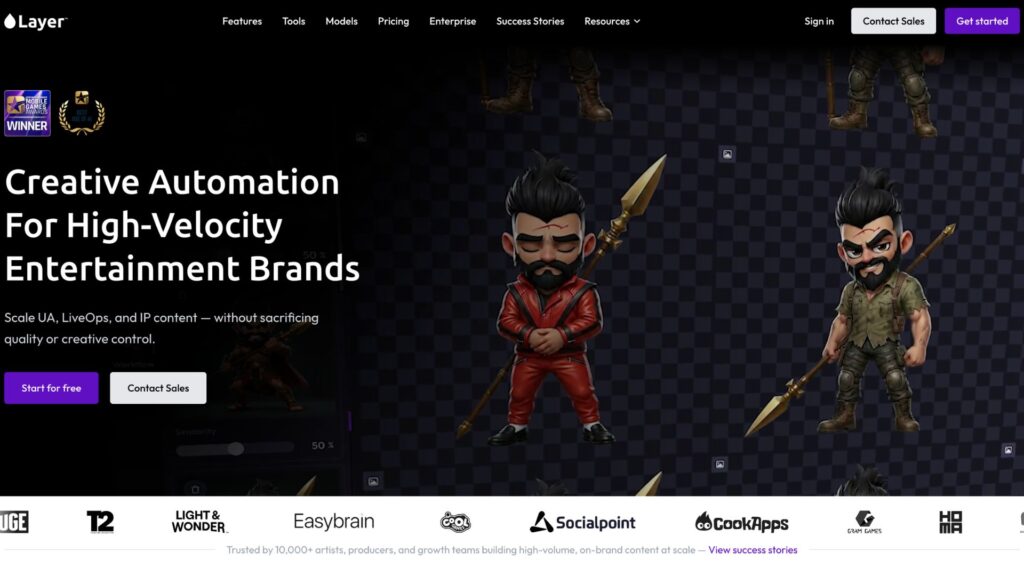
Layer AI
It provides a suite of tools for animation designers. Many popular gaming brands are its clients. Gaming platforms like LBC, Games United, Cosmic Lounge, Ace Games, and more are some of the most recognizable brands of Layer AI. Some of its top features include:
Sprite Sheet Generator
Placing Characters Into a Scene
Animate a Character
Outfit Change
Style transfer to Scene and Items
Image To Sprite
Sketch to Art Style
It is basically an AI animation tool that helps in editing and generating animated characters. It provides 3 flexible subscription plans based on team size
Aspect
Small Studio
Mid-Sized Studio
Enterprise
Price
$60/month
$300.00/month
$10,920.00/month
Team Size
1-10
10-25
More than 25
Images
200 Images
3,450 images
50,000 images
Videos
100 Seconds
220 seconds
10,400 seconds
3D Models
10 Models
25 models
830 models
Audio
300 hours
1325 hours
249,450 hours
Each plan comes with customizable features; you can choose the best fit based on your business needs and requirements. For more details related to its price, visit the official pricing page.
Advertisement
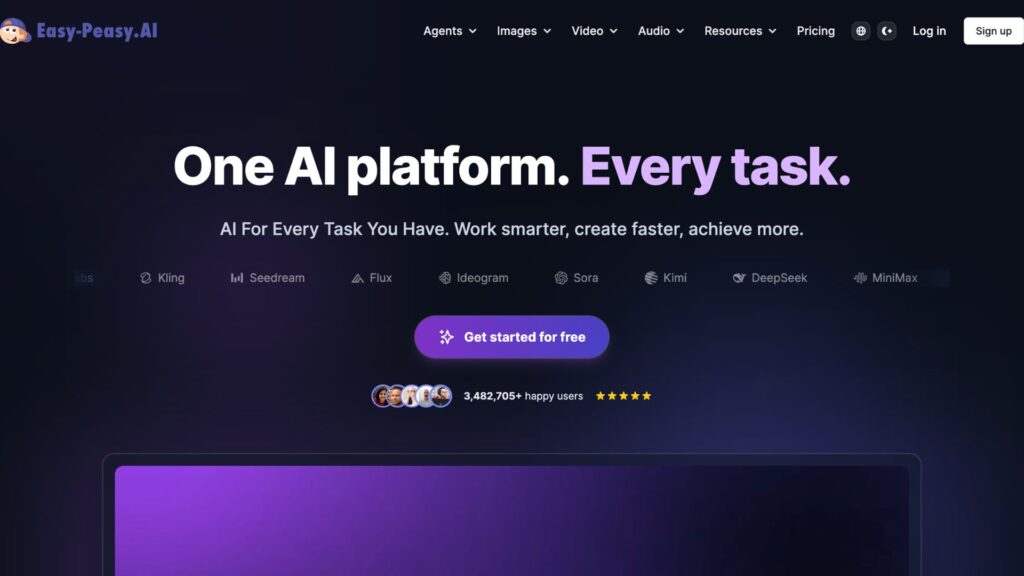
Easy Peasy AI
The tool provides several features needed for creating a sprite sheet. It is an all-in-one tool that helps in creating images, videos, and audio. Some of the key features of Easy Peasy AI are:
Text to Character Generator
Art Prompt Generator
Logo Maker
Sprite Sheet Builder
AI Music Generator
You can try it before purchasing, as it comes with free trials with no credit card required. It has 4 pricing options, including one for a free plan.
Aspect
Free
Starter
Unlimited 50
Unlimited
Price
$0/month
$8/month
$12/month
$16.5/month
Bots
1
2
3
4
Text-to-Speech
1,000 characters
25,000 characters
50,000 characters
75,000 characters
Credits
1 image credit
200 image/video credits
300 image/video credits
400 image/video credits
It provides several features, including 35+ languages available. For more details related to the price, visit the official pricing page of Easy Peasy AI.
Before purchasing an expensive plan, you can try some of the free AI Sprite Sheet Generators tools available. Explore the best free AI sprite generator tools below.
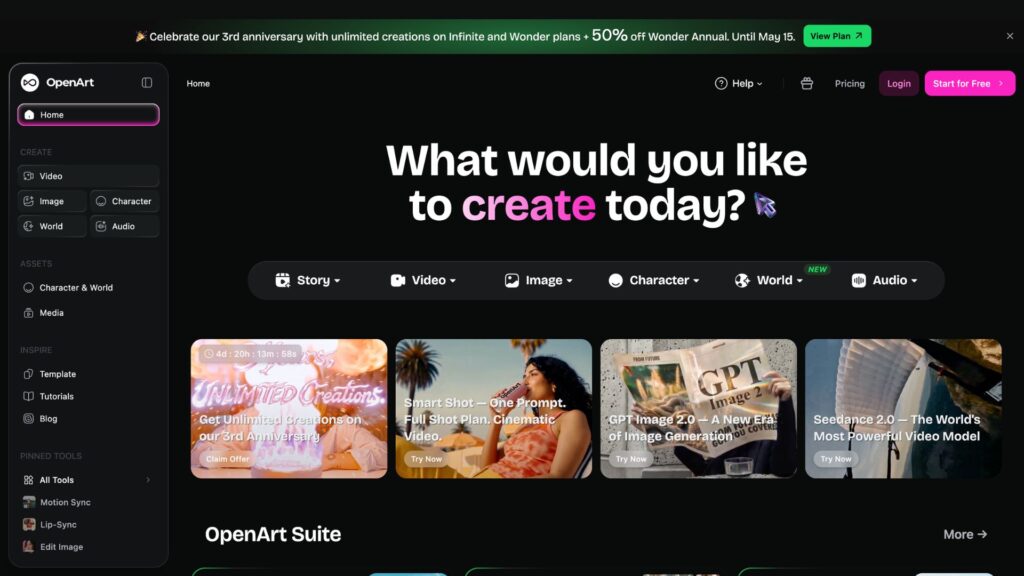
OpenArt
With the help of this tool, you can create characters and visuals, and can also lip sync those characters. You get a one-time 40 credits, which you should use within 7 days from the start date. You need to pay for more credits. Let’s take a look at the pricing overview of OpenArt.
Pricing Plans
Free
Essential
Advanced
Infinite
Credit
40 for 7 days
4000 credits/month
12,000 credits/month
24,000 credits/month
Parallel generations
4
8
16
32
Images
None
4000
12,000
24,000
Videos
None
50
150
300
For more feature-related details, check out its official page.
Advertisement
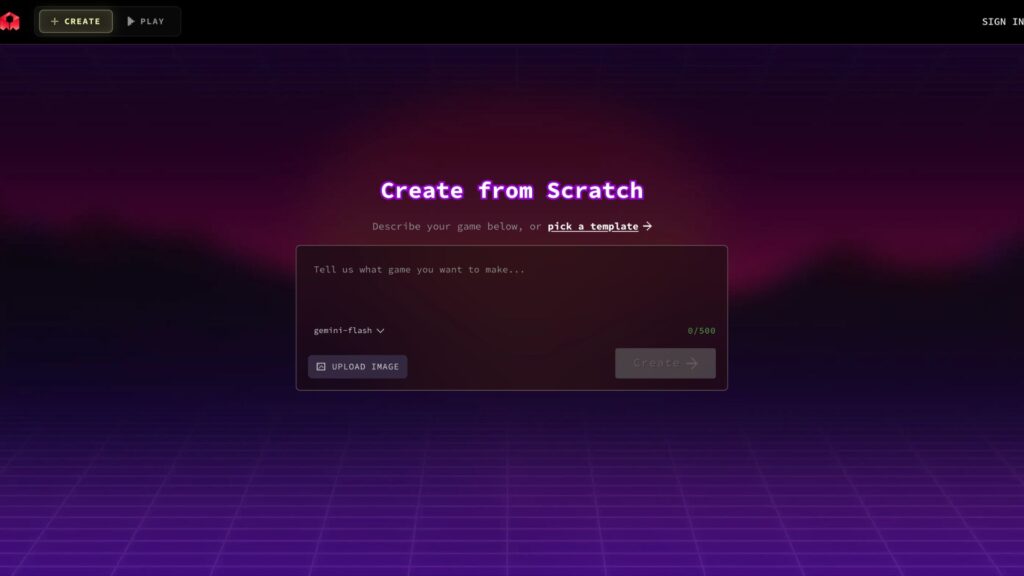
Rosebud AI
With this tool, you can create free sprite sheets for games. It has provided a solution to 2D, which is a time-consuming process of game development. You can create an all-new game using this free AI sprite sheet generator tool. It doesn’t have many features, but it is one of the best free AI sprite sheet generator tools.
It is completely free and doesn’t require any money transactions.
Use Case of Sprite Sheet
Sprite sheets are mainly used by web developers, game developers, graphic designers, UI/UX designers, and pixel art designers.
For game animation: It is useful for making a game character walk, run, and jump within a single sheet. Game developers, pixel artists, and Unity programmers mostly use it for animation.
2D game and tiles: different titles, i.e., ground, wall, and trees, are packed in a single sheet to build maps quickly. Game designers, level designers, and environment artists use sprite sheets to generate 2D games and tiles.
Advertisement
Website buttons and icons: Icons like home, search, settings, and social media icons are shown using a single image with CSS positioning. UI/UX, engineers, and web developers use it for updating and creating websites and apps for a simpler and clearer interface.
Web animation: Web developers, motion designers, and frontend engineers use a sprite sheet to add animated logos or loading spinners. It is done by moving the sprite sheet using CSS for the final result.
How to Create a Sprite Sheet?
Creating a Sprite Sheet is not difficult, especially when using an AI sprite sheet generator. Let’s understand how sprite sheets work, so that you can create your own characters.
Step 1: Prepare images for your desired animation character. Add the type, animation, frame count, and direction. Use frames, e.g., 4,8,12, or 16 for more image placements. At last, mention the side view, isometric view, or top down.
Step 2: Use individual frames: Add multiple images representing the animated steps of the characters. For this process, you can use tools like Aseprite, Adobe Photoshop, or Piskel. (Maintain a uniform style and remember to keep the same canvas size, i.e., 64×64 pixels).
Step 3: Align the frames: Remember! All the frames must have the same height and width. Align all the characters from the same baseline and remove the background to avoid misalignment.
Step 4: Arrange frames into a grid: Place all the frames into one single sprite sheet. Some of the common layouts are horizontal, vertical, and diagonal strips.
Step 5: Use an AI sprite sheet generator to avoid misalignment and save time. Use AI tools like Layer AI or Ludo AI for automatic alignment.
Step 6: Check the final file for exportation: Use a PNG image for better transparency. Grid and packed are the best layouts for gaming characters.
Step 7: Optimize the sprite sheet for performance: Look for empty spaces and remove them. Compress the texture if it is a large file, and convert sprites into one sheet.
Tips to Make an Effective Sprite Sheet
Use similar-sized frames for each animated image.
Add padding and borders to avoid texture bleeding (color leaking from one image to another).
Keep one animation per sheet, for example, walk, run, or still.
Select the right format of image for transparency. (Use PNG)
Add frames tightly to save space and memory in the sprite sheet.
Check every aspect after arranging the images in a named folder.
After months of buildup, end-to-end encrypted RCS messaging has finally made it to iOS, allowing Android and iPhone users to enjoy enhanced security between platforms when texting.
Apple continues to make progress on its end-to-end encrypted (E2EE) RCS messaging, following a few months of testing on iOS 26.4 developer betas. Now, it appears that the feature is ready for larger public testing.
On Monday, Apple announced that E2EE RCS messaging will roll out for iPhone users running iOS 26.5 with a supported carrier, and Android users on the latest version of Google Messages. This means that, provided the aforementioned criteria are met, RCS messages can’t be read while being sent between devices.
Users will see a new lock icon in RCS chats when a message is encrypted. Apple has included a list of participating carriers on a support page.
Advertisement
Apple notes that this is still technically a beta test of the feature, and will likely roll out in phases. Encrypted will be automatically enabled over time for both new and existing RCS conversations.
Apple began testing E2EE RCS messaging in the first iOS 26.4 developer beta in mid-February. Testing was very limited, as it was exclusively for iPhone users with iMessage disabled.
Fortunately, about one week later Apple rolled out the second iOS 26.4 developer beta, allowing Android and iPhones to trade fully encrypted RCS messages for the first time.
Apple initially announced that it would be offering end-to-end encryption to RCS messaging on iOS in March 2025.
An interactive “Sunscore” visualization on Redfin shows the path of sunlight on GeekWire’s offices in Seattle. (Image via Redfin)
What’s it take to be a neighbor with a sunny disposition? Perhaps more sunlight, for starters.
Seattle-based real estate brokerage Redfin launched “Sunscore” on Monday, a new interactive feature that lets home searchers see how much natural light a property receives throughout the day.
The 3D map offers a property-level sun-path visualization, tracking sunlight and the shadows cast by surrounding terrain, buildings and trees. Different times of day and times of the year are analyzed to provide a full picture of potential shadows. Properties are scored 0-100 — the more sunlight, the higher the score.
“We know from customer feedback that sunlight is a priority for house hunters,” said Ariel Dos Santos, Redfin’s chief product and design officer, in a news release. “When you tour a home, you want to see brightly lit spaces with natural light pouring through windows. Sunscore gives home searchers that information upfront in a simple-to-understand way.”
A recent Redfin survey found that nearly 70% of people say the amount of sunlight in their home affects their satisfaction with their living situation, and 11% say it’s non-negotiable when searching for a home.
Advertisement
And the amount of light a home receives isn’t just a mood-booster or an aesthetic factor; the score on property-level sunlight can be also help homeowners measure the potential for solar energy and long-term cost savings.
Sunscore is developed by Austria-based Shadowmap, and the partnership with Redfin-owned Rocket is a U.S. exclusive. The feature is now available on all for-sale homes listed on Redfin.com and will be available on Redfin’s iPhone and Android apps later this year.
Who else is feeling physically sick every time they tune into Half Man? That’s testament to Richard Gadd’s incredible character creation, but my word is Ruben absolutely vile.
As we’re finding out, the show follows brothers Niall (Jamie Bell) and Ruben (Gadd) through 30 years of their lives, exploring the highs and lows of their turbulent relationship. Frankly, “lows” is putting things politely.
Things will probably get worse than what we’ve already seen. But when will Half Manepisode 4 be released on HBO Max and BBC iPlayer?
Advertisement
Latest Videos From
What time can I watch Half Man episode 4 on HBO Max and BBC iPlayer?
Five-year-old European military drone startup Helsing is reportedly close to raising a new $1.2 billion round at about an $18 billion valuation. The round is expected to be led by Dragoneer and co-led by existing Helsing investor Lightspeed, the Financial Times reported.
Helsing last raised just under a year ago, in June 2025, in a deal that was led by billionaire Spotify founder Daniel Ek. That was a €600 million investment at an estimated €12 billion valuation ($14 billion USD). So this new round is a step-up.
While Helsing isn’t the only European unicorn defense tech, it is by far the one that investors deem the most valuable. For instance, German drone maker Quantum Systems raised €180 million in November, which valued it at more than €3 billion. And a year ago, Lisbon-headquartered Tekever raised £400 million at a valuation above £1 billion. Amid Russia’s ongoing war in Ukraine, the proving ground for new technologies, autonomous defense startups have become a hot area for VCs.
Helsing, Dragoneer, and Lightspeed could not be immediately reached for comment.
Starbucks headquarters in Seattle. (GeekWire Photo / Kurt Schlosser)
A new filing with Washington state shows that Starbucks’ recent job cuts will impact 61 tech jobs at its Seattle headquarters. The Seattle Times first reported on this round of layoffs in April, citing an internal message that did not include the number of roles, their location or specific job titles.
The layoffs are the result of “a reorganization of the technology department at the Starbucks Support Center,” the letter states. The cuts take effect between June 20 and Aug. 28.
The Worker Adjustment and Retraining Notification (WARN) letter states that the affected roles include cybersecurity analyst, technical product manager, systems analyst, systems administrator, scrum master and architect. Employees at the director and manager levels are among those being let go.
The tech department shake-up also follows the hiring of Anand Varadarajan as chief technology officer in January. He joined the coffee company after 19 years at Amazon, where he most recently led technology and supply chain for its global grocery business.
Advertisement
In a September filing with the U.S. Securities and Exchange Commission, Starbucks warned that it needed to keep improving its marketing, data analytics and AI tools or risk losing consumer interest and market share.
The tech sector has seen a wave of layoffs in recent months, including cuts in the Pacific Northwest impacting Amazon, Meta, Microsoft, Expedia Group, T-Mobile, Oracle, Zillow and others. Companies generally frame the cuts as a mix of post-pandemic restructuring, tighter cost discipline, and a shift of resources toward AI and other strategic priorities.
Apple’s macOS 26.5 has been released, delivering a quiet update focused on stability, subscription changes, and system-level improvements rather than new user-facing features.
The release arrives without major additions across the interface or built-in apps. macOS Tahoe 26.4, which shipped on March 24, 2026, introduced visible updates across apps and system features, while version 26.5 shifts attention to compatibility and platform work.
Mac users shouldn’t expect a major shift after installing it. Apple uses the release to support new App Store billing options and refine system behavior without changing how macOS works day to day.
macOS 26.5 is build number 25F71.
Advertisement
Maps ads expand to macOS in a broader services push
Apple has expanded ads in Maps to macOS as part of the same rollout across its platforms. Ads now appear at the top of some search results and sit alongside standard listings, which changes how locations are surfaced without altering navigation tools.
Suggested Places also appears in Maps and highlights nearby locations based on trends, recent searches, and local activity. Results no longer rely only on relevance and proximity, as paid placements can influence what appears first.
Apple uses the change to extend its advertising model into local search on the Mac. Ads are clearly labeled and rely on signals like search terms and location instead of user profiles.
App Store subscription changes carry over to macOS
Apple’s new subscription model reaches macOS with the 26.5 release. Developers can offer monthly payments tied to a 12-month commitment in most regions, excluding the United States and Singapore.
Advertisement
Users get pricing that usually matches discounted annual plans without paying for a full year upfront. The model still commits subscribers to 12 monthly payments once a subscription starts, even though the price appears as a monthly plan.
Subscribers can cancel at any time, but service continues until all committed payments are completed. Account settings show completed payments, remaining payments, and renewal timing, which makes the commitment clear over time.
Developers gain a more predictable revenue stream while presenting pricing as a lower monthly cost. Monthly billing doesn’t provide monthly flexibility under this model.
macOS 26.5 focuses on under-the-hood improvements rather than visible changes across the interface or built-in apps. Apple directs the release toward stability, compatibility, and updates that support how apps run and interact with the system.
Advertisement
Safari and core system components receive updates that improve reliability and behavior in everyday use. These changes help reduce bugs and inconsistencies without introducing new features that users can see directly.
macOS 26.5 follows macOS 26.4 as a quieter release with a narrower purpose. Most users will see an incremental update that keeps the Mac current rather than changing how it looks or behaves day to day.
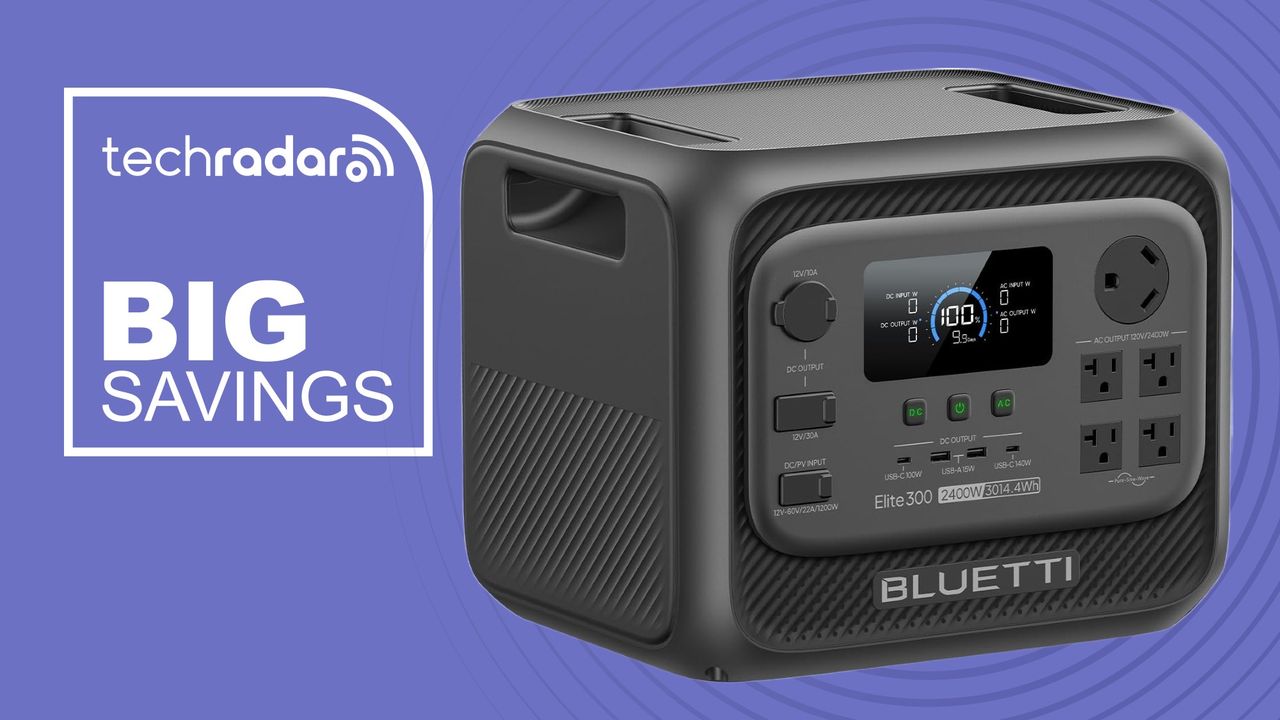
There are some major portable power station deals over at Amazon right now. I’ve selected 7 that are worth exploring, although there’s one truly stand-out deal right now.
The one that really caught my eye is the Bluetti Elite 300 that’s now $1099 (was $1499). That’s a major discount on a heavy-duty unit with a 3014Wh battery capacity. After testing out the Elite 300, we found it “powerful, flexible and impressively rugged.”
Now, we did find it pretty heavy to carry – it’s stretching the definition of ‘portability’ to the limit. But it really impressed us. At the time, we called it “a mobile power solution. Compared to smaller power stations, it opens up entirely new possibilities: cooking proper meals, running tools, and living comfortably off-grid.”
Speaking at Sequoia Capital’s AI Ascent event last May, OpenAI CEO Sam Altman said young people were using ChatGPT like an operating system for life — not just for productivity, but for major personal decisions.
“I mean, that stuff, I think, is all cool and impressive,” Altman said. “And there’s this other thing where, like, they don’t really make life decisions without asking ChatGPT what they should do.”
Advertisement
Latest Videos From
At the time, the comment sounded provocative. A year later, though, ChatGPT has become something closer to a therapist, life coach, confidant, and companion for many of its users. Now OpenAI is building an actual emotional-support infrastructure around the chatbot with a feature called Trusted Contact.
The feature is still rolling out, so Trusted Contact is not available to everybody yet, but to find it, you click or tap on your profile name in ChatGPT, then look in Settings. You can nominate a trusted adult contact, who must accept the role before the feature becomes active.
If ChatGPT’s automated systems detect conversations that may indicate a serious risk of self-harm, the user is warned that their Trusted Contact could be notified and encouraged to reach out themselves first.
Advertisement
A specially trained human review team then assesses the situation before any alert is sent. If reviewers believe there is a genuine safety concern, the Trusted Contact receives a notification by email, text, or in-app alert encouraging them to check in.
Sign up for breaking news, reviews, opinion, top tech deals, and more.
OpenAI says the alerts do not include chat transcripts or detailed conversation history in order to protect user privacy, and you can remove or change your Trusted Contact at any time.
Being contacted by the Trusted Contact feature in ChatGPT on an iPhone. (Image credit: OpenAI)
Advertisement
Reassuring or unsettling?
OpenAI says Trusted Contact was developed with input from mental-health experts, suicide-prevention specialists, and a global network of more than 260 doctors across 60 countries. Taken together with all the parental controls that OpenAI has already introduced and the safety guardrails already in place, Trusted Contact is another sign that the company is acknowledging that ChatGPT is something that can affect users emotionally, not just technologically.
The recent product announcements from OpenAI have really played down the use of ChatGPT as a confident, and emphasised ChatGPT’s productivity focus more, particularly regarding the Codex tool for creating code. Yet at the same time, more and more safety features aimed at ChatGPT users’ emotional well-being are being added.
The idea that we are now being monitored by ChatGPT is also concerning to some. When my colleague Becca Caddy recently interviewed Amy Sutton from Freedom Counselling for an investigation into AI monitoring tools in the workplace, she noted that knowing you’re being monitored by your AI, especially in the workplace, could actually worsen the problem it’s trying to solve. Sutton commented, “With mental health stigmas still rife, AI observation would likely lead to greater efforts to hide evidence of struggles. This could create a dangerous spiral, where the greater our efforts to hide low mood or anxiety, the worse it becomes.”
Whether Trusted Contact feels reassuring or unsettling probably depends on how you already see AI and ChatGPT. But the feature is another example of how AI companies acknowledge that their products are not just tools for productivity and information, but as systems people may increasingly rely on emotionally during some of the most vulnerable moments of their lives.























































You must be logged in to post a comment Login