
Tech
Mac Gaming Takes an Unexpected Turn With the M5 Max MacBook Pro

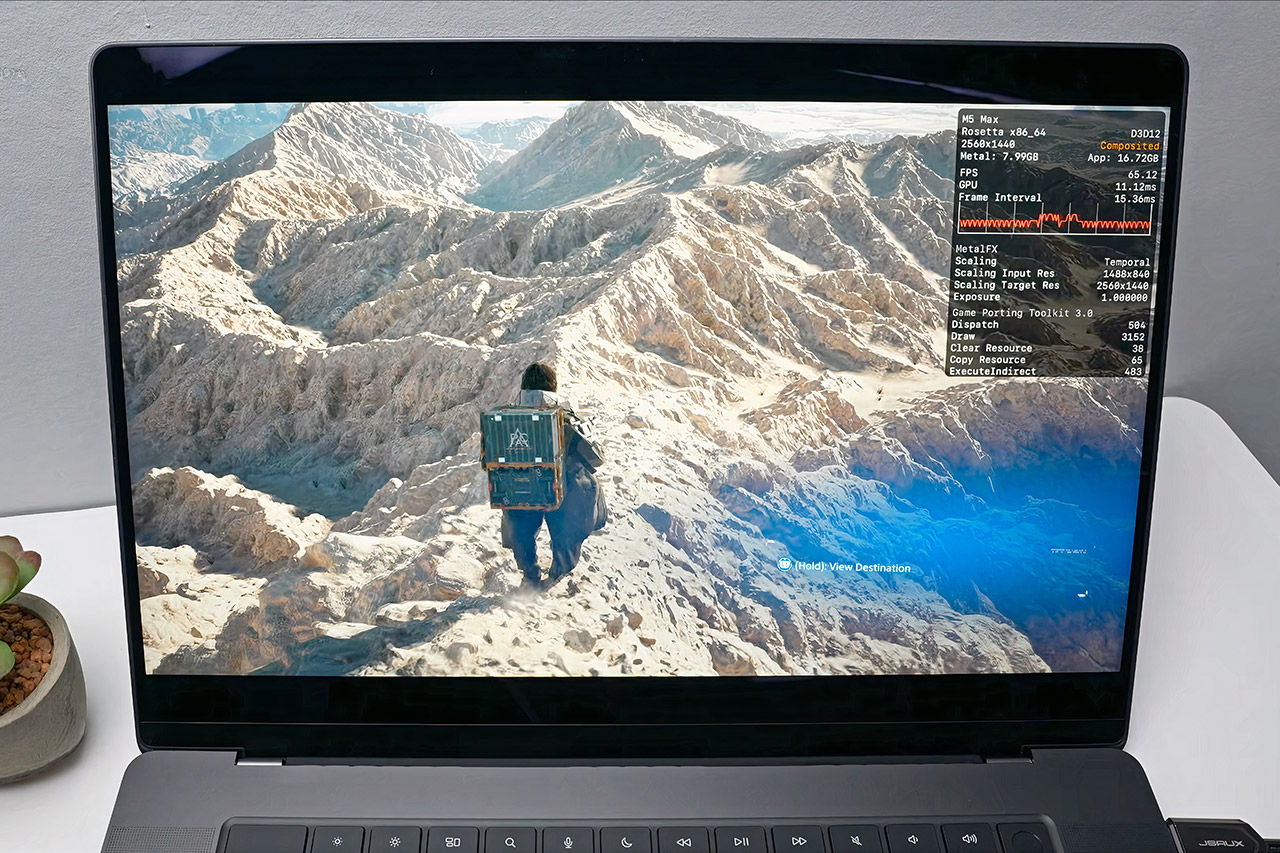
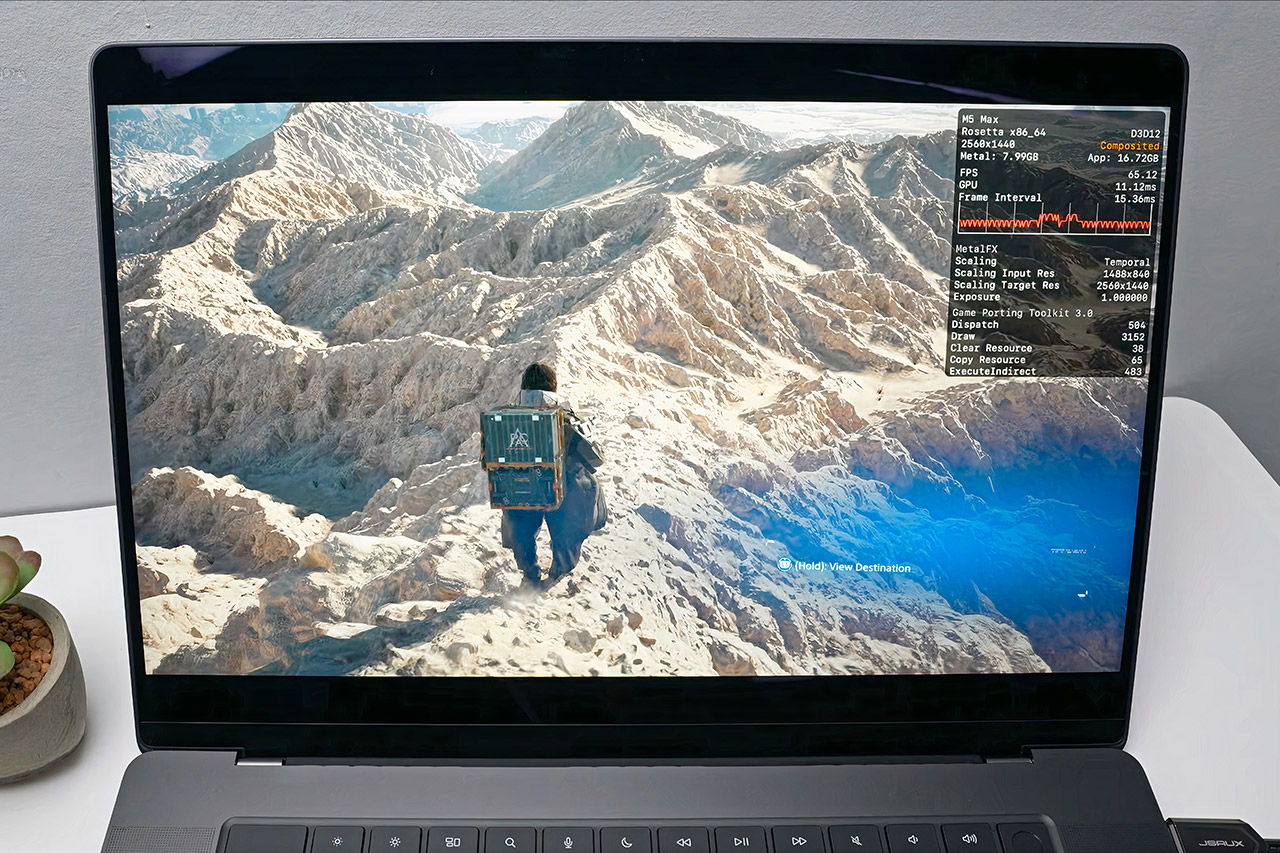
When Apple dropped the M5 Max into the latest MacBook Pro, the obvious question was how far the chip could be pushed beyond the usual creative and productivity workloads. Andrew Tsai decided to find out, loading up 20 Windows games and running them through the CrossOver translation layer. The results were surprising to say the least, with the MacBook delivering solid frame rates in demanding titles that were never designed with Apple silicon in mind.
CrossOver handles the translation work, converting Windows game instructions into something macOS can process and swapping DirectX calls for Metal, with MetalFX upscaling available to sharpen visuals without hitting performance. Tsai ran everything on a fully loaded MacBook Pro with the 40 core GPU version of the M5 Max, 48GB of memory, and 18 CPU cores. Most games were tested at 1440p with a handful pushed to 4K, adjusting settings throughout to keep frame rates as smooth as possible.

Apple 2026 MacBook Pro Laptop with Apple M5 Max chip with 18-core CPU and 32-core GPU: Built for AI…
- FAST RUNS IN THE FAMILY — The 16-inch MacBook Pro with the M5 Pro or M5 Max chip brings next-generation speed and powerful on-device AI to personal…
- BUCKLE UP — Along with a next-generation CPU, faster unified memory, and up to 2x faster SSD storage,* M5 Pro and M5 Max feature a more powerful GPU…
- BUILT FOR AI — Apple silicon, and every major component that powers it, is designed to run demanding on-device AI workloads like LLM inference and…
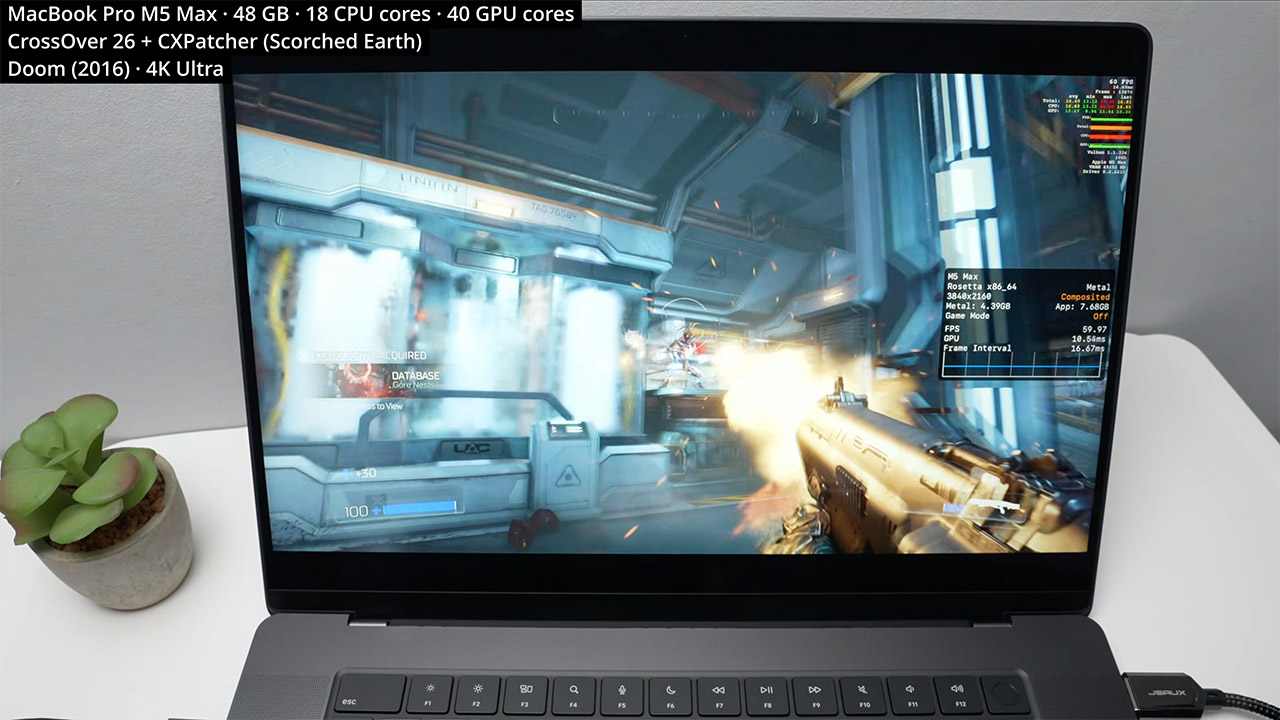
DOOM from 2016 opened the session by running at a locked 60 frames per second in 4K on ultra settings, helped along by a MoltenVK tweak that Tsai found works particularly well on the M5 series. Wolfenstein Youngblood matched that result at 4K with online play running without issue, and Wolfenstein 2 handled maximum detail at 4K just as comfortably. The more demanding titles required a little more work. Death Stranding 2 needed a patch from the CrossOver beta to clear up some water and geometry glitches, but settled into a steady 50 frames per second at 1440p on medium with MetalFX upscaling. Black Myth Wukong pushed past 50 frames per second at the same resolution on medium settings with MetalFX handling 66 percent of the rendering load, and Horizon Forbidden West held a consistent 50 frames per second at 1440p on medium with quality upscaling engaged.
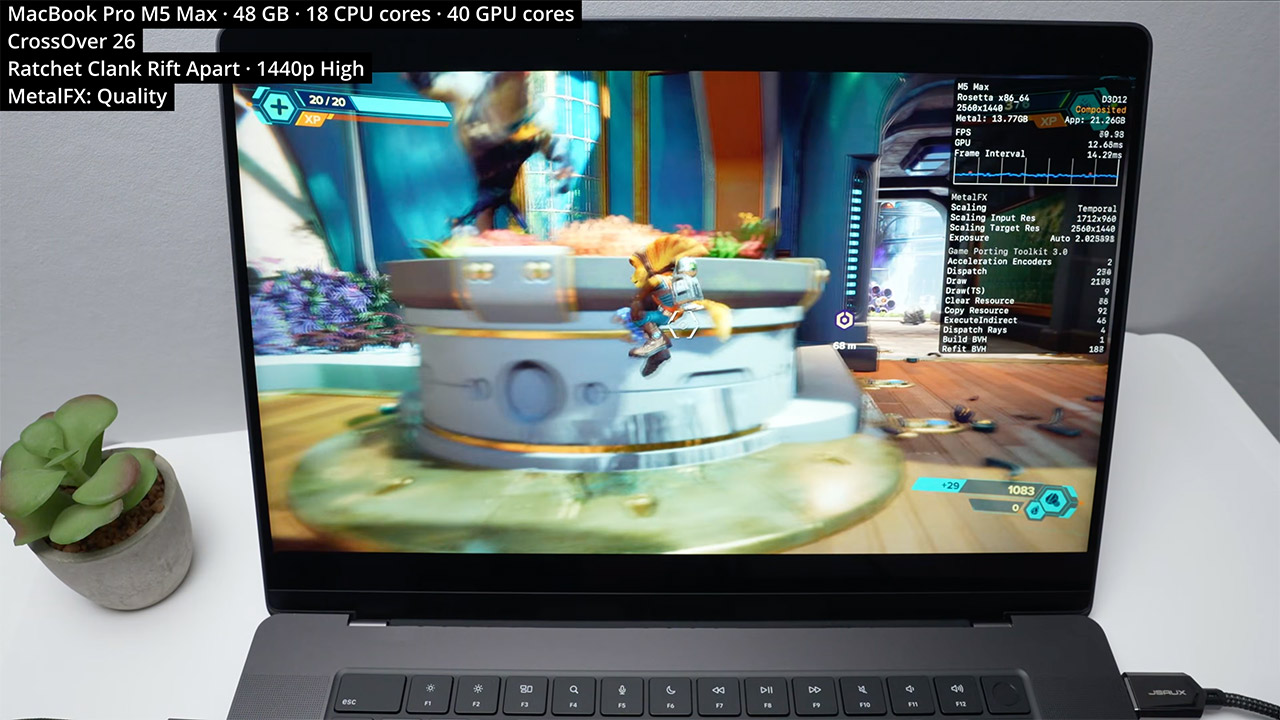
Ratchet and Clank Rift. Apart felt entirely at home, achieving 60 frames per second at 1440p on high with MetalFX quality setting on. Kingdom Come Deliverance 2 was likely the standout performance, exceeding 80 frames per second and reaching 100 at 1440p high while scaling from a lower internal resolution. The rest of the lineup carried the momentum forward. Ready or Not achieved 100 frames per second at 1440p high, with MetalFX handling 80% of the scaling work. Sekiro achieved 60 frames per second on its top setting, and Elden Ring matched it at 4K. Ghost of Tsushima operated at a consistent 70 to 80 frames per second at 1440p high resolution, with quality upscaling from 960p. Final Fantasy 7 Rebirth settled at 52 to 53 frames per second at 1440p low, with temporal anti-aliasing and 66 percent scaling, implying that going to 1080p will smooth things down even more.
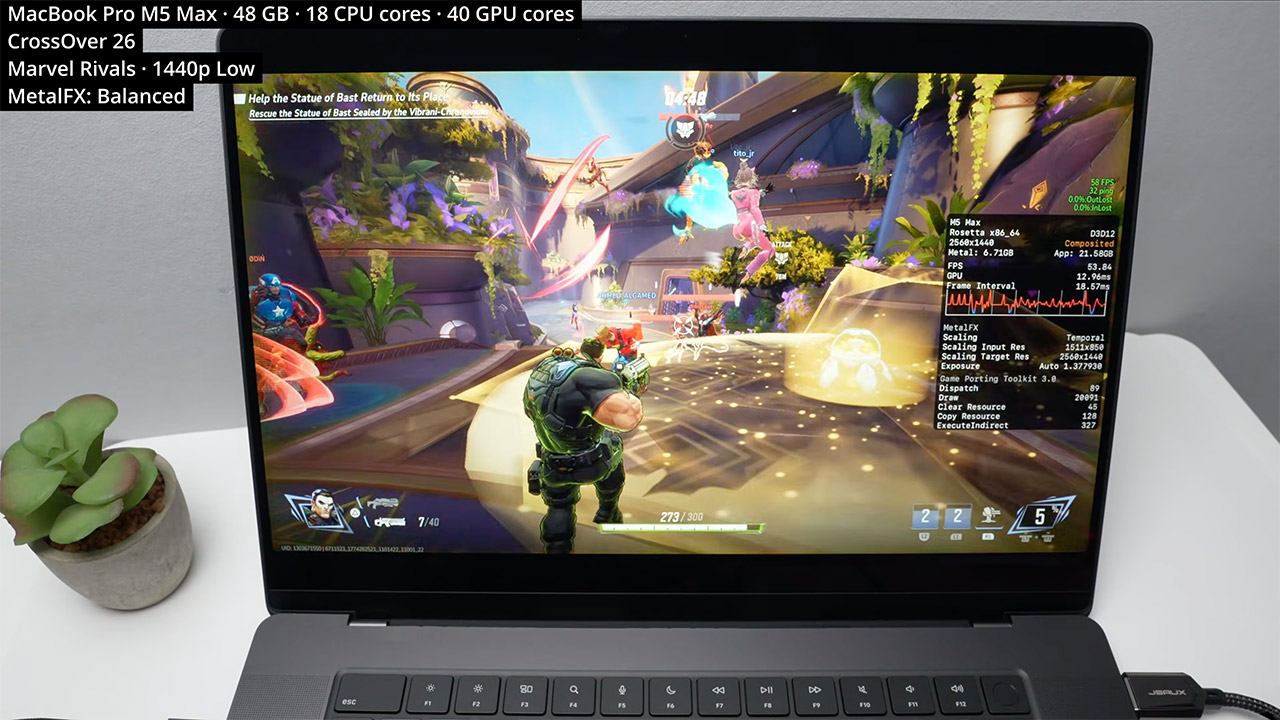
This setup will not replace a high-end Windows gaming rig with a dedicated discrete GPU, but it does make a convincing case for the MacBook Pro’s ability to hold its own when necessary. Creative workers have long relied on these devices for video editing, photo work, and 3D rendering, and now they can now play Windows-only titles on the same gear without having to carry a separate device. Battery life lasts quite well during gaming sessions, thanks to the efficient architecture that keeps power use under control, and connecting external disks or docks is simple, with no surprises on the storage or port front.
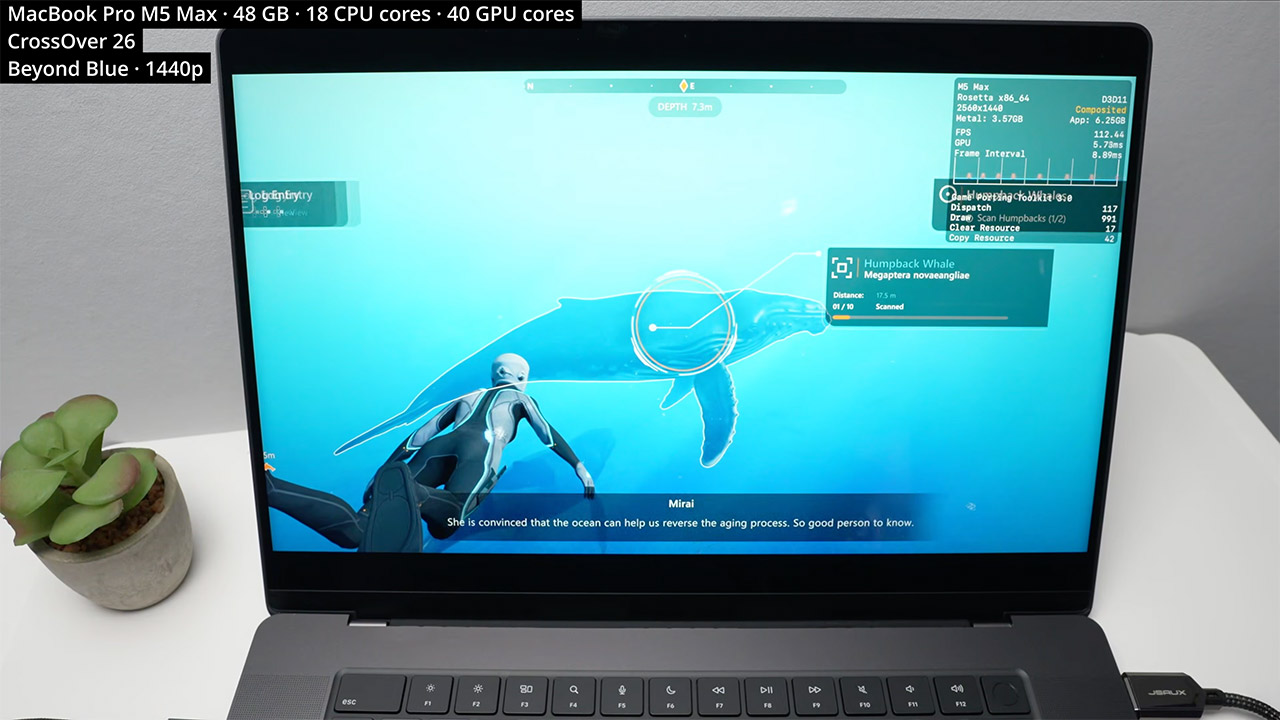
Tsai wrapped up by noting that console emulation is looking increasingly promising on this technology, with the 40 core GPU providing the raw power to tackle demanding scene translation and rendering in real time. For those already using a MacBook Pro with the M5 Max, the takeaway is simple. A substantially wider collection of games is now available on your existing system, with no new hardware required and no complicated workarounds in the way.
[Source]


Samsung might soon make online shopping a little less painful, and a bit cheaper too. A teardown of the latest Samsung Internet build, thanks to Android Authority, reveals a new feature called “Smart shopping”, and it’s exactly what it sounds like.

The browser could soon automatically find and apply coupon codes at checkout, saving users the hassle of hunting for discounts manually. The feature appears to surface available deals, show their validity, and even offer a one-tap option to apply them, making the whole process feel seamless.
How does it actually work?
This is where things get a bit more… interesting. Samsung’s browser would use data like the website you’re visiting, your cart contents, location (via IP), and browsing context to find relevant coupons. The idea is to deliver context-aware discounts in real time, rather than generic coupon suggestions. The folks at Android Authority enabled the settings page for a quick look, though the feature itself wasn’t functional yet. Here’s how it looks:

More importantly, this appears to be an opt-in feature, meaning users can enable or disable it from the browser settings. This feature essentially turns Samsung Internet into a built-in deal assistant, similar to browser extensions like Honey, but without needing extra installs. It’s a small quality-of-life upgrade, but one that could genuinely save users money, especially for frequent online shoppers.
Saving money… but at what cost?
Of course, there’s a catch, because there’s always one. While the idea of automatic coupon hunting sounds great, it relies on the browser accessing your shopping activity, browsing behavior, and contextual data to work effectively. That naturally raises some eyebrows around privacy, even if Samsung says the feature is opt-in and data usage is limited to specific scenarios.
At the end of the day, this isn’t some flashy headline-grabbing feature, but a practical one. And honestly, those are the ones that tend to stick. If Samsung gets the balance right, your browser might soon do more than just load pages. It could quietly save you money in the background.

For the billions of people who rely on corrective glasses every day (including me), smart glasses have always been a slightly awkward conversation. Sure, you can already pick up Ray-Ban Meta frames with your prescription built in, but it looks like Meta has something better in store for us.
According to a Bloomberg report, Meta is working on two new AI glasses designed specifically for prescription wearers rather than treating them as an add-on afterthought. The models could arrive in rectangular and rounded frame styles. Unlike current offerings, they will be sold through conventional prescription eyewear retailers.

Will the new prescription-friendly glasses look any different?
This could be the first time the Meta and Ray-Ban collaboration has directly aimed its vision-corrected crown at the primary audience. However, that is the extent of the information the outlet provides. There’s no word on how the frames might differ physically from the current models.
However, if I were to speculate, it could have something to do with the lens housing, thickness, and the weight of the glasses.
Beyond the hardware, I feel, what would truly make the purported AI glasses prescription-friendly is the ability to talk to any neighbourhood optician and have them work on it. That kind of accessibility could really make the glasses prescription-friendly.

What else do we know about Meta’s upcoming smart glasses?
The Verge separately flagged FCC listings for the purported glasses internally codenamed “Scriber” and “Blazer.” Both are listed as production units, which typically signals a launch isn’t quite far off. A detail that stands out is that Blazer might come in a larger size than Scriber.
Both models should also support Wi-Fi 6 UNII-4 band, something that the current Ray-Ban smart glasses lack. It would open the door to faster data transfer, and perhaps to livestreaming. Anyways, no display is expected on either model.
What’s clear, however, is that Meta is eyeing prescription wearers as the biggest untapped market for its smart glasses.
Compared to other brands, Apple prefers to keep its product catalog quite modest. For several generations now, we’ve had two tiers of laptops to pick from — the budget-friendly MacBook Air or the powerful MacBook Pro. Although previous models of the MacBook Air can often be bought for very attractive prices, the newly-launched MacBook Neo retails at $599 — making it the cheapest laptop Apple has ever released. It cuts some intelligent corners by utilizing the iPhone’s A18 Pro SoC to power the experience. Still, you do get a premium all-aluminum chassis and a bright IPS display.
It’s backed by 8GB of RAM and comes with 256GB of internal SSD storage. This doesn’t sound like much, but benchmarks and reviews by experts in the industry tell a different story. Though you won’t be doing 8K video editing or gaming on it, the Neo is snappy and more than good enough for students or anyone looking for a reliable everyday machine.
The MacBook Neo packs in a 36.5-watt-hour battery, which Apple claims can provide up to 16 hours of video streaming. This roughly translates to around a day of light mixed usage. It can be charged via USB-C using its included 20W charger. As for its battery’s lifespan, Apple rates the Neo to last 1,000 charge cycles. If you manage to consume a full battery cycle per day, that works out to over two and a half years before your MacBook Neo’s battery will likely need to be replaced.
How long will the MacBook Neo last?
To properly grasp the 1,000 charge cycle figure, it helps to first understand how battery cycles work. Your device consumes one full battery cycle when it uses up a total of 100% of its battery capacity. So, if your MacBook Neo is fully charged to 100%, and you use it until it dies, you’d have consumed one cycle. Battery cycles are calculated cumulatively — so if you use 50% of your battery one day, charge it completely, and consume 50% again the day after, it still counts as a full battery cycle.
When you hit 1,000 battery cycles on your MacBook Neo will entirely depend on how much you use it. Heavy everyday use will rack up battery cycles much faster, while lighter usage might stretch your Neo’s battery life to several years. What happens after you hit 1,000 battery cycles? Fortunately, your MacBook won’t magically stop functioning — but it likely won’t last very long away from a charger.
It’s also worth noting that the day-long battery experience you’re probably enjoying right now with your MacBook Neo will start to taper off over time — long before you even hit 1,000 battery cycles. If your MacBook isn’t charging, or you spot a “Service Recommended” notification, it’s the right time to contact Apple for a battery replacement. This usually happens when your battery health dips below 80%.
How to check your MacBook Neo’s battery health
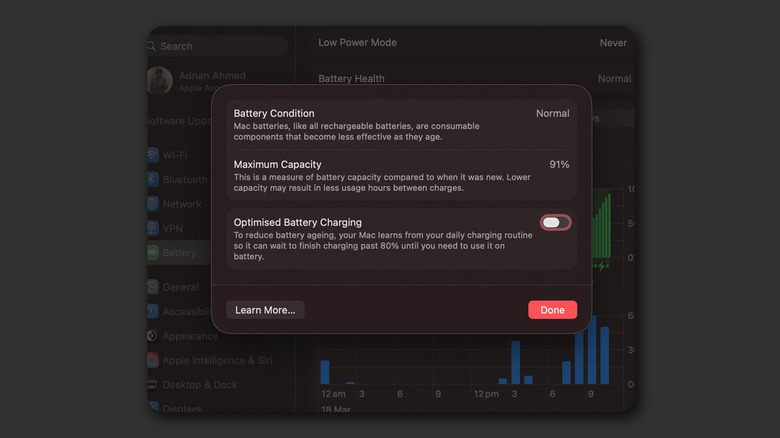
Cycle count and battery health are two separate but closely related metrics. Apple says the MacBook Neo’s battery is considered “consumed” once it reaches 1,000 cycles. However, you are much more likely to dip below the 80% battery health threshold before you hit that number. The same way you can check your iPhone’s battery health, you can also view how well your MacBook Neo’s battery is faring. Launch the System Settings app and navigate to the “Battery” tab. In the “Battery Health” section, click the tiny “i” icon. This will display your MacBook’s maximum battery capacity.
You will also find an “Optimized Battery Charging” toggle here, which learns your charging pattern over time and delays charging past 80% until it predicts you may need a full charge. Your MacBook Neo’s battery health condition will change from “Normal” to “Service Recommended” when the battery’s capacity drops significantly.
You can also view the exact number of cycles your MacBook Neo’s battery has gone through, though this information is buried a bit deeper. Launch the System Settings app and navigate to General > About. Scroll all the way down and click “System Report.” Select the “Power” tab from the sidebar, and you can view the cycle count on the right. You can also note other technical details, including your Mac’s battery health, through this menu.

President Donald Trump may have a tendency to put his name on everything, but his administration decided to go with the more authoritative The White House App for his latest pursuit. Now available on the App Store and Google Play store, the official White House App claims to gives Americans “a direct line to the White House.”
From the press release, the app provides “unfiltered, real-time upgrades straight from the source.” In more practical terms, the White House App is a one-stop shop for official communications from the administration and more. On the app, you can find press releases, livestream announcements and even a photo gallery, along with turning on notifications so you get official communications as soon as they happen.
However, it only takes a few minutes of digging through the app to question its value. The White House App’s News tab features a carousel of about 35 articles that seem suspiciously cherry-picked with articles that favor the Trump administration. In the Affordability window, the app points out year-over-year prices that have dropped for things like eggs, milk and bread, but conveniently omits the recent swell in gas prices.
In the Social tab, there’s a button to “Text President Trump,” which auto-populates a new text with “Greatest President Ever!” before ultimately trying to get you to sign up for a marketing blast. The press release mentioned a way to “send your voice and feedback directly to the Administration” but the app’s functionality doesn’t seem to promote that. Most notably, there’s even a way to submit a tip to Immigration and Customs Enforcement in the app’s Get in Touch section.
While it’s convenient to have all your Trump administration announcements in one place, the White House App is mostly just a portal that ends up opening external websites. Traditionally, official White House accounts on social media platforms are passed on during the transition of presidents. However, it’s hard to say what will happen to the app after Trump leaves office, but one only has to look towards the lasting triumph of TrumpRx, Trump Mobile or even Trump University.
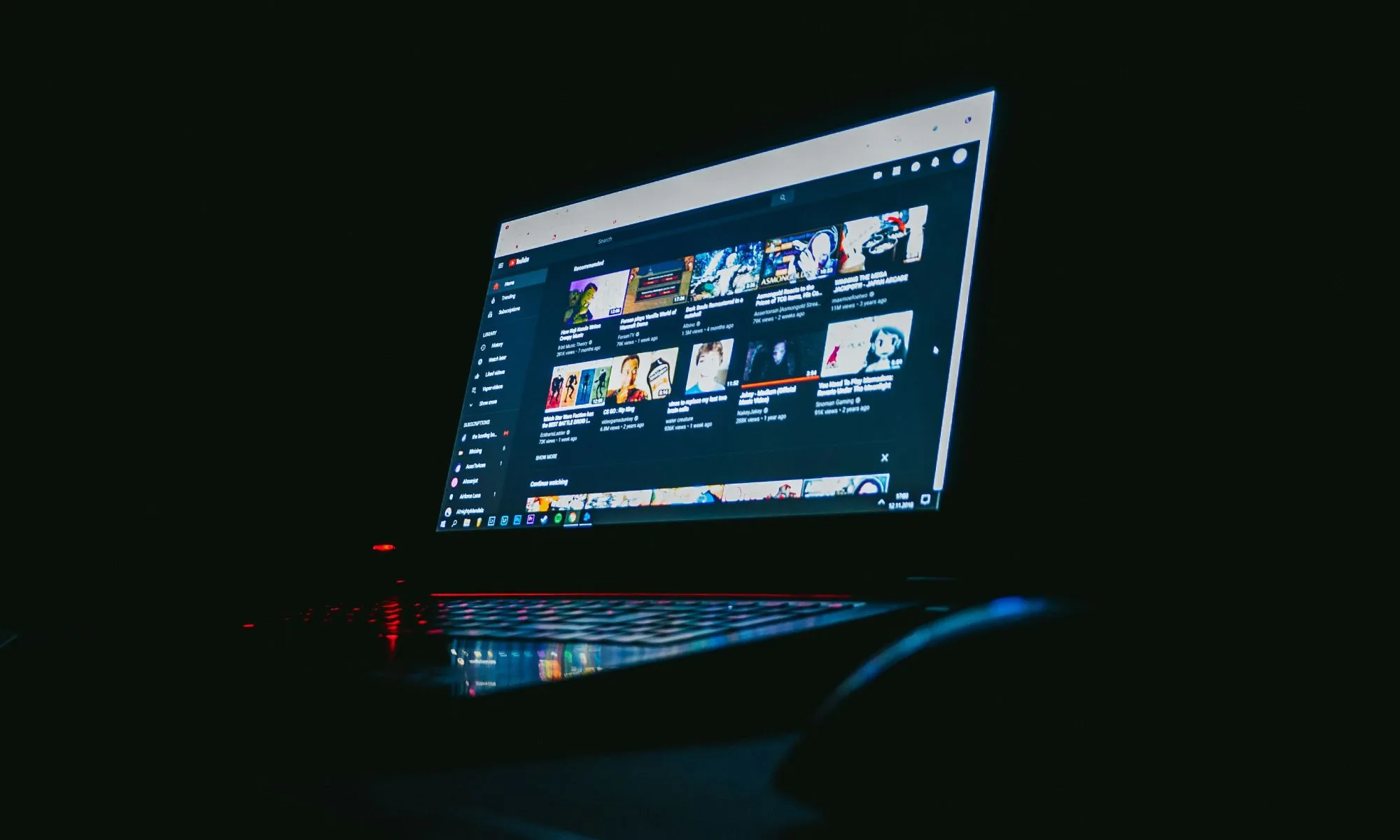
YouTube is in a slightly tricky position right now. On one hand, it’s encouraging creators to use AI tools to make content faster and more easily than ever. On the other hand, it’s also saying it will take action against what it calls “AI slop”, which basically means low-effort, mass-produced videos that don’t offer much value.
That contrast is hard to miss. The platform clearly wants more AI-driven content, but only the kind that feels useful, original, and worth watching, not content that simply fills up space.
So, what are we supposed to take from this?

YouTube CEO, in a NYT video interview, recently said:
A.I. can be a tool to produce amazing content or further democratize content creation, but it can also allow for the creation of lots of low-quality content. There are aspects of it that are not new. The part that’s new is the scale, but the notion of low-quality content, clickbaity content — we’ve been able to deal with that on YouTube. I also think that we have to have a bit of a delicate hand on this. And I would tell you that every day we’re trying to really strike that balance, but we’re very, very focused on making sure that when you open up the YouTube app, it’s not a feed of A.I. slop.
The real challenge, though, isn’t just accepting that low-quality AI content exists. It’s dealing with how much of it there can be. Platforms have always had to handle mediocre content, but AI changes things completely. What once took time and effort can now be created in huge numbers within minutes. An average video is easy to ignore. Thousands of them, uploaded all at once, become much harder to manage.
Those feel-good words don’t hit the same anymore

“Delicate balance” sounds great, doesn’t it? It’s quite reassuring. But when you actually stop and think about it, the question becomes pretty obvious: what does that even look like in practice? On YouTube, it’s easy to call out the obvious stuff. Fully automated videos, robotic voiceovers — sure, that’s AI slop. But what about the grey area? A video where AI writes the script, edits the clips, designs the thumbnail, and a human just sprinkles a bit of polish on top. Is that smart use of tools, or just low effort dressed up nicely? The line isn’t just blurry, it’s practically moving while you’re trying to draw it.
The platform already leans heavily on algorithms to decide what gets seen and what gets buried. But when uploads start pouring in at scale, even the smartest systems can struggle to keep up. AI content doesn’t arrive with a neat little label saying “I’m generated.” In fact, the more convincing it looks, the harder it is to catch. A lot of it isn’t obviously bad, it’s just…good enough. And that “good enough” quickly turns into a flood.
For years, the platform has rewarded volume. Post more, stay consistent, keep the machine fed. That’s how you grow. And guess what fits perfectly into that system? AI. It lets creators, and let’s be honest, content farms, churn out videos at a scale that just wasn’t possible before. So while the platform says it wants to cut down on low-quality content, the way it’s built doesn’t exactly discourage it either.
To be fair, this isn’t YouTube’s first rodeo. It has dealt with spam, clickbait, and every kind of “hack the system” trick in the book. And it has adapted over time. But AI changes the game. What used to be a manageable problem now shows up multiplied. And that’s really where those feel-good promises start to lose their shine. The intention is there, no doubt. But right now, it feels more like a careful statement than a clear plan. Because spotting the problem is the easy part. The real test is whether the platform can actually keep it under control before your feed turns into a fine line of “just good enough” content.
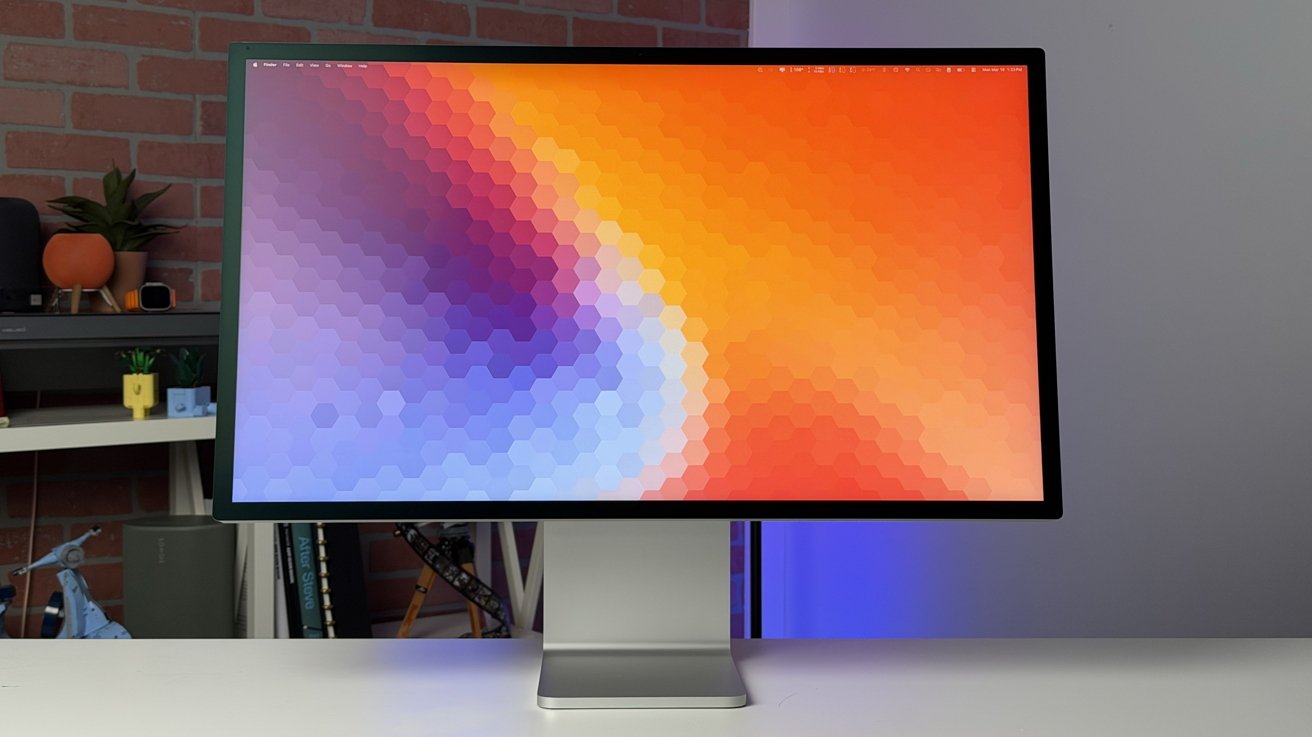
Apple’s new Studio Display XDR is nearly everything I’m looking for in a display, but there are still compromises, particularly in a cross-platform environment.
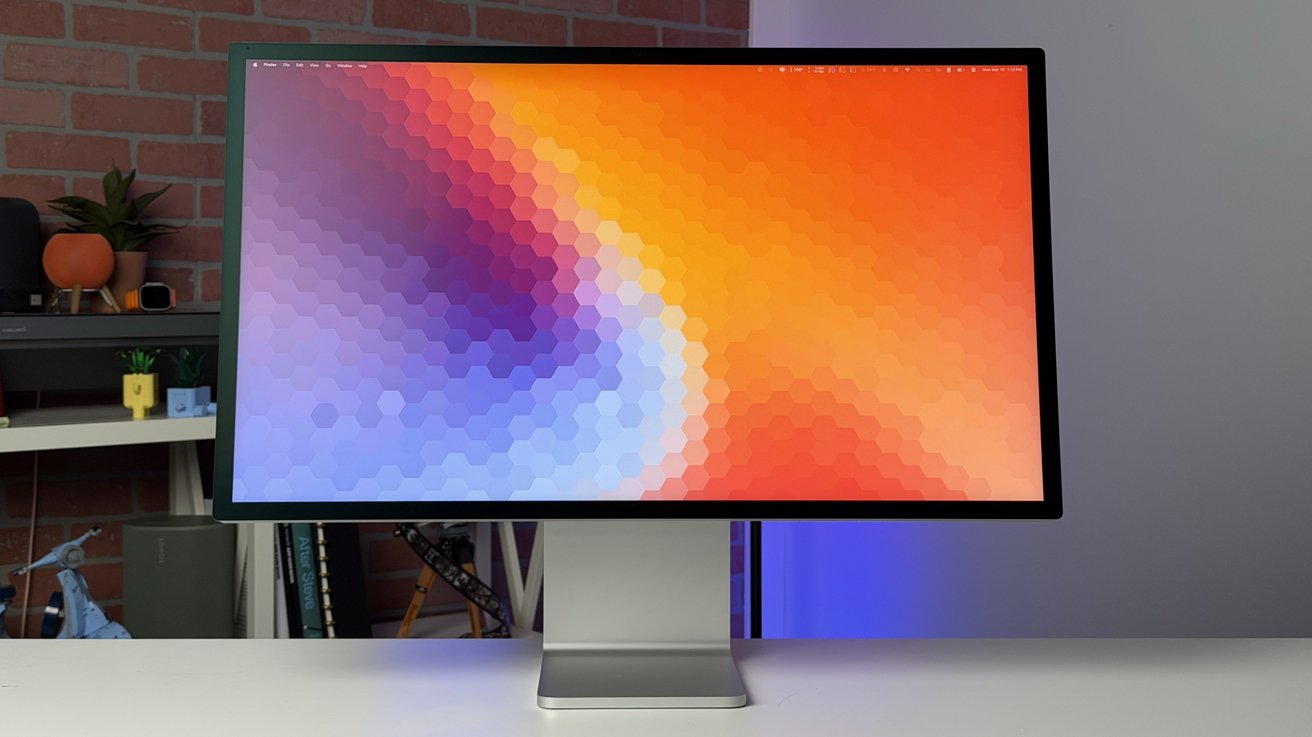
Studio Display XDR review: The Apple monitor for creative pros
The Studio Display XDR is now Apple’s high-end monitor, sitting above the standard Studio Display in Apple’s refreshed 2026 lineup. It’s a 27-inch, 5K, aluminum and glass beauty that’s well-suited for almost any Mac.
For the last four years, I’ve been using Apple’s original Studio Display. This upgrade was just what I’d been looking for.
Continue Reading on AppleInsider | Discuss on our Forums
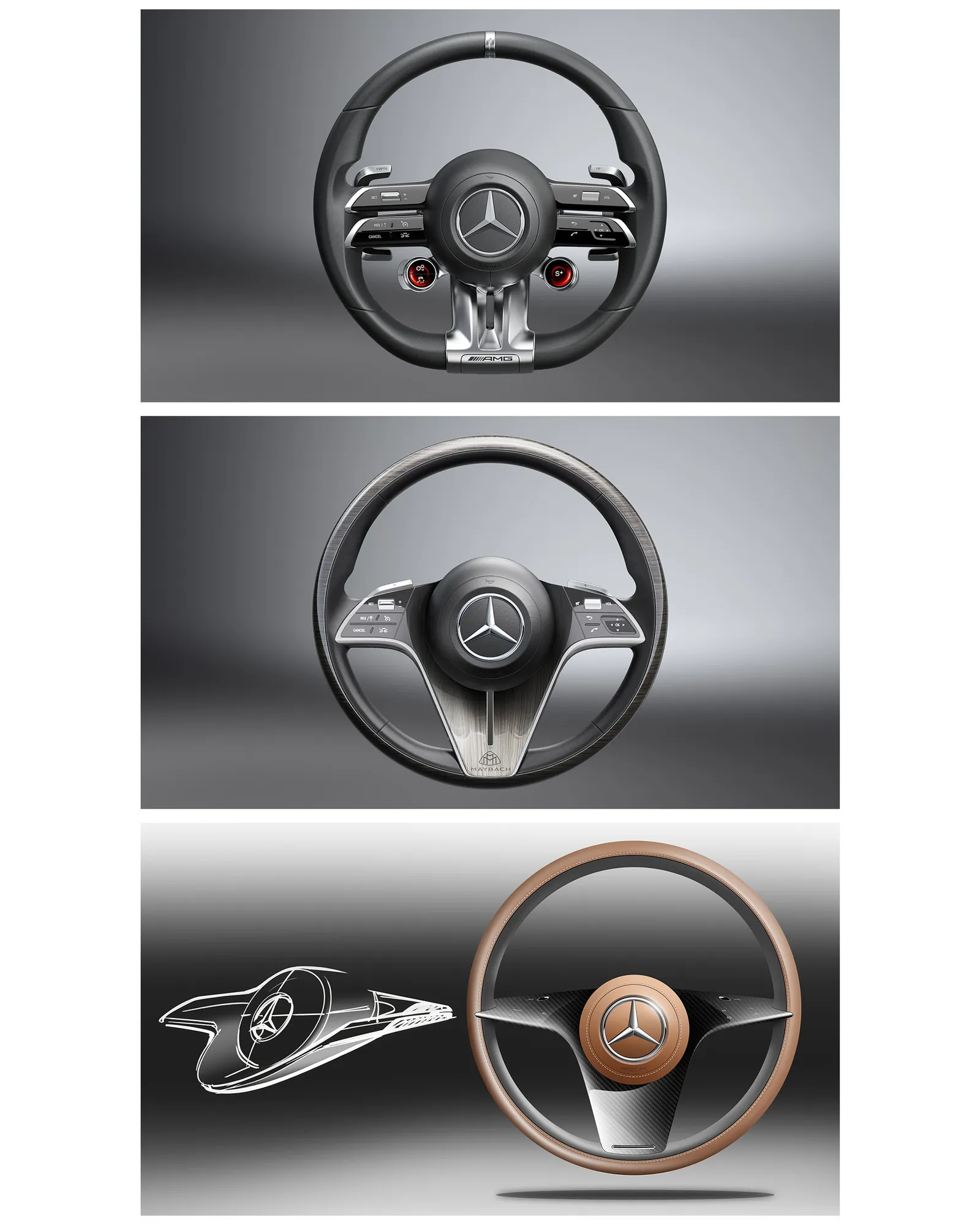
Cars didn’t always have steering wheels. The very first car—the 1885 Benz Patent-Motorwagen, invented by Karl Benz—used a tiller system: a horizontal bar with a handle mounted to a vertical bar. The lever-like handle was similar in many respects to a boat’s rudder. Amazingly, it would be another nine years before French engineer Alfred Vacheron saw sense and fitted the first known steering wheel to his 4-horsepower Panhard for the Paris-Rouen race. Just four years later, in 1898, Panhard made the infinitely preferable and safer steering wheel standard on all its cars. And we’ve been using them ever since.
Hans-Peter Wunderlich is Mercedes’ creative director of interior design. He has been designing steering wheels for 35 years. “I started in 1991 on my first,” he tells me. “A steering wheel is really the most challenging and difficult element to sculpture, to design, to develop in the car.” It is so difficult that Wunderlich has used the wheel as a test on potential recruits.
“When we hire a designer, I have given them the task, after I see a nice portfolio, to draw me a steering wheel,” he says. “The steering wheel is, for me, the proof. Should I hire them or not? If a designer is able to create a perfect steering wheel, even just as a scribble, then they will be a good designer for the total interior of a car.”

It was this challenge, in part, that attracted Ive and his team. “Our starting point was trying to understand the essential nature of the problem to be solved, and that normally means dismissing received wisdom,” Ive tells me. “A car is the aggregation of multiple products, and, in many ways, we’re designing furniture. We’re designing complex and sophisticated input methods. One of the challenges was to try to create cohesion. You don’t get something to be cohesive by a set of rules. That was a wonderful new challenge, and one wrestled with over a number of years.”
For both Ive and Wunderlich, science accompanies the art of design. They talk of the intricacies of the ergonomics, the logic of the switches, factoring in an “exploding element in the center” (the airbag), which is getting more and more complicated, says Wunderlich. “Even the rim is an ergonomic science in itself,” he adds, saying that his team works hand in glove with Mercedes’ in-house ergonomics department on these stages. “It’s almost 50-50. We get requirements data from engineering and ergonomics.”
Spinning Out
Look closely at your steering wheel rim; in cross-section, it won’t be round. Cut it into segments, and each will likely have a different profile, aiming to optimize grip wherever your hands grasp the wheel. Even the padding has to be just right. “It mustn’t be like bone but also not too fat. You need a nice balance,” Wunderlich says. “[It must say] this car is solid, it’s quality, it’s strong, it’s powerful, but it’s not crude.”
“If you hold the wheel on the three and nine o’clock positions, you can carve in with your fingers on the rear of the rim—so you have the hump, the scallop of the rim,” Wunderlich says. “And then we carve into a valley where your fingers could rest. That means your hands can close. You have the feeling you’re holding the car. This is so challenging, because in that area you have such a technical structure to maintain—complex electronics and heating elements. We torture the engineers to keep that area so small so we can sculpt it out.”
Ive tortured Raffaele De Simone, Ferrari’s chief engineer and head development driver. De Simone is sometimes described at the company as “Customer No. 1” because, apparently, no Ferrari road car leaves the factory until he is satisfied with its performance.
We may receive a commission on purchases made from links.
With online outlets like Amazon making it easier than ever to buy electronics from your couch, and even major retailers like Target and Walmart stocking their stores with a wide range of tech offerings, specialty retailers like Best Buy might be seen as obsolete in some corners of the consumer realm. Even as its brick-and-mortar operations are shrinking, the retail chain continues to soldier on, with over 1,000 locations in the United States and Canada, making it one of the last brands standing in the big box electronics arena.
If you’ve been inside an actual Best Buy store in recent years, you know the outlets continue to focus largely on the sale of heavy-hitters like major appliances, televisions, mobile devices, audio equipment, and computers. Gaming gear has, of course, become a big part of what Best Buy is offering to its shoppers these days as well, with the store carrying consoles and accessories fit for even the most hardcore of gamers.
Apart from those standard electronics store standouts, Best Buy has also begun stocking its stores and online outlets with items that are, perhaps, less sought-after by your average consumer. In fact, there are quite a few fun gadgets, big and small, that are now being sold through the retailer. Here are a few you may be surprised to find in stock at Best Buy, either online or in-store.
Ivation Electric Wine Aerator and Dispenser
When one thinks of kitchenware that you’d typically find at Best Buy, things like refrigerators, stoves, blenders, and air fryers are probably the more common items that come to mind. There’s little reason to think anyone would expect to find a gadget in stock that might help them bolster their Oenophilic endeavors on the home front. If, however, you are a wine lover, Ivation’s Electric Wine Aerator and Dispenser would appear to be just such a gadget.
Now, there are undoubtedly a lot of wine lovers out there who would prefer not to leave the delicate process of aerating their vino to such a gadget. If you’re a little more casual about the process, the Ivation device could be an easy way to change the way you aerate and consume your wine. The USB-rechargeable — charging cable included — mounts to the top of most standard wine bottles, and pours wine with the simple press of a button. The aerator function is optional, and can be activated by an On/Off button located at the base of the pouring stem.
The device can reportedly pour up to 30 standard-sized bottles of wine per charge, and is currently selling for $39.99 through Best Buy’s online outlet. Ivation also claims it is dishwasher safe for easy cleaning, and backs up the device’s quality by way of a 1-year warranty for parts and labor. Needless to say, this would make a fun gift for any wine lover in your life.
Pegasus Mini Hover Helmet
From the outside looking in, there would be no particular reason for sports fans to spend much time shopping at Best Buy. After all, even as some sports-related items are currently listed on its online outlet, Best Buy is hardly known for selling much in the way of such equipment. That’s even more true of sports memorabilia, which might be considered fringe at best for an electronics store. Given that fact, you’d surely be surprised to learn you can actually buy team-centric novelty items and even baseball cards through Best Buy online. If you’re looking for a slick way to elevate the way you rep your favorite team, there’s even a gadget or two in stock that can help you do so. That list includes Pegasus’s Mini Hover Helmet, which Best Buy is currently selling for $74.99.
The Hover Helmet’s name is pretty self-explanatory, with Pegasus’s design team utilizing magnetic technology to suspend and display a chrome helmet in mid-air. It may sound complicated, but this is essentially a plug-and-play sort of device that can be put into action with little effort from users. It’s also small enough that it can be displayed without taking up too much space on a tabletop or bookshelf. Unfortunately, it does not look like Best Buy is currently stocking hover helmets for every sports team that uses one. Even still, it appears that there are plenty of NFL and MLB franchises for sports fans to choose from.
Ikarao Karaoke Machine
There are, arguably, two types of people in the world: those who absolutely love taking the mic and belting out their favorite tunes on karaoke night at the local pub, and those who avoid putting on such a public display at all costs. We do, however, have a sneaking suspicion that even some folks in the latter category might still enjoy singing their hearts out behind closed doors. Whether you enjoy kicking out the jams sing-along style with your pals or entirely on your own, a karaoke machine might make a fun addition to your array of fun home entertainment gadgets.
Yes, you can buy a karaoke machine through Best Buy, and for our money, Ikarao’s looks to be one of the best available from the retailer. For the record, at $699.99, Ikarao’s Karaoke Machine is also one of the more expensive units being sold through the retailer. It’s worth noting, though, that it is an all-in-one sort of setup, which includes a speaker, two microphones, and a 13.3-inch high-definition touch screen that should make it easy for performers to read lyrics as they sing. Yes, both the microphone and speaker are fully rechargeable, providing up to 10 hours of playback per charge.
According to customers who have rated the karaoke machine 5 stars overall on its Ikarao product page, that package is second to none in terms of sound quality and overall performance. It also comes backed by a 12-month warranty and lifetime tech support, not to mention six months of free access to KaraFun’s Prime karaoke platform.
Breville Espresso Dosing Funnel
Over the past few decades, coffee culture has become a permanent fixture in the daily lives of many people. So much so that, even as the corner coffee shop remains a great place to hang out and discover your new favorite roast, more and more discerning drinkers have taken to crafting the perfect cup at home by way of a few handy coffee gadgets. As satisfying as that endeavor can be for coffee connoisseurs, they’d likely still tell you that crafting the perfect cup can sometimes get messy. That’s especially true if said cup requires a shot or three of espresso, as grinds can spill out everywhere during the tamping process.
For those who don’t often work with espresso, “tamping” is the process of compressing the ground beans into the handheld portafilter. This is done before attaching it to the espresso machine and processing water through the grounds, and is intended to ensure water distributes evenly through the filter. As you’ve likely surmised, it’s very common for grounds to spill out on the counter during the process. You can, however, prevent such spillage with Breville’s cleverly designed Dosing Funnel, which will help you reduce mess and waste for just $19.95.
The gadget is easy to use too, as it affixes securely to the portafilter prior to the introduction of grounds, and allows easy tamping without worry of spillage. Best Buy shoppers largely rave about the device, with many calling it a “must-have” in their written reviews and others praising the dosing funnel for its overall design and build quality.
Chirp Halo Muscle Stimulator
Working out is not the definition of “fun” for everyone, but plenty of folks get their jollies at the gym or running laps. Some even utilize clever smart fitness gadgets to aid in their workouts. If you count yourself among that crew, you are no doubt well aware that how you ramp down from those workouts can be every bit as important for your body as how you ramp up. Thus it is that many fitness brands are now making gadgets to help in recovery. You might be surprised to find such an item available through Best Buy, but the Chirp Halo Muscle Stimulator is currently selling through the company’s online outlet for $179.99.
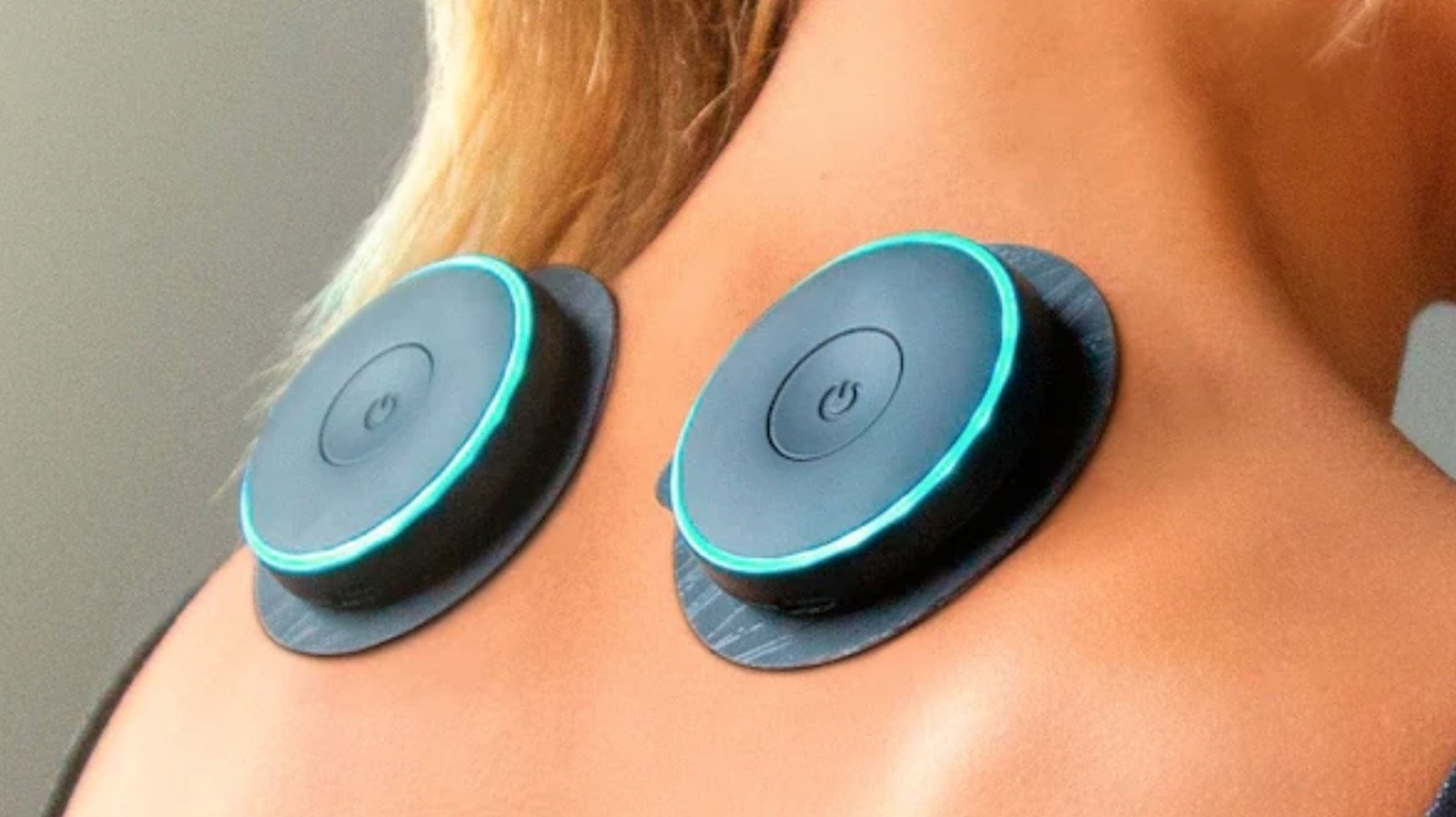
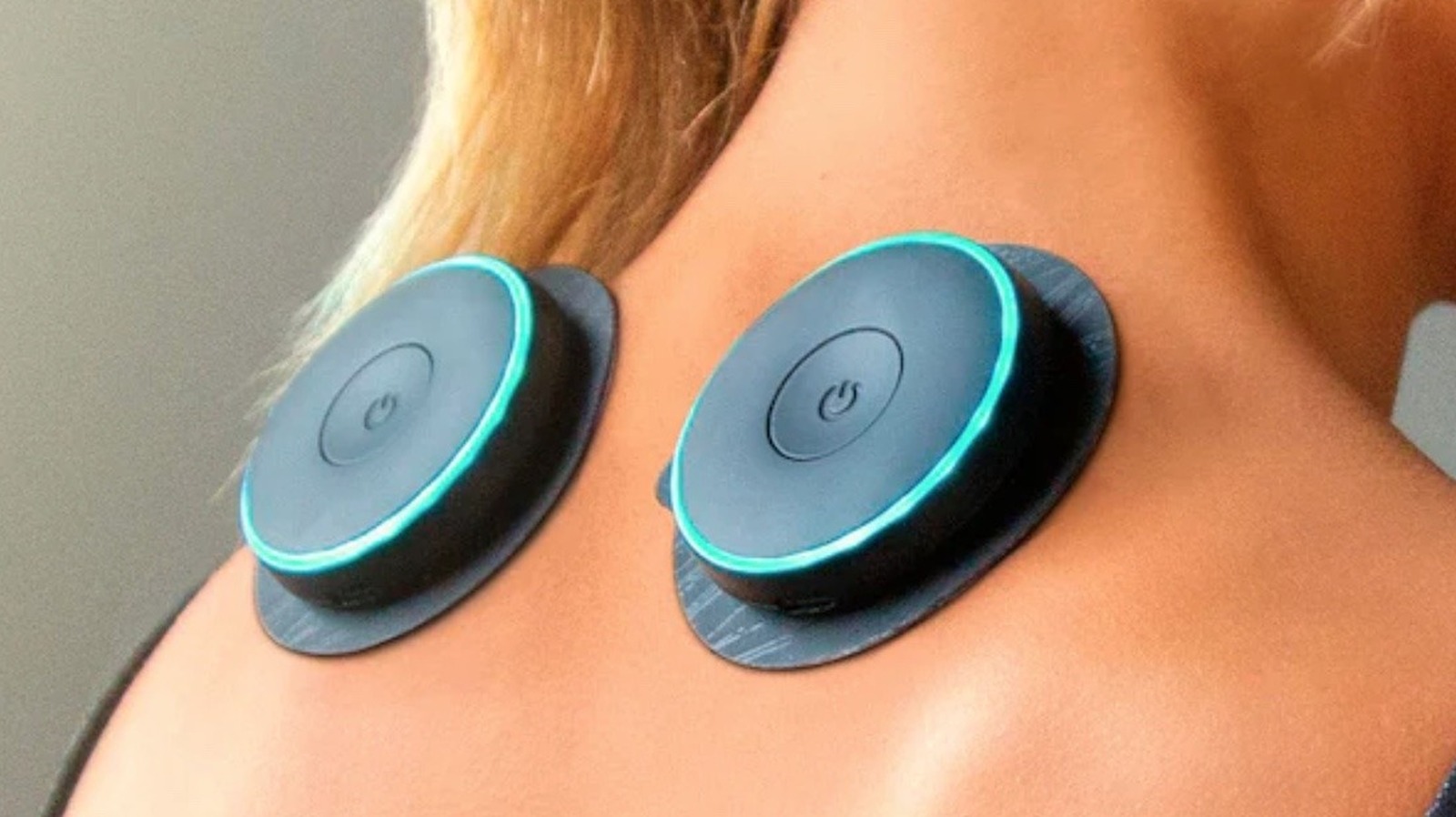
Per Chirp, the device is designed for more than just post-workout recovery and may offer pain relief for users who can’t always get professional help. From the look of things, these muscle stimulators are easy to use as well, with users sticking one of the two included rechargeable wireless “pucks” to sore parts of their bodies. The pucks then stimulate muscles in the region via a method selected through a handheld controller. If you need guidance about where to place those pucks, Chirp offers it through a free-to-download app.
Users are largely pleased with the Halo Muscle Stimulator, rating it at 4.7 stars on its Best Buy page, and praising it for its effectiveness and ease of use. Some, however, believe the battery life may not be quite as robust as Chirp claims. A CNN tester seemingly backed those claims up in their own largely positive review.
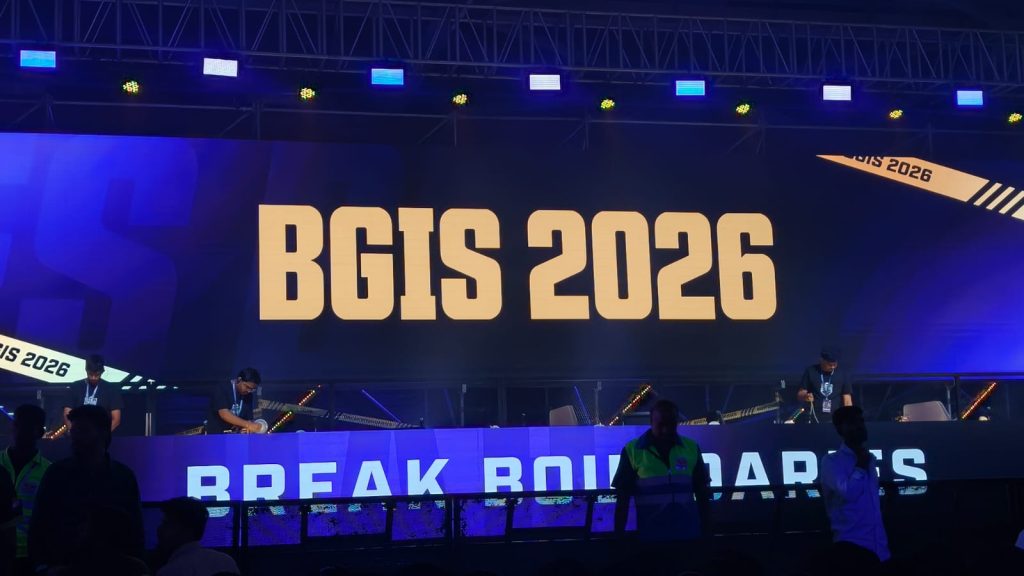
Day 2 of the BGIS Grand Finals was chaotic in the best way possible. A variety of teams got into the top three, but Soul was ultimately the one left without a challenge. Genesis also showcased some of the best assault gameplay. They ranked second without winning a single game. Here’s everything that happened on the second day of the BGIS Grand Finals 2026.
Match 7 & 8: OG Bounce Back, Genesis Go Ruthless
The day kicked off with instant action. Nebula was put under heavy pressure early and lost three players quickly to Team Tamilas. OG, on the other hand, came out firing with five finishes within the first circle itself. LEFP was the first team to be wiped out after getting caught in a crossfire while rotating into the zone. K9 followed soon after, continuing their rough tournament run.
Soul looked strong early with 7 kills, but were surprisingly eliminated early by VE, missing out on position points. WF and RNTX also fell quickly, while GodLike couldn’t get going and was eliminated with just a single point. That opened the door for OG, MYTH, and VS. MYTH were taken out first by OG, and from there, OG sealed the deal with a much-needed chicken dinner.
The second match started with MYTH getting caught off guard by Genesis, who carried forward their momentum from Day 1. RGE and NINZ were the first teams to go, followed by VE in a shocking early exit. NBE’s struggles continued, and GodLike once again had a middling outing.
But the story of this match was Genesis. They were relentless, picking up 15 kills and dominating the lobby. In the final moments, it came down to Genesis, LEFP, and WF. Genesis had the zone disadvantage and were taken out by LEFP, but WF—who had zero kills until then—stepped up and wiped LEFP to steal the chicken dinner.
Match 9 & 10: Chaos, Upsets, and Early Exits
The third match had chaos written all over it. MYTH was dismantled early by multiple teams and eventually finished by Genesis. OG, coming off a chicken dinner, had a shocking exit after losing a straightforward 4v1 against LEFP.
One of the biggest moments was GodLike taking down VS in a bold play that got the crowd going. The final zone was insane, with Soul, GodLike, and NIMZ playing some of the best BGMI we’ve seen so far. GodLike were taken out first thanks to NIMZ’s grenades, followed by Soul, who were down to a single player.
The fourth match began cautiously, with teams playing it safe for position points. MYTH got things rolling by picking off WF players, eventually eliminating them. Soul tried an aggressive push but lost two players in the process. Genesis’ early exit from a shack was one of the biggest surprises. Nebula, OG, and GodLike were also eliminated quickly, with Revenant Xspark playing a key role in third-party fights. Soul was eventually taken out in 7th place due to the playzone.
Match 11 & 12: Nebula Comeback, Soul Finish Strong
The fifth match started explosively, with LEFP losing three players to VE in a drop clash. TT and NINZ both found themselves in messy fights and were left with just one player each. WELT was the first full team to go after a fight involving K9 and a GodLike third party. WF, LEFP, and VS followed, while K9 made a major blunder and was eliminated without scoring. Genesis crossed the 100-point mark in this game, but the real story was Nebula. After a rough run, they finally showed what they were capable of—securing a chicken dinner with over 10 kills.
The final match of the day had everything. LEFP started strong by wiping WF without losing a player. K9 tried to bounce back by taking down VS, but couldn’t sustain momentum and was eliminated early. A chaotic mid-game fight between Nebula, RNTX, Genesis, and MYTH saw multiple teams getting wiped out. Genesis was regrouping when Soul third-partied and eliminated them. GodLike once again fell early, and Soul found themselves in a strong position heading into the final zones. The final fight took place in a church compound, with five teams battling for control. But the zone shifted away, forcing everyone into the open.
In the end, it came down to Soul, LEFP, and OG. LEFP were bombarded with grenades, OG were eliminated, and Soul closed it out to secure their first chicken dinner of the day. For the full standings, click here.
After a relatively quiet few months, Amazon is bringing back another of its famously invented shopping holidays. The Amazon Spring Sale is in its third year, running now through March 31. Like during last year’s event, Amazon is promising customers thousands of deals across various daily, themed categories.
Of course, as we’ve seen in the past with Prime Day, Black Friday, and Cyber Monday, the true discounts on good products will likely be buried among junk deals on shoddy wares. The WIRED Reviews team tests gear all year long, and we fact-checked discounts on the products we actively recommend to our friends, family, and readers. We’ve highlighted the best deals from the Amazon Spring Sale below.
Be sure to check out our other deals coverage for vacuum discounts, smart bird feeders, and more.
Updated March 27, 2026: We’ve added additional deals, removed expired discounts, and checked for accuracy throughout.
WIRED Featured Deals:

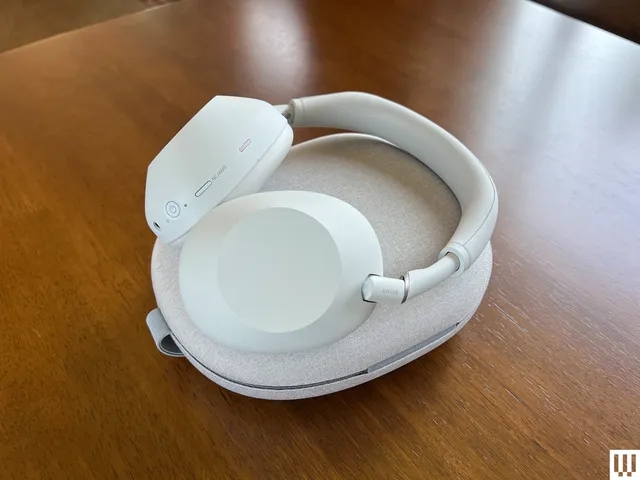
Our audiophile reviewers test more headphones than anyone would deem sane or necessary. The Sony WH-1000XM6 are the pair they’ve declared the best wireless headphones of all, with “the best noise reduction on Earth.” You’ll also get 30 hours of battery life, multipoint Bluetooth pairing, folding ear cups and a travel case, sparkling and clear sound, and fabulous controls. They’re nearly perfect. When they’re not on sale for this price, they’re selling for the full MSRP. If you’re in the market, now is the time—or, if you’re not ready right now, wait until the next time they’re on sale for this price.

79 Years Later, One of the Best Noir Thrillers Ever Debuts on a New Streamer

Strictly Come Dancing’s Michelle Tsiakkas seeking therapy after being ‘axed from show in 30 minutes’

Cut taxes on energy bills before giving bailouts, Badenoch says


-
 NewsBeat4 days ago
Manchester United reach agreement with Casemiro over contract clause amid transfer speculation
-

 News Videos3 days ago
Parliament publishes latest register of MPs’ financial interests
-

 Sports6 days ago
Remo Stars and Kano Pillars Strengthen Survival Hopes in NPFL
-

 Sports6 days ago
Gary Kirsten Accuses Pakistan Cricket Board Of ‘Interference’, Mohsin Naqvi Responds
-

 Business7 days ago
No Winner in March 21 Drawing as Prize Rolls to $133 Million for Next
-

 Tech7 days ago
Give Your Phone a Huge (and Free) Upgrade by Switching to Another Keyboard
-

 Tech7 days ago
AI enters the chat: New Seattle dating app relies on tech to facilitate meaningful human connections
-

 Business3 days ago
Instagram, YouTube Found Responsible for Teen’s Mental Health Struggle in Historic Ruling
-

 News Videos6 days ago
Ch 9 Financial Management Part 1 | Detailed One Shot | Class 12 Business Studies Boards 2026
-

 NewsBeat2 days ago
The Story hosts event on Durham’s historic registers
-
 NewsBeat4 days ago
Tesco is selling new Cadbury Dairy Milk bar and people can’t wait to try it
-

 Sports6 days ago
2026 Kentucky Derby horses, odds, futures, preview, date: Expert who hit 12 Derby-Oaks Doubles enters picks
-
 Entertainment14 hours ago
Lana Del Rey Celebrates Her Husband’s 51st Birthday In New Post
-
 NewsBeat7 days ago
Update on Wisbech river crash as search for teenage boy enters fifth day
-

 Tech6 days ago
Samsung will soon let you control smart home devices from your car’s dashboard
-
 Entertainment6 days ago
Cynthia Bailey Dishes on ‘RHOA’ Season 17, Discusses Kandi
-

 Fashion5 days ago
Does It Matter What You Wear When You’re Laid Off and Looking?
-
 NewsBeat6 days ago
Colombian military plane with 110 soldiers onboard crashes following takeoff
-

 Business5 days ago
More women enter wealth management, but few in advisory roles: study
-

 Sports4 days ago
Fantasy Baseball Week 1 Preview: Top sleeper hitters for both five- and 12-day period led by Munetaka Murakami
You must be logged in to post a comment Login