Integrity360’s Matthew Olney explains the ins and outs of IT and OT security, and the importance of having both secured.
From manufacturing lines and water utilities to transport hubs and energy plants, operational technology (OT) is a prime target for cybercriminals and nation-state actors.
As the lines between information technology (IT) and OT blur, understanding the difference between them and securing both effectively has never been more critical.
IT v OT security
IT securityis the practice of protecting an organisation’s IT assets, including computers, networks, and data, from unauthorised access, attacks and other malicious activity. It involves using a combination of technologies, processes and physical controls to ensure the confidentiality, integrity and availability of information. A key objective is to prevent threats like data breaches, malware and phishing.
Advertisement
OT security, on the other hand, protects the physical systems that keep operations running – machinery, control systems and critical infrastructure. Here, priorities shift: availability and safety come first, because downtime doesn’t just cost money; it can halt production or endanger lives.
Many industrial organisations still treat IT and OT as distinct domains – one governed by corporate IT teams, the other by engineering departments.
Historically, this separation made sense when OT systems operated in isolation. But that’s no longer the case.
Today, nearly 40pc of OT assets are connected to the internet without adequate security, and by 2025, 70pc of OT systems are expected to be integrated with IT networks.
Advertisement
With 72pc of industrial cybersecurity incidents originating in the IT environment before infiltrating OT systems, a unified, cross-functional approach to securing both realms is growing in importance.
Attackers exploit weak segmentation, unsecured remote access, and legacy systems that were never designed with cybersecurity in mind. Once inside, they can halt production, damage equipment, or even threaten human life or cause environmental damage.
The unique challenges of OT environments:
Legacy technology
Many systems run on outdated or unsupported software, sometimes decades old, that can’t easily be patched without interrupting operations.
Advertisement
Proprietary protocols
OT devices use vendor-specific communication methods not recognised by standard IT tools.
Availability over confidentiality
Shutting down a process for security reasons may be more damaging than the attack itself.
Human and safety impact
A compromised industrial controller could affect worker safety or public services.
Limited visibility
Without asset inventories or monitoring, intrusions can go unnoticed for months.
Advertisement
Common weaknesses found in OT networks
Integrity360’s experts regularly uncover recurring issues across industrial environments, including:
Poor network segmentation, allowing attackers to move from IT to OT.
Unpatched systems and default configurations left unchanged.
Weak or insecure remote access used by vendors and contractors.
Lack of asset inventory or real-time monitoring.
No endpoint protection against malware propagation.
These weaknesses make OT environments particularly attractive to threat actors seeking maximum disruption.
When operations depend on continuous uptime, a single breach can lead to production loss, safety risks, reputational damage and regulatory penalties.
By Matthew Olney
Advertisement
Olney is a cybersecurity content and communications specialist with extensive experience translating complex security topics into clear, engaging content for technical and executive audiences. As content marketing and social media lead at Integrity360, he works closely with Integrity360 experts to develop thought leadership, technical blogs, webinars and multi-channel campaigns that help organisations understand and respond to emerging cyberthreats.
It’s the age-old question: repair or replace? It’s something you see drivers wrestle with all the time, but what about homeowners? When your home’s heating and cooling system runs into trouble, it’s worth asking yourself whether paying for another repair or investing in a full replacement is the more affordable option. That’s where the $5,000 rule comes into play. If your HVAC’s not passing the seasonal routine maintenance check, you can use this basic calculation to weigh the short-term cost of repair against long-term value of replacement.
It’s this simple: multiply the age of your HVAC system by the estimated repair cost. If the total exceeds $5,000, the consensus among technicians is that replacement would actually be the more cost-effective option. For example, a 12-year-old unit in need of a $500 repair would give you a total of $6,000. In that case, replacement may be the smarter financial move. (Alternatively, if the unit was installed nine years ago or less, the math suggests it’d make more sense to just repair.) It’s not an exact science, of course, but it’s just meant to help you make your mind up.
Advertisement
Why the rule might not be as reliable anymore
Kunakorn Rassadornyindee/Getty Images
The $5,000 rule is based on the idea that most HVAC systems only operate effectively for about 10 to 15 years — 20 if you’re lucky. That’s true of all major air conditioner brands. After that, you can reasonably expect performance to decline and efficiency to drop, not to mention needing more frequent repairs. With the $5,000 rule, homeowners have a reasonable threshold to help them know when repairs might not make sense financially anymore.
That said, the $5,000 rule might not be as reliable as it once was. HVAC replacement costs have gone up by a lot, and newer systems could end up with bills in the range of $10,000 or more. And while HVAC units are getting more efficient, they’re also getting more advanced. That means the cost of repair goes up, too. If you’re not sure which direction to go, you can always ask a trusted HVAC technician to make it make sense for you. Have them break down the cost of replacement vs. repair and weigh your options from there.
The programme will deliver enhanced national datasets, policy briefings, peer-reviewed academic outputs and a flagship WDC report designed to inform decision makers and the wider public.
The Western Development Commission (WDC) and Atlantic Technological University (ATU) will partner to examine how remote and hybrid work is reshaping Ireland’s economy, communities and quality of life.
The two-year project, which is called Connected Futures: The Economics of Remote and Hybrid Work in Ireland and its Impacts on Wellbeing, Mobility, and the Local Economy, is funded under the TU Rise programme.
Dr Aisling Moroney from WDC’s policy analysis team will spearhead WDC involvement in the research. The ATU side of the operation will be led by Dr Amaya Vega, Dr Sinead Keogh and Dr Michelle Queally, from the Department of Enterprise and Technology in the Faculty of Business, and post-doctoral researcher Dr Salim Khan.
Advertisement
With institutions based across the west and northwest, ATU is well positioned to explore how evolving working patterns are impacting people and enterprises across the country. The new partnership aims to “build on that foundation and move the conversation forward again”, according to the pair.
The research will provide the Government and stakeholders with information on local spending, sustainable mobility, wellbeing, digital infrastructure, commuting behaviour and the long-term future of regional communities.
The programme also plans to deliver enhanced national datasets, policy briefings, peer-reviewed academic outputs and a flagship WDC report designed to inform decision makers and the wider public.
Commenting on the partnership, Dr Orla Flynn, the president of ATU, said, “Remote and hybrid work have fundamentally reshaped how we live, work and connect, particularly in regional and rural Ireland.
Advertisement
“By combining ATU’s research expertise and regional reach with the WDC’s leadership in this area, the Connected Futures initiative will generate evidence-based insights to support national decision-making, strengthen communities and ensure that the benefits of new ways of working are shared across all regions of the country.”
Allan Mulrooney, the CEO of the WDC, added, “Ireland changed how it works almost overnight. The challenge now is understanding what that means for communities, for businesses and for regional growth.
“This partnership with ATU is about building that evidence, grounded in real data and lived experience, and ensuring remote and hybrid work deliver meaningful benefits across the country, not just in a small number of locations. That evidence will help Government, agencies and employers take the right next steps and ensure Ireland remains ahead of the curve.”
Don’t miss out on the knowledge you need to succeed. Sign up for the Daily Brief, Silicon Republic’s digest of need-to-know sci-tech news.
Experts from TCS and Rent the Runway discuss how AI is impacting the ever-evolving cyber space.
Artificial intelligence (AI) has the power to impact careers in the cybersecurity sector in a number of ways. From the potential to reduce workload and ease burnout, to increasing jobs displacement and affecting the uptake of new skills, it is fair to say that the use of organisational AI has its pros and cons.
For Rehan Jaddi, the vice-president of engineering and chief information and security officer at Rent the Runway, the rapid adoption and integration of AI represents a key cybersecurity challenge.
He said: “While AI presents tremendous opportunities for innovation and efficiency, it also introduces new and complex risks. To address this, we are proactively developing a comprehensive AI governance and risk management framework. This isn’t just about blocking threats, it’s about enabling the business to innovate securely.”
Advertisement
To mitigate risk and ensure best practice, he explained Rent the Runway works to define risk tolerance to guide AI adoption strategy, establish clear principles and policies for the ethical and secure use of AI, evaluate and implement new security technologies designed to protect AI systems, adapt IT and security teams’ skillsets to meet the demands of this new landscape and take a strategic and proactive stance to safeguard data.
It is a risky landscape at points, agreed Jennifer Scott, the head of cybersecurity delivery and operations at TCS’ global delivery centre, Letterkenny.
“While the advent of AI has the potential to significantly mature and improve security operations centres and security information and event management capabilities, it can also have an adversarial impact, enabling attackers to more easily find gaps, expose and precipitate human error,” she said.
“Human error and susceptibility to AI-driven vishing and phishing attacks is therefore a growing challenge. User education about AI-enabled vishing and phishing remains extremely important in preventing potential high-cost compromising of client systems.”
Advertisement
Sturdy security skills
Of the skills and qualifications most suited to a cybersecurity role in modern-day organisations, Scott said that particularly at TCS, experts skilled in incident management, threat hunting and forensics are in high demand.
“OT security is also in growing demand,” she said. “Industry recognised certs in demand include OSCP (offensive security certified professional), CISSP (certified information systems security professional) and CISM (certified information security manager).
Jaddi noted that while the demand for traditional cybersecurity skills remains high in 2026, Rent the Runway is increasingly looking for professionals with a blend of technical expertise and business acumen.
He said the most sought-after qualifications in the organisation today fall into three main categories, which are AI and machine learning security, cloud and application security, and risk management and communication.
Advertisement
In AI and machine learning security, Jaddi explained as AI is further integrated into workplace operations, Rent the Runway needs qualified experts who understand the unique vulnerabilities of machine learning models and are equipped with the skills needed to build security into the entire AI life cycle.
“With the proliferation of SaaS applications and our cloud infrastructure, we need professionals who can secure our data and applications in a distributed and dynamic environment,” he added. “This includes expertise in container security and identity and access management.”
Jaddi is of the opinion that it is no longer enough for an employee to be a technical expert in their field. Rather, security professionals are operating in a space where they need to be able to translate complex technical risks into business terms, communicating effectively with stakeholders across the organisation.
“Ultimately, we’re looking for security leaders who can think strategically and act as partners to the business, enabling innovation while protecting the organisation.”
Advertisement
Don’t miss out on the knowledge you need to succeed. Sign up for the Daily Brief, Silicon Republic’s digest of need-to-know sci-tech news.
If you’ve been paying any attention to the renewable energy space, you’ll know that generation isn’t really the problem anymore. Solar panels are cheap, and wind turbines are everywhere. The problem is matching generation with demand—sometimes there’s too much wind and sun, and sometimes there’s not enough. Ideally, you could store that energy somewhere, and deploy it when you need it.
The answer everyone keeps reaching for is lithium-ion batteries, and they work just fine. However, there’s a competing technology that’s been quietly scaling up in the background—the vanadium flow battery. It has some unique advantages that could see it rise to prominence in the world of large-scale grid storage.
The Juice That Stores Juice
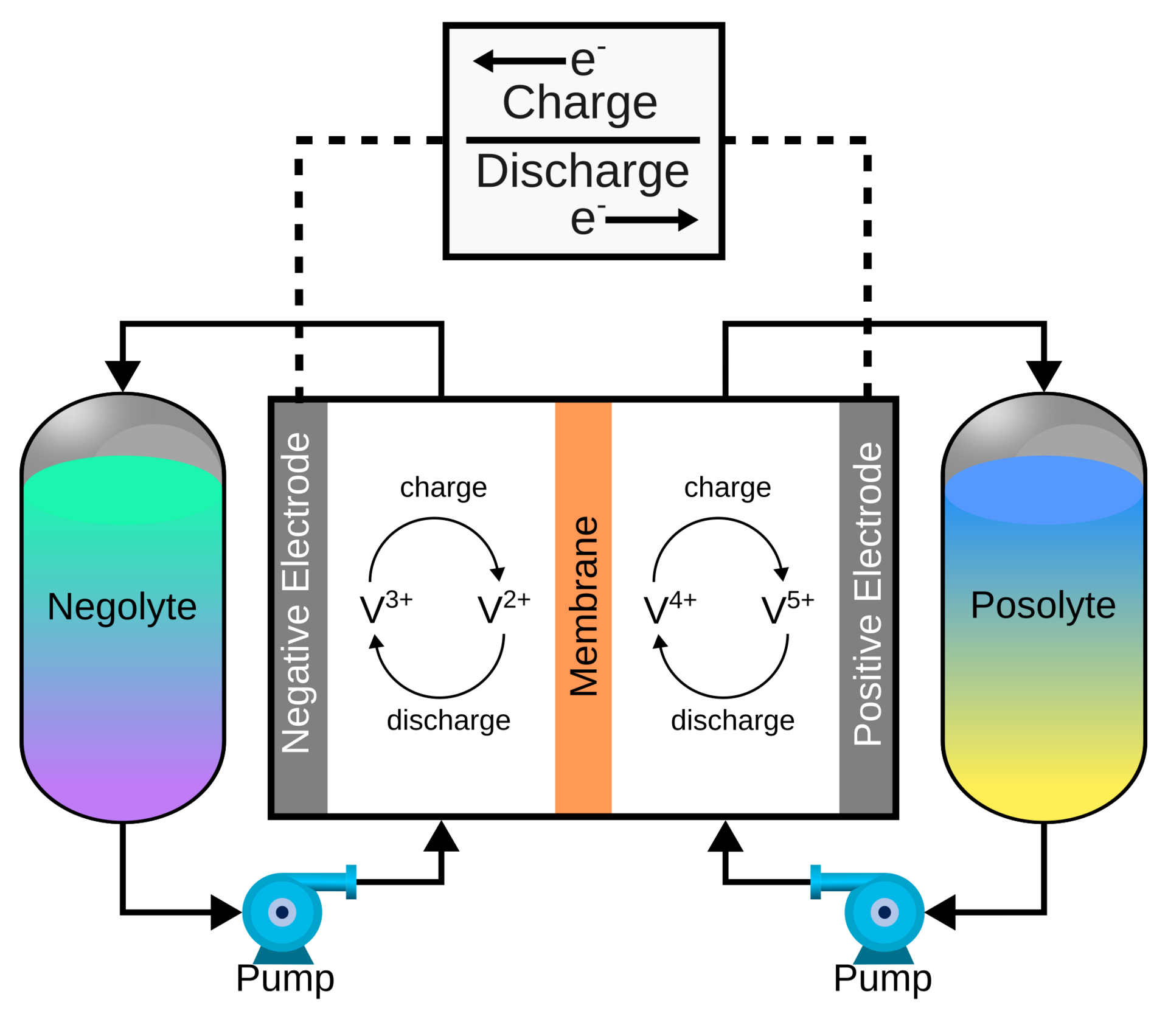
Flow batteries are chemically simple, but mechanically complicated. They use pumps to flow electrolyte from massive tanks through cell stacks to generate electricity. This means they are very easy to scale in capacity – just add bigger tanks, and you’ve got a bigger battery. Credit: Kavin Teenakul, CC BY-SA 4.0
Flow batteries are beautiful in their simplicity, storing charge in huge tanks full of liquid electrolyte rather than in gel-like materials sandwiched between solid electrodes as per a regular battery. Specifically, two big tanks of vanadium ions, typically dissolved in sulfuric acid. By pumping the electrolyte through a cell stack where the electrochemical reaction happens, you generate electricity. Getting more power is as simple as adding more cell stacks, while increasing the battery’s capacity is as simple as getting bigger tanks full of more electrolyte. The two variables are almost entirely decoupled, which is an extremely elegant property for a grid-scale storage system. It makes right-sizing the system a cinch, it’s simply a matter of scale. These batteries also have the property of surviving tens of thousands of charge cycles without damage, and lifespans measured in decades.
The chemistry itself works out quite tidily. Both the positive and negative electrolyte use vanadium, just in different oxidation states. The positive side hosts VO2+ and VO2+ ions, while the negative side works with V²⁺ and V³⁺ ions. These solutions are pumped through a cell, either side of a permeable membrane that allows proton exchange. When the battery is being discharged, electrons leave the anode electrolyte and are transferred through the external load to the cathode electrolyte; this is balanced by the transfer of protons across the membrane. During charging, the opposite occurs.
A neat side-benefit of this is that because the battery uses the same element on both sides of the membrane, cross-contamination between the two tanks — an inevitable consequence of some ions sneaking through the membrane over thousands of cycles — doesn’t actually kill the battery. The electrolyte merely needs to be rebalanced and normal operation can resume. This single-element trick also means the electrolyte has a very long service life. It doesn’t degrade in the way an electrolyte in a regular battery might. A well-maintained vanadium flow battery can run for ten to twenty years with minimal capacity loss, and at end of life, that vanadium electrolyte still has value. It can be sold, recycled, or reprocessed as needed. Meanwhile, the electrodes in the cell stack and the pumps and machinery that moves the electrolyte around can be serviced or replaced as needed. It’s a very different scenario compared to lithium-ion cells, where recycling the raw materials involves great mechanical and chemical complexity.
Advertisement
There is a complexity gain versus traditional batteries, in that moving all the electrolyte around requires mechanical pumps that in turn draw power to operate. These batteries are also not particularly compact, nor efficient in terms of energy-to-volume ratio. However, these problems are offset with the ease of scaling and maintaining them.
Deployment
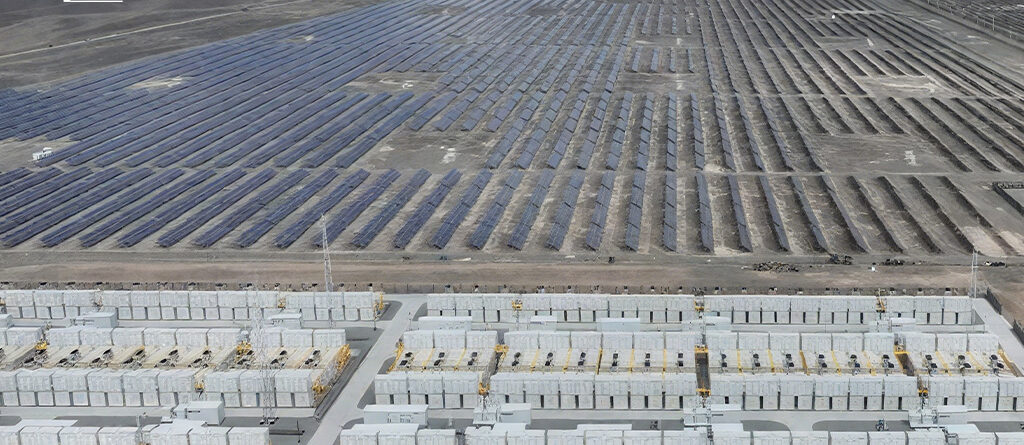
An aerial view of a flow battery installed by Rongke Power in Hami, in northwest China. Credit: Rongke Power
In the real world, vanadium flow batteries are starting to hit the big time. The largest example in the world is a Chinese project, consisting of a 200 MW battery in Jimusaer, with a total capacity of 1000 MWh, built by Rongke Power. The second largest installation, installed in the city of Ushi in 2024, has a capacity of 700 MWh and can discharge 175 MW to the grid, and was constructed by the same firm. These batteries are comparable in power output to the Victorian Big Battery, a lithium ion installation that outputs 300 MW at peak, but far larger in capacity, as the Australian installation tops out at just 450 MWh by comparison. These installs build upon a previous effort to install a 100 MW battery in Dalian with 400 MWh capacity, along with smaller projects in Shenyang and Zongkyang that operate at sub-10MW levels. The batteries are intended to be used to support grid stability in their local grids. They also have grid-forming capabilities, which means that the flow battery can be used to do a black start, helping to bring traditional thermal generation units online in the event of a total grid collapse.
Australia has also been leaping to adopt vanadium flow battery technology, too. The country is well known for having a huge install base of rooftop solar, which has created a difficult-to-control grid at times. The abundance of sunlight and solar generation during the day has lead to huge peaks where power prices at times turn negative, and the goal is to add storage so that this power can be stored for more effective use over longer time periods.
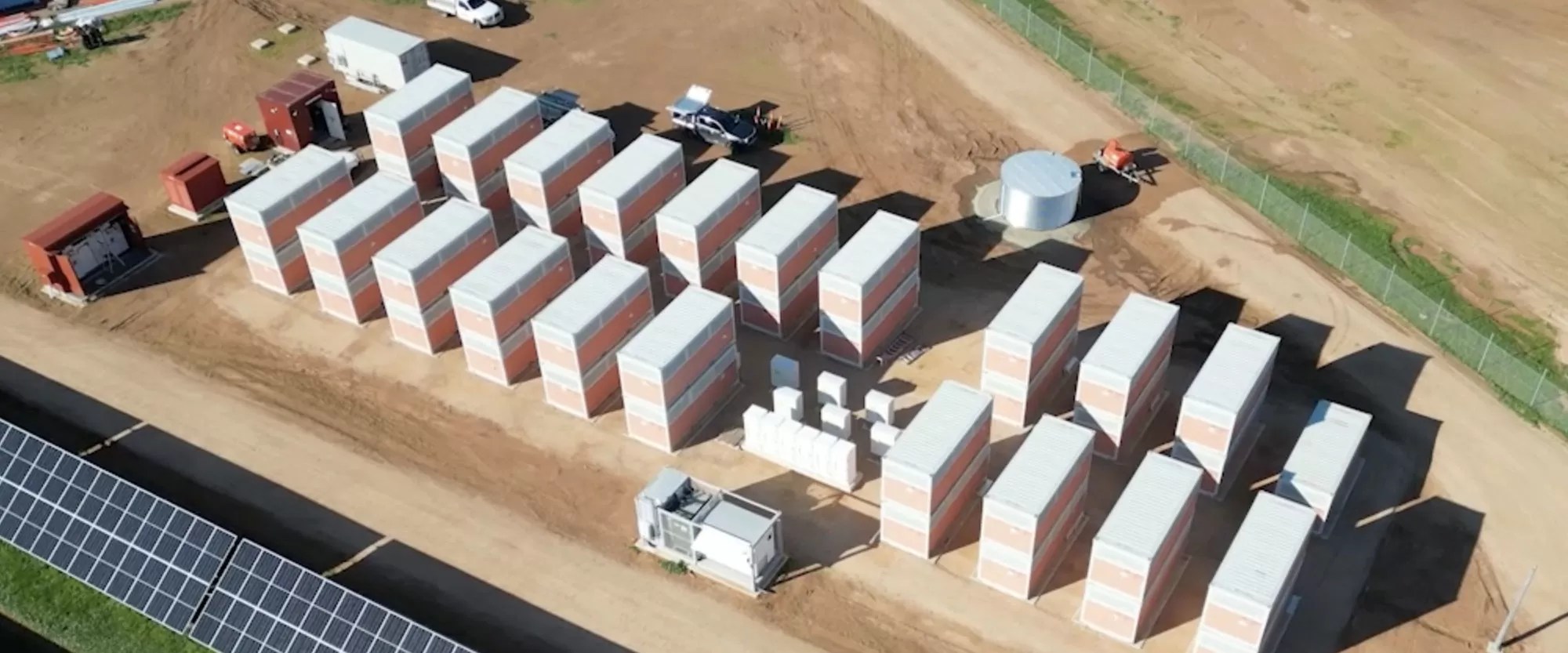
The vanadium flow battery installation in Port Pirie, South Australia, operated by Yadlamalka Energy. Credit: Yadlamalka Energy
In South Australia, a small project has proven the viability of vanadium flow batteries in local conditions. The Co-Located Vanadium Flow Battery Storage and Solar project in Neuroodla was installed by Yadlamalka Energy, and combined photovoltaic generation and storage into a single site. The project’s goal was to demonstrate the value of vanadium flow batteries for providing both simple energy storage and frequency control services to the grid. It’s a relatively small installation, of just 2MW output and 8MWh capacity, paired with 6MWp of solar panels on site. The build was located adjacent to the Neuroodla substation for easy connection to the grid. The project faced some challenges in terms of power derating during the hottest local conditions, and with some limitations on power deployment and energy trading based on the inverter capabilities at the site. Ultimately, though, the project was able to generate serious revenue even with its limited capacity, thanks in part to energy price volatility in the local market as solar peaks and troughs occurred on a regular basis.
Over in Western Australia, sights are being set much higher. The state government has put out an expression of interest for a 50 MW, 500MWh vanadium flow battery to be installed in Kalgoorlie. The project is backed by $150 million in government funding, and hopes to offer a mighty 10-hour discharge capability to the grid. The project hopes to be up and running by 2029, relying on locally-produced vanadium to fill the tanks.
The mindless pull of the infinite scrolling social media feed has a way of turning every spare moment into a lost hour. It starts as a quick check for a notification or a brief distraction during a work break, but these apps are engineered to keep you trapped in a loop of “just one more.”
Before long, that reflex to reach for your phone becomes an automatic response to any second of boredom, leaving you stuck in a cycle of digital noise that is hard to break with willpower alone.
I miss the feeling of calm that comes with being without a smartphone. And I’m not the only one. A Pew Research survey from 2024 found that 72% of US teens say they feel “peaceful” when they don’t have their smartphone, while 44% say it makes them anxious.
Advertisement
But switching off is hard. Crucial personal and banking information is tied to my phone, and I’d still need it occasionally even if I tried switching to a second, simpler device.
So instead of breaking free, I found ways to reduce my screen time and phone addiction. I wish I could say it was through willpower, but nope. I relied on some of the same technology to get away from it.
I used my iPhone’s built-in features to curb my phone usage. It’s not a perfect solution, but these methods have helped me lower my screen time without swapping to a dumb phone.
Set up your iPhone for fewer distractions
Advertisement
Personally, these social media apps cause a lot of distraction.
Prakhar Khanna/CNET
If your phone addiction isn’t extreme, you can set up your iPhone to be less distracting.
It starts with easy things like disabling notifications and simplifying your home screen. I removed all social media apps from mine, and it helped me reduce the daily open rate. I was no longer mindlessly tapping those icons because I’m lazy enough not to swipe down and type the app’s name just to scroll through them.
Here are other iPhone settings that you can use to curb your phone addiction.
I use the iPhone’s Focus mode to limit distracting notifications when I’m working and traveling — essentially for times when I want to be 100% present in things I’m doing.
This feature goes beyond the simple Do Not Disturb function. I need notifications from my family and favorite contacts to pass through, so I have set up different Focus modes instead of using a blanket Do Not Disturb mode every time. Here’s how to set up Focus mode.
Advertisement
Go to Settings > Focus and tap on the + icon.
Mike De Socio
Create and customize your own Focus mode.
Mike De Socio
1. Go to Settings > Focus. 2. Tap on the + icon (on the top-right corner) to create a Custom Focus. 3. Manage notifications by choosing which apps and contacts you want to hear from during your focus time. You can change individual settings here through People and Apps.
Advertisement
You can also create a custom home screen that activates when you switch on your new focus mode. For instance, I have Instagram on my home screen in Travel focus mode, and none of the social media apps are on my Work home screen.
Apple’s Screen Time feature can help you create schedules and set limits for apps that are sucking the joy out of your life. If you’re adamant about having time away from your phone, you can block apps and notifications for those time periods.
For instance, I have Instagram set to 45 minutes per day and 30 minutes on weekends. Here’s how to set up Screen Time.
Advertisement
Go to Settings > Screen Time > App Limits and tap on Add Limit.
Screenshots by Prakhar Khanna/CNET
Select the apps you want to set time limit for.
Advertisement
Screenshots by Prakhar Khanna/CNET
1. Go to Settings > ScreenTime > AppLimits. 2. Tap on Add Limit. 3. Select the individual or categories of apps you want to set timers for. 4. Tap Next and set the amount of time you want to allow yourself on each app. 5. Tap Customize Days if you want to customize your limit’s schedule. 6. Tap Add in the upper right corner.
Once set, your iPhone sends a notification 5 minutes before approaching your set time limit. After the app reaches the Screen Time limit, it stops whatever it’s doing and displays a new screen. It prompts you to tap OK to exit the app. You can choose to tap Ignore Limit if you’re doing something urgent that requires more time to finish.
Schedule downtime
Go to Settings > Screen Time > Downtime and set a schedule.
Advertisement
Screenshots by Prakhar Khanna/CNET
Schedule downtime on iOS is part of the Screen Time feature, and you can use it to force yourself to put down your iPhone. I have set it up for weekends. Here’s how you can set up downtime on your iPhone.
1. Go to Settings > ScreenTime > Downtime. 2. Toggle on the widget next to Scheduled. 3. Set your downtime schedule.
When downtime is enabled, only phone calls and apps that you choose to allow are permitted. Like Screen Time limits, when you schedule downtime, a 5-minute reminder is sent before it begins. You can then ignore the reminder or turn on downtime. It can be turned off at any time by turning off Scheduled.
Use Assistive Access
Advertisement
Assistive Access makes it easy to stay focused with only the essential apps.
Prakhar Khanna/CNET
Assistive Access is an accessibility feature in iOS. It provides a simplified user interface that aims to help people with cognitive disabilities use an iPhone with greater ease and independence. However, it can double as a feature that’s enabled when you want a more focused way to use your iPhone.
In a way, this feature dumbs down your iPhone. Apple says, “Assistive Access offers ways for people to navigate iPhone and communicate using visuals rather than text.”
It displays on-screen items in a large grid that emphasizes images and icons. You also get large text labels and high contrast buttons on the iPhone’s home screen and across essential apps like Calls, Messages, Camera, Photos and Music.
Advertisement
Here’s how you can set up Assistive Access on your iPhone.
Prakhar Khanna/CNET
Tap on Continue on these screens and customize what you want to see when your Assistive Access is turned on.
Prakhar Khanna/CNET
1. Go to Settings > Accessibility > AssistiveAccess. 2. Tap on Set Up Assistive Access and select Continue. 3. Choose the layout for home screen apps from either Rows (if you want items arranged in a list) or Grid (for bigger icons arranged in a grid). 4. You can now tap on the + icon to select apps available in Assistive Access. 5. The iPhone will prompt you to enter your passcode and set up an Assistive Access passcode. Follow the on-screen instructions, and you’re done.
Advertisement
To exit Assistive Access, you need to:
1. Triple-press the side button (for modern iPhones) or the Home button (for iPhones with Touch ID). 2. Tap Exit Assistive Access. 3. Enter the Assistive Access passcode you entered during the setup process.
I haven’t been able to use Assistive Access for more than a day because it limits the iPhone’s functionality down to a basic phone. It is great if you can live with just simple functionalities.
Otherwise, I recommend using the settings mentioned in the previous section to keep 100% of your iPhone’s functionality while reducing your screen time.
Advertisement
Make your iPhone minimalist with this Dumb Phone app
I made my iPhone Air semi-dumb by installing this app.
Prakhar Khanna/CNET
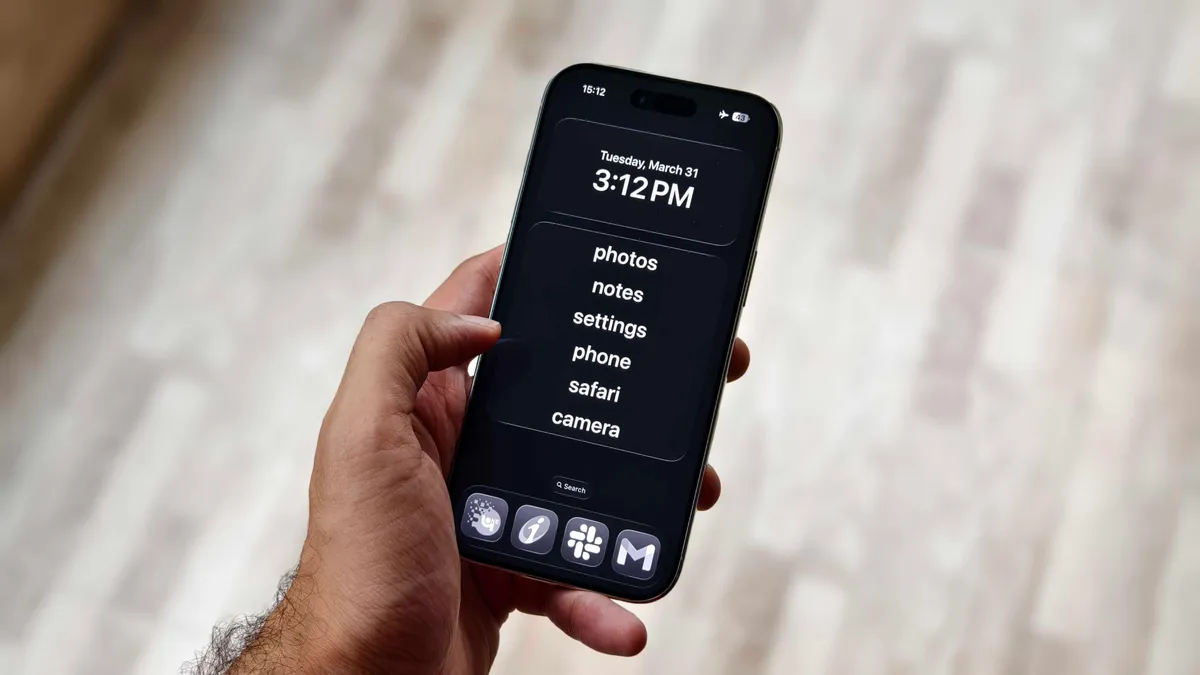
The Dumb Phone is a $3 per-month app (or $25 for a lifetime purchase) that lets you create a minimalist-style phone. Unlike the iPhone’s built-in Assistive Access feature, it creates a text-based launch menu for your most essential apps and hides everything else.
The setup process is simple with on-screen instructions, but you need to enable a few settings.
Advertisement
Add Widget: Go to your home screen > tap and hold on empty space > Tap Edit > Add Widget > search for “dp” > Select Page 1 widget.
Set the minimalist DP wallpaper: In the DP app, the second instruction takes you to an option to save a wallpaper. Save it and go to Settings > Wallpaper > Add New Wallpaper > Photos > select the recently saved black wallpaper > follow the rest of dp instructions.
Enable Dark mode: Go to Settings > Display & Brightness > select Dark.
Set Reduce Animations & Transparency to On: Go to Settings > Accessibility > Per-App Settings > Add App > Home Screen & App Library. Then, after it’s added, tap Home Screen & App Library > Reduce Motion, then tap On.
Create a minimalist Home Screen: The app prompts you to uncheck all other home screen pages, suggests widget positioning and removes dock icons.
I added my essential banking and work apps to the dock and enabled all the other settings. The Dumb Phone app offers plenty of customization options to personalize your iPhone experience.
By default, all other settings and UI elements remain the same as before. You can still access all the other apps and add whatever you want to your home screen.
However, if you want the true dumb phone experience, you can turn on Detox Mode to block non-essential apps. It connects the app to the iPhone’s Screen Time setting, which can be used to permit or block app notifications and access.
It took me at least an hour to set up the Dumb Phone app to my liking, but once it was, it helped me reduce my screen time.
I like it because it didn’t force me to relearn the basic features of my iPhone. It simply adjusted my home screen and settings for a more focused, distraction-free interface. It made me realize that most of it comes down to muscle memory — because readjusting my home screen was a bigger win than expected.
Advertisement
By removing apps from my home screen or deleting them altogether, I am no longer mindlessly tapping on apps I don’t need.
Assistive Access is likely the most effective way to curb your phone usage. It gives you these big UI buttons within apps.
Prakhar Khanna/CNET
That said, there are two relatively obvious issues with this route. First, you’re paying additional money for the privilege of simplifying things. And secondarily, you’ll still need to rely on some willpower, because it’s not hard to swipe away from these customizations.
Advertisement
If you do eventually decide that you want a secondary device for staying connected while minimizing distractions, there are a lot of options. Newer keyboard-equipped phones, “minimalist” themed phones and the Barbie-themed flip phone offer different ways to still have access to communication while cutting back.
But you might not need the extra expense if some of these iPhone customizations provide a similar way to quiet things down. While I’m still on this journey, these iPhone settings have helped me limit my screen time. I hope they’ll help you too.
The TCL X11L is the company’s flagship TV for 2026, and it takes a different path than previous TCL mini-LED TVs. A key difference is TCL’s use of Super Quantum Dots (SQD), a new, enhanced quantum dot formulation that allows for full coverage of the BT.2020 color gamut – a claim several other TV brands are also making, but for their new RGB LED sets. If high brightness was the previous goal for flagship TVs, then extended color has become the new frontier.
Assisting the TCL X11L on its extended color quest is an Advanced Color Purity algorithm and new Ultra Color filter. The latter features 5 nanometer particles compared to the 60 nanometer particles in standard mini-LED TVs, and this allows for “more accurate pixel-level color” and more “consistent color saturation,” according to TCL. Moving beyond 100% BT.2020 coverage, the X11L’s specifications cite peak brightness at up to 10,000 nits, with up to 20,000 local dimming zones.
Note that both those numbers are for the 98-inch X11L, not the 75-inch version that TCL sent me for review. The 75-inch model instead features around 11,500 zones, which is still a considerably greater number than you’ll find on other flagship mini-LED TVs. In general, more local dimming zones means higher brightness and deeper, more uniform blacks, and the X11L is helped on that front by TCL’s Halo Control System. This uses a new 26-bit backlight controller and a Dynamic Light Algorithm, along with a reduced optical distance between the TV’s mini-LED backlight modules and light diffuser layer, to virtually eliminate backlight blooming. As you’ll see in the Viewing Impressions section below, the results here are seriously good for a mini-LED TV.
As attention-grabbing as the X11L’s specs are, all that technology comes at a price. The 75-inch version lists for $6,999.99, while the 98-inch X11L clocks in at $9.999.99. Even with recent price drops (the 75-inch X11L can now be found for $3,999.99) that is a big premium over the company’s stepdown SQD Mini-LED TV, the TCL QM8L series. The QM8L has a lower specified peak brightness at 6,000 nits and a lower local dimming zone count at 4,000 (for the top 98-inch screen size), but it provided an excellent overall level of performance when we tested it. The QM8L also has a mostly similar feature set, leaving its much pricier X11L SQD Mini-LED big brother with a lot to prove.
What Is It?
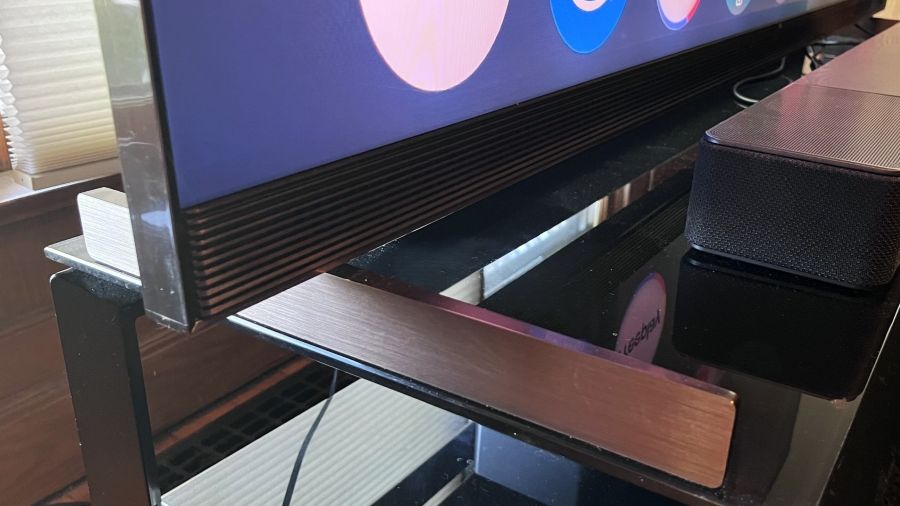
The TCL X11L’s sturdy support feet are positioned at the far edges of the screen
The TCL X11L is the top series in the company’s 2026, SQD Mini-LED TV lineup, followed by the QM8L and QM7L series. It features Super Quantum Dots for extended color, up to 20,000 backlight local dimming zones, and TCL’s high-contrast WHVA 2.0 Ultra Panel with an anti-reflective screen filter. Similar to the QM8L series, X11L TVs are outfitted with TCL’s TSR AI Pro processor, which provides AI-enhanced contrast, color, motion, and upscaling.
Dolby Vision, HDR10+, HDR10, and HLG high dynamic range formats are all supported by the X11L, and a planned software update for summer 2026 will add Dolby Vision 2 Max compatibility, providing enhanced features such as bi-directional tone mapping and Authentic Motion de-judder processing. The X11L also has Filmmaker Mode and IMAX Enhanced picture presets plus Intelligent picture and sound modes that make automatic adjustments based on content.
Advertisement
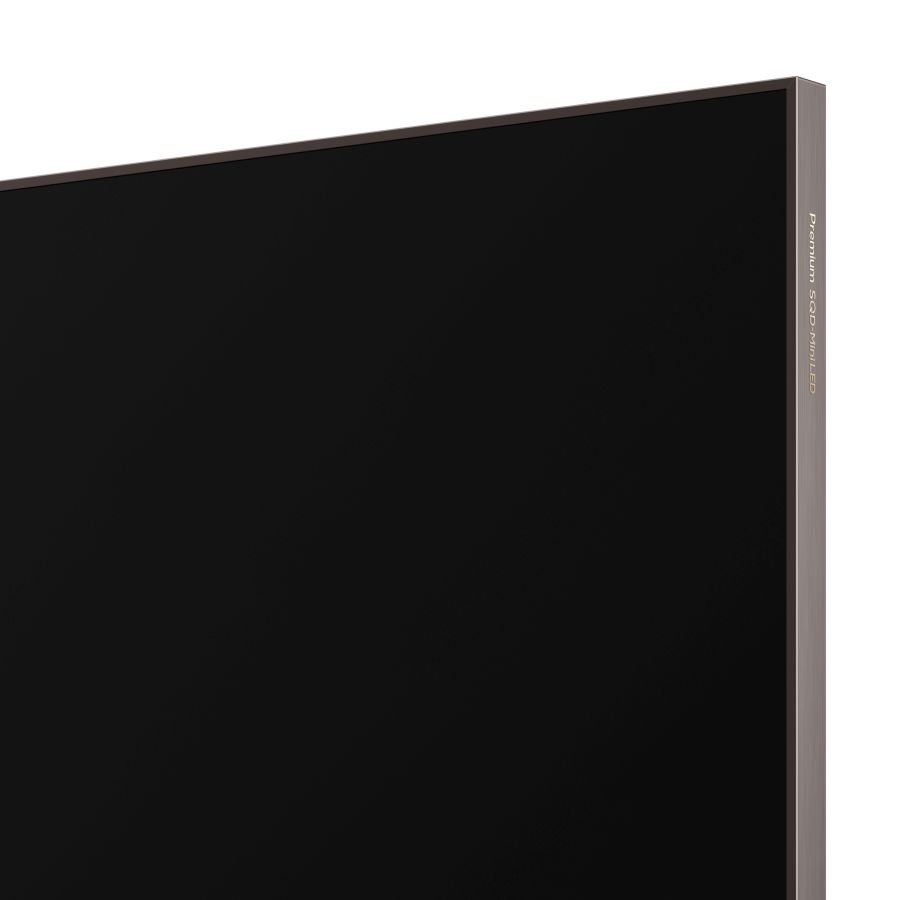
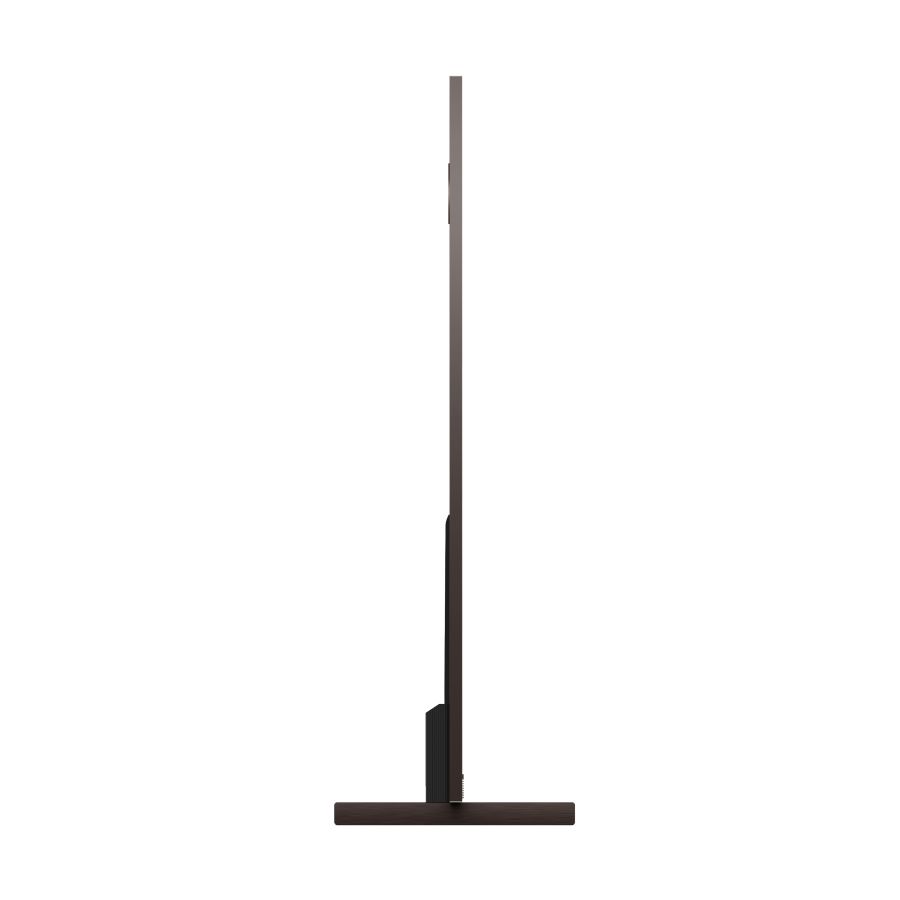
The X11L features a premium metal frame design and is slim for a mini-LED TV
The X11L is the first TCL TV to feature four HDMI 2.1 ports for gaming. These support a 4K/144Hz refresh rate and there’s also 1080p/288Hz and FreeSync Premium Pro support for PC gaming. The TV’s Game Master mode provides a Game Bar pop-up menu for making easy gaming-related picture adjustments, and it also reduces input latency.
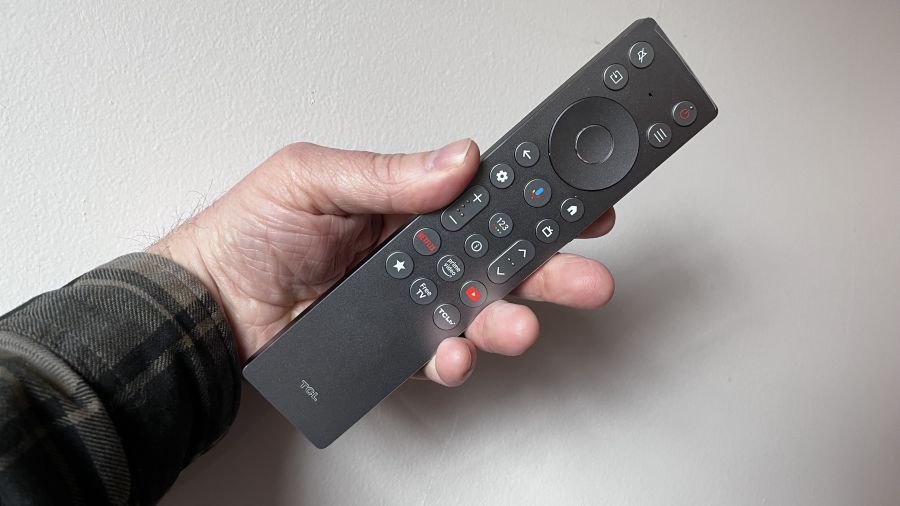
TCL clearly put a lot of work into the X11L’s physical design. Its 0.9-depth is alluringly slim for a mini-LED TV, and its polished aluminum side, top and bottom panels give it a luxury look. The support feet carry over the aluminum theme and also provide a solid foundation for the TV. TCL’s ZeroEdge design minimizes the screen’s bezel for a near “all-picture” appearance and there’s a fully backlit remote control with a built-in mic for voice commands.
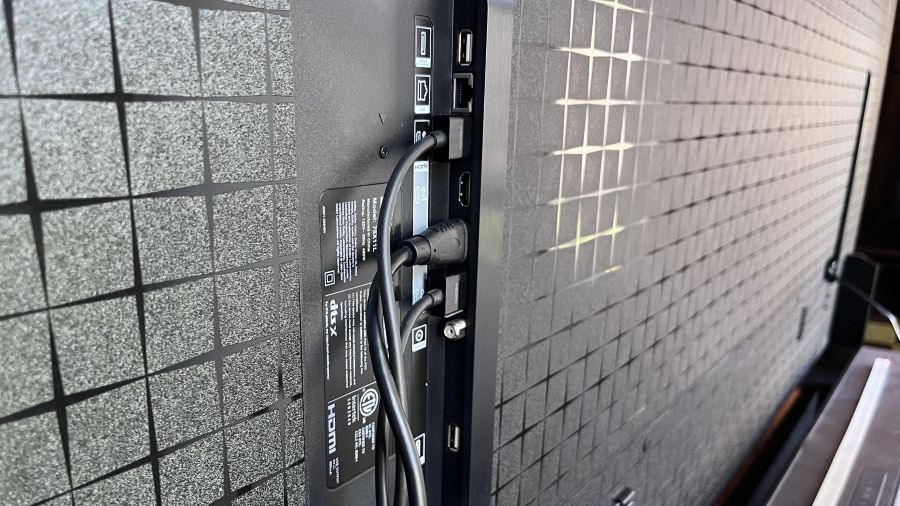
The TV’s four HDMI 2.1 ports are located on a side-facing panel for easy access.
In addition to its four HDMI 2.1 ports (one with eARC), the X11L has an optical digital audio output, USB 2.0 and 3.0 ports, an Ethernet jack and an RF input for an antenna. The connections are all located on a side-facing panel on the TV’s back, allowing easy access for wall-mount installations.
Google TV with Gemini
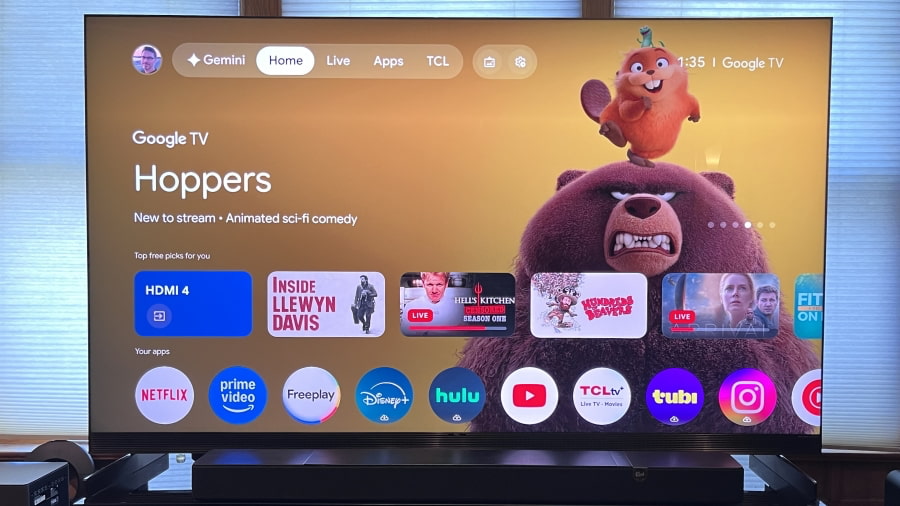
The X11L’s main Google TV interface
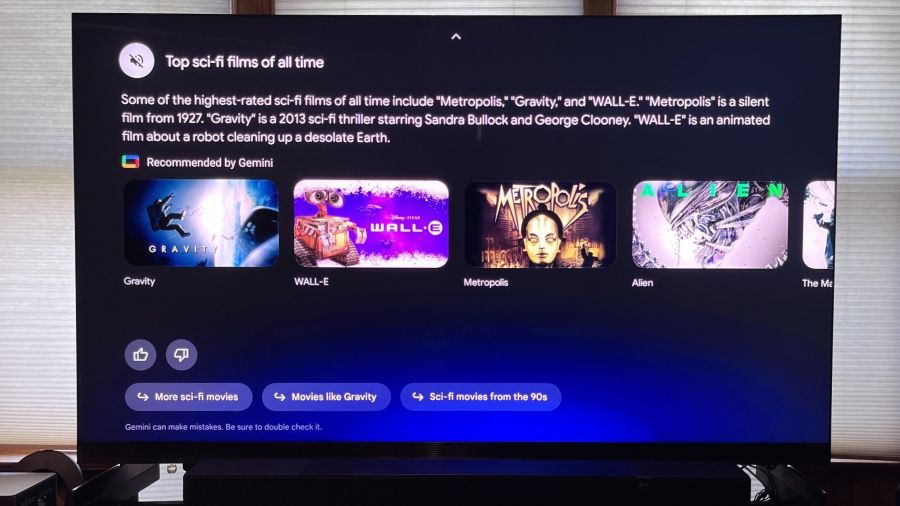
The X11L is the second TCL TV series to feature Google TV with the Gemini AI assistant. That feature is also available on the TCL QM8L, and it makes content searching easier and more enjoyable via its conversational format. Using either the mic button located on the remote, or the far-field one located on the TV itself, you can ask, “What are the best Sci-Fi movies?” and then drill deeper with additional queries such as, “Which are the best ones from the past decade?” to get a more refined list.
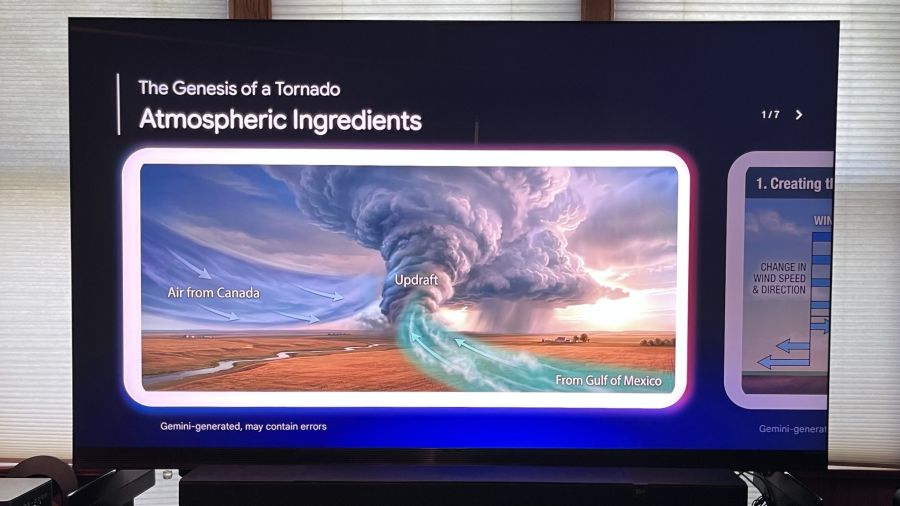
Google TV with Gemini isn’t just for content searches; like the Gemini app on your phone or laptop, it can be used to research anything. I asked the TV how tornadoes get formed, and it created a multi-slide, multimedia presentation on the topic (adding the caveat that Gemini can make mistakes, of course).
Advertisement. Scroll to continue reading.
Advertisement
Gemini for Google TV lets you conduct conversational searches across a range of topics
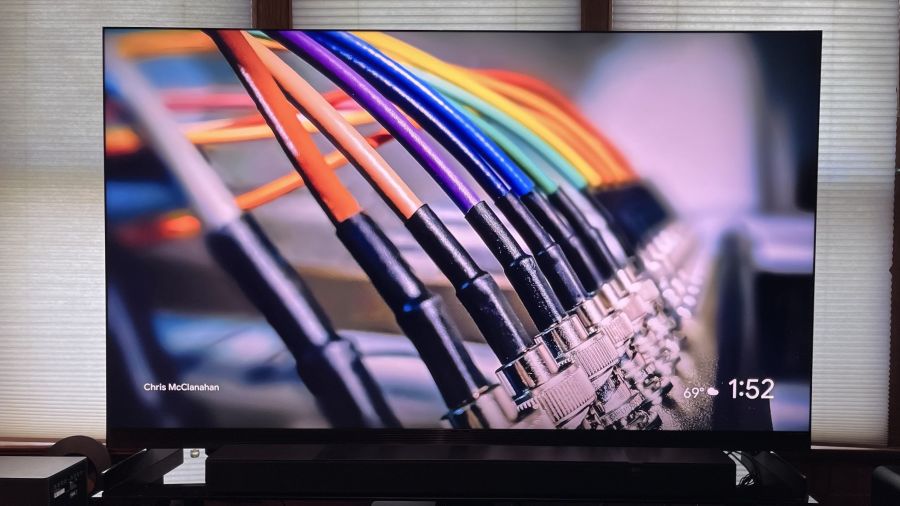
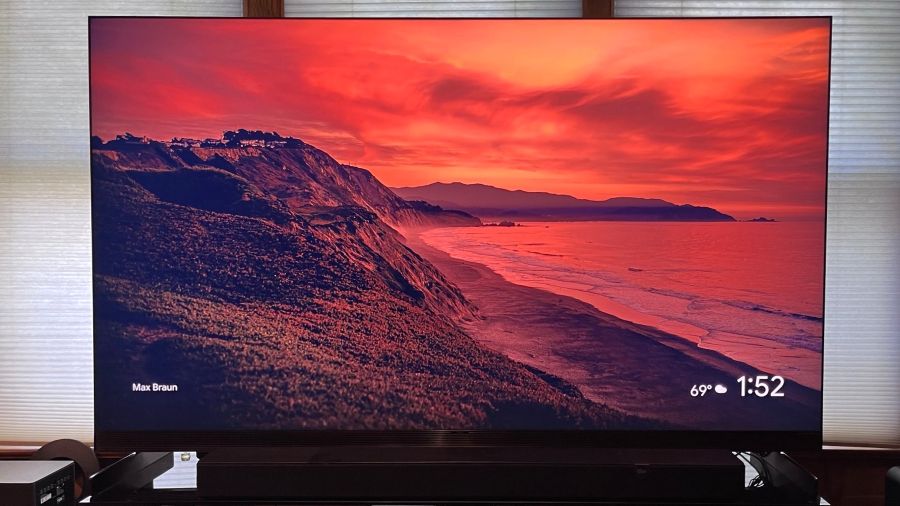
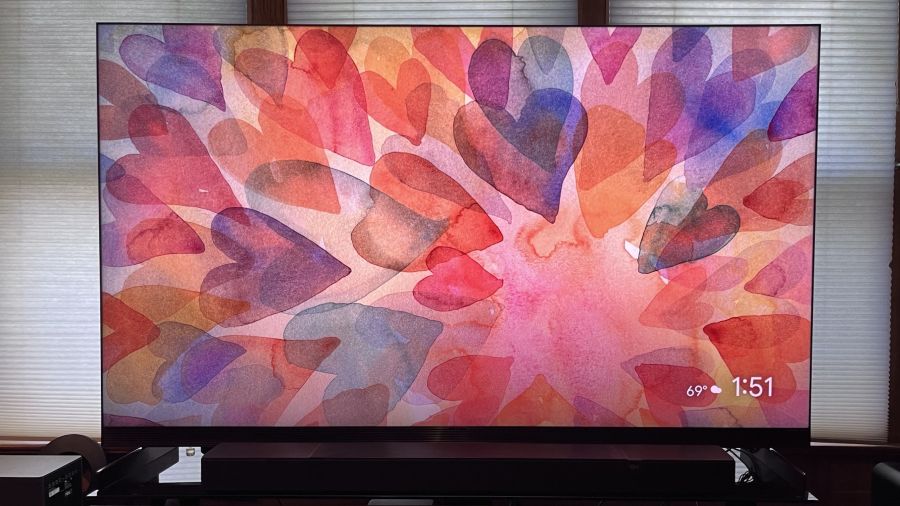
Aside from Gemini, the Google TV platform itself is easy to customize so it presents relevant apps and personalized content recommendations based on your viewing and browsing history. You can play screensavers pulled from the Google TV library, as well as images from your Google Photos account and also Gemini AI-created ones. Additionally, there’s a Live tab on the home screen that lets you view a grid guide of both Freeplay free-to-stream programs and local broadcast channels pulled in by an antenna connected to the TV’s built-in ATSC 3.0 tuner.
Audio by Bang & Olufsen
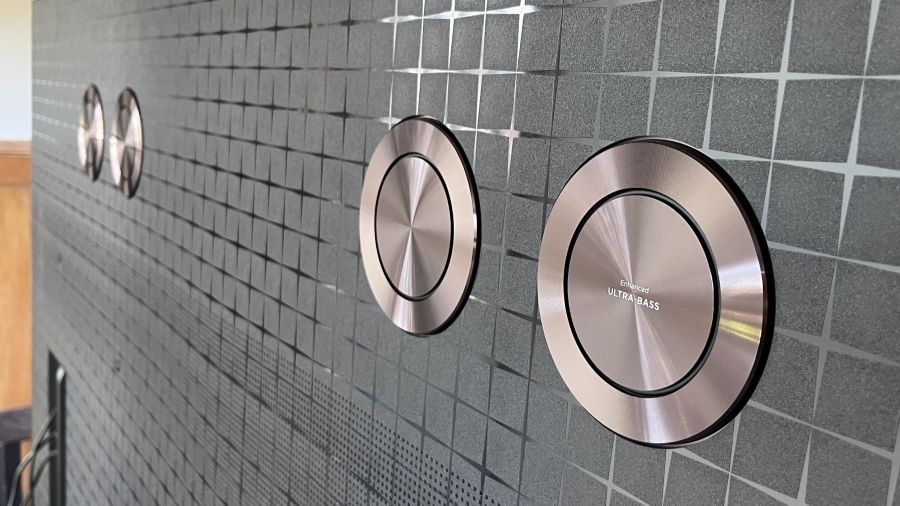
Four bass drivers are located on the TV’s back panel
TCL doesn’t provide much in the way of specs for the X11L’s built-in speakers other than it has Audio by Bang & Olufsen. There is processing and pass-through support for both Dolby Atmos and DTS:X, and a quartet of “Ultra Bass” drivers on the TV’s back panel are used to reinforce bass effects in movie soundtracks. Equalizer adjustments in the TV’s Sound menu provide Center and Surround level sliders, and these indicate that there is a dedicated center channel driver in the TV’s front-firing speaker array, alongside dedicated drivers for surround channel information in soundtracks.
Another Sound menu highlight is the Beosonic interface. This lets you customize the TV’s sound to your liking by moving a slider up and down between Bright, Energetic, Warm and Relaxed quadrants. Overall, I found that the X11L’s built-in speakers delivered clear dialogue, clean bass and a decent sense of surround ambience, but the sound also had a somewhat thin quality.
Emphasizing Warm and Relaxed on the Beosonic interface helped a bit here, but the X11L should ideally be paired with a soundbar or external speakers. To that end, support is provided for connecting an optional TCL wireless subwoofer for extended bass, and the X11L is also Dolby Atmos FlexConnect capable, supporting a 4.1.4-channel Atmos speaker configuration using TCL’s Z100 wireless FlexConnect speakers and Z100-SW wireless subwoofer.
Setup & Viewing Impressions
After doing some casual viewing with the X11L, I started my testing by making measurements using Portrait Display’s Calman Color Calibration software. Other than disabling the Adaptive Brightness feature, which adjusts brightness automatically based on room lighting, I left the Filmmaker Mode and Standard presets at their default settings for the measurements.
Peak HDR brightness measured on a white 10% window pattern in Filmmaker Mode was 2,174 nits and 465 nits on a 100% (fullscreen) white pattern. In Standard mode, peak HDR brightness on 10% and fullscreen patterns was 4,011 and 407 nits, respectively. The X11L’s peak SDR brightness was notably high, measuring 1,958 nits on a 10% window pattern in Standard mode and 669 nits on a 100% pattern. Those results indicate that the X11L will be a great bright room option for viewing sports, much of which is broadcast or streamed in high definition/standard dynamic range.
So, what about TCL’s 10,000 nits peak brightness specification for the X11L? The highest brightness measurement I recorded was 4,860 nits in Vivid mode, which is roughly half of what TCL claims for the series. Still, the 75-inch X11L’s overall brightness is exceptional, even if there were some odd brightness-related artifacts that I noticed during my subjective viewing tests.
Advertisement
Specifically, the X11 sometimes displayed brightness “pumping” effects where the picture would be super-bright, particularly on a cut from a dark to a bright scene, and then gradually get dimmer. I mainly noticed this when viewing the demonstration footage on the Spears & Munsil Ultra HD Benchmark 4K Blu-ray disc with the HDR10 option selected. The same pumping effect did not show up when I watched the 10,000 nits Dolby Vision version on the disc, however, and I also didn’t see it on any other Dolby Vision HDR content I watched.
A listed benefit of TCL’s SQD Mini-LED tech is 100% BT.2020 color gamut coverage, and while the 89.7% I measured in Filmmaker Mode came up short of that number, it’s still an excellent result and one that’s comparable to the TCL QM8L SQD Mini-LED TV. P3 color gamut coverage was 97.8, another excellent result that matches what I measured on the QM8L.
Delta-E (the margin of error between the test pattern source and what’s displayed on-screen) averaged 3.9 for grayscale and 5.0 for color, both of which are higher than the 3.0 result considered to be the threshold for what’s indistinguishable from perfect to the human eye. Unfortunately, the TV’s White Balance (2- and 20-point) and Color adjustment menus didn’t provide sufficient range to let me fully calibrate the picture, though I was able to make minor improvements to gamma and color point accuracy.
Gamers will want to select the X11L’s Game picture preset and also turn on the Game Master mode in the System menu settings for lowest input lag while gaming. Using a Leo Bodnar input lag meter, I measured 14.5ms for a 4K 60Hz input. With the exception of the QM8L, which measured 9.8ms on the same test, that result is comparable to past TCL TVs I’ve tested.
Running through my regular slate of 4K Blu-ray demo clips post-adjustment, the X11L’s picture looked fantastic on the James Bond movie No Time to Die. Skin tones were accurate, and there was impressive black depth and shadow detail in dark scenes. A scene where Bond traverses a rocky hillside cemetery did show a degree of judder, though this could be fixed without adding any soap opera effect by setting both the Judder and Blur sliders in the Clarity menu’s Custom Motion mode to 3.
Advertisement
Advertisement. Scroll to continue reading.
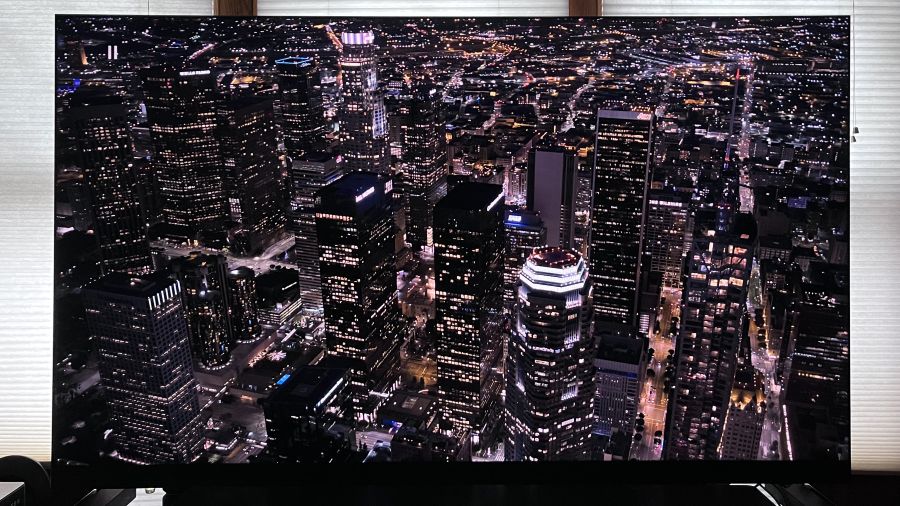
The X11L’s powerful local dimming resulted in images with excellent micro-contrast.
Switching back to the Spears & Munsil disc, demo clips showing flowers, birds, and lizards against a stark black background revealed virtually no backlight blooming. Equally impressive was the TV’s micro-contrast in an overhead shot of a city at night. A mini-LED TV with average local dimming control will typically show some degree of light bleeding in this sequence, which limits the overall contrast level and softens detail. On the X11L, however, the black level remained rock solid, and highlight detail was clearly defined.
Spider-Man: Into the Spider-verse has been one of my recent go-to 4K discs for testing color on TVs, and the X11L looked every bit as good as the QM8L when it came to color saturation and detail. Overall, I thought the computer-animated picture here looked punchier and overall better owing to the X11L’s superior contrast and shadow detail. I had similar thoughts when I watched scenes from Alien: Romulus, another movie with plenty of scenes with bold colors and bright objects pitted against dark backgrounds.
The X11L’s 4K upconversion of standard HD programs was excellent. When I watched a PBS documentary on the American naturalist and writer Henry David Thoreau, fine details in shots of the Massachusetts and Maine woods were clearly defined, and so was the inky scrawl in close-up shots of Thoreau’s journals. The set’s anti-reflection screen also did a good job of minimizing glare from lights and open windows when I watched this doc during the day, and its color saturation was mostly maintained when viewing from far off-center seats.
The Bottom Line
The X11L’s fully backlit remote control
TCL’s flagship X11L SQD Mini-LED TV is as bright as TVs get, and with its extended color gamut coverage and refined local dimming, it delivers truly attention-grabbing picture quality. TCL has claimed the X11L to be the “best overall TV in the industry,” and there’s plenty here to back up that statement.
With a discounted price of $3,999.99 for the 75-inch model I tested, the X11L is still about as expensive as TVs get. At that cost, you’ll be wondering what else it has to offer other than a great picture, and in this case the extras include a slim, premium design, better-than-average built-in sound, and Google TV enhanced with the Gemini interactive AI assistant. The X11L will also be made Dolby Vision 2 Max compatible with a software update scheduled for later in the year, and that same update will also add an Intelligent Device Control feature that will let you adjust picture and sound settings using voice commands.
Advertisement
About the only thing stopping me from giving the TCL X11L a full two thumbs up recommendation is the TCL QM8L, which provided nearly as impressive performance when I tested it, and was much easier to calibrate for an accurate picture. It also packs many of the same features as the X11L. The price for the 75-inch QM8L dropped from $2,999.99 to $1,999.99 since I reviewed it, making it a dramatically less expensive option than the X11L. The TCL X11L is undeniably a great TV, but there are clearly better values to be had.
Pros:
Exceptional brightness
Extended P3 and BT.2020 color gamut coverage
Refined local dimming (up to 20,000 zones)
Effective anti-relection screen
Good off-axis color uniformity
Dolby Vision 2 support (pending)
Google TV with Gemini AI assistant
Audio by Bang & Olufsen front-facing speaker array
Dolby Atmos FlexConnect support
Wireless subwoofer support
Four HDMI 2.1 ports with 144Hz support
Premium design
ATSC 3.0 tuner
Cons:
Higher than average grayscale and color point errors in Filmmaker Mode
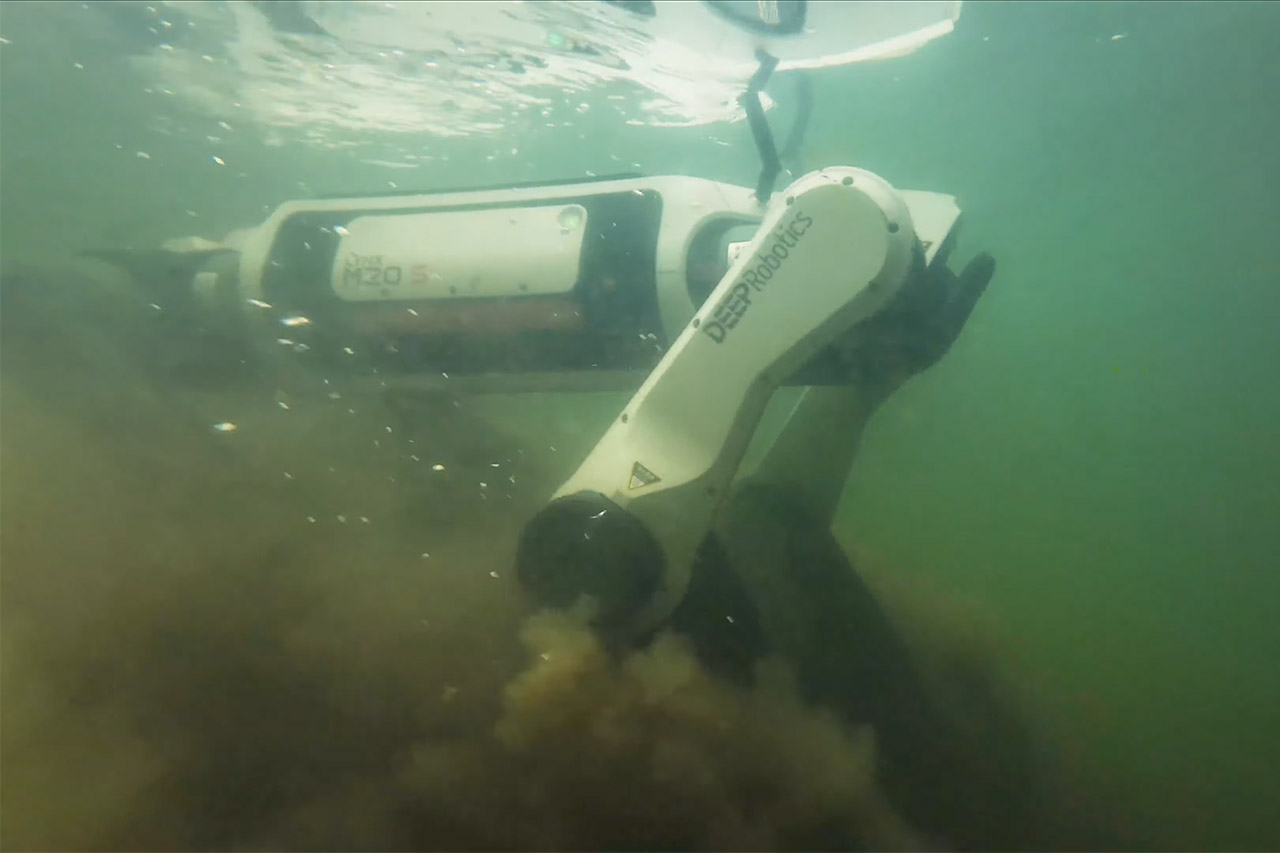
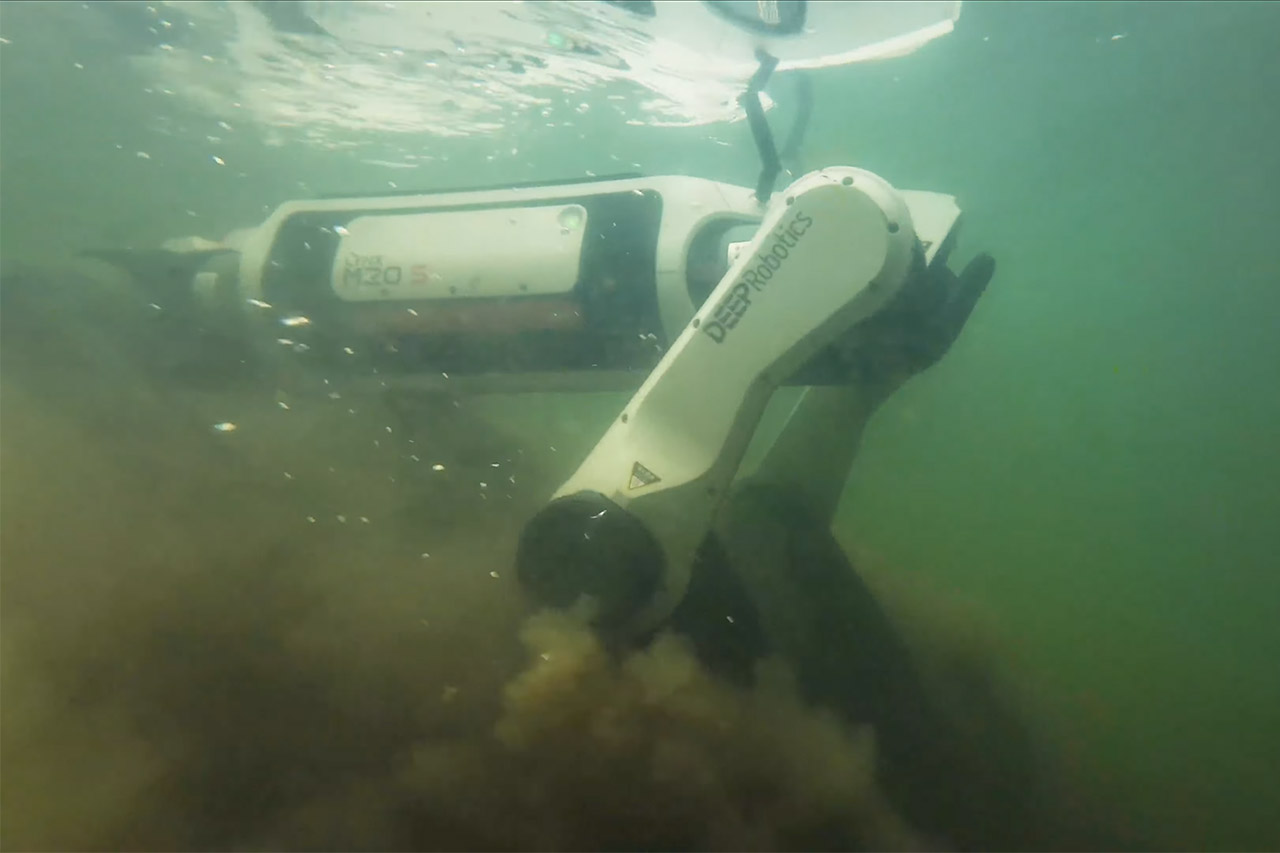
Deep Robotics has just released its latest four-legged robot, the Lynx M20S, and it’s evident that this machine was built to handle situations that would bring others to a halt. The days of the Lynx M20 being content with the safety of a controlled factory floor or a bone dry path are over, as the Lynx M20S simply continues truckin’ without blinking, trekking through water and dirt like it’s nothing. The engineers expanded on the previous Lynx M20’s robust foundation by improving three critical areas: hauling capacity, water resistance, and sheer speed.
The Lynx M20S may appear familiar, but it has been refined, measuring approximately 82cm long, 43cm broad, and 57cm tall, a sleek structure that maintains the overall weight under 33kg with the battery included. That means one person can easily move it around when necessary, so getting it from a truck to a job site is no trouble. M20S has wheels on the ends of each leg, so when in rolling mode, it glides along pavements and packed paths with ease. Flip a switch, and the wheels lock and the legs bend and lengthen, allowing you to step over logs, scamper up embankments, or step over obstacles up to 80cm tall. If you have to climb stairs, it is content to go to the next level at a fairly consistent rate: 25cm each step with a maximum slope angle of 45 degrees. It has a clever hybrid system that allows it to determine the optimal path forward based on what’s in front of it, all with a smooth transition from one mode to another.
【Next-Generation Robotic Companion: Meet the Unitree Go2 Robotic Dog】 The Unitree Go2 X is a powerful and intelligent quadruped robot designed for…
【Intelligent Navigation with 3D LiDAR & Obstacle Avoidance】 Featuring ultra-wide 3D LiDAR with 360°x96° perception, the Go2 X detects obstacles…
【High-Definition Vision & Seamless App Integration】 A front HD camera streams 1280×720 video to the app. Control the robot, view real-time data…
Speeds have undoubtedly increased with this new iteration, as lab testing suggest it can achieve a top speed of 9m/s, which is fast enough to keep up with a jogging on open ground. However, for everyday use, it has a more manageable top speed, striking a good mix between control and performance. Payload capacity has also been increased, allowing you to carry 35kg of weight in real work, up from 15kg previously. Hot-swappable batteries provide 3 hours of juice when unloaded and a good 2.5 hours when loaded, and the 1.5 hour charge time allows you to get back on the road quickly. Distance is expected to be roughly 15 kilometers without cargo and 12 kilometers with weight on board – quantities that matter when the operation is spread out over a vast location or a remote trail.
Protection levels received the same level of attention to detail. The Lynx M20S has recently received an IP67 rating. It’s well-sealed against dust and may be submerged in water for a short period of time without issue. I mean, earlier versions had an IP66 rating, which was fine for dealing with heavy rain or the occasional splash, but don’t expect it to get through a deeper puddle or an unforeseen flood. Temperatures range from negative 20 degrees Celsius to a blistering 55 degrees Celsius, so the robot can actually run whether it’s snowing or the sun is pouring down on some unfortunate guy in the desert. The Lynx’s joints and electronics are all shielded, so it can withstand a good old-fashioned rainstorm, muddy wetlands, or a dusty construction site, and all of that durability means it can do jobs when the weather is a complete nightmare.
Sensors and brains are the final piece of the puzzle. It has dual 96-line LiDAR units that scan the entire 360 degrees around it (and 90 degrees up), sending thousands of data points to the navigation system per second. Wide-angle cameras provide it with some visual input, and the onboard processors map out the way ahead and dodge obstacles in real time, plus the machine works out when to roll, how to stride, and exactly how to modify its stance for balance on its own. Operators can monitor the live feed and intervene if things go wrong, but the majority of the movement occurs automatically. With those modular ports, you can add all sorts of different gear for whatever project you’re performing, such as gas detectors and inspection cameras.
There was a time when buying a PC felt… rational. 8GB of RAM got the job done, 16GB felt like a power move, and anything beyond that was reserved for people doing genuinely heavy work. That balance existed because software respected hardware. Today, that balance has quietly collapsed, and Microsoft seems perfectly okay with it.
Microsoft
The company’s since-pulled guidance, casually positioning 16GB as the baseline and 32GB as the “no worries” zone, wasn’t just a recommendation. It’s a shift in responsibility. Because nothing about modern hardware suggests we suddenly need double the memory for the same everyday tasks. DDR5 memory is faster, more efficient, and more capable than anything we’ve had in the past. On paper, systems should feel smoother, more responsive, and more efficient. Instead, users are being nudged into upgrading just to maintain the same level of comfort they had years ago.
And that’s where the frustration kicks in. This whole situation feels like Microsoft telling users their OS is too big for its own britches, and it’s the user’s job to buy it a larger pair of pants. That’s not progress. That’s a workaround disguised as innovation.
Optimization Isn’t Dead, It’s Just Missing on Windows
Let’s not pretend this is an industry-wide problem. It isn’t. Platforms like macOS continue to prove that optimization still matters. Apple’s MacBook Neo, even with modest 8GB memory on paper, manages to deliver smooth, consistent performance because the software is tightly controlled and efficient. The same goes for Linux distributions like SteamOS, Bazzite, and CatchyOS, which run lean while still offering a full desktop experience.
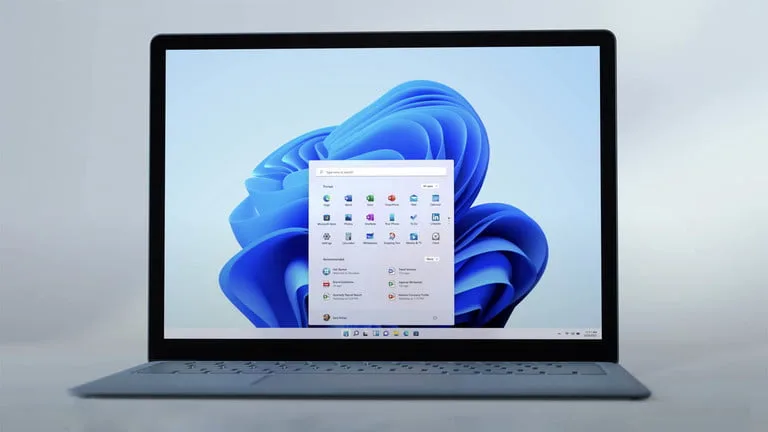
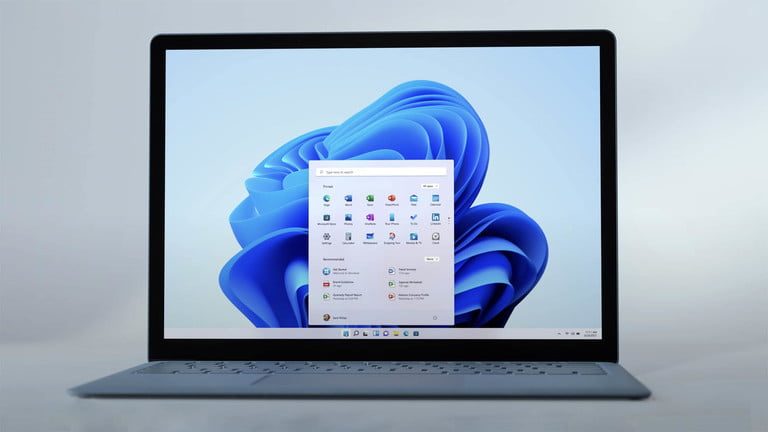
Now compare that with Windows 11. Idle RAM usage hovering around 6 to 8GB has become the norm, not the exception. That’s before opening a browser, before launching a game, before doing anything remotely demanding. It’s like moving into a house where half the electricity bill is already gone before turning on the lights. And instead of fixing the wiring, the landlord is suggesting a bigger power connection.
Advertisement
We’re running hardware that dwarfs moon landing computers, yet even opening Calculator still takes its sweet, dramatic time.
Part of the problem lies in how modern Windows apps are built. Native, efficient applications have slowly been replaced by web-based frameworks and Electron wrappers. Apps like Discord and WhatsApp on PC aren’t really apps in the traditional sense anymore. They’re essentially glorified browser tabs who thinks it’s a sovereign nation. These apps are memory hogs by design, and Microsoft’s own system components have followed suit, with Edge WebView2 instances popping up in the background like uninvited guests at a dinner party.
Then there is the “AI Bloatware” saga, a masterclass in corporate rebranding that would make a used car salesman blush. After the community rightfully revolted against the initial wave of heavy-handed AI integration, Microsoft pinky-promised to scale things back. What they actually did was just change the names and hide the toggles. These features are still there, lurking in the background, continuing to chip away at system resources.
Microsoft
The sheer lack of respect for the user’s hardware is what really stings. When your PC is idling at 8GB of RAM usage, it’s not because it’s doing something brilliant for you; it’s because the OS is too bloated to stay quiet. Microsoft has traded efficiency for “convenience”, though it’s actually convenience for their developers, who find it easier to wrap a website in a container than to write actual, native code. Like, seriously, we shouldn’t need a supercomputer to run a spreadsheet and a chat app simultaneously.
If Microsoft knows they can make it better, why are they asking us to pay for their current failures?
What makes it even more ironic is what’s happening internally. Satya Nadella recently spoke about Windows K2, a project aimed at making the OS leaner and more efficient. This admission is the ultimate self-own. In one breath, the CEO is acknowledging that the OS is a bloated mess that needs a ground-up redesign to be competitive, and in the next, the company is telling users to go out and buy 32GB of RAM to band-aid the current disaster. If a better, optimized future is already being worked on, why is the present solution being pushed onto users’ wallets?
The Real Problem Isn’t Memory, It’s The Mindset
To be clear, 32GB of RAM absolutely has its place. Heavy multitaskers, creators, and gamers dealing with modern AAA titles will benefit from the extra headroom. That’s not the issue. The issue is presenting it as the new normal for everyone, regardless of usage. The vast majority of Windows users are people who just want to browse the web, check their emails, and maybe play a casual game of Minecraft. For these people, 16GB should be more than enough. And the fact that it often is, on other platforms, makes this even harder to justify. This isn’t about hardware limitations. It’s about software inefficiency.
Advertisement
When a system feels heavy despite capable hardware, the fault doesn’t lie with the machine. It lies with the experience being delivered.
The result of this tone-deaf management is exactly what you’d expect: a mass exodus. Users are finally reaching their breaking point and realizing that the grass really is greener on the other side. People are realizing that they don’t actually hate their hardware; they just hate the OS that’s holding it hostage. When a non-gamer can get a full day of productivity out of 8GB on a Mac, but struggles to keep three Chrome tabs open on a 16GB Windows machine, the problem isn’t the memory — it’s the middleman. On top of that, Microsoft is trying to gaslight us into thinking we need more power, when what we actually need is better software.
Microsoft
The irony is, Microsoft already knows how to fix this. Just look at what Asha Sharma and the Xbox team have been doing: listening to users, delivering meaningful improvements, and focusing on experience over excess. It’s proof that the company can still get it right when it wants to. Maybe instead of telling us to buy more memory, Microsoft should try remembering how to build a good operating system.
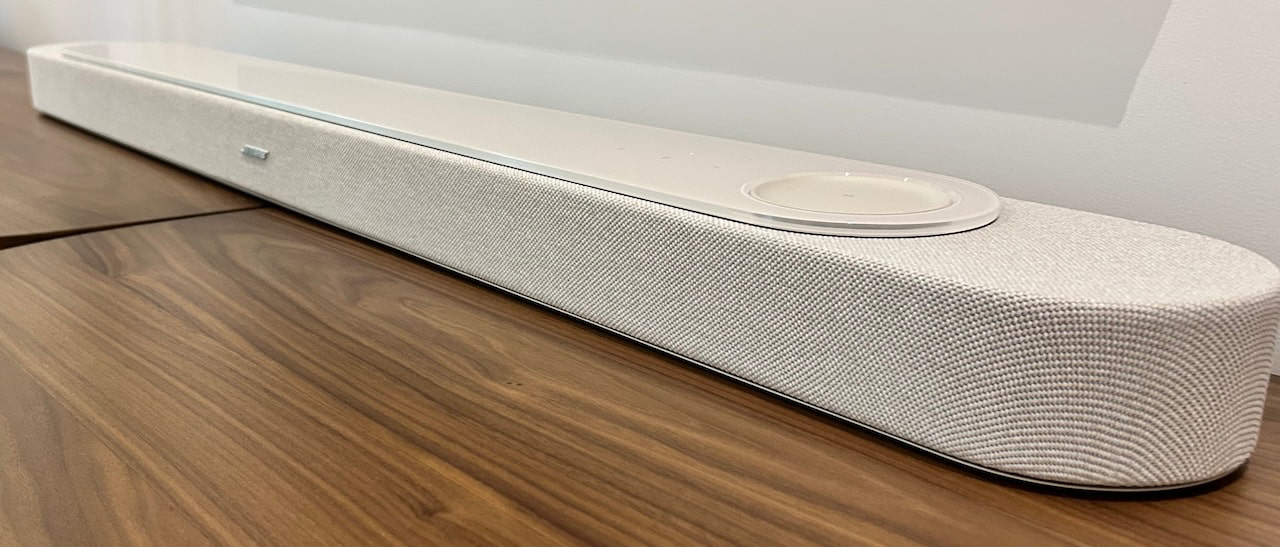
Bose knows a few things about soundbars. It has sold enough of them over the years to know what people actually want under their TVs, and the new Lifestyle Ultra Soundbar and Lifestyle Ultra Subwoofer arrive with Dolby Atmos support, Apple AirPlay, Google Cast, and the kind of simplified setup that made Bose a household name long before every TV brand decided it also needed to sell you “cinema sound” in a plastic bar.
The Lifestyle Ultra Soundbar will sell for $1,099, the wireless Lifestyle Ultra Subwoofer for $899, and both arrive May 15th alongside the Lifestyle Ultra Speaker, Bose’s new $299 wireless smart speaker, which we cover separately in our related story that you can read here.
But this story is really about home theater, and Bose knows the room has changed. LG, Samsung, Sony, Klipsch, and Sonos are all fighting for the same wall space under your TV. And while a traditional 5.1 AVR-based system can still deliver better performance for the money, it also brings more boxes, more setup, and enough cable management to make grown adults consider moving.
Most people buy soundbars because they want one speaker to do almost everything. Maybe two if they add a subwoofer. Maybe four if rear channels enter the witness protection program. Bose is betting the Lifestyle Ultra Soundbar and Subwoofer can make sound quality matter again without turning the living room into the Big Dig with speaker wire.
Advertisement
Built for Atmos and Bigger Bass
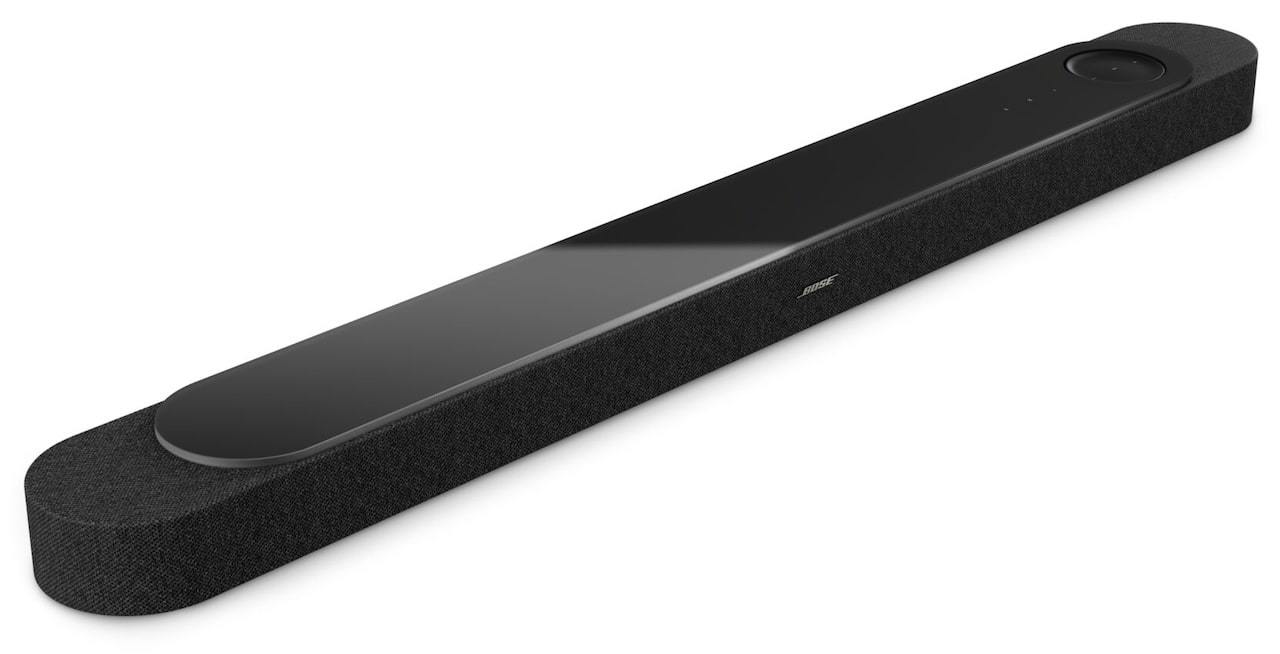
The Lifestyle Ultra Soundbar is the anchor for Bose’s new home theater system, and it is more than a cosmetic update. Bose says this is its first major soundbar redesign in more than a decade, built around a nine driver array that includes six full range drivers, two of them up firing, four front facing, a dedicated center tweeter, and two proprietary PhaseGuide drivers. At 43.54 inches wide, 2.64 inches tall, and 4.96 inches deep, and weighing 14.8 pounds, it is sized for larger TVs without turning into furniture. The goal is clear: deliver Dolby Atmos playback, wider spatial effects, stronger dialogue intelligibility, and more convincing height from a single enclosure before you start adding more boxes to the room.
The technology matters because each piece is aimed at a specific soundbar problem: limited width, limited height, buried dialogue, lightweight bass, and unpredictable room acoustics. PhaseGuide is used to steer sound horizontally so effects appear to come from areas where there are no physical speakers. TrueSpatial processing is designed to make non-Atmos content sound more immersive.
SpeechClarity uses adjustable AI-driven speech enhancement to lift dialogue without changing the entire mix. CustomTune room calibration uses an iOS or Android microphone as the reference point to analyze the room, seating, surfaces, and layout. CleanBass works with Bose’s QuietPort acoustic opening and DSP to reduce the kind of low frequency distortion that usually shows up when compact speakers are asked to do too much.
Bose Lifestyle Ultra Subwoofer
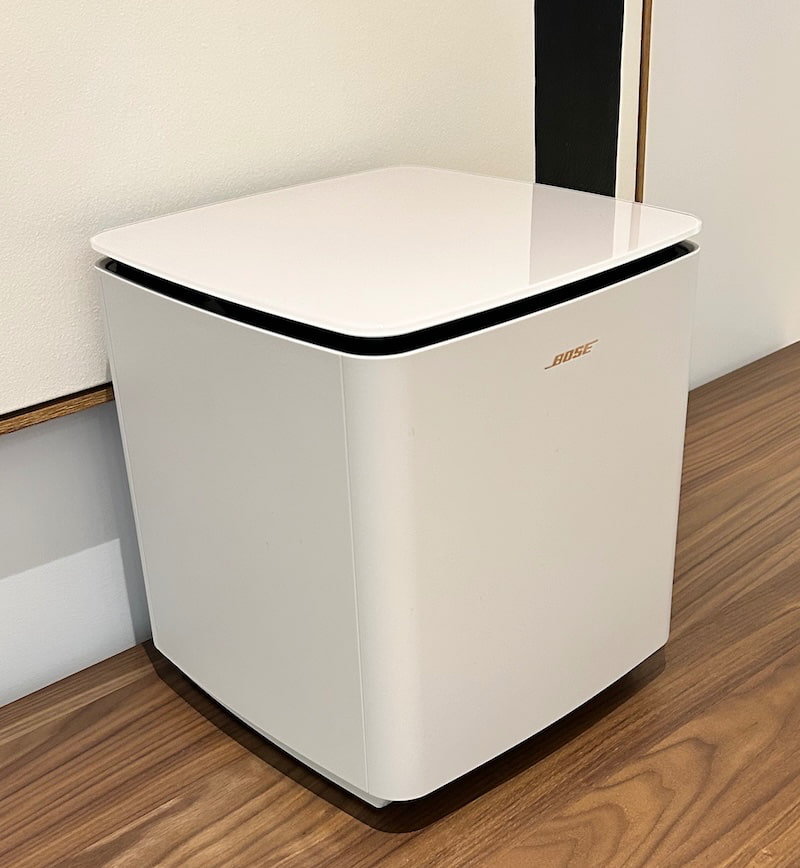
The Lifestyle Ultra Subwoofer is the obvious next step if this is going under the main TV. It measures 11.63 inches wide, 12.88 inches tall, and 11.63 inches deep, weighs 33.7 pounds, and connects wirelessly through the Bose app with a stated range of 30 feet. Bose also lists a 3.5 mm wired connection as an option. Its job is not complicated: take over the demanding low frequency effects, add weight, and let the soundbar focus more on dialogue, spatial cues, mids, and highs. In 5.1.2 or 7.1.4 configurations, the subwoofer also works with CustomTune room calibration, which matters because bass and rooms have a long history of not playing nicely together.
The configuration path is where Bose is trying to keep things flexible. The Lifestyle Ultra Soundbar can be used on its own as a 5.0.2 system. Add the Lifestyle Ultra Subwoofer and it becomes 5.1.2. Add two Lifestyle Ultra Speakers as wireless surrounds and the system expands to 7.0.4 without the subwoofer, or 7.1.4 with the subwoofer included. That gives buyers a way to start with the bar and build out the system without committing to an AVR, speaker wire, stands, banana plugs, and the usual Saturday afternoon descent into cable management hell. Bose does offer custom-designed stands for the Lifestyle Ultra Wireless Speakers with cable management.
Bose Lifestyle Ultra Soundbar (black)
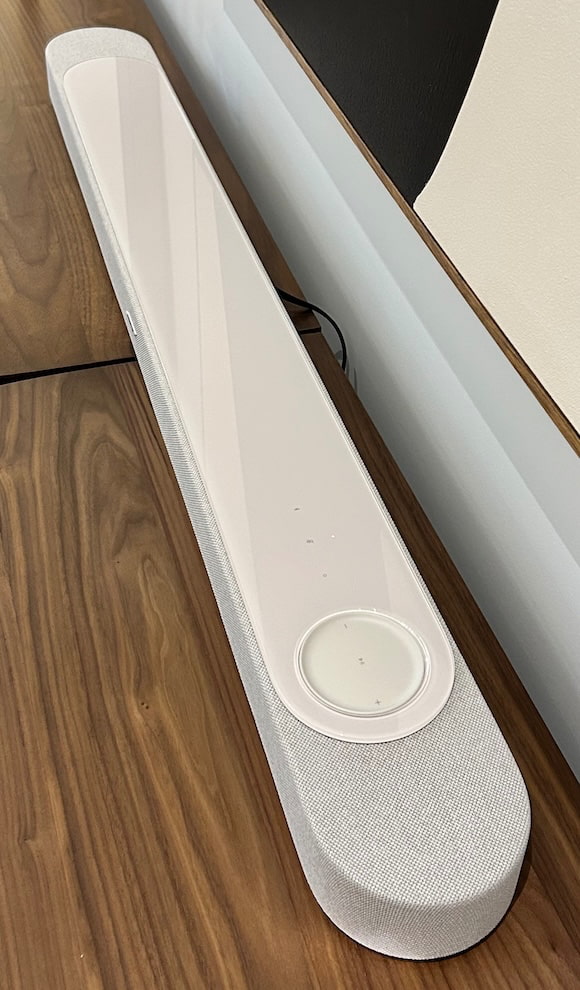
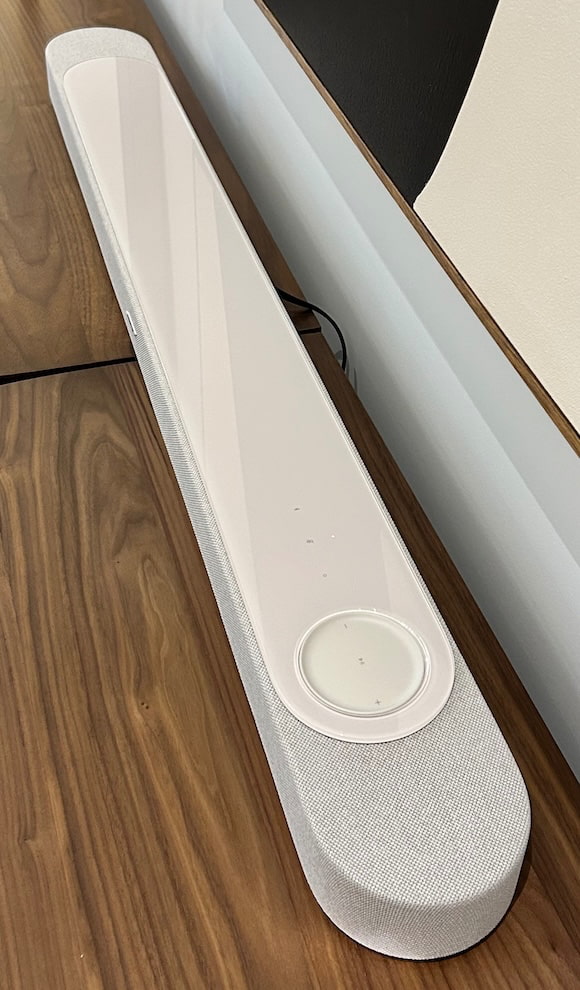
A few practical details matter. The soundbar supports HDMI ARC and eARC, Wi-Fi, Bluetooth 5.3, Google Cast, Apple AirPlay, Spotify Connect, Alexa, and Alexa Plus in the U.S. It also includes tactile controls, a hidden LED for status feedback, an eARC compatible HDMI cable in the box, and optional accessories including a wall bracket and remote control. The soundbar and subwoofer both come in Black and White Smoke, with a textured knit fabric grille on the bar and premium glass top design language shared across both products.
Advertisement
One thing Bose is not claiming at launch: dual subwoofer support. Previous Bose systems have supported dual bass modules, but that is not part of the Lifestyle Ultra system right now. At the Bose House event in NYC last week, Bose also did not tell me that dual subwoofer support is never coming. So the accurate answer is this: one subwoofer today, no promise of two tomorrow, and no reason to pretend the door has been nailed shut.
Advertisement. Scroll to continue reading.
What We Heard at Bose House
My embargoed review can’t be published until May 15th, so we’re limited to early impressions based on Bose’s controlled demonstrations at its townhouse on the Upper West Side of Manhattan. Bose set up the Lifestyle Ultra Soundbar system in its full 7.1.4 configuration, then removed the rear channels and switched the subwoofer in and out so we could hear how much each piece contributed. That matters, because soundbar demos often hide the sausage. This one gave us a better sense of what the bar can do on its own, what the subwoofer adds, and how the system changes when the Lifestyle Ultra Speakers are used as surrounds.
The room was also relevant. Bose had the system set up in the den on one of the upper floors, not in a massive showroom or some acoustically doomed hotel space. I don’t know the exact dimensions, but it felt close to my 16 x 13 foot den at home, probably a little deeper, with ceilings that appeared to be at least 10 feet high. It was still a typical NYC brownstone, with brick walls covered in plaster, but the room was well behaved acoustically. We were close to Broadway in the mid 70s, and you could not hear the street outside. For Manhattan, that’s basically science fiction with better parking rules.
The first demo track was from Dune, specifically the Arrakis rescue sequence involving a spice harvester. The scene gave the Lifestyle Ultra system a lot to manage at once: swirling sand, engine noise, the score, dialogue, and the movement of the rescue craft overhead as the crew is pulled out before the worm arrives.
Advertisement
No ballerinas or opera singers were harmed during the rescue. Timothée Chalamet may have had a point about opera and ballet struggling for mainstream relevance in 2026, but context matters. Arrakis is dangerous enough without dragging the arts community into the sandstorm.
What stood out almost immediately was the scale of the sound. Wide. Some real depth. A lot of height, which is where the upward firing drivers did their job. The Bose also handled dialogue very well. I did not feel like I was fighting to hear voices through the effects, sand, machinery, and Hans Zimmer doing Hans Zimmer things with the subtlety of a sandworm at brunch.
Bass impact with the subwoofer engaged was good, although not exactly SVS level, which is fine because Bose is not trying to sell you a refrigerator with a woofer in it. The rear channels were more effective than I expected. When the aircraft lifted off and moved overhead, the sound tracked with it, passed above me, and continued behind the listening position in a way that made the 7.1.4 setup feel genuinely useful rather than decorative.
Before I get too deep into the listening impressions, Bose’s SpeechClarity tech deserves its own mention. It uses adjustable AI driven speech enhancement to isolate and elevate dialogue without blowing up the rest of the mix, and that matters if you watch a lot of sports, movies, or prestige TV where everyone whispers like they are hiding from a tax audit. If your spouse does not want to hear you yelling “What did he say?” through the entire Stanley Cup Playoffs, turn this on. Yup. Go Sabres. Sorry, Bruins. Better luck next season.
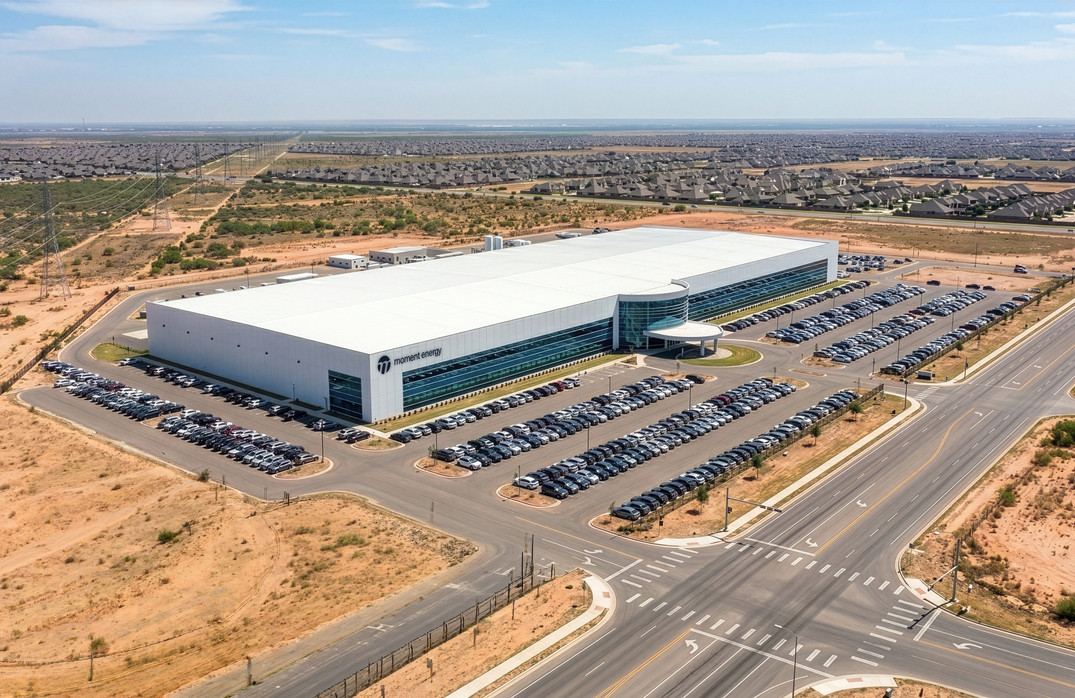
Artist’s rendering of Moment Energy’s planned Austin, Texas, gigafactory. (Moment Energy Image)
Moment Energy, a British Columbia-based startup repurposing used electric vehicle batteries, has announced a $40 million investment to help fund construction of a massive factory in Texas and more than triple its headcount.
The company, headquartered just outside Vancouver, has now raised more than $100 million in total. Moment Energy is plugging into growing demand for energy storage, which supports data centers, utilities, residential use and industrial operations.
“We are building a new generation of energy infrastructure that can be deployed rapidly, manufactured domestically and powered by existing battery resources,” said Edward Chiang, co-founder and CEO of Moment Energy, in a statement.
Moment Energy launched in 2019, co-founded by Chiang, Sumreen Rattan, Gabriel Soares and Gurmesh Sidhu, all engineering graduates from Simon Fraser University in B.C. The team’s first battery system deployment came in 2021 on Quadra Island, off the coast of Vancouver Island.
Moment Energy co-founders, from left: Gurmesh Sidhu, Sumreen Rattan, Gabriel Soares and Edward Chiang. (Moment Energy Photo)
The startup plans to break ground this year on a 200,000-square-foot gigafactory outside Austin, Chiang previously told Sustainable Biz Canada. The company expects its workforce to reach 250 once the facility is operational, up from more than 70 today.
Moment Energy is already deploying commercial projects and has customers across North America, including major tech companies and international airports.
Advertisement
The company’s model capitalizes on the natural lifecycle of EV batteries, which can retain 70-80% of their original capacity after roughly 10 to 20 years of use — well past their automotive end of life. Moment Energy disassembles those batteries, tests their remaining capacity and reassembles them into stationary energy storage systems the startup says can operate for up to 30 years.
The company has also secured multiple safety certifications, which it says makes it the only provider that can deploy repurposed battery systems in the built environment “without special dispensations.”
A Moment Energy battery system. (Moment Energy Photo)
The Series B round was led by Evok Innovations, with participation from Liberty Mutual Investments, W23 Global Fund and Acario, the corporate venture capital arm of Tokyo Gas. Existing investors including Amazon’s Climate Pledge Fund, Voyager Ventures and In-Q-Tel also joined in the round.
“Moment Energy is the only player in the EV battery repurposing industry that has proven safety and scalability are not mutually exclusive,” said Marty Reed, a partner at Evok Innovations, adding that the company is positioned to deploy energy storage systems “at enormous scale.”
Moment Energy operates in a growing field. Other companies focused on battery repurposing include Redwood Materials, which was launched by former Tesla CTO JB Straubel, and RePurpose Energy. Battery recycling players include Cirba Solutions, Ascend Elements, Li-Cycle and Ecobat — with Redwood Materials active in recycling as well.

























































You must be logged in to post a comment Login