Connect with us
DAPA Banner
DAPA Coin
DAPA
COIN PAYMENT ASSET
PRIVACY · BLOCKDAG · HOMOMORPHIC ENCRYPTION · RUST
ElGamal Encrypted MINE DAPA
🚫 GENESIS SOLD OUT
DAPAPAY COMING

Tech

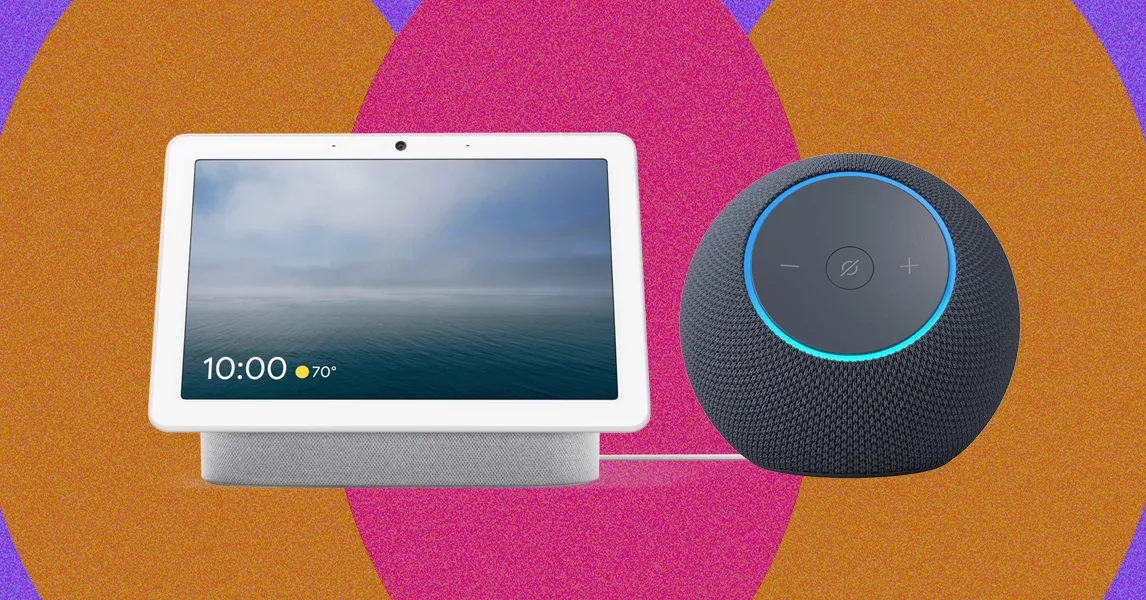
5 Best Smart Speakers (2026): Alexa, Google Assistant, Siri

Published

on

Amazon Echo Show 8 (4th Gen) for $180: This is a solid smart speaker with Amazon’s latest physical design and Alexa+ right out of the box, but it’s not a sound improvement over the older model, so I’d personally pick the third-gen option (see above) while it’s still available or upgrade to the Echo Show 11 ($220).

Amazon Echo Show 15 for $300: The Show 15 exists somewhere on the continuum of being a smart display and a smart TV, but it doesn’t quite fully nail being either. The widgets are fun to use since you can add so many to the Show’s 15-inch screen, but I’ve tried this device a few times, and I’ve always walked away underwhelmed. The Show 15 has grown on me while using it with Alexa+, though, particularly with a stand ($125) to sit on my desk. But it’s still larger than I need for day-to-day tasks, but smaller than what I’d want from a television.

Apple HomePod for $299: Apple’s flagship smart speaker has a muddy midrange and high-end, which is disappointing for the price point. The HomePod does have a lot of bass, though, if that’s your jam. If you want an Apple-powered smart speaker in your home, the Mini is a third of the price and has nearly identical capabilities to the full-size model.

Bang & Olufsen Beosound Level for $2,250: This is a gorgeous—though seriously expensive—speaker that’s built to last. The company has designed the high-end model to be repairable and upgradable over time. Made of natural fabric and wood, it’s a high-design flat speaker that comes with Google Assistant onboard—or you can buy it without a smart assistant for the same price.

Advertisement

JBL Authentics 200 for $200: This was my previous pick for a third-party smart speaker, but I’m uncertain of its access to Amazon and Google’s newest assistants. I’ll retest it once I confirm if it will gain access to one (if not both) assistants.

Sonos Era 100 for $189: Another third-party option, but it won’t grant access to Google support. You can connect it to Amazon Alexa, though. Plus, Sonos is a great investment if you’re really looking for a great speaker that can have smarts—but its smart assistant isn’t the primary feature.

Sonos Beam Gen 2 for $369: This is an older version of the Sonos Beam that still has Google support, but I’m uncertain if it’ll gain access to Gemini for Home.

WiiM A10 for $229: This speaker doesn’t have a voice assistant, but it does have compatibility with AirPlay 2, Google Cast, and Siri to be used as a Bluetooth speaker. WIRED reviewer Parker Hall says it reminds him of a Sonos speaker, but that it can instantly connect with Spotify Connect—faster than any other speaker he’s tried.

Advertisement

FAQs

How Should You Choose Between Alexa, Google, and Siri?

The easiest way to choose which smart assistant to add to your house is to consider which ecosystem you’re already using in some capacity. If you’re a big Google or Android user, for example, adding a Google Assistant–powered speaker to your home is a no-brainer. It’s not always that simple, though. Apple and iPhone users will also find benefits in choosing HomeKit-powered devices, but Apple’s ecosystem is so limited that you might want to choose a different assistant for the devices you want. Amazon’s Alexa has the widest range of offerings, but Google Assistant’s range of features has me coming back again and again.

Here’s what you should ask yourself to decide:

Advertisement
  • What assistant are you already using, if any?
  • What products do you want to use in your home, and which assistants are they compatible with?
  • What features do you want in a smart speaker? Which ecosystem can offer you those features?

Why Do I Prefer Google Assistant?

There are many reasons to love Amazon’s Alexa voice assistant, and it works pretty well. If you want to use your voice assistant to shop or use Amazon services like Prime Music or Prime Video, chances are an Alexa-powered speaker is best for you.

Google Assistant has fewer skills and is compatible with fewer smart home devices than Alexa, but Google Assistant can do enough to qualify as truly useful—plus, Google adds new skills fairly frequently. Speakers with Google Assistant work better when you network them together, and they’re compatible with a wide variety of Google apps and services. Google is better at answering random questions and telling you where to go out to eat, since it can access and send information to your phone through Google apps.

Spotify, Pandora, and YouTube Music are the main ways to play music with Google Assistant. The service can also send Netflix shows and movies to your TV if you have a Chromecast attached.

If you’re using a smart display, I also prefer Google smart display devices to Amazon’s because Alexa Show devices serve you sponsored content while Google’s will not. Amazon’s Show displays are already crowded with content by default that you’ll likely want to remove. (To do so, go to Settings on the device, and then click Home Content. You’ll currently find more than 40 options you can toggle on and off.) But you can’t fully remove the sponsored content unless you’re on Photo Frame mode. Meanwhile, Google’s displays make for better photo frames thanks to Google Photos and don’t have such a crowded interface of content to distract you. I’d stick to a Nest Home Hub unless you definitely want an Alexa display and won’t mind the occasional onscreen ad.

Advertisement

How Can I Get the Most Out of My Smart Speaker?

My biggest advice for enjoying a smart speaker to its fullest potential is to make sure you put it somewhere you’ll use it often. I love having a small speaker in my bedroom to ask about the weather while I’m getting ready for the day, and then I make sure there’s a smart speaker somewhere near my desk and living area (usually multiple, but I’m an odd case since I test these for a living) so that I can call out requests as I work, cook, and watch TV.

The next biggest to-do to maximize your smart speaker is to invest in other compatible smart home gadgets. Smart speakers work best when they have other devices to control and speak to. Set up some smart lights, a smart lock or two, a video doorbell, a couple of security cameras—you name it! And then command your smart speaker to help you control them or otherwise check on your home.

Can I Use My Smart Speaker With My TV or Entertainment System?

Advertisement

Sometimes! This varies by TV model and what you have connected to your TV. You can find some TVs that have built-in voice control, though some might be voice control through the remote rather than with the smart speaker. Apple’s smart speakers and Apple TV sync the best from what I’ve tested, if you’re looking for a single system. But otherwise, I haven’t found it as painless as I would have hoped.

If you’re looking for music entertainment, smart speakers are great. You can connect multiple smart speakers for a stereo system, or connect your smart speaker to existing systems. Depending on the system in question and what you already have, you might have to choose a smart speaker with a 3.5 mm wire-in option or a speaker that has built-in compatibility with Amazon Alexa and Google Assistant.

Should I Be Concerned About My Privacy?

Adding microphones to your home (and sometimes cameras) is a valid point of concern. Smart speakers are technically always listening, though they’re supposed to only listen for their wake word and otherwise ignore all other audio until asked a question. But there have been cases where police have requested audio recordings from smart speakers to use as evidence, including two separate murder cases in 2018 and 2019.

Advertisement

Most of the speakers I recommend have some method to shut down the speaker’s listening tendencies, whether an off switch or a camera cover, but it’s annoying to switch on and off if you want to use your speaker regularly. Alexa also no longer allows local processing, so everything you ask Alexa is now sent to the cloud to help Alexa+ run.

Ultimately, you should be concerned about your privacy, and it’s worth considering whether you want a set of microphones in your house. In my years of testing, I haven’t felt any of my smart speakers to be invasive, and they do a good job giving themselves away when activated (lighting up and asking “Hmm?” if they don’t understand the question), so it’s never felt like my speakers are sneakily listening to me. But it’s certainly a personal choice.

Will Smart Speakers Become Bricks?

The smart speakers in this guide are primarily made by large brands—Amazon! Google! Sonos!—and it’s unlikely any of them will suddenly vanish or become a useless brick speaker on your desk. There are even some first-generation Amazon Echos still working that are about a decade old (with mixed results, based on what users say online).

Advertisement

But a UK law passed in April 2024 adds more protection here. The law mandates three key points: more secure password procedures, more clarity on how to report bugs and security issues, and that manufacturers and retailers inform customers how long these products will receive support and software updates.

The last point is the most relevant for smart speaker users, since the fear is that you’ll buy a speaker that will suddenly stop getting updates and become unusable. I’ll be watching to see how much information is really offered to shoppers as it takes effect, but so far, we haven’t seen any changes. But it’s a law we like. While there’s not yet an equivalent law in the US, I’ll watch for updates here as well.

How Does WIRED Test Smart Speakers?

I employ a variety of tests with smart speakers. I do microphone tests, gauging how far away a speaker will hear and respond to a question, both while music is playing and while music is off. I also play a variety of songs to see how well the speaker performs at playing everything from chill lo-fi to our favorite metal band and beyond. I also sync it with smart devices to see how well it connects and controls those devices, and what kind of capabilities it has. If there’s a screen, I also test the features included with that. Finally, I also live with these speakers for at least a week (if not more like months!) to see how they fare on day-to-day use and long-term performance.

Advertisement

How Does WIRED Acquire Smart Speakers? What Does WIRED Do With Them After Testing Them?

Most of the smart speakers I test are provided as press samples by companies that make them. These samples are obtained with the understanding that no coverage is promised, nor are there any agreements about what that coverage will look like if it occurs. I also occasionally purchase my own speakers.

After testing, most smart speakers are kept for long-term testing or in storage for future comparison tests. If a smart speaker is deemed redundant, I usually locally recycle the device, as it likely won’t receive more updates or support from the company. If it’s still a viable speaker, I’ll donate it locally instead.

Power up with unlimited access to WIRED. Get best-in-class reporting and exclusive subscriber content that’s too important to ignore. Subscribe Today.

Advertisement

Source link

Continue Reading
Click to comment

You must be logged in to post a comment Login

Leave a Reply

Tech

How to use Visual Intelligence on macOS Golden Gate, and when it's worth it

Published

on

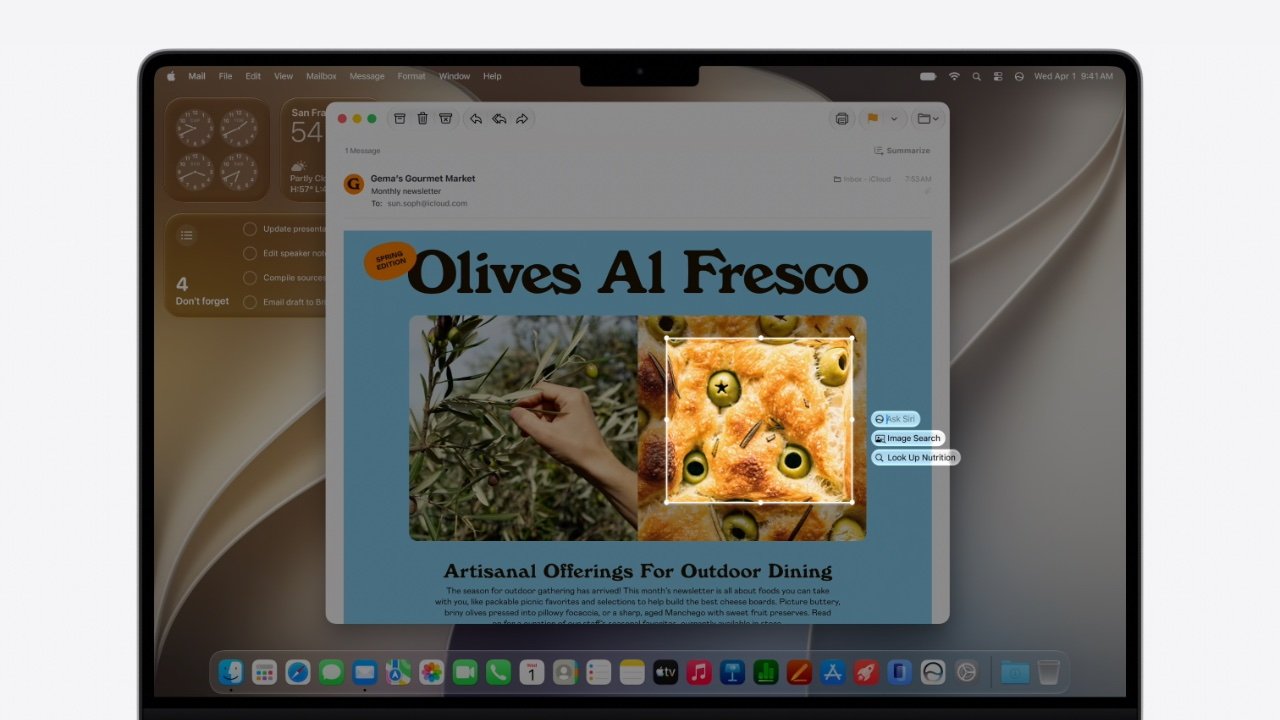
Apple has finally brought Visual Intelligence to the Mac with macOS Golden Gate, and it is a boon when it works. Here’s how to get started.

Laptop screen showing an email about Olives Al Fresco with a large photo of olive bread, a smaller photo of olives on a tree, and macOS interface elements around the window
You can select a region on your Mac’s screen and if it shows food, you can get nutrition details – image credit: Apple

I admit I have sometimes taken a photo of my Mac‘s screen and used Visual Intelligence on my iPhone to find out what I’m looking at. But as of macOS Golden Gate, I no longer need to do that because the Mac has Visual Intelligence built in.
Apple’s Sebastien Marineau-Mes, vice president of Intelligent System Experience Engineering, announced this during the WWDC 2026 keynote. But frustratingly, all he then said was that you could use it with “a dedicated keyboard shortcut.”
Continue Reading on AppleInsider | Discuss on our Forums

Source link

Continue Reading

Tech

China opens photonic computing lab to bypass US chip curbs

Published

on

TL;DR

China has opened its first dedicated photonic computing lab in Shanghai, a joint venture between Shanghai Jiao Tong University and startup Lightelligence. The facility signals Beijing’s bet on light-based chips as a strategic workaround to US semiconductor export controls that have restricted access to conventional AI hardware.

China has launched its first dedicated photonic computing laboratory in Shanghai, signalling that Beijing sees light-based chips as a strategic route around Washington’s tightening grip on conventional semiconductor exports. The Shanghai Key Laboratory of Integrated Photonic Computing Chips and Systems opened on 11 June at Shanghai Jiao Tong University, the state-backed Jiefang Daily reported.

Advertisement

The lab is a joint effort between the university and Shanghai-based Lightelligence, one of the country’s leading photonic computing startups. Lightelligence listed on the Hong Kong stock exchange in April, surging roughly 380% on its first day of trading, and claims to be the first company in the world to achieve large-scale deployment of hybrid optical-electronic computing, though that assertion has not been independently verified.

Why photons could matter for AI

Conventional AI chips push data through silicon circuits using electrons. Photonic chips swap electrons for photons, particles of light that travel faster and generate far less heat.

The theoretical payoff is significant. Photonic processors promise higher bandwidth, lower latency, and a fraction of the energy consumption, qualities that matter as training frontier AI models pushes data-centre power demands toward their limits.

Zou Weiwen, the lab’s director and a photonics professor at Shanghai Jiao Tong University, said optical computing was “an important pathway for achieving breakthroughs in computing power.” The facility will focus on photonic chip architectures, silicon-photonics integration, optical components, and the algorithms needed to make them commercially viable.

Advertisement

A hedge against export controls

The lab’s launch coincides with Beijing’s broader drive for technological self-reliance. Washington has restricted China’s access to advanced semiconductors since 2022 and has widened the rules repeatedly, forcing Chinese firms to hunt for alternatives.

That search has already shifted China’s AI chip strategy away from general-purpose GPUs and toward custom silicon. Photonics represents a more radical pivot, one that could let Chinese engineers sidestep lithography bottlenecks entirely by building on the country’s existing strengths in fibre optics and laser technology.

Chinese authorities have flagged photonics and photonic-electronic hybrid accelerator chips as strategic national priorities. Shanghai officials said they had mobilised coordinated funding across multiple science and technology programmes to back the effort.

Big ambitions, early days

Beijing is already pouring money into AI infrastructure through other channels. A reported $295 billion blueprint would build a nationwide network of data centres running largely on domestic chips by 2028.

Advertisement

Photonic computing, however, remains far from production-ready. Zou acknowledged that the field faces “fundamental scientific challenges,” citing the absence of a mature software and algorithm ecosystem capable of efficiently harnessing photonic hardware.

The gap between laboratory promise and commercial reality is wide. But with conventional chips increasingly hard to source and AI workloads growing exponentially, China is clearly willing to bet on the physics of light.

Source link

Advertisement
Continue Reading

Tech

If you’re buying a new TV for the World Cup, look for these 5 key features

Published

on

The 2026 World Cup is here, and if you’re still thinking about buying a new TV to watch the tournament in, we’d like it if you could take a beat and consider these five key features.

Big sports tournaments are usually when retailers bring out the big discounts, but before you snap up the cheapest deal you can find, we’ve laid out five features to give some thought to before you hit buy.

From size to HDR performance to motion processing, taking these five areas into consideration will help you in your search, and hopefully lead to you having the best AV experience to watch the tournament in.

Size

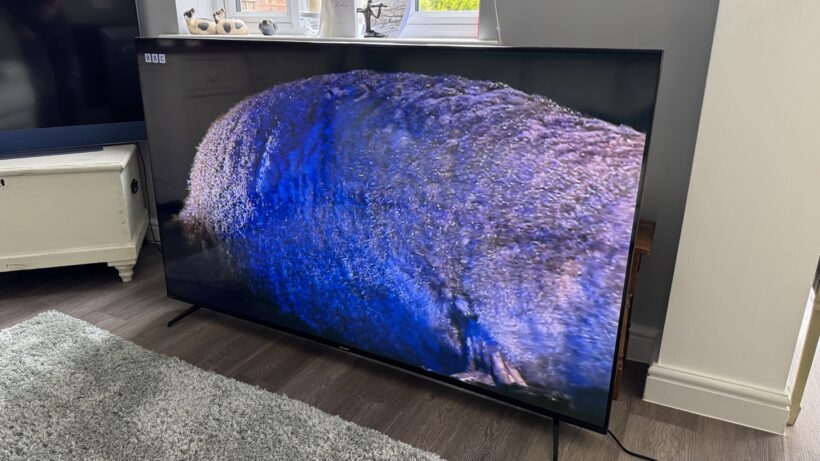
Sharp 70GK4245K angle rightSharp 70GK4245K angle right
Image Credit (Trusted Reviews)

Bigger is, genuinely, better. Unless you’re not able to fit a bigger screen in your living room, we’d always recommend that you go for a bigger size than you currently have.

Advertisement

Advertisement

The scale is the obvious benefit. Jumping from 55- to 65-inches reaps positives in terms of immersion. And of course, if you have multiple people around for a watch party, then having a bigger screen means you aren’t all cramming for space on the sofa and craning your necks to see what’s happening.

The last few years have seen a rise in the number of affordable, large-screen TVs. TCL’s 98-inch C7K is available for £1999, but for something considerably less expensive but still plenty big, Sharp’s 70GK4245K could be yours for less than £450.

Sound

KEF XIO soundbarKEF XIO soundbar
Image Credit (Trusted Reviews)

George Lucas once said that sound is 50% of the experience. He was talking about films of course, but we’d say the same applies to anything, especially if we’re talking about sports.

Hearing the roar of the crow, feeling the intensity when something happens on (or off) the pitch, or the hush of the silence before a penalty is taken – sound matters and brings immersion to the experience of sports. So don’t buy a TV with tinny sound.

That’s easier said than done when even TVs that rack £3000 asking price have a sound that’s average. And a TV that has good sound might not have as good picture. As always, if you know (from reading our reviews, of course) that TV sound is on the weaker side, give it a boost with an external sound system.

Advertisement

Advertisement

We’d also avoid most of the built-in audio modes on TV, such as sports. Very rarely do they provide the kind of all-encompassing, immersive experiences they suggest they can.

HDR

Sky Glass 2 Sky Sports footballSky Glass 2 Sky Sports football

While not every sports tournament is produced and broadcast in 4K, the last few football tournaments have been in available in HDR. For the 2026 World Cup, you can view the tournament in 4K HLG HDR on the BBC iPlayer.

More expensive TVs offer a better HDR experience because they can hit higher levels of brightness and produce a better colour experience. If you want to watch the World Cup in the best way possible, we’d suggest having a look at 4K TVs priced within the £1000 to £2000 price range for a better HDR experience. We have you covered with out best 4K TV list.

Picture mode

Sony Bravia TVs WeybridgeSony Bravia TVs Weybridge
Image Credit (Trusted Reviews)

Advertisement

Leading on from the previous point is picture mode. Vivid (or Dynamic) is an option for some, but we find that too garish in terms of brightness and colours; and also brings in issues with the motion processing negatively affecting picture quality.

Advertisement

Film (or Movie) may offer the best, most accurate colours; but this mode is often for watching in the dark or when the curtains are drawn (considering some of the match times, this might be more useful).

The picture mode we’d suggest you watch the World Cup in, is Standard mode. Standard mode gives blues and greens a boost – helpful for bringing that rich green tone of the grass – and while it adds some processing to the mix, it’s less heavy on the picture than it would be with Vivid.

It’s also brighter than Film modes and will have more of impact if you’re watching during the day, but a lot of the matches at the World Cup will be on evening/night-time in the UK.

Motion Processing

2025 Roku TV Hero Image2025 Roku TV Hero Image
Image Credit (Roku)

If you’re going to use Standard picture modes (or any mode other than Film/Cinema), your TV is going to automatically add some motion processing unless you dive into the settings and disable.

Advertisement

Advertisement

If you prefer motion processing for your sports, there are some TVs that do it better than others. Sony, Panasonic, LG are towards the top of the list; Samsung not far behind without tweaking the settings a little bit, with the likes of TCL and Hisense behind and a little less consistent.

Motion processing performance can vary depending on the price. Some cheaper TVs do away with it completely (Roku models tend not to have it), but sometimes it’s better to have an affordable TV that doesn’t do it, than one that does it poorly.

Source link

Advertisement
Continue Reading

Tech

Congress Lets Decades-Old Spying Law Lapse Amid Trump’s Controversial DNI Nomination

Published

on

Congress failed to extend a key surveillance law on Thursday night, according to a report by Politico. This effectively means that Section 702 of the Foreign Intelligence Surveillance Act (FISA) will expire for the first time since 2008, as the House isn’t expected to vote again until June 23.

The House rejected a proposal that would’ve extended the law until July 2, on a 218-198 vote. The extension actually required a two-thirds majority, but didn’t even get a simple majority. Nearly 20 Republicans joined with Democrats to block the motion. A few hours later, Oregon Senator Ron Wyden blocked a couple of proposed extensions for the law in the Senate.

This law has been around nearly 20 years through multiple presidencies from both parties. So what’s the issue right now? There are some who don’t like it when the government engages in massive warrantless surveillance programs, sure, but that never stopped the law from being renewed before. Reporting indicates that Congress was close to a three-year extension, until President Trump announced he planned to install political ally Bill Pulte as director of national intelligence.

Advertisement

Democrats have raised concerns over Pulte’s appointment on the grounds that he has no intelligence experience and fears that he could use sensitive information gathered via Section 702 for political or personal purposes. Pulte regularly insinuated Fed board member Lisa Cook fired engaged in mortgage fraud, an allegation that has since been debunked; Cook was removed from her post by President Trump last August.

Trump has since nominated Jay Clayton, the top federal prosecutor in New York City, for the intelligence job. However, he has suggested that Pulte could take the job on an acting basis. “There needs to be a clear guarantee that Mr. Pulte will not serve as acting DNI,” Senator Mark Warner wrote in a statement.

As for Section 702, it lets the government conduct warrantless surveillance of foreign targets located outside of the United States. It also allows agencies like the NSA and the FBI to spy on Americans if the action is “reasonably likely” to collect information about foreign intelligence.

Advertisement

As one would expect, authorities have played fast and loose with that whole “reasonably likely” thing. Law enforcement agencies have been caught with their hands in the data cookie jar a lot since 2008. The surveillance-based FISA court found tens of thousands of improper database searches in 2017 and 2018 alone. A judge also ruled in 2019 that the FBI and NSA committed multiple violations of either the law or privacy-minded court orders when collecting data from phone and tech companies.

House Democrats are pushing for “meaningful reforms” of the law. “Section 702 is a critical foreign intelligence authority, but we cannot in good conscience vote for reauthorization without significant reforms to protect both national security and the constitutional privacy rights of Americans,” House Minority Leader Hakeem Jeffries and other leaders said in a joint statement.

Source link

Advertisement
Continue Reading

Tech

Andrew Yang thinks the next big startup opportunity is lowering the cost of living

Published

on

Entrepreneur and former presidential candidate Andrew Yang has a theory about where the next wave of startup opportunity lies, and it starts with a question most founders aren’t asking: what if the business model was giving money back instead of extracting it?

Yang was inspired by Mark Cuban. Not by his wealth, or his celebrity, but by Cost Plus Drugs — Cuban’s startup that sells pharmaceuticals at cost. Yang made a list.

“Housing, education, food, fuel, transportation, media, and wireless,” Yang told TechCrunch on a recent episode of Equity. “The things we all spend money on.”

He picked wireless and last September launched Nobile Mobile, a new mobile virtual network operator that provides cell service for a fraction of what traditional carriers charge and gives customers money back if they use less data. 

Advertisement

As AI threatens to compress wages and displace workers, Yang sees a business opportunity in bringing down the cost of living. Cost Plus Drugs, Noble Mobile, dumb phone makers like Light Phone, and even online grocery store Misfits Markets are early examples of an emerging business category where the startup’s value proposition is the margin it gives back to the customer.

“AI is going to suck up a lot of the value and the jobs, and then Americans are going to look up and say, ‘How do I meet basic needs?’” Yang said. He believes meeting people’s needs “less expensively” is “a very rich vein of opportunity.” 

That instinct didn’t emerge from nowhere. Yang first launched himself into the public eye during his 2020 presidential campaign, during which he advocated for Universal Basic Income as a means of combating AI-related workforce displacement and wealth concentration. The campaign didn’t succeed but the thesis has only grown more relevant.

Yang is still an advocate for UBI, arguing that the value generated by AI companies needs to be redistributed into the hands of the average American. But whether the government will be the vehicle for that redistribution, or whether it will just use any collected wealth to “plug a hole and do something not terribly productive,” Yang is less certain. 

Advertisement

“There is room for a direct connection between the money and the people,” he said. 

That’s where the market comes in. Where policy fails, Yang argues, market incentives can step in. Noble Mobile is his attempt to prove the point. Since its launch last September, the company has grown to “thousands and thousands” of customers and is bringing in “millions in revenue.”

“We’re unit profitable per customer, but we just share the profits with our subscribers with the idea that it’ll make you happy, you’ll stay around, and maybe you’ll tell your friends and family,” Yang said. 

The pitch is simple. Yang noted that the average monthly savings of $50, invested and compounded over 40 years, could amount to $24,000 — enough for a retirement down payment. And in this economy, who isn’t thinking about little ways they can upgrade their personal finance?

Advertisement

Whether investors will share that enthusiasm is another question entirely. Even if the opportunity is real, capital is concentrated heavily in AI right now, while consumer-facing businesses with thin margins and a social mission are a hard sell.

“I had at least one investor say to me around Noble Mobile, ‘Love you, Andrew, want to work with you — if you could just make this an AI company, we’ll invest,’” Yang said. 

The tide might be changing, though, simply because even the most wealthy, extractive companies need an economy in which consumers have enough buying power to purchase their products. 

“The value being concentrated in the hands of a handful of folks and firms is just bad for everybody,” he said. “There are some folks I know in Silicon Valley who are open to that for a variety of reasons…[like] they just don’t want to have to hire private security.”

Advertisement

Yang encouraged founders and investors to take on problems they’re passionate about and find a way to build a valuable enterprise on top of it.

“Think bigger and more broadly about trying to tackle problems and don’t subscribe so much to groupthink, because there are some valuable opportunities out there,” he said.

When you purchase through links in our articles, we may earn a small commission. This doesn’t affect our editorial independence.

Source link

Advertisement
Continue Reading

Tech

Silicon Valley venture capitalist and LA billionaire reportedly weighing Seahawks bids

Published

on

Venture capitalist Vinod Khosla speaks in Seattle in 2025. (GeekWire File Photo)

The list of potential buyers for the Seattle Seahawks is starting to look like an NFL Pro Bowl roster of billionaires, venture capitalists and global business leaders.

Billionaire financier Todd Boehly is the latest high-profile name linked to the franchise, according to a report from Semafor, joining a field of prospective bidders that reportedly includes venture capitalist Vinod Khosla, steel executive Aditya Mittal and former Boston Celtics majority owner Wyc Grousbeck.

Boehly, the chairman and CEO of Eldridge Industries, is best known in sports circles for ownership stakes in the Los Angeles Dodgers, Los Angeles Lakers, Chelsea FC and the Los Angeles Sparks. Before launching Eldridge, he helped build the credit-investing business at Guggenheim Partners.

The Seahawks could fetch as much as $9 billion, a price tag that would eclipse the $6 billion sale of the Washington Commanders in 2023 and set a new record for an NFL franchise.

The Seahawks are being sold by the estate of late Microsoft co-founder Paul Allen, following instructions in his estate plan directing that his sports holdings ultimately be sold and the proceeds used for philanthropic purposes. In February, Allen’s estate formally listed the Seahawks for sale, shortly after the franchise captured its second Super Bowl title.

Advertisement

Among the other reported bidders is Khosla, the Sun Microsystems co-founder, founder of Khosla Ventures and an early backer of OpenAI, DoorDash and Stripe. Khosla — who also owns a small slice of the San Francisco 49ers — reportedly submitted a letter of intent as part of the bidding process.

Khosla spoke in Seattle last year, saying at the time: “I have found that the person who learns faster is way better at building businesses than the person who is a deep expert.” His firm has backed Seattle-area startups including LotiMudstackViome and Lexion, which was acquired by Docusign in 2024. It is also an investor in Seattle’s AI2 Incubator.

The Seahawks sale is shaping up as one of the largest ownership transfers in professional sports history, attracting investors from Wall Street, Silicon Valley, international industry and private equity.

For Seattle’s technology community, the process marks the beginning of a new era.

Advertisement

Since purchasing the team in 1997, Allen helped transform the Seahawks into one of the NFL’s premier franchises.

Formal bids are expected in the coming weeks, according to Semafor.

Source link

Advertisement
Continue Reading

Tech

Educators: Why Are You Thinking of Leaving the Field?

Published

on

School’s (almost) out for summer.

When it comes time to throw open campus doors for the new school year in the fall, research tells us one out of every seven teachers won’t be returning — either because they moved schools or left the profession entirely.

But when the going gets tough, teachers don’t necessarily want to leave. Even when they’re burned out, they still love what they do.

So, the concerning data throughout the country tells a story about how stark the conditions of the teacher workforce are. In Wisconsin, for instance, teachers say they are exiting the profession at the highest rate in 25 years thanks to a range of issues, from poor leadership to safety concerns like students bringing guns to school.

Advertisement

Worse, shrinking student populations and rising costs have forced school districts like Portland Public Schools to make staff cuts in the face of astronomically high budget gaps. Early career teachers are thinking hard about whether they even want to continue in their chosen field.

That’s why we at EdSurge want to hear from educators who have recently left or plan to leave their jobs for another sector: What was the deciding factor? What could your school (or district or state-level leaders) have done differently to change your mind?

Your responses will help shape our coverage, and we may be in contact for an interview.

Advertisement

Source link

Continue Reading

Tech

Why I Recommend These AI Voice Recorders For Interviews And Notes

Published

on


AI goes beyond digital interfaces like ChatGPT and Claude and it’s now showing up in physical productivity-boosting devices. One of the most useful examples I’ve found is the AI voice recorder. A device slightly larger than a credit card, an AI voice recorder captures, transcribes, and analyzes conversations in real time. It acts as your own personal automatic note taker. 

As a freelance writer and entrepreneur who has countless interviews, webinars, client conversations, and Zoom meetings each week, I’ve personally tried two AI voice recorders: the Comulytic Note Pro and the iFlyTek AI Recorder S6. And there are several other similar devices out there at varying price points. Each device is smaller than an iPhone 17 Pro Max

The Comulytic actually came with a magnetic case to fit onto my phone. That way, it’s within reach and ready to record the moment I answer a call. It sends its recordings and transcripts to a cloud storage system, which I can access via an app. The iFlyTek AI Recorder S6 is a little larger and reminds me of the digital voice recorder I used in college 20 years ago. It’s slim, rectangular, and a little smaller than my palm. Unlike the Comulytic, this one has a screen where I can see the transcription, AI-generated summaries, and other features. It can also record videos. The Comulytic and iFlyTek AI voice recorders have changed the way I do meetings and classes. Here’s how.

Advertisement

I can engage in the conversation, not note-taking

Science says that handwriting notes is better for your brain compared to typing, which is why I still enjoy note-taking the old-fashioned way. However, in my line of work, where I’m spending most of my day writing and typing and talking, doing things the old-fashioned way can be downright painful at times, regardless of whether you’ve got one of the best and most reliable mechanical keyboards. I get cramps in my hands and wrists, even with proper form and daily stretching. And if I’m trying to take notes while in a client meeting or online session, I’m not able to give one or the other my full attention. Even with pages of notes, I still feel like I missed part of the discussion.

Using AI voice recorders to do some of the lifting has made my work easier, physically and mentally. Instead of dashing to take notes and pick out all the important details, I can be present in the conversation. When my wrists and hands are aching after a day of writing, I’m more selective about the notes I take. But using an AI voice recorder, I can focus on what’s being said instead of how I’m capturing the information for later. It removes a lot of risk on my end because I know I will have all of the most salient pieces of information without having to pick and choose in the moment. Clients have to repeat themselves less, which saves us both time.

Advertisement

I receive an action-ready to-do list after the meeting

At the end of a meeting, I review my notes and figure out what needs to happen next, usually in the form of research, deliverables, or other tasks. My next steps are only as good as the notes I took, and again, if I miss a key detail or otherwise couldn’t fully immerse myself in our conversation, the rest of the process suffers.

Both of my AI voice recorders analyze the conversations and present me with action steps, summaries, and follow-up items. I know exactly what needs to happen next based on the meeting. And it’s in a digital form in the same place where I’m already doing my work. As a rule, I always end client meetings by repeating a summary and takeaways so that the client has the opportunity to clarify anything we spoke about or what our next steps are. I still do this, and AI picks it up and runs with it. I’ve discovered that taking notes doesn’t have to compete with active listening. Conversations feel more natural since I’m not constantly staring at my keyboard or notepad. I love that my new process removes a layer of mental clutter and allows me to contribute in a more meaningful way.

Advertisement

I get clear, word-for-word transcriptions

One of the most valuable features of an AI voice recorder for me is seeing what was said. This goes beyond basic call recording, which, truthfully, I loathe. I don’t want to listen to a 30-minute phone conversation to find one key piece of information. When I have a digital transcript, I can use CTRL + F to search for keywords and find exactly what I need in seconds. Transcripts are a major time-saver for me, and AI voice recorders create them without a separate tool.

Advertisement

With the Comulytic, transcription is free and happens in real time. The iFlyTek does transcription too, but has a limit of up to 300 minutes per month. Beyond that, I need a paid subscription. With both devices, I can go back and look at notes from past calls and have searchable documents. It seems like a small convenience, but transcripts have become incredibly valuable to me over the years. Details that seem insignificant during a meeting might be important days or weeks later when I’m in a different phase of a project. I don’t have to hunt through notebooks or the pile of sticky notes on my desk. All of my records are centralized in one place (well, two since I use two devices for different purposes). Plus, I save money by not having to upload recordings into separate software or transcription apps that convert audio to text.

Advertisement

I can take notes on calls or meetings when I’m on the move

When I’m not writing about tech or working with clients, I’m a travel freelance writer exploring mountain towns and hiking trails and unique attractions. And when I’m traveling, sometimes I still need to take client meetings. I used to lug around my laptop and pop into a coffee shop or cafe when I needed to take calls. The best note-taking apps were handy enough, but now I have an easy, one-touch way to record conversations without needing them. It takes notes on my behalf no matter where I am.

One of the biggest benefits is that these devices work offline. I don’t have to be connected to Wi-Fi because each device has internal storage, and when I regain internet access, the content will sync to my account automatically. Even when I’m not speaking with clients or stakeholders, this makes AI voice recorders useful for capturing my own thoughts. Some of my best ideas come when I’m walking in the park or hiking to see a waterfall. Sometimes I meet people unexpectedly and want to get their story on the spot. I have come to appreciate how much flexibility an AI voice recorder provides. I don’t have to plan my workflow around the availability of a laptop or internet connection.

Advertisement

Not everyone is on board with AI voice recorders, and here’s why

As much as I appreciate AI voice recorders, I understand why some people are hesitant to embrace them. AI isn’t perfect, so there’s a risk of contextual misunderstanding. For example, AI might analyze your conversation and give an inaccurate summary or oddball to-do’s. Hopefully you’ll be able to spot this if you were immersed in the conversation, and it’s an easy fix. I haven’t experienced it (yet).

Some people are also put off by the idea of having AI listen to their conversations. Questions naturally arise about where the content is stored, who can access it, and whether the content is truly private. No one wants sensitive business information or client records on display, especially if it involves intellectual property. I believe transparency is essential. If I’m recording a meeting with AI, I let clients know. Most people appreciate being informed beforehand.



Advertisement

Source link

Continue Reading

Tech

Today’s NYT Mini Crossword Answers for June 13

Published

on

Looking for the most recent Mini Crossword answer? Click here for today’s Mini Crossword hints, as well as our daily answers and hints for The New York Times Wordle, Strands, Connections and Connections: Sports Edition puzzles.


The Mini Crossword is a long one today, as always on Saturday. World Cup watchers, 4-Down is for you. Read on for all the answers. And if you could use some hints and guidance for daily solving, check out our Mini Crossword tips.

If you’re looking for today’s Wordle, Connections, Connections: Sports Edition and Strands answers, you can visit CNET’s NYT puzzle hints page.

Advertisement

Read more: Tips and Tricks for Solving The New York Times Mini Crossword

Let’s get to those Mini Crossword clues and answers.

completed-nyt-mini-crossword-puzzle-for-june-13-2026.png

The completed NYT Mini Crossword puzzle for June 13, 2026.

Advertisement

NYT/Screenshot by CNET

Mini across clues and answers

1A clue: Sentry’s “Stop!”
Answer: HALT

5A clue: ___ vera (succulent)
Answer: ALOE

6A clue: “That feeling should fade”
Answer: ITLLPASS

Advertisement

10A clue: $1,000,000, informally
Answer: MIL

11A clue: One of the Three Stooges
Answer: MOE

12A clue: Caller of balls and strikes
Answer: UMP

13A clue: ___-1 (class of drugs that includes Ozempic and Wegovy)
Answer: GLP

Advertisement

14A clue: Crunchy tendril used in Asian cuisine
Answer: PEASHOOT

17A clue: ___ Stadium, former home of the Mets
Answer: SHEA

18A clue: Silverstein who wrote “The Giving Tree”
Answer: SHEL

Mini down clues and answers

1D clue: Student’s slip
Answer: HALLPASS

Advertisement

2D clue: The “A” of GOAT
Answer: ALL

3D clue: Chop (off)
Answer: LOP

4D clue: Collective objective … or what the ends of 1-Down, 6-Across and 14-Across lead to
Answer: TEAMGOAL

6D clue: “Okay, it’s my turn”
Answer: IMUP

Advertisement

7D clue: The “T” of GOAT
Answer: TIME

8D clue: All by oneself
Answer: SOLO

9D clue: Month #9: Abbr.
Answer: SEPT

15D clue: Librarian’s warning
Answer: SHH

Advertisement

16D clue: Tee-___ (giggle)
Answer: HEE

Source link

Advertisement
Continue Reading

Tech

Deep Robotics Puts Its Lynx S10 Prototype to the Ultimate Test by Equipping the Robot with Bear Paws on Arctic Ice

Published

on

Deep Robotics Lynx S10 Prototype Paws Arctic
Deep Robotics sent a modified version of its compact Lynx S10 robot on a research vessel bound for the Arctic Ocean. The goal was straightforward. Engineers wanted to see how the small machine would handle real polar conditions that humans approach with extreme caution. The prototype completed its mission and became the first quadruped robot to step onto Arctic Ocean ice floes.


Given its size and capabilities, the standard Lynx S10 stands out. Even with the battery fitted, it weighs less than 20 kg, allowing one person to transport it to the field and get it up and running quickly. The robot’s sixteen precision joints enable it to fold and twist into tight locations that larger robots cannot access, such as rubble and narrow tunnels. On flat terrain, it moves at 8 meters per second. Furthermore, it can clear obstacles up to 50 cm tall, transition between rolling on wheels and walking on legs as the terrain becomes more difficult, and even rise into a bipedal position when extra height is required.

Sale


LEGO Creator Fierce Shark with a Treasure Chest Building Toy for Boys & Girls – Kids Build a Shark, Fish…
  • 3 IN 1 TOY FOR KIDS – LEGO Creator 3 in 1 Fierce Shark with a Treasure Chest (31381) building toy lets boys and girls ages 8 years old and up…
  • BUILD & REBUILD – Kids can dream up endless stories as they create 1 of 3 brick-built sea creatures: a shark with a treasure chest, an anglerfish or…
  • POSABLE SHARK TOYS – The shark model has a posable mouth, body, side fins and tail fin, the anglerfish toy can move its mouth, side fins and tail…

Four ultra-wide-angle cameras with high dynamic range lenses, as well as front and rear LiDAR units, feed into a next-generation omnidirectional perception system for clear vision. The robot can generate maps, select paths, and avoid obstacles on its own. That’s because the machine is built to withstand a beating; its IP66 rating guarantees dust, rain, and heavy fog will not knock it down. And it will continue to function in temperatures ranging from -20 to 55 degrees Celsius. The battery life easily exceeds 3 hours, and if the power runs low, the robot can find and travel to a charging station on its own. The effective payload capacity is slightly more than 8 kilograms, with a maximum structural load of 120 kilograms.

Advertisement

Deep Robotics Lynx S10 Prototype Paws Arctic
When the Lynx S10 was dispatched on the Arctic expedition, the team made a few particular changes. They replaced the standard wheels with large biomimetic paws resembling polar bears’ broad soles. Anti-slip patterns were added to the contact surfaces to promote grip, and crampons provide the robot with extra traction on firm ice. They also tightened the seal on the body to fulfill the IP67 standard. In certain cases, they even increased the surface area of the limbs, allowing the legs to operate as paddles while the robot wades through mixed ice and water.

Deep Robotics Lynx S10 Prototype Paws Arctic
The studies tested this robot’s boundaries, as we were dealing with snow that periodically masked pools of melt water capable of swallowing a person or a machine whole. The bear-paw feet and crampons kept the robot firmly planted as it crawled and walked over slick, low-friction terrain. There was even one case where the machine simply glided over terrain that appeared solid but was actually sitting on a hidden water pocket. Later studies moved into zones with ice and water mixed together, and the robot’s improved legs simply carried it through the muck.

Deep Robotics Lynx S10 Prototype Paws Arctic
Now, these runs were more than just a publicity stunt, because the Lynx S10 prototype is still in development and was in alpha when it went on the trip. Deep Robotics worked with professionals at Sun Yat-sen University, Westlake University, and Hangzhou Dianzi University to create the best paw design and control algorithms. Every time the robot stepped on the ice or paddled across the icy water, the crew learned more about its balance, traction, and performance in freezing conditions.

Source link

Continue Reading

Trending

Copyright © 2025