

Tech
What to expect at WWDC 2026

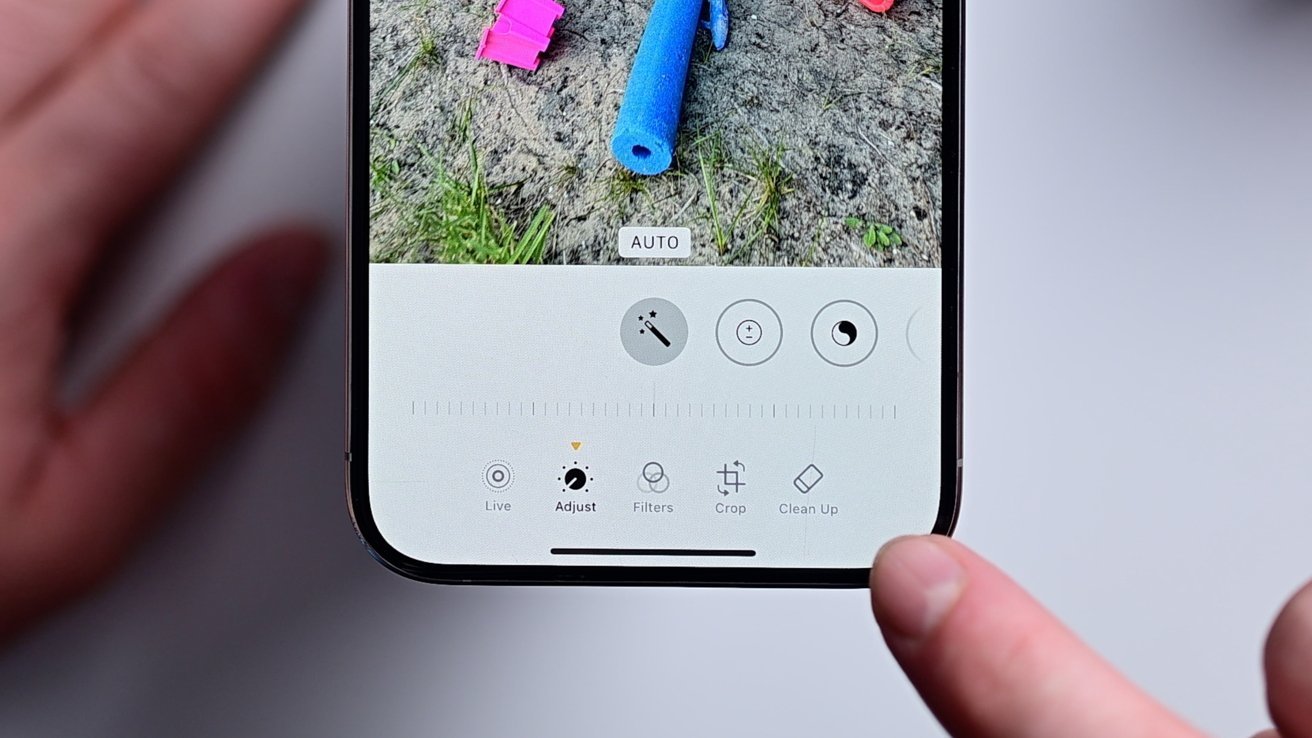
WWDC is just around the corner. Here’s what to expect from Apple about the future of iOS 27, macOS 27, AI, and Siri.
Apple’s annual Worldwide Developer Conference will be held from June 8 to June 12. As it’s big developer event, it is also the main place to discover the big changes that will be arriving in its operating system updates due this fall.
Just after the keynote announcing the news, Apple will release its first developer beta builds of iOS 27, iPadOS 27, macOS 27, watchOS 27, tvOS 27, and visionOS 27. These will be a second beta-testing track alongside the current-gen 26 versions, though those will be more for performance and bug fixing rather than introducting new features.
In the months leading up to the event, many rumors have circulated about what Apple will announce to the world. In an industry that is now ever so focused on AI, and with a massively delayed Siri revamp on the books, WWDC has become a very important presentation for Apple.
This is what you can expect Apple to talk about during the keynote and across the week.
iOS 27, iPadOS 27
The main points of interest will be in iOS 17 and its stablemate, iPadOS 27. Continuing the name convention established one year ago, the operating systems won’t have as much of an overhaul as they did in WWDC 2025, but there will be changes.
Early rumors in November 2025 likened iOS 27 to the macOS Snow Leopard release, in that it was more about stability and bug fixes than features. Likewise, expect there to be improvements to how the operating system functions on a fundamental level.
That also includes potential updates to battery life.
As for visible changes, there are expected refinements to Liquid Glass, Apple’s current choice of aesthetic. There have been claims of a system-wide slider to change the intensity of the glass effect, similar to the lock screen clock slider.
The home screen will get a new customization tool, namely the ability to revert edits made to the layout or other elements. This will make it easier for users to try out a change before changing their mind.
For other apps, you can expect an update to the Camera app to add a more accessible Visual Intelligence button, possibly referred to as “Siri Mode.” The Photos app will also get more Apple Intelligence features, including the ability to extend, enhance, and reframe shots.
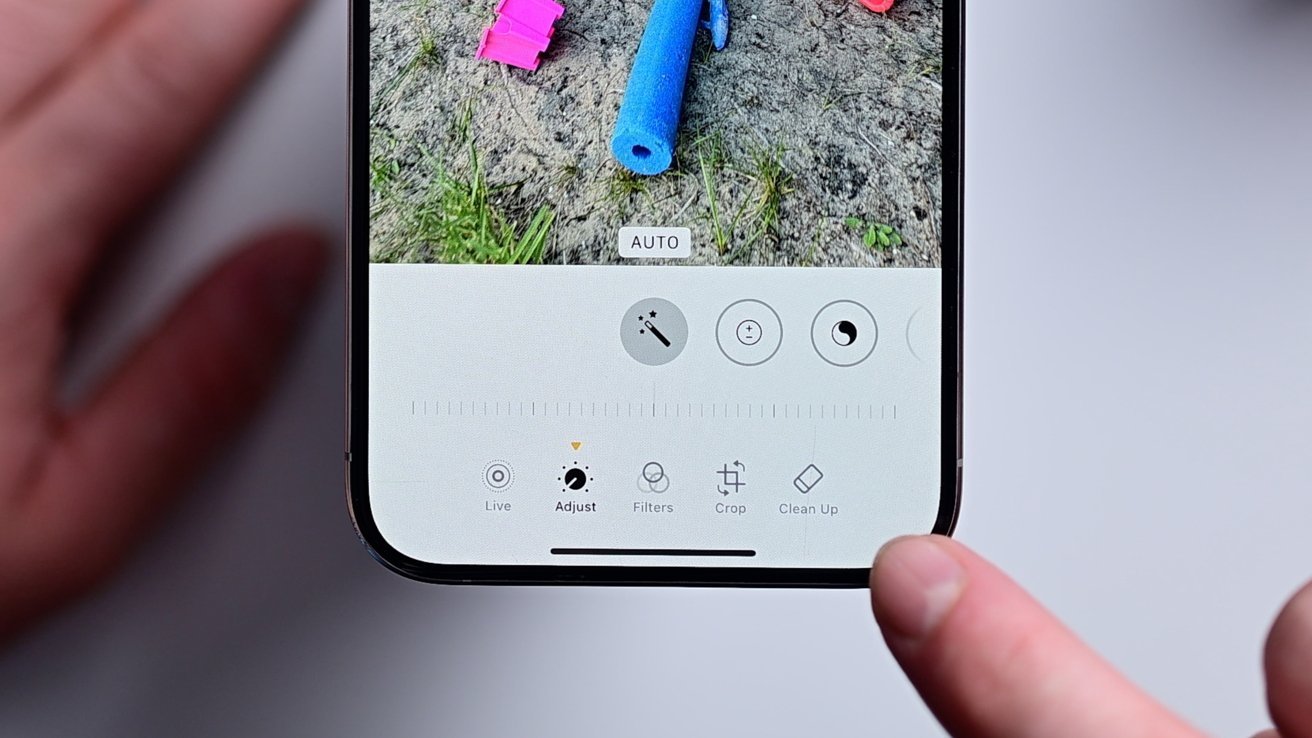
The Photos app in iOS 27 is expected to get more AI features
Safari will gain some changes, with the chief one being automated tab grouping.
The Wallet will let users create their own digital passes from real-life tickets and cards that don’t have digital equivalents. You may also be able to split the bill and send requests for payment to your contacts after photographing a receipt.
There have been some regulatory-related rumblings too, with the EU’s Digital Markets Act potentially forcing a change. Apple is believed to be allowing users to use alternatives to AirPlay, such as Google Cast, to meet the Act’s rules.
The main show, however, will be Siri’s revamp, which will arrive two years late. It’s also expected to arrive in beta.
This will also arrive with an upgraded appearance, if a leak is right. Apparently Siri will take up space at the top of the iPhone screen, growing the Dynamic Island to show a prompt for text entry.
You may also end up interacting with Siri in a new way. Influenced by other AI services, there have been rumblings about a Siri Chatbot app instead of the existing system, which would allow for you to have conversational threads with the assistant.
The changes will include Apple’s previously-promised context awareness, as well as other smarts brought in thanks to Apple’s use of Google Gemini as a base. The ability to understand multiple commands in a single sentence will also be there.
There’s also been hints at health-related features, under the title of Apple Health Plus.
However, while Siri will be the main AI in use, with ChatGPT’s integration continuing to exist, there should be more options for users. Reports have hinted that more third-party AI support is also on the way.
Ahead of WWDC, a subdomain for “GenAI” was discovered, which may play into proceedings.
iOS 27 and iPadOS 27 will include some more accessibility features, including to VoiceOver and Magnifier, natural language Voice Control, more subtitles for video, and other changes. These have been confirmed by Apple in a Global Accessibility Awareness Day reveal on May 19.
We may also get a hint at some features destined for the iPhone Fold too, since iOS 27 would have to support the model. So far, that seems to consist of a Split View-style feature, taking advantage of the large screen with an iPadOS-like addition.
macOS 27
While we know that it will be macOS 27, we don’t know the name of the operating system itself. It’s probably going to be some form of California nature spot, be it a mountain range or a lake, unless Apple shakes up its naming convention again.
As for what to expect from Apple for it, a lot of the elements will be in line with iOS and iPadOS.
Liquid Glass will still be present in macOS 27
There will be a tune-up of Liquid Glass to make it more readable. Changes to apps like Safari and Photos will be similar in nature, as will be the Siri upgrades and other Apple Intelligence changes.
However, there are two changes affecting older Macs. Since macOS 26 Tahoe is the last version to actively support Intel Macs, you won’t be able to update to macOS 27 on non-Apple Silicon hardware.
For developers, there’s another thing to consider. Apps that were made for Intel Macs will continue to run in macOS 27, as it will continue to have Rosetta 2 support.
It does mean that macOS 28 will not support those apps, and developers will have to update them to work on Apple Silicon if they are to continue running on future Mac models.
One thing we may already know about is the name. Thanks to a possible social media snafu, it seems that it could be known as “Big Bear.”
watchOS 27
There will be a new watchOS release this fall, with watchOS 27 due to be shown off at WWDC. However, there are few rumors about what it will include.
So far, we are aware of the Modular watch face from the Apple Watch Ultra being simplified for the non-Ultra models. That includes removing some of the complications to make it fit the lower-resolution and smaller screen.
Improvements to heart rate tracking have also been declared in rumors, but as part of an overall improvement package rather than one with many new features.
Other updates could also happen, such as power usage, but other than that, there’s little to really go on at this time.
visionOS 27, tvOS 27
When it comes to tvOS 27 and visionOS 27, we are certain that there will be improvements made to both. However, again, there are no real rumors to hint at what will happen.
The probable minimums to expect are interface updates, matching the Liquid Glass refinements in the other operating systems in the generation. Apple Intelligence improvements and the new Siri will also impact them too.
Optimizations, maintenance, and bug fixes are also prime topics for both operating systems, too.
However, as part of the Global Accessibility Awareness Day announcements, Apple did say that there will be a new Wheelchair Control coming to visionOS. It uses the eye-tracking functionality to control a powered wheelchair.
Don’t count on Mac mini or Mac Studio.
WWDC is chiefly a developer and software-centric event. That said, Apple has often used it to launch new hardware initiatives.
Don’t count on it for 2026, though.
The current state of the hardware industry is one of panic, due to the ongoing memory and chip crisis raising prices of components. It’s so bad that comments from CEO Tim Cook indicated that there won’t be any new Macs or iPads introduced before September.
Apple could always mention future hardware it plans to introduce, but that would only be if it knows it can pull it off. A challenging manufacturing environment means it will be careful about making such claims in the first place.
It could always announce something like a new Apple TV model or a HomePod refresh, or even its rumored Home Hub tablet.
But, as it stands, they are very doubtful additions to make in a keynote that’s chiefly about software.


My tote bag is more a mobile workstation than a carrier. On any given day, it’s hauling a 16-inch laptop, noise-canceling headphones, chargers, my daily planner, a water bottle, and whatever gadgets I’m testing that week. Plenty of leather totes look beautiful on day one, but far fewer are designed to hold up against the reality of transporting thousands of dollars’ worth of tech every single day.
That’s why Leatherology surprised me.
After months of rotating between the Mia Horizontal Tote, Transit Travel Tote, and Large Zippered Downtown Tote, I found myself thinking less about the leather—though it’s undeniably excellent—and more about how each bag has been intentionally designed to fit specific workflows.
But the first thing you notice, of course, is that leather. Leatherology uses semi-aniline, drum-dyed pebbled leather that is soft and supple, making it feel broken in from day one without being overly delicate.

Courtesy of Leatherology

Courtesy of Leatherology
The hardware is clean, the branding is subtle, and the totes don’t feel ostentatious, which I appreciate. These bags look expensive because the quality of the materials and craftsmanship speak for themselves, not because there’s a flashy logo plastered on them. And if you want something more personal, every model can be monogrammed.
As a tech reviewer, though, I find that aesthetics go only so far. What impressed me most about these bags is their functionality, which is something I can’t say about many luxury bags. The straps remained comfortable even when I loaded the bags with bulky gear. The interiors are well-organized, preventing cables and accessories from getting lost in a single, cavernous compartment, yet they don’t feel over-engineered. Each bag is sturdy and secure enough to protect your valuables.

Courtesy of Leatherology

Courtesy of Leatherology
Built Better Than It Looks
The Mia Horizontal Tote ($330) is the most relaxed of the three and has become my go-to bag for the weekend. Its wider silhouette is ideal for farmers market runs, shopping trips, or afternoons working from a coffee shop when I don’t need my entire desk setup. My Kindle, headphones, a sweater, and small essentials all fit comfortably with room to spare. Two interior slip pockets kept accessories within reach, while the removable leather pouch became my designated home for my card holder and lip balm. The magnetic closure allows for easy access during everyday errands, but because it lacks a dedicated laptop sleeve or zippered top, I wouldn’t use it as a work bag for my commutes.
That’s where the Transit Tote ($465) comes in. This is the bag that feels purpose-built for work trips, where a personal item often doubles as your office. It features two exterior pockets, nine interior pockets, two zippered compartments, and a padded laptop sleeve that fits up to a 16-inch laptop. I could separate chargers, travel documents, and toiletries into designated, well-organized spaces. A hidden trolley sleeve slides over rolling luggage, and the zippered top adds an extra layer of security at airports. Between the short leather handles and longer shoulder straps, it’s also comfortable to carry through terminals without constantly shifting your grip. Plus, it feels much more heavy-duty than the Mia Horizontal, whose straps I sometimes worry might give out when the bag is overpacked. There’s also a foldable bottom gusset with a removable support panel that helps the bag maintain its structured silhouette. During my testing, it fit comfortably under an airline seat, but it’s always worth confirming measurements with your specific aircraft.
Tech
Back-to-school phone shopping on a tight budget? Here’s the one phone I’d recommend without hesitation
Somewhere between the last day of school and the first day back, your phone conked out. Perhaps the screen shattered after a particularly nasty fall, or its battery regularly gives up by noon, or apps take so long to launch that by the time they do, you’ve forgotten why you opened them in the first place. You don’t think it’ll last another school year, but between all the school supplies and everything else, a budget phone is all your wallet can handle right now.
Fortunately for you, cheap phones have come a long way, offering better screens, bigger batteries, and more capable cameras than devices launched just a couple of years ago. Since you’re already prepping to head back to school, this is as good a time as any to lay your old phone to rest and lock in an upgrade. But unfortunately, the timing isn’t great for the smartphone industry in general, and that has had a real impact on entry-level phones.
The ongoing memory and storage shortage has driven some manufacturers to increase prices. It has also impacted availability and, in at least one case, pushed a major manufacturer out of the US market entirely. That’s left the field thinner than usual, with only two phones that still earn a clear recommendation at budget pricing. Here are those picks, plus what dropped out of contention this year.
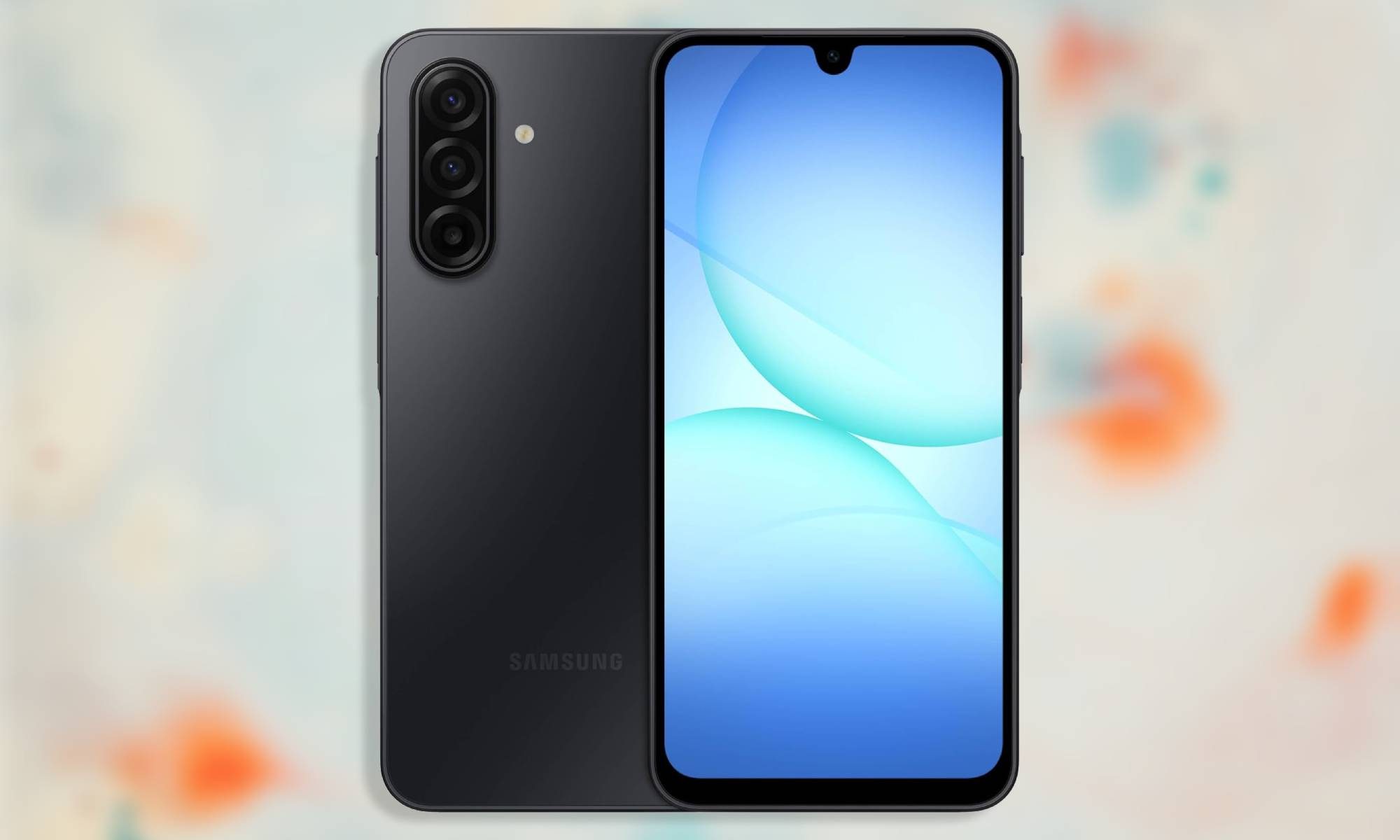
Samsung Galaxy A17: The safest budget pick
| Pros | Cons |
| Six years of OS and security updates, unmatched at this price | Exynos 1330 is showing its age |
| 6.7-inch AMOLED display with 90Hz refresh rate | 4GB RAM on the base model is limiting |
| 5,000mAh battery easily clears a full day | Ultrawide and macro cameras are essentially filler |
| Works on any US carrier | IP54 rating only protects against splashes |
| $35 upgrade to 256GB storage also doubles RAM to 8GB |
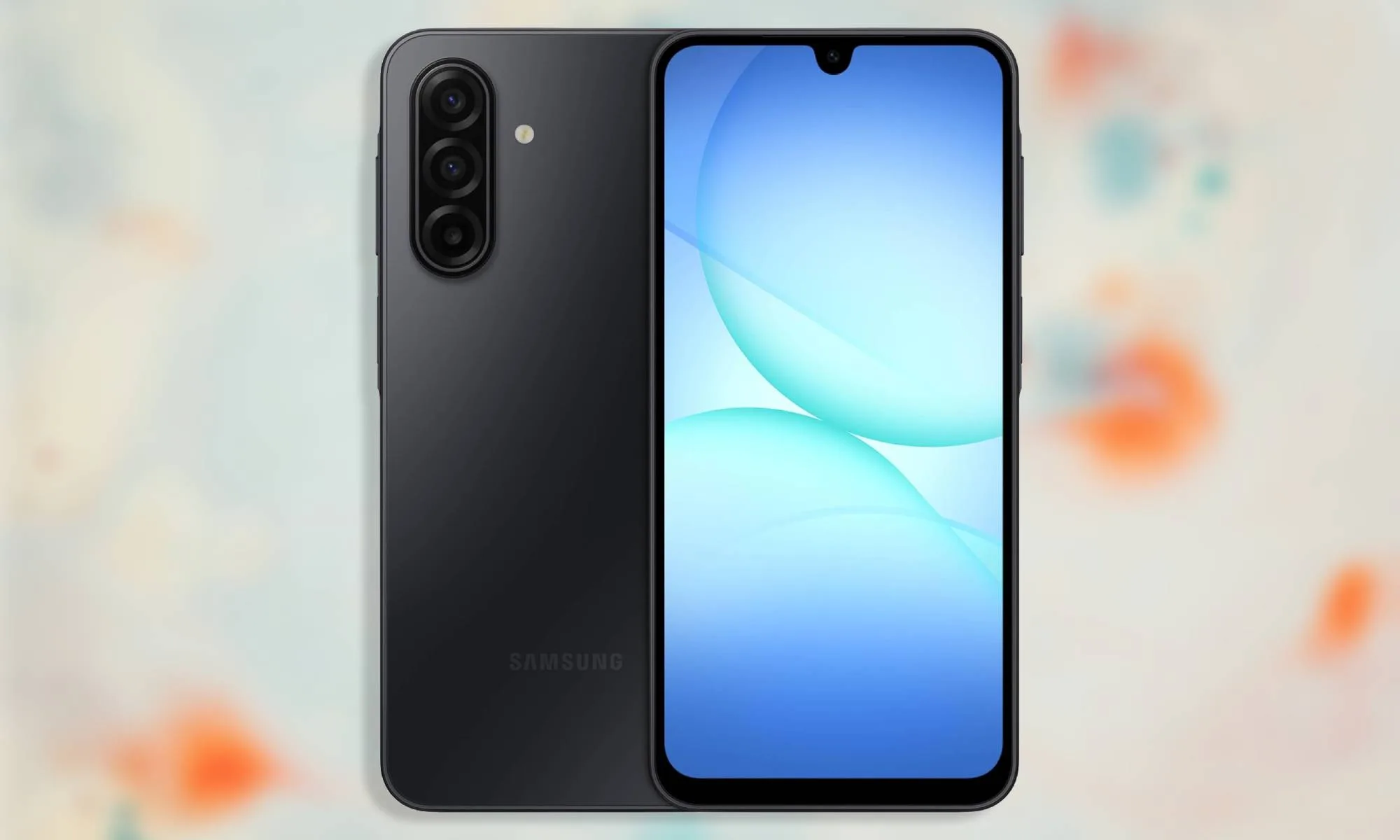
Samsung’s most affordable Galaxy A-series device is the one I’d confidently hand to a student who just needs a reliable phone that’ll survive the next few years without breaking the bank. Samsung backs the Galaxy A17 with six years of OS and security updates. That’s unheard of for a $200 device, and it’s the single biggest reason this is the budget phone to buy right now.
Its 6.7-inch AMOLED display is gorgeous to look at and, with its 90Hz refresh rate, it will feel smoother if you’re upgrading from an old phone with a 60Hz panel. Gorilla Glass Victus on the front means it can survive the kind of drop that would spiderweb a cheaper screen, and the plastic build, while not glamorous, doesn’t feel flimsy in hand either. The 5,000mAh battery can easily clear a full day without needing a midday charge, but you should tame your expectations when it comes to performance.
The Exynos 1330 powering the device is a few generations old, and you may notice occasional stutters when opening apps or scrolling through pages. But that’s mostly due to the 4GB RAM on the base model. Upgrading to the 256GB storage variant for $35 extra will get you 8GB RAM, which will resolve this hitch for the most part and even improve multitasking performance.
The triple-camera setup on the back is mostly marketing, with the main 50MP sensor pulling all the weight while the other two are nothing worth writing home about. The device has an IP54 rating that won’t survive a dunk in a pool, but it’ll handle a spilled drink or a walk in the rain just fine.
Compromises like these are expected from devices in the sub-$300 price range, so they’re not entirely deal-breakers. What matters more is whether the phone you buy today still looks sharp, gets through most of the day with few hiccups, and receives updates by the time you graduate, and that’s exactly where the Galaxy A17 delivers. It works on all carriers and is the safer of the two options in this piece.
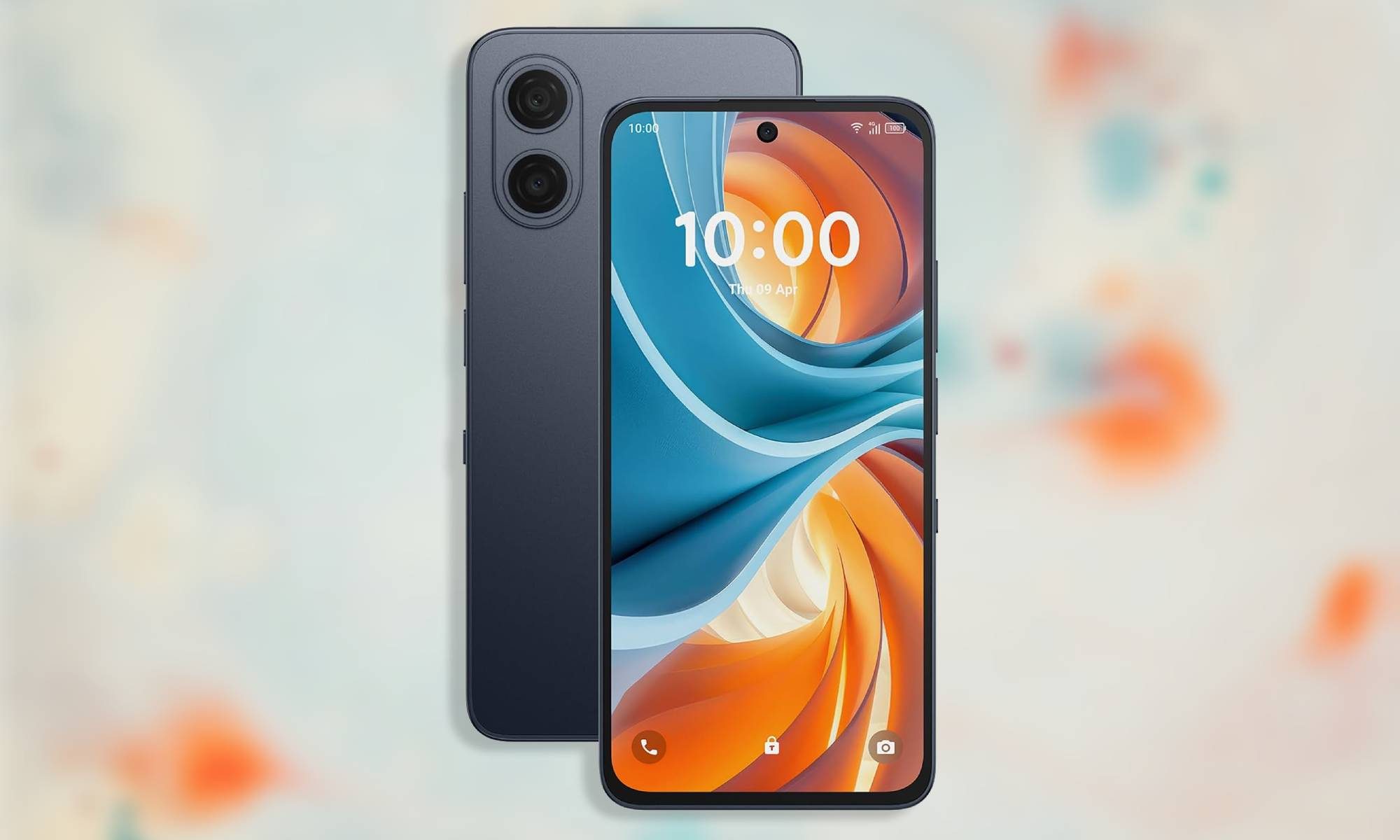
TCL NXTPAPER 70 Pro: A strong alternative, if you’re on T-Mobile
| Pros | Cons |
| 8GB RAM and 256GB storage as standard | $199.99 price requires signing up for T-Mobile or Metro, unlocked price is $329.99 |
| Larger 5,200mAh battery | Carrier compatibility claims are vague and require confirmation |
| Unique NXTPAPER 120Hz display | TCL doesn’t match Samsung’s software support window |
| IP68 rating offers full submersion protection |
The TCL NXTPAPER 70 Pro is a great pick for students who will spend several hours a day staring at a screen and want their eyes to survive the semester. It offers 8GB of RAM, 256GB of storage, a 5,200mAh battery, and an IP68 rating, giving it a significant leg up over the Galaxy A17.
Its headline feature is the NXTPAPER display itself, which switches the 6.9-inch, 120Hz screen between full color and a matte, paper-like Ink Mode at the press of a switch. The Ink Mode cuts down glare and is genuinely useful for a student working through PDFs, textbooks, or lecture slides late at night.
The pricing has a major caveat, though. The $199.99 figure you’ll see attached to this phone requires signing up for service through T-Mobile or Metro by T-Mobile. But if you want to buy it unlocked, the price jumps to $329.99. TCL also doesn’t have Samsung’s track record on update speed or longevity, so that’s another thing to consider.
It’s also worth pointing out that while the device’s Amazon listing claims that it’s compatible with almost all US carriers, the fine print tells the real story. “Carrier compatibility may vary depending on SIM type, carrier-specific rules, SIM configuration, or plan provisions. Please check with your carrier for activation before use.”
You should take TCL’s claim of carrier compatibility with a grain of salt and confirm whether it works with your specific carrier before buying. Or better yet, stick with the Galaxy A17 if you’re not already on T-Mobile or Metro.
The phones that fell out of contention
A few months ago, more phones would have made it to this list, like the Moto G (2026), the Moto G Power (2026), the CMF Phone 2 Pro, and devices from OnePlus’ Nord lineup. But not anymore.
The Moto G (2026) launched at $199.99 with a 5,200mAh battery that posted some of the best screen-on time of any budget phone this year. That, despite its weaker Dimensity 6300 chip, two years of software support, and HD+ display, would’ve landed it a spot on this list. But Motorola bumped its price up to $299.99 in April, and at that price, it makes no sense, especially considering the Galaxy A17 offers better software support and a sharper display for $100 less.
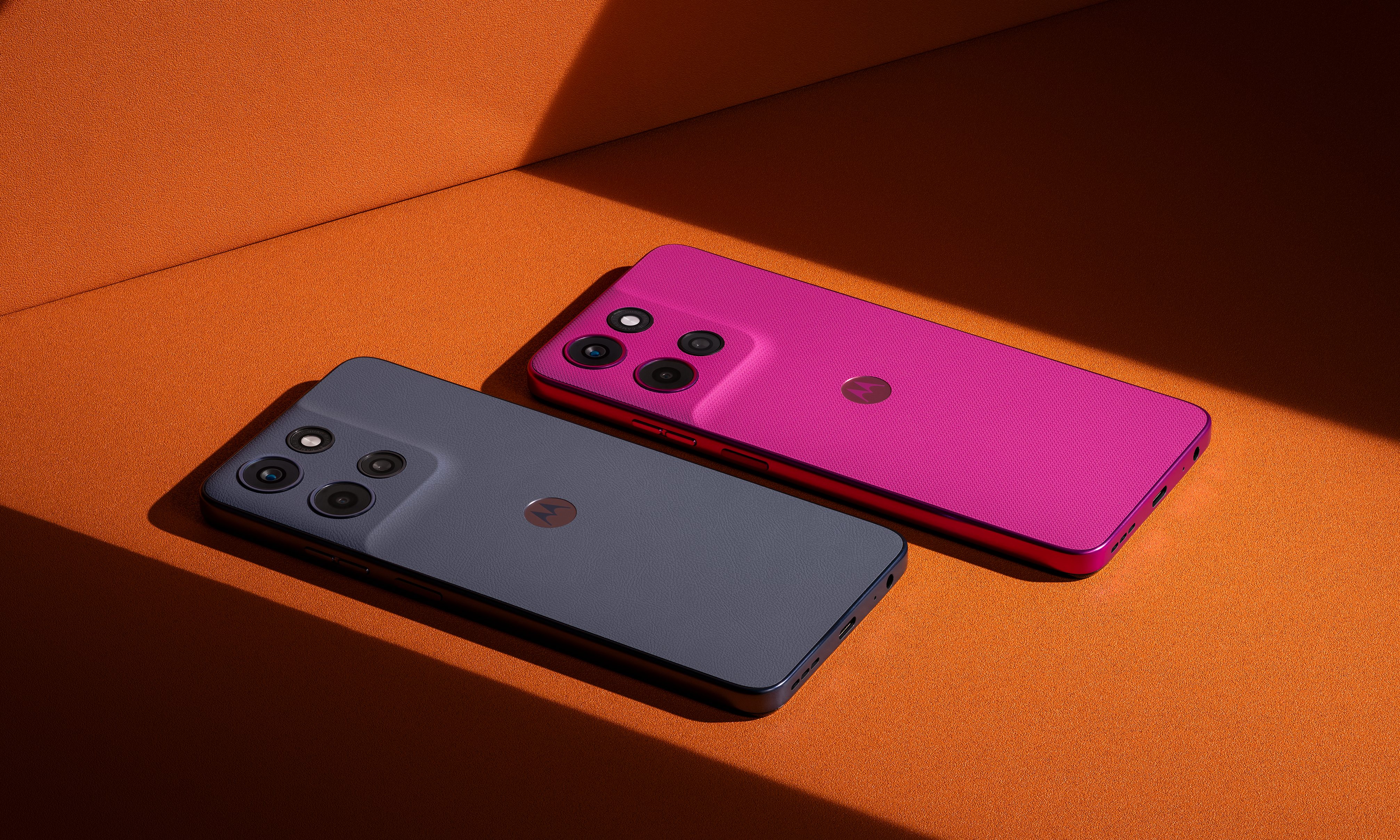
The Moto G Power (2026) had a stronger case despite its own aging chip and shallow two-year update promise, thanks to 8GB of RAM, a sharper display, and wireless charging support. It launched at $299.99, competitive enough to earn a spot. Then it jumped to $399.99 in the same round of hikes, making it twice the price of the A17 while offering only slightly more.
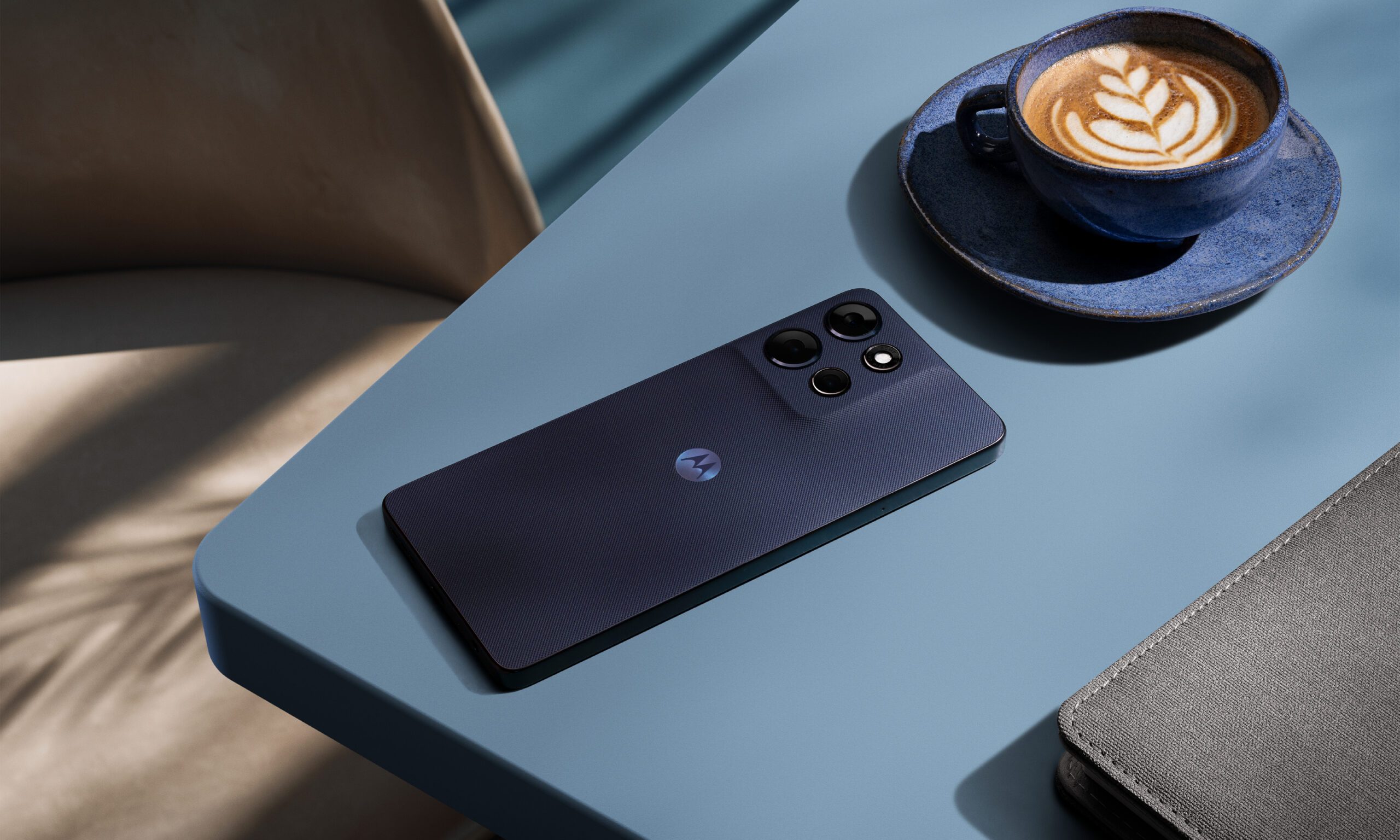
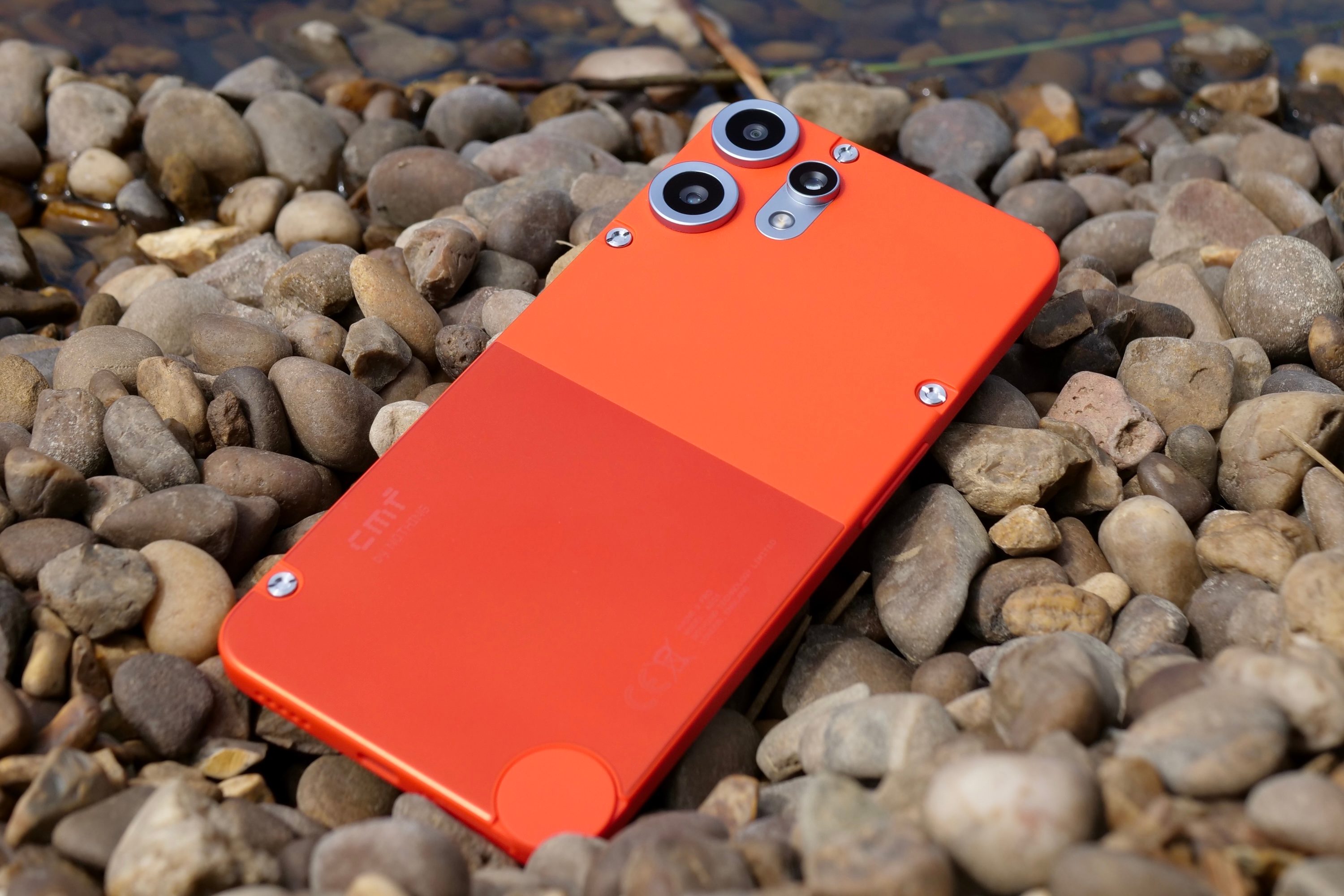
The CMF Phone 2 Pro at its introductory price of $279 would’ve been the wildcard pick, but it’s sold in the US only through a beta program with limited availability, no carrier certification, and a 14-day warranty. That’s too risky a buy for a student.
And OnePlus’ Nord lineup, despite years of solid value-for-money offerings, isn’t worth recommending for quite the obvious reason. The company recently confirmed that it’s exiting the US market, and while it has promised continued software updates and customer support, there’s no telling how long that promise will hold.
Price hikes took out two of these phones, limited availability took out a third, and a market exit took out a brand that could have offered the fourth, leaving the Galaxy A17 as the one clean pick and the NXTPAPER 70 Pro as the one with an asterisk. If you have some wiggle room in your budget and don’t want to settle for the Galaxy A17 or take a chance on the NXTPAPER 70 Pro, our picks of the best mid-range phones for this back-to-school season may have what you’re looking for.
Vintage audio is not short of famous amplifiers. We have covered the Pilot 602, Fisher 400, an RCA EL84 console amplifier, the Muzak 975A, vintage Marantz components and the McIntosh MC2105. Some were elegant. Others looked as though they had been removed from the basement of a municipal building during a fire drill. All earned their reputations because the circuits mattered more than the marketing.
The new Pilot Radio 232 Stereophonic Power Amplifier is interesting because it is not merely another old name purchased by people who found a logo and a container of generic electronics.
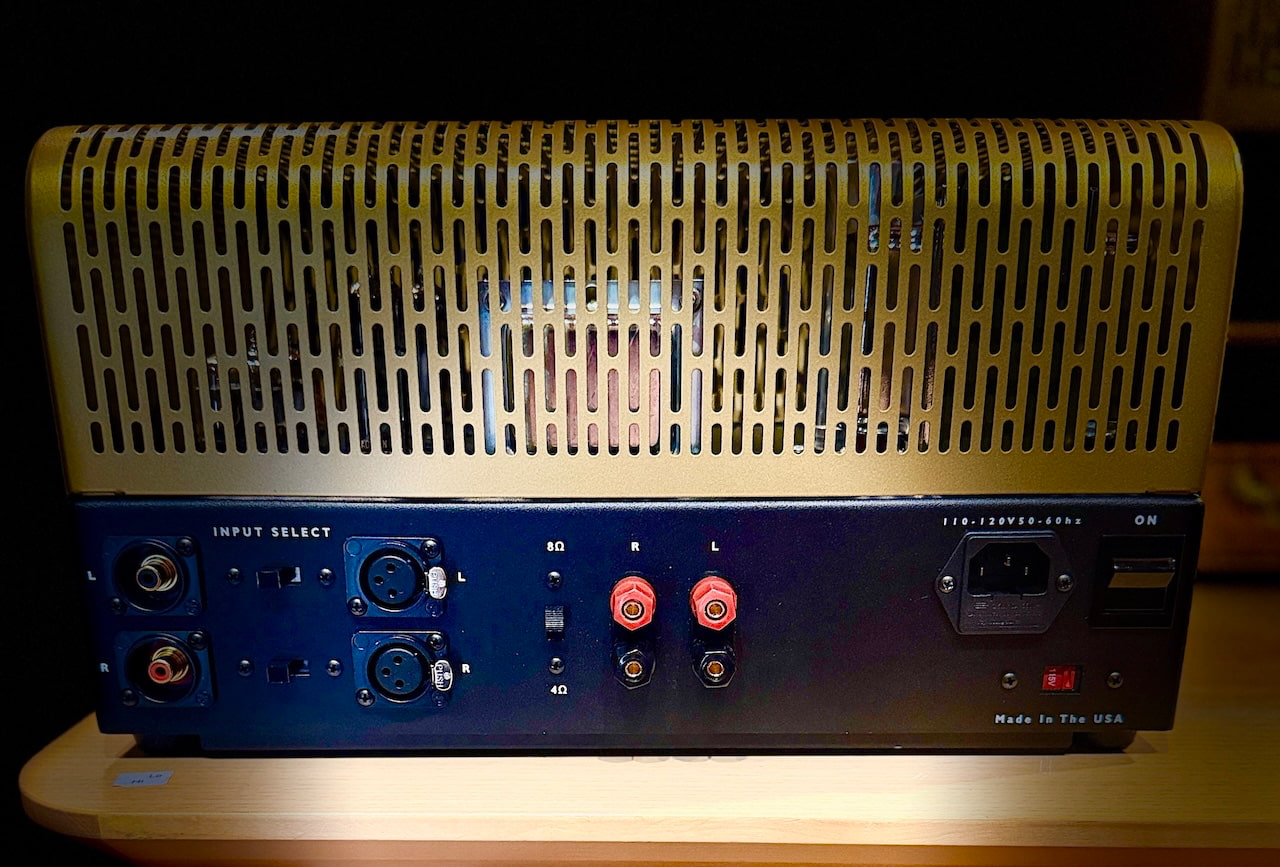
Pilot was relaunched by company founder Isidor Goldberg’s great grandson, Barak Isidor Epstein, with engineering by Damon Coffman of Coffman Labs. The $4,790 amplifier is based on Pilot’s 1959 “Curtain of Sound” design and is built in Portland and Dallas.
EL84 Tubes and 15 Watts Per Channel
The 232 delivers 15 watts per channel from EL84 output tubes and is described by Pilot as a pure Class A design.
The construction includes custom transformers made in the United States, vintage oil in paper capacitors and point to point hand wiring. Speaker outputs are provided for 4 and 8 ohm loads, while separate sensitivity and balance controls are included for each channel.
Fifteen watts is not a lot, but it is enough with the right loudspeakers. The Pilot 602 we covered used the same EL84 tube family and worked best with speakers offering sensitivity around 90dB or higher. The new 232 should make sense with DeVore Fidelity, Klipsch Heritage, Audio Note, Omega, PureAudioProject and other efficient loudspeakers with relatively benign impedance curves.
This is not the amplifier for Magnepan owners, difficult four ohm floorstanders or anyone trying to recreate Madison Square Garden in a 400 square foot room. Sorry Swifties.
Balanced Inputs and a Real Headphone Output
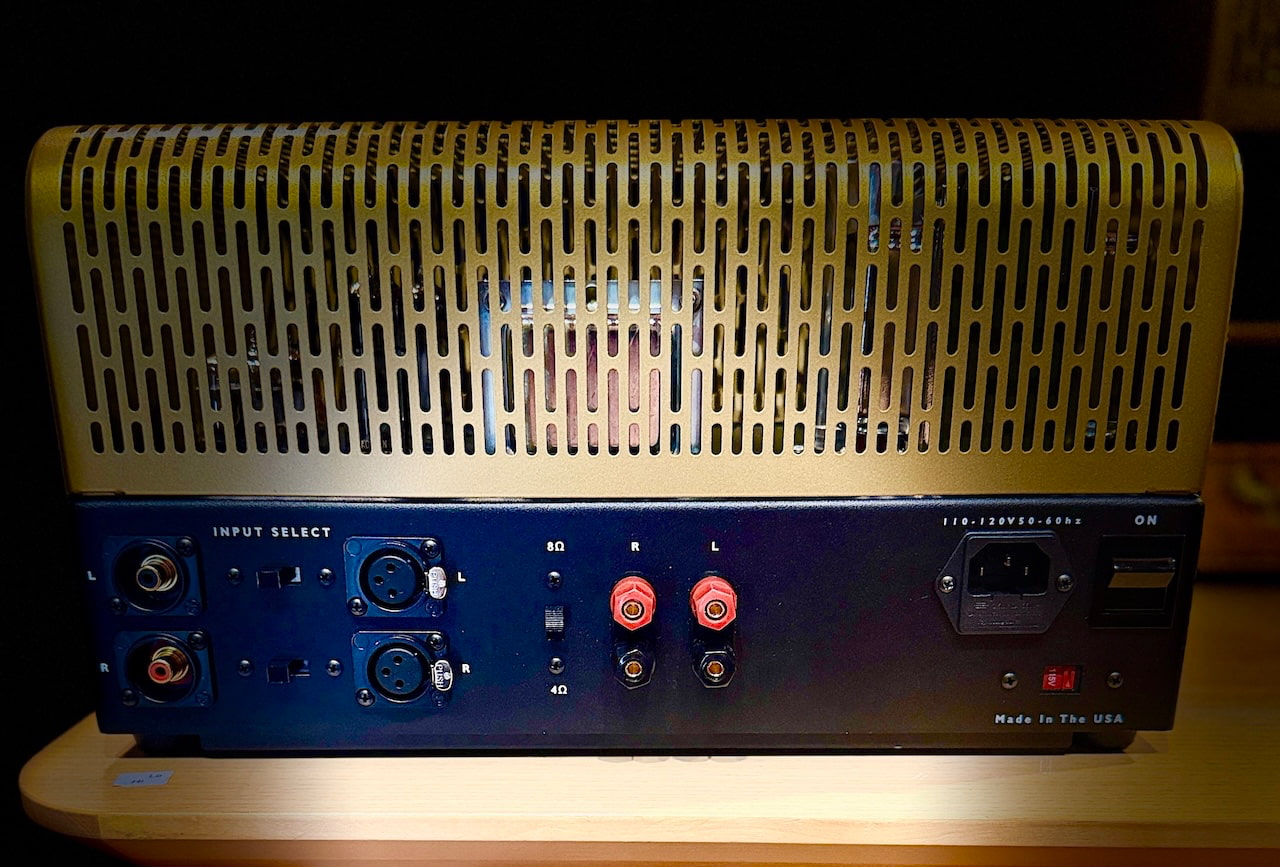
Pilot provides both RCA and balanced XLR inputs, with the XLR connections feeding the differential amplifier stage directly.
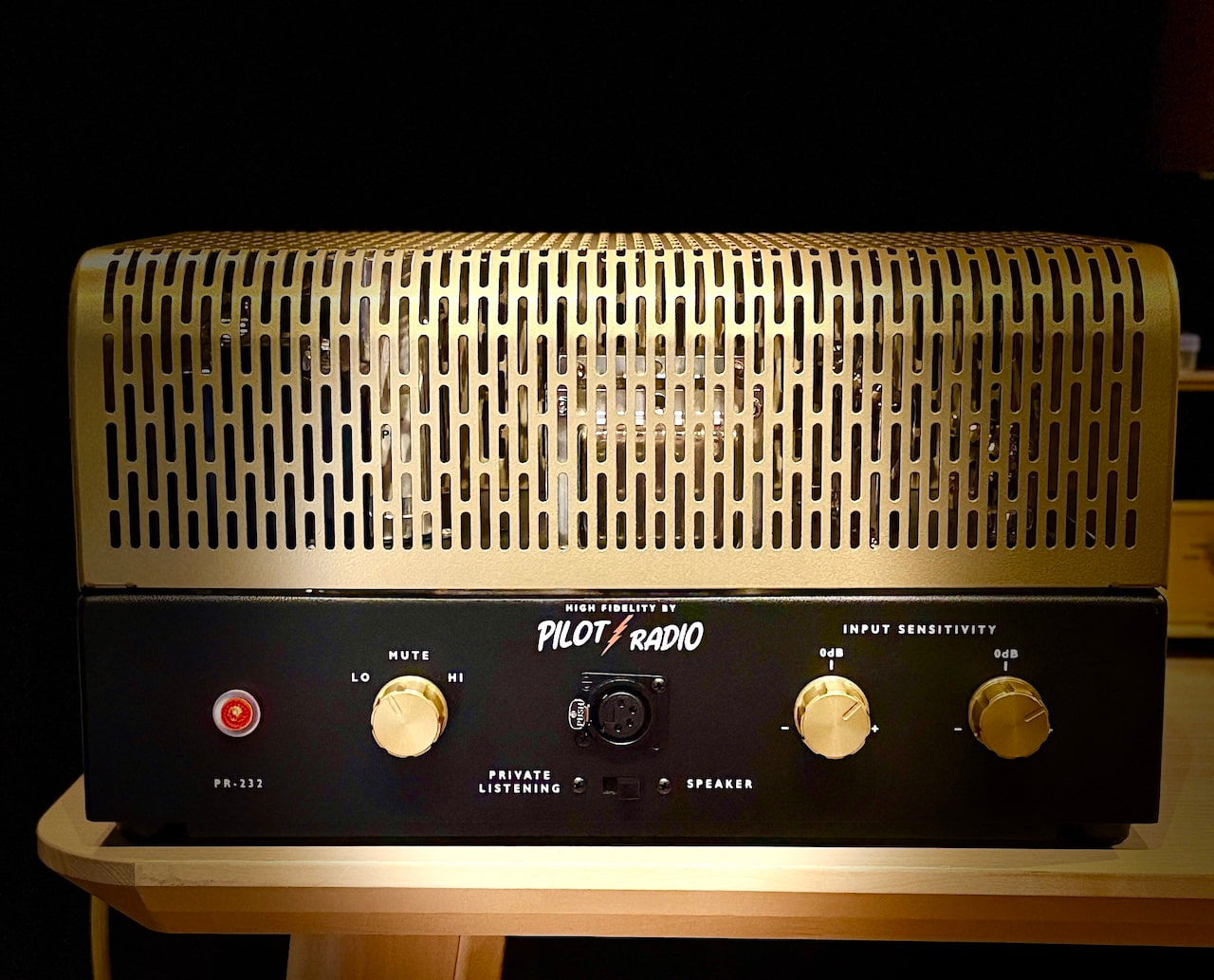
The front panel also includes a four pin XLR balanced headphone output, which is highly unusual on a stereo tube power amplifier. That gives the 232 potential appeal for owners of balanced dynamic and planar magnetic headphones who want to use the same amplifier for speakers and private listening.
Pilot has not yet published headphone output power, output impedance or recommended headphone loads, so it would be premature to assume the 232 will drive every HIFIMAN or Audeze model with complete authority. A four pin socket is useful; it is not a substitute for specifications.
A Proper Family Revival
Pilot Electric Manufacturing Company was founded in Brooklyn in 1919 by Isidor Goldberg and produced radios, shortwave receivers, televisions, cinema electronics and hi-fi components. Pilot moved exclusively into high fidelity in 1952 and introduced the original “Curtain of Sound” stereo concept in 1959. The company also worked with Sid Smith and Dick Sequerra, both of whom later became associated with Marantz.
The company was sold in 1962 and disappeared during the following decade before being revived by the Goldberg family in 2025.
That family continuity does not guarantee great sound, but it gives the project more credibility than a trademark revival created around products that have nothing to do with the original company.
The Matching Pilot Preamplifier

Pilot currently offers one other major component: the Pilot Phono and Line Preamplifier, priced from $3,590.
It uses two 12AX7 and two 12AU7 tubes, passive RIAA equalization, two line inputs and selectable moving magnet and moving coil phono inputs. MC gain is selectable between 46dB and 52dB before the line stage, while the preamplifier can be ordered for 120V or 240V operation.
A complete Pilot electronics system therefore starts at $8,380 before cables or replacement tubes. Pilot also sells branded PSVANE tubes, RCA interconnects and speaker cables.
What Is Still Missing?
Pilot has published the core design information, but several specifications remain unavailable:
- Complete tube complement
- Frequency response
- Input sensitivity and impedance
- Total harmonic distortion
- Signal to noise ratio
- Headphone output power
- Dimensions and weight
- Power consumption
- Warranty details
Those are not unreasonable requests for a $4,790 amplifier. Pilot has done the difficult part by reviving a historically important circuit and building it domestically. Finishing the specification sheet should not require another 67 years.
Who Is It For?
The Pilot 232 is for listeners using efficient loudspeakers who want an American built tube amplifier without DACs, streaming apps or firmware updates. It should pair well with quality tube preamplifiers and simple active line stages, while the balanced headphone output gives it broader appeal than most vintage inspired power amplifiers.
Buyers with inefficient speakers or large rooms should look for more power.
Hear It at Southwest Audio Fest 2026
Pilot Radio will demonstrate the 232 in Room 732 at Southwest Audio Fest with DeVore Fidelity loudspeakers and Prosper Cables. The matching Pilot preamplifier will also be part of the system.
Southwest Audio Fest 2026
- Dates: July 23 through July 25, 2026
- Venue: Sheraton Dallas Hotel
- Location: Dallas, Texas
- Thursday: 2 p.m. to 8 p.m.
- Friday and Saturday: 10 a.m. to 6 p.m.
- Pilot Radio: Room 732
The Bottom Line
The Pilot Radio 232 is more interesting than the average vintage brand revival because the history, family connection and circuit are all real.
Its 15 watts will limit loudspeaker choices, but efficient speakers and EL84 amplifiers have been making beautiful music together for decades. The balanced inputs and headphone output also make the 232 far more useful than a strict reproduction of the 1959 original.
At $4,790, it is not inexpensive, but neither is it wandering into the absurd end of boutique tube amplification. Pilot now needs to publish the missing specifications and prove that the new company can provide the service and support that owners of vintage Pilot equipment have been forced to find elsewhere for half a century.
Heritage gets attention. Execution keeps the tubes glowing.
Price & Availability
The Pilot Radio 232 costs $4,790 and is available now through Pilot Radio and selected U.S. and Canadian dealers.
Orders ship from Texas with an estimated two week lead time. Ground shipping is included for U.S. customers, while Dallas Fort Worth buyers receive local delivery and setup.
For more information: pilotradio.com
Related Reading:
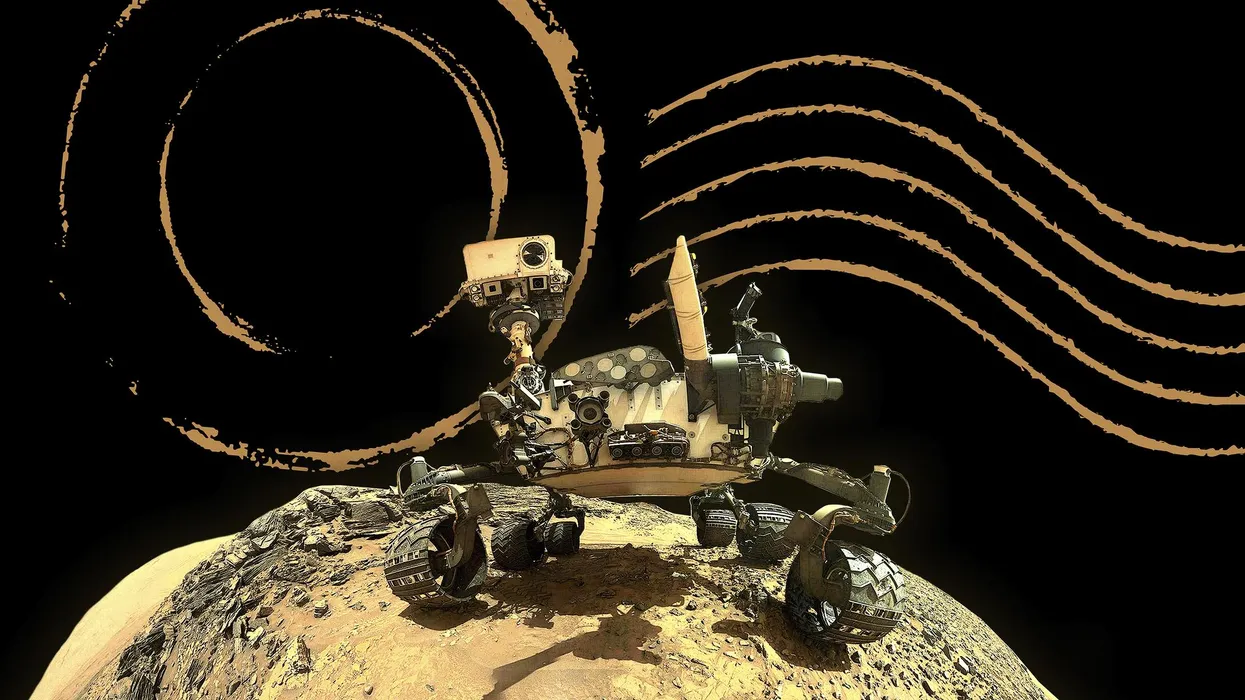

Already, I’ve almost forgotten rain;
I know I will never know that again.
I move forward with the powers you gave me
to live up to my name, Curiosity.
This is a land without leaves, fronds, or spines.
If there are plants, they are small and supine,
dust hidden, like light here, filtered and sand
softened, at home in the thin air, thousands
of motes so small they seem to be fluid,
more fog than firmament. Shadows, few and
far from here, I know I must go to them
to see if they hold order or mayhem
or just another common rock or two.
If a machine can miss the Earth, I do.
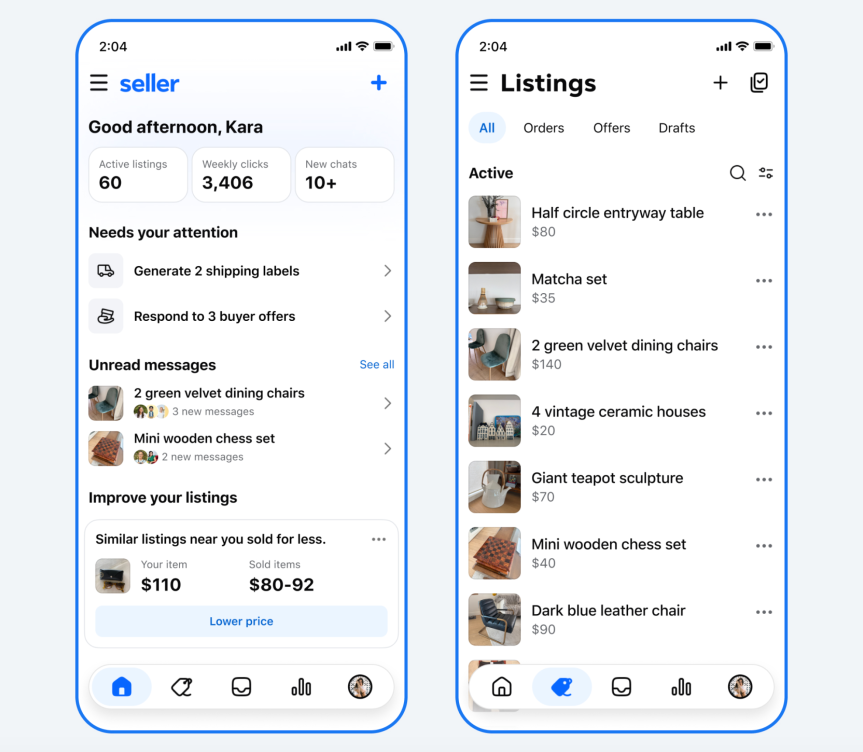
Many of us only open Meta’s original social media app to browse listings on Facebook Marketplace. Now, sellers are getting a new standalone app to help manage their listings, Meta announced on Friday.
The app is called Seller, and it’s available now to download on iOS and Android. You don’t have to download the app to sell things on Facebook, but it is designed to offer you better ways to manage your listings and interact with buyers.

You’ll have all your Marketplace history in the Seller app once you log in with your Facebook account. On the homepage, you get an overview of all your activity and reminders about tasks you need to do to complete sales. There’s a dedicated data insights tab, which would be useful for people trying to turn their reselling hobby into a real business. The messages inbox would presumably help keep your conversations with potential buyers separate from chats with your friends and family in Messenger.
Facebook’s core strengths in the TikTok era have been Marketplace and Groups. These two features kept people coming back to the app even as they relied on other apps for their social networking. But it’s not just Marketplace that’s branching out; Meta is experimenting with a Groups-only app called Forum, and the Facebook Creator Studio is getting a revamp, too.
The reason behind these new apps is the same reason any tech company does anything nowadays: artificial intelligence.
“Underlying our new apps is a belief that we can leverage AI to remove friction and empower the people who are making things happen on Facebook,” Tom Alison, head of Facebook, wrote in a blog post. Don’t want to write listings? Have AI do it. Can’t find an old post in your community group? Do an AI search. You get the idea.
But when you use Marketplace in the Facebook app, you’re able to easily check out a person’s profile before interacting with them – an important safety check that sellers and buyers do to avoid getting scammed. Meta’s solution to this is to introduce verification check marks everywhere on Facebook.
If you want a verification mark, you can upload a selfie of yourself. If it matches your profile picture, you’re likely good to go. All this does is indicate that a real person, not an AI bot, is behind an account. You can get scammed just as easily by a real person as a bot, so keep on the lookout for other red flags when buying and selling.
While the new Marketplace app may be good for power sellers, it’s a curious move by Meta to siphon off its most popular features into separate apps. Perhaps in an attempt to stymie the flood of people who won’t return to Facebook if Marketplace and Groups are removed, the company is introducing a new format that has videos playing as soon as you open the app – like TikTok. This may be coming to the US next year.

The best Amazon Kindles are reliably good at their main job: displaying ebooks in a crisp, easy-on-the-eye format. But Kindle e-readers are actually more versatile than you might imagine.
If you’ve just upgraded to a new Kindle and are looking for something to do with your old one, or if you’re simply interested in seeing how hackable these e-readers are, we’ve got three projects for you to attempt.
These projects vary in terms of difficulty and the amoung of time and effort you’re going to have to invest, but full instructions for all of them are available online, so you can follow the steps on your own Kindle.
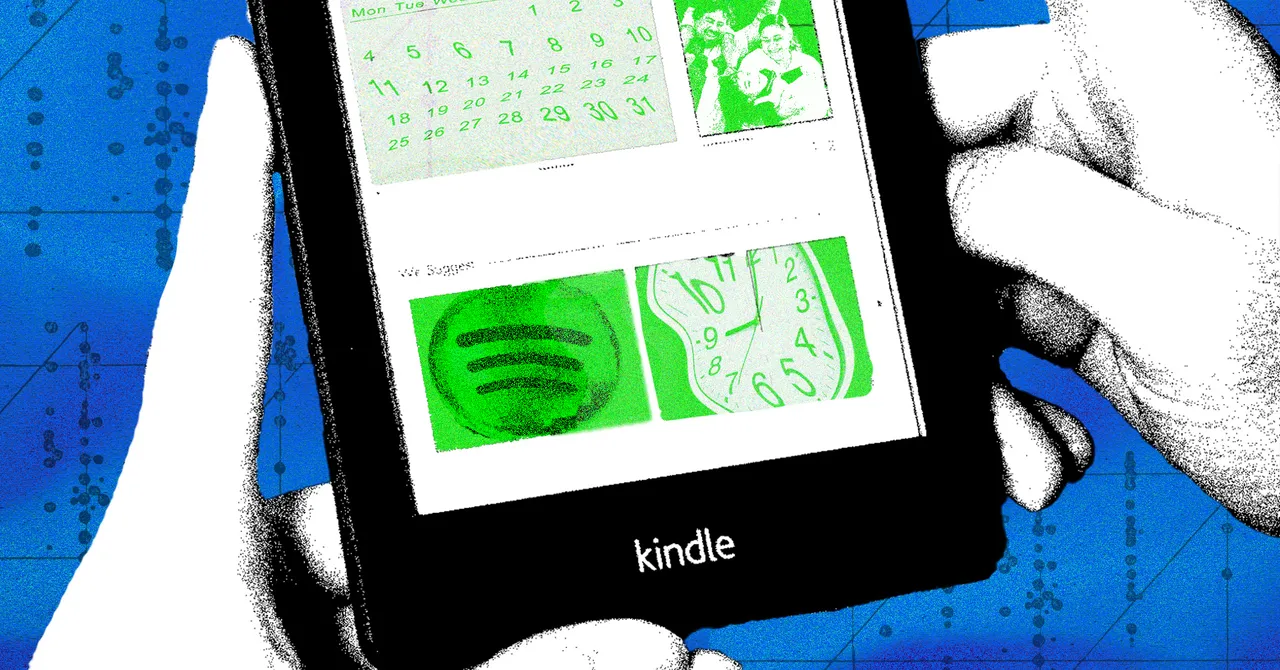
Turn Your Kindle Into a Spotify Controller
Part of the appeal of Spotify is that it can work across so many different devices and connect to so many other services. There are lots of ways to use Spotify, and that includes through your Kindle. All you need to do is supply your Spotify credentials, and then make sure your Kindle is on the same Wi-Fi network as the other device you’re using to play your music, podcasts, or audiobooks.
This is made possible through Kindlify.co. Open the site in the Kindle’s built-in web browser, then tap Connect Spotify to log in. Once that’s done, you should see details of whatever you’re currently playing in Spotify—though you will need to use another device to choose something from your library. There’s more discussion about this hack on Reddit, which is where I found it.
It all works through the magic of Spotify Connect, which you may already have come across. This feature lets you play something on your laptop and then control playback from your phone, for example, or vice versa. You can also use the feature to manage playback through compatible smart speakers.
Bear in mind that you’re not actually storing any music on your Kindle or running an official Spotify app. This hack is just a way to connect to your Spotify account and control whatever’s being played through it, from your Kindle. You can skip forward and backward, and pause and resume playback, all from the e-reader.
Turn Your Kindle Into a Smart Home Display
Another way to repurpose a Kindle and its E-Ink screen is to turn it into a smart display that pulls in all kinds of data from other services. You can use the e-reader to show a variety of information related to your devices, including weather forecasts, calendar information, and your to-do lists.
This is just about the most involved of the projects featured here, and you need to do everything from setting up a custom website to cutting out a custom-made frame for your Kindle. Developer Matt Healy, who originally put all this together, has diligently provided instructions online.
It’s the sort of project you can try if you want to learn more about hardware hacking, coding, the inner workings of Kindles, and how various apps and services talk to one another. By the time you’ve finished, you may well have some ideas about similar hacks of your own you could attempt.
The information you display is entirely up to you, but it will need to come from platforms that allow third-party connections. You can see from the scripts supplied by Matt Healy that he’s managed to pull in real time information from weather services, calendars, and even status reports for upcoming deliveries.
Turn Your Kindle Into a Literary Clock
Finally, you can also consider turning your Kindle into a literary clock. This hack keeps the e-book theme but repurposes the device into a display you can glance at any time you want to know what time it is, with each minute represented by a different quote from a book that mentions that particular time.
As with the smart home display, this requires a significant amount of work in terms of coding and getting everything set up, but again, there are full instructions online, so you can tackle it yourself. You can fashion a stand or frame for the clock, but it’s not essential if you don’t mind the original look of the e-reader clock.

Anthropic has released a new Claude model, Opus 5, bringing it close to the capabilities of Claude Fable 5 at half the price. The new model produces the strongest work performance the company has released, with even more gains in its coding capabilities.
In a fight for AI supremacy, Anthropic joins Google and OpenAI, which earlier this month released new AI models — all of which are more efficient and better at certain tasks. While Fable 5 remains Anthropic’s most “ambitious” work, the latest model excels in enterprise with its coding capabilities and more.
Anthropic says Opus 5’s strengths lie in knowledge work, autonomy and biology. It’s capable of working more independently at completing tasks without user input and with less back-and-forth than previous models. It can also now double-check its own work and recover from errors as it goes along.
There’s been a boost in the quality of scientific research with Opus 5 over Opus 4.8. Those improvements are seen most in organic chemistry tasks, like inferring molecular structures from spectroscopy data, according to Anthropic.
You can now adjust effort levels for the model as well. There’s a “dial” that can be adjusted to indicate how hard AI thinks about a specific problem or task. There are also new safety and security guardrails in place, which Anthropic calls the “most secure model yet and the hardest to trick into doing harmful things.”
While the model is not specifically designed with cybersecurity in mind, its safeguards make it more useful for tasks such as secure coding and finding vulnerabilities.
New fast mode and more
Claude now has a research preview for an Opus 5 fast mode. Anthropic says this mode provides Full Opus 5 Intelligence with 2.5x faster output token generation at 2x standard Opus 4 pricing. The mode is also available via Claude Code with extra usage credits.
Anthropic is introducing a “fallback model” for when you prompt something that trips a strict safety filter, only to block the request. For these instances, the system will automatically switch to another model in an attempt to provide an answer to the prompt. You can choose what model to fall back on in these scenarios.
There’s also a new option for developers that will allow them to change the tools Claude can use midconversation without invalidating the prompt cache. This means each phase of an agent’s work is only exposed to the tools it needs to perform its task.

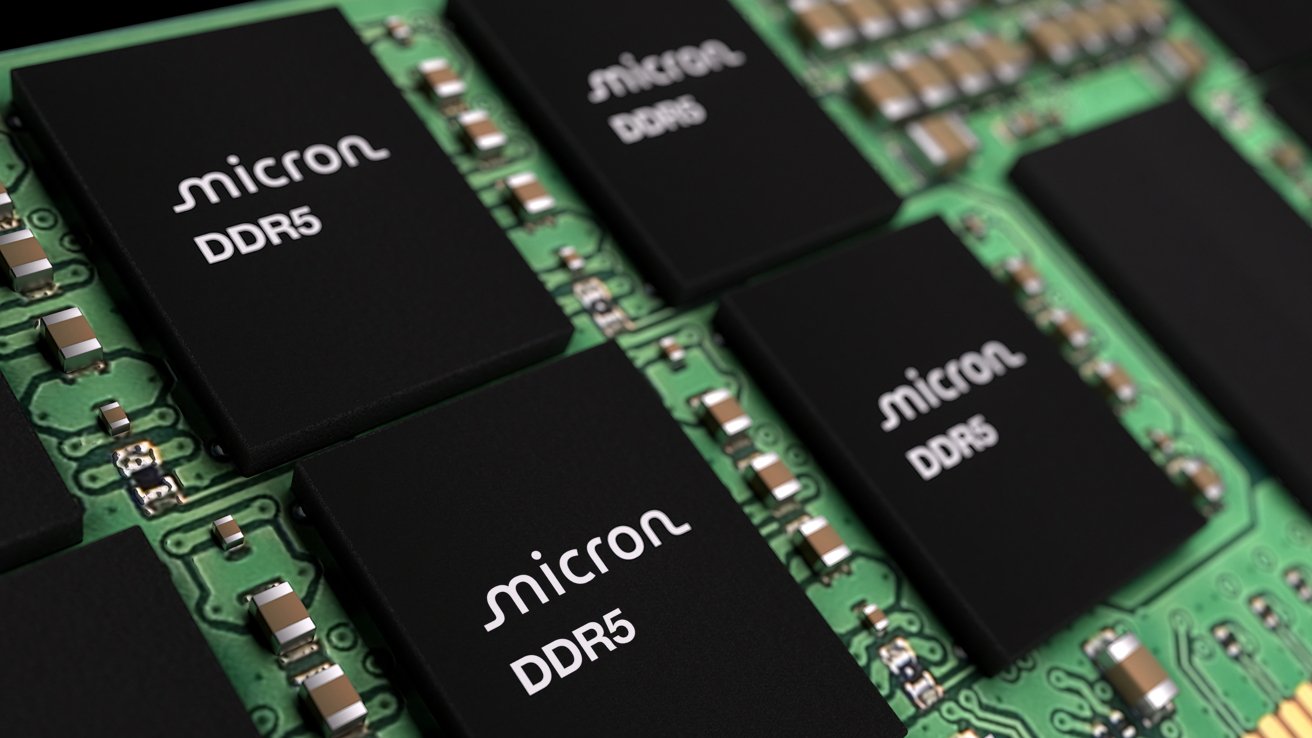
Apple’s plan to buy memory from a blacklisted supplier is receiving some pushback from Micron, which claims it will destabilize the U.S. tech industry.
In June, Apple petitioned the Trump administration to allow it to buy Mac RAM chips from a supplier blacklisted in the United States. Now, a U.S. memory producer has urged President Trump not to give in to Apple’s request.
According to the Wall Street Journal on Friday, Micron lobbied the White House on the matter. Micron CEO Sanjay Mehrota and others met with Commerce Secretary Howard Lutnick and others, saying the move to allow sales from blacklisted Chinese companies to U.S. tech companies will be incredibly harmful.
To Micron, it believes that permitting such sales would harm the U.S. tech manufacturing industry in the same way that China decimated U.S. steel and manufacturing plants.
Blacklist sales
The problem revolves around the ongoing memory chip crisis and reducing the cost of components. Apple wants to secure supplies of memory at more reasonable prices, but like all other manufacturers, it has to fight for a limited manufacturing capacity, which has spiked memory prices.
June’s petition explained that Apple should be allowed to buy memory from CXMT, a company on the Chinese Military Company Blacklist, or the 1260H list. The list is made up of companies the Pentagon believes have links to the People’s Liberation Army, and so could be considered a risk to U.S. national security.
Apple isn’t explicitly banned from buying from CXMT, and it reportedly has for small-scale testing. However, the Defense Department is not able to make agreements with companies on the list, nor use products or services from third parties that use components from the list.
In effect, Apple would immediately lose sales to the Defense Department, and others who also monitor the list.
There’s the further issue of CXMT potentially being placed on the “Entity List” in the future, which would block all trade with the supplier. That would also impact Apple, as it would have to find another supplier if it had to stop using CXMT.
While it’s safe to say that Micron has a financial incentive to keep Apple buying its memory chips, it does at least offer an alternative route forward. Albeit not one that will fix things anytime soon.
Micron told the White House that the memory pressure could be alleviated by building more domestic plants faster.
This is basically the same as the general belief in the industry that the situation won’t be fixed until production capacity increases. That is a slow process, as that means getting more factories and production lines online and up to speed.
Micron insists that it plans to spend $250 billion in the U.S. to boost capacity.
However, Micron is framing it as a means to increase investment in the United States, as well as increasing U.S.-based manufacturing. These are two topics that President Trump has openly discussed improving during both his terms in office.
Apple, meanwhile, has gone on the offensive. The report claims Apple has argued that Micron’s gross profit margins of 80% are evidence of price gouging.
Apple also reportedly said that Micron isn’t reinvesting fast enough to meaningfully increase supply. That improved capacity will also have little effect to the supply chain, as the vast majority will be allocated to AI customers.
Micron, meanwhile, believes that Apple and others squeezed suppliers during downturns, which laid the groundwork for the current shortages to take place.
As it stands, it’s a problem that has two possible routes for President Trump to take. He could side with Apple for a more immediate short-term solution to the problem, but the U.S. manufacturing investment proposal will be a very tempting option for Trump too.


E-commerce platform Shopify wants to make reading source code a thing again. And it has an unlikely ally for its back-to-the-roots approach: AI agents.
The company is launching a new storefront theme for its customers, aka “merchants,” that it claims is completely understandable by anyone with even a smidgen of HTML knowledge. It is designed to be simpler for both people and machines to digest and hack against.
Shopify hasn’t named this new theme yet, but is unveiling it in developer forums as the probable successor to Horizon, its current JSON-heavy base theme, which customers use to customize their own Shopify pages.
The new code is mostly HTML, interpolated by the company’s own block-based Liquid templating language, which is also fairly easy on the eyes.
When merchants peek into the templates directory of this new theme, they will see plain-text files of easy-to-parse code, not long strings of inscrutable JSON. This theme has 93% fewer lines of code than Horizon.
The company’s increasingly popular AI service is driving this rearchitecture redesign.
“Every leading model already understands HTML. It is expressive, local, and token-efficient,” wrote Ben Sehl, Shopify product director for storefronts, in a missive on X. And Shopify’s Liquid template language meshes perfectly with HTML.
From merchants to merchandisers
In his post, Sehl recalled a decade ago, when he was a merchant himself, and Shopify only offered a basic template. It was easy for Sehl, then a novice web coder, to modify with a third-party starter kit.
Over time, Shopify enriched the templating, allowing users to become full-fledged designers. The Online Store Editor gave them more control over how a page and its various “block” components would look like. Every button and knob could be customized.
Flexibility begets complexity, however. The user template instructions were converted to JSON. “That trade-off gave merchants far more control, but it came with a developer-experience cost: you could no longer understand a page by reading one file,” Sehl wrote.
“The moment templates became JSON, they stopped being a great developer surface. They became an auto-saved output,” Sehl wrote.
Good for the bot, good for the human
Recently, Shopify added an AI assistant called Shopify Sidekick, which gave users even more control over how they designed their pages. No longer would they have to remember that #0000FF means ‘Blue’ in HTML speak. They just “declare” the background color to be blue and the agent will make it so.
This year, 20% of Shopify merchants are using Sidekick to edit their themes, making 25 million edits this year alone.
Consequently, Shopify faced the task of simplifying things for the AI agent itself.
It turns out that agents want the same things as humans: code that is easy to read, explicit contracts, and constructive feedback. So the company has reorganized its theme architecture using these qualities as first principles (while maintaining existing Liquid themes in a “forever API”).
While these changes better support our new AI overlords, the underlying code also became more readable to humans as well.
“The deeper problem with serialized configuration isn’t that JSON is inherently bad. It’s that configuration has a constrained vocabulary,” Sehl explained.
Reveal source code
For this new base theme, Liquid gained a new syntax and parser, built with some additional discipline to execute more complex instructions on the back-end. What the user sees, however, are composable, typed blocks that fit easily alongside ordinary HTML.
In this new approach, each user-designed theme is given a special directory and files with instructions and pointers of how additional artifacts should be generated. Furthermore, an expanded doc tag contains examples and instructions on handling contracts and snippets.
Key to the new theme is a new composable block tag, which contains a set of nested parameters describing page components that the developer can feed with values, configurations, overrides, and other instructions.
React devs will recognize parameters as doing a similar job to React’s props, but without the need to create a virtual DOM. Also familiar to React users will be the new partial primitive, which allows a specific region of a page to be updated without needing to re-render the entire page.
The team also added standard actions, a collection of event triggers for the site, such as, say, updating the shopping cart. “This one primitive will let us remove thousands of lines of reactivity code from Horizon,” Sehl wrote.
Shopify also developed 20 new rules to ensure generated themes meet the company’s policies around contracts, structure, validation, complexity, nesting, and file-size limits.
And if the user wants to get fancy, Liquid now allows for logical capabilities such as Boolean expressions, infix operators with precedence, and literal arrays and objects. At some point in the future, the Tailwind CSS framework will even be supported.
All these improvements should simplify things for the merchant at home, trying to assemble a customized storefront.
For instance: In a declarative, settings-driven architecture, the developer must anticipate how many buttons they plan to use before they start the layout. With HTML, when the merchant discovers they need additional buttons, they just wrap them all in an HTML div tag.
Palatable for AI
AI experts are slowly coming around to the idea that the best diet for AIs is not dense, symbolic-heavy code — at least for non-coding tasks. Like humans, LLMs seem to do better on a diet of more easily-understandable prose (LLMs were, after all, trained on human language).
One developer, for instance, found that SQL was easier to process compared to the Domain Specific Languages (DSLs) of 17 different tools. For prompting, Anthropic recommends the semantically-rich XML, whereas a decade ago that format was largely cast aside by the industry for the leaner, less-verbose JSON.
Perhaps Shopify’s efforts to appease AI may lead not to more slop but to a movement for more readable code. ®

Wine 11.14 is out with initial WoW64 mode support on FreeBSD, allowing 32-bit Windows applications to run on a 64-bit system without relying on 32-bit multilib support. The release also adds Start Menu icon support in Wine Explorer, 7.1 format conversions in DirectSound, AES-GMAC support in BCrypt, and 21 bug fixes affecting apps and games including Adobe Reader, Heroes of the Storm, and Age of Empires I and II. Additional details can be found at WineHQ.org.

Man United and Tottenham target snubbed transfer ‘out of respect for Premier League rival’

Why Leatherology Makes Some of the Best Totes for Work (2026)

Wild weather maps show blistering heat – here is what Scots can actually expect


-

 Fashion23 hours ago
Weekend Open Thread: Brooks Brothers
-

 Politics6 days ago
Democrats look to World Cup watch parties to register thousands of voters
-

 News Videos6 days ago
Big Money Is Entering XRP
-

 Crypto World4 days ago
Grayscale Files For Worldcoin ETF, WLD Registers Sharp Rise
-

 Tech5 days ago
Sail Virtually Aboard The “Itanic” With IA-64 Emulator
-
 Tech5 days ago
Turtle Beach Command Series KB7 review: a nifty screen-equipped gaming keyboard
-

 NewsBeat5 days ago
Unregistered fitter used Gas Safe logo on business flyers
-
 Business4 days ago
New Jersey voter registration controversy explained: How 6,600 noncitizens got on the rolls, and what happens next
-
 Entertainment4 days ago
Johnny Depp’s R-Rated Gothic Cult Classic Gets New Release Ahead of Sydney Sweeney Remake
-

 Crypto World3 days ago
Ethics, other provisions in crypto Clarity Act to be further discussed
-

 Tech5 days ago
Watch Flock Safety CEO Garrett Langley discuss the future of surveillance at TechCrunch Disrupt 2026
-
 NewsBeat5 days ago
Shanghai science forum photos show China’s AI and robotics advances in rivalry with US
-
 Crypto World5 days ago
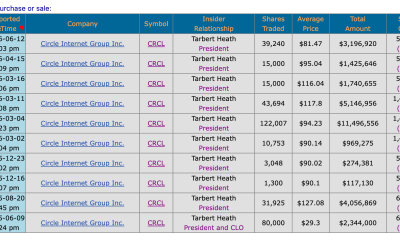
Circle’s President Sold Over 360,000 Shares, The Filings Explain Why
-

 Tech5 days ago
Subway Sandwich Computers Get a Second Life as Gaming Machines
-

 Sports2 days ago
2026 3M Open leaderboard: Scottie Scheffler finds putter in Round 1, sits three back
-

 News Videos2 days ago
The Peugeot Family: How 200 Years of an “Old Money” Dynasty Died in A Boardroom
-

 Tech5 days ago
The 35 Best Board Games for Family Game Night
-

 Fashion2 days ago
16 Dresses for the High Summer Event
-

 Tech6 days ago
How To Use Claude’s Reflect Dashboard And Learn When It’s Time To Touch Grass
-

 Entertainment6 days ago
Stephen Colbert Returns to Social Media After Late Show End
You must be logged in to post a comment Login