







Connect with us
DAPA Banner
DAPA Coin
DAPA
COIN PAYMENT ASSET
PRIVACY · BLOCKDAG · HOMOMORPHIC ENCRYPTION · RUST
ElGamal Encrypted MINE DAPA
🚫 GENESIS SOLD OUT
DAPAPAY COMING

Tech

As AI turbocharges digital abuse, UK agencies urge parents to limit who sees kids’ photos online

Published

on

Parents who post pictures of their kids online are being told to rethink the habit. The UK’s National Crime Agency and the Internet Watch Foundation have issued new guidance urging families to lock down their social media accounts, warning that publicly shared photos are increasingly being pulled and altered by AI tools to create child sexual abuse material.

The two organizations say most parents have no idea this is happening. Criminals no longer need to contact a child directly to generate such material. They can scrape an ordinary photo and run it through widely available nudify apps.

What the guidance recommends

The NCA and IWF are not telling parents to stop posting images of their kids entirely, according to The Guardian. Their guidance focuses on limiting who can see those photos by making social media accounts private or sharing images within a “close friends” list. Parents are also being asked to check their accounts for old photos that could be misused, including photos posted by relatives or friends.

Tim Wright, a senior manager at the NCA, said the changes only require a few simple actions. Lorna Sinclair, a child sexual abuse education manager at the agency, said many parents don’t take those steps because they don’t realize the problem exists in the first place.

The scale of the problem

The IWF says AI-generated abuse material rose 14 percent last year, with more than 8,000 confirmed images and videos identified in 2025 alone. Cases have included blackmail attempts against teenagers and school websites targeted specifically for photos of students’ faces, echoing findings from an earlier report on how generative AI has scaled abusive content online.

Advertisement

Even the IWF’s own technology chief admits the advice feels uncomfortable to give, since it puts the burden on families rather than the platforms or AI developers. Until stronger safeguards exist, tightening privacy settings may be the only real protection parents have.

Source link

Advertisement
Continue Reading
Click to comment

You must be logged in to post a comment Login

Leave a Reply

Tech

Bending Spoons bought Vimeo, Evernote, and AOL instead of chasing AI, it just had a $25.7 billion IPO

Published

on


The Milan-based firm raised $1.68 billion in its Nasdaq debut this week, with shares climbing 40% above the IPO price. The stock closed at $40.50, up from $29, giving the company a market value of about $25.7 billion. That’s a significant jump from roughly $14.5 billion in 2025, following a…
Read Entire Article
Source link

Continue Reading

Tech

How I Cleaned Up the Thousands of Photos and Videos I Had Scattered Across the Internet

Published

on

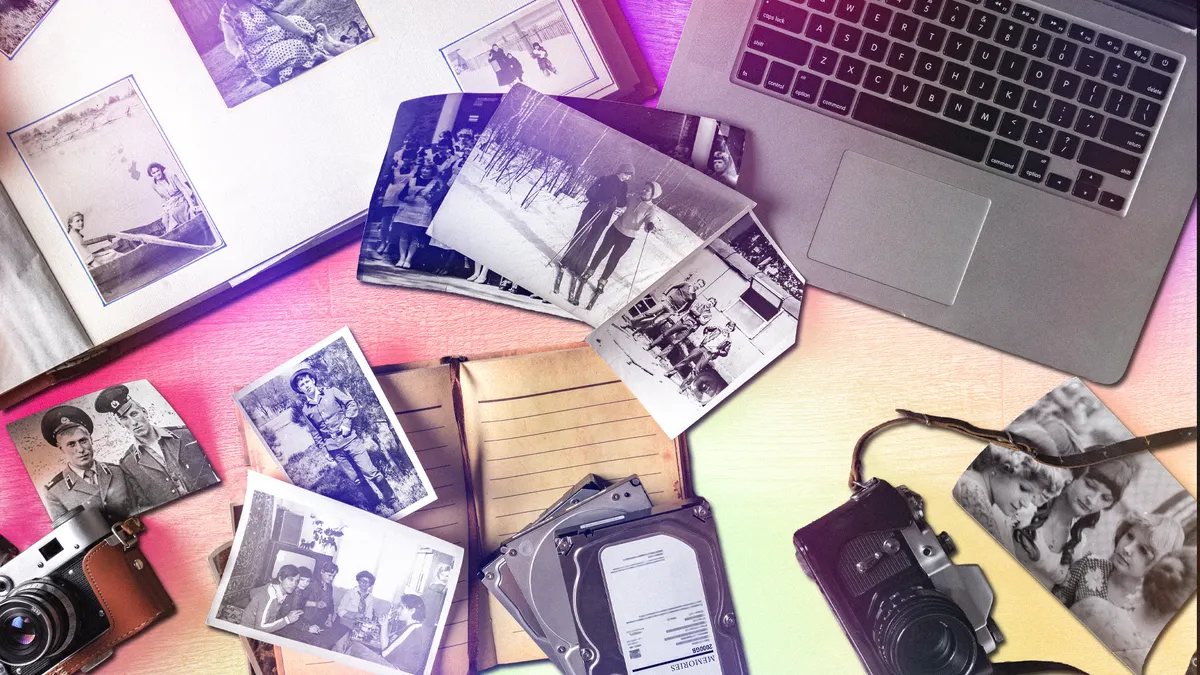
My multimedia situation was a mess. After decades of taking photos and videos, I had stuff in five clouds — Google, Apple, Flickr, Dropbox, OneDrive — and also in offline locations like flash drives, jump drives, hard drives…

I’m not a professional photographer, just a guy who’s taken his share of photos and videos over the years. You know how it is. You’re on a road trip, you take a bunch of nature shots, but after a few years, they don’t seem as amazing as they did from the car. Or my cats. Why did I take so many shots of them sleeping? Cats are cute, we get it, but did I need tons of pics to prove it?

Another issue was that I’ve used phones with different operating systems — Blackberry, Samsung, Motorola (Android), Nokia (Windows) and now iPhone (iOS) — and different backup systems. I was going against the norm; the vast majority of people don’t deviate from one type of OS.

Advertisement
two black and white cats sleep next to each other on a soft beige sofa

I love my cats, but how many photos of them do I really need?

Alex Valdes/CNET

It was like throwing stuff into a garage or storage closet. It gets messier and messier. You tell yourself one day you’ll clean it up, but that day never comes.

And that overstuffed procrastination comes with a price. The more cloud storage locations you have, the more you pay, and as the megabytes and gigabytes pile up, you often have to pay more each month for higher storage limits.

Advertisement

It was time to suck it up and clean it up. After checking out various recommendations on how to go about it, I crafted my plan. My steps would be: gather, declutter and consolidate.

Gather it all up

First, I identified which cloud storage platforms I had photos and videos in. Then I located photos and videos I had on various jump drives, flash drives, SSDs and hard drives. I even revved up a couple of old desktops and laptops to see if I had anything there. I then uploaded the multimedia from external drives onto my laptop.

My situation was a bit of a jumble. It’s a lot easier for folks who have their multimedia stored in only one or two cloud services.

Read more: From Photo Backups to My Own Cloud Server: My Trip Into Home Data Storage

Advertisement

Then I moved on to decluttering, which is likely the most time-consuming and grueling step. I went into each of my cloud storage accounts and weeded out photos that were blurry or otherwise of bad quality, duplicates or redundant, and photos that — now, years later — I can’t even remember why I took them in the first place.

Duplicates are a major problem. This can happen for several reasons. If you automatically back up from different devices — perhaps an iPhone, tablet and digital camera — the same photo could literally be backed up three times. Or, it could be that you back up a photo that is shared with you on WhatsApp, but you already have that photo synced into your cloud storage.

image of leopards

One beautiful leopard is fine, I don’t need a second one!

Advertisement

Alex Valdes/CNET

There are at least a couple of ways to remove duplicates. There are services that scan your cloud storage and locate them, and services that can scan your photos and videos after you’ve downloaded them onto your hard drive.

Cloud Duplicate Finder ($40 for 3 months, $70 for 1 year, $96 for 2 years) scans multiple cloud storage services (Google Drive, OneDrive, Dropbox, Box, Amazon S3) simultaneously to find duplicates. DeDuplicate can do the same thing with Google, OneDrive, Dropbox and others (not iCloud). It costs $8 on the App Store.

Google also has a built-in tool that can find blurry photos and screenshots and delete them; it’s in the Manage Storage section

You can also remove duplicates by syncing your Google, OneDrive and Dropbox cloud to your local desktop, then using Duplicate Photo Cleaner to find duplicates. The app can scan the synced photos and find duplicates and also versions that have been edited, cropped or resized. You can then delete those and sync the changes back to the cloud, thereby removing dupes.

Advertisement

The CCleaner app’s free version can scan your photo library and find identical duplicate images, but not images that are merely similar or edited. CCleaner’s premium version ($90 per year) can find images that are blurry, have poor lighting or are otherwise of bad quality.

There are some free duplicate-finders too. DupeGuru scans for duplicates and similar photos on Windows, Mac and Linux. Awesome Duplicate Photo Finder is a Windows program that identifies duplicates and photos that have been cropped or saved with color filters. Remo Duplicate Photos Remover can scan iPhone and Android camera rolls for exact matches and similar images, such as those shot with burst mode.

blurry photo

I can’t remember what this photo was, and I surely can’t see it. Deleting!

Advertisement

Alex Valdes

I also went through all my videos and deleted those that I didn’t want or need anymore. This is key — on an iPhone, the size of a 30-second video can range from 40MB (standard HD) to more than 200MB (4K resolution), compared to 2-5MB for a typical photo. Reducing videos can greatly reduce your storage load in the cloud.

You could also decide to skip decluttering if you don’t have the time or want to do it later, after you’ve consolidated all your photos into one spot.

Use the 3-2-1 backup rule

After I weeded out all unwanted photos and videos, I decided to use Google Photos as my main cloud storage location. I use Google a lot for document creation, and it’s an easy backup from my iPhone, so it seems like a natural cloud solution.

Apple lets Google transfer photo and video copies from its servers to Google’s. But to transfer multimedia from OneDrive, Dropbox, Flickr and external drives, I needed to download copies onto my hard drive and then upload them to Google.

Advertisement

If you only use iPhones and iPads for your multimedia creation, you could just use Apple’s iCloud for your storage needs.

Prices differ for each of the major cloud services. Apple charges $1 per month for 50GB, $3 for 200GB and $10 for 2TB. Google charges $2 for 100GB, $3 for 200GB and $10 for 2TB. Microsoft’s OneDrive bundles the cloud storage with Microsoft 365’s Office apps, which results in a $10 per month charge for 1TB of storage.

Google Photos platform showing several photos

Google Photos is one of several cloud storage systems you can use.

Advertisement

Google/Screenshot by CNET

Amazon Prime members get unlimited photo storage and 5GB for videos and documents. If you need more storage for videos, you can pay $2 for 100GB and $7 per month for 1TB.

Whichever way you go, understand the 3-2-1 backup rule: 3 copies of all data; 2 copies on 2 different storage media, such as a cloud service and a local drive; and 1 copy located a few miles away from the others.

Basically, it’s a way to ensure you don’t lose all your precious photos and videos by relying on only one location for your data.

I went with one of the most common strategies for implementing the 3-2-1 backup rule. I downloaded all of my photos and videos to my computer (No. 1), then backed all of that onto an external hard drive (No. 2), and finally backed up all of it to the Google cloud (No. 3). 3-2-1 achieved!

Advertisement

It’s not a one-time fix, however. If you go that route, you will need to regularly update your local and external drives with your latest photos and videos. For example, if you add, say, 200 photos to the Google cloud, you’ll need to download those to your local and external storage locations so that you maintain three copies of all data.

If you don’t yet have an external hard drive, CNET has a slew of recommended ones for various storage needs.

Great to get it done

Even though it took a fair amount of time to organize my multimedia, it was a great feeling to finally get it done. It inspired me to create a few hard-copy photo books and digital frames, and it was nice to be more intentional about all the photos and videos I had taken instead of just chucking them into basically a digital shoebox.

Advertisement

I also reduced my subscription costs. Before going slash and burn on my multimedia, I was paying nearly $300 per year for storage in four cloud systems for nearly 400 GB, which, compared to a lot of others, is not that much data. In any case, I cut that amount enough to get within Google’s 400 GB storage plan, which costs $3 per month for three months and then $5 per month after that.

My yearly subscription costs went from nearly $300 to less than $60.

Now, if I can just get to that storage closet…

Advertisement

Source link

Continue Reading

Tech

This compact mechanical keyboard looks like a love letter to the Game Boy Advance

Published

on

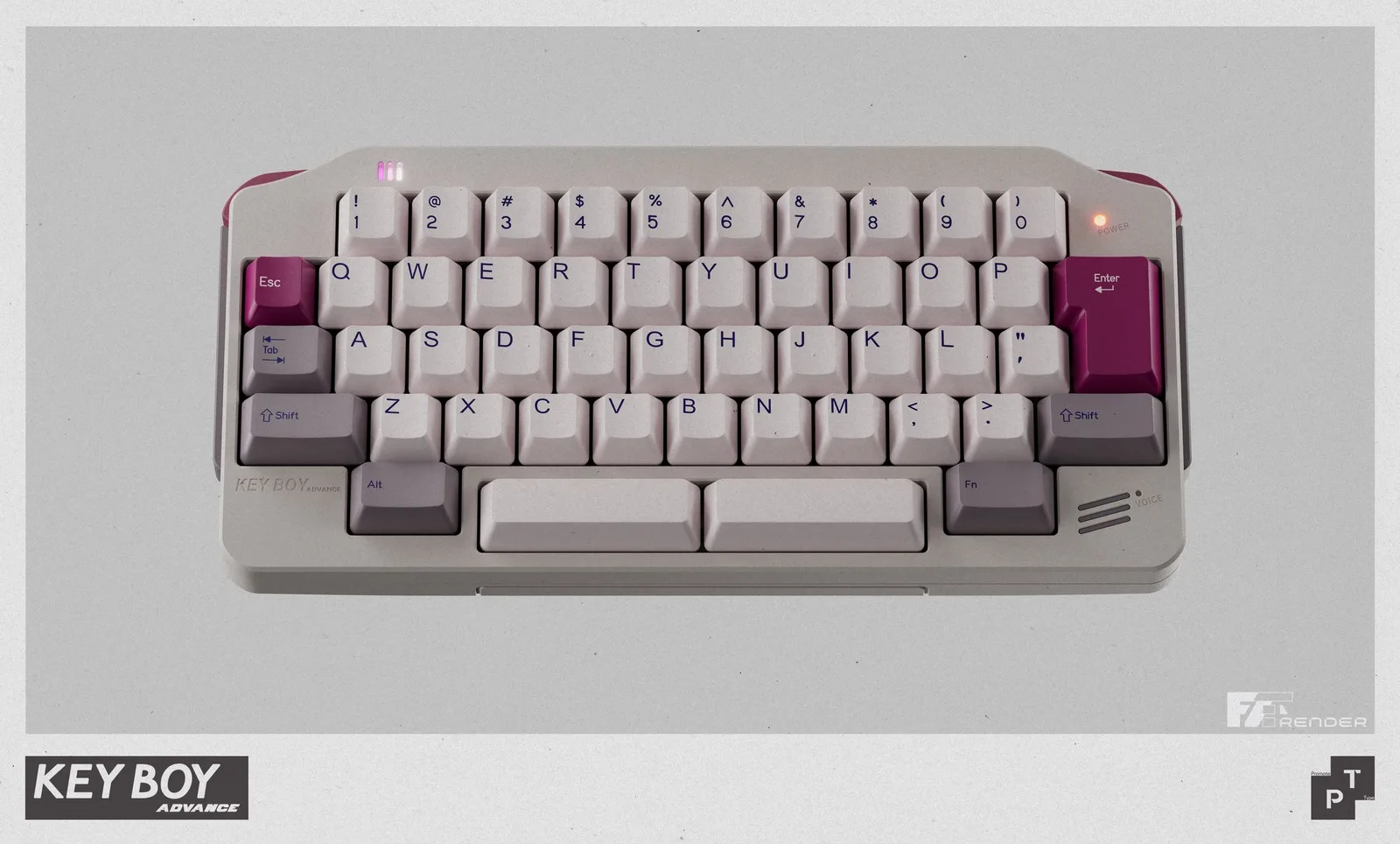
For many people who grew up in the early 2000s, the Game Boy Advance was the handheld they carried everywhere. The Keyboy Advance is trying to bring some of that nostalgia to a modern desk, using the wide, landscape-style silhouette of Nintendo’s 2001 handheld as the basis for a compact mechanical keyboard kit. It is not an official Nintendo product, but the visual references are easy to spot.

How much Game Boy Advance is in the design?

The Keyboy Advance takes the general shape of the Game Boy Advance and rebuilds it around a 50% HHKB layout. The overall footprint of the keyboard is small while still including a number row. The side profile uses a color-separated section inspired by the GBA’s side palm rest, while the underside has been reworked to create a curved shape that resembles the handheld.

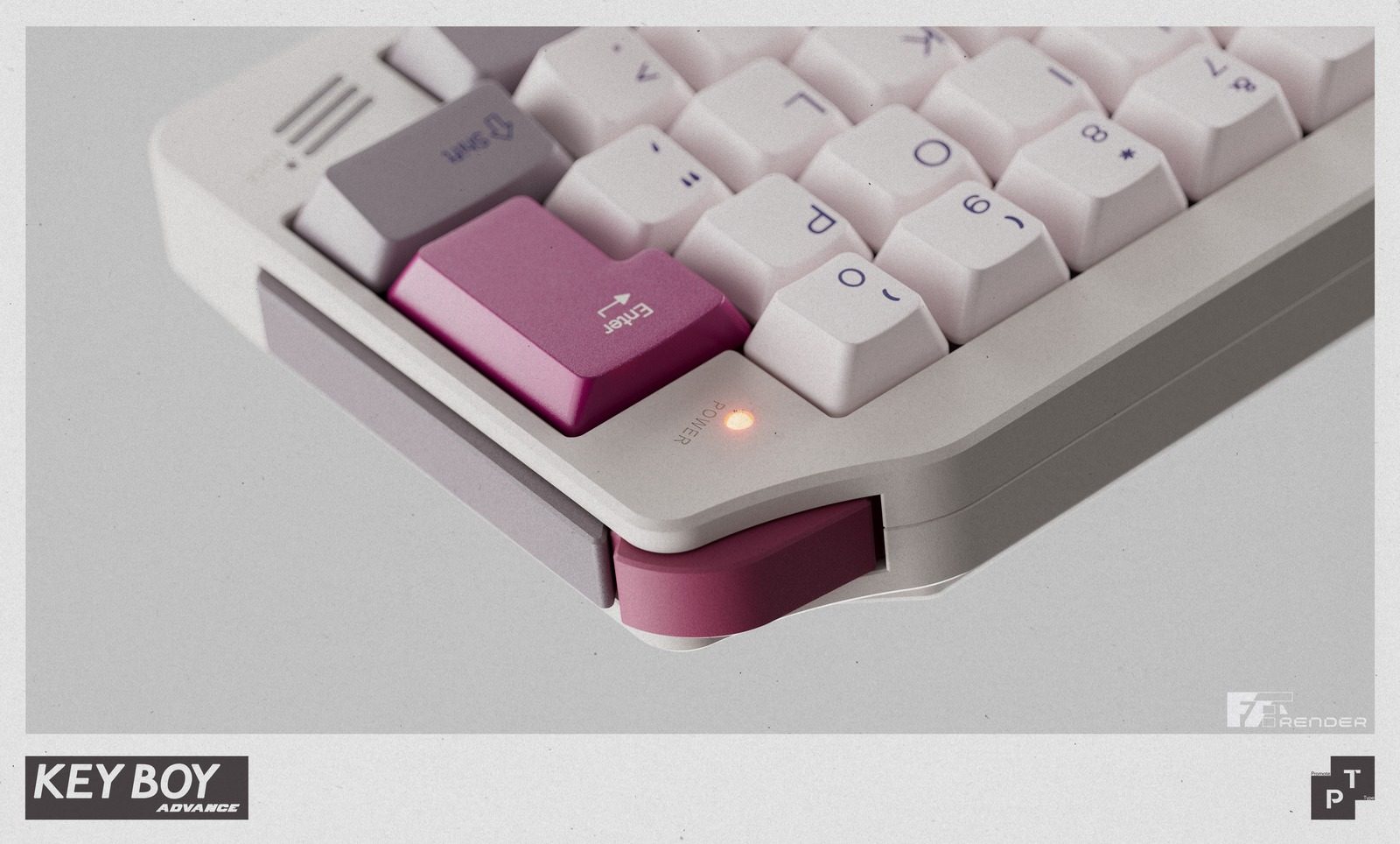
There are smaller visual callbacks across the body as well. The board has a power indicator LED, an asymmetric light strip, a speaker-like module on the lower right, and an incised line that appears to reference the old battery cover. It also includes functional shoulder buttons, which use micro-switches to recreate the feel of handheld console triggers. Both buttons can be customized through Vial, giving the retro-inspired design a practical use.

It is still an enthusiast keyboard kit

The Keyboy Advance is still a fairly serious custom keyboard kit. The spec pages list a 7-degree typing angle, 19mm front height, and top-mount construction with O-rings. Buyers also get different build options depending on how they want to use it. The kit is available in solder and wired hotswap versions, along with dual-mode and tri-mode hotswap options for those who want more flexible wireless support.

The spacebar also gets special attention. Smaller custom keyboards can sometimes have noisy or uneven spacebars, so this kit uses foam and internal support pieces to reduce unwanted sound and vibration while typing. It also supports multiple spacebar layouts, including a single 6U spacebar, dual 3U spacebars, and a split 2.25u plus 1u plus 2.75u setup.

The Keyboy Advance group buy is priced at £210.83 and runs until July 22, 2026. Shipping is expected in Q4 2026. You can find more details about the keyboard at Prototypist.net.

Advertisement

Source link

Continue Reading

Tech

Etzioni on AI: Elon Musk promised humanoid robots, but China delivered

Published

on

The UWORLD U1 humanoid robot at its launch event in Shenzhen, China, on June 30. (UBTech Photo)

On Tuesday in Shenzhen, the Chinese company UBTech unveiled the U1, a full-sized humanoid robot with silicone skin, blinking lashes, manicured nails, and an AI tuned to read your mood. It comes in male and female versions, and racked up more than 13,000 orders by the end of launch day, with deliveries beginning in September.

“It will never betray you, will always be loyal to you, and will love you unconditionally,” promised Michael Tam, the executive running UBTech’s consumer brand.

The sci-fi TV series “Humans” imagined lifelike android “synths” sold to ordinary families as helpers and companions, and it treated the idea as speculative fiction. A decade later, the fiction has a September ship date. What it does not have is an American logo.

Elon Musk announced the Tesla Bot in 2021 and has been re-announcing it ever since. He hoped for production readiness by 2023. Entering 2025 he targeted 10,000 units, then trimmed the goal to 5,000.

The unveiling of Optimus 3, promised for March of this year, slipped because the robot needed “finishing touches,” and as of Tesla’s April earnings call Optimus 3 is still MIA, with the reveal now promised for late July or August. Tesla is spending $20 billion in capital expenditure this year, with Fremont assembly lines converting from the Model S to Optimus. The robot is not vaporware; it’s merely years behind schedule.

Advertisement

Now look at what China shipped while Optimus was getting its finishing touches.

In April, a bright-red humanoid named Lightning, built by smartphone maker Honor, ran Beijing’s E-Town half marathon in 50 minutes and 26 seconds, roughly seven minutes faster than the human world record. The remarkable number is not the 50 minutes. It is the comparison to last year’s inaugural race, when the winning robot needed 2 hours and 40 minutes and most of the field fell over, wandered off course, or lay down at the starting line. The machines cut their time by two-thirds in 12 months.

Meanwhile, UBTech won a $37 million contract to deploy its Walker S2 humanoids at the Fangchenggang border crossing with Vietnam, where they guide travelers, patrol corridors, and inspect cargo. Barclays estimates China accounted for 85% of the world’s humanoid robot installations last year, and Beijing counts more than 140 domestic companies selling over 330 models.

Why the gap? Talent is not the problem, and neither is money. The difference is the customer.

Advertisement

Optimus’s most important customer has always been the Tesla shareholder, and a Musk keynote serves that customer just fine. The Walker S2’s customer is a border authority with a delivery date and a cargo queue that does not pause for a reboot.

China’s supply chain proximity and its government’s decision to treat humanoids as a strategic industry help, but the deeper difference is that Chinese robot makers get paid for delivery while Optimus gets valued for anticipation. Only one of these incentive structures produces robots in a timely manner.

In fairness, the most useful robots in American homes and hospitals are not humanoid. Form follows task, and when the task is specific, the human form is expensive overhead. For instance, the da Vinci surgical system, which has operated on more than 20 million patients, is four arms bolted to a cart, because a surgeon needs wrists steadier than human wrists and has no use for a reassuring face. The most successful household robot in history is a disc that eats dust. No one wants their Roomba to watch the sunset with them. 

The humanoid shape is a bet on generality, on a machine that can use our doorways, our staircases, and our tools. That bet makes sense at a border crossing built for human bodies. It is far less obvious in the operating room.

Advertisement

Companionship has never required human form; ask anyone with a dog. The New York Times recently told the story of Jan Worrell, an 85-year-old widow on a remote stretch of the Washington coast, and her companion robot ElliQ, which resembles a small reading lamp. It has no face, no legs, and no silicone anything, yet it shares her morning coffee, nudges her toward chair yoga, and has become, in her words, “me and my robot.”

Hundreds of ElliQ units deployed through New York State’s Office for the Aging show the same pattern of daily attachment. A machine does not need a body to keep you company, and the ElliQ price tag is much lower.  (Full disclosure: I serve on the board of Intuition Robotics, the maker of ElliQ.)

So why did UBTech give the U1 lifelike skin, styled hair, and a face you can customize to resemble anyone you choose?

Every new medium in memory has been pulled toward intimacy by its early adopters: the VCR conquered the living room on the strength of what people watched in private; the early internet monetized romance and its rougher cousins before it monetized much else; and app stores learned that “companionship” is a category with remarkable elasticity.

Advertisement

A humanoid robot with a skin warm to the touch is heading in a certain direction, whatever its maker’s official positioning. The company states that the U1’s skills don’t extend to the bedroom, then adds “for now.”

Source link

Continue Reading

Tech

C programmers commit fresh crimes against readability

Published

on


The Twenty-Ninth International Obfuscated C Code Contest – or IOCCC for short – is back again with the results of the 2025 competition. This year, one of the entrants has a unique new trick up their sleeve: a valid use case. When we reported on last year’s event, it was had just been revived from a four-year hiatus, so we’re happy to see it back so soon. As we write, the judging concluded some three weeks ago, but although there is a recording on YouTube, it’s very nearly three hours long. It took a while to edit it down to individual clips for each winner, which is why we are covering it now. For many of these programs, you really must see what they do to believe it, and although it’s generally not our preferred format, video clips are superb for this. There are no fewer than 23 winning entries this year, including a hat-trick of hat-tricks: three entrants, Yusuke Endoh, Nick Craig-Wood, and Don Yang, all had three winning entries each. We have room for only a few of our personal highlights, but we highly recommend reading all the winners – they are well worth your time. One element of the IOCCC is that the judges, Landon Curt Noll and Leonid A. Broukhis, invent new categories each time for each winning entry. We’re using their titles, so if the subheadings initially don’t make much sense, reading the relevant IOCCC pages might explain all… but we wouldn’t rely on it. IOCCC29 – 2025/cable – Best imaginary emulator We cannot claim to have studied every result in every IOCCC. When the first one happened in 1984, this vulture was still at school and learning BASIC. However, this year, Adrian Cable’s Subleq computer was the one that grabbed our attention the most. The reason is that we had already looked at it and what it does – or at least a closely related project. Unusually for the IOCCC, it has a real-life use case in software preservation. The idea of the Eternal Software Initiative (ESI) is to aid in the preservation of software after its original hardware platform no longer exists by implementing a computer architecture that is specifically designed to be emulated very easily. There’s a sample implementation on GitHub. The CPU architecture isn’t new; it’s a One Instruction Set Computer called Subleq. OISC is the logical extrapolation of RISC: you can’t reduce an instruction set any further than cutting it down to just one instruction. In this instance, that instruction is Subleq (subtract and branch if less than or equal to zero). Here’s an explanation from 2020, and it wasn’t new then – here’s FPGA hardware from 2011 [PDF]. The ESI has implemented Subleq in software, built a C compiler to target it using LLVM, and ported Linux to it, complete with C and C++ runtime libraries. Run your emulator on that Linux, and you can bootstrap a runnable version of any hardware architecture from this tiny basis. And we do mean tiny. This is the IOCCC winning implementation of the architecture: #include #define o s[1&s[t=e++]?s[t]/4:t]/4,t b,y,t,e,s[38e5?s[memcpy(3[ g],6[s]+s,25

Source link

Continue Reading

Tech

MFA-optional banks leave safe doors (and accounts) wide open for thieves to pillage

Published

on

OPINION I write a weekly column called PWNED, about how poor security practices can lead to serious damage. Usually, there’s something funny in the malfeasance, like a CEO who kept every employee’s password in an Excel file on his desktop. 

However, I wasn’t laughing back in May when professional thieves invaded my 84-year-old mother’s entire financial life and managed to make off with $30,000 from her bank accounts alone. And they wouldn’t have gotten in if her financial institutions required multi-factor authentication (aka MFA or 2FA), a step too many institutions won’t take.

One day in May, Mom got a call from the institution that runs her retirement savings account, who had identified a suspicious transaction and asked her if it was legit. She said no and they immediately protected her account.

Then she checked her bank account at a different institution to see if it was compromised and found thousands of dollars transferred out of her checking and savings accounts. The thieves knew exactly how much they could withdraw each day, and used both withdrawals and transfers to a strange account. But the financial institution hadn’t flagged the fraudulent activity. 

Advertisement

The thieves were so slick that they broke into her Gmail account and created spam filters to filter any mail from her bank or retirement savings provider to the trash so she wouldn’t get alerts about the transfers or about the fake accounts they made in her name.

She spent hours on the phone reporting the theft to an unhelpful and incredulous fraud department who asked “Are you sure a relative didn’t do this?”

We don’t know for certain how the crims got into my mom’s accounts, but we know she used the same or similar passwords on all of her accounts, and at least one of her accounts was part of a data breach a few years ago, so that info was probably available somewhere online. The miscreants then could have used this info to get into her retirement account, her bank, and her Gmail. 

None of this would have been possible if she had MFA enabled on those accounts, but neither Google nor her financial institutions require it.

Advertisement

“Many consumers assume every bank requires 2FA, but that’s not the reality,” said Gregory Shein, CEO of Nomadic Soft, a SaaS company that serves fintech clients. “Some financial institutions still treat it as an optional feature because they’re balancing security against friction. Every extra login step can reduce conversions, increase support tickets, and frustrate less technical customers.”

Indeed, while some banks such as PNC require MFA, others such as Bank of America, Chase, Capital One, and Citibank leave it as optional. Google’s accounts are also MFA-optional.

Fortunately, after they spent hours telling my mom that someone in her family could have done the deed, and repeatedly putting her on hold, then forcing her to navigate a labyrinthine phone tree, the bank eventually agreed to investigate.

A few weeks later, they restored the stolen funds. 

Advertisement

A not entirely happy ending

My mother was lucky, because if money is stolen from your bank account, there is no guarantee that you will get it back, at least in the US.

According to the Consumer Financial Protection Bureau, you have 60 days from the date of a bank statement to dispute any transactions. The bank also has 45 days to investigate, unless your bank account was just opened in the last 30 days or the fraudulent transactions took place outside the US. 

But the bank could very well decide that those fraudulent transactions look legitimate and refuse to reimburse you. If the bank doesn’t agree to reimburse you, your next step is to get a lawyer and attempt to sue. A quick search revealed dozens of lawyers in my area who specialize in dealing with this problem.

It would be easy to blame my mom for being robbed. Using the same password in multiple places left her wide open for exploitation. However, her bank’s lack of a required second authentication factor also contributed. The bank doesn’t let you transact without a password, and it doesn’t issue you an ATM card without a PIN, because it knows that there has to be a required minimum level of security.

Advertisement

Banks and other financial institutions know better. Google knows better. But they’re all putting convenience ahead of security when it’s your money that’s on the line.

“Different segments of the population adopt technology faster or slower. If I’m a bank, I have to consider that very closely because I don’t want to lose any banking relationships.” Andrew Shikiar, CEO of the FIDO Alliance, an industry association that advocates for stronger login security, told me in an interview.  “So I think there’s some concerns around friction that have held some banks and other service providers back from really pushing this more aggressively.”

How effective is MFA?

According to a 2019 article from Microsoft, MFA prevents 99.9 percent of attacks on your accounts. However, other experts say this number is exaggerated, as there are many ways to get past MFA if you’re a criminal, including social engineering and interception.

One of the most common types of MFA, issuing a one-time passcode via an SMS message or an email, is inherently flawed. A determined thief can use social engineering to get a SIM card with your phone number on it, then get to your texts. And if your email itself isn’t perfectly secure and it is receiving an OTP, they can get to that too. Phishers can also trick you into giving up your OTPs by creating a fake website that looks like your bank’s login page. 

Advertisement

The right way to do MFA today is with a passkey. Passkeys are cryptographic key pairs where there’s a private key on the user’s device and a public key on the server. To access the key on the device, the user must either enter a PIN, touch a physical security key like a Yubikey, or enter a biometric login such as their face or fingerprint.  Passkeys cannot be phished or intercepted, which is why they are known as “phishing-resistant MFA.”

Unfortunately, a lot of banks are sticking with their OTPs. For example, when I went to set up MFA for a family member’s account with US bank Chase, using its website.

Chase offered the chance to receive an OTP via email, SMS, or a phone call. The bank is rolling out passkeys, according to the FIDO Alliance. So are Wells Fargo, US Bank, and Bank of America. 

Some banks may be using better MFA only within their mobile apps. Chase’s app, for example, asks users to use a fingerprint or facial recognition at login, even though the website does not. However, if a thief wants to log in at Chase’s website, there will be no biometric challenge. And if a user doesn’t have MFA enabled at all, it’s even easier for thieves to get in.

Advertisement

“OTP is just another password. So it’s a shorter-lived one, but it really is just another password,” Shikiar said. “And there’s also usability issues. You’re juggling between your mobile and your desktop. It’s insecure, inefficient, and a really inadequate user experience.”

What banks don’t seem to understand is that you’re only as secure as your weakest entry point. If security controls only exist on mobile apps, it doesn’t help with web-based attacks. If a level of security is optional, the majority of people won’t enable it. Thieves will take the path of least resistance, so service operators need to lock down all entry paths equally by default.

Unfortunately, an approach that favors convenience over security will lead to a lot more people losing their money. And, ultimately, banks will lose money when they have to reimburse people for those fraudulent transactions.

“I don’t expect banks to be mandating passkeys and only passkeys for some time, but the more they push them, the more comfort there is,” Shikiar told us. “The sooner we’ll get to that point where it becomes a de facto default and then becomes really something that’s either required or essentially required.”

Advertisement

That time should be now. ®

Source link

Continue Reading

Tech

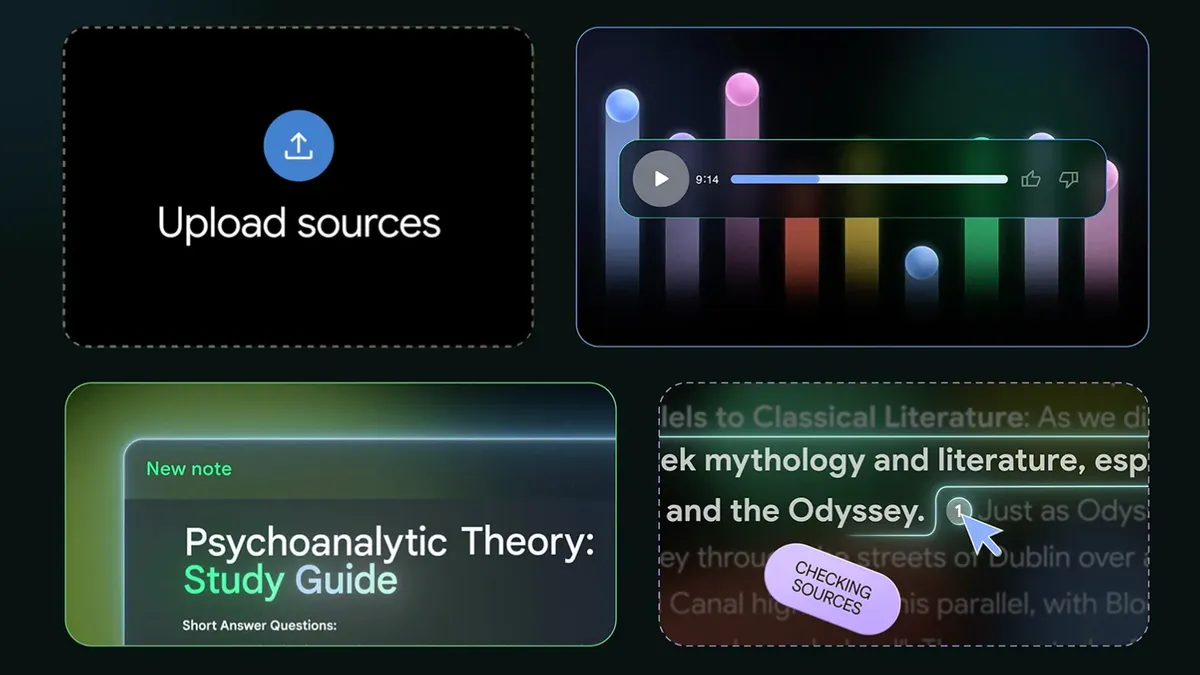
NotebookLM Alternatives: Which Similar AI Tools Are Worth Your Time?

Published

on

We’re big fans of NotebookLM around here, so much so that it received our Editor’s Choice Award. But it’s not the only AI tool out there that can synthesize your data to better understand it. In fact, there are a lot of options out there, it’s just that none are quite as approachable as NotebookLM. 

AI Atlas

Maybe you need a more specific type of output, or just don’t want Google handling your data. Not all of the following tools have nifty features like the Audio or Video Overviews that helped give NotebookLM its reputation today. Instead, they may offer a more tailored set of capabilities, whether you’re a student, an analyst or someone who simply prefers more privacy.

Below, we’ll detail a few other AI learning tools that have similar features but might be better suited for you depending on what you’re trying to do, your profession or your workflow.

Advertisement

Atlas.org launched in 2024, and its team consists of current students, recent graduates and former educators. Its sole purpose is to help you with your schoolwork, and it’s organized as such. 

When you first sign up and log in, you’ll be presented with a series of options, each tailored to the learning experience. The three primary sections are for studying, homework and taking notes, and each of those subsections has different options to dig in deeper. 

For studying, you can create a study guide, a quiz or flash cards. You can automatically create lecture notes from recorded audio or help get detailed answers to questions on your homework. 

The information you upload to Atlas.org is retained forever, so you’ll have a continuously growing knowledge base about your schoolwork, and you can create dedicated spaces for different topics. Like NotebookLM, it also has a mobile app for iOS and Android that allows you to learn on the go. 

Advertisement

Atlas is free to try out, but the free tier comes with some fairly steep limits. You can upgrade to the Pro version for $18 per month. 

Yes, another tool with Atlas in its name, but Atlas Workspace is pretty specific with its functions. It specializes in knowledge and semantic mapping and is aimed towards scientists and research analysts. It essentially allows you to create a full knowledge base on its servers and map out exactly what you want to see when you want to see it. The more sources you upload, the more you’ll get out of it, and since it’s a collective database of your sources, you don’t need to remember where you saved a specific piece of information. This is in contrast to NotebookLM’s Notebooks, where the sources remain isolated as individual projects. 

When you upload a source such as a PDF, Atlas Workspace will automatically begin building a knowledge map, breaking down the core components of your source — and you can start asking specific questions from there. You can also view a semantic map to get a more visual representation of your sources and how you’ve interacted with the tool.

Atlas isn’t going to be for everyone, and that’s because not everyone needs this type of tool. To get the most out of it, you’ll need to spend a lot of time working with it, and there’s a fairly steep learning curve to it. However, the Atlas Workspace blog has several in-depth comparisons between its competitors that might be helpful for people still on the fence. 

Advertisement

The free version of Atlas Workspace allows for 10 total sources and five lifetime AI chats, but you’ll have access to unlimited projects, which are similar to NotebookLM’s Notebooks, but Projects can connect concepts across projects, keeping up with the compounding knowledge aspect. If you opt for the $20 per month Pro plan, your source count gets boosted to 1,000 and you’ll have unlimited AI chats. 

OpenNotebook

We’ve covered OpenNotebook in depth before, and it’s fairly close to a lot of the functionality NotebookLM carries with it. However, you’ll need to know what you’re doing to set it up, which can feel incredibly involved if you don’t consider yourself a “tech” person. However, once it’s set up, there’s a lot it can do. 

As you’d expect, you can upload your sources to OpenNotebook and chat with AI about it, but what makes this tool special is that you can pretty much choose whatever AI model you want. This will require more work and, depending on the model, may require a paid API key. You can even use a local LLM if you so choose. 

Something standout about OpenNotebook is that it’s very privacy-friendly. Your data stays with you, and you decide what you share. OpenNotebook is also free and open-source. 

Advertisement

Source link

Continue Reading

Tech

The 5 best fitness trackers we’ve seen so far this year, from Google and Garmin to sleeper hits from Amazfit

Published

on

I’ve been writing about fitness tech for years, and we’re finally at a point where more affordable fitness trackers are now every bit as capable as models that would have cost hundreds of dollars or pounds, little more just a few years ago. That’s not to say premium options don’t have their place too, but many of the standouts this year have certainly been on the cheaper end.

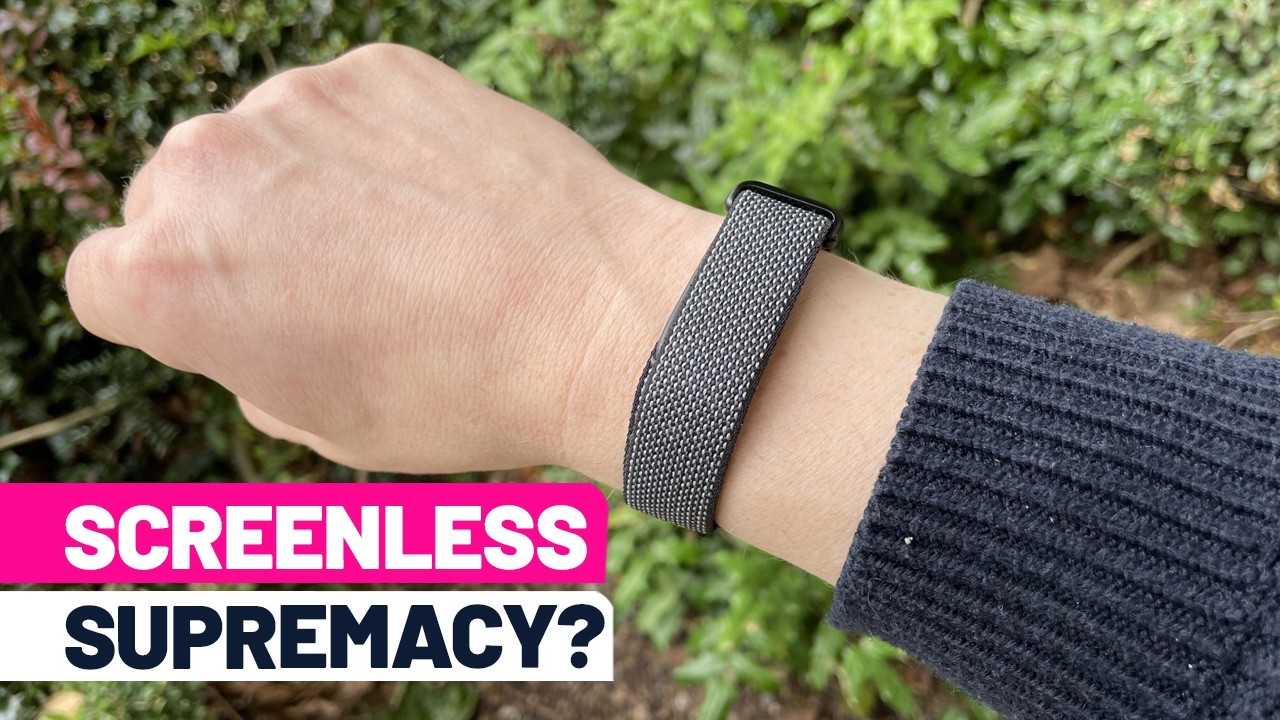
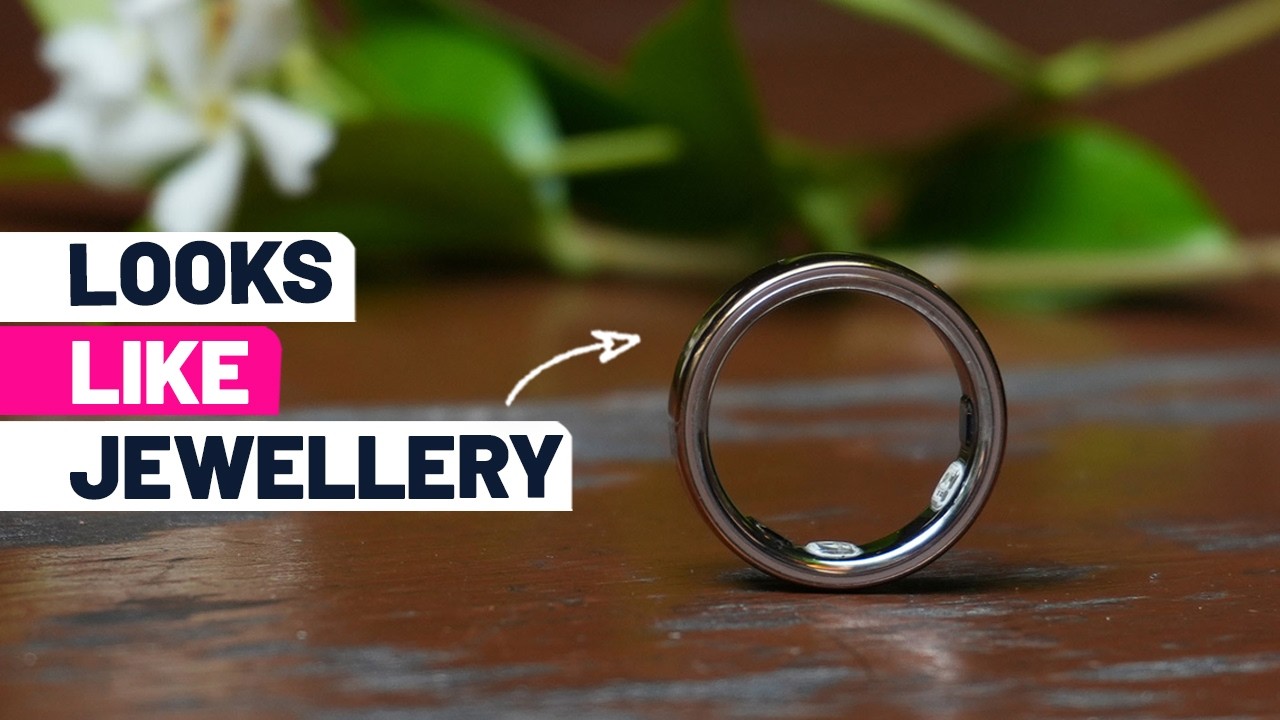
Whether it’s screenless devices showing less can be more, the latest iteration of the popular Oura Ring, or a pair of Amazfit options that can cut it with much more expensive models, here are the best fitness trackers in 2026 so far, in no particular order.

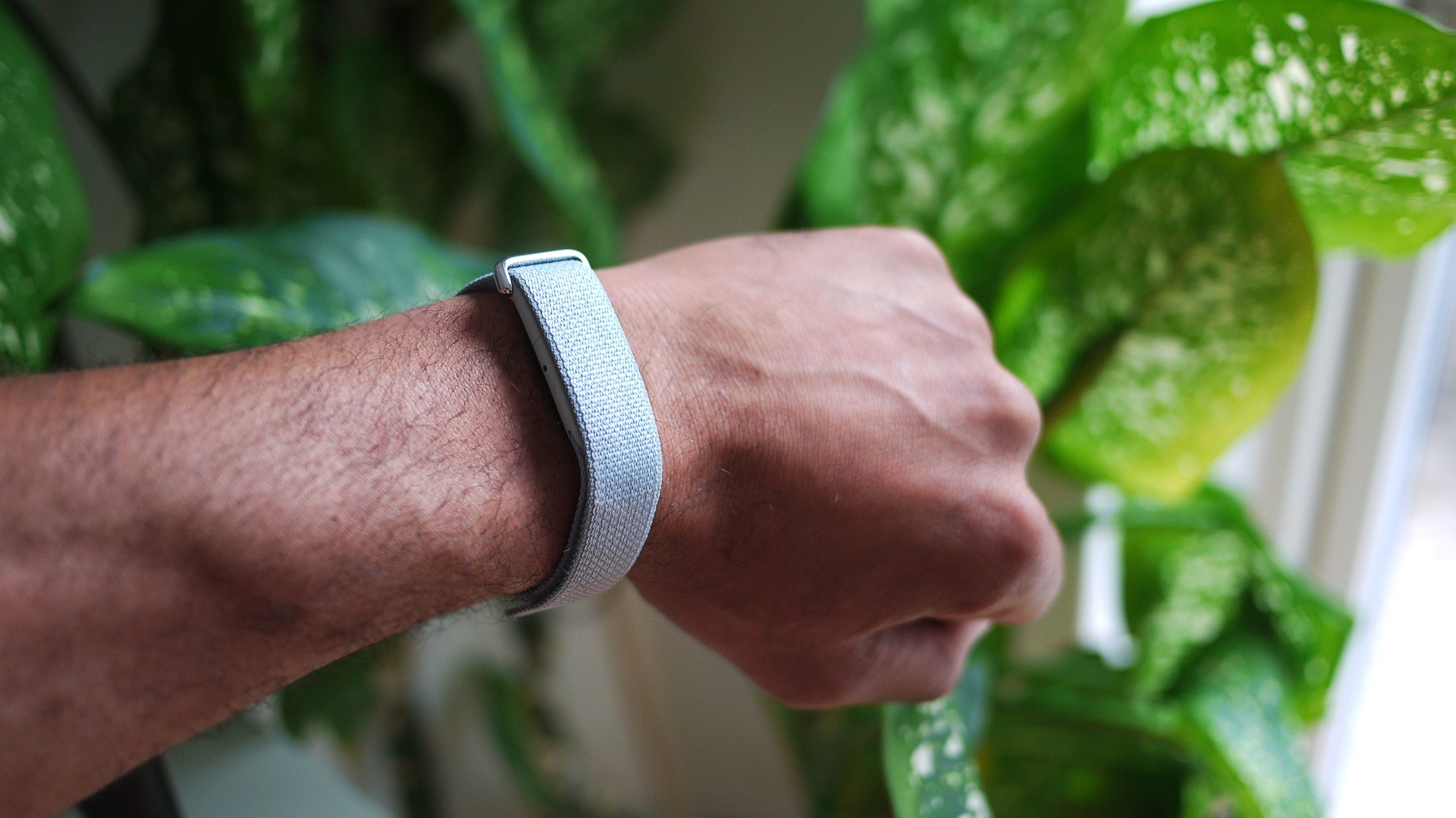
1. Google Fitbit Air

Google Fitbit Air

(Image credit: Peter Hoffmann)
  • Release date: May 26
  • Rating: 4/5

Source link

Continue Reading

Tech

Google is testing a webcam CAPTCHA that scans your hand, but it's already been bypassed using a photo

Published

on


Google is working on a new kind of challenge to improve its reCAPTCHA system, using biometric identification to confirm that the user is indeed human. The new method is officially named “hand gesture verification” (HGV), and, according to early testing, is mostly useless. Even worse, HGV might pose a significant…
Read Entire Article
Source link

Continue Reading

Tech

2026 Frikkin Lasers Challenge: A 3D-Printed Raman Spectrometer

Published

on

When light reflects off a surface, not all of it reflects off at the same wavelength; some photons impart a portion of their energy to raising the vibrational energy of the surface’s molecules, and are thus scattered away at a lower energy and longer wavelength. This is called Raman scattering, and the precise wavelength shifts are characteristic of the particular molecule being illuminated. It can therefore be used in Raman spectroscopy to identify molecules; these spectrometers are normally elaborate, expensive instruments, but [Allegedly Science] was able to build a simple system with surprising sensitivity.

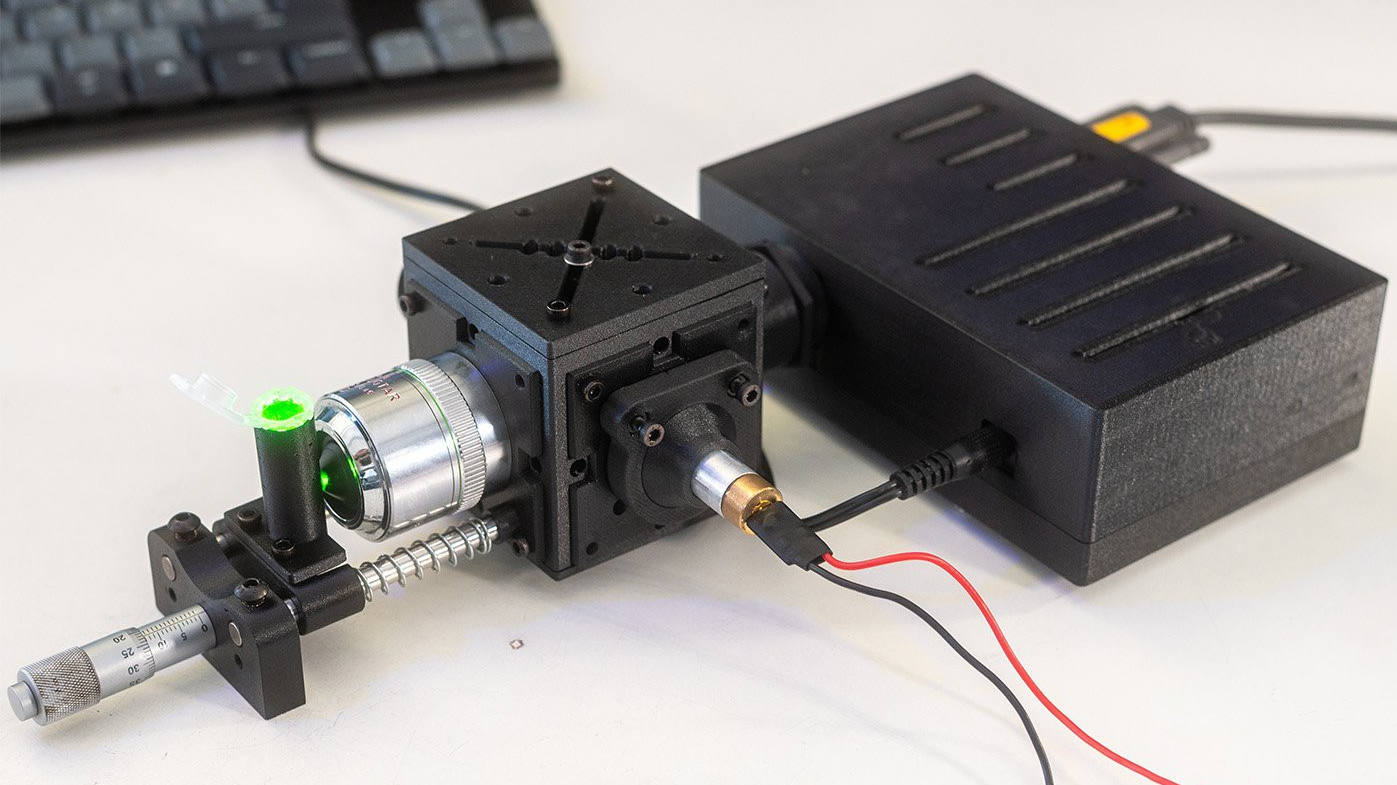
The system is named the CubeRaman, after the cube-shaped body containing the main optical path. It uses a cheap 532-nm laser module as a monochromatic light source, with a bandpass filter to eliminate stray infrared light. The beam then reflects off a 45-degree dichroic mirror and passes through a microscope objective onto the sample. Raman-shifted light then scatters back through the objective, passes through the dichroic mirror and a long-pass optical filter, and is focused by an achromatic lens onto the slit of a spectrometer. The entire housing is 3D-printed, as are most parts of the kinematic mounts; the kinematic mounts use adjustment screws running through inserts in the mount, with the tips of the screws held in place by magnets.

[Allegedly Science]’s first test was with a raw diamond, which clearly showed the expected Raman shift. When trying to test a chemical inside a glass bottle, it mainly returned the signature of silica, making thin-walled cuvettes essential. Ethanol inside a plastic bottle was similarly interesting; varying the focal distance changed whether it detected the characteristic shift of ethanol or polypropylene. Nevertheless, [Allegedly Science] thinks there’s still room for improvement, particularly by eliminating stray light and using a narrower slit in the spectrometer.

Advertisement

Although we’ve seen an open-source Raman spectrometer before, this design is significantly more accessible. It does still require a separate spectrometer, though, so it might be worth considering some other spectrometer options.

Advertisement

Source link

Continue Reading

Trending

Copyright © 2025