
Security teams log 54% of successful attacks and alert on just 14%. The rest move through your environment unseen.
The Picus whitepaper shows how breach and attack simulation tests your SIEM and EDR rules so threats stop slipping by detection.



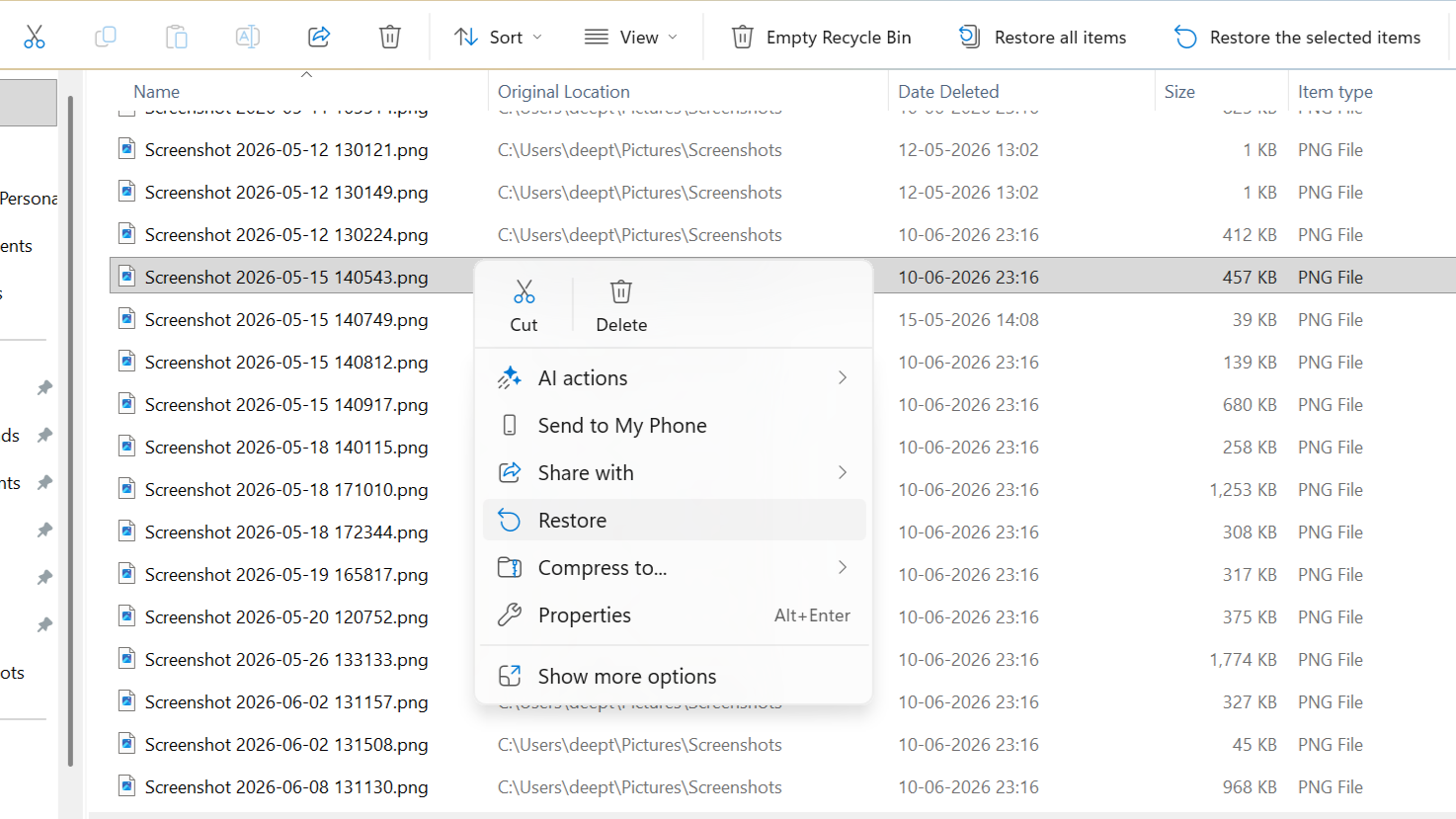
Losing an important file by mistake can be frustrating, especially if you’ve already emptied the Recycle Bin or deleted it using Shift + Delete. While it may seem like the file is gone forever, that’s not always the case. Deleted files often remain on the drive until new data overwrites them, giving you a chance to recover them. That’s why it’s important to stop using the affected drive as soon as possible. In this article, we’ll cover the best free ways to permanently recover deleted files and share important tips to avoid making the situation worse.
Normal deletion and permanent deletion operate differently. A normal deletion means the file goes to the Recycle Bin, where it can be recovered later. Permanent deletion means the file will be deleted immediately or after the Recycle Bin is cleared. This can occur when deleting files on the USB drive or the SD card, or when deleting large files that cannot fit in the Recycle Bin. Until new files overwrite that space, the deleted file may still be recoverable.
Before proceeding with recovering your deleted files, ensure you stop using the drive containing them. Avoid copying, saving, installing, or downloading any data to this drive, as additional data could overwrite your deleted files. It is also a good idea to verify whether your file exists within your backup system or in your online storage. If your files have been deleted from a USB drive, an SD card, or an external hard drive, then do not use the drive anymore. Remember that SSDs use the TRIM feature, which can make file recovery more difficult if you wait too long.
If you have deleted the files using the Recycle Bin or Shift + Delete, you can proceed directly to the next recovery steps. This approach will only work if the file is still in the Recycle Bin.

Another way to recover deleted files is File History. It is a Windows feature that provides backup copies of your files. If it was enabled, you may be able to recover a previous version of your deleted file.

Deleted files may remain in cloud storage for some time before being permanently deleted. If you previously uploaded the file to a cloud storage service, you may be able to restore it.

If you have a backup of your files, recovering them is usually quick and easy. Check your external hard drive, USB backup, or any manually created backup folders for the missing file.
When manual recovery methods fail, you can try Stellar Data Recovery Free Edition. This software will help retrieve deleted files from a Windows PC, a USB drive, an SD card, or other external media. The program allows scanning the disk, browsing, and restoring the retrieved files. In the Free Edition, there is up to 2GB of free data retrieval, including 1GB by default and an additional 1 GB through social networking.
Follow these steps to recover permanently deleted files using Stellar Data Recovery Free Edition.


You can increase the free recovery limit by following these steps.
Most recovery tools start with a Quick Scan because it is faster. However, it may not find every deleted file. If the Quick Scan doesn’t show your file, try Deep Scan instead. It is also useful if the drive was formatted, the storage device became inaccessible, or the file was deleted a long time ago. Deep Scan takes longer to complete but may find additional recoverable files.
You can recover many different files that were deleted, depending on the storage device’s status. It can be documents, pictures, videos, emails, and ZIP files. The types of document files that can be recovered include Word, Excel, PDF, and PowerPoint files. At the same time, among the types of picture files that can be recovered are JPG, PNG, HEIC, and RAW. File recovery software is also compatible with Windows PCs/Laptops, SSDs, hard disks, USB drives/ SD cards.
File recovery is not always successful, so it’s important to keep your expectations realistic. Once your files have been overwritten with new data, there is no way to recover them successfully. Another problem that might affect the success of file recovery is the TRIM functionality in SSDs. With the Stellar Data Recovery Free Edition, one can restore up to 2GB of data free of charge. If one needs to recover data larger than 2GB, they will have to purchase the software.
The actions you perform after deletion could affect the ability to recover your files. It is important not to use the drive containing the deleted files, as you may overwrite them with fresh data. If possible, try installing the software on another drive. This helps avoid writing new data to the same storage location.
Always make sure to transfer the recovered files to another drive, not back to the original one. If your files are not found during a Quick Scan, a Deep Scan is available. Preview your recoverable files before recovery to ensure they are the right ones. Complete the file recovery process immediately and keep regular backups to reduce the risk of future data loss.
Recovering permanently deleted files depends on how the files were deleted and whether the data has been overwritten. For instance, restoring files from the Recycle Bin or a backup is the preferred method when they are available. Whereas, when the files are deleted by pressing “Shift” and “Delete”, deleted from the Recycle Bin, or deleted from an external hard drive, then the use of Stellar Data Recovery Free Edition will be useful. It lets you scan your storage device, preview recoverable files, and recover up to 2 GB of data for free, with the option to upgrade to a paid edition if needed. For users who need to recover more than the free limit, Stellar offers paid plans starting at around $49. The paid plans are worth considering if you need to recover more than the free limit. However, the Stellar Data Recovery Free Edition is one of the best options to recover files.
We may receive a commission on purchases made from links.
Pneumatic tools frequently go underrepresented in many DIYers’ collections. They require an air compressor to operate, but once you find a reason to invest in one, you’ll find all kinds of equipment that run on pressurized air instead of corded or battery power. Air tools are usually cheaper to buy and maintain than their electric counterparts. They also use fewer moving parts to perform the same operations, making them less prone to breakdowns or maintenance. As such, they are frequently the solution of choice for professionals who work in mechanics’ garages or metalworking shops. That doesn’t mean prosumers and other hobbyists can’t get in on the action, though.
While many of my own hand tools are older, vintage implements, I myself recently invested in a portable air compressor to run 18 and 16 gauge nailers (similar numbers, but different tools entirely based on gauge ratings, or nail diameter sizes). The project went swimmingly and there’s a good chance of the tool collection in my work shed growing with some new air tools added into the mix relatively soon. There are of course plenty of opinions on all sorts of tools’ value to their users and all of these brands deliver quality tools that can perfectly serve their users.
One of the tool brands owned by Home Depot, and Husky is by all accounts a generally great option for all kinds of users. It’s relatively inexpensive, and its selection run the gamut from lawncare tools to accessories and powered implements. Of course, there are a number of air tools thrown into the mix, as well, landing the brand on this list. Husky is generally well liked as a pneumatic option by buyers, with most of its air tools getting favorable ratings from buyers. However, only one of its options stand out with truly eye-catching average rating scores (the ½-Inch Compact Impact Wrench), and there are a good few choices with scores under 4 stars in the aggregate.
It’s also important to note that while Husky is designed to offer versatile utility that can serve DIYers and professional users alike, the brand’s pricing equally sits somewhere in the middle. Even though users generally like the experience, the tools are frequently underpowered based on the cost you’ll incur. There are also just 19 products listed under Home Depot’s “Husky Air Tools” category, creating a notable limitation in the brand’s overall range.
Central Pneumatic is one of many in-house Harbor Freight brands, and a pretty good option for air tool needs from basic to complex and even professional-level operations. The brand’s catalog includes 58 total products as of mid-2026, with a range of tools and accessories making up a mix of options. Some of the brand’s highest rated tools include a smattering of gravity fed paint sprayers, and a twin-hammer impact wrench. You’ll also find air hammers, grinders, and more badged under this umbrella.
One thing that stands out immediately is the pricing. Most of Central Pneumatic’s tools are available at very favorable prices. Take for example the ¼-Inch Compact Die Grinder: It’s $20 and features a notably high average user rating. The brand knows its lane, so to speak and maintains cheap and cheerful as its primary selling point. That’s not to say it’s any less useful or valuable to a buyer, but this is a beginner or extremely cost effective users’ tool rather than a professional option. Similarly, it’s worth noting that this brand’s naming convention is also styled off of an existing toolmaker’s moniker, and specifically one that will come up much later in this survey of air tool options.
A second Harbor Freight brand, and another one that riffs off a different, professional grade brand, Chief is an inexpensive choice that’s great for beginners. Chief is a smaller component of Harbor Freight’s catalog, with 35 items included in its brand offerings. Even though you’ll find fewer total choices, the saturation of air tools compared to accessories or consumables is impressive. Chief is a brand laser focused on the tools themselves, and within its catalog you’ll encounter drills, cut-off tools, grinders, shears, riveters, and more.
This brand takes a decidedly visible step forward from Central Pneumatic. Its tools feature sleek visual design choices, naming conventions including the word “professional,” and slightly higher prices. Even so, Chief still caters to buyers looking for good tools at great prices. This isn’t going to be a standout addition to any heavy tool user or professional’s rig in all likelihood, but its blend of value and performance can be an ideal entry point into the world of pneumatics without sacrificing the quality element of the experience.
Makita is known for innovative power tools, frequently featuring unique technology you won’t find within any other competing brand. And while the power tool giant makes a range of cordless nailers that owners tend to find underwhelming, its pneumatic nailers are a different story; these are highly rated tools that get a lot of love from buyers. Makita only offers pneumatic nailers and staplers, foregoing the addition of any other type of air tool to the catalog.
As a result, a typical buyer might only consider adding a Makita air tool to their collection if they’re already bought into the cordless ecosystem from the brand. But it would be a mistake to sleep on the brand simply because you can’t source all your pneumatic needs from one maker. Without batteries getting in the way, preference for the tool you’re holding is all that matters. Specifically, where the brand lacks depth across the board it makes up in specialization, however. There are eight unique nailers in the brand’s catalog alone, ranging from heavy duty roofing and framing nailers to a delicate, 23 gauge pin nailer to handle crafting and fine woodworking tasks.
One thing that does set Makita back from others in this part of the pneumatic category is its pricing. Its tools are more expensive than other power tool crossover options, on the whole.
This one comes with a bit of bias, but it’s also backed by comparative research. Metabo HPT and Makita are two of the mainline tool brands that visibly offer a good selection of pneumatic tools in addition to their primary electric power catalog. Both are rated highly by users, but my own (limited) experience with air tools has come from the two nailers I mentioned in the intro, and both are Metabo HPT products. Part of the reason for choosing Metabo HPT came down to price, although the final decision was a last minute call between that and Makita’s nailers. Metabo HPT offers quality power tools that can easily filter into the professional level, and users (myself included, now) tend to rate them well.
Metabo HPT suffers from the same setback as Makita at a macro level. The brand only makes pneumatic nailers (and a range of air compressors), so buyers hoping to get into a single brand to solve all their air tool needs will want to look elsewhere. Yet, singular brand patronage is not a necessity with air tools, and Metabo HPT delivers a wide range of options including hefty coil and delicate pin nailers. Its pneumatics are also covered by the brand’s 5-year warranty, delivering plenty of protection as well.
Astro Pneumatic is a budget friendly tool brand that provides quality gear, blending the two ends of the spectrum in a delicate and skillful fashion. The brand specializes in equipment made for automotive repair and other similar applications. This makes it a solid choice for home mechanics and others who frequently find themselves reaching for tools to handle tire changes, engine repairs, and other tasks in the garage. Users suggest that the brand perhaps isn’t suited to heavy duty use by professionals who will lean significantly on their tool’s to perform through intense workloads. Yet, this doesn’t make the brand any less valuable to a buyer seeking a positive air tool experience without breaking the bank.
It’s also worth noting that owners also suggest on online forums that Astro Pneumatic has (in the past) been proactive and receptive about user needs when the brand’s tools require service or repairs. The result is a brand that has generated a good track record of producing quality gear while also taking care of users when the going gets tough.
Aside from the in-store brands listed above that feature some limitations, Aircat is considered an excellent pneumatic-specific brand that matches professional-level functionality with good pricing for its position in the market. Most notably, Aircat’s big claim is that its tools operate more quietly than its competitors, without losing out on torque or speed.
Buyers can find a wide range of Aircat tools at Home Depot, making this an accessible option for full service pneumatics, as well. The brand is a great choice for anyone looking to make the leap into the professional realm and requiring an upgrade to their toolkit in the process. It’s also a reasonably moderate cost option for a hobbyist seeking some enhanced tools for their personal collection, although there are some specialized options in the catalog that showcase eye popping prices.
A division of Apex Tool Group, Dotco’s grinders are purpose built for use in heavy-duty applications like industrial fabrication, aircraft maintenance, and other, similar settings. They’re vaunted pieces of gear that users rave about. However, new Dotco tools of any grinding variant can get very expensive. You’re looking at a few hundred bucks for even the cheapest options (Acme Tools, for instance is one outlet carrying the brand).
That pricing hurdle, and the fact that Dotco tools are only built to cover a singular point of focus within the toolbox of a pneumatic implement user leaves it lower down the rankings than it might otherwise sit. Considering the brand’s staying power and what types of users seem to rely on the brand’s equipment, it’s clear that this is a fantastic choice for anyone in the market for a grinder of nearly any subtype. Just don’t expect it to be cost effective!
As the name might begin to indicate, Dynabrade offers abrasive tools to the market, specifically sanders, grinders, and the like. The brand is essentially in close competition with Dotco in this regard, but user sentiment is resoundingly high on Dynabrade, placing this toolmaker at a notable elevation. However, this positioning is really down to personal preference more than rock solid science. A buyer considering the two for a grinder will certainly enjoy a great experience with either builder’s equipment.
Dynabrade also makes a wider range of gear than Dotco, even with their healthy overlap. They do exhibit similar pricing, so buyers in the market for a tool from this builder will also want to save up a good bit of cash before initiating their shopping spree. It’s also worth noting that Dynabrade offers lifetime warranty coverage for its pneumatic tools, giving the brand yet another high quality feature that’s sure to sway prospective buyers to its corner. Even with a high cost to get in the door, you may never have to buy another air sander or die grinder again after registering the gear.
Bostitch is perhaps the final major air tool brand to hit this list that specializes in a singular component of the air tool arena. The brand is famous for making both air nailers and the compressors that run them. Bostitch also makes hand staplers and hammer tackers, among other hand tools, making it a great option for people who require gear beyond the pneumatic space, too.
Bostitch has a long history, founded as the Boston Wire Stitch Company in 1896. It has long played a role in the process of fastening material together, and introduced the N2 in 1965, delivering the first coil nailer to the market. Its modern nailers are among the most highly regarded options around. You’ll find a wide range of pneumatic nailers within the Bostitch catalog, and pricing is roughly in line with mid-range options on the market. The brand’s 2⅛-Inch 18 Gauge Brad Nailer is listed at Lowe’s for $99, for instance.
Sioux is touted as one of the best options on the market for professionals. It makes a full slate of pneumatic tools, including specialty equipment like pneumatic routers. The brand is expensive, so it’s not going to be the right choice for the typical hobbyist or novice buyer, but it has the reputation for being able to handle intensely demanding tasks in industrial or garage settings. That badge of recognition goes a long way when considering how to rank brands that run the gamut of target users and blend full scale catalogs together with niche outfits.
The tools are durable and deliver high-spec performance as a standard. This makes Sioux equipment reliable and consistently valuable to owners looking for a lot from their gear. The brand also features “drop in” motors that allow for easier part replacements and repairs when necessary, adding even more value while reducing downtime in heavily used equipment from the manufacturer.
As a crucial asset for mechanics in particular, Snap-On has grown into more than a hand tool brand, expanding into both electric power and pneumatic solutions as well. Snap-On is naturally a highly trusted resource in this area of the tool world, but it remains on a significant price hill that will set its utility and value back for anyone who isn’t ready to part with a significant pile of cash to get the job done with a premium implement — especially since other phenomenal brands exist at better prices.
Snap-On, unsurprisingly, can serve as a one stop solution when looking for pneumatic tools. The brand carries everything under the Sun, including extended color choices featuring “Hi-Viz” accents to make finding the tool you’re looking for a bit easier. However, with these and other features, alongside the premium brand name, you’ll pay a significant premium. Any of the three ½-Horsepower 3-Inch Cut-Off Tool color options, for instance, will run a shopper $359 at Snap-On’s digital storefront.
Ingersoll Rand is one of two brands consistently thought of as the best option on the market. However, while it’s just edged out by its competitor in our estimation, its tools will likely serve as a phenomenal selection if you’re looking for the cream of the crop when expanding your pneumatic tool collection. This is perhaps the most widely known air tool brand around. Even tool users without any experience or interest in pneumatics will likely recognize the name.
The brand has long been associated with incredible quality, and you’ll find virtually any sort of air tool you might require with an IR badge on its side. There are also plenty of alternative builds that support the same basic function, such as a wide range of air-powered screwdriving solutions in inline and pistol layouts with a range of lengths available in either setup. The only major knock against IR is the fact that many of its tools are produced in China, specifically.
Chicago Pneumatic takes the top spot on this list for good reason. CP manufactures many of its tools in the U.S., and products made overseas are frequently crafted in Europe or Japan. That’s not the same intense black mark that it once was, but there’s still a lingering concern over general quality coming from the country’s production centers that can’t be ignored. It’s worth noting that Chicago Pneumatic also has a presence in China, but it appears to only offer Chinese-built tools specifically to the Chinese domestic market, rather than exporting them for sale elsewhere. This is perhaps a subtle statement regarding the company’s internal thinking about the value of its brand.
Of course, user sentiment is at the center of this tool brand’s position at the top of the market. Owners consistently name Chicago Pneumatic as the best (or among a select few best options), and the sheer weight of their collective reverence for the toolmaker is astounding. CP makes a massive range of tools and air compressor units, giving you just about anything you might desire all under the aegis of a single brand.
Ranking order was determined largely by user sentiments. Brands focused on one part of the air tool landscape were also rated lower on the whole than others with lots of different kinds of tools in their lineups. Value in relation to overall cost was also considered. Ultimately, all of these brands deliver great air tools that fit their specific part of the market perfectly.
A professional user will naturally want to include a higher tier tool in their working environment, but according to our research, pros might still consider those ranked near the bottom of this list to be perfectly fine backup units or quick replacements when a stand in is necessary.
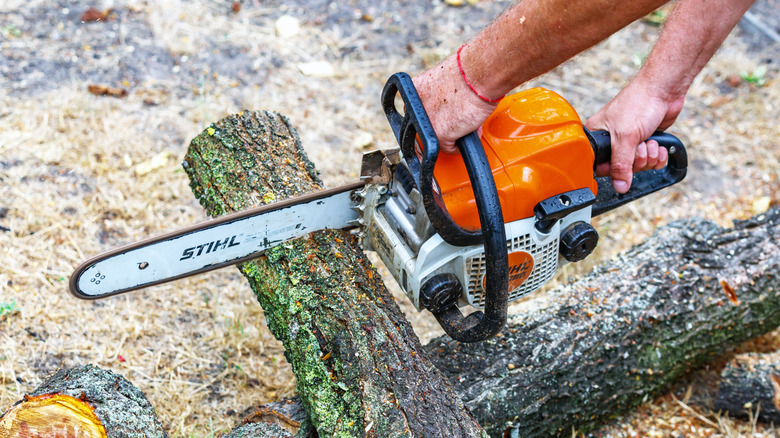
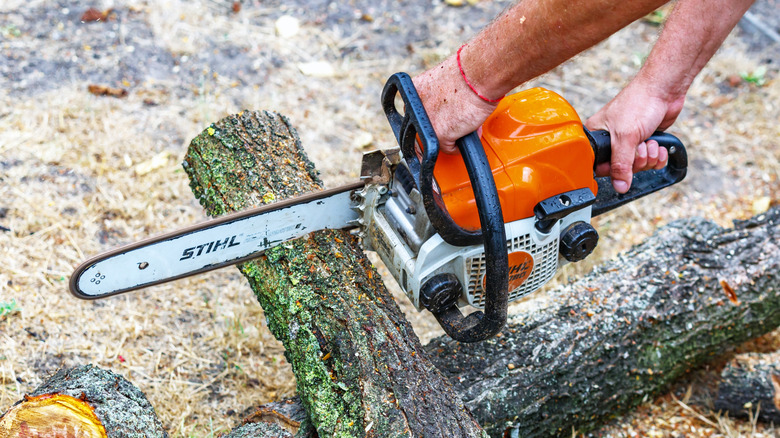
Chainsaws are great for cutting down trees, but you can’t just take any chainsaw to any size tree and expect it to work flawlessly. As with almost any other tool-related task, you’ll need the right chainsaw for the job. That starts with selecting one that has an appropriate bar size for the tree’s branches and, if necessary, its trunk.
Before choosing a unit from one of the major chainsaw brands out today, you want to take a good look at the tree (or trees) you want to cut down or chop up. The crucial measurement is the diameter of the largest portion of the tree you plan to cut, be that one or more branches or the trunk itself. For branches and smaller trunks, a bar length between 6 and 18 inches should get the job done, depending on the tree. Meanwhile, larger segments may require an 18- to 20-inch bar, ensuring that your chainsaw cuts all the way through. A good rule of thumb is that the bar should extend at least two inches beyond the diameter of the wood you plan to cut.
While bar size is crucial, it’s not the only spec to keep in mind. There are other aspects of chainsaw selection to be aware of before buying one to chop up a tree.

Aside from having a chainsaw with the right bar length, you’ll also want one that’s powerful enough to cut through the wood effectively without damaging itself. This generally comes down to the power source, with gas-powered chainsaws typically offering more cutting power for longer periods than a battery-powered unit. The latter, especially if it has a shorter bar, is best reserved for occasional branch trimming and cutting of smaller-diameter trees.
A big gas-powered chainsaw can be heavy and unwieldy to use, though, especially for the inexperienced. It goes without saying that you should be able to lift and handle your chainsaw without issue, so you’ll want one with a weight and shape that you find manageable. You may want to consider one of the many easy-to-use lightweight chainsaws out there, as long as it can handle the task you have in mind. If you can’t find a chainsaw that balances bar length, power, and usability, reaching out to a landscaping or tree-cutting service may be the better option.
Though they may look similar across the board, there’s a lot of variation in the chainsaw world. If you want to chop down trees effectively, finding a chainsaw with the right bar length and power, and which you can handle comfortably, is of the utmost importance.


The U.S. Cybersecurity and Infrastructure Security Agency (CISA) is warning that attackers are exploiting vulnerabilities in the iCagenda and Balbooa Forms extensions for Joomla to achieve remote code execution through arbitrary file uploads.
The agency has categorized the flaws as a maximum priority, ordering federal agencies to apply available security updates and/or mitigations within three days, with the deadline set for today.
The first flaw, tracked as CVE-2026-48939, is an arbitrary file upload flaw impacting the iCagenda extension used for registering and scheduling events and creating calendars.

An attacker can exploit the vulnerability to upload arbitrary files to the web server, including PHP scripts, which can lead to data theft, web shell installation, and complete website compromise by achieving remote code execution (RCE).
“iCagenda contains an unrestricted upload of file with dangerous type vulnerability that allows the upload of arbitrary files in the file attachment feature, ultimately resulting in PHP code upload and execution,” CISA warns in its entry in the Known Exploited Vulnerabilities (KEV) catalog.
The second flaw added to KEV is CVE-2026-56291, an arbitrary file upload issue in the Balbooa Forms extension for Joomla.
Balbooa Forms is a drag-and-drop form builder for creating contact forms on Joomla sites, with file upload support.
According to CISA, this functionality can be used to upload dangerous file types, such as executable files, leading to RCE and full website takeover.
According to website management and security platform mySites.guru, both flaws were exploited in automated attacks before vendors released a patch.
For iCagenda, attacks were observed just a few hours before the release of version 4.0.8, which addressed CVE-2026-48939.
The management service says that the CVE-2026-56291 vulnerability in Balbooa Forms was exploited as a zero-day, leveraged in attacks since July 8, a day before the vendor released a fix for the issue.
Website administrators managing Joomla sites should check for the presence of iCagenda and Balbooa Forms and take action where needed to protect their assets.
The flaws are fixed in iCagenda version 4.0.8 and 3.9.15, released on June 15-16, and Balbooa Forms version 2.4.1, released on July 9.

Security teams log 54% of successful attacks and alert on just 14%. The rest move through your environment unseen.
The Picus whitepaper shows how breach and attack simulation tests your SIEM and EDR rules so threats stop slipping by detection.

Why you can trust TechRadar
We spend hours testing every product or service we review, so you can be sure you’re buying the best. Find out more about how we test.
The Manhattan Aero might just be the streaming device you’re looking for. Especially if you want live TV without an aerial, as well as must-have streaming apps, 4K playback and user-friendly software.
The Manhattan Aero is a small streaming box packed with just about all of the essentials for UK viewers — more than 450 channels via Freely, as well as Netflix, Prime Video and all that good stuff. All you need is a Wi-Fi connection and a TV, and you’re good to go. But is it actually worth buying? Here are my thoughts after a few days testing it out for myself.
Let me start by saying that the initial setup process for the Aero is extremely simple and speedy. Just hook the device up to your TVs HDMI port, plug it into the power, and you’ll be able to get started. From here, I followed some basic setup instructions, connected the box up to my network, and landed right on the home page.
Navigating through various menus is also incredibly easy with the included remote, which — in spite of a fairly plasticky and basic build — is responsive and effective in use. It comes with all the expected buttons, as well as shortcuts to certain streaming apps, and a voice control option too.
Voice controls are very intuitive on TiVo OS (which is what the Aero uses), and if you want some inspiration for what to watch, it’s a great tool. For instance, I tried saying: ‘show me films about cats’ and got an accurate selection of feline-related flicks.

Let’s loop back to the Manhattan Aero’s OS, though, and discuss TiVo for a minute. I’ve used this before on TVs like the Bush 43UT24SB, and I’m a fan. It’s pretty similar to a lot of the competition, and you can quickly find whatever channel or app you need without a hitch. Loading varying apps and channels is quick, and you can easily customize what apps you want to see on the homepage in the settings menu.
Speaking of apps, it’s worth noting that some of the heavy hitters are actually missing on TiVo. For instance, Apple TV+, Paramount+, NOW TV and Sky Go are all absent. These apps are available via devices like the Apple TV 4K set-top box, though.
Anyway, you may be wondering by now: how does the Manhattan Aero perform? Pretty well, actually — although you’ll need broadband speeds of at least 10Mbps to enjoy live TV and streaming at their best (Ethernet connectivity is available if needed). When watching broadcast TV, the Aero did a great job with all kinds of content. For instance, I watched a bit of Wimbledon, and the vivid green of the court jumped out, while finer details on players’ clothing were easy to make out.
News and the usual daytime TV channels also looked just about as good as on my Sky Glass Gen 2 TV, which uses Wi-Fi to show its channels too, rather than a dish or aerial. It’s also worth noting that the Aero supports HLG HDR, as used by BBC iPlayer.
With streaming apps, the Aero remains a strong performer, but there are a couple of sacrifices you’ll have to make. Namely, there’s no Dolby Vision support — no problem for Samsung TV owners, but something I would’ve liked to have seen, since pretty much all other TV brands use it.
There is, however, HDR10+ (and HDR10) compatibility, which is used on services such as Netflix and Prime Video — and the Aero supports AV1 natively for HDR10+ content, which is necessary for Netflix to work in this format. When watching Kung Fu Panda 4 in HDR10+, I thought it looked fantastic — colours looked punchy and accurate, textures were well-defined and sharp, and contrast was solid too.
I did experience a bit of judder while watching the movie, and motion appeared to be choppy at first. But after messing around with my TVs settings and activating the Aero’s Auto Frame Rate option, I was able to solve this, and experience the sort of quality I’d typically expect from Netflix and other streaming apps when built into the set.
When it comes to audio, there’s basic Dolby Audio support, and you can also enjoy Dolby Atmos content if you have a compatible soundbar or speaker system or similar connected up to your TV. You can also use one of the box’s USB-C ports to play stored media files, which is a welcome inclusion and not you’ll find on much of the competition.

One question I’ve seen a few people ask about the Aero, is whether it can record TV programs — like you’d be able to do with a Sky Q box, for instance. The answer to this one is no — but that’s not a strike against Manhattan’s streaming box. And that comes down to one key thing: Freely is delivered as an internet stream rather than a broadcast signal, and broadcasters don’t allow such content to be recorded. It’s still worth bearing in mind, however, if recording is a must for you.
Before we wrap up, there are a few other things worth noting. There’s CEC volume control on offer here, which enables you to control the volume of your connected display and audio devices (like soundbars) using the Aero’s remote with any extra setup needed, something that is pretty practical.
You can also connect Bluetooth devices, such as headphones, to the Aero, which is great if you don’t want to distract someone else while watching your favorite shows, if your TV doesn’t support this option.
You can even connect wireless game controllers and play a few mobile style games — a feature I didn’t expect to see. In fact, Blacknut Cloud Gaming is arriving to the Aero shortly, giving gamers more options. Google Cast is also available if you want to beam content across from your phone.
So, is the Manhattan Aero worth the money? At £89.99, I think it is. There are cheaper options out there, such as the Roku streaming sticks, which can also plug into your TV’s USB port for a more discreet look, but these don’t offer Freely — the big selling point of the Aero.
Alongside its intuitive TiVo platform with handy voice commands, solid array of apps, and impressive picture quality, I’d argue that the Aero offers plenty for the price you pay, and if you have a TV devoid of smart apps or want access to loads of channels without the hassle of an aerial or dish, it’s a very practical device.

The Manhattan Aero released in February 2026 and is available with a wide range of UK retailers. However, there’s no stock available at Amazon right now — this may change in the future, though, so we’ll update this article accordingly if we see an increase in availability.
The streamer is priced fairly affordably, coming in at £89.99 — that’s much less than the Apple TV 4K, though is more than the likes of the Amazon Fire TV Stick 4K Max.
|
Attribute |
Notes |
Score |
|---|---|---|
|
Features |
Intuitive software and voice control, good connectivity options, Freely and smart apps with 4K picture quality — but some apps are missing. |
4 / 5 |
|
Performance |
Very good picture quality with HDR10+ and HLG support, and Dolby Atmos passthrough support for immersive audio. No Dolby Vision is a shame, though. |
4.5 / 5 |
|
Design |
Fairly compact and sleek, remote not the best quality but very responsive. |
4 / 5 |
|
Value |
Not the cheapest, but the inclusion of Freely and solid app line-up helps it earn its price. |
4 / 5 |

I spent a few days testing the Manhattan Aero streamer, testing it out at home to enjoy live TV and content via my usual streaming apps. I had it hooked up to a HDMI port on my Hisense U7K TV, which is a 4K mini-LED set.
During the testing period, I made sure to cycle through various channels when watching broadcast TV in order to assess performance for sports, news, movies, and more. However, I also dipped into apps like Netflix, where I watched content in 4K HDR10+, as well as Disney+ and YouTube.
More generally, I’ve spent years testing all kinds of gadgets here at TechRadar, including everything from Dolby Atmos soundbars like the JBL Bar 1300MK2 through to TVs like the Sky Glass Gen 2. I was also familiar with the TiVo interface before commencing this review, having used it extensively while testing the Bush 43UT24SB.

On this week’s episode of the Smart Home Insider podcast, we review an innovative light that runs via coaxial cable and answer a pile of listener questions.
Since the last episode, developers received the third developer beta of Apple’s 27-branded updates. Within the release notes of macOS 27, it was revealed Apple had seemingly decided on pricing for some of its AI-powered features.
To use Apple Intelligence with Apple Home, users will need to have at least the 2TB iCloud+ plan. This is also the plan that unlocks unlimited cameras for HomeKit Secure Video recording.
Otherwise, users will be able to view their cameras and use the old descriptions that relied solely on on-device AI recognition. The new AI natural language summaries are far more useable, but rely on Apple’s cloud servers to process which explains the added cost.
Both Govee and Channel Master have released new floodlight options. The Govee model supports Matter, 2.4GHz Wi-Fi, and has 3,000 lumens of output.
The Channel Master version is Apple Home exclusively, and we had one in the studio to test. We walk through its performance, impressive all-metal build quality, and why its coaxial power supply is so unique during the review.

The remainder of the episode was dedicated to answering listener questions that had been received since the last episode. We had six questions, some of them were questions about the podcast itself and others were smart home-related.
Eric had one of the more in-depth questions, asking what is the best budget-friendly indoor camera where Apple Home or Matter isn’t a strict requirement. We go through several options with various resolutions and features.
Sarah asked whether or not it is worth waiting for more Matter cameras to be released. In a similar vein as the last question, we try to go through the pros and cons of Matter cameras and the situations where you would need to seek them out.
Finally, our last big question was from Ben who inquired about how one would use Matter devices with multiple ecosystems. We go through why you’d want to, how to commission the devices on each ecosystem, and how it is changing with the latest version of Matter.
Those interested in sponsoring the show can reach out to us at [email protected]
Keep up with everything Apple in the weekly AppleInsider Podcast. Just say, “Hey, Siri,” to your HomePod mini and ask it, and our latest Smart Home Insider episode too. If you want an ad-free main AppleInsider Podcast experience, you can support the AppleInsider podcast by subscribing for $5 per month through Apple’s Podcasts app, or via Patreon if you prefer any other podcast player.
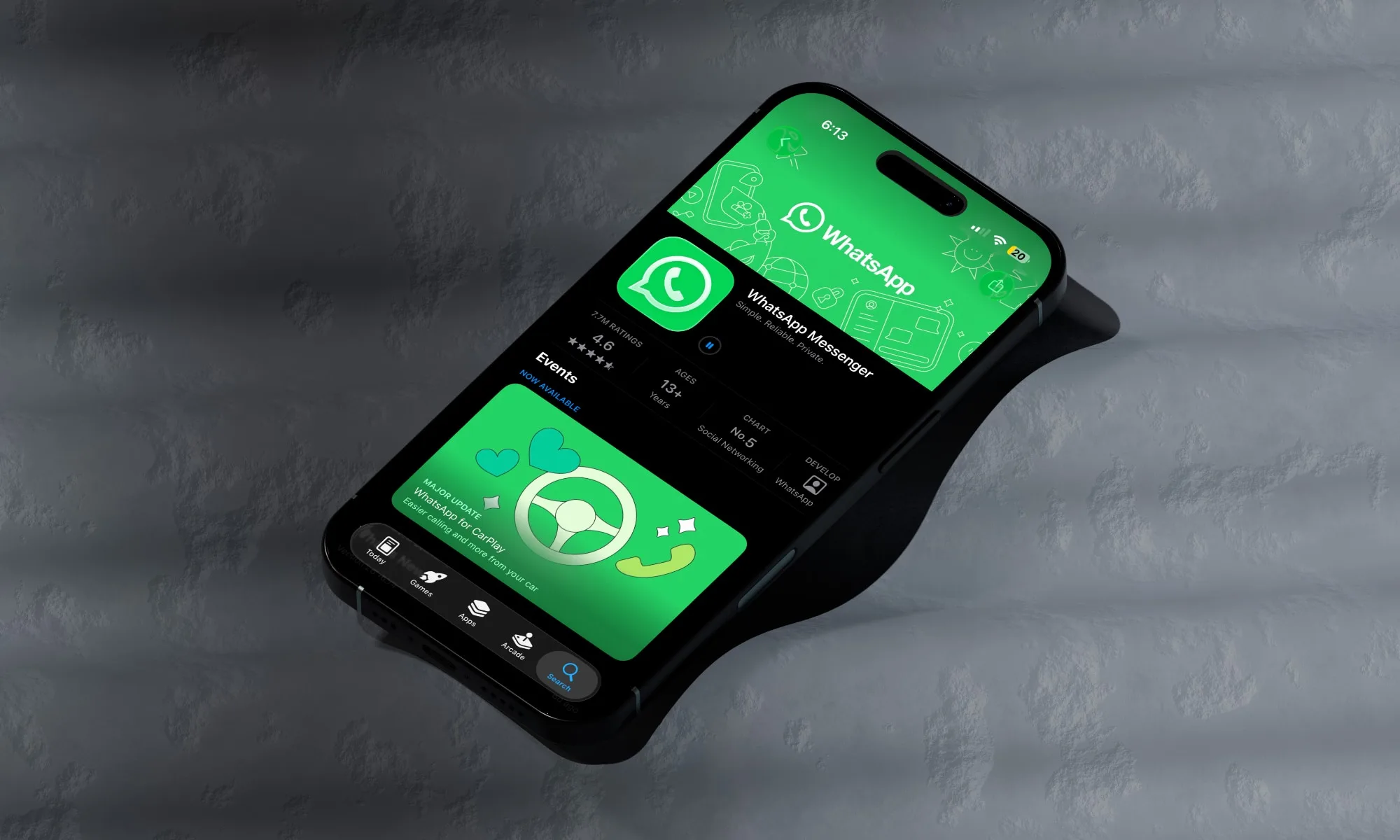
If you use Instagram, WhatsApp, or iMessage, you need to know what is happening on these platforms. Australia’s online safety regulator, eSafety, has published a new transparency report, and the findings are grim.
As reported by The Guardian, the regulator found significant gaps in how the biggest tech companies are handling online sexual extortion and child sexual exploitation, even as the reports keep climbing.
Between July and December 2025, eSafety received over 2,000 sexual extortion complaints. Instagram and WhatsApp were named in more than 1,300 of them combined, making them the most cited platforms by a wide margin.

Men aged 18 to 24 filed the most complaints of any group, with roughly 800 reports. But the regulator noted that younger teens are increasingly in the crosshairs, and for users under 18, Apple’s iMessage and Snapchat were the services most often tied to these threats.

The messages victims receive are chilling. The regulator cited lines like “I have everything to ruin your life” and “only money can help you now to end this peacefully.”
The frustrating part is that the technology to catch this already exists. Language analysis can flag the well-worn coercion scripts these criminals reuse, and detection tools can monitor live streams and video calls. eSafety found most platforms are simply not using them. Microsoft was the only company that reported using both.
eSafety Commissioner Julie Inman Grant said offenders are exploiting weak detection systems and inconsistent safeguards to hop between services and escalate the harm.

University of Sydney academic Dr Joanne Gray argued the companies remain stuck in reactive mode. “They are taking it down when they find it or are made aware of it, but they are not doing enough to prevent it from being there in the first place,” she said.
It’s clear that these companies need to do better to protect our children. They need to treat them as people and not as revenue-generating assets. And since they are clearly failing to do so, stronger legislation is needed to hold them accountable and better protect children online.
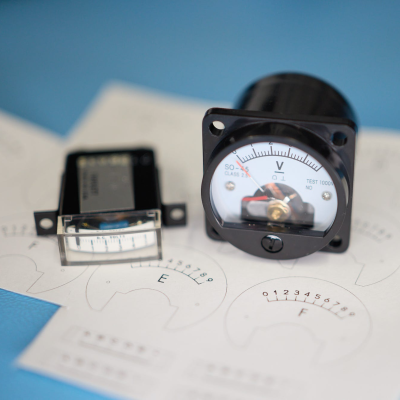
[lcamtuf] is not just a calculator superfan, but also a skilled builder. That much is evident in the fabulous design of Calcumator 2000, an electromechanical calculator that uses voltmeter readouts as digits (plus one at the bottom to represent decimal place). There are plenty of high-quality build images, so give it a look!
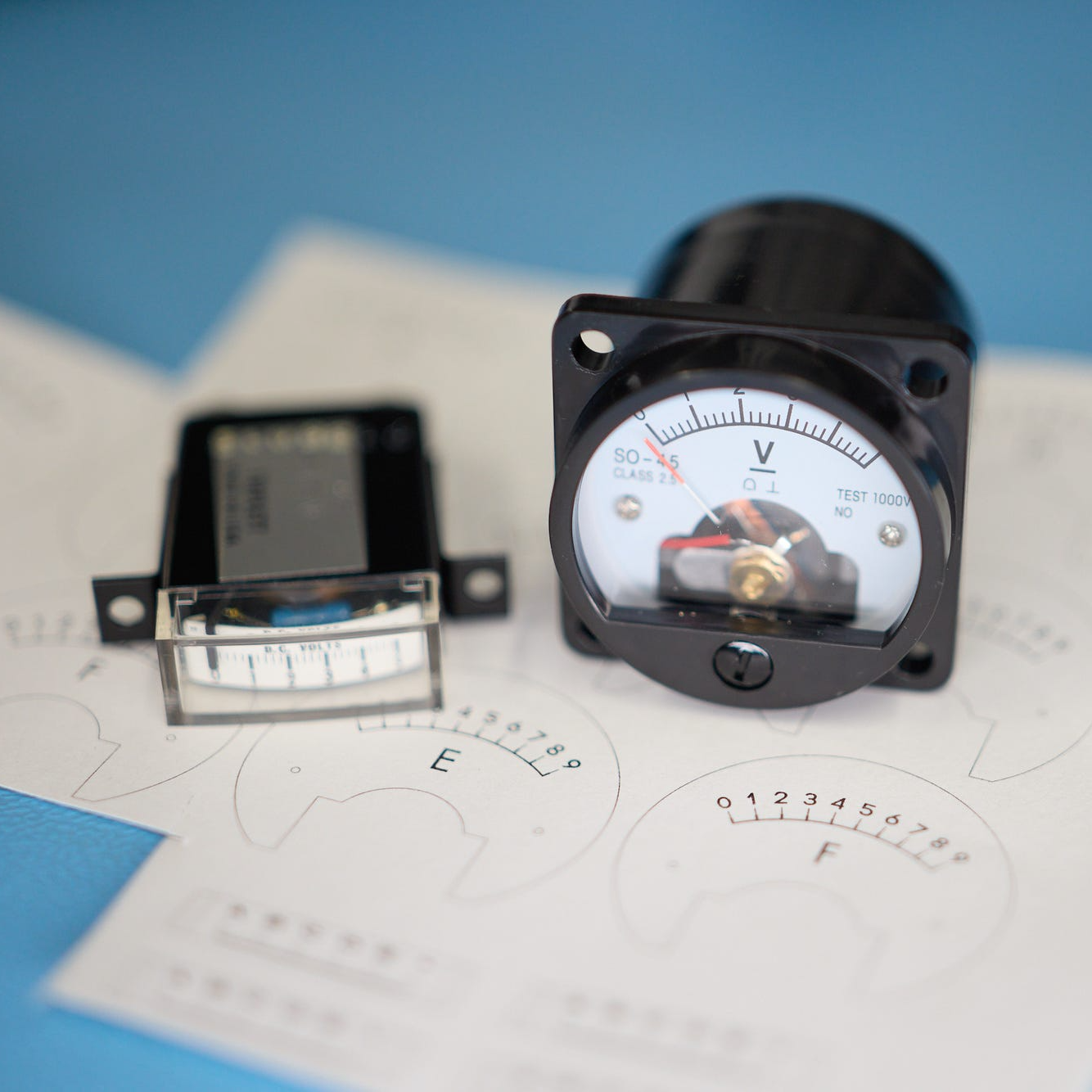
Calcumator 2000 is a bit of a love letter to a time when display technology hadn’t quite yet produced anything suitable for calculator use. This resulted in calculator designs that are generally unrecognizable compared to the 7-segment display based devices we see today. The Calcumator 2000, in all its electromechanical glory, would have fit right in that era.
The Calcumator 2000 has all the usual buttons one would expect from a simple calculator and drives a total of seven readouts, one of which acts as the decimal point. The idea of using voltmeters as digit displays came from [lcamtuf]’s voltmeter clock, an earlier work with a similar attention to detail in its design and assembly.
We want to take a moment to admire how clean the blue panel is. [lcamtuf] made it by painting one side of an acrylic panel, cutting the letters and design out on a CNC mill, then filling with white paint. The depth of the cuts gives the white elements a nifty multi-layer effect that really complements the design.
Want to see it work? Oh yes, you do. Check out the video, embedded just below.

TV Time, the popular TV and movie-tracking app whose pending shutdown has prompted more than 25,000 users to petition against its closure, is getting a reboot of sorts.
One of the app’s original founders, Antonio Pinto, says he’s creating a new TV show tracking app, Bingers, which will attempt to rebuild the best features of TV Time while also addressing the issues that bothered him over the years.
Bingers will offer TV Time’s existing users a potential lifeline soon after the original app disappears from the app stores. It also gives the existing social community another place to go to continue discussing TV episodes, something that not all TV show tracking apps offer. According to data from app intelligence provider Appfigures, TV Time has more than 26.4 million lifetime installs, many of those users potentially helping seed the new app’s community.

Pinto, who is based in Paris, sold his app, then called TVShow Time, to Whipclip (now Whip Media) in 2016, after the company promised it could grow the app’s user base significantly thanks to its Los Angeles ties. When he heard the app was being wound down as Whip Media shifted its focus to AI, Pinto said he felt sad.
“Sad because TV Time was part of my life for so many years. And sad because this community was like my other family. Reading the community reactions after each episode became a ritual for me, and for many others,” Pinto wrote in a blog post on the new Bingers website.
“I decided to build the new home where the TV Time community could go. I wanted to rebuild all TV Time[‘s] great features, but also fix everything that always bothered me,” he said.

Notably, the new Bingers app will address TV Time’s performance issues, which often caused the app to load slowly and made it expensive to run. Pinto claims high server costs led to the shutdown, noting that its premium subscription plan only covered about 10% of those expenses due to the size of its community.
Instead, Bingers has been architected it keep its server costs low, making it more sustainable, Pinto claims. It will also allow the app to respond faster when users mark an episode as watched, even when millions of others are connecting at the same time.

The developer tells TechCrunch that the new app will be available on the App Store and Google Play by the end of July 2026. Until then, the website is collecting sign-ups for a waitlist that will alert users when the new app is ready for launch.
Of course, Bingers will also be able to import data from users’ TV Time archives, available through the app’s GDPR-compliant export tool before its removal from the app stores on July 15. By importing users’ archives, Pinto says Bingers will be able to recreate TV Time’s community comments as well.
The archive import is already up and running on the Bingers website, so your TV viewing history will already be available when the app launches on the app stores.
When you purchase through links in our articles, we may earn a small commission. This doesn’t affect our editorial independence.


Photo credit: VFX Blog
Dean from Corridor Crew wanted to bring back a clever piece of 1990s visual effects history. The original tool let stop-motion animators work directly with early computer graphics on Jurassic Park. Hardware proved stubborn to rebuild from scratch. The path forward turned into something simpler, cheaper, and more useful for today’s creators.
Back in the early 1990s, Industrial Light & Magic was looking for character animators that knew dinosaurs. The film had recently debuted 3D, a completely new ballgame that few people were familiar with. Stop-motion artists, on the other hand, had perfected their timing, weight, and performance. They saw an opportunity to bridge the two worlds and created the Dinosaur Input Device, or DiD. A skilled puppet maker produced a series of miniature metal armatures that resembled T-rex and raptor bones. Optical encoders were placed at each joint; when an animator moved the physical model, the encoders transmitted movement data to an SGI computer. The computer immediately updated a corresponding digital skeleton in real time. Animators could do what they wanted and then send over the data to digital artists to polish and light it up.

The DiD received a Technical Achievement Oscar. Later films used it, but the technology soon became obsolete. Computer animation turned toward layered keyframe work, and the hardware was beginning to show its age. The original armatures wound up in museum collections, which provided Dean with a pleasant sense of nostalgia. He grew up doing stop-motion and still enjoys working with physical models. Modern 3D tools are fantastic, but for him, there’s something missing: a sense of distance from performance. He wanted Blender users to experience the spirit of the classic DiD.

First, he followed the original technique and produced a 3D printed armature with encoders at the joints. An Arduino board reads the sensor data and feeds it into Blender. Worked well for precision, but needed some tuning to match the digital characters. The problem was that modern animation rarely occurs in a single continuous take, as it did in the days of stop-motion. The hardware method worked as an idea, but it did not fit in with current pipelines as well as he had planned.

Dean and Ale Alvaro dug deeper, however, as the most recent research on single image 3D posture estimation suggested an alternative path. Why bother adding sensors to each joint when a camera can simply observe the movement and an AI can figure out the pose? The resulting result is PoseCap, a free Blender addon that works in tandem with a small companion software. Simply point any webcam at your subject, let a modern NVIDIA graphics card eat through the frames, and PoseCap will transmit approximated full body positions to Blender at up to 30 frames per second. You can add those poses as keyframes to the character timeline or select individual positions as needed.
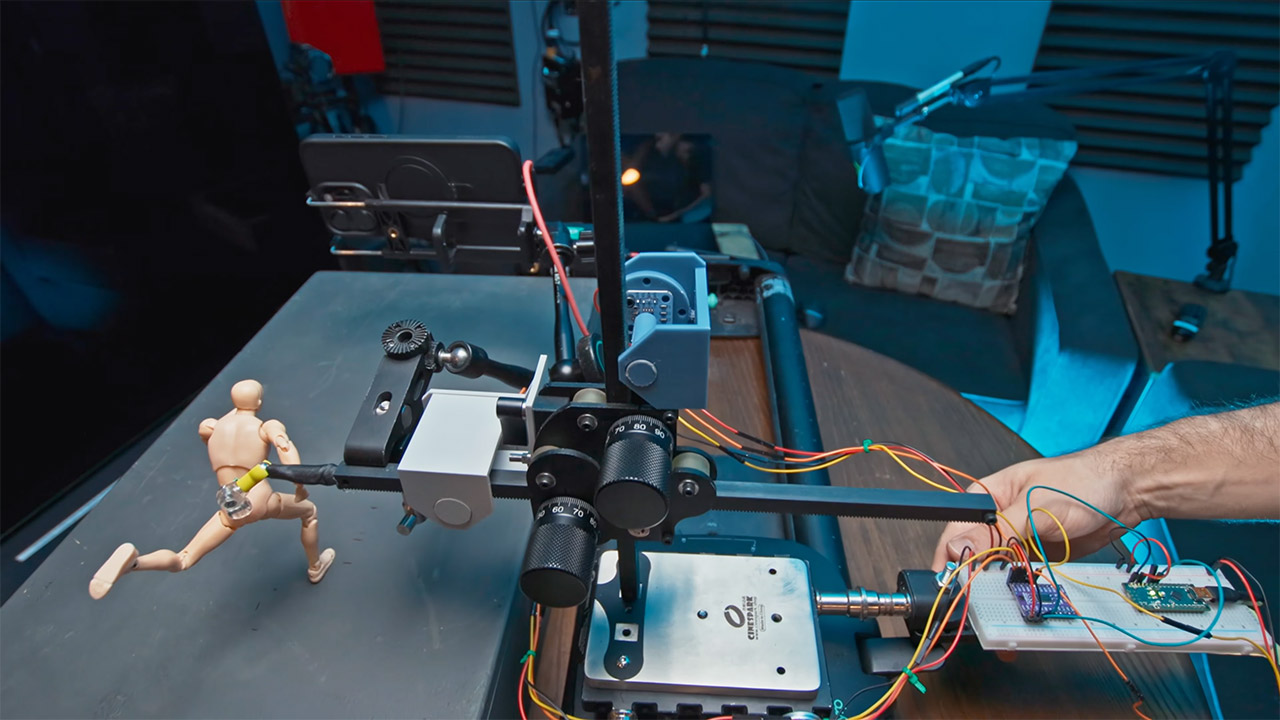
The system’s technical heart uses Pearls (the PEAR model) to convert a 2D image into SMPL-X parameters that determine body shape and joint locations. To protect Blender’s UI from stalling, a local socket connection keeps intensive work off the main thread, allowing you to use the interface. This is because, let’s be honest, depth from a single camera is always going to be a little off, so using a position with the pelvis locked in place helps to keep things stable. Future updates intend to include camera tracking, allowing us to move the entire globe.
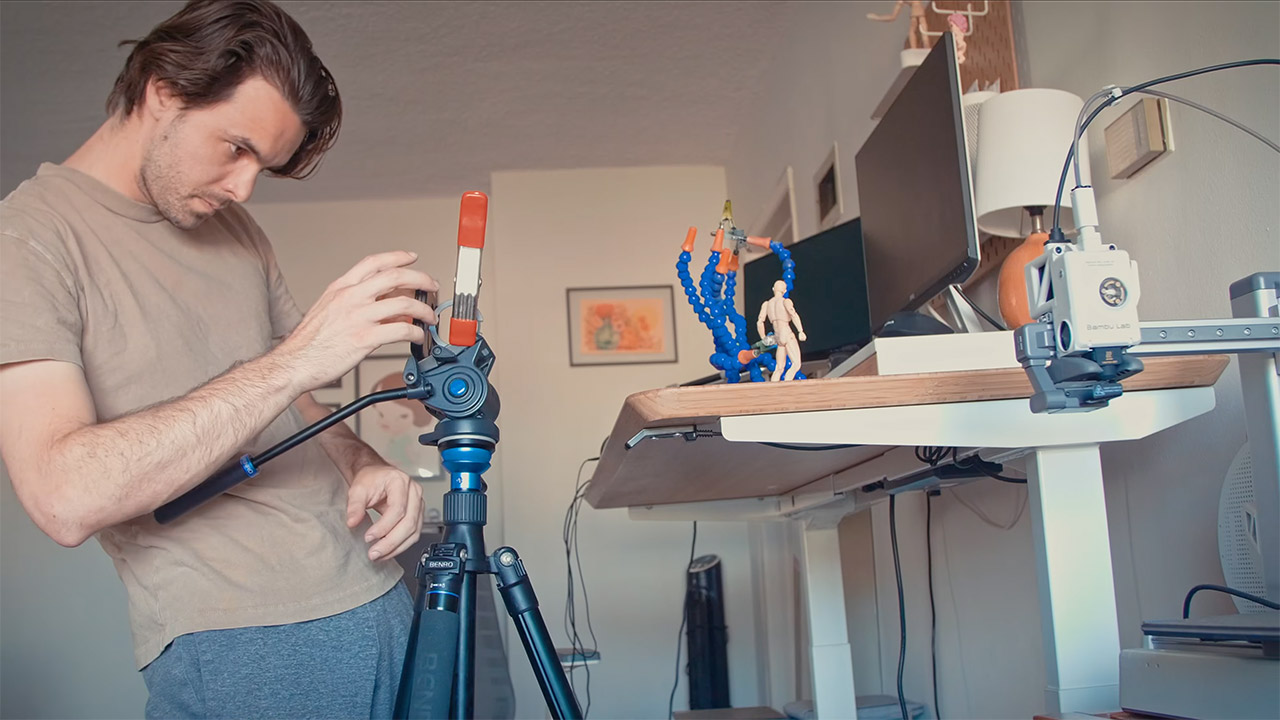
One of the cool little elements that makes everything work so well is that it recreates the old retro feel of DiD (the digital skeleton toy) without the need for any of those nasty encoder cords. You can manually position a miniature 3D-printed figurine with joints in front of the camera. It turns out that the same position algorithm that works on a human body also works on your tiny digital figure, causing it to conform. There are no connections to get tangled in, and no lengthy calibration to deal with; simply pick it up and start moving it about, and the computer will instantaneously transfer everything into digital form.
[Source]
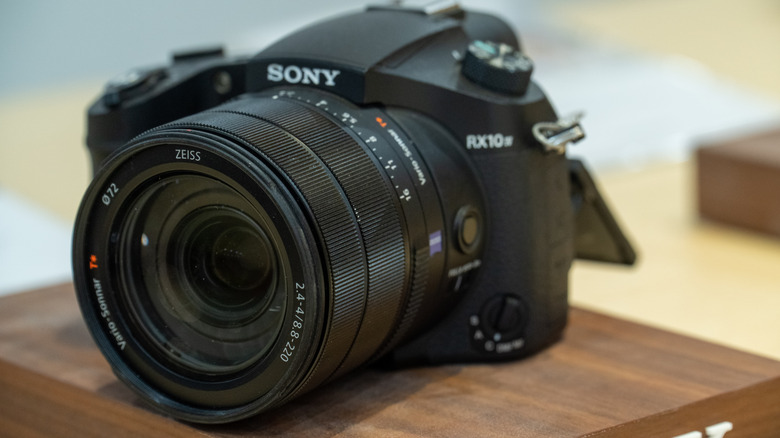
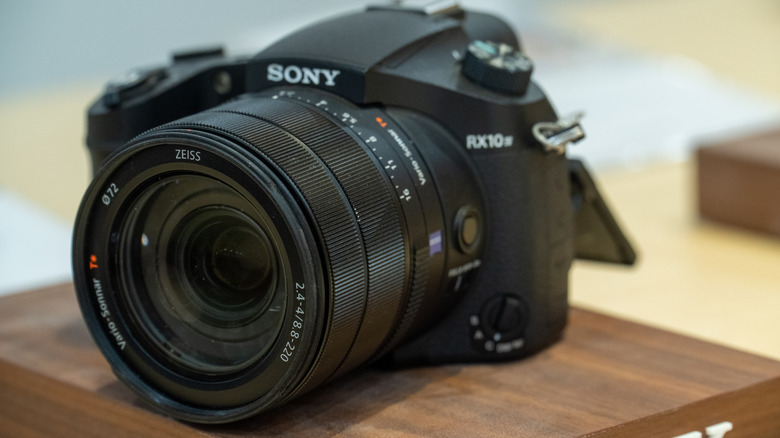
If you know your way around cameras, you are probably aware of the Sony RX10 IV super zoom camera. Introduced way back in 2017, it earned rave reviews from reviewers, consumers, and camera enthusiasts and is widely thought to be among the best premium bridge cameras ever made. Despite its massive popularity, Sony discontinued the RX10 IV in 2025. But just when everyone thought that was the end of the RX10 series, the company has surprised everyone with the launch of the Sony RX10 V. What is more remarkable is that this launch comes nearly a decade after the launch of the Sony RX10 IV in 2017. As expected of a successor, the fifth generation RX10 carries over several traits of its predecessor while also simultaneously offering significant upgrades.
Sony has unsurprisingly retained all the things that enthusiasts loved about the Sony RX10 IV — including the 20.1 MP 1-inch stacked CMOS sensor, the 24-600mm equivalent Zeiss 25x zoom lens, and the weather-resistant body. There are some glaring omissions as well, such as the removal of the flash module, and the absence of the 960 fps slow motion mode.
When Sony launched the previous generation RX10, it had a premium price tag of $1,700. Its successor is even more expensive at $2,299.99. Adjusted for inflation, the price is actually nearly the same. Still, for prospective buyers, splurging over $2,000 for a fixed lens superzoom camera may sound like a bit of a stretch. The RX10 V is expected to go on sale starting August 2026 and will be available at leading offline and online retailers across the U.S.
Although the RX10 V carries over the same 20.1-megapixel 1-inch stacked CMOS sensor and the acclaimed 24-600mm equivalent zoom lens from the RX10 IV, Sony has significantly upgraded almost everything around it. To start with, the new camera gets Sony’s newest BIONZ XR image processor, and pairs it with a dedicated AI processing unit — both borrowed from the company’s newer Alpha series cameras. Together, they enable much more advanced subject recognition, and allow the camera to automatically detect and track a wide variety of subjects ranging from animals, birds, insects, trains, aircraft, automobiles, and humans with greater accuracy. Sony also promises blackout-free continuous shooting option at up to 30 fps.
Then there is auto AF/AE tracking, which ensures that the camera holds focus on fast, unpredictable subjects. Autofocus also sees improvement with the RX10 V gaining more focus points, improved tracking, and enhanced eye detection. Moving on to videography, this is an area where the new camera takes some of the biggest leaps over its predecessor. While the RX10 IV topped out at 4K 30 fps recording, the RX10 V now supports full-width 4K recording at up to 60 fps, along with 4K 120 fps slow-motion capture and 10-bit 4:2:2 recording for greater flexibility during editing.
Despite using the same sensor, Sony claims the newer processing pipeline also delivers improved dynamic range, cleaner high-ISO images, and more accurate colors. Image stabilization has also been improved, and this should be more noticeable while capturing videos and photographs at the camera’s full telephoto range of 600mm.
At first glance, the refreshed fifth-generation RX10 appears very similar to its predecessor. Only upon closer inspection will you notice the subtle design tweaks. The most obvious changes here include a redesigned handgrip and a refreshed rear control button layout, inspired by Sony’s pricier Alpha series of mirrorless cameras. The grip is now deeper, and should make the camera more stable when shooting in telephoto mode. Another thing that has been revised is the dedicated AF joystick for quicker autofocus point selection and easier one-handed operation.
Moving on to other changes, Sony has also brought several usability improvements to the RX10 V. The camera now features the same touchscreen menu system found on its latest Alpha models adding a dash of familiarity to those who already own an A series camera. The electronic viewfinder has been upgraded from 2.36 million dots to 3.68 million dots, and should be noticeably sharper during daily use. The rear LCD screen has also been upgraded, and now boasts a higher resolution. Then there is the much-needed USB-C upgrade, which replaces the older Micro USB port for charging and faster data transfers. The RX10 V now features the larger NP-FZ100 battery, which offers around 50% more capacity than the older NP-FW50 battery used on the RX10 IV.
Not everything is rosy, though. A few features have also been phased out on the newer model. These include the built-in flash, as well as the small top-mounted status LCD found on the RX10 IV. That said, given that many wildlife and bird photographers (who the target audience for the RX10 is) rarely rely on an integrated flash, these omissions are unlikely to be major deal-breakers.




Whats Hidden Inside This Cash Register? #treasure #reselling #money


Loro Piana Fall 2026 Enters Houston’s Art Scene


Weekend Open Thread: Nutriplenish Leave-In Conditioner


$1,000 Credit Alert! BlockDAG X Exchange Pre-Registration Now Officially Open, Polkadot Dips & Zcash Rebounds

Anthropic’s new “J-lens” reveals a silent workspace inside Claude that mirrors a leading theory of consciousness


AXT Shares Jump Nearly 14% as Semiconductor Materials Maker Rebounds on AI-Linked Indium Phosphide Demand


Joshua Pacio ‘more complete’ ahead of ONE rematch vs Malachiev

2026 Genesis Scottish Open Thursday TV coverage: Round 1


Anthropic brings Claude Cowork to mobile and web as usage data shows most users aren’t coding

SK hynix (000660.KS) Stock Dips as $28B Nasdaq ADR Offering Drives AI Memory Expansion


Super Eagles star Moses Simon opens up on Liverpool transfer regret
We have punished the disrespect


Binance lists Strategy’s STRC stock as company expands Bitcoin funding


Character.AI enters the microdrama arena with its own productions, but there’s a twist

9 Best Keyboards (2025), Tested and Reviewed


Enbridge: AI Tailwind Priced In (Rating Downgrade)

Claude AI Created Something Anthropic Never Designed


“What’s going on?!” Carl Froch discusses Floyd Mayweather Jr financial issues


Nasdaq arthritis company holding Moshe Hogeg crypto hits all-time low

Taylen Biggs Reveals The Celebrity She Dreams Of Interviewing



You must be logged in to post a comment Login