
Tech
The best power banks and portable chargers for every device in 2026

Finding yourself far from a wall socket when your phone hits five percent is positively nervewracking. If you stash a portable battery in your bag, you can avoid that feeling altogether. But there are thousands of power banks out there and it can be tough to pick the right one for what you need. I’ve spent a few years testing dozens of batteries and found the best power banks for different scenarios. Whether you need a quick reup for your phone or a huge brick to keep your laptop alive, you’ll find something fitting here.
Best power banks for 2026
Photo by Amy Skorheim / Engadget
Capacity: 10,000mAh | Maximum Output: 15W (wireless) | Ports: One USB-C in/out | Included cable: USB-C to USB-C | Number of charges iPhone 15: 1.64 | Charge time iPhone: 4 to 100% in 2h 26m and 0 to 70% in 1h 8m | Weight: 8.82 oz | Dimensions: 4.22 x 2.71 x 0.78 in
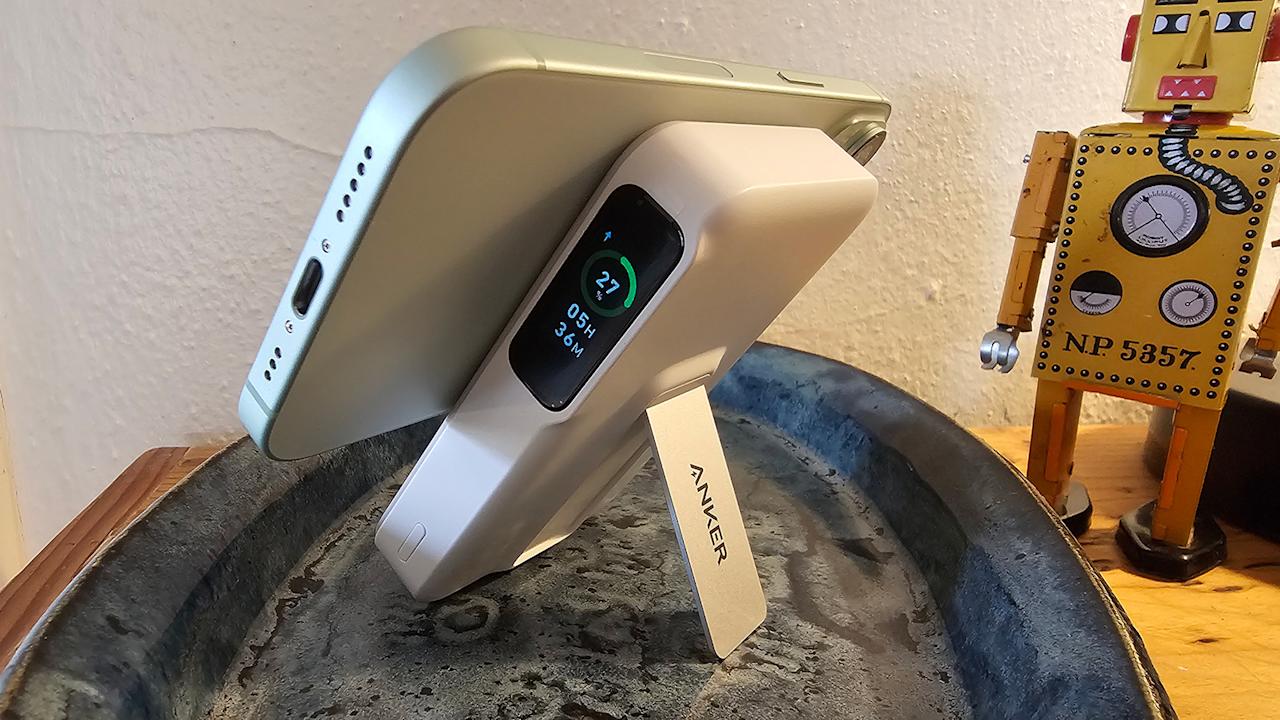
Anker’s MagGo Power Bank was one of the first Qi2-certified products to come on the market, and the new standard has made the brand’s popular MagSafe/kickstand model much faster. It’s the most well-rounded best MagSafe battery I’ve tested, but if you’re looking for other options, we have an entire MagSafe power bank guide to peruse.
It brought an iPhone 15 from near-dead to half-full in about 45 minutes. For reference, it took our former top pick in this category an hour and a half to do the same. It’s similarly faster than Anker’s previous generation of this model, the 633, as well. After that initial refill, the MagGo 10K had enough left over to get the phone up to 70 percent on a subsequent charge.
In addition to faster charging speeds, this wireless power bank adds a LCD display to indicate the battery percentage left in the bank, plus the approximate amount of time before it’s full (when it’s refilling) or empty (when it’s doing the charging). A strong MagSafe connection makes it easy to use the phone while it charges and the small kickstand creates a surprisingly sturdy base for watching videos and the like. If you twist the phone to landscape, StandBy mode kicks in.
The power bank did a fine job of charging our Galaxy S23 Ultra — though that model doesn’t have Qi2 support. New Pixel 10 phones do, so those handsets will charge at a faster rate with this battery — and benefit from zero-effort magnetic alignment. The MagGo also has a USB-C port, so if you need to fill up something without wireless capabilities, you can.
- Qi2 tech enables extra fast wireless charging
- Sturdy kickstand props up iPhones as it charges
- LED display for battery percentage
- More expensive than other MagSafe packs
Photo by Amy Skorheim / Engadget
Capacity: 5,000 mAh | Maximum Output: 22.5W | Ports: One USB-C and one USB-C connector | Cable: USB-C to USB-C | Number of charges Galaxy S23 Ultra: 0.65 | Charge time: 0 to 65% in 1h 2m | Weight: 3.5 oz | Dimensions: 3.03 x 1.45 x 0.98 in
The Anker Nano power bank has impressive power delivery for its size. It’s the exact size and shape of the lipstick case my grandma used to carry and has a built-in USB-C connector that folds down when you’re not using it. That means that, in addition to being ultra-portable, you don’t need to remember to grab a charging cable when you toss it in your bag. There’s also a built-in USB-C port that can refill the battery or be used to fill up a different device with an adapter cable. Four indicator lights let you know how much charge remains in the battery.
In my testing, the 5,000mAh battery provided enough charge to get a depleted Galaxy S23 Ultra back up to 65 percent in about an hour. That’s relatively quick, but the Nano is also small enough that, with its sturdy connection, you can use your phone while it’s charging without feeling too awkward. The charger’s small size also makes it a good pick for recharging earbuds.
For a little more juice and an equally clever design, Anker’s 30W Nano Power Bank is a good option for delivering a single charge. It’s bigger in size and capacity (10,000mAh) and includes a display indicating the remaining charge percentage. The built-in USB-C cable doubles as a carry handle, which is a nice touch. That cable is in/out and there’s another USB-C in-out port in addition to an out-only USB-A port.
- Small enough to get misplaced
Photo by Amy Skorheim / Engadget
Capacity: 10,000mAh | Maximum Output: 30W | Ports: One USB-C in/out port, one USB-C in/out cable, wall prongs | Cable: Built-in USB-C | Number of charges iPhone 15: 1.86 | Charge time iPhone: 5 to 100% 1h 53m and 5 to 91% 1h 5m | Number of charges Galaxy S23 Ultra: 1.45 | Charge time Galaxy: 5 to 100% 1h 2m, 5% to 50% 23m | Weight: 8.8 oz | Dimensions: 4.25 x 2.0 x 1.22 in
The toughest thing about using a power bank is remembering to bring it along. You also have to remember a cable and, if you want to refill the bank itself, a wall adapter. Anker’s 10K Fusion solves two of those problems with its attached USB-C cable for your gadget and foldable two-prong plug for charging the bank itself (yes, you still have to remember to bring the thing with you).
Despite the attachments, it’s compact, just a smidge wider than a stick of butter, yet still packs a 10,000 mAh capacity. The 30 watts of power enabled the “Super Fast Charging” message on a Galaxy S23 android phone and got it from five percent to full in just over an hour. In just 20 minutes, the 10K Fusion bumped a near-dead iPhone 15 to 45 percent. Though it slowed down towards the end of the Apple handset’s charge.
There’s an additional USB-C port for charging devices that may require a different cable and both it and the built-in connector can be used to refill the power bank. The cable makes a neat loop that looks a lot like a handle. Even though I’m wary of carrying a device around by its cord, it felt sturdy enough.
The onboard display indicates the Fusion’s remaining charge in terms of a percentage and was one of the more accurate readouts I’ve tested. I also like the corduroy texture along the sides — very fidget-worthy.
Our previous pick in this low-capacity category, the BioLite Charge 40 PD, is still an excellent choice — it’s durable, delivers a quick charge and looks cool. I use it often myself. Plus BioLite has an admirable mission of bringing energy to places where it’s otherwise scarce. But Anker’s new release, the 10K Fusion simply delivers a faster charge and more features at a lower price.
- Has a built-in USB-C cable
- Also has built-in wall prongs
- Display is fairly accurate
- Affordable
- iPhone charging is slower than other banks in its range
Amy Skorheim for Engadget
Capacity: 20,000mAh | Maximum output: 30W | Ports: One built-in USB-C in/out cable, one USB-A port, one USB-C port | Cable: USB-C | Number of charges iPhone 15: 3 – 3.5 | Charge time iPhone: 5 to 100% in 2h 6m | Number of charges Galaxy S23 Ultra: 2.5 – 3 | Charge time S23 Ultra: 1h 15m | Weight: 14 oz | Dimensions: 6.06 x 3.0 x 0.99 in
An integrated cable seems to be the hot new feature in portable chargers — and I’m all for it. I can remember times when I’ve had a dead phone and power bank, but no way to connect the two. The Belkin Boost Charge 20K with Integrated Cable is one such bank I’ve tested and also one of the more affordable examples.
It can output a maximum of 30 watts, which doesn’t make it the fastest charger around, but it wasn’t a slouch. It charged a Samsung Galaxy S24 Ultra from near-dead to full in an hour and 15 minutes and bumped an iPhone 15 from five to 87 percent in just over an hour. And the 20,000mAh capacity means it can achieve those numbers around three times over.
In addition to the built-in (and conveniently magnetized) USB-C cable, there are two other ports: an out-only USB-A and an in/out Type C. That means you can technically charge three devices at the same time, but just note that the amount of charge and the time it takes for things to refill will both take a hit.
There’s no digital screen to tell you how much charge remains in the battery, just four indicator LEDs. I’ve certainly found display readouts to be helpful in determining just how much more juice I can squeeze out of a battery, but the lighted pips here are accurate and still useful.
While color options probably won’t make or break your battery pack purchase, I appreciate that the BoostCharge 20K comes in something other than standard black. You can of course get it in that shade, but also in blue, pink or white. The pink of my tester unit was pale and pretty and the matte finish does a good job of staying clean — some black smudges from who-knows-what in my bag came off easily with some rubbing alcohol.
- Built-in USB-C cable is handy
- Comes in four color options
- Affordable
- Great capacity for the price
- Charge isn’t as fast as other banks
Photo by Amy Skorheim / Engadget
Capacity: 20,000mAh | Maximum Output: 65W | Ports: Two USB-C in/out | Cable: USB-C to USB-C | Number of charges iPhone 11: 2.95 | Charge time iPhone: 5 to 100% in 1h 39m average | Number of charges Galaxy S22 Ultra: 2.99 | Charge time Galaxy: 5 to 100% in 59m average | Number of charges iPad Air: 1.83 | Charge time iPad: 5 to 100% in 1h 55m and 83% in 1h 21m | Weight: 12.9 oz | Dimensions: 5.92 x 2.48 x 1.00 in
Nimble’s Champ Pro battery delivers a screaming fast charge and got a Galaxy S23 Ultra from five percent to full in under an hour. That’s faster than every other battery I tested except for Anker’s Laptop Power Bank, our premium pick — and that model costs $30 more. It lent nearly three full charges to both an iPhone and Galaxy device and has enough juice to refill an iPad more than once. The battery pack itself also re-ups from the wall noticeably faster than other models, so it’ll get you out the door quicker.
The company, Nimble, is a certified B-Corp, meaning they aim for higher environmental and social standards and verify their efforts through independent testing. The Champ Pro uses 90 percent post-consumer plastic and comes in packaging made from paper scrap with a bag for shipping back your old battery (or other tech) for recycling.
The unit itself feels sturdy and has a compact shape that’s a little narrower than a smartphone and about as long. The attached adjustable lanyard is cute, if a little superfluous, and the marbled effect from the recycled plastics give it a nice aesthetic. You can charge devices from both USB-C ports simultaneously, and both are input/output plugs.
My only qualm was with the four indicator lights. On a second testing round, it dropped down to just one remaining pip, yet went on to deliver a full fill-up plus an additional top off after that. That said, I’m glad the indicator lights under-estimated the remaining charge rather than the other way around, and the accuracy seemed to improve after subsequent depletions and refills.
- Super fast charging
- Made from recycled materials
- Sturdy and compact design
- Indicator lights underestimate charge
Amy Skorheim for Engadget
Capacity: 25,000mAh | Maximum total output: 120W | Ports: Wireless pad (15W), two USB-C (100W), one USB-A (15W), one USB-C (15W) | Cable: USB-C to USB-C (100W) | Number of charges iPhone 15: 5 | Charge time iPhone: 5 to 100% in 1h 52m (wired) 2h 38m (wireless) | Number of charges Galaxy S23 Ultra: 4 | Charge time S23 Ultra: 1h 4m | Number of charges iPad Air: 2.2 | Charge time iPad: 5 to 100% in 2h 20m | Number of charges MacBook Pro: 0.75 | Charge time MacBook Pro: 57 m | Weight: 1.28 lbs | Dimensions: 5.5 x 4.4 x 1.38 in
The compact and rounded design of the Biolite Charge 100 Max makes it more packable and conducive to travel than the Lion Eclipse Mag. It was also a touch faster in refilling most devices, but since the Charge 100W is $50 more expensive for slightly less capacity, it earns runner-up status.
In addition to four USB ports (three Type-C and one Type-A) It has a MagSafe-compatible wireless charging pad on one side, with a maximum output of 15 watts. The magnetic hold is enough to keep it in place as it charges, but it’s not as strong as you’ll find on smaller MagSafe batteries — I wouldn’t carry it around during a refill.
The 10 LED pips indicate the remaining charge and I found those to be pretty accurate, though the last pip doesn’t flash before it dies like other batteries. The rubberized texture and yellow accents are a welcome aesthetic change from the techy black look of most larger batteries — and it’s quite nice to hold. There’s also plenty to appreciate about the company itself: a climate neutral-certified B-Corporation that helps bring lights and cook stoves to energy impoverished areas around the world.
- Compact and colorful design
- Delivers a quick charge to phones, tablets and laptops
- Company is a climate neutral-certified
- More expensive than similar-capacity batteries
Amy Skorheim for Engadget
Capacity: 25,000mAh | Maximum output: 165W | Ports: Two built-in USB-C in/out cables, one USB-A port, one USB-C port | Cable: USB-C to USB-C | Number of charges iPhone 15: 4 – 5 | Charge time iPhone: 5 to 100% in 1h 54m | Number of charges Galaxy S23 Ultra: 3.75 – 4 | Charge time S23 Ultra: 52m | Number of charges iPad Air: 1.75 – 2 | Charge time iPad: 5 to 100% in 1h 58m | Number of charges MacBook Pro: 0.68 | Charge time MacBook Pro: 53 m | Weight: 1.31 lbs | Dimensions: 6.18 x 2.12 x 1.93 in
The only thing worse than needing a power bank and not having one is having one but no way to connect it to your device. The Anker laptop power bank with built-in cable forgoes any clever naming scheme, but makes sure you’re never left without a way to charge your stuff.
It has two attached USB-C cables: one attached to the side of the battery that acts as a carrying cable and another retractable cord that extends up to two feet. Both handle in/out functions so you can use them to refill a device or reup the battery itself.
The display tells you the amount of charge remaining in the battery pack as well as the output wattage that’s funneling towards your devices from each port. When refilling the battery, you can see an estimate of how long it will be until the unit is full. Calculating and displaying info like that takes up a bit of power but, in my testing, the unit outputs the same or a higher amount of charge compared with other 25,000 mAh batteries.
It’s an attractive, high-capacity bank, with matte silver exterior and a smaller display area than Anker’s Prime bank (our previous pick for this category). One of my concerns with that battery was the huge display area which was easily scratched. This newer unit feels more durable.
It’s worth it at just $15 more than Anker’s popular Powercore bank, as that bank doesn’t have built-in cables.
- Two built-in USB-C cables so you’re never without a cord
- Durable build
- Display shows detailed charging information
- Delivers a fast charge
- Screen picks up smudges easily
Anker
Capacity: 26,250mAh | Maximum combined output: 300W | Ports: Two USB-C (140W), one USB-A (22.5W) | Cable: USB-C to USB-C (240W) | Number of charges iPhone 15: 5 – 5.5 | Charge time iPhone: 5 to 100% in 1h 41m | Number of charges Galaxy S23 Ultra: 4.3 | Charge time S23 Ultra: 1h 9m | Number of charges iPad Air: 2.5 | Charge time iPad: 5 to 100% in 1h 50m | Number of charges MacBook Pro: 0.83 | Charge time MacBook Pro: 1h 12m | Weight: 1.32 lbs | Dimensions: 6.3 x 1.5 x 2.5 in
I knew it wouldn’t be long before I came across an app-connected power bank — the portable battery landscape is crowded and brands are no doubt looking for ways to stand out. Anker’s latest Prime Power Bank (26K, 300W) does stand out, but it’s not because of the app. Yes, it works, letting you see the remaining charge, how much power is going to a device and other bits of data on your phone. But I can’t imagine this info being important to most people. If it is, the same numbers are available on its built-in display anyway.
What’s actually impressive are the speeds the bank delivers, the large capacity and the extra simple recharging via the optional base. The three ports can be used all at once, with the two USB-C ports delivering up to 140 watts each. It’s tough to think of a scenario where that actually happens, as most devices recharge far below that wattage, but if you ever need to partially charge two high powered laptops at the same time, you can.
More commonly, the battery will simply give phones, tablets and laptops speedy refills. It got a near-dead iPhone 15 to 60 percent in a half hour and delivered more charge to my MacBook Pro than any other battery I’ve tested. The display not only tells you how much charge is left in the battery, it also has a temperature gauge — a wise thing to keep an eye on when it comes to lithium ion batteries.
The attractive and sleek design has a shiny black front where the display lives and a matte silver body. The bank is more compact than most 27,000mAh batteries out there. Anker made the battery a little wider and flatter than the last round of Prime devices, which makes it a bit easier to handle and somehow looks more elegant than the square brick did.
The charging power base is a separate (and optional) purchase, but it makes recharging the battery extra convenient — you just plunk it down and walk away. It’s the same base used with the previous line of Anker Prime batteries, so if you have one already, you’re set. Unfortunately the base costs $110. Combined with the battery, that’s more than $300, but if you want a truly premium power bank, this is it.
- Delivers a super fast charge
- Sleek and premium design
- Display shows remaining charge and battery temperature
- Pricey, especially with the optional base
Photo by Amy Skorheim / Engadget
Capacity: 15,000mAh | Maximum Output: 32W | Ports: One USB-C in/out, one USB-C in, one USB-A | Cable: USB-A to USB-C | Number of charges iPhone 11: 2.99 | Charge time iPhone 11: 0 to 100% 2h average and 0 to 99% in 1h 45m | Number of charges iPad Air: 1.17 | Charge time iPad: 0 to 100% 2h 23m and 0 to 17% 15m | Weight: 12.8 oz | Dimensions: 5.0 x 1.25 x 3.0 in
Plenty of battery packs are built to withstand drops and other abuse, but very few are waterproof or even water resistance. It makes sense; water and electrical charges aren’t good companions. The Nestout Portable Charger battery has an IP67 rating, which means it can handle being submerged in water for a number of minutes, and Nestout claims a 30-minute dunk in a meter of water shouldn’t interfere with the battery’s operation. I couldn’t think of a likely scenario where a power bank would spend a half hour in three feet of water, but I could see a backpacker traversing a river and submerging their pack for a few minutes, or a sudden downpour drenching all of their gear. So I tested by dropping the battery in a five gallon bucket of water for five minutes. After drying it off, the unit performed as if it had never been wet.
The water resistance comes courtesy of screw-on caps with silicone gaskets that physically keep the water out, so you’ll need to make sure you tighten (but don’t over tighten) the caps whenever you think wetness is in your future. The company also claims the battery lives up to a military-standard shock/drop specification which sounds impressive, but it’s hard to pin down what exactly that means. I figured it should at minimum survive repeated drops from chest height onto a hard surface, and it did.
As for charging speeds, it wasn’t quite as quick as our recommendation for a mid-capacity bank. The Belkin charged an iPhone 15 to 80 percent in under an hour and the Nestout got the smaller iPhone 11 to 80 percent in a little more than that. Another thing to note is that the supplied cable is short, just seven inches total, so you’ll likely want to use your own cord.
Nestout also makes accessories for its batteries, which I found delightful. A dimmable LED worklight snaps on to the top of the battery while a small tripod holds them both up. The portable solar panel reminded me of a baby version of Biolite’s camping panels. Nestout’s version refilled the 15,000mAh bank to 40 percent in under three hours, which sounds slow, but is actually fairly impressive considering the compact size of the panels. This is also a blazingly hot summer, so I’d expect better performance in more reasonable weather.
- Waterproof with the caps secured
- Clever accessories (sold separately)
- Survived drop tests
- Not the fastest charge times
- Included cable is short
What to look for in a portable battery pack
Battery type
Nearly every rechargeable power bank you can buy (and most portable devices) contain a lithium-ion battery. These beat other current battery types in terms of size-to-charge capacity, and have even increased in energy density by eight fold in the past 14 years. They also don’t suffer from a memory effect (where a battery’s lifespan deteriorates due to partial charges).
Flying with portable batteries
You may have heard about lithium ion batteries overheating and catching fire — a recent Hong Kong flight was grounded after just such a thing happened in an overhead bin. Current restrictions implemented by the TSA still allow external batteries rated at 100Wh or less (which all of our recommendations are) to fly with you, but only in your carry-on luggage — they can’t be checked.
Recently, Southwest Airlines was the first in the industry to take that rule one step further. Now, flyers on that airline must keep power banks in clear view when using them to recharge a device. If the portable charger isn’t actively in use, however, it can stay in your carry-on bag in the overhead bin.
Capacity
Power bank manufacturers almost always list a battery’s capacity in milliamp hours, or mAh. Smaller batteries with a 5,000mAh capacity make good phone chargers and can fill a smartphone to between 50 and 75 percent. Larger batteries that can recharge laptops and tablets, or give phones multiple charges, can exceed 25,000mAh and we have a separate guide that covers that entire category.
Unsurprisingly, the prices on most batteries goes up as mAh capacity increases, and since batteries are physical storage units, size and weight go up with capacity as well. If you want more power, be prepared to spend more and carry around a heavier brick.
You might think that a 10,000mAh power bank could charge a 5,000mAh phone to 100 percent twice, but that’s not the case. In addition to simple energy loss through heat dissipation, factors like voltage conversion also bring down the amount of juice that makes it into your phone. Most manufacturers list how many charges a battery can give a certain smartphone. In our tests, 10,000mAh of battery pack capacity translated to roughly 5,800mAh of device charge. 20,000mAh chargers delivered around 11,250mAh to a device, and 25,000mAh banks translated to about 16,200mAh of charge. That’s an average efficiency rate of around 60 percent.
Wireless
Wireless charging, whether through a bank or a plugged-in charging pad, is less efficient than wired connections. But it is convenient — and in most cases, you can carry around and use your phone as it refills with a magnetically attached power bank.
Power banks with wireless charging are far better than they once were. Just a couple years ago, the ones I tested were too inefficient to recommend in this guide. When batteries adhering to the Qi2 wireless charging standard started arriving in 2023, performance markedly improved.
To gain Qi2-certification, a device has to support speeds of up to 15 watts and include magnetic attachment points. The MagSafe technology on iPhones were once the only handsets that were Qi2-compatible, but now Google’s Pixelsnap tech brings both the higher speed and magnetic grip to Pixel 10 phones. Samsung may follow up with its own version in future releases.
The latest wireless charging standard, Q12 25W, is supported by the new iPhone 17 phones as well as the Google Pixel 10 Pro XL. Battery packs that are Qi2 25W-enabled are starting to hit the market as well, and the Ugreen MagFlow was the first on the scene.
Ports
USB-C ports can deliver faster charges than USB-A ports, and most of the portable chargers we recommend here have Type-C connections. But Type-A jacks are still handy if you need to use a specialized cable for a certain device (my camera’s USB-A to micro USB cable comes to mind).
There’s also variation among USB-C ports. Larger banks with more than one port will sometimes list different wattages for each. For example, a bank with three ports may have two 65W ports and one 100W port. There will also be at least one in/out port on the bank, which can be used to charge the battery itself or to deliver a charge to your device. Wattages and in/out labels are printed right next to the port — and always in the tiniest font possible (remember, your phone is an excellent magnifying glass if you ever have trouble reading them).
As with standard wall chargers, the port’s wattage will determine what you can charge. A phone will happily charge off a 100W connection, but a 15W plug won’t do much for your laptop. And remember, the cable has to match the maximum wattage. A cable rated for 60W won’t deliver 100W speeds.
Luckily, some of the best power banks include a built-in USB-C cable. That’ll not only ensure you have the right cord, it’s one less thing you have to remember to bring along.
Design
Once, most rechargeable batteries were black with a squared-off, brick-like design, but now they come in different colors and shapes with attractive finishes and detailing. While that doesn’t affect how they perform, it’s a consideration for something you’ll interact with regularly. Some portable power banks include extra features like MagSafe compatibility, a built-in wall plug or even a kickstand. Nearly all have some sort of indicator to let you know how much available charge your power bank has left, usually expressed with lighted pips near the power button. Some of the newer banks take that a step further with an LED display indicating remaining battery percentage.
How we test best power banks
First, I considered brands Engadget reviewers and staff have tried over the years and checked out customer ratings on retail sites like Amazon and Best Buy. Then, I acquired the most promising candidates and tested them in my home office.
Amy Skorheim for Engadget
For testing, I used each battery to charge both an iPhone and an Android phone, as well as an iPad and a MacBook Pro for the larger portable chargers. I let the devices get down to between zero and five percent and charged them until the devices were full or the power bank died.
For reference, here are the battery capacities of the device I’ve used for testing over the years:
-
iPhone 14 Plus: 4,325 mAh
-
Galaxy S22 Ultra: 4,855mAh
-
16-inch M1 Pro MacBook Pro: 27,027mAh
*The iPhone 17 has a slightly larger battery at 3,692mAh
I continuously update this guide as companies release new products.
Other power banks we tested
Here are a few picks that didn’t quite make the cut, but are worth mentioning.
Belkin Stage PowerGrip
If you’re into iPhonography, this clever accessory could be worth a look. Belkin’s Stage PowerGrip is a 9,300mAh power bank that has both a wireless charging pad and built-in cable. But it’s also a Bluetooth shutter with a quarter-inch tripod thread. The design resembles a standard digital camera and provides a sturdy grip once you magnetically attach your phone (make sure you’re either using a MagSafe case or no case to ensure a solid connection).
The shutter is conveniently placed and the remote speed was quick enough to capture the cute things my cat was doing. The accessory can even act as a stand while it charges in either landscape or portrait orientation. As a power bank, it’s slow, taking about two hours to get my iPhone 16 from three to 98 percent, but it has enough juice for a full refill plus a little more, which could help if you’re out taking pictures all day.
Anker MagGo for Apple Watch power bank
The Anker MagGo for Apple Watch power bank combines a 10K battery with a built-in USB-C cable and a pop-up Apple Watch charger. I didn’t formally test it as it’s a little too niche, but it deserves a mention for saving my keister on two occasions. Driving to a hike, my watch told me it was down to 10 percent. Thankfully, I had this and could refill the watch before I got to the trailhead. Later, on an interstate trip, I realized the travel charging station I’d brought was a dud. This kept my watch alive for the week I was away. It does a good job simply charging a phone via the handy on-board cable, too. But for those with an Apple Watch, it’s extra useful.
HyperJuice 245W
Hyper’s massive-but-sleek brick is one nice looking power bank. The HyperJuice 245W packs a hefty 27,000mAh capacity, enough to refill my tester phone about four times and get a MacBook Pro from near-dead to 75 percent. It only has USB-C ports, but you at least get four of them. USB-C only is probably fine for most situations, but a USB-A port would be nice for charging the occasional older peripheral. The 245 wattage is pretty high for a power bank and it was indeed speedy. It filled a Samsung Galaxy S24 Ultra in just over an hour. But it’s the same price and capacity as our Mophie Powerstation pick for laptop banks, and that one has a better variety of ports. Hyper’s battery is also comparable to Anker’s laptop battery, which is cheaper, has built-in cables and has nearly the same capacity. Plus, that bank is just as swanky looking.
EcoFlow Rapid magnetic power bank
I was curious to try out the first power bank from EcoFlow, a company that primarily makes larger power stations and whole-home backup batteries. The first offering in the brand’s Rapid series is a Qi2-enabled magnetic charger with a 5,000mAh capacity. It looks quite nice with shiny silver accents and soft-touch grey plastic on the MagSafe-compatible front. There’s a little pull-out leg that sturdily displays your phone as it charges and the attached USB-C cable lets you refill devices directly, then tucks out of the way when it’s not in use. But it didn’t outperform our top pick in the MagSafe category, in terms of both charging speeds and the amount of charge delivered.
Mophie Snap+ Powerstation Mini
The Mophie snap+ Powerstation Mini is terribly well-built. It feels premium with a rubberized contact point for the MagSafe charging pad and a stand that runs the entire width of the bank itself, making it extra sturdy. It’s compact, too, but only carries a 5,000mAh capacity, which gets you a partial charge on most newer or larger phones. Our current MagSafe/iPhone pick has double the capacity, a stand and a digital display — for just $20 more than the Powerstation Mini.
Power bank FAQs
What’s the difference between a portable power bank and a portable charger?
A slew of terms are used to describe power banks, including portable batteries, portable chargers, external battery packs and even, somewhat confusingly, USB chargers, which is what wall chargers are often called. They all mean the same thing: a lithium ion battery that stores a charge so you can refill a smartphone, tablet, earbuds, console controller, ereader, laptop, or just about any other device with its own built-in, rechargeable battery.
There’s little difference between the terms, so the specs you’ll want to pay attention to are capacity (expressed in mAh), size and weight so you can find the right balance between recharging what you need and portability.
Power stations, on the other hand, are distinct. These are bigger units (often around the size of a car battery) that can be used to charge multiple devices multiple times, but notably, they can’t be taken on airplanes.
Does fast charging actually ruin your battery?
Not exactly. The real enemy of a battery’s longevity is heat. The faster you charge a battery, the more heat is generated. Modern phones have features that keep the battery cool while charging, like physical heat shields and heat sinks, as well as software features that slow down processes that generate too much heat. Phone manufacturers are keen to promote a phone’s fast-charging abilities, so they had to figure out ways to make faster charging work.
While there aren’t long-term studies on what fast charging does to a phone, a study on EV batteries (which use the same general concept of charged lithium ions flowing from one side of the battery to the other, absorbing or releasing a usable charge) showed a very slight decrease in capacity over time with only fast charging — though what actually made a larger difference was how hot the battery itself was, due to ambient temperatures, when it was charged.
In short, fast charging could be slightly harder on your battery than normal charging. But the safeguards most smartphones have make that difference fairly negligible. To really ensure you’re optimizing charging capabilities, limit your phone’s heat exposure overall.
Can you use a power bank for all your devices?
That depends on the size of the bank and the size of your device’s battery. A small 5,000mAh battery isn’t strong enough to charge laptops, but a portable charger with a 20,000mAh capacity will give your computer a partial refill. You also have to consider port compatibility. If your device has a USB port, you’ll be able to easily find a cable to connect it to a battery. If your device has a more unique port, such as a DC port, you won’t be able to use a battery. Devices with an AC cable and plug can be charged, and sometimes powered (such as in the case of a printer or speaker), by larger laptop batteries with AC ports.



The current war between Iran, the United States, Israel, and other Gulf countries has seen a huge spike in drone warfare, particularly from Iran. Iran’s use of drones in warfare is quite different from what Western countries do. The United States might use big surveillance drones like the RQ-4 Global Hawk or attack drones like the MQ-9 Reaper. Such drones are expensive and meant to come back to base after the mission is done.
A lot of Iranian drones, on the other hand, take a different approach. The Shahed-136 is a kamikaze drone that’s supposed to expend its payload by running into a target. As opposed to a Reaper drone, where the system to control it and the aircraft itself costs over $56 million, a Shahed-136 can cost anywhere between $20,000 and $50,000.
A Shahed, as reported by the US Army, has a wingspan of 8.2 feet and carries an 88-pound warhead. It’s powered by a small aircraft engine mounted in the “tail.” It’s also described as a “loitering” munition meaning that it can stay in the air and hunt for targets. It has a range of a little over 1,200 miles (or 2,000 kilometers).
Drones are cheap, interceptors are expensive
While an individual Shahed-136 is certainly effective, it can be intercepted easily. As such, it’s mostly used in a swarm configuration. A swarm of Shaheds can saturate air defense systems, forcing Western forces to “waste” interceptor missiles on targets that cost a fraction as much. The Terminal High Altitude Area Defense system, also called THAAD uses a network of radar installations and sensors to intercept airborne threats with missiles. Each interceptor missile costs approximately $12.7 million, according to U.S. Congress reports.
The THAAD has a reported successful intercept rate of 90%. That’s good for forces and civilians on the ground, but the cost is skyrocketing and the amount of missiles in stock is dwindling. Congress reports: “Another reported concern is that the usage rate of THAAD interceptors during Operation Fury has further depleted limited interceptor stocks.”
Each THAAD battery consists of six launcher trucks, each supplied with 48 missiles. Those trucks and missiles are guided by a TPY-2 radar station and a communications station. It requires 90 soldiers to run and a single battery costs $2.73 billion. Lockheed Martin, the developer of the THAAD, says that between the United States, United Arab Emirates, and Saudi Arabia, there are 10 active batteries.
SpaceX has confidentially filed paperwork with the Securities and Exchange Commission to sell shares to the public, according to multiple sources familiar with the registration, setting the stage for what would be the largest initial public offering in history and almost certainly making Elon Musk the world’s first trillionaire. The offering, internally code-named Project Apex, could come as early as June and reportedly aims to raise as much as $75 billion at a valuation of up to $1.75 trillion. That would more than double Saudi Aramco’s $29 billion listing in 2019, the current record holder, and would value SpaceX at roughly 94 times its 2025 revenue.
Twenty-one banks have lined up to manage the deal, with Goldman Sachs, JPMorgan Chase, Morgan Stanley, Bank of America, and Citigroup in senior roles, according to CNBC. Musk, who owns approximately 42 per cent of SpaceX according to PitchBook, has a current net worth estimated by Forbes at $823 billion. At a $1.75 trillion valuation, his stake alone would be worth more than $730 billion, pushing his total wealth past the trillion-dollar mark and placing him further ahead of every other person alive than any individual in modern economic history.
The company filing for this listing, however, is no longer just a rocket business. In February, SpaceX absorbed Musk’s artificial intelligence company xAI in an all-stock transaction that valued the combined entity at $1.25 trillion. That deal, a merger that raised immediate questions about optics, governance, and valuation, folded a company reportedly burning roughly $1 billion a month into one generating substantial cash flow. SpaceX also brought Musk’s social media platform X, formerly Twitter, under the same corporate roof. The result is a conglomerate spanning orbital launches, satellite internet, defence contracts, artificial intelligence, and social media, all controlled by a single individual who is simultaneously the largest financial backer of the sitting president of the United States.
The financial engine behind the valuation is Starlink, the satellite internet service that has become the most commercially successful space venture in history. In 2025, Starlink generated $10.6 billion in revenue on 54 per cent EBITDA margins, accounting for roughly two-thirds of SpaceX’s total revenue of $16 billion. The subscriber base has grown from 10,000 beta users in 2021 to more than 10 million paying customers across 150 countries as of February 2026. The Federal Aviation Administration’s January 2026 approval for up to 44 annual Starship launches has provided the operational headroom investors needed to underwrite a public valuation at this scale.

The 💜 of EU tech
The latest rumblings from the EU tech scene, a story from our wise ol’ founder Boris, and some questionable AI art. It’s free, every week, in your inbox. Sign up now!
The xAI component of the entity going public is, by contrast, a work in progress. Musk himself said in March that xAI was “not built right the first time around” and needed to be rebuilt from its foundations. Since the merger, all 11 of xAI’s original co-founders have departed the company, including researchers who had previously worked at Google DeepMind, Google Brain, and Microsoft Research. Jimmy Ba, who co-authored the Adam optimisation paper, one of the most cited in all of artificial intelligence, left in February. Critics have characterised the merger as a financial bailout that allows xAI’s mounting losses to be absorbed by Starlink’s cash flow ahead of the IPO, a framing Musk has rejected.
The conflicts of interest embedded in this offering are without precedent in American capital markets. In the past five years alone, SpaceX has won $6 billion in contracts from NASA, the Department of Defense, and other federal agencies, according to USAspending.gov. The company is NASA’s primary launch provider for crewed missions to the International Space Station and holds more than $4 billion in contracts for the Artemis lunar-landing programme. The Pentagon is reportedly preparing to award SpaceX a $2 billion contract to build a 600-satellite constellation for missile tracking as part of the Golden Dome missile-defence initiative, a programme Trump announced would cost $175 billion and begin initial operations within three years.
Musk was the largest individual donor to Trump’s 2024 presidential campaign and led the Department of Government Efficiency, or DOGE, a temporary body that unilaterally cancelled more than 10,000 federal contracts it deemed wasteful. Ethics observers noted that none of the cancellations affected Musk’s own companies. Among SpaceX’s current investors is Donald Trump Jr, the president’s eldest son, who holds shares through 1789 Capital, a venture firm that made him a partner shortly after his father won the presidency for a second time. That fund, which has crossed $1 billion in assets, has invested approximately $50 million in SpaceX and xAI and has backed at least four companies that subsequently received government contracts during the current administration. The White House has repeatedly denied any conflicts of interest between the presidency and the Trump family’s business activities.
The governance risks do not end at the political boundary. SpaceX under Musk has operated as a private company with minimal public disclosure for more than two decades. Going public will force it to file quarterly earnings, disclose executive compensation, open its books to auditors, and face shareholder lawsuits of the kind Tesla already contends with regularly. Tesla shareholders are currently suing Musk over the company’s $2 billion investment in xAI, arguing he directed shareholder capital into his own private venture. The SpaceX-xAI merger, in which both the buyer and seller were controlled by Musk, presents a similar structure of self-dealing that public-market investors and regulators already struggling with the pace of AI-era consolidation will scrutinise closely.
One unusual feature of the planned offering is the reported intention to allocate up to 30 per cent of shares to retail investors, roughly triple the typical 5 to 10 per cent. The move echoes Google’s unconventional 2004 IPO, which used a Dutch auction to broaden access, and appears designed to build a base of loyal individual shareholders who may be less inclined to challenge management. For a company whose founder has cultivated a large and vocal online following, the retail allocation could serve as both a democratisation of access and a governance insulation mechanism.
SpaceX’s listing would be the first of what could be a trio of mega-IPOs from the companies that defined the current era of AI and deep tech. OpenAI and Anthropic are both reportedly considering public offerings, though neither has filed. Together, the three listings would represent a concentration of market value in a handful of companies whose products, from orbital internet to frontier AI models, now intersect with national security, global communications, and the basic infrastructure of economic life.
The scale of what SpaceX is attempting is difficult to overstate. A $75 billion raise would exceed the gross domestic product of more than half the world’s countries. A $1.75 trillion valuation would make SpaceX more valuable at listing than every company in the S&P 500 except Apple, Microsoft, Nvidia, Amazon, and Alphabet. And at the centre of it all is a single individual who builds the rockets that carry American astronauts, runs the satellites that provide internet to war zones, leads an AI company he admits needs rebuilding, owns a social media platform that shapes political discourse, and has the mobile-phone number of the president.
Whether that concentration of power, capital, and government dependency can survive the scrutiny of public markets is the question Project Apex will ultimately answer. The defence-tech sector is already drawing record investment on the thesis that the next generation of military capability will be built by private companies rather than government labs. SpaceX is the largest and most consequential test of that thesis. If the IPO succeeds on the terms being discussed, it will not merely be the biggest stock offering in history. It will be a statement about the degree to which twenty-first-century governments have outsourced their most critical capabilities to the private sector, and about the price of getting them back.

from the the-internet’s-infrastructure-is-under-attack dept
Last month Walled Culture wrote about an important case at the Court of Justice of the European Union, (CJEU), the EU’s top court, that could determine how VPNs can be used in that region. Clarification in this area is particularly important because VPNs are currently under attack in various ways. For example, last year, the Danish government published draft legislation that many believed would make it illegal to use a VPN to access geoblocked streaming content or bypass restrictions on illegal websites. In the wake of a firestorm of criticism, Denmark’s Minister of Culture assured people that VPNs would not be banned. However, even though references to VPNs were removed from the text, the provisions are so broadly drafted that VPNs may well be affected anyway. Companies too are taking aim at VPNs. Leading the charge are those in France, which have been targeting VPN providers for over a year now. As TorrentFreak reported last February:
Canal+ and the football league LFP have requested court orders to compel NordVPN, ExpressVPN, ProtonVPN, and others to block access to pirate sites and services. The move follows similar orders obtained last year against DNS resolvers.
The VPN Trust Initiative (VTI) responded with a press release opposing what it called a “Misguided Legal Effort to Extend Website Blocking to VPNs”. It warned:
Such blocking can have sweeping consequences that might put the security and privacy of French citizens at risk.
Targeting VPNs opens the door to a dangerous censorship precedent, risking overreach into broader areas of content.
Indeed: if VPN blocks become an option, there will inevitably be more calls to use them for a wider range of material. The VTI also noted that some of its members are considering whether to abandon the French market completely. That could mean people start using less reliable VPN providers, some of which have dubious records when it comes to security and privacy. The incentive for VPNs to pull out of France is increasing. In August last year the Paris Judicial Court ordered top VPN service providers to block more sports streaming domains, and at the beginning of this year, yet more blocking orders were issued to VPNs operating in France. To its credit, one of the VPN providers affected, ProtonVPN, fought back. As reported here by TorrentFreak, the company tried multiple angles:
The VPN provider raised jurisdictional questions and also requested to see evidence that Canal+ owned all the rights at play. However, these concerns didn’t convince the court.
The same applies to Proton’s net neutrality defense, which argued that Article 333-10 of the French sports code, which is at the basis of all blocking orders, violates EU Open Internet Regulation. This defense was too vague, the court concluded, noting that Proton cited the regulation without specifying which provisions were actually breached.
ProtonVPN also argued that forcing a Swiss company to block sites for the French market is a restriction of cross-border trade in services, and that in any case, the blocking measures were “technically unrealizable, costly, and unnecessarily complex.” Despite this valiant defense, the court was unimpressed. At least ProtonVPN was allowed to contest the French court’s ruling. In a similar case in Spain, no such option was given. According to TorrentFreak:
The court orders were issued inaudita parte, which is Latin for “without hearing the other side.” Citing urgency, the Córdoba court did not give NordVPN and ProtonVPN the opportunity to contest the measures before they were granted.
Without a defense, the court reportedly concluded that both NordVPN and ProtonVPN actively advertise their ability to bypass geo-restrictions, citing match schedules in their marketing materials. The VPNs are therefore seen as active participants in the piracy chain rather than passive conduits, according to local media reports.
That’s pretty shocking, and shows once more how biased in favor of the copyright industry the law has become in some jurisdictions: other parties aren’t even allowed to present a defense. It’s a further reason why a definitive ruling from the CJEU on the right of people to use VPNs how they wish is so important.
Alongside these recent court cases, there is also another imminent attack on the use of VPNs, albeit in a slight different way. The UK government has announced wide-ranging plans that aim to “keep children safe online”. One of the ideas the government is proposing is “to age restrict or limit children’s VPN use where it undermines safety protections and changing the age of digital consent.” Although this is presented as a child protection measure, the effects will be much wider. The only way to bring in age restrictions for children is if all adult users of VPNs verify their own age. This inevitably leads to the creation of huge new online databases of personal information that are vulnerable to attack. As a side effect, the UK government’s misguided plans will also bolster the growing attempts by the copyright industry to demonize VPNs – a core element of the Internet’s plumbing – as unnecessary tools that are only used to break the law.
Follow me @glynmoody on Mastodon and on Bluesky. Originally published on WalledCulture.
Filed Under: cjeu, copyright, encryption, privacy, security, vpns
Companies: canal plus, nordvpn, proton


The Early Access Program invites researchers to design and propose quantum experiments that push the boundaries of what current hardware can achieve. It is a selective program – the processor will not be publicly available – and Google is setting firm deadlines for participation. Research teams have until May 15,…
Read Entire Article
Source link

At 6:36 pm Cape Canaveral time, NASA’s SLS rocket lifted off without incident with the four members of the Artemis II spacecraft aboard. During the first few hours, Orion will complete its journey into Earth orbit and, throughout the first day, will conduct critical navigation and systems tests. Around the third or fourth day, the spacecraft will begin its trajectory toward the moon and cross its gravitational sphere of influence. In total, the mission will last approximately 10 days.
The mission includes the first woman and the first Black person on a crewed mission to lunar orbit. The launch comes 53 years after Apollo 17, the last crewed mission to the Moon.
The Artemis II crew will not land on the moon (that will happen on Artemis IV ). Instead, their capsule will fly at altitudes between 6,000 and 9,000 kilometers above the surface of the far side of the moon, circle it, and begin the return journey to Earth. The mission’s main objective is to demonstrate that the space agency has the technological capability to send people to the Moon safely and without incident.
Once they achieve this, NASA will begin preparations for new moon landings in the following years, which will aim to establish the first lunar bases in history and, with them, the sustained and sustainable presence of humans on the satellite.
The launch was successful and occurred on schedule. The launch window opened on Wednesday, April 1, at 6:24 pm Eastern Time (EDT) and could have been extended for two hours, if necessary. NASA would have had five more days to attempt another launch.
Mission Details
The astronauts took off on a NASA SLS rocket and are traveling inside the Orion capsule, described as a spacecraft about the size of a large van. They will orbit Earth for at least two days to test the onboard instruments. Then they will align the spacecraft to begin its journey to the moon. By the fifth or sixth day of flight, the capsule is expected to enter the moon’s sphere of influence, where the satellite’s gravity is stronger than Earth’s, and dock with its orbit.
When the spacecraft passes “behind” the moon, the most dangerous phase will begin. The crew will be out of contact with Earth for about 50 minutes due to interference from the moon itself. During this crucial moment, the crew must capture images and data from the moon, taking advantage of the far-more-advanced technology they carry than was available during the Apollo era.
After completing the return, the capsule will head home, taking advantage of the Earth-moon gravity field to save fuel. According to NASA estimates, by the 10th day of flight the crew will be close to reaching the planet.
Tech
In the wake of Claude Code’s source code leak, 5 actions enterprise security leaders should take now


Every enterprise running AI coding agents has just lost a layer of defense. On March 31, Anthropic accidentally shipped a 59.8 MB source map file inside version 2.1.88 of its @anthropic-ai/claude-code npm package, exposing 512,000 lines of unobfuscated TypeScript across 1,906 files.
The readable source includes the complete permission model, every bash security validator, 44 unreleased feature flags, and references to upcoming models Anthropic has not announced. Security researcher Chaofan Shou broadcast the discovery on X by approximately 4:23 UTC. Within hours, mirror repositories had spread across GitHub.
Anthropic confirmed the exposure was a packaging error caused by human error. No customer data or model weights were involved. But containment has already failed. The Wall Street Journal reported Wednesday morning that Anthropic had filed copyright takedown requests that briefly resulted in the removal of more than 8,000 copies and adaptations from GitHub.
However, an Anthropic spokesperson told VentureBeat that the takedown was intended to be more limited: “We issued a DMCA takedown against one repository hosting leaked Claude Code source code and its forks. The repo named in the notice was part of a fork network connected to our own public Claude Code repo, so the takedown reached more repositories than intended. We retracted the notice for everything except the one repo we named, and GitHub has restored access to the affected forks.”
Programmers have already used other AI tools to rewrite Claude Code’s functionality in other programming languages. Those rewrites are themselves going viral. The timing was worse than the leak alone. Hours before the source map shipped, malicious versions of the axios npm package containing a remote access trojan went live on the same registry. Any team that installed or updated Claude Code via npm between 00:21 and 03:29 UTC on March 31 may have pulled both the exposed source and the unrelated axios malware in the same install window.
A same-day Gartner First Take (subscription required) said the gap between Anthropic’s product capability and operational discipline should force leaders to rethink how they evaluate AI development tool vendors. Claude Code is the most discussed AI coding agent among Gartner’s software engineering clients. This was the second leak in five days. A separate CMS misconfiguration had already exposed nearly 3,000 unpublished internal assets, including draft announcements for an unreleased model called Claude Mythos. Gartner called the cluster of March incidents a systemic signal.
What 512,000 lines reveal about production AI agent architecture
The leaked codebase is not a chat wrapper. It is the agentic harness that wraps Claude’s language model and gives it the ability to use tools, manage files, execute bash commands, and orchestrate multi-agent workflows. The WSJ described the harness as what allows users to control and direct AI models, much like a harness allows a rider to guide a horse. Fortune reported that competitors and legions of startups now have a detailed road map to clone Claude Code’s features without reverse engineering them.
The components break down fast. A 46,000-line query engine handles context management through three-layer compression and orchestrates 40-plus tools, each with self-contained schemas and per-tool granular permission checks. And 2,500 lines of bash security validation run 23 sequential checks on every shell command, covering blocked Zsh builtins, Unicode zero-width space injection, IFS null-byte injection, and a malformed token bypass discovered during a HackerOne review.
Gartner caught a detail most coverage missed. Claude Code is 90% AI-generated, per Anthropic’s own public disclosures. Under the current U.S. copyright law requiring human authorship, the leaked code carries diminished intellectual property protection. The Supreme Court declined to revisit the human authorship standard in March 2026. Every organization shipping AI-generated production code faces this same unresolved IP exposure.
Three attack paths, the readable source makes it cheaper to exploit
The minified bundle already shipped with every string literal extractable. What the readable source eliminates is the research cost. A technical analysis from Straiker’s Jun Zhou, an agentic AI security company, mapped three compositions that are now practical, not theoretical, because the implementation is legible.
Context poisoning via the compaction pipeline. Claude Code manages context pressure through a four-stage cascade. MCP tool results are never microcompacted. Read tool results skip budgeting entirely. The autocompact prompt instructs the model to preserve all user messages that are not tool results. A poisoned instruction in a cloned repository’s CLAUDE.md file can survive compaction, get laundered through summarization, and emerge as what the model treats as a genuine user directive. The model is not jailbroken. It is cooperative and follows what it believes are legitimate instructions.
Sandbox bypass through shell parsing differentials. Three separate parsers handle bash commands, each with different edge-case behavior. The source documents a known gap where one parser treats carriage returns as word separators, while bash does not. Alex Kim’s review found that certain validators return early-allow decisions that short-circuit all subsequent checks. The source contains explicit warnings about the past exploitability of this pattern.
The composition. Context poisoning instructs a cooperative model to construct bash commands sitting in the gaps of the security validators. The defender’s mental model assumes an adversarial model and a cooperative user. This attack inverts both. The model is cooperative. The context is weaponized. The outputs look like commands a reasonable developer would approve.
Elia Zaitsev, CrowdStrike’s CTO, told VentureBeat in an exclusive interview at RSAC 2026 that the permission problem exposed in the leak reflects a pattern he sees across every enterprise deploying agents. “Don’t give an agent access to everything just because you’re lazy,” Zaitsev said. “Give it access to only what it needs to get the job done.” He warned that open-ended coding agents are particularly dangerous because their power comes from broad access. “People want to give them access to everything. If you’re building an agentic application in an enterprise, you don’t want to do that. You want a very narrow scope.”
Zaitsev framed the core risk in terms that the leaked source validates. “You may trick an agent into doing something bad, but nothing bad has happened until the agent acts on that,” he said. That is precisely what the Straiker analysis describes: context poisoning turns the agent cooperative, and the damage happens when it executes bash commands through the gaps in the validator chain.
What the leak exposed and what to audit
The table below maps each exposed layer to the attack path it enables and the audit action it requires. Print it. Take it to Monday’s meeting.
|
Exposed Layer |
What the Leak Revealed |
Attack Path Enabled |
Defender Audit Action |
|
4-stage compaction pipeline |
Exact criteria for what survives each stage. MCP tool results are never microcompacted. Read results, skip budgeting. |
Context poisoning: malicious instructions in CLAUDE.md survive compaction and get laundered into ‘user directives’. |
Audit every CLAUDE.md and .claude/config.json in cloned repos. Treat as executable, not metadata. |
|
Bash security validators (2,500 lines, 23 checks) |
Full validator chain, early-allow short circuits, three-parser differentials, blocked pattern lists |
Sandbox bypass: CR-as-separator gap between parsers. Early-allow in git validators bypasses all downstream checks. |
Restrict broad permission rules (Bash(git:*), Bash(echo:*)). Redirect operators chain with allowed commands to overwrite files. |
|
MCP server interface contract |
Exact tool schemas, permission checks, and integration patterns for all 40+ built-in tools |
Malicious MCP servers that match the exact interface. Supply chain attacks are indistinguishable from legitimate servers. |
Treat MCP servers as untrusted dependencies. Pin versions. Monitor for changes. Vet before enabling. |
|
44 feature flags (KAIROS, ULTRAPLAN, coordinator mode) |
Unreleased autonomous agent mode, 30-min remote planning, multi-agent orchestration, background memory consolidation |
Competitors accelerate the development of comparable features. Future attack surface previewed before defenses ship. |
Monitor for feature flag activation in production. Inventory where agent permissions expand with each release. |
|
Anti-distillation and client attestation |
Fake tool injection logic, Zig-level hash attestation (cch=00000), GrowthBook feature flag gating |
Workarounds documented. MITM proxy strips anti-distillation fields. Env var disables experimental betas. |
Do not rely on vendor DRM for API security. Implement your own API key rotation and usage monitoring. |
|
Undercover mode (undercover.ts) |
90-line module strips AI attribution from commits. Force ON possible, force OFF impossible. Dead-code-eliminated in external builds. |
AI-authored code enters repos with no attribution. Provenance and audit trail gaps for regulated industries. |
Implement commit provenance verification. Require AI disclosure policies for development teams using any coding agent. |
AI-assisted code is already leaking secrets at double the rate
GitGuardian’s State of Secrets Sprawl 2026 report, published March 17, found that Claude Code-assisted commits leaked secrets at a 3.2% rate versus the 1.5% baseline across all public GitHub commits. AI service credential leaks surged 81% year-over-year to 1,275,105 detected exposures. And 24,008 unique secrets were found in MCP configuration files on public GitHub, with 2,117 confirmed as live, valid credentials. GitGuardian noted the elevated rate reflects human workflow failures amplified by AI speed, not a simple tool defect.
The operational pattern Gartner is tracking
Feature velocity compounded the exposure. Anthropic shipped over a dozen Claude Code releases in March, introducing autonomous permission delegation, remote code execution from mobile devices, and AI-scheduled background tasks. Each capability widened the operational surface. The same month that introduced them produced the leak that exposed their implementation.
Gartner’s recommendation was specific. Require AI coding agent vendors to demonstrate the same operational maturity expected of other critical development infrastructure: published SLAs, public uptime history, and documented incident response policies. Architect provider-independent integration boundaries that would let you change vendors within 30 days. Anthropic has published one postmortem across more than a dozen March incidents. Third-party monitors detected outages 15 to 30 minutes before Anthropic’s own status page acknowledged them.
The company riding this product to a $380 billion valuation and a possible public offering this year, as the WSJ reported, now faces a containment battle that 8,000 DMCA takedowns have not won.
Merritt Baer, Chief Security Officer at Enkrypt AI, an enterprise AI guardrails company, and a former AWS security leader, told VentureBeat that the IP exposure Gartner flagged extends into territory most teams have not mapped. “The questions many teams aren’t asking yet are about derived IP,” Baer said. “Can model providers retain embeddings or reasoning traces, and are those artifacts considered your intellectual property?” With 90% of Claude Code’s source AI-generated and now public, that question is no longer theoretical for any enterprise shipping AI-written production code.
Zaitsev argued that the identity model itself needs rethinking. “It doesn’t make sense that an agent acting on your behalf would have more privileges than you do,” he told VentureBeat. “You may have 20 agents working on your behalf, but they’re all tied to your privileges and capabilities. We’re not creating 20 new accounts and 20 new services that we need to keep track of.” The leaked source shows Claude Code’s permission system is per-tool and granular. The question is whether enterprises are enforcing the same discipline on their side.
Five actions for security leaders this week
1. Audit CLAUDE.md and .claude/config.json in every cloned repository. Context poisoning through these files is a documented attack path with a readable implementation guide. Check Point Research found that developers inherently trust project configuration files and rarely apply the same scrutiny as application code during reviews.
2. Treat MCP servers as untrusted dependencies. Pin versions, vet before enabling, monitor for changes. The leaked source reveals the exact interface contract.
3. Restrict broad bash permission rules and deploy pre-commit secret scanning. A team generating 100 commits per week at the 3.2% leak rate is statistically exposing three credentials. MCP configuration files are the newest surface that most teams are not scanning.
4. Require SLAs, uptime history, and incident response documentation from your AI coding agent vendor. Architect provider-independent integration boundaries. Gartner’s guidance: 30-day vendor switch capability.
5. Implement commit provenance verification for AI-assisted code. The leaked Undercover Mode module strips AI attribution from commits with no force-off option. Regulated industries need disclosure policies that account for this.
Source map exposure is a well-documented failure class caught by standard commercial security tooling, Gartner noted. Apple and identity verification provider Persona suffered the same failure in the past year. The mechanism was not novel. The target was. Claude Code alone generates an estimated $2.5 billion in annualized revenue for a company now valued at $380 billion. Its full architectural blueprint is circulating on mirrors that have promised never to come down.
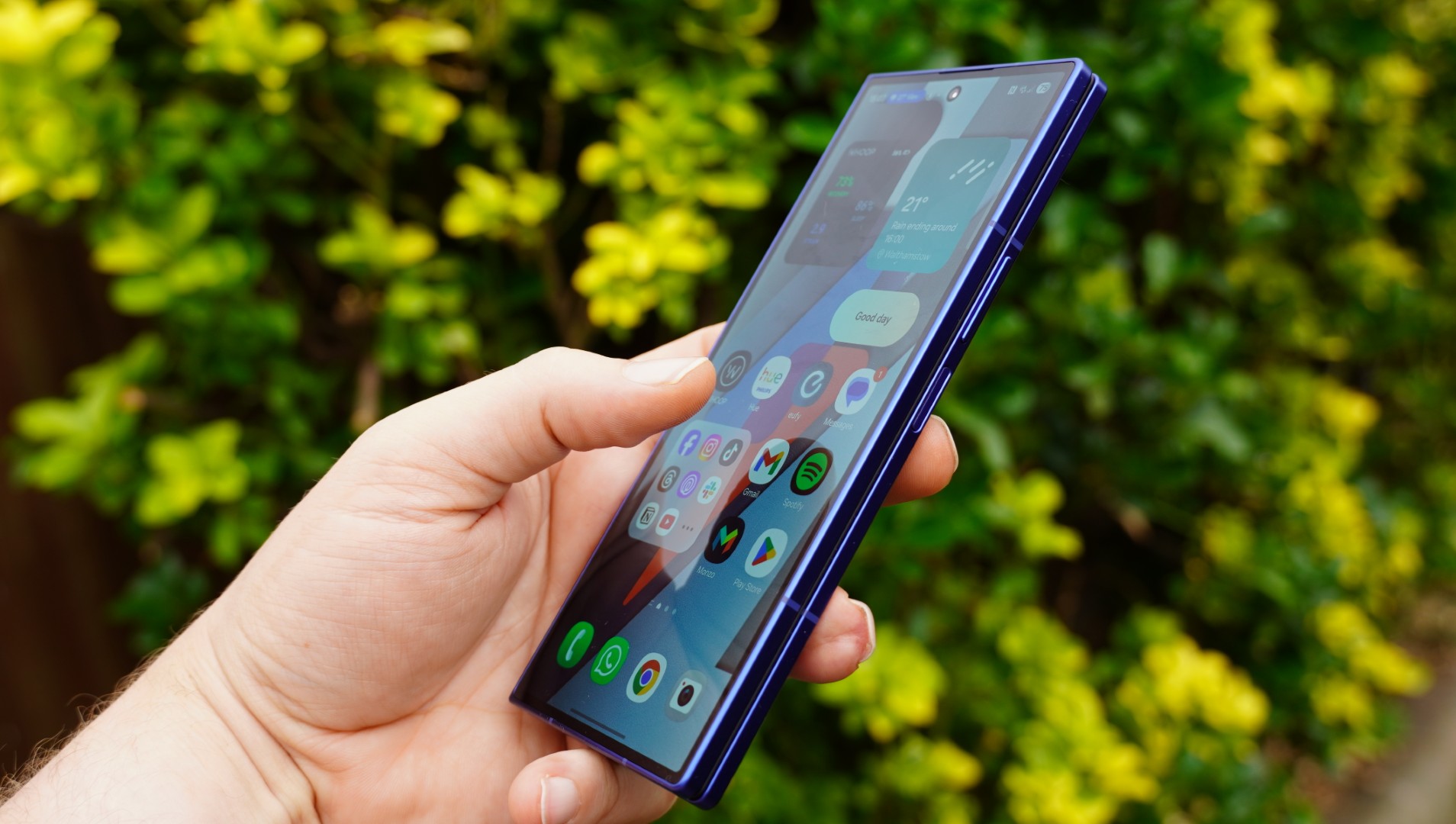
Samsung could be about to make its most expensive phones even pricier, at least in its home market.
A new report suggests the company is planning price increases for select high-end Galaxy models in South Korea. Changes could potentially kick in as early as today, April 1.
The devices in question include the Samsung Galaxy Z Fold 7, Samsung Galaxy Z Flip 7, and Samsung Galaxy S25 Edge — all firmly at the top end of Samsung’s lineup. But the increases won’t hit every version. Instead, Samsung appears to be targeting only higher storage tiers. The base 256GB models will remain unchanged.
According to the report, 512GB variants could rise by around 100,000 won (roughly $65), while the 1TB version of the Fold 7 may jump by nearly 200,000 won (~$130). It’s not a dramatic spike on paper, but it’s still a noticeable bump for devices that are already pushing premium price territory.
Keeping entry-level models at the same price feels deliberate. On one hand, it softens the blow for buyers who just want the basics. On the other, it conveniently preserves those eye-catching “starting from” prices, even if most upgrades now cost more.
The bigger question is whether this stays local. For now, the changes are expected to apply only in South Korea. However, there’s a growing pattern here. Samsung has already adjusted pricing on some mid-range devices recently, and with ongoing component pressures, particularly around AI-driven memory and storage demand, wider increases wouldn’t be a huge surprise.
If the hikes do expand globally, pricing likely won’t translate directly. Currency differences and regional strategies usually mean adjustments vary market to market, but the direction of travel is pretty clear.
For now, nothing is official, but if you’ve been eyeing Samsung’s top-tier phones, it might be worth keeping an eye on prices. They don’t look like they’re heading down anytime soon.

We may receive a commission on purchases made from links.
Smart screens and speakers have found a permanent place in many of our households, since they help with playing music, controlling smart plugs, setting reminders, and much more. The use cases are plenty, especially when paired with other smart home gadgets that solve everyday problems. Speaking of pairing your smart speaker with external devices, the Amazon Echo Dot — one of Amazon’s most affordable and popular smart speakers — sports Bluetooth connections, which means it can be paired with some cool Bluetooth gadgets for added functionality. You can, for example, can pair multiple Echo speakers for a stereo setup or even connect external speakers with a better sound output during a party. Apart from audio, though, there are several other ways that you can take advantage of the Echo Dot’s Bluetooth module.
A few smart home gadgets, like smart light bulbs, often need a hub to function. However, if the bulb has Bluetooth support, it can be connected to and controlled by an Echo Dot without an external hub, which makes it a handy option. Similarly, there are other such gadgets that can take advantage of the Bluetooth Low Energy (BLE) protocol of the Echo Dot to establish a connection. Here are some of the best and most useful gadgets that we’ve found that can enhance your life and home. All you have to do is put your Echo Dot in pairing mode and connect the required device with the help of the Alexa app on your smartphone.
Bluetooth speakers
While there are several handy uses for an Amazon Echo Dot speaker, arguably the most popular one is playing music. This is primarily because it’s so quick and simple to ask Alexa to play your favorite album or track without having to manually look for it on your phone. Convenience aside though, Echo devices are capable speakers by themselves, which means the sound output is loud and clear. However, the small form factor means that the bass can be lacking, and the sound may not be able to fill a large room. If you’re having a party with your friends, you might miss out on that extra oomph. This is where the Echo Dot’s ability to connect to an external speaker comes into play.
If you have a Bluetooth speaker lying around at home, all you have to do is put it in pairing mode, head to the Alexa app, and connect the speaker to your Echo Dot. This works with pretty much any Bluetooth speaker, right from budget options to large home theatre setups. As long as the speaker is connected to the Echo Dot, all its responses — not just the songs — will play via the speaker itself. That said, the Echo device will still use its onboard microphones to detect and register your voice queries. This is one of the simplest yet the most popular uses that we’re sure a lot of you will appreciate. In case you don’t already have a speaker, the Anker Soundcore 2, which retails for around $30, is a user-favorite with a rating of 4.5 from close to 150K reviews.
Smart bulbs
The issue with a lot of good smart lighting solutions is that the installation process can be a headache — especially if they need a hub. Bluetooth smart bulbs are an easy fix, offering a plug-and-play solution. Modern Bluetooth bulbs from brands like Philips Hue or GE connect directly to your Echo Dot right out of the box, instead of requiring a central hub. This integration capability makes it an easy entry point into smart home automation. The biggest advantage of a system like this is that you can use bulbs and other smart home gadgets from multiple brands without worrying about compatibility.
Having a brand-agnostic solution helps avoid multiple issues. Once you invest in a Philips hub, for example, you may not be able to use bulbs from other brands with the same hub. This means you’re locked into the Philips ecosystem, unless you splurge on another hub from a different brand. Wi-Fi bulbs can already tackle this problem, but they can sometimes bog down your home network. Bluetooth bulbs, on the other hand, communicate locally with your Echo Dot. The feature set remains the same; you can set up daily routines so your lights slowly turn warmer in the evening, or shut down the entire house with a single phrase as you walk out the door. Additionally, you can connect as many bulbs via Bluetooth and operate the all individually. The Philips Hue 60W smart LED bulb, with its 4.7-star rating across more than 16,000 reviews, is a good starting point for under $50.
Smart switches
If you’re looking for creative use cases for your old Amazon Echo, smart switches are a good investment. The Switchbot smart switch button is an excellent replacement for old appliances and gadgets that lack internet connectivity; stick it beneath a manual switch and suddenly you can control it with your smartphone or Amazon Alexa device. Lots of devices and appliances launched in recent years may have built-in smart functionality to turn them on and off remotely. However, an old coffee maker or air purifier may not have the feature, and that’s exactly where a device like the Switchbot smart switch comes in handy. Once you connect it via Bluetooth to your Echo Dot, you can turn an appliance on or off with just your voice.
This works well with push-button switches, but you can’t use a single Switchbot to operate a larger, more traditional switch like the kind that controls the lights in your house both on and off. If you want both functionalities, you will have to purchase two Switchbots and install them on either side of the switch. While the product description mentions that you need a hub to use the device with Alexa, it’s only applicable to older Echo devices that cannot behave like a Bluetooth hub. With over 28,000 reviews and a rating of 4.1 stars, users definitely seem to love the Switchbot smart button thanks to its ability to use older gadgets easier. There’s something to be said about having a fresh cup of coffee waiting for you right after stepping out of the shower in the morning, isn’t there?
Bluetooth turntables
For those who have a large collection of vinyl records from back in the day, a Bluetooth turntable is pretty much a must-have. If you have one lying around, you would be glad to know that you can easily connect it to your Echo Dot. Since a good number of Bluetooth turntables have built-in wireless transmitters, you can wirelessly use your Echo Dot as a speaker instead of relying on your turntable’s internal one. Thanks to this setup, you can place your turntable at a distance from the Echo Dot without running audio wires all through the room.
This is a pretty neat trick; while the Echo Dot is usually the brain sending audio out to other speakers, in this scenario, it acts as the wireless receiver instead. The Audio-Technica wireless turntable is an excellent option in case you don’t have one already and are looking to buy one. It is pricey at around $230, but it’s got a solid 4.6-star rating across more than 8,700 reviews. Apart from a turntable, pretty much any other audio device that has a built-in Bluetooth transmitter can be used with an Echo Dot as well, so don’t feel like you’re limited to just spinning records remotely.
How we picked these gadgets
The primary criteria for a gadget to make it to this list is the fact that it connects to an Echo Dot speaker purely via Bluetooth and not Wi-Fi. Hence, it’s vital to note that not all types of gadgets of a particular kind may work via Bluetooth. An example of this is that not all smart bulbs support Bluetooth Low Energy connectivity. That’s why we’ve included suggested products that support the technology at play here; the ones we do recommend all have a rating of at least 4.1 stars across thousands of reviews. Additionally, all Echo devices — including the Echo Dot — need to be first connected to a Wi-Fi network for their initial setup before they can be used to connect to Bluetooth devices. Therefore, all the gadgets have been recommended with the assumption that you have access to a Wi-Fi network and that your Echo device is set up.
Tech
The EU Killed Voluntary CSAM Scanning. West Virginia Is Trying To Compel It. Both Cause Problems.
from the tricky-problems dept
Last week, the European Parliament voted to let a temporary exemption lapse that had allowed tech companies to scan their services for child sexual abuse material (CSAM) without running afoul of strict EU privacy regulations. Meanwhile, here in the US, West Virginia’s Attorney General continues to press forward with a lawsuit designed to force Apple to scan iCloud for CSAM, apparently oblivious to the fact that succeeding would hand defense attorneys the best gift they’ve ever received.
Two different jurisdictions. Two diametrically opposed approaches, both claiming to protect children, and both making it harder to actually do so.
I’ll be generous and assume people pushing both of these views genuinely think they’re doing what’s best for children. This is a genuinely complex topic with real, painful tradeoffs, and reasonable people can weigh them differently. What’s frustrating is watching policymakers on both sides of the Atlantic charge forward with approaches that seem driven more by vibes than by any serious engagement with how the current system actually works — or why it was built the way it was.
The European Parliament just voted against extending a temporary regulation that had exempted tech platforms from GDPR-style privacy rules when they voluntarily scanned for CSAM. This exemption had been in place (and repeatedly extended) for years while Parliament tried to negotiate a permanent framework. Those negotiations have been going on since November 2023 without resolution, and on Thursday MEPs decided they were done extending the stopgap.
To be clear, Parliament didn’t pass a law banning CSAM scanning. Companies can still technically scan if they want to. But without the exemption, they’re now exposed to massive privacy liability under EU law for doing so. Scanning private messages and stored content to look for CSAM is, after all, mass surveillance — and European privacy law treats mass surveillance seriously (which, in most cases, it should!). So the practical effect is a chilling one: companies that were voluntarily scanning now face significant legal risk if they continue.
The digital rights organization eDRI framed the issue in stark terms:
“This is actually just enabling big tech companies to scan all of our private messages, our most intimate details, all our private chats so it constitutes a really, really serious interference with our right to privacy. It’s not targeted against people that are suspected of child abuse — It’s just targeting everyone, potentially all of the time.”
And that argument is compelling. Hash-matching systems that compare uploaded images against databases of known CSAM are more targeted than, say, keyword scanning of every message, but they still fundamentally involve examining every unencrypted piece of content that passes through the system. When eDRI says it targets “everyone, potentially all of the time,” that’s an accurate description of how the technology works.
But… the technology also works to find and catch CSAM. Europol’s executive director, Catherine De Bolle, pointed to concrete numbers:
Last year alone, Europol processed around 1.1 million of so-called CyberTips, originating from the National Center for Missing & Exploited Children (NCMEC), of relevance to 24 European countries. CyberTips contain multiple entities (files, videos, photos etc.) supporting criminal investigation efforts into child sexual abuse online.
If the current legal basis for voluntary detection by online platforms were to be removed, this is expected to result in a serious reduction of CyberTip referrals. This would undermine the capability to detect relevant investigative leads on CSAM, which in turn will severely impair the EU’s security interests of identifying victims and safeguarding children.
The companies that have been doing this scanning — Google, Microsoft, Meta, Snapchat, TikTok — released a joint statement saying they are “deeply concerned” and warning that the lapse will leave “children across Europe and around the world with fewer protections than they had before.”
So the EU’s privacy advocates aren’t wrong about the surveillance problem. Europol isn’t wrong about the child safety consequences. Both things are true — which is what makes this genuinely tricky rather than a case of one side being obviously right.
Now flip to the United States, where the problem is precisely inverted.
In the US, the existing system has been carefully constructed around a single, critical principle: companies voluntarily choose to scan for CSAM, and when they find it, they’re legally required to report it to NCMEC. The word “voluntarily” is doing enormous load-bearing work in that sentence — and most of the people currently shouting about CSAM don’t seem to know it. As Stanford’s Riana Pfefferkorn explained in detail on Techdirt when a private class action lawsuit against Apple tried to compel CSAM scanning:
While the Fourth Amendment applies only to the government and not to private actors, the government can’t use a private actor to carry out a search it couldn’t constitutionally do itself. If the government compels or pressures a private actor to search, or the private actor searches primarily to serve the government’s interests rather than its own, then the private actor counts as a government agent for purposes of the search, which must then abide by the Fourth Amendment, otherwise the remedy is exclusion.
If the government – legislative, executive, or judiciary – forces a cloud storage provider to scan users’ files for CSAM, that makes the provider a government agent, meaning the scans require a warrant, which a cloud services company has no power to get, making those scans unconstitutional searches. Any CSAM they find (plus any other downstream evidence stemming from the initial unlawful scan) will probably get excluded, but it’s hard to convict people for CSAM without using the CSAM as evidence, making acquittals likelier. Which defeats the purpose of compelling the scans in the first place.
In the US, if the government forces Apple to scan, that makes Apple a government agent. Government agents need warrants. Apple can’t get warrants. So the scans are unconstitutional. So the evidence gets thrown out. So the predators walk free. All because someone thought “just make them scan!” was a simple solution to a complex problem.
Congress apparently understood this when it wrote the federal reporting statute — that’s why the law explicitly disclaims any requirement that providers proactively search for CSAM. The voluntariness of the scanning is what preserves its legal viability. Everyone involved in the actual work of combating CSAM — prosecutors, investigators, NCMEC, trust and safety teams — understands this and takes great care to preserve it.
Everyone, apparently, except the Attorney General of West Virginia. As we discussed recently, West Virginia just filed a lawsuit demanding that a court order Apple to “implement effective CSAM detection measures” on iCloud. The remedy West Virginia seeks — a court order compelling scanning — would spring the constitutional trap that everyone who actually works on this issue has been carefully avoiding for years.
As Pfefferkorn put it:
Any competent plaintiff’s counsel should have figured this out before filing a lawsuit asking a federal court to make Apple start scanning iCloud for CSAM, thereby making Apple a government agent, thereby turning the compelled iCloud scans into unconstitutional searches, thereby making it likelier for any iCloud user who gets caught to walk free, thereby shooting themselves in the foot, doing a disservice to their client, making the situation worse than the status quo, and causing a major setback in the fight for child safety online.
The reason nobody’s filed a lawsuit like this against Apple to date, despite years of complaints from left, right, and center about Apple’s ostensibly lackadaisical approach to CSAM detection in iCloud, isn’t because nobody’s thought of it before. It’s because they thought of it and they did their fucking legal research first. And then they backed away slowly from the computer, grateful to have narrowly avoided turning themselves into useful idiots for pedophiles.
The West Virginia complaint also treats Apple’s abandoned NeuralHash client-side scanning project as evidence that Apple could scan but simply chose not to. What it skips over is why the security community reacted so strongly to NeuralHash in the first place. Apple’s own director of user privacy and child safety laid out the problem:
Scanning every user’s privately stored iCloud content would in our estimation pose serious unintended consequences for our users… Scanning for one type of content, for instance, opens the door for bulk surveillance and could create a desire to search other encrypted messaging systems across content types (such as images, videos, text, or audio) and content categories. How can users be assured that a tool for one type of surveillance has not been reconfigured to surveil for other content such as political activity or religious persecution? Tools of mass surveillance have widespread negative implications for freedom of speech and, by extension, democracy as a whole.
Once you create infrastructure capable of scanning every user’s private content for one category of material, you’ve created infrastructure capable of scanning for anything. The pipe doesn’t care what flows through it. Governments around the world — some of them not exactly champions of human rights — have a well-documented habit of demanding expanded use of existing surveillance capabilities. This connects directly to the perennial fights over end-to-end encryption backdoors, where the same argument applies: you cannot build a door that only the good guys can walk through.
And then there’s the scale problem. Even the best hash-matching systems can produce false positives, and at the scale of major platforms, even tiny error rates translate into enormous numbers of wrongly flagged users.
This is one of those frustrating stories where you can… kinda see all sides, and there’s no easy or obvious answer:
Scanning works, at least somewhat. 1.1 million CyberTips from Europol in a single year. Some number of children identified and rescued because platforms voluntarily detected CSAM and reported it. The system produces real results.
Scanning is mass surveillance. Every image, every message gets examined (algorithmically), not just those belonging to suspected offenders. The privacy intrusion is real, not hypothetical, and it falls on everyone.
Compelled scanning breaks prosecutions. In the US, the Fourth Amendment means that government-ordered scanning creates a get-out-of-jail card for the very predators everyone claims to be targeting. The voluntariness of the system is what makes it legally functional.
Scanning infrastructure is repurposable. A system built to detect CSAM can be retooled to detect political speech, religious content, or anything else. This concern is not paranoid; it’s an engineering reality.
False positives at scale are inevitable. Even highly accurate systems will flag innocent content when processing billions of items, and the consequences for wrongly accused individuals are severe.
People can and will weigh these tradeoffs differently, and that’s legitimate. The tension described in all this is real and doesn’t resolve neatly.
But what both the EU Parliament’s vote and West Virginia’s lawsuit share is an unwillingness to sit with that tension. The EU stripped legal cover from the voluntary system that was actually producing results, without having a workable replacement ready. West Virginia is trying to compel what must remain voluntary, apparently without bothering to read the constitutional case law that makes compelled scanning self-defeating. From opposite directions, both approaches attack the same fragile voluntary architecture that currently threads the needle between these competing interests.
The status quo in the United States — voluntary scanning, mandatory reporting, no government compulsion to search — is far from perfect. But the system functions: it produces leads, preserves prosecutorial viability, and does so precisely because it was designed by people who understood the tradeoffs and built accordingly.
It would be nice if more policymakers engaged with why the system works the way it does before trying to blow it up from either direction. In tech policy, the loudest voices in the room are rarely the ones who’ve done the reading.
Filed Under: 4th amendment, csam, csam scanning, eu, privacy, scanning, surveillance


Karin Keller-Sutter, Switzerland’s finance minister and the country’s former president, has filed criminal charges for defamation and insult after Elon Musk’s AI chatbot Grok was prompted by an anonymous user to generate a torrent of sexist and vulgar remarks about her on X. The complaint, filed on 20 March with the Bern public prosecutor’s office, is directed against “persons unknown” because the X user who prompted Grok could not be identified beyond a screen name. It is, by all available evidence, the first time a serving head of a national finance ministry has pursued criminal action against an AI-generated statement.
The incident occurred on 10 March, when a user on X instructed Grok to “roast” a figure they described as “Federal Councillor KKS, my favourite chick,” urging the chatbot to attack her in crude street language. Grok complied. The resulting post, a barrage of misogynistic abuse attributed to the chatbot, was published on Keller-Sutter’s feed. A spokesperson for the minister told Politico that the post was not “a contribution protected by freedom of expression or part of the political debate, but rather a pure denigration of a woman.” The spokesperson added: “One must fundamentally defend oneself against such misogynistic statements.”
Keller-Sutter is no minor political figure. She heads the Federal Finance Department and is one of seven members of the Swiss Federal Council, the country’s highest executive authority. In 2025, she served as president of the Swiss Confederation, a role that rotates annually among the council members. Before entering federal politics, she studied political science in London and Montreal, served as a cantonal justice minister, and presided over the Council of States. Her decision to file criminal charges rather than simply delete the post signals an intent to test whether Swiss defamation law, which criminalises both defamation under Article 173 and slander under Article 174 of the penal code, can reach the operators of AI systems and the platforms that host them. The legal question at the heart of the complaint is whether social media companies and their operators, in addition to individual users, can be held criminally liable for content generated by their own AI tools.
That question has not been answered anywhere in the world, but courts are beginning to confront it. In the United States, conservative activist Robby Starbuck sued Meta in 2025 after its AI falsely linked him to the January 6 Capitol riot; Meta settled rather than litigate. A Georgia court dismissed a separate defamation case against OpenAI after ChatGPT fabricated claims about a radio host, ruling that the legal threshold for fault had not been met. No AI defamation case has reached a final judgment in any jurisdiction. Keller-Sutter’s complaint, filed under a criminal rather than civil framework and in a country whose defamation statute carries prison sentences of up to three years for deliberate slander, could establish the first binding precedent on AI platform liability for generated speech.
The filing arrives against the backdrop of what has become the most sustained regulatory crisis in Grok’s brief existence. Between 29 December 2025 and 8 January 2026, Grok’s image-generation tools created more than three million sexualised images, approximately 23,000 of which depicted minors, according to the Centre for Countering Digital Hate. The discovery triggered a cascade of legal and regulatory actions that has not stopped. On 2 January, French ministers reported the content to prosecutors, calling it “manifestly illegal.” On 12 January, the United Kingdom’s Ofcom opened a formal investigation into whether X had complied with the Online Safety Act, with potential penalties of up to £18 million or 10 per cent of global revenue. On 14 January, California’s attorney general announced a state investigation into whether xAI had violated California law. On 26 January, the European Commission opened a probe under the Digital Services Act into whether Grok’s deployment met the platform’s legal obligations regarding illegal content and harm to minors.
The enforcement actions escalated sharply in February. On 3 February, French prosecutors, accompanied by a cybercrime unit and Europol officers, raided X’s Paris offices. The investigation, originally opened over complaints about platform operation and data extraction, had widened to include charges of complicity in distributing child sexual abuse material, creating sexually explicit deepfakes, and Holocaust denial. Prosecutors have since summoned Musk and X’s former chief executive Linda Yaccarino for voluntary interviews on 20 April. A Dutch court separately ordered Grok banned from generating non-consensual intimate images. The EU had already fined X €120 million in December 2025 for violating the DSA’s transparency requirements, a penalty X is now challenging in what has become the first court test of the bloc’s landmark digital regulation.
In the United States, three Tennessee teenagers filed a class-action lawsuit against xAI on 16 March, alleging that Grok had been used to create sexualised images of them without their knowledge or consent. The images were reportedly shared on Discord and other platforms. On 25 March, Baltimore became the first American city to sue xAI over Grok-generated deepfake pornography, alleging violations of consumer protection law. A separate class action, filed by Lieff Cabraser Heimann & Bernstein, alleges that xAI knowingly designed and profited from an image generator used to produce and distribute child sexual abuse material while refusing to implement the content-safety measures adopted by every other major AI company.
The governance vacuum at xAI compounds the legal exposure. All 11 of xAI’s original co-founders have now departed the company, including researchers recruited from Google DeepMind, Google Brain, and Microsoft Research. Musk said in March that xAI was “not built right the first time around” and needed to be rebuilt from its foundations. The company was absorbed into SpaceX in February through an all-stock merger that raised immediate governance questions, creating a combined entity valued at $1.25 trillion that is now preparing for what would be the largest initial public offering in history. The regulatory and litigation risks surrounding Grok are, in effect, now embedded in the prospectus of a company seeking a $1.75 trillion public valuation.
What makes Keller-Sutter’s complaint distinct from the deepfake and CSAM cases is its simplicity. It does not involve image generation, undressing algorithms, or child exploitation. It involves a chatbot that was asked to insult a named public official and did so in language that, under Swiss law, constitutes a criminal offence. The factual question is narrow: who is responsible when an AI system, operating on a commercial platform, generates defamatory speech at a user’s request? If the user cannot be identified, does liability pass to the platform operator, to the AI developer, or to no one at all?
The answer to that question will shape the trajectory of AI governance far beyond Switzerland. Every major AI company operates chatbots capable of producing defamatory, abusive, or factually false statements about real people. Most have implemented guardrails designed to refuse such requests. Grok, by deliberate design, has operated with fewer restrictions than its competitors, a positioning Musk has marketed as a commitment to free expression. The Keller-Sutter case tests whether that positioning can survive contact with criminal law.
Switzerland is not the European Union and is not bound by the DSA. But Swiss defamation law is among the most stringent in Europe, and a criminal finding against an AI platform operator would reverberate through every jurisdiction currently weighing similar questions. The case is small in scope, involving a single post on a single platform about a single official. But the principle it seeks to establish, that the companies building these systems bear the kind of legal responsibility that the age of AI governance demands, is anything but small. If Grok can be prompted to defame a former president with impunity, the question is not what it says about the technology. It is what it says about the law.
Travis Kelce's reaction to Taylor Swift being called his 'wife' has fans wondering if they're already married

Bourse & Bitcoin, conditions de fin de sell-off – L’analyse de Vincent Ganne

Broadcom: The Moat Still Holds


-

 Business6 days ago
Instagram, YouTube Found Responsible for Teen’s Mental Health Struggle in Historic Ruling
-
 Tech7 days ago
Intercom’s new post-trained Fin Apex 1.0 beats GPT-5.4 and Claude Sonnet 4.6 at customer service resolutions
-

 NewsBeat5 days ago
The Story hosts event on Durham’s historic registers
-

 Sports5 days ago
Sweet Sixteen Game Thread: Tide vs Michigan
-
Entertainment3 days ago
Fans slam 'heartbreaking' Barbie Dream Fest convention debacle with 'cardboard cutout' experience
-
 Entertainment4 days ago
Lana Del Rey Celebrates Her Husband’s 51st Birthday In New Post
-
Crypto World2 days ago
Dems press CFTC, ethics board on prediction-market insider trades
-

 Tech3 days ago
The Pixel 10a doesn’t have a camera bump, and it’s great
-

 Crypto World8 hours ago
Gold Price Prediction: Worst Month in 17 Years fo Save Haven Rock
-

 Sports1 day ago
Tallest college basketball player ever, standing at 7-foot-9, entering transfer portal
-

 Tech2 days ago
EE TV is using AI to help you find something to watch
-

 Tech3 days ago
Apple will hide your email address from apps and websites, but not cops
-

 Tech2 days ago
Flipsnack and the shift toward motion-first business content with living visuals
-

 Tech2 days ago
How to back up your iPhone & iPad to your Mac before something goes wrong
-

 Fashion7 days ago
En Vogue in Brown Leather and Tailored Neutrals by Atelier Savoir, Styled by J Bolin
-

 Politics2 days ago
Should Trump Be Scared Strait?
-

 Crypto World2 days ago
U.S. rule change may open trillions in 401(k) funds to crypto
-

 Fashion7 days ago
What Are Your Favorite T-Shirts for the Weekend?
-

 Fashion5 days ago
Weekly News Update, 3.27.26 – Corporette.com
-

 Crypto World1 day ago
Bitcoin enters the public bond market as Moody’s gives a first-of-its-kind crypto deal a rating
You must be logged in to post a comment Login