






Connect with us

Tech

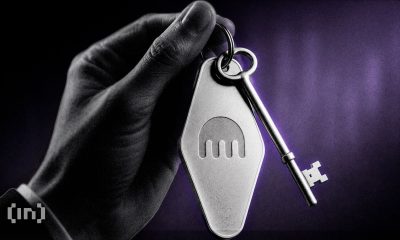
Crypto wallet maker Trezor confirms 13,000 customers’ details exposed in logistics breach

Published

on

Security

Even if your hardware is secure, quantum-ready, encrypted, and future-proof, no one is immune to a supplier letting the side down

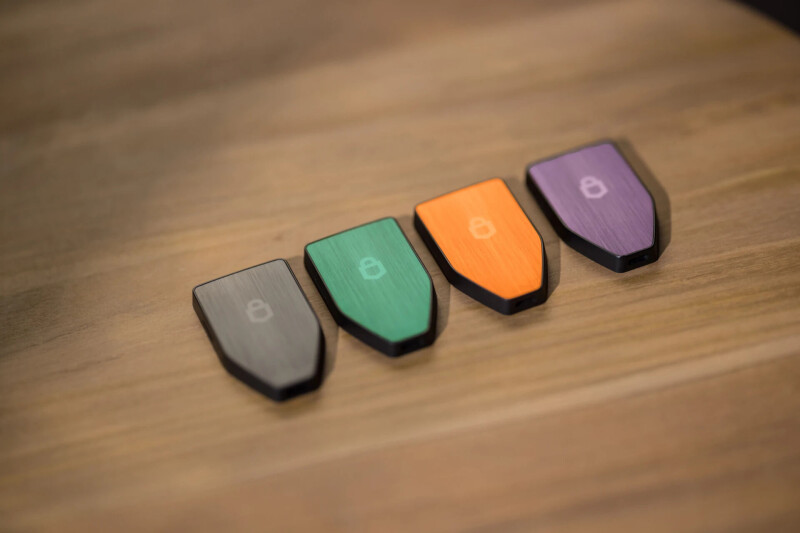
Cryptocurrency hardware wallet maker Trezor has confirmed that a breach at one of its shipping partners exposed the personal data of more than 13,000 customers.

The company’s initial findings suggested the breach was limited to orders placed in certain countries during the previous 90 days. New information indicates that earlier orders may also be affected.

Advertisement

The breach exposed the names, email addresses, phone numbers, and shipping addresses of 11,742 customers in the US, UK, Sweden, Colombia, Brazil, Italy, and Portugal who ordered Trezor products between May 10 and August 8.

An additional 1,947 customers had their names, home cities, and email addresses exposed. Some members of this group may have placed their orders before May 10.

“We are verifying this information and the timeframe with ShipMonk,” said Trezor.

ShipMonk is Trezor’s logistics partner. It stores and ships products on the company’s behalf and collects the information needed to fulfill orders.

Advertisement

ShipMonk is subject to Trezor’s 90-day retention policy, which requires partners to delete or anonymize customer data within 90 days of collecting it for an order.

ShipMonk did not immediately respond to a request for comment.

Trezor markets itself as a purveyor of secure, offline, hardware-based cryptocurrency wallets. With its products, it aims to shield customers from cyberattacks and malicious apps.

While it assured customers that its own systems and devices remain secure, Trezor warned that “affected customers could experience an increase in phishing attempts.”

Advertisement

The exposed details could help criminals craft convincing phishing attempts impersonating banks, crypto exchanges, or Trezor itself.

The company said it contacted affected customers directly and advised them to check any communications against information published through its official channels.

“Never enter your wallet backup on a website or share it with anyone,” Trezor said in an apologetic advisory.

“This is the first time since Trezor was founded in 2013 that we have experienced a breach that exposed customer phone numbers and shipping addresses.

Advertisement

“We absolutely understand how serious this is and the potential risks it poses to our customers and are deeply sorry to those affected.”

Trezor said in a supplementary social media post, separate from the advisory, that its “top priority” project at the moment is to establish an “Anonymous Delivery” option for customers.

The service will allow buyers to complete checkout without linking their home address or real-world identity to an order.

Customers using Anonymous Delivery will go through a dedicated checkout, use a nickname or label ID in place of a real name, and have their product shipped to an automated delivery locker instead of their home. 

Advertisement

The delivery will also come in unbranded packaging with a generic sender label. The carrier will only use email or SMS to send a PIN for the locker.

Trezor said the service is gearing up for a September launch in the EU and by the end of the year in the US.

Alas, that didn’t stop Cake Wallet, a rival crypto wallet, from poking fun at Trezor.

“Another rough day for self custody,” it Xeeted, before suggesting crypto holders instead use an old smartphone with Cake Wallet installed because “there is no order, no shipping address, or customer data tied to the purchase.” ®

Advertisement

Source link

Continue Reading
Click to comment

You must be logged in to post a comment Login

Leave a Reply

Tech

Someone Finally Fixed Installing Apps on a Mac

Published

on

One of the oddest things about macOS is the installation dance. Dealing with disk images, dragging and dropping—it’s the main way of installing software from outside the Mac App Store, and it’s annoying.

You download a DMG file, open it to mount a virtual disk, and drag the application from there to your Applications folder. Then, to keep things tidy, you need to unmount the virtual disk and delete the DMG file. It’s … convoluted. To be fair, it was relatively streamlined back in 2001 when it became the main way to install applications on the then-new Mac OS X. But that was a quarter-century ago, and there has to be a better way by now.

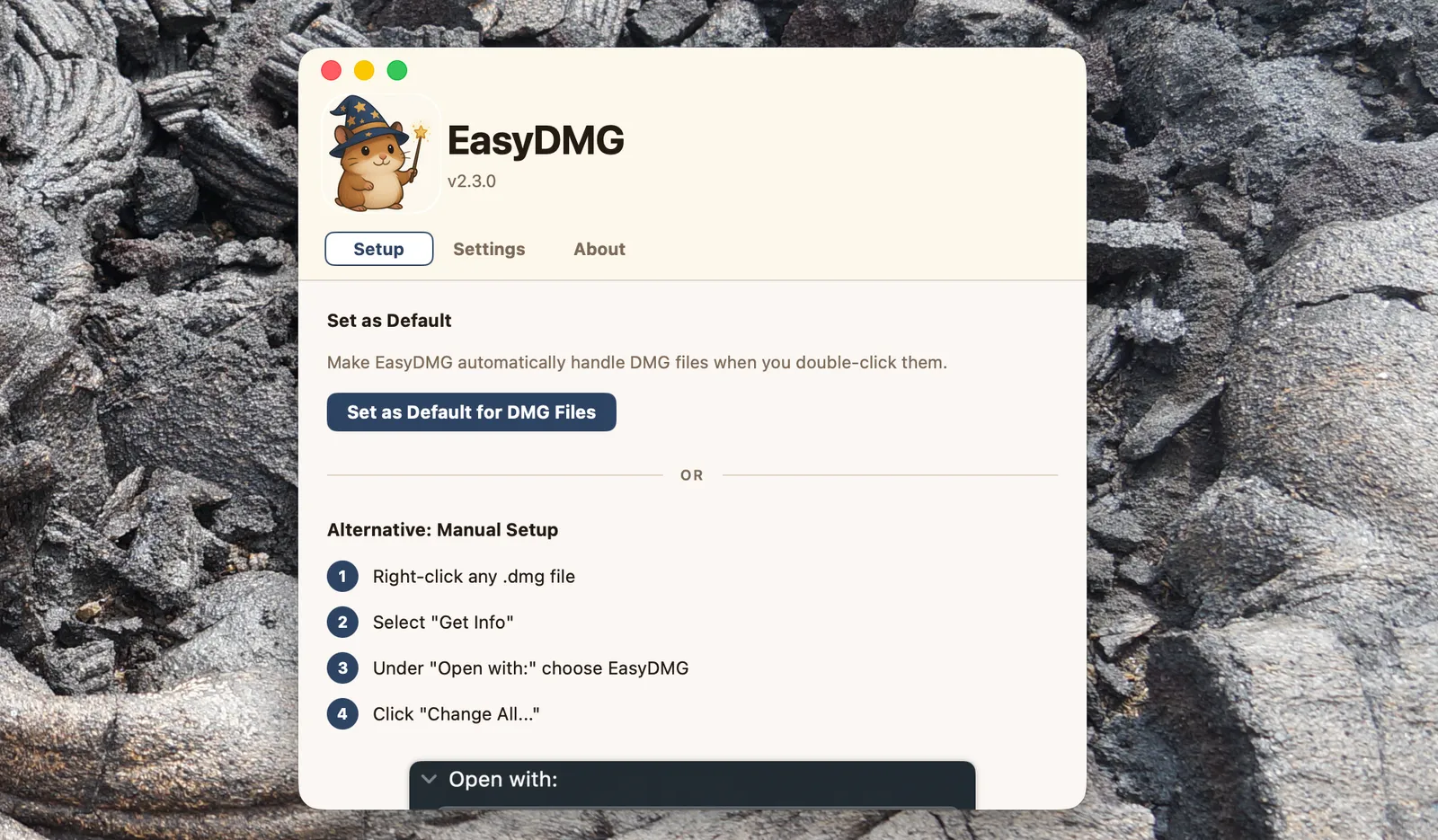
Developer Jeff Schumann agrees, so he built a tool that does all these steps for you: EasyDMG. This completely free app has an adorable hamster mascot and the slogan “Created out of spite.” It lets you double-click DMGs to install software, the way it always should have worked.

To get started, simply download the application and install it using the very same installation dance you’re trying to avoid. (Ironic, sure, but hopefully this is the last time.) After that you need to set EasyDMG as the default application for opening DMG files—there’s a button right in the settings that will do this for you.

Advertisement
Image may contain Text

Courtesy of Justin Pot

Do that and you’re basically done. The next time you need to install software from a DMG file you’ll see EasyDMG pop up instead of the virtual disk. A window with a progress bar will let you know how the process is going, from mounting the virtual disk to verifying the application to doing the actual installation.

Image may contain Ice Nature Outdoors Text and Page

Courtesy of Justin Pot

Source link

Continue Reading

Tech

Patent Filing Suggests Meta’s Facial Recognition Glasses Are Coming

Published

on

A filing submitted by Meta to the US Patent and Trademark Office shows that Meta has continued developing features that use facial recognition in conjunction with its controversial smart glasses. The application for the patent was submitted in February and made public this week. There’s no indication of how long the approval process could take or whether the patent will ultimately be granted.

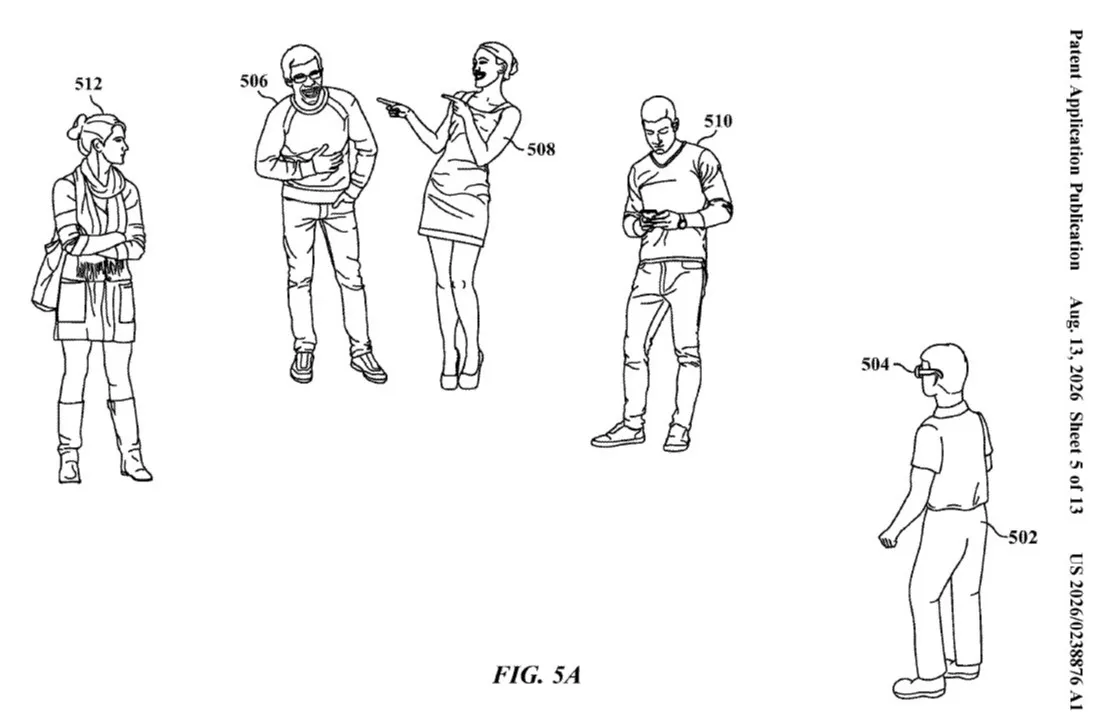
The application, which CNET has viewed, includes 44 pages of drawings and descriptions of a system that would use Meta’s smart glasses technology in conjunction with AI facial recognition. The system would use AI facial recognition to identify people and create media, including videos, that contain that information. It could also use inputs such as location data or information from online services to create those media files, support a wide range of content-creation activities or interact with Meta services, according to the lengthy filing.

A representative for Meta did not immediately respond to a request for comment.

The patent filing comes at a sensitive time for Meta and this product category. Privacy advocates have heavily criticized the company’s lack of privacy protections, while the nickname “pervert glasses” has been used more frequently in media stories about its smart glasses.

Advertisement

That sentiment was expanded upon by the nonprofit Center for Democracy and Technology, which issued a statement about the patent application, calling it an escalation of privacy harms.

“Meta’s patent application includes relatively innocuous use cases, but, if deployed, this tech can and will be used for much more nefarious purposes and will put marginalized people like victims of stalking and domestic violence at risk,” wrote Ariana Aboulafia, project lead for disability rights in technology policy for the center.

“No one should be forced to constantly question whether the person next to them at a party, in the doctor’s office, or on the train is constantly recording, identifying, and storing information about them,” Aboulafia wrote.

How soon for these features?

Meta drew criticism after it distributed dormant facial‑recognition code within its Meta AI app, a move the company later reversed by removing the software entirely. It has also faced criticism for testing facial recognition software sold by a vendor that deals with military and police contracts.

Advertisement

Some of the backlash originated with an investigation from Wired, confirmed by the Electronic Frontier Foundation’s Threat Lab, which found hidden code that was distributed to all Meta AI app users. Those findings put Meta on the defensive, and the company lashed out at Wired for its coverage even as it rolled back that software.

Meta isn’t the only company that has been the target of increased public scrutiny over technology and privacy; Flock Safety has been countering bad publicity and vandalism as well as pausing or canceling contracts for its license plate reader cameras in cities, including Los Angeles and Dayton, Ohio. Flock’s technology has also been criticized for incidents in which law enforcement officers have misused the tech to track people; despite policy changes, there are many ways to circumvent its safeguards.

Source link

Advertisement
Continue Reading

Tech

Are classroom screens making children less cognitively capable? Experts are divided

Published

on

Jared Cooney Horvath has spent over 15 years studying how people learn, and he says the picture for today’s kids isn’t good. The neuroscientist and former teacher argues that classroom technology is quietly eroding how children think and retain knowledge, according to a report from The Guardian.

Horvath’s new book, The Digital Delusion, lays out the case that generational progress in health and education has stalled since around 2000, right around the time kids started to get access to screens. Concerns about early exposure run even deeper, with some researchers now warning that screen habits formed before age two carry their own developmental risks.
What does Horvath think screens are the problem?

Horvath points to falling IQ scores across the West even as time spent in school has stayed steady or increased. He traces the shift to the rapid growth of educational technology, an industry he says is now worth $400 billion in the United States alone.

Laptop adoption in schools took off around 2010, then accelerated sharply when Covid forced a digital pivot. Most schools never reversed course afterward. Horvath cites Pisa testing data showing that students who spent more than six hours a day on screens scored significantly worse than peers who avoided screens entirely.

Advertisement

Does everyone in education agree with him?

Not quite. Rose Luckin, an emerita professor at the UCL Knowledge Lab, says Horvath is right that edtech was oversold without solid proof behind it. But she points out that the same Pisa data shows moderate device use actually correlates with better outcomes than no use at all.

Meanwhile, Dylan Wiliam, an education assessment expert at UCL, adds that the current research only shows correlation, not causation. Daisy Christodoulou of No More Marking agrees society got too comfortable with unproven tech, even if she’s more optimistic about its potential going forward.

So the real question isn’t whether screens belong in classrooms at all. It’s figuring out when and how much screen time actually helps kids learn.

Source link

Advertisement
Continue Reading

Tech

TerraMow V1000 Review: Show Your Lawn Some Love

Published

on

As with most robot mowers, the power adapter is large and may not fit your outdoor socket, so you’ll likely need an outdoor box and extension lead. The TerraMow V100 also comes with a covered charging base to shield it from bad weather, something many manufacturers will charge you a couple of hundred extra for.

Image may contain Chart Plot Text Clothing and Shirt

There’s no antenna or anything else to set up, because this mower relies on its triple camera system and AI to map and navigate your lawn. You can connect your phone via Bluetooth, and it supports Wi-Fi. It also comes with a year of 4G service ($19 per year after that), but you don’t need it if you have Wi-Fi in your garden. The 4G and Wi-Fi are just for firmware updates and remote control when you’re away from home. It has GPS tracking for theft alerts.

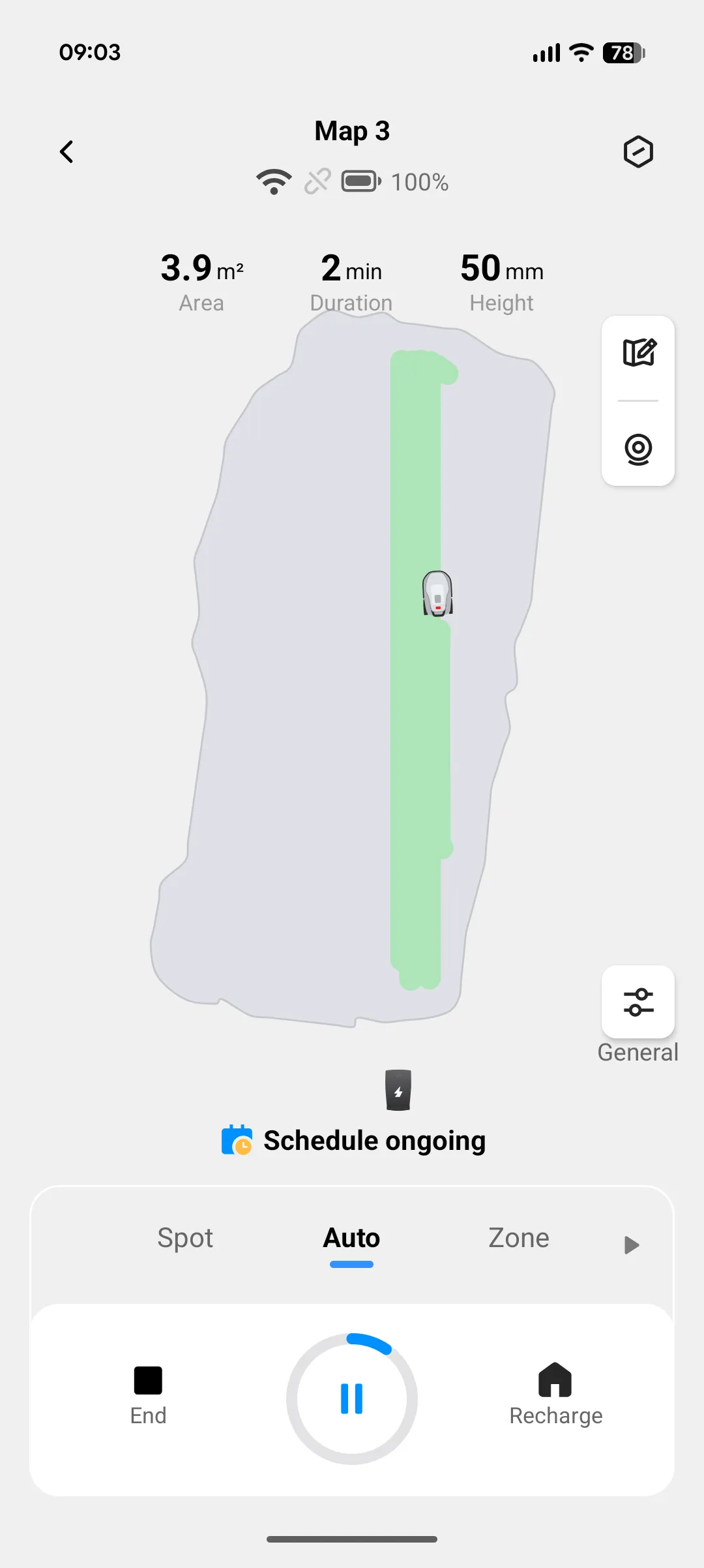
The setup was by far the easiest of any robot mower I’ve tested. Aside from not having to fiddle with wire or an RTK antenna, the TerraMow V1000 has an automapping feature. Usually, you have to remote-control your robot mower around the borders of your lawn to define the cutting zone. I have tried other mowers with automatic mapping, but I always ended up having to make significant edits to the map. Not so with the TerraMow. The V1000 successfully mapped my (admittedly straightforward) lawn without any input required.

The spec sheet for the TerraMow V1000 is relatively modest. It can handle slopes up to 18 degrees, offers a cutting height of 0.98 to 2.95 inches (25 to 75 mm), and a cutting width of 8 inches (20 cm). I like that you can define different settings for different zones. Perhaps you want a finer cut or closer edge mowing on one section of lawn. It can run for 150 minutes on a full charge and takes two hours to recharge. Like most robot mowers, it leaves the cuttings to mulch, and you can set a cutting schedule in the app.

A Cut Above

I didn’t have high expectations of the TerraMow V1000, because it relies entirely on AI vision, which can be erratic in my experience. To my surprise, it mowed my lawn in perfect straight lines with a kind of fish-tail maneuver at the end of each turn, leaving neat but narrow stripes and a fairly uniform cut. Where the edges allowed, such as along a path, the TerraMow cut right up to the edge. On sides with obstacles, such as a garden shed and tall plants, it left a modest border. Strips of uncut grass of various sizes seem to be unavoidable with robot mowers, but the TerraMow V1000 got closer to finishing the job than most.

Advertisement

We have three cats, so obstacle avoidance is crucial, and the TerraMow V1000 does not disappoint. I always test mowers with a football, and I also had a badminton net on the lawn with very thin posts. The V1000 was able to skirt around both without touching them.

The navigation is generally impressive, and that extends to creating paths between lawn areas and also back to its charging station. You don’t have to install the charging station on the lawn; I put mine slightly farther back, tucked out of sight next to some wooden outdoor furniture across concrete paving, and it had no issues finding its way in and out.

Source link

Advertisement
Continue Reading

Tech

Lost and Found Gets a Slim New Ally in Google’s Pixel Tag

Published

on

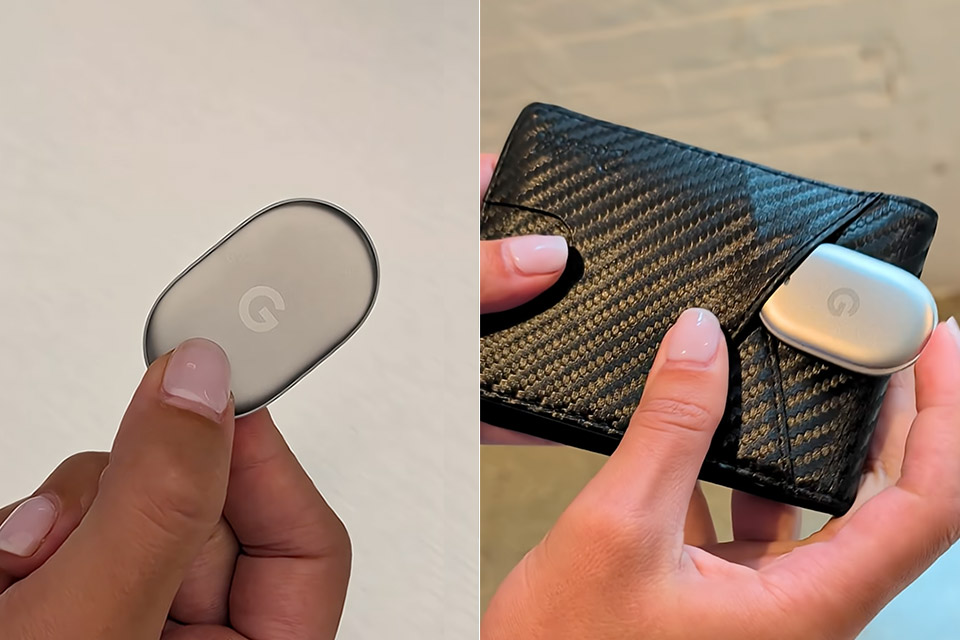
Google Pixel Tag Reveal Bluetooth Tracker
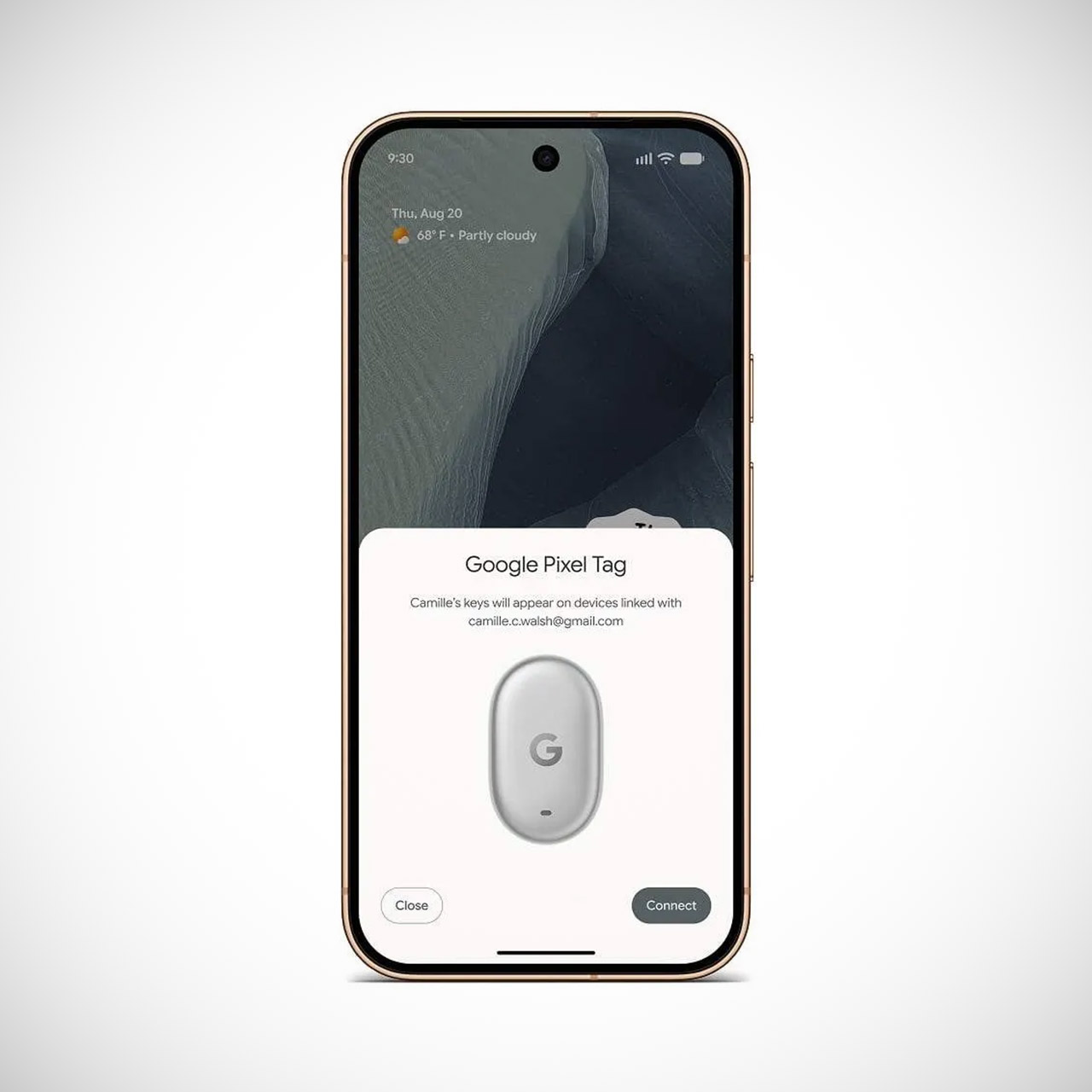
Keys sneak into couch cushions, wallets slip behind desks, and luggage disappears from the airport carousel. For years, Android users saw Apple’s AirTag handle routine disappearances, while Google delegated the task to third-party devices. That gap was bridged this week. Google developed its own finder, the Pixel Tag, a small oblong tracker designed to travel alongside the items people really lose.


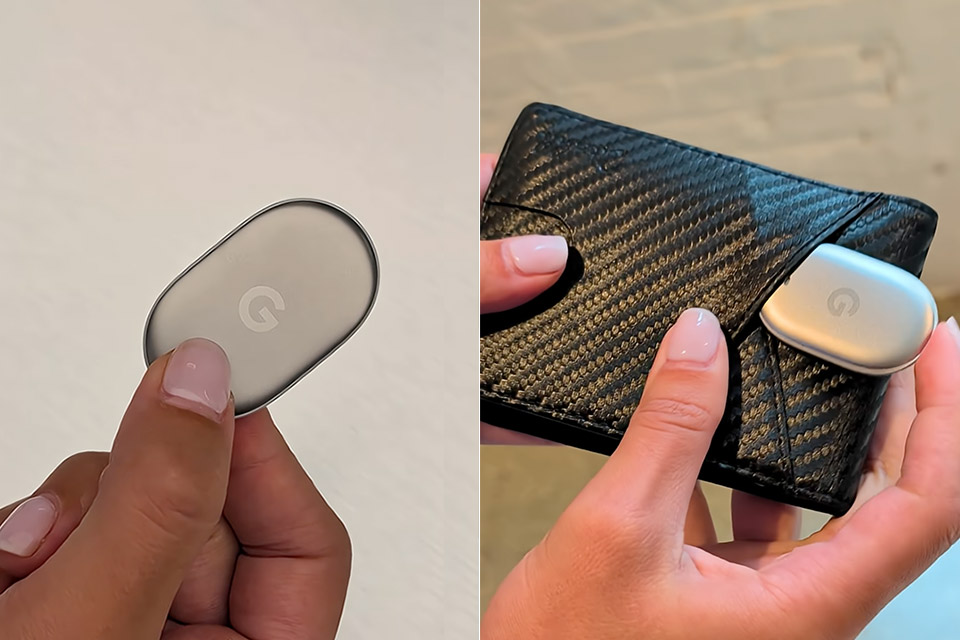
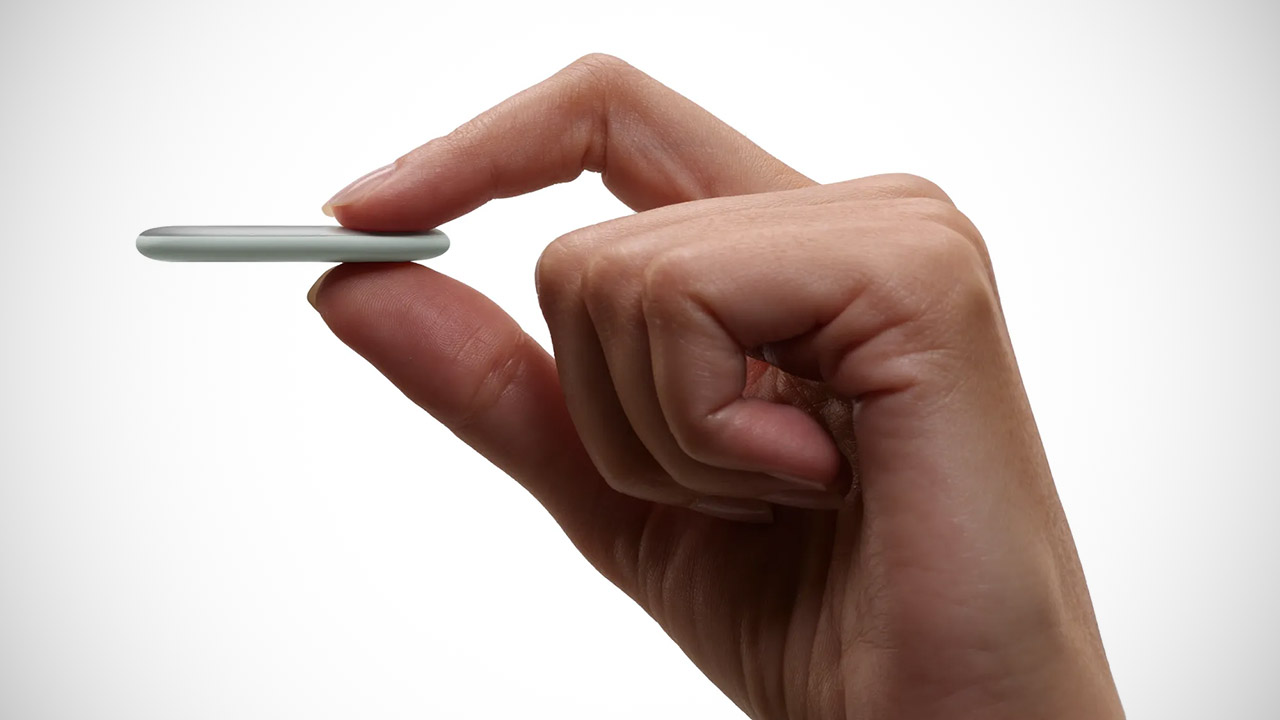
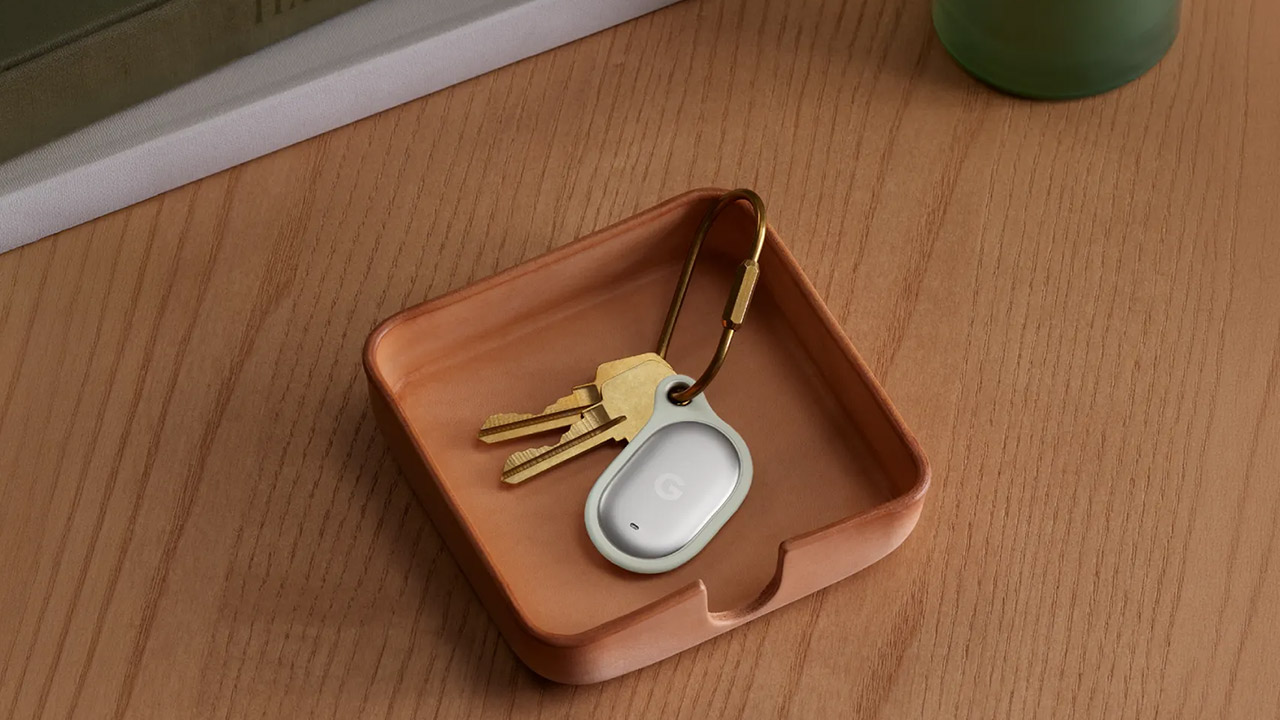
The Pixel Tag is noticeably slimmer than Apple’s circular AirTag, measuring just 1.8 inches tall and 1.1 inches wide. And at only 0.2 inches thick, it’s a clear and pleasant contrast. The Pixel Tag, weighing barely 0.4 ounces with its battery inside, is available in only one soft grey-green color, Fog, as named by Google. The Pixel Tag is made of stainless steel and polycarbonate, with a little G logo sitting on the metal face next to a speaker opening, resulting in a basic yet effective design. The battery cover can be removed from the back by twisting it, and it accepts a regular CR2032 coin cell. Google estimates that the battery will last more than a year in ordinary use, and you can replace it yourself if necessary. The IP67 seal keeps dust out and can resist a 30-minute submersion in a meter of water.

Sale


Apple AirTag (2nd Generation) – 4 Pack: Tracker for Keychain, Wallet, and More; Locator with Sound…
  • FIND YOUR ITEMS ON FIND MY — AirTag (2nd generation) helps you keep track of what matters. Attach one to an item you want to keep track of using the…
  • EXPANDED PRECISION FINDING ON IPHONE AND APPLE WATCH — Get step-by-step directions to your lost item on iPhone and, now, Apple Watch.*
  • ENHANCED SPEAKER — With a 50% louder speaker and a new, distinctive chime, it’s easier than ever to hear and find AirTag.*


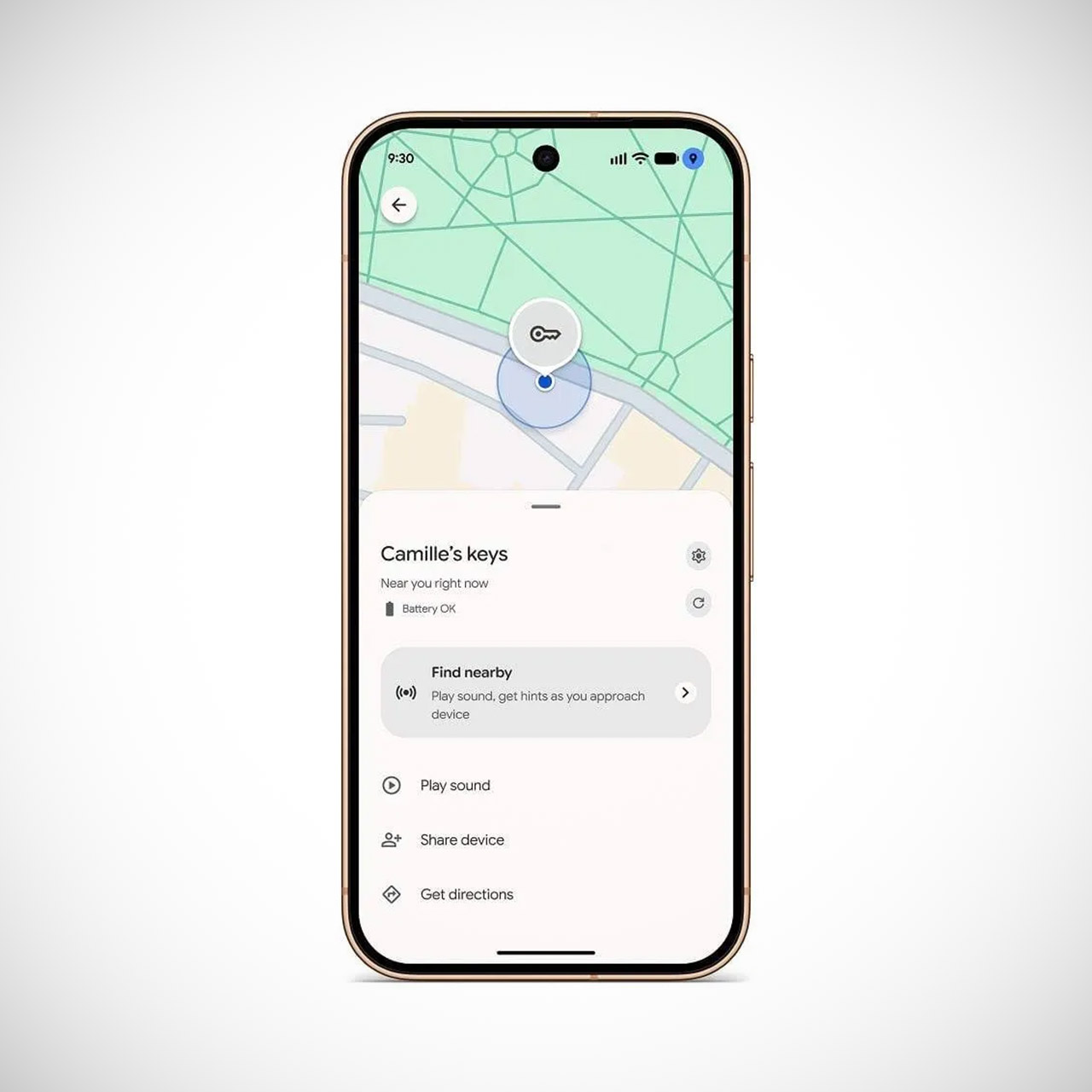
Users simply pull the battery tab, bring the tag near any phone running Android 9 or later, and Fast Pair will do the rest. Once linked, the tag displays in the Find Hub app, where you may name it to distinguish between your keys and your bag. When the item is nearby, the phone can play a sound thru the tag’s speaker, and if you push the physical button on the tag itself, your phone will ring even if it is on quiet, which is a handy feature when the phone is missing.

Advertisement

Google Pixel Tag Reveal Bluetooth Tracker
As soon as the tag leaves your Bluetooth range, Google’s Find Hub network will step in to assist. More than a billion Android devices quietly listen for the signal and send the owner an encrypted position. Google is quite concerned with privacy, so rest assured that location data is encrypted from beginning to finish, and they are also keeping an eye out to warn you if an unknown tag appears in your presence. You can also share a single tag with up to 10 individuals, which is particularly useful for family keys or a shared suitcase.

Google Pixel Tag Reveal Bluetooth Tracker
Precision improves greatly as you get closer. Phones with Ultra Wideband capability show not only the distance to your item but also the direction, which is quite useful while looking for misplaced items. There’s also a feature called Bluetooth Channel Sounding, which adds another layer of accuracy to distance measurements. However, some features necessitate a current device, such as the new Pixel 11 series or certain high-end Samsung handsets. Older phones continue to track the tag via basic Bluetooth and the network.

Google Pixel Tag Reveal Bluetooth Tracker
The rest of the Pixel family can lend you a helping hand. Your Pixel Watch can simply locate or ring your Pixel Tag via the Find Hub app or a browser. If you have Pixel Buds, simply ask Gemini to make the tag beep. Left-behind alerts will also notify you if your tagged item remains behind as you walk away, as the Pixel Tag contains an accelerometer that detects when the object starts or stops moving, providing the app with extra important data.

Google Pixel Tag Reveal Bluetooth Tracker
Google charges $29 for a single Pixel Tag and $99 for a four-pack, which is the same as Apple’s AirTags. They will be available on the Google Store on November 11th. Even while it does not come with a built-in loop or clip, you can easily add a keychain or case, exactly like with the competition’s AirTags.

Source link

Continue Reading

Tech

Anthropic CEO says AI backlash is ‘fundamentally a crisis of trust’

Published

on

Anthropic CEO Dario Amodei recently pushed back against the idea that he’s been painting an overly pessimistic picture of artificial intelligence and how it might shape the future.

Amodei’s comments came in response to investor Gavin Baker, who argued — both on the All-In podcast and on X — that Amodei’s warnings about the dangers of AI have helped to fuel a backlash in the United States, particularly against data centers

Claiming that Amodei has “lost the argument” when it comes to AI regulation (Anthropic has advocated for some regulations, including a California bill that imposes transparency requirements on large AI companies), and given that “he is about to be the CEO of one of the most important companies in the world,” Baker wrote, “I respectfully think he should make an effort to be a more positive advocate for his own industry.”

Baker is far from the only one arguing that AI skepticism and even government crackdowns stem in part from simply taking the dire warnings of some AI executives seriously. But in his response, Amodei disagreed with the idea that his “messaging has been disproportionately negative.” Instead, he said that his writing has been “about equally balanced between risks and benefits,” and that he wrote his essay “Machines of Loving Grace” because he “didn’t feel the AI industry was painting an inspiring enough picture of how the technology could radically transform the world for the better.”

Advertisement

Nonetheless, Amodei acknowledged that “the public has a negative view of AI” and he agreed that “this is a big problem.” Where he disagreed was with the idea that this is “primarily caused” by Amodei “or any other AI leader warning about AI’s risks.”

“I think it is fundamentally a crisis of trust,” Amodei said. “I think that ordinary people don’t trust companies, governments, or the tech industry and always suspect that we are cooking up some new way to screw them over.”

Indeed, “trust” is a word that often comes up in debates about the AI industry, especially around OpenAI CEO (and Amodei’s rival) Sam Altman. In Amodei’s telling, however, this is a crisis that’s been decades in the making, with the AI backlash “just the latest iteration of it.”

“I think by far the most accurate criticism of AI companies including Anthropic is that we haven’t yet delivered on our big promises to benefit the world,” Amodei said. “That is totally on us, and I think it’s the criticism you should be making, instead of all this stuff about messaging and marketing.” (Naturally, he also said Anthropic is “doing our best to fix this.”)

Advertisement

As for regulation, Amodei argued that Baker was painting “a false choice” between distributing AI widely without regulation, or concentrating the technology in the hands of a few companies through regulation.

“I know that there’s a sort of Silicon Valley shorthand where regulation = regulatory capture = concentration of power, but I’ve always found this to be an overly simplified picture of the world,” Amodei said. “Many people outside this bubble think of regulation as something that constrains corporate power and benefits ordinary people.”

Amodei added that he doesn’t “necessarily agree with that perspective either,” but he said that’s “why Anthropic has always made its policy proposals very carefully.”

“We try very hard to make proposals that disadvantage (slow down) frontier AI companies while *advantaging* smaller competitors,” he said.

Advertisement

When you purchase through links in our articles, we may earn a small commission. This doesn’t affect our editorial independence.

Source link

Advertisement
Continue Reading

Tech

What Turned Up Inside a Retired MoneyGram Kiosk PC Might Surprise You

Published

on

MoneyGram Kiosk PC Windows Teardown Computer
Michael MJD picked up a decommissioned MoneyGram self-service kiosk PC that once sat in places like pharmacies, ready for customers to start money transfers or bill payments before heading to the counter. The unit arrived as a solid metal enclosure weighing around 60 pounds, built more like industrial equipment than a regular computer. An Elo DuraTouch resistive screen sat in front of a Dell monitor, with a card reader, speakers, wireless antenna, and a Belkin power strip riding along for the various ports. Power, USB, audio, ethernet, and display connections filled the back. It powered on by itself once electricity reached it, with no obvious external button needed.


The first time it booted, Windows Embedded Standard 7, a 2014 version, appeared to say hello, coupled with a MoneyGram splash screen. When you boot up offline, the system goes into maintenance mode. Once a network connection was established, the interface appeared, but the actual transfer feature had been blocked and replaced with some error messages. So you have two accounts to play with: kiosk admin and kiosk user. The touchscreen literally wouldn’t budge at first, and the card reader wouldn’t even let you swipe your card

Sale


HP OmniBook 3 16 inch Laptop PC, 2K Touchscreen, AMD Ryzen 3 30, 8 GB RAM, 256 GB SSD, AMD Radeon 610M…
  • 2K IPS TOUCHSCREEN DISPLAY – 1920 x 1200 resolution delivers incredible detail, wide-viewing angles, and lifelike color reproduction
  • AMD RYZEN 3 30 PROCESSOR – Everyday performance you can count on; multitask, stream, game casually, and edit photos smoothly with responsive power and…
  • ENJOY UP TO 14 HOURS AND 15 MINUTES OF BATTERY LIFE – HP Fast Charge restores battery from 0 to 50% in approximately 45 minutes

MoneyGram Kiosk PC Windows Teardown Computer
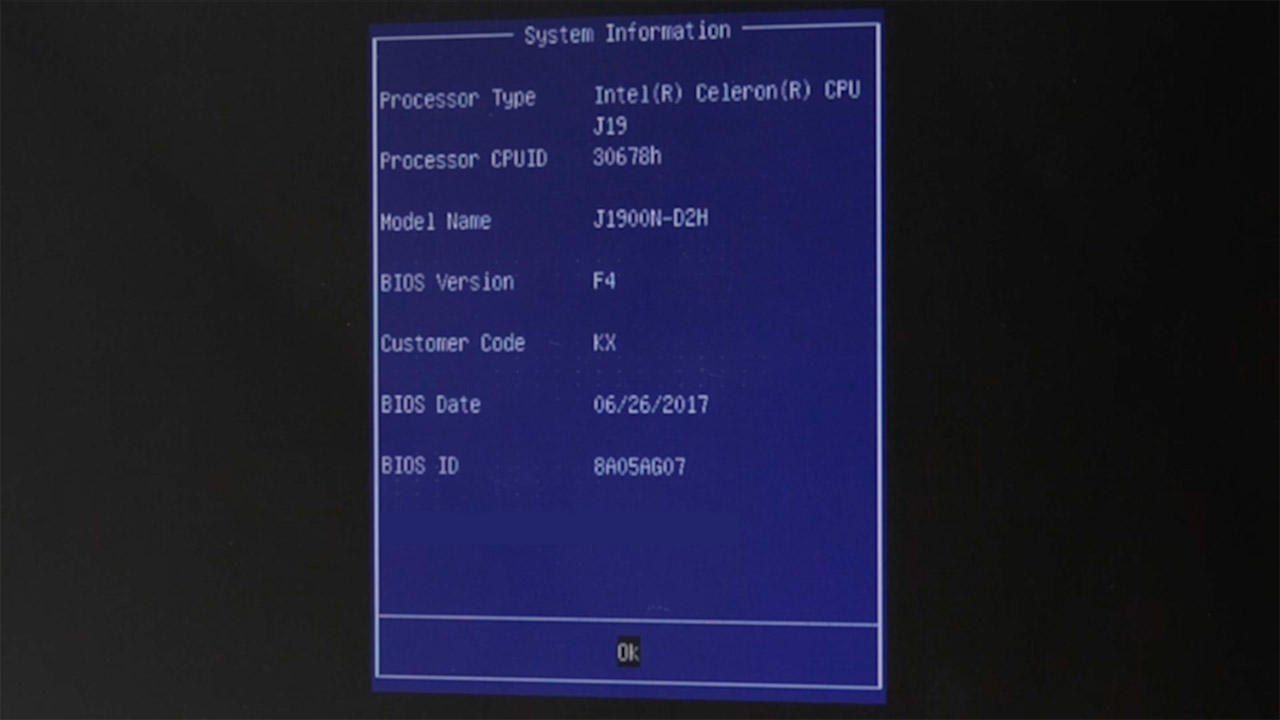
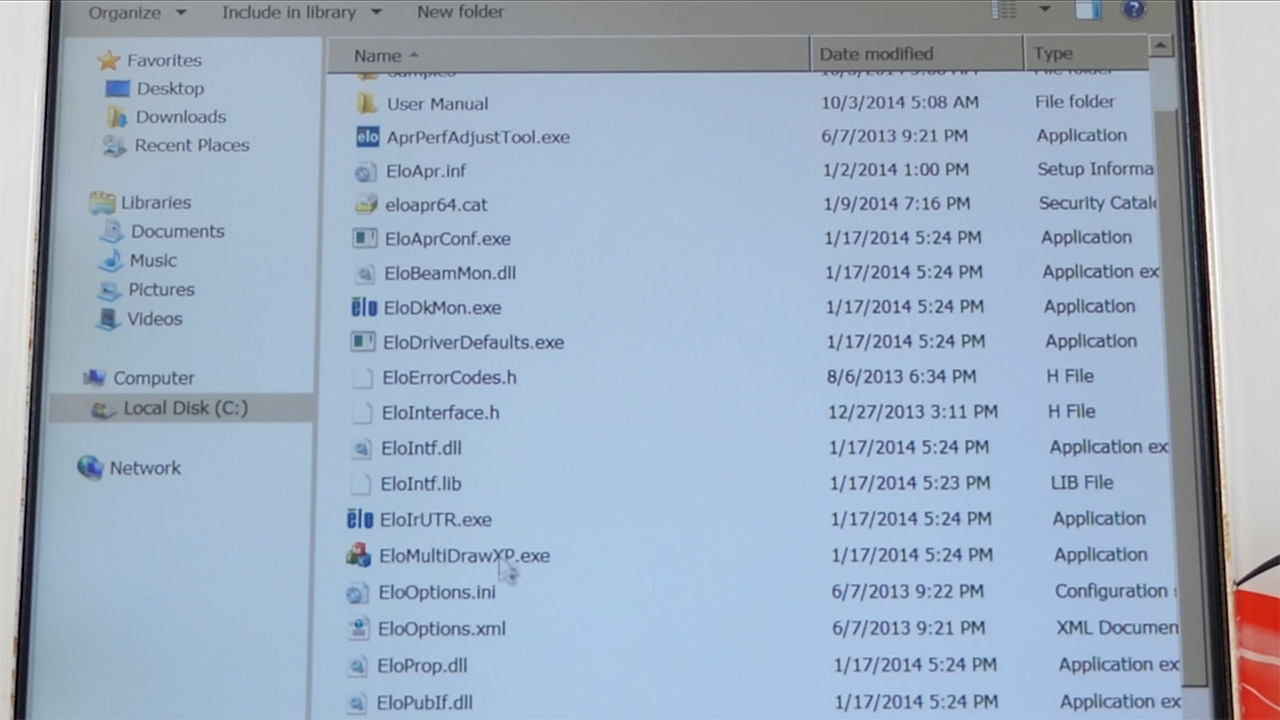
It took some time to get around the lockdown. Hiren’s Boot CD, as well as the tried-and-true sticky keys method using sethc.exe, began to cause problems. Safe mode was the key that eventually enabled the administrator account and unlocked the entire desktop after logging in. When you finally got inside, the different things on the hard drive became much clearer, as the operating system and apps were all on a Transcend 2.5-inch 64 GB solid-state drive, you had 8 gigabytes of RAM split into two 4 GB modules, and the Intel Celeron J1900 quad-core processor was clocked at 1.99 GHz on a Gigabyte motherboard. Kaseya remote management software, Elo touch drivers, and the moneygram.exe app with all of its supervisor tools took up the majority of the drive space. The remaining storage was subsequently sorted using WinDirStat.

MoneyGram Kiosk PC Windows Teardown Computer
The touchscreen calibration would not stick no matter how many times you tried in normal or enhanced mode. What was strange was that the touchscreen worked perfectly while you logged in as an administrator, but when the kiosk software closed everything down, it simply stopped operating.

MoneyGram Kiosk PC Windows Teardown Computer
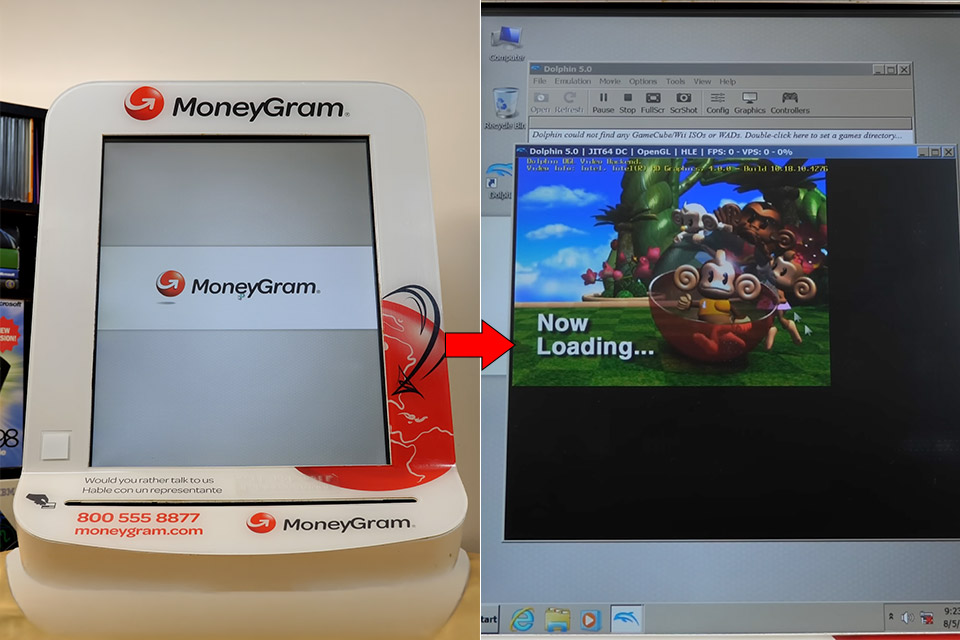
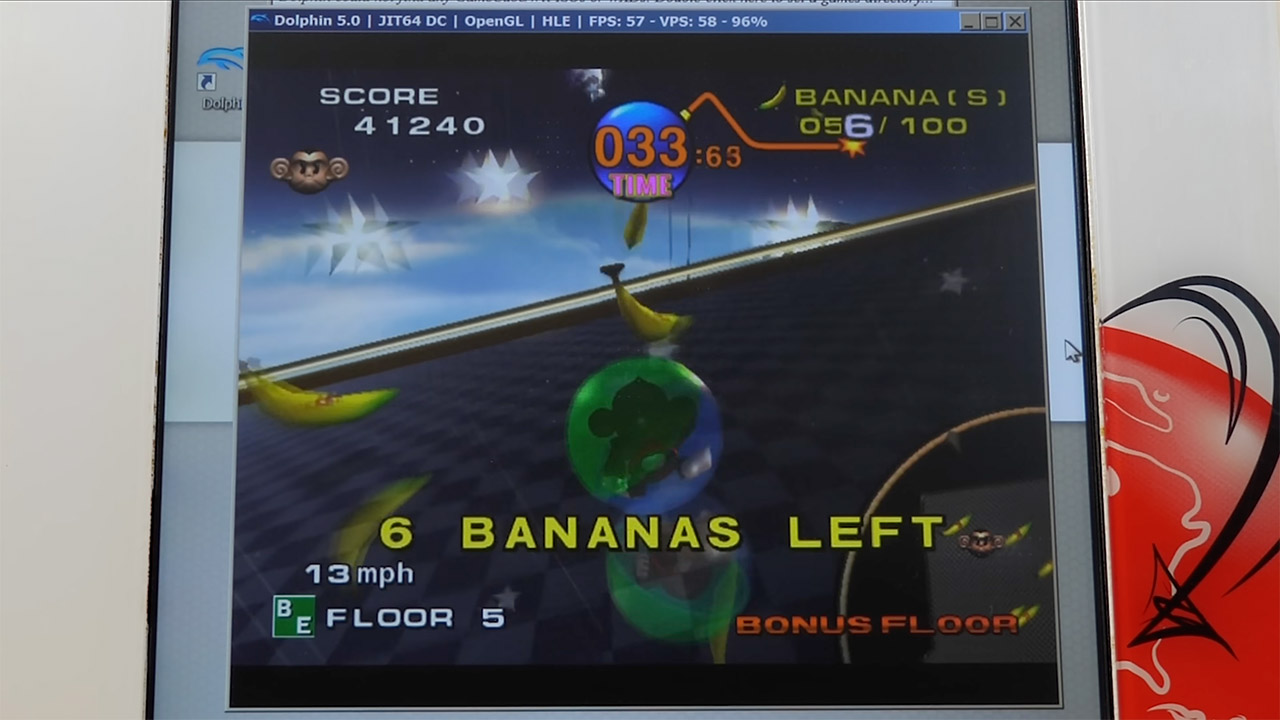
When all of the restrictions were finally lifted, a few older games were loaded up to get a sense of how the machine was handling. Half-Life ran at low resolution, but once the output was adjusted to direct, it played quite smoothly and with no jitter. Super Monkey Ball on the Dolphin emulator using the keyboard was still relatively playable; frame rates were fixed at 30-50, so it could handle a few light retro games without entirely going over.

Advertisement

Source link

Continue Reading

Tech

AirPods 4 ANC Plunge to $134, AirTag Dips to $24.99 at Amazon

Published

on

A 25% discount has hit AirPods 4 with ANC, delivering better-than-Prime Day pricing. Apple’s AirTag 2 is also marked down to $24.99, a 30-day low price.

Steeper AirPods 4 ANC price drop

Kicking off the Apple sale at Amazon is a steeper price drop on AirPods 4 with Active Noise Cancellation (ANC). Get the higher-end version from the 4th generation line for just $134.99, a discount of 25% off MSRP.

Buy AirPods 4 ANC for $134.99

You can also get AirPods without ANC for $99, a 23% discount off retail.

Advertisement

Today’s top AirPods deals

AirTag deals from $24.99

If you’re planning on traveling for the Labor Day weekend, Amazon has also dropped the price of a single second-generation AirTag to $24.99.

Buy AirTag 2 for $24.99

You can also pick up the 4-pack for $89, bringing the effective cost per AirTag down to $22.25.

Amazon’s AirTag sale

For even more markdowns on hardware and accessories, be sure to check out our Apple Price Guides, which are updated throughout the day.

Advertisement

Source link

Continue Reading

Tech

Ukraine says that Russia plans to deploy almost 1000 satellites by 2035 to supercharge its military assets

Published

on


  • Russia is accelerating Rassvet faster than Ukrainian intelligence previously expected
  • Moscow plans to expand Rassvet into a 924-satellite constellation by 2035
  • Rassvet currently provides intermittent coverage rather than Starlink-level continuous connectivity

Russia is building its own satellite constellation, called Rassvet, at a pace that has outrun Ukrainian intelligence projections, experts have warned.

The program is intended to give Moscow the same kind of persistent, real-time coverage that Starlink has given Ukraine for over three years.

Source link

Continue Reading

Tech

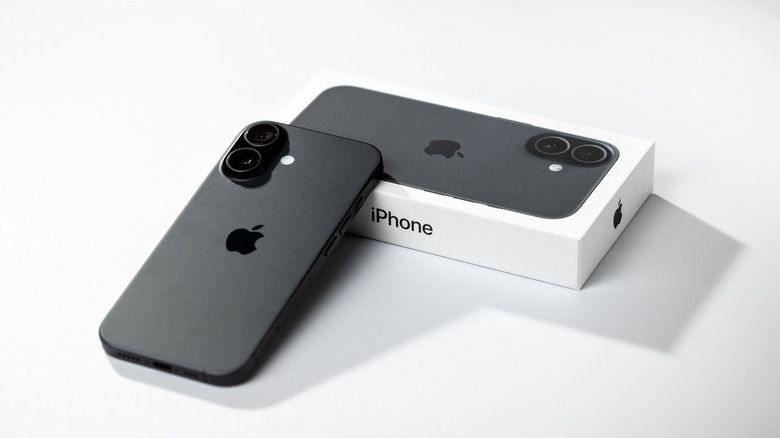
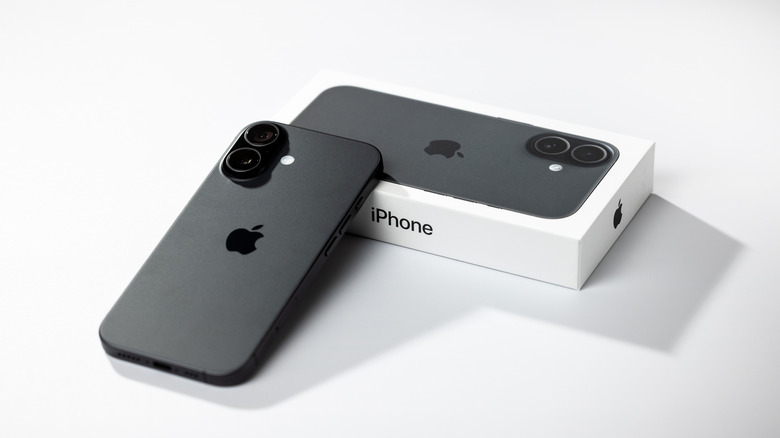
How To Lease An iPhone Instead Of Buying One

Published

on

The new Apple Upgrade program makes the monthly cost of an iPhone even cheaper than before.

With the newly announced Apple Upgrade Program, you can get access to all the latest Apple products without the hefty initial price tag by leasing instead of buying. It’s part of a new partnership with Klarna, replacing the previous iPhone Upgrade Program. The new program is interest-free leasing only, and expands to cover iPads, Apple Watches and Macs instead of just iPhones.

According to Apple, the decision to discontinue the iPhone Upgrade Program in favor of the new system was done as a way to offer “more flexibility, better value, and a more seamless experience.” Coming off the heels of a sharp price increase in Apple products, the Apple Upgrade Program does seem like a much easier way to experience the company’s tech without breaking the bank. This is how you can take advantage of the new program.

Advertisement

How to lease an iPhone (or other product) with the Apple Upgrade Program

The directions for leasing an iPhone depend on if you’re already enrolled in the iPhone Upgrade Program or not. Those within the old program can continue making payments as usual until their previous contract is up, then can choose to either keep their existing device or switch to the Apple Upgrade Program to get a new one.

For new users wishing to lease a device with the Apple Upgrade Program, simply proceed to the Apple Store (online or in person) as usual, select the device you wish to lease, and choose Apple Upgrade as your payment option. From there, you’ll fill out a Klarna application for the lease, which needs you to supply basic information like your name, date of birth and Social Security number. Klarna will run a soft credit check, which means it won’t impact your credit score. Once approved, you’ll receive your device and can manage the lease within the Klarna app.

Not everything on the Apple Store can be leased with the program, but many things can. It’s worth noting that to lease an iPhone, it’ll need to be activated with AT&T, T-Mobile or Verizon. The products you can lease with Apple Upgrade Program are:

Advertisement

When you enroll, you can also trade in an old device to potentially lower the payments on your initial lease agreement. You can lease multiple devices with the program, but you’ll need to apply for each lease separately. The product you choose will determine the potential length of your contract: iPhones and Apple Watches have 12 to 24 month lease terms, while iPads and Macs are 24 to 36. When your lease period ends, you’ll receive a notification from Apple, and will have three options: return your current device and upgrade to a new one, leave the program and return your device or buy the device outright with a one-time payment.

How is the Apple Upgrade Program different from the iPhone Upgrade Program?

The biggest difference between the Apple Upgrade Program and the iPhone Upgrade Program (besides the eponymous change in products included) is that in the previous system, payments were applied directly to the phone. This meant that at the end of the contract, users would own their phone outright with no additional fee.

The iPhone Upgrade Program also included AppleCare protection, while the new one does not. Apple does recommend a separate subscription to the service, as leased devices that are returned damaged will incur a fee. Devices that have AppleCare that are sent back damaged may still get a service fee, though, and the company doesn’t specify the difference in price.

Advertisement

Though users don’t get easy ownership with the new program, the monthly prices are lower than before. The lowest monthly rates in the iPhone Upgrade Program generally hovered around $30, and now begin at just $17.99 for an iPhone. Watches and iPads are even cheaper, starting at $11.99. With the official reveal of new Apple products likely on the horizon this September, the Apple Upgrade Program could be a good deal for those looking to upgrade. Users should just be sure to consider whether leasing rather than owning is their preferred method, and if the often-incremental updates between Apple generations necessitate always staying up to date.

Source link

Advertisement
Continue Reading

Trending

Copyright © 2025