Connect with us
DAPA Banner

Tech

Data Center Sustainability Metrics: Hidden Emissions

Published

on

In 2024, Google claimed that their data centers are 1.5x more energy efficient than industry average. In 2025, Microsoft committed billions to nuclear power for AI workloads. The data center industry tracks power usage effectiveness to three decimal places and optimizes water usage intensity with machine precision. We report direct emissions and energy emissions with religious fervor.

These are laudable advances, but these metrics account for only 30 percent of total emissions from the IT sector. The majority of the emissions are not directly from data centers or the energy they use, but from the end-user devices that actually access the data centers, emissions due to manufacturing the hardware, and software inefficiencies. We are frantically optimizing less than a third of the IT sector’s environmental impact, while the bulk of the problem goes unmeasured.

Incomplete regulatory frameworks are part of the problem. In Europe, the Corporate Sustainability Reporting Directive (CSRD) now requires 11,700 companies to report emissions using these incomplete frameworks. The next phase of the directive, covering 40,000+ additional companies, was originally scheduled for 2026 (but is likely delayed to 2028). In the United States, the standards body responsible for IT sustainability metrics (ISO/IEC JTC 1/SC 39) is conducting active revision of its standards through 2026, with a key plenary meeting in May 2026.

The time to act is now. If we don’t fix the measurement frameworks, we risk locking in incomplete data collection and optimizing a fraction of what matters for the next 5 to 10 years, before the next major standards revision.

Advertisement

The limited metrics

Walk into any modern data center and you’ll see sustainability instrumentation everywhere. Power usage efficiency (PUE) monitors track every watt. Water usage efficiency (WUE) systems measure water consumption down to the gallon. Sophisticated monitoring captures everything from server utilization to cooling efficiency to renewable energy percentages.

But here’s what those measurements miss: End-user devices globally emit 1.5 to 2 times more carbon than all data centers combined, according to McKinsey’s 2022 report. The smartphones, laptops, and tablets we use to access those ultra-efficient data centers are the bigger problem.

Data center operations, as measured by power usage efficiency, account for only 24 percent of the total emissions.

On the conservative end of the range from McKinsey’s report, devices emit 1.5 times as much as data centers. That means that data centers make up 40 percent of total IT emissions, while devices make up 60 percent.

Advertisement

On top of that, approximately 75 percent of device emissions occur not during use, but during manufacturing—this is so-called embodied carbon. For data centers, only 40 percent is embodied carbon, and 60 percent comes from operations (as measured by PUE).

Putting this together, data center operations, as measured by PUE, account for only 24 percent of the total emissions. Data center embodied carbon is 16 percent, device embodied carbon is 45 percent, and device operation is 15 percent.

Under the EU’s current CSRD framework, companies must report their emissions in three categories: direct emissions from owned sources, indirect emissions from purchased energy, and a third category for everything else.

This “everything else” category does include device emissions and embodied carbon. However, those emissions are reported as aggregate totals broken down by accounting category—Capital Goods, Purchased Goods and Services, Use of Sold Products—but not by product type. How much comes from end-user devices versus datacenter infrastructure, or employee laptops versus network equipment, remains murky, and therefore, unoptimized.

Advertisement

Embodied carbon and hardware reuse

Manufacturing a single smartphone generates approximately 50 kg CO2 equivalent (CO2e). For a laptop, it’s 200 kg CO2e. With 1 billion smartphones replaced annually, that’s 50 million tonnes of CO2e per year just from smartphone manufacturing, before anyone even turns them on. On average, smartphones are replaced every 2 years, laptops every 3 to 4 years, and printers every 5 years. Data center servers are replaced approximately every 5 years.

Extending smartphone lifecycles to 3 years instead of 2 would reduce annual manufacturing emissions by 33 percent. At scale, this dwarfs data center optimization gains.

There are programs geared towards reusing old components that are still functional and integrating them into new servers. GreenSKUs and similar initiatives show 8 percent reductions in embodied carbon are achievable. But these remain pilot programs, not systematic approaches. And critically, they’re measured only in data center context, not across the entire IT stack.

Imagine applying the same circular economy principles to devices. With over 2 billion laptops in existence globally and 2-3-year replacement cycles, even modest lifespan extensions create massive emission reductions. Extending smartphone lifecycles to 3 years instead of 2 would reduce annual manufacturing emissions by 33 percent. At scale, this dwarfs data center optimization gains.

Advertisement

Yet data center reuse gets measured, reported, and optimized. Device reuse doesn’t, because the frameworks don’t require it.

The invisible role of software

Leading load balancer infrastructure across IBM Cloud, I see how software architecture decisions ripple through energy consumption. Inefficient code doesn’t just slow things down—it drives up both data center power consumption and device battery drain.

For example, University of Waterloo researchers showed that they can reduce 30 percent of energy use in data centers by changing just 30 lines of code. From my perspective, this result is not an anomaly—it’s typical. Bad software architecture forces unnecessary data transfers, redundant computations, and excessive resource use. But unlike data center efficiency, there’s no commonly accepted metric for software efficiency.

This matters more now than ever. With AI workloads driving massive data center expansion—projected to consume 6.7-12 percent of total U.S. electricity by 2028, according to Lawrence Berkeley National Laboratory—software efficiency becomes critical.

Advertisement

What needs to change

The solution isn’t to stop measuring data center efficiency. It’s to measure device sustainability with the same rigor. Specifically, standards bodies (particularly ISO/IEC JTC 1/SC 39 WG4: Holistic Sustainability Metrics) should extend frameworks to include device lifecycle tracking, software efficiency metrics, and hardware reuse standards.

To track device lifecycles, we need standardized reporting of device embodied carbon, broken out separately by device. One aggregate number in an “everything else” category is insufficient. We need specific device categories with manufacturing emissions and replacement cycles visible.

To include software efficiency, I advocate developing a PUE-equivalent for software, such as energy per transaction, per API call, or per user session. This needs to be a reportable metric under sustainability frameworks so companies can demonstrate software optimization gains.

To encourage hardware reuse, we need to systematize reuse metrics across the full IT stack—servers and devices. This includes tracking repair rates, developing large-scale refurbishment programs, and tracking component reuse with the same detail currently applied to data center hardware.

Advertisement

To put it all together, we need a unified IT emission-tracking dashboard. CSRD reporting should show device embodied carbon alongside data center operational emissions, making the full IT sustainability picture visible at a glance.

These aren’t radical changes—they’re extensions of measurement principles already proven in data center context. The first step is acknowledging what we’re not measuring. The second is building the frameworks to measure it. And the third is demanding that companies report the complete picture—data centers and devices, servers and smartphones, infrastructure and software.

Because you can’t fix what you can’t see. And right now, we’re not seeing 70 percent of the problem.

From Your Site Articles

Advertisement

Related Articles Around the Web
Source link

Continue Reading
Click to comment

You must be logged in to post a comment Login

Leave a Reply

Tech

If Your Baby’s Not Sleeping, Try Your iPhone’s Hidden White Noise Feature

Published

on

Babies can be difficult. They eat all the time, pee and poop wherever they want and they may not sleep at night, especially during sleep regressions. According to the American Academy of Pediatrics, playing sounds from a white noise machine can help soothe your baby and get them to settle down, giving you a moment of respite. And if you have an iPhone, you don’t need to spend money on a white noise machine. 

Tech Tips

When Apple released iOS 15 in 2021, the operating system brought a hidden feature called Background Sounds. It allows you to turn your iPhone into a white noise machine, and you can play these sounds by themselves or under a podcast, music or video streaming app.

When Apple introduced Background Sounds, there were six ambient sounds to play on a loop: rain, stream and ocean waves, which are natural sounds, and bright, balanced and dark noise, which are different pitches of white noise. When the tech giant released iOS 18 in 2024, it added two sounds: night and fire. And iOS 26 brought even more background sounds to devices, including rain on roof and babble, which sounds like a busy cafe. 

Advertisement

If you want to use these sounds to lull a baby back to sleep, or for any other reason, here’s how to enable Background Sounds on your iPhone.

How to access Background Sounds from your Control Center

Instead of searching through Settings each time you want to turn Background Sounds on, here’s how you can set up a toggle in the Control Center to turn the feature on to use on your iPhone.

1. Open Control Center.
2. Tap the plus (+) sign in the top left of your screen.
3. Tap Add a Control near the bottom of your screen.
4. Tap Hearing control (ear icon) under Hearing Accessibility to add to Control Center.

Advertisement
The Hearing control in your iPhone's Control Center.

You can find the Hearing control under Hearing Accessibility in your Control Center.

Apple/Screenshot by CNET

Once the Hearing control icon is in Control Center, tap it to see three options: Speaker, Background Sounds and Live Listen. Then tap the musical notes next to Background Sounds to turn the feature on. You can also tap on the words Background Sounds to open a menu to choose a different background sound as well as adjust the volume.

The Background Sounds menu in Control Center.

These are a few of the sounds you can access in Background Sounds.

Advertisement

Apple/Screenshot by CNET

Use Accessibility Shortcuts for Background Sounds

You can also set up an accessibility shortcut to turn Background Sounds on or off from your home screen or within an app. Here’s how to set it up.

1. Tap Settings.
2. Tap Accessibility.
3. Tap Accessibility Shortcut.
4. Tap Background Sounds.

Now, when you press the side button on your iPhone three times, Background Sounds will turn on. You can tap the button three times again to turn it back off.

Advertisement
The Accessibility Shortcut menu with Background Sounds outlined in red.

Apple/Screenshot by CNET

Discover These Hidden AirPods Features and Boost Your Listening Experience

See all photos

More Background Sound options

If you want more control over Background Sounds, here’s where to go.

1. Tap Settings.
2. Tap Accessibility.
3. Tap Audio & Visual.
4. Tap Background Sounds.

Near the top of this menu you can turn Background Sounds on by tapping the Background Sounds toggle, and you can change the Background Sound by tapping Sound and choosing a new sound. 

More ways to control Background Sounds feature on your iPhone, like the option to Use When Media is Playing.

You can play your background sounds while other media is playing if you’d like. 

Advertisement

Apple/Screenshot by CNET

There are two toggles in this menu: Use When Media Is Playing and Stop Sounds When Locked. Tapping the toggle next to Use When Media Is Playing allows Background Sounds to keep playing while you watch a video or listen to music. And tapping the toggle next to Stop Sounds When Locked ensures Background Sounds will turn off when your device locks. If you don’t have this enabled, the sounds will continue to play when your device locks.

There are also two new menus in iOS 26: Equalizer and Stop Sounds with a Timer. Equalizer lets you adjust the tone and contour of Background Sounds, as well as balance more toward the right or left speaker or headphone. Stop Sounds with a Timer allows you to turn Background Sounds off at a specific time that you can choose or after a certain amount of time has passed. 

New options in Background Sounds menu in iOS 26.

The Stop Sounds with a Timer (left) and Equalizer menus in iOS 26.

Advertisement

Apple/Screenshot by CNET

For more iOS news, here’s what you should know about iOS 26.4 and iOS 26.3. You can also check out our iOS 26 cheat sheet.

Watch this: Apple at 50: What Made Apple Different

Source link

Advertisement
Continue Reading

Tech

Can AI Find Your Next Obsession? I Tested Its Hobby Suggestions

Published

on

When you’re finished with work and you need something to do, where do you turn your attention? Some folks build models, others do some coloring. Some relax and watch TV. But if you’re looking for something to pour your free time and attention into, it can be difficult to settle on one thing, or even multiple. 

AI Atlas

Model trains, running clubs, robotics and coding classes all sound fun — until you realize you’d rather fly, running shoes cost far more than they should and you’re less of a front-end/back-end person and more of a “no end in sight for how boring Java can be” person.

I asked three different AI systemsClaude AI, Google Gemini and ChatGPT — about what my spouse’s next hobby should be using the exact same prompt, and the results were surprising.

Advertisement

Claude: Getting a clue

Here’s the prompt I wrote: “I am a 39-year-old man in the United States of British origin. I live in Los Angeles, California, and am married with a dog and a cat. I live in a house with some backyard space. I enjoy travel, reading, playing video games and am looking to add a new hobby to my list of activities. I also enjoy getting deals, as that’s what my career deals with. Can you suggest three hobbies that I should look into for my review? Please give me information on the financial and time commitments needed, as well as what you would consider to be the plusses and minuses of each one. I work a regular 9-5 job so would need to be done around that constraint as well.”

Gardening is a hobby many people only come to appreciate in their golden years, but all three AI systems recommended it as an easy way to pass the time with minimal effort and expense.

The second suggestion was reselling and thrifting vintage finds, followed by homebrewing beer, cider or mead. It gave a lot of detail into the time and financial commitments, pros and cons as well as why it assumed those hobbies would suit my husband based on that short prompt.

Advertisement
A screenshot of an AI-generated hobby suggestion with pros, cons, time commitment and financial commitment

Claude/Screenshot by CNET
A screenshot of an AI-generated hobby suggestion with pros, cons, time commitment and financial commitment

Claude/Screenshot by CNET
A screenshot of an AI-generated hobby suggestion with pros, cons, time commitment and financial commitment

Claude/Screenshot by CNET

Claude AI was particularly thoughtful in appealing to the prompter’s needs and personality, pointing out that gardening could be a great way to save money — perhaps recognizing that finding a good deal is a deeply entrenched personality trait of my little cheapskate husband.

Gemini: Combining interests

Gemini suggested hunting for and reselling vintage video games, books and other old media as a pastime that could pair well with traveling on points. It also recommended brewing beer as a way to spend time in a backyard already full of plants (in addition to “high-yield urban orchard gardening”).

A screenshot of an AI-generated hobby suggestion with pros, cons, time commitment and financial commitment

Gemini/Screenshot by CNET
A screenshot of an AI-generated hobby suggestion with pros, cons, time commitment and financial commitment

Gemini/Screenshot by CNET

Gemini was adept at using my spouse’s prompt details to guide its suggestions, creating a nicely packaged, holistic approach to how he might spend his off-hours between a demanding 9-to-5 job.

ChatGPT: Making a night of it

Along with backyard gardening (again), ChatGPT was the only AI system to suggest an evening hobby: amateur astronomy. Most of the other systems focused on ways to pass the weekend hours at estate sales or at home.

Advertisement
A screenshot of an AI-generated hobby suggestion with pros, cons, time commitment and financial commitment

ChatGPT/Screenshot by CNET

Stargazing could be a fun way to spend a Friday night, but we live in Los Angeles. Many of the “stars” overhead might actually be satellites, and finding a decent vantage point would likely mean braving traffic and crowds taking selfies over the city skyline.

ChatGPT’s other suggestion was using our backyard for beekeeping:

A screenshot of an AI-generated hobby suggestion with pros, cons, time commitment and financial commitment

ChatGPT/Screenshot by CNET

Beekeeping seemed pretty out of left field, considering the original prompt mentioned nothing about an interest in food, insects or anything remotely related to the complex caretaking involved with bees — or bee law. According to ChatGPT, the time commitment is only two to four hours per month (though local beekeepers might dispute that).

Overall, ChatGPT’s recommendations were the least relevant to the prompter’s real interests, and the logic the tool used to explain why it had made the recommendations was very thin.

I just can’t buy that “many full-time professionals” who enjoy playing video games also do a little beekeeping on the side.

Advertisement

Here’s hoping AI can offer some creative ideas for spending your time that don’t involve buying a full-body suit.

Source link

Advertisement
Continue Reading

Tech

Apple at 50, Siri, Apple Vision Pro, and vibe coding, on the AppleInsider Podcast

Published

on

Apple has marked its 50th anniversary, although arguably a year too soon but we’ll get into that, plus there’s good news for users of the Apple Vision Pro, hopeful news about Siri, and bad news for certain vibe coders, all on the AppleInsider Podcast.

Minimal green line drawing of an open laptop and mouse on white background, with a small black circle in the upper right corner containing the lowercase letters ai
Looking back at Apple’s history — image credit: Apple

The fiftieth anniversary celebrations are, quite reasonably, marking the half century since the partnership of Steve Jobs, Steve Wozniak, and Ronald Wayne, was founded on April 1, 1976. But the Apple we know today, the corporation, was created in 1977.
It seems unlikely that Apple will do another round of parties and events, but we’d be up for it if they did.
Continue Reading on AppleInsider | Discuss on our Forums

Source link

Continue Reading

Tech

Milestone moon mission is getting a push from Pacific Northwest tech

Published

on

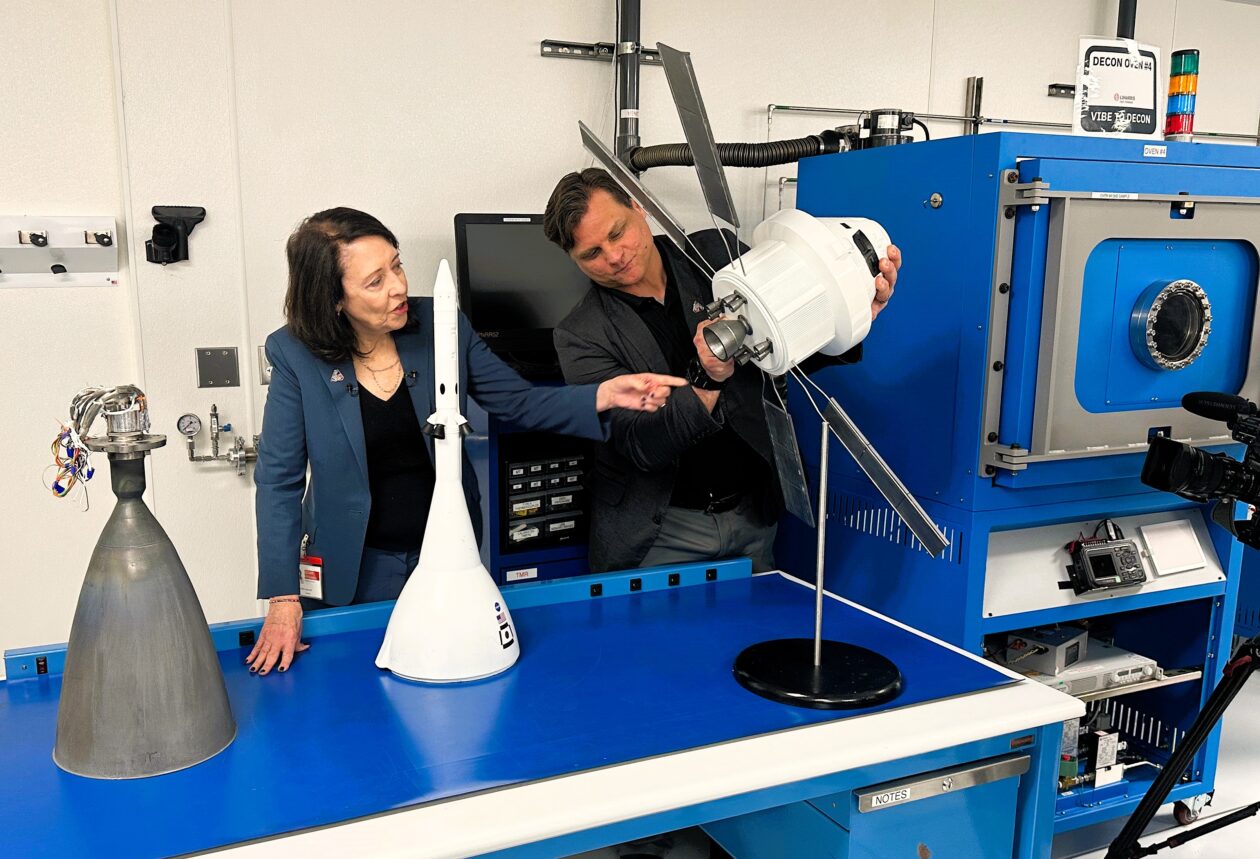
Sen. Maria Cantwell, D-Wash., and Brent Urke, program manager for L3Harris’ facility in Redmond, Wash., check out a model of the Orion spaceship that’s due to take four astronauts around the moon as early as this week. Cantwell is pointing to the model’s set of eight R-4D thrusters. An actual R-4D thruster, manufactured in Redmond, is sitting on the table at far left. (GeekWire Photo / Alan Boyle)

NASA’s most powerful rocket is due to send four astronauts on a round-the-moon journey as early as this week, and although the launch team has to make sure everything goes right in Florida, the mission’s success will also depend on hardware that was built in the Seattle area.

During a visit to two of the contractors for NASA’s Artemis moon program on Monday, U.S. Sen. Maria Cantwell said that when it comes to spaceflight, it’s important to get the little things right.

“A lot of people think, ‘Oh, well, we know how to build big rockets,’ right?” the Washington state Democrat said at Karman Space & Defense’s manufacturing facility in Mukilteo, Wash. “But do we know how to separate payloads and return them, and do all of that? That’s what we’re doing here in Puget Sound. … I think that’s the untold story that people don’t understand.”

NASA’s big story will focus on the first humans to go from the Earth to the moon since the Apollo 17 mission in 1972. Artemis 2’s crew won’t land on the lunar surface during what’s expected to be a 10-day mission. But because their figure-8 route takes them 4,700 miles beyond the moon’s far side, they’ll set a new distance record for human travel beyond Earth.

The first opportunity for liftoff from NASA’s Kennedy Space Center in Florida is scheduled for 6:24 p.m. ET (3:24 p.m. PT) on Wednesday, with backup dates available through April 6. NASA plans to provide live video coverage of the countdown and launch via YouTube, starting at 12:50 p.m. ET (9:50 a.m. PT) on launch day.

Advertisement

This will be the second launch for NASA’s Space Launch System rocket, which sent an uncrewed Orion space capsule around the moon for the Artemis 1 test mission in 2022. The Artemis 2 crew — including NASA astronauts Reid Wiseman, Christina Koch, Victor Glover and Canadian astronaut Jeremy Hansen — will be the first people to ride an Orion into space.

If all goes according to plan, Artemis 2 will clear the way for NASA to test the lunar landers built by Elon Musk’s SpaceX and Jeff Bezos’ Blue Origin space ventures in 2027, then for Artemis 3 to put astronauts on the surface of the moon in 2028. And that’s just the start. “Ultimately, Artemis is about returning to the moon and building a permanent moon base that can then be used for accelerating our travel to Mars,” Cantwell said.

In order for the Artemis program’s big story to unfold, thousands of smaller but no less important stories will have to play out successfully. NASA says 2,700 commercial suppliers in 47 states have contributed to the Artemis program. More than three dozen of those suppliers, ranging from Blue Origin to SuperGraphics, have a presence in Washington state.

One of the best-known of those Washington state suppliers is L3Harris, which is headquartered in California but operates a facility in Redmond that has built thrusters for nearly every NASA space program. (The facility was operated by Aerojet Rocketdyne until L3Harris acquired that company in 2023. Now L3Harris is in the midst of yet another corporate transition.)

Advertisement

During her visit to the Redmond facility, Cantwell said L3Harris and other space companies exemplify the “engineering mindshare” that’s one of the strengths of the Pacific Northwest’s tech industry. “That is why people have called us the Silicon Valley of space,” she said.

L3Harris’ Redmond team manufactures thrusters for Orion’s European-built service module, Orion’s crew module and the Space Launch System’s upper stage. It’s also been given a leading role in the development of the main engine for future Orion spacecraft.

John Schneider, vice president of operations for L3Harris, acknowledged that most of the rocket engines built to send astronauts to the moon come from other places. “But if you want to come back, you need a Redmond thruster to bring you back and get you back to Earth safely,” he said.

You also need the hardware built by Karman Space & Defense. Like L3Harris, Karman is based in California but operates a facility in the Seattle area. The team in Mukilteo makes mechanisms that ensure the safe deployment of Orion’s parachutes, and mechanisms that are designed to open a side hatch on the Orion spacecraft if the astronauts need to make an emergency exit.

Advertisement

Jonathan Beaudoin, chief operating officer at Karman Space & Defense, says he hopes we’ll never have to see the hatch release system activated for an actual emergency. “But if we do, it had better work,” he added.

Karman Space & Defense CEO Jon Rambeau, chief operating officer Jonathan Beaudoin and U.S. Sen. Maria Cantwell survey hardware for the Orion crew capsule. (GeekWire Photo / Alan Boyle)

Artemis 2 is currently focusing the space spotlight on the teams supporting the Space Launch System and the Orion spacecraft, but Washington state’s space companies are also involved in other aspects of the Artemis program. Blue Origin, for example, is getting its Blue Moon lander ready for missions to the moon and working on a system capable of turning moon dirt into solar cells and electrical wire.

During today’s tour, Cantwell got a sneak peek at a robotic lander that Karman is assembling for a NASA-supported mission to the lunar surface. The senator said she also heard about innovations that aren’t yet ready for public disclosure. Those innovations could bubble up to the surface as NASA pursues its plan to create a permanent moon base — a plan endorsed in a bipartisan authorization bill that Cantwell and her colleagues on the Senate Commerce Committee approved unanimously this month.

“This is about cutting-edge technology. These guys out here aren’t waiting for somebody to describe to them what comes next. They’re out here solving a problem and then saying to NASA, ‘We’ve got a solution.’ And that’s really fantastic,” Cantwell said.

“Obviously, some of this they don’t want to show for intellectual property protection reasons,” she added. “But we’re just really, really proud that our region is so far ahead, thinking through the problems that we’re going to incur and what the possible solutions should be.”

Advertisement

Source link

Continue Reading

Tech

iOS 26.5 developer beta 1 gets revised release, for reasons unknown

Published

on

A new version of the first iOS 26.5 beta has now made its way to developers, but what’s been changed is not clear.

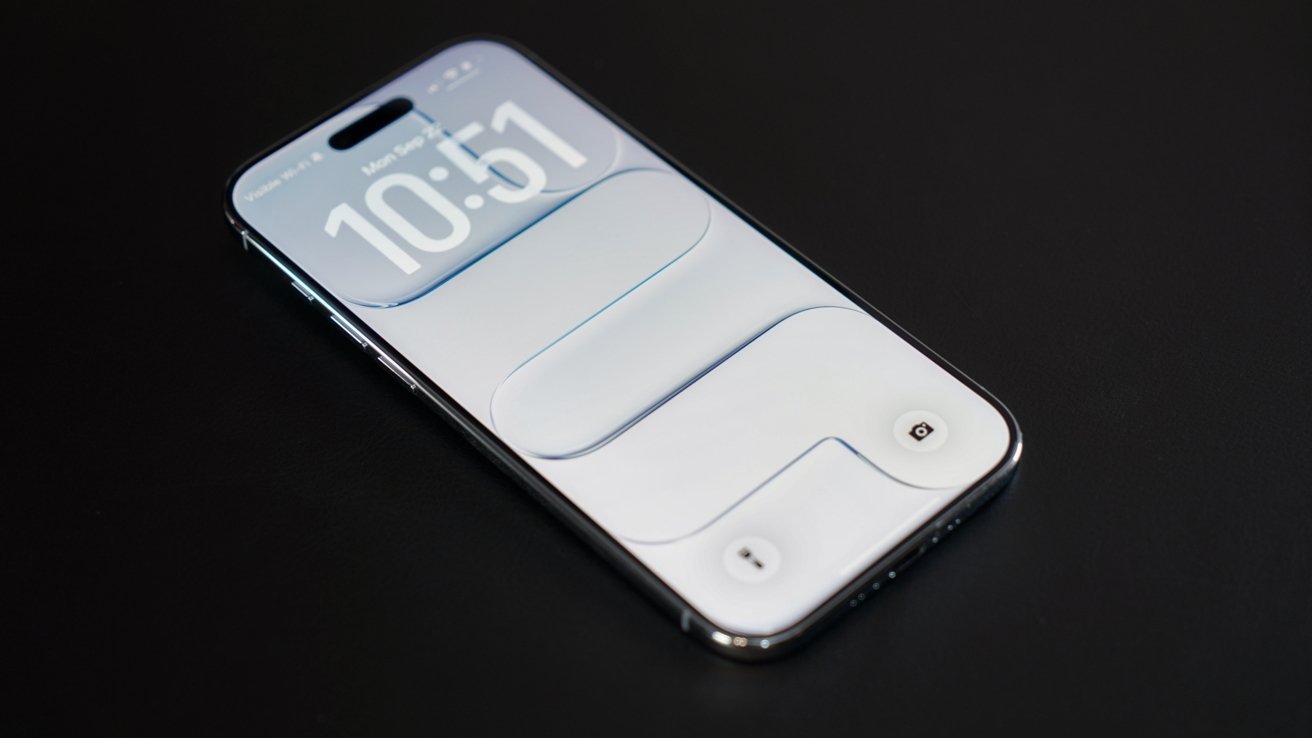
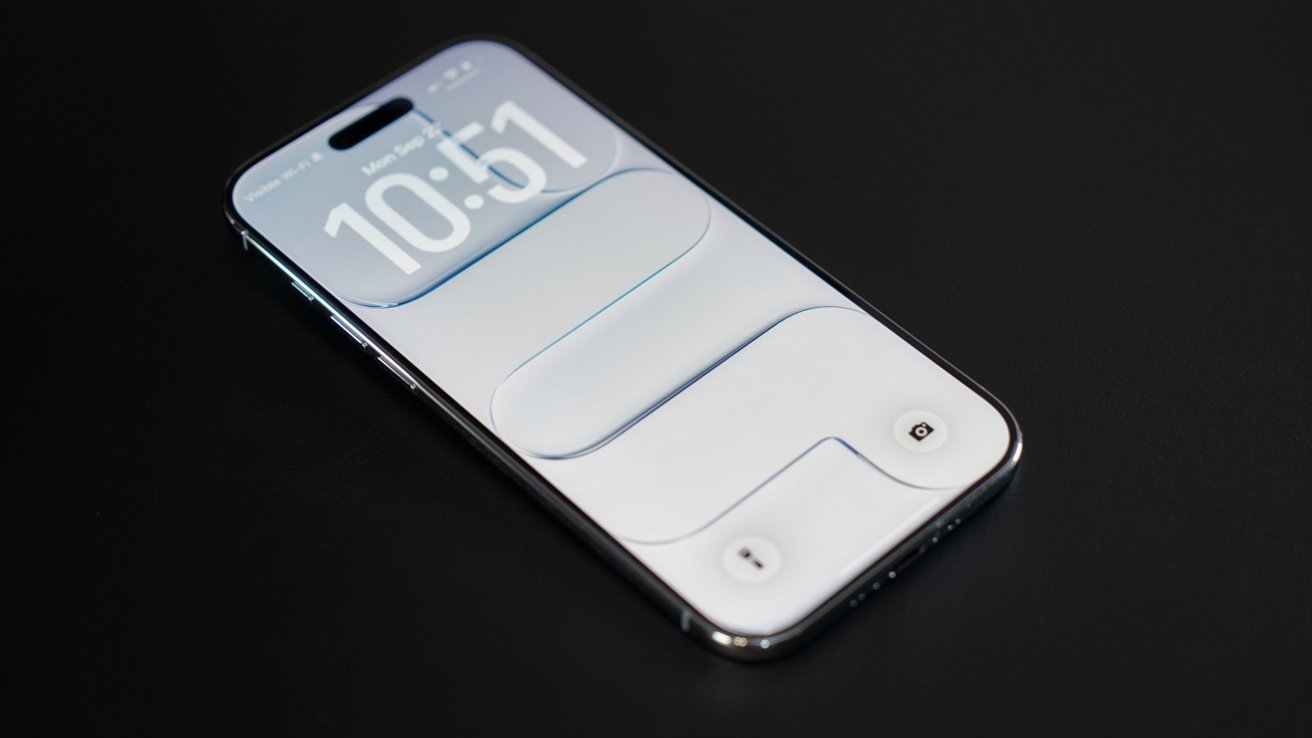
Modern smartphone lying on a dark surface, screen on, showing a minimal white lock screen with large digital clock numbers and subtle rounded rectangular design elements
The first developer beta of iOS 26.5 has received a revised release.

Following the full public release of iOS 26.4 on March 24, Apple started beta testing of the next major operating system, iOS 26.5. Monday saw the debut of iOS 26.5 beta 1, which inadvertently enabled Apple Intelligence for some iOS users in China.
Apple has now deployed an updated variant of the first iOS 26.5 developer beta, which increases the build number to 23F5043k, up from the initial 23F5043g. The relatively similar build numbers suggest that the revised developer beta doesn’t include new features or additional changes.
Continue Reading on AppleInsider | Discuss on our Forums

Source link

Continue Reading

Tech

Plug-in solar is coming soon, but will it be worth it?

Published

on

OPINION: The UK government has finally opened the doors to plug-in solar panels in the UK, saying that they’ll be available in shops ‘within months’. Self-installed, and just requiring a simple 13A plug socket, will plug-in solar start a revolution and will the savings stack up?

As of April 1, the price cap has come down, and electricity and gas bills have just got a bit cheaper. Well, until you look at what’s going on in the Middle East and know that this reduction in price is a false dawn, and, unless things change dramatically, energy prices could soar upwards. 

No wonder, then, that the demand for solar power has risen dramatically. As I learned from my BOXT Solar review, solar panels are well worth it in the UK, provided you have the right conditions: the right type of roof, facing the right way, and you’re planning to stay in the home that you own for long enough to see the benefits.

That leaves an awful lot of people who aren’t in the optimal situation, including those in flats, those who rent and those who are only going to stay in a place temporarily. It’s for these kinds of people that plug-in solar offers a lifeline.

Advertisement

What is plug-in solar?

With a fixed solar installation, the idea is to fit as many solar panels as possible onto your roof to generate as much electricity as possible. To use this DC current, you need a high-power solar inverter, which converts the incoming power into the AC power you use around your home. All this specialised equipment costs a fair amount, and then there’s professional installation on top of that.

Plug-in solar aims to make life easier, with self-install solar panels that you can hang over a balcony, put on a shed roof or even place in a small terrace or other outdoor space.

Advertisement

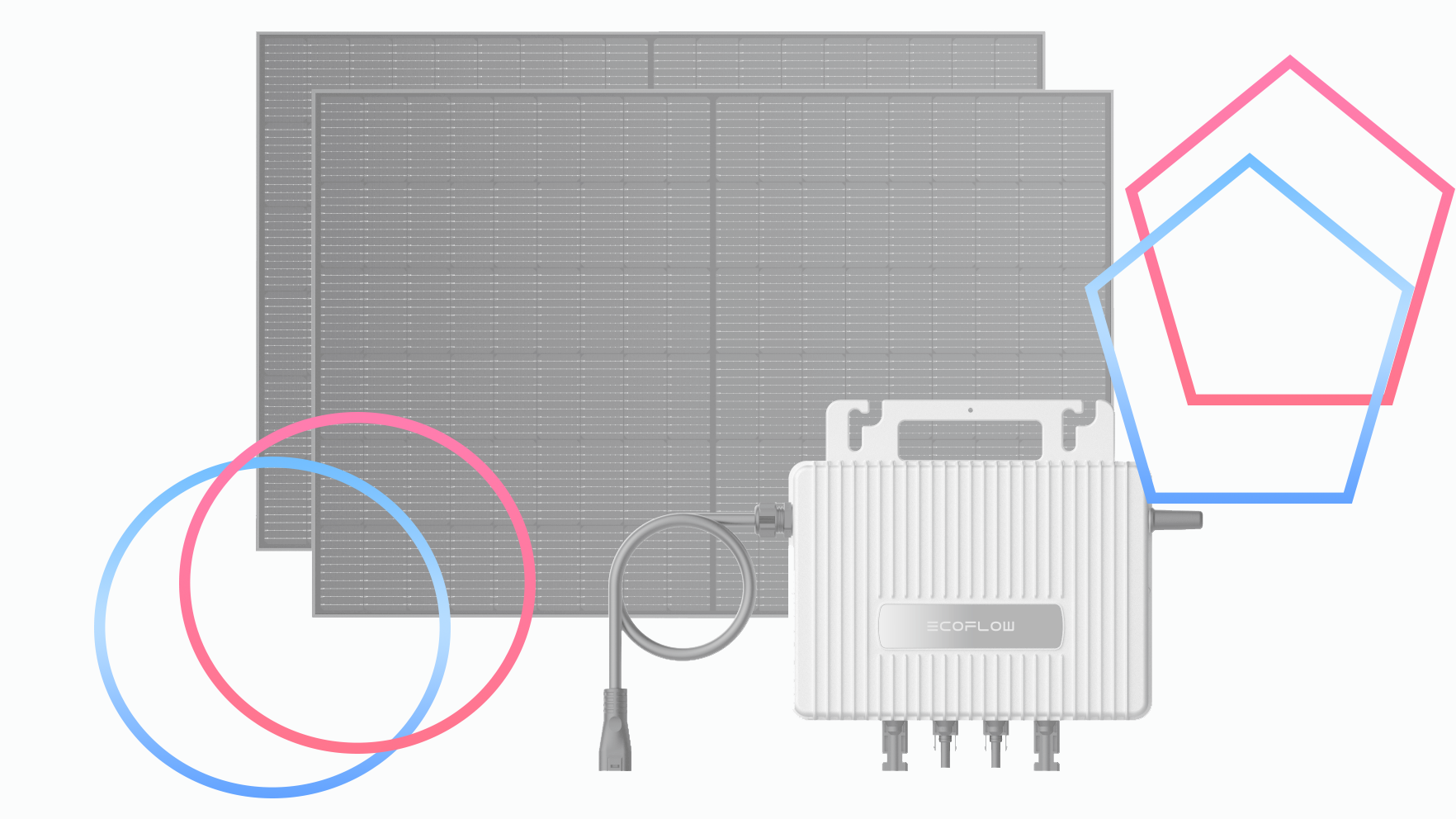
These then connect to a microinverter, which plugs into a standard three-pin socket, with no additional installation required. Under the new government legislation, systems that generate up to 800W can be plugged in without needing an electrician. 

Advertisement

How much will plug-in solar cost?

The size of the system you buy and the types of fixing the solar panels buy all make a difference to the price. As you can’t buy many such systems yet, there’s not much to go on, but we do have some initial reports on the types of systems that will be available, and there’s European pricing, as plug-in solar is already available in a lot of other countries.

Initial reports suggest that plug-in solar systems will cost around the £400 mark, but smaller systems could be available at around £200, with the largest system with a battery maxing out at over £ 1000.

How much will plug-in solar save, and will it be worth buying?

Savings depend on the size of system you have and other factors. Most importantly, you still need to have an area suitable for solar panels: south-facing is ideal, with as much sun exposure as possible throughout the day. Essentially, you need direct sunlight; if you have a north-facing balcony, for example, or there’s a lot of shade where you want to put your plug-in system, you won’t generate a lot of power.

With those kinds of variables, typical energy savings could be from £70 a year, although EcoFlow says that you can save up to £115 per year with its STREAM Microinverter. This system is currently offered as a package with two 450W solar panels and a STREAM AC Pro battery (1.92kWh capacity) for £1049, marking a nine-year payback period (note that the current package requires an electrician to install, due to current legislation). 

Advertisement

Advertisement

As we get more packages and I’m able to run some reviews, it will be possible to get a better idea of what these kinds of systems can do. The short version is that plug-in solar can’t generate the same kinds of power as rooftop panels, but you’ll still generate free power that will knock your electricity bills down.

It will be worth doing some sums to work out whether it’s worth buying a battery, too. As with a full rooftop solar, whether a battery is worth it will depend on how much power you generate and whether you can use it while it’s being generated or not. This is the kind of information I plan to cover in reviews once samples are available.

Provided you have the right place to mount panels, plug-in solar is a simple way to get started with free electricity generation, and with prices looking like they’re going up, any saving is good.

Advertisement

Source link

Continue Reading

Tech

UK workers now value office tech almost as much as pay as meeting failures continue to disrupt daily productivity

Published

on


  • Reliable technology now rivals pay as a core workplace expectation
  • Meeting failures continue disrupting workflows across both hybrid and office environments
  • Time loss from technical issues steadily erodes productivity during routine meetings

The modern British workplace has arrived at an uncomfortable crossroads where employees now rank reliable technology almost as highly as their monthly pay, new research has claimed.

A report from Owl Labs found good technology access is important to 89% of UK workers, placing it just behind compensation at 92% and a supportive manager at 91%.

Source link

Advertisement
Continue Reading

Tech

It’s no longer free to use Claude through third-party tools like OpenClaw

Published

on

Anthropic is no longer offering a free ride for third-party apps using its Claude AI. Boris Cherny, Anthropic’s creator and head of Claude Code, posted on X that Claude subscriptions will no longer cover using the AI agent for third-party tools, like OpenClaw, for free. As of 3PM ET on April 4, anyone using Claude through third-party apps or software will have to do so with an extra usage bundle or with a Claude API key, according to Cherny.

Most of Claude’s workload may come from simple user questions, but there are those who use the AI chatbot through OpenClaw, a free and open-source AI assistant from the same developer as Moltbook. Unlike more general AI solutions, OpenClaw is designed to automate personal workflows, like clearing inboxes, sending emails or organizing calendars, but leans on external large language models, including Claude, ChatGPT and Google Gemini.

Cherny replied to X users that this change is about engineering constraints and optimization. “We’ve been working hard to meet the increase in demand for Claude, and our subscriptions weren’t built for the usage patterns of these third-party tools,” Cherny explained on X. “Capacity is a resource we manage thoughtfully and we are prioritizing our customers using our products and API.”

If OpenClaw users still want to use Anthropic as its LLM, they will have to buy a usage bundle, which are currently discounted, or switch to another AI integration like xAI, Perplexity or even DeepSeek. Of course, Anthropic has its own alternative, which tackles some similar tasks as OpenClaw, called Claude Cowork.

Advertisement

Source link

Continue Reading

Tech

Your LinkedIn session might not be as private as you think

Published

on

LinkedIn might be doing a lot more than just showing you job posts and connection requests. If the latest reports are anything to go by, it’s also quietly peeking into your browser setup.

A new investigation is raising serious privacy concerns, claiming the platform is scanning thousands of Chrome extensions and collecting device-level data in the background. And yeah, it’s as uncomfortable as it sounds.

LinkedIn may be scanning thousands of your browser extensions

According to findings from the BrowserGate report, LinkedIn allegedly injects hidden JavaScript into its website that scans users’ browsers for installed extensions, over 6,000 of them. The way it works is surprisingly simple (and a bit sneaky). The script checks for known extension IDs by attempting to access specific files tied to those extensions. If the file responds, LinkedIn knows the extension is installed, all happening silently in the background without any visible prompt.

But it doesn’t stop there. Independent testing by BleepingComputer further confirmed that the platform is also collecting detailed device information like CPU specs, memory, screen resolution, language settings, and even battery status; essentially building a unique “fingerprint” of your device. And here’s the kicker: because LinkedIn profiles are tied to real identities such as your name, job, and company, this data could potentially be linked back to you directly, making it far more sensitive than typical anonymous tracking.

Why is this raising serious red flags?

The biggest concern isn’t just the data collection, but how quietly it’s happening. Users aren’t clearly informed, and there’s no explicit consent before the scanning begins. There’s also the issue of what this data reveals. Installed extensions can hint at sensitive details like job hunting, finances, or personal interests, making this kind of tracking far more intrusive than it sounds.

LinkedIn says it’s for security, but critics argue it goes too far. And honestly, it leaves you wondering how private your “professional” life online really is.

Advertisement

Source link

Continue Reading

Tech

UK hospital uses Apple Vision Pro to help patients visualize surgeries

Published

on

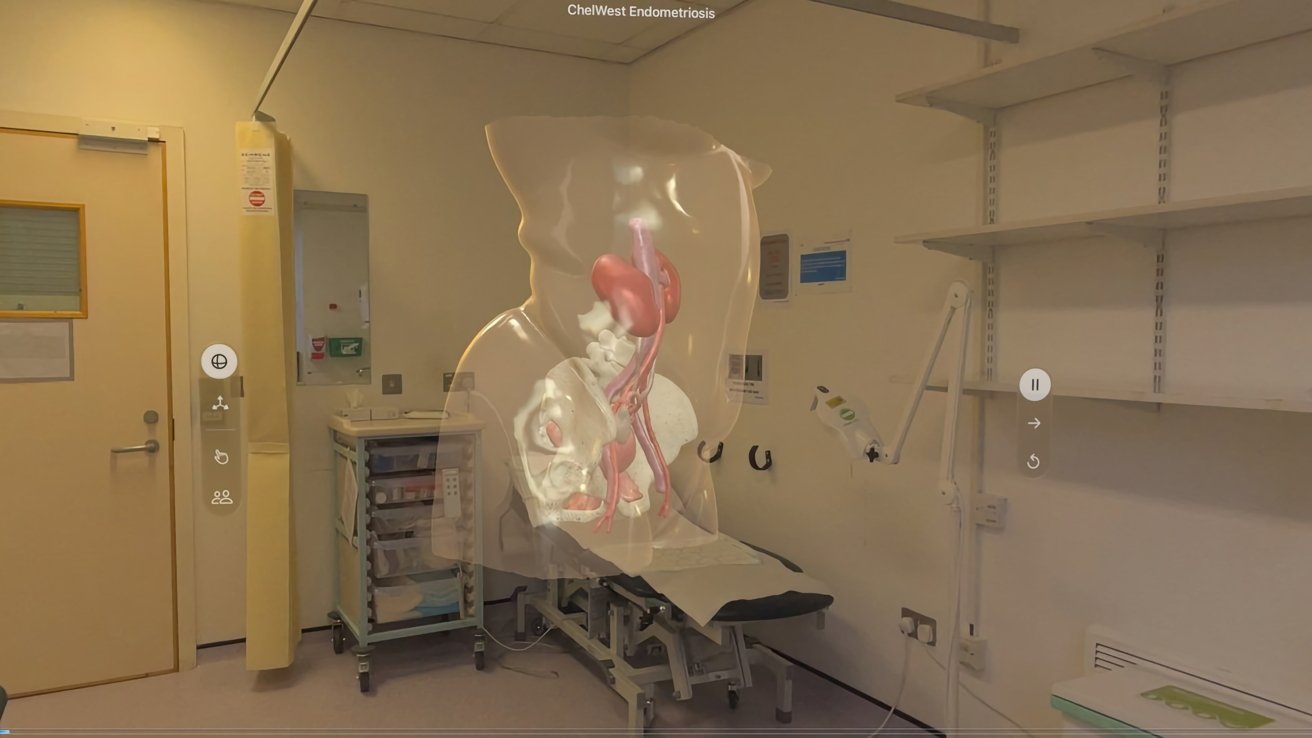
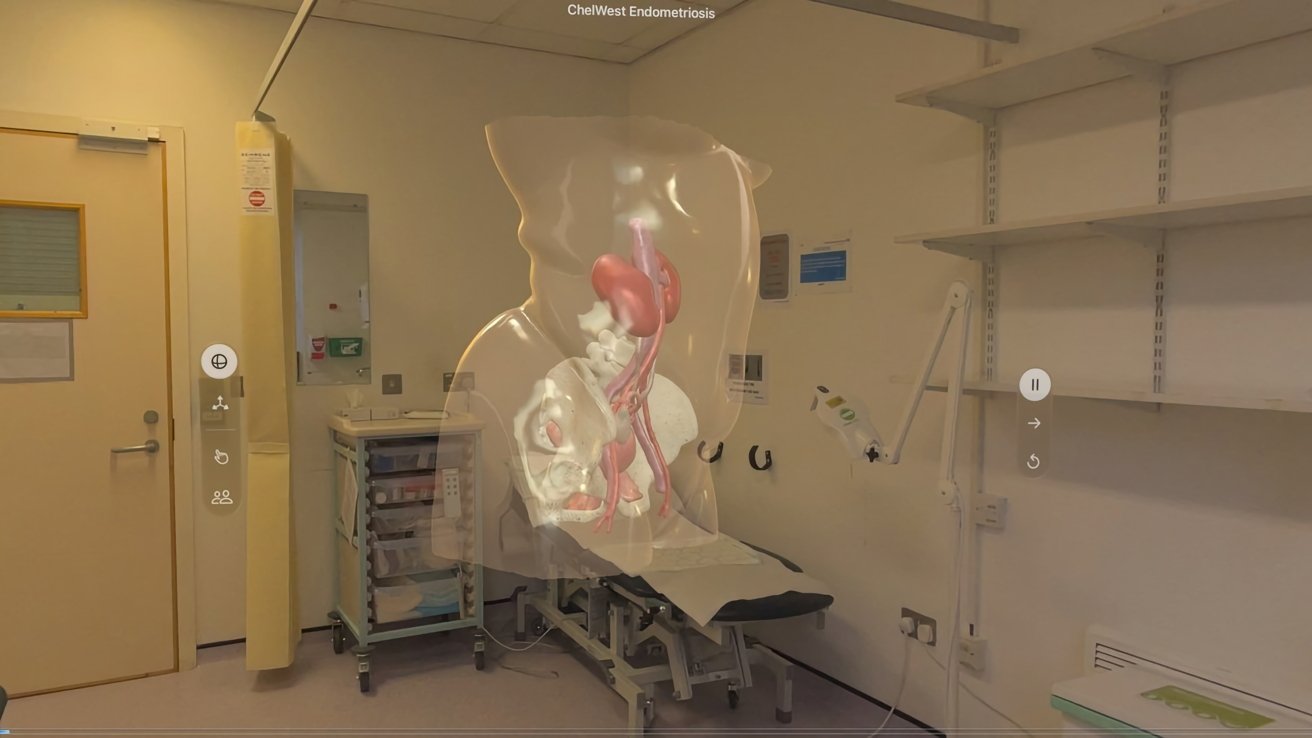
The Apple Vision Pro is being used to help patients in a UK hospital visualize upcoming surgeries, expanding the headset’s use in medicine.

Medical examination room with a patient couch and equipment, overlaid by a translucent 3D anatomical model of a human torso showing pelvic bones, kidneys, and blood vessels.
A patient view from the Apple Vision Pro in a pre-surgery consultation – Image credit: Chelsea and Westminster Hospital

One of the problems with medical procedures is explaining what needs to be done to the patients, in a clear and understandable manner. To help some patients suspected of having endometriosis, the Apple Vision Pro is coming into play.
An app developed by Medical iSight is being used in the Chelsea and Westminster Hospital, London, UK, in preparation for surgery, reports BBC News. Patients wear an Apple Vision Pro, and are shown an AR model in pre-surgical consultations.
Continue Reading on AppleInsider | Discuss on our Forums

Source link

Continue Reading

Trending

Copyright © 2025