
Tech
Sonos Beam Ultra at $699 Adds Nine Drivers and Dedicated Atmos Height Channels But No DTS:X


Five years is a long time to wait for a soundbar upgrade, especially in a category where Dolby Atmos logos have multiplied faster than actual height speakers.
Sonos introduced the Beam Gen 2 in September 2021. While the compact soundbar supported Dolby Atmos, it relied on processing to create its height effects rather than dedicated upward-firing drivers. We reported in August that a new Sonos product called S59 “Gambit” had cleared the FCC and appeared to be its replacement.
Now we know exactly what it is.

The Sonos Beam Ultra arrives at $699 with a redesigned nine-driver architecture, dedicated upward-firing Dolby Atmos drivers, updated processing, Bluetooth, WiFi 6 and new features tied to the Sonos 27 operating system. Preorders begin September 1, with general availability scheduled for September 29, 2026.
The price has also climbed by $200, so this needs to be considerably more than Beam Gen 3 wearing an “Ultra” badge.
Fortunately, it is.
Beam Ultra Finally Gets Real Height Drivers
Beam Gen 2 used five Class D amplifiers, one center tweeter, four elliptical midwoofers and three passive radiators.
Beam Ultra increases the amplifier count to nine and uses five tweeters and four low-profile woofers. Two tweeters fire upward through directional horns for Dolby Atmos height information, while another pair fires toward the sides to increase stereo separation. A forward-facing tweeter handles the center image.
Sonos describes the result as a 7.1.2 Dolby Atmos presentation.
DSP and acoustic projection are still doing considerable work here, as they do with virtually every single-chassis immersive soundbar, but the addition of physical height transducers represents a meaningful architectural change from Beam Gen 2.
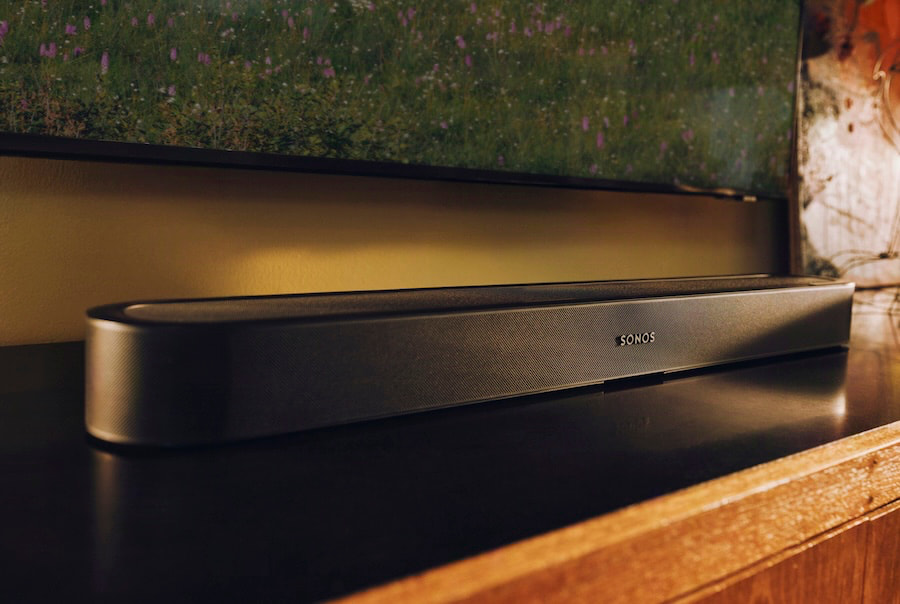
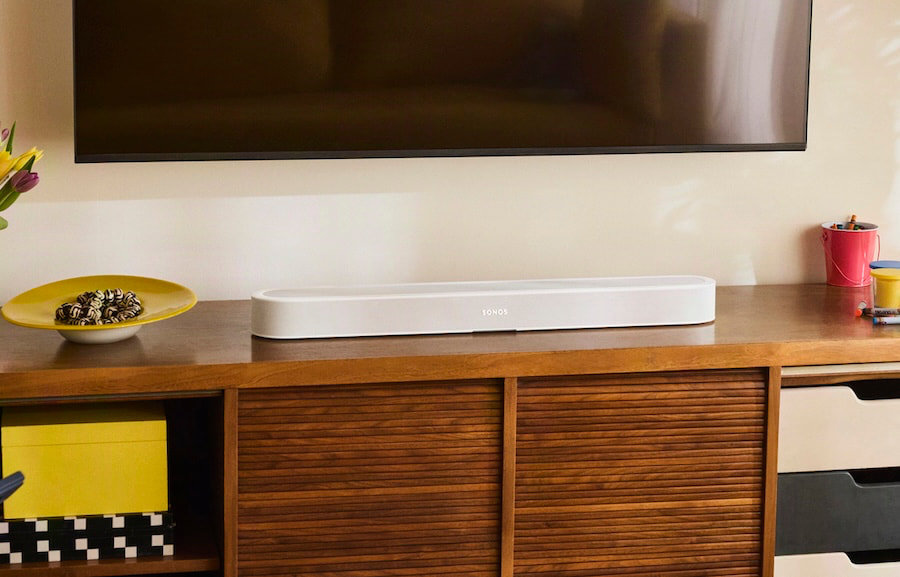
The new soundbar is also larger at 29.53 inches wide, 2.48 inches high and 4.13 inches deep, compared with 25.63 x 2.68 x 3.94 inches for Beam Gen 2. Both weigh 6.35 pounds.
Sonos also claims stronger and warmer bass from the revised woofer arrangement. We will reserve judgment until somebody at eCoustics gets one into a room where the Sonos marketing department cannot adjust the volume.
Dialogue Gets More Control
Beam Ultra introduces AI Speech Enhancement with four selectable levels, allowing users to determine how aggressively dialogue is brought forward in the mix. Night Sound remains available for reducing louder peaks, while Trueplay room correction now supports tuning from both iOS and Android devices.
Those improvements may sound less exciting than Atmos bouncing off the ceiling, but dialogue intelligibility remains one of the biggest reasons consumers replace television speakers with a soundbar.
Sonos 27 Adds More Flexibility
Beam Ultra is one of the first products designed around the expanded capabilities of the Sonos 27 operating system.
One of the more unusual additions is portable surrounds. Owners can use a matched pair of Sonos Play or Move 2 speakers as wireless rear channels with compatible Sonos soundbars, including Beam Ultra, and return them to portable-speaker duty afterward.
That is clever because conventional wireless surrounds tend to become permanent pieces of furniture whether you planned on that or not.
Beam Ultra also supports TV Audio Swap with compatible Sonos headphones for private listening.
Connectivity includes HDMI eARC/ARC, WiFi 6, Bluetooth 5.3 and Apple AirPlay 2. USB-C can accept an analog source through the optional Sonos Line-In Adapter or provide wired Ethernet through the Sonos Combo Adapter.
There is still only one HDMI connection, so anyone hoping for HDMI passthrough will remain disappointed.
Supported audio formats include Dolby Atmos through Dolby Digital Plus or Dolby TrueHD, Dolby Digital, Dolby Digital Plus, Dolby TrueHD, multichannel PCM and DTS Digital Surround.
One glaring omission? DTS:X support. Really, Sonos?
Where Does Beam Ultra Fit?
Sonos now has a clearer soundbar hierarchy.
The inexpensive Ray remains the entry model, Beam Ultra becomes the compact immersive option, and the $1,099 Arc Ultra remains the flagship with its larger 14-driver architecture and claimed 9.1.4 spatial presentation.
Beam Ultra therefore isn’t a discounted Arc Ultra. It is intended for systems where space matters but immersive audio still matters more than it did with Beam Gen 2.
At $699, however, it faces considerably tougher competition.
Sonos Beam Ultra Competitors
Bose Smart Ultra Soundbar
The Bose Smart Ultra Soundbar is the most obvious alternative. Bose also uses a nine-speaker architecture with two upward-firing drivers, Dolby Atmos, ADAPTiQ room calibration and AI Dialogue Mode.
Its regular price is $999, although Bose is currently selling it for $699, placing it directly against Beam Ultra while that promotion lasts.
Bose brings an established dedicated-height design and includes its ADAPTiQ calibration headset. Sonos offers deeper whole-home integration, optional wireless surrounds and subwoofers, TV Audio Swap and portable surround support.
Samsung HW-QS700F
The Samsung HW-QS700F takes a different approach at $799.99.
It is a 3.1.2-channel Dolby Atmos system with dedicated height channels, Wireless Dolby Atmos, Q-Symphony integration with compatible Samsung televisions and a wireless subwoofer included in the package.
Samsung therefore offers more hardware in the box for the money. Beam Ultra is smaller and more deeply integrated into a multiroom ecosystem, but adding a Sonos Sub Mini or full-size Sub changes the value equation rather quickly.
The Bottom Line
Beam Gen 2 was overdue for replacement, and Sonos has made meaningful architectural changes rather than merely updating the processor.
Beam Ultra adds dedicated height hardware, more drivers and amplification, improved dialogue processing, WiFi 6, Bluetooth and deeper integration with the evolving Sonos ecosystem.
The $699 price is considerably higher than Beam Gen 2, while the lack of HDMI passthrough and DTS will remain legitimate complaints for some home theater users. The larger question is whether its new hardware can deliver enough sonic improvement to justify moving Beam into a substantially more competitive price category.
Price & Availability
The Sonos Beam Ultra is priced at $699 in Black or White. Preorders begin September 1, 2026, with general availability starting September 29, 2026.
Related Reading:

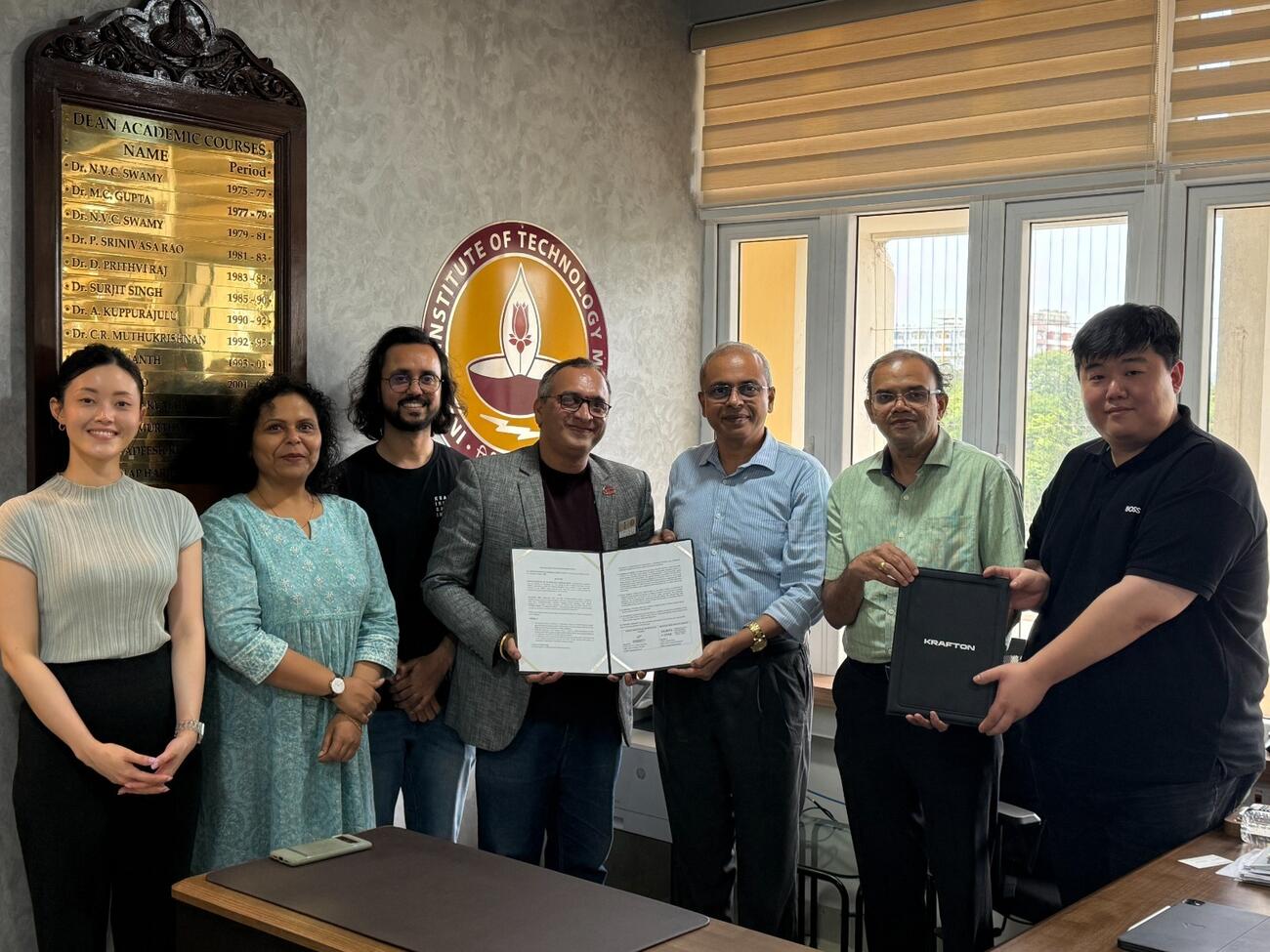
KRAFTON India has established KIGI Academy in collaboration with IIT Madras to help India’s next generation of game developers. The academy involves not just theoretical learning but industry-related experience in fields such as coding, game design, user interface/user experience (UI/UX), artistry, and product development. This will enable KRAFTON India to help students acquire relevant skills and contribute to the development of India’s gaming ecosystem.
KIGI Academy Programme Details
The KIGI Academy is a six-month, fully sponsored program available to students at IIT Madras. The first batch of KIGI Academy will comprise 30 students and will provide them with practical training on game development. The program will run in two stages. During the first 16 weeks, students will train at the IIT Madras campus using the Unity engine. They will focus on developing skills for mobile game development. After this, 10 selected students will complete an eight-week residency at KRAFTON India’s Bengaluru headquarters.
Applications can be submitted via the IIT Madras placement website. Selection criteria include evaluation of the application form and personal interviews. Applications are eligible for third-year and fourth-year Bachelor’s and Dual Degree students of all years, and postgraduate/Master’s engineering students, irrespective of their engineering discipline. There are no prerequisites for game development.
Hands-On Training and KRAFTON’s Game Development Approach
Selected candidates will gain firsthand experience of real-world game production during the Bengaluru residency. Participants will also develop and showcase the final vertical slice of their game during the program. Industry experts will mentor the candidates and familiarise them with KRAFTON’s global development standards. Top-performing participants may also get an opportunity to join KRAFTON India.
KIGI Academy builds on KRAFTON Jungle, the company’s game development training program in Korea. KRAFTON’s Jungle was introduced in October 2022 as a project-based residency training system rather than classroom training. This training program equips developers throughout the game development process, from prototypes to public release. KRAFTON intends to expand the Jungle program to train 1,000 developers in Korea each year. Jungle program operators will also mentor KIGI participants.
KIGI Academy brings this hands-on approach to India’s mobile-first and fast-growing gaming market. IIT Madras became the founding partner because of its academic standing and long-standing relationship with KRAFTON India. IIT Madras has ranked as India’s No. 1 engineering institution for 10 consecutive years in the NIRF rankings. KRAFTON has also worked with the institute through Rendezvous, technical festivals, and game jams. These engagements have previously resulted in full-time offers for IIT Madras students.
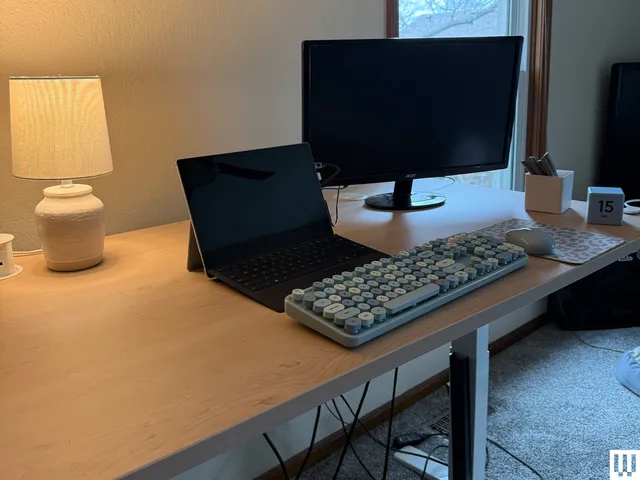
Upgrading your home office can feel like going down a rabbit hole. A simple search for a basic new desk can quickly turn into hours down the drain and endless tabs open on your computer, with every option starting to blur together. Uplift has a loyal following for its super customizable desks, smart (and creative—under-desk hammock, anyone?) accessories, and a solid build quality that makes long workdays more manageable.
We’ve explored the perks of a standing desk, and the takeaway is pretty clear: even if it won’t magically fix everything, the right standing desk setup can make all the difference in the way you work. If you’re ready to make the leap into the standing desk space, starting with an Uplift coupon code is a smart move.
$300 Off Labor Day Sale
School is back in session and that means it’s time to upgrade your home office for less. With the Uplift desk Labor Day sale, you can save up to $575 on a standing desk, with many items from $100, $50, $20, and $10 off. To get the most from these deals, choose any Uplift V3 standing desk model, then choose five free accessories valued at $275, then you can save up to $300 with Uplift promo code UNPLUG at checkout. This Uplift coupon code saves you $300 on purchases of $2,999 or more, $200 on $1,999 or more, $150 on $1,4999 or more, and $100 off when you purchase over $999. Plus, show off your school spirit with $100 off all collegiate products.
Get $20 Off When You Sign up for Uplift Emails
Like many other brands, Uplift rewards their loyal customers. When you sign up for Uplift emails, which include things like product drops and restock alerts, you can save $20 on your order over $199. Not only will you get exclusive discounts, you’ll get email-only deals, early sale access, and special promotions with this Uplift newsletter sign up. Plus, the $20 off your next purchase.
Score Free Shipping on all Orders This Month
Who can say no to free shipping, especially when it’s for a major furniture item like a standing desk? Right now, Uplift is offering free and fast shipping on all orders, no Uplift desk coupon code required. And timing can work in your favor: most orders placed before 3 pm CST ship the same business day, so you’re not stuck refreshing the tracking page for a week. Whether you’re in the middle of an office refresh (or just impatient when it comes to deliveries), this is a major perk.
Claim up to 5 Free Accessories With Your Standing Desk Purchase
A built-in bonus when you buy an Uplift standing desk is that you get up to five free accessories baked into the purchase. You can choose from a huge catalog of over 400 add-ons to go with the desk (honestly, I was overwhelmed at first). Options range from practical to fun, like cable management kits and desk organizer sets to a desk-mounted cup holder and an under-desk hammock. There are even some branded extras, like a stainless steel tumbler and a t-shirt, depending on your vibe.

Photograph: Nicole Kinning
Use Your FSA Dollars to Get the Most out of Your Desk
Uplift desks may be eligible for reimbursement through your HSA or FSA, which means you could effectively pay for part of your desk setup with pre-tax dollars. This can lead to major savings, especially when stacked with an Uplift promo code.
The process is pretty straightforward: Check out normally (no need to use your HSA/FSA card upfront), then complete a quick health survey through Uplift’s partner program, which will be on your confirmation screen or through your email receipt. If you qualify, a licensed provider will issue a Letter of Medical Necessity, which you can then submit for reimbursement. It’s a few extra steps, but the payoff is worth it, especially if you’ve been eyeing a bigger purchase.
Share the Joy With an Uplift Gift Card
Not sure what to get the new grad headed to college, or your loved one who works from home? An Uplift desk gift card is a great way to help with these big purchases without having to make the weighty decision on behalf of someone else. Uplift gift cards are good for five years from purchase date, and are available in increments of $50 to $5,000.
Unlock Uplift for Your Business
Uplift standing desks aren’t just for individuals, they are also a great way to get the whole office healthier this year. Uplift Desk offers a wide variety of office furniture that’s great for commercial offices, along with free 3D space planning so you can fully transform your team office. This means you’ll get that previously mentioned expert consultation and space planning to define your needs and get the assistance you need for your business. You’ll also receive fast shipping with same-day shipping on qualifying orders, along with 1 to 4 business day transit across the USA. Plus, you can opt for white glove delivery with on-site installation.

Following pressure from President Donald Trump and a change to the GNIS, Apple Maps has been updated, renaming Lake Ontario to Lake America.
Apple Maps was drawn into the middle of a trade disagreement between the United States and Canada, by President Trump changing the name of one of the Great Lakes. After being contacted by Trump and nudged to do so, Apple has now updated Maps to update the name of Lake Ontario.
Users searching for Lake Ontario will now be greeted by a sight of “Lake America.” There was a short in-between where searches for “Lake America” would show Lake Ontario on the map but Lake America in the search results.
The name update arrives after a formal change in the U.S. Geographic Names Information System. That has already triggered an update in Google Maps.
While Apple has been slower to make the change, it did get some encouragement from the White House. On August 31, U.S. Interior Secretary Doug Burgum said Trump spoke to Apple about the name change.
Apple Maps and Google Maps aren’t the only label-based battlegrounds over Lake Ontario. Doug Ford, Ontario’s Premier, revealed a Lake Ontario sign near Grimsby, Ontario.
Victory from some viewpoints
The change won’t necessarily apply to all Apple Maps users, as the previous high-profile renaming of the Gulf of Mexico proves.
The January 2025 renaming, again under the direction of President Trump, the Gulf of Mexico became the Gulf of America. At that time, Apple was also reluctant to make the change, but eventually did.
However, what is visible to users varies depending on where they are in the world. In Mexico, it retained its original name, while other countries saw Gulf of Mexico with Gulf of America in parentheses.
It is still the early stages of the Lake America rollout in Apple’s system, but it will probably make changes in a similar way to the Gulf of America updates.


Standard drones start sliding on ice after a slope of only nine degrees. Gravity presses less of the aircraft into the surface as the angle rises, so a 60-degree wall leaves just half the usual downward force. Ice Dart, a 2.65-kilogram carbon-fiber quadrotor from Université de Sherbrooke in Quebec, now perches on ice that steep and stays put.
Isaac Tunney, John Bass, and Alexis Lussier Desbiens worked on the design at Createk Engineering Lab, where they created something truly remarkable: a drone capable of landing and perching on ice with steep inclines. They submitted their work in IEEE Transactions on Field Robotics, describing it as the world’s first drone capable of such tasks. Their aircraft is quite smart, with four legs arranged in an X form that attach via pivot joints. These joints are unique because they allow each leg to follow the precise angle of the ice as it comes into contact with the drone.
Sale

DJI Neo, Mini Drone with 4K UHD Camera for Adults, 135g Self Flying Drone that Follows You, Palm Takeoff…
- Due to platform compatibility issue, the DJI Fly app has been removed from Google Play. DJI Neo must be activated in the DJI Fly App, to ensure a…
- Lightweight and Regulation Friendly – At just 135g, this drone with camera for adults 4K may be even lighter than your phone and does not require FAA…
- Palm Takeoff & Landing, Go Controller-Free [1] – Neo takes off from your hand with just a push of a button. The safe and easy operation of this drone…
Each of those four legs has two spines that come out when the drone touches down: one large spine that handles the downhill weight and digs in to keep the drone from slipping into a crevasse, and a smaller spine on the uphill side that grips even when there isn’t much weight on it. These spines return back into their housings until the landing gear compresses, at which moment they emerge to grab a grip on the ice, much like a cat about to pounce. The goal was to create a system that would work regardless of the direction the drone landed or how uneven the ice appeared.
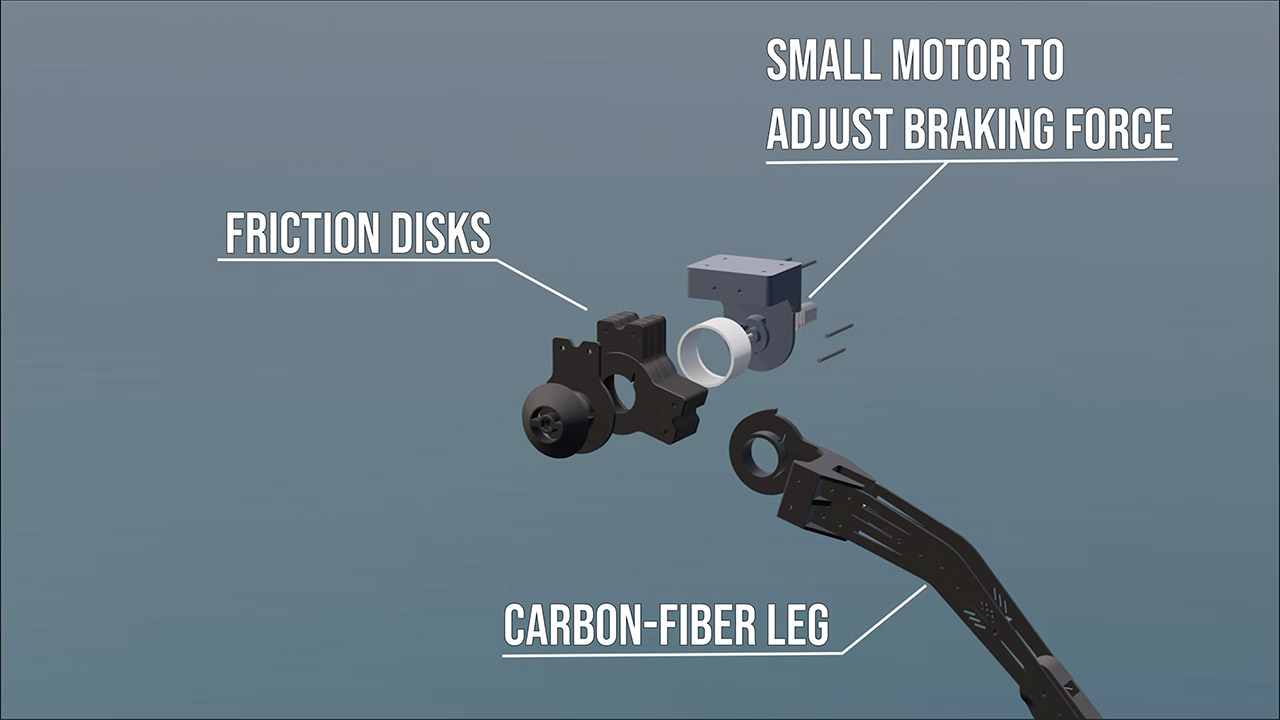
The legs also contain 38 friction disks, which absorb the impact as the drone lands, preventing the remainder of the airframe from bouncing about. Bouncing would allow the spines to pull free, which would be unacceptable. On impact, the motors discharge a short burst of reverse force, sending the drone sharply into the ice, which helps the spines dig in even harder. To be safe, the drone has an EVA foam casing around it that allows it to float if it ever gets into water.
The Createk team conducted lab drop tests at speeds of 1-3 meters per second on 60-degree ice slopes, and in the field, flew the drone in Iceland’s Fjallsjökull glacier and lagoon, making clean landings on slopes of up to 58 degrees, as well as landing off-center and into 30 km/h winds. It landed cleanly 24 times, with a 100% success record in temperatures ranging from 0 to 10°C.

You’re probably aware that a hovering drone quickly runs through its battery, but once Ice Dart is perched, it can basically turn off all of its systems and sit there silently for hours or even days, which is extremely useful for iceberg tracking, maritime safety, as well as Arctic research. Because drifting icebergs are a huge hazard for shipping routes and offshore rigs, the only choices until recently were a helicopter drop or hope a small tracker drone landed in the exact area, which is not ideal. Desbiens observes that after the drone is landed, its energy consumption decreases drastically, and it can even diminish its own thermal and radio signatures, making it far less detectable.
The test flights in Iceland still included a human pilot and another drone for visual checks. The next step is to test a drone on a freely drifting iceberg in open ocean, as there is where this design really shines. They also intend to work on autonomous site selection and program the drone to take off in an emergency if the berg begins to divide or roll. They’re already planning a journey to the Canadian Arctic, and while the same crew has previously successfully landed drones on moving trucks, boats, and even steep rooftops, this is a first for glaciers and icebergs.
[Source]
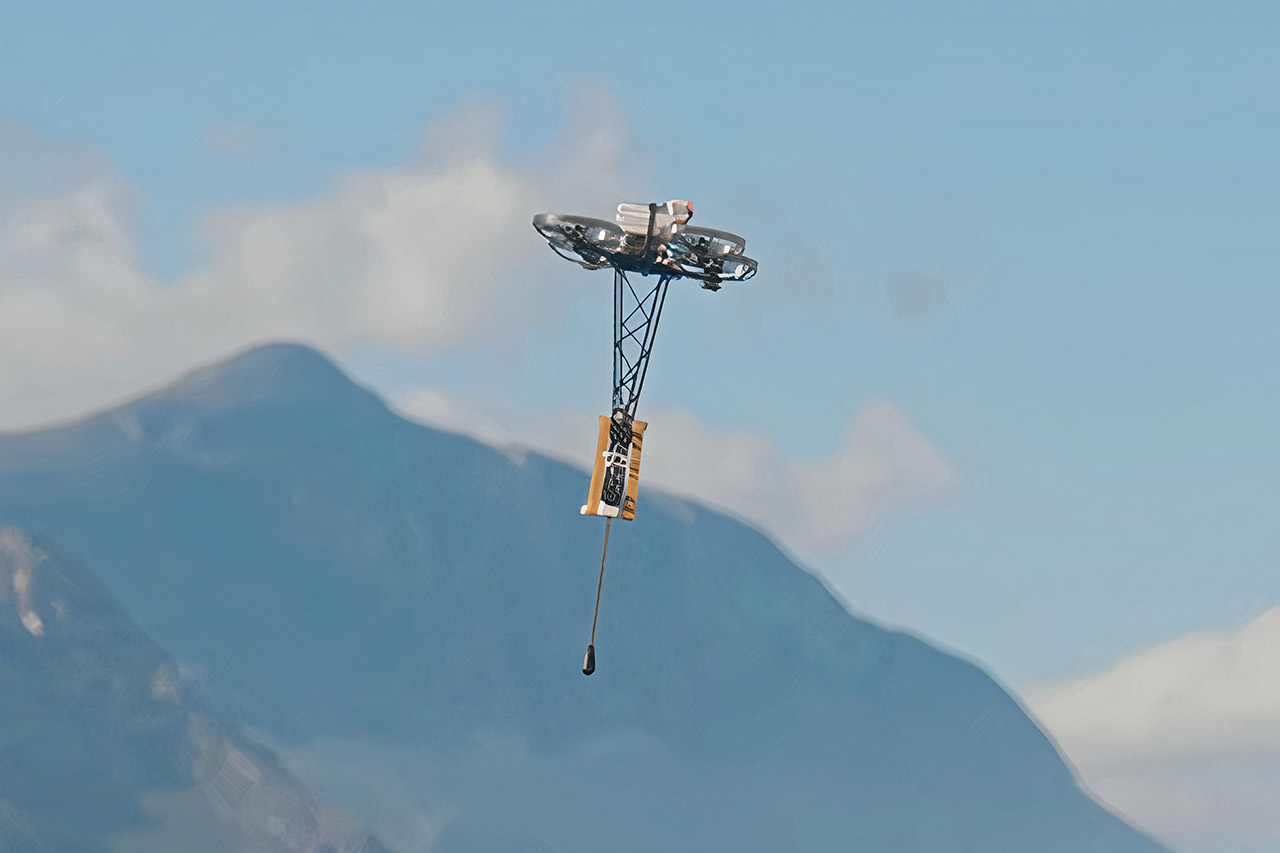
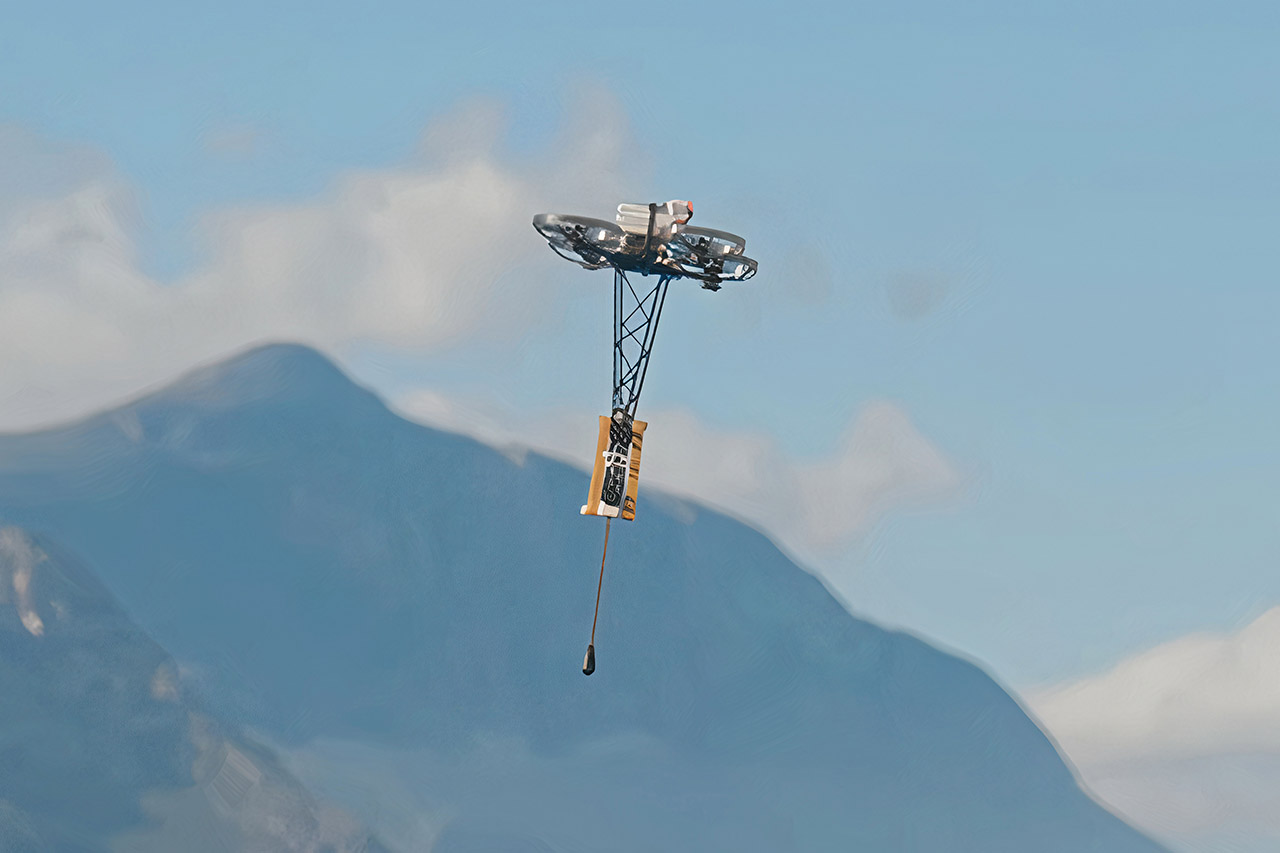
HopTo’s first machine, Hop-1, looks like a small quadcopter that grew a pogo stick. That extra leg is the whole argument. Continuous flight means the motors fight gravity every second the machine is aloft. Hop-1 spends most of its trip bouncing on a passive spring, so the rotors only top up energy lost on each landing and fully take over when a gap, a wall, or a sudden climb actually requires flight. HopTo puts hopping energy use at about a quarter of continuous flight. Stay on the ground as much as possible, and only fly when you have to.
China’s Hop-1 engineering prototype has completed a 2-meter drop demonstration — successfully crossing the height difference and returning. pic.twitter.com/W2TnqSyan9
— China pulse 🇨🇳 (@Eng_china5) September 1, 2026
A carbon fiber telescoping leg protrudes beneath a four-rotor body. It is held in position by either rubber bands or a spring, which stores the downward force before firing it back up. Contact is brief, lasting a few dozen milliseconds. As soon as that’s over, the robot transforms into a nearly silent ballistic object, sitting there until it receives another tap from the ground. The City University of Hong Kong team (later known as HopTo) released lab versions of this concept, known as the HopCopter, weighing approximately 35 grams and capable of hopping from 0.6 to 1.63 meters. At their biggest leap, they achieved an average vertical speed of 2.38 meters per second and remained in the air for less than 45 milliseconds. That is why they were able to sustain a relatively high hop rate without the use of a motorized knee or latch.
Sale

ELEGOO UNO R3 Smart Robot Car Kit V4 with Camera, Compatible with Arduino
- BUILD, CODE & DRIVE YOUR OWN ROBOT CAR: Turn coding, electronics and engineering into a working programmable robot car you can assemble, program and…
- EXPLORE FPV, LINE TRACKING & OBSTACLE AVOIDANCE: Control the robot with the ELEGOO app or IR remote, view live FPV video through the onboard camera…
- BEGINNER-FRIENDLY BUILD WITH GUIDED WIRING: Keyed XH2.54 connectors help reduce wiring mistakes, while the illustrated tutorial and example programs…
When they ran endurance tests on that lab rig, they discovered that a 250 milliamp hour battery pack could survive over six minutes in hover mode and more than 20 minutes in continuous hops. A larger 650 milliamp hour pack increased the hopping time to more than 50 minutes, albeit it did push the robot somewhat beyond its flight weight limit. They were also running the motors at a rather low duty cycle, around 0.28. The ability to make contact with the ground greatly enhances their agility; they can dump speed or snap around in midair at accelerations much exceeding 14 g. When they come into contact with a wall or an uneven slope, that same leg acts as a bumper.


HopTo split off from that lab in 2024 and is now developing this concept into a first-generation product. They’ve just finished building an engineering prototype, which recently passed a two-meter drop test on the South African shore, and they’re doing a short public survey ahead of launch. They’re talking about employing Hop-1 for a variety of purposes, from searching rough terrain on inspection missions to regions where hovering is too expensive, and they’re even looking into low gravity worlds on the outskirts of the solar system. Small flying robots have traditionally had rather low battery lives. Hop-1, on the other hand, is taking a novel approach, seeing the ground as a free energy source rather than an obstacle.


The United States military employs many different helicopters across its branches, and many are well known to the public. Perhaps two of the best-known choppers in the military inventory are the AH-64 Apache and the UH-60 Black Hawk. These vehicles are ubiquitous wherever the Army operates, get a lot of press coverage, and have featured in movies like “Black Hawk Down.” Variants are in use by every service save one: the U.S. Marine Corps (USMC).
That may seem like a bit of a mystery. After all, they’re highly capable helicopters that would likely benefit the Corps, which flies plenty of choppers. While the USMC could use other helicopters, it doesn’t, and the primary reason is the different environments in which the Corps operates. The AH-64 is fine for the U.S. Army, but it doesn’t meet the needs of the USMC.
The same is true of the UH-60, which isn’t ideal in a saltwater environment. Both helicopters were designed for ground operations, but the Marine Corps requires robust systems and vehicles that work well in littoral combat zones, out on the open ocean, and along coastal regions. Instead of the aforementioned, the USMC flies the AH-1Z Viper as its primary attack chopper and the UH-1Y Venom for utility purposes. The Corps operates other helicopters for various reasons, including the MV-22 Osprey tiltrotor aircraft, but the AH-1Z and UH-1Y fill the same roles as the AH-64 and UH-60, respectively.
The Marines have their own fleet of helicopters
Using the UH-60 or AH-64 would require the USMC to heavily modify the aircraft to make them suitable for its needs, and the service already has choppers filling those roles. The UH-1Y Venom is an upgraded version of the UH-1, first introduced in 1962. The UH-1Y entered service in 2008 after a 12-year development phase, so it’s a far newer platform with robust capabilities. The Venom can land on flattops, is designed to operate in the same environments as the USMC, and has a proven track record.
There’s simply no reason to fly the UH-60 when the UH-1Y exists. The latter was designed specifically for the USMC, whereas the UH-60 wasn’t. There are Black Hawk variants that operate for the Navy, but the Corps is sticking with its UH-1Y for the foreseeable future. The same is true of the AH-1Z Viper, another aircraft that has a long history.
The platform is the U.S. military’s oldest attack helicopter, but like the UH-1Y, the AH-1Z is vastly upgraded over its initial model, which entered service in 1962. Like the Venom, the Viper was built specifically for USMC operation, and it entered service in 2010. The Corps received its final AH-1Z in 2018 and plans to fly the AH-1Z for decades, so it’s not looking to replace the Viper with another aircraft for some time.
The legendary General Motors LS series is one of the most popular and significant engines ever to come from an American automaker, and for good reason. When the first LS engines arrived in the late 1990s, they represented a new era for the venerable small-block Chevrolet V8. It was an old-school overhead-valve V8, but the LS was light, compact, and capable of big horsepower. It very quickly won over auto enthusiasts as factory equipment in cars like the Corvette and Camaro, and would go on to become one of the most-swapped engines around, with gearheads dropping them into everything from vintage hot rods to professional drift cars.
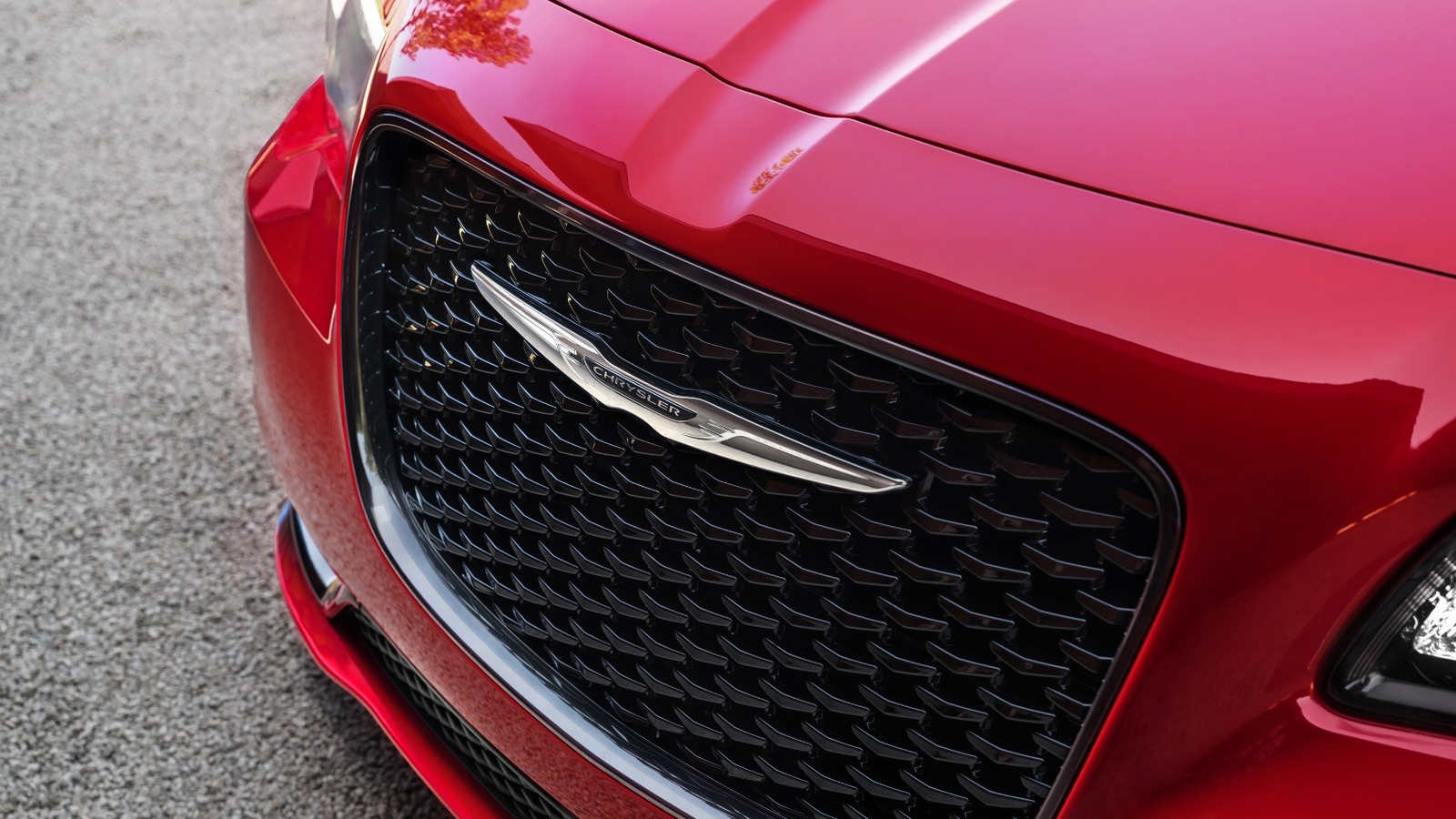
While it’s probably fair to say that no other modern V8 is quite as ubiquitous as the LS, the engine is not without its equivalents from other American automakers. On the Mopar side, the engine that comes closest to the LS is almost certainly the Gen III HEMI V8. Although it arrived after the LS, the engines have a lot of similarities. The first Gen III HEMI had the same 5.7-liter displacement as the original LS1, and the engines also use the same traditional, overhead-valve design.
Like the LS, the modern HEMI would evolve, with larger and more powerful versions coming later, as well as supercharged variants. In recent years, the Gen III HEMI has become an increasingly popular swap choice, with numerous aftermarket parts options, including plug-and-play crate engines that can be purchased with the click of a mouse.
A HEMI for the modern era
The 345-hp Gen III HEMI V8 debuted in the Dodge Ram pickup in 2003, by which point the GM LS V8 had already been on the market for several years. Though the new engine shared the same name and, at least partially, a similar type of combustion chamber with its predecessors, there are some big differences between the modern Gen III engines and the earlier HEMIs.
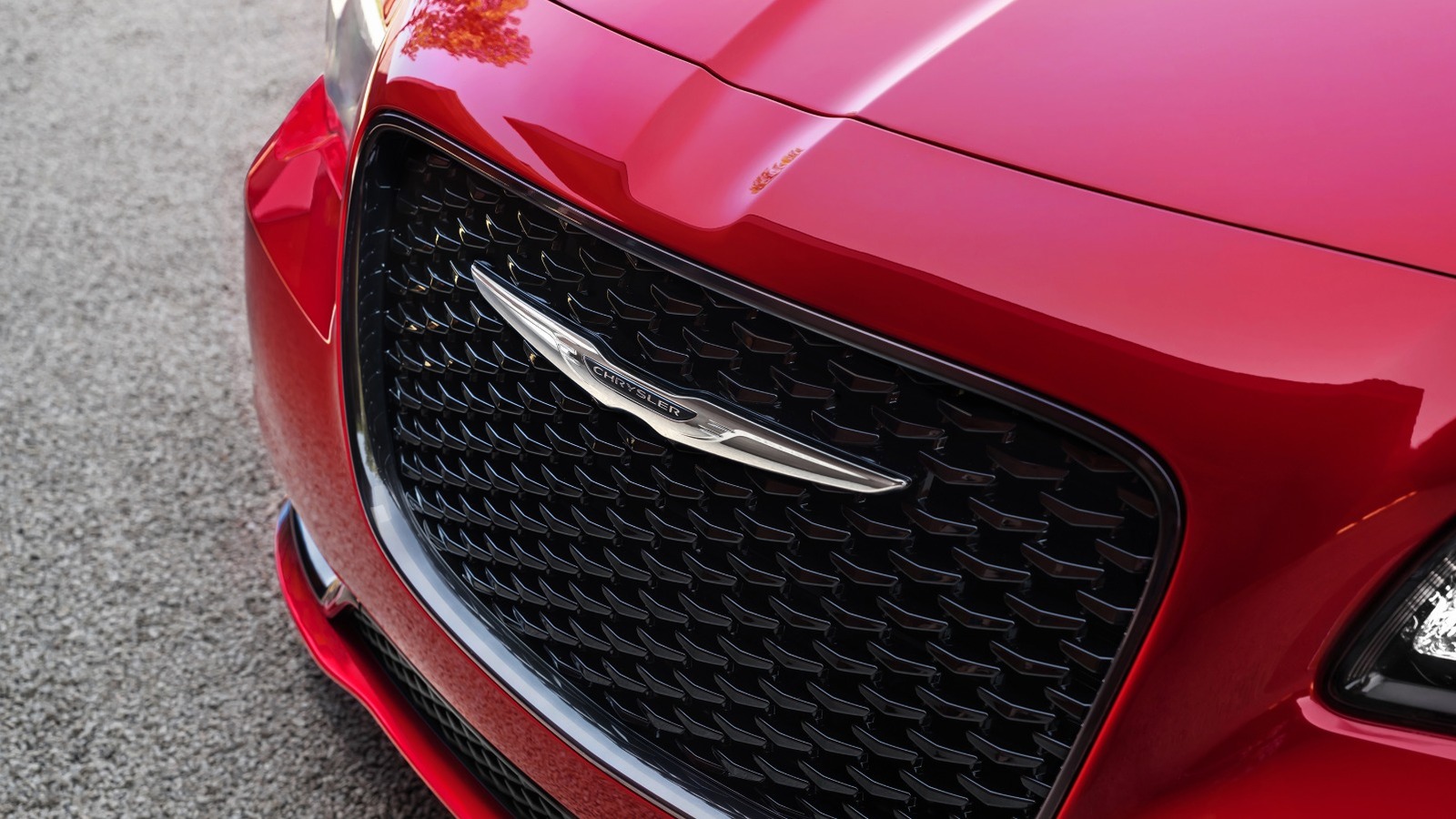
Still, this was a big deal for Mopar fans, and after debuting in pickups, the 5.7-liter HEMI made its way to cars like the new Chrysler 300C, the Dodge Charger sedan, and, by the end of the 2000s, the revived Dodge Challenger. As with the original LS1, the 5.7 HEMI was eventually joined by larger, more powerful versions, including the 425-hp 6.1-liter variant that powered cars like the Charger SRT8 and Jeep Grand Cherokee SRT8.
While the 5.7 HEMI remained in production with some updates, the 6.1 HEMI would grow to 6.4 liters and as much as 485 hp in Scat Pack and SRT-badged performance models. Additionally, just as the General Motors LS family spawned the factory supercharged 6.2-liter LS9 and LSA engines, the Mopar Gen III HEMI family eventually included the supercharged 6.2-liter Hellcat V8, which started off making 707 hp and broke past the 1,000-hp barrier in the Dodge Challenger SRT Demon 170.
The swap scene
It’s not just modern performance vehicles that have made the GM LS engines so beloved — it’s also the extreme popularity of the LS swap. By this point, it’s almost hard to find a vehicle that hasn’t been the recipient of an LS swap. The modern HEMI isn’t nearly as common as a swap choice, but the mid-2020s have seen HEMI swaps become a lot more prevalent in the hot rodding and racing world.
For the most part, those who are interested in swapping a Gen III HEMI into their vehicle most likely own some sort of Mopar product. There’s a large and growing aftermarket offering products to help people swap Gen III HEMIs into their vintage Mopar projects.
Stellantis’ Direct Connection brand also has a complete line of factory Gen III HEMI crate engines, just like how GM offers a range of LS-based crate engine options. These HEMI crate engines range from the basic naturally aspirated 5.7-liter all the way to the 1,000-hp supercharged Hellephant A30 426. Whether you’re a longtime HEMI fan or not, it’s hard not to appreciate the contributions that Mopar has made to modern American V8 performance.

Verdict
The Acer Swift Spin 14 AI (2026) is a well-rounded convertible with excellent battery life, a strong keyboard and trackpad, and a decent turn of pace from its 12-core Snapdragon X2 Elite chip. It’s let down somewhat by a resolutely average IPS screen and cut-down performance against the pricier 18-core alternative, which takes some of the shine off an otherwise likeable package.
-
Zippy performance
-
Excellent look and feel
-
Good battery life
-
Meagre RAM and storage option
-
IPS display is just okay
Key Features
-

Review Price:
£1399
-
14-inch 1920×1200 120Hz IPS touchscreen:
This Acer laptop has a serviceable IPS touchscreen for productivity workloads and creative tasks.
-
12-core Snapdragon X2 Elite inside:
It also has the cut-down variant of Qualcomm’s new Snapdragon X2 Elite inside for solid performance.
-
All-day battery life:
The Swift Spin 14 AI (2026) also has a large 65Whr battery inside that makes this laptop a real efficiency champion.
Introduction
Acer has extended its Swift spruce-up to a new convertible model, with the shiny new Swift Spin 14 AI (2026) adding two-in-one powers to an otherwise compelling spec sheet.
To go with it, we’ve got a capable Qualcomm Snapdragon X2 Elite SoC, alongside 16GB of RAM and a 512GB SSD, plus a 14-inch 1920×1200 120Hz IPS screen, enviable port selection and a sizeable 65Whr battery. On paper, that’s a pretty good set of specs for the £1399/$1499.99 price tag Acer is commanding in the current market.
At this kind of money, though, the Swift Spin 14 AI (2026) is hardly alone in its endeavours. Key rivals include the MSI Prestige 14 Flip AI+ (2026), the Lenovo Yoga Slim 7x Gen 11 and even the Asus Zenbook Duo (2026), and for more conventional choices, you might want to consider the Asus Zenbook A14 (2026) and the Dell XPS 14 (2026) base model. A tough crowd, that’s for sure.
I’ve been putting this Acer laptop through its paces for the last couple of weeks to see if it can come out on top as one of the best laptops we’ve tested.
Design and Keyboard
- Stylish two-tone finish
- Extensive port selection
- Excellent keyboard and trackpad
Acer has given the Swift Spin 14 AI (2026) the same look as the Swift Go 14 AI (2026)’s spruce-up, with the same pleasant blue colour with silver accents across the lid. It gives this laptop a bit more style and class that puts it up there into a more premium price bracket in terms of looks.
It’s primarily constructed of anodised aluminium, which gives it some strength and keeps the weight to a reasonably light 1.34kg. That makes this a decently portable laptop, given the compact stature, although it isn’t quite as light as either the Zenbook A14 (2026) or even Acer’s own Swift Edge 14 AI.

Port-wise, we’ve got a USB4-capable Type-C port on the left with power delivery and display powers, plus a USB-A, 3.5mm headphone jack and a full-size HDMI port. The right side houses a further USB-A port, another USB-C and a housing for an included stylus. That’s fantastic for a creative-oriented laptop, and puts dearer choices to shame.
So too does the keyboard and trackpad arrangement. The Swift Spin 14 AI (2026) features a tactile and short travel on its 65 percent layout keyboard that’s a joy to type on for extended periods, while it’s also white backlit for added vividity for after-dark working. The trackpad is smooth and slick, plus you get a good amount of space for navigation and gestures.
Display and Sound
- IPS screen is okay
- Reasonable brightness and decent contrast
- Middling speakers
Acer has skimped a smidgen on the Swift Spin 14 AI (2026)’s screen if I’m being picky, kitting it out with a more basic 14-inch 1920×1200 120Hz IPS panel, rather than opting for an OLED.
In a general sense, this panel performs as you’d expect a decent IPS option to, with reasonably deep blacks (0.14 at 50%, rising to 0.28 at peak brightness) and solid contrast (1200:1 contrast ratio). I also measured 316.6 nits of peak SDR brightness here, making this decent for indoor and outdoor workloads, although not as bright as others I’ve tested.

Colour accuracy here is perfectly cromulent for mainstream workloads, with 98% coverage of the mainstream sRGB gamut, alongside 80% DCI-P3 and 76% Adobe RGB results. This means this panel is okay for general productivity tasks, although it isn’t the best for more creative, colour-sensitive tasks.
As for the speakers, this laptop comes with downwards-firing units that are just fine for casual listening with some okay volume, although they lack the crispness and body of stronger options.
Performance
- Cut-down 12-core Snapdragon X2 Elite SoC inside
- Brisk performance, although not as strong as the 18-core variant
- More basic RAM and storage arrangement
The Swift Spin 14 AI (2026) comes supplied with the new Snapdragon X2 Elite processor, the second-in-command to the Snapdragon X2 Elite Extreme as part of Qualcomm’s latest Arm-based options. There are two variants of this processor available to manufacturers, with 12-core and 18-core options – the variant I have ships with the former.
It’s the first 12-core Snapdragon X2 Elite I’ve looked at, with the differences between the two SKUs being slightly more than just core count. For reference, the 12-core part has six Prime and six Performance cores, with the 18-core variant gaining a further six Prime cores for a total of 12.

The 4.7GHz boost clock across single or dual cores is identical across both parts, while the 12-core has 34MB of cache against 53MB on the 18-core variant. The difference in cache could lead to a bump in performance for multi-threaded and memory-bound workloads.
In running through the benchmark numbers, the Swift Spin 14 AI (2026)’s numbers are strong in single-core tasks, although pegged back against the 18-core part by around 30% in multi-core, owing to there simply being fewer cores.

3D performance is improved against first-gen Snapdragon X Elite parts, although it lags behind the 18-core Snapdragon X2 Elite by a similar margin to other benchmarks. That’s because there is a difference in the iGPU, as the 12-core is paired with the weaker Adreno X2-85, while the 18-core parts get the beefier Adreno X2-90.
My sample of the Swift Spin 14 AI (2026) came with a smaller allocation of RAM and storage, with 16GB of DDR5 RAM and a meagre 512GB SSD – I suppose it’s a sign of the times more than anything. In testing, it proves to be a brisk PCIe Gen 4 option, with reads and writes of 6600.85 MB/s and 5636.29 MB/s, respectively.
Software
- Windows 11 installed
- Lots of Acer-specific apps
- Copilot+ PC functionality is also here
The Swift Spin 14 AI (2026) comes running proper Windows 11, although it comes with some unnecessary apps or shortcuts, such as a taskbar one for Booking.com, oddly.
There are more Acer-specific apps than anything else, such as Acer Jumpstart, which provides a link to the brand’s website, and AcerSense, which gives you access to check your system’s vitals and change settings around, such as power modes and such.

Elsewhere, this is also a Copilot+ PC and has enough AI power to warrant the inclusion of Microsoft’s tools. Chief among these is the addition of the Copilot assistant, which you can ask questions and to undertake tasks, if you so wish.
In addition, there is also generative AI functionality baked into the Photos and Paint apps, if you want it. The most useful set of AI tools with the Swift Go 14 AI (2026) is the Windows Studio effects for the webcam, which provides convenient means of auto framing, background blur and even making sure you maintain eye contact.
Battery Life
- Lasted for 18 hours 46 minutes in the battery test
- Capable of lasting for two to three working days
The Swift Spin 14 AI (2026) features a 65Whr cell inside, which Acer says means this laptop should last for up to 23 hours on a charge. With previous results from these Arm-based Snapdragon X2 laptops in mind, I had some high expectations for it.
In the PCMark 10 video loop test at the requisite 150 nits, this Acer laptop lasted for 18 hours and 46 minutes. All things considered, that isn’t too far off Acer’s own estimate, and means you’ll be able to get between two and three working days out of this laptop away from the mains.
As is becoming more customary with a lot of modern laptops, the Swift Spin 14 AI (2026) doesn’t come with its own charger. When charging with a high-wattage Ugreen option, it pulls up to 90W when charging from the wall. Getting back to 50% took just 25 minutes, while a full charge took 80 minutes.
Should you buy it?
You want a convertible that goes the distance:
The Swift Spin 14 AI (2026) lasted nearly 19 hours in our testing, making it one of the longest-running 2-in-1s I’ve tested.
You want the sharpest possible screen:
The 1920×1200 IPS panel here is fine for everyday use, but rivals with OLED screens outclass it at a similar price.
Final Thoughts
The Acer Swift Spin 14 AI (2026) is a well-rounded convertible with excellent battery life, a strong keyboard and trackpad, and a decent turn of pace from its 12-core Snapdragon X2 Elite chip. It’s let down somewhat by a resolutely average IPS screen and cut-down performance against the pricier 18-core alternative, which takes some of the shine off an otherwise likeable package.
The screen is the toughest sell here. Against the MSI Prestige 14 Flip AI+ (2026), which packs a 14-inch OLED panel into the same 1920×1200 resolution, Acer’s IPS choice can’t match its contrast or colour depth, even if the Swift Spin 14 AI (2026) claws some of that back with a smoother 120Hz refresh rate. The Asus Zenbook Duo (2026) goes further still with a pair of 3K 120Hz OLED touchscreens, while the Lenovo Yoga Slim 7x Gen 11 also offers a sharper and faster panel, so this is one area where the Swift Spin 14 AI (2026) is playing catch-up against its closest rivals.
The 12-core Snapdragon X2 Elite here is a capable chip, but the 18-core variant is brisker in multi-core workloads and comes with a stronger integrated GPU to match. Where the Swift Spin 14 AI (2026) claws back ground is battery life and everyday usability, with a genuinely excellent runtime, fast charging and one of the better keyboard and trackpad combinations at this price. For more choice, check out our list of the best laptops we’ve tested.
How We Test
This Acer laptop has been put through a series of uniform checks designed to gauge key factors, including build quality, performance, screen quality and battery life. These include formal synthetic benchmarks and scripted tests, plus a series of real-world checks, such as how well it runs popular apps.
FAQs
The Acer Swift Spin 14 AI (2026) weighs 1.34kg, putting it on the heavier side for a 14-inch laptop.
Test Data
| Acer Swift Spin 14 AI (2026) | |
|---|---|
| Cinebench R23 multi core | 9628 |
| Cinebench R23 single core | 1324 |
| Geekbench 6 single core | 3202 |
| Geekbench 6 multi core | 14885 |
| 3DMark Time Spy | 2957 |
| CrystalDiskMark Read speed | 6600.85 MB/s |
| CrystalDiskMark Write Speed | 5636.29 MB/s |
| Brightness (SDR) | 316.6 nits |
| Black level | 0.14 nits |
| Contrast ratio | 1200:1 |
| White Visual Colour Temperature | 7500 K |
| sRGB | 98 % |
| Adobe RGB | 76 % |
| DCI-P3 | 80 % |
| PCMark Battery (office) | 18.75 hrs |
| Battery discharge after 60 minutes of online Netflix playback | 5 % |
| Battery recharge time | 80 mins |
Full Specs
| Acer Swift Spin 14 AI (2026) Review | |
|---|---|
| CPU | Qualcomm Snapdragon X2 Elite (12-core) |
| Manufacturer | Acer |
| Screen Size | 14 inches |
| Storage Capacity | 512GB |
| Front Camera | 1080p IR webcam |
| Battery | 65 Whr |
| Battery Hours | 18 49 |
| Size (Dimensions) | 312.8 x 230.2 x 15.9 MM |
| Weight | 1.34 KG |
| Operating System | Windows 11 |
| Release Date | 2026 |
| First Reviewed Date | 18/08/2026 |
| Resolution | 1920 x 1200 |
| Refresh Rate | 120 Hz |
| Ports | 2x USB-4 Type C, 2x USB-A, 1x 3.5mm headphone jack, 1x HDMI |
| GPU | Qualcomm Adreno |
| RAM | 16GB |
| Connectivity | Wifi 7, Bluetooth 5.4 |
| Colours | Blue |
| Display Technology | IPS |
| Screen Technology | IPS |
| Touch Screen | Yes |
| Convertible? | Yes |
| UK RRP | £1399 |
| USA RRP | $1499.99 |
Mozilla has launched a built-in ad blocker for Firefox on iOS, built on Apple’s WebKit content blocker technology with the EasyList filter and switched off by default. Apple opened its browser engine to rivals in March 2024 to comply with the Digital Markets Act, and no alternative engine has shipped to a European iPhone since.
Firefox on iOS finally has a built-in ad blocker. It arrived with Firefox 155 after a few weeks of testing, Digital Trends reported.
It works on Apple’s terms rather than Mozilla’s. The feature uses Apple’s WebKit content blocker with the community-maintained EasyList filter, and it is switched off until you find it in settings.
What it cannot block is the more telling part. Ads served by the site itself remain, so do ads in search results, and Mozilla’s own sponsored shortcuts are handled separately.
Firefox is late to this by years. Brave, Opera and Vivaldi have all shipped built-in blocking on iOS already, and desktop users have had extensions for far longer.
The reason is the engine underneath. Every browser on an iPhone renders with WebKit, so Firefox on iOS is Apple’s engine wearing a different interface.
Europe changed that rule on paper. Apple opened BrowserEngineKit in March 2024 to comply with the Digital Markets Act. The interface arrived with iOS 17.4 and applies only in the European Union.
Two and a half years on, nobody has shipped one. Google and Mozilla have both prototyped their own engines and neither has released it.
Mozilla said why at the time. Apple’s implementation would force it to build and maintain two browsers, “a burden Apple themselves will not have to bear“, a spokesperson said in January 2024.
Microsoft has since put a number on the cost. Its engineers measured a Blink prototype 28.6% faster than WebKit on Speedometer 3.1, on the same device.
Open Web Advocacy wants Brussels to intervene. Apple has “had more than two years to produce a compliant solution“, its director Alex Moore said.
The Commission has not been reticent elsewhere. Apple lost its challenge to gatekeeper designation at the General Court in July.
On the engine, though, nothing has moved. The rule exists, the interface exists, and no rival engine reaches a European iPhone. Microsoft has not shipped a Blink-based Edge either.
Which is what this feature quietly demonstrates. Mozilla built the best blocker Apple’s API allows, in the same year Chrome disabled Manifest V2 extensions including uBlock Origin.
[This is a sponsored article with Malaysia Digital Economy Corporation (MDEC).]
Did you know? In 2026, Malaysia’s gig economy was reported to comprise a massive workforce of 1.64 million platform workers and non-platform workers.
From food delivery and e-hailing riders to freelancers and independent contractors, these workers had no payslips to show banks, no steady income to qualify for credit, and no savings infrastructure designed for their irregular earnings pattern.
This evolving employment landscape presents unique financial challenges, leaving many gig workers more vulnerable to income disruptions and unexpected expenses.
In response, various initiatives have emerged in recent years to strengthen financial inclusion and improve financial security for this growing workforce.
One such initiative is the Financial Innovation Gig Economy Challenge, highlighted during APEC Malaysia 2020. The challenge sought innovative solutions to improve the economic and financial well-being of gig workers across four key pillars of financial health: spending, saving, borrowing and financial planning.
What’s the Financial Innovation Gig Economy Challenge?
Facilitated by Bank Negara Malaysia (BNM), the Malaysia Digital Economy Corporation (MDEC) and the United Nations Capital Development Fund (UNCDF), and funded by MetLife Foundation, the Financial Innovation Gig Economy Challenge called for innovative solutions to improve the financial well-being of gig workers. The initiative reflects MDEC’s commitment to accelerating digital innovation while supporting the growth of Malaysia’s digital economy through the Malaysia Digital (MD)national strategic initiative.
It attracted over 100 submissions globally, with 10 teams selected for an intensive eight-week bootcamp and innovation programme. Using Malaysia as a testbed, participants refined their solutions through:
- industry insights,
- human-centred design tools,
- mentorship, and
- access to key ecosystem players.
Three winning solutions were selected to pilot and scale their solutions with gig workers in Malaysia.
As Malaysia Digital (MD) status companies, Paywatch, Versa, and Get Hyred were recognised for their potential to strengthen employability and financial health through innovations such as app-based training, income-smoothing tools, and accessible savings solution, while contributing to Malaysia’s growing digital economy.
Here’s how each of these platforms addressed different challenges faced by our gig workers, from earning and managing money to building long-term financial resilience and career growth.
1. Paywatch: Earned Wage Access as a Banking Bridge

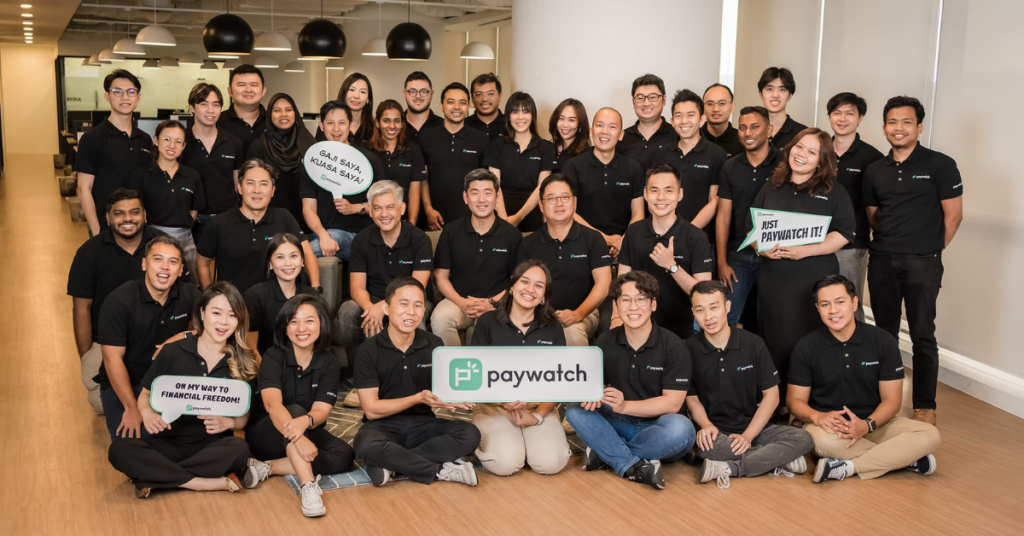
Founded in 2020 and headquartered in Kuala Lumpur, Paywatch is one of Southeast Asia’s leading financial wellness platforms and the region’s largest provider of Earned Wage Access (EWA) solutions.
For many gig and frontline workers, where income can be irregular and cash flow tightly tied to pay cycles, this approach helps bridge the gap between work completed and wages received. Workers across Malaysia, the Philippines, Indonesia, Singapore, Hong Kong, and South Korea are able to access wages they’ve already earned anytime before payday.
Centered on its EWA offering, Paywatch’s mission is to help employees manage their finances more effectively, from avoiding unnecessary loans to making more mindful use of their income. This is increasingly relevant as EWA adoption spreads across industries with large frontline and hourly workforces.
Some notable multinational companies adopting Paywatch’s solution include DFI Retail Group (Guardian), Genting Group, Shangri-La Hotels, Lotus’s (CP Group), Shake Shack, A&W, Lotte Group, and Wilmar.
Closing a US$20 million Series A round co-led by Kakao Pay and Artem Ventures in November 2025, Paywatch’s total capital raised has surpassed US$50 million when combined with earlier equity rounds and credit lines from global banks.
Fun fact: Paywatch has reportedly processed over US$200 million in transactions. MDEC also shared that the company has been featured in financial inclusion-related studies and broader ecosystem initiatives connected to the UNCDF and the ILO, underscoring its impact-focused approach to improving wage access for workers.
“Financial stability is a fundamental right,” said Alex Kim, President of Paywatch. “We are on a mission to build an equitable system where every worker can access secure, equitably priced financial services. For these workers, this level of financial freedom and inclusion should not be seen as a privilege, but as standard.”
The company’s growth also reflects the strength of Malaysia’s fintech ecosystem in developing scalable digital solutions that address real-world challenges locally and across the region.
Beyond enabling early wage access, Paywatch is further positioning itself as a next-generation Employee Assistance Programme (EAP). It has developed its own cross-border remittance infrastructure to help foreign workers send money home instantly, a fee-free bill payments system lets workers stay on top of recurring expenses, and a healthcare module covering insurance and medical costs.
2. Versa: From Cash Management to Wealth Democratisation

Versa is a digital wealth management platform that allows users to save, invest, and access retirement planning tools. Among its offerings is a cash management tool that provides returns on par with fixed deposits, but with similar liquidity as a regular savings account.
As the first e-service platform licensed by Malaysia’s Securities Commission in 2021, its products are built within a regulated framework aimed at broadening access to wealth management tools.
“Cash management solutions were traditionally only accessible to sophisticated investors and not readily available to all Malaysians. We are democratising access to such products together with Affin Hwang AM to bring these solutions to every Malaysian regardless of wealth status,” said Teoh Wei-Xiang, CEO of Versa, in a press release.
Four years after its official launch in January 2021, the fintech startup has captured about 450,000 registered users, with 90% aged 40 and below.
Breaking the numbers down, 59% of its total users are aged 30 and below while 20.4% are university students. Gender-wise, 40% of its total users are female, which is notable in a sector that historically skews male.
“We helped Malaysians, especially the youth, save almost RM500 million in 2024 alone,” the CEO elaborated.
Aside from cash management, Versa has since expanded into a robust wealth platform offering nearly 20 conventional and Shariah-compliant funds, retirement planning through the Private Retirement Scheme (PRS), and a gamified engagement feature called Versa Quest to build savings habits among young users.
The platform’s commercial trajectory was validated again in March last year when Versa closed a RM30 million Series A round led by AHAM Asset Management Berhad, with participation from notable individual investors. This latest round funded its target of reaching one million users by 2027. Its continued expansion demonstrates how Malaysian fintech companies are creating innovative financial solutions with strong regional growth potential.
3. Get Hyred: Closing the Employability Gap

Where Versa offers fixed savings and Paywatch fixed cash flow, Get Hyred addresses the supply-side gap in the gig economy by focusing on employability rather than financial products.
Its solution is designed to help gig workers build skills, credentials, and access income opportunities that support longer-term upward mobility.
At the centre of its offering is the Zasss marketplace, which matches young gig workers to flexible earning opportunities while integrating access to skills-building modules.
The platform combines income generation with capability development to strengthen both immediate earning potential and longer-term career pathways.
Within the broader Financial Innovation Gig Economy Challenge framework, Get Hyred complements solutions like Paywatch and Versa by addressing the fourth pillar of financial health—sustained earning power.
Rather than positioning the gig economy solely as a source of short-term income, GetHyred frames it as a pathway for progression. By linking work opportunities with skills development, the platform seeks to help workers move from entry-level gig roles into more sustainable forms of employment over time, supporting Malaysia’s efforts to develop a future-ready digital workforce.
Closing the Gig Economy Financial Gap
Through the Malaysia Digital (MD) initiative, MDEC continues to support high-potential MD status companies such as Paywatch, Versa and GetHyred in developing innovative digital solutions that address real-world challenges while strengthening Malaysia’s digital economy. These efforts contribute to the aspirations of Malaysia Digital 2030 (MD2030) to position Malaysia as a globally competitive digital nation. From improving cash-flow stability and enabling structured savings, to expanding access to wealth-building tools and addressing long-term employability, each solution targets a different stage of a gig worker’s financial journey.
While the nature of gig work continues to evolve, the cohort of solutions highlights how financial inclusion is no longer only about access to services, but about building systems that support resilience, mobility, and sustainable earning power over time.
- Learn more about MDEC and the MD Status here.
- Read other articles we’ve written about Malaysian startups here.
Feature Image Credit: PayWatch

US cryptocurrency, digital assets usage promoted by Trump

TG Jones and York main Post Office to close in October

Care company to sell ‘unaffordable’ historic fire station after ‘unnecessarily difficult and costly’ planning process





-

 Fashion5 days ago
Weekend Open Thread: Maeve – Corporette.com
-

 Crypto World5 days ago
Bitcoin’s 22% rally now needs real demand to outlast Treasury liquidity boost
-

 Crypto World7 days ago
Warsh Jackson Hole keynote puts financial innovation first
-

 Business5 days ago
Apple Confirms September 9 Keynote and Reveals Its Full Pre-Order Schedule
-

 Crypto World6 days ago
Elon Musk Grok Bot Promise: We Will Make You Whole if AI Loses Your Money
-

 Business5 days ago
Salesforce Stock Soars 19% as Blowout Earnings and Agentforce AI Growth Silence Software Skeptics
-

 Business4 days ago
Onto Innovation Stock: AI’s Next Bottleneck Is Yield (NYSE:ONTO)
-
 NewsBeat7 days ago
Lindsay Clancy jury braces for closing arguments as judge tells court: ‘You’ve heard all the evidence’ – Live updates
-

 Business7 days ago
Walmart takes aim at younger shoppers with new fashion brand
-

 Crypto World6 days ago
NVIDIA revenue hits $96.2B as AI demand doubles
-

 Crypto World4 days ago
Bitcoin price tests $82K resistance as Brandt stays long
-
 Crypto World6 days ago
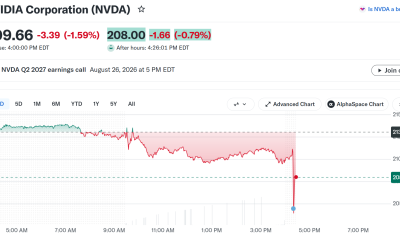
Nvidia Q2 Earnings Reveal $96.2 Billion Beat, So Why Is NVDA Falling?
-

 Business5 days ago
iPhone 18 Pro Pre-Orders Could Shift to Saturday as Apple Reportedly Avoids September 11 Anniversary
-
 Tech3 days ago
Hugging Face built a $4.5 billion empire on free AI models. Now Nvidia is buying it for $12.9 billion
-
 Tech6 days ago
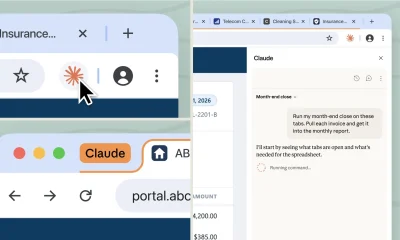
Claude Cowork gets its own browser that doesn’t touch your tabs, bookmarks, or saved passwords
-

 Crypto World5 days ago
Truflation calls for Fed rate cut after PCE forecast
-
 Tech4 days ago
PaperCut releases second emergency patch for exploited flaws
-

 News Videos3 days ago
Charlie Munger on Robinhood: No one should believe that Robinhood’s trades are free
-

 Tech6 days ago
Apple’s iPhone 18 Pro event is on September 9
-

 Tech3 days ago
Tamagotchi Ring Takes the 30-Year Digital Pet and Places it on Your Finger
You must be logged in to post a comment Login