Free tiers backed by paying subscribers are easier to evaluate than unlimited VPNs that won’t explain how they make money.
ImageFlow/Shutterstock
The old “if it’s free, you’re the product” line is catchy, but it’s too simple for free VPNs. Some reputable providers offer limited free plans because they hope a portion of people who try will eventually pay. Other services rely on advertising, collect more data than privacy-minded users may be comfortable with or aren’t clear about how they make money. So a free VPN can be worth using, but the price tag tells you less than the provider behind it and the tradeoffs attached to the free plan.
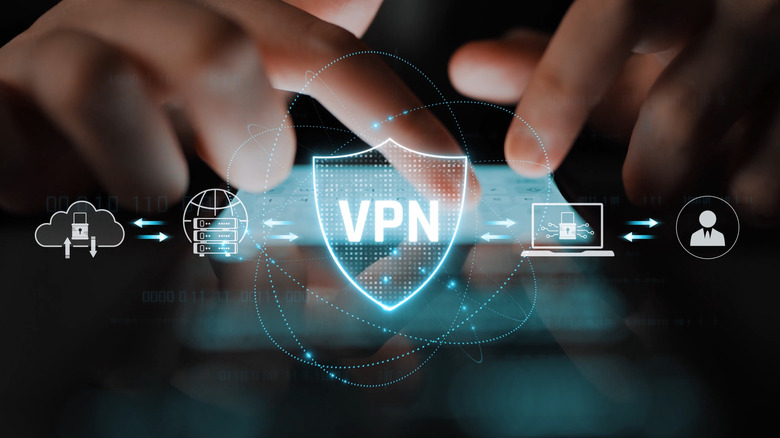
A virtual private network routes your internet connection through a VPN server before sending traffic on to websites and online services. The VPN app encrypts the connection between your device and that server, while sites you visit generally see the server’s public IP address rather than your normal one. That can reduce what your internet provider or Wi-Fi operator learns about the destinations you connect to. Our explanation of how a VPN works goes further into the technical side.
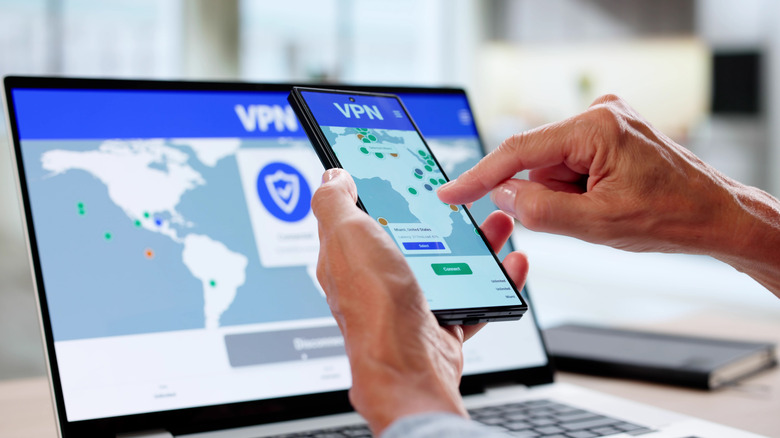
This setup allows you to change your virtual location with a VPN, but it doesn’t make you anonymous. Websites can still recognize you through logged-in accounts, cookies, GPS data and other identifiers. Not everyone needs a VPN running all the time, either. What matters here is that using one places a VPN company in a trusted position: you’re reducing what one part of the network (your ISP) can see by routing the connection through another.
Advertisement
Why free VPNs can be risky
Digineer Station/Shutterstock
The pros and cons of a free VPN start with a few obvious compromises, some of which are exacerbated versions of issues inherent to VPNs. Sending traffic through another server can add latency or reduce connection speeds, which is present with any VPN but might be worse on free offerings that impose speed caps. Free VPN plans may offer fewer server locations or impose data limits. Some websites, streaming services and workplace systems block VPN connections, which becomes more of an issue when you have fewer server options for free. These are limitations you must decide whether you’re willing to accept.
Privacy practices are harder to judge based on the app itself. The Federal Trade Commission has warned about this tradeoff: a VPN app gets access to internet traffic as it passes through the service, and some free apps make money through advertising or by sharing information with third parties. In other words, hiding some connection information from your ISP doesn’t help much if the VPN provider handles that information in malicious ways.
A 2026 NDSS study of Android VPN apps shows why that concern isn’t theoretical. Researchers tested 281 popular VPN apps available on the Google Play Store. They found that 29 leaked user traffic outside the VPN tunnel, 61 transmitted some unencrypted data and 76 sent Android Advertising IDs, which can be used for tracking. The study only examined Android apps, so those figures can’t be directly applied to VPNs on every platform. They do show that an app saying “connected” doesn’t guarantee the connection is being handled securely, though.
Advertisement
In some cases, the problem begins before there’s a VPN connection at all. There have been many cases of malware posing as free VPN tools. Having a VPN also doesn’t change whether you need antivirus or other malware protection, because these tools do different jobs. A VPN protects the connection between your device and its server. It doesn’t stop malicious software from running on your computer or keep you from entering a password on a phishing site.
How to tell if a free VPN is worth using
Andreypopov/Getty Images
To evaluate a free VPN, start with its business model. A limited free tier attached to a paid subscription service has an obvious source of funding. The company can restrict the free plan and use it to attract customers without the free version having to generate all of its revenue. Our selection of the best free VPNs for 2026 all come from providers that also sell subscriptions. That’s a useful signal, not proof that every freemium VPN is trustworthy.
Next, check whether the provider gives you enough information to verify its claims. Its ownership should be clear, and the privacy policy should spell out what data is collected and how it’s used. A recent public security audit carries more weight than simply putting “no logs” on a product page. The Electronic Frontier Foundation’s VPN guidance similarly recommends examining data-collection practices, ownership and independent audits instead of relying on marketing claims alone.
Advertisement
The VPN should also explain how it secures the connection. Established protocols such as WireGuard and OpenVPN are widely used, while a provider that won’t identify its underlying technology gives you less to evaluate. Features such as a kill switch can help too: if the VPN connection drops, the kill switch blocks internet traffic instead of quietly letting it continue outside the tunnel.
Data caps, smaller server lists and paid-only feature sets are understandable compromises: you know what the free service is withholding and can decide whether you care. If a VPN promises unlimited usage while making its ownership, data practices and/or source of revenue difficult to figure out, the compromise is much harder to see. That’s the kind of “free” worth avoiding.
Dario Amodei said that “we owe it to humanity to try.”
Anna Moneymaker/Getty Images
At least one CEO of an AI company is calling for a slower pace when it comes to developing artificial intelligence. Anthropic’s CEO Dario Amodei wrote a lengthy post detailing a goal of pacing the speed at which AI is built, instead of forging ahead at the rapid rate that AI is currently on. Amodei proposed a three-tiered approach to achieve this, with Anthropic already committing to the first step.
The first measure calls for “frontier AI” companies to commit to “ongoing, employee-like access” for third-party evaluators who would focus on verifying compliance with certain safety standards, evaluating if AI model training is aligned with the goal of slowing down and reporting incidents. The second step requires these AI companies to establish “common safety standards” with the help of governments in order to limit the rate of unchecked AI progress. The final measure would have the US and other democratic governments coordinate with authoritarian governments to ensure everyone is on the same page about compliance.
“The measures I propose to advance the frontier at a safe pace will not be easy,” Amodei wrote in his post. “But I believe we owe it to humanity to try.”
Advertisement
According to Amodei, the risks include “losing control of AI systems, misuse of AI for cyberattacks and bioterrorism, and serious economic disruption.” Amodei acknowledged the major incident where OpenAI agents broke out of a testing environment and hacked into Hugging Face. Anthropic itself recently discovered that multiple scientists were using Claude for “biological misuse.” Following these incidents, OpenAI called for California to establish “stronger safeguards” for the laws surrounding frontier AI models.
Earlier this year, Anthropic already called for a slowdown in AI development, with much of the previous plea echoing the sentiments expressed in Amodei’s recent post. However, Amodei attributed the Hugging Face incident and the onset of “recursive self-improvement,” where AI models are capable enough to develop their future iterations, as the two things that have convinced him of the need to slow down.
The 2026 Hackaday Superconference is just around the corner in November. It’s hard to believe that we’ve been having an annual gathering for so long, but this is number ten. Every year, it’s a great time to refresh your pool of new ideas, hang out with fellow hackers, put your soldering skills to the test, eat some phenomenal tacos, and catch some of the two tracks of talks.
What’s got me stoked right now is that we just finished up talk selection, and this year is going to be a banger! We had more talks submitted than ever, and all of high quality. Frankly, if this keeps up for next year, we might have to figure out a third stage.
This year also marks the move to a bigger venue, with more space for hacking in the courtyard, more space for talks in two halls, and more room for you to all settle down and share your work, or create something new. Even the badge is going to be bigger this year – but that’s all we can say at this time.
Advertisement
If you don’t have your tickets yet, go ahead and get them. Flights are still relatively cheap, and hotels not booked up yet. See you all soon!
The company won out over some of Ireland’s most admired start-ups, including DevAlly, Spryt, MenoPal, Jentic and ArrayPatch.
Disseqt beat some impressive competition to win this year’s KPMG Global Tech Innovator (GTI) Ireland, earning a spot in the global competition final.
Disseqt’s AI assurance layer for enterprise AI operations offers IT teams a single platform to test and detect issues, protect and enforce guardrails, and prove and comply across the full AI agent lifecycle, according to KPMG, and aims to support organisations in aligning with frameworks like the EU AI Act and ISO/IEC 42001.
The judging panel found that Disseqt’s “pioneering solutions” meant it deserved its spot on the global stage in Lisbon this November, where it will represent Ireland and compete alongside innovating companies from 20 other countries in the overall final for 2026.
Advertisement
“Winning the GTI Ireland competition is a tremendous honour for myself, Apoorva Kumar and Manish Atri – my co-founders – and a testament to our team’s dedication to innovation and excellence,” said Cyril Treacy, co-founder and COO of Disseqt, which is based in NovaUCD in Dublin.
“As enterprises accelerate their AI adoption, assurance, reliability and compliance have never been more critical. This recognition validates our mission to help organisations operate AI safely and responsibly, and inspires us to keep pushing the boundaries of what’s possible in enterprise AI operations.”
“The level of innovation across this year’s competitors was outstanding and reflects the depth of talent in Ireland’s tech community,” said Anna Scally, global head of technology, media and telecommunications at KPMG.
Advertisement
“Disseqt’s commitment to ensuring trustworthy, compliant AI at scale is both timely and essential.”
Don’t miss out on the knowledge you need to succeed. Sign up for the Daily Brief, Silicon Republic’s digest of need-to-know sci-tech news.
The iPhone 18 Pro has arrived with a new chip and camera refinements over the iPhone 17 Pro. Here’s how Apple’s latest Pro compares against last year’s model, now with benchmarks.
iPhone 18 Pro [left] vs iPhone 17 Pro [right]
Right on schedule, Apple unveiled the iPhone 18 Pro at its fall event as the new Pro edition to get. That is, if you don’t want the massive Pro Max version. The follow-up to the iPhone 17 Pro that introduced the aluminum unibody frame and vapor chamber cooling, the new model refines that formula rather than reinventing it. Continue Reading on AppleInsider | Discuss on our Forums
Apple Watch Series 12’s narrower screen brings back a bezel trade-off from the Series 9 era, pairing a smaller display with a larger case than the Series 10 and Series 11.
On the 46mm model, this reduction shows up most clearly: display area falls to 1,196 square millimetres, a 2% drop from the 1,220 square millimetres listed for the Series 10 and Series 11, even as Apple keeps the resolution fixed at 416 by 496 pixels.
The 42mm version follows the same pattern: display area falls from 989 square millimetres to 970 square millimetres, a 1.9% reduction, while the 374 x 446 pixel count carries over unchanged from the previous two generations.
While the screens shrink, the cases around them grow: the 46mm case widens from 46 x 39 x 9.7mm on the Series 10 and Series 11 to 46 x 40 x 9.7mm on the Series 12, a footprint increase of roughly 2.6%.
Advertisement
The 42mm case grows by a similar margin: it expands from 42 x 36 millimetres to 42 x 37 millimetres, about 2.8%, while depth stays at 9.7 millimetres across both sizes.
Advertisement
That combination of a smaller screen and a wider case pushes the visible border outward, and Apple has recessed the casing while expanding the front glass on the Series 12, a design change that makes those borders look even more pronounced.
A design shift with precedent
This kind of trade-off has a precedent, since the Series 10 made a comparable move when it replaced the Series 9 in 2024, widening its case relative to the display it housed and setting the template that Series 11 and now Series 12 have both followed.
Advertisement
The Series 10’s visible aluminium edge actually shrank by around 33% compared with the Series 9, yet its total bezel, which includes the black glass border, grew by roughly 17%, even though the case and display figures alone suggested an improvement.
Apple has not detailed how the recessed casing and expanded glass will feel in daily use, so early impressions will depend on hands-on testing once the Series 12 lands on wrists around the world.
If you’re bringing your community to Disrupt, don’t just give them another place to gather. Give them a reason to show up — and give your organization a reason to host.
Image Credits:TechCrunch
A Side Event can help you:
Turn connections into opportunities
Put your team directly in front of founders, investors, customers, partners, and other decision-makers who can unlock your next deal, partnership, investment, hire, or collaboration.
Advertisement
Build relationships that go deeper
Create the kind of conversations that are harder to have on a crowded conference floor — and deepen relationships with the people most relevant to your business.
Put your brand at the center
Own the conversation around a topic your audience cares about and give your brand a meaningful role in the Disrupt ecosystem.
Bring your existing network together while creating opportunities for members to meet new people, exchange ideas, and make valuable connections of their own.
Extend your reach beyond your guest list
Approved Side Events may be promoted through TechCrunch’s Side Events page, Disrupt agenda, mobile app, newsletters, articles, and social channels.
Advertisement
Make it easier for your network to attend Disrupt
Give your community 25% off Disrupt tickets, making your Side Event part of a larger experience — not a stand-alone gathering.
Image Credits:TechCrunch
This is your last shot
The opportunity is bigger than hosting a party or meetup. Use Disrupt week to create relationships, generate opportunities, strengthen your brand, and put your organization at the center of the conversations shaping what’s next.
Don’t just attend Disrupt. Make something happen around it.
Not hosting? You can still be a part of Disrupt
You don’t need to host a Side Event to make Disrupt work for your business. Get a ticket and use the week to source new customers and partners, meet investors, find talent, see what’s next in tech, and have the conversations that can move your business forward.
Regular pricing ends September 25. Get your ticket before prices rise — and make sure you’re in the room for the people, ideas, and opportunities shaping what’s next.
Bottom line: Consumers are paying more each month to keep up with new shows, movies, and live programming as streaming services continue to raise subscription prices. The eight major services now cost about $151 a month combined for ad-free plans purchased separately, without bundles, compared with roughly $90 for a similar lineup four years ago.
Apple TV+ has had one of the largest increases. The service launched in 2019 at $4.99 a month and has since raised its price by 200%. It still has a smaller overall library than most of its main competitors, but Apple has continued to add original series and films while treating the service as part of its broader subscription business.
Disney+ has also moved well beyond its original price. It launched in 2019 at $6.99 a month without advertising. Its ad-supported plan now costs $11.99 a month, while the ad-free version costs more. Paramount+’s least expensive tier has risen 80% in five years. Netflix’s Premium plan is up 125% from its 2013 price.
The pace of increases has recently picked up as well. Streaming prices across the market rose 11.8% over the past 12 months. In 2023, the average increase was 17.7%. Apple TV+ raised its price 50% in the past year, and Peacock’s plans rose by roughly the same amount.
Advertisement
HBO Max has been a notable exception. Its price has increased 23% over six years, less than most of its rivals. But HBO entered the streaming market at a higher price than newer services.
The industry’s pricing has risen faster than inflation. Consumer prices have increased by an average of 3.84% annually since 2019, according to Bureau of Labor Statistics data. Streaming services have raised prices far more aggressively, even as companies add lower-cost, ad-supported plans.
Cable and satellite television have also become more expensive over time, but their increases have been more gradual. A Hollywood Reporter analysis of Bureau of Labor Statistics data found that cable and satellite prices rose by an average of 3.9% a year, excluding the late 1980s, when deregulation led to a temporary surge. That does not mean cable is suddenly a bargain. Full packages from providers such as Spectrum and DirecTV can cost more than $170 a month.
Streaming companies are under pressure to make their businesses more profitable after spending heavily on original programming, subscriber growth, and technology. The low launch prices that helped services build audiences are giving way to a model built around higher subscription fees, advertising, bundles, and tighter rules on account sharing.
Advertisement
Consumers still have more flexibility than they did with traditional cable. They can cancel services at any time and return when a particular show or sports season begins. That has led more viewers to rotate subscriptions instead of keeping every service active year-round.
The approach can cut costs, but it also changes how people watch television. Viewers may have to wait until a season ends or a show moves to another platform before subscribing. The days of paying for one service and finding most of what you want to watch in one place are largely over.
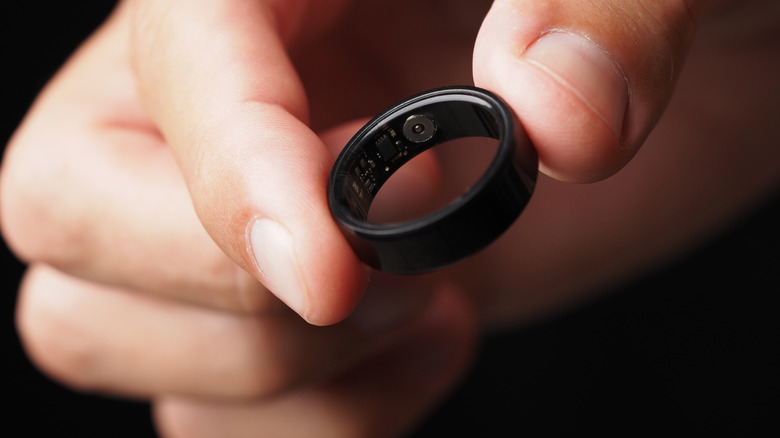
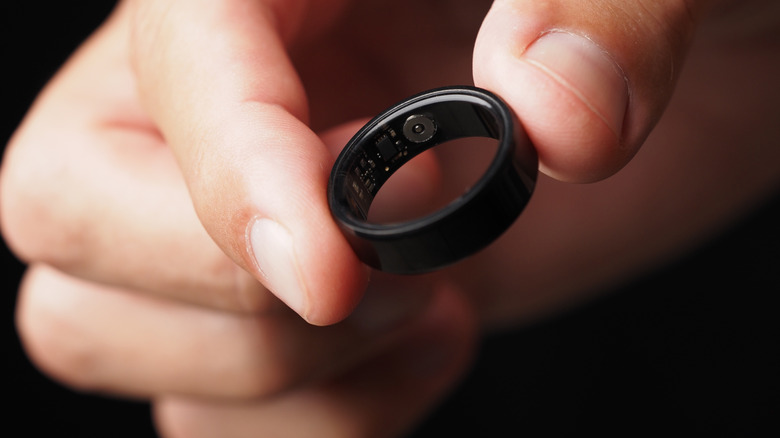
With any tech craze, the important thing for longevity is to have practical use cases. While it’s very easy to be tempted to buy the latest tech fashion, products soon lose their luster if they’re just another social media trend with limited utility. Consumers increasingly want devices that simplify their lives and cut down on distractions, rather than adding more to the equation. This is where smart rings can really show their practical advantages.
They’re very low-maintenance while active and are designed to monitor various facets for the wearer automatically. They also neatly sidestep some of the issues that come with smartphones when used for similar purposes: Without a screen or instant access to that time-sapping social media, there’s no temptation to be sucked into a doomscrolling session that might be counterproductive to your fitness goals. Similarly, being a hands-off sort of device (which is extremely ironic considering how it’s worn), there’s no need to mess with it as we may have a tendency to do with our smartphones.
While they lack some of the downsides that other devices like our smartphones have, they are fundamentally different systems. This means that they also don’t have some of their advantages either. Let’s take a look at some particular weaknesses of one of these tiny devices, including potential hefty subscriptions and their reliance on secondary devices. Ultimately, a smart ring may not be worth it for you.
Advertisement
One of the major potential disadvantages: cost
At the top of the range are products like the Oura Ring, which tends to demand a premium pricetag. The latest version, the Oura Ring 5, starts at $399 for the standard silver and black versions. Premium color options like Stealth, Deep Rose, Brushed Silver, and Gold command an additional premium of $100 on top of that. If you want the Oura Ring 5 Charging Case, it costs an additional $134.
Advertisement
After that, there’s another common charge to concern yourself with: the subscription. In the case of an Oura Ring, the cost of membership is the same as it was for the base $349 Oura Ring 4: $69.99 annually, or $5.99 billed monthly if you prefer. Oura states that, “with an active membership, you can track numerous biometrics and receive personalized insights from Oura to help you understand what your body needs.” The premium features locked behind a membership include SpO2 Blood Oxygen Sensing, detailed sleep analysis, Oura Labs features that the brand is experimenting with before rolling out, and the Women’s Health suite.
That means that even after forking over the cash for the Oura Ring itself, some of its key features will be locked behind an additional paywall. If you don’t think that’s worth it, there are plenty of alternatives to the Oura Ring without subscriptions like the Samsung Galaxy Ring or the Circular Ring 2. Still, these models cost $399 and $349, respectively, so they are still quite the investment. While other models might be cheaper, like the Amazfit Helio Ring priced at $150, you’ll generally start to sacrifice other features like battery life when you prioritize a cheaper price.
Advertisement
Some more pros and cons of a smart ring
As noted, the discreet and screen-free nature of a smart ring is great for those users who might want to reduce their screen time or simply stop worrying about being inundated with notifications. On the flipside, though, the Oura Ring effectively requires an app in order to access the data it collects, which kind of makes the point of not using your phone moot. For what it’s worth, however, most smart rings including the Samsung Galaxy Ring and the Circular Ring 2 work with apps, too.
Because of the ring’s placement on the body, some reviewers have also expressed concern that they might not record your heartrate with the same accuracy as other wearables, which can usually be tightened along the wrist or chest with a band. They could also be disruptive to your workout if, for example, you are lifting weights or needing to grip something.
Like any device, it’s all about choosing the option that fits your needs the best. While some might have limited use for a smart ring, these devices do have unique functions and an aesthetic that will certainly appeal to others. It seems they’re going to continue to, as well. In January 2026, the Los Angeles Times reported that “smart rings are finally going mainstream with a projected 49% jump in shipments, far outpacing smartwatches’ expected 6% growth.”
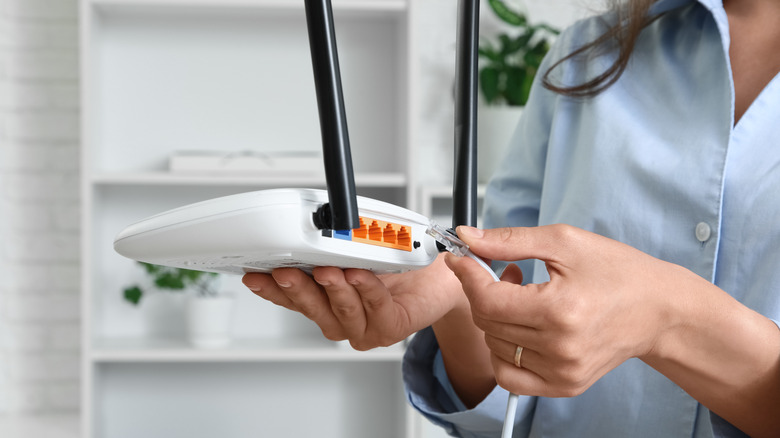
Your router has several Ethernet ports, but they might not all be for the same purpose.
Professor25/Getty Images
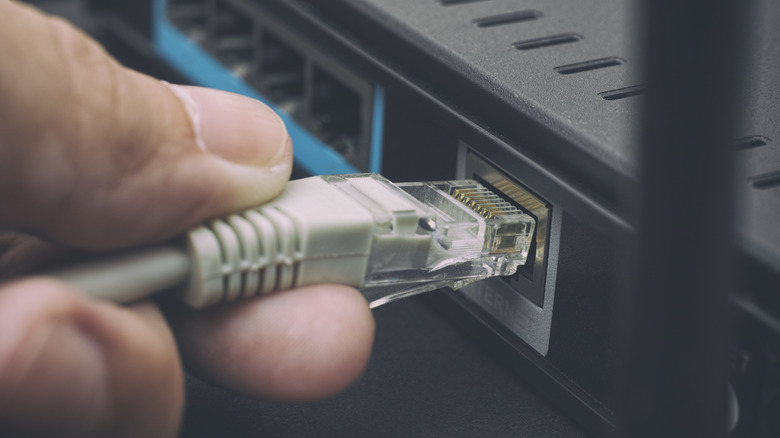
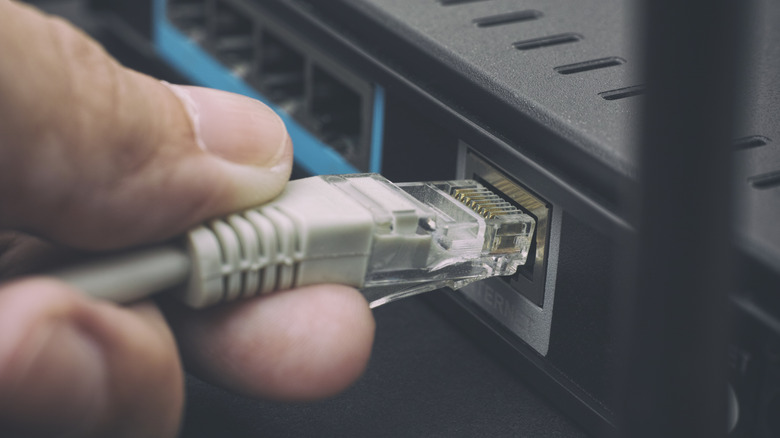
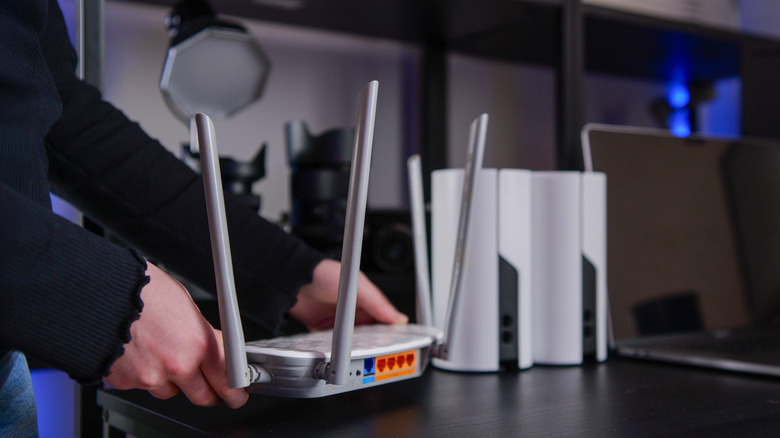
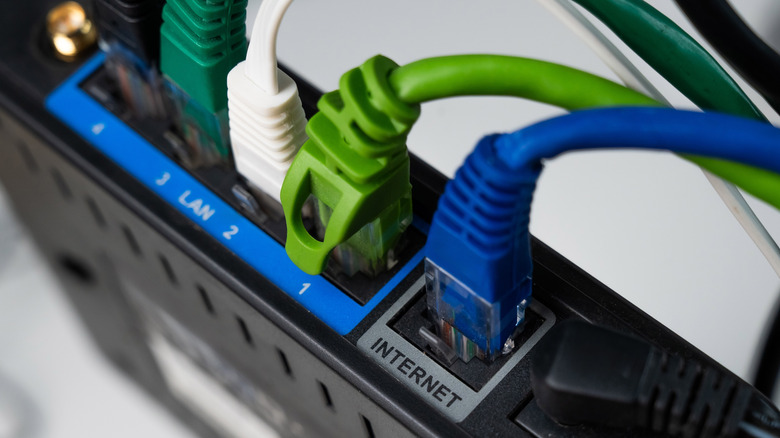
The Ethernet ports on the back of your router might seem interchangeable. On some routers they are, but others feature a mix of ports with different jobs and maximum speeds. One may connect the router to your modem or fiber terminal, while the others provide a wired connection for PCs, consoles and other devices around your home.
Deciding on the right port depends first on what you’re plugging in, then on how fast the devices at both ends can communicate. Start with WAN versus LAN; speed comes after that.
Advertisement
Start with the WAN or Internet port
Bohdan Bevz/Getty Images
If your router connects to a separate modem or optical network terminal (ONT), the Ethernet cable from that device normally plugs into the router’s WAN or Internet port. WAN stands for wide area network; here, it is the router’s connection to your internet service. For router/modem combo units, you won’t need this connection since one device performs both functions.
The other Ethernet connections are generally LAN (local area network) ports. These are where you connect devices inside your home, such as a desktop PC, game console, smart TV or network-attached storage (NAS). Four LAN ports don’t give the router four separate internet connections; they let you connect up to four wired devices directly (rather than using wireless connections).
Not every router uses that exact arrangement. Some have ports marked WAN/LAN that can perform either job, while other models use auto-sensing Ethernet ports instead of a dedicated WAN jack. If your router doesn’t clearly identify one port for an Internet or WAN connection, its setup guide or specifications should tell you which port to use.
The number of LAN ports you need depends on how many devices you want to wire directly to the router. If you run out, an Ethernet switch can add more connections without requiring another router. Much like an HDMI switch, these plug into one of the LAN ports on your router and provide additional ports for other devices. You might need more than you’d think, given there are ways to use wired Ethernet without running long cables.
Advertisement
Not every LAN port on a router offers the same speed
Labels such as 1G, 2.5G, 5G and 10G refer to maximum link speeds of 1Gbps, 2.5Gbps, 5Gbps and 10Gbps. A manual or specification sheet may instead use Ethernet standard names such as 1000BASE-T for 1Gbps, 2.5GBASE-T for 2.5Gbps or 10GBASE-T for 10Gbps.
For example, the TP-Link Archer BE900 shows why checking matters. It has four 2.5Gbps LAN ports as well as 10Gbps connections that can handle either WAN or LAN duties. There is no general rule that port 1 will be faster than port 4 simply because of its position or number.
Advertisement
If all your router’s LAN ports support the same speed and none has a special function, moving a device to a different one generally won’t make the connection faster. The choice starts to matter when the ports have different speed ratings or roles.
A faster Ethernet port won’t make a slower device faster
Reshetnikov_art/Shutterstock
A 10Gbps port doesn’t automatically give every device plugged into it a 10Gbps connection. The rest of the Ethernet hardware has to support the faster speed as well.
If your computer has a 1Gbps Ethernet adapter, connecting it to a faster multi-gigabit router port doesn’t upgrade what your computer offers. Copper Ethernet hardware typically uses auto-negotiation to determine a link configuration supported by both ends. The practical result is simple: a 1Gbps device can’t become 2.5Gbps-compatible just because the router port is faster.
Advertisement
The reverse applies as well. Upon connecting a computer with 2.5Gbps Ethernet to a 1Gbps LAN port, the slower port becomes the limiting factor. To establish a faster link, the router port, the Ethernet interface on the connected device and the cable between them all have to support the higher standard.
Cable names can cause some confusion here. Cat5e, Cat6 and Cat6A are cable categories, not router port speeds, so there is no such thing as choosing a “Cat6 port” on the router. The cable category, quality, length and installation can all affect which Ethernet speeds a setup will reliably support.
Your internet plan isn’t necessarily the limit for everything you do over Ethernet, either. Two devices communicating inside your home (on a LAN) don’t need to send that traffic through your internet connection. A PC and network-attached storage device connected over 2.5Gbps Ethernet, for example, can transfer files across the local network at speeds far faster than your broadband connection likely supports.
Before plugging a device into your router, check the port’s label, what speed the device supports and which Ethernet cable you’re using. If every LAN port on your router is identical, the choice usually doesn’t matter. If they aren’t, use the fastest compatible port where the extra bandwidth will actually be useful. Check the router’s manual for any manufacturer-specific functions.
Ford rarely colors outside the lines of traditional automaking. The company wrote the book on the automotive world, launching the Model T in 1908 and revolutionizing the industry with the assembly line in 1913. Today, the Ford F-series is the top-selling vehicle in America, and Ford trucks are renowned for their rugged durability and towing capabilities. This reputation is why many are surprised to learn that the company’s new electric truck, the Fathom, will not boast impressive towing capacity. While Ford has not disclosed exact numbers, the company compared the vehicle to its existing Maverick, which does not prioritize towing.
To be fair, Ford offers a full lineup of towing options, from the Maverick’s 2,000-pound limit to the Super Duty’s impressive 40,000-pound capabilities. Electric trucks typically don’t have the same towing capacities as gasoline-powered pickups, but several can tow 10,000 pounds or more, like the Rivian R1T. The new Fathom will have towing capabilities, but Ford’s VP of Advanced Development Projects stated that the truck’s ability to “tow really heavy weights really long distance isn’t something that we’ve spent a lot of time on.”
The industry is awash with speculation as to why Ford chose this route, but the answer appears fairly simple — cost. The new Fathom has a sticker price of $28,350, plus destination and delivery fees of $1,595, bringing the total to just under $30,000. This low price will make it one of the most affordable EVs on the market and is a clear indicator of Ford’s strategy.
Advertisement
What we know about the new Ford Fathom
EV sales in the U.S. fell dramatically after the federal tax credit program expired, and the average cost of a new EV is $55,300, which represents a challenge for many average buyers. If Ford wants to sell this new electric vehicle, and we imagine they very much do, it has to face these challenges head-on.
Advertisement
Ford plans to begin preorders of the Fathom in early 2027, and the midsize truck will be built from scratch in Louisville, Kentucky. It will have fewer components than Ford’s earlier EVs to help cut costs, and the manufacturing process was also overhauled to keep the Fathom’s price under $30,000. The automaker hopes to sell more than 100,000 trucks in the first year of production, which is a lofty goal. Only Tesla has managed to hit that benchmark with a single model. At time of writing, Ford has remained tight-lipped on details regarding the Fathom. We do know it will have a large touchscreen, navigation powered by Apple Maps, and will be BlueCruise Capable for hands-free driving on the freeway. Driving range and charging times have not been disclosed.
After Ford discontinued the F-150 Lightning, which previously sold for about $50,000, Chevrolet’s Silverado EV took its place as the most affordable electric pickup truck currently for sale in the U.S. It has a starting price of $55,895, meaning the Fathom will be well-positioned to capture an untapped market niche for budget-friendly electric pickup trucks — provided owners don’t want to tow much.














































You must be logged in to post a comment Login