It’ll suggest changes and all you need to do is approve them.
Igor Bonifacic for Engadget
If you do a lot of work online, there’s a good chance your Google Drive has accumulated way too many documents, photos and other files. Unfortunately, Google has typically made organizing your digital life through Drive difficult, with a web client that doesn’t have a particularly useful search function to find and move things around. With this in mind, Google recently introduced a tool to help people get their digital lives in order. And before you ask: yes, it uses AI.
Last fall, Google began testing a feature called Organize My Files in Drive, and began rolling it out to Workspace users in June. Like a lot of the features the company has introduced recently, it relies on Gemini. In this case, “Gemini can help you organize your Drive by providing suggestions of where to move loose files based on your organizing structure and strategies,” says Google.
Advertisement
How to get Gemini set up
Igor Bonifacic for Engadget
Before you can task Gemini with cleaning up your Google Drive, there are a few requirements worth noting. First, you’ll need a Google AI Pro or AI Ultra subscription. The feature isn’t available to free accounts, which means it will not appear in Google Drive’s interface if you aren’t already a paid user.
If Google Drive is your primary cloud storage, this requirement is not the worst thing to spend your money on since the AI Pro subscription, priced at $20 per month, comes with 5TB of additional space and a YouTube Premium Lite subscription (amongst other things).
Organize My Files in Drive is also available to Business, Enterprise and Education customers, but keep in mind you won’t be able to use your workplace account to organize your personal files. Additionally, you can’t use Gemini to organize files and folders you share with your colleagues. The feature only works with private folders.
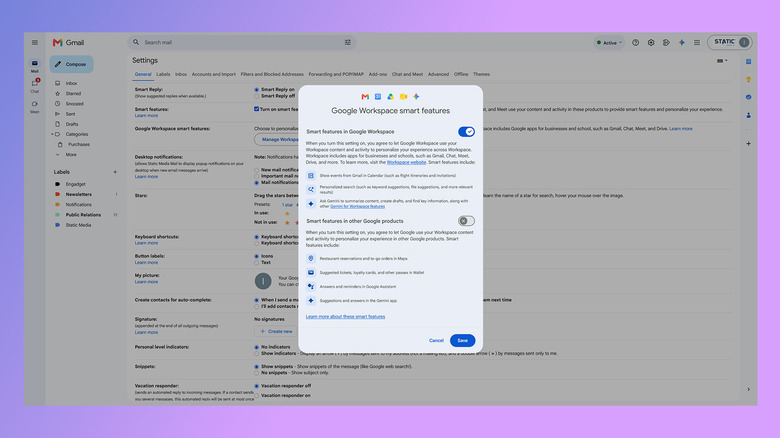
Next, you need to enable Smart features in Google Workspace. This setting is enabled by default in most markets where Google offers Workspace. If you’re unsure if smart features are active on your account, here’s how to check:
Advertisement
In Gmail, tap the cog icon.
Select See all settings.
Under the General tab, scroll down and click Manage Workspace smart feature settings.
If turned off, enable smart features in Google Workspace.
How to use Gemini to organize your files
Google
Once you’ve met the above requirements, using Gemini to organize your files is straightforward.
Open Google Drive on the web and select My Drive.
Click Suggest file moves toward the top of the interface.
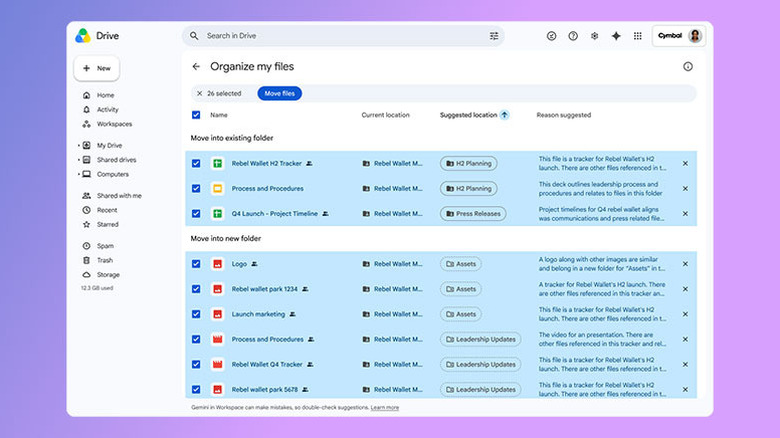
Review Gemini’s suggestions, which you’ll see in a new window.
Approve any changes you want Gemini to carry out by using the checkboxes next to each action.
While reorganizing your Google Drive, Gemini may recommend you create new folders to store your files. You can preview every file or document it suggests moving through the cards that appear when you hover your mouse over them. One thing Gemini won’t do for you is rename your files. For that reason, how much utility you get out of the tool will vary.
Gemini doesn’t appear to read the contents of your documents to generate its suggestions. So you’ll get the most out of its organizational efforts if all your files are already named and follow some sort of naming convention and hierarchy. If you have a lot of untitled documents, Gemini may not be able to help you.
If you need to go through all your files to name them, you might as well organize them into folders while you’re at it. You’ll then be able to use Gemini in the future to sort any files you forget to properly file after creating them.
Nearly 1900 Blizzard Entertainment workers “voted to ratify their first union contract with parent company Microsoft after over two years of bargaining,” reports Kotaku, “consolidating Blizzard’s many smaller unions into three larger bargaining units.”
The workers now gain new protections “on issues such as generative AI, crediting, remote work, and layoffs.”
[The contract] acknowledges that AI tools “may be useful in the game development process to support human judgment and creativity and that AI-assisted workflows remain subject to appropriate human control and review for accuracy and quality.” But it also stipulates that any implementation of AI technology that would materially impact work performed by union employees must have its impacts bargained over before it can be implemented.
Other sections cover issues such as crediting (guaranteeing that current and former employees are credited by name in all games they work on) and remote work (designating certain roles as hybrid in-office and providing procedures for individuals to apply for their roles to be fully remote). It also contains a lengthy section on how layoffs may be conducted, including a required 60-day notice period (or pay in lieu of notice), a guarantee of one week of severance for every six months of employment, and 14 months of recall rights. The contract also guarantees successorship, meaning if Blizzard is ever acquired by another company, the contract would remain intact.
“Workers also contractually locked in their current hybrid work schedule,” reports the gaming news site Aftermath, “meaning that Blizzard can’t suddenly change it, as has been a labor-unfriendly trend in the games industry over the past couple years.”
Fully remote workers scored a big win as well. “I’m remote, and we grandfathered everyone who is remote to stay remote, so we can’t be magically called to an office that we’ve never worked at before,” [said Diablo senior environment artist Mahreen Fatima].
Advertisement
And “The contract also elevated pay floor,” reports the Yakima Herald-Republic. “Across the board, workers secured a 1.25% pay increase, but some workers who were paid below $50,000 per year will walk away with pay increases that are as much as 34%.”
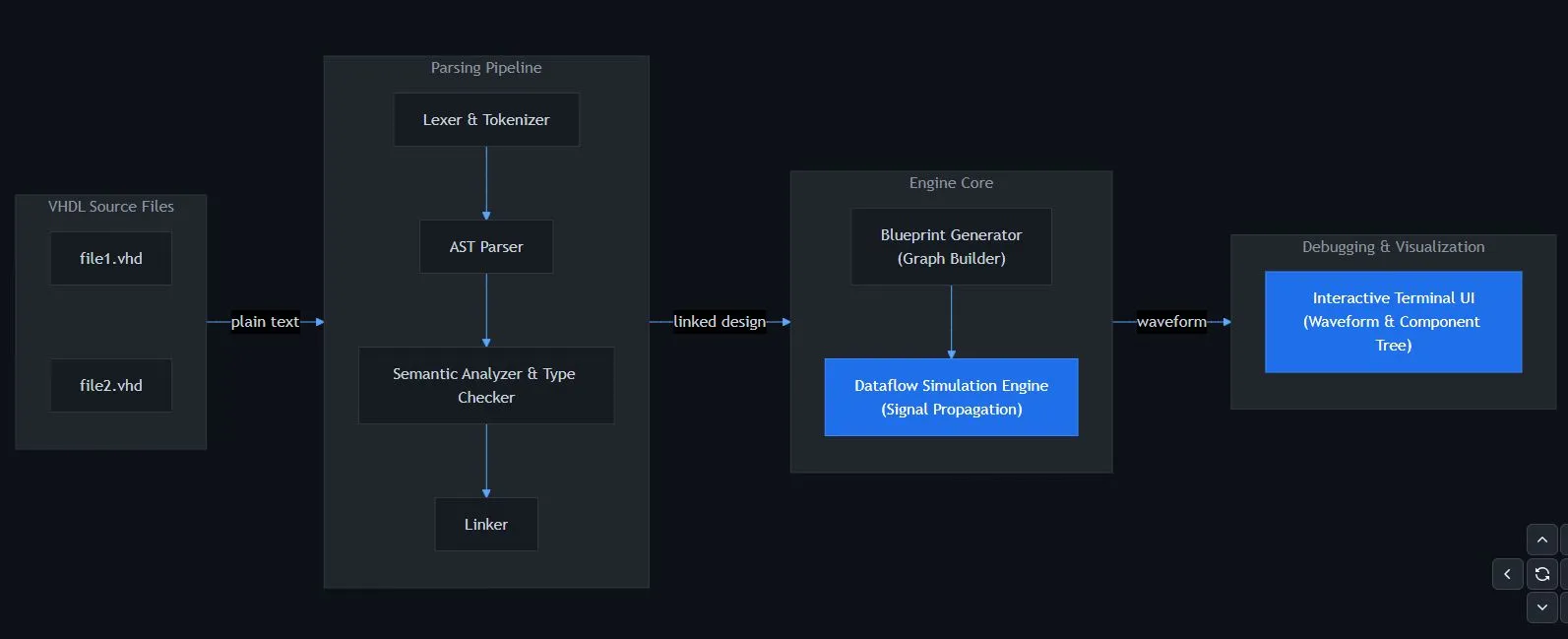
With VHDL being arguably more deterministic and bullet-proof than Verilog, it’s good to see another open source VHDL simulator joining the fray that is not a variation of ghdl. Written by [Óscar Grimal] in C++ with an MIT license, the Pulse project is a still in progress package that provides the entire toolchain, from the compiler to the requisite waveform output.
This waveform output is provided in the form of a text-based user interface (TUI), which at the very least helps a lot with making it cross-platform compatible. As dependencies only a C++20 capable compiler and CMake are indicated.
Of course, with VHDL being a rather hefty language especially once you start piling up the associated standard library, the currently supported language and library features are somewhat limited still so that you’re limited to basic IEEE packages and types, with default values are not supported yet.
Advertisement
Per the roadmap on the GitHub project’s Readme more VHDL language features including generics and additional types will be added, along with an enhanced simulation engine. It’s also said that mixed-language support with Verilog will be added, though SystemVerilog looks to be getting the short end of the stick as usual.
It will definitely be interesting to compare this package to ghdl.
“Californians just made it through the hottest August on record without having to endure any rolling power outages,” reports the Los Angeles Times. In fact, the state hasn’t implemented rotating power outages since 2020.
Because “Over the last few years, California has quietly but dramatically increased the resiliency of its electrical grid through a significant expansion in battery energy storage.”
These batteries hold onto solar energy captured during the day, so it can be sent to the grid as demand peaks in the evening and morning, when most people are at home running air conditioners and other appliances.
During the August heat wave of 2020, the California Independent System Operator, which manages the flow of electricity for most of the state, declared a Stage 3 Emergency and hundreds of thousands of households lost power in rolling outages. At the time, the system had less than 100 megawatts of battery storage available, according to system spokesperson Jayme Ackemann. Today, it has more than 17,000 megawatts available….
According to Ackemann, the system seeks to add 20,000 to 25,000 megawatts of battery storage capacity by 2045 — the same year it has set a goal of achieving carbon neutrality. That means the state would remove as many carbon emissions from the atmosphere as it emits.
Advertisement
In recent years, California has steadily grown the share of electrical power generated by renewable sources — such as solar, wind, geothermal and hydropower — which bolstered the resiliency of the grid by increasing the overall amount of energy available. An uptick in people installing rooftop solar panels has provided an additional power boost, Ackemann said. In May, California became the first known large-scale power system in the world to have relied on more than 50% solar power for an entire month…. California’s grid is also now integrated with electrical systems across much of the Western United States. This means that if there is an extreme heat event in Southern California, energy from a cooler area such as the Pacific Northwest can be imported to help meet regional demand. All of this has collectively helped the state’s electrical system weather this year’s long-lasting heat.
“Southern California continued to break temperature records this week when Long Beach and Anaheim reached a blistering 107 degrees and Escondido hit 112 degrees…”
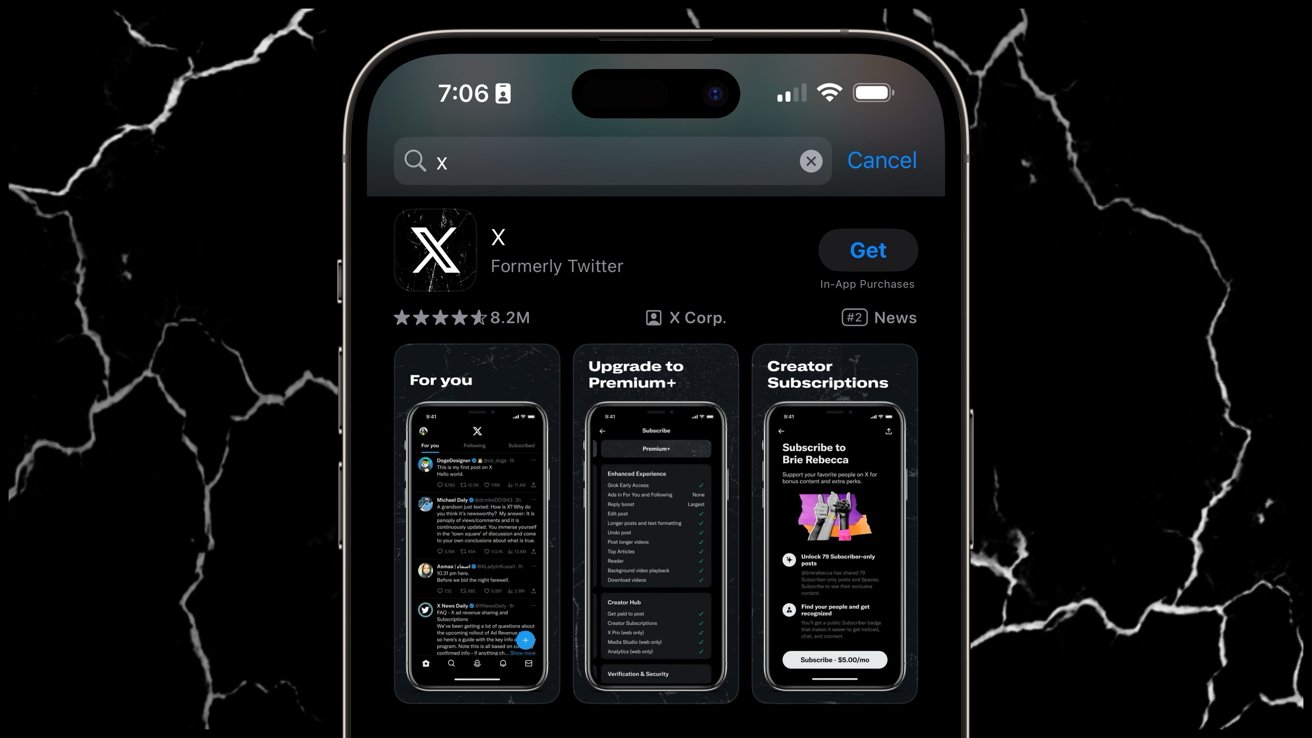
Elon Musk has moved to dismiss its lawsuit against Apple regarding the App Store given preferential treatment to OpenAI over xAI’s apps. There are unanswered questions.
The court filing on Monday, September 14 is pretty sparse, other than the request to dismiss. It’s not yet clear if there’s some kind of settlement, or if Musk has decided his case is baseless.
OpenAI was named in the suit as well. Notably, it’s just Apple that Musk is asking the court to remove from the case, and OpenAI will need to fight two major legal battles with industry titans at the same time.
The suit alleging preferential treatment has been sketchy from the beginning. As Musk’s own Grok noted when asked by a social media user, other companies other than OpenAI have been on the top of the App Store.
DeepSeek was in the App Store top spot in January 2025. Perplexity followed on July 18, 2025. Both happened after the June 2024 OpenAI and Apple partnership.
Further complicating the suit, app data aggregator SensorTower has also noted that Grok was on the peak App Store spot on February 18, 2025 and February 19, 2025 after Grok-3 was made free.
The case has been moving at a snail’s pace since it was brought on August 2025. In May 2026, SVP of Software Engineering Craig Federighi was brought in as a document custodian.
Advertisement
Current Apple CEO Tim Cook was also requested as a custodian, but that was denied.
And, more recently, a judge has ruled that Elon Musk’s emails must be entered into the record. It’s still not clear what has triggered Musk’s request.
We have reached out to Apple and X corp for more details. We are not expecting a response from either, but a return call from Apple is more likely.
Gemini Intelligence is at the heart of the operating system.
Google
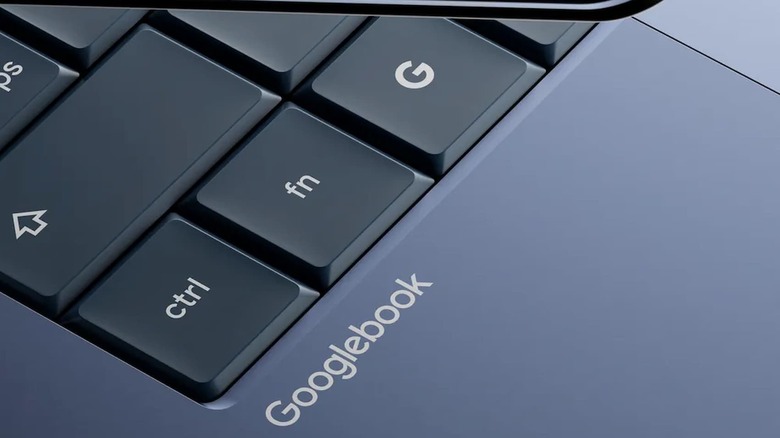
We’ll soon learn a lot more about Googlebooks — a new line of higher-end laptops from Google — as pre-orders are about to open. As noted by 9to5Google, the company told folks who signed up for updates on the devices that they (and you) can lock in an order starting on September 21 at 9AM ET. The same date appears on the Googlebook website.
Since Google announced its latest laptop brand back in May, the company hasn’t said too much officially about what to expect from them. They’ll run on a version of ChromeOS that’s based on Android. Models from Acer, ASUS, Dell, HP and Lenovo (all of which have made Chromebooks) are on the way. Of course, Gemini Intelligence is at the heart of these laptops.
One of the AI-powered features Googlebooks have is called the Magic Pointer. Wiggling the cursor turns it into the Magic Pointer, which makes it sound a bit like a Power Ranger or something. When you aim this at something on your screen, your Googlebook will offer contextual suggestions on actions you can take.
Advertisement
In addition, you’ll be able to generate custom widgets. Googlebooks (which feature a “glowbar” on the lid) will have deep integration with Android phones as well.
Apple has announced the AirPods 5 – that, you obviously know – and they’re coming with Active Noise Cancellation as standard.
Now, while I’d say there’s still some debate to be had over the designation of ANC in an open-ear design, this type of feature in an open-ear design has gone from a rarity to becoming more widespread.
And with the cheapest version of the AirPods 5 at £119 / $129, that’s made ANC open-ear a fairly affordable proposition for iOS owners. And given the AirPods sell like hotcakes, it’ll likely give Apple even more dominance in the headphone market. Impressive, considering they’re a device brand first and less a ‘traditional’ headphone brand.
But I’m beginning to monologue. The inclusion of ANC in an AirPods model at such an affordable price is a good thing, and I reckon it’s all to do with your hearing health.
Advertisement
SQUIRREL_PLAYLIST_10208756
Advertisement
Is it actually ANC?
Image Credit (Trusted Reviews)
I think it’s odd that Apple has designated this feature as Active Noise Cancellation (ANC). While I risk making myself look like a fool against the mighty Apple, the way ANC works is by using a feedforward mic – an external microphone that detects noise before it reaches your ear, and a feedback mic – one that sits close, if not in your ear, that analyses the noise in that region.
The open-design, where it nestles in your earlobe rather than in your ear proper, doesn’t seem close enough for that ANC system to work. Noise Reduction seems like a better way to describe it, but it’s certainly not as attractive to people who think it will cancel noise completely.
Apple says it’ll cancel up to 50% more noise than the AirPods 4 with ANC did, which sounds impressive; and Apple says the Transparency mode will sound more natural, but that’s a laughable claim to me. If you want to hear what’s around you, just turn the ANC off. A Transparency mode seems a needless feature for a headphone that’s primarily designed to let you hear what’s around you.
Advertisement
That’s my scepticism detailed for you, but truly, I think the inclusion of (cough) Noise Reduction is a good thing. It’s featured on several products before, and I alluded to it towards the end of 2025 when I wrote about the continuing progress of open-earbuds.
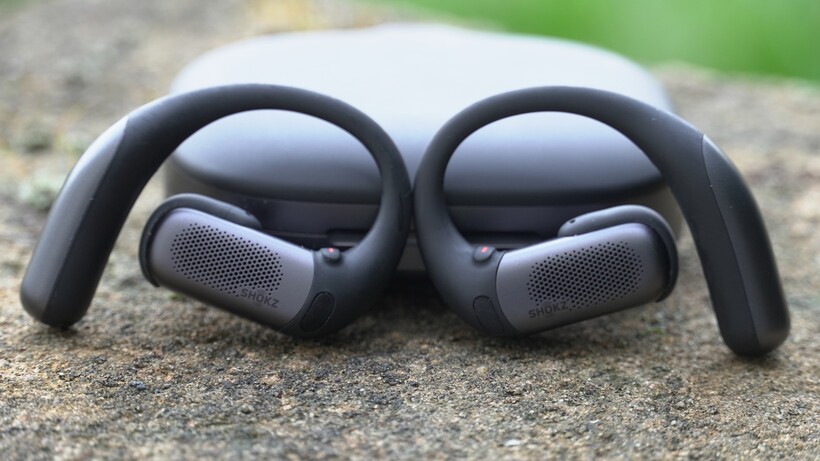
Shokz is the name most widely associated with the open-ear design, and its OpenFit Pro added Noise Reduction earlier this year, but I think even they have been caught off guard – gazumped, you might say – by Apple pricing the AirPods 5 so low; a low price will bring this technology to more people.
Advertisement
Noise Reduction takes open-ears to another level
Image Credit (Trusted Reviews)
Whenever I test open-ear designs, my ears take a battering in noisy environments. I’ve recently tested a new pair in terms of call quality, and while the person on the other end heard me fine, I could not hear a thing they were saying when I was walking on a street or in a restaurant waiting for an order. All I could hear was a cacophony of sound.
And that isn’t good for your ears. We’re always subjected to loud noises wherever we go, and life at times can seem louder than ever, but wearing headphones can shield you from that noise, and open-ear designs have never been particularly good at that.
Advertisement
With noise reduction, you can take the edge off the noise. On a plane, on the Underground (or subway), in a loud indoor environment (pubs make my ears want to explode), headphones can subdue and save your ears from being pelted by the racket around you. I wear headphones on public transport and whenever I fly – I feel like my ears are better for it.
Apple makes no mention of hearing health in its press release, which surprises me a little given they’re so focused on health in other areas, but regardless, the addition of noise reduction at this price means more people will be able to get this type of experience – and it could help your hearing health in the long term.
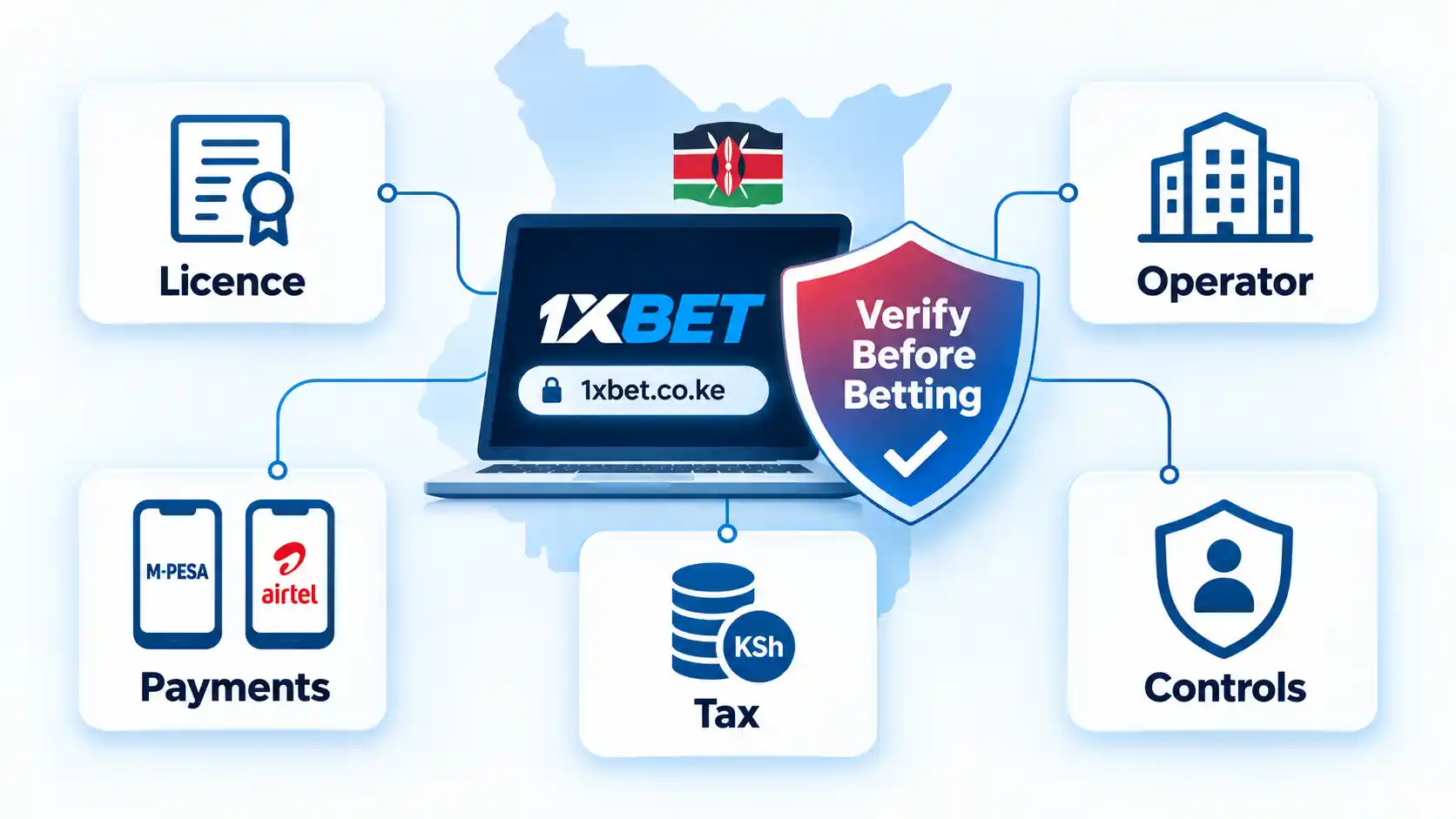
This article, “1xBet Kenya Review: Licensing, Payments, Tax and Risks in 2026,” was originally published at https://www.blogthetech.com/1xbet-kenya-review/. If you are reading it anywhere else, it was copied without permission.
This research-based 1xBet Kenya review examines its current licence claims, operator-name mismatch, M-Pesa and Airtel Money terms, withdrawal verification, Kenyan tax treatment, self-exclusion rules, and the evidence readers should verify before depositing or submitting identity documents.
By now it’s old hat to point out that the mainstream media bends over backwards to pretend that Donald Trump is a “normal” president. The number of times you could point to the coverage and question how the media would cover things if a Democratic president did anything even remotely similar is impossible to keep track of.
But there were two separate things that happened at Trump’s fake GOP “midterm convention” (there was no convention, it was just a rally) and the way the media handled each tells you plenty about how stupid things have become. First up, Trump stated that if the Republicans win the midterms, every American would get a $5,000 check. This is both illegal and ridiculous.
It’s illegal because 18 USC 597 makes it a crime to offer an expenditure to induce someone to vote a particular way — which is precisely what dangling $5,000 checks in exchange for a Republican Congress is. It’s ridiculous because Trump promises this kind of bullshit all the time and never delivers. Here’s a compilation of him making unfulfilled promises of “dividend” checks over and over again:
@thebulwark.com did a supercut of all the prior times Trump said he was going to give Americans a $5000 check or whatever. It is glorious
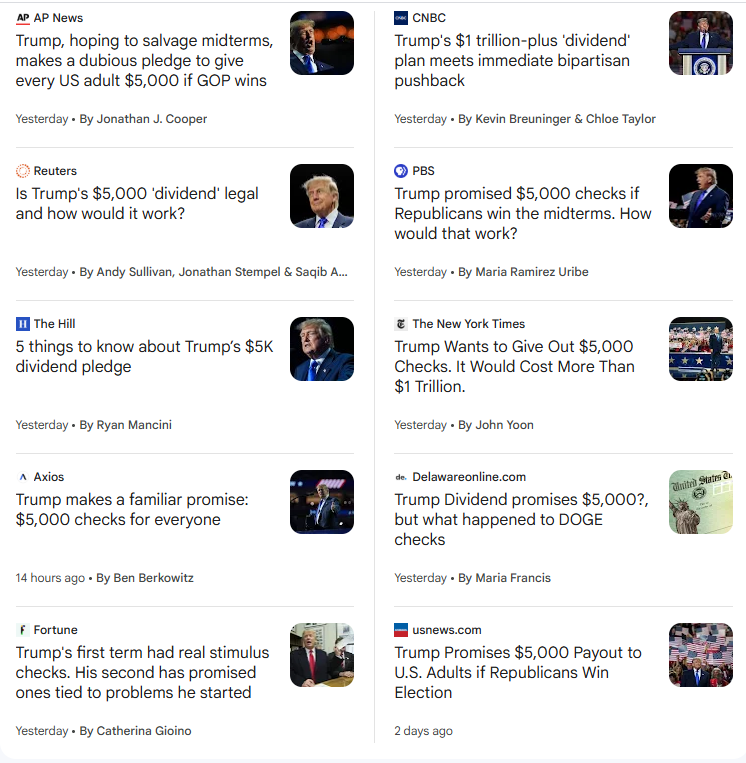
The proper way to cover this story is something along the lines of “President Trump, facing dismally low approval ratings, tries to illegally bribe voters to support the GOP.” The checks are never going to happen, and everyone (including Trump) knows it’s never going to happen. But, instead, the mainstream media pretended that this was a serious proposal worth taking seriously.
Yes, some of those headlines express skepticism, but within the range of normal policy proposal skepticism. The NY Times coverage, for example, focuses on what “experts say” about the proposal, and how much it would cost (over $1 trillion) and that it would require Congressional approval. It gets quotes from people to argue both the pros and cons of the whole thing, and literally says “it’s complicated” after asking whether such payments “could face legal challenges.” It even tries to “both sides” it by comparing it to a totally distinguishable situation where — in the midst of COVID shutdowns — some Democrats expressed policy support for general stimulus checks.
Then, the next night, in his next speech, the President of the United States — who has spent years falsely accusing others of “rigging elections” and “cheating” despite the near total lack of evidence of any significant voter fraud in the US — had people pledge allegiance to him personally (not the flag, not the Constitution, not America, but to him personally). He then literally told them to cheat and commit voter fraud in the election, before adding that anyone who doesn’t vote (presumably for MAGA candidates) would go to hell.
“Please raise your right hand,” Trump told a stadium packed with his supporters as he was met with some laughter.
“I pledge to the greatest president in the history of the United States that loves us so much he can’t even breathe, that I will go out with my family, my friends,” he continued.
“I don’t care if I’m registered or not. I’m going to try and cheat like hell like they do. There’s never been bigger cheaters. I don’t care,” he said. “I am going to go out and I am going to get my friends, my family, and we are going to vote on Nov. 3rd or we are going to vote before that.”
Advertisement
Trump said it went without saying that people would vote Republican.
“OK. So help me God,” he concluded the pledge.
“You know what happens if you don’t vote? You go to hell,” he added. “You know that, OK? You go to hell, and I don’t want that to happen to you. So please go and vote, because together we will defeat the communists.”
Here’s video of the first part of that, with the pledge and telling everyone to cheat and commit voter fraud:
Advertisement
Trump: "Please right your right hand. I pledge to the greatest president in the history of the United States. That loves us so much he can't even breath. That I will go out with my family, my friends, I'll do it any way – I don't care if I'm registered or not, I'm going to try to cheat like hell…"
And yes, Trump defenders will claim that he was joking. And everyone is laughing. Or they will claim that he’s only saying this because (as he notes as he says it) he claims (falsely) that the Democrats are cheating. But this kind of facetiousness is the whole point: to anyone offended, he can claim he was joking and mock you for taking him literally, while the MAGA faithful hear it and know exactly what he means.
Frankly, if any Democratic president (or, hell, almost any other Democratic politician) did either thing — having supporters pledge loyalty to them personally, or telling them to cheat in the election — it would generate headlines for weeks. There would be all sorts of hand-wringing among the pundit class about how un-presidential it was, and how the president is expected to bring decorum and support election security and isn’t supposed to be part of a personality cult.
Hell, when Barack Obama accepted the Democratic nomination for president in 2008, the NY Post had a freakout that he would do so on a stage with Greek columns, attacking him for acting like a Greek god with the headline: “Temple of Dem on Mt. O-Lympus.”
Advertisement
But the mainstream media basically played the whole thing down. There were a few headlines about it, but mostly side stories, or just the video clip, not a story about the statement or what it means. But just look at the NYT’s “midterm” coverage the day after (this screenshot is from Friday morning):
Nothing in any headline or promo line gets at the pledge or the demand to cheat. The main article goes with the title that he’s “a bit tired of politics” (which is hardly newsworthy), and then the text totally plays down what Trump actually said:
In 2026, he closed out an unusual midterm convention organized in his honor by saying he was a little bored of politics. He seemed more interested in telling supporters to swear on something holy — which seemed to be himself — that they would go out and vote for Republican candidates in November.
“Please raise your right hand,” Mr. Trump instructed a rowdy crowd of thousands inside a Dallas arena on Thursday evening. Many of them complied. “I pledge to the greatest president in the history of the United States that loves us so much he can’t even breathe that I will go out with my family, my friends, I will do it any way — I don’t care if I’m registered or not, I’m going to try and cheat like hell, like they do.” (Mr. Trump usually frowns on election fraud.)
He added: “I am going to go out, and I’m going to get my friends, my family, and we are going to vote on November 3.”
And that’s basically it on the topic. Even the parenthetical “usually frowns on election fraud” is laughably misleading. All of this just seems like an attempt to sanewash the insane.
Advertisement
Yes, covering every crazy thing that Trump says or does makes you seem like you’re crazy too. But it’s incredible which stories the media focuses on and which they minimize. These two examples in quick succession make it clear that in an attempt to make the Trump presidency seem more “normal” than the out-of-control authoritarian cult-of-one-man that it actually is, they will treat an illegal and ridiculous bribe as a legitimate policy proposal, while burying the part where he has supporters swear fealty to him personally and then tells them to break the law.
This interactive webinar will introduce the different types of AI, address the concerns with AI, share how we IBM are approaching Responsible AI, and offer guidance to students about what they can do – as individuals, and members of their IEEE chapters. Participants will also have the opportunity to to apply the Responsible AI approach to a particular use case – IBM Bob, a software development life cycle agent, and Q&A. This will be an interactive session, so have phones ready to engage!
Both serve the same purposes, but there are some subtle differences.
Stockcam/Getty Images
Apple Wallet and Google Wallet, as their names suggest, have similar purposes. You use them as your digital wallet: a secure place to keep your payment cards, tickets and other everyday passes on your phone. Apple Pay and Google Pay are the services that handle the payments, but it’s the Wallet apps that store everything. The names are often used interchangeably, though they refer to different parts of a connected process.
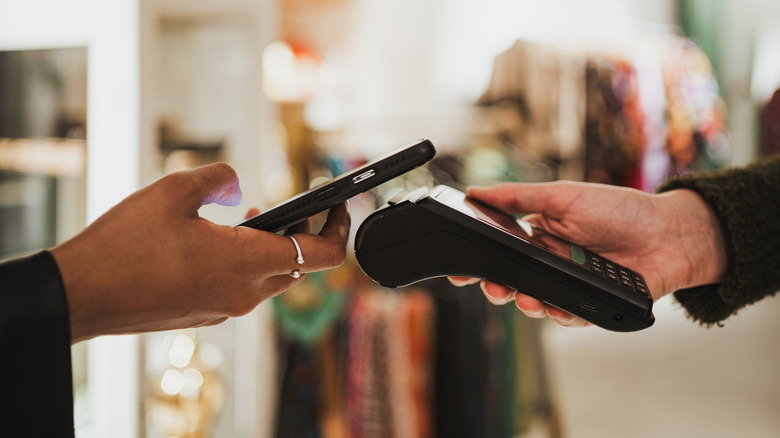
As long as the retailer accepts mobile payments and your card’s payment network, and your card provider supports the wallet service, you should be able to use your digital cards to pay in-store and online. Which one you use is dictated by whether you own an iPhone or an Android phone. They’re both similar in the basics, but have some differences in what you can add and how you’re able to use them.
Advertisement
Both tools offer similar core functionality
Stockinq/Shutterstock
Google and Apple both want the Wallet app to be your go-to place for everything you’d otherwise stick in your physical wallet or purse. Credit and debit cards are the obvious items, but this also also includes loyalty cards, gift cards, boarding passes, event tickets, and train or bus tickets. It can even hold NFC-supported passes, like a digital hotel key or car key, as well as workplace access cards for buildings. This all depends on your location and whether the company providing the pass supports digital wallets. As long as NFC support is there, there’s a chance it’ll work.
Getting your payment cards into either app is straightforward. In Apple Wallet, tap the plus button and choose Debit or Credit Card. In Google Wallet, tap Add to Wallet > Payment card. You’ll need to follow the prompts, then verify with your bank or card provider. As long as the issuing entity supports this function, the card should then be set up for you to use.
Some differences become apparent in support for other passes. Apple Wallet expects items you’re adding to officially support digital wallets; you’ll usually see an Add to Apple Wallet button in emails, apps or similar. This is useful, as it means the Wallet app can support specific features. For instance, if an airline supports it, a boarding pass will automatically update with gate numbers, while also showing up on your Apple Watch. The experience is uniform, with a strict Apple template for passes and cards. Though in iOS 27, you can now add custom passes for otherwise unsupported items.
Google Wallet has been more flexible for a longer time. It offers official Add to Google Wallet passes and can also import tickets and boarding passes from your Gmail inbox. More importantly, though, is its Everything Else option for digitizing photos of random cards and passes in your wallet. This makes it easy to store a parking, library or gym card. They’ll lack the live updates, but this support means you can move to a fully digital setup, even for the analog items in your wallet.
Advertisement
Apple Wallet keeps you going when your battery dies
Pablo Rasero/Getty Images
Both Google Wallet and Apple Wallet are supposed to offer seamless experiences, which they do for the most part. Google Wallet is accessible through a web interface, while Apple Wallet isn’t.
To pay in-person using an iPhone with Face ID, you’ll normally double-click the side button, authenticate with your face or passcode, then hold your phone near the reader. Older iPhones use Touch ID instead. With Google Wallet, you don’t need to press a button; just unlock your phone and hold it near the contactless reader. Your default card will handle the payment; you’ll need to open the app to choose another card. With Apple Wallet, you can pick a card before paying.
You can customize this slightly. If your iPhone has the Action button, you can assign a Shortcut to open Wallet, although this isn’t terribly useful since double-pressing the Side button already does this. Google Wallet supports shortcuts too, including a double-press of the power button on certain Pixel phones. This is worth using if you often pay with different cards.
Advertisement
You can also pay from your wrist with an Apple Watch or a compatible NFC-enabled Wear OS watch. Double-click the side button on Apple Watch or open Google Wallet on Wear OS, then hold your watch near the reader to make the payment.
Both apps can quickly make transit payments without authentication when you hop onto a supported bus, train or tram. Apple Wallet’s Express Mode lets you use eligible cards without waking or unlocking your iPhone, while Google Wallet’s Express Pay will also make transit payments without verification (though your phone screen needs to be on). Apple’s got the advantage here: on supported iPhones, eligible Express Cards can work for up to five hours after the battery runs out. This doesn’t work if you turn off the phone yourself.
Advertisement
Digital ID support depends on where you live
Evgenia Parajanian/Shutterstock
Digital IDs are a little more complicated. Unlike the banking world, support for digital IDs rests on states and governments. Thus, where you live matters more than anything, and advancements can take a long time.
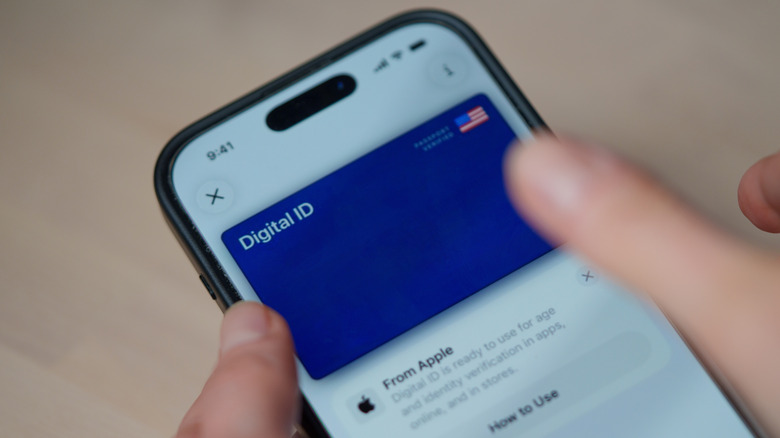
Google Wallet can create an ID pass from a passport issued by certain countries, but it isn’t a replacement for the physical document and won’t be universally accepted. Apple lets you add a driver’s license or state ID from participating US states and territories, but you’ll still need your physical ID wherever the digital version isn’t accepted (a lot of places, currently). Google Wallet also supports digital IDs, but like Apple Wallet, the support varies.
Even if your government has a digital ID program, there’s no guarantee that it’ll include support for Google Wallet or Apple Wallet. For instance, in the UK, plans for a digital driver’s license that acts as a form of ID and is intended as an alternative to photographic ID cards are still progressing. However, the British government has said these will be exclusively available in a separate app called the GOV.UK Wallet, and won’t be available for mainstream wallet apps. Google Wallet offers ID pass support in the UK, but it isn’t officially recognized.
Otherwise, Apple Wallet and Google Wallet have under-the-hood differences in how they process payments. Apple doesn’t store your transaction history or your true card details on its servers, while Google does collect details about your purchases and keeps your real card number on its servers. Both are secure, but Apple Wallet definitely gets points for privacy.
These differences are light enough that they’re worth being aware of even if they probably won’t tip you into buying a phone from the other side. Unless you’re considering Samsung Wallet on Android, your choice comes down to your phone’s ecosystem.















































You must be logged in to post a comment Login